We start with downloading the apk thermostat.apkfrom the website.
Let’s install it on our emulator which we set on genymotion, using adb:
adb install thermostat.apk
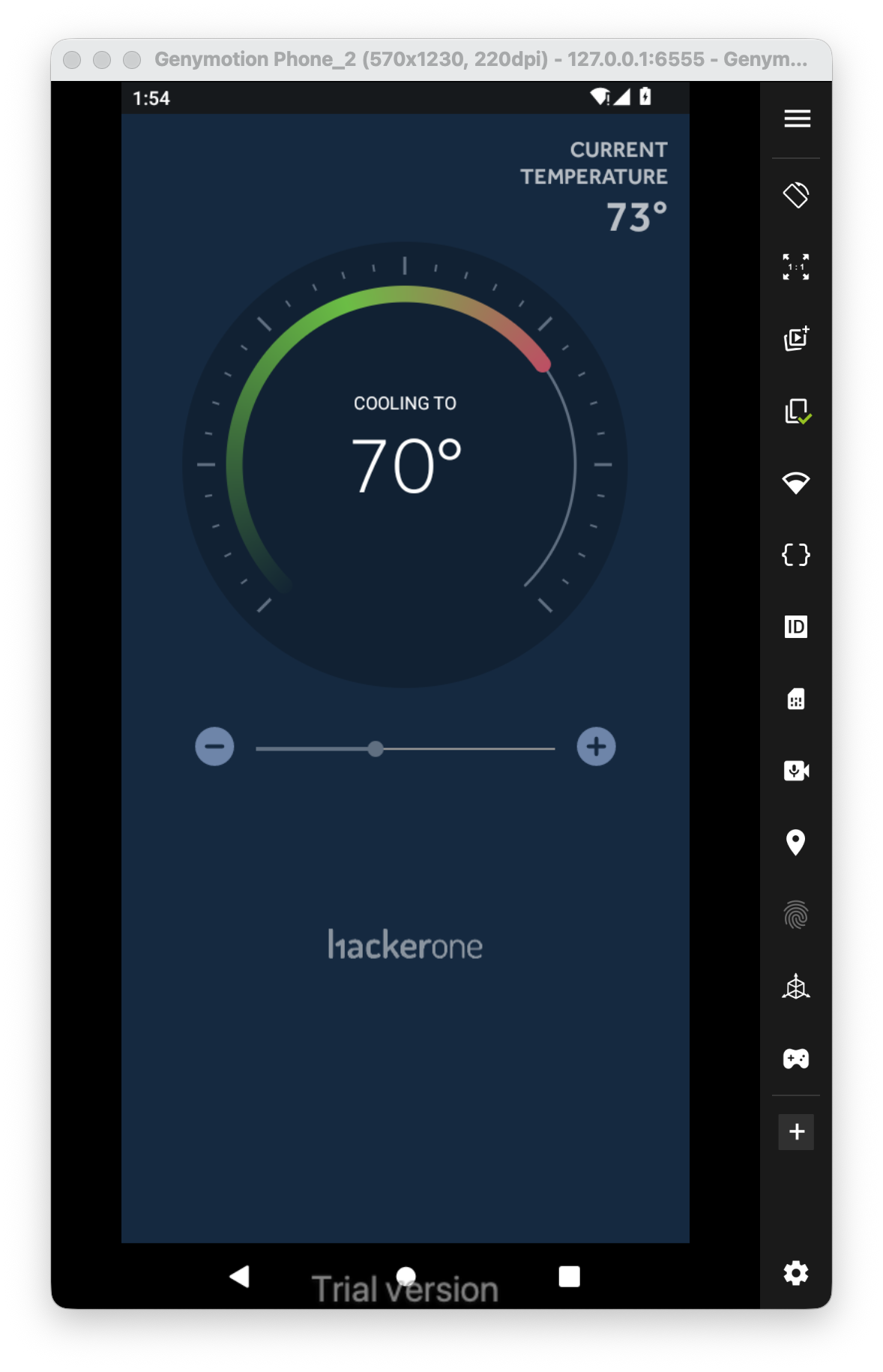
Okay, this is the application. We cam play with the plus and minus and by this way adjust the degrees, nothing too interesting.
Let’s decompile the apk using jadx, we’ll use jadx-gui:
jadx-gui thermostat.apk
Inside AndroidManifest.xml we can see that the package name is com.hacker101.level11, and that there is one activity that is called `ThermostatActivity, which we also start with:
<activity
		android:name="com.hacker101.level11.ThermostatActivity"
		android:screenOrientation="portrait">
		<intent-filter>
			<action android:name="android.intent.action.MAIN"/>
			<category android:name="android.intent.category.LAUNCHER"/>
		</intent-filter>
</activity>
I searched the source code, and easily found the flag:
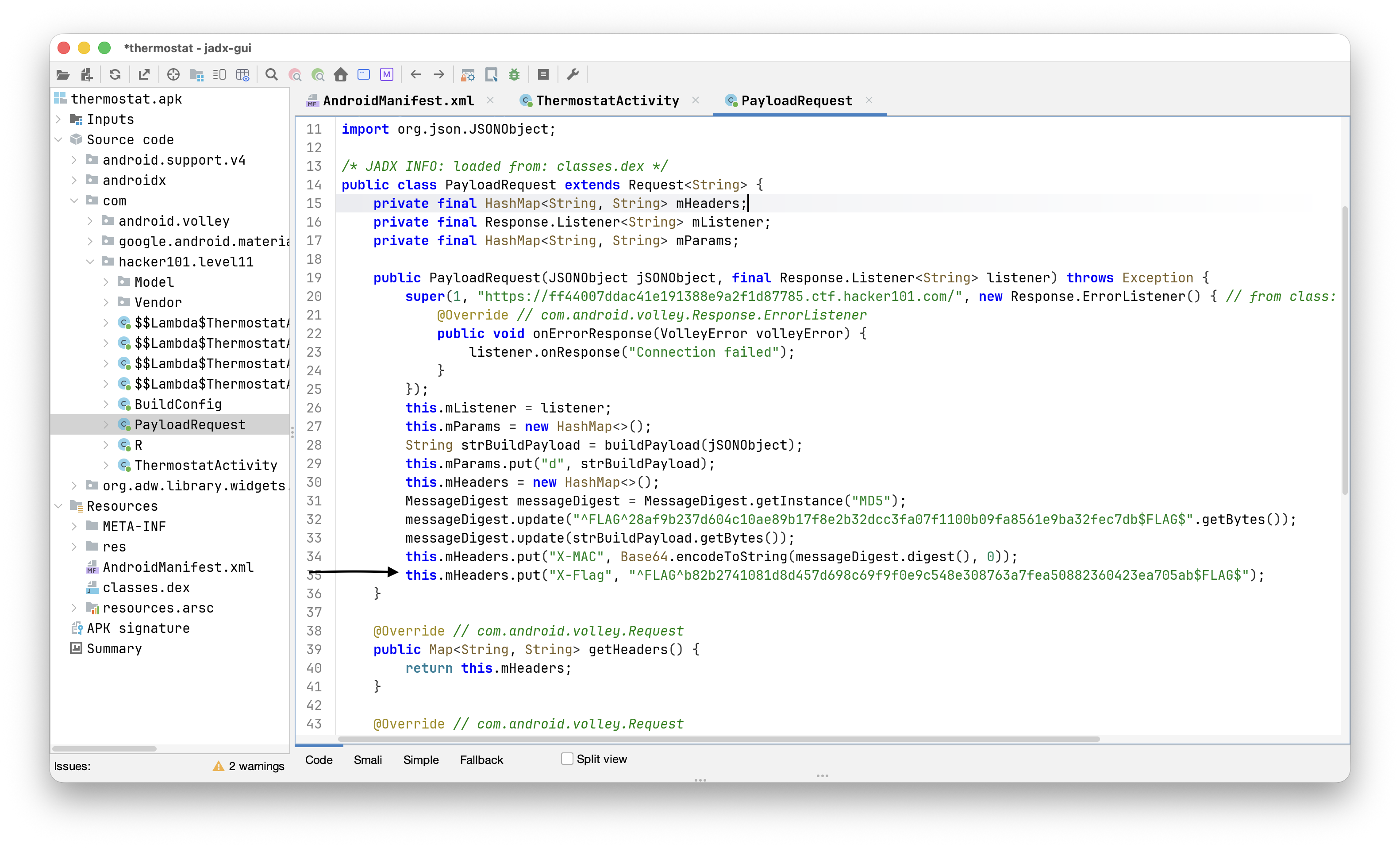 It is being sent as http header to the website at
 https://ff44007ddac41e191388e9a2f1d87785.ctf.hacker101.com/, we can verify that by setting a proxy:
adb shell settings put global http_proxy localhost:3333
adb reverse tcp:3333 tcp:8082
and of course set up the proxy on our burp suite:
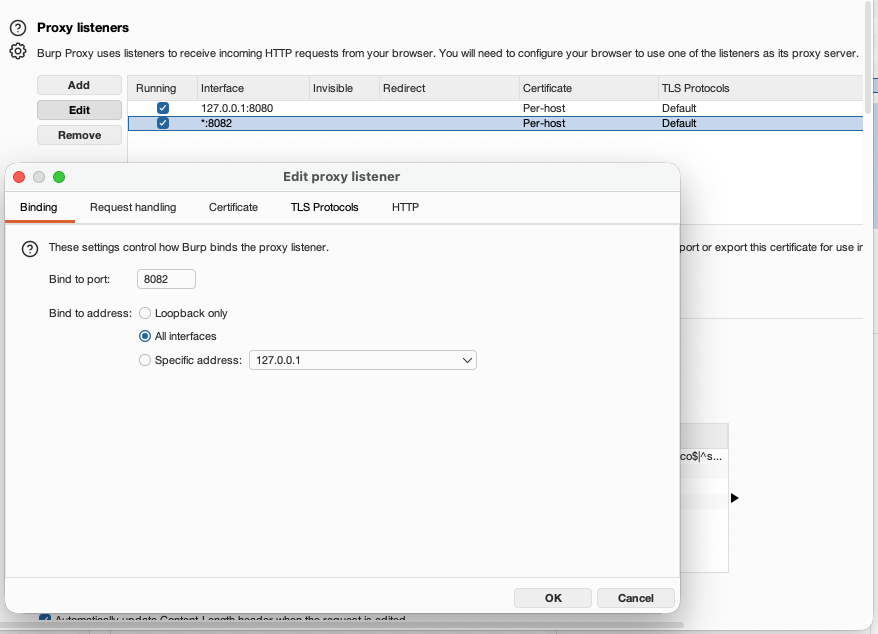
We also might need to install certificates as system authority, for this you’ll need you can use the script I wrote, which can be found here https://github.com/avishaigonen123/CTF_writeups/tree/master/stuff/emulator_tool.sh.
So, the flag can be found by inspecting the request being sent:
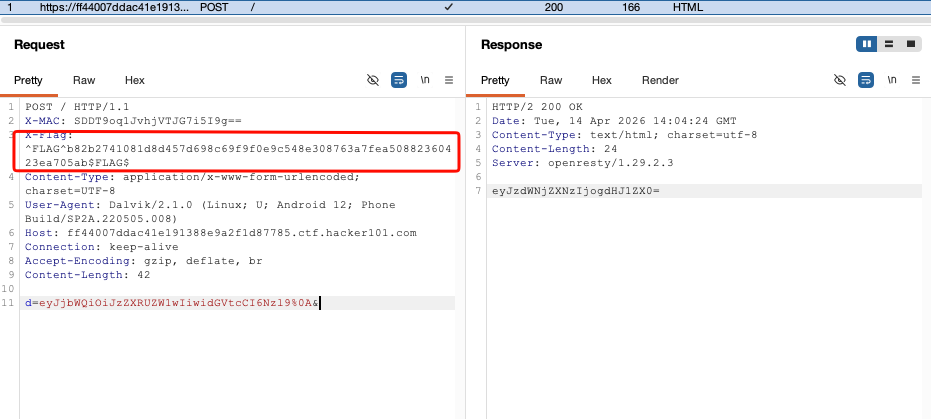
and the flag is: ^FLAG^b82b2741081d8d457d698c69f9f0e9c548e308763a7fea50882360423ea705ab$FLAG$
The second flag can be found in the source code too, its base64 encoded md5 hash is being sent as the X-MAC header.
^FLAG^28af9b237d604c10ae89b17f8e2b32dcc3fa07f1100b09fa8561e9ba32fec7db$FLAG$.