First, we download the binary from https://github.com/nowsecure/cybertruckchallenge19/tree/master/apk. Now, let’s install it on our emulator using adb:
adb install cybertruck19.apk
We can now first examine the AndroidManifest.xml:
<activity android:name="org.nowsecure.cybertruck.MainActivity">
            <intent-filter>
                <action android:name="android.intent.action.MAIN"/>
                <category android:name="android.intent.category.LAUNCHER"/>
            </intent-filter>
        </activity>
We have one activity, and the package name is org.nowsecure.cybertruck.
Alright, let’s open the app:
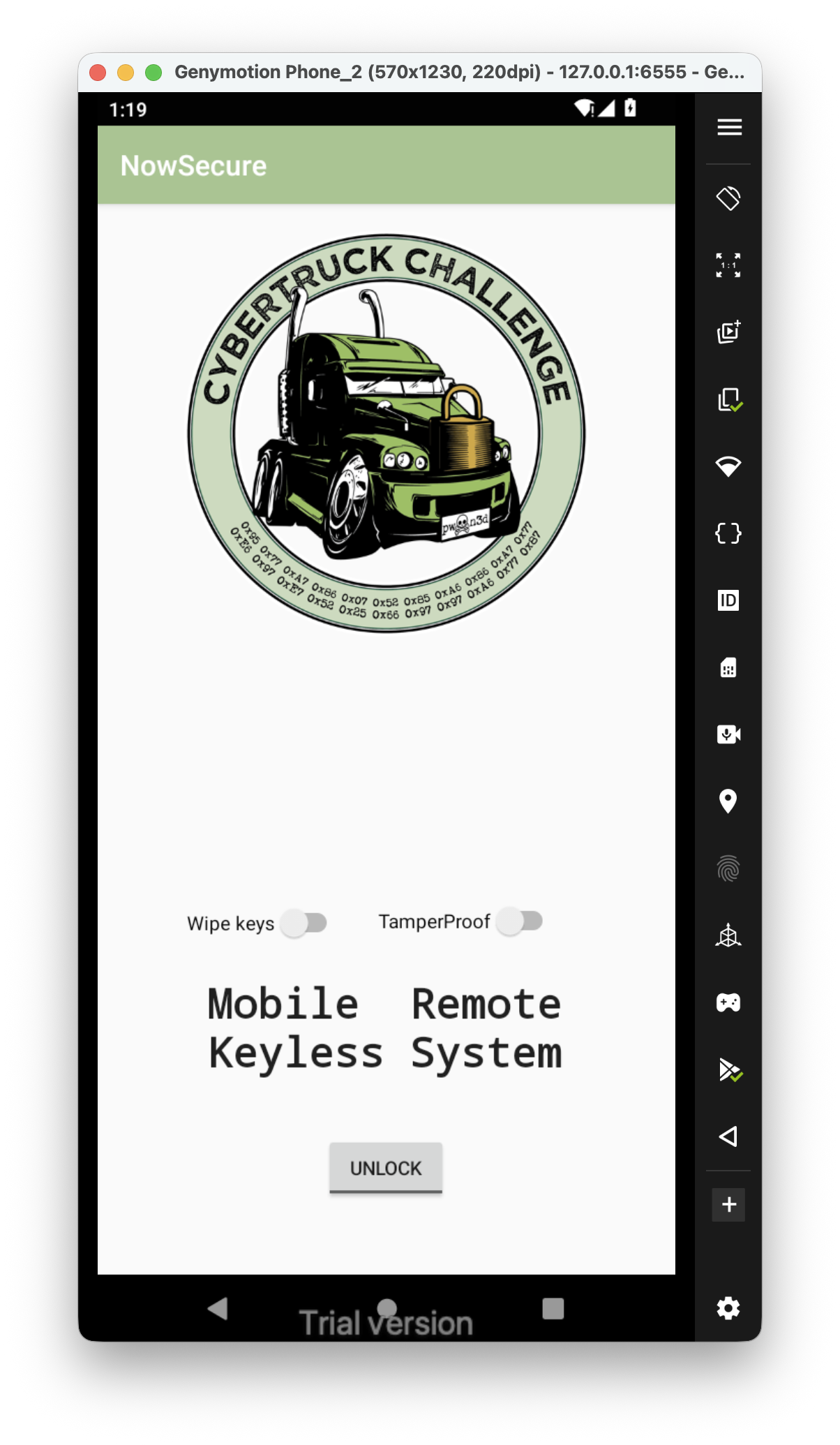 I tried to turn on the
 TamperProof, and got Toast and after that it closes the app.
Alright, I check the code, and find the antiDebug functionallity, inside HookDetector:

and this is the function that does the detection:
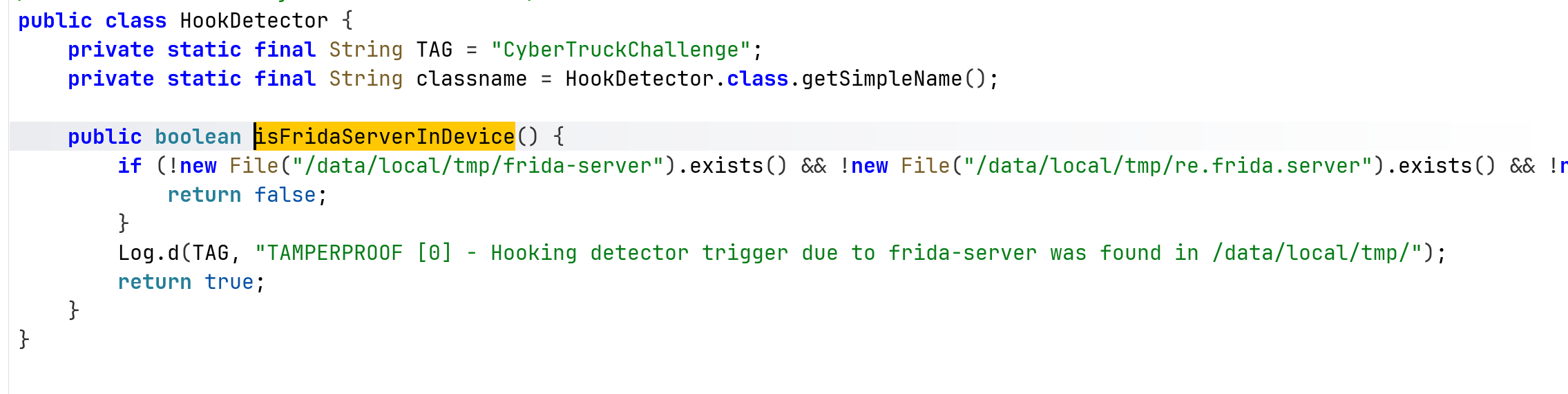
Let’s hook this function using this code:
Java.perform(function(){
    bypassHookDetection();
});

function bypassHookDetection() {
    var HookDetector = Java.use("org.nowsecure.cybertruck.detections.HookDetector");
    HookDetector.$new(); // force init

    HookDetector.isFridaServerInDevice.implementation = function() {
        console.log("Frida detection bypassed");
        return false;
    }
}
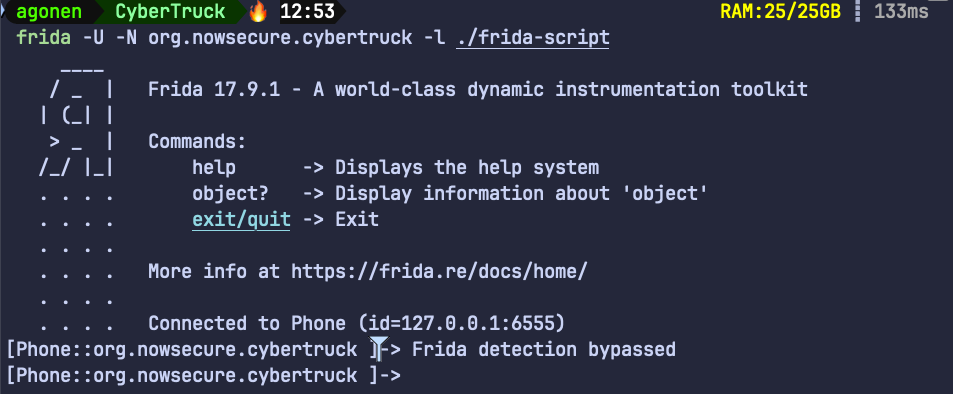
Notice, this time we attach to the application after it already running, we now spawn it on our own because the frida don’t manage to attach to it:
frida -U -N org.nowsecure.cybertruck -l ./frida-script
Now, we can find the first flag hardcoded inside the function generateDynamicKey:
protected byte[] generateDynamicKey(byte[] bArr) throws InvalidKeySpecException, NoSuchPaddingException, NoSuchAlgorithmException, InvalidKeyException {
        SecretKey secretKeyGenerateSecret = SecretKeyFactory.getInstance("DES").generateSecret(new DESKeySpec("s3cr3t$_n3veR_mUst_bE_h4rdc0d3d_m4t3!".getBytes()));
        Cipher cipher = Cipher.getInstance("DES");
        cipher.init(1, secretKeyGenerateSecret);
        return cipher.doFinal(bArr);
    }

    protected void generateKey() {
        Log.d(TAG, "KEYLESS CRYPTO [1] - Unlocking carID = 1");
        try {
            generateDynamicKey("CyB3r_tRucK_Ch4113ng3".getBytes());
        } catch (InvalidKeyException | NoSuchAlgorithmException | InvalidKeySpecException | BadPaddingException | IllegalBlockSizeException | NoSuchPaddingException e) {
            e.printStackTrace();
        }
    }
The first flag is s3cr3t$_n3veR_mUst_bE_h4rdc0d3d_m4t3!.
The second flag can be achieved using this code:
function getDynamicFlag() {
    Java.use("org.nowsecure.cybertruck.keygenerators.Challenge1").generateDynamicKey.implementation = function (bArr) {
        console.log("Inside generateDynamicKey function");
        let result = this["generateDynamicKey"](bArr);
        console.log("Generated dynamic key: " + toHexString(result));
        return result;
    };
}

function toHexString(byteArray) {
    return Array.from(byteArray, function(byte) {
        return ('0' + (byte & 0xFF).toString(16)).slice(-2);
    }).join('');
}
Of course, don’t forget to call the function getDynamicFlag inside the Java.perform function.
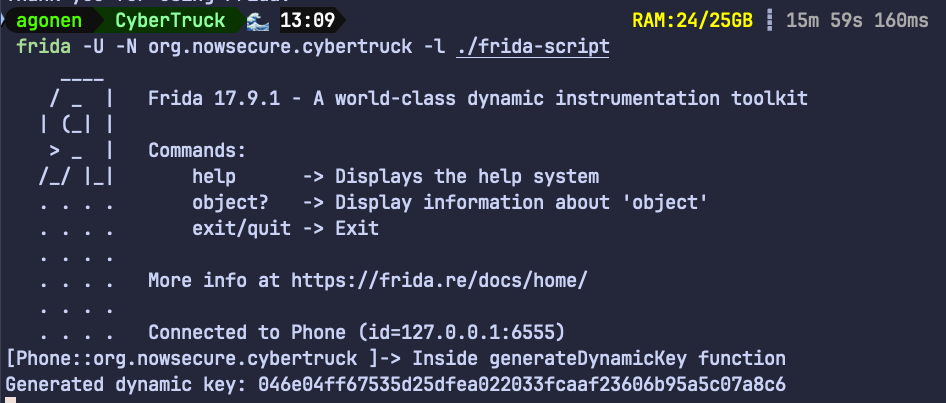
Then, when clicking the unlock, we can get the flag:
Notice, we can achieve the flag also by not clicking:
Java.perform(function(){
    bypassHookDetection();

    getDynamicFlag();

    Java.use("org.nowsecure.cybertruck.keygenerators.Challenge1").$new();
});
So, the flag in hex is: 046e04ff67535d25dfea022033fcaaf23606b95a5c07a8c6.
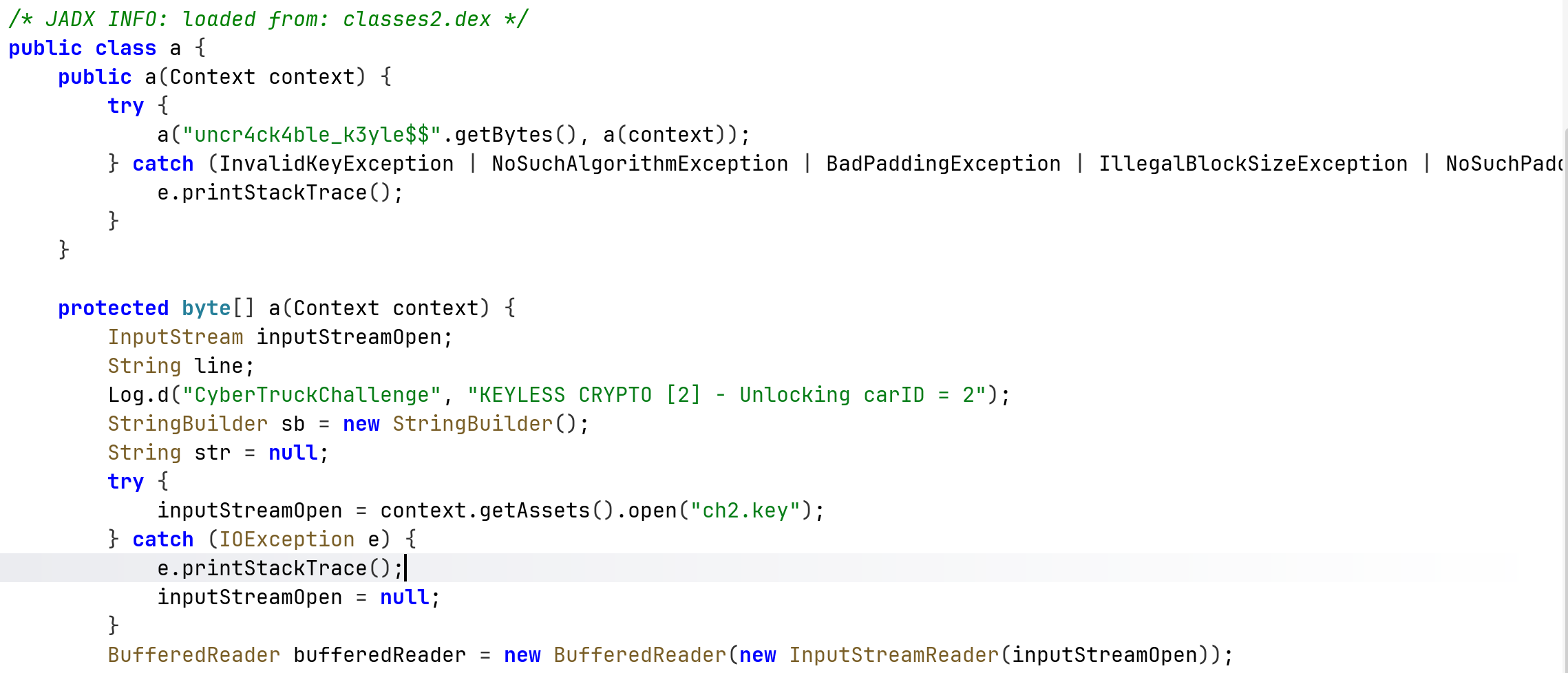
For the second part, the code is found at org.nowsecure.cybertruck.keygenerators.a, we can see the key is obtained from a file, located at /assets/ch2.key:
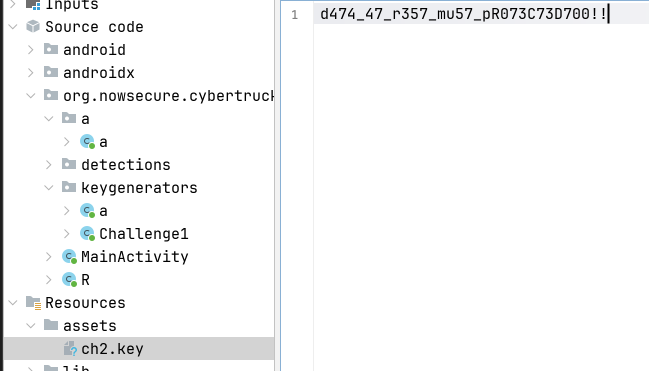
This isn’t secured, let’s simply go there and grab the key, which is d474_47_r357_mu57_pR073C73D700!!
We’ll use this function:
function getDynamicFlag2() {
    Java.use("org.nowsecure.cybertruck.keygenerators.a").a.overload('[B', '[B').implementation = function (bArr, bArr2) {
        console.log("Inside a.a function");
        let result = this["a"](bArr, bArr2);
        console.log("a.a result: " + toHexString(result));
        return result;
    }
}
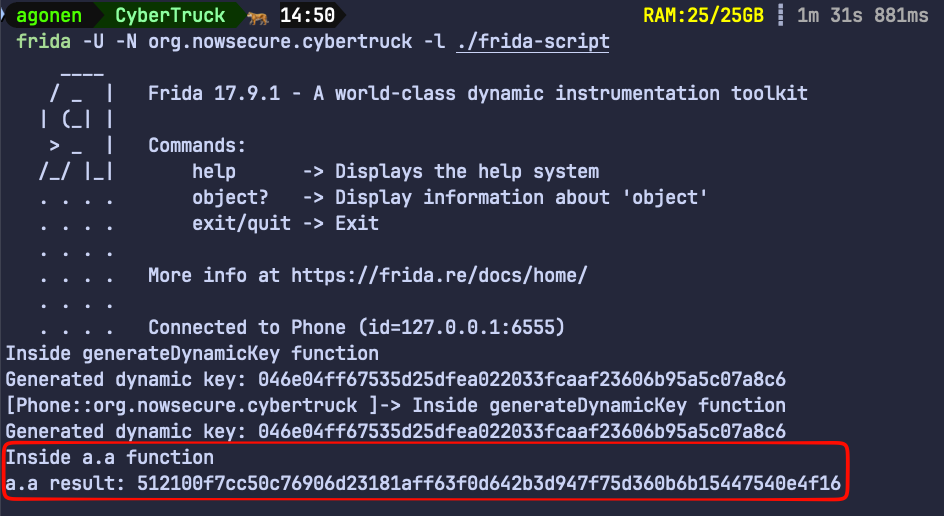
The dynamic flag is 512100f7cc50c76906d23181aff63f0d642b3d947f75d360b6b15447540e4f16
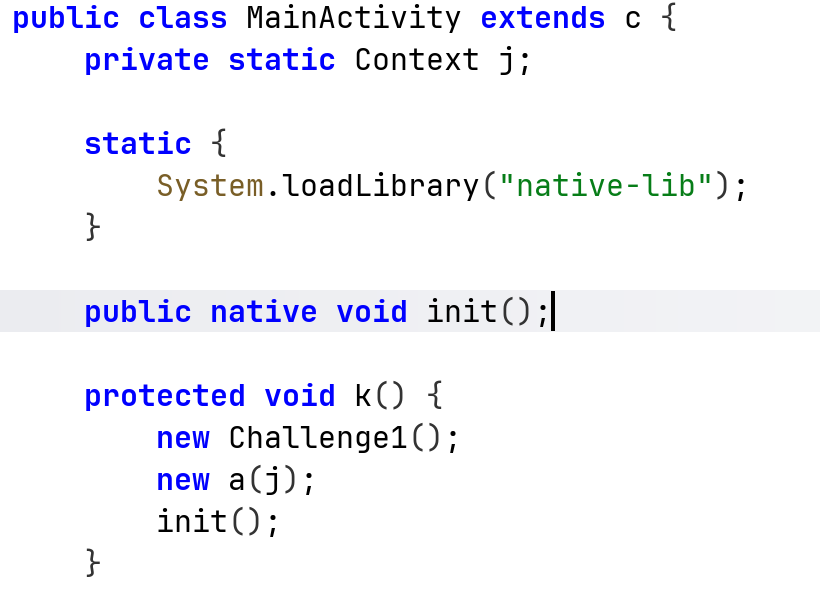
In part3 we can notice that the function is native function, loaded from libnative-lib.so, it loads the function init:
Okay, now let’s load this library into ghidra, I’m loading the arm version, because it decompiles it better than the x86 version.
This is the decompiled init function we want to explore:
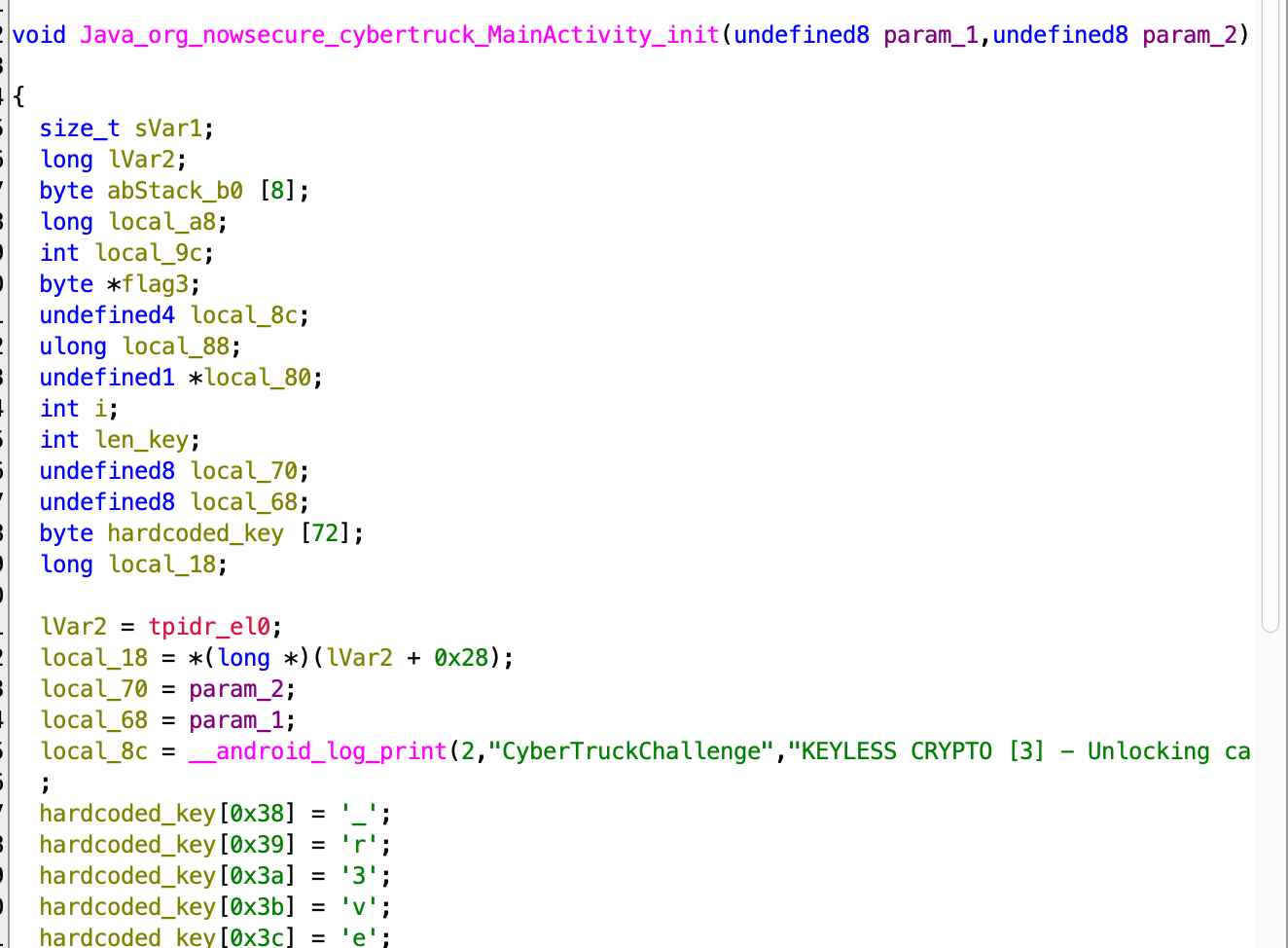
I renamed several variables, let’s access the hardcoded_key:
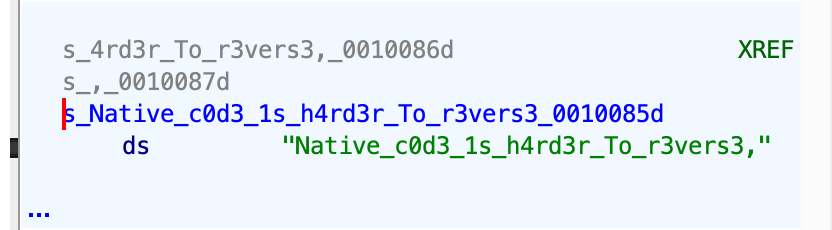
Okay, so the first flag is Native_c0d3_1s_h4rd3r_To_r3vers3.
Next, we can see the decryption method, where it xor the 32 key with some secret, and at the end the flag located inside “flag3”:
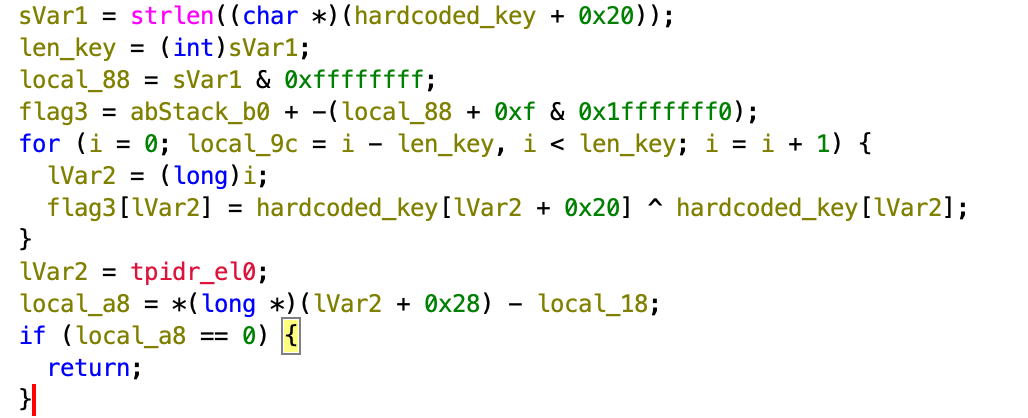
Okay, we need to somehow hook the function using frida, and try somehow to access the location of the flag itself, which can be accessed from the stack.
The function we want to hook is Java_org_nowsecure_cybertruck_MainActivity_init, let’s try it.
First, I want to hook the whole function, and onEnter I want to hook the strlen and read 0x20 bytes from its args[0].
Let’s do it:
function isAddressInModule(moduleName, address) {
  var module = Process.findModuleByName(moduleName)
  return address >= module.base && address < module.base.add(module.size);
}

function hookInit(){
    const init_address = Process.findModuleByName("libnative-lib.so").findExportByName("Java_org_nowsecure_cybertruck_MainActivity_init");
    Interceptor.attach(init_address, {

        onEnter: function(args){
            this.strlenAddr = Process.findModuleByName("libc.so").findExportByName("strlen");
            this.strlen = Interceptor.attach(this.strlenAddr, {
                onEnter: function(args) {
                    // Check if the return address of strlen is within libnative-lib.so to ensure we're only logging calls from that module.
                    if(isAddressInModule('libnative-lib.so', this.returnAddress)) {
                        console.log("Challenge 3 hardcoded key: "+ args[0].readUtf8String(32));
                    }
                }
            });
        }
    })
}
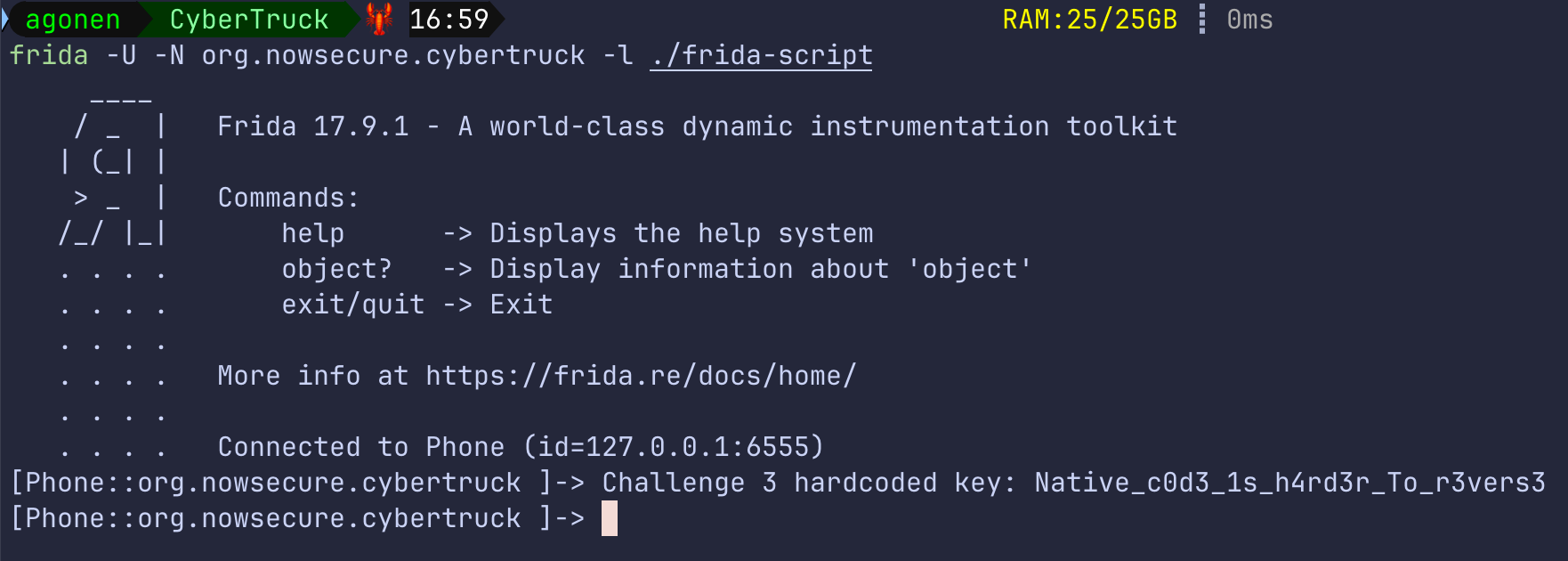
Now, we can see that we actually get the hardcoded flag:
Okay, next we want to hook the address of the local variable flag that is found on the local stack:
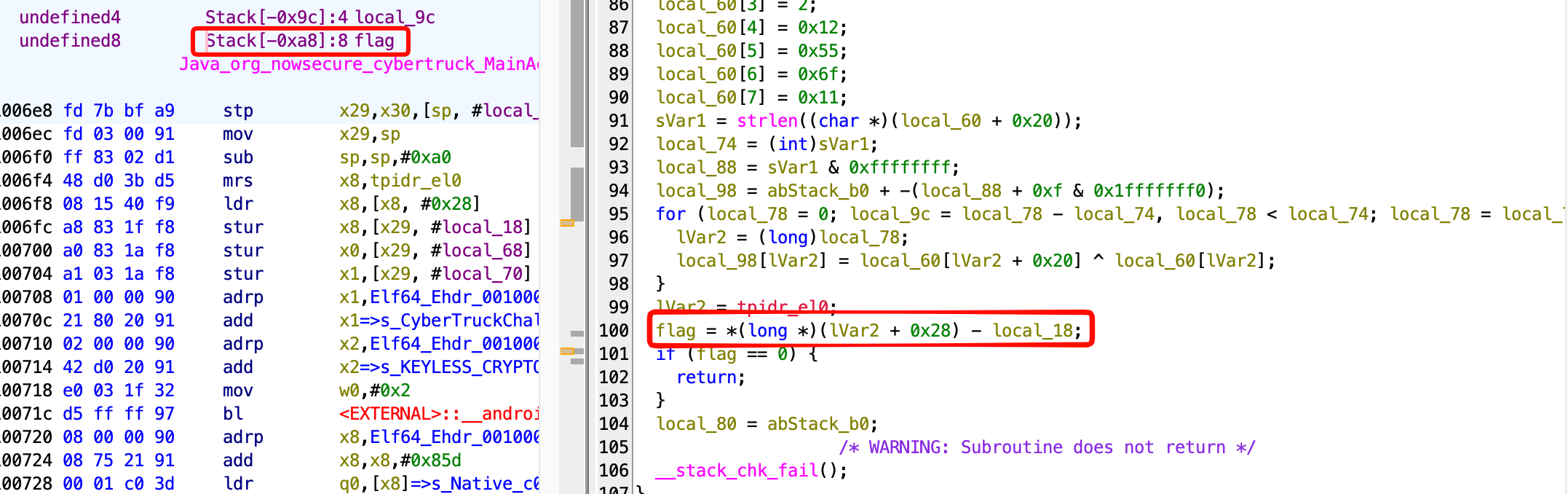
So, in our case we need to access the address of stack location - 0xa8.
I tried to add this onLeave function to the hooked init function:
onLeave: function(){
            this.strlen.detach(); // Detach the strlen hook when leaving init to avoid detection
            const flag_address = this.context.sp.sub(0xa8);
            console.log("Flag address: " + flag_address);
            console.log("Flag value: " + flag_address.readUtf8String());
            console.log(hexdump(flag_address, {
                offset: 0,
                length: 0x100,
                header: true,
                ansi: true
             }) );
        }
However, it isn’t working for some reason.
So, another way we can use is to hook specific line of code, and then access specific register, using this.context.
In our case, we would like to hook the line where it finish calculating the flag, and read the content of the register:
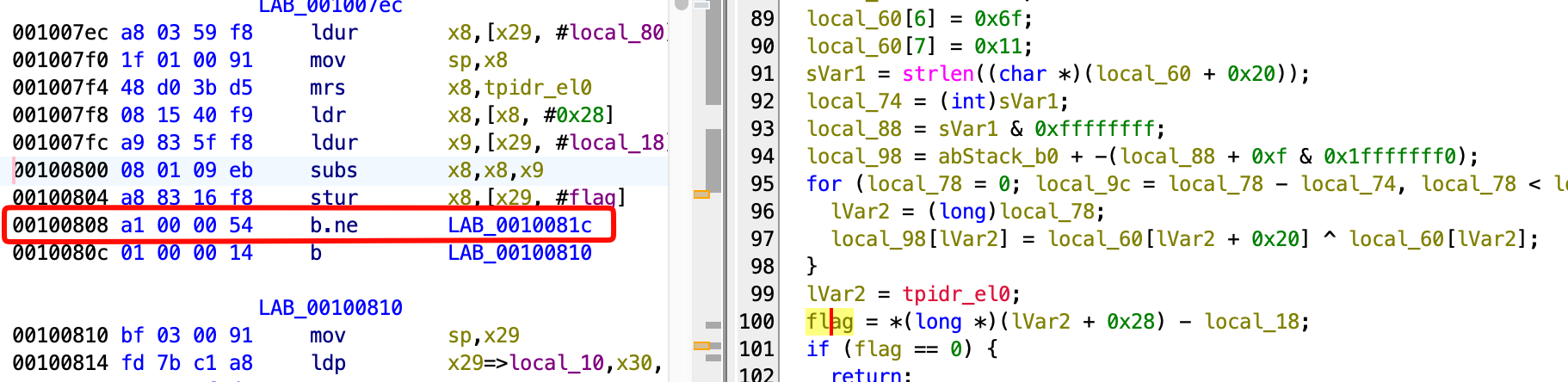
So, this will be the code:
Interceptor.attach(Process.findModuleByName("libnative-lib.so").base.add(0x808), {
        onEnter: function(args) {
        // Print the value of x8
        console.log('x8: ' + this.context.x8.readUtf8String(10));
    }
    });
After day of working, I don’t know what to do :(